 BETA
Two terminals, four leads
Each terminal has two leads joined by a strip in the base; the four legs only hold the switch firmly.
Explore the internal circuitry and functional stages of Push Button (Tactile Switch).
Leads, fixed contacts, snap dome and plunger.
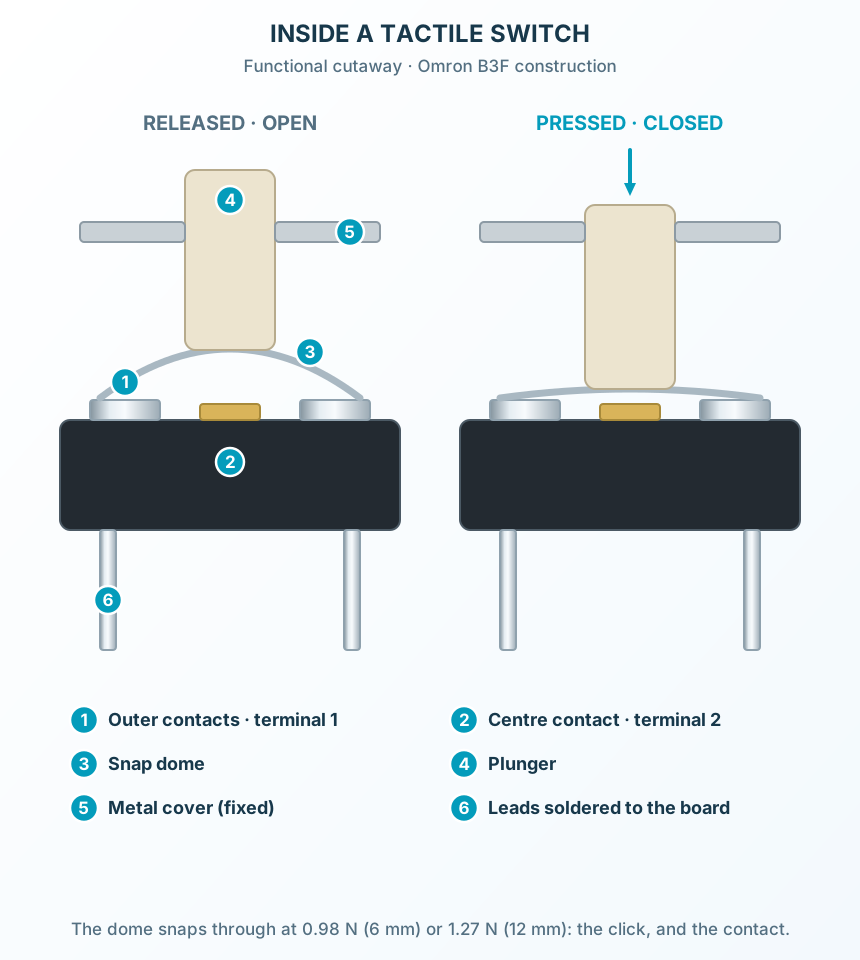
Select a stage to see its role and connections
Each terminal has two leads joined by a strip in the base; the four legs only hold the switch firmly.
Pressing flattens the dome past its tipping point: the click, and the contact.
Released, the dome springs back and lifts the plunger: the contact opens again.