Hello friends! Today, we will compare three useful C compiler choices for PIC microcontrollers: Microchip's MPLAB XC tools, mikroC PRO for PIC and CCS C. Choosing a compiler affects how you configure peripherals, reuse libraries, debug the circuit and maintain the project later.
The original article introduced MPLAB C18 alongside mikroC and CCS. That historical context still helps when opening older tutorials, but C18 is not the starting recommendation for a new 8-bit PIC project. We will explain the current XC8 path, preserve the older learning links and identify the settings that matter whichever compiler you choose.
Our aim is to select a tool for a particular microcontroller and project, not declare a universal winner. We will start with the difference between an IDE and a compiler, compare practical strengths, and finish with a small evaluation procedure you can apply before committing an entire design.
What Does a PIC C Compiler Actually Do?
You write application logic in C source files. The build tools process those files, translate the program for the selected processor, resolve references to libraries and place the resulting code and data into the device's memory layout. A build may produce a HEX file for programming and additional files for debugging and inspection.
A HEX file describes programming data and addresses; it is not the original C source. Keeping only that file loses the explanations, symbolic names and build settings needed to modify the project reliably. Preserve the source, headers, project configuration and compiler version as well.
An integrated development environment, or IDE, provides the editor, project controls and debugging interface. A compiler performs code translation. A programmer transfers the resulting firmware into the chip, while a debugger helps inspect a running program. One product package may combine several of these functions, but their roles remain different.
For example, MPLAB X IDE can organize a PIC project while XC8 compiles its C code. Installing an IDE does not automatically prove that the correct compiler, device support and hardware debugger are available. Microchip's compiler requirements guide explains the supported toolchain choices.
Why the exact PIC part number matters
PIC is a family name covering different processor architectures and peripherals. A PIC16F877A, a PIC18 device and a PIC24 device are not interchangeable build targets. Even two devices with similar names can have different memory maps, pin functions, oscillator controls and configuration bits.
Select the exact part number first, including a relevant suffix where the device list distinguishes it. Then check compiler support, programmer support and the simulation model if you intend to use Proteus. Selecting a similar device just to make the code compile can produce firmware that is unsuitable for the physical chip.
Compare the Three Compiler Options
| Option | Main attraction | What to check first |
|---|---|---|
| MPLAB XC8 for 8-bit PIC | Microchip toolchain and device documentation integration | Exact device support and the selected development environment |
| mikroC PRO for PIC | Integrated environment and peripheral libraries used in many TEP tutorials | Supported device list and the library assumptions of the example |
| CCS C | PIC-oriented built-in functions and selectable compiler packages | Which package covers the target device and required workflow |
These are qualitative comparisons of documented workflows, not benchmark scores. Generated code size and execution speed depend on the device, compiler release, optimization settings, libraries and program itself. A claim that one compiler always produces the smallest or fastest firmware would need evidence across defined test cases.
1. MPLAB XC Compilers from Microchip
For a new 8-bit PIC project, XC8 is the relevant Microchip compiler to investigate. Microchip's XC8 overview describes device support and integration with MPLAB X IDE. Other PIC architectures use different toolchain selections, so check the supported-device list instead of choosing by name alone.

The retained screenshot belongs to the earlier MPLAB-era tutorial. Menus, project files and compiler settings can differ substantially from current releases. It is useful for recognizing an archived project, but a new installation should follow the current vendor instructions.
A significant licensing update
Microchip announced on July 8, 2026 that its MPLAB XC Pro compilers became available at no cost, including advanced optimizations. The current licensing notice states this change. Older tutorials describing an ongoing paid PRO requirement for optimization therefore need to be read in their historical context.
This update makes comparisons based on old free-versus-PRO restrictions misleading. Record the actual installed release and settings when comparing results. A license-policy change does not mean that an old project, compiler executable or third-party library will automatically migrate without adjustment.
Where the Microchip workflow fits well
I would normally evaluate this route first for a new PIC design when there is no existing requirement to use another compiler. The manufacturer's device information, configuration definitions and debugging workflow give you a direct place to investigate hardware-specific behavior.
You still need to understand the peripheral. Generated initialization code or library calls can save repetitive typing, but they do not decide whether your ADC acquisition time, UART baud error or timer resolution is suitable. Use the device datasheet alongside the compiler documentation, especially when changing oscillator settings or moving to another PIC.
Opening an older MPLAB C18 project
C18 is part of the history of PIC18 development. Microchip identifies the XC compiler family as the replacement for its older MPLAB C and HI-TECH lines. Porting an archived project requires checking interrupt declarations, headers, library calls, configuration syntax and memory-related constructs; changing the compiler selection alone is not a complete migration.
These original tutorials remain useful when maintaining the corresponding historical environment:
- How to install the older MPLAB software in Windows.
- Installing MPLAB C18 for an archived project.
- Getting started with the original MPLAB tutorial.
Preserve a working copy of the original project before migrating it. Produce a baseline build where the old environment is available, then compare behavior after each deliberate change. Do not describe an old compiler as current simply because a historical download still opens.
2. mikroC PRO for PIC
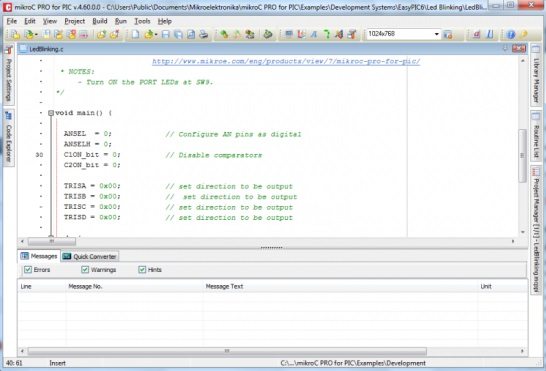
mikroC PRO for PIC combines its compiler with an integrated development environment and peripheral libraries. The official product page is the starting point for downloads, supported devices and release information. Many TEP examples use this environment, making it a practical choice when reproducing those projects.
Its convenience is easiest to see with familiar tasks such as writing to a character LCD or reading an ADC. A library function can hide several register operations, reducing the amount of introductory code. However, pin assignments, analog-mode settings, reference selection and timing requirements still belong to the circuit design.
For example, an LCD library may expect particular global pin aliases, while an ADC helper may choose a specific conversion clock or reference arrangement. Read the ADC library documentation and the corresponding LCD library documentation before assuming that a convenient call works with every configuration.
Licensing and evaluation
Distinguish an evaluation build from the licensed product. MikroElektronika's published activation guide describes a demo limited to projects below 2K program words. Check the installed product's current terms and size report rather than confusing program words with source-code lines or assuming that every architecture uses identical memory accounting.
Compile a representative example during evaluation. A tiny LED program may fit comfortably while adding floating-point formatting, communication buffers and display routines changes the memory requirement. Choose the tool based on the intended application, not only the smallest demonstration.
Projects that use this workflow
The following tutorials preserve useful application context. Check their device, oscillator and compiler settings individually; their code is not automatically portable to another PIC or compiler.
- Speed control of a DC motor using a PIC microcontroller.
- Password protection using a PIC microcontroller.
- Receiving SMS commands with SIM900 and a PIC.
I would favor mikroC when an existing course or maintained application already depends on its libraries and the supported device fits the job. That saves unnecessary translation work. For a new design, compare it with the other options using the same small hardware exercise before choosing.
3. CCS C Compiler
CCS offers C compilers and development packages for several PIC families. Its compiler selection page distinguishes packages such as PCM for relevant PIC10/12/16 devices, PCH for PIC18 and PCD for supported PIC24/dsPIC devices. Use the device lookup and package details to confirm the exact chip.
One naming detail can confuse beginners: CCS uses PCB as the name of a compiler option for certain baseline PIC devices. In that context, PCB is a product name, not a printed-circuit-board layout application. Check the device coverage rather than interpreting the abbreviation by itself.
The environment includes PIC-oriented functions and directives that can simplify peripheral setup. These are useful extensions, but they should not be described as ordinary portable desktop C. Hardware declarations, configuration directives and library calls need translation when moving a project to another compiler.
The CCS feature documentation describes device-specific include files, built-in functionality and optimization features. During evaluation, inspect what a high-level helper actually configures and whether that behavior matches your peripheral and timing requirements.
I would shortlist CCS when an existing project uses its drivers, when the team already knows its conventions, or when its supported workflow simplifies the intended application. Confirm programmer and debugger integration separately. Buying a compiler package does not guarantee that every hardware debugging adapter you own will work with it.
Settings That Matter More Than the Compiler Name
Oscillator configuration and declared clock
The physical clock source, device configuration and compiler's timing assumptions must agree. A delay helper uses the declared clock to generate timing, but declaring a frequency does not install a crystal or configure every oscillator register. If those assumptions disagree, delays and serial communication can be wrong while the code still compiles successfully.
For a classic PIC16F877A using its instruction clock, the instruction-cycle frequency is Fosc/4. With an 8 MHz oscillator, that is 2 MHz, or 0.5 microseconds per instruction cycle. This relationship is device-specific and should not be generalized to every processor carrying the PIC name.
Timer calculation example
Suppose Timer1 on that device uses the internal instruction clock and a prescaler of eight. Each timer count then represents 4 microseconds. A nominal 1 millisecond interval requires 1000/4 = 250 counts. A 16-bit overflow calculation gives a preload of 65536 − 250 = 65286, or 0xFF06.
That arithmetic establishes the count requirement, not the complete interrupt timing. Reload latency, interrupt handling and the way the timer is updated can affect the observed period. Measure a diagnostic output and review the PIC16F87XA datasheet when implementing the circuit. A different compiler may generate different instruction sequences around the same C statements.
Pin modes and configuration bits
A pin may start as an analog input or share a peripheral function. Setting a direction register alone does not necessarily make it usable as the digital output you intended. Check analog selection, comparator configuration and alternate functions for the exact device.
Configuration bits can control oscillator mode, watchdog operation, low-voltage programming and other startup behavior. Record them with the project. A HEX file generated with an unexpected configuration can behave differently from a simulation whose component properties were set manually.
Types, arithmetic and shared data
Do not assume that int has the same width and signedness conventions across all embedded compilers. Check the compiler documentation and use explicitly sized types where supported. Intermediate arithmetic matters too: assigning a result to a large variable does not repair an overflow that already occurred during multiplication in a smaller type.
Data shared with an interrupt handler may need volatile qualification, but volatile does not make a multi-byte access atomic on an 8-bit processor. Take a protected snapshot where necessary, keep the protected section short and restore the previous interrupt state. This is a hardware and concurrency issue, not something a preferred compiler brand removes.
Evaluate a Compiler with a Small Real Project
- Select the exact PIC and record its oscillator, supply voltage and programmer.
- Create a minimal project that sets a known digital output to a defined startup state.
- Add a timed toggle and measure its period.
- Transmit a fixed UART message and check the baud rate and received characters.
- Read one analog input or communicate with one peripheral required by the final design.
- Enable warnings and inspect the build's memory report.
- Debug a deliberate fault, such as an unexpected variable value, using the intended workflow.
- Rebuild from the preserved project files and confirm that the documented process is complete.
Use the same requirements for each compiler, but do not force every implementation to use identical proprietary library calls. Compare the resulting behavior, memory use, debugging experience and maintenance effort. Record optimization settings so that the comparison can be repeated.
Assess ROM and RAM separately. A program can fit into flash while its communication buffers exhaust data memory. Formatted printing, recursion, large local arrays and library state can change memory needs substantially. Review the map and diagnostics instead of judging memory use from the number of source lines.
Moving Code Between Compilers
Keep application decisions separate from hardware access. For example, a temperature alarm can call a small function to read a sensor and another to set an output. Moving compilers then requires rewriting those hardware functions while preserving the clearer decision logic.
Check interrupt declarations, configuration bits, delays, peripheral drivers and program-memory access first. Then inspect integer widths, signed arithmetic and assumptions about initialization. A successful build is the beginning of migration testing, not evidence that all runtime behavior is identical.
Recheck failure behavior as well as normal operation. Disconnect a peripheral in a controlled test, supply an out-of-range value and inspect startup after reset. A library that waits indefinitely for a response can affect the whole application, even if its normal demonstration works well.
Review: Which PIC C Compiler Would I Choose?
For a new 8-bit PIC project without an established tool requirement, I would evaluate XC8 first. Its manufacturer integration and current licensing make it a practical baseline. For an existing mikroC or CCS project, maintaining the established compiler can be the more efficient choice when device support and long-term access remain suitable.
The best decision is the one you can explain using the target device, required peripherals, debugging method and maintenance plan. A familiar library is valuable, but knowing what it does is more valuable than memorizing the shortest possible sequence of function calls.
Frequently Asked Questions
Is MPLAB X itself a C compiler?
No. It is an IDE that uses an installed toolchain such as XC8. Select the correct compiler and device support for the project.
Should a new PIC18 project start with MPLAB C18?
Normally investigate XC8 for supported 8-bit PIC devices. Keep C18 knowledge for maintaining historical projects, and use a deliberate migration process when updating them.
Can I copy mikroC code directly into XC8 or CCS?
Portable C logic may transfer, but pin declarations, interrupts, configuration settings and peripheral libraries often require changes. Verify each hardware interface rather than only fixing compiler errors.
Can Proteus execute the compiled firmware?
That depends on the supported processor model, firmware format and circuit setup. Match the device and clock settings, then remember that a simulation validates only the behavior represented by its models.
Does a smaller HEX file prove the compiler is better?
No. Compare actual memory use and required behavior, not just the text-file size. Execution time, numerical correctness, debugging and maintainability also matter, and the best tradeoff depends on the application.