Hello friends, I hope you all are doing great. Today, I am going to share the Touchless Gesture Lamp with APDS-9960 and ESP32 - Proteus Simulation, the seventy-ninth project of our IoT Projects series. If you have searched for an APDS-9960 with an ESP32, how a gesture sensor tells a left swipe from a right one, a touchless light switch, or WS2812B lighting in a Proteus simulation, here is a complete one. A light switch is touched by every hand in the house, and a wet or floury hand in the kitchen is the last thing you want on it. A gesture sensor lets you wave instead.
This ESP32 reads an APDS-9960, a tiny sensor that sees hand gestures, proximity, ambient light and colour, and drives a ring of 16 WS2812B LEDs. Swipe left or right to change the scene, up or down to change the brightness, hold your hand still over it to switch it on or off. It also dims itself when the room is full of daylight, and in one scene it copies the colour of the light around it. In this tutorial, we will go through the circuit, how the APDS-9960's gesture engine works, decoding a swipe from its four photodiodes, measuring light and colour, the WS2812B protocol, and the lamp's logic, all with plain I2C and no gesture library. Then we run the whole story in the simulation. At the end, you can download the project with the sketch and every library file.
NOTICE: Our team has put a lot of effort into this project: the circuit, the code and every part in the simulation are our own work, and you get them all free. Your feedback is the fuel that keeps us going, so please tell us what you think in the comments below. And if our free projects help you, you can buy us a coffee. So, let's get started with the touchless gesture lamp with APDS-9960 and ESP32 in Proteus simulation:
What Does This Gesture Lamp Do?
- Reads gestures: an APDS-9960 on the ESP32's I2C bus; the sketch decodes LEFT, RIGHT, UP, DOWN and NEAR itself from the raw photodiode data.
- Changes scenes: WARM, COOL, RED, GREEN, BLUE, RAINBOW and MATCH, with a swipe left or right.
- Dims and brightens: a swipe up or down, in 25 % steps.
- Switches on and off: a hand held still over the sensor.
- Saves energy: AUTO dims the lamp in daylight, by the sensor's clear light count.
- Matches the room: in MATCH the ring takes the colour of the light the sensor sees.
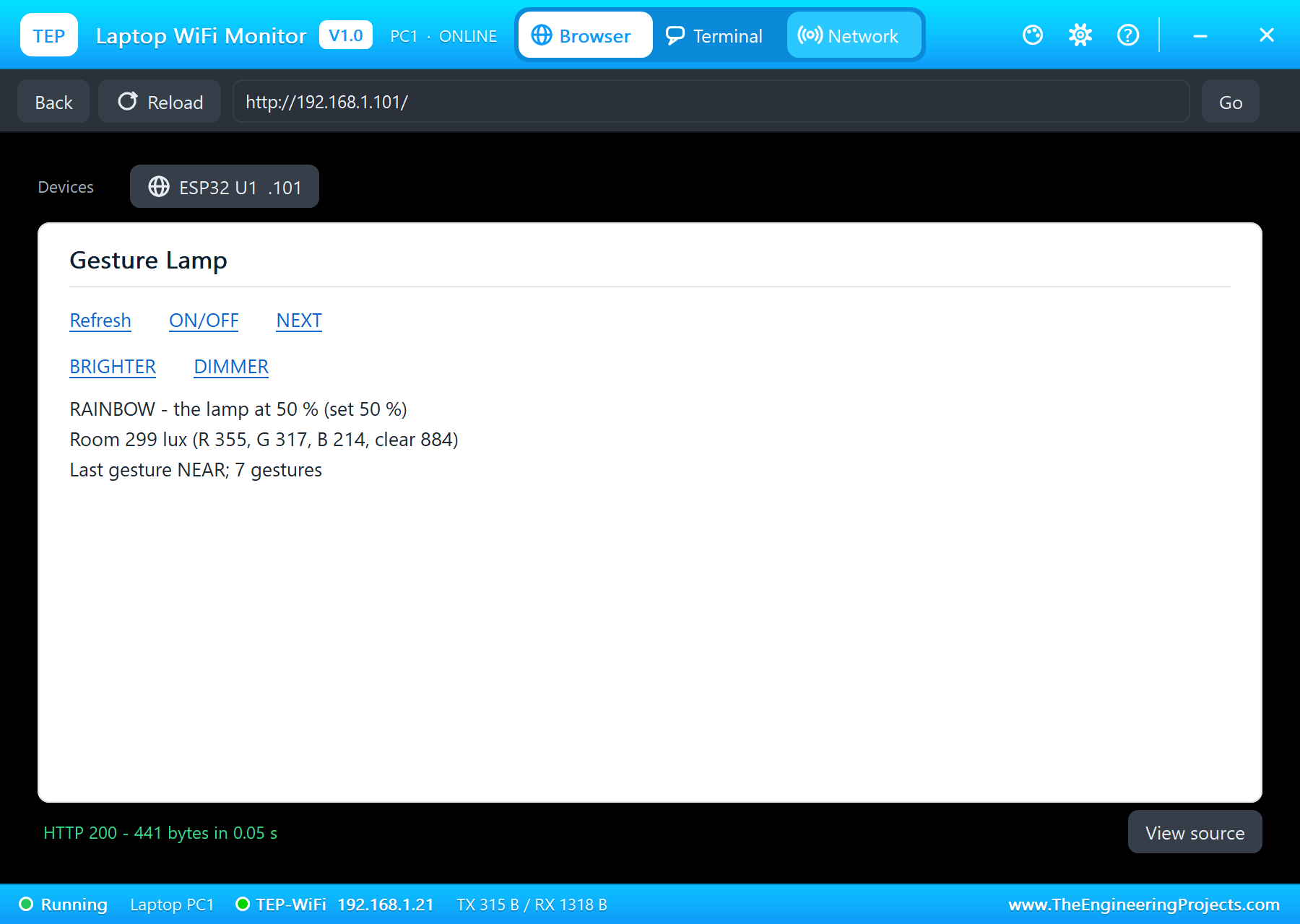
- Shows it all: a 0.96" OLED with the last gesture as an arrow, and a dashboard on a laptop or a phone.
It is a great project for learning a sensor with a real state machine inside, a little signal processing, and addressable LEDs in one go. In the simulation, the APDS-9960's pop-up shows the hand above the sensor, what each of its four photodiodes sees and the gesture engine at work, with buttons for swipes, a hover and the colour of the room light, so every gesture the ESP32 decodes can be checked.
Components Used in the Proteus Simulation
All the parts come from our Proteus libraries, each with its own tutorial. The project zip at the end includes every LIB and DLL file.
| Part | Proteus device | Library post | Connection |
|---|---|---|---|
| ESP32 DevKit V1 | ESP32 DEVKIT V1 | ESP32 DevKit V1 Library for Proteus | U1, ESP32_Gesture_Light.hex, TEP-WiFi 192.168.1.101 |
| APDS-9960 gesture sensor | GESTUREAPDS9960TEP | APDS-9960 Gesture Sensor Library for Proteus | U2, I2C at 0x39, VIN on the VCC rail |
| WS2812B ring of 16 | WS2812RING16ADVTEP | WS2812B NeoPixel Library for Proteus | NEO1, DIN on D13, 5V on VCC |
| SSD1306 OLED 0.96" 128x64 | OLED12864WHITEADVTEP | OLED SSD1306 Library for Proteus | OLED1, I2C at 0x3C |
| Laptop WiFi Monitor | LAPTOP WIFI MONITOR | Laptop WiFi Monitor | PC1 |
| Mobile WiFi Monitor | MOBILE WIFI MONITOR | Mobile WiFi Monitor | MOB1 |
Proteus Simulation of the Gesture Lamp: the Circuit
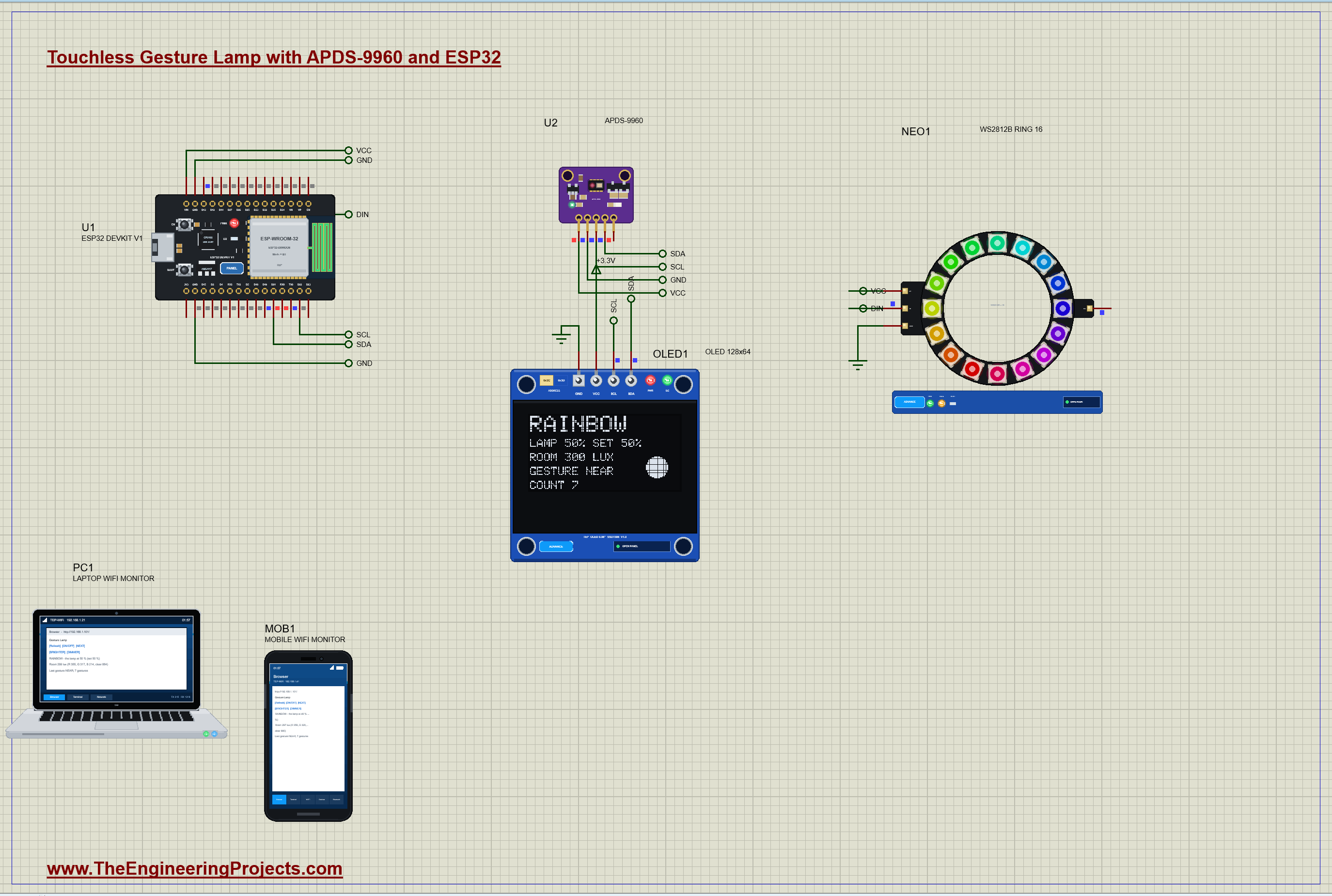
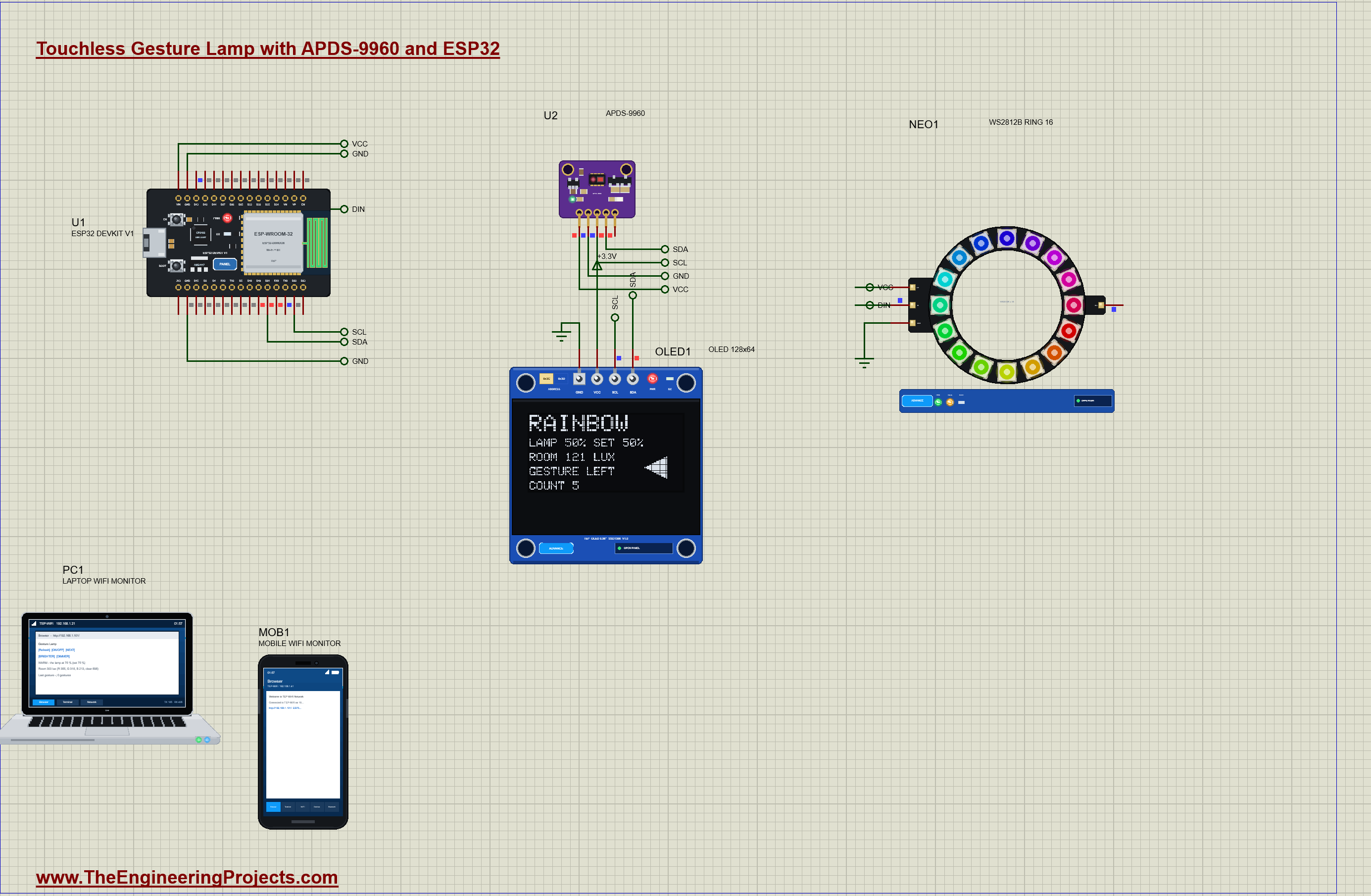
| Part pin | ESP32 | Signal |
|---|---|---|
| APDS-9960 SDA / SCL | D21 / D22 | I2C, the sensor at 0x39 |
| APDS-9960 VIN / GND | VCC rail (5 V) / GND | its regulator makes 3.3 V |
| WS2812B DIN | D13 | one data wire, 800 kHz |
| WS2812B 5V / GND | VCC rail / GND | up to 60 mA a LED at full white |
| OLED SDA / SCL | D21 / D22 | the same bus, 0x3C |
The circuit is pleasingly small. The APDS-9960 module and the OLED share the ESP32's I2C bus on D21 and D22; they have different addresses, 0x39 and 0x3C, so the ESP32 can talk to each in turn. The sensor module carries its own regulator and level shifter, so it can sit on the 5 V rail. Its INT pin is left free, because the sketch simply asks the sensor how many gesture datasets are waiting. The ring of 16 WS2812B LEDs needs only power and one data wire, from D13.
How the Touchless Gesture Lamp Works
Inside the APDS-9960
The APDS-9960 packs an infrared LED and several photodiodes behind one small window. It runs a state machine of its own, over and over: proximity, gesture, a wait, then light and colour. For proximity it pulses its infrared LED and measures the light reflected back from a hand: PDATA, 0 to 255, higher when the hand is closer. For light and colour it counts photons on four filtered photodiodes, clear, red, green and blue, over an integration time. And for gestures it has a separate engine with four directional photodiodes, Up, Down, Left and Right, each looking out at a slightly different angle.
The Gesture Engine and Its FIFO
The gesture engine starts on its own when a hand comes close: PDATA above a threshold, GPENTH (40 here). From then on, every few milliseconds, it pulses the infrared LED and records a dataset: four bytes, what the Up, Down, Left and Right photodiodes saw. The datasets go into a FIFO buffer of 32. When all four values fall below a second threshold, GEXTH (30), the hand has gone and the engine stops. The ESP32 asks how many datasets are waiting (GFLVL) and reads them, four bytes each, from the FIFO address 0xFC. Worked example: a swipe that takes 0.6 s, with a dataset every 2.8 ms plus the pulses, gives a few dozen datasets, enough to see the hand cross the sensor.
Decoding a Swipe
The trick is in the balance between opposite photodiodes. For the Up and Down pair, the balance is (U - D) / (U + D): positive when the hand is over the upper side, negative over the lower side, near zero when it is right above the middle. The same for (L - R) / (L + R). A hand swiping from left to right first lights the left photodiode more, then the right one: the L-R balance goes from positive to negative. So the sketch keeps the first and the last useful dataset of the swipe and compares the balances at the start and at the end. Worked example: L-R +40 % at the start and -40 % at the end is a change of -80 %, well past the 30 % threshold, and bigger than any change in U-D: a swipe to the RIGHT. A hand that comes down, stays still and leaves changes neither balance much: that is NEAR, a hover.
Tuning the Gesture Engine
| Register | Set to | What it does |
|---|---|---|
| GPENTH (0xA0) | 40 | the proximity that starts the gesture engine: higher = the hand must come closer |
| GEXTH (0xA1) | 30 | the level all four photodiodes must fall below to end a gesture |
| GCONF1 (0xA2) | 0x40 | raise the interrupt after 4 datasets; end after the first quiet cycle |
| GCONF2 (0xA3) | 0x41 | gesture gain 4x, LED current 100 mA, 2.8 ms between datasets |
| GPULSE (0xA6) | 0xC9 | 10 infrared pulses of 32 microseconds per dataset |
| GCONF4 (0xAB) | 0x06 | clear the FIFO, gesture interrupt on; bit 0 (GMODE) reads 1 while collecting |
These few registers decide how the lamp feels in the hand. GPENTH is the most important: too low and the engine starts for a hand passing a metre away, too high and the user must almost touch the sensor. GEXTH, a little lower than GPENTH, gives the end of a gesture some hysteresis, so a hand hovering at the edge does not start and stop the engine over and over. More gain or more pulses reach further but also see more of the room's reflections. The 2.8 ms wait between datasets sets the time resolution: a quick swipe of 0.2 s still gives over 50 datasets. In the sketch, SWIPE (30 %) is the last knob: the change of balance that counts as a swipe rather than a hover. A real installation is tuned with these numbers, behind the real cover glass, for the hands of the real users.
Light, Colour and AUTO
The clear photodiode sees all visible light; its count, integrated over 37 cycles of 2.78 ms (103 ms) at a gain of 4, is roughly proportional to the illuminance. With about 0.02 counts per lux per cycle at gain 1, the sketch divides the clear count by 4 x 37 x 0.02 = 2.96 to get lux. Worked example: a clear count of 888 is 300 lux, a well-lit living room. AUTO gives the room what it lacks: up to 300 lux the lamp gives its set brightness; in brighter light it dims, down to 20 % at 2000 lux and more, the level of daylight near a window. The red, green and blue counts give the colour of the light: in the MATCH scene the ring copies them, scaled so the strongest is full.
Driving the WS2812B Ring
Each WS2812B is a red, green and blue LED with a tiny controller in one package. They are chained: the ESP32 sends 24 bits per LED, green, red and blue, down one data wire at 800 kHz, each bit a high pulse whose length means 0 or 1. The first LED keeps its 24 bits and passes the rest on, and a short pause tells all of them to show their new colour. Worked example: 16 LEDs x 24 bits = 384 bits at 1.25 microseconds each, 0.48 ms for the whole ring. The sketch refreshes it 10 times a second and changes the brightness in steps of 5 %, so a scene change fades instead of jumping.
The Lamp's Logic
| Gesture | What it does |
|---|---|
| RIGHT | the next scene: WARM, COOL, RED, GREEN, BLUE, RAINBOW, MATCH, then WARM again |
| LEFT | the previous scene |
| UP / DOWN | brighter / dimmer, 25 % steps between 25 and 100 % |
| NEAR (a hand held still) | the lamp on or off |
| the room light | AUTO: full up to 300 lux, down to 20 % at 2000 lux |
The Arduino Code Explained
The sketch is ESP32_Gesture_Light.ino, written in the Arduino IDE for the ESP32 DevKit V1. It talks to the APDS-9960 with plain Wire calls, so every register is in front of you; Adafruit NeoPixel drives the ring and Adafruit SSD1306 the OLED. The gesture engine's two thresholds and the sensor switched on:
wr(0xA0, 40); // GPENTH: a hand above PDATA 40 starts the gesture engine wr(0xA1, 30); // GEXTH: it stops when U, D, L and R all fall below 30 wr(0x80, 0x47); // ENABLE: PON, AEN (light), PEN (proximity), GEN (gesture)How many datasets are waiting, and reading them from the FIFO:
byte n = rd(0xAE); // GFLVL: datasets waiting in the FIFO const byte got = rdBlock(0xFC, buf, take * 4); // GFIFO_U: U, D, L, R, U, D, L, R ...The balance of two opposite photodiodes, in percent, and the decision:
int balance(byte a, byte b) { return ((int)a - (int)b) * 100 / ((int)a + (int)b); } if (abs(lr) > abs(ud) && abs(lr) > SWIPE) g = lr < 0 ? "RIGHT" : "LEFT"; // (a swipe to the right starts on L, ends on R) else if (!strcmp(g, "NEAR")) on = !on;The light in lux, and AUTO's dimming in daylight:
lux = cl / (4 * 37 * 0.02); // (a rough calibration: about 0.02 counts per lux per cycle at const float k = lux >= 2000 ? 0.2 : 1.0 - 0.8 * (lux - 300) / 1700; // daylight: down to 20 % at 2000 lux and moreMATCH: the room's colour scaled so its strongest part is full, and every LED at the present brightness:
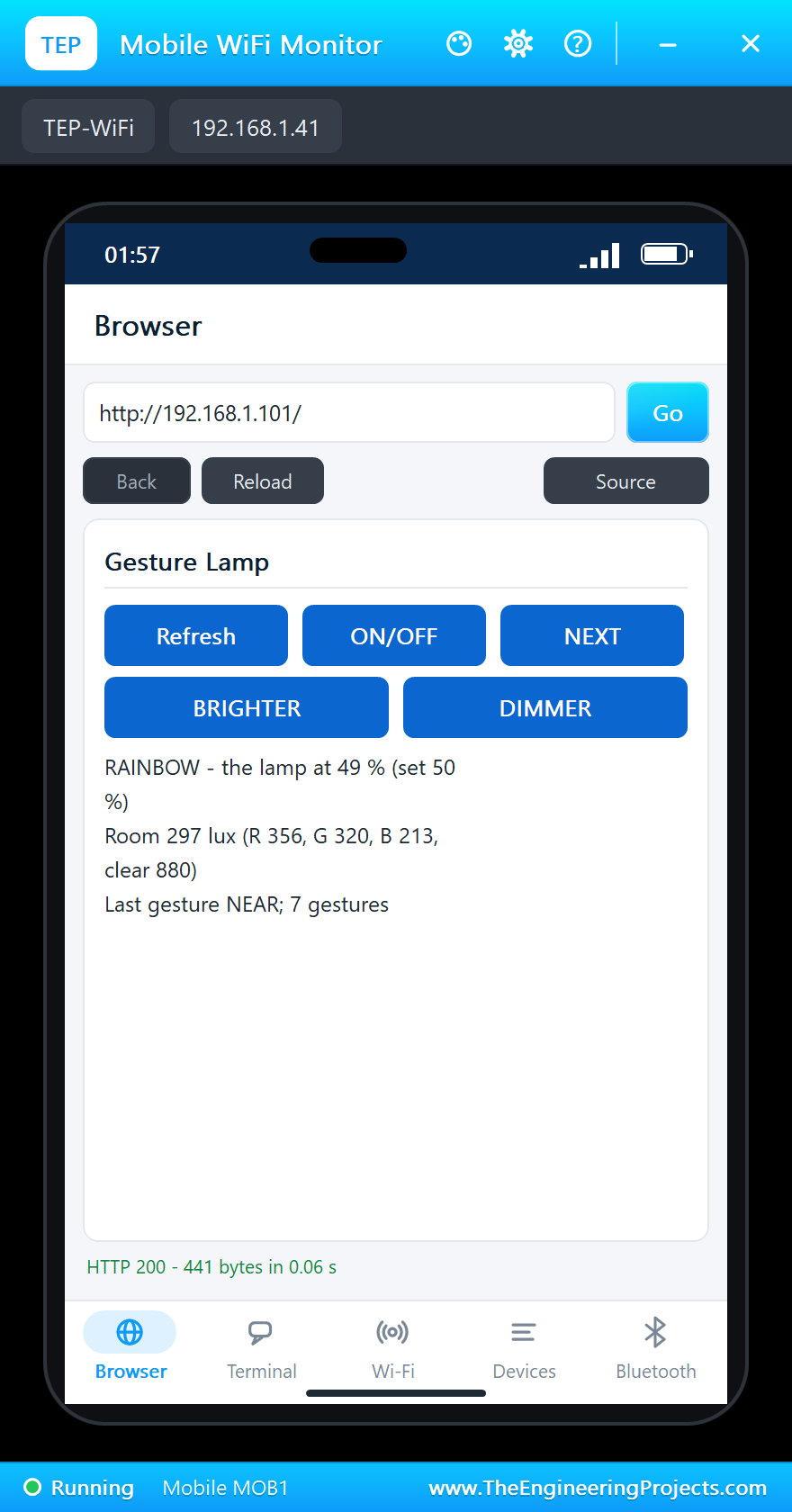
return ring.Color((unsigned long)rd_ * 255 / top, (unsigned long)gn * 255 / top, (unsigned long)bl * 255 / top); ring.setPixelColor(i, ring.Color(r * shown / 100, g * shown / 100, b * shown / 100));The OLED shows the scene, the lamp's and the set brightness, the room light, and the last gesture with an arrow (a dot for NEAR). The dashboard's links are Refresh, ON/OFF, NEXT, BRIGHTER and DIMMER, and its pages are / (the dashboard) and /data (JSON).
How to Run the Proteus Simulation
- Download the project zip below and install the library files (the steps are under the download button).
- Open ESP32-Gesture-Lamp.pdsprj from the Proteus Simulation folder. Keep the HEX file and the DLL files next to it.
- Press Play. The ring lights WARM at 75 %. Click U2 for the sensor's pop-up.
- Press Right, Left, Up or Down for a swipe and Hover for a hand held still; change the room light with Lamp, Red, Day or Dark.
- Open the Laptop or the Mobile WiFi Monitor and press Go for the dashboard.
Simulation Results: the Gesture Lamp in Proteus
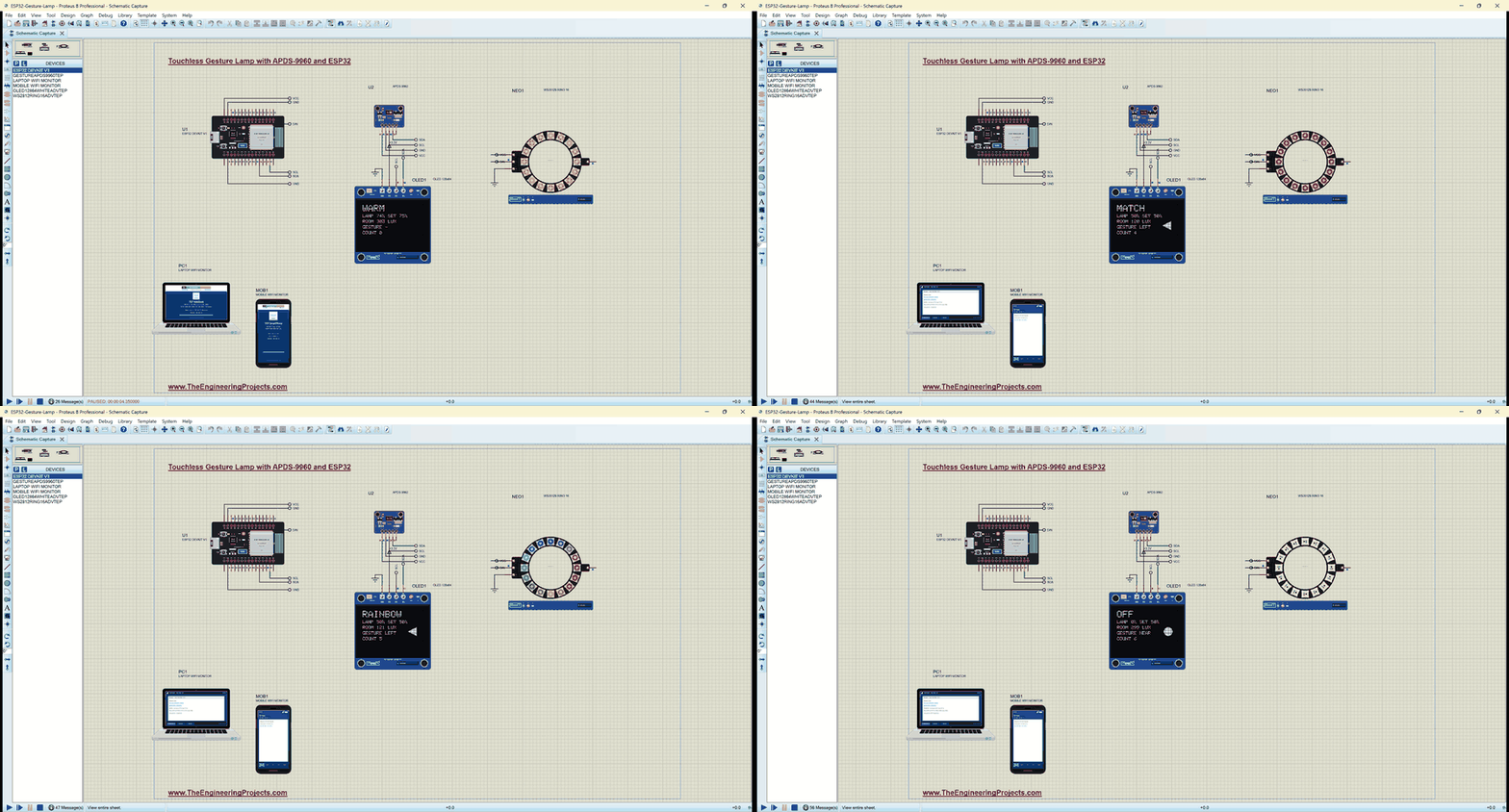
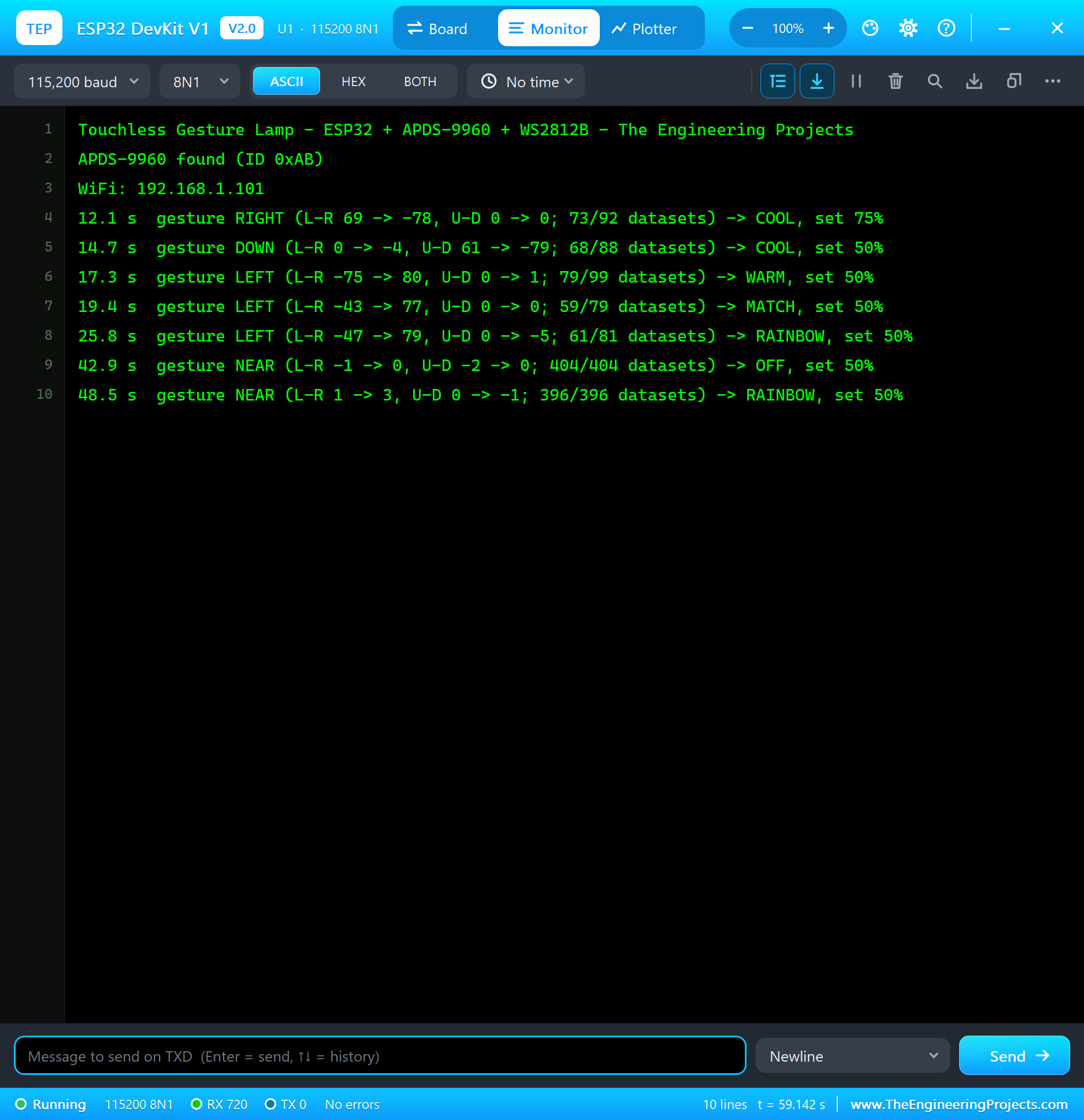
We ran the whole story in one simulation, driving the hand and the room light with the sensor's pop-up and reading the serial monitor, the OLED, the ring's pop-up and the dashboard. The sketch found the sensor at once:
APDS-9960 found (ID 0xAB)
WiFi: 192.168.1.101
1. The Lamp at the Start
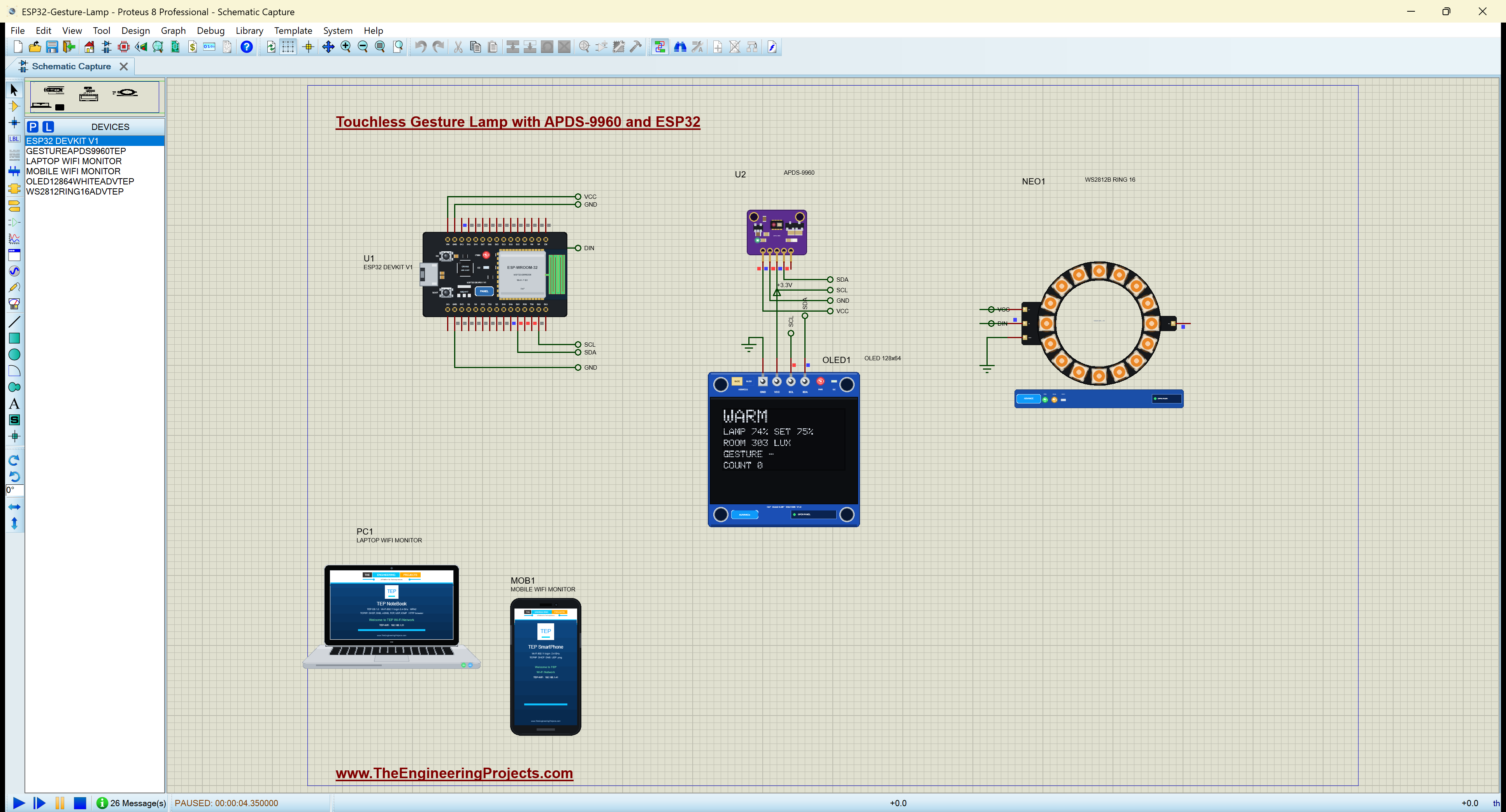
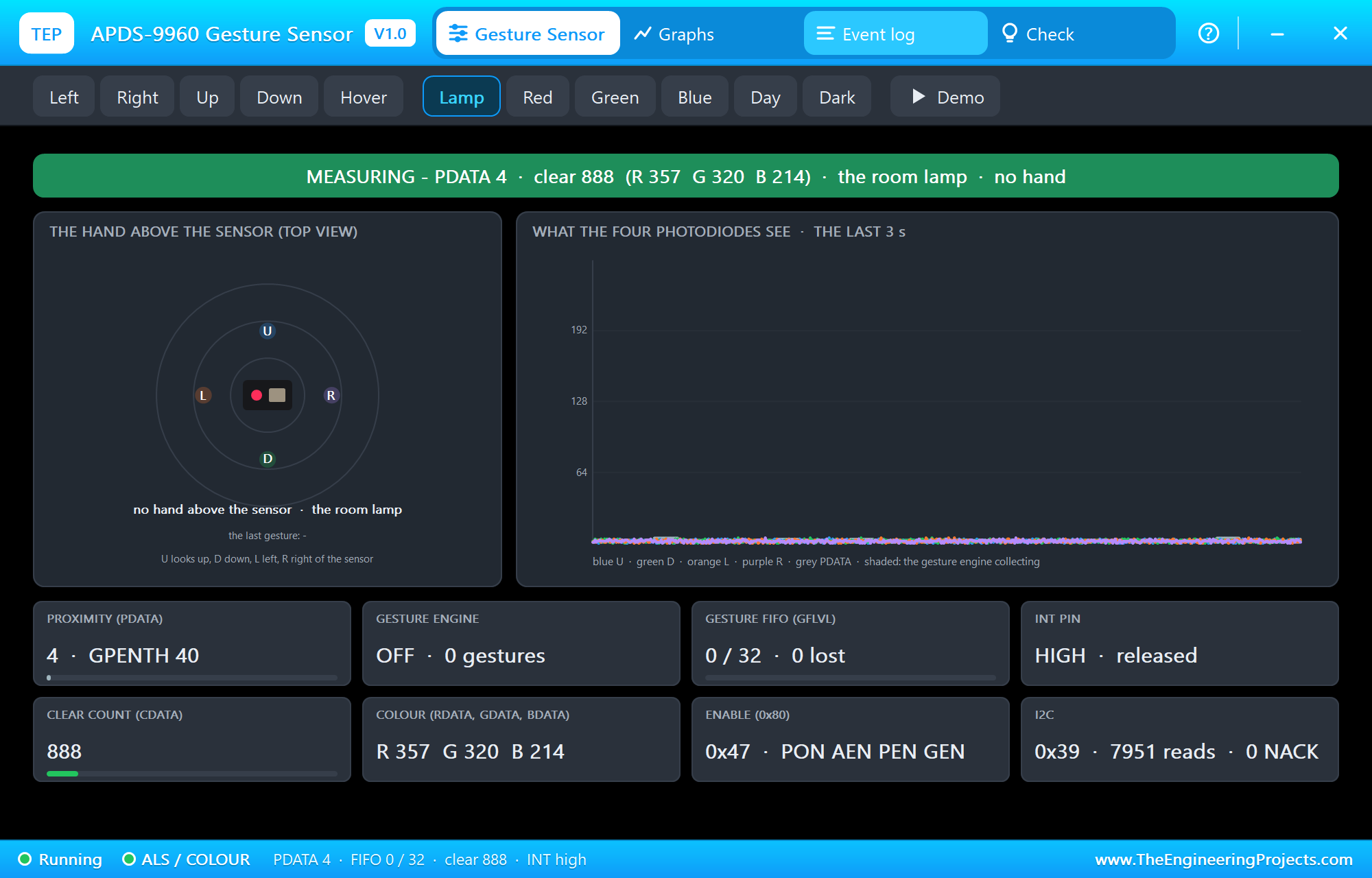
The sensor's pop-up shows the room lamp and no hand: PDATA 4, far below the gesture threshold of 40, and a clear count of 888. The sketch turned that into 888 / 2.96 = 300 lux, exactly the room light the model was set to, so AUTO gave the lamp its full set brightness.
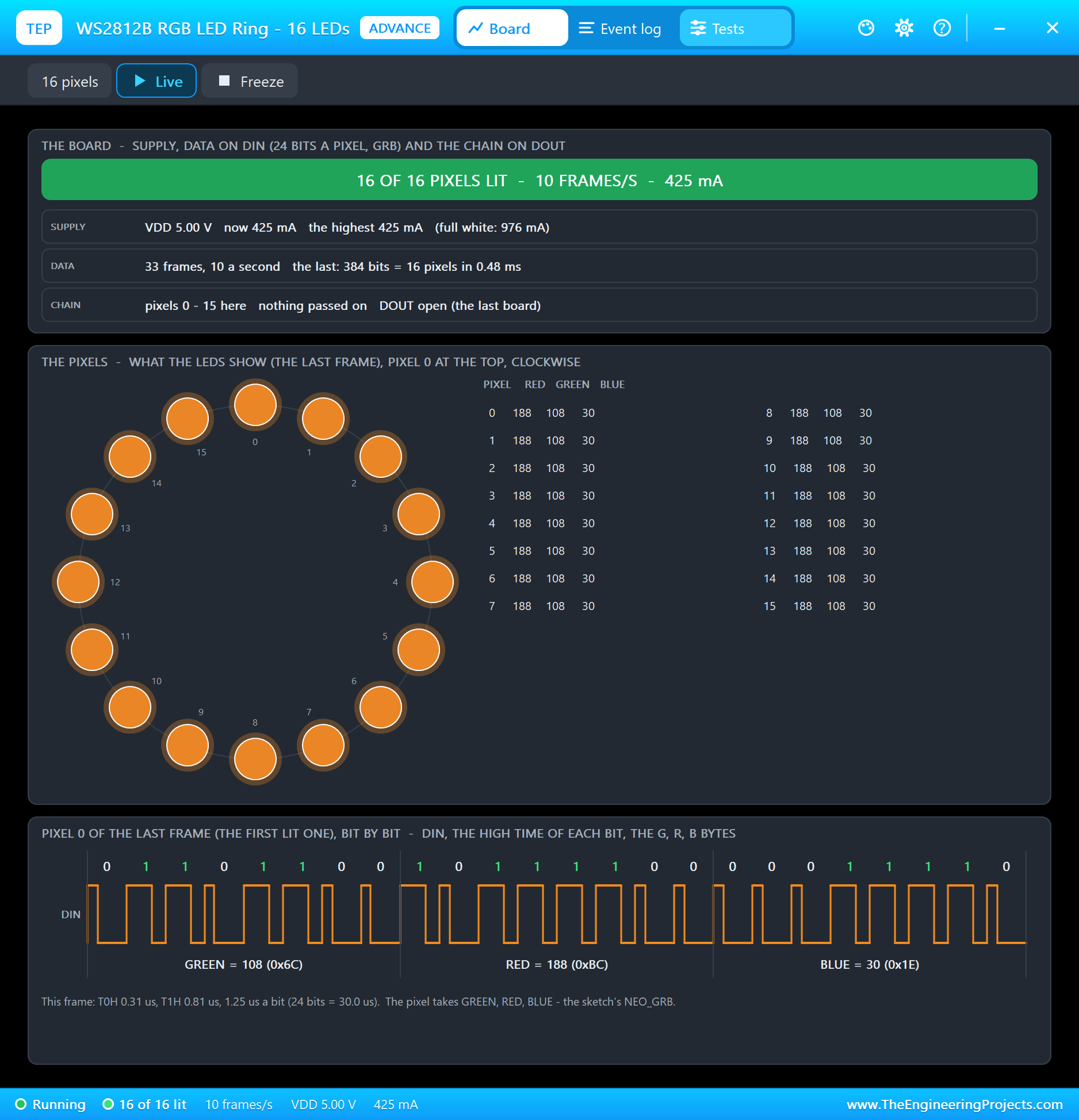
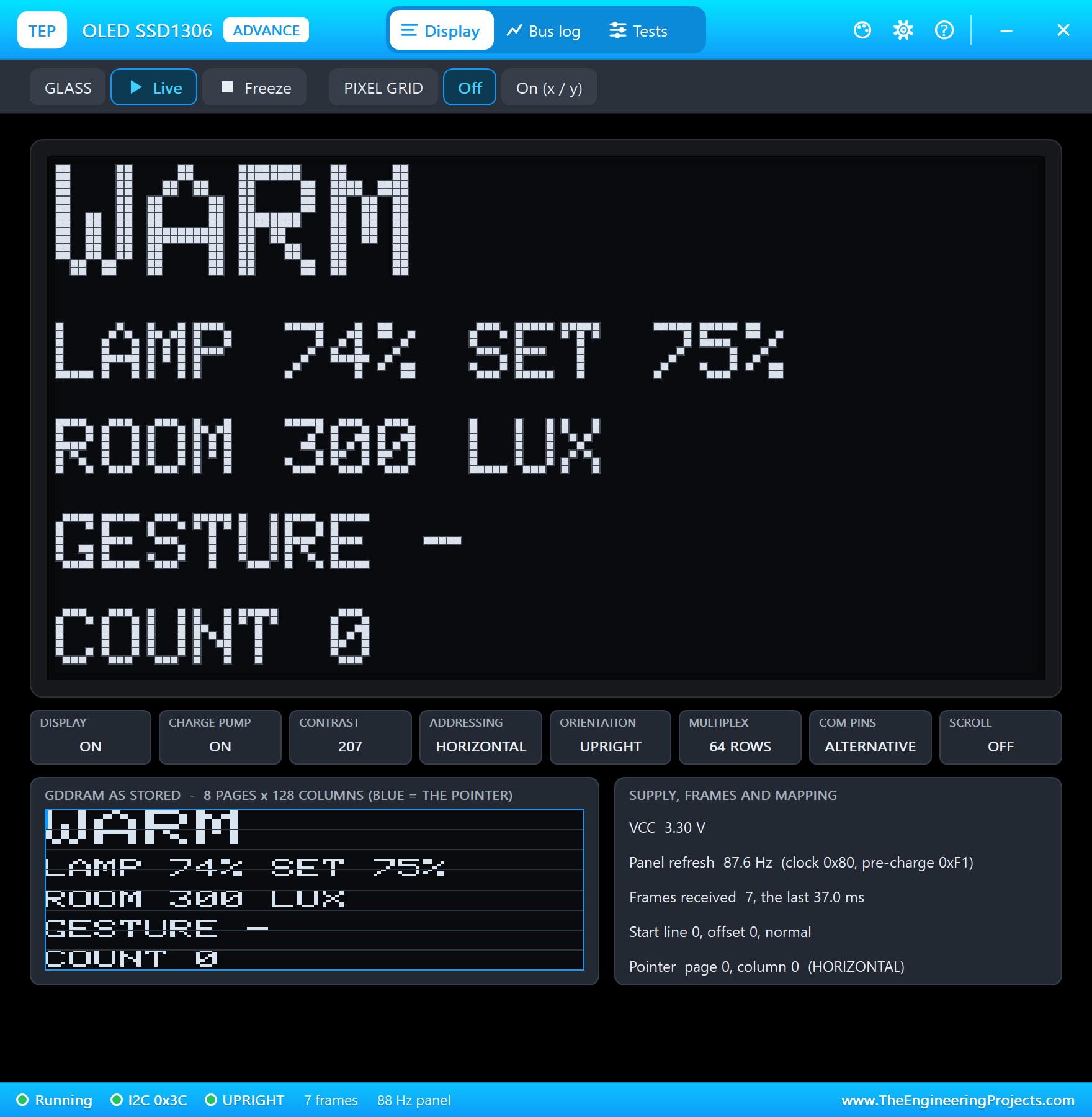
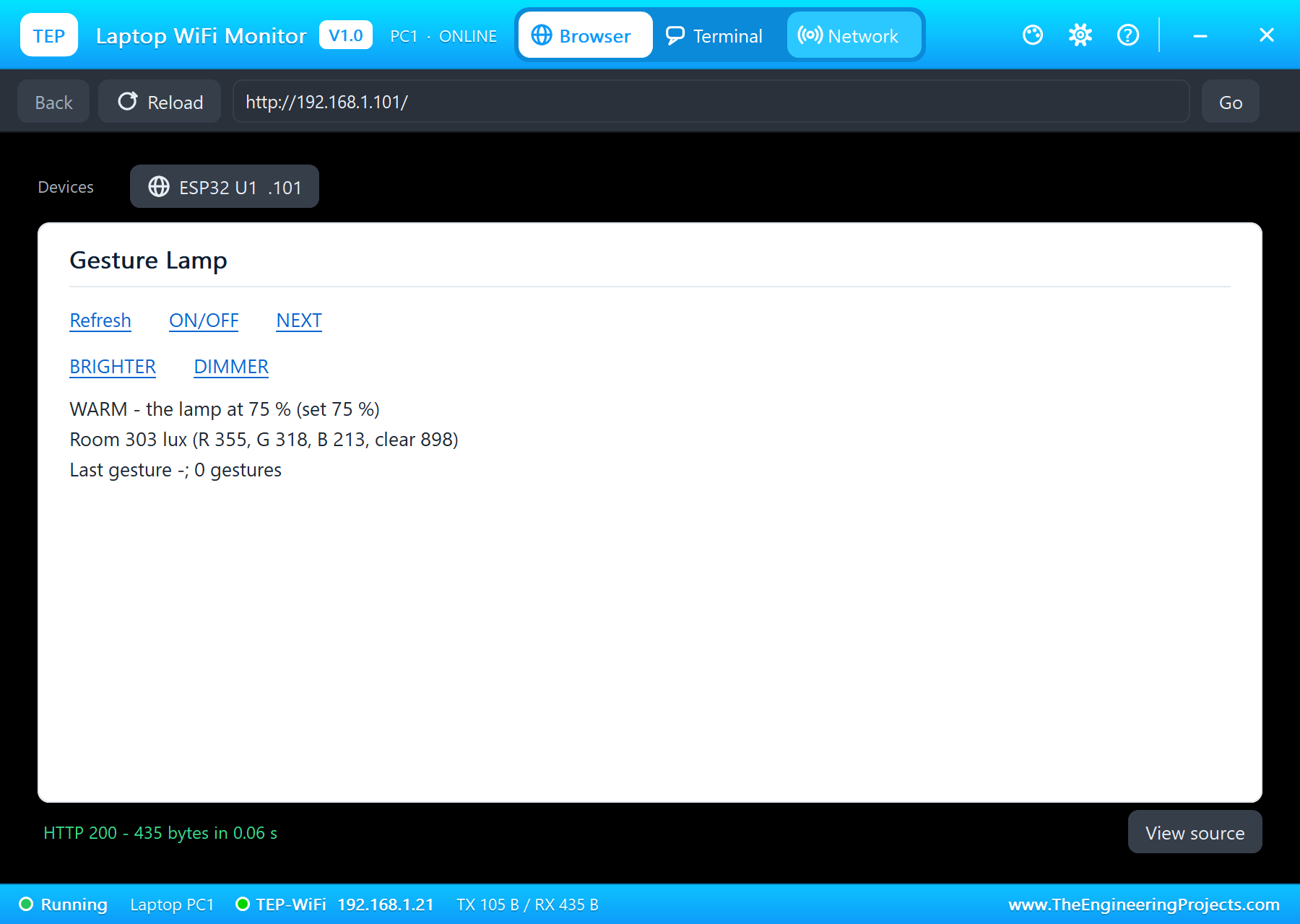
The ring's pop-up shows each LED at red 188, green 108, blue 30: the warm white (255, 147, 41) at 75 % brightness, the ring drawing 425 mA from the 5 V rail. The OLED caught the lamp at 74 % as it faded up to its 75 %.
2. Swipes: Right and Down
12.1 s  gesture RIGHT (L-R 69 -> -78, U-D 0 -> 0; 73/92 datasets) -> COOL, set 75%
14.7 s  gesture DOWN (L-R 0 -> -4, U-D 61 -> -79; 68/88 datasets) -> COOL, set 50%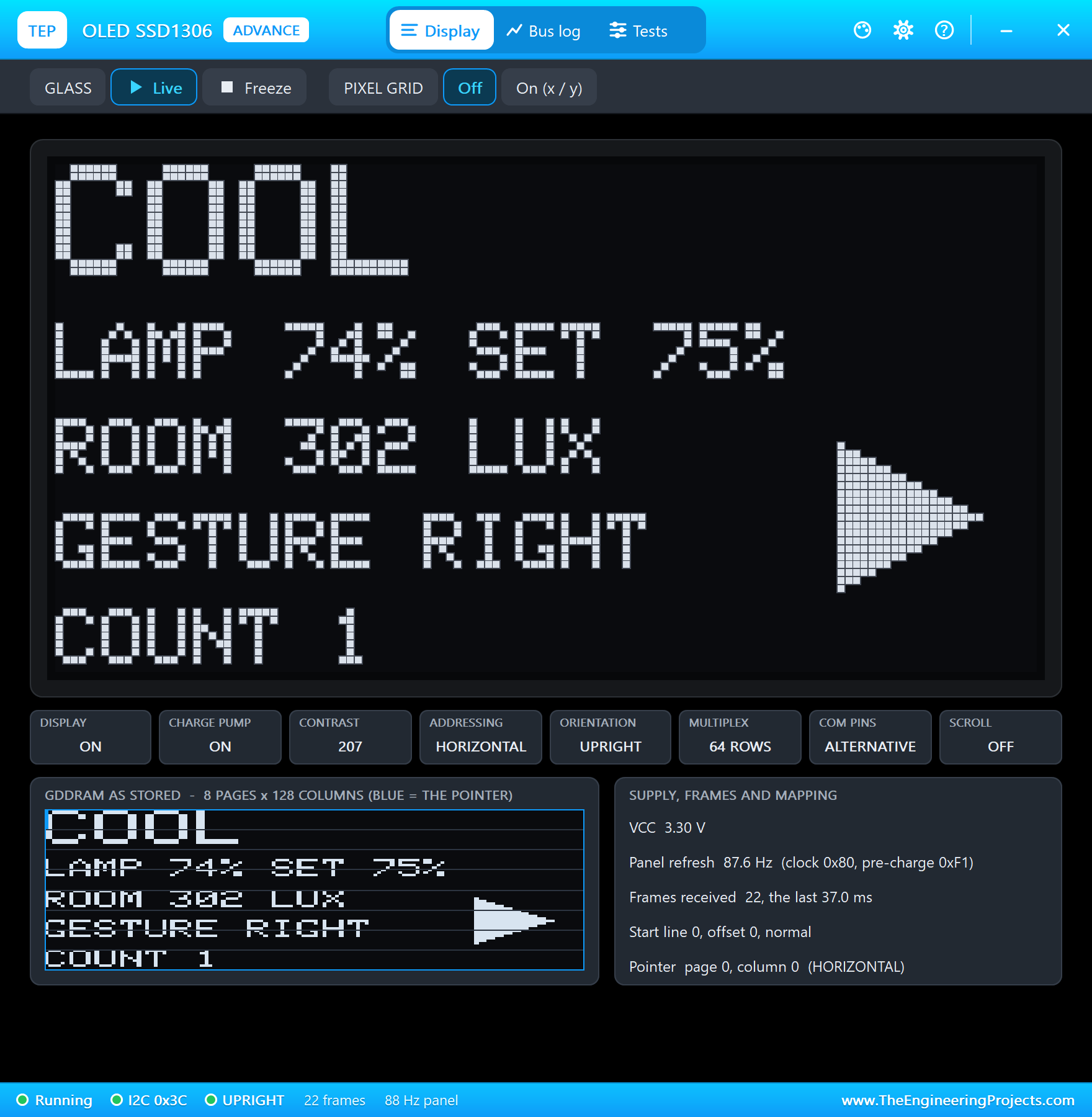
The serial line shows the decision being made. For the swipe to the right, the L-R balance went from +69 % at the start (the hand over the left photodiode) to -78 % at the end (over the right one): a change of -147 %, while U-D stayed at 0. Of the 92 datasets, 73 had all four photodiodes above the noise. Result: RIGHT, the next scene, COOL.
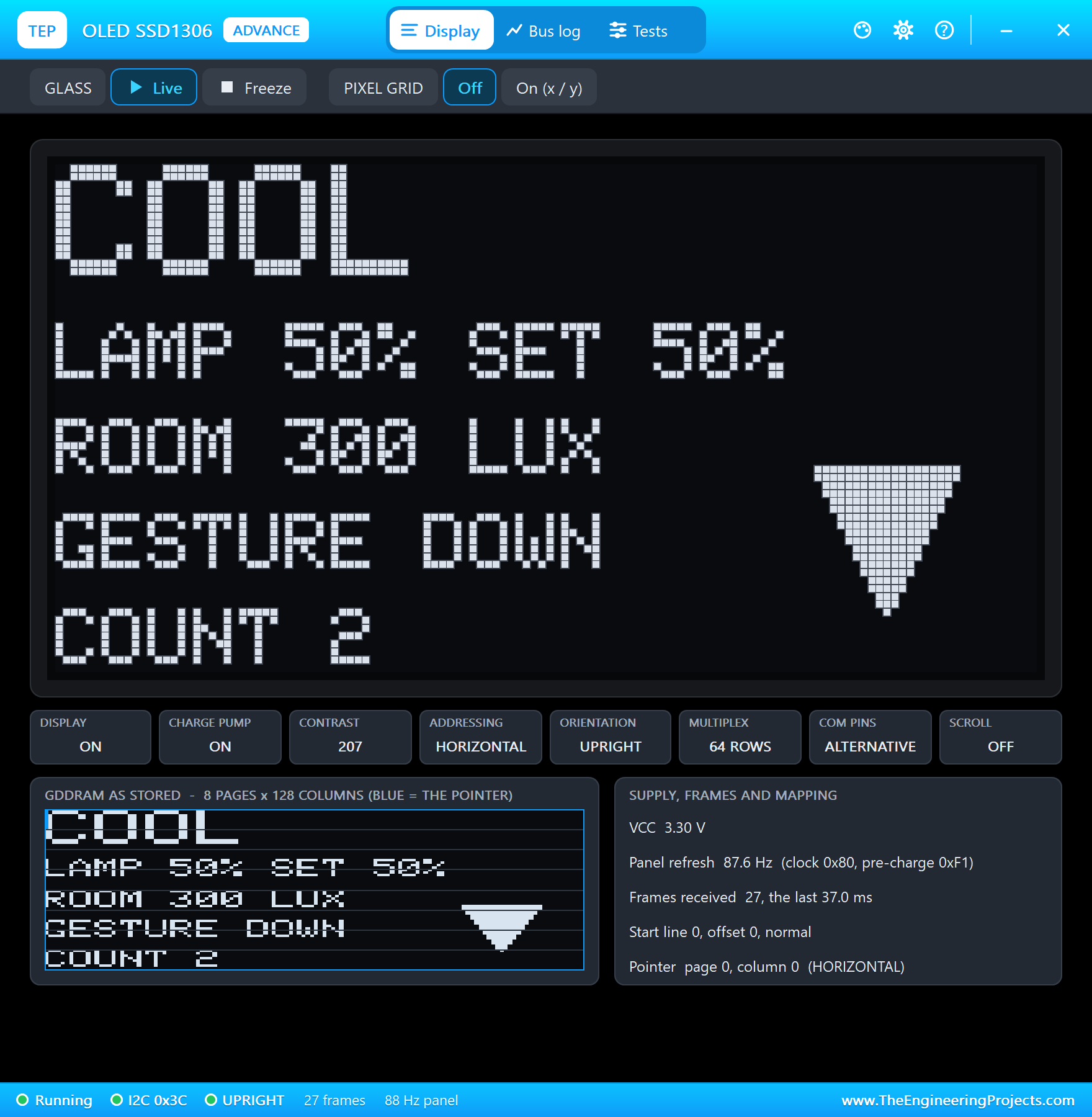
For the swipe down, it was the U-D pair: from +61 % to -79 %, while L-R barely moved. DOWN: the lamp to 50 %.
3. MATCH: the Colour of the Room
17.3 s  gesture LEFT (L-R -75 -> 80, U-D 0 -> 1; 79/99 datasets) -> WARM, set 50%
19.4 s  gesture LEFT (L-R -43 -> 77, U-D 0 -> 0; 59/79 datasets) -> MATCH, set 50%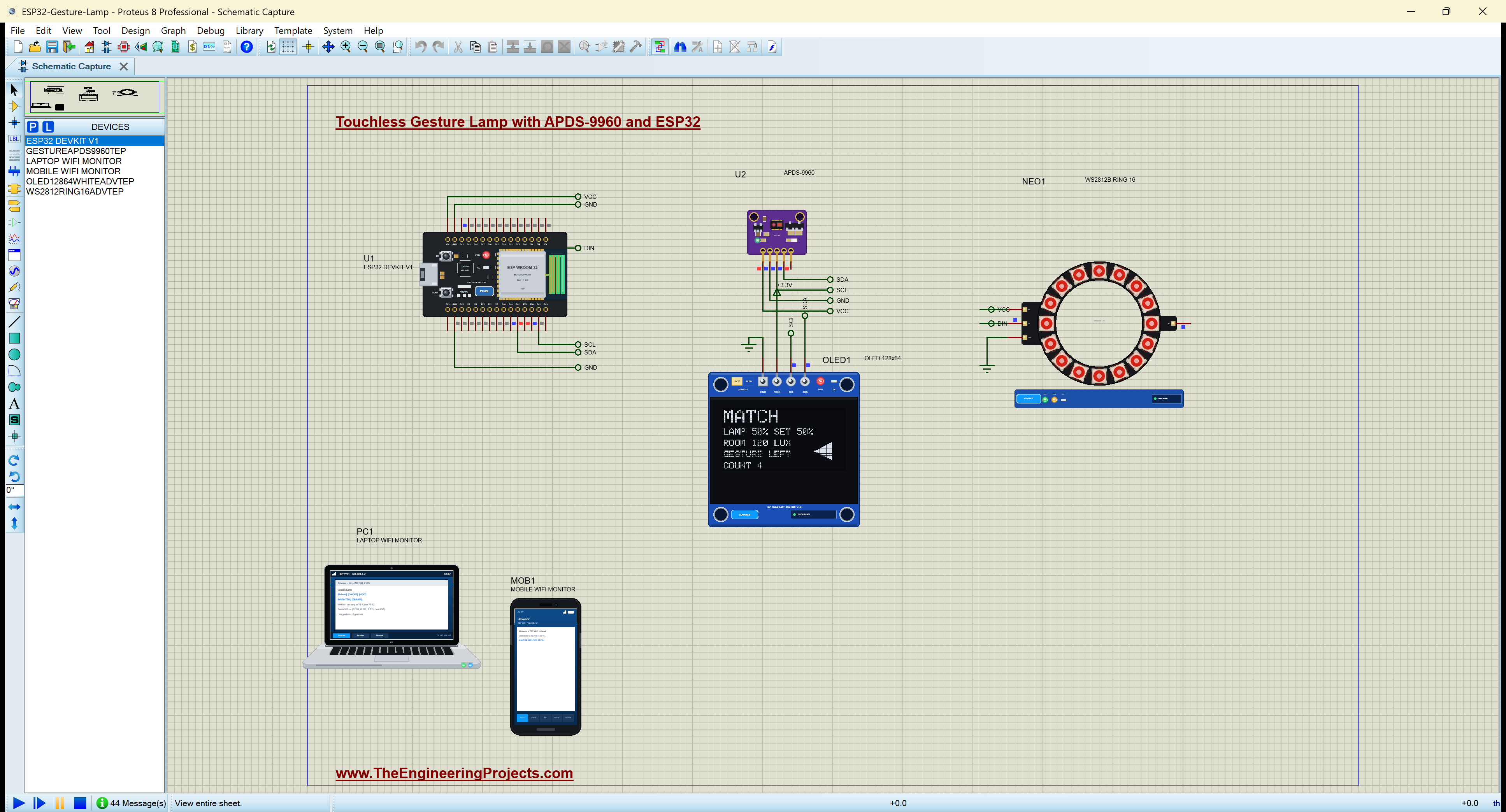
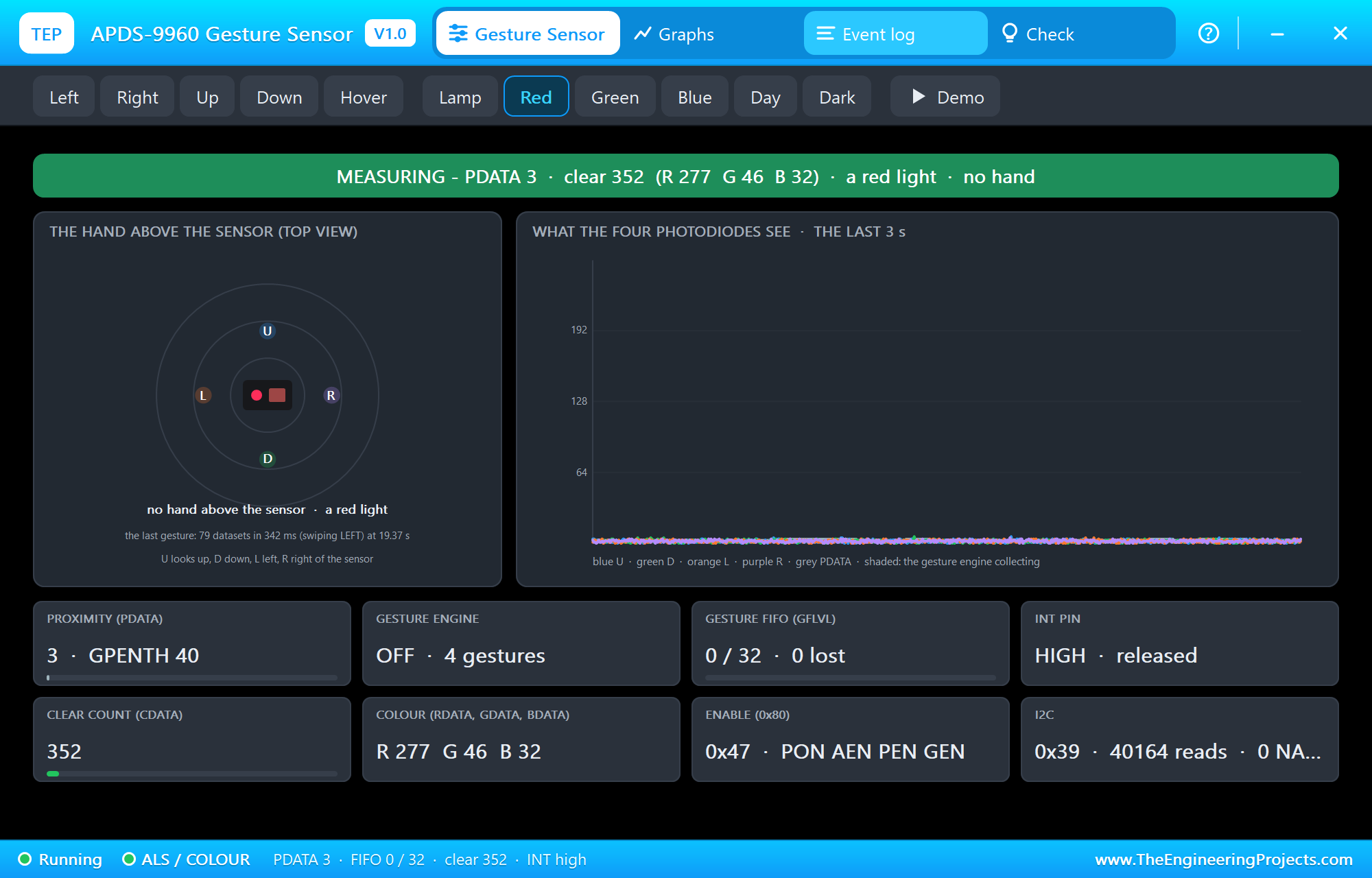
Two swipes to the left went back through WARM to MATCH. Then we switched the room light to red on the sensor's pop-up: red 277, green 46, blue 32, a clear count of 352.
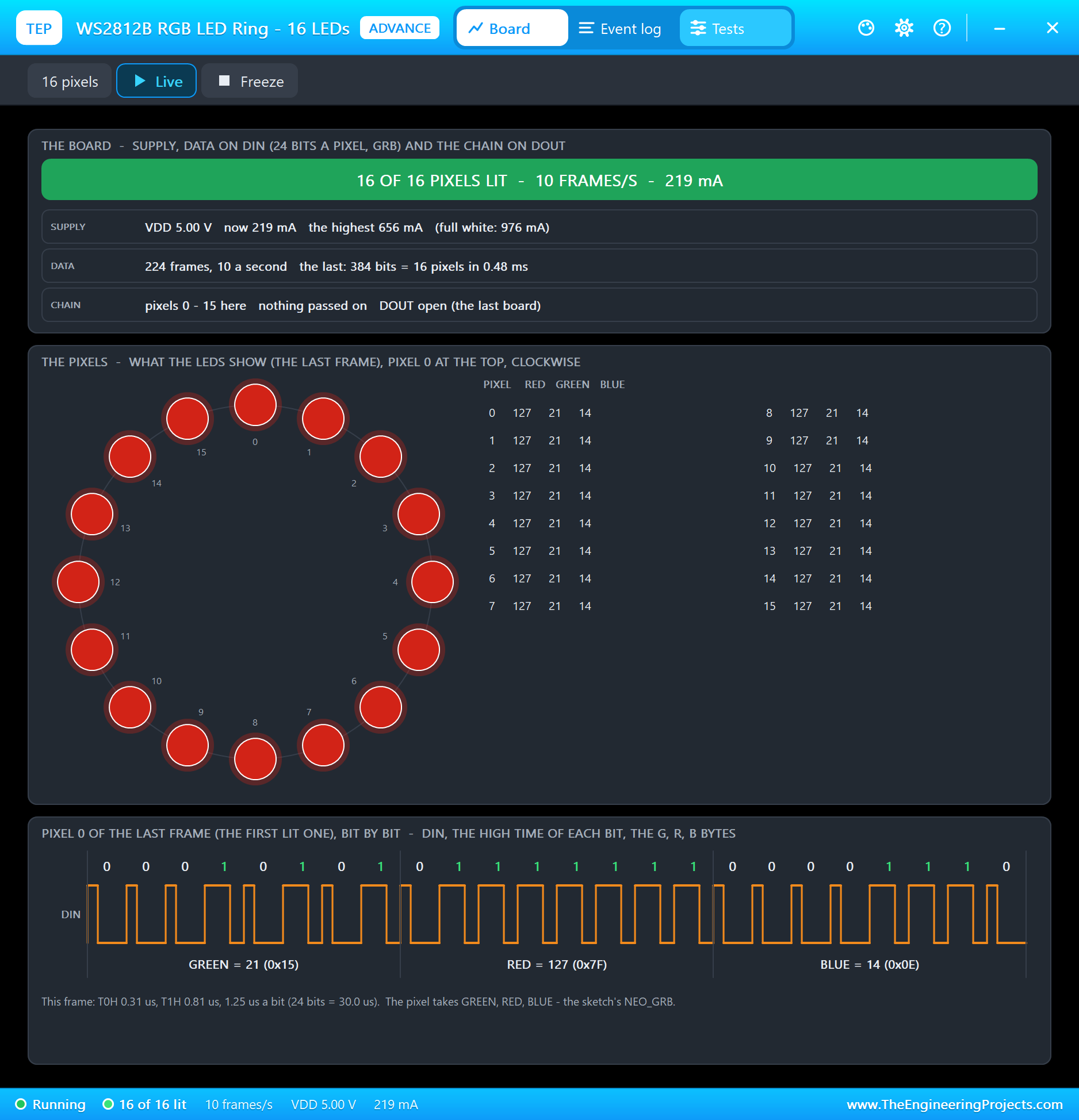
MATCH scaled those counts so the strongest is full, 255, 42, 29, and at 50 % the ring shows 127, 21, 14: red, the colour of the light around it. The room was dim under the red light, about 119 lux, so AUTO kept the full set brightness.
4. RAINBOW, Then Daylight
25.8 s gesture LEFT (L-R -47 -> 79, U-D 0 -> -5; 61/81 datasets) -> RAINBOW, set 50%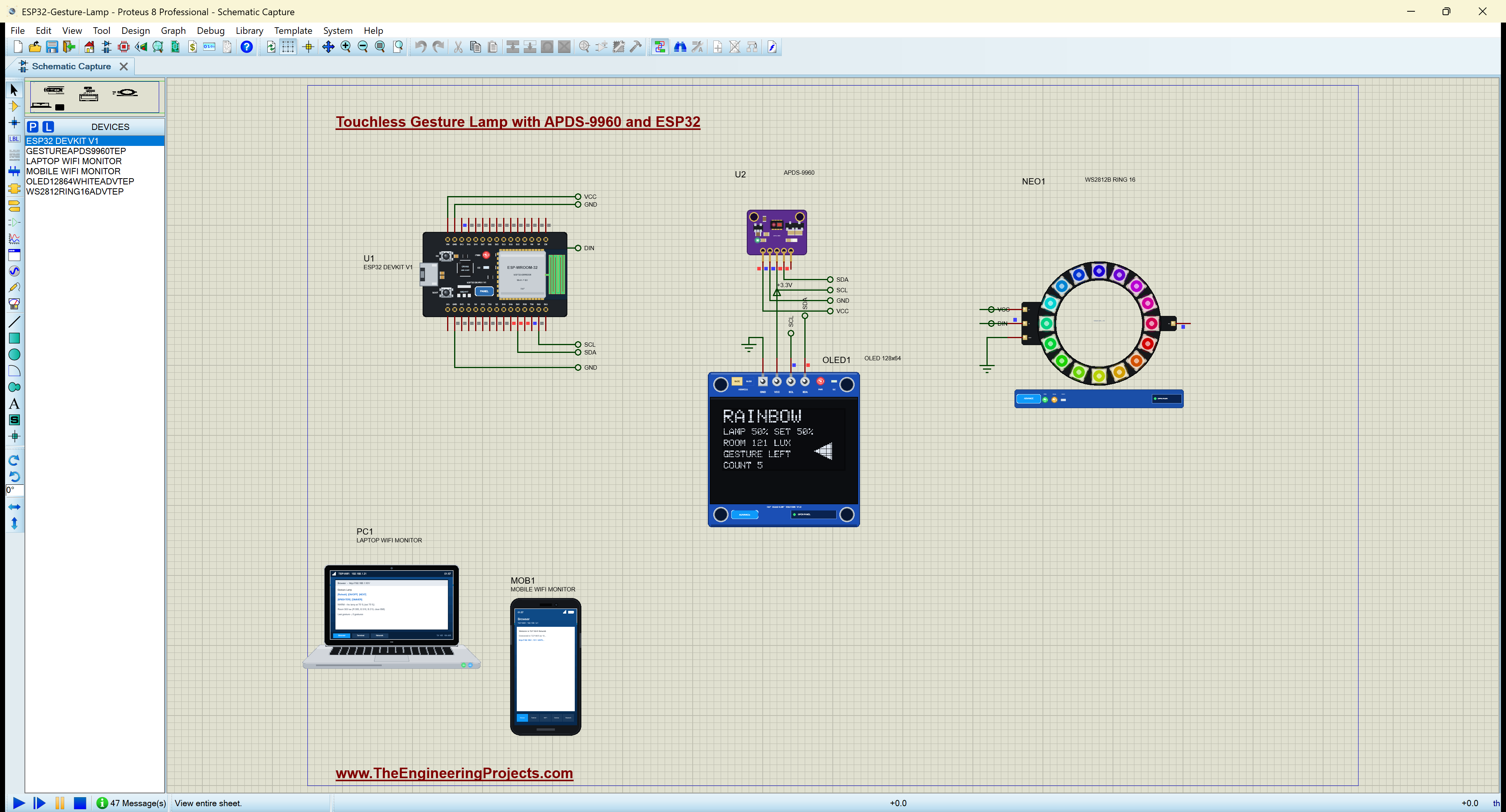
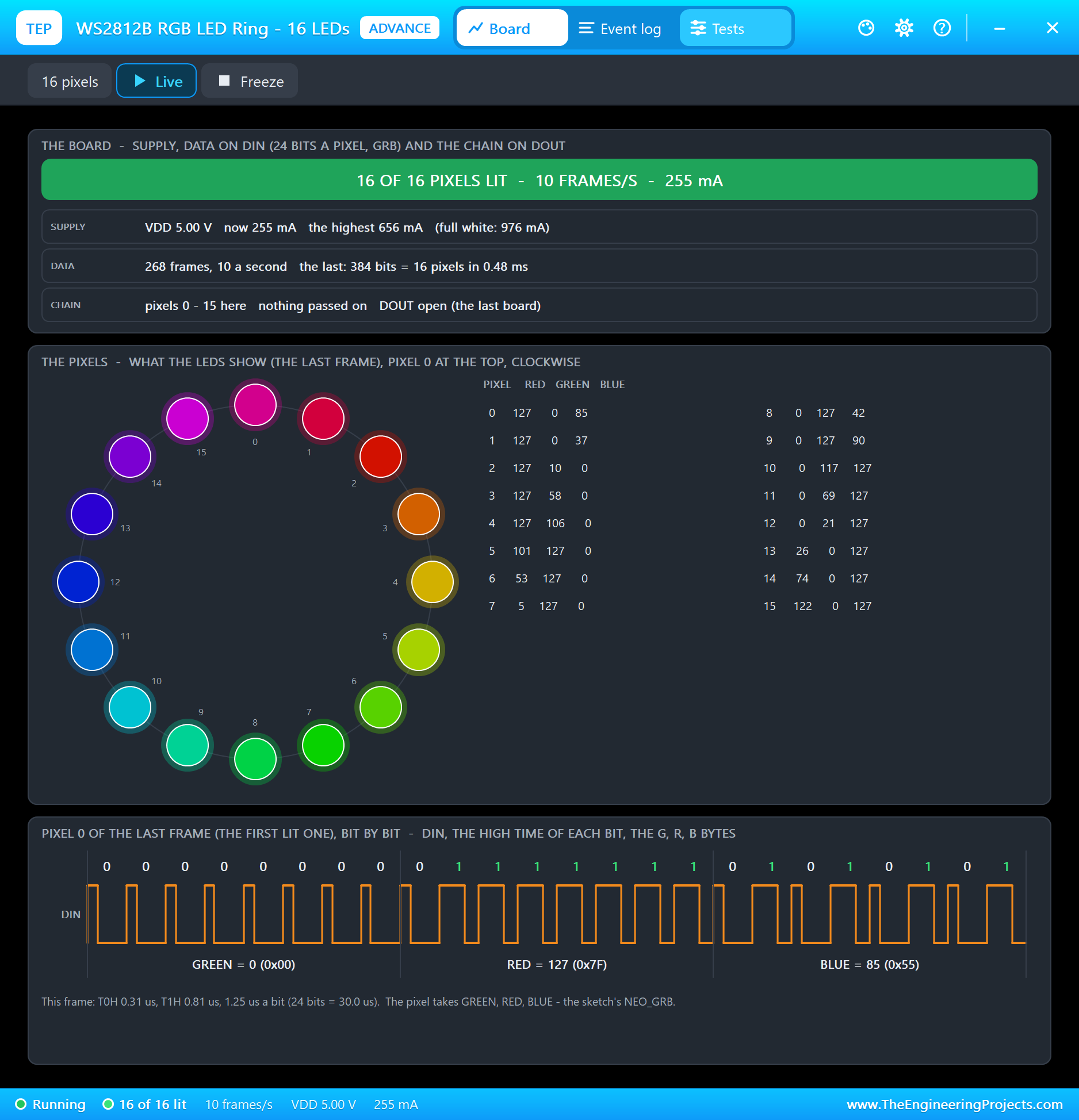
One more swipe to the left gave RAINBOW: each LED a different hue, 22.5 degrees apart, the whole wheel turning a little every 100 ms.
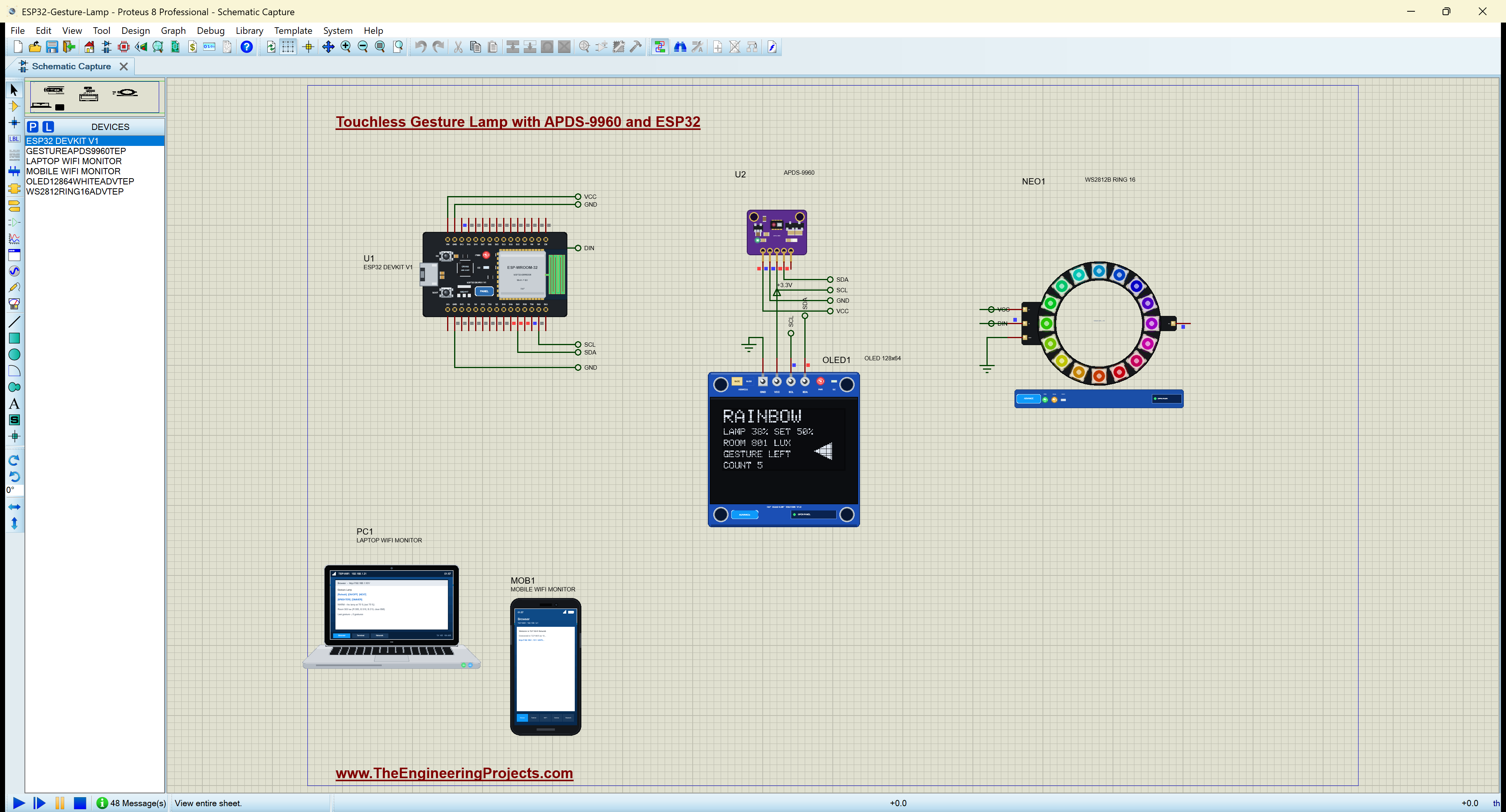
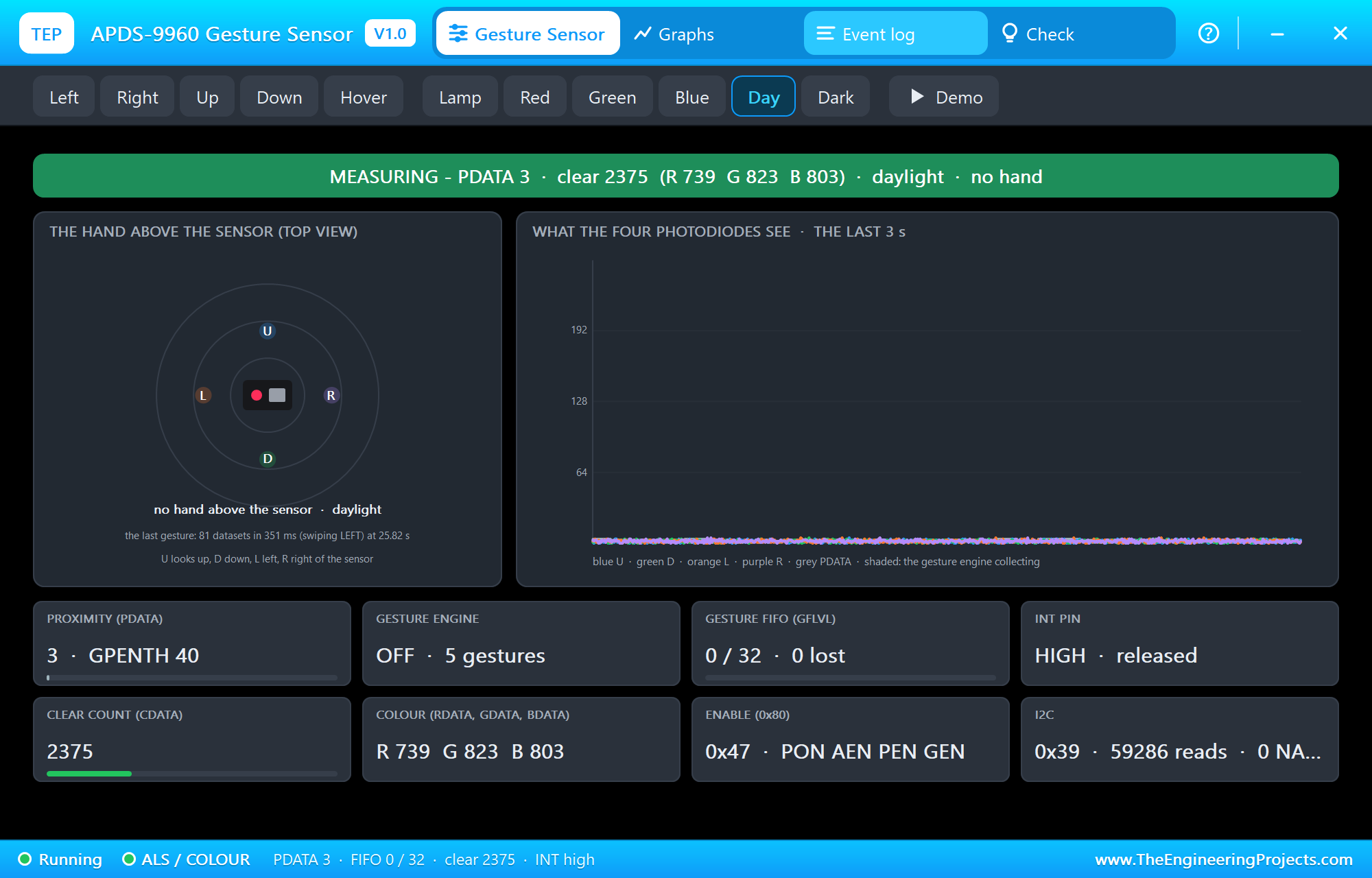
Then daylight: the clear count rose to 2375, about 804 lux, with red, green and blue nearly equal, white light. AUTO did its sum: 1 - 0.8 x (804 - 300) / 1700 = 0.76 of the set 50 %, so 38 %.
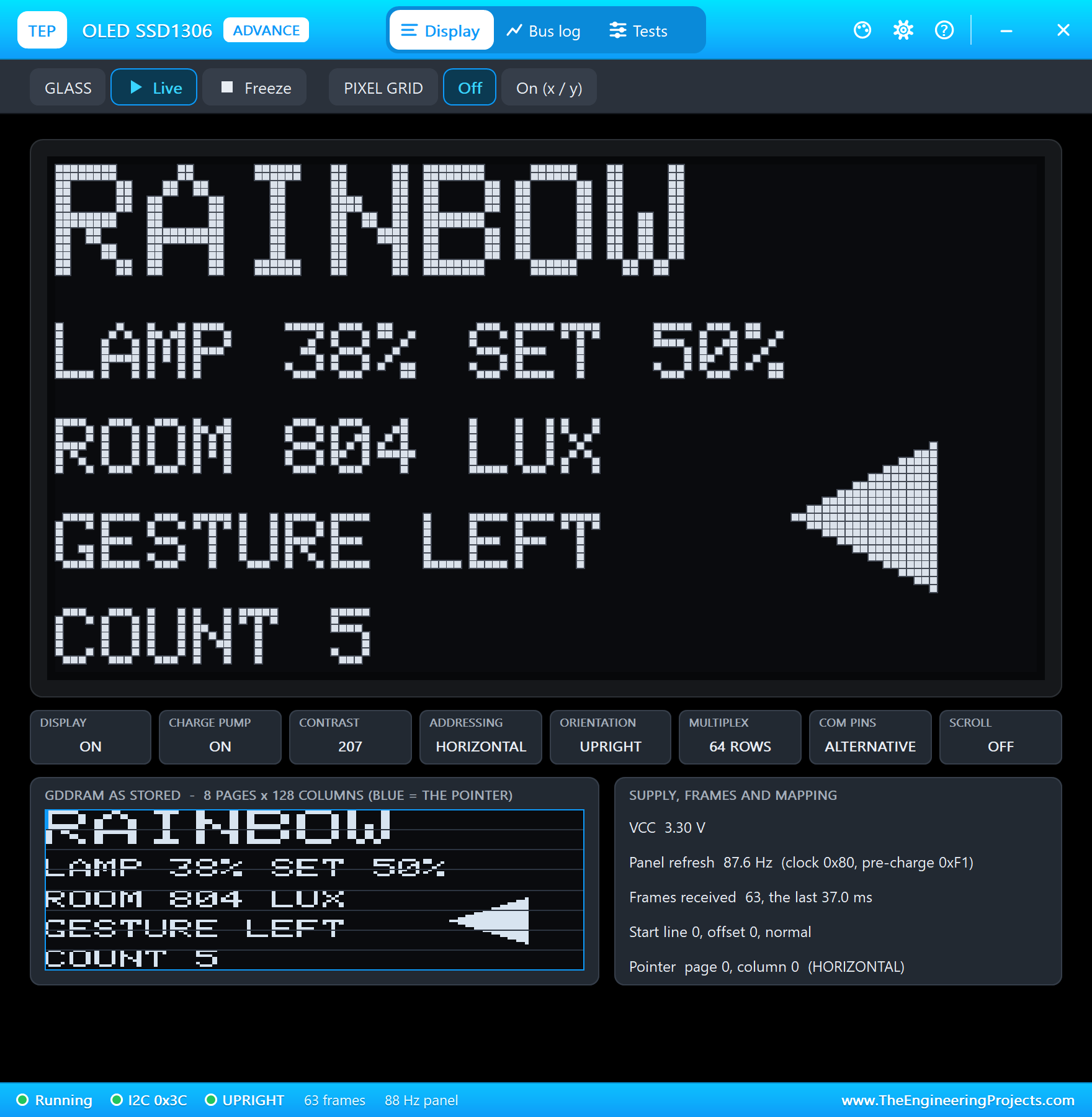
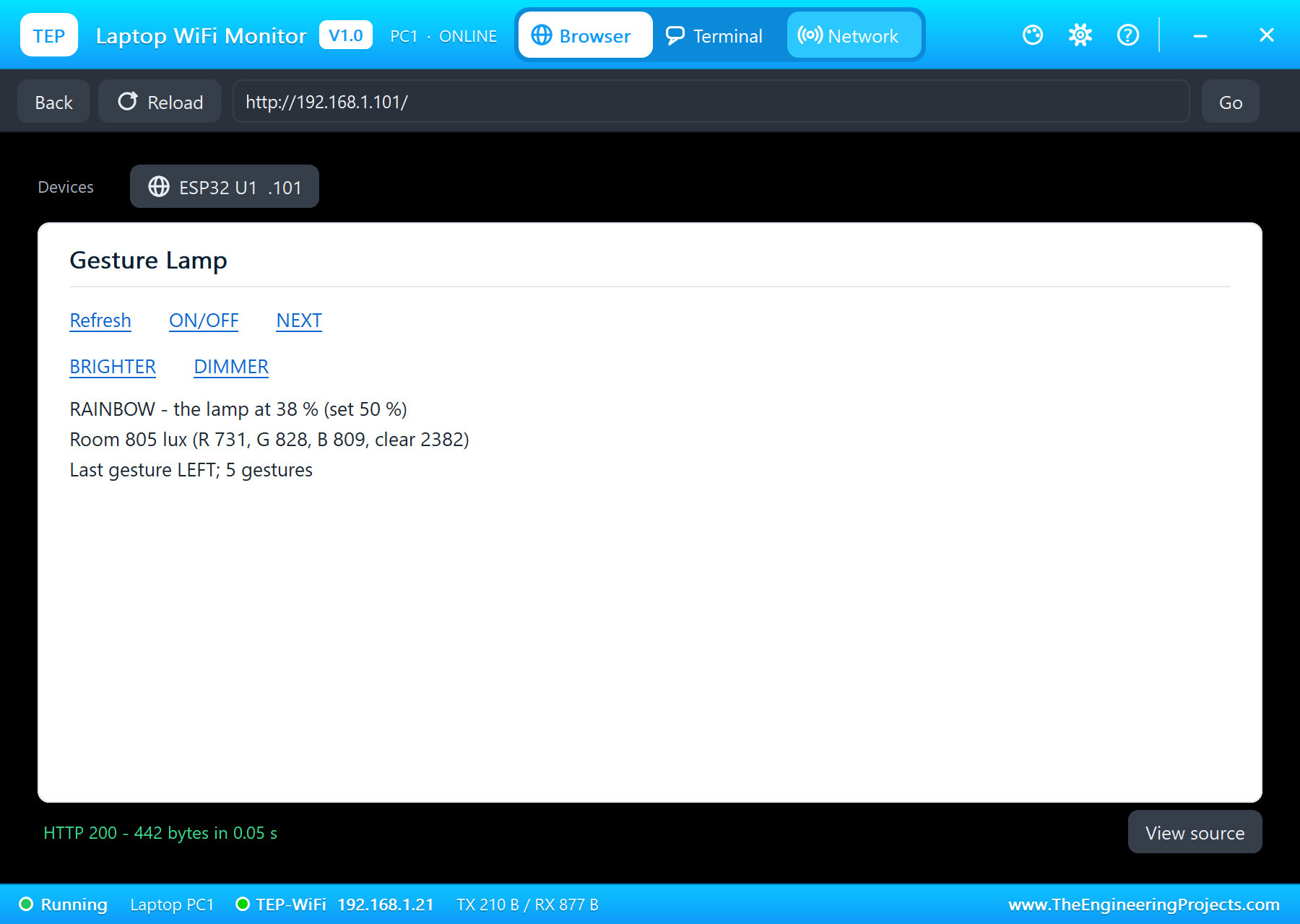
The set brightness did not change: the lamp simply gives less while the window gives more, and comes back on its own when the daylight fades.
5. A Hand Held Still: Off and On
42.9 s  gesture NEAR (L-R -1 -> 0, U-D -2 -> 0; 404/404 datasets) -> OFF, set 50%
48.5 s  gesture NEAR (L-R 1 -> 3, U-D 0 -> -1; 396/396 datasets) -> RAINBOW, set 50%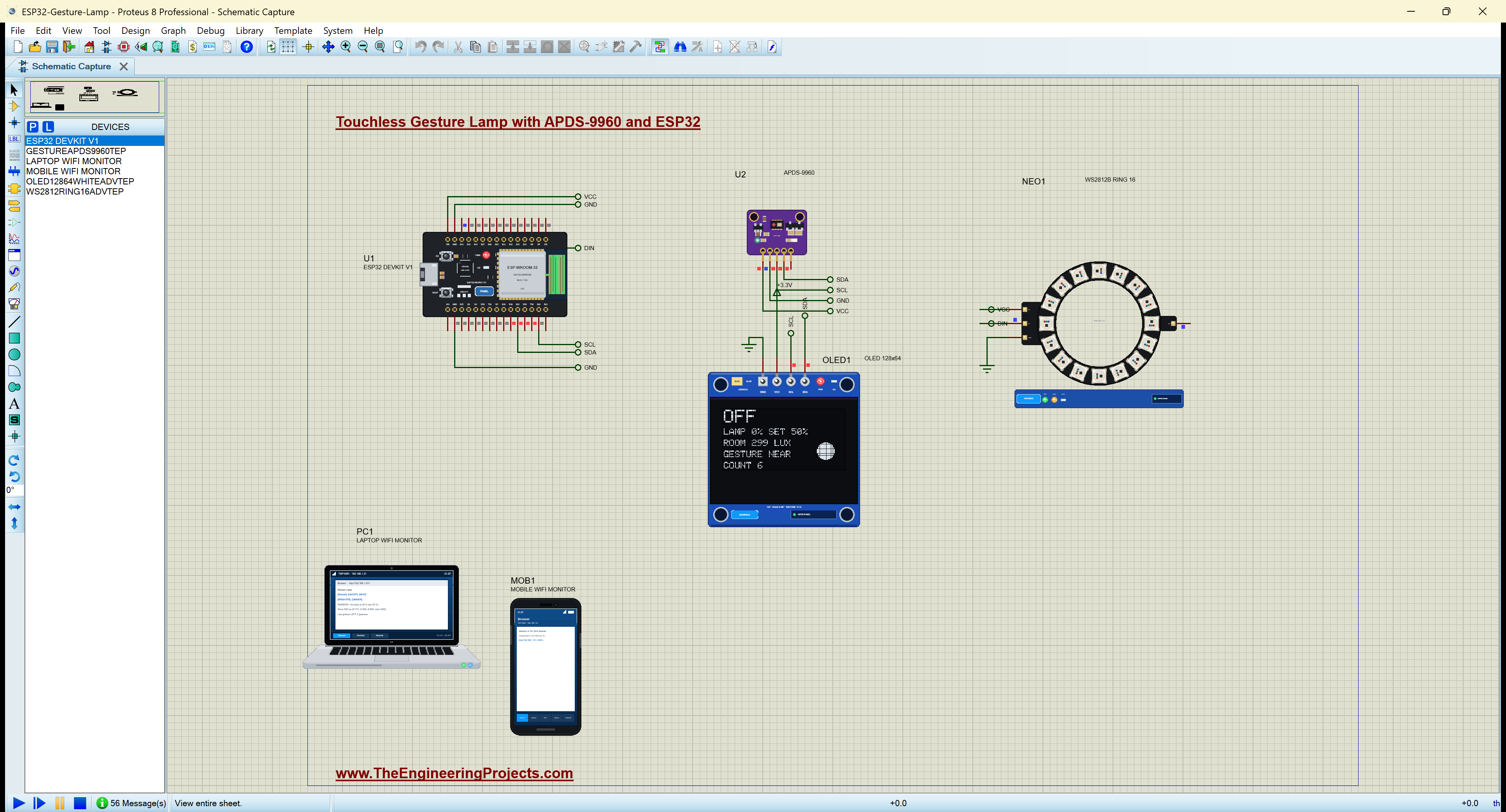
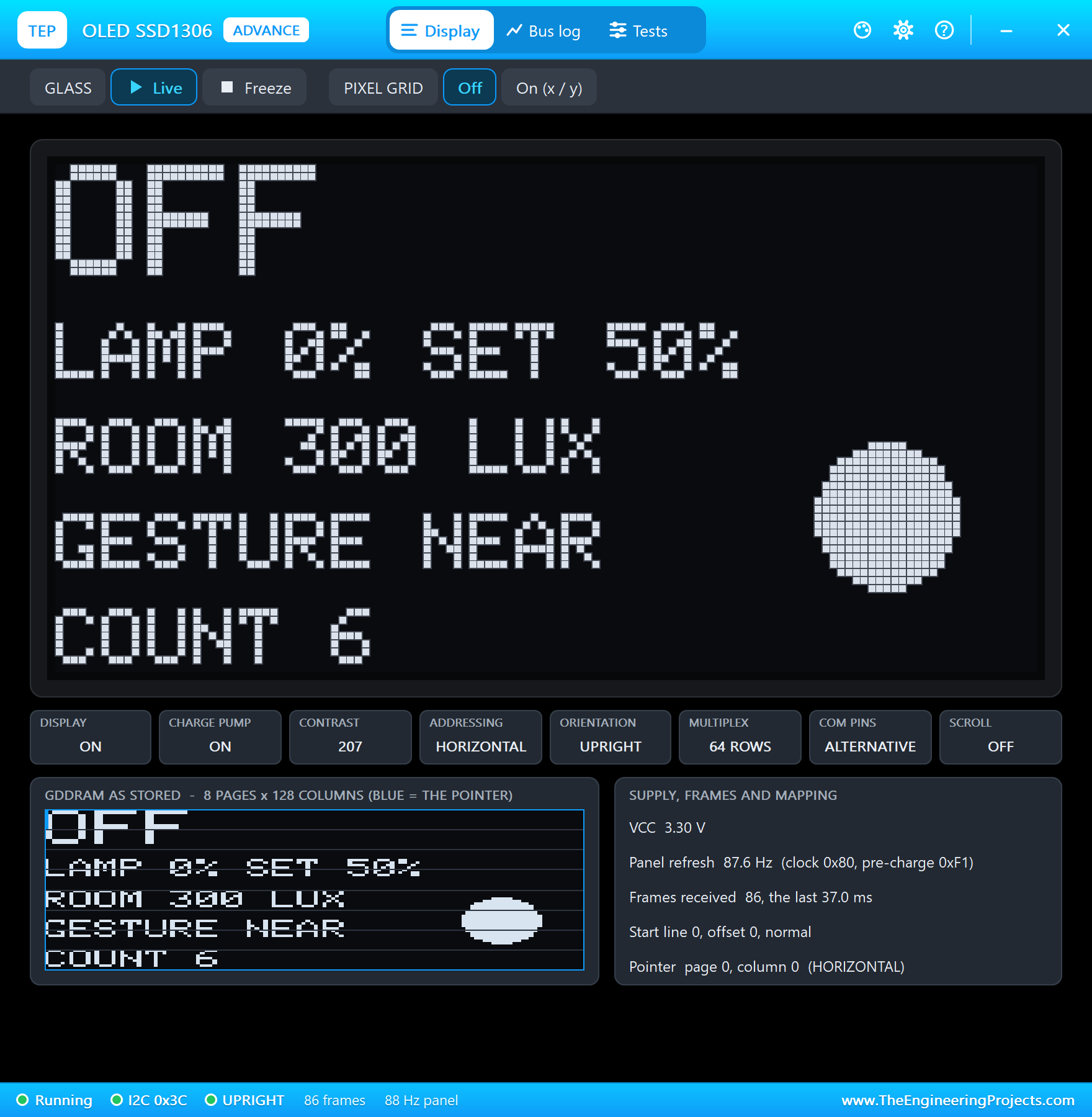
With the room lamp back on, we held a hand still over the sensor. The gesture engine collected 404 datasets, far more than a swipe, but neither balance changed: the hand came straight down and went straight up. That is NEAR, and the lamp went off; the ring faded to dark. A second hover switched it back on, in the scene it had, RAINBOW.
| Gesture | The sketch's time | The balances | What the lamp did |
|---|---|---|---|
| RIGHT | 12.1 s | L-R +69 to -78 | WARM to COOL |
| DOWN | 14.7 s | U-D +61 to -79 | 75 % to 50 % |
| LEFT, LEFT | 17.3 s, 19.4 s | L-R -75 to +80, -43 to +77 | WARM, then MATCH (red) |
| LEFT | 25.8 s | L-R -47 to +79 | RAINBOW; daylight: 38 % |
| NEAR | 42.9 s | no change (404 datasets) | OFF |
| NEAR | 48.5 s | no change (396 datasets) | on again |
All seven gestures were decoded right. The run covered 59 seconds of simulation in about 7.5 minutes on our PC, with the sensor's pop-up showing what each photodiode really saw.
Download the Project Files
Click the button below to download Touchless-Gesture-Lamp-APDS-9960-ESP32-Proteus-Simulation-v1.0.zip (about 4.0 MB, without the source code of the models):
Touchless Gesture Lamp with APDS-9960 and ESP32 - Proteus Simulation V1.0- Proteus Simulation: ESP32-Gesture-Lamp.pdsprj, ESP32_Gesture_Light.hex and copies of the models.
- Arduino Code: ESP32_Gesture_Light.ino, the sketch.
- Proteus Library Files: the LIB files of the ESP32 DevKit V1, the APDS-9960, the WS2812B ring, the OLED and the two WiFi Monitors.
- Proteus Model Files: the DLL models.
- README.txt: the installation steps, the properties, the test results and the links to every library post.
No Proteus yet? Read How to Download and Install Proteus 7 and 8. New to libraries? Follow How to Install a New Library in Proteus.
How to Install the Project Files
- Close Proteus and extract the whole zip file, for example to your Desktop.
- Copy the files from Proteus Library Files into the LIBRARY folder of Proteus.
- Copy the files from Proteus Model Files into the MODELS folder.
- Start Proteus and open the project from the Proteus Simulation folder.
Changing the Code
Open ESP32_Gesture_Light.ino in the Arduino IDE with the TEP boards for Proteus installed, compile it, export the compiled binary and set U1's PROGRAM property to the new HEX file. The swipe threshold (SWIPE), the scenes and their colours, the brightness steps and the AUTO levels are near the top.
Ideas to Extend the Project
- Use the proximity reading as a dimmer: the closer the hand, the brighter the lamp.
- Add diagonal swipes, or a double swipe, for more commands.
- Fade the colour temperature through the day, cool at noon and warm in the evening, from the internet time.
- Use the INT pin and the ESP32's light sleep for a battery-powered version.
- Send the gestures over MQTT and control other lights in the house with them.
- Learn the user's favourite scene for each time of day.
From Simulation to Real Hardware
- Mind the cover: an infrared-transparent window over the sensor is fine; a dark or thick one cuts the gesture range.
- Power the ring properly: 16 LEDs at full white draw up to about 1 A at 5 V; feed the ring from the supply, not through the ESP32's board.
- Level and protect the data line: a 330 ohm resistor in series with DIN and a large capacitor across the ring's supply are good practice.
- Calibrate the lux: compare the clear count with a lux meter once; the factor depends on the cover and the module.
- Avoid sunlight on the sensor: strong direct sun swamps the infrared photodiodes and the gestures fail.
Troubleshooting
- No APDS-9960 at 0x39: SDA and SCL on D21 and D22, VIN on the 5 V rail.
- Every swipe is read as NEAR: the hand moved too slowly or too high; the balance must change by 30 % or more.
- Left and right are swapped: the sensor is mounted rotated; swap the decisions in the code, or turn the module.
- The ring stays dark: DIN on D13 and 5V on the rail; the lamp may be OFF (hold a hand over it) or dimmed by AUTO in bright light.
- The OLED stays blank: address 0x3C on the same bus, VCC on 3.3 V.
Limitations of the Simulation
- The sensor is our library's model: the hand, its swipes and the room light are drawn from a scene; real gestures are messier, with wrist angles and partial swipes.
- The lux factor is the model's; a real module behind a cover needs its own calibration.
- The network to the laptop and the phone is simulated inside Proteus.
- ESP32 is a product of Espressif Systems and APDS-9960 of Broadcom; this project is not made or endorsed by them or by Labcenter.
So, that was all about the Touchless Gesture Lamp with APDS-9960 and ESP32 - Proteus Simulation. I hope it helps you understand how a gesture sensor turns four photodiodes into a direction, how to read it register by register, how light and colour counts can run a lamp, and how WS2812B LEDs are driven, all tested in a simulation before you wave at a real one. More projects with the ESP32 and the Raspberry Pi 5 are coming. If you have any questions, ask in the comments and I will help you out. Till the next tutorial, take care and have fun!