Hello friends! How are you today? Today we're going to discuss a project that is interesting and also useful in our everyday life. You see QR codes almost everywhere, right? They are printed on almost every product's package, leaflets, newspapers, and brochures.
Perhaps, you often use QR code scanners on your mobile device. What about making such a program by yourself? Yes! That is exactly what we are going to do today. We will make a QR code scanner using the ESP32-CAM. For image processing, we will use the OpenCV library.
If you’ve ever wanted to create a real-time QR code scanner using a low-cost, wireless camera module, you’re in the right place. In this tutorial, we’ll walk through setting up an ESP32-CAM to stream video and using OpenCV to detect and decode QR codes in real time.
...
Hello, dear tech savvies! We hope everything is going fine with you. Today we’re back with another interesting project. Do you ever wonder how amazing it would be to have a text reader that would be able to read texts from pictures and videos? Think about a self-driving car that can read the road signs meticulously and go to the right direction. Or imagine an AI bot that can read what is written on images uploaded to social media. How nice it would be to have such a system that will be able to read vulgar posts and filter them even when they are in picture format? Or imagine a caregiver robot that can read the medicine bottle levels and give medicines to the patients always on time. Now you understand how important it is for AI solutions to recognize texts, right?Today, we are going to ...
Hello friends. We hope you are doing fine. The world is full of colours. Isn’t it? We humans can see and differentiate the colours very easily. But teaching robots and AI apps about colours is a real challenge. With the advancement of computer vision and embedded systems, this task has become easier than before. Today, we are going to make an RGB colour identifier using the ESP32-CAM. This project combines the power of OpenCV with the ESP32-CAM module to create a simple but effective system for detecting and tracking basic colors in real time.
System Architecture
1. Overview
This system consists of an ESP32-CAM module acting as a live-streaming camera server and a Python-based computer vision application running on a remote computer. The Python application fetches images from the ...
Hello friends. We hope you are doing fine. Today we are back with another interesting project. It is based on the image processing technology. Developing efficient and cost-effective solutions for real-time applications is becoming increasingly important in the area of embedded systems and computer vision. This project makes full use of ESP32-CAM. ESP32-CAM is a compact and AI-enabled microcontroller with built-in Wi-Fi capabilities. We will create a real-time face detection and counting system.The ESP32-CAM serves as the core of the system. It captures high-resolution images at 800x600 resolution and hosts an HTTP server to serve individual JPEG images over a local network. The device’s efficient JPEG compression and network capabilities ensure minimal latency while maintaining high-quali ...
Imagine a real-time object counting system that is budget-friendly and easy to implement. You can achieve this goal with an ESP32-CAM. Today we will build an ESP32-CAM Object Counting System. This project is a combination of the power of embedded systems and computer vision.
The main processor of the system is ESP32-CAM, a budget-friendly microcontroller with an integrated camera. This tiny powerhouse captures live video streams and transmits them over Wi-Fi. On the other side, a Python-based application processes these streams, detects objects using image processing techniques, and displays the count dynamically.
Whether it’s tracking inventory in a warehouse, monitoring traffic flow, or automating production lines, this system is versatile and adaptable. You can implement this proje ...
In today’s tutorial, we’ll show you how to program the ESP32-CAM module. ESP32-CAM module is suitable for building basic surveillance or monitoring systems. Its price is quite reasonable. You can use it for lots of AI-based projects like object detection, face recognition etc.
However, many users face hard luck when setting up and uploading code to ESP32-CAM development boards. This tutorial will provide you with a guideline for successfully programming the ESP32-CAM.
Overview of the ESP32-CAM Development Board
The ESP32-CAM is a standalone development board that integrates an ESP32-S chip, a camera module, onboard flash memory, and a microSD card slot. It features built-in Wi-Fi and Bluetooth connectivity and supports OV2640 or OV7670 cameras with a resolution of up to 2 megapixels. ...
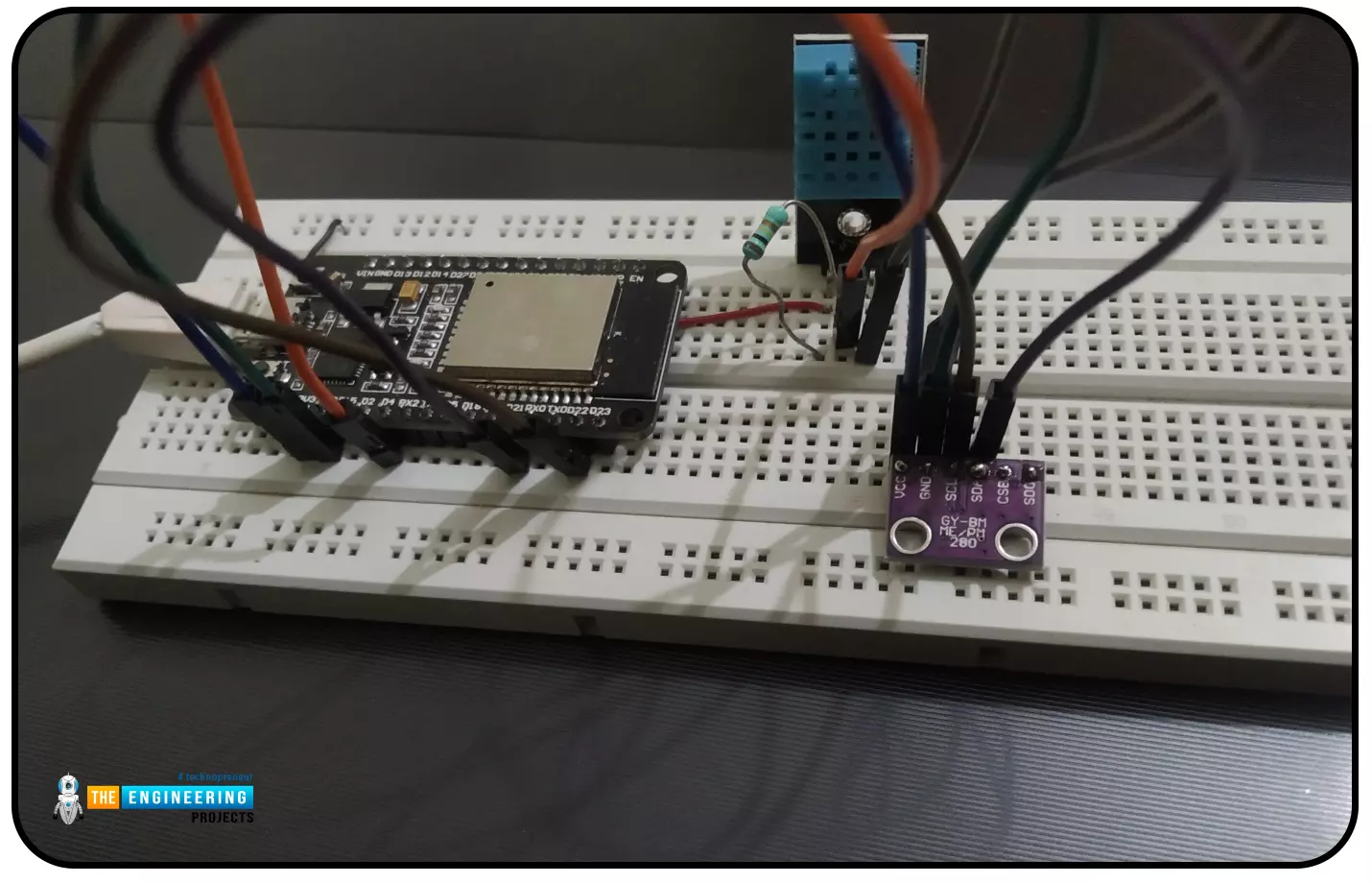
Abstract: This paper is written to represent a web-server based real-time weather monitoring system implemented using the ESP32 module. The system is designed to measure the weather conditions like temperature, pressure, humidity etc, in its vicinity. This system continuously provides real-time data (weather conditions) over limited or controlled areas, for example, agriculture fields, homes or a particular room, industries etc. Although we have satellites for weather monitoring but to perform research over a particular area, the data observed should be highly accurate which is not possible with satellites. To implement an IoT network we need to use a webserver to continuously store and display the real-time data which can be accessed globally. ’T ...
Internet of Things is a system of multiple inter-related computing devices. The factor ‘thing’ in IoT is designated to an entity capable of communicating data over a network (IOT), which can be a digital machine, sensor, human being, animals etc. Each component that is included in IoT network is assigned with an unique identity called UID and the ability to communicate data over IoT network without any external human or computer intervention.
Hello readers, I hope you all are doing great. In our previous tutorial, we discussed how to upload data to Firebase Real-time Database using ESP32. In this tutorial, we will learn how to read the data stored on the Firebase Database with ESP32.
We can access the data stored in Firebase database from anywhere in the world, which makes this preferable ...
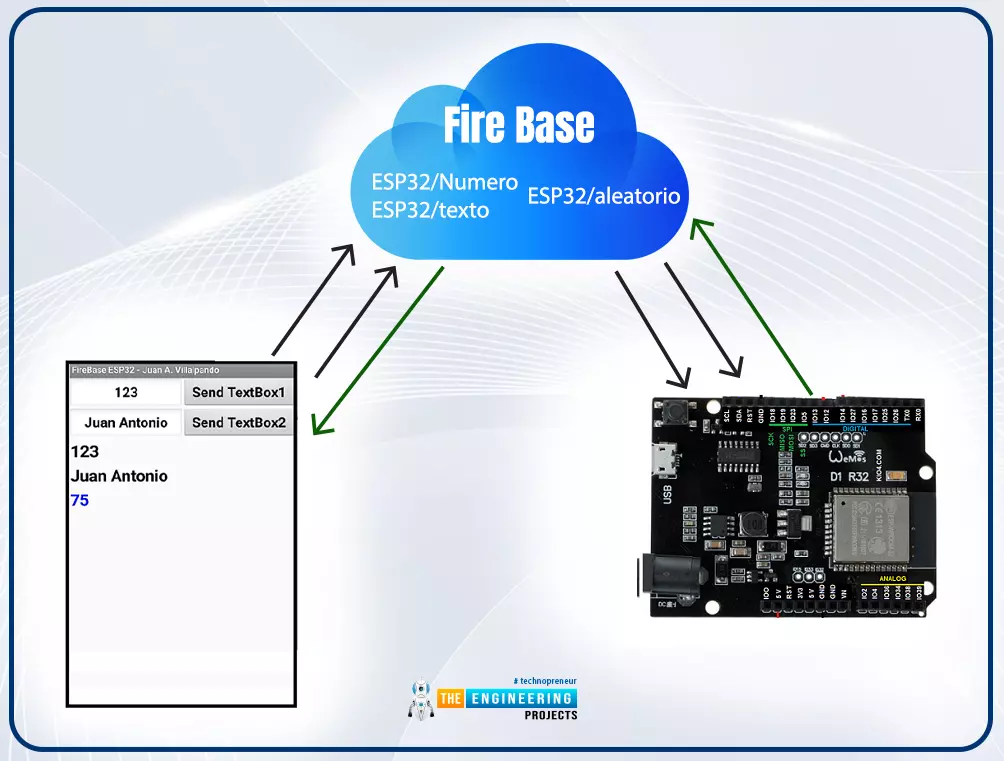
Hello readers, I hope you all are doing great. In this tutorial, we will learn how to access Firebase (a real-time database) to store and read values or data with ESP32.
It is Google’s mobile application development platform that can be used to can access, monitor and control ESP32 from anywhere in the world with its (firebase) real-time database.
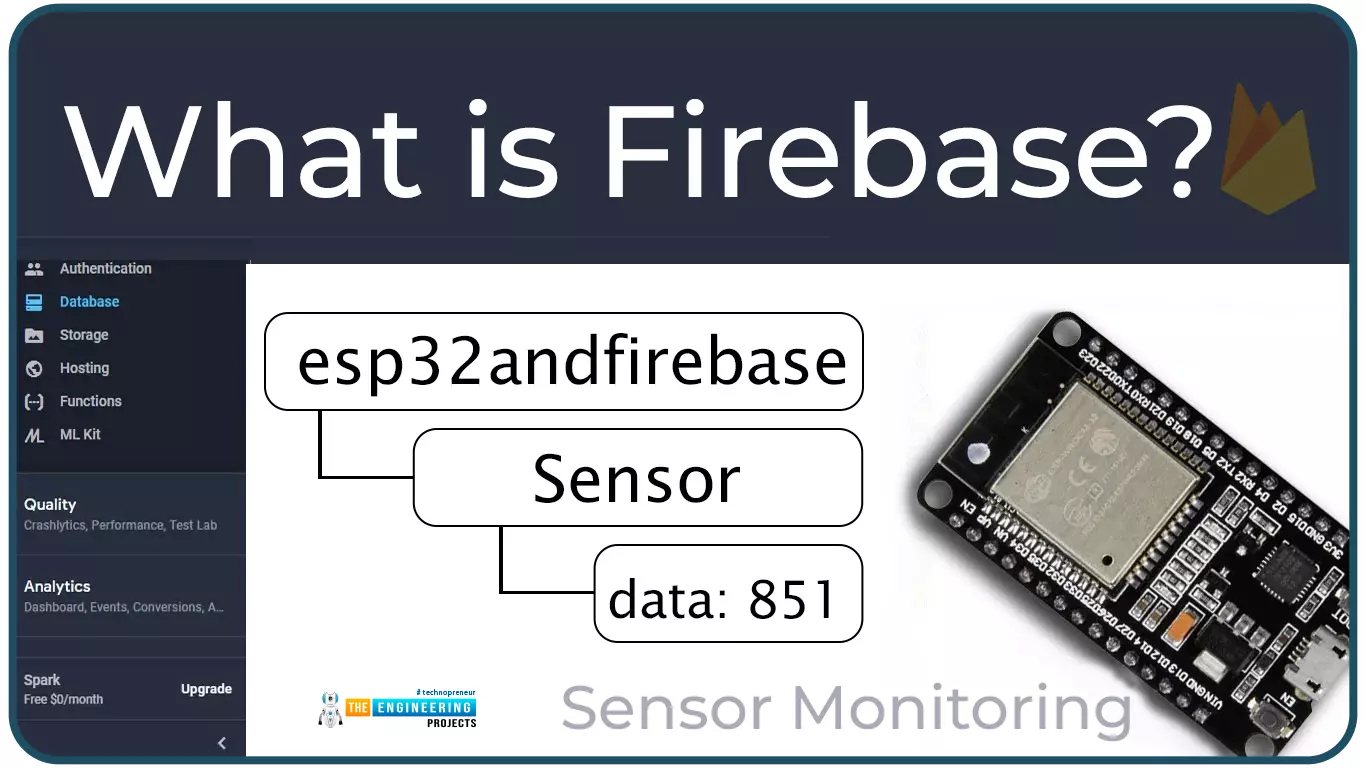
What is Firebase?
Firebase real-time database is a development platform provided by Google which included multiple services to manage and authenticate data.
Firebase is basically a mobile and web app development platform I as works great with Android APIs) that includes features like firebase cloud, real-time data and Firebase authentication etc.
As per Firebase’s official documentation (https://firebase.google.com/docs/database), whenever a us ...
Hello readers, I hope you all are doing great. In this tutorial, we will learn how to interface the BMP280 sensor with the ES32 module to get temperature, pressure and altitude readings. Later, in this tutorial, we will also discuss how to upload these sensor readings to a web server.
BMP280
BMP280 or Barometric pressure sensor is a module used to measure temperature pressure and altitude. The small size and low power consumption feature of this sensor makes it feasible for battery-powered devices, GPS modules and mobile applications etc.
Fig. 1 BMP280 Sensor
The BMP280 is the product of BOSCH which is based on Bosch’s proven Piezo-resistive pressure sensor technology featured with high accuracy, long term stability, linearity and high EMC robus ...