Welcome to the next tutorial of our Raspberry Pi programming tutorial. The previous tutorial showed us how to Interface weight sensor HX711 with pi 4. We learned that a weight sensor HX711 and load cell could be easily interfaced with a Raspberry Pi 4 with careful attention to wiring and software configuration. However, now we're one step ahead of that by using the Internet as the wireless medium to transmit the message from a Web browser to an LCD screen attached to a Raspberry Pi. This project will be added to our collection of Internet of Things (IoT) projects because messages can be sent from any Internet-connected device, such as a computer, smartphone, or tablet. A bulletin board serves as a vital means of communicating and collecting information. Notice boards are common at many pub ...
Welcome to the next tutorial in our Raspberry Pi 4 programming tutorial. In the previous tutorial, we learned the basics of using a Raspberry Pi as the basis for an Internet of Things-based weather station. However, this is a continuation of the previous tutorial. In the subsequent session, we will learn how to develop the Python code that will bring our weather station circuit design to life. Before that, let us learn how to measure wind direction and rainfall. Wind direction Wind vanes Despite their name, wind vanes do not indicate a change in wind direction. Since the arrow on most television weather maps goes in the opposite direction, this may come as a surprise at first. To determine the wind's direction, a wind vane uses the force of the wind on a vertical blade, which then spins to ...
Welcome to the next tutorial in our Raspberry Pi 4 programming course. In the previous tutorial, we learned how to automate your home with a Raspberry Pi and Bluetooth Low Energy. We found that using a Raspberry Pi 4 and Bluetooth Low Energy (BLE), users may command their household appliances from their smartphone or a web interface, and the Pi 4 will carry out the commands. This allows for a versatile and adaptable method of managing lights, thermostats, and smart plugs. However, this Internet of Things (IoT) project aims to create a real-time Raspberry Pi weather station that displays the current humidity, temperature, and pressure values via an LCD and an online server. With this arrangement, you can track the local climate from any location in the globe over the internet and see what t ...
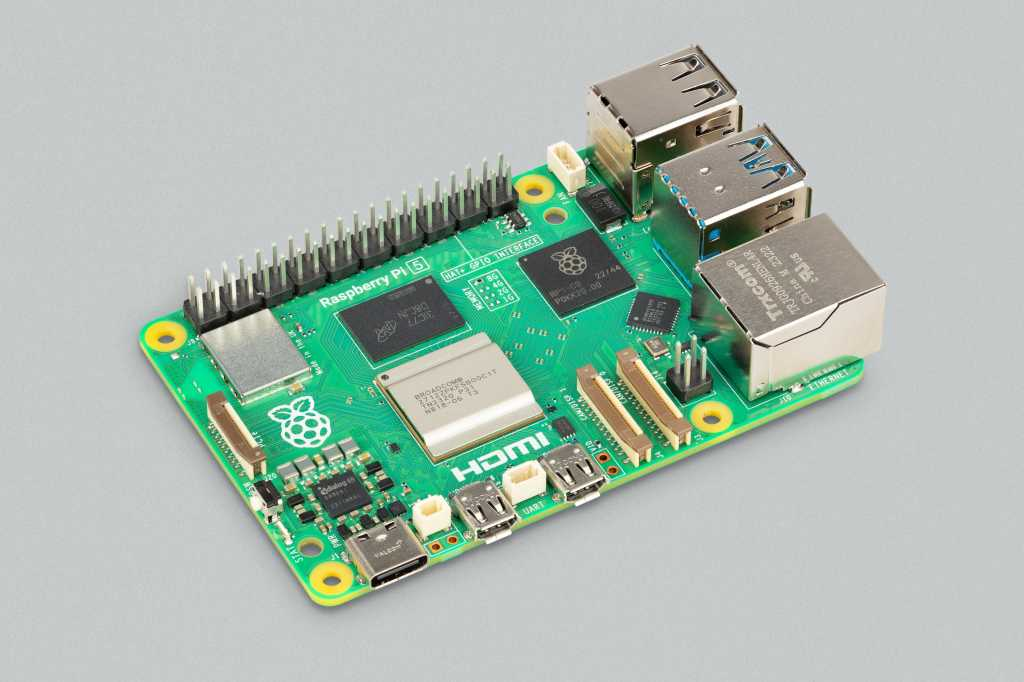
Hello everyone, I hope you all are doing great. In today's lecture, we will discuss one of the most advanced Embedded Microprocessors i.e. Raspberry Pi 5. At the time of this writing, Raspberry Pi 5 is the latest board designed in the Raspberry Pi series. Raspberry Pi 5 is designed by a UK-based charity foundation named Raspberry Pi Foundation. Initially, these boards were designed for students and hobbyists but because of their compact design and advanced features, they became popular among embedded engineers, especially for IoT Systems. Raspberry Pi boards can be used for simple tasks i.e. word processing, web browsing etc., and in the complex fields of robotics, multimedia centers, home automation, etc. In today's lecture, we will first discuss the basic features of the Raspberry Pi 5, ...
Welcome to the next tutorial of our raspberry pi 4 tutorial. In the previous tutorial, we learnt how to interface a gas sensor with a pi 4. However, in this tutorial will cover how to automate your home with a Raspberry Pi and Bluetooth Low Energy. To automate a home means to mechanize its environment, including the appliances within it. To that end, we've designed an intelligent lamp whose functionality can be adjusted from afar via a companion mobile app. Using your smartphone, you'll be able to manage a variety of household gadgets. The following code demonstrates using a mobile device as a remote controller for a Raspberry Pi's GPIO pins. (Or another BleuIO Dongle). Instructions Requirements The recently introduced Raspberry Pi 4 will serve as our testbed, but the lessons learned here ...
Welcome to the next tutorial of our raspberry pi four programming course. Before, we saw how to connect a Raspberry Pi 4 to a relay with four independent channels. To complement the relay circuit, we programmed a python script to turn on and off a single bulb. However, in this tutorial, we'll show you how to connect a GPS module to a Raspberry Pi 4. Raspberry Pi 4, one of the most popular embedded platforms, has made it simple for developers to obtain location data via a GPS module, allowing them to create devices with a greater reliance on precise positioning. Because of the Raspberry Pi's impressive processing capabilities, this essay focuses on the exciting prospect of creating GPS-based projects using the same inexpensive GPS chips. Since this project aims to retrieve location informat ...
Hello friends, I hope you all are doing well. Today, I am going to share the 8th tutorial of Section-III in our Raspberry Pi Programming Series. In the previous tutorial, we interfaced the temperature sensor DS18B20 with Raspberry Pi 4 . In today's guide, we'll discover another temperature sensor BMP180 and will interface it with Raspberry Pi 4. So, let's get started: Project Description In today's tutorial, we will interface the BMP180 sensor with Raspberry Pi 4 and will display the values of temperature, barometric pressure and altitude in the Raspberry Pi Console Window. Components Required We will use the following components in today's project: Raspberry pi 4 BMP180 sensor Female-Female Jumper wires Breadboard BMP180 Air Pressure Sensor BMP180 is a low-cost sensor designed by Bosch to ...
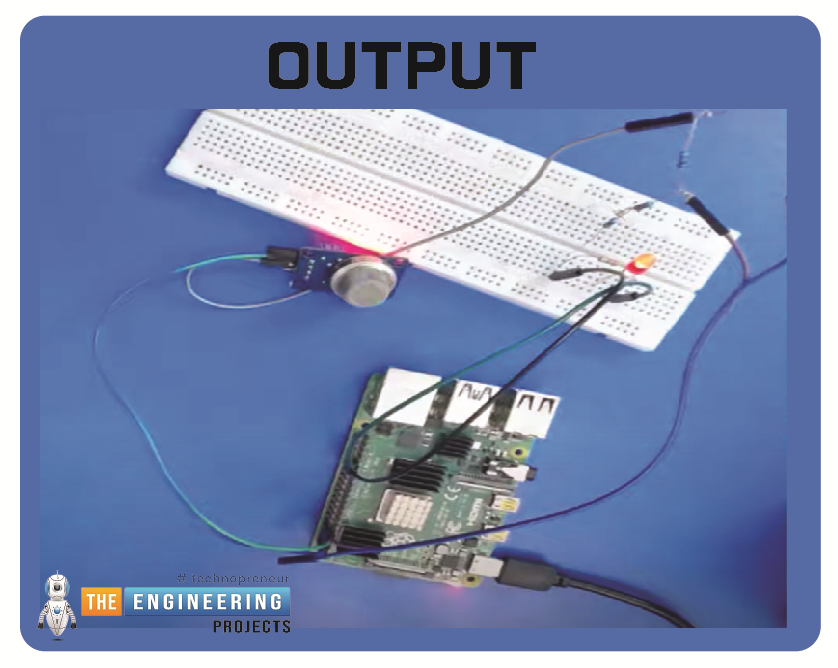
Hello friends, I hope you all are having fun. Today, I am going to share the 9th tutorial of Section-III in our Raspberry Pi 4 Programming Course. In the previous tutorial, we interfaced an air pressure sensor BMP180 with Raspberry Pi 4 . In this tutorial, you'll learn how to interface an MQ-2 gas sensor with a Raspberry Pi 4. Many apartments, residences, and workplaces rely heavily on these gas sensors to detect smoke or gas and alert the appropriate personnel in an emergency. In addition to gas and smoke, this sensor is sensitive to various odorous gases. Project Description Today, we will interface a gas sensor MQ-2 with Raspberry Pi 4 and will display the values on Raspberry Pi Console Window. Components Required These are the components used in today's project: Raspberry Pi 4 MQ-2 Smo ...
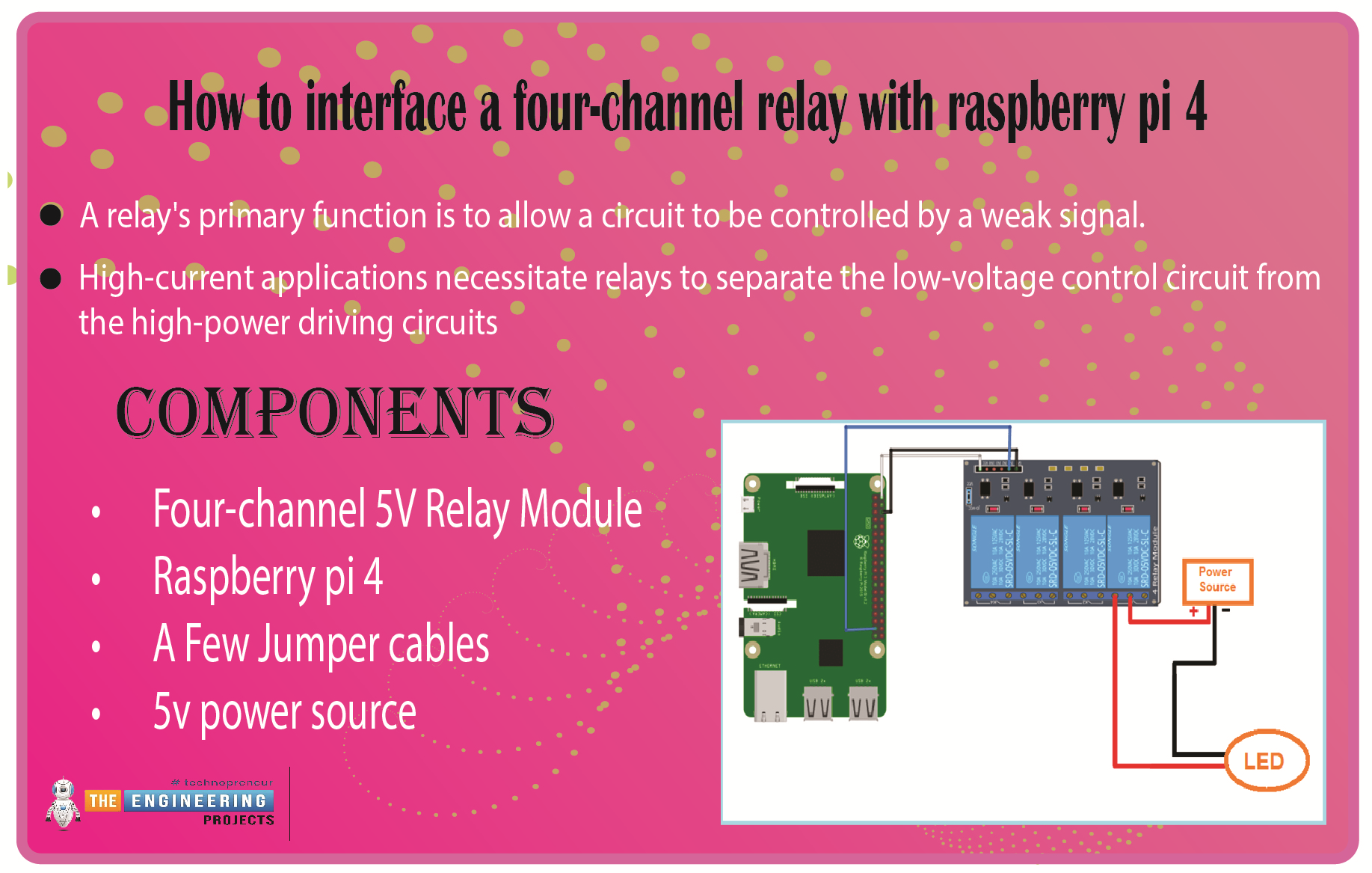
We learned in the previous tutorial how to connect a joystick to a Raspberry Pi 4 using an mcp3008 and an op-amp IC, the LM324A. For each of the interface methods we studied, we created a python script allowing us to interact with the circuit. This tutorial will show you how to connect a 4-channel relay module with a Raspberry Pi to carry out switching. A relay's primary function is to allow a circuit to be controlled by a weak signal. High-current applications necessitate relays to separate the low-voltage control circuit from the high-power driving circuits. Because of this, understanding it is crucial for those interested in industrial or household automation. If you've been tinkering with a raspberry pi for a while, consider the various ways in which you might put it to use. So let’s d ...
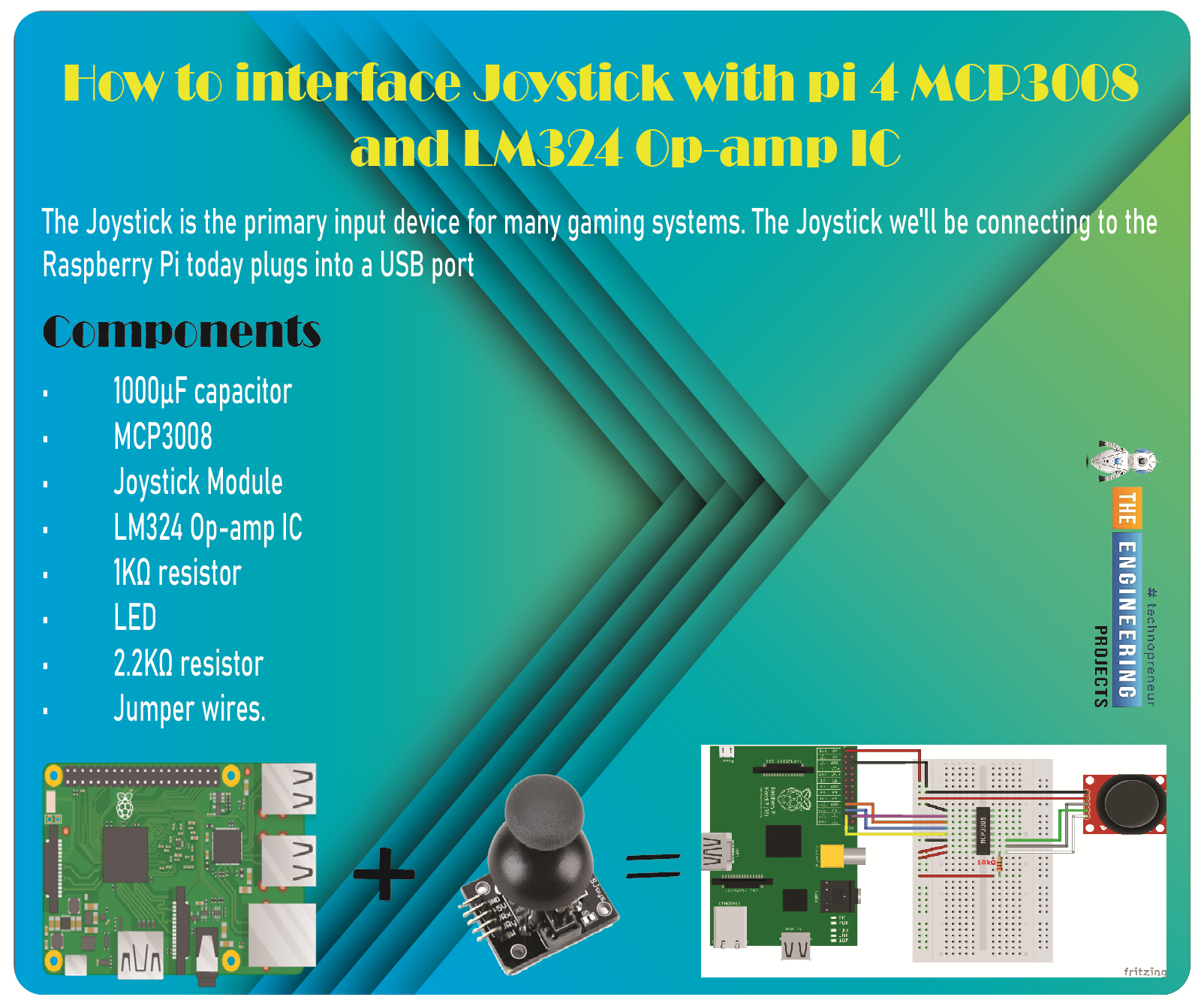
Greetings, and welcome to the next tutorial in our series on programming for the Raspberry Pi 4. The previous tutorial showed us how to connect a 4x4 keypad to a Raspberry Pi 4. In the previous tutorial, we examined the inner workings of the 4-by-4 keyboard; in this one, we'll use the MCP3008 and the LM324 Op-amp IC to connect a joystick to the Raspberry Pi 4. The Joystick is the primary input device for many gaming systems. The Joystick we'll be connecting to the Raspberry Pi today plugs into a USB port, but there are plenty of situations when having access to the Pi's GPIO pins would be useful. We'll review the steps for preparing the circuit for each interface technique and creating a corresponding python script. So let’s dive in! Components The hardware utilized in this instance is a P ...