Hi Friends! Hope you’re well. In this post today, we’ll discuss What is Raspberry Pi Zero? We’ll also cover Raspberry Pi Zero Pinout, Specs, Projects & Datasheet.
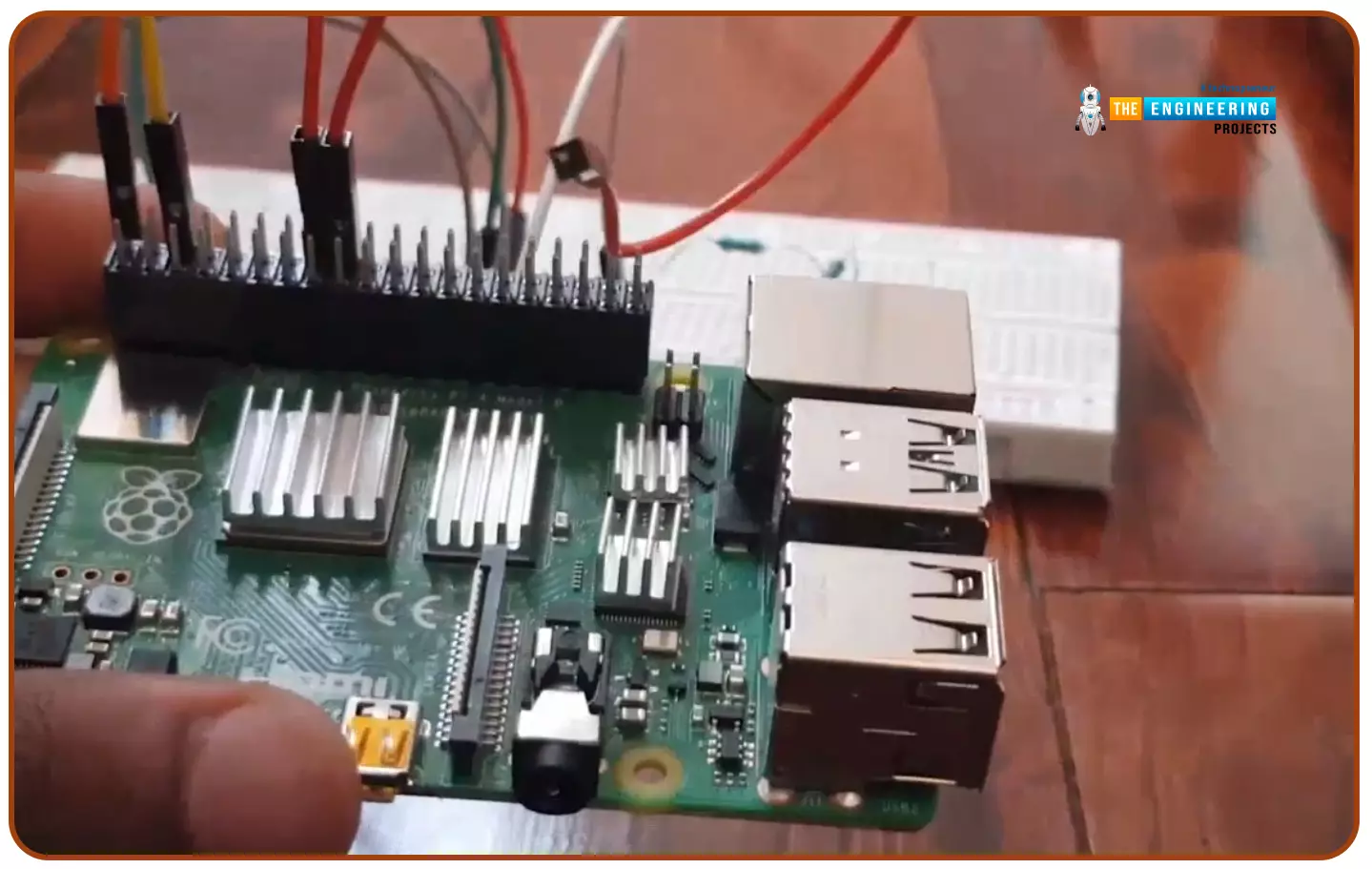
Developed by Raspberry Pi Foundation, Raspberry Pi Zero is a tiny single-board computer, initially introduced to teach basic computers in schools. Later, it rose to popularity due to its low cost and open source design. Now it is widely used in robotics and embedded systems to develop IoT projects. This device is among the bestselling British single-board computers. I suggest you read this post all the way through as I’ll cover Raspberry Pi Zero in detail. Let’s get started.
What is Raspberry Pi Zero?
Raspberry Pi Zero(released in Nov 2015, by Raspberry Pi Foundation) is a sin ...
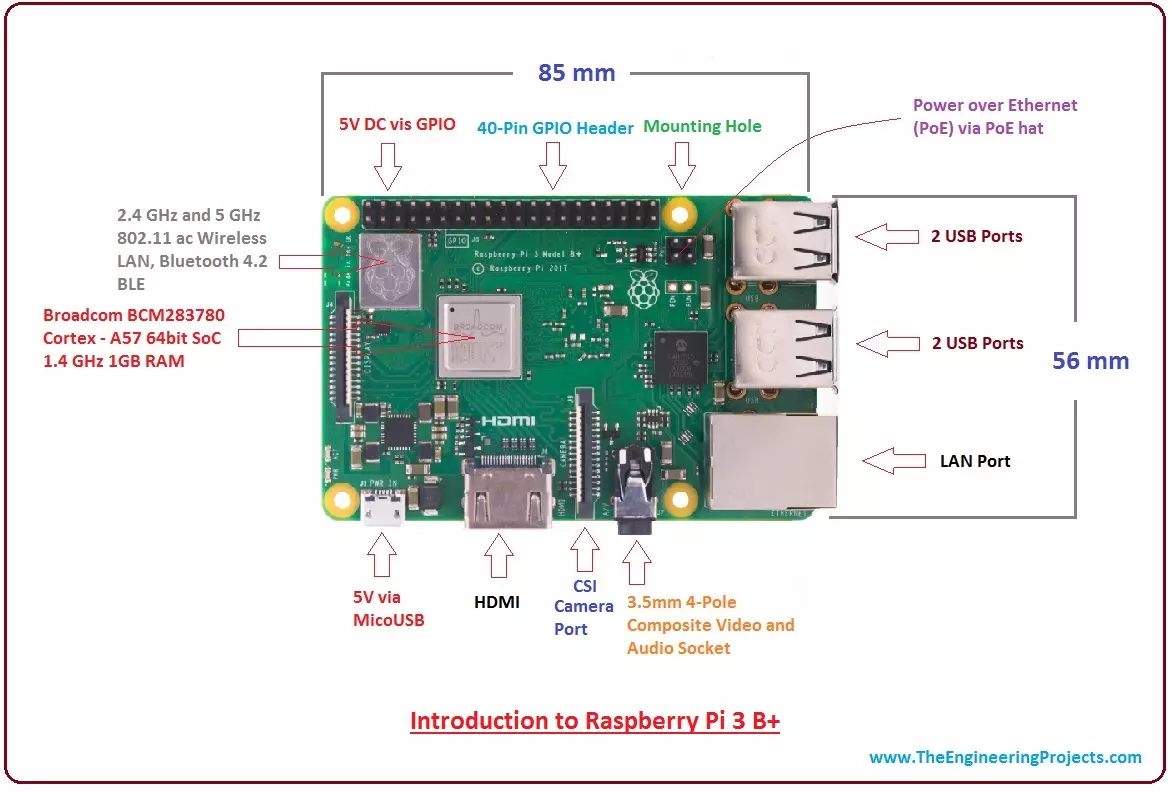
Hi Guys! Hope you are doing well. I am back to give you a daily dose of useful information. Today, I'll discuss the details on the Introduction to Raspberry Pi 3 B+. It is a small board computer, introduced by Raspberry Pi foundation in 14th March 2018 and is the most recent version of the Pi boards.
It is a modified form of its predecessor Raspberry Pi 3 B that was introduced in 2016 and came with CPU, GPU, USP ports and I/O pins. Both versions are almost same in terms of functionality and technical specifications; however, there are some exceptions in the B+ model as it comes with USB boot, network boot, and Power over Ethernet option that are not present in the B model.
Technology has been evolved over time with the purpose of making lives ...
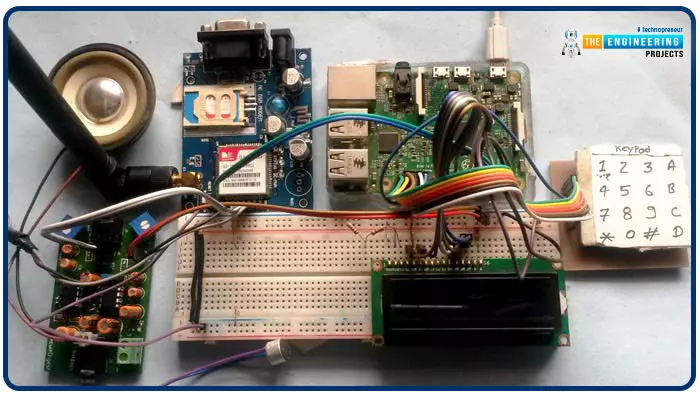
Greetings, and welcome to another tutorial in our series on the raspberry pi 4 Python programming. The previous guide covered the basics of transmitting data over the radio using the nrf24l01 chip in Pi 4. We also learned about interfacing Arduino and raspberry pi 4 and sending radio signals between the two devices. However, this tutorial will walk you through building a Raspberry Pi-based mobile phone with a microphone and speaker for making and receiving calls and reading text messages (SMS). This Project also serves as a proper GSM Module for the Raspberry Pi interface, with all the necessary Code to run the most fundamental features of any modern smartphone. First, we will understand what gsm is, its architecture and how it works, then we will learn how to program it in our pi 4; there ...
Hello friends, I hope you all are doing well. Today, I am going to share the 5th tutorial of Section-III in our Raspberry Pi Programming Course. In our previous tutorial, we have seen the interfacing of a PIR Sensor with Raspberry Pi 4. In today's tutorial, we will interface an Ultrasonic sensor with Raspberry Pi and will use Python to perform its calculations. So, let's get started:
Components:Here's the list of components, we are going to use in today's project:
Raspberry Pi 4
Ultrasonic sensor
Male-to-female jumper wires
Breadboard1k ohm resistor
2k ohm resistor
What are Ultrasonic Sensors?
An Ultrasonic Sensor consists of a transmitter and a receiver, the transmitter emits the ultrasonic wave, which after hitting some ob ...
Introduction
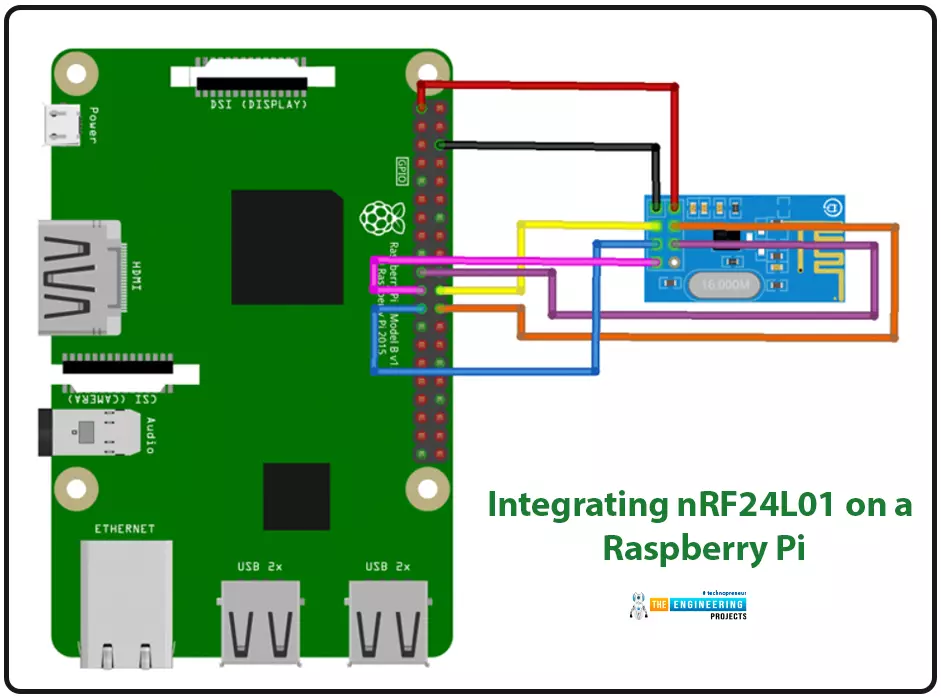
We're glad you could join us for another lesson in our series on programming for the Raspberry Pi 4. The previous chapter covered how to interface the USB barcode scanner with raspberry pi 4. We looked at different types of barcodes and what each stripe represents as well as the different types of barcode scanners available today. We also built a python program for the intelligent shopping cart and now our familiarity with barcodes and scanners and how they function has significantly increased. The benefits and drawbacks of its use were also discussed, but what we're interested in for this article is the transmission of radio frequency signals using the nrf24l01 Module in a raspberry pi 4.
Components
nRF24L01 RF module
Raspberry pi 4
Arduino Uno
Jumper wires
Power suppl ...
Hi Guys! I welcome you on board. In this post today, we’ll study What is Raspberry Pi Pico? We’ll also detail Raspberry Pi Pico Pinout, Specs, Projects & Datasheet.
Raspberry Pi Pico is a little different from other modules introduced by Raspberry Pi Foundation. This unit is similar to Arduino Nano and is called a microcontroller board that incorporates a powerful RP2040 chip. This is different from other single-board computers that fall under the Raspberry Pi series. It is not a computer but a microcontroller board.
I suggest you buckle up as I’ll explain Raspberry Pi Pico in detail.
Let’s get started.
What is Raspberry Pi Pico?
Raspberry Pi Pico is a microcontroller board (released on 21 Jan 2021) mainly developed for robotics and embe ...
Introduction
Welcome to the following tutorial in our raspberry pi four programming tutorial. In the previous tutorial, we learned how to build a raspberry pi four website monitoring tool. We say how beautiful soap is applied in browser automation tasks such as tracking website activities. But in this guide will discover how to utilize our Raspberry Pi 4 as a wifi repeater. If you want a lag-free wireless network, a wifi Wireless Adapter is exactly what you need. You may want to set up a wifi repeater if your signal is weak in certain rooms of your home or if you have entirely lost service in one or more rooms that are too small to accommodate your current network setup. If you want to increase the range of the wifi connection without breaking the bank or wasting a lot of energy, consider ...
Hello readers, I hope you all are doing great. This is the second tutorial of the Raspberry Pi programming series. In our previous tutorial, we discussed the basic features and hardware architecture of Raspberry Pi Pico.
In this tutorial, we will discuss the various available development environments for programming the Raspberry Pi Pico. Later, in this tutorial, we will also discuss the installation of Visual Studio Code for Pi Pico programming.
Fig. Raspberry Pi Pico
RP2040 supports multiple programming languages like C/C++, Circuit python, and MicroPython cross-platform development environments. Raspberry Pi Pico module consists of a built-in UF2 bootloader enabling programs to be loaded by drag and drop and floating point routines are bake ...
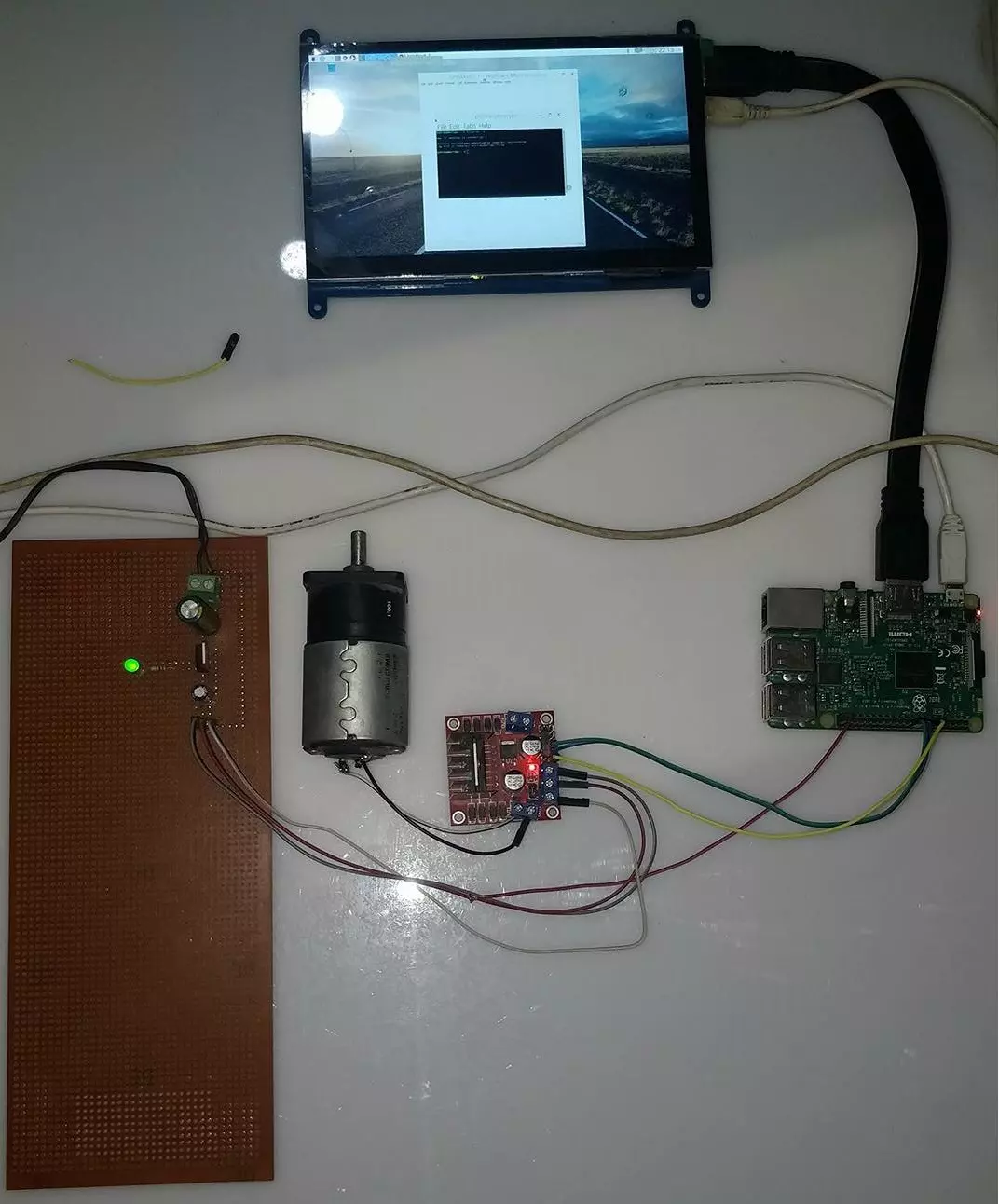
Hello friends, I hope you all are doing great. In today's tutorial, I am going to show you How to Control DC Motor with Raspberry Pi 3. We will control both the speed and direction of DC Motor. I hope you have read the previous tutorial on How to Create a GUI in Raspberry Pi 3 as we are gonna create a small GUI in this tutorial as well and then we are gonna control our DC Motor with Buttons on GUI.
In order to control the DC Motor, we have to use some drivers in between our Microcontroller and DC Motor. This driver's functionality is to control a 12V DC Motor with a 5V signal from a microcontroller. In today's tutorial, we are gonna use L298 Motor Driver. So, let's get started with How to Control DC Motor with Raspberry Pi 3:
How to Control DC Mot ...
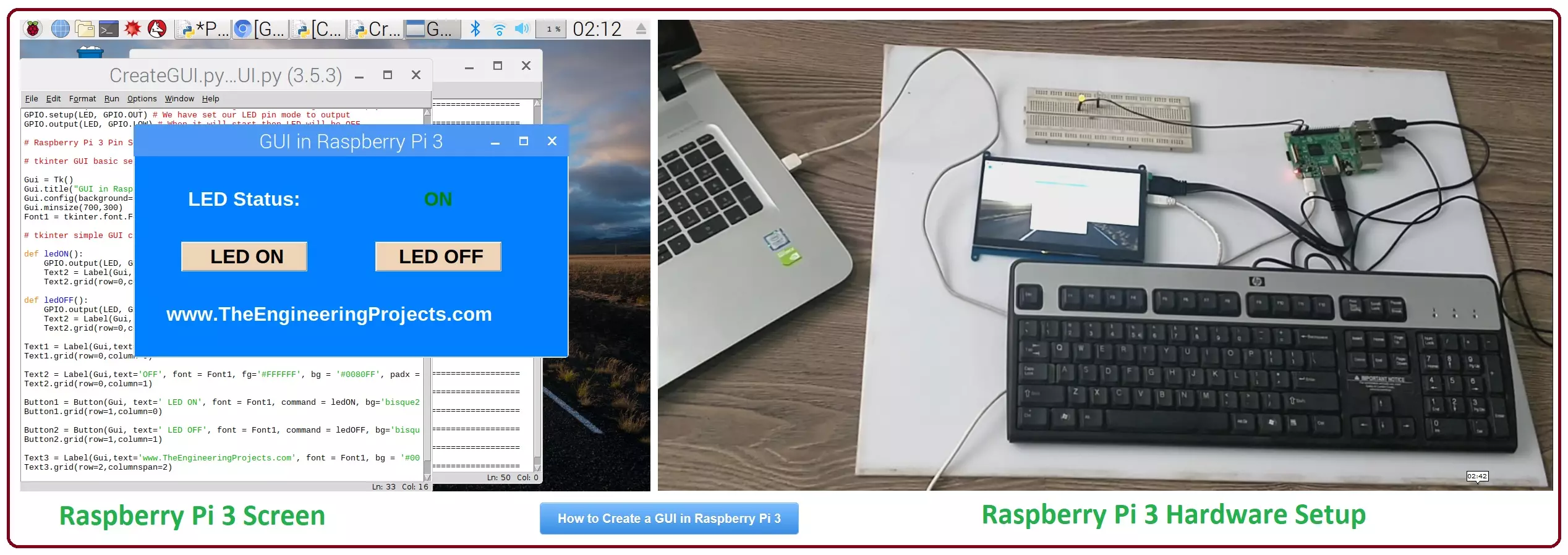
Hello friends, I hope you all are doing great. In today's tutorial, I am going to show you How to Create a GUI in Raspberry Pi 3. There are many different third party libraries available and the one I am going to use is tkinter. I have tried these libraries and I liked it the most so that's why I'm gonna use it in my future Raspberry Pi 3 Projects.
In our previous tutorial on Raspberry Pi 3, we have had a look at LED Blinking using Raspberry Pi 3. So, today I am gonna work on the same project and we will add a GUI in it. GUI is an abbreviation of Graphical User Interface and it is used to give a presentable form to your project. We will add some buttons on our GUI and we will turn ON or OFF our LED using buttons. It's quite a basic tutorial but it ...