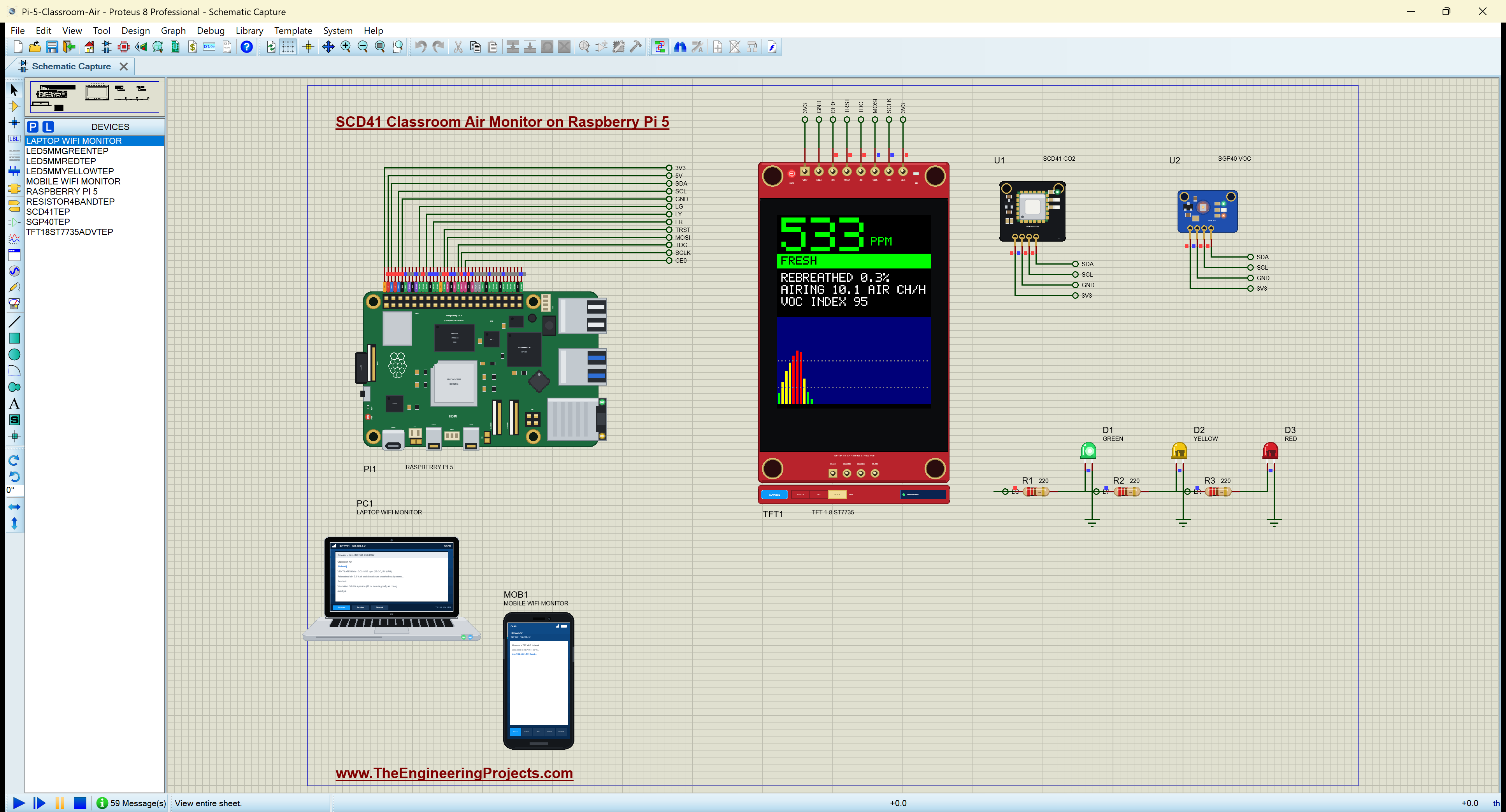
Hello friends, I hope you all are doing great. Today, I am going to share the SCD41 Classroom Air Monitor on Raspberry Pi 5 - Proteus Simulation, the eighty-fourth project of our IoT Projects series. If you have searched for an SCD41 CO2 sensor with a Raspberry Pi, how much CO2 is too much in a classroom, what rebreathed air means, or an SGP40 VOC sensor in a Proteus simulation, here is a complete one. Thirty people in a closed room breathe out about two litres of carbon dioxide a minute between them. CO2 itself is harmless at these levels, but it is a perfect tracer: every bit of extra CO2 came out of someone's lungs, together with everything else that comes out with a breath.
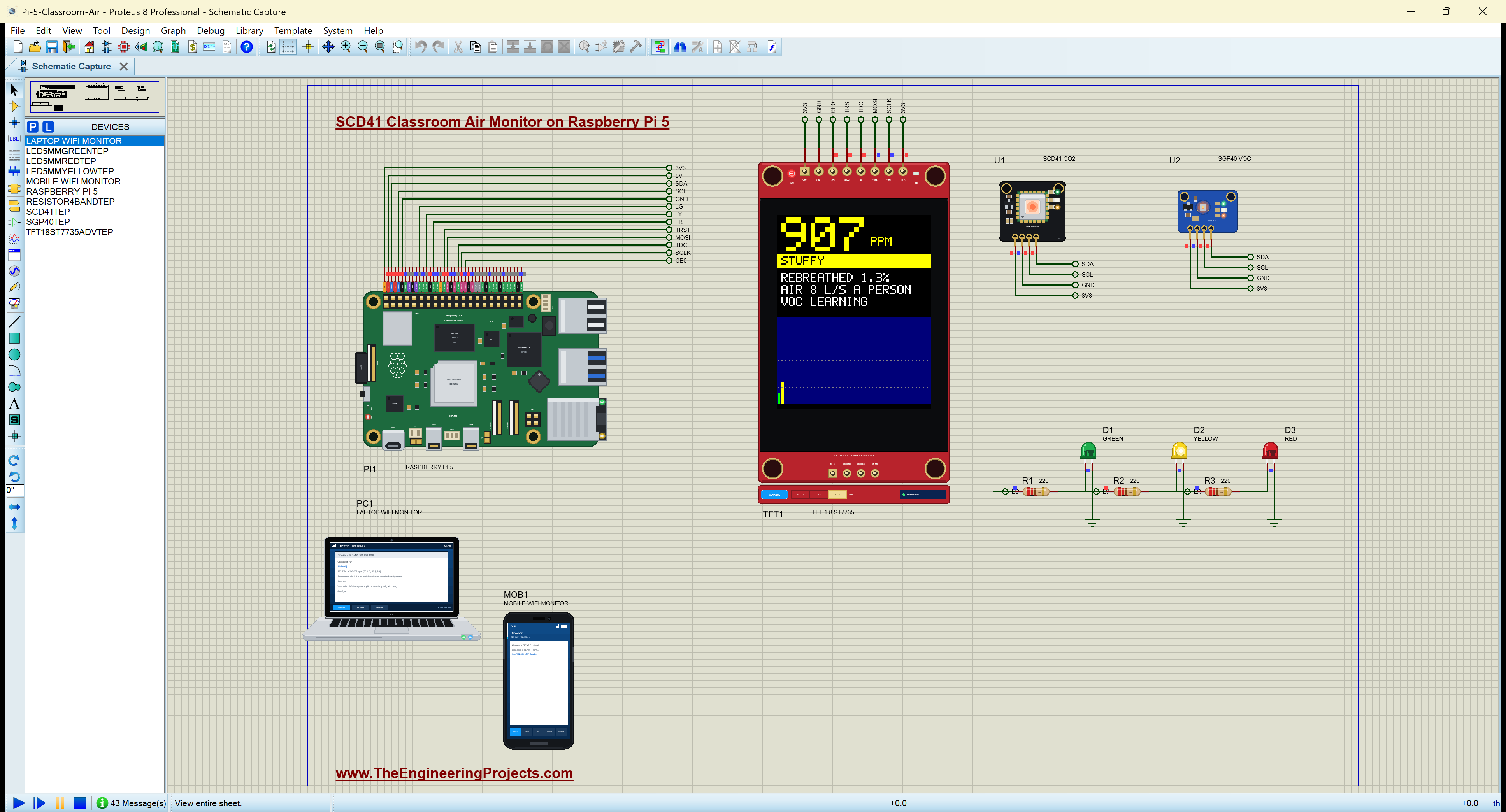
So the CO2 level tells something more useful than "the air is stale": it tells what share of each breath you take has already been breathed by someone else in the room. This Raspberry Pi 5 reads an SCD41 CO2 sensor and an SGP40 VOC sensor and turns the numbers into what a teacher can act on: the rebreathed fraction, the fresh air each person is getting, how fast the room clears when the windows open, and whether something like a cleaning spray is in the air. A traffic light of three LEDs says it at a glance, a TFT shows the numbers and a chart, and a dashboard serves them to a laptop or a phone. In this tutorial, we will go through the circuit, CO2 as a tracer of breath, the rebreathed fraction and the ventilation rate, how the SCD41 and SGP40 work, Sensirion's I2C commands and CRC, and the program. Then we spend a lesson in a classroom in the simulation. At the end, you can download the project with the program and every library file.
NOTICE: Our team has put a lot of effort into this project: the circuit, the code and every part in the simulation are our own work, and you get them all free. Your feedback is the fuel that keeps us going, so please tell us what you think in the comments below. And if our free projects help you, you can buy us a coffee. So, let's get started with the SCD41 classroom air monitor on Raspberry Pi 5 in Proteus simulation:
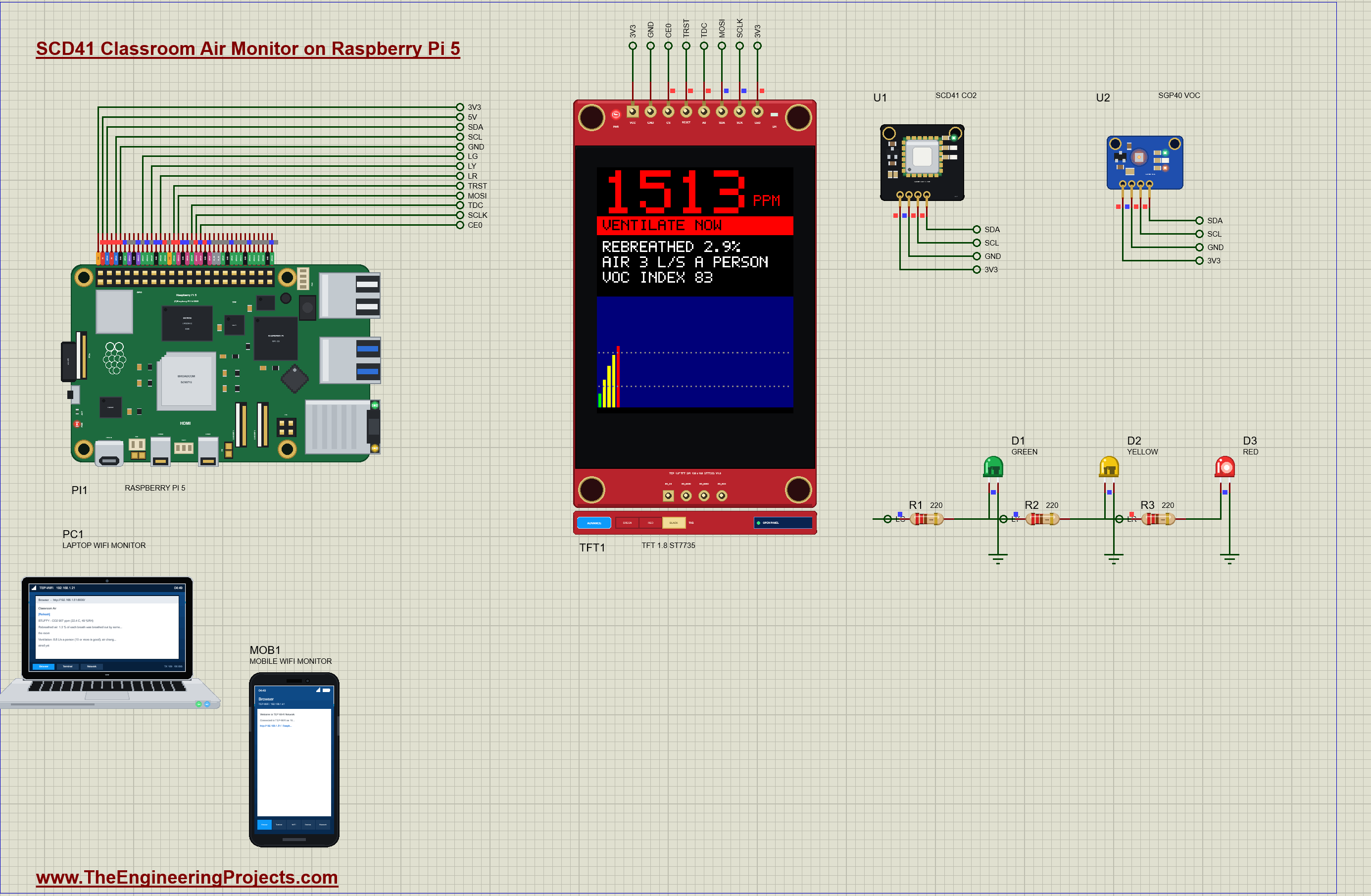
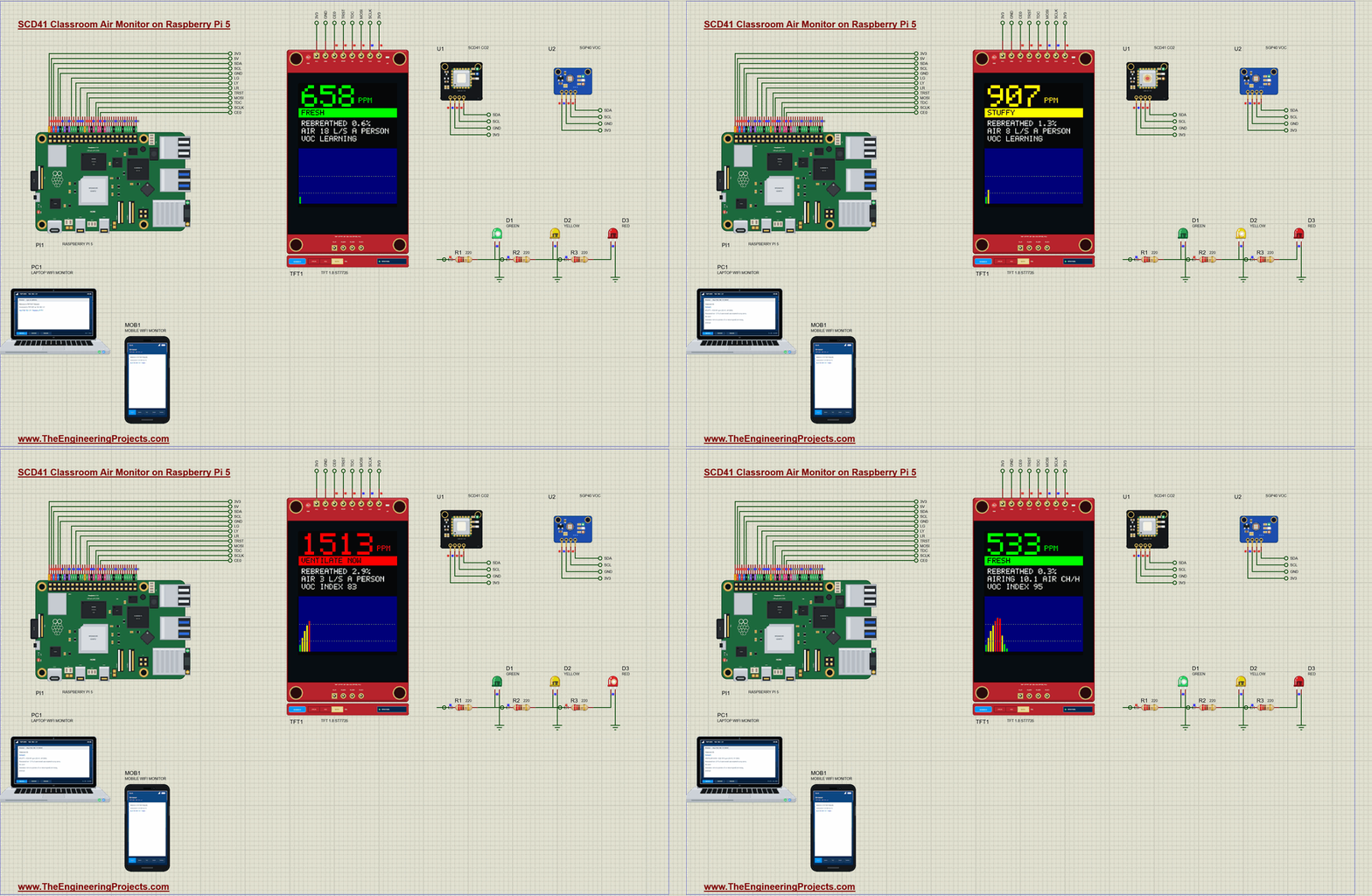
What Does This Classroom Air Monitor Do?
- Measures CO2: an SCD41 photoacoustic sensor, a result every 5 seconds, with temperature and humidity.
- Measures VOCs: an SGP40 metal-oxide sensor, once a second, compensated with the SCD41's humidity, as a simplified VOC index.
- Works out the rebreathed fraction: the share of each breath that someone in the room breathed out before.
- Estimates the ventilation: litres of fresh air a second for each person, and the air changes an hour after the windows open.
- Says it at a glance: a traffic light: green below 800 ppm, yellow up to 1400 ppm, red above (VENTILATE NOW).
- Shows the lesson: a TFT with the numbers and a chart, and a dashboard on a laptop or a phone.
It is a great project for learning I2C sensors with command protocols and CRCs, a little physics of ventilation, and a practical health topic in one go. In the simulation, the SCD41's pop-up runs a classroom lesson: the class comes in at minute 2 and the windows open at minute 35, and the SGP40's pop-up can release a cleaning spray.
Components Used in the Proteus Simulation
All the parts come from our Proteus libraries, each with its own tutorial. The project zip at the end includes every LIB and DLL file and the TEP Pi runtime.
| Part | Proteus device | Library post | Connection |
|---|---|---|---|
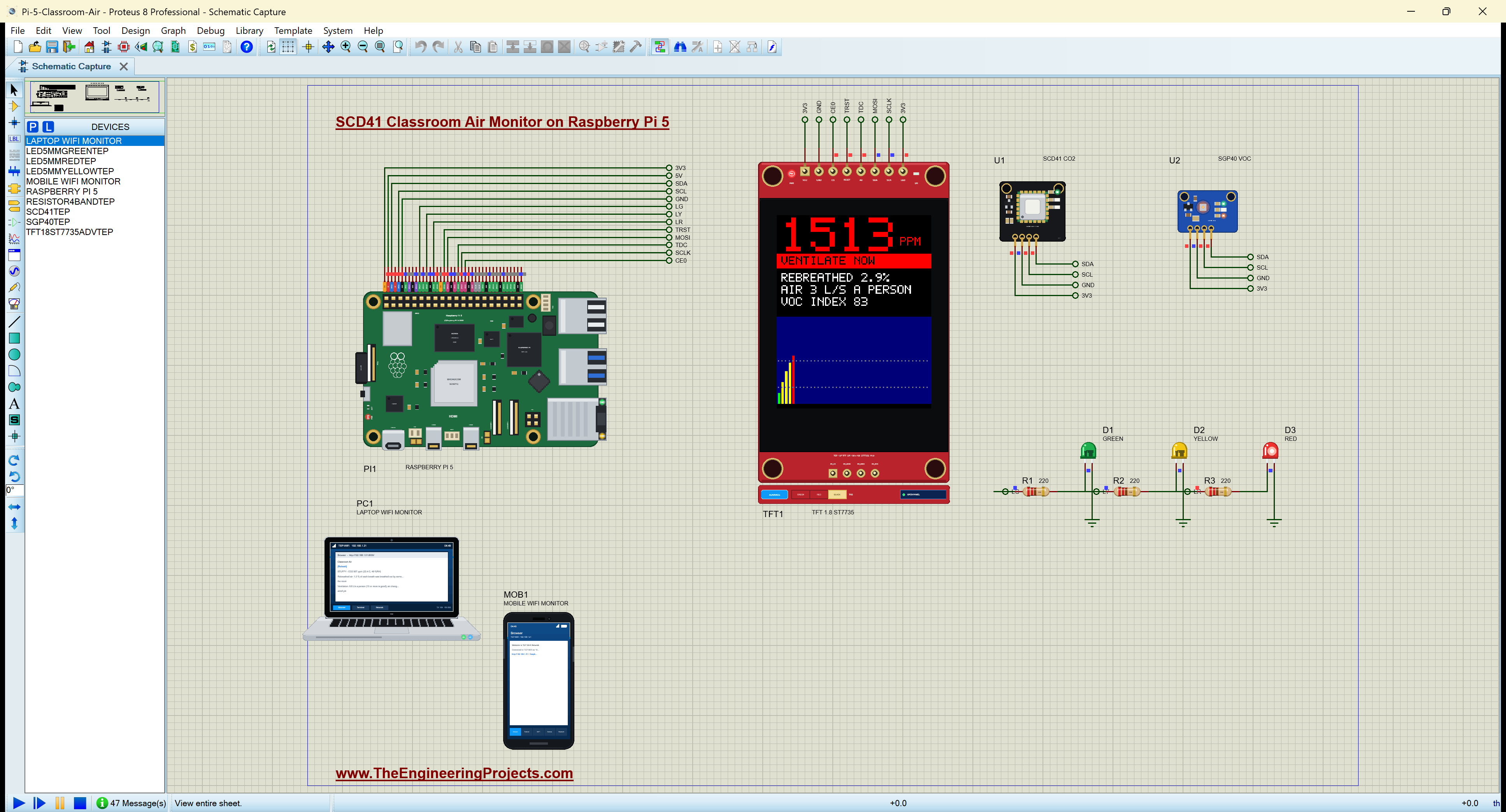
| Raspberry Pi 5 | RASPBERRY PI 5 | Raspberry Pi 5 Library for Proteus | PI1, classroom_air.py, Ethernet 192.168.1.51 |
| SCD41 CO2 sensor | SCD41TEP | SCD41 CO2 Sensor Library for Proteus | U1 on I2C1 at 0x62 |
| SGP40 VOC sensor | SGP40TEP | SGP40 VOC Sensor Library for Proteus | U2 on I2C1 at 0x59 |
| TFT 1.8" ST7735 | TFT18ST7735ADVTEP | TFT ST7735 Library for Proteus | TFT1 on SPI0, A0 GPIO25, RESET GPIO24 |
| 5 mm LEDs (green, yellow, red) | LED5MMGREENTEP and others | 5mm LED Library for Proteus | D1 - D3 on GPIO17, 27, 22 |
| Resistors 220 ohm | RESISTOR4BANDTEP | Resistor Library for Proteus | R1 - R3, the LEDs' |
| Laptop WiFi Monitor | LAPTOP WIFI MONITOR | Laptop WiFi Monitor | PC1 |
| Mobile WiFi Monitor | MOBILE WIFI MONITOR | Mobile WiFi Monitor | MOB1 |
Proteus Simulation of the Classroom Air Monitor: the Circuit
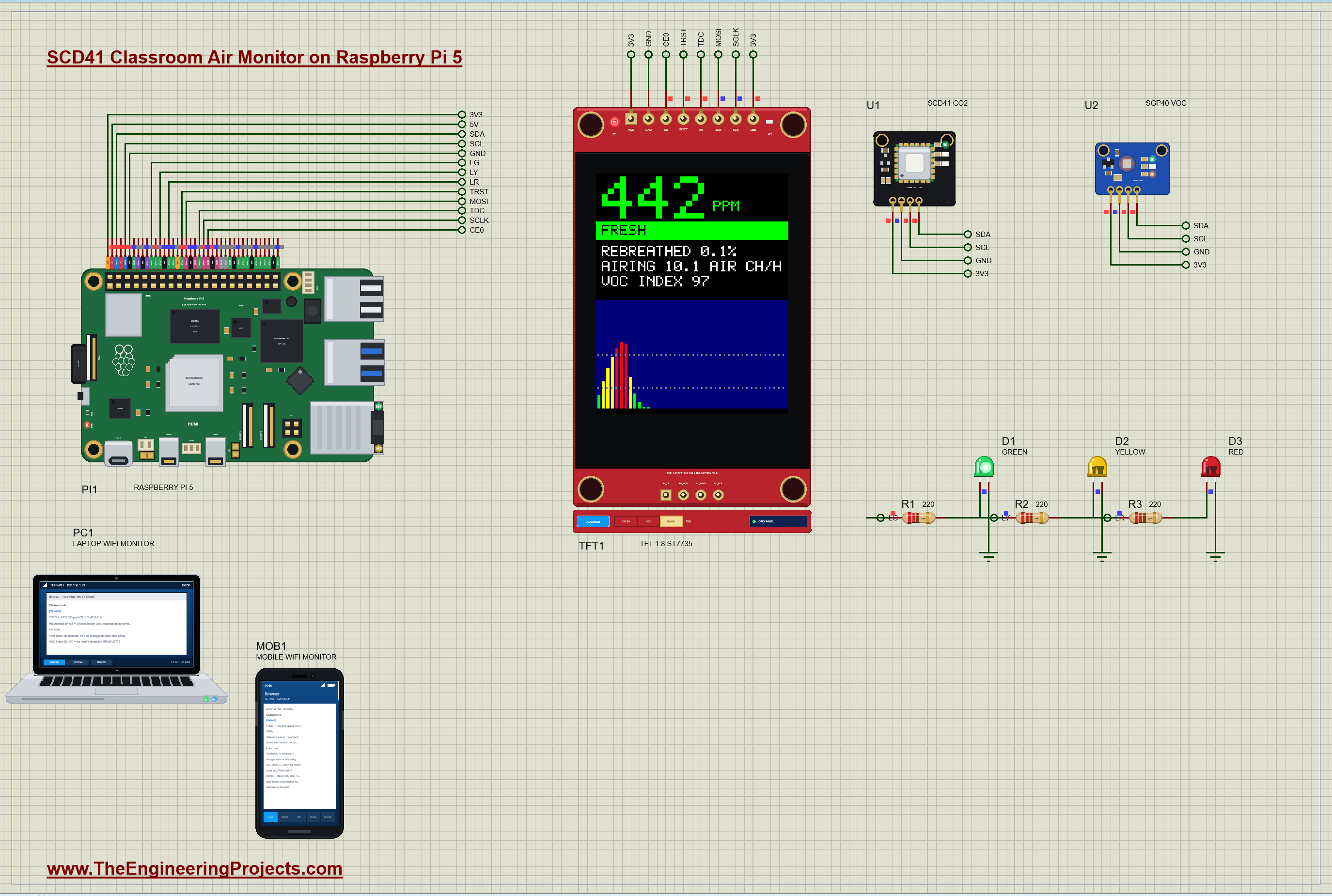
| Signal | Raspberry Pi 5 | Goes to |
|---|---|---|
| SDA / SCL | GPIO2 (pin 3) / GPIO3 (pin 5) | the SCD41 (0x62) and the SGP40 (0x59) |
| 3.3 V | pin 1 | the sensors' VCC, the TFT's VCC and LED |
| MOSI / SCLK / CE0 | GPIO10 / 11 / 8 (pins 19 / 23 / 24) | the TFT's SDA, SCK, CS |
| A0 / RESET | GPIO25 (pin 22) / GPIO24 (pin 18) | the TFT |
| green / yellow / red | GPIO17 / 27 / 22 (pins 11 / 13 / 15) | D1 / D2 / D3 through 220 ohm |
Both sensors share the I2C bus; their addresses differ. Each LED takes about 6 mA from its GPIO through 220 ohm, well within what a Pi pin can give.
How the Classroom Air Monitor Works
CO2 as a Tracer of Breath
Outdoor air holds about 420 ppm of CO2. The air we breathe out holds about 4 %, so it carries roughly 38,000 ppm more CO2 than the air we breathed in. Indoors, the extra CO2 above the outdoor level can only have come from people's lungs. So if a classroom reads 1,500 ppm, the extra 1,080 ppm came from breath, and 1,080 / 38,000 = 2.84 % of the air in the room has already been breathed out by someone. This is the rebreathed fraction, f = (CO2 - 420) / 38,000, an idea published by Rudnick and Milton for estimating how airborne infections spread indoors. Worked example: at 1,500 ppm about one breath in 35 (1 / 0.0284) has been in someone else's lungs; at 800 ppm it is one in a hundred.
How Much Fresh Air Each Person Gets
A person sitting at a desk breathes out about 0.0043 litres of CO2 a second. When the CO2 level stops rising, the fresh air coming in carries away exactly that much: Q x (CO2 - outdoor) = G. So the fresh air a person is getting is Q = G / (CO2 - outdoor). Worked example: at 1,500 ppm, Q = 0.0043 / 0.00108 = 4.0 litres a second for each person. A common target is 10 L/s a person, which works out to 0.0043 / 0.010 = 430 ppm above outdoors, about 850 ppm. This only holds near a steady state; while the CO2 is still climbing, or falling after the windows open, the program does not show it.
Air Changes After Airing
When the windows open, the extra CO2 falls exponentially: C(t) - C0 = (C1 - C0) e^(-ACH x t). Two readings give the air changes an hour: ACH = ln((C1 - C0) / (C2 - C0)) / (t2 - t1). Worked example: from 1,003 ppm to 689 ppm in 5.1 minutes, ln(583 / 269) = 0.774, divided by 0.085 hours is about 9 air changes an hour, typical for a room with its windows wide open.
What the Numbers Mean for a Classroom
Many school guidelines aim to keep classrooms below about 800 to 1,000 ppm and treat 1,500 ppm as the point where something must be done; this monitor's traffic light uses 800 and 1,400 ppm. A crowded classroom with the windows shut can pass 1,500 ppm within half an hour, as the simulation shows. How long to air follows from the decay equation: t = ln((C1 - C0) / (C2 - C0)) / ACH. Worked example: to bring a room from 1,600 ppm down to 600 ppm with the windows wide open at 9 air changes an hour takes ln(1,180 / 180) / 9 = 1.88 / 9 = 0.21 hours, about 12.5 minutes; with only a window on tilt, at perhaps 2 air changes an hour, it would take nearly an hour. Opening windows on opposite sides (cross-ventilation) gives the most air changes, and short bursts of airing keep a room warm in winter better than a window left slightly open all lesson.
The SCD41 and the SGP40
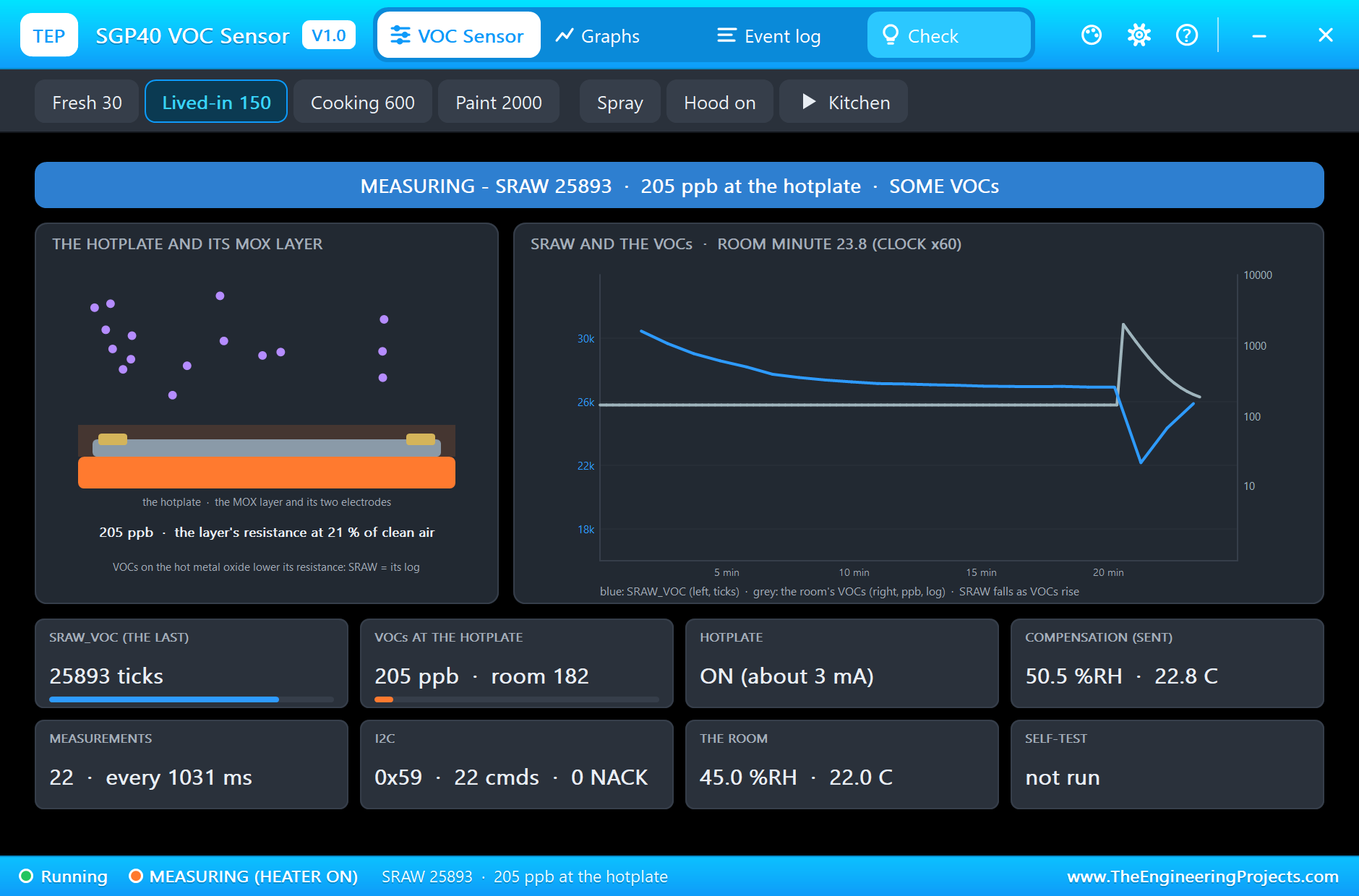
The SCD41 measures CO2 photoacoustically: an infrared lamp pulses at the wavelength CO2 absorbs, the gas warms and expands with each pulse, and a tiny microphone hears it; louder means more CO2. In periodic mode it gives a result every 5 seconds, with temperature and humidity. The SGP40 is a metal-oxide sensor: a heated layer whose resistance falls when organic vapours (VOCs) react on it. Its raw signal, SRAW, falls when VOCs rise, and it needs the air's humidity and temperature, which the program takes from the SCD41. The raw signal has no absolute unit, so Sensirion turns it into a VOC index, where 100 means the room's usual air. This program uses a simplified version: it learns the usual raw signal in the first readings, then adds a point for every 25 counts below it, from 1 to 500.
Sensirion's I2C Commands and the CRC
Neither sensor has registers. The Pi sends a 16-bit command, high byte first, sometimes with data words, then reads the reply after a wait. Every 16-bit word, both ways, is followed by a CRC-8 byte: polynomial 0x31, starting value 0xFF. Worked example: the word 0xBEEF has the CRC 0x92, the test value in Sensirion's datasheets. The program checks the CRC of every word it reads and throws away a reply with a bad one. The SCD41 commands used are start_periodic_measurement (0x21B1), get_data_ready_status (0xE4B8) and read_measurement (0xEC05); the SGP40's is measure_raw_signal (0x260F), with the humidity and temperature as two data words with their CRCs.
A Lesson in a Minute
A lesson takes most of an hour. The SCD41 model runs its classroom 60 times faster (its SPEED property): each simulated second is a minute of the lesson, and its result every 5 seconds is 5 minutes. The program has the same constant, ROOM_SPEED = 60, to work out the air changes an hour in room time. On a real monitor ROOM_SPEED is 1.
The Python Code Explained
The program is classroom_air.py, written for Raspberry Pi OS with lgpio for the GPIO and I2C and spidev for the TFT. The constants:
EXHALED = 38000.0 # ppm of CO2 added to the air we breathe outG_CO2 = 0.0043 # L/s of CO2 a person sitting at a desk breathes outThe CRC-8 of a Sensirion word:
c = ((c << 1) ^ 0x31) & 0xFF if c & 0x80 else (c << 1) & 0xFFA command with its data words, and the reply:
lgpio.i2c_write_device(self.h, data) n, raw = lgpio.i2c_read_device(self.h, 3 * reply)Reading the SCD41 when a result is ready:
w = scd.cmd(0xEC05, wait=0.001, reply=3) # read_measurement: CO2, T, RHThe rebreathed fraction and the air changes:
f = max(0.0, (co2 - OUTDOOR) / EXHALED) ach = math.log((decay[1] - OUTDOOR) / (co2 - OUTDOOR)) / ((t - decay[0]) / 60.0)The SGP40 with the SCD41's humidity and temperature, and the simplified VOC index:
w = sgp.cmd(0x260F, (rh_ticks, t_ticks), 0.03, 1) voc = int(max(1, min(500, 100 + (mean - sraw) / SRAW_PER_POINT))) if n > LEARN else 0 # (0 = still learning)The TFT shows the CO2 large in its band's colour, the band, the rebreathed fraction, the ventilation or the air changes, and the VOC index, and below them a chart of the last 42 readings with lines at 800 and 1,400 ppm. Only the columns of the chart that changed are sent over SPI. The dashboard serves / and /data (JSON).
How to Run the Proteus Simulation
- Download the project zip below and install the library files (the steps are under the download button).
- Open Pi-5-Classroom-Air.pdsprj from the Proteus Simulation folder. Keep classroom_air.py and the DLL files next to it.
- Press Play. Each simulated second is a minute of the lesson: the class comes in at minute 2, the windows open at minute 35.
- Watch the traffic light and the TFT; open the Laptop WiFi Monitor and press Go for the dashboard.
- Click U2 for the SGP40's pop-up and press Spray for a cleaning spray.
Simulation Results: a Lesson in Proteus
We ran a whole lesson in the simulation: the class arriving, the air getting worse, a cleaning spray, the windows opening and the room clearing. The times below are the lesson's minutes; the hour took 63 simulated seconds.
The Class Comes In
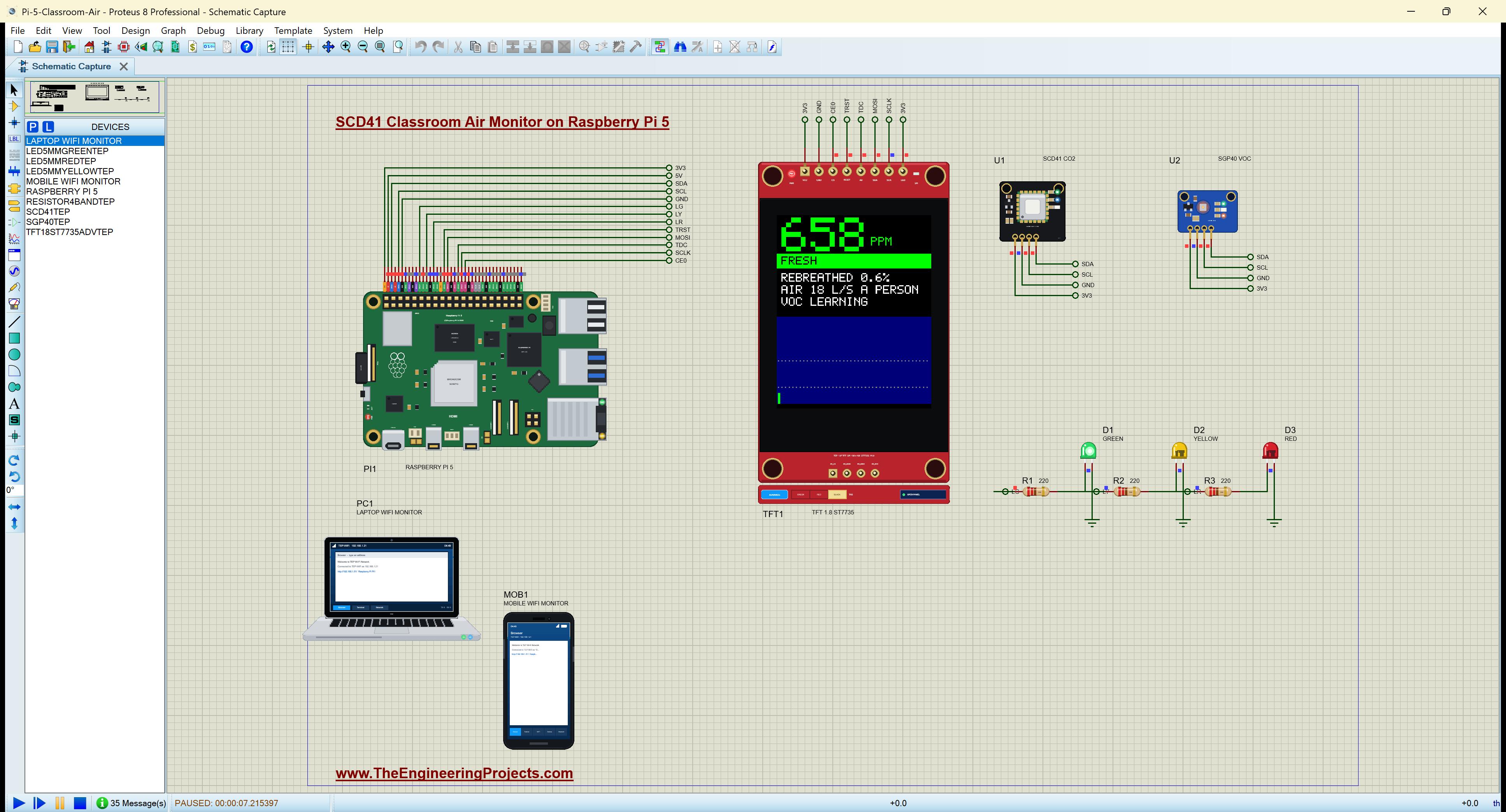
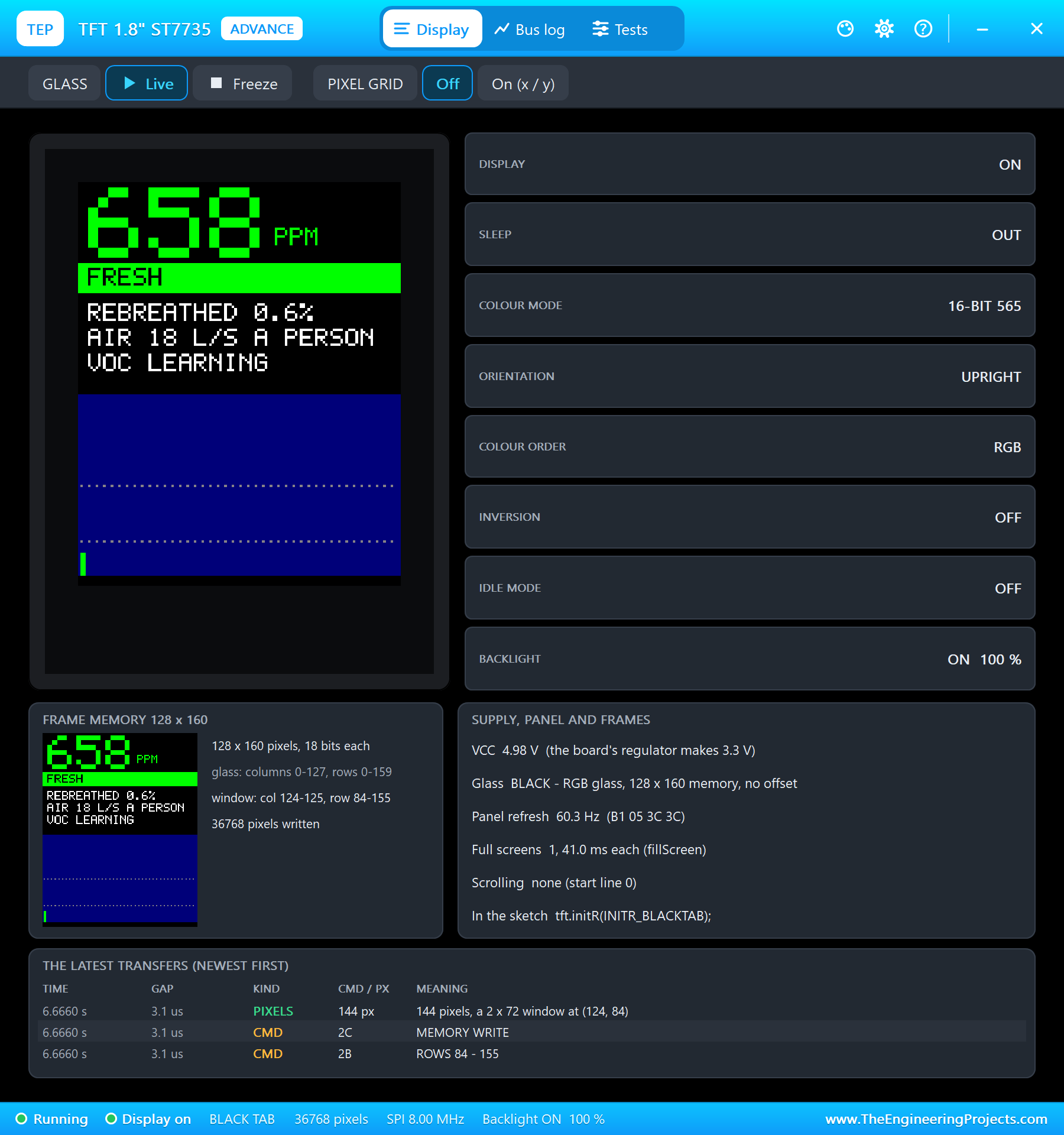
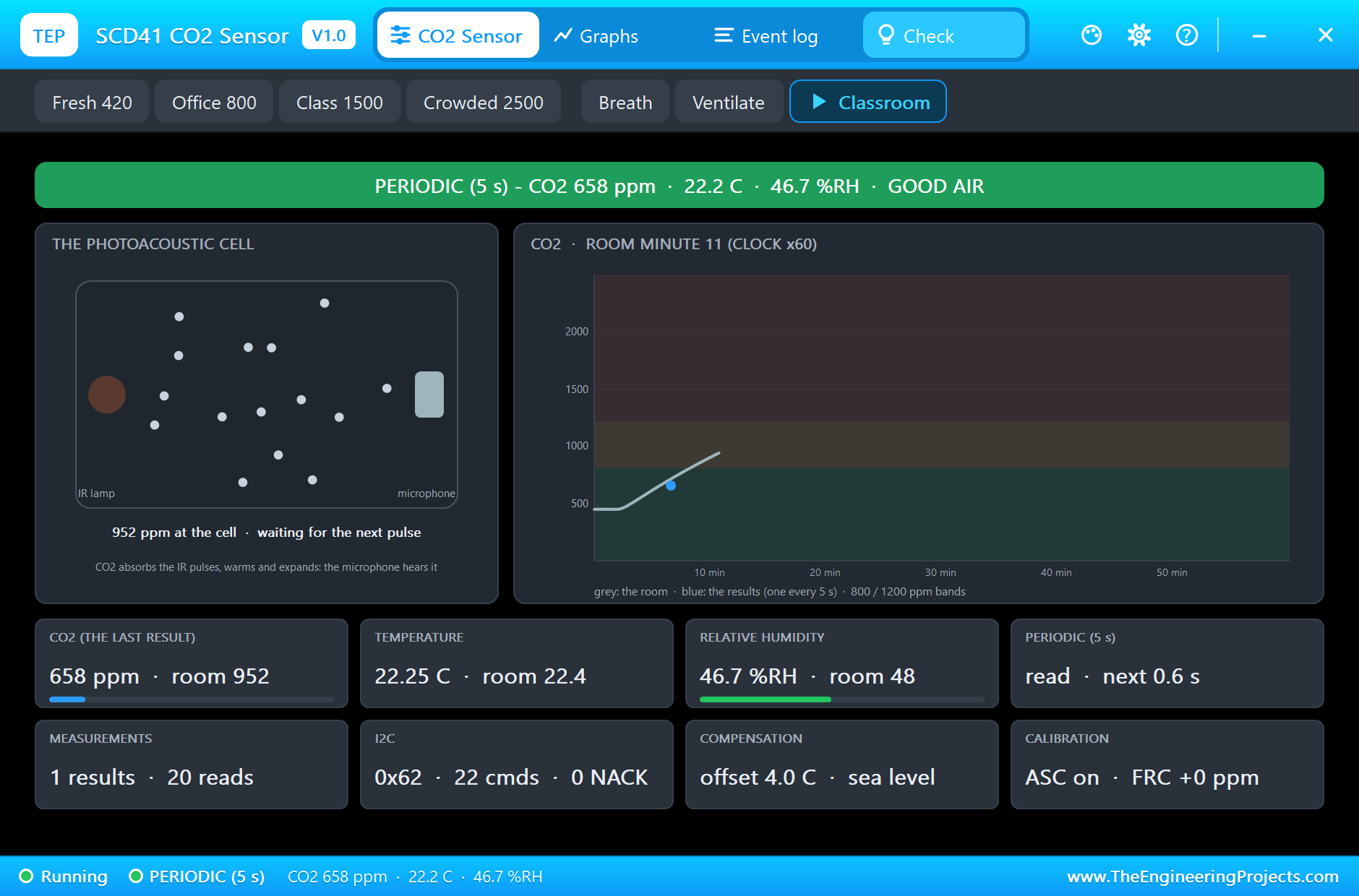
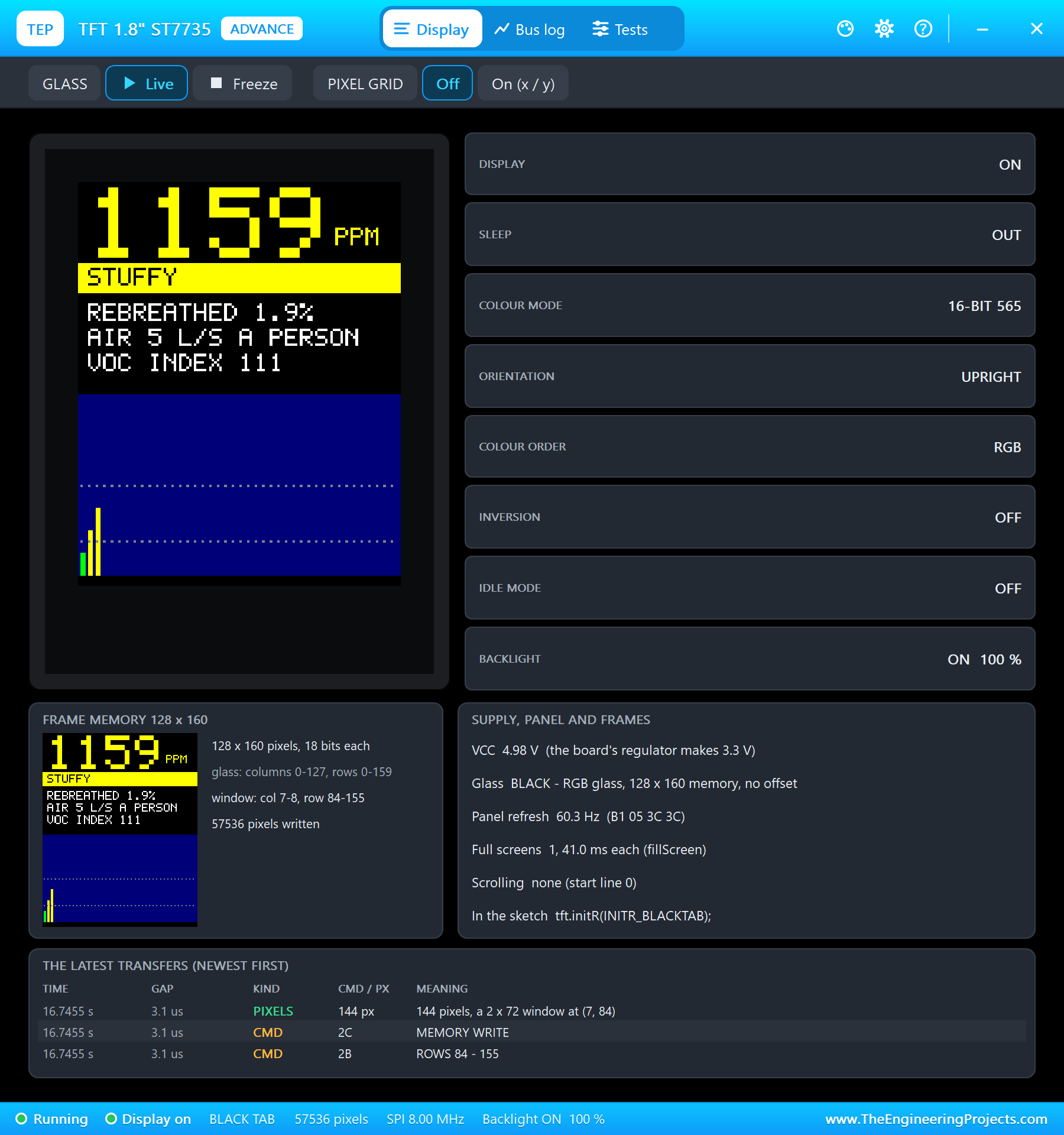
The Pi read the SCD41's serial number (9D57EE4410BF), started periodic measurement, and from then on read a result every 5 minutes of the lesson, with no CRC errors. At minute 5.5 the CO2 was 658 ppm: 0.63 % of each breath rebreathed, about 18 L/s of fresh air for each person, green. The VOC index showed LEARNING while it learned the room's usual air.
Stuffy, and a Cleaning Spray
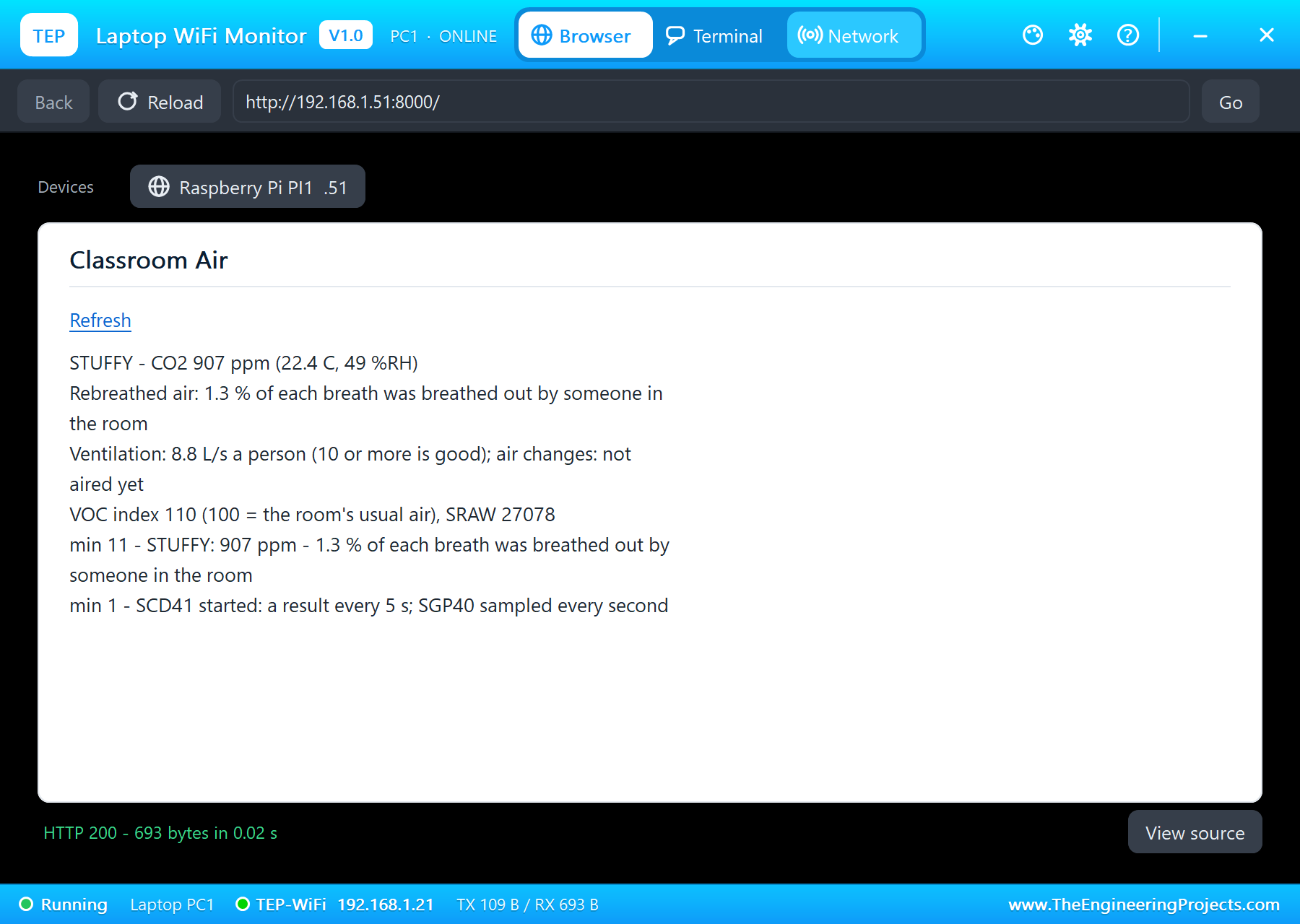
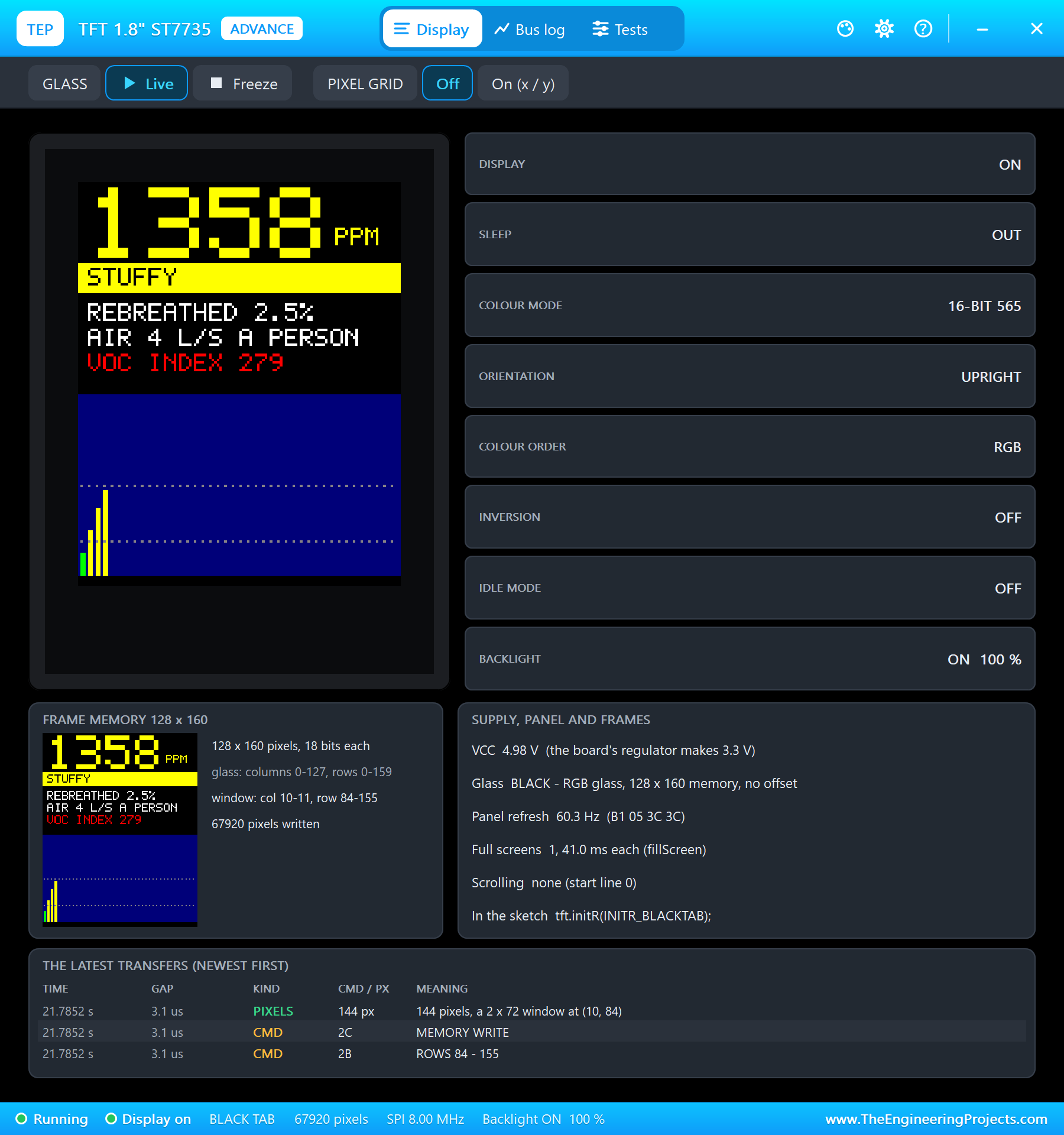
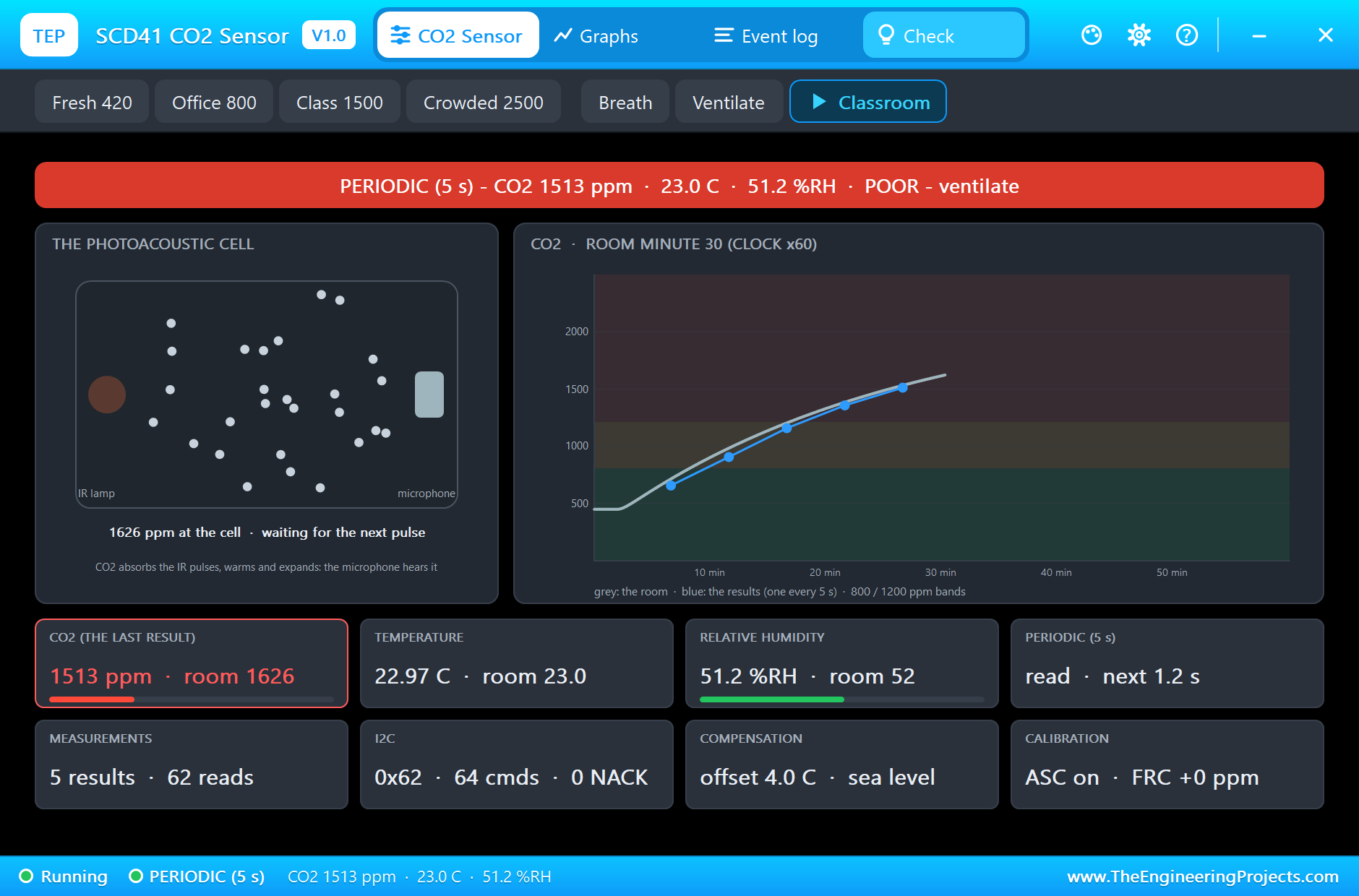
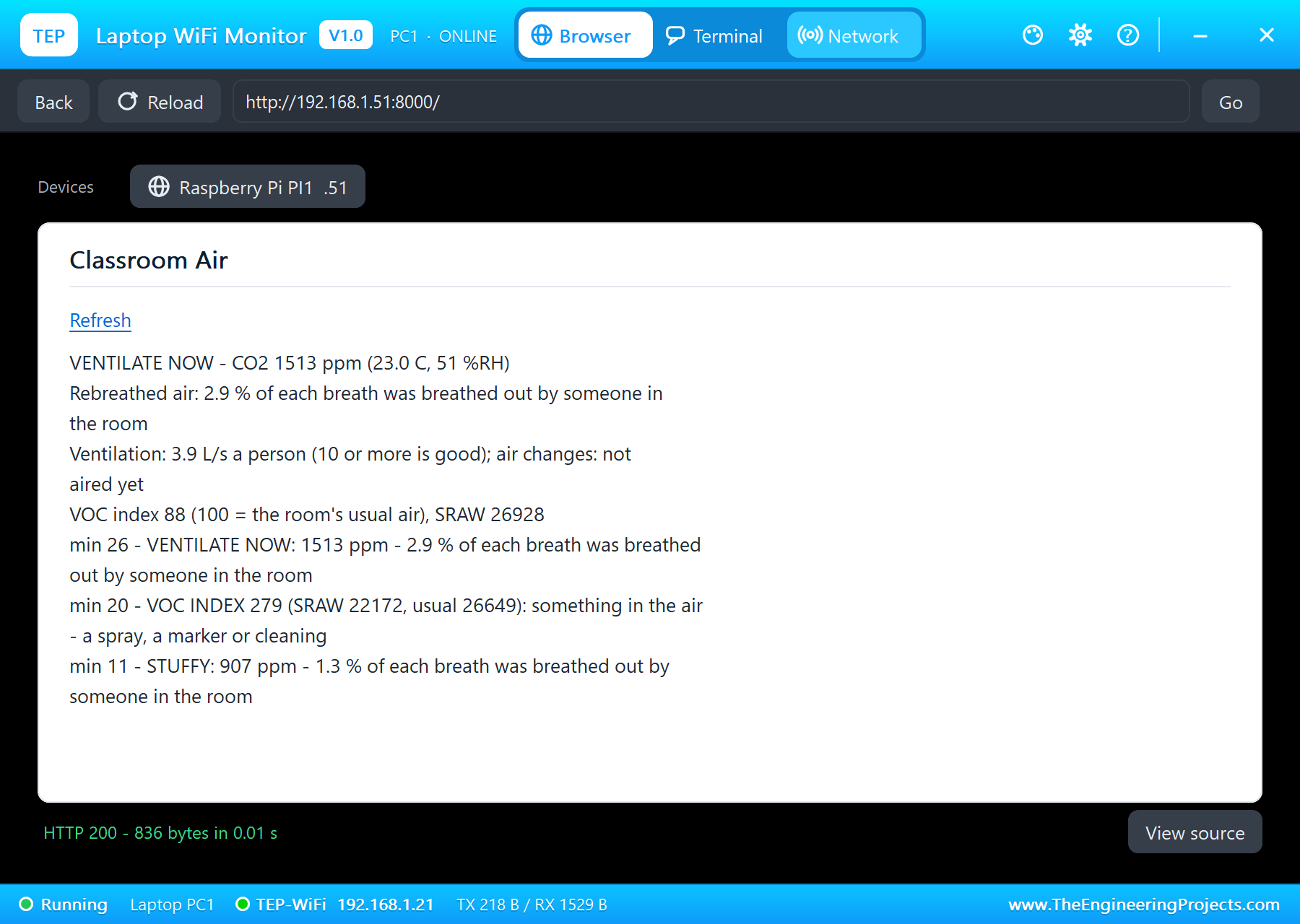
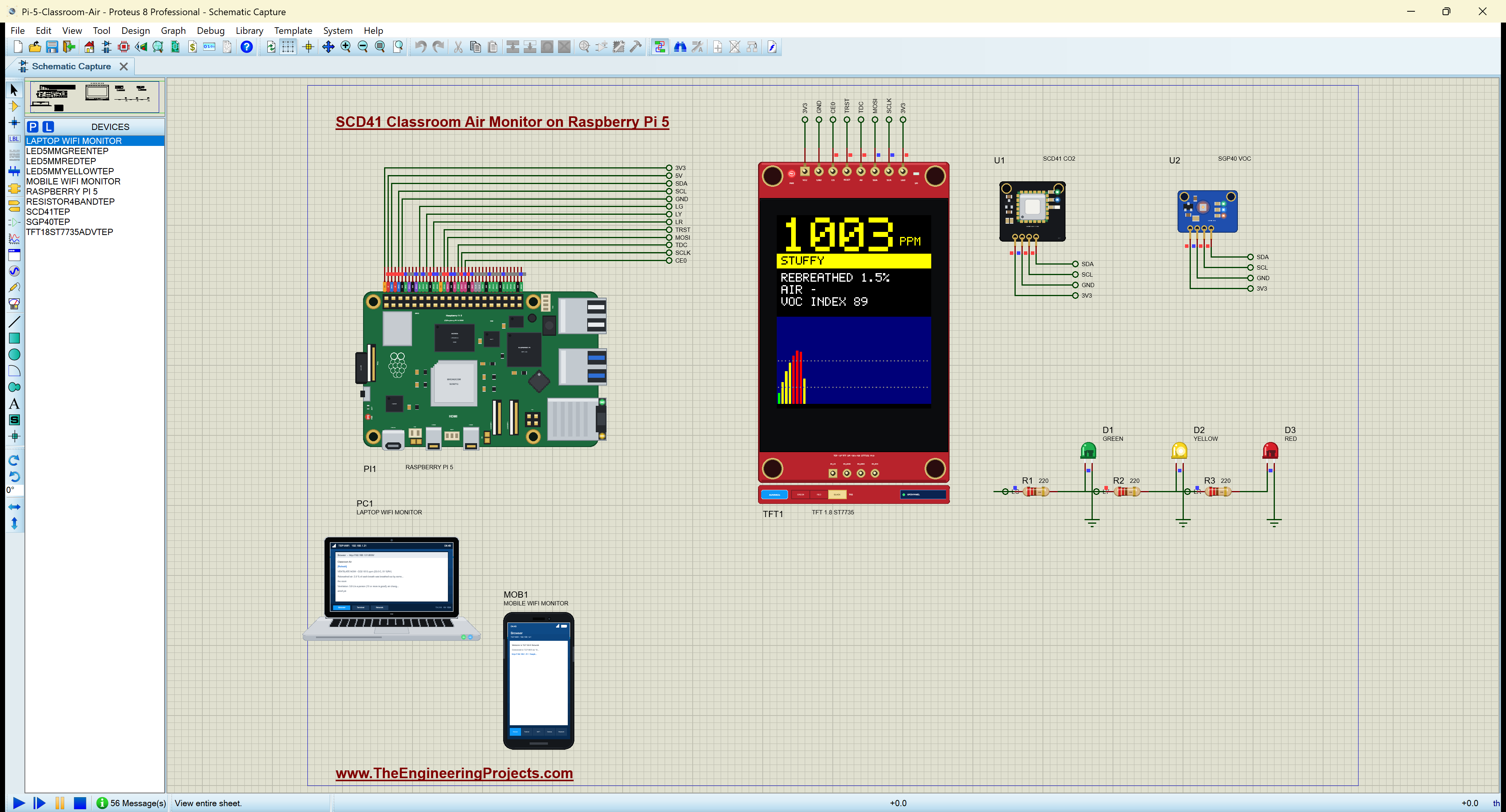
At minute 10.6 the CO2 passed 800 ppm: 907 ppm, 1.28 % rebreathed, 8.8 L/s a person, and the light went yellow (STUFFY). By minute 15.6 it was 1,159 ppm and only 5.8 L/s a person. At minute 20 we pressed Spray on the SGP40: the raw signal dropped from the usual 26,649 to 22,172 and the program reported VOC INDEX 279, something in the air, shown in red on the TFT at the next update. The spray cleared within a few minutes, and the index fell back below 100.
Ventilate Now
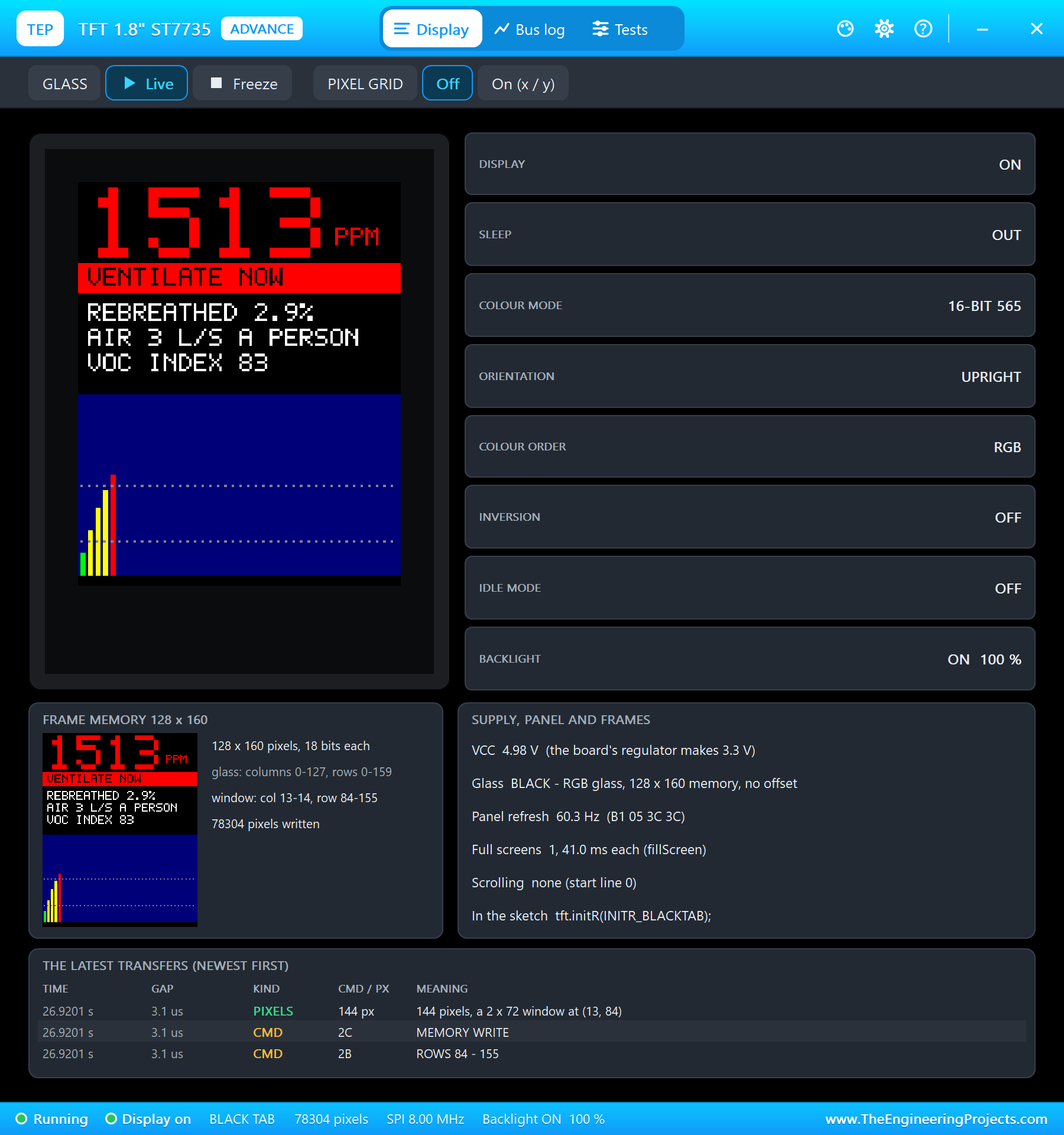
At minute 25.8 the CO2 reached 1,513 ppm and the light went red: VENTILATE NOW. At minute 30.9 it peaked at 1,638 ppm: 3.21 % of each breath had already been breathed by someone in the room, about one breath in 31, and each person was getting 3.5 L/s of fresh air, a third of the usual target. The VOC index sat a little under 100, the air slightly cleaner than the usual it had learned once the spray had gone.
The Windows Open
At minute 35 the windows opened. At the next result, minute 40.8, the program saw the CO2 falling from 1,638 ppm, stopped showing the per-person ventilation (it only holds near a steady state) and started measuring the decay: 1,003 ppm, then 689 ppm at minute 45.9, 9.0 air changes an hour, then 533 ppm at minute 50.5, 10.1 an hour. The light went yellow, then green, and at minute 60.8 the room was at 442 ppm, almost outdoor air.
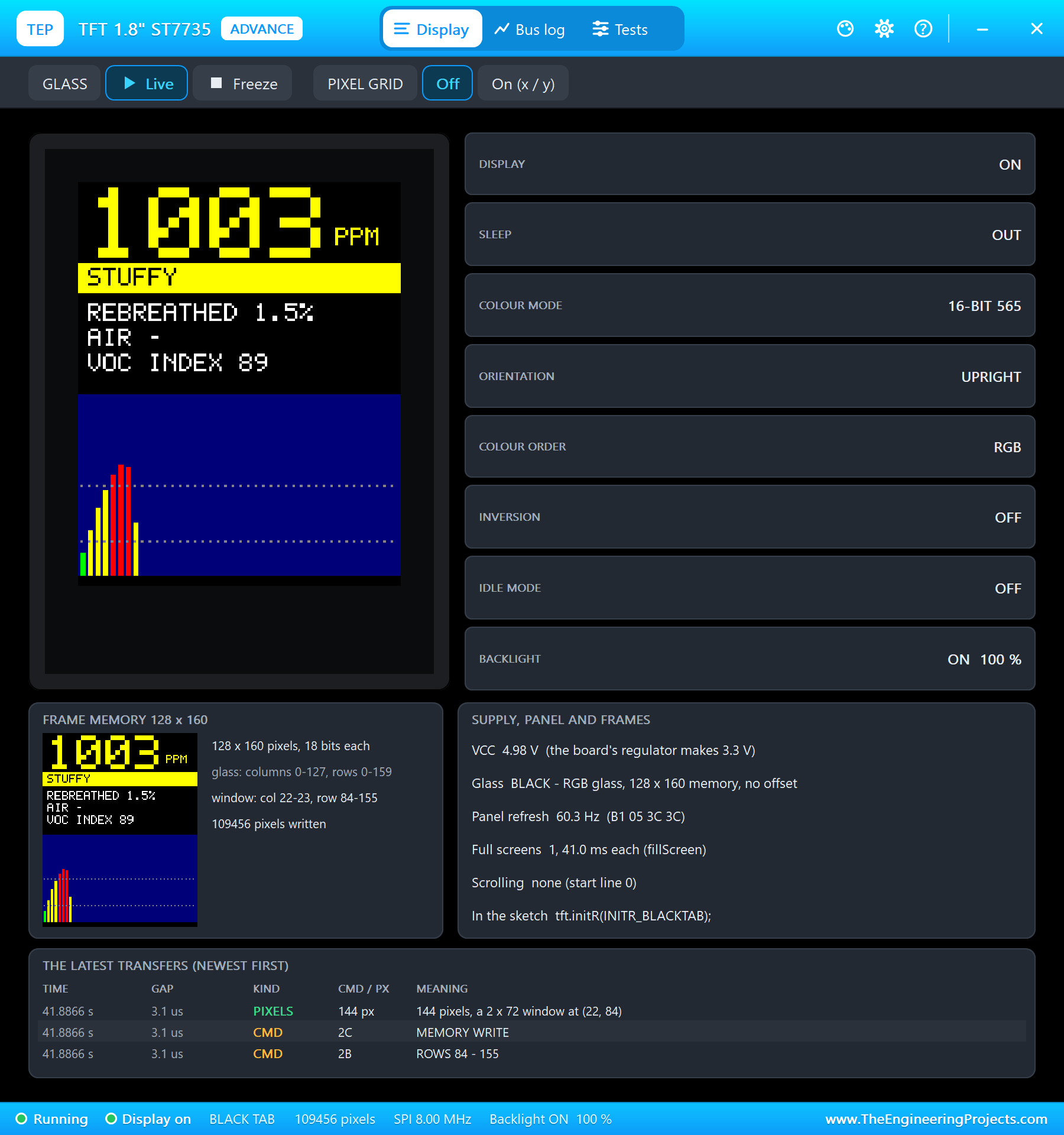
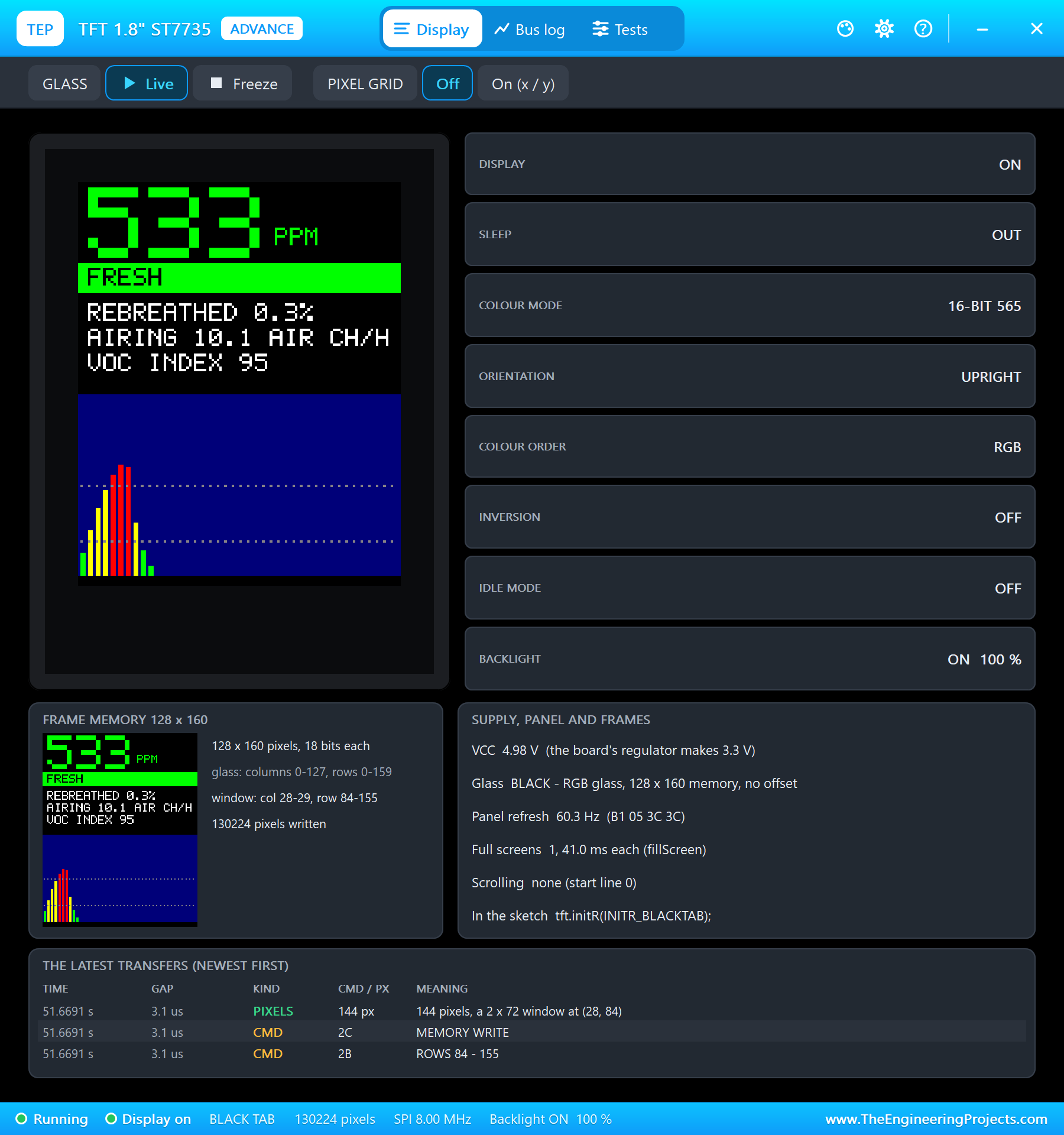
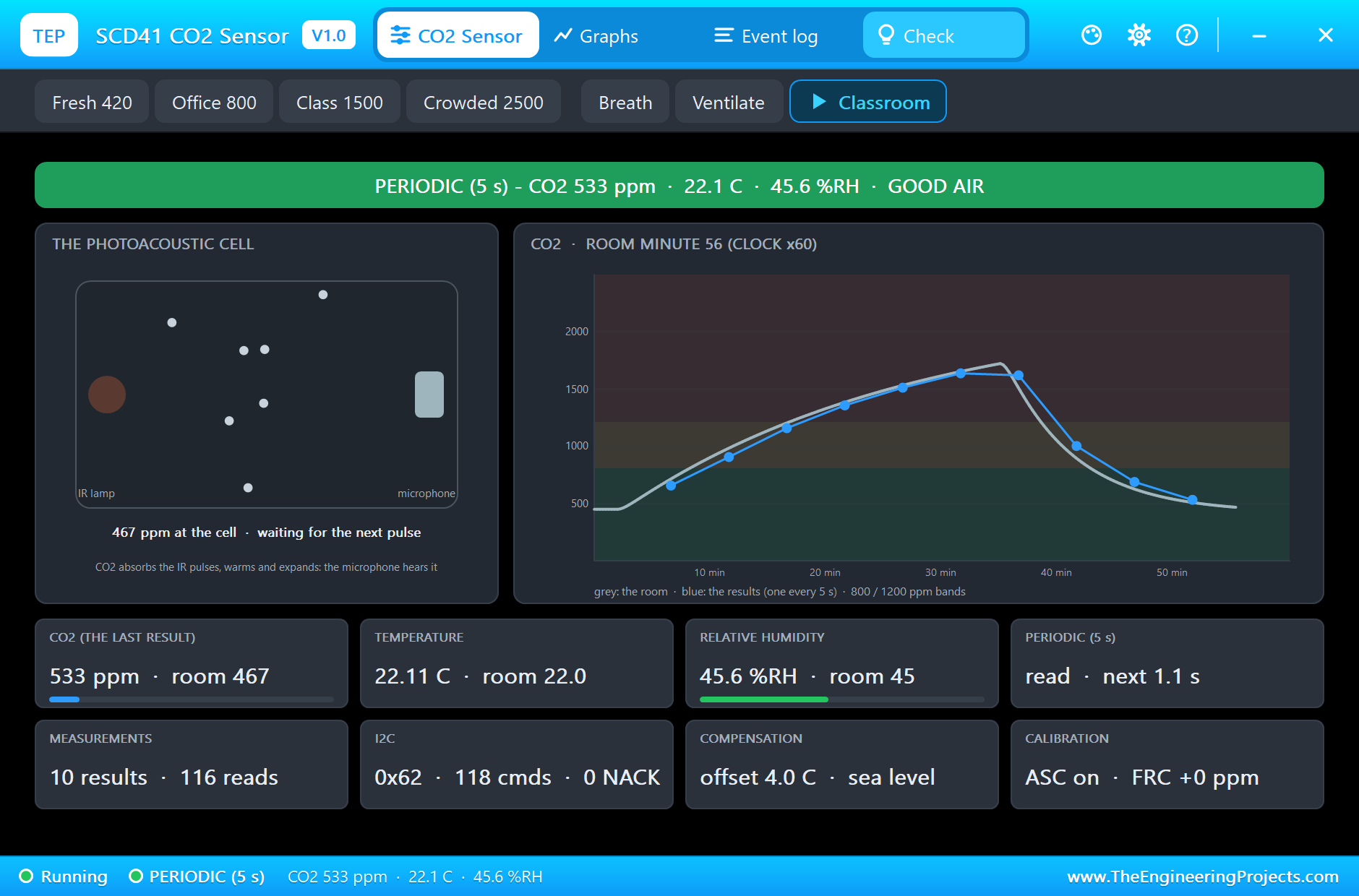
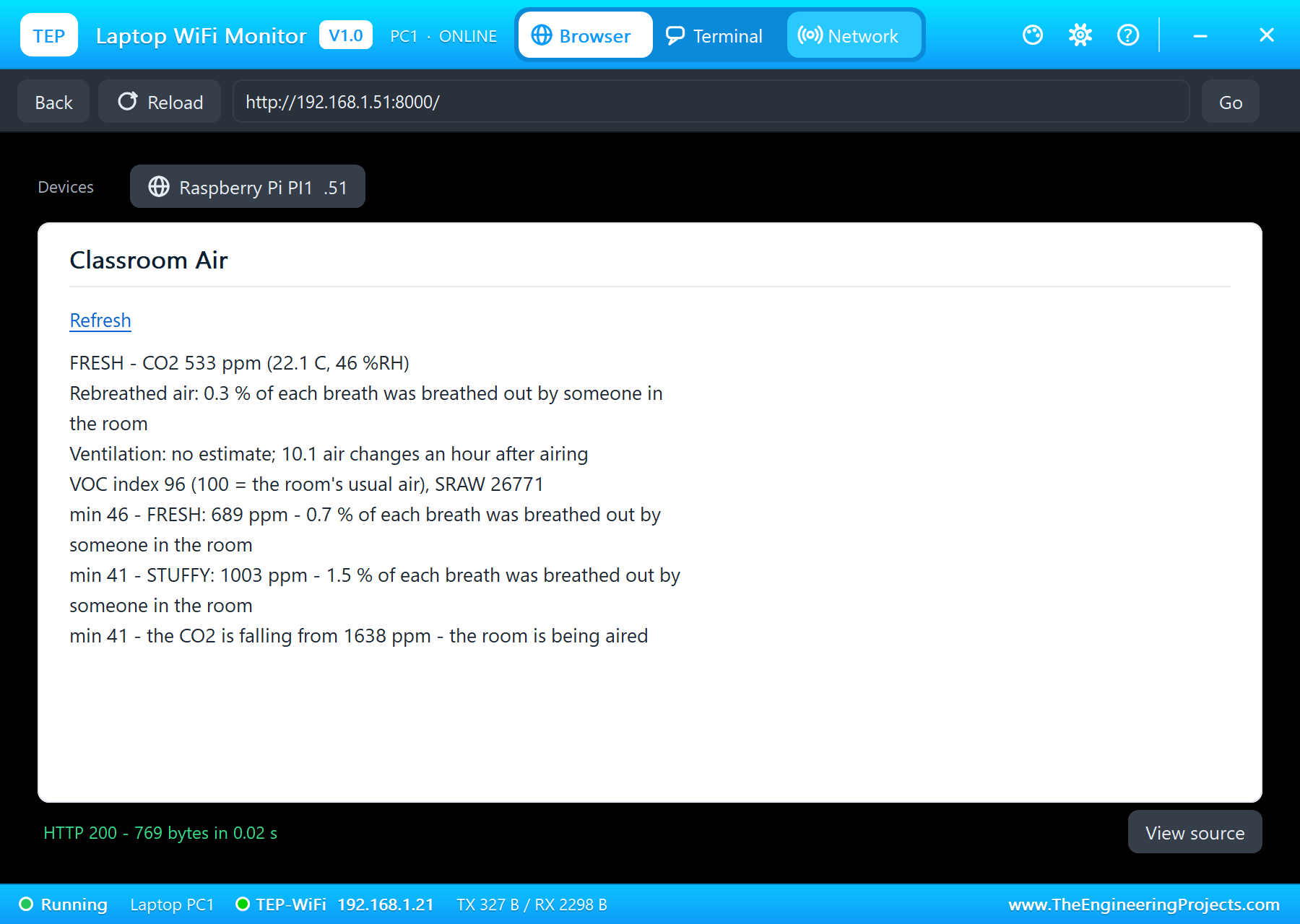
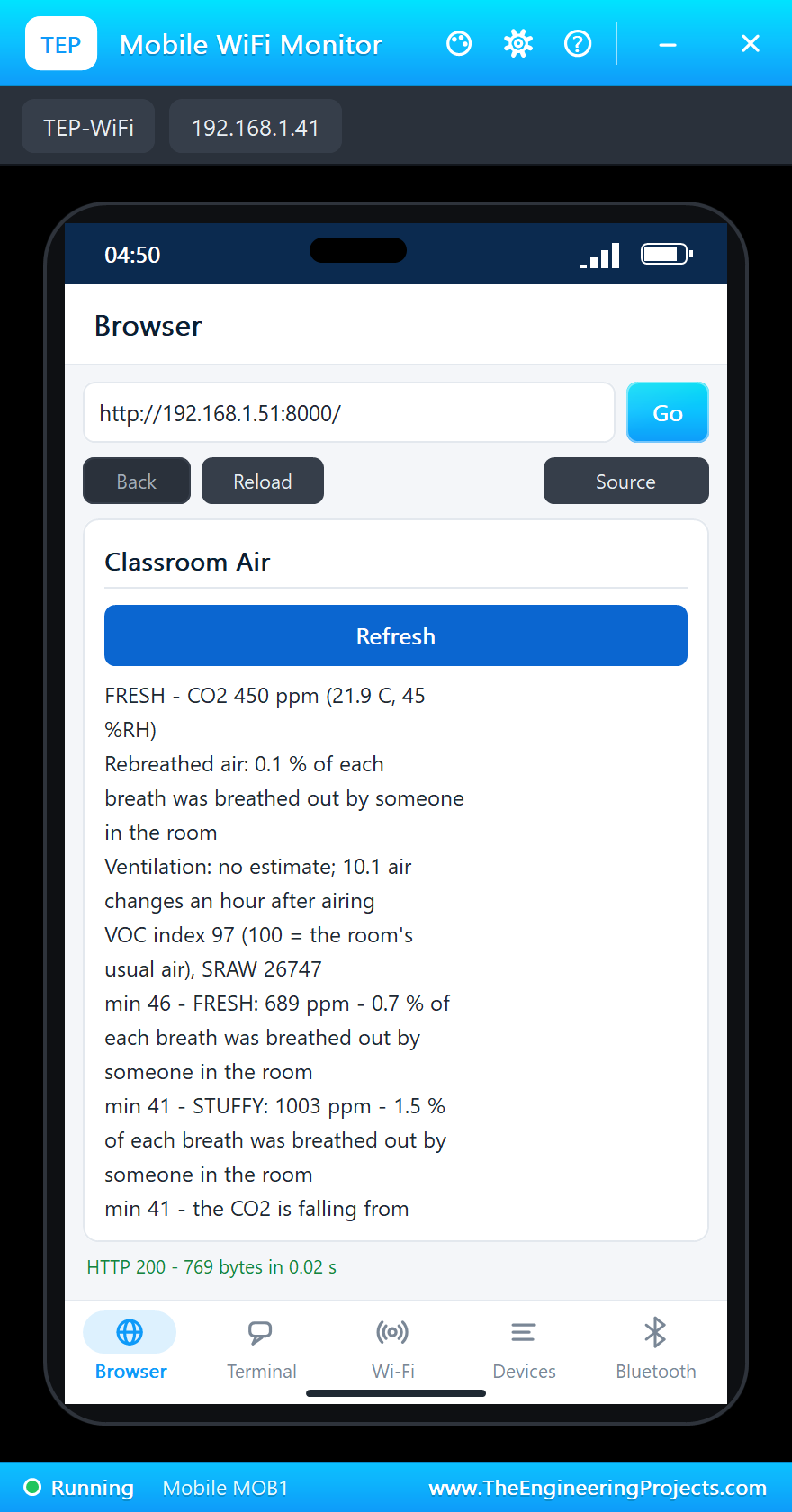
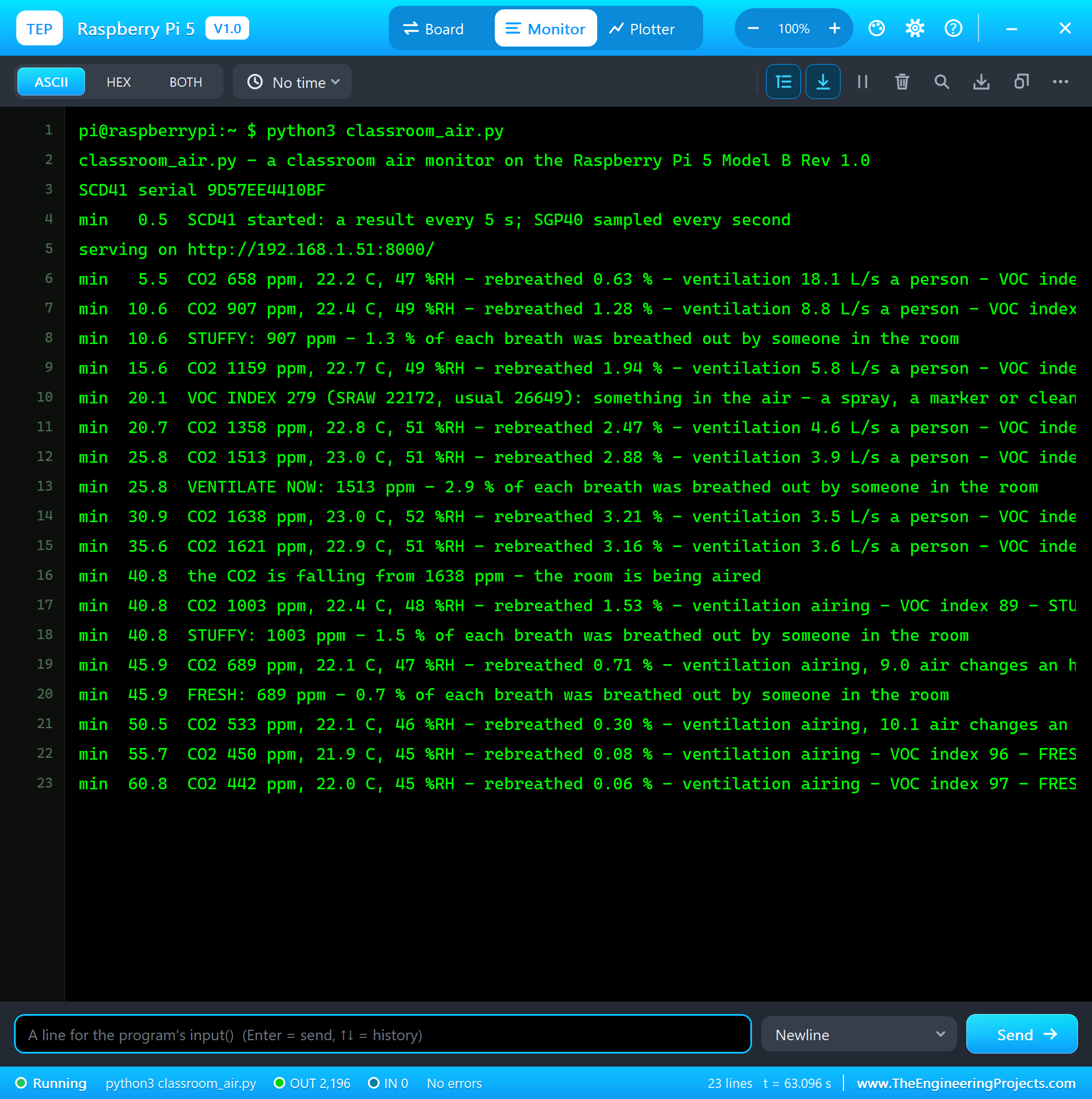
The numbers followed the physics worked out above: the rebreathed fraction and the ventilation from one CO2 reading, and the air changes from the decay.
Download the Project Files
Click the button below to download SCD41-Classroom-Air-Monitor-Raspberry-Pi-5-Proteus-Simulation-v1.0.zip (about 14.4 MB, without the source code of the models):
SCD41 Classroom Air Monitor on Raspberry Pi 5 - Proteus Simulation V1.0- Proteus Simulation: Pi-5-Classroom-Air.pdsprj, classroom_air.py and copies of the models.
- Python Code: classroom_air.py, the program.
- Proteus Library Files: the LIB files of every part.
- Proteus Model Files: the DLL models and the TEPPi folder (the Python runtime of the simulated Pi).
- README.txt: the installation steps, the properties, the test results and the links to every library post.
No Proteus yet? Read How to Download and Install Proteus 7 and 8. New to libraries? Follow How to Install a New Library in Proteus.
How to Install the Project Files
- Close Proteus and extract the whole zip file, for example to your Desktop.
- Copy the files from Proteus Library Files into the LIBRARY folder of Proteus.
- Copy everything from Proteus Model Files, the DLL files and the TEPPi folder, into the MODELS folder.
- Start Proteus and open the project from the Proteus Simulation folder.
Changing the Code
classroom_air.py is plain Python: edit it next to the project and press Play again. The outdoor CO2, the CO2 rate per person, the traffic-light thresholds, the VOC index scale and ROOM_SPEED are near the top. On a real Raspberry Pi the same file runs with python3-lgpio and python3-spidev installed and I2C and SPI enabled in raspi-config.
Ideas to Extend the Project
- Count the people with a door sensor or a camera, and turn the ventilation per person into the room's total fresh air.
- Log a school day and report the time each room spent above 1,000 ppm.
- Drive a fan or a window actuator from the red light, with a hysteresis so it does not chatter.
- Use the SGP40 with Sensirion's full VOC index algorithm and add NOx with an SGP41.
- Measure the outdoor CO2 with a second sensor instead of assuming 420 ppm.
- Show a "minutes until 1,000 ppm" countdown from the rate of rise.
From Simulation to Real Hardware
- Set ROOM_SPEED to 1: the room runs in real time.
- Let the SCD41 settle: it needs a few minutes after power-up, and its automatic self-calibration expects fresh air now and then; in a room that is never aired, do a forced recalibration outdoors.
- Place it well: at breathing height, away from people's faces, doors and windows.
- Give the SGP40 time: its heater and its VOC index need minutes to hours to settle.
- Mind the I2C pull-ups: most breakout boards have them; with several boards, check that the total is not too strong.
Troubleshooting
- "SCD41 serial not read": SDA and SCL on pins 3 and 5, VCC on 3.3 V; the SCD41 answers at 0x62.
- The CO2 does not change: the SCD41 gives a result every 5 s; with ROOM_SPEED 60 that is 5 minutes of the lesson.
- CRC errors: a noisy or slow bus; shorten the wires or slow the I2C clock.
- The VOC index sits far from 100 in clean air: it learns the usual air in its first readings; restart in clean air.
- The TFT stays black: CS, RESET, A0, SDA and SCK on pins 24, 18, 22, 19 and 23, VCC and LED on 3.3 V.
Limitations of the Simulation
- The classroom is our library's model: a smooth CO2 curve for a class arriving and the windows opening, not a real room with people moving in and out.
- The rebreathed fraction, the CO2 rate per person and the thresholds are typical values for learning; they are not medical advice, and the VOC index is a simplified version of Sensirion's.
- The network to the laptop and the phone is simulated inside Proteus.
- Raspberry Pi is a trademark of Raspberry Pi Ltd, and the SCD41 and SGP40 are products of Sensirion; this project is not made or endorsed by them or by Labcenter.
So, that was all about the SCD41 Classroom Air Monitor on Raspberry Pi 5 - Proteus Simulation. I hope it helps you understand what a CO2 reading really says about a room, how the rebreathed fraction and the ventilation per person come out of one number, and how to talk to Sensirion sensors with their commands and CRCs, all tested in a simulation of a full lesson. More projects with the Raspberry Pi 5 and the ESP32 are coming. If you have any questions, ask in the comments and I will help you out. Till the next tutorial, take care and have fun!