Hello friends, I hope you all are doing great. Today, I am going to share the ESP32-WROOM-32 Library for Proteus. The ESP32-WROOM-32 is Espressif's best-known ESP32 module: the dual-core ESP32 chip, its flash and a PCB antenna under one metal shield, with 38 pins. Many people use it as a Wi-Fi modem for an Arduino: loaded with Espressif's ESP-AT firmware, it takes AT commands on a serial port, like an ESP-01. With this library you can place it in Proteus, wire it to an Arduino UNO and drive it with AT commands - join the Wi-Fi, open TCP connections, serve a page and even make HTTP requests with the module's own HTTP client.
ESP32-WROOM-32 Library for Proteus
Latest version: V1.0 (October 2026, this tutorial)
Other ESP32 boards and modules: ESP32 DevKit V1 · ESP32-DevKitC V4 · ESP32-S3 DevKitC-1 · ESP32-C3 SuperMini · TTGO T-Display · AirLift WiFi Shield · AirLift ESP32 Breakout
ESP8266 modules: ESP-01 · ESP-01S · ESP-07 · ESP-07S · ESP-12E · ESP-12F · ESP-01 Adapter · WiFi Shield · NodeMCU · NodeMCU V2 · D1 Mini
Helping Tools
- Laptop WiFi Monitor: a laptop on the Wi-Fi of your design: a browser, a TCP / UDP terminal and ping
- Mobile WiFi Monitor: a smartphone that opens the pages of your ESP32 and sends it commands
- Serial Monitor Advance: a serial terminal window for the UART of your board
This is the thirteenth library of our Wi-Fi series and the first one with the ESP32's AT firmware, which speaks a slightly different dialect than the ESP8266 modules before it. Its demo turns the module around: our Laptop WiFi Monitor and Mobile WiFi Monitor run TCP servers, and the ESP32-WROOM-32 connects out to both of them as a client, sends them readings and takes commands back. It also serves a status page and uploads its readings to the internet with AT+HTTPCLIENT.
NOTICE: the real ESP32-WROOM-32 has no LED - the red PWR LED and the blue TX LED of our part are TEP additions. Real modules also ship with different firmware: some have the ESP-AT firmware, many have none and must be flashed first. Check yours before you wire it. Your feedback is the fuel that keeps us going, so please tell us what you think in the comments below or in the ESP32-WROOM-32 board of our forum. And if our free libraries help you, you can buy us a coffee. So, let's get started with the ESP32-WROOM-32 Library for Proteus:
What is the ESP32-WROOM-32?
The ESP32-WROOM-32 is a Wi-Fi and Bluetooth module made by Espressif around the ESP32-D0WDQ6 chip. A metal shield covers the chip, its 4 MB flash and the crystal; the antenna is a meandered copper trace at the top of the board. The module is 18 x 25.5 mm and has 38 castellated pins. On development boards such as our ESP32 DevKit V1 Library for Proteus V2.0 it runs your own sketch; here it runs the ESP-AT firmware and an Arduino is the brain.
| Real ESP32-WROOM-32 | This library in Proteus | |
|---|---|---|
| Chip | ESP32-D0WDQ6 (two cores, 240 MHz), 4 MB flash | our ESP-AT 2.4 firmware model |
| AT port | UART1 on IO16 (RX) and IO17 (TX), 115200 bps | the same pins and speed |
| Antenna | a meandered PCB antenna (MIFA) | the same shape, glowing while it sends and receives |
| Pins | 38: 14 on each side, 10 on the bottom edge, 1.27 mm pitch | the same 38, on the 0.1 inch grid of Proteus |
| Boot pins | EN, IO0 (download), IO12 (flash voltage) | all three checked at every boot |
| LEDs | none | a red PWR LED and a blue TX LED (TEP additions) |
| Marking | ESP-WROOM-32 on the shield | ESP-WROOM-32 on the shield |
| Supply | 3.3 V, about 500 mA peaks | 3V3 on 3.3 V |
The shield of the first modules says ESP-WROOM-32, the module's original name. Espressif now marks the ESP32-WROOM-32 "Not Recommended For New Designs"; its successor, the ESP32-WROOM-32E, has the same pins and the same AT firmware.
ESP-AT: the ESP32's AT Firmware
The ESP8266 modules of our series - the ESP-01 Library for Proteus up to the ESP-12F Library for Proteus - run the ESP8266 AT firmware 1.7. The ESP32's firmware is ESP-AT 2.x. Most commands are the same, so a sketch for an ESP-01 needs only small changes, but a few answers are longer, some old commands are gone, and there are new ones:
| ESP8266 AT 1.7 (ESP-01 ... ESP-12F) | ESP-AT 2.x (ESP32-WROOM-32) | |
|---|---|---|
| AT+GMR | AT version:1.7.4.0 | AT version:2.4.0.0 |
| AT+CWJAP? | SSID, BSSID, channel, RSSI | the same + 5 more fields after the RSSI |
| AT+CWJAP_CUR / _DEF | yes | gone (AT+SYSSTORE decides what is saved) - ERROR |
| AT+SYSGPIOWRITE | yes (the ESP8266's GPIO pins) | no GPIO commands at all - ERROR |
| AT+CIPSTATE?, AT+CWSTATE? | no | yes: the links and the Wi-Fi state |
| AT+PING | +<time> | +PING:<time> |
| AT+HTTPCLIENT | no | yes: the module makes an HTTP request itself |
Our model answers all of these as the ESP32 does - for example AT+SYSGPIOWRITE answers ERROR, and the log of the simulation explains why - so you can try a sketch here before you move it to a real module.
The AT Port: IO16 and IO17
A common mistake with this module: the pins named TXD0 and RXD0 are not the AT port. They are UART0, where the ROM prints its boot messages and where new firmware is loaded. ESP-AT uses UART1 on IO17 (TX) and IO16 (RX), at 115200 bps when it starts. In our demo IO17 goes to the Arduino's D8 and IO16 comes from D9.
The Boot Pins: EN, IO0 and IO12
EN switches the module on when it is high and resets it when it goes low - the WROOM-32 has no separate reset pin. IO0 low at reset starts the download mode instead of the firmware. IO12 (MTDI) high at reset sets the flash supply to 1.8 V; the 3.3 V flash of this module then cannot be read and the module does not boot. IO0 has its own pull-up and IO12 its own pull-down, so the module boots normally when you leave them open - which is what our demo does. Our model checks all three at every boot and shows them on the panel.
Features of the ESP32-WROOM-32 Library for Proteus
- The ESP32-WROOM-32 as it looks: the black board with its meandered antenna, the metal shield marked ESP-WROOM-32 and all 38 gold pads in the datasheet's order.
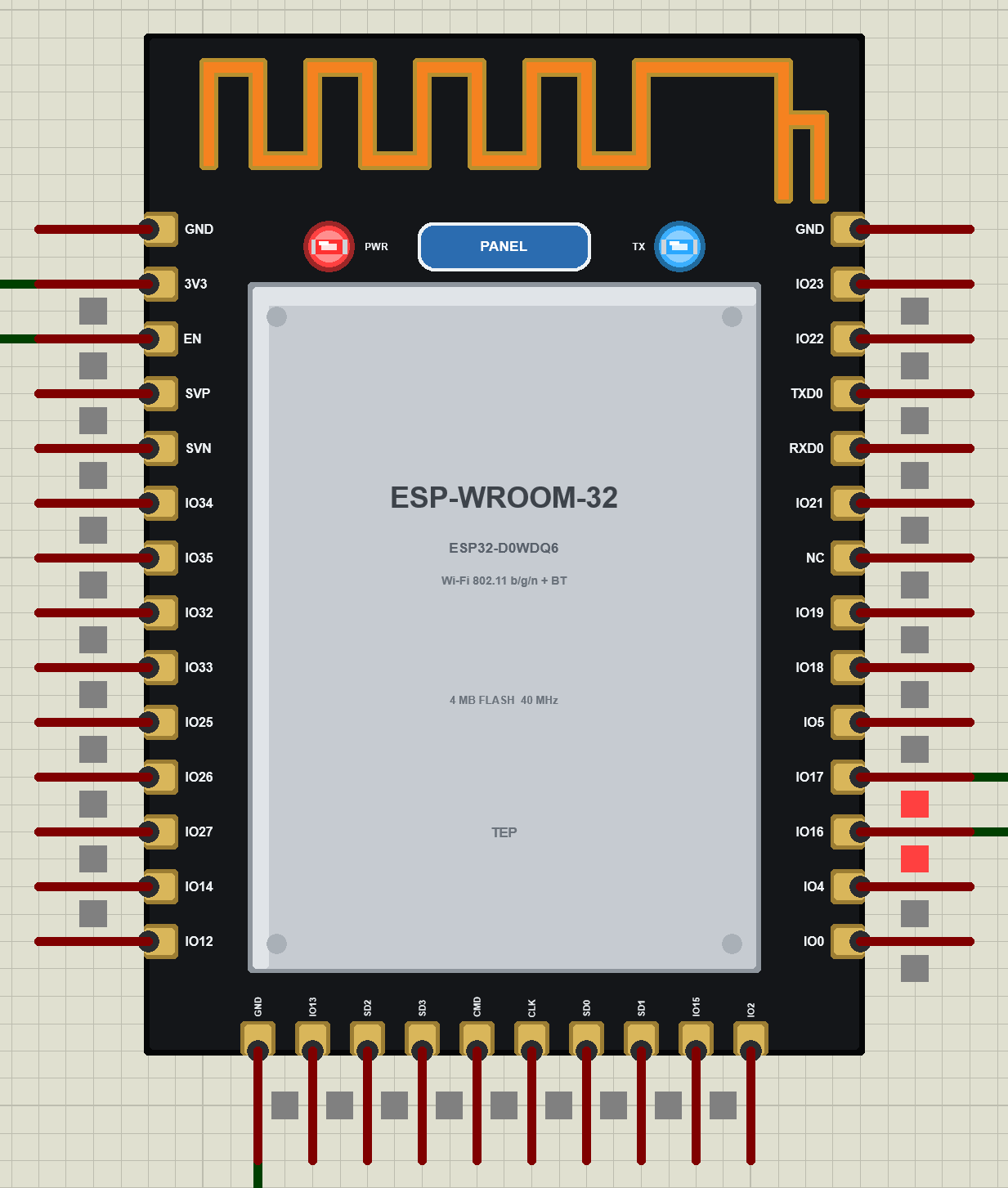
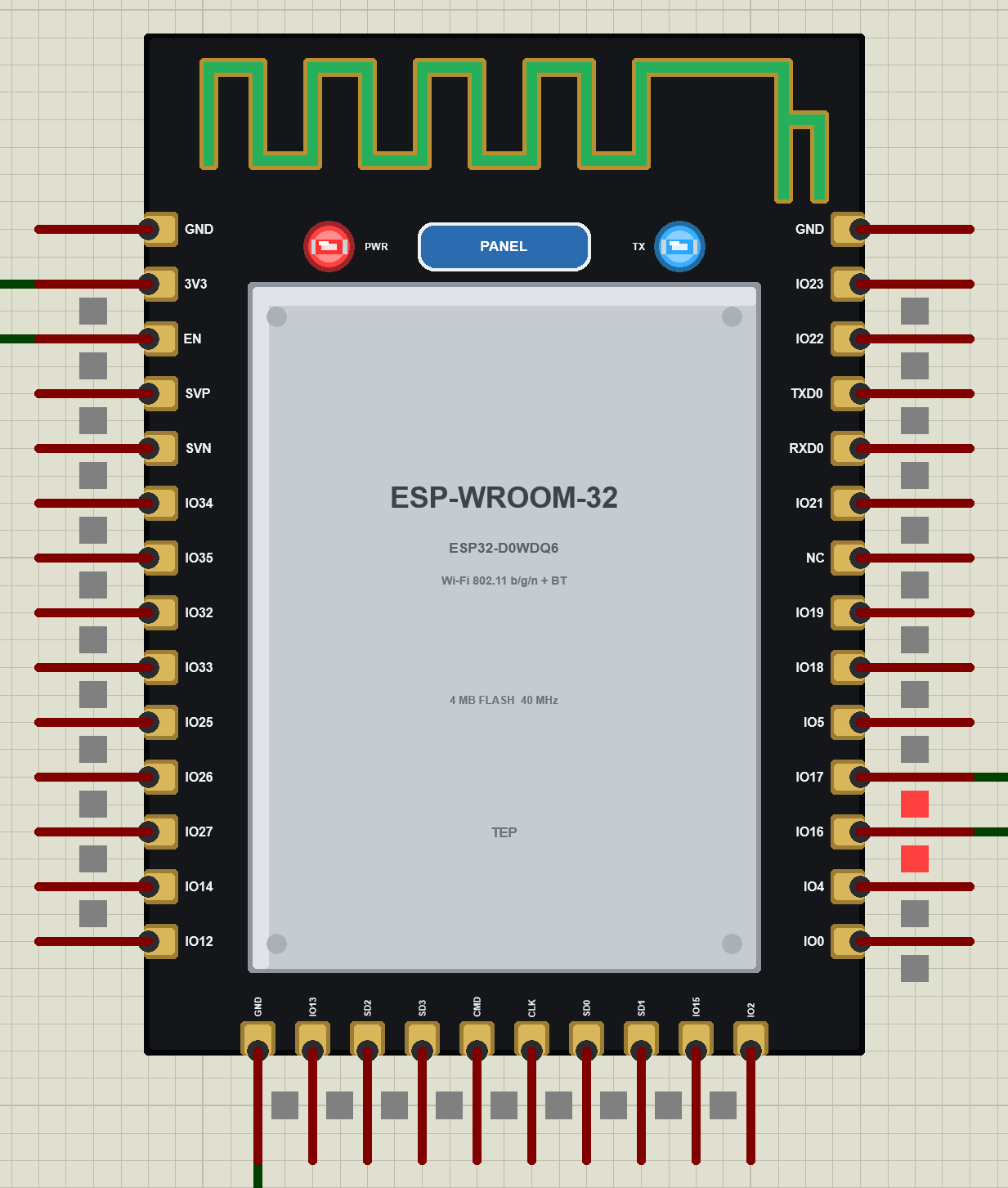
- A live antenna: the trace turns orange while the module sends and green while it receives.
- The ESP-AT 2.4 firmware: the 2.x answers (GMR, CWJAP?, CWLAP, CWSTATE, CIPSTATE, SYSRAM, PING), the commands ESP-AT no longer has, and
AT+HTTPCLIENT. - The real AT port on IO16 / IO17 at 115200 bps,
AT+UART_CURto slow it down for an Arduino. - Real boot pins: EN low switches the module off, IO0 low gives the download mode, IO12 high stops the boot.
- TCP client and server links, up to five at once, UDP, CIPSEND, +IPD, SNTP, deep sleep with its own timer.
- Wi-Fi in Proteus: a virtual router with DHCP and two neighbours for scans, a phone in the panel that opens your web page, an internet host, and TCP / UDP to every TEP Wi-Fi part in the design.
- Our Laptop and Mobile WiFi Monitors: a laptop and a phone on the same network, with a browser, TCP client and server terminals and ping - included in the package.
- Our pop-up panel: the phone, the module card with the firmware, the antenna and the boot pins, a Test page with four measuring tools, Settings and Help.
- A compact package: about 2.57 MB, without the C++ source code of the models.
The ESP32-WROOM-32 Part in Proteus
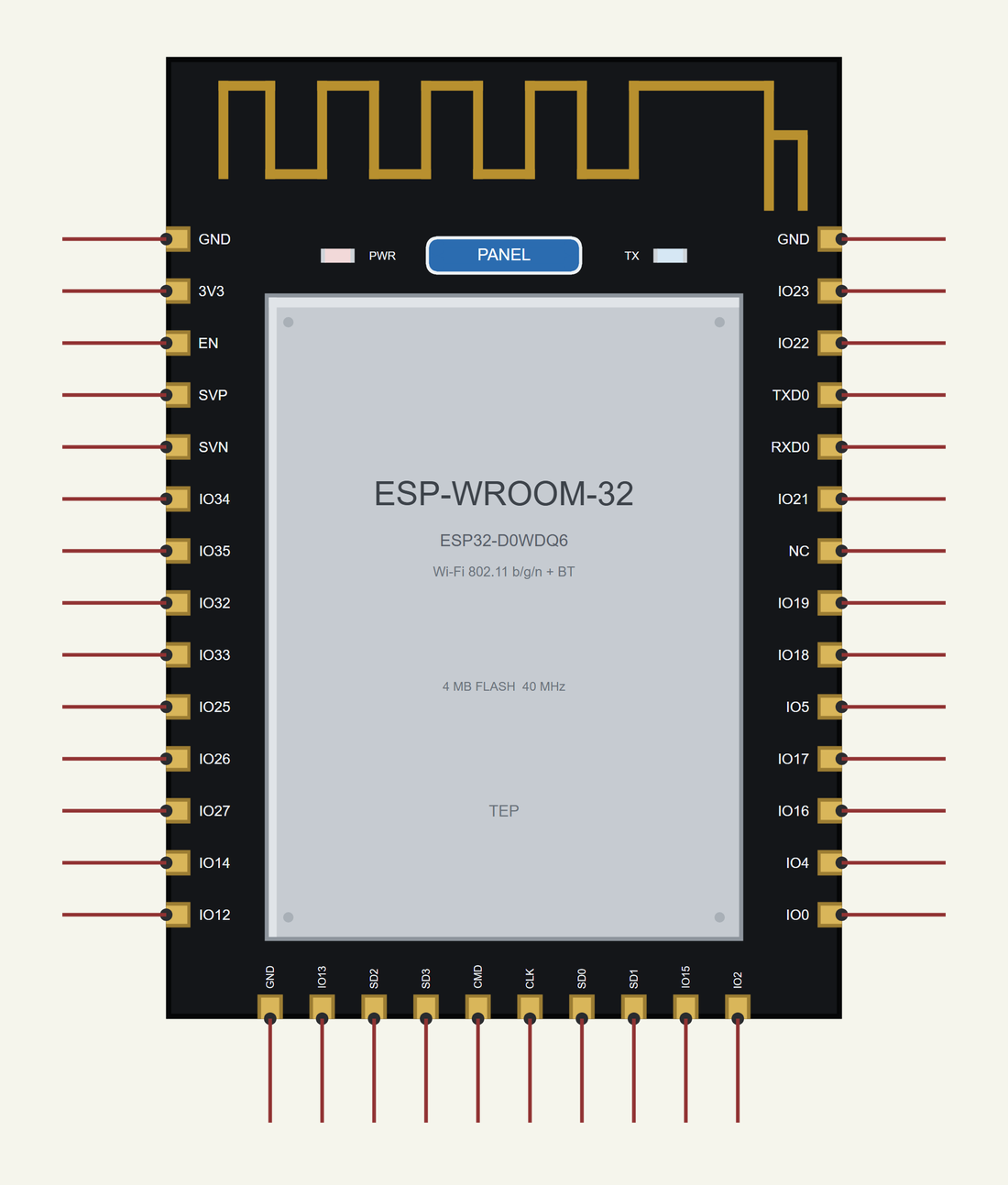
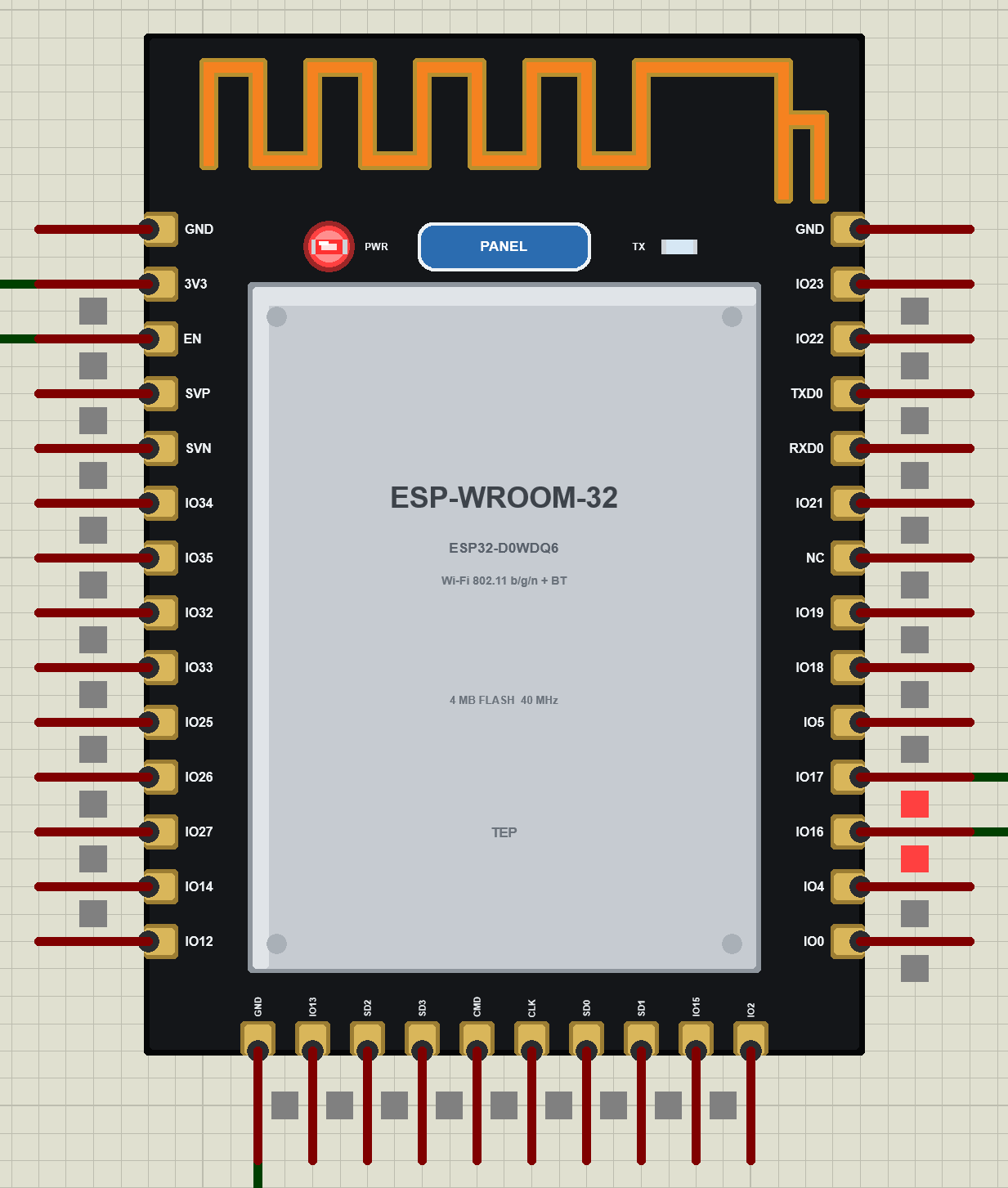
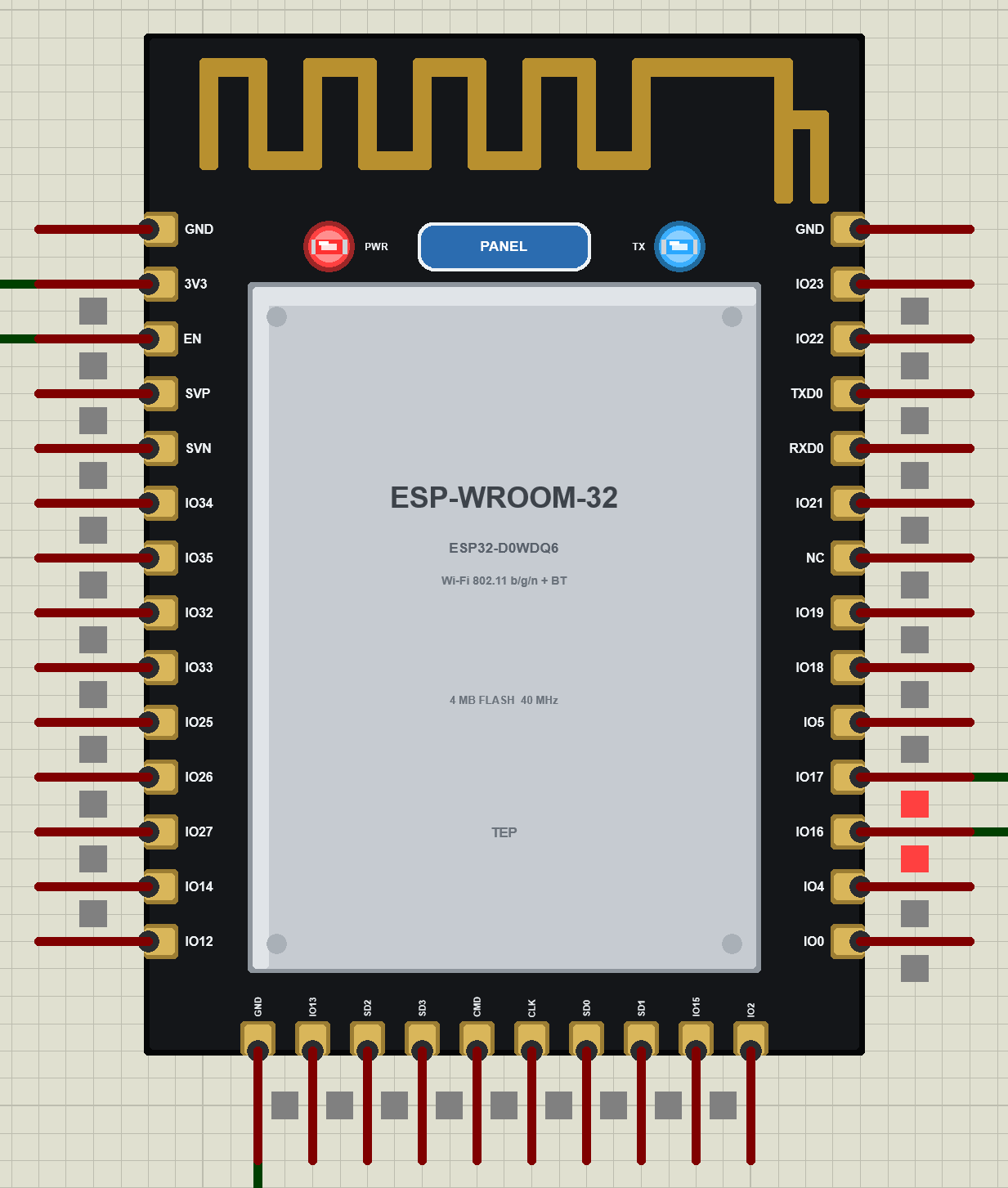
Search WROOM in Pick Devices; the device ESP32-WROOM-32 WIFI MODULE is in TEPWROOM32.LIB. The pins sit where they are on the real module: GND, 3V3, EN, SVP, SVN, IO34, IO35, IO32, IO33, IO25, IO26, IO27, IO14, IO12 down the left side, GND, IO13, SD2, SD3, CMD, CLK, SD0, SD1, IO15, IO2 along the bottom and IO0, IO4, IO16, IO17, IO5, IO18, IO19, NC, IO21, RXD0, TXD0, IO22, IO23, GND up the right side. The real pitch is 1.27 mm and Proteus uses 0.1 inch, so the part is drawn at twice the real size; it is still smaller than our UNO. Click the PANEL pad or the shield to open the panel.
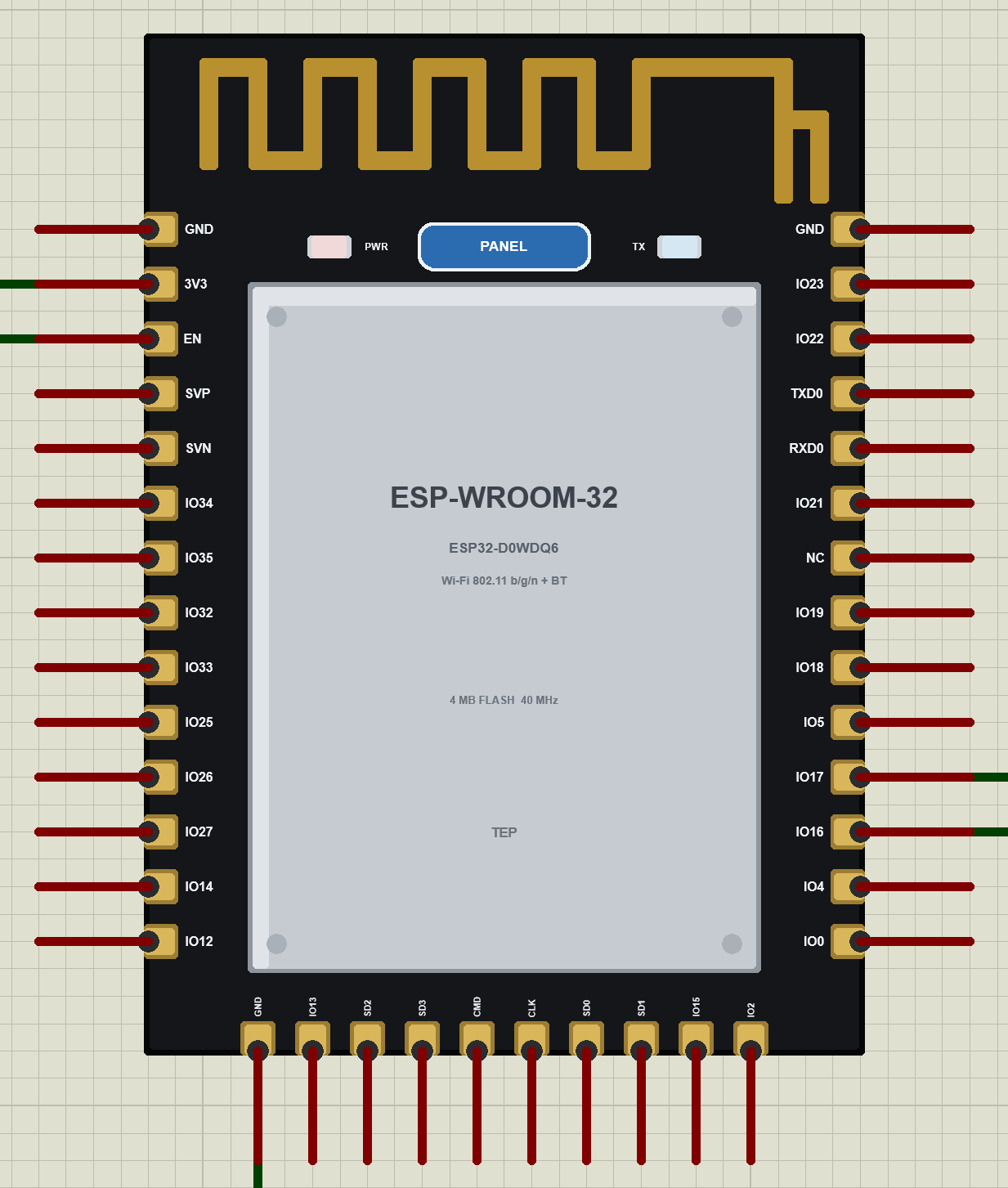
Every State of the ESP32-WROOM-32
We ran the demo and paused the simulation for each picture. At Run the module powers up; ESP-AT says only "ready" on its AT port, so the TX LED stays dark while it boots:
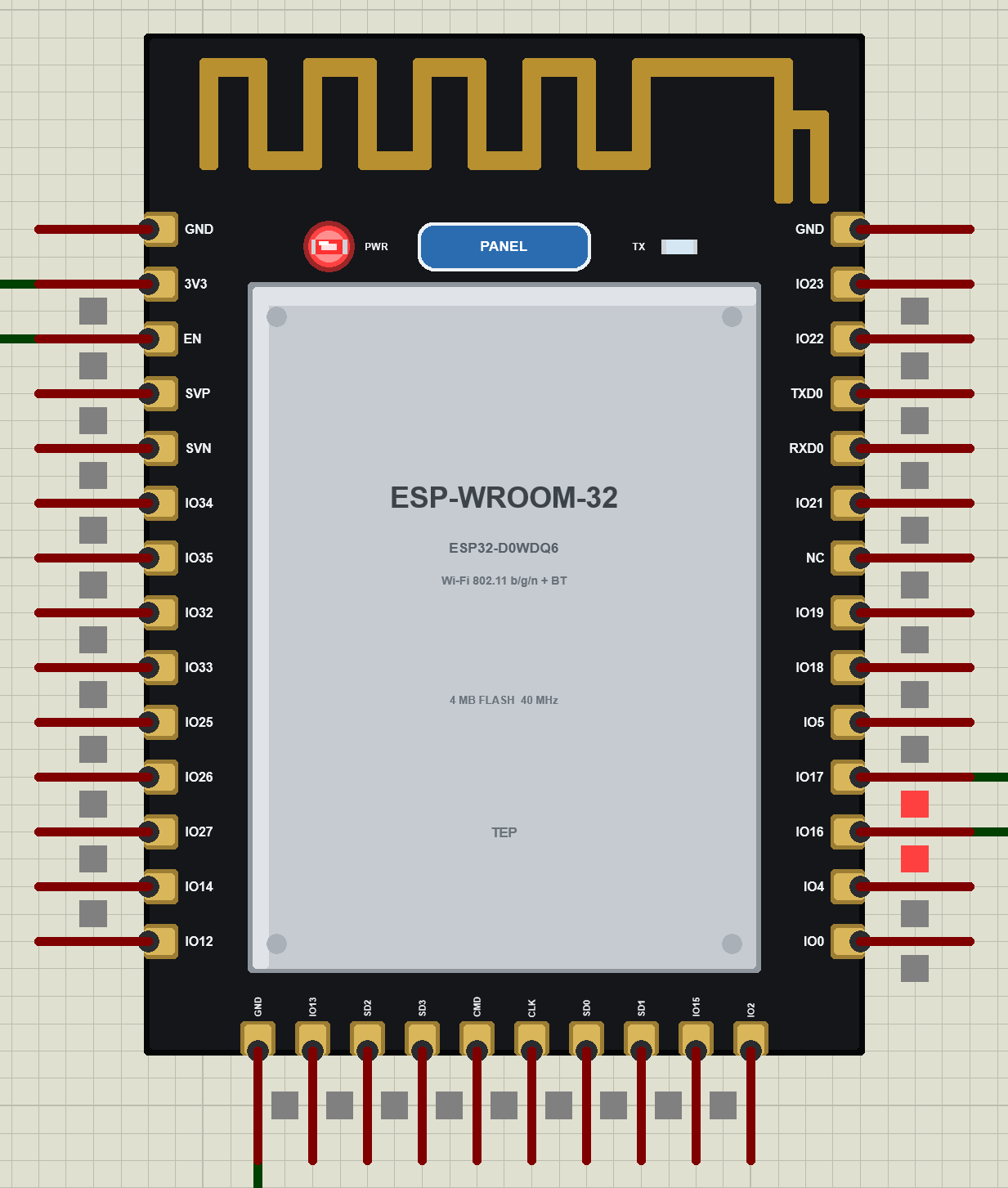
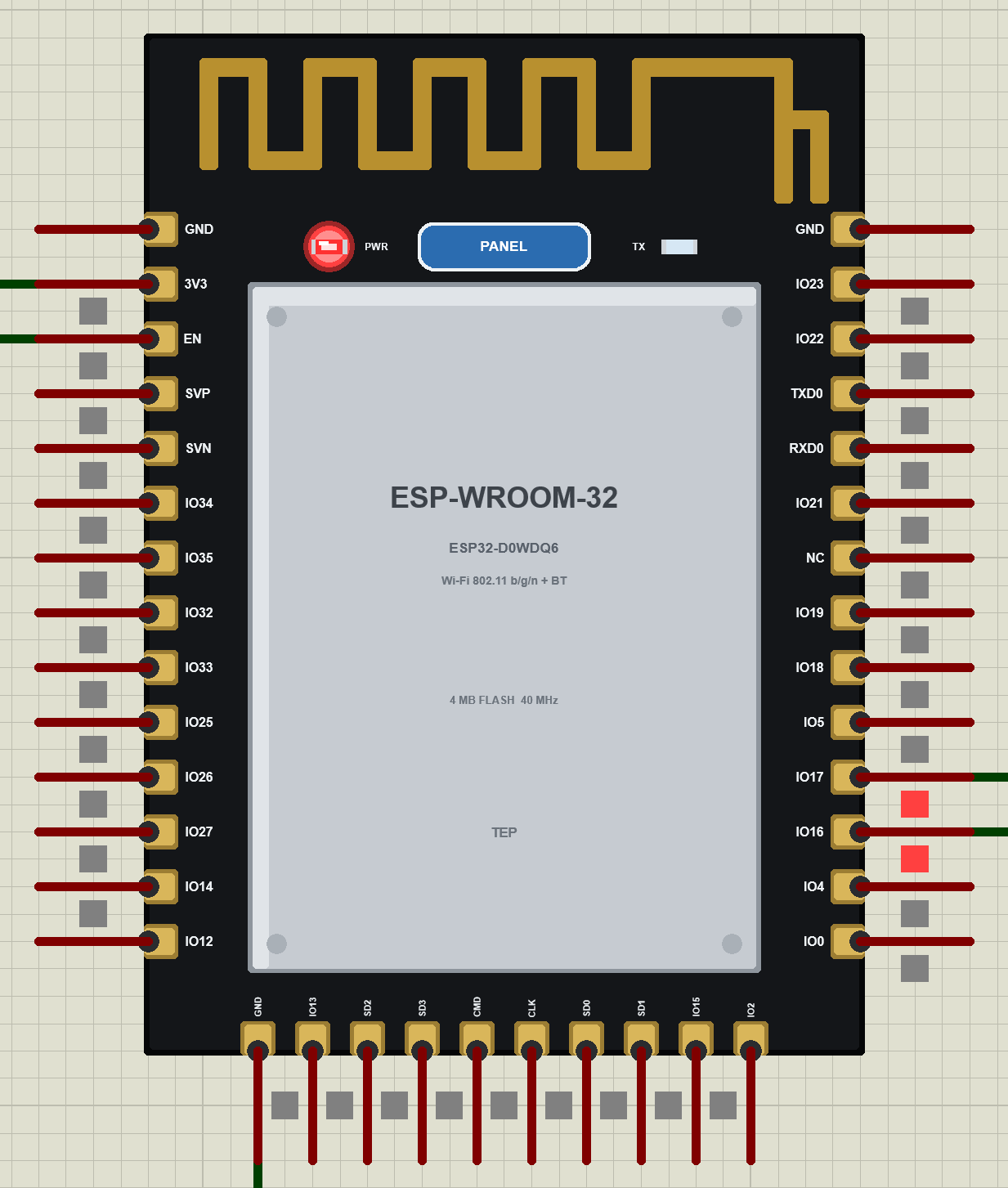
While data flows, the antenna shows the direction and the TX LED flickers whenever the module passes something to the Arduino:
Download ESP32-WROOM-32 Library for Proteus
Click the button below to download ESP32-WROOM-32-Library-for-Proteus-v1.0.zip (about 2.57 MB, without the C++ source code of the models):
ESP32-WROOM-32 Library for Proteus V1.0- README.txt: the device, installation, the demo, the pins, the properties, troubleshooting and the limits.
- Proteus Library Files:
TEPWROOM32.LIB(the ESP32-WROOM-32),ArduinoV4TEP.LIB(our Arduino boards V4.0 - the UNO of the demo),TEPLAPTOP.LIBandTEPMOBILE.LIB(our Laptop and Mobile WiFi Monitors). - Proteus Model Files:
TEPNET.DLL(the ESP32-WROOM-32, the two monitors and the Wi-Fi network) andTEPARDUINO.DLL(the Arduino boards). - Proteus Simulation: the demo project, its HEX file and copies of the DLLs.
- Arduino Code: the demo sketch. AltSoftSerial is not included - install it from the Library Manager.
No Proteus yet? Read How to Download and Install Proteus 7 and 8. New to libraries? Follow How to Install a New Library in Proteus.
How to Install ESP32-WROOM-32 Library for Proteus
- Close Proteus and extract the whole zip file, for example to your Desktop.
- Copy the four files from Proteus Library Files into the LIBRARY folder of Proteus (usually
C:\Program Files (x86)\Labcenter Electronics\Proteus 8 Professional\LIBRARY). - Copy
TEPNET.DLLandTEPARDUINO.DLLfrom Proteus Model Files into the MODELS folder - replace older copies (this TEPNET.DLL is the first one that knows the ESP32-WROOM-32, and it still runs all our ESP32 boards, the ESP8266 modules and the two monitors). - Delete
TEPWROOM32.IDX,ArduinoV4TEP.IDX,TEPLAPTOP.IDXandTEPMOBILE.IDXfrom the LIBRARY folder if they are there. - Start Proteus, press P and search for WROOM.
The sketch is a normal UNO sketch: select Arduino Uno in the Arduino IDE, install AltSoftSerial, write your sketch and use Sketch > Export Compiled Binary; then double-click the UNO in Proteus and set its Program File to the HEX (see How to get the HEX file from Arduino).
Demo: A Wi-Fi Client Node for the Laptop and the Phone
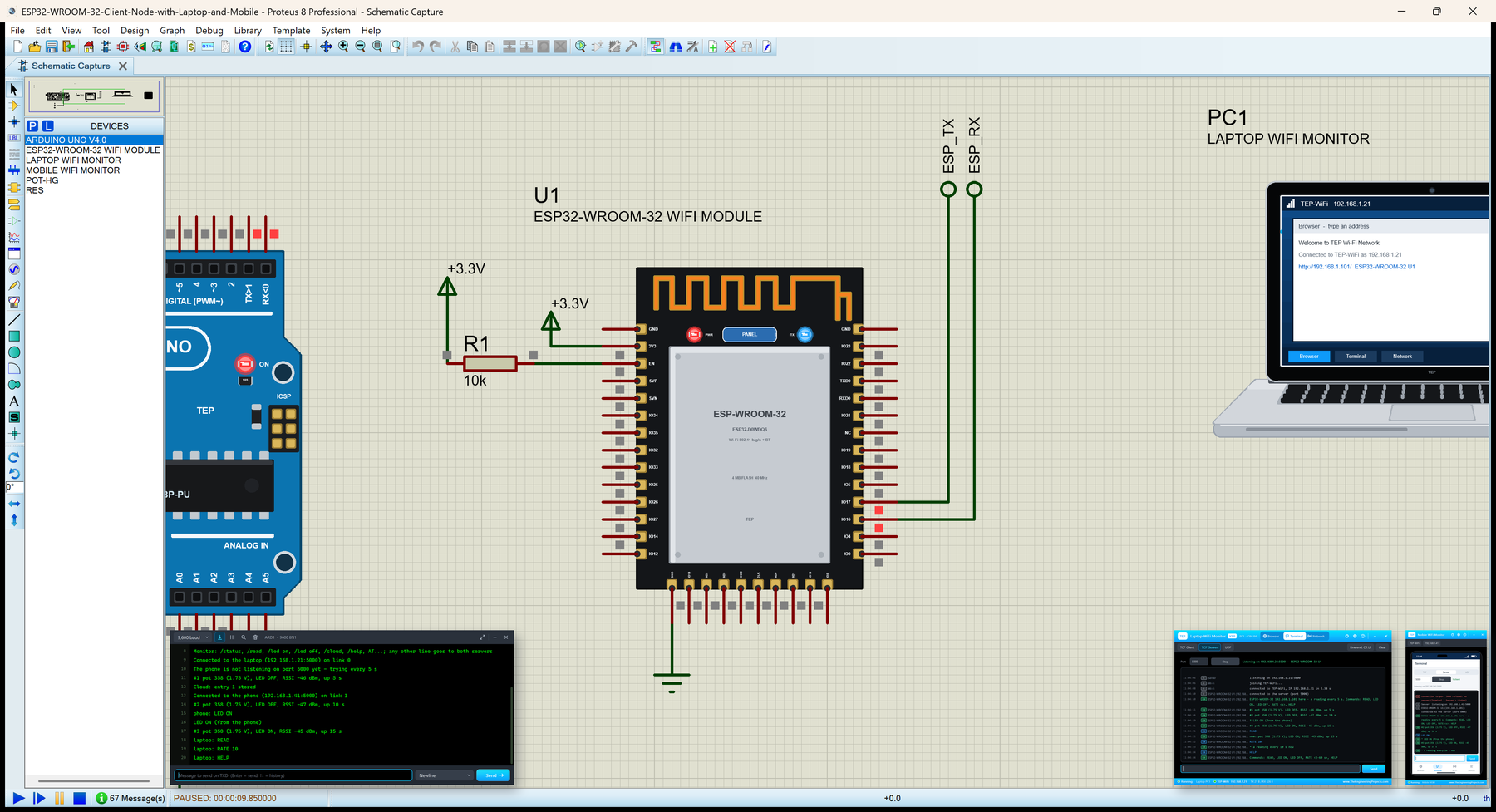
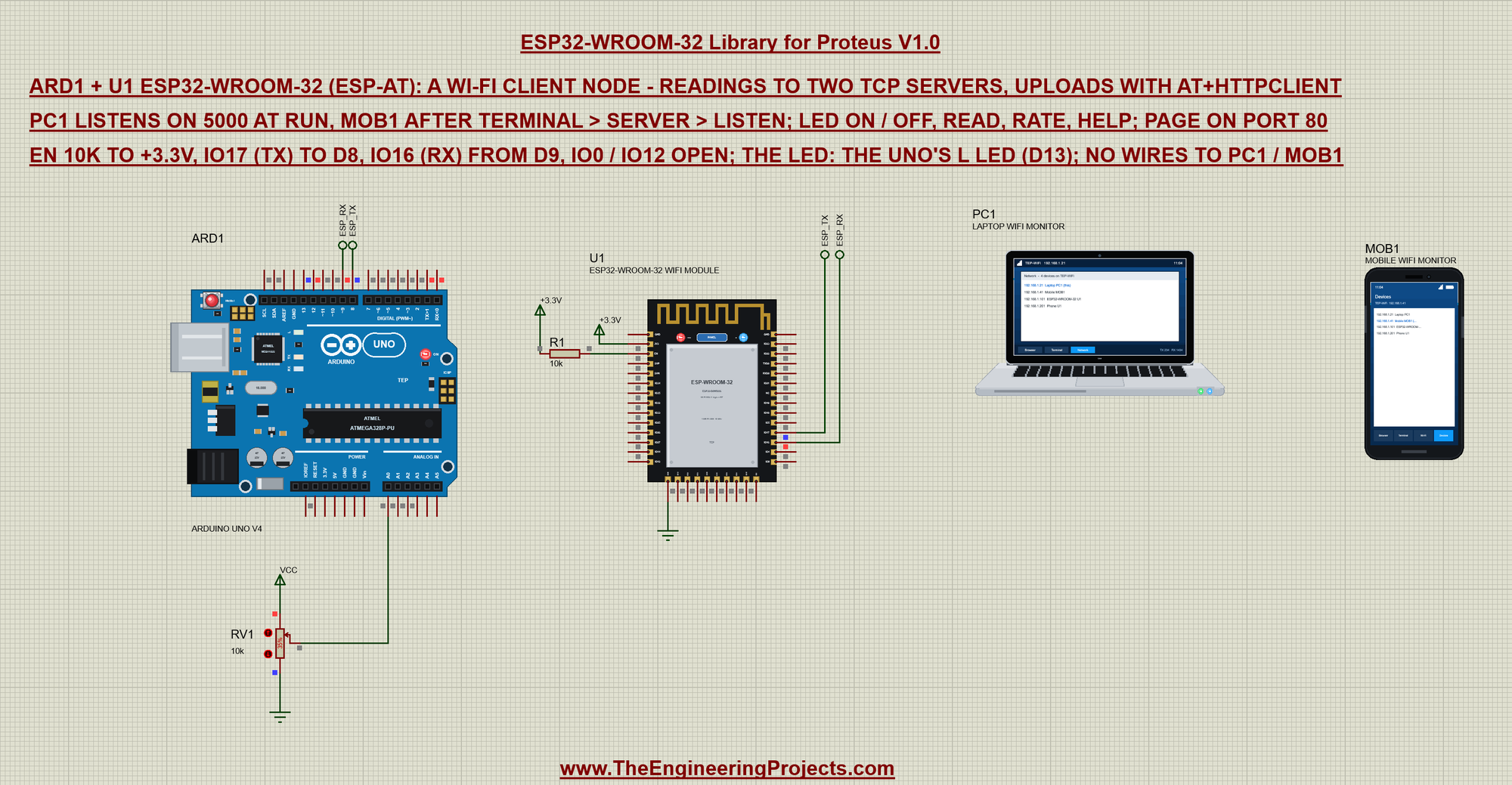
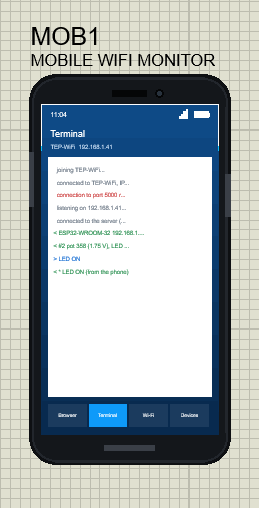
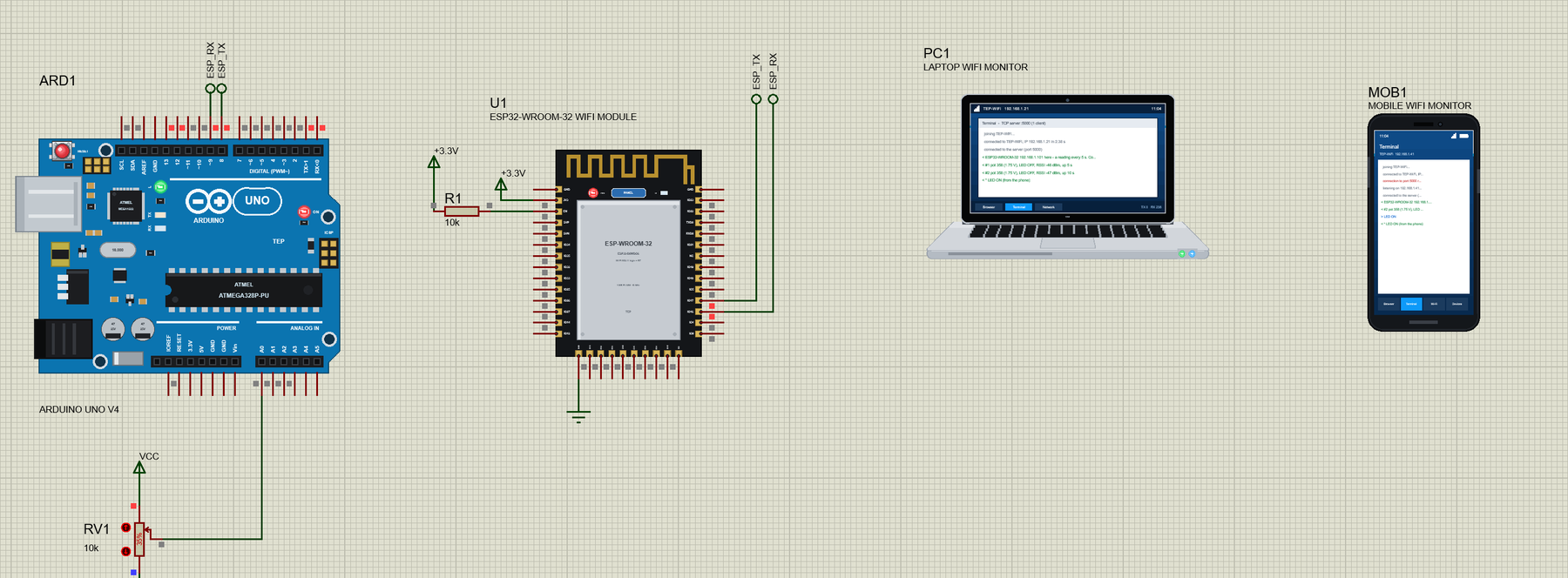
Open ESP32-WROOM-32-Client-Node-with-Laptop-and-Mobile.pdsprj. On the left is our Arduino UNO Library for Proteus V4.0 (ARD1) with its built-in serial monitor and a pot on A0, in the middle the ESP32-WROOM-32 (U1), and on the right the laptop (PC1) and the phone (MOB1) - no wires to them, they are on the TEP-WiFi network like the real ones.
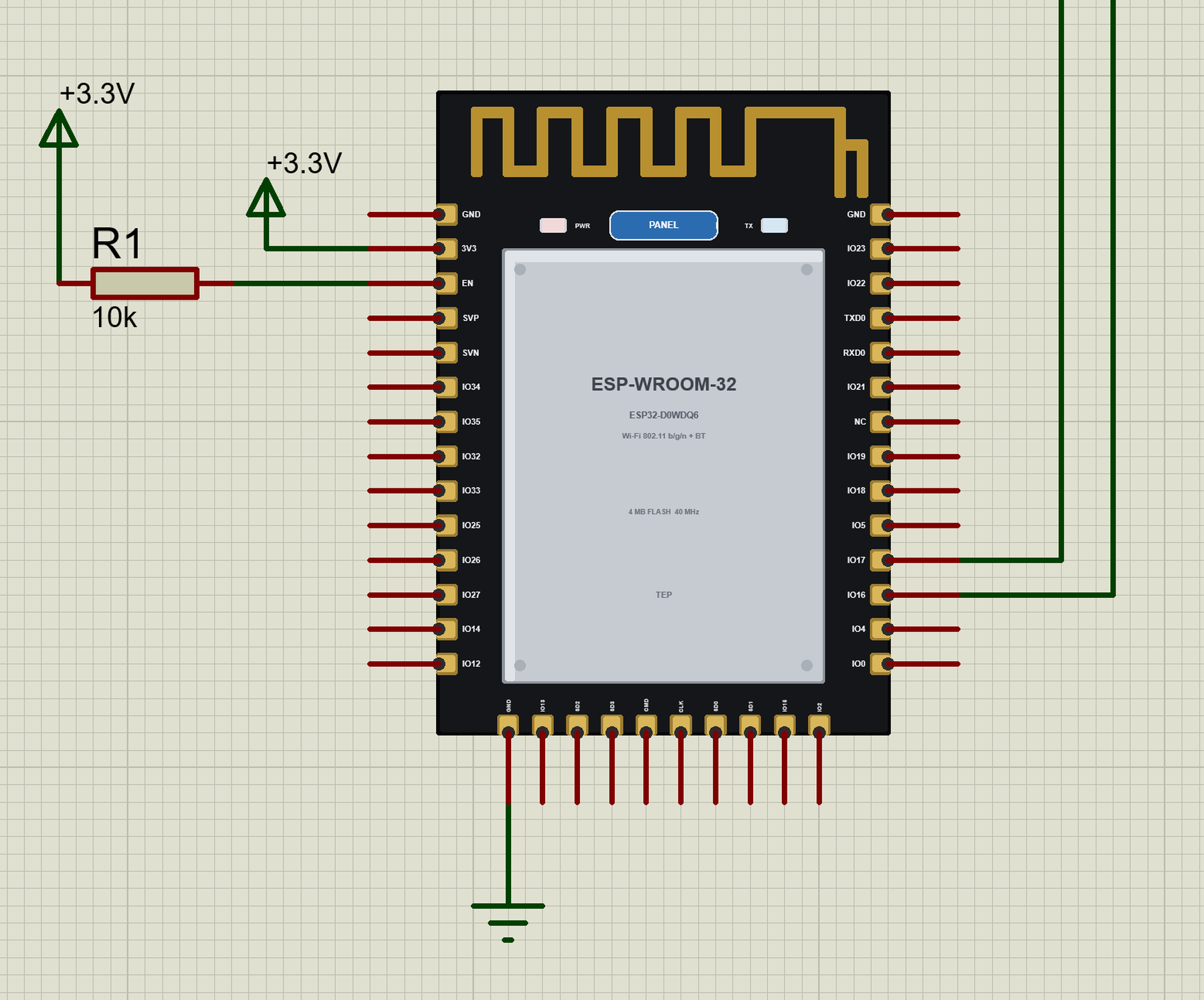
The circuit of the module is short: 3V3 on +3.3V, the bottom GND pin to ground, R1 (10k) pulling EN up, IO17 to the UNO's D8 and IO16 from D9 through the labels ESP_TX and ESP_RX. IO0 and IO12 stay open. The ESP32 has no LED we can drive with AT commands, so the demo uses the UNO's own L LED on D13; RV1 (10k, at 35 %) on A0 gives the reading:
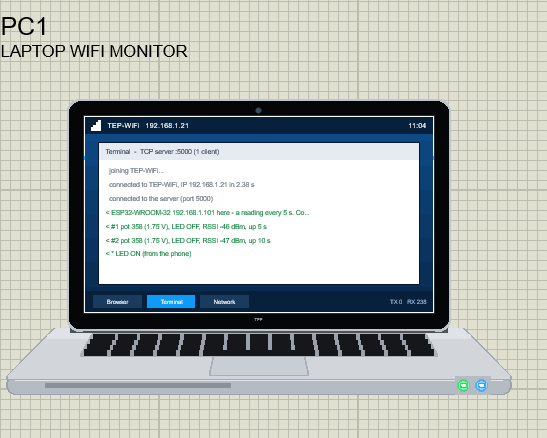
The two tools come from our Laptop WiFi Monitor Library for Proteus and Mobile WiFi Monitor Library for Proteus. In this project the laptop's SERVERPORT property is 5000, so its terminal listens on port 5000 as soon as you press Run; the phone's server you start yourself. Their browsers open http://192.168.1.101/, the module's page. The laptop is 192.168.1.21 and the phone 192.168.1.41:
A TCP Client: the Module Connects Out
Our earlier demos used the AT firmware's server: the laptop or the phone connected to the module. This time the module is the client. AT+CIPSTART opens a TCP connection to a server, and with AT+CIPMUX=1 the module can hold several of them at once - here one to the laptop and one to the phone, plus the page server on port 80 for browsers. This is how real sensor nodes report to a PC program or a gateway.
The Sketch: The Client Node
The UNO talks to the module with AltSoftSerial on D8 / D9. ESP-AT starts at 115200 bps, too fast for a software serial port to receive, so the sketch sends one AT+UART_CUR at that speed and then talks at 9600:
  espFast.begin(115200);               // ESP-AT's factory speed
  espFast.print(F("AT+UART_CUR=9600,8,1,0,0\r\n"));
  espFast.end();
  esp.begin(9600);                     // AltSoftSerial takes D9 over
  delay(50);
AT+GMR tells which firmware answers; the sketch prints the ESP-AT version:
void onVersion(const char* s) {
  if (strncmp(s, "AT version:", 11)) return;
  Serial.print(F("Firmware: ESP-AT "));
  for (const char* p = s + 11; *p && *p != '('; ++p) Serial.print(*p);
  Serial.println();
}
The signal strength comes from AT+CWJAP?. ESP-AT 2.x adds five fields after the RSSI, so the sketch counts the commas after the BSSID instead of taking the last field, as an ESP8266 sketch would:
void onJoined(const char* s) {
  if (strncmp(s, "+CWJAP:", 7)) return;
  const char* p = s;
  for (byte q = 0; q < 4 && p; ++q) p = strchr(p + 1, '"');   // the fourth quote ends the BSSID
  if (p) p = strchr(p + 1, ',');                                // before the channel
  if (p) p = strchr(p + 1, ',');                                // before the RSSI
  if (p) rssi = atoi(p + 1);
}
After the join, two commands make the module a client and a server at the same time:
  command("AT+CIPMUX=1");              // several connections: two out, browsers in
  command("AT+CIPSERVER=1,80");        // the status page
A connection to the laptop or the phone takes the lowest free link and an AT+CIPSTART:
void connectTo(byte k) {
  const byte link = freeLink();
  if (link == 255) return;
  role[link] = k ? TO_PHONE : TO_LAPTOP;
  char at[56];
  snprintf_P(at, sizeof(at), PSTR("AT+CIPSTART=%d,\"TCP\",\"%s\",%d"), link, SERVER_IP[k], SERVER_PORT);
  const bool ok = command(at, 6000);
A server that is not listening refuses the connection, and the sketch simply tries again five seconds later:
  if (!ok) {
    role[link] = FREE;
    nextTry[k] = millis() + RETRY_EVERY;
    if (!waiting[k]) {
      Serial.print(F("The "));
      Serial.print(SERVER_NAME[k]);
      Serial.println(F(" is not listening on port 5000 yet - trying every 5 s"));
      waiting[k] = true;
    }
    return;
for (byte k = 0; k < 2; ++k) // not connected: try again every 5 s
if (linkOf[k] == 255 && (long)(millis() - nextTry[k]) >= 0) connectTo(k);Every reading goes to both servers. An answer to READ carries "now:" instead of the reading's number:
void readingText(bool now) {
  char pv[24], head[8] = "now:";
  potText(pv, sizeof(pv));
  if (!now) snprintf_P(head, sizeof(head), PSTR("#%u"), readings);
  snprintf_P(page, sizeof(page), PSTR("%s pot %s, LED %s, RSSI %d dBm, up %lu s\r\n"), head, pv, led ? "ON" : "OFF", rssi, millis() / 1000);
}
Lines from the servers are commands. LED ON and LED OFF switch the L LED and tell both servers; READ answers the one that asked:
void fromServer(byte k, const char* text) {
  Serial.print(SERVER_NAME[k]);
  Serial.print(F(": "));
  Serial.println(text);
  const byte link = linkOf[k];
  if (!strcasecmp(text, "LED ON") || !strcasecmp(text, "LED OFF")) { setLed(!strcasecmp(text, "LED ON"), SERVER_NAME[k]); return; }
  if (!strcasecmp(text, "READ")) { readRssi(); readingText(true); sendOn(link, page, false); return; }
If a server stops, the firmware reports <link>,CLOSED; the sketch frees the link and starts trying again:
    if (closed & bit) {
      closed &= ~bit;
      for (byte k = 0; k < 2; ++k)
        if (linkOf[k] == i) {
          linkOf[k] = 255; nextTry[k] = millis() + RETRY_EVERY;
          Serial.print(F("The "));
          Serial.print(SERVER_NAME[k]);
          Serial.println(F(" closed the connection - trying again every 5 s"));
        }
      role[i] = FREE;
    }
A connection the sketch did not open itself is a browser on port 80:
if ((connected & bit) && role[i] == FREE) role[i] = BROWSER; // a browser on port 80Press Run and watch the UNO's monitor. The module is found, reports its firmware, joins TEP-WiFi and starts the node; the laptop listens already, the phone not yet:
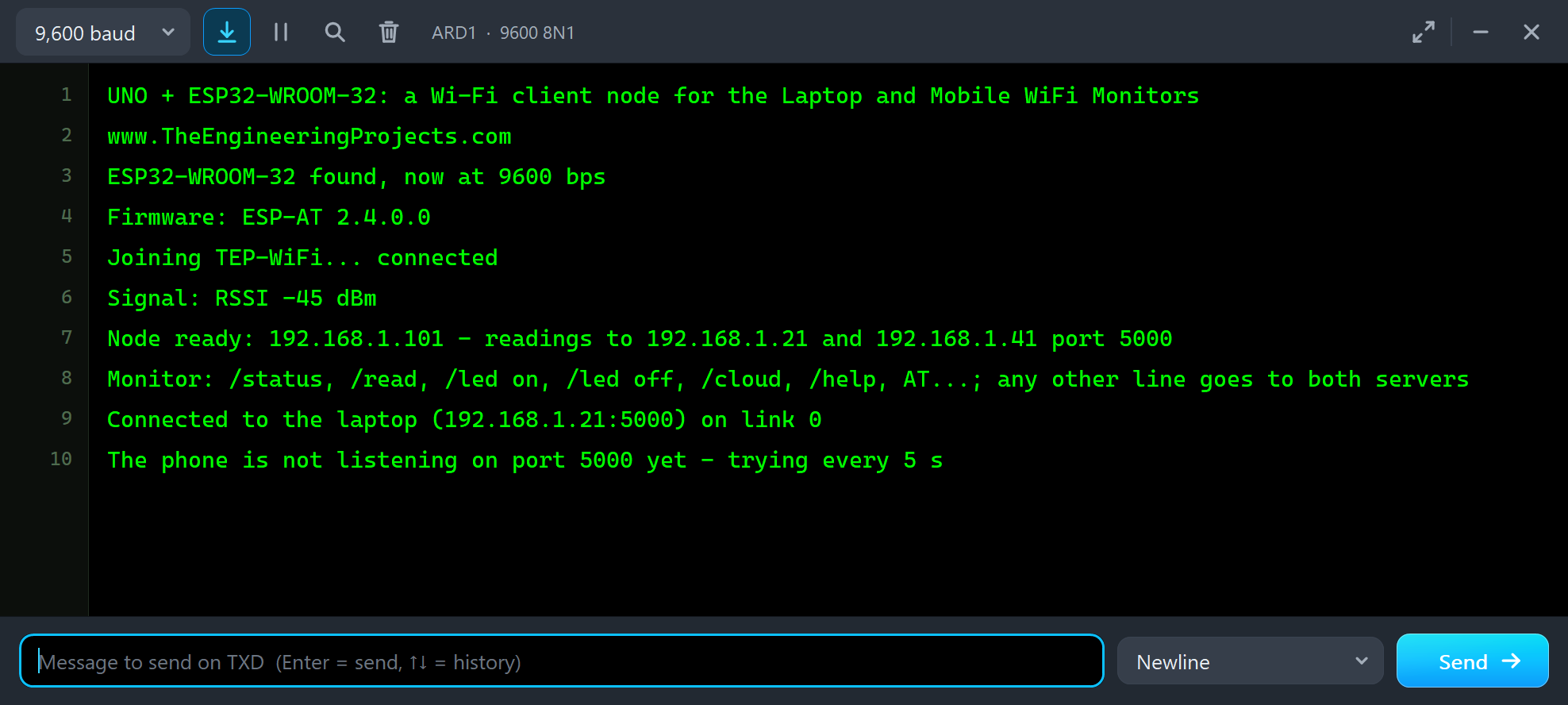
UNO + ESP32-WROOM-32: a Wi-Fi client node for the Laptop and Mobile WiFi Monitors
www.TheEngineeringProjects.com
ESP32-WROOM-32 found, now at 9600 bps
Firmware: ESP-AT 2.4.0.0
Joining TEP-WiFi... connected
Signal: RSSI -45 dBm
Node ready: 192.168.1.101 - readings to 192.168.1.21 and 192.168.1.41 port 5000
Monitor: /status, /read, /led on, /led off, /cloud, /help, AT...; any other line goes to both servers
Connected to the laptop (192.168.1.21:5000) on link 0
The phone is not listening on port 5000 yet - trying every 5 s
Readings on the Laptop and the Phone
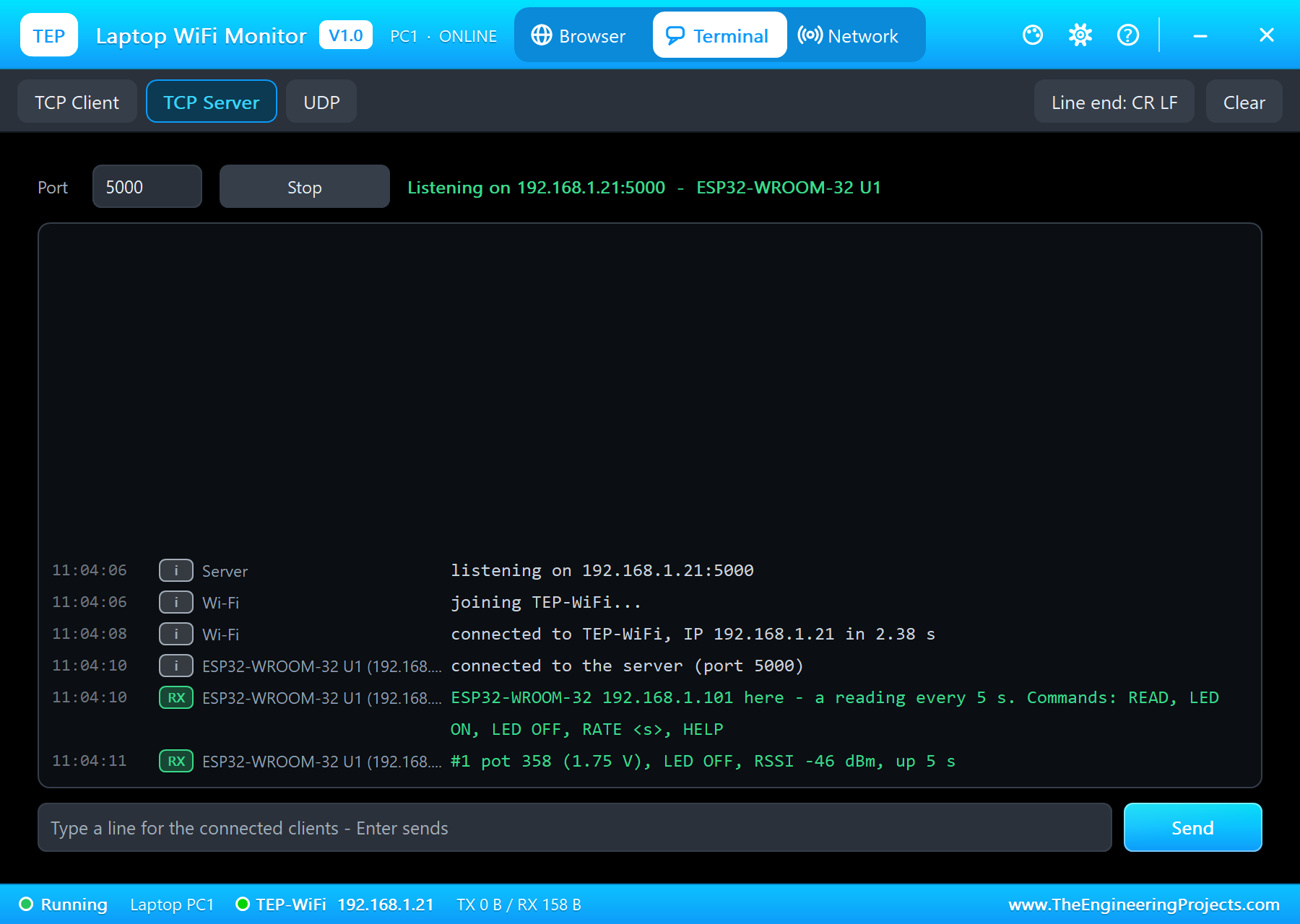
On the laptop, open Terminal: it is already in TCP Server mode, listening on port 5000, and the ESP32-WROOM-32 is connected. Its first line lists the commands; then a reading arrives every five seconds:
On the phone, open Terminal and its Server tab. The node has been knocking already - each try shows up as a refused connection. Tap Listen, and within five seconds the module connects:
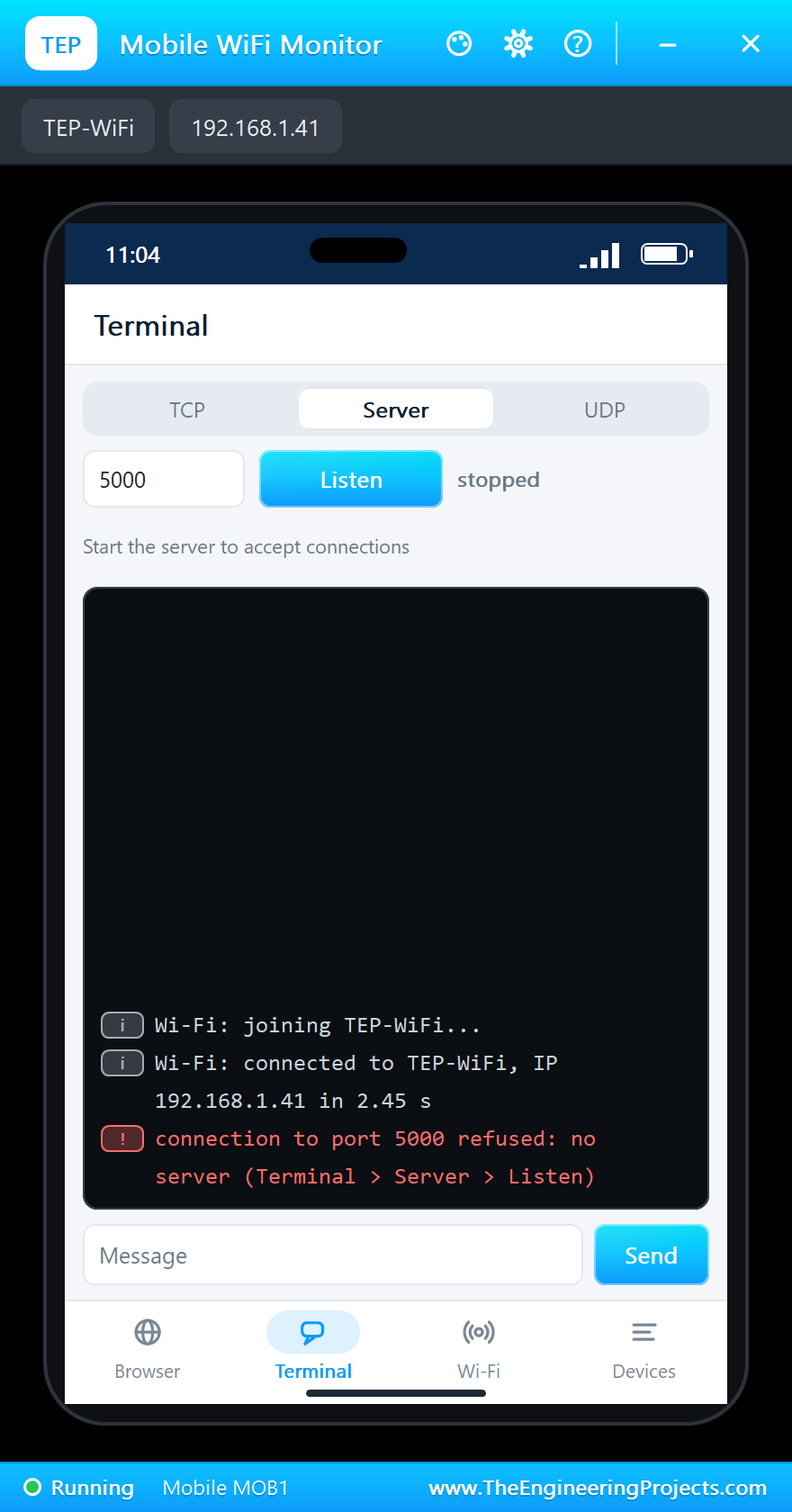
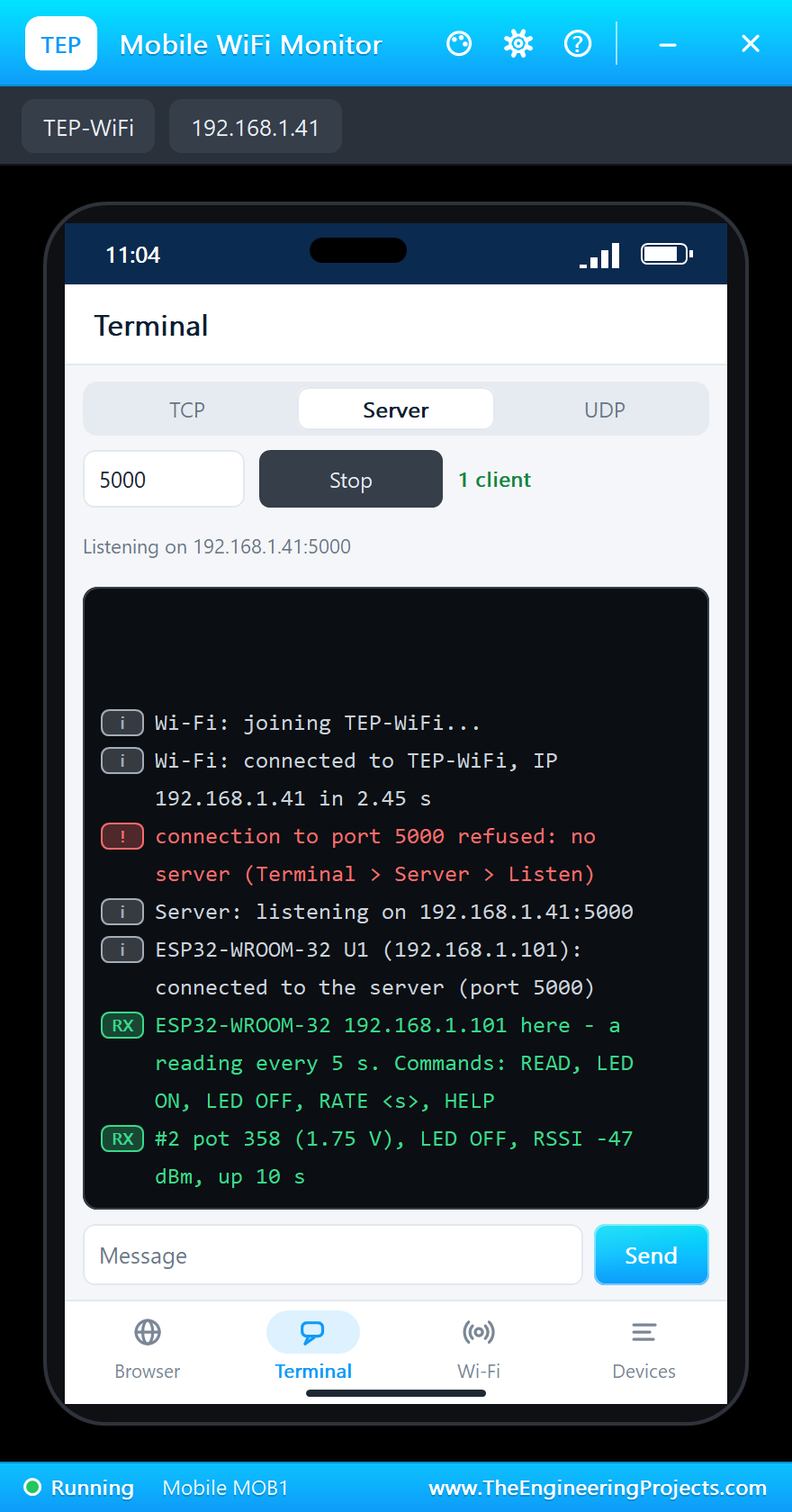
Now type LED ON on the phone. The UNO switches its L LED on and both servers are told. On the laptop, READ asks for a reading now, RATE 10 slows the readings down and HELP lists the commands:
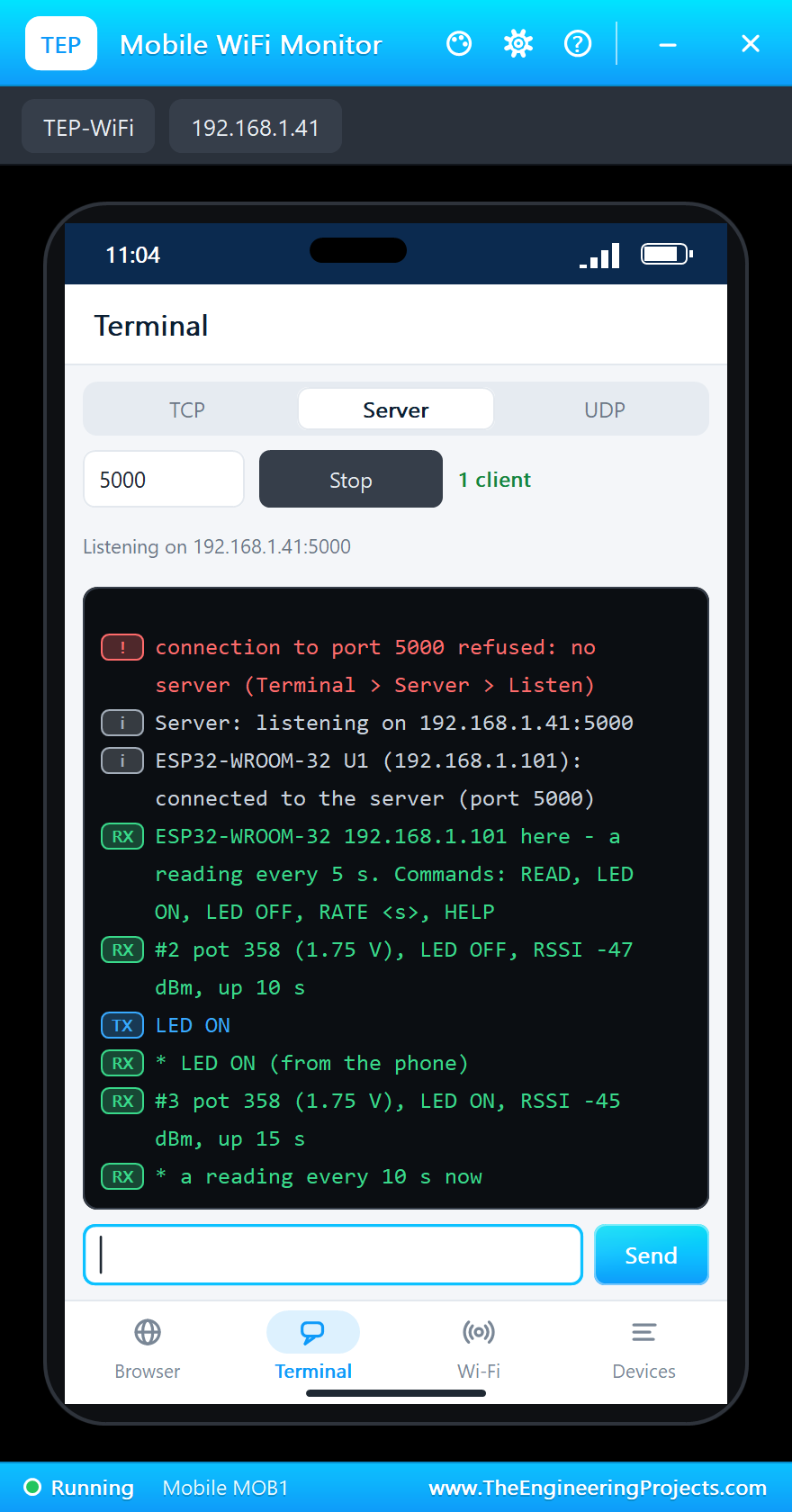
ESP32-WROOM-32 192.168.1.101 here - a reading every 5 s. Commands: READ, LED ON, LED OFF, RATE <s>, HELP
#2 pot 358 (1.75 V), LED OFF, RSSI -47 dBm, up 10 s
LED ON
* LED ON (from the phone)
#3 pot 358 (1.75 V), LED ON, RSSI -45 dBm, up 15 s
* a reading every 10 s now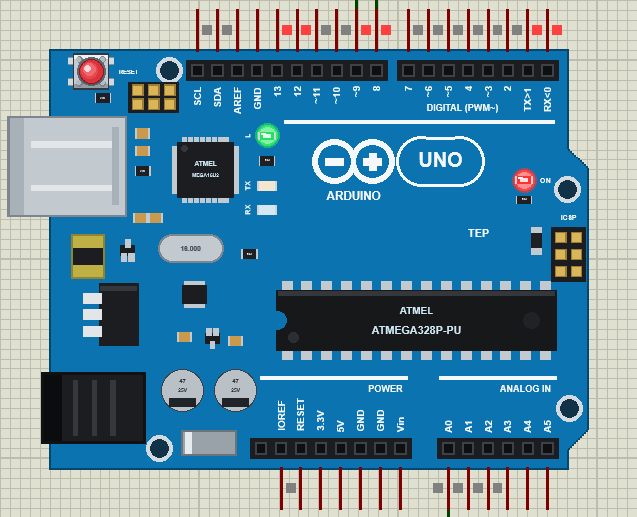
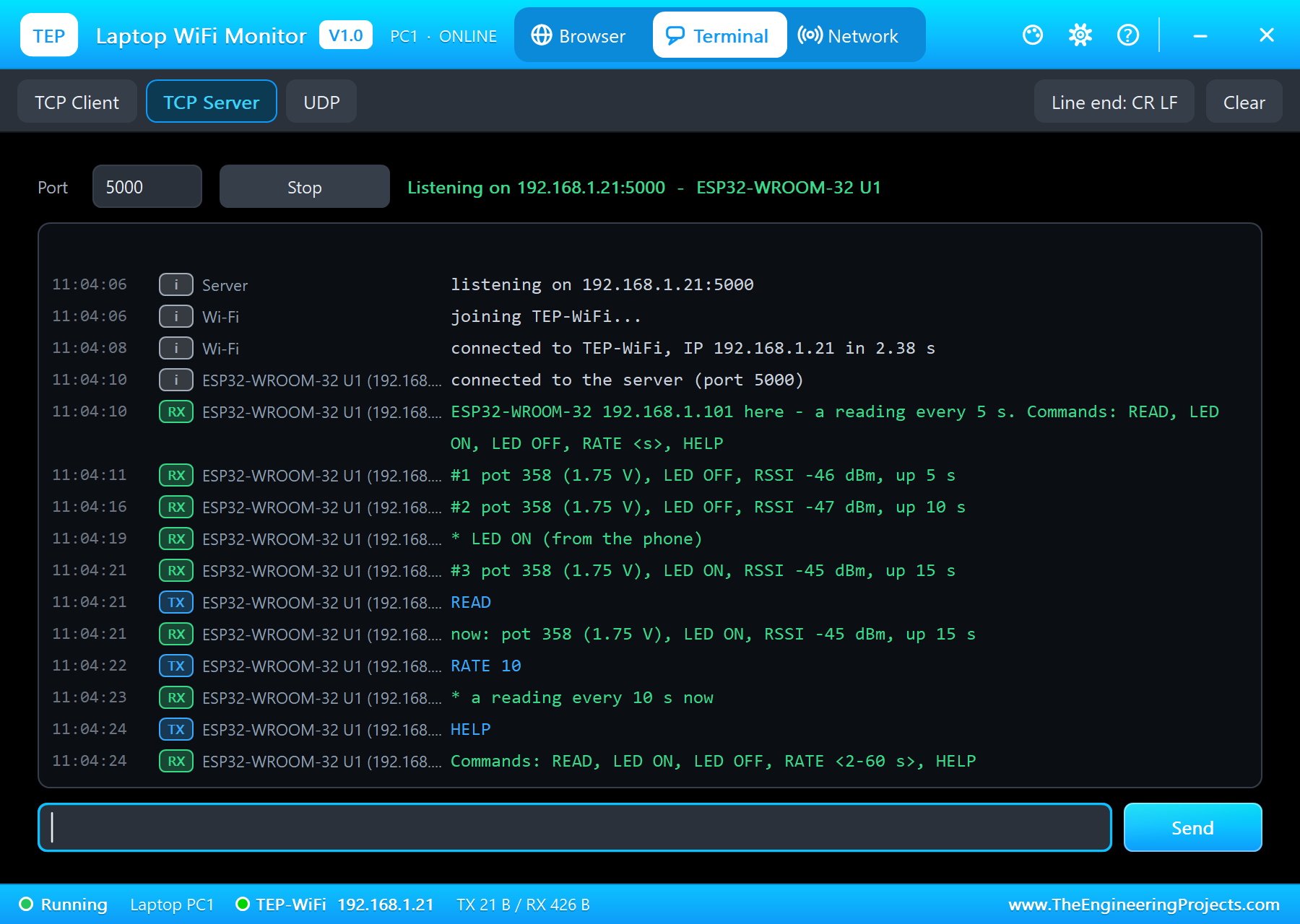
#1 pot 358 (1.75 V), LED OFF, RSSI -46 dBm, up 5 s
#2 pot 358 (1.75 V), LED OFF, RSSI -47 dBm, up 10 s
* LED ON (from the phone)
#3 pot 358 (1.75 V), LED ON, RSSI -45 dBm, up 15 s
READ
now: pot 358 (1.75 V), LED ON, RSSI -45 dBm, up 15 s
RATE 10
* a reading every 10 s now
HELP
Commands: READ, LED ON, LED OFF, RATE <2-60 s>, HELP
The UNO's monitor shows every step: the connections, the readings, the uploads and the commands with their sender:
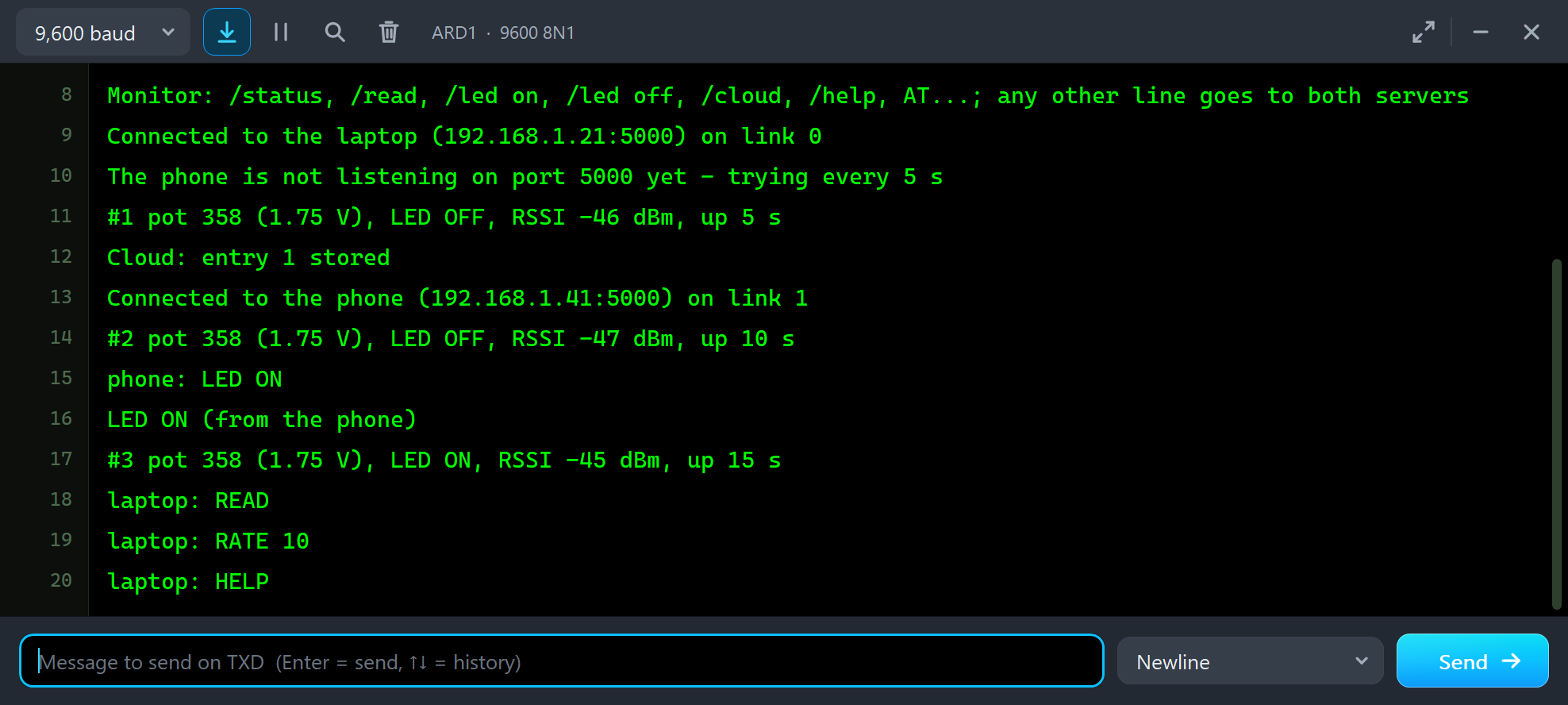
#1 pot 358 (1.75 V), LED OFF, RSSI -46 dBm, up 5 s
Cloud: entry 1 stored
Connected to the phone (192.168.1.41:5000) on link 1
#2 pot 358 (1.75 V), LED OFF, RSSI -47 dBm, up 10 s
phone: LED ON
LED ON (from the phone)
#3 pot 358 (1.75 V), LED ON, RSSI -45 dBm, up 15 s
laptop: READ
laptop: RATE 10
laptop: HELP
The Status Page on Port 80
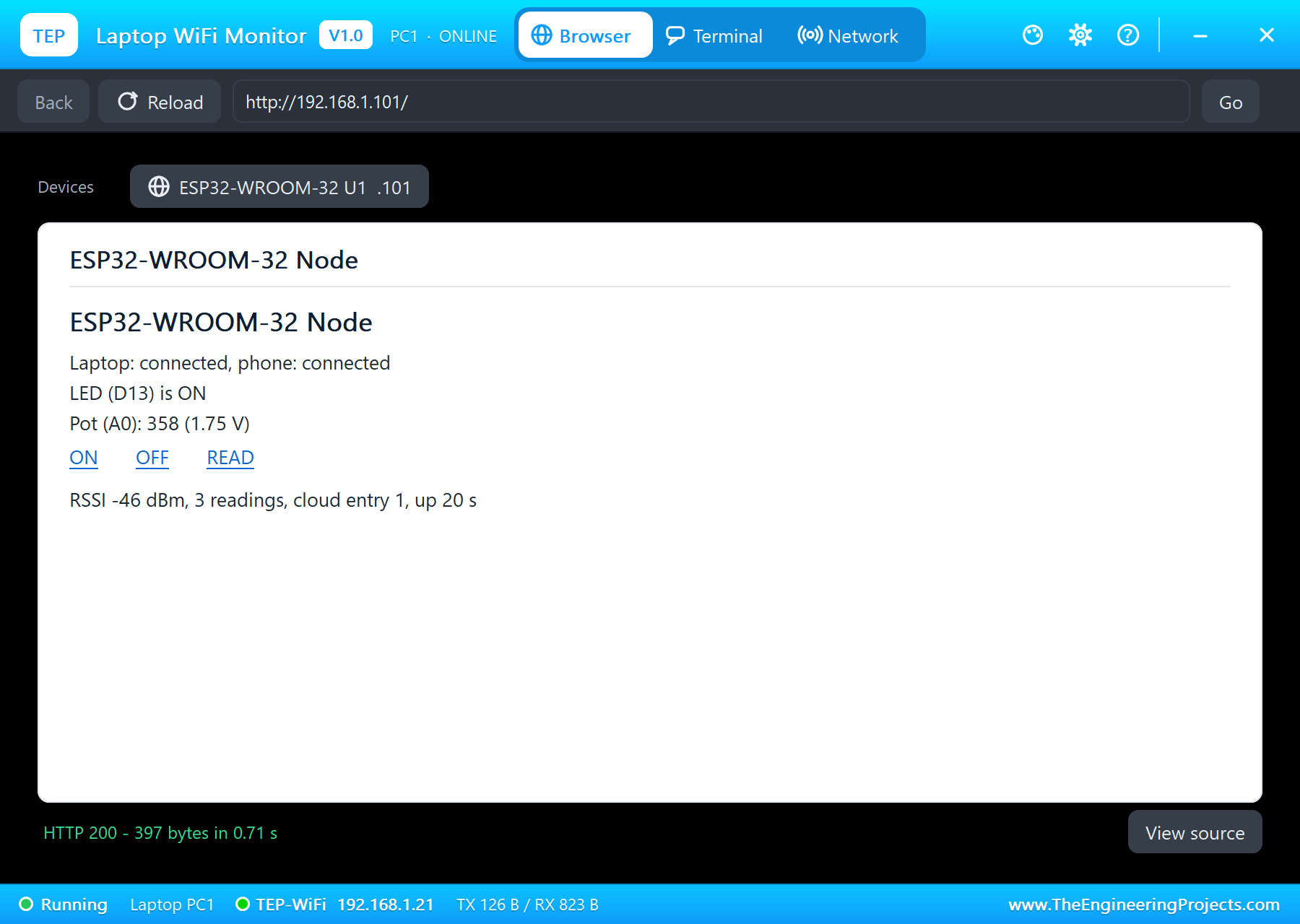
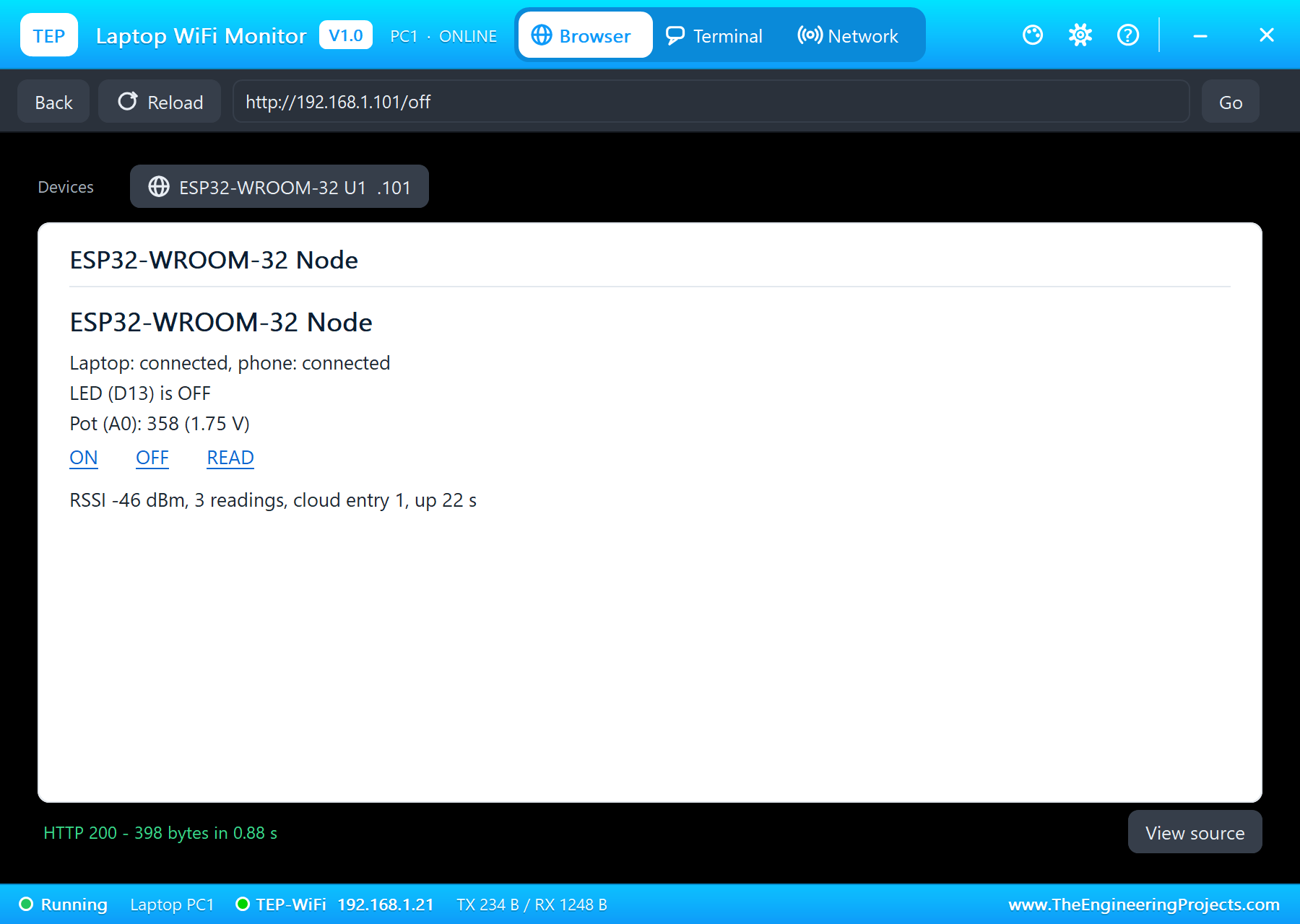
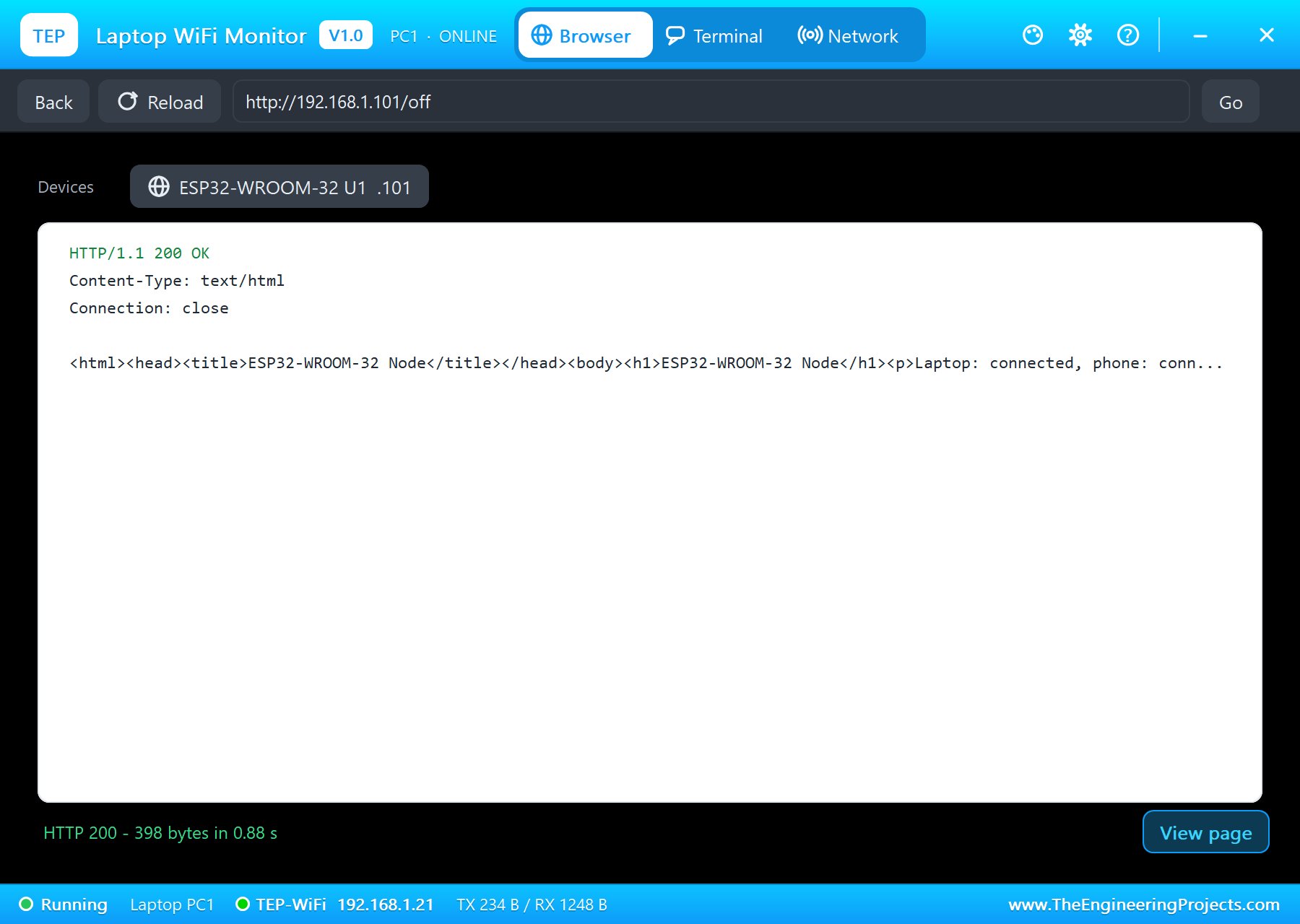
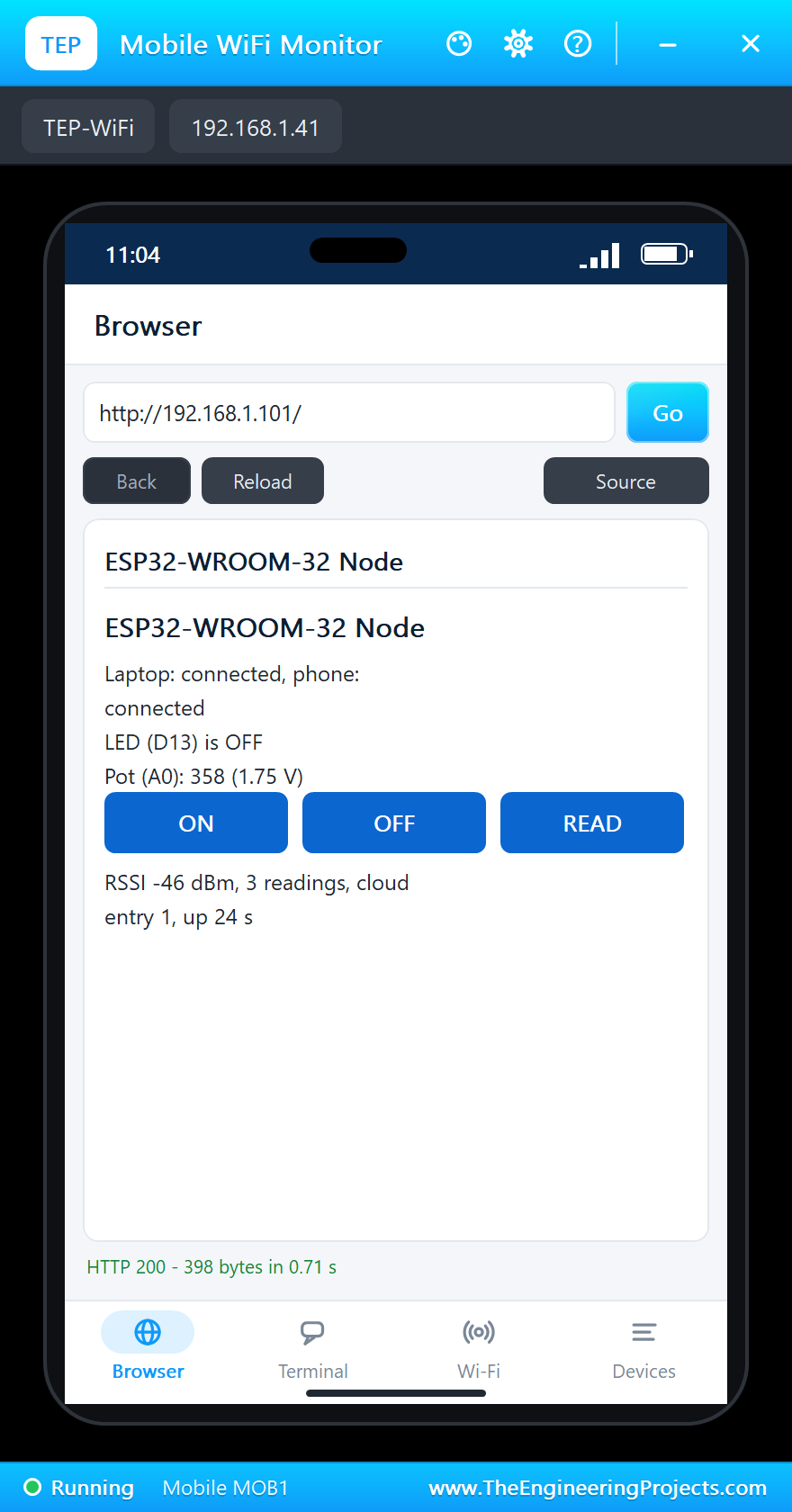
In the laptop's Browser the address bar already holds http://192.168.1.101/ - click Go. The page comes from the same module, on a third link:
Uploads with AT+HTTPCLIENT
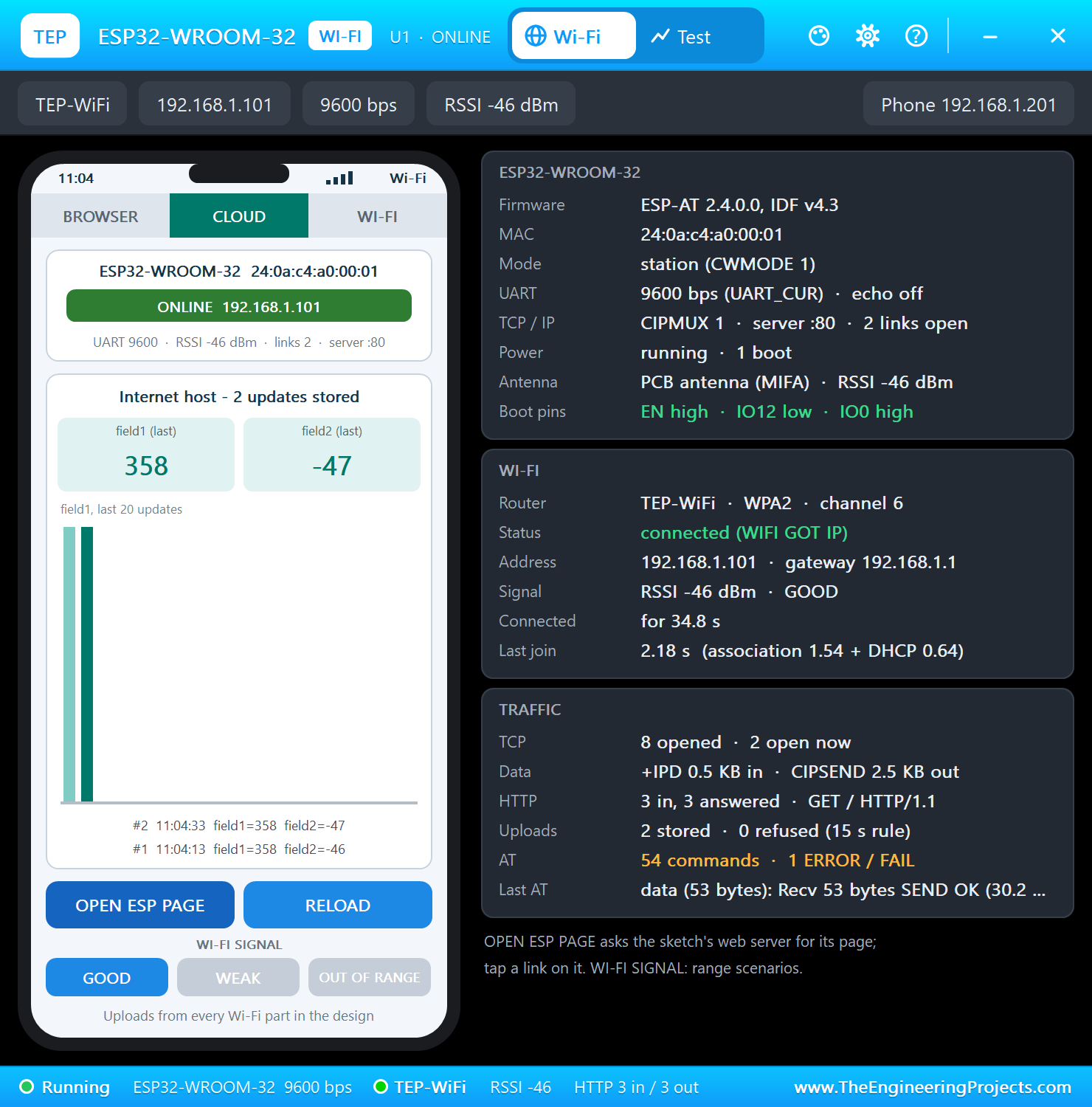
The ESP8266 AT firmware cannot make an HTTP request by itself: the Arduino has to open a TCP link, build the request and read the answer. ESP-AT can: AT+HTTPCLIENT takes the method (2 = GET), the content type, the URL and the transport (1 = TCP), makes the request and returns the answer as +HTTPCLIENT:<size>,<data>. Our sketch uploads the pot and the RSSI every 20 seconds to the simulation's internet host, which answers the number of the stored entry:
void uploadToCloud() {
  char at[120];
  snprintf_P(at, sizeof(at), PSTR("AT+HTTPCLIENT=2,0,\"http://iot.example.com/update?api_key=TEPWROOM32&field1=%d&field2=%d\",,,1"), analogRead(A0), rssi);
  cloudEntry = -1;
  const bool ok = command(at, 8000, onCloud);
  if (ok && cloudEntry > 0) { Serial.print(F("Cloud: entry ")); Serial.print(cloudEntry); Serial.println(F(" stored")); }
  else if (ok) Serial.println(F("Cloud: not stored (one update per 15 s)"));
  else Serial.println(F("Cloud: upload failed"));
}
void onCloud(const char* s) {
if (strncmp(s, "+HTTPCLIENT:", 12)) return;
const char* comma = strchr(s, ',');
if (comma) cloudEntry = atoi(comma + 1);
}The host stores one update per key every 15 seconds, like popular IoT services; an upload within 15 seconds is answered with 0. The panel's phone shows what arrived in its CLOUD tab:
When a Server Stops
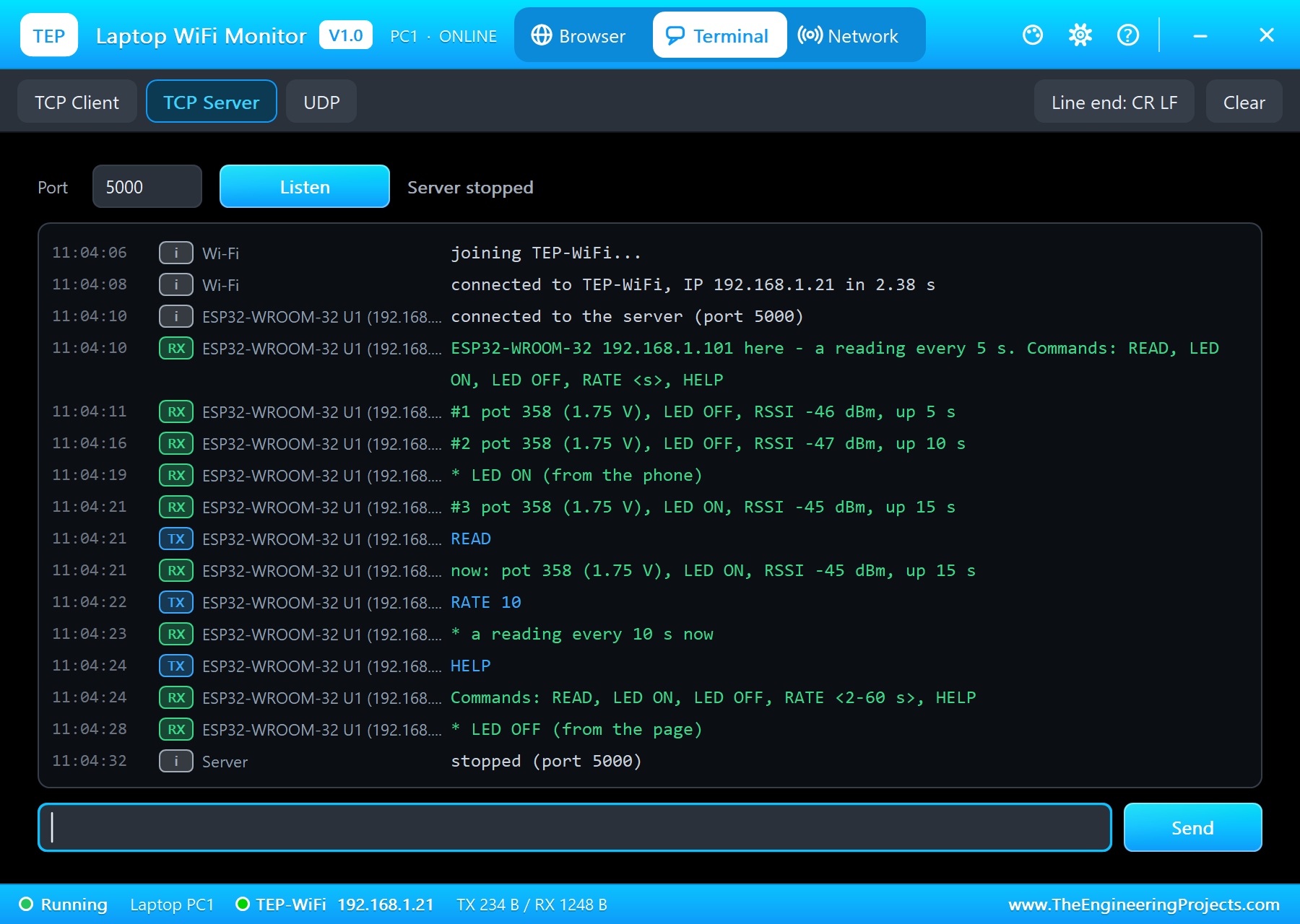
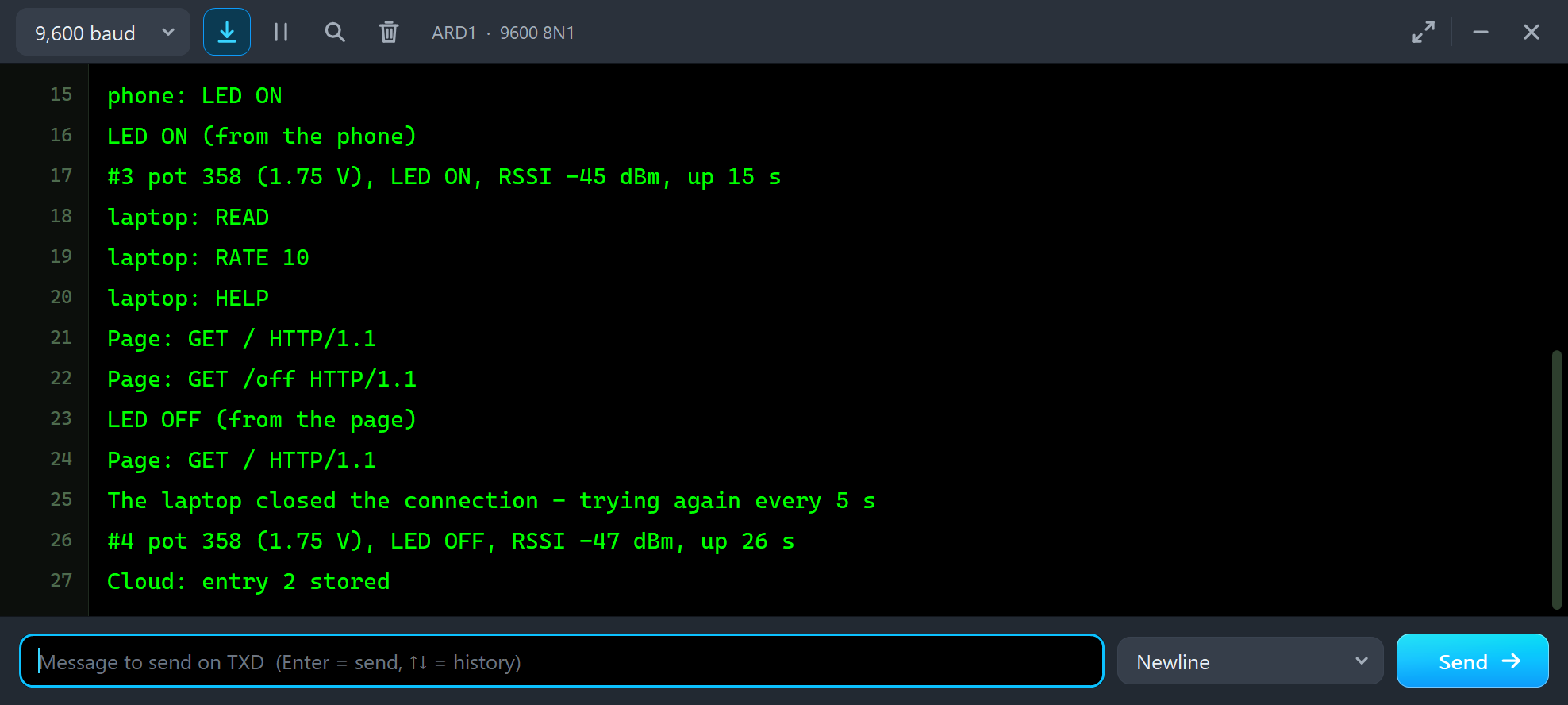
Click Stop on the laptop. The module reports the closed link, the sketch says so and keeps the phone; after Listen the node is back on the laptop within five seconds:
Page: GET / HTTP/1.1
Page: GET /off HTTP/1.1
LED OFF (from the page)
Page: GET / HTTP/1.1
The laptop closed the connection - trying again every 5 s
#4 pot 358 (1.75 V), LED OFF, RSSI -47 dBm, up 26 s
Cloud: entry 2 stored
Connected to the laptop (192.168.1.21:5000) on link 0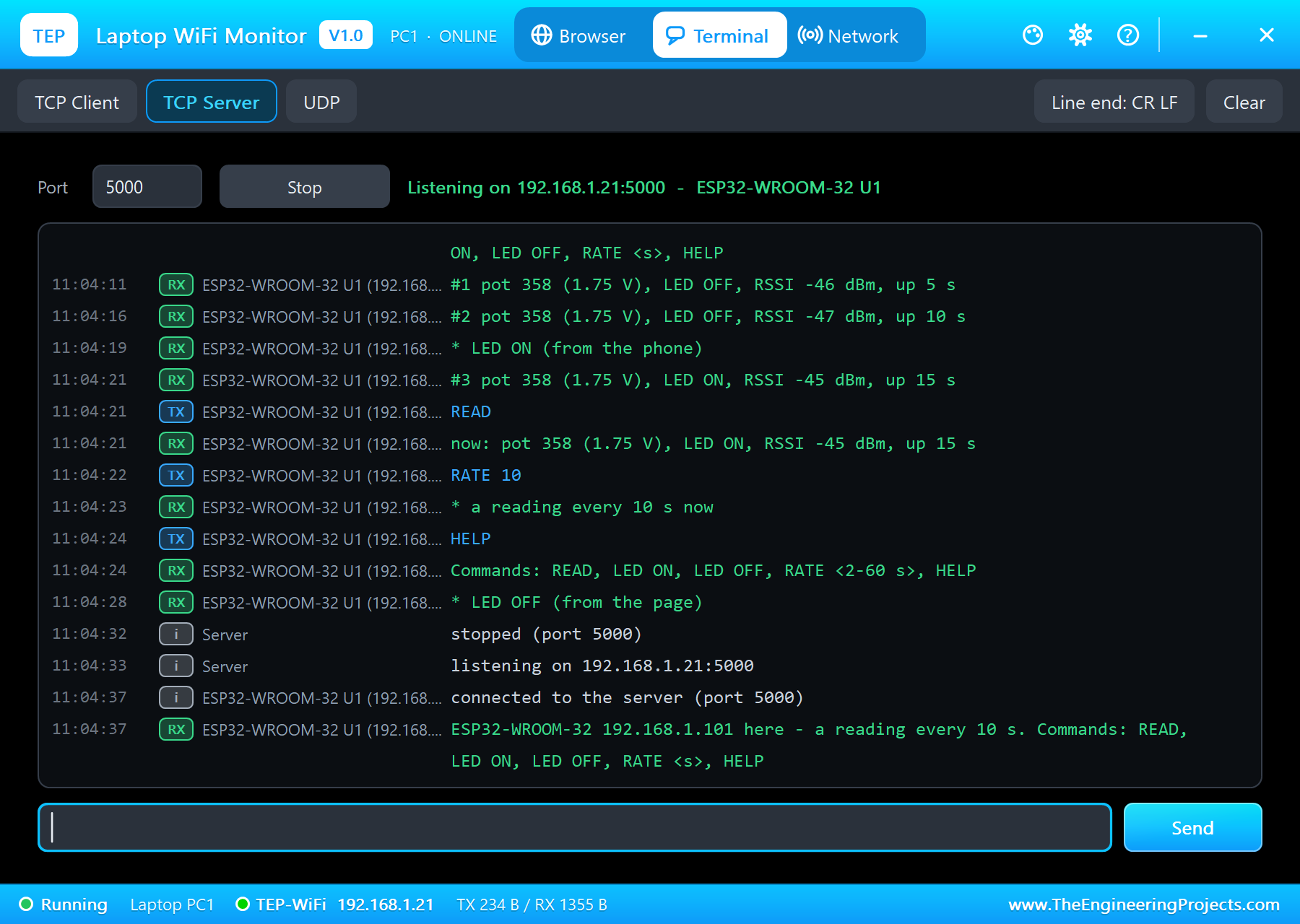
The monitor is a small tool too: /status sums up the node, and any line that is not a command goes to both servers as [UNO]:
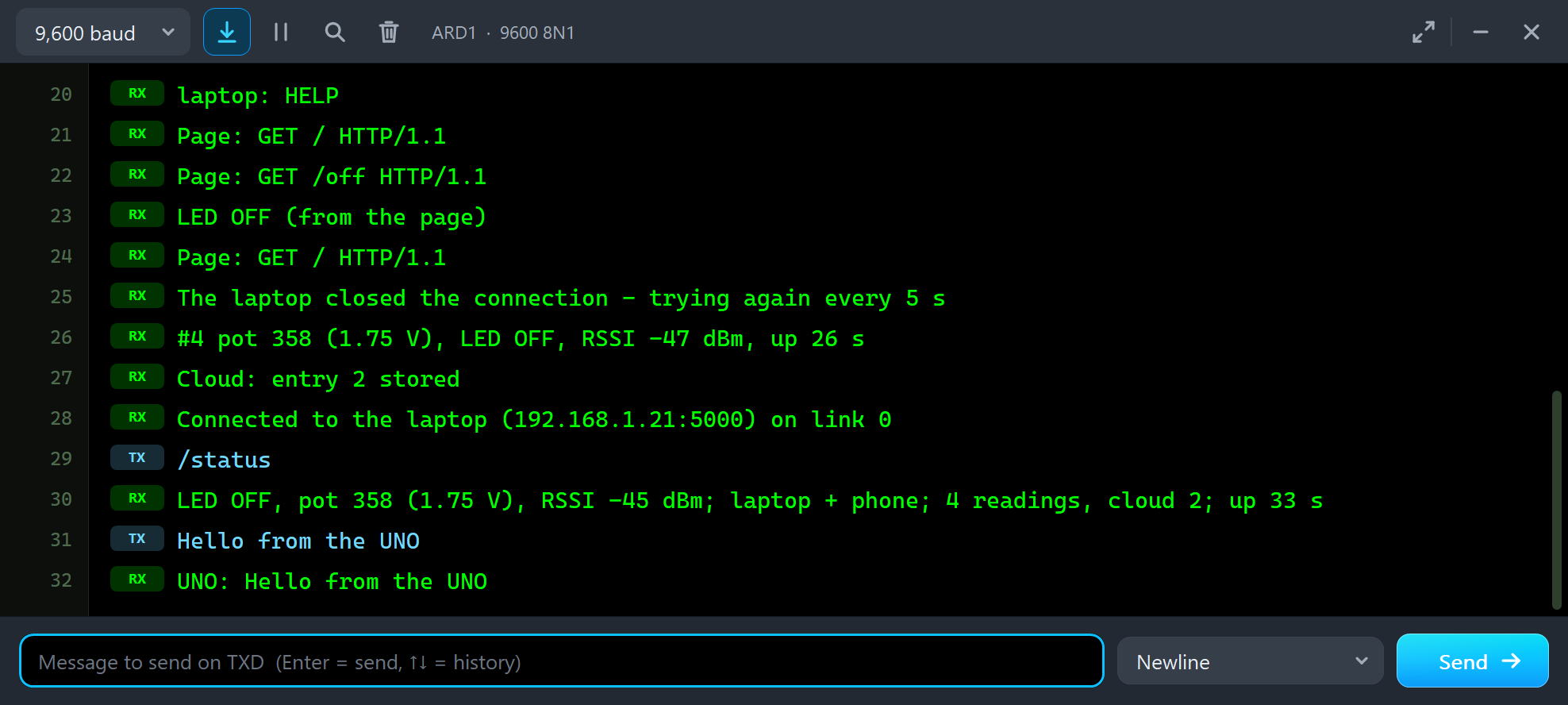
/status
LED OFF, pot 358 (1.75 V), RSSI -45 dBm; laptop + phone; 4 readings, cloud 2; up 33 s
Hello from the UNO
UNO: Hello from the UNO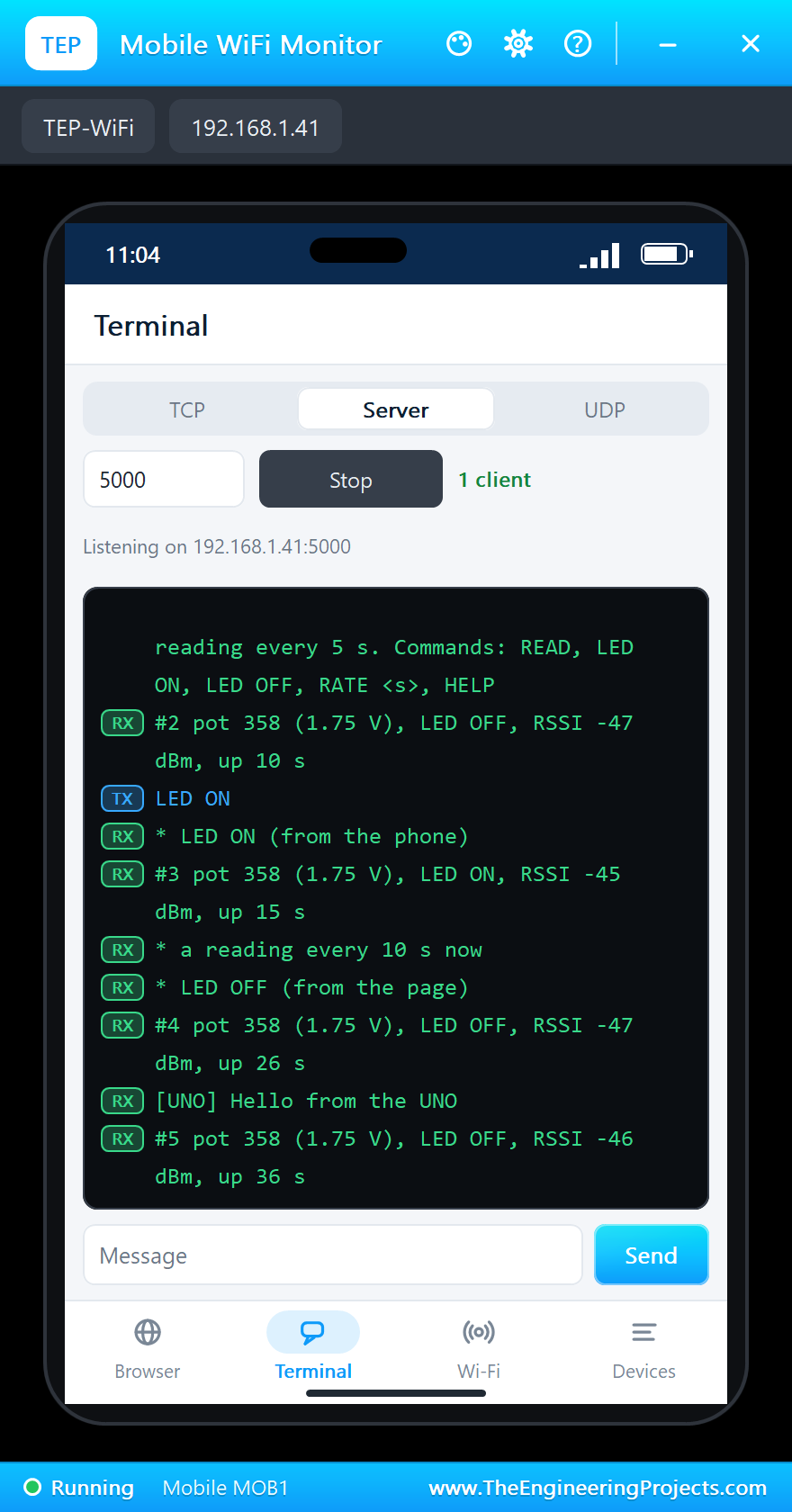
The laptop's Network tab can ping the module while it works, and the phone's Devices app lists everything on TEP-WiFi:
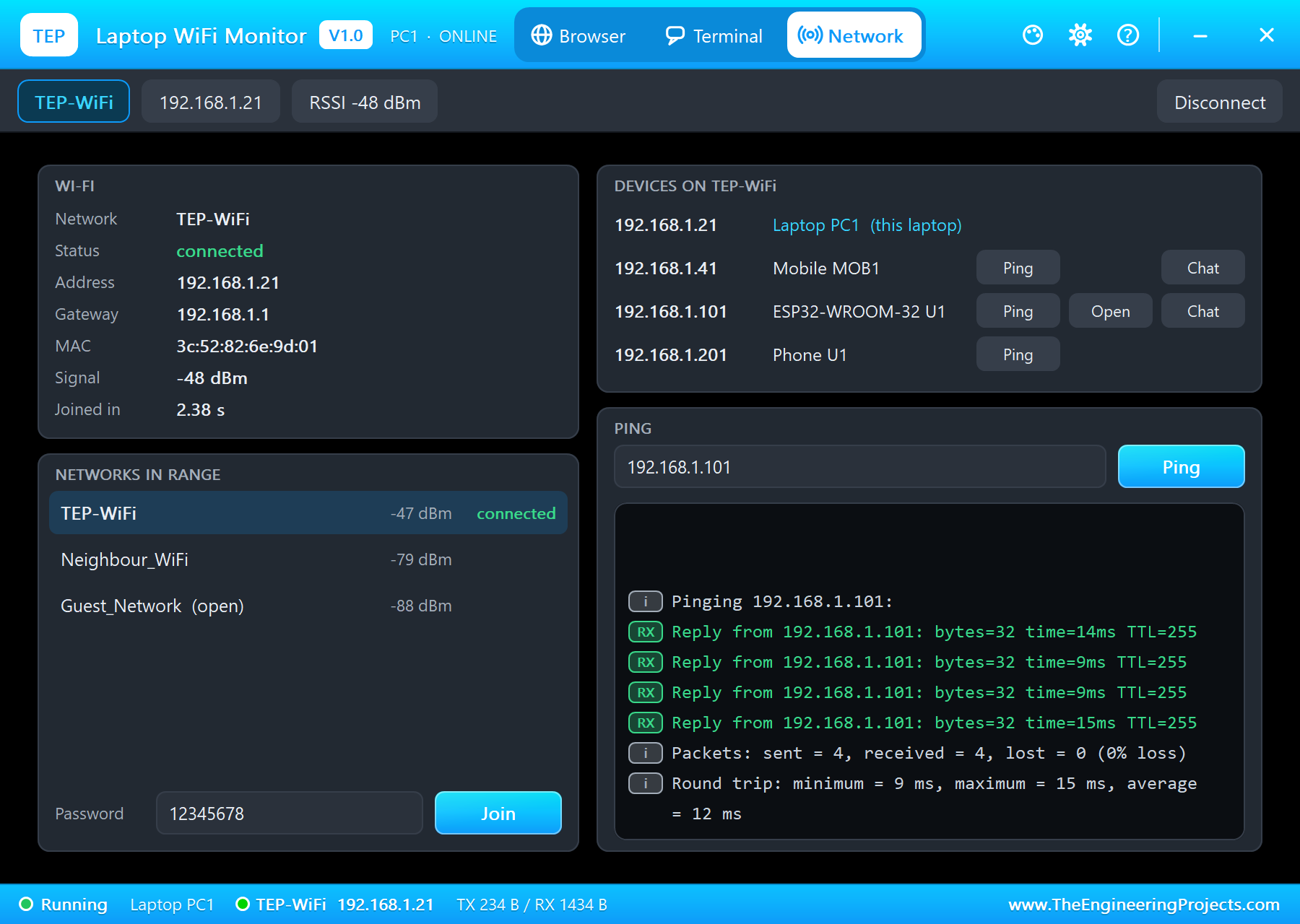
Pinging 192.168.1.101:
Reply from 192.168.1.101: bytes=32 time=14ms TTL=255
Reply from 192.168.1.101: bytes=32 time=9ms TTL=255
Reply from 192.168.1.101: bytes=32 time=9ms TTL=255
Reply from 192.168.1.101: bytes=32 time=15ms TTL=255
Packets: sent = 4, received = 4, lost = 0 (0% loss)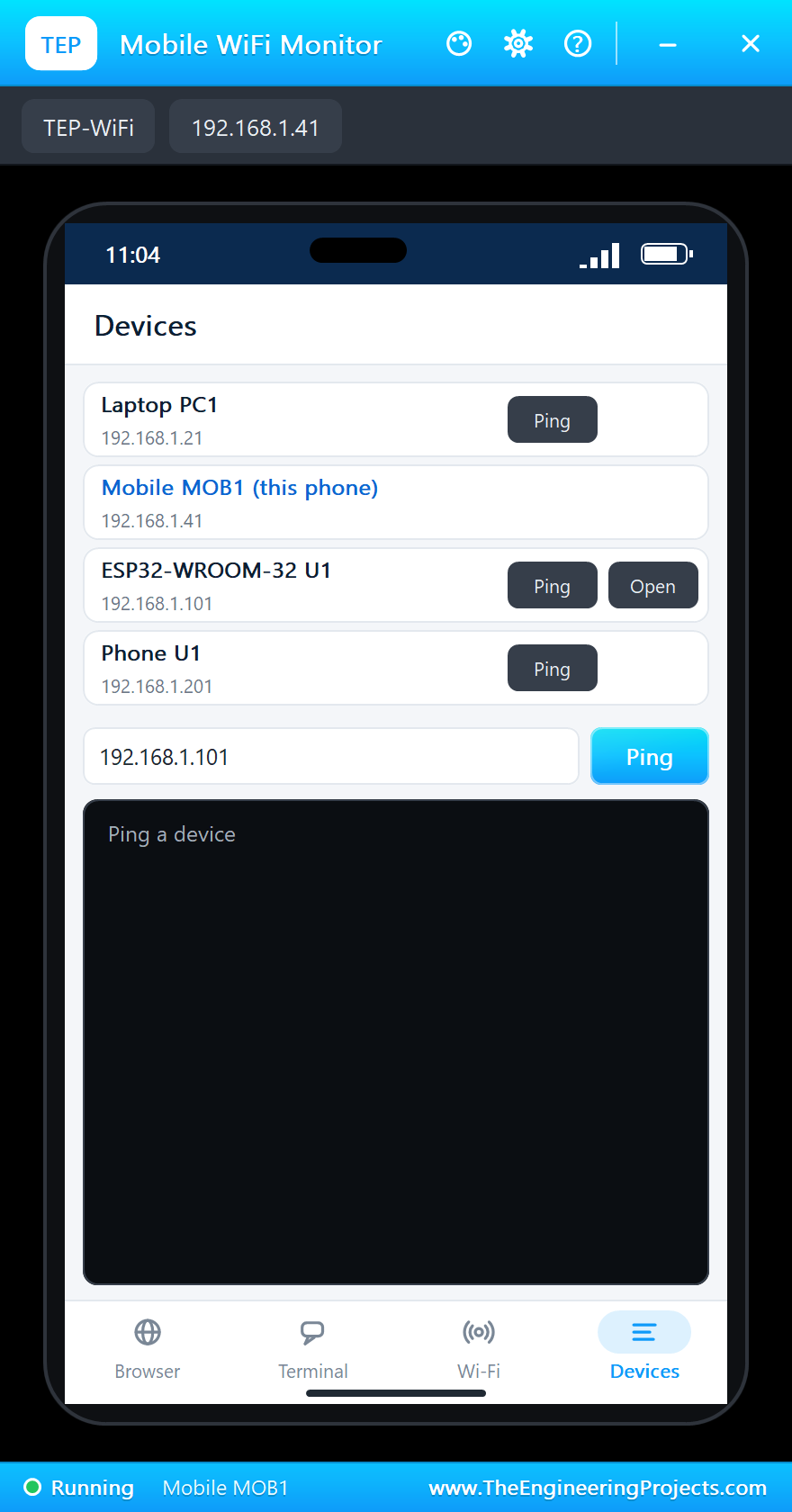
And the whole demo running:
The ESP32-WROOM-32 Panel
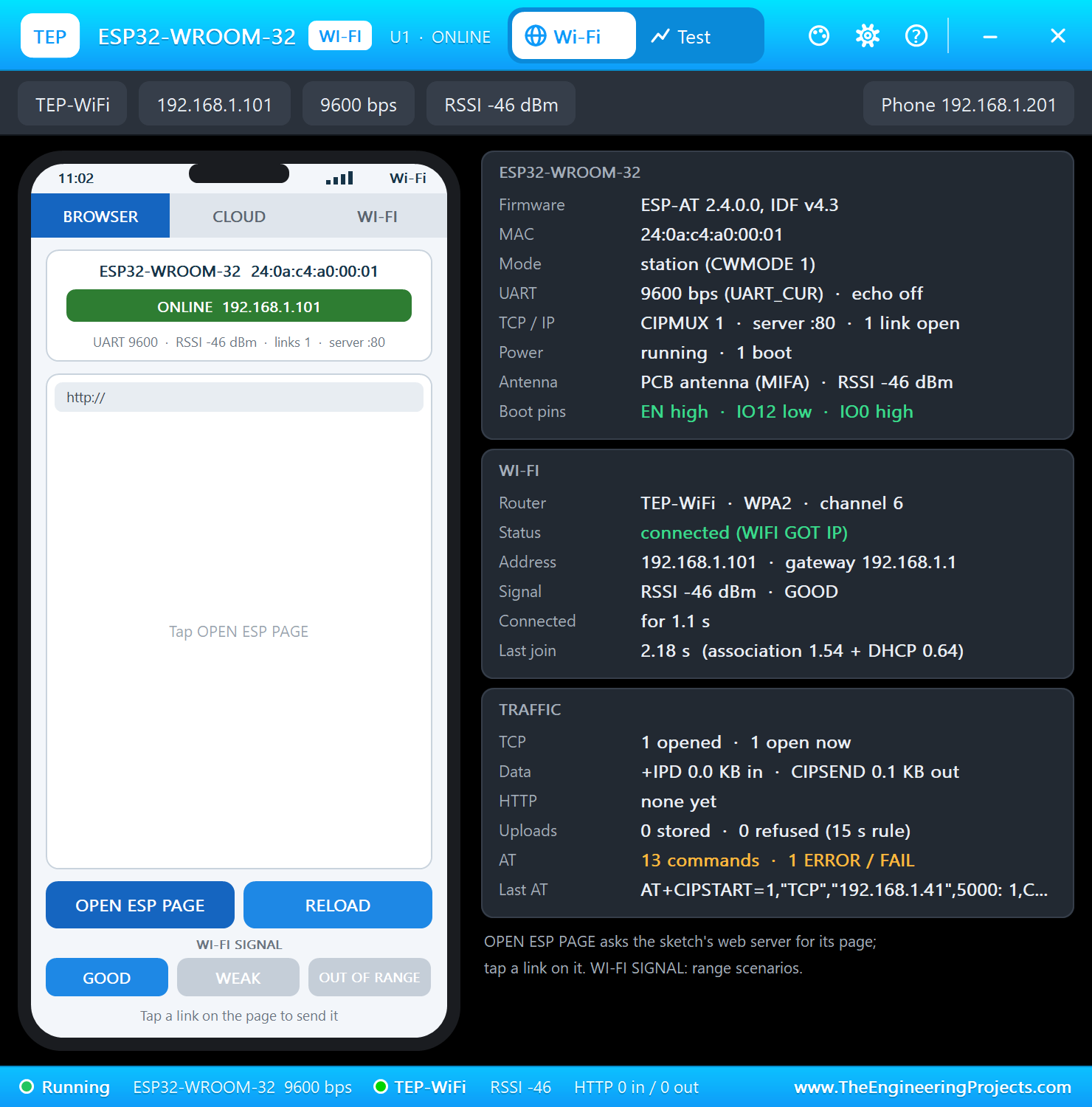
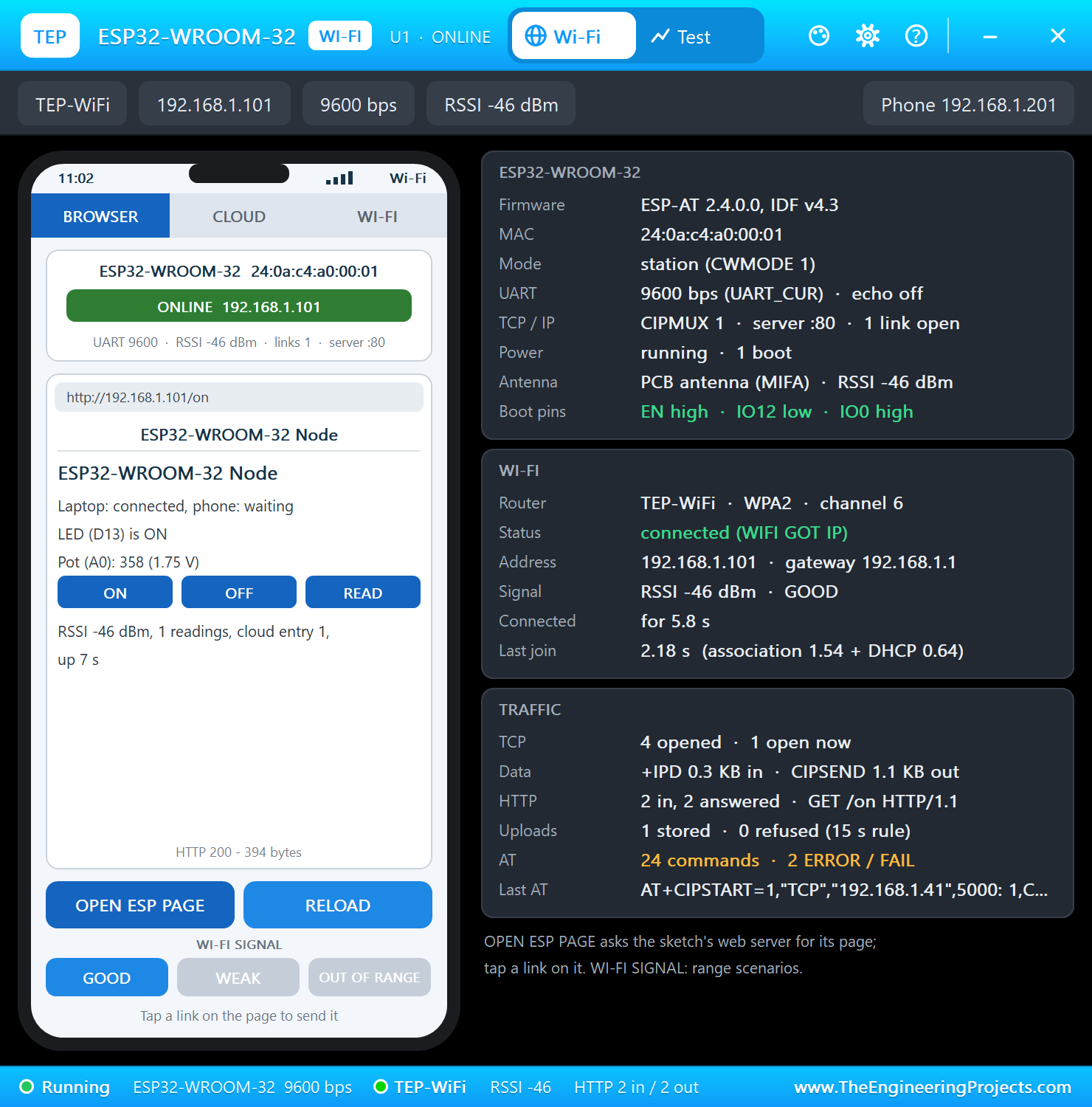
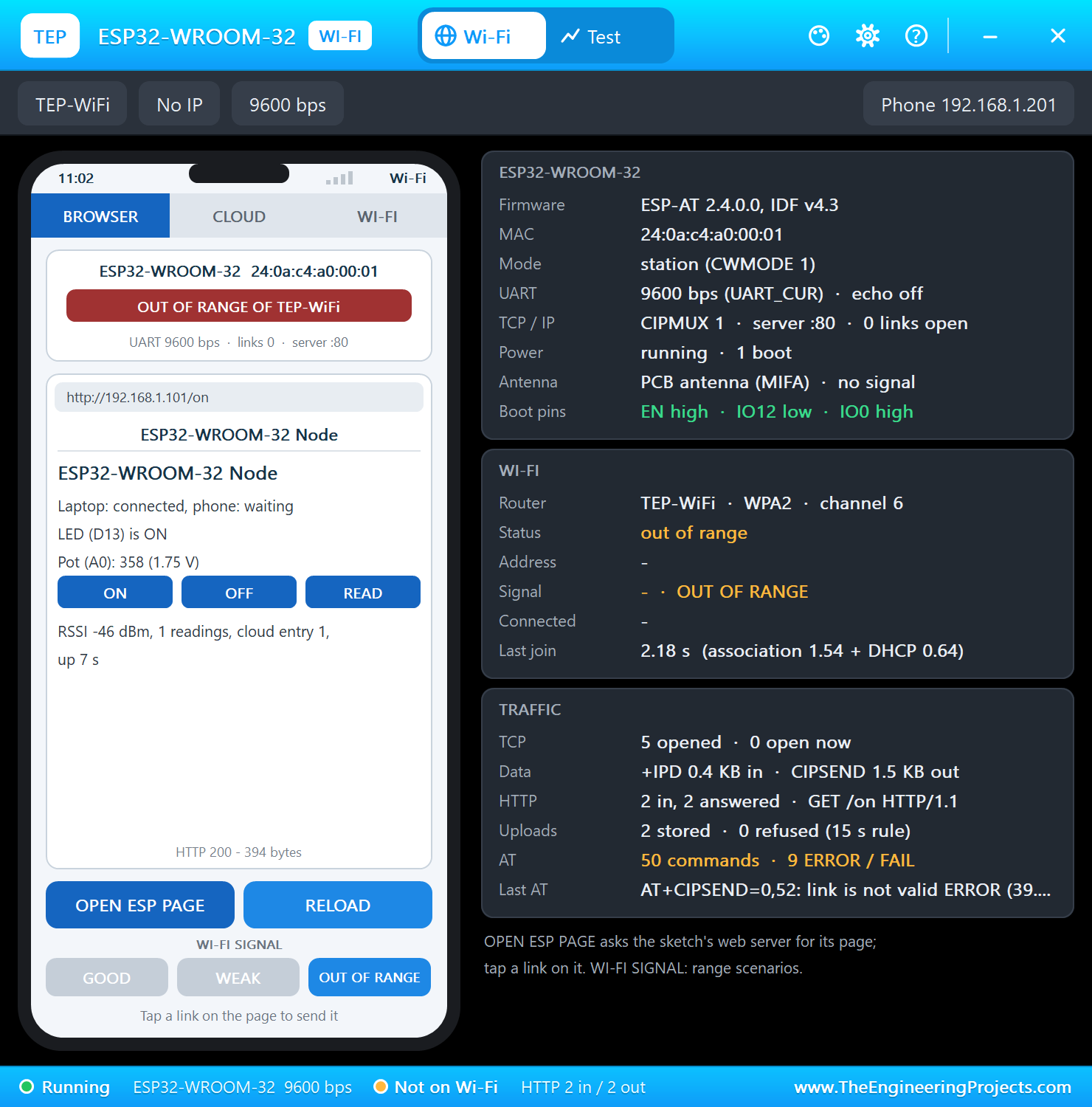
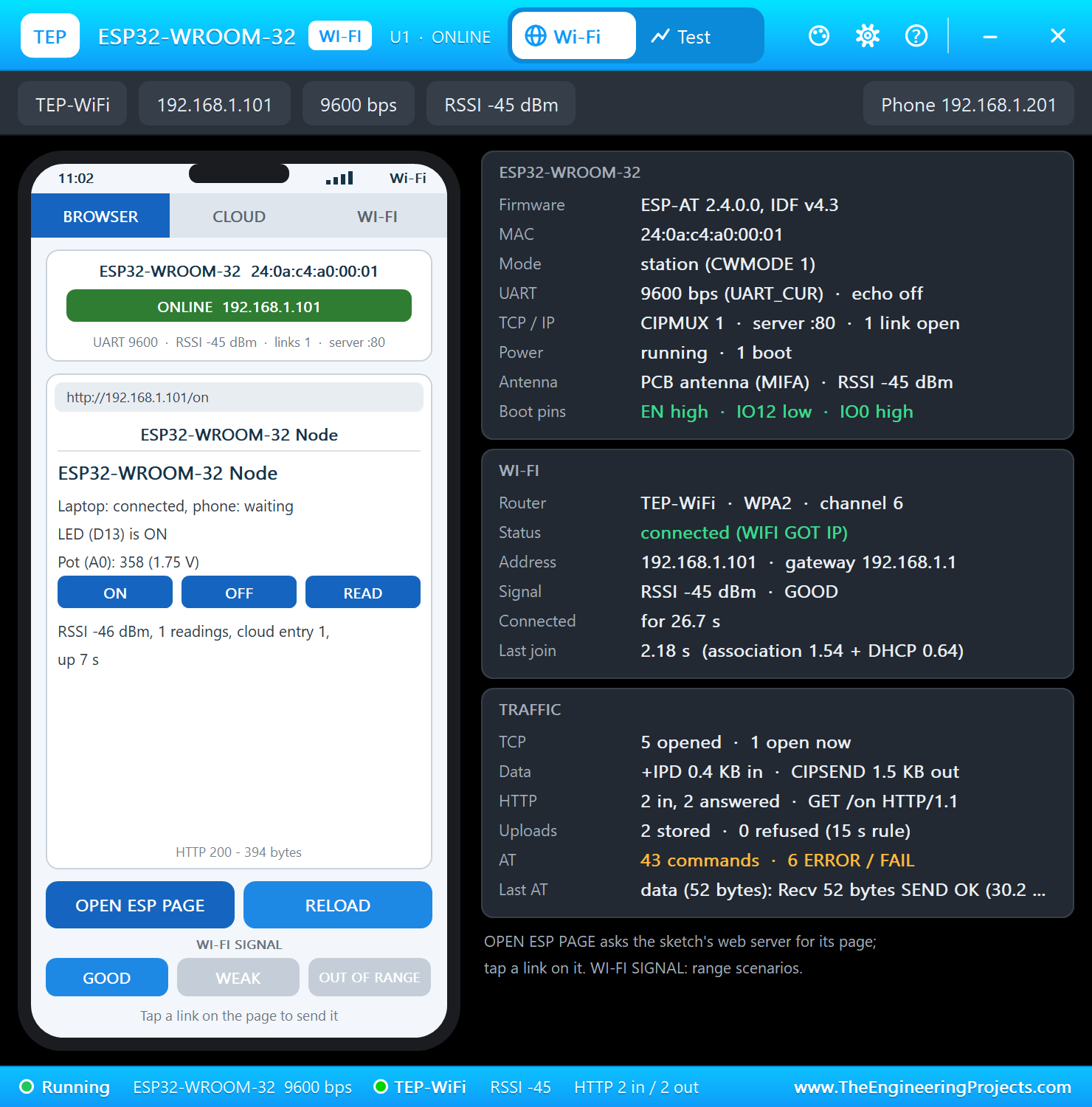
The panel opens at Run, in the look of our TEP Serial Monitor Advance for Proteus. Its Wi-Fi page has a small phone of its own and three cards: the ESP32-WROOM-32 card with the firmware, the MAC address, the mode, the UART speed, the antenna and the boot pins, the WI-FI card and the TRAFFIC card:
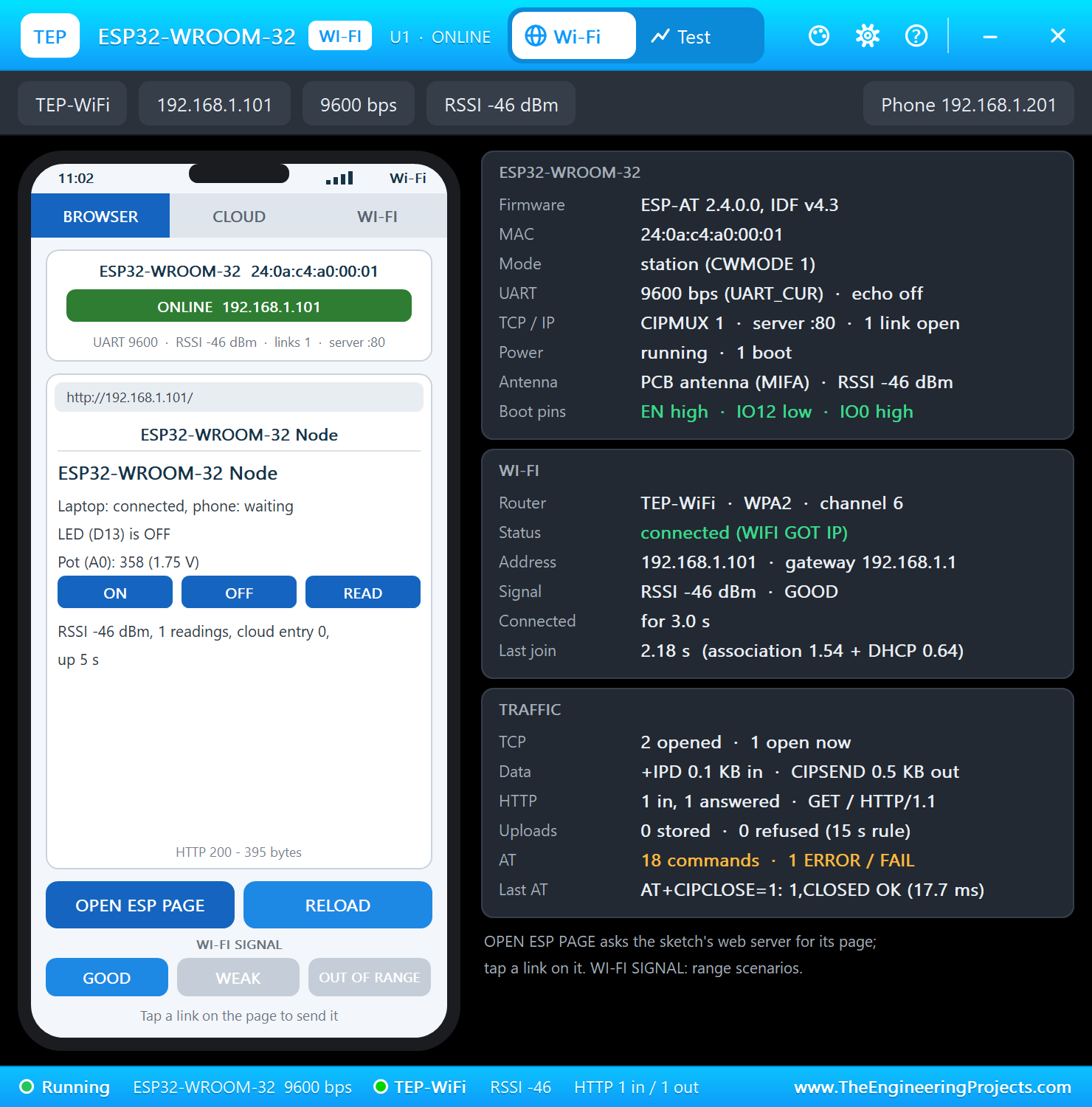
OPEN ESP PAGE asks the node for its page on port 80; its ON link switches the UNO's L LED:
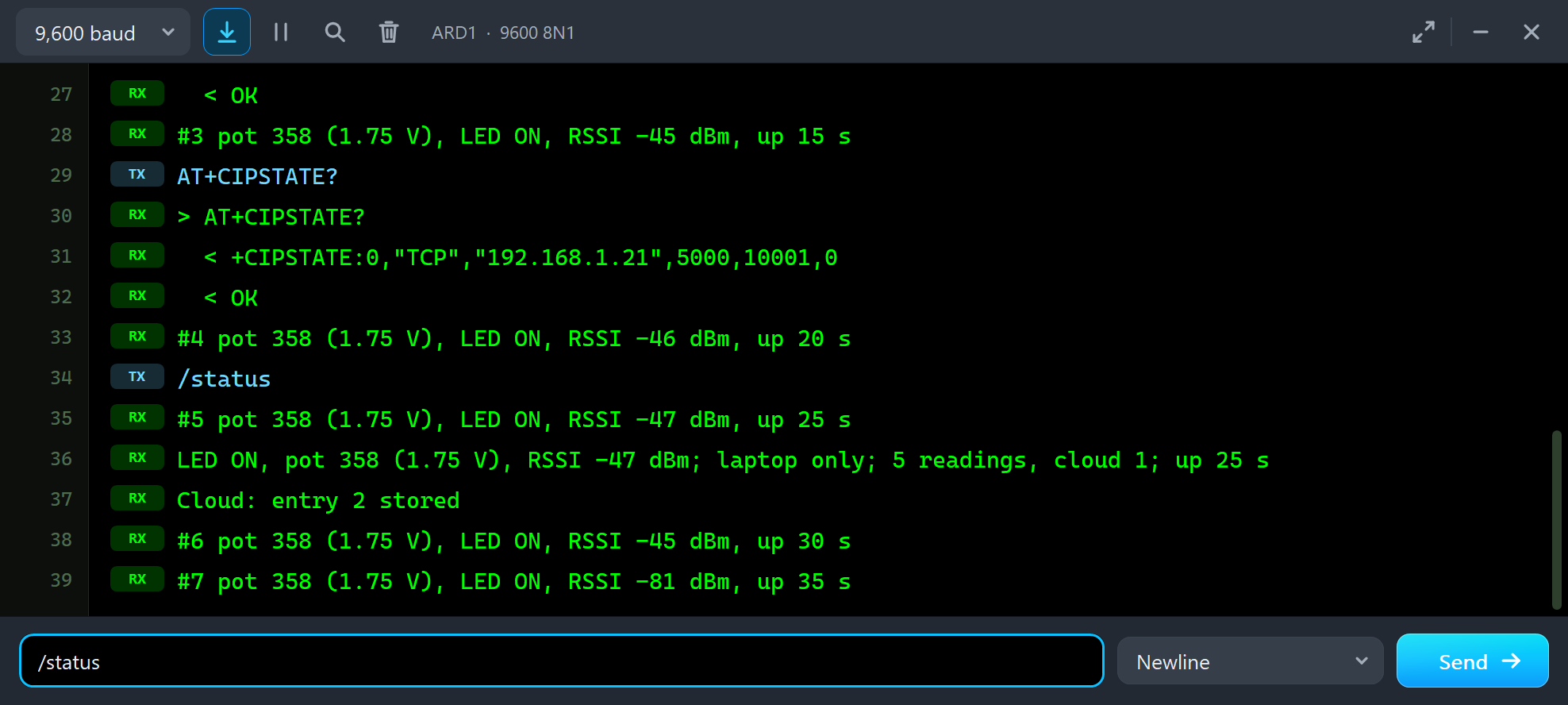
Any line that starts with AT in the UNO's monitor goes to the module as it is. Here are the longer 2.x answer of AT+CWJAP? and AT+CIPSTATE? with the open link (the phone was not listening in this run), then /status - with the node's readings in between:
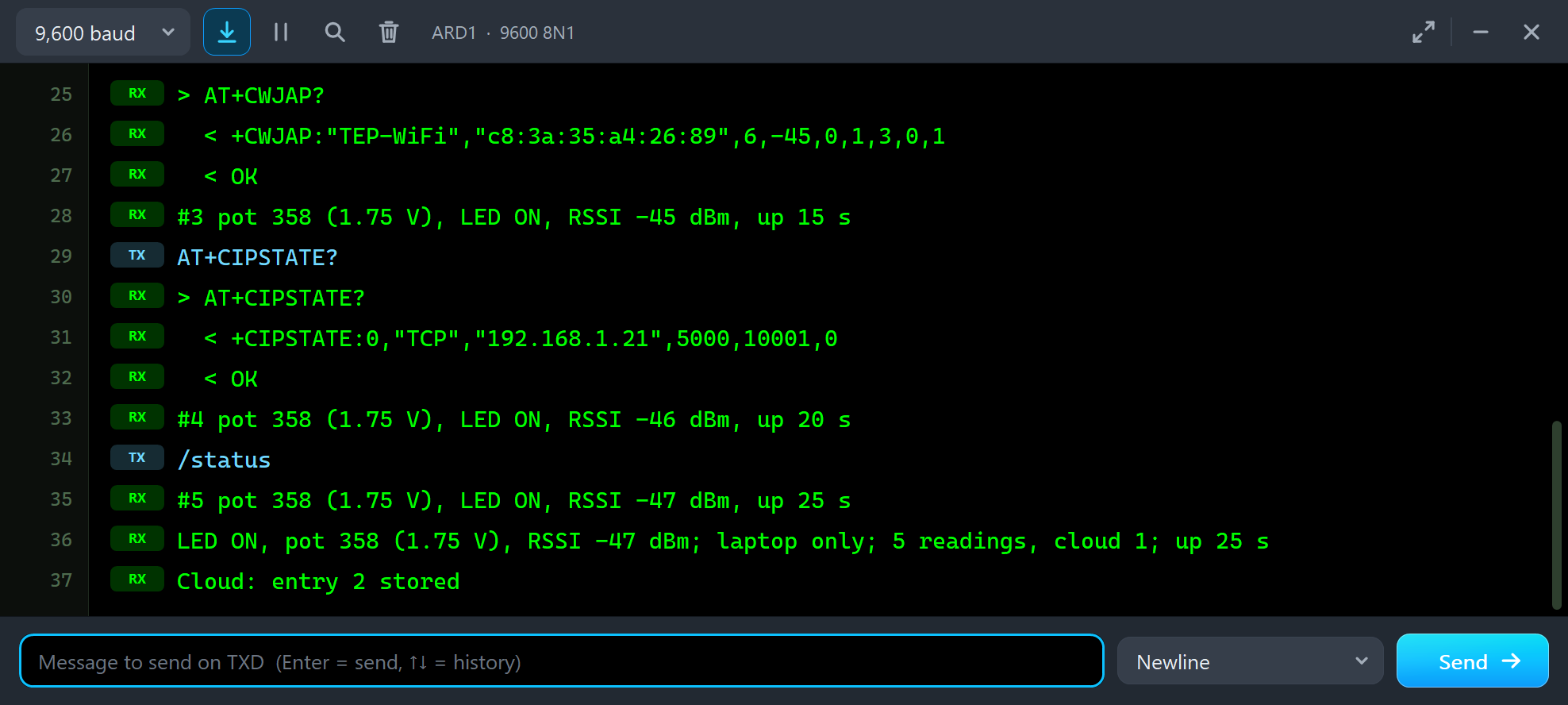
> AT+CWJAP?
  < +CWJAP:"TEP-WiFi","c8:3a:35:a4:26:89",6,-45,0,1,3,0,1
  < OK
#3 pot 358 (1.75 V), LED ON, RSSI -45 dBm, up 15 s
AT+CIPSTATE?
> AT+CIPSTATE?
  < +CIPSTATE:0,"TCP","192.168.1.21",5000,10001,0
  < OK
#4 pot 358 (1.75 V), LED ON, RSSI -46 dBm, up 20 s
/status
#5 pot 358 (1.75 V), LED ON, RSSI -47 dBm, up 25 s
LED ON, pot 358 (1.75 V), RSSI -47 dBm; laptop only; 5 readings, cloud 1; up 25 s
Cloud: entry 2 stored
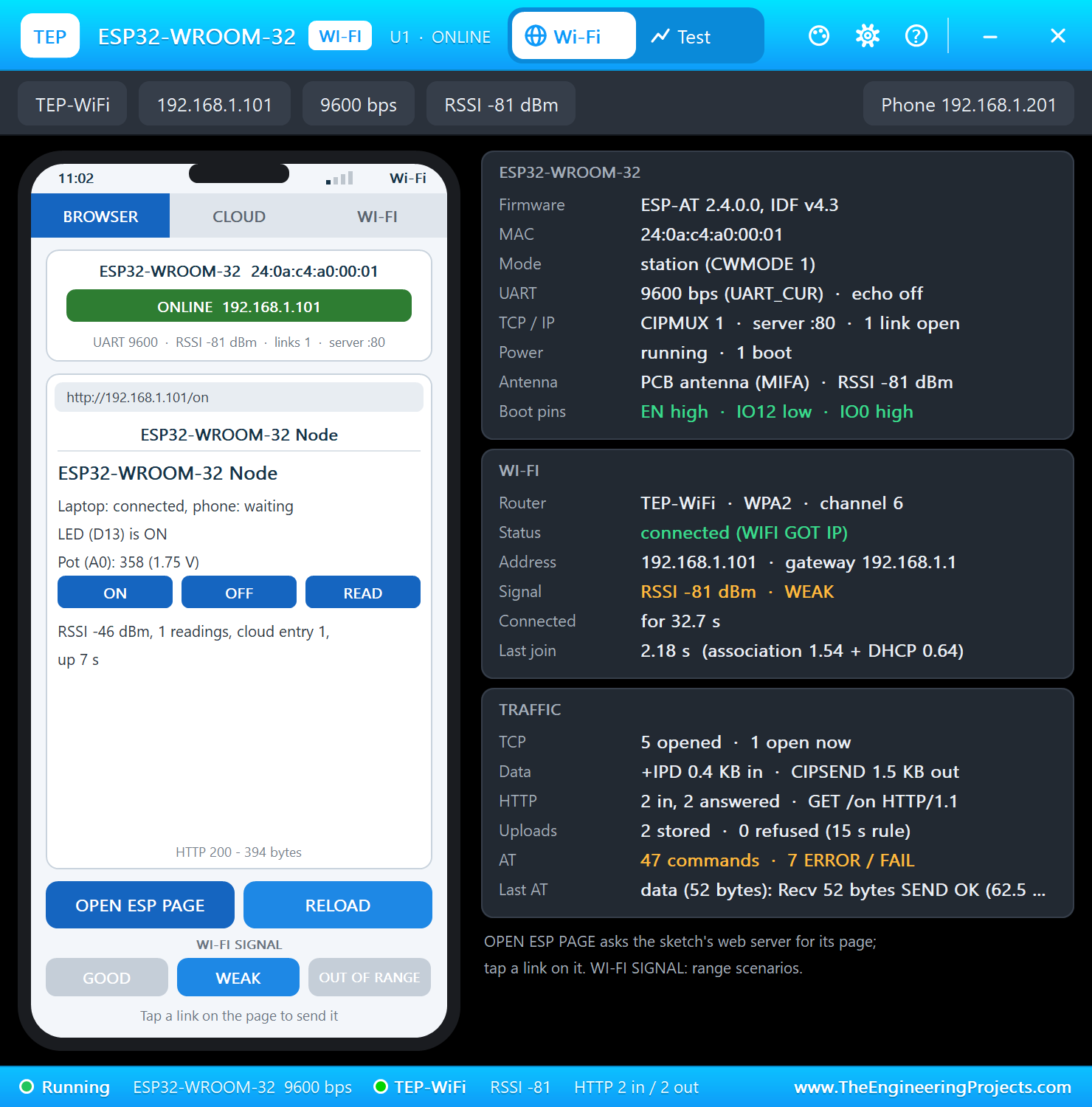
WEAK moves the router far away; the module stays connected with a weaker signal:
OUT OF RANGE takes the router away; the module loses its IP address until GOOD brings it back and the module joins again:
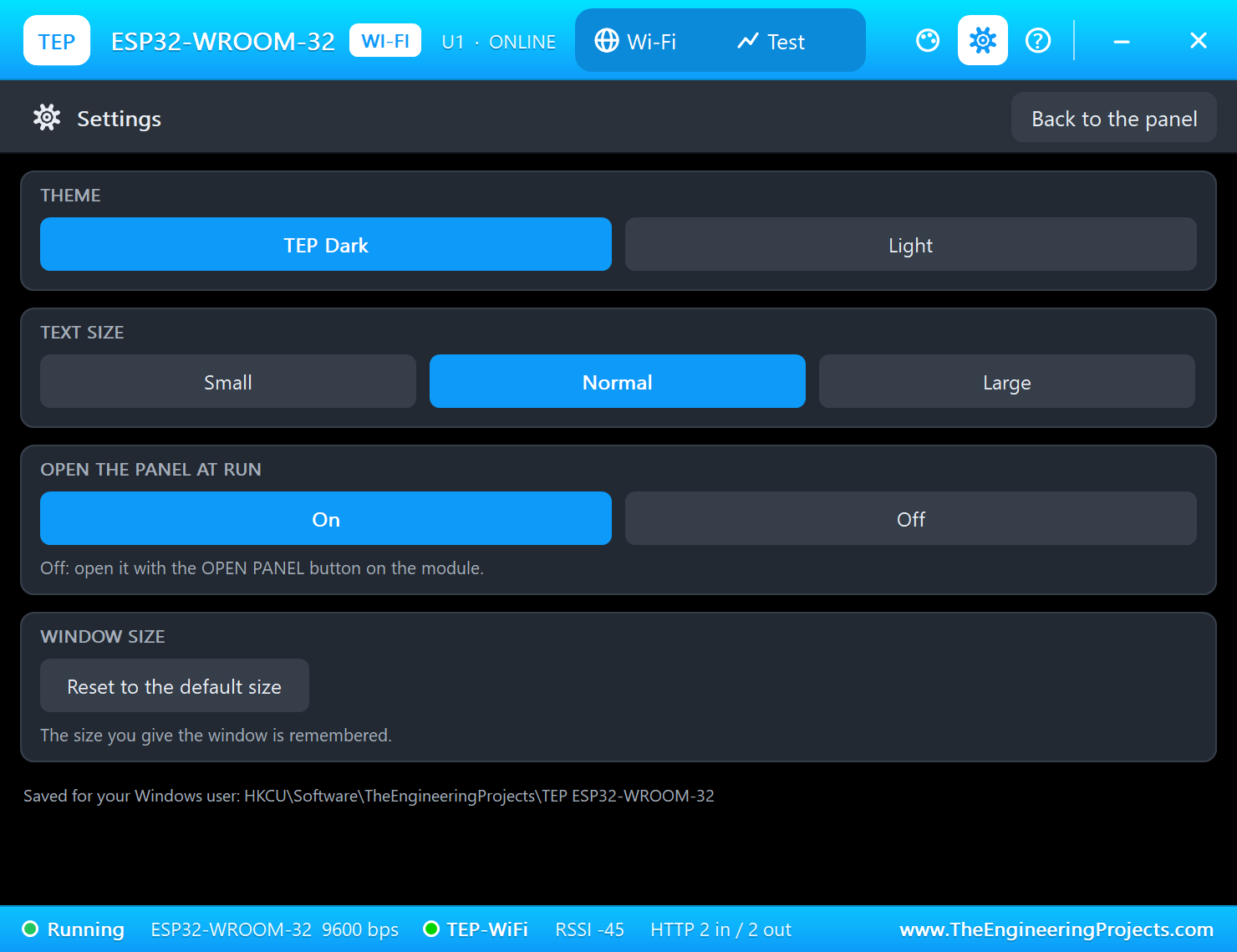
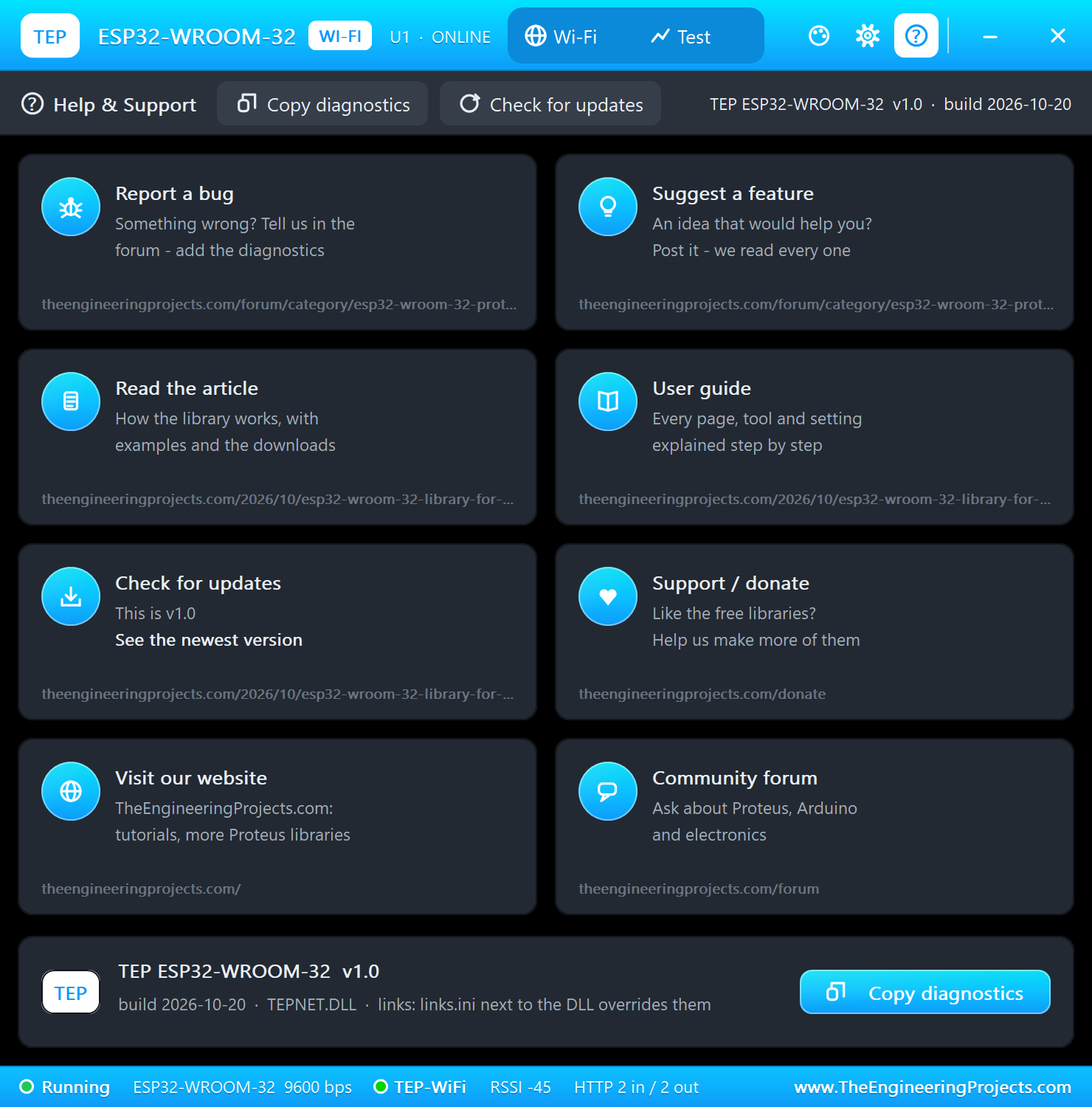
The Test page has four tools that measure the running model: the Wi-Fi join test, the web request test, the cloud upload check and the AT check. Then Settings and Help:
One more thing the sketch does: every 30 seconds it checks that the module still answers at 9600. A reset puts ESP-AT back to 115200 bps, so the sketch finds it again and repeats the set-up:
  if (millis() - lastCheck > CHECK_EVERY) {
    if (!command("AT", 1000) && !command("AT", 1000)) {
      Serial.println(F("The ESP32 restarted - setting it up again"));
      if (startEsp()) setupModule();
    }
    lastCheck = millis();
  }
Pins of the ESP32-WROOM-32
| Pins | What they are |
|---|---|
| GND (1, 15, 38) | ground - the model needs only one of them wired |
| 3V3 (2) | 3.3 V supply - not 5 V |
| EN (3) | enable and reset: high = on, low = off - pull it up with 10k |
| SVP, SVN, IO34, IO35 (4 - 7) | input-only ESP32 pins (GPIO36, 39, 34, 35) - not driven by ESP-AT |
| IO32, IO33, IO25, IO26, IO27, IO14, IO13, IO4, IO5, IO18, IO19, IO21, IO22, IO23 | ESP32 GPIOs - not driven by ESP-AT |
| IO12 (14) | a boot strap: must be low or open at reset (high = 1.8 V flash, no boot) |
| SD2, SD3, CMD, CLK, SD0, SD1 (17 - 22) | the module's own flash - leave them unconnected |
| IO15, IO2 (23, 24) | IO15 is the AT port's CTS when flow control is on; IO2 a strap for the download mode |
| IO0 (25) | a boot strap: low at reset = download mode |
| IO16 (27) | the AT port's RX, from the Arduino's TX (3.3 V logic) |
| IO17 (28) | the AT port's TX, to the Arduino's RX |
| NC (32) | not connected |
| RXD0, TXD0 (34, 35) | UART0: the boot log and the download port - not the AT port |
Properties of the ESP32-WROOM-32
| Property | What it does |
|---|---|
| WIFISSID / WIFIPASS | the router in range (TEP-WiFi / 12345678) |
| BAUD | the ESP-AT firmware's speed at start (115200) |
| PANEL | the phone's tab at start (BROWSER, CLOUD, WIFI) |
| PAGEPORT | the port OPEN ESP PAGE opens (80) |
| CLOCK | the clock for SNTP: PC or a fixed start time |
The IP address follows the part's number: U1 gets 192.168.1.101, U2 .102 and so on, so give every Wi-Fi part its own number. The laptop is always 192.168.1.21 and the phone 192.168.1.41.
Troubleshooting
- "No answer from the ESP32": IO17 must reach D8 and IO16 D9 (AltSoftSerial's fixed pins) - not TXD0 / RXD0 - and 3V3 / GND the supply; the panel says NO POWER without it and "EN low - disabled" when EN is low.
- The panel says "no boot (IO12 high: 1.8 V flash)": IO12 must be low or open at reset. "download mode (IO0 low)" means IO0 was low at reset.
- AT+CWJAP_CUR or AT+SYSGPIOWRITE answers ERROR: ESP-AT 2.x does not have them - use AT+CWJAP, and drive LEDs from the Arduino.
- "not listening on port 5000": start the server in the tool (Terminal > TCP Server or Server > Listen); the node tries every five seconds.
- "Cloud: not stored": the internet host takes one update per key every 15 seconds.
- No panel: click the PANEL pad or the shield, or turn "Open the panel at Run" back on in Settings.
Things to Know Before Using a Real ESP32-WROOM-32
- Firmware: many modules come without the AT firmware. Download ESP-AT for the ESP32-WROOM-32 from Espressif and flash it through TXD0 / RXD0 with IO0 held low.
- Power: the ESP32 draws up to about 500 mA while it sends. Use a 3.3 V regulator that can deliver that - not the UNO's 3.3V pin.
- Levels: the ESP32 is a 3.3 V part. Put a divider (for example 1k / 2k) between a 5 V Arduino's TX and IO16; IO17 can go straight to the Arduino.
- EN: a 10k pull-up and a 1 uF capacitor to ground give the chip a clean start.
- The 1.27 mm pitch: the pins do not fit a breadboard - use an adapter board or a development board.
- The antenna: keep metal, ground copper and other parts away from the antenna end of the module.
Limitations of the Simulation
- The ESP32 runs our model of the ESP-AT 2.4 firmware, not your own ESP32 firmware; IO0 low gives the download mode, but nothing can be flashed. To run your own ESP32 sketch in Proteus, use our ESP32 boards instead.
- Not modelled: the boot log on TXD0, the ESP32's GPIOs, ADC, DAC and touch pins, Bluetooth and the BLE AT commands, the soft access point (CWMODE 2 / 3 are accepted, but nothing can join it), SSL / HTTPS, MQTT, AT+HTTPCLIENT to LAN servers, hardware flow control, the supply's voltage and current, the radio itself - the join and network times are realistic values, not a radio simulation.
- In Proteus an open EN or a 10k pull-up to a 3.3 V terminal both count as on - only a low switches the module off.
- The PWR and TX LEDs, the antenna colours, the PANEL pad, the panel, its phone, the router, the two neighbour networks, the internet host and the two monitors are TEP additions.
- ESP32, ESP-AT and ESP32-WROOM-32 are names of Espressif Systems; this library is not made or endorsed by Espressif, Arduino or Labcenter.
- Tested in Proteus 8.5 in October 2026 (the demo as shipped, the UNO, the ESP32-WROOM-32, the laptop and the phone together at about 0.3 x real time on our PC). Proteus 7 is not supported.
So, that was all about the ESP32-WROOM-32 Library for Proteus. I hope it helps you try the ESP32's AT firmware in Proteus before you wire the real module - and build nodes that report to your PC or phone on their own. Our series started with the ESP32 DevKit V1 Library for Proteus V2.0, where the ESP32 runs your sketch; this module is the other way to use an ESP32 with an Arduino. The Laptop and Mobile WiFi Monitors talk to every one of our Wi-Fi boards and modules. If you use the ESP32-WROOM-32 Library for Proteus in a project, please share it in the comments or in our forum, and if you have any questions, ask in the comments and I will help you out. Till the next tutorial, take care and have fun!