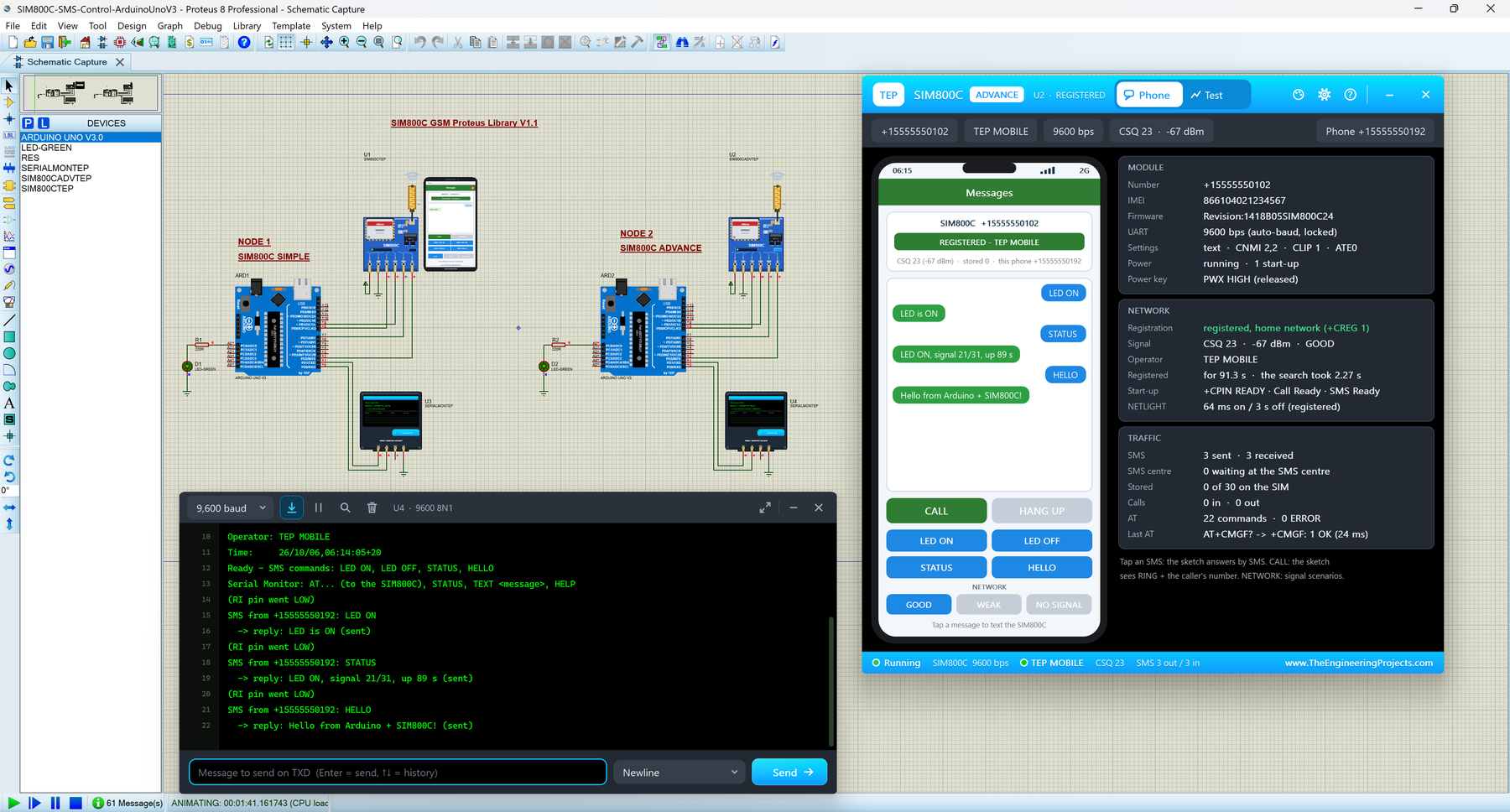
Hello friends, I hope you all are doing great. Today, I am going to share the new SIM800C GSM Library for Proteus V1.1 . The SIM800C is SIMCom's quad-band GSM module, and many makers buy it on the small blue HW-537 board with a flexible antenna. This board has one habit that confuses many beginners: it stays switched off until its PWX power key is held LOW for more than a second. With this SIM800C Library for Proteus , you can learn that habit, send SMS, make calls and debug your GSM sketch on your PC, before you buy a SIM card or a 2 A power supply. Version 1.1 gives you two devices : SIM800C Simple , with a virtual smartphone next to the module, and SIM800C Advance , with a pop-up window that holds the phone plus four measured GSM test tools . The Arduino SIM800C Proteus demo has two Ard ...
Hello friends, I hope you all are doing great. Today, I am going to share the new SIM900A GSM Library for Proteus V1.1 . The SIM900A on its blue "SIM900A MINI" board is one of the cheapest ways to give an Arduino its own phone number: it sends and receives SMS and tells your sketch who is calling. It is also famous for a nasty surprise: in many countries, a brand-new SIM900A never connects to the network. With this SIM900A Library for Proteus , you can build your GSM project on your PC, see every line the module answers and even reproduce that region lock before you buy any hardware. You get two devices in one library: SIM900A Simple , with a virtual smartphone next to the module on the schematic, and SIM900A Advance , with a pop-up window that holds the phone and four measured GSM test to ...
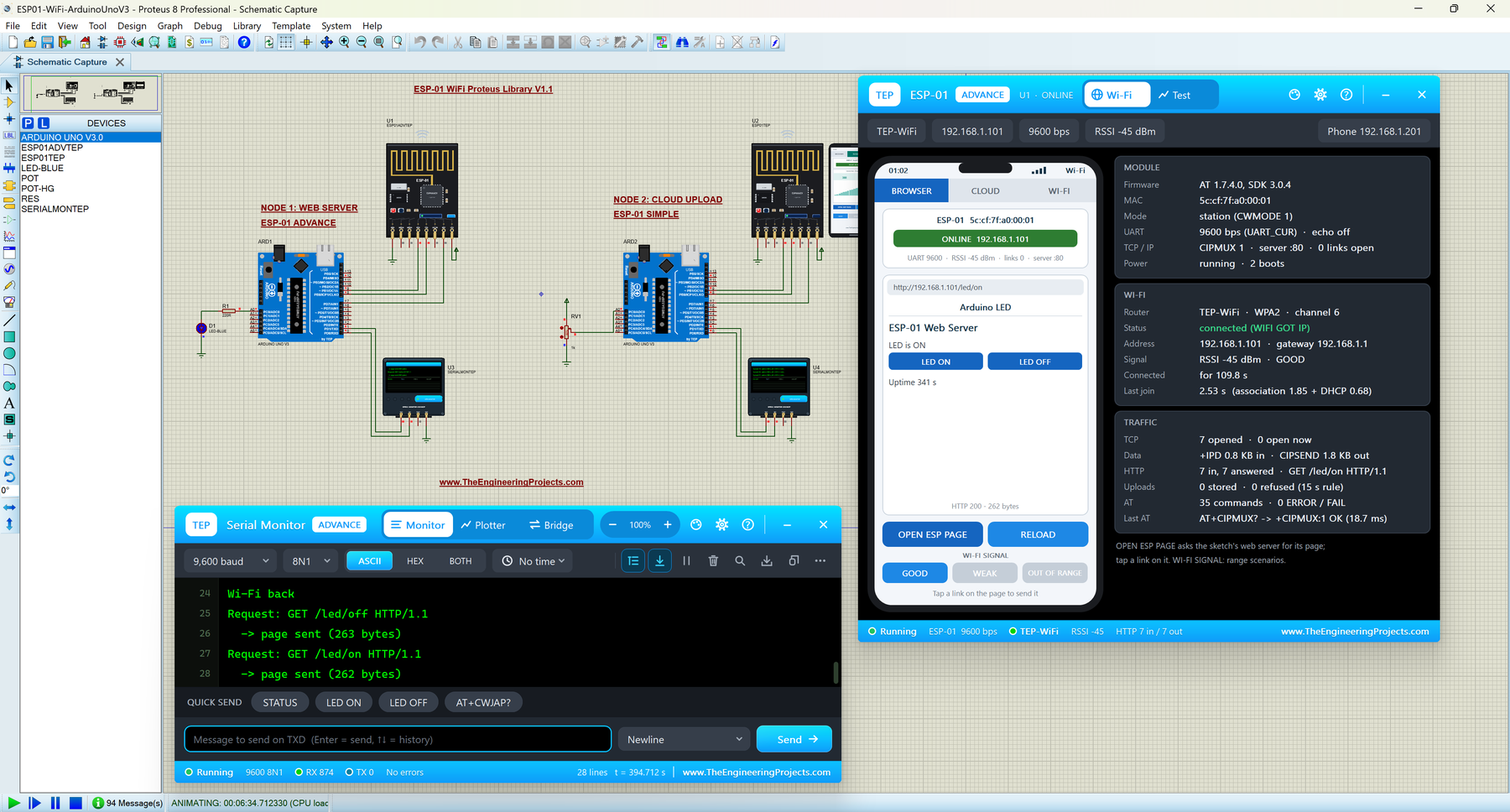
Hello friends, I hope you all are doing great. Today, I am going to share the new ESP-01 Wi-Fi Library for Proteus V1.1 . The ESP-01 is the tiny black ESP8266 board that gives an Arduino Wi-Fi: with a handful of AT commands, your sketch can join a router, serve a web page to a phone, or upload sensor readings to the cloud. With this ESP-01 Library for Proteus , you can build and debug those IoT projects on your PC, without a 3.3 V supply, a router or an internet account. In this new version, you get two devices in one library: ESP-01 Simple , which draws a virtual smartphone on the schematic, and ESP-01 Advance , which opens a pop-up window with the phone and four real Wi-Fi test tools (Wi-Fi join, web request, cloud upload and AT check). I am also sharing a complete Arduino ESP8266 Proteu ...
Hello friends, I hope you all are doing great. Today, I am going to share the new NEO-M8N GNSS Library for Proteus V1.1 . The u-blox NEO-M8N is the GPS module of choice for drones, robots and trackers, because it listens to GPS and GLONASS at the same time . More satellites mean a faster, steadier and more accurate position, especially between buildings. With this NEO-M8N Library for Proteus , you can test your GNSS sketches on your PC and actually measure how much the second satellite system helps. In this version, you get two devices : NEO-M8N Simple , with a GNSS screen drawn on the schematic, and NEO-M8N Advance , with a pop-up window that holds the screen and five measured GNSS test tools . The star of this article is the Constellations test, which runs GPS only, GLONASS only and GPS ...
Hello friends, I hope you all are doing great. Today, I am going to share the new NEO-7M GPS Library for Proteus V1.1 . The u-blox NEO-7M is the next step after the famous NEO-6M: it is the same size and talks to your Arduino the same way, but it can also use the Russian GLONASS satellites instead of GPS. With this NEO-7M Library for Proteus , you can test your GPS sketches on your PC, switch between GPS and GLONASS with one click, and see for yourself which system works better where your project will live. In this version, you get two devices : NEO-7M Simple , with a GPS screen drawn on the schematic, and NEO-7M Advance , with a pop-up window that holds the GPS screen and five measured GNSS test tools : time to first fix, accuracy, NMEA check, route and a new Constellations test that puts ...
Hello friends, I hope you all are doing great. Today, I am going to share the new SIM800L GSM Library for Proteus V1.1 . The SIM800L is the small GSM module that lets an Arduino send and receive SMS and make phone calls, so it is used in almost every "control it from my phone" project: home automation, alarms, trackers and remote switches. With this SIM800L Library for Proteus , you can build and test those projects on your PC, without a SIM card, a 2 A power supply or a 2G network. In this new version, you get two devices in one library: SIM800L Simple , which draws a virtual smartphone on the schematic, and SIM800L Advance , which opens a pop-up window with the phone and four real GSM test tools (network registration, SMS round trip, call test and AT check). I am also sharing a complete ...
Hello friends, I hope you all are doing great. Today, I am going to share a list of Must-Have Proteus Libraries for Arduino Simulation . Whatever your project is, a GSM alarm, a weather station or a line follower, its Proteus simulation always needs the same basic things: an Arduino board, a way to see what the code is printing, a display, maybe a real-time clock, a driver for motors and something to power the circuit. These are the libraries you will install once and use in almost every project. Proteus does have some of these parts in its own library, but often in a very basic form. Our versions look like the real boards and modules, which makes your circuit diagrams and project reports much clearer, and our new TEP Serial Monitor replaces the small Proteus Virtual Terminal with a modern ...
Hello friends, I hope you are doing well. This is the twentieth and final tutorial in our series on how to create a Proteus library. In the previous tutorial, How to Test a Custom Proteus Library with Arduino , our parts passed their first real test: an Arduino UNO ran a traffic light sketch on them, the push button requested a pedestrian phase, and the control panel caught a configuration mistake at a glance. The library works on our PC. Today, we make it work on everybody else's. Our topic is how to package and share your own Proteus library . A Proteus library is not one file. Our three parts live in a device library, their footprint in a package library, two of them need model files, one needs a DLL, and the example project needs a HEX file and an Arduino board that Proteus does not ha ...
Hello friends, I hope you are doing well. This is the nineteenth tutorial in our series on how to create a Proteus library. In the previous tutorial, How to Add a Live Control Panel to a Proteus Component , our Traffic Light Module learned to show its pins and lamps on a panel and to change its LOGIC setting with a click while the simulation runs. So far, we tested every part with logic switches. Today, we test the library the way its users will use it. Our topic is how to test a custom Proteus library with Arduino . A library is only finished when it works with a real program. Logic switches show that a part reacts to its pins; a sketch on a simulated microcontroller shows that it reacts to them at the right speed, in the right order and together with other parts. We will build a test pro ...
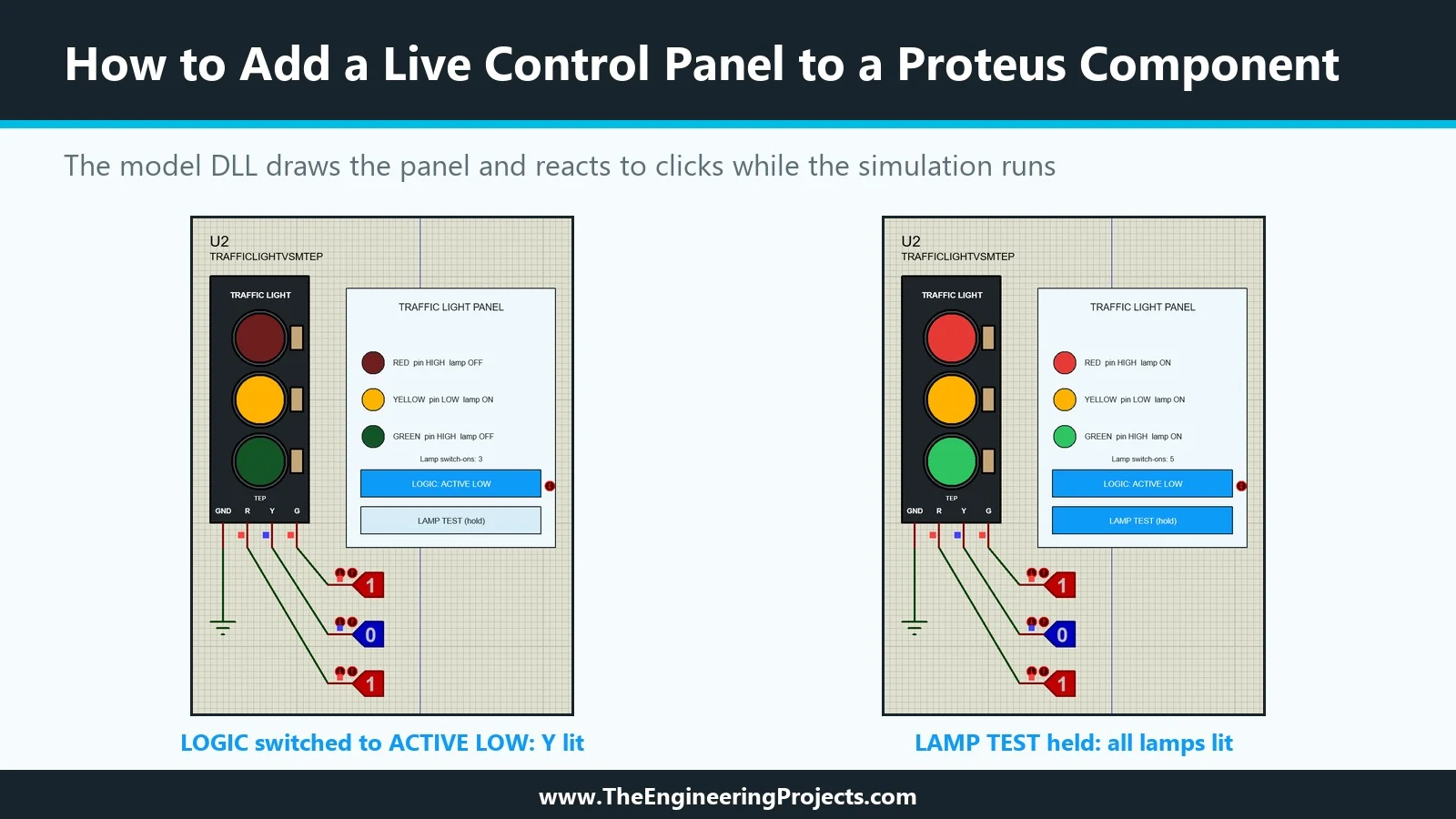
Hello friends, I hope you are doing well. This is the eighteenth tutorial in our series on how to create a Proteus library. In the previous tutorial, How to Create a Proteus Simulation Model DLL in C++ , we wrote TEPTRAFFIC.DLL, a model for our Traffic Light Module that honours its LOGIC property, and linked it to a new part, TRAFFICLIGHTVSMTEP. The model already draws the lamps. Today, it draws much more. Our topic is how to add a live control panel to a Proteus component . A live control panel is a small instrument that belongs to the part itself: it sits next to the module on the schematic, shows what the model sees while the simulation runs, and has buttons that change the model's behaviour without stopping the run. Our panel shows the level of each input pin and the state of each lamp ...