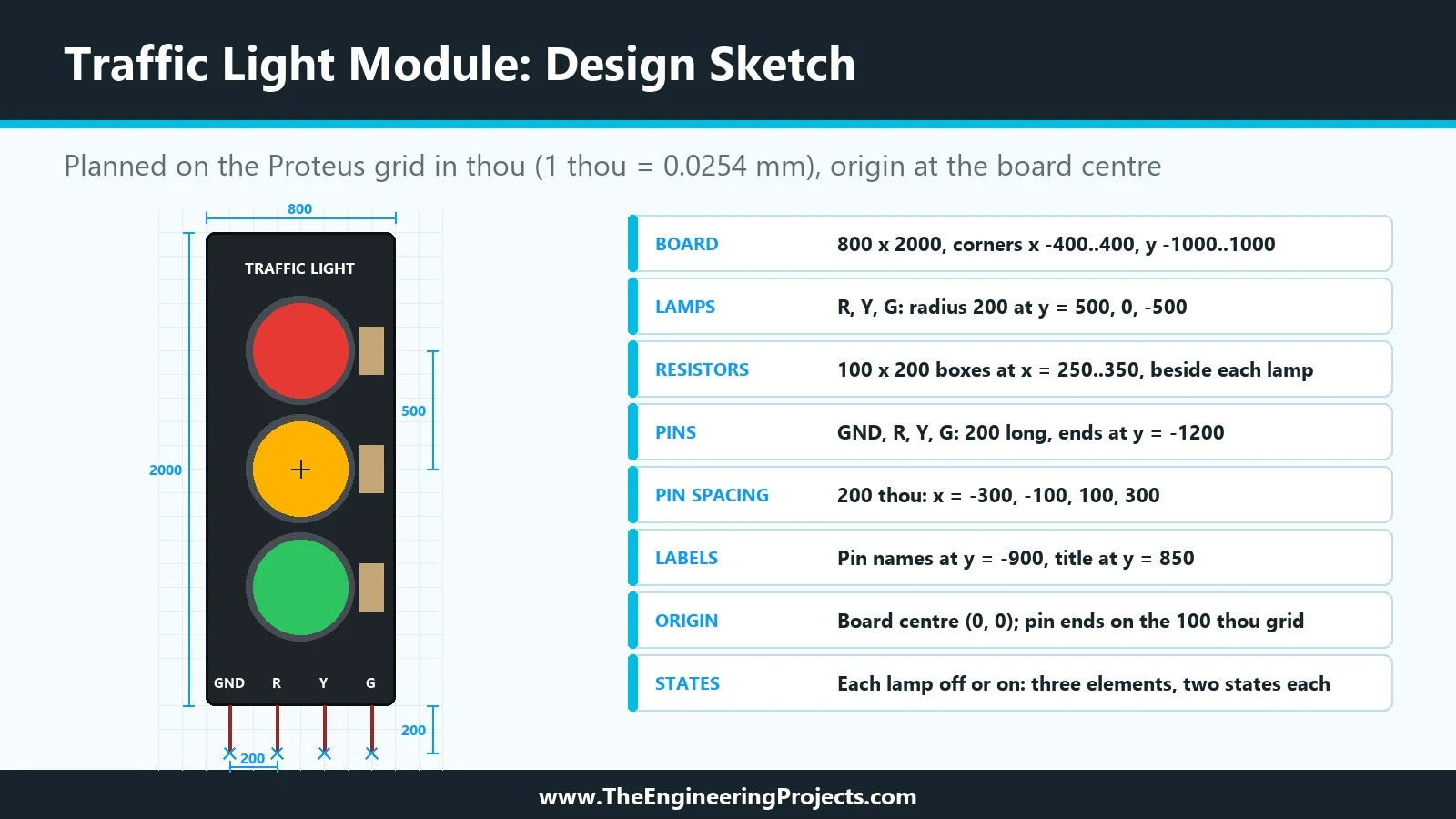
Hello friends, I hope you are doing well. This is the third tutorial in our series on how to create a Proteus library. In the previous tutorial, How to Design a New Component in Proteus , we planned our Traffic Light Module on paper: an 800 by 2000 thou black board, three lamps in rings, three resistors, a title, four pin names and four pins, every shape with its exact coordinates. Today, we open Proteus and turn that plan into a real drawing. Our topic is how to draw a component symbol in Proteus with 2D graphics . We will look at the 2D graphics tools of the schematic editor, see how to place a box, a circle and text, how to type exact sizes and positions into the Edit Properties dialogue, how to copy shapes precisely with Block Copy and how Proteus stacks overlapping shapes. Step by ste ...
Hello friends, I hope you are doing well. This is the second tutorial in our series on how to create a Proteus library. In the previous tutorial, How to Create a Proteus Library: How It Works Behind the Scenes , we looked at what a library part is made of: the symbol, the pins, the properties, the package, the index and the simulation model, and at what Proteus does with them when you press Run. Today, we start building our own part, and we start the way every good component starts: on paper, before the first line is drawn. Our topic is how to design a new component in Proteus . Our running example is a Traffic Light Module , a small board with a red, a yellow and a green lamp that an Arduino switches through three pins. In this tutorial, we will decide what the component must do, choose b ...
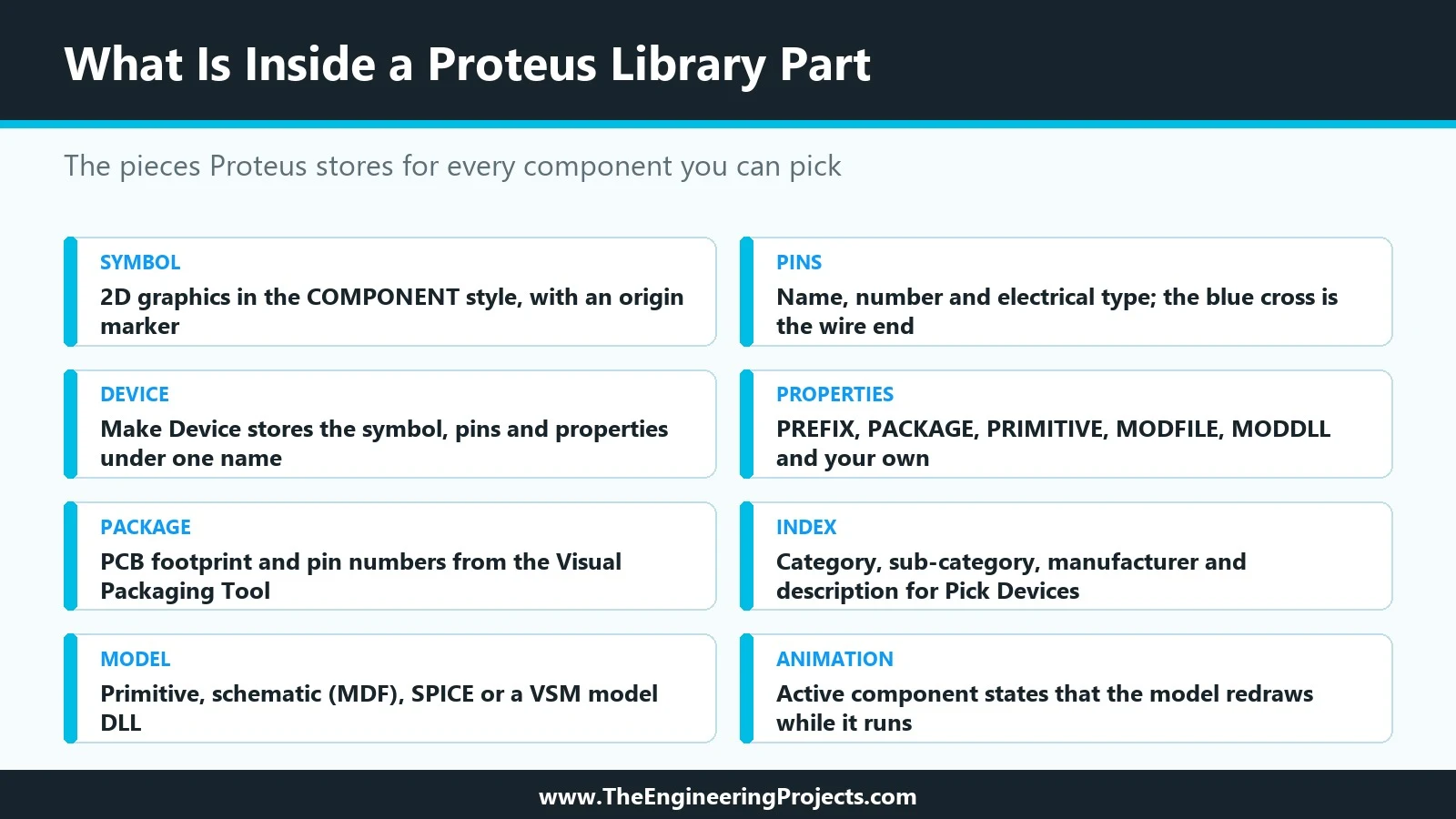
Hello friends, I hope you are doing well. Today, we are starting a new tutorial series on how to create a Proteus library . Proteus comes with thousands of parts, yet sooner or later every student and engineer needs one that is not there: a new sensor, a wireless module or a board of their own. Over this series, we will design such a part from the very first line of its drawing to a finished library that other people can install. Our running example will be a simple animated component, a Traffic Light Module whose three lamps light up when an Arduino drives its R, Y and G pins. In this first tutorial, we will not draw anything yet. Instead, we will look at the complete mechanism behind a Proteus library, because every later step makes sense only once you know what Proteus stores and why. W ...
Hello friends, I hope you all are doing great. Today, I am going to share the new SIM808 Library for Proteus V1.1 . The SIM808 is SIMCom's popular module that puts a GSM / GPRS modem and a GPS receiver on one board, so a single Arduino serial port gives you SMS, calls and your position. That is why it is the favourite of GPS trackers, vehicle trackers and anti-theft projects. With this GSM GPS Library for Proteus , you can build and debug your tracker on your PC, before you buy a SIM card and a 2 A power supply, and before you walk outside for a satellite fix. Version 1.1 replaces the first version of this post. You now get two devices : SIM808 Simple , with the virtual phone and its GPS strip next to the module, and SIM808 Advance , with a pop-up window that holds the phone plus five meas ...
Hello friends, I hope you all are doing great. Today, I am going to share the new nRF24L01+PA+LNA Library for Proteus V1.1 . The nRF24L01+PA+LNA is the long-range version of the popular nRF24L01: the same Nordic 2.4 GHz chip, plus a power amplifier , a low-noise amplifier and a rubber-duck antenna on an SMA connector . With this nRF24L01 PA LNA Library for Proteus , two Arduino boards exchange packets with the unmodified RF24 library, and one click moves the radios from 1 m to 2 km apart, so you can see where the link works, where it breaks and why. Version 1.1 replaces the first version of this post. You now get two devices : nRF24L01+PA+LNA Simple , with its control panel on the schematic, and nRF24L01+PA+LNA Advance , with a pop-up window and four measured RF test tools . The board is r ...
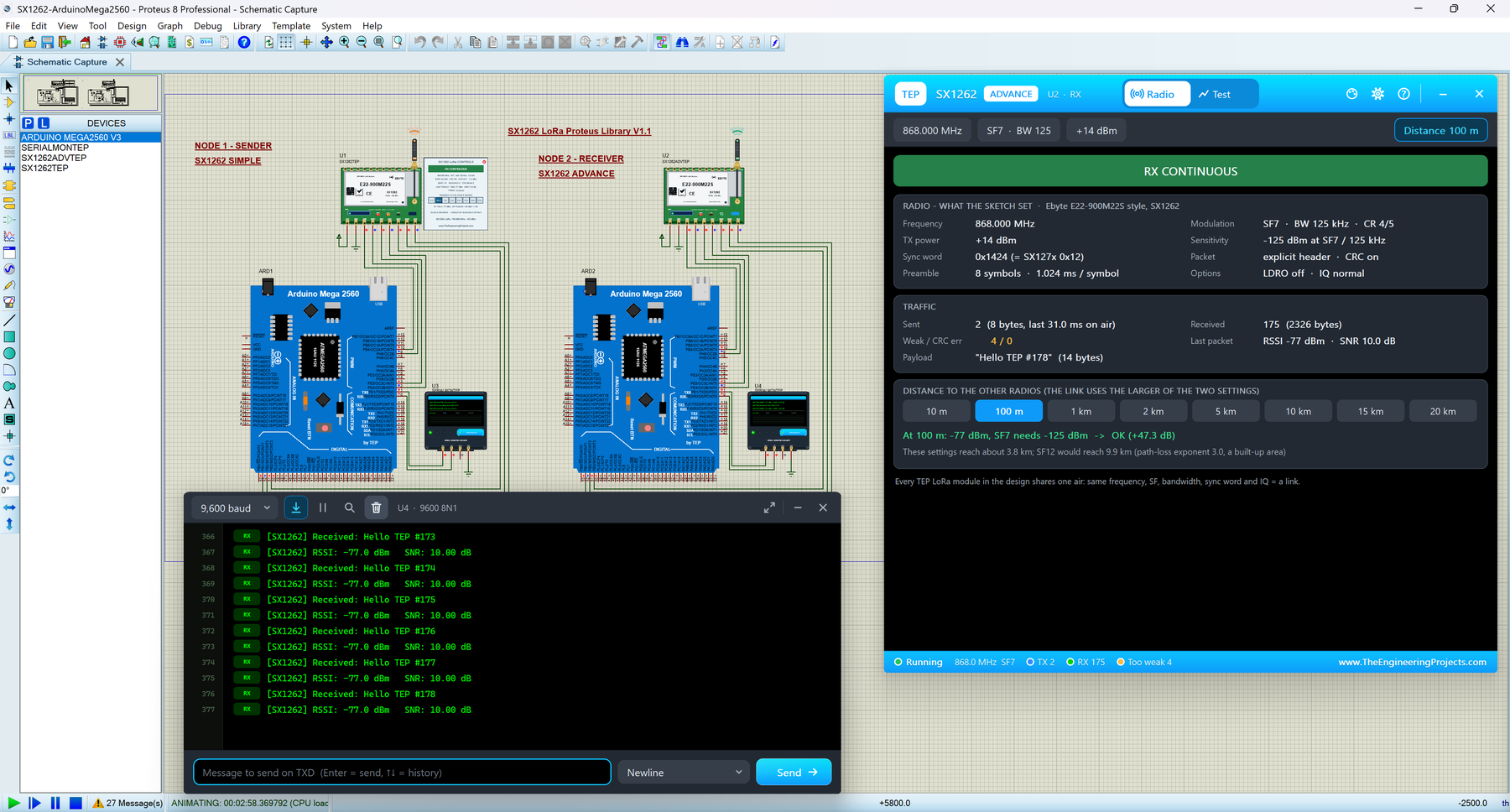
Hello friends, I hope you all are doing great. Today, I am going to share the new SX1262 LoRa Library for Proteus V1.1 . The SX1262 is Semtech's newer LoRa chip, and the green Ebyte E22-900M22S module with its rubber-duck antenna is a favourite for long-range sensors at 868 and 915 MHz. With this SX1262 LoRa Library for Proteus , two modules in one design talk over a simulated LoRa air, and your Arduino drives them over SPI with the same RadioLib library you use on real hardware. Version 1.1 replaces the first version of this post. You now get two devices : SX1262 Simple , with its control panel on the schematic, and SX1262 Advance , with a pop-up window and four measured LoRa test tools . The new SX1262 Arduino Proteus demo has two Arduino Mega 2560 boards that send packets, PING each oth ...
Hello friends, I hope you all are doing great. Today, I am going to share the new PN532 NFC Library for Proteus V1.1 . The PN532 is NXP's NFC controller for 13.56 MHz cards and tags, best known on the red Elechouse PN532 NFC RFID module V3 . With this PN532 NFC Library for Proteus , you place cards on the reader with a click, and your Arduino reads them over SPI or I2C with the same Adafruit PN532 library you use on real hardware. Version 1.1 replaces the first version of this post. You now get two devices : PN532 Simple , with a card panel on the schematic, and PN532 Advance , with a pop-up card wallet and four measured NFC test tools . The new PN532 Arduino Proteus demo is an access-control system on two Arduino UNOs, one reader on SPI and one on I2C, shown in the compact Simple interfac ...
Hello friends, I hope you all are doing great. Today, I am going to share the new SX1278 LoRa Library for Proteus V1.1 . The SX1278 is Semtech's long-range LoRa radio chip, and the Ai-Thinker Ra-02 board with its silver shield can and spring antenna is the most popular way to use it at 433 MHz. With this SX1278 LoRa Library for Proteus , two Ra-02 modules in one design talk over a simulated 433 MHz air, even 10 km apart, and your Arduino drives them over SPI with the same arduino-LoRa library you use on real hardware. Version 1.1 replaces the earlier version of this post. You now get two devices : SX1278 Simple , with its control panel on the schematic, and SX1278 Advance , with a pop-up window and four measured LoRa test tools . The new SX1278 Arduino Proteus demo has two Arduino UNOs tha ...
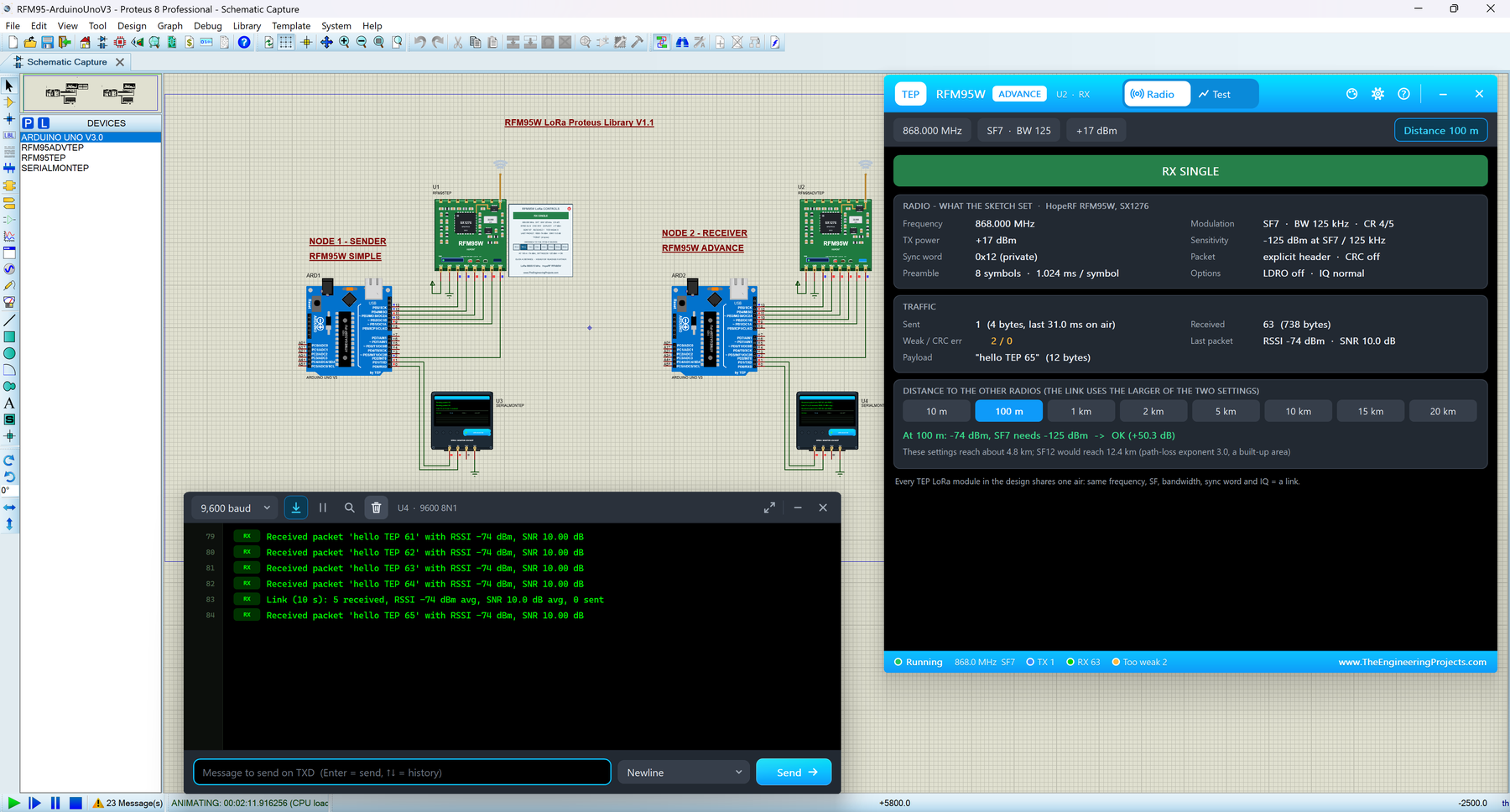
Hello friends, I hope you all are doing great. Today, I am going to share the new RFM95W LoRa Library for Proteus V1.1 . The RFM95W is HopeRF's small green LoRa module with the Semtech SX1276 chip, a favourite for long-range sensors on the 868 MHz and 915 MHz bands. With this RFM95W LoRa Library for Proteus , two modules in one design talk over a simulated 868 MHz air, and your Arduino drives them over SPI with the same arduino-LoRa library you use on real hardware. Version 1.1 replaces the first version of this post. You now get two devices : RFM95W Simple , with its control panel on the schematic, and RFM95W Advance , with a pop-up window and four measured LoRa test tools . The new RFM95W Arduino Proteus demo has two Arduino UNOs that send packets, PING each other and change the spreadin ...
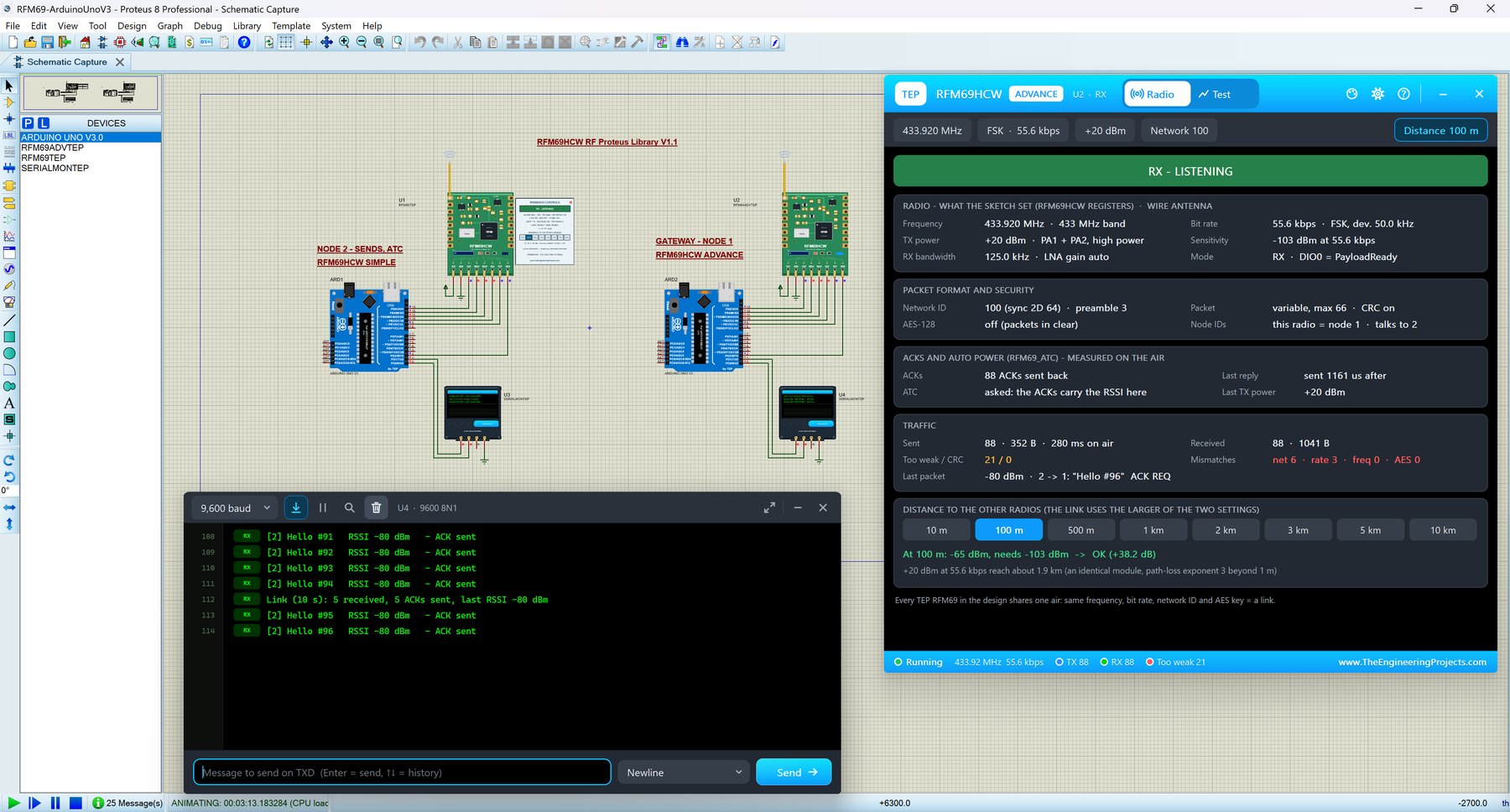
Hello friends, I hope you all are doing great. Today, I am going to share the new RFM69HCW Library for Proteus V1.1 . The RFM69HCW is HopeRF's small square sub-1 GHz radio, a favourite for wireless sensor networks because every message can be confirmed with an ACK. With this RFM69HCW Library for Proteus , two modules in one design talk over a simulated 433 MHz air, and your Arduino drives them over SPI with the same LowPowerLab RFM69 library you use on real hardware. Version 1.1 replaces the first version of this post. You now get two devices : RFM69HCW Simple , with its control panel on the schematic, and RFM69HCW Advance , with a pop-up window and four measured RF test tools . The new RFM69 Arduino Proteus demo has two Arduino UNOs, a node and a gateway, that ACK every message, PING each ...