Hello friends, I hope you all are doing great. Today, I am going to share a list of RFID and NFC Libraries for Proteus. RFID readers are everywhere in engineering projects: attendance systems, door locks, library management, parking gates, cashless canteens and inventory trackers. NFC, its close relative, is what your phone uses to read a tag or pay at a shop. If your project needs to know who is there or what is on the shelf, an RFID or NFC reader is the answer.
In a real project, you need the reader, the right cards and a lot of trial and error before your access control code works. Our RFID and NFC libraries give you all of that inside Proteus: each reader comes with four virtual cards on a control panel, and you place a card on the reader with a single click. The Arduino reads the card exactly as it would read a real one, so you can test your access list, your memory reads and your error handling before you buy anything.
All three libraries in this list are new: the MFRC522 (RC522), the PN532 NFC module and the EM-18. I have also added a comparison of 125 kHz and 13.56 MHz readers and a table of the two card types, so you can choose the right reader for your project. If you are new to Proteus libraries, read How to Add New Library in Proteus 8 first. So, let's get started with the RFID and NFC Libraries for Proteus:
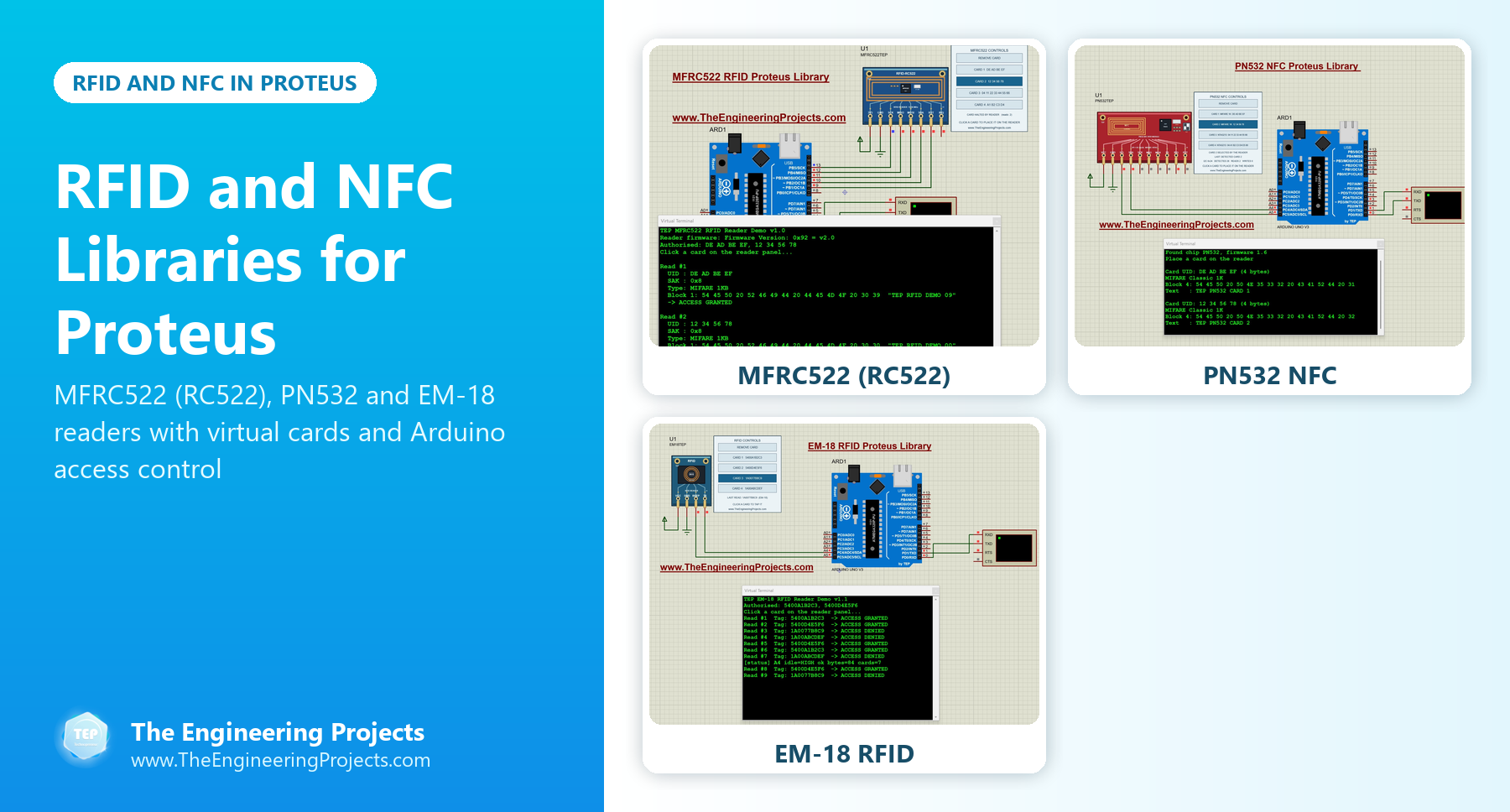
RFID and NFC Libraries at a Glance
Here is a quick comparison of the three readers in this list:
| Library | Frequency | Cards | Interface | Virtual cards |
|---|---|---|---|---|
| MFRC522 (RC522) | 13.56 MHz | ISO/IEC 14443 A (MIFARE) | SPI | Three MIFARE Classic 1K cards and one MIFARE Ultralight card |
| PN532 NFC | 13.56 MHz | MIFARE Classic 1K and NTAG213 | I2C or SPI | Two MIFARE Classic 1K cards and two NTAG213 tags, one with a web link |
| EM-18 | 125 kHz | Low-frequency ID cards | Serial (9600 baud) | Four ID cards, with the EM-18 or RDM6300 output format |
125 kHz or 13.56 MHz?
RFID readers come in two big families, and the difference decides what your project can do:
- 125 kHz (low frequency): the card only holds an identification number. The reader, like the EM-18, reads that number and sends it as text. It is cheap and simple, which makes it perfect for attendance and basic door locks, but you can't store any data on the card.
- 13.56 MHz (high frequency): the card has memory that the reader can read and write, often protected by keys. MIFARE cards and NFC tags belong to this family, and readers such as the MFRC522 and PN532 work with them. This is the choice for tickets, wallets, NFC tags and any card that carries data.
1. MFRC522 RFID Proteus Library (RC522)
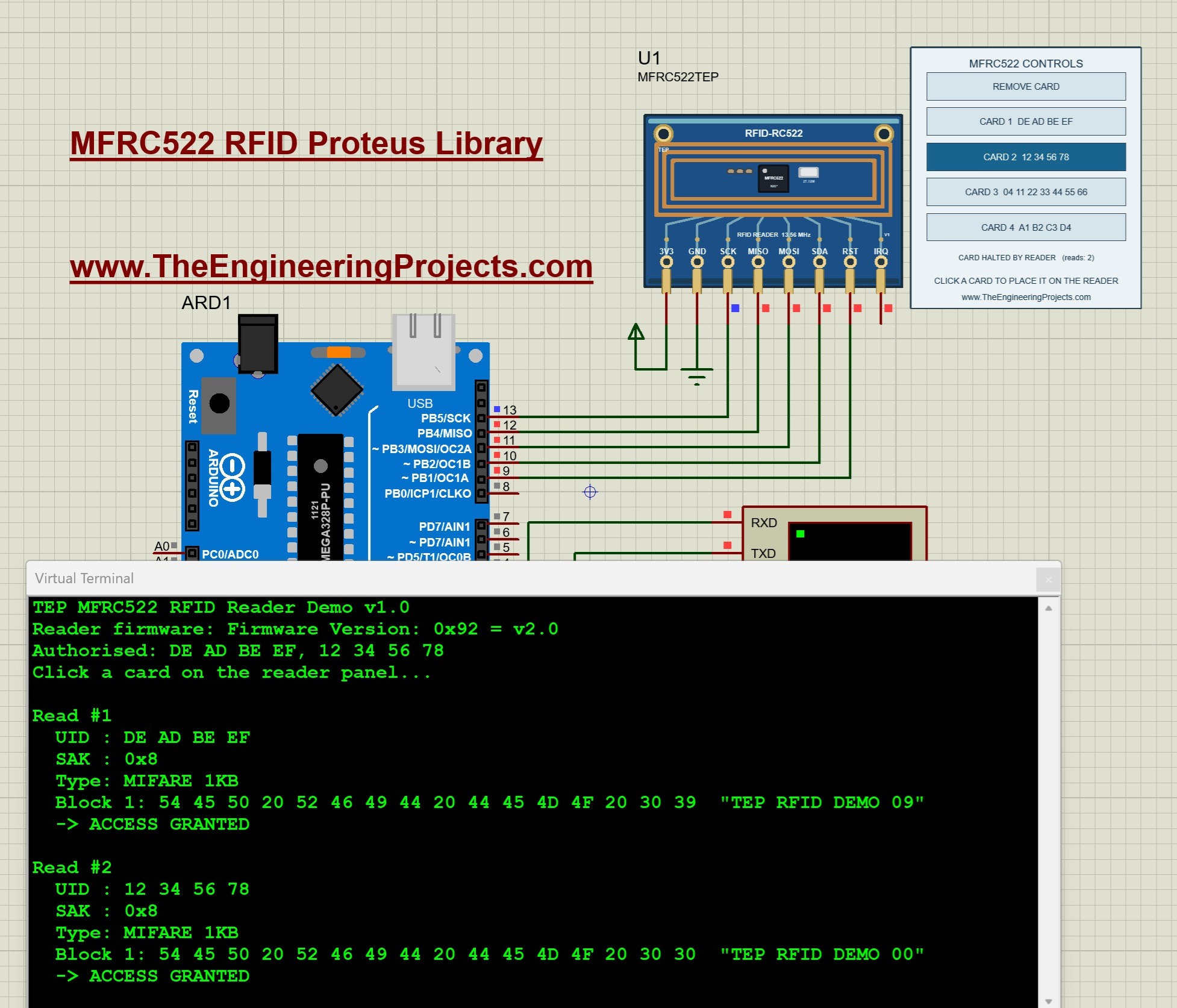
The MFRC522 is a reader IC from NXP for 13.56 MHz contactless cards, and the blue board built around it is sold as the RC522 module. It comes with most Arduino starter kits, so it is the RFID reader that most students use first. It reads and writes cards that follow the ISO/IEC 14443 A standard, which includes the MIFARE family, and the Arduino controls it through SPI.
Our model talks to the Arduino through the real SPI commands and registers of the chip, and it follows the same sequence as a real card:
- Request: the reader sends REQA, and a card in the field answers with ATQA.
- Anticollision: the reader asks for the card's serial number, and the card sends its UID.
- Select: the reader selects that UID, and the card confirms with SAK, which identifies the card type.
- Authenticate: for a MIFARE Classic card, the reader proves that it knows the key of a memory sector.
- Read or write: the reader exchanges data blocks with the card.
- Halt: the reader puts the card to sleep.
The control panel holds four virtual cards: three MIFARE Classic 1K cards and one MIFARE Ultralight card, and you can change their UIDs and keys in the component properties. In the demo, CARD 1 reports the UID DE AD BE EF, the type MIFARE 1KB and the text "TEP RFID DEMO 09" from block 1, and the Arduino prints ACCESS GRANTED, while CARD 3 and CARD 4 are not in the authorised list.
Read the complete tutorial: MFRC522 RFID Proteus Library
2. PN532 NFC Proteus Library
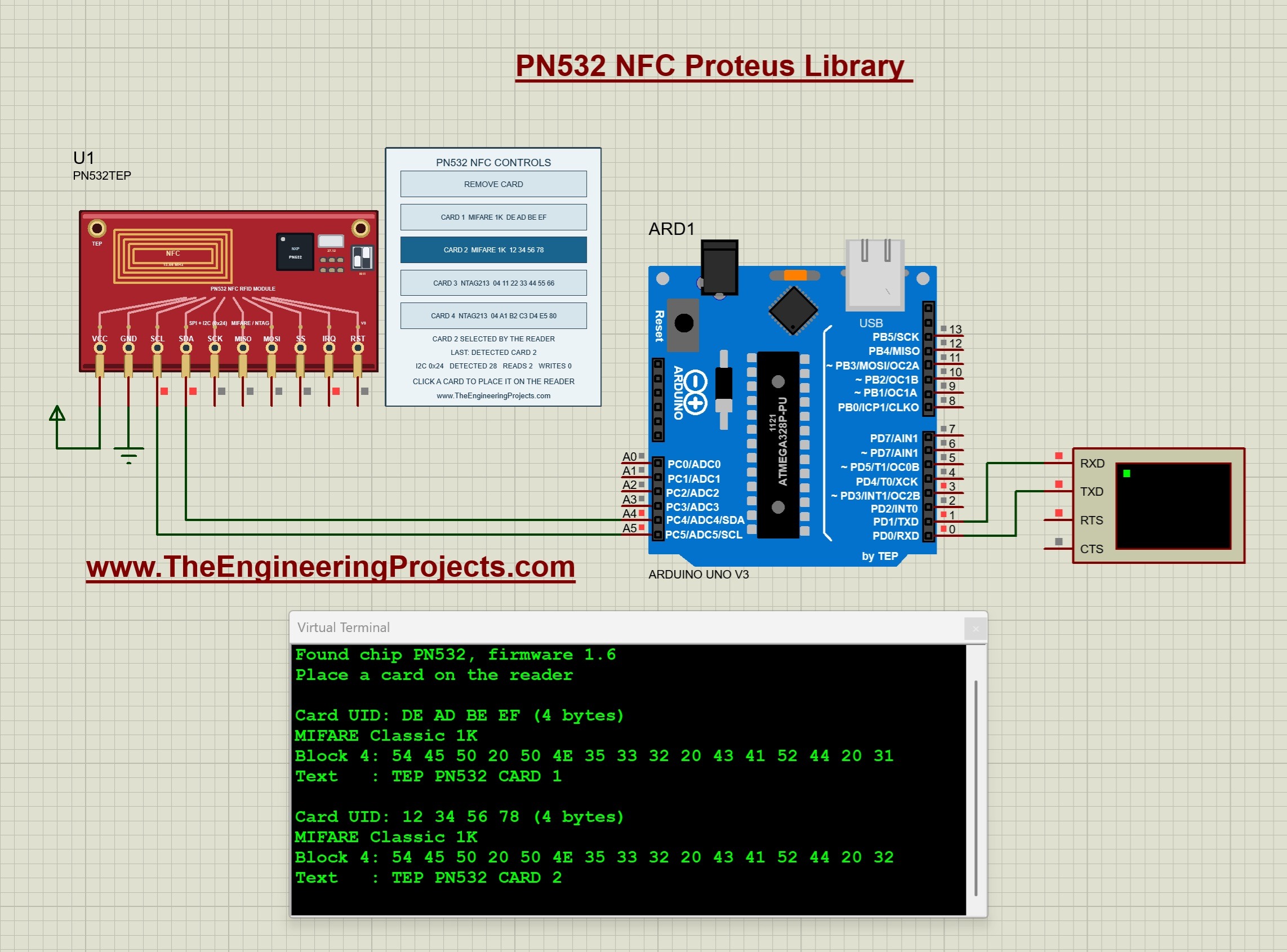
The PN532 is an NFC controller from NXP for 13.56 MHz. Unlike the MFRC522, it has its own firmware, so the Arduino doesn't control the radio directly: it sends commands to the chip and receives the answers. It offers three host interfaces (SPI, I2C and a serial interface called HSU), selected by two small switches on the board, and its I2C address is 0x24.
Our PN532 component answers on SPI and on I2C, so the same component works in both supplied projects, and the Arduino talks to it through the real frames of the PN532, so the unmodified Arduino driver works with it. The control panel holds four cards: two MIFARE Classic 1K cards with sector keys and access bits, and two NTAG213 tags, one of which carries an NDEF message with a web address, just like an NFC tag that opens a link on your phone.
Read the complete tutorial: PN532 NFC Proteus Library
3. EM-18 RFID Proteus Library
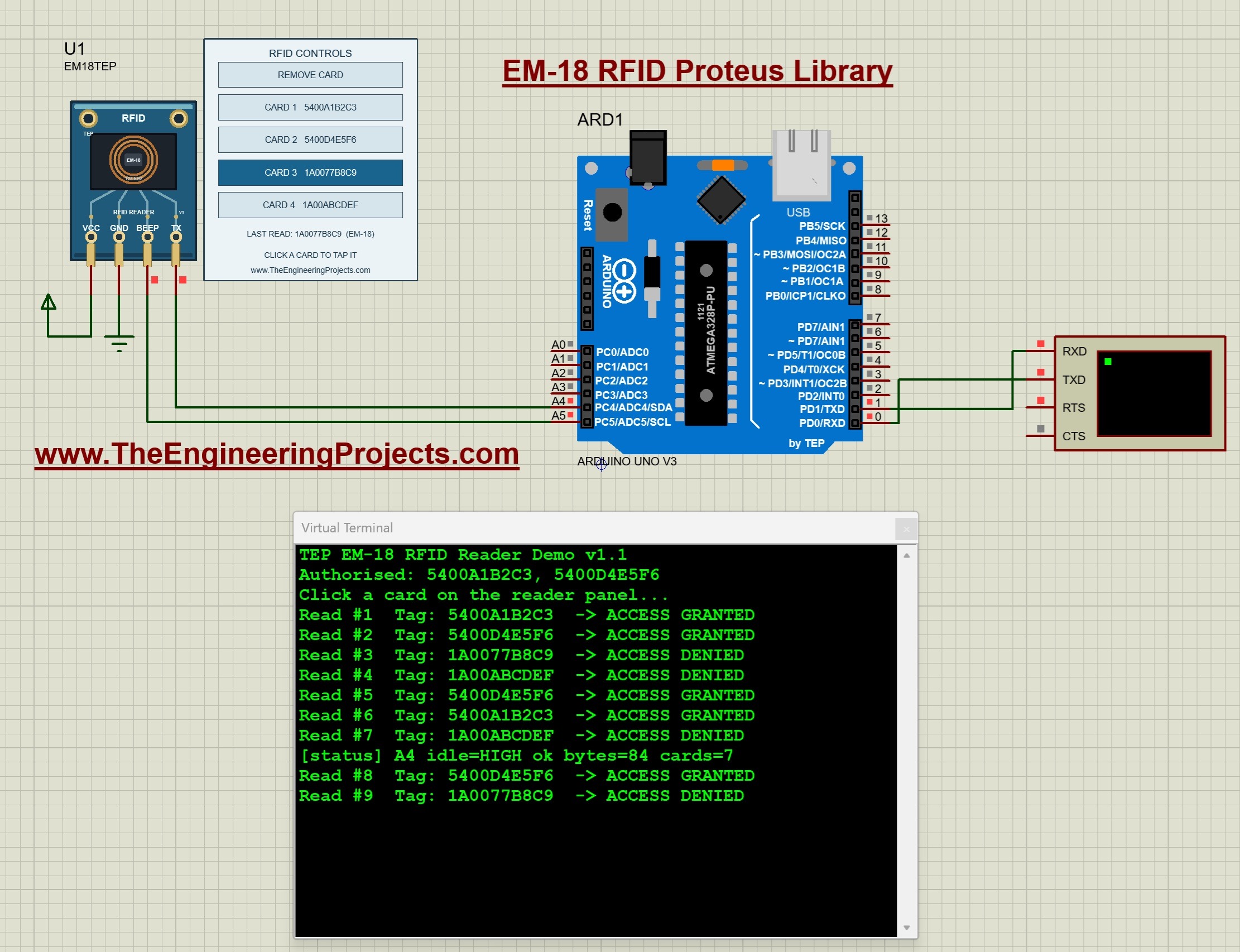
The EM-18 is a reader module for 125 kHz RFID cards, and it is the easiest reader to use: it reads the five-byte identification number of a card, pulls its BEEP pin low for a moment and sends the number on its TX pin as 12 text characters at 9600 baud. You don't need any driver library, because any serial receiver can read it. The last two characters are a checksum, and our Arduino example verifies it before it checks the tag against its access list.
Our EM18TEP component has four pins (VCC, GND, BEEP and TX) and four virtual cards on its control panel. You can change each tag ID in the component properties, switch the output between the EM-18 and RDM6300 formats, and adjust the baud rate, the read delay and the beep length. In the example, the reader's TX goes to A4 instead of D0, because the Arduino's hardware serial port is busy with the Virtual Terminal, and the sketch reads A4 with its own code.
Read the complete tutorial: EM-18 RFID Proteus Library
MIFARE Classic 1K vs NTAG213
The two 13.56 MHz card types in our libraries are very different inside. This table, from our PN532 tutorial, shows why a MIFARE Classic card is used for access cards and an NTAG213 for phone-friendly NFC tags:
| Property | MIFARE Classic 1K | NTAG213 |
|---|---|---|
| Length of the UID | 4 bytes | 7 bytes |
| Memory unit | Block of 16 bytes | Page of 4 bytes |
| Size of the memory | 64 blocks in 16 sectors, 1024 bytes | 45 pages, 180 bytes |
| Memory for user data | 47 data blocks, 752 bytes | Pages 4 to 39, 144 bytes |
| Protection | Two keys and access bits for every sector | Readable without a key |
| Typical use | Access cards and tickets | NFC tags with a link for a phone |
Which RFID Reader Should You Use?
- The simplest attendance or door project: the EM-18. It only needs one serial pin and no library.
- The reader from your starter kit: the MFRC522 (RC522), for card UIDs and MIFARE data blocks.
- NFC tags and phones: the PN532, which reads both MIFARE Classic cards and NTAG213 tags.
- Few free Arduino pins: the PN532 over I2C, which needs only two data wires.
RFID Project Ideas You Can Simulate
Once your reader works, you can add other modules from our libraries and simulate a complete system:
- Smart door lock: an MFRC522 that grants or denies access and switches a relay or an LED.
- SMS attendance system: an EM-18 that logs each card and a SIM800L that sends an SMS for every entry.
- Bluetooth access log: any of the readers with an HC-05 that reports each card to a phone.
- Wi-Fi attendance dashboard: a reader with the ESP-01, uploading each scan to a cloud service.
Keep in mind that these are functional models of the readers and their cards: a click on the panel replaces bringing a card near the reader, and the radio field, the reading distance and the antenna are not simulated. They are made for getting your code and your card logic right. You can find these readers in the RFID & NFC section of our Proteus Libraries tutorial series.
More Lists of Proteus Libraries
We have grouped our Proteus libraries into several lists, so you can quickly find the right ones for your project:
- 30 New Proteus Libraries for Engineering Students (2026)
- GSM Libraries for Proteus
- GPS Libraries for Proteus
- RF Module Libraries for Proteus
- LoRa and RF Libraries for Proteus
- Wi-Fi and Bluetooth Libraries for Proteus
- List of Wireless Modules for Proteus
- Top IoT Libraries for Proteus
- List of Embedded Sensors in Proteus
- I2C Sensor Libraries for Proteus
- Environmental Sensor Libraries for Proteus
- Motion and Distance Sensor Libraries for Proteus
- Smart Agriculture Sensor Libraries for Proteus
- Medical Sensor Libraries for Proteus
- Must-Have Proteus Libraries for Arduino Simulation
- Microcontroller Board Libraries for Proteus
Conclusion
So, that was all about the RFID and NFC Libraries for Proteus. I hope this list helps you choose the right reader and test your access control project with virtual cards before you buy the hardware. If you have any questions or want a new reader in Proteus, please tell us in the comments or in the Proteus Libraries category of our forum. Till the next tutorial, take care and have fun!