


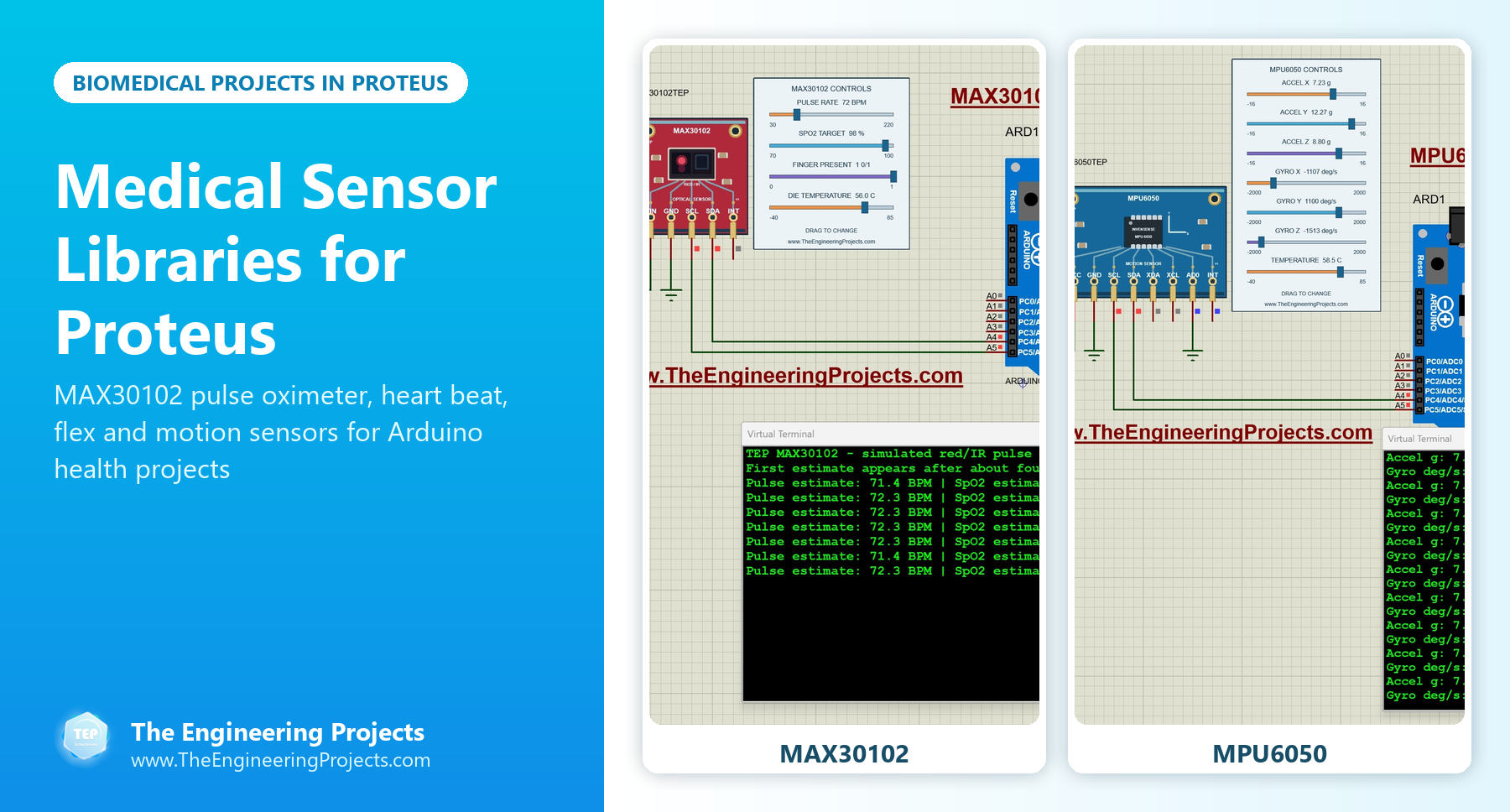
Medical Sensor Libraries for Proteus: MAX30102, Heart Beat, Flex and Motion Sensors


Hello friends, I hope you all are doing great. Today, I am going to share a list of Medical Sensor Libraries for Proteus. Biomedical projects are a favourite of engineering students: pulse oximeters, heart rate monitors, fall detectors for elderly people, smart gloves for rehabilitation and patient monitors that send data to a doctor's phone. They are meaningful projects, and they teach you signal processing, sensors and communication all at once.
They are also projects where you can't easily test on yourself. You can't change your own heart rate on demand, fall on purpose or produce a low oxygen reading to check your alarm. In Proteus, our libraries give you those signals on a slider or a pin: the MAX30102 model lets you set the pulse rate, the SpO2 target and whether a finger is on the sensor, the MPU6050 lets you create a fall with its acceleration sliders, and our heart beat and flex sensors produce their signals from a test pin.
Our new MAX30102 and MPU6050 libraries come first in this list, followed by our heart beat and flex sensors, a complete heart beat monitor project and the formulas behind pulse, SpO2 and fall detection. If you are new to Proteus libraries, read How to Add New Library in Proteus 8 first. So, let's get started with the Medical Sensor Libraries for Proteus:
An Important Note Before We Start
These libraries are made for learning and for testing your code. The signals come from our models, not from a human body, and a working simulation does not prove that a real device would measure correctly. Please don't use any of these projects to make medical decisions. With that said, they are a great way to understand how medical devices work inside.
Medical and Health Sensor Libraries at a Glance
| Library | Measures | In Proteus | Typical project |
|---|---|---|---|
| MAX30102 | Pulse and SpO2 (estimated) | Pulse rate, SpO2 target, finger presence and die temperature controls | Pulse oximeter |
| MPU6050 | Acceleration and rotation | Seven sliders | Fall detector, tremor monitor |
| Heart Beat Sensor V2.0 | Heart beats | A variable heartbeat set by the TestPin | Heart rate monitor |
| Heart Beat Sensor | Heart beats | One heartbeat pattern when the TestPin is HIGH | Heart rate monitor |
| Analog Flex Sensor | How much a finger bends | Analog bending input | Rehabilitation glove |
| Flex Sensor | Bent or straight | Digital output | Simple gesture glove |
1. MAX30102 Pulse Oximeter Proteus Library
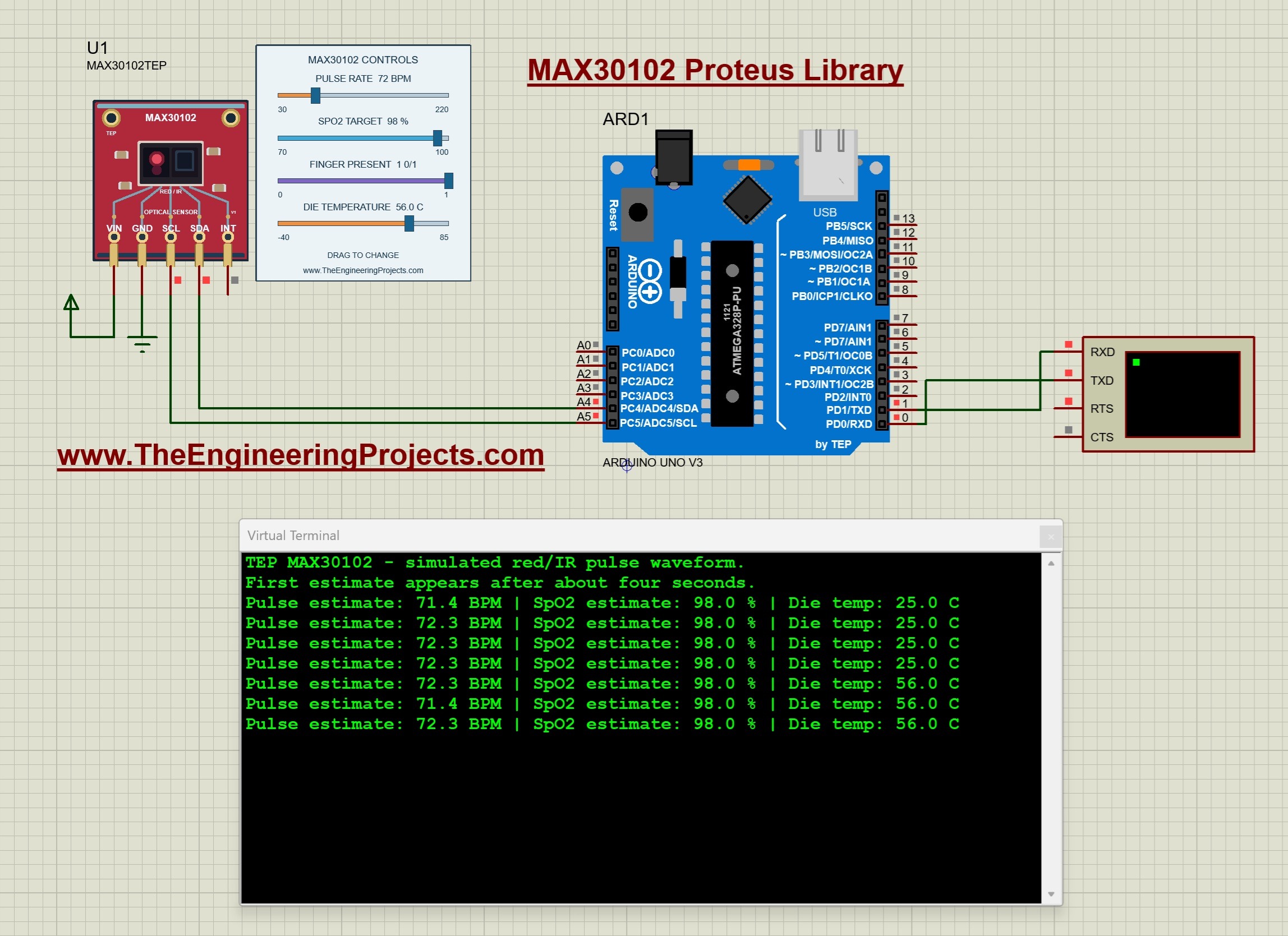
The MAX30102 is the optical sensor inside pulse oximeters and fitness bands. It shines red and infrared light into a finger and measures how much comes back. The sensor itself only delivers red and infrared samples over I2C, and the microcontroller turns a window of samples into a pulse rate and an SpO2 estimate. That's an important lesson: the numbers on a pulse oximeter are calculated, not measured directly.
Our model has controls for the pulse rate, an SpO2 target that shapes its synthetic red and infrared signals, finger presence and the die temperature. With the defaults, the pulse target is 72 BPM and the SpO2 target is 98 %, and the first estimate appears after about four simulated seconds. The model has a 32-sample hardware FIFO, just like the real chip, so your code must read it regularly; a long delay() can lose data. When you remove the finger, the signal drops below 5000 counts and the example prints a low-signal message instead of a pulse of zero, which is exactly how a good device should behave.
Read the complete tutorial: MAX30102 Proteus Library
2. MPU6050 Accelerometer and Gyroscope Proteus Library
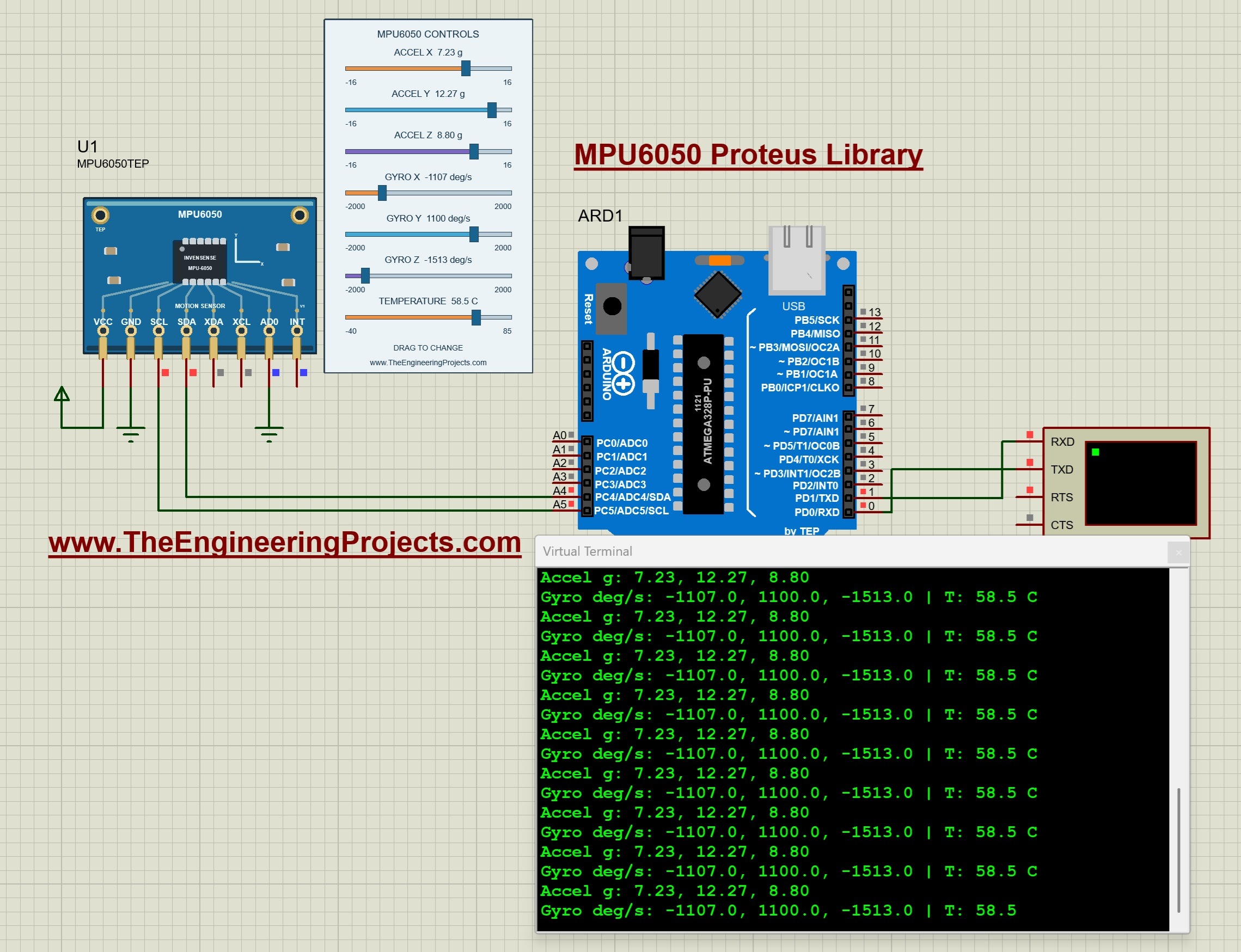
The MPU6050 is not a medical sensor by name, but it is the heart of many health projects: fall detectors, step counters, tremor monitors and posture trainers. It measures acceleration and rotation on three axes, plus its own temperature. In our model, seven sliders set the acceleration (from -16 g to +16 g), the rotation (from -2000 to +2000 degrees per second) and the temperature, so you can create a fall or a shake with a few clicks. Read the complete tutorial: MPU6050 Proteus Library
3. Heart Beat Sensor Library V2.0 for Proteus
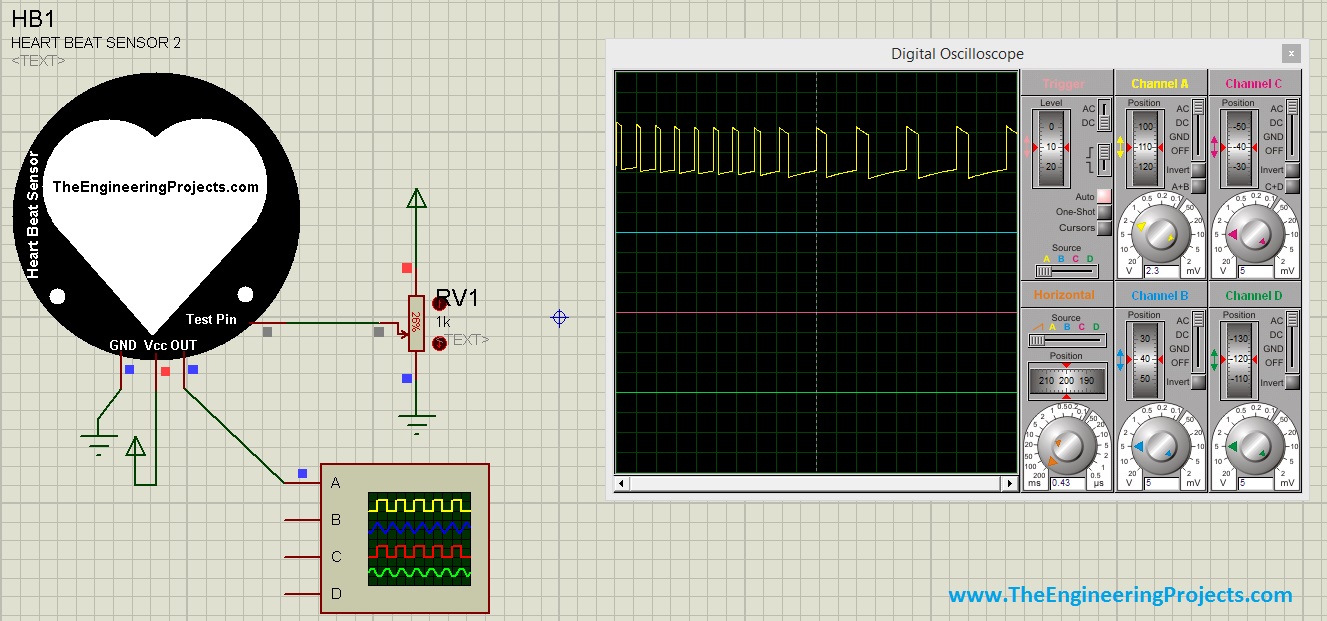
Our heart beat sensor V2.0 produces a variable heartbeat that depends on the value of its TestPin, so your heart rate code doesn't always get the same answer. The library comes with its own HEX files for the sensor. Read the complete tutorial: Heart Beat Sensor Library V2.0 for Proteus
4. Heart Beat Sensor Library for Proteus
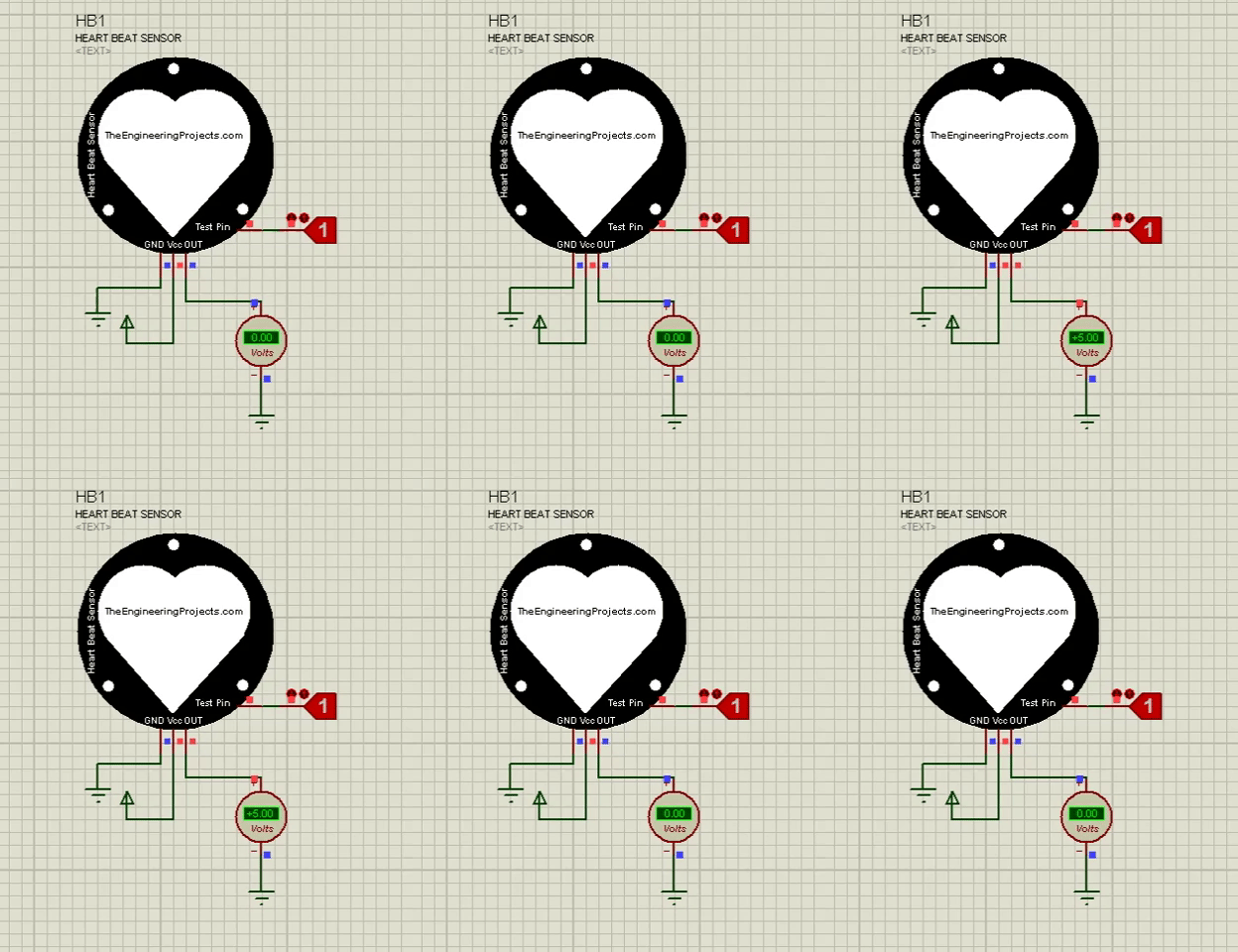
Our first heart beat sensor starts a single heartbeat pattern when its TestPin is HIGH. It gives the ideal result of a perfectly placed finger, which a real sensor rarely does, so it is best for testing your counting logic. Read the complete tutorial: Heart Beat Sensor Library for Proteus
5. Analog Flex Sensor Library for Proteus
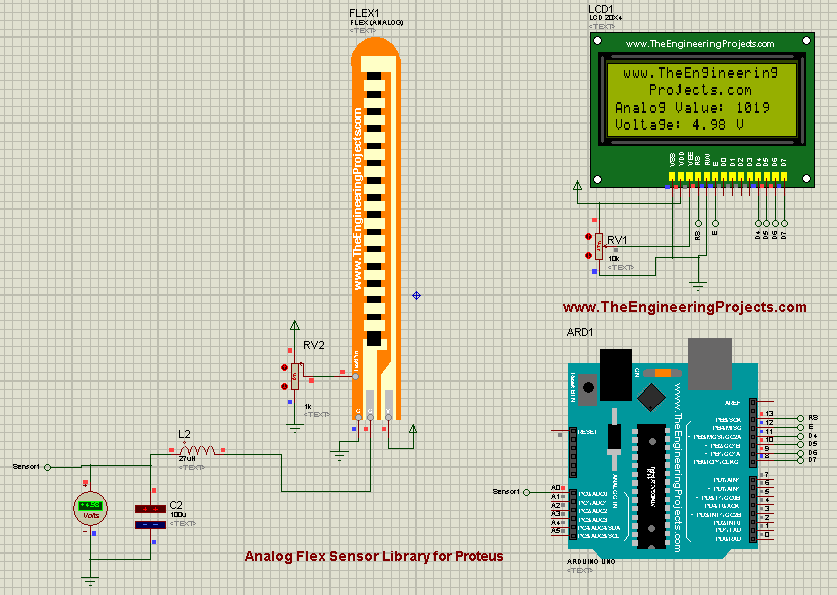
A flex sensor changes its resistance as it bends, so it can measure how far a finger bends. That's why it is used in rehabilitation gloves, prosthetic hands and sign-language translators. Our analog flex sensor gives a bending value that your Arduino reads on an analog pin, and its tutorial connects it to an Arduino UNO. Read the complete tutorial: Analog Flex Sensor Library for Proteus
6. Flex Sensor Library for Proteus
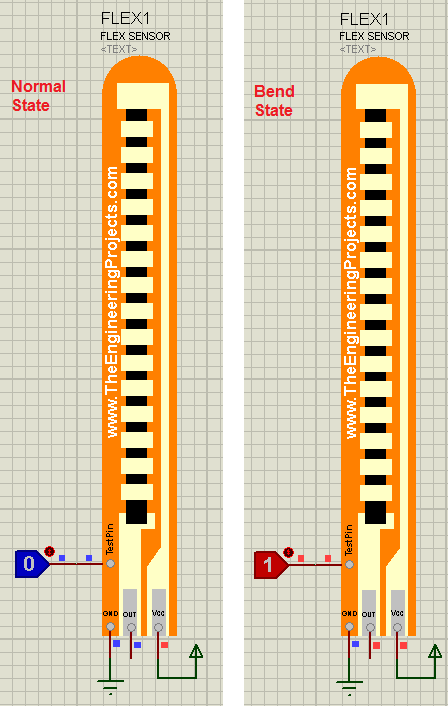
Our first flex sensor is a digital version: it tells you whether the sensor is straight or bent, but not how much. It is enough for a simple gesture glove where each finger is either open or closed. Read the complete tutorial: Flex Sensor Library for Proteus
7. Heart Beat Monitor using Arduino in Proteus
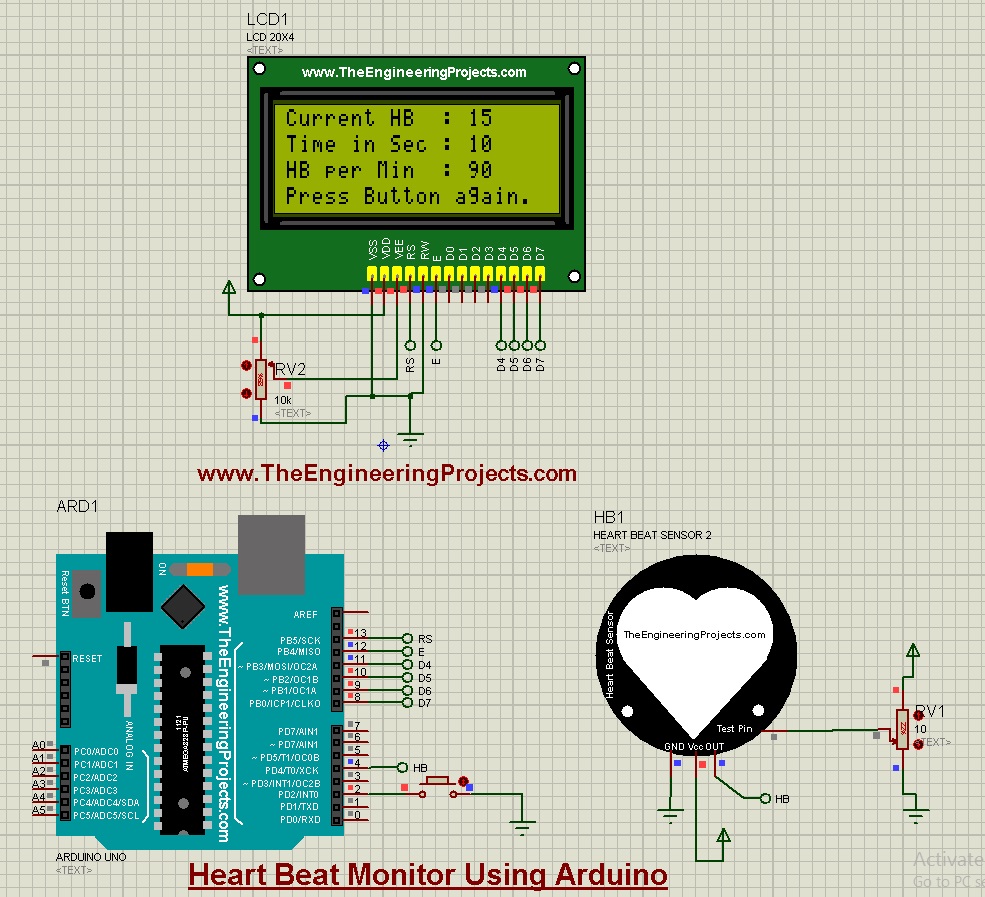
This is a complete heart beat monitor project built with our heart beat sensor V2.0, an Arduino UNO and a 20x4 LCD. When you press a button, the Arduino counts the beats for ten seconds and multiplies the count by six to show the heart rate in beats per minute. It is a great starting point for your own biomedical project. Read the complete tutorial: Heart Beat Monitor using Arduino in Proteus
8. HC-05 & HC-06 Bluetooth Library for Proteus V1.1
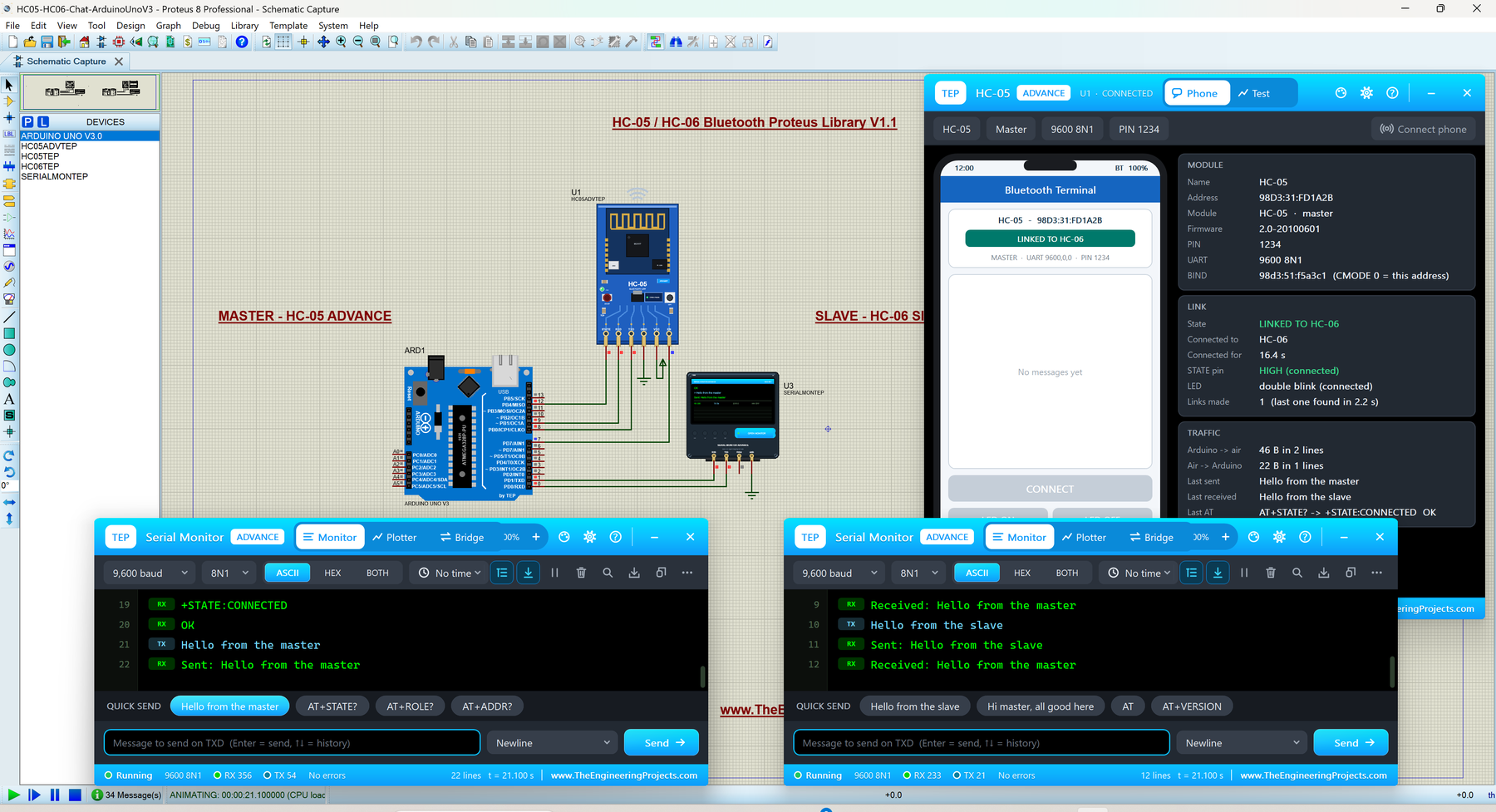
Most health monitors send their readings to a phone, and the HC-05 or HC-06 is the easiest way to do it. Our model pairs with a virtual phone in Proteus, so you can test the whole chain from the sensor to the phone screen. Read the complete tutorial: HC-05 Library for Proteus V1.1
How Pulse Rate and SpO2 Are Calculated
Our MAX30102 tutorial explains the calculations step by step. Here is the short version:
- Sampling: the example samples at 100 Hz and averages by four, so it gets 25 samples per second. A window of 100 samples takes about 4 seconds.
- Pulse rate: the code finds the minimum and maximum of the infrared signal, sets a threshold halfway between them and counts the upward crossings. With C crossings spread over D samples, BPM = 60 × 25 × (C - 1) / D. For example, five crossings over 83 samples give 1500 × 4 / 83 = 72.3 BPM.
- SpO2: the code compares the changing part (AC) and the average level (DC) of both channels: R = (AC red / DC red) / (AC infrared / DC infrared). Then it applies estimate = -45.060 × R² + 30.354 × R + 94.845. For R = 0.6, the estimate is about 96.8 %.
The simple heart beat sensors work differently: the Heart Beat Monitor project counts the beats for 10 seconds and multiplies by 6. That's easier to code, but it reacts slowly, because you get a new value only every ten seconds.
Fall Detection with the MPU6050
A common way to detect a fall uses the total acceleration, which is the length of the acceleration vector: a = √(ax² + ay² + az²). When the sensor rests, it reads about 1 g, which is gravity. During a fall, the body is briefly in free fall, so the total acceleration drops close to 0 g, and then the impact makes it jump well above 1 g. So, a simple fall detector looks for a low value followed shortly by a high one, and then checks that the person stays still.
With the MPU6050 sliders, you can play this whole sequence in Proteus: set all three axes near 0 g, then push one axis to a high value, then bring Z back to 1 g. Your sketch should raise exactly one alarm, and it should stay quiet when you only tilt the sensor slowly.
Biomedical Project Ideas You Can Simulate
- Pulse oximeter with a display: the MAX30102 with our LCD Library for Proteus V2.0.
- Fall alarm for elderly people: the MPU6050 with a SIM800L that sends an SMS to a family member.
- Bluetooth heart rate monitor: a heart beat sensor or the MAX30102 with an HC-05 that sends the readings to a phone.
- Rehabilitation glove: five analog flex sensors that measure how far each finger bends during exercises.
- Sign-language glove: flex sensors plus an MPU6050 for the hand position.
You can find these libraries in the Sensor Modules section of our Proteus Libraries tutorial series, together with all our other sensors in the List of Embedded Sensors in Proteus.
More Lists of Proteus Libraries
We have grouped our Proteus libraries into several lists, so you can quickly find the right ones for your project:
- 30 New Proteus Libraries for Engineering Students (2026)
- GSM Libraries for Proteus
- GPS Libraries for Proteus
- RF Module Libraries for Proteus
- LoRa and RF Libraries for Proteus
- Wi-Fi and Bluetooth Libraries for Proteus
- List of Wireless Modules for Proteus
- Top IoT Libraries for Proteus
- RFID and NFC Libraries for Proteus
- List of Embedded Sensors in Proteus
- I2C Sensor Libraries for Proteus
- Environmental Sensor Libraries for Proteus
- Motion and Distance Sensor Libraries for Proteus
- Smart Agriculture Sensor Libraries for Proteus
- Must-Have Proteus Libraries for Arduino Simulation
- Microcontroller Board Libraries for Proteus
Conclusion
So, that was all about the Medical Sensor Libraries for Proteus. I hope this list helps you understand how medical devices work inside and test your biomedical project safely on your PC. If you need another medical sensor in Proteus, please tell us in the comments or in the Proteus Libraries category of our forum. Till the next tutorial, take care and have fun!
Comments
0