


BBC micro:bit V2 Library for Proteus: LED Matrix and Radio Game


Hello friends, I hope you all are doing great. Today, I am going to share the BBC micro:bit V2 Library for Proteus. The micro:bit is the small black board that millions of students meet first: a 5 x 5 grid of red LEDs, two buttons and a gold edge connector you can clip crocodile leads onto. Its party trick is the radio - two micro:bits on a desk can send each other messages with three lines of code. With this library your micro:bit Arduino sketch runs in Proteus 8.5, the LED matrix lights up on the board, and every micro:bit on the sheet shares one radio air.
BBC micro
Latest version: V1.0 (October 2026, this tutorial)
Helping Tools
- Laptop WiFi Monitor: a laptop on the Wi-Fi of your design: a browser, a TCP / UDP terminal and ping
- Mobile WiFi Monitor: a smartphone that opens the pages of your board and sends it commands
- Serial Monitor Advance: a serial terminal window for the UART of your board
The demo is a two-player reaction game: two micro:bits count down together over the radio, show an arrow at a random moment, and the first player to press A wins. A NeoPixel ring shows the countdown and the winner's colour, and an ESP-01S serves a scoreboard to a laptop and a phone.
NOTICE: Proteus has no nRF52833 model, so our team has put a lot of effort into building this board ourselves: the micro:bit's pins, buttons, LED matrix, serial monitor and radio are all our own model, and your sketch compiles with our free TEP Boards for Proteus add-on. Your feedback is the fuel that keeps us going, so please tell us what you think in the comments below or in the BBC micro:bit V2 board of our forum. And if our free libraries help you, you can buy us a coffee. So, let's get started with the BBC micro:bit V2 Library for Proteus:
What is the BBC micro:bit V2?
The BBC launched the micro:bit in 2016 with a simple goal: give every 11 and 12 year old in the UK a computer small enough to wear, cheap enough to break and friendly enough to program in a lesson. About a million boards went to schools in the first year, and the not-for-profit Micro:bit Educational Foundation has looked after it since then. Today it is used in classrooms in more than sixty countries.
The V2, from late 2020, keeps the size and the layout of the original and replaces the processor with the Nordic nRF52833: an Arm Cortex-M4F at 64 MHz with 512 KB of flash and 128 KB of RAM. It also adds a speaker, a microphone with its own LED, a touch-sensitive gold logo and a sleep mode on the back button. The front still has the 25 red LEDs in a 5 x 5 grid and the buttons A and B; the bottom edge is the connector, with five big rings (0, 1, 2, 3V, GND) for crocodile clips and 4 mm plugs and twenty small gold fingers between them for an edge socket.
| BBC micro:bit V2 | |
|---|---|
| Processor | Nordic nRF52833: Arm Cortex-M4F at 64 MHz, 512 KB flash, 128 KB RAM |
| Display | 25 red LEDs in a 5 x 5 matrix (also a light sensor) |
| Inputs | buttons A and B, a touch logo, an accelerometer and compass, a microphone |
| Radio | 2.4 GHz: Bluetooth LE and the micro:bit radio between boards |
| Edge connector | 25 strips: the rings 0, 1, 2, 3V, GND and 20 small fingers (P3 - P16, P19, P20, 3V, GND) |
| USB | micro-USB: power, drag-and-drop programming and a serial port |
| Size and power | 52 x 42 mm; 3 V from two AAA cells or 5 V from USB |
The micro:bit Radio
Besides Bluetooth, the nRF52833's radio speaks a much simpler protocol of its own, and that is what most classroom projects use. A micro:bit does not connect to another one: it sends short messages into the air, and every micro:bit on the same group (0 - 255) and channel (0 - 83, that is 2400 - 2483 MHz) hears them. There is no pairing and no address - a group is a room, and everyone in the room hears everything. A message is up to 32 bytes by default; the receiver keeps a short queue of messages it has not read yet, and drops new ones when the queue is full. MicroPython calls it radio.on(), radio.config(group=23), radio.send("GO") and radio.receive(); MakeCode has the same idea in its Radio blocks.
The power setting (0 - 7) decides how far a message goes, and the receiver can read the signal strength of the last message (RSSI, in dBm) - enough for "hot and cold" games where one micro:bit hunts for another.
Three Ways to Program It
Most students start in MakeCode, with blocks in a browser; the next step is MicroPython. For C++ there is the official CODAL runtime and, for people who already know Arduino, the Arduino IDE with an nRF5 board package and Adafruit's Adafruit_Microbit library for the LED matrix. This library follows the Arduino way: you write an Arduino sketch with the micro:bit's pin numbers and Adafruit's names for the display, and for the radio we added a small library with MicroPython's names.
Features of the BBC micro:bit V2 Library for Proteus
- The board as it looks: the V2's black board at its real size, the 5 x 5 matrix, buttons A and B, the gold logo, the micro-USB and the edge connector with its rings and fingers.
- Your sketch: a .hex for "BBC micro:bit V2 (TEP Proteus)" with P0 - P20, analogRead on P0, P1 and P2, PIN_BUTTON_A and PIN_BUTTON_B, Serial, Serial1, Wire, SPI, EEPROM, analogWrite and attachInterrupt.
- The LED matrix: Adafruit_Microbit's names -
microbit.show(microbit.HEART),print,scrollText,drawPixeland the icons; the board model lights the 25 LEDs. - The radio: MicrobitRadio -
Radio.on(),config(group),send,receiveandrssi- between every micro:bit of the design. - Several boards on one sheet: each micro:bit keeps its own serial monitor and buttons; they all share the air.
- The serial monitor: the built-in monitor on the USB with Monitor, Plotter and Board tabs - our TEP header, no Windows title bar.
- A complete package: about 3.5 MB with the board, the add-on, the ESP-01S and WS2812B libraries for the demo, without the source code of the models.
The micro:bit in Proteus
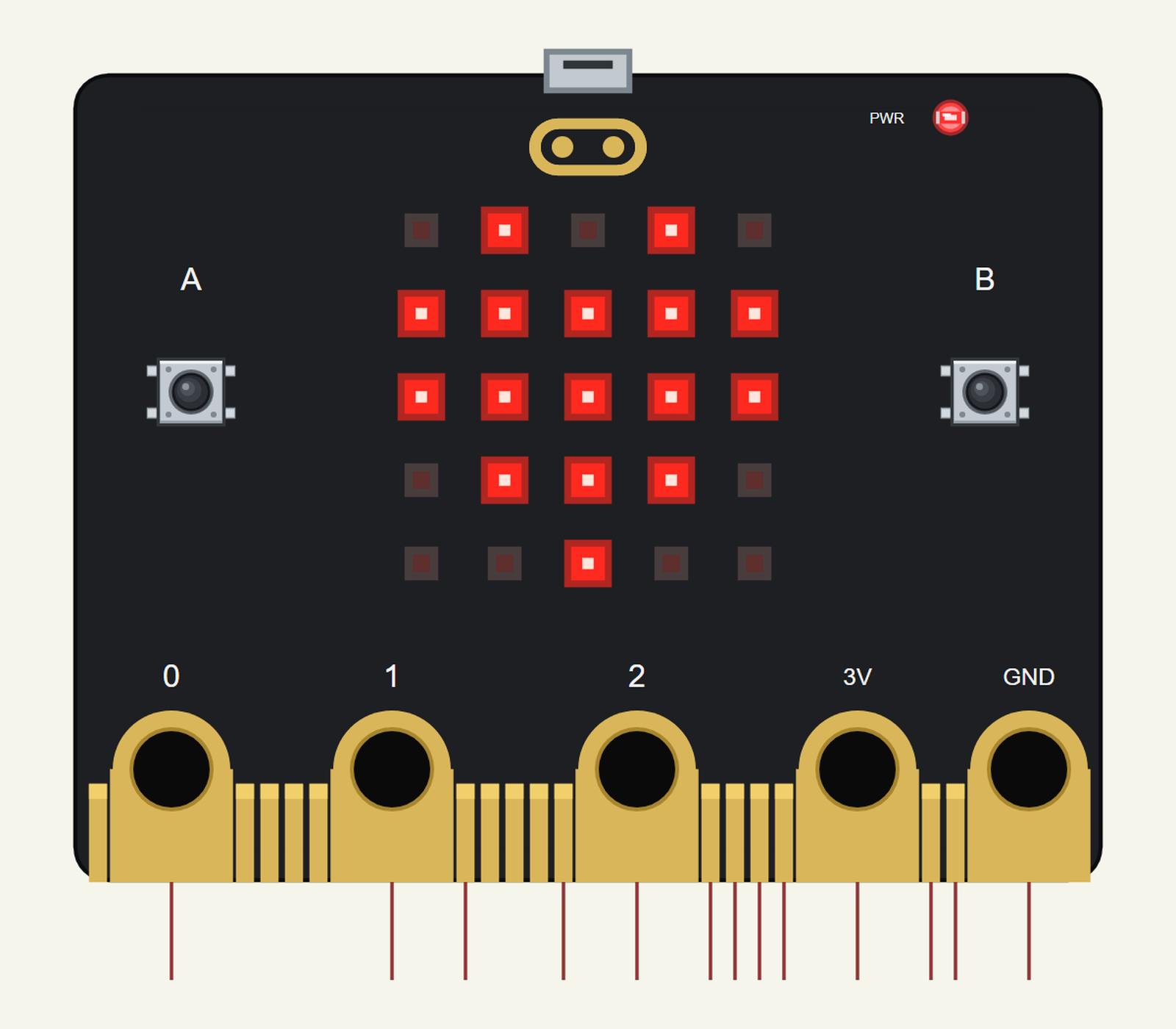
Search MICROBIT in Pick Devices; the device BBC MICROBIT V2 is in TEPMICROBIT.LIB (Microprocessor ICs, micro:bit), with the prefix U. The pins point down from the edge connector, 50 thou apart like the real fingers. Click A or B to press a button, and the micro-USB for the serial monitor.
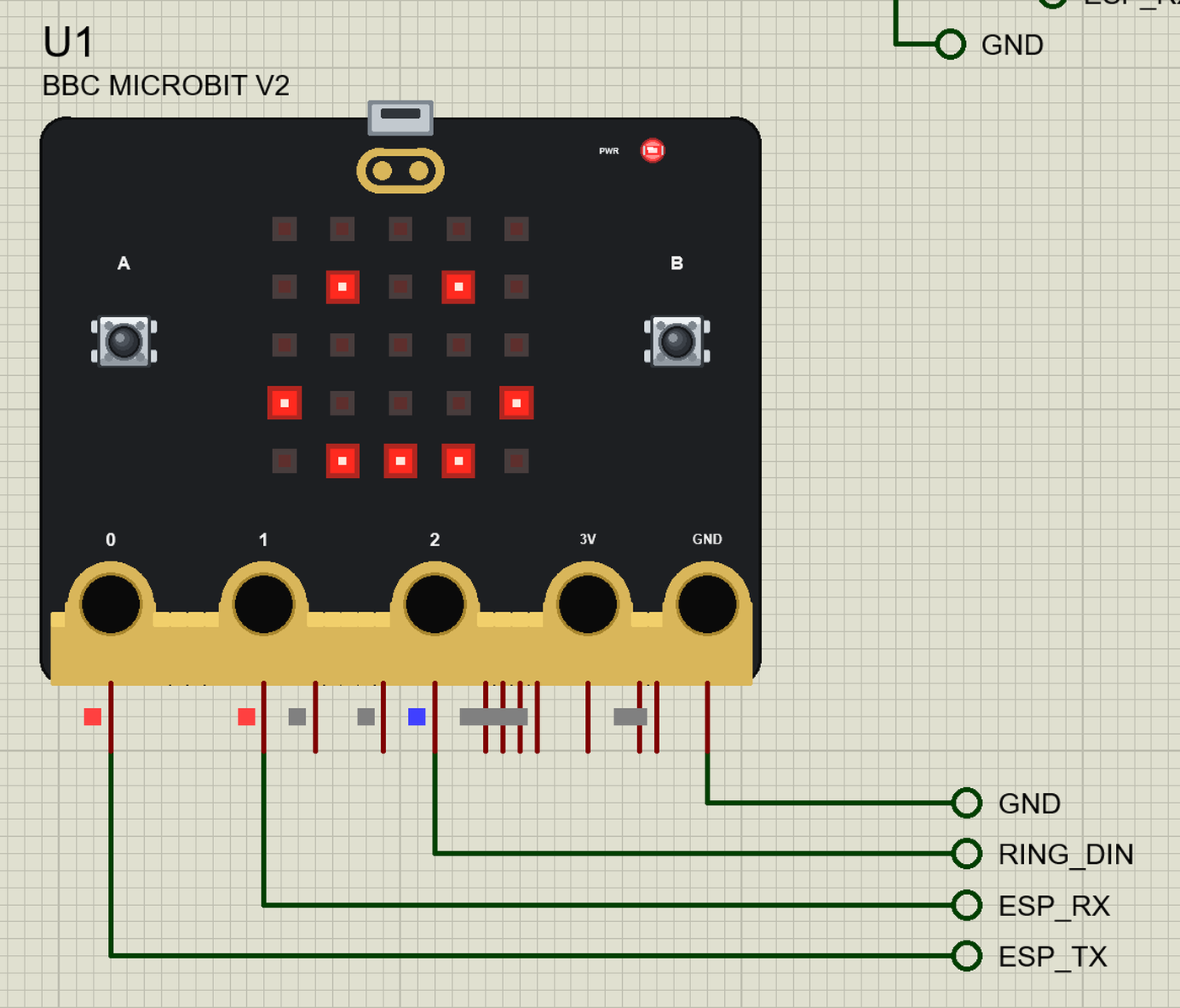
The Pins
| Pins | What the library does with them |
|---|---|
| 0, 1, 2 (rings) | P0 - P2: GPIO, analogRead 0 - 1023 for 0 - 3.3 V; P0 / P1 are also Serial1 RX / TX |
| P8, P12 | GPIO, PWM and interrupts |
| P13 - P16 | SPI: SCK, MISO, MOSI, SS; also GPIO |
| P19, P20 | Wire: SCL on P19, SDA on P20 |
| 3V, GND (rings) | 3.3 V and ground |
| A, B | buttons on P5 / P11: PIN_BUTTON_A and PIN_BUTTON_B, LOW while pressed |
The fingers that drive the LED matrix on the real board (P3, P4, P6, P7, P9, P10) are drawn but not brought out - the matrix is the board model's. Serial is the USB and goes to the board's own monitor, not to P0 / P1.
Lighting the Matrix
Each frame is five rows of five bits, and the icons are ready-made frames; the board model draws exactly what the sketch sends. The host's countdown shows one digit a second on the matrix and fills the ring a third at a time:
void countdown() {                                         // 3, 2, 1 - a second each (the player counts the same from R)
  const unsigned long t = millis() - stateAt;
  const byte n = 3 - t / 1000;
  static byte shown = 0;
  if (t >= 3000) {
    microbit.clear(); ringFill(0);
    waitUntil = millis() + random(1000, 3000);             // the random wait: nobody can guess GO
    state = WAITING; shown = 0;
    return;
  }
  if (n != shown) { shown = n; microbit.showChar('0' + n); ringFill(n == 1 ? AMBER : RED, 4 * (4 - n)); }
}
GO is microbit.show(microbit.ARROW_UP), and the winner gets microbit.show(microbit.YES).
Talking Over the Radio
Both micro:bits switch the radio on and join group 23 in setup(); from then on a Radio.send() on one arrives at the other about a millisecond later:
Radio.on(); Radio.config(23); // group 23: the two playersDownload BBC micro:bit V2 Library for Proteus
Click the button below to download BBC-microbit-V2-Library-for-Proteus-v1.0.zip (about 3.5 MB, without the source code of the models):
BBC micro:bit V2 Library for Proteus V1.0- README.txt: installation, the demo, the pins, the properties, troubleshooting and the limits.
- Proteus Library Files:
TEPMICROBIT.LIBand the demo's parts:TEPESP01S.LIB,TEPWS2812.LIB,TEPLAPTOP.LIBandTEPMOBILE.LIB. - Proteus Model Files:
TEPNET.DLL(the micro:bit and its radio, the ESP-01S, the laptop, the phone and the network) andTEPWS2812.DLL. - Arduino Code: the two demo sketches and the TEP Boards for Proteus add-on 1.36.0 with Adafruit_Microbit and MicrobitRadio.
- Proteus Simulation: the demo project, its two HEX files and copies of the DLLs.
No Proteus yet? Read How to Download and Install Proteus 7 and 8. New to libraries? Follow How to Install a New Library in Proteus.
How to Install BBC micro:bit V2 Library for Proteus
- Close Proteus and extract the whole zip file, for example to your Desktop.
- Copy the files from Proteus Library Files into the LIBRARY folder of Proteus.
- Copy the DLLs from Proteus Model Files into the MODELS folder, replacing an older TEPNET.DLL.
- Delete
TEPMICROBIT.IDXfrom the LIBRARY folder if it is there. - For your own sketches, copy Arduino Code\TEP Boards for Proteus\hardware into your Arduino sketchbook (Documents\Arduino) and restart the Arduino IDE; the board is BBC micro:bit V2 (TEP Proteus). For the demo install Adafruit NeoPixel from the Library Manager.
- Start Proteus, press P and search for MICROBIT.
Demo: a Radio Reaction Game
A reaction game is the classic first radio project: it needs no wires between the players, it is over in seconds, and everybody wants another round. Ours has a host and a player. The host runs the game, keeps the score, drives the ring and talks to the ESP-01S; the player only listens and answers.
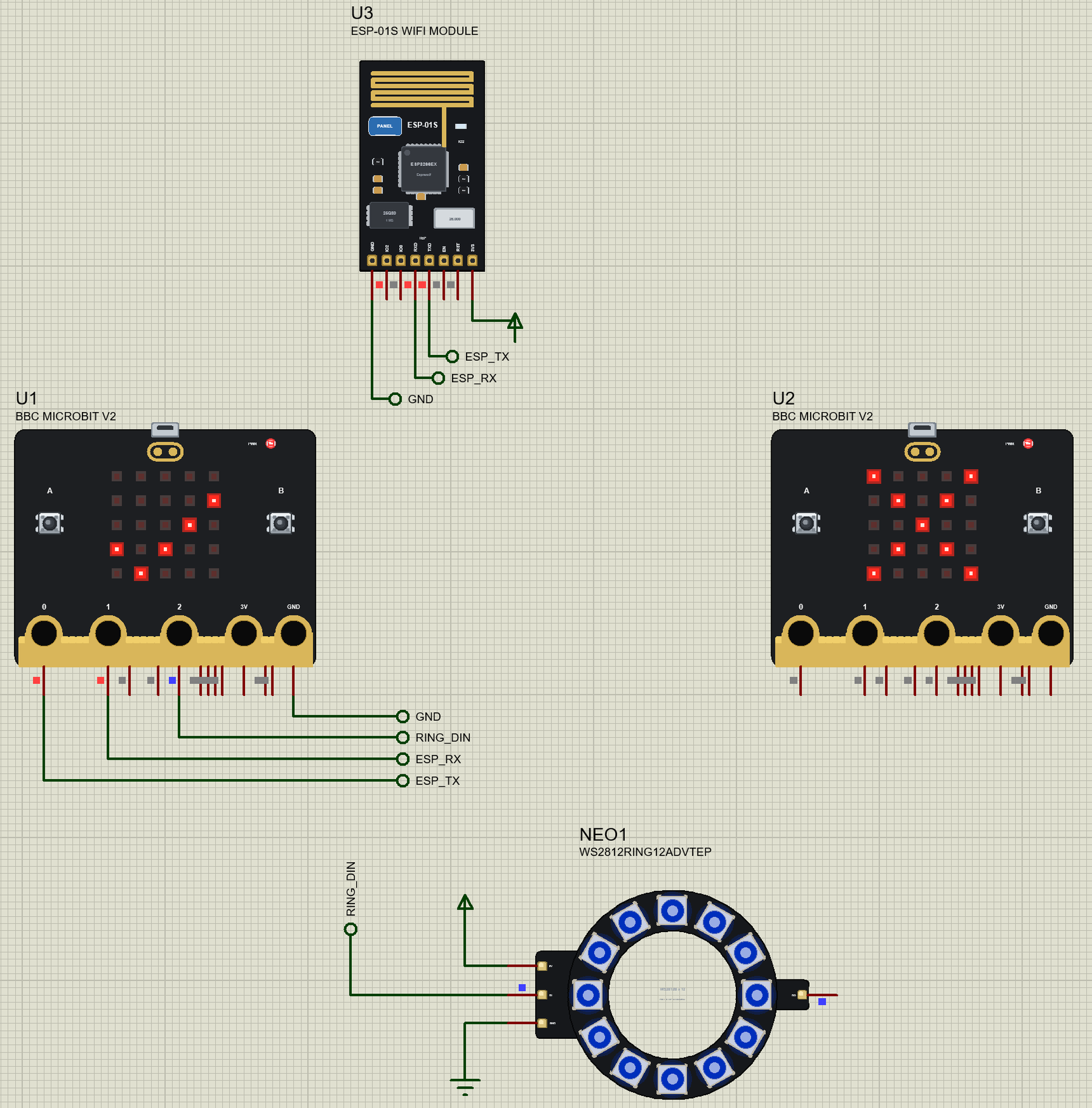
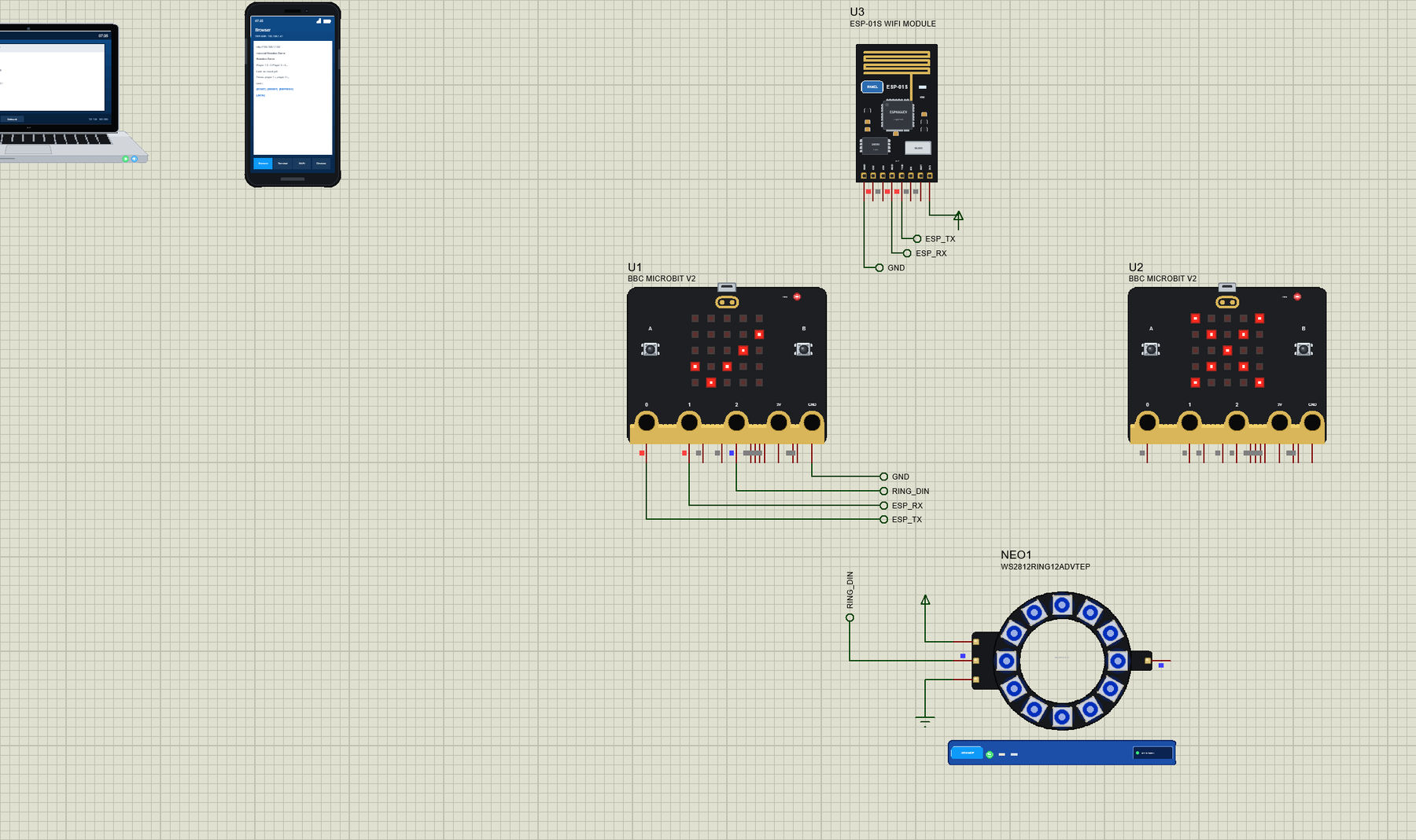
Open Microbit-Reaction-Game.pdsprj. U1 is the host micro:bit running Microbit_Reaction_Host.hex (player 1); U2 is the player micro:bit running Microbit_Reaction_Player.hex (player 2) - with nothing wired to it, because the radio is its only link. U3 is the ESP-01S from our ESP-01S Library for Proteus and NEO1 the 12-LED ring from our WS2812B NeoPixel Library for Proteus - the Advance version. PC1 is the Laptop WiFi Monitor and MOB1 the Mobile WiFi Monitor.
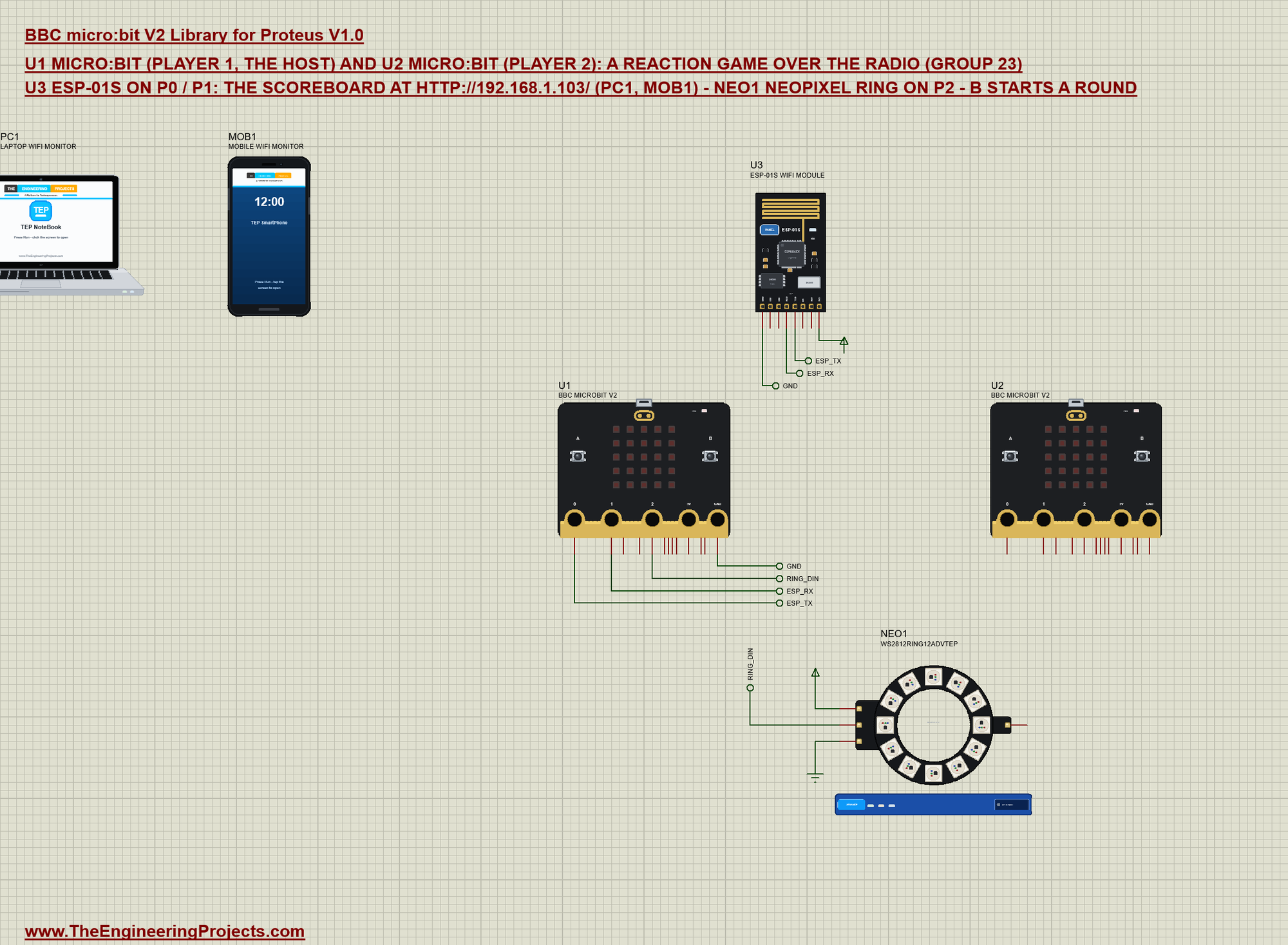
| Part | Pins | micro:bit pins | Notes |
|---|---|---|---|
| ESP-01S (U3) | TXD / RXD | P0 / P1 | Serial1 at 115200 baud, AT commands |
| WS2812B ring (NEO1) | DIN | P2 | Adafruit NeoPixel, 12 LEDs |
| both | VCC, 5V / GND | power terminal / GND | their models want a digital supply |
| U2 (player 2) | - | - | the radio, group 23 |
The modules get their supply from power terminals: their models read VCC as a digital level, which the board's 3V (an analog source in Proteus) does not give them. On a real micro:bit, give the ESP-01S its own 3.3 V supply - it draws more current than the board's regulator can spare - and the ring a 5 V supply, with all the grounds joined.
The Messages
The two boards agree on five kinds of short messages: R (a round starts), G (go), T and a number (player 2's time in ms), F (player 2 pressed too early) and W1, W2 or W0 (the winner, or nobody). One letter is enough, because only these two boards are on group 23. A round starts like this on the host:
void startRound() {
  rounds++;
  time1 = time2 = -1; false1 = false2 = false;
  Radio.send("R");
  Serial.print(F("Round ")); Serial.print(rounds); Serial.println(F(": 3 - 2 - 1 ..."));
  state = COUNTDOWN; stateAt = millis();
}
Both boards count 3 - 2 - 1 on their own clocks from the moment R arrives, so the countdown needs no more messages. Then the host waits a random 1 - 3 seconds - nobody can guess GO - and sends G:
    case WAITING:
      if (aPressed) false1 = true;
      if (millis() >= waitUntil) {
        Radio.send("G"); goAt = millis();
        microbit.show(microbit.ARROW_UP); ringFill(GREEN);
        Serial.println(F("GO!"));
        state = GO;
      }
      break;
The Player
The player is the simpler sketch. Every message it hears goes through one function, which also prints it with its signal strength:
void message(const String &m) {
  Serial.print(F("Radio: ")); Serial.print(m); Serial.print(F(" (RSSI ")); Serial.print(Radio.rssi()); Serial.println(F(" dBm)"));
  if (m == "R") { rounds++; state = COUNTDOWN; roundAt = millis(); }
  else if (m == "G" && state != DONE) { state = GO; goAt = millis(); microbit.show(microbit.ARROW_UP); }
  else if (m[0] == 'W') {
    if (m[1] == '2') { wins++; microbit.show(microbit.YES); }
    else microbit.show(m[1] == '1' ? microbit.NO : microbit.SQUARE);
    Serial.print(m[1] == '2' ? F("I won! ") : m[1] == '1' ? F("Player 1 won. ") : F("Nobody pressed. "));
    Serial.print(F("Wins ")); Serial.print(wins); Serial.print(F(" of ")); Serial.println(rounds);
    state = IDLE;
  }
}
When A is pressed after GO, the player sends its time back as T and a number; pressed before GO, it sends F. The host collects both times and decides:
void listen() {                                            // player 2's messages
  if (!Radio.available()) return;
  String m = Radio.receive();
  if (m[0] == 'T' && state == GO && time2 < 0) { time2 = m.substring(1).toInt(); Serial.print(F("Player 2: ")); Serial.print(time2); Serial.print(F(" ms (RSSI ")); Serial.print(Radio.rssi()); Serial.println(F(" dBm)")); }
  else if (m[0] == 'F' && (state == COUNTDOWN || state == WAITING || state == GO)) { false2 = true; Serial.println(F("Player 2: a false start")); }
}
The Scoreboard
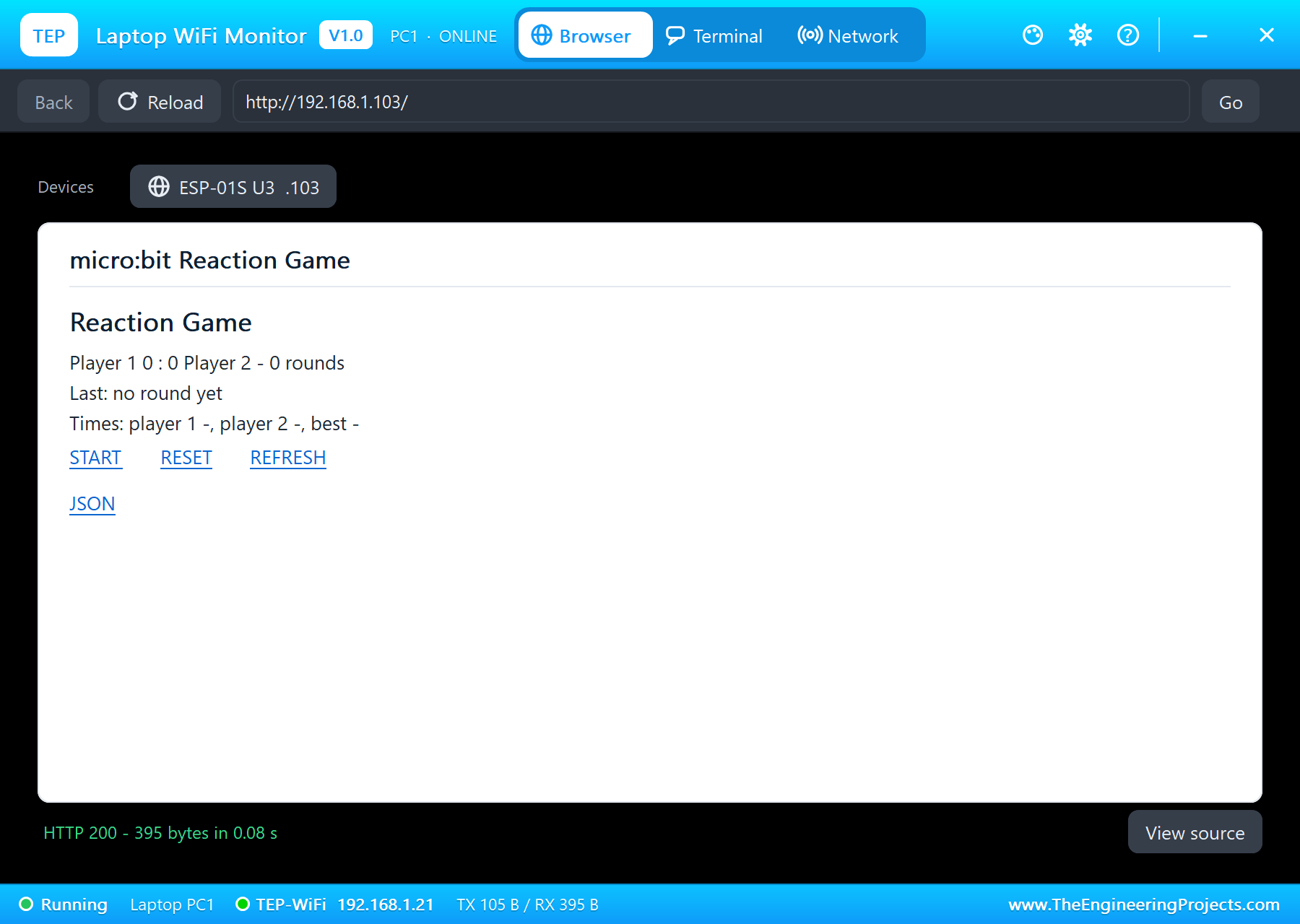
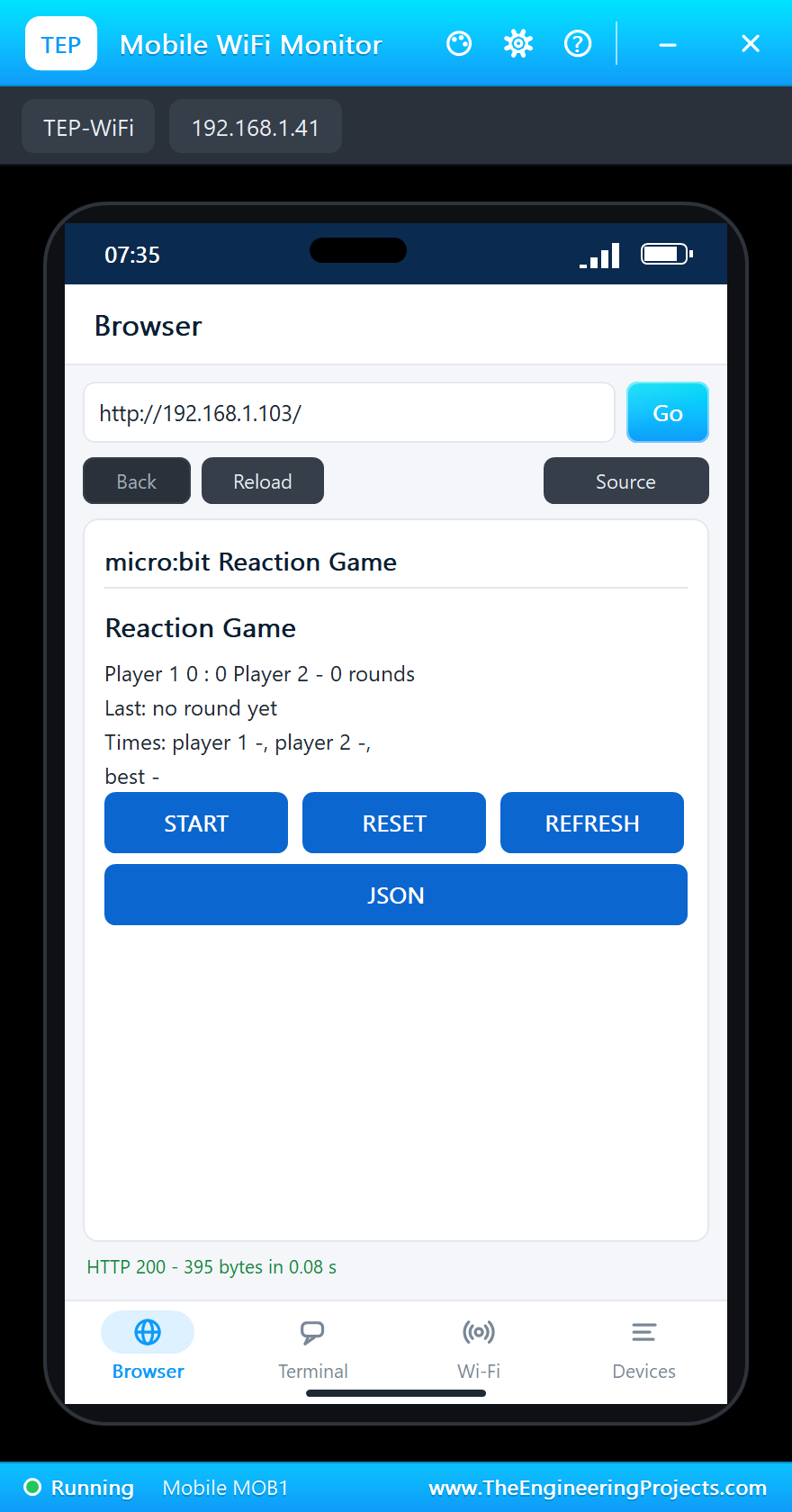
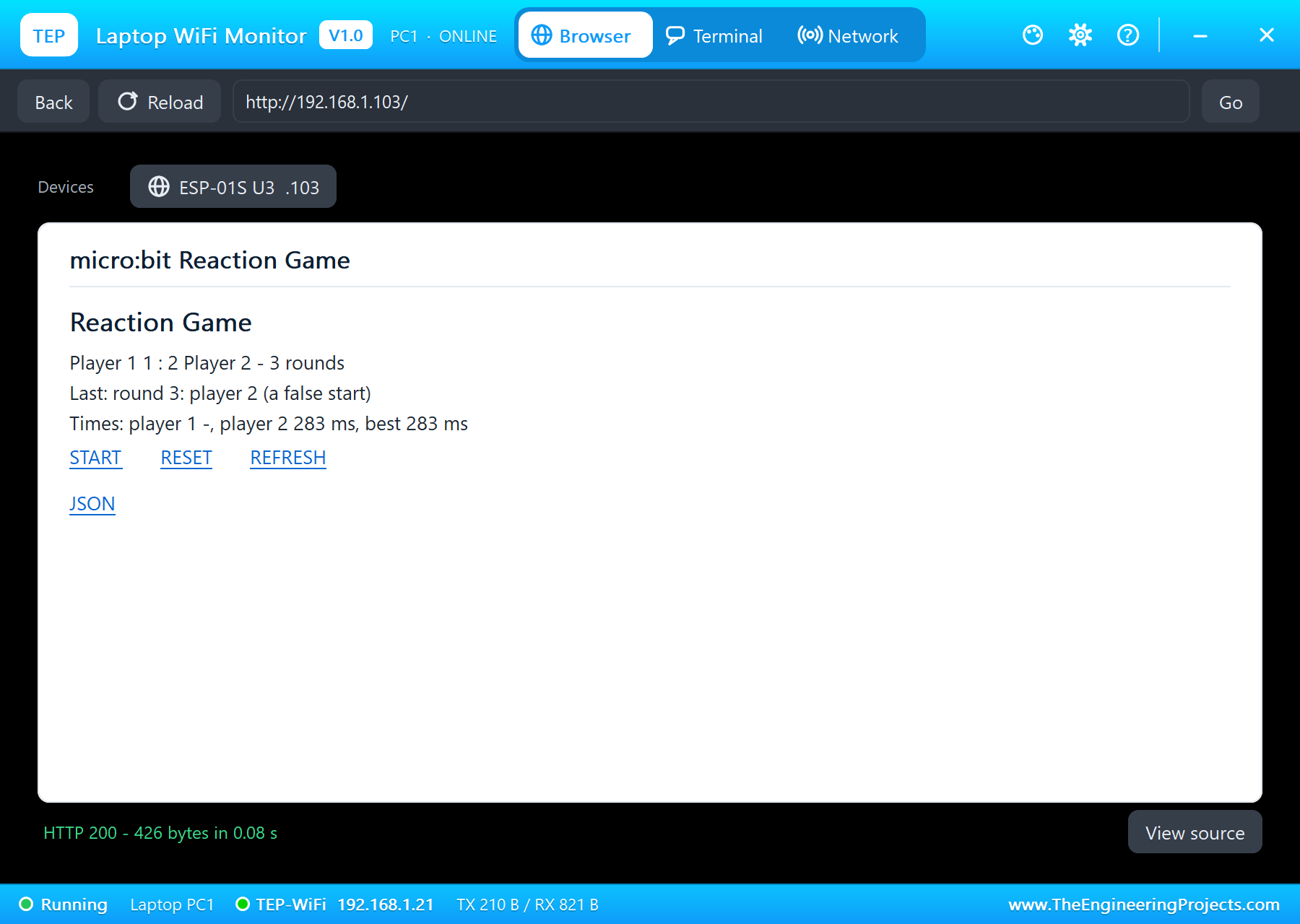
The ESP-01S joins TEP-WiFi with AT commands and runs a small server on port 80. Each request arrives as +IPD data on Serial1; the host answers with a page - the score, the last result, the times, the best time and the START, RESET, REFRESH and JSON links. /start starts a round, exactly as button B does.
Run the Demo
Press Run. The host scrolls HI while the ESP-01S joins the network, both matrices show a happy face and U1's monitor prints the scoreboard's address:
micro:bit Reaction Game - host (player 1) - The Engineering Projects
Joining TEP-WiFi... connected
Scoreboard: http://192.168.1.103/
Score 0 : 0, rounds 0, best -, IP 192.168.1.103, pages 0
Press B (or START on the page) for a round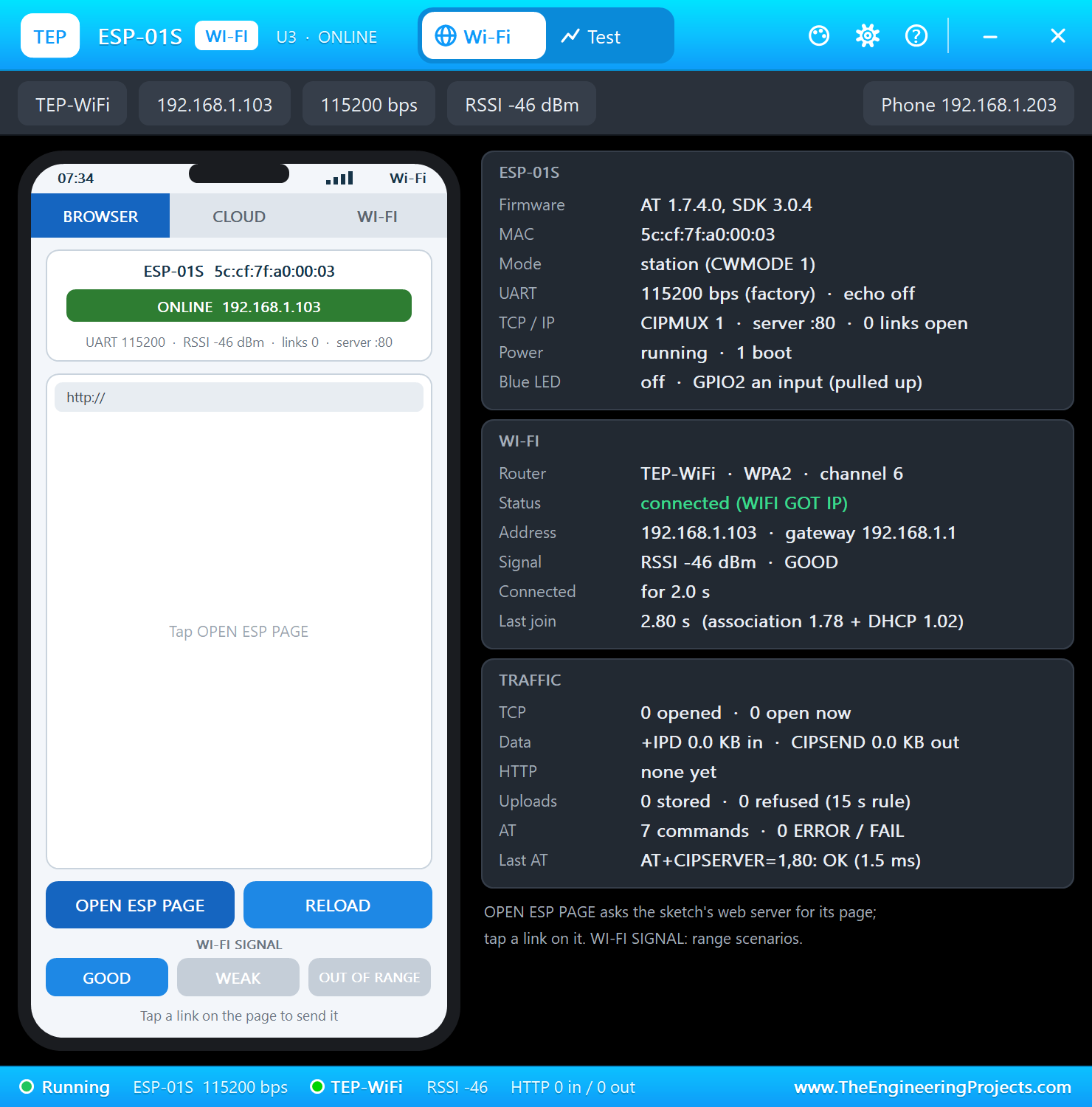
Round 1
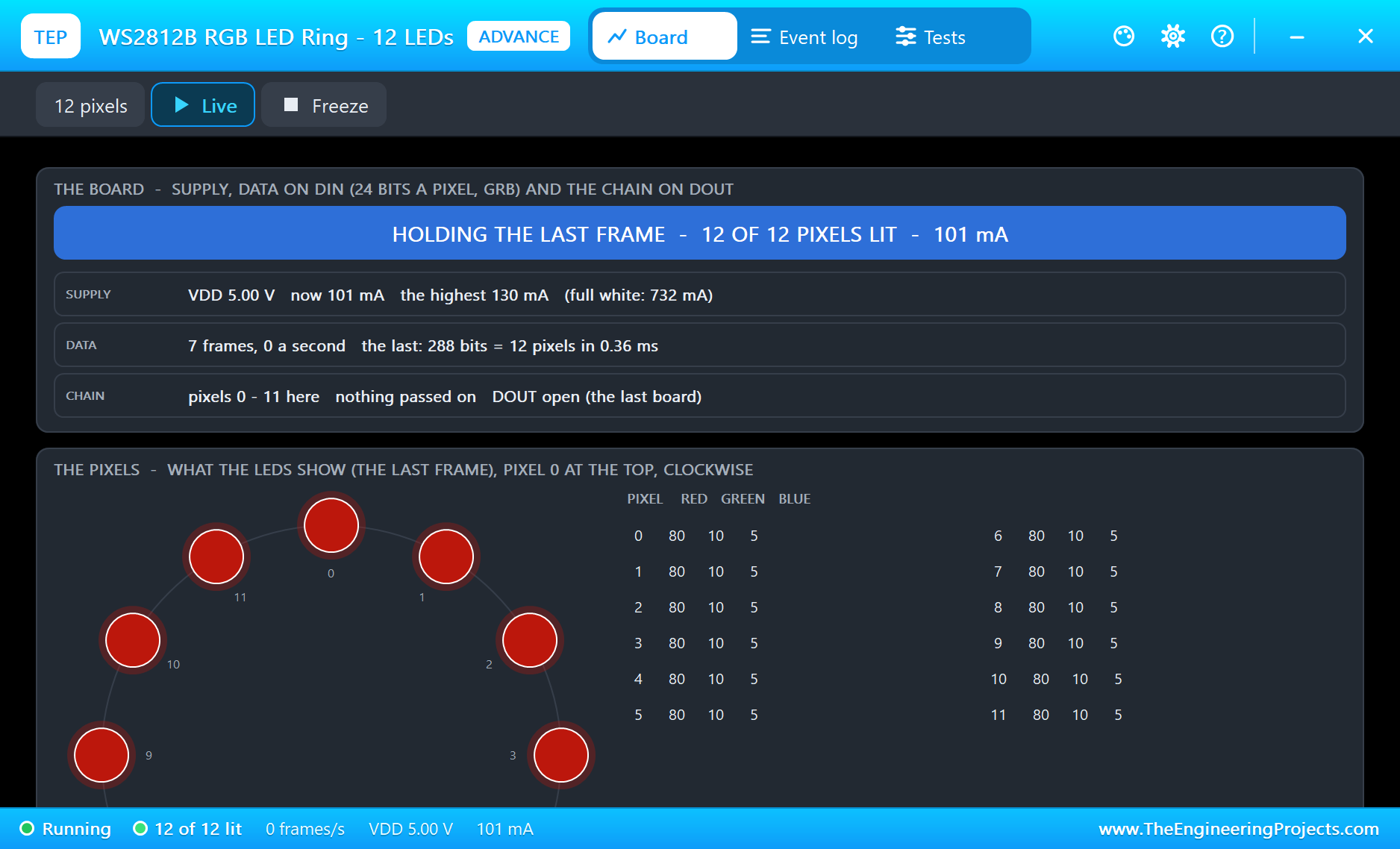
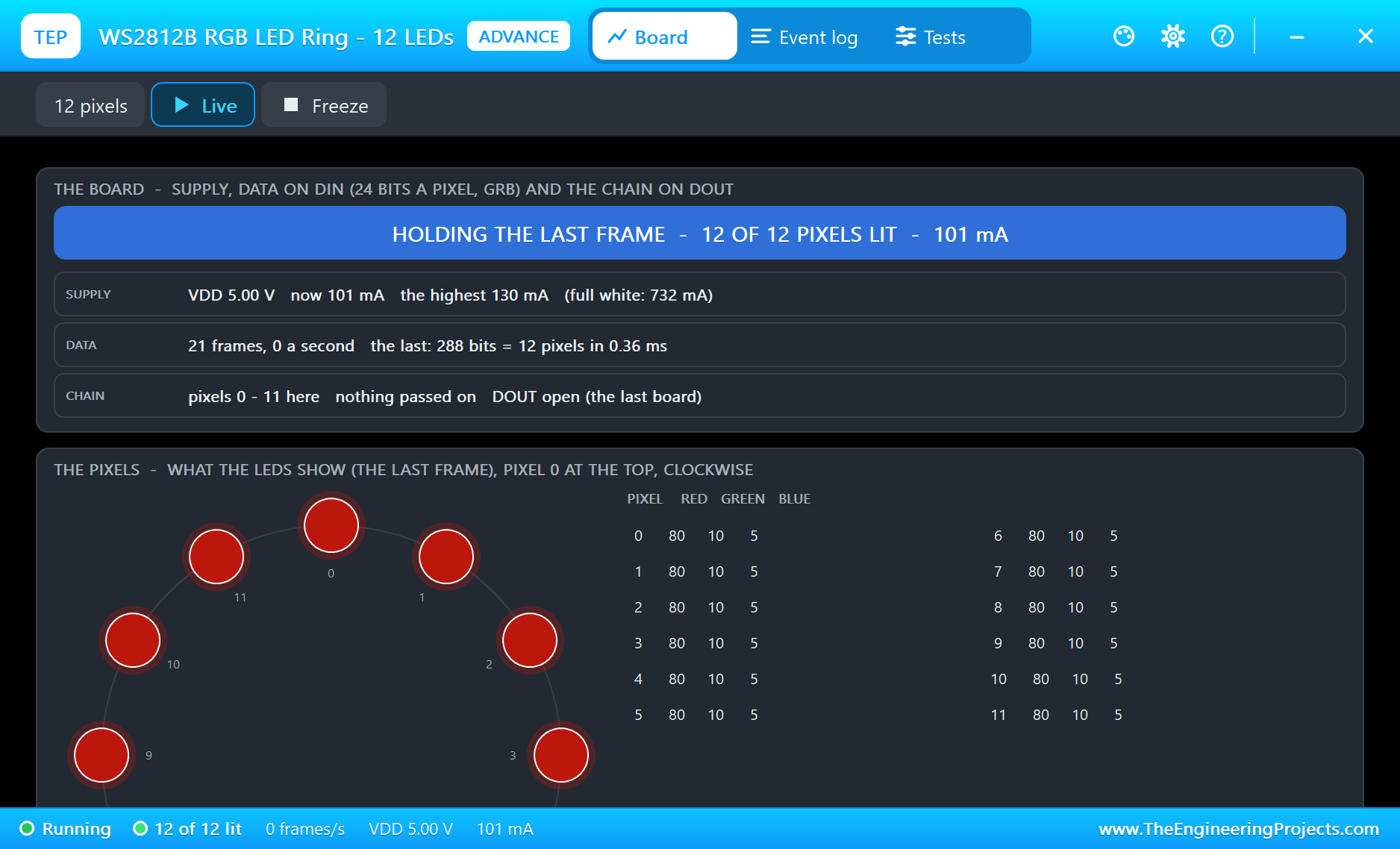
Type START in U1's monitor (or click B on the board). Both matrices count down, and the ring fills red, then amber:
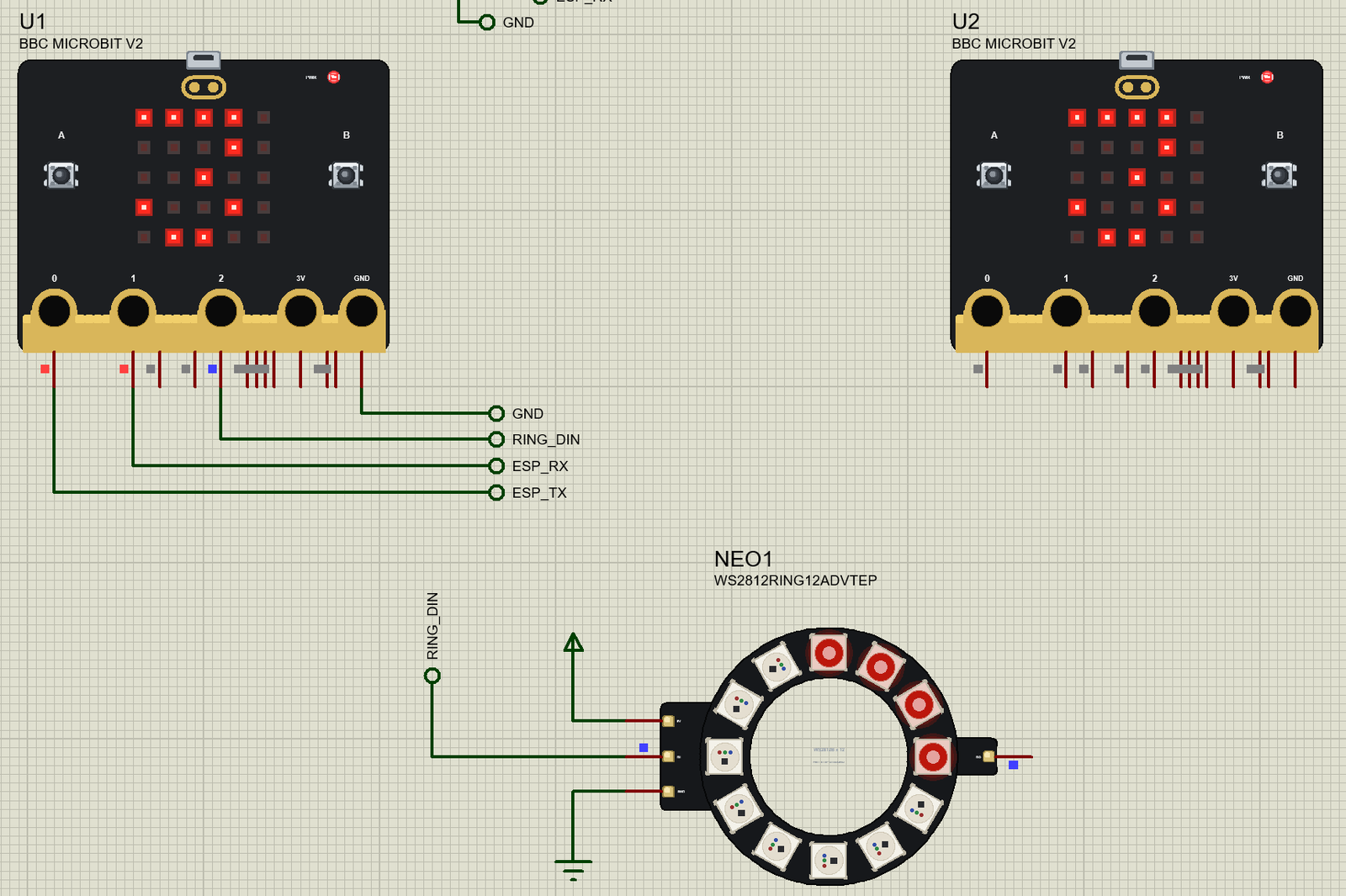
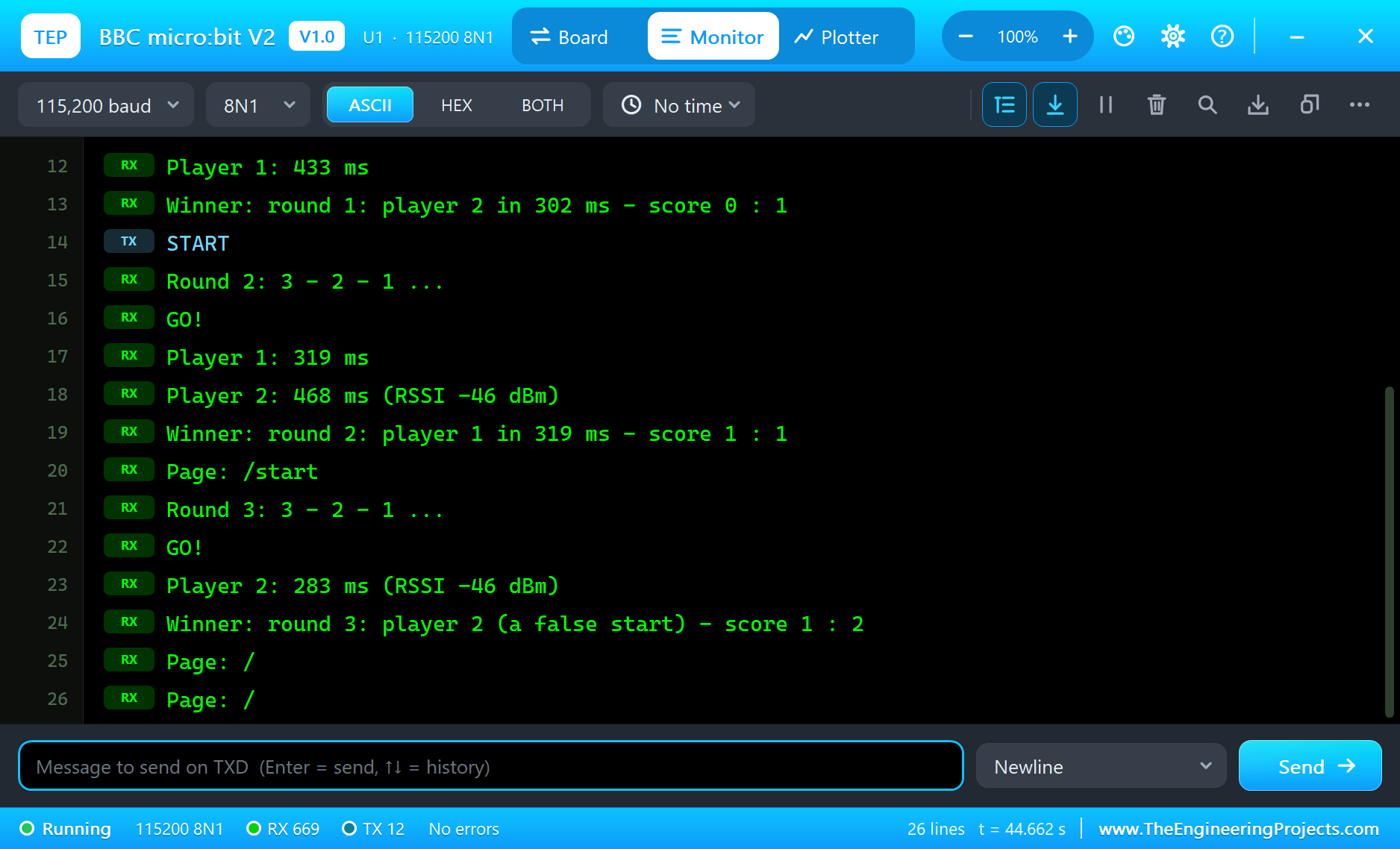
At GO both show an arrow and the ring turns green. Press A - click it on the board, or the A key on the monitor's Board tab. In the first round player 2 is faster:
Round 1: 3 - 2 - 1 ...
GO!
Player 2: 302 ms (RSSI -46 dBm)
Player 1: 433 ms
Winner: round 1: player 2 in 302 ms - score 0 : 1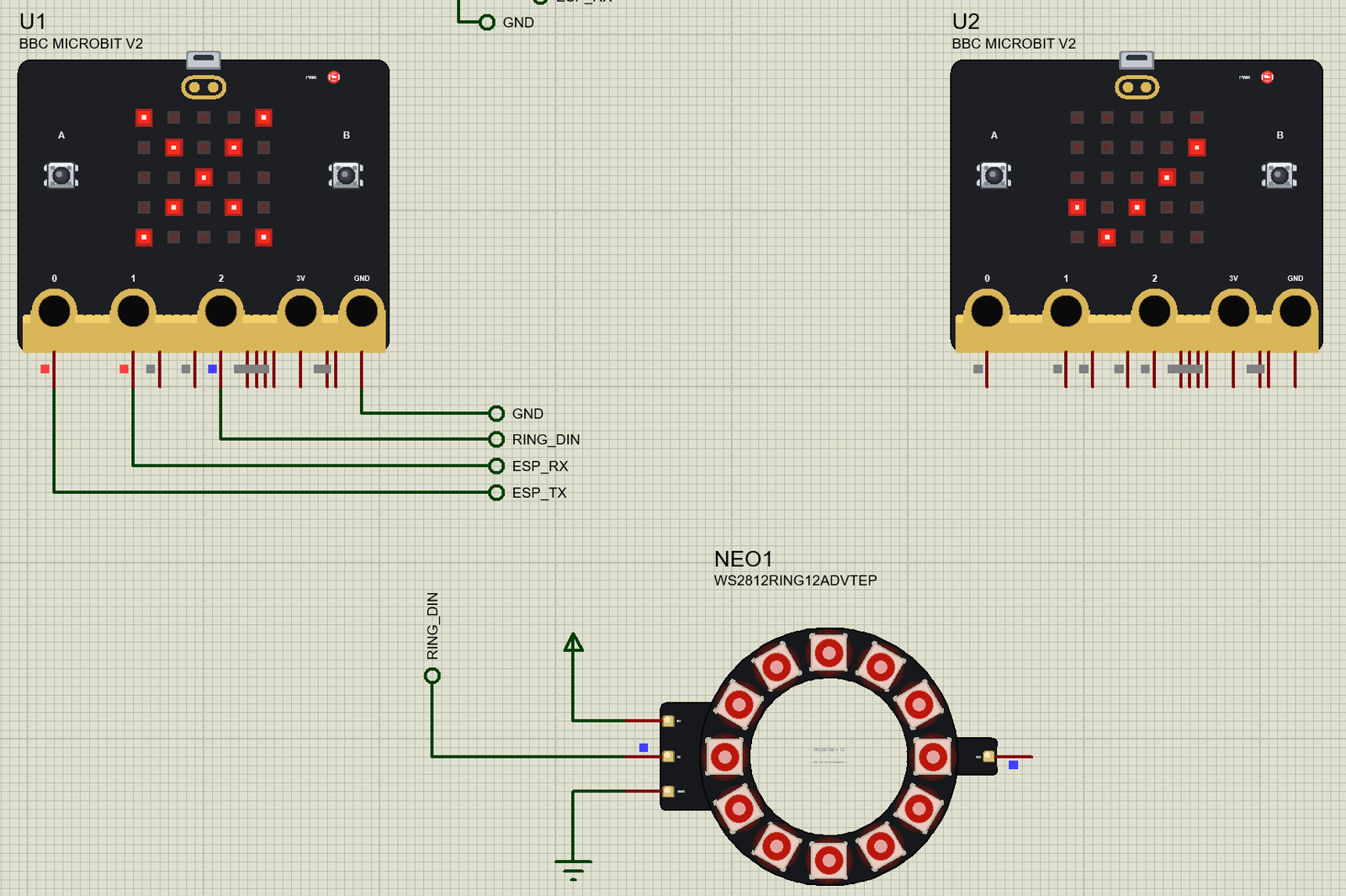
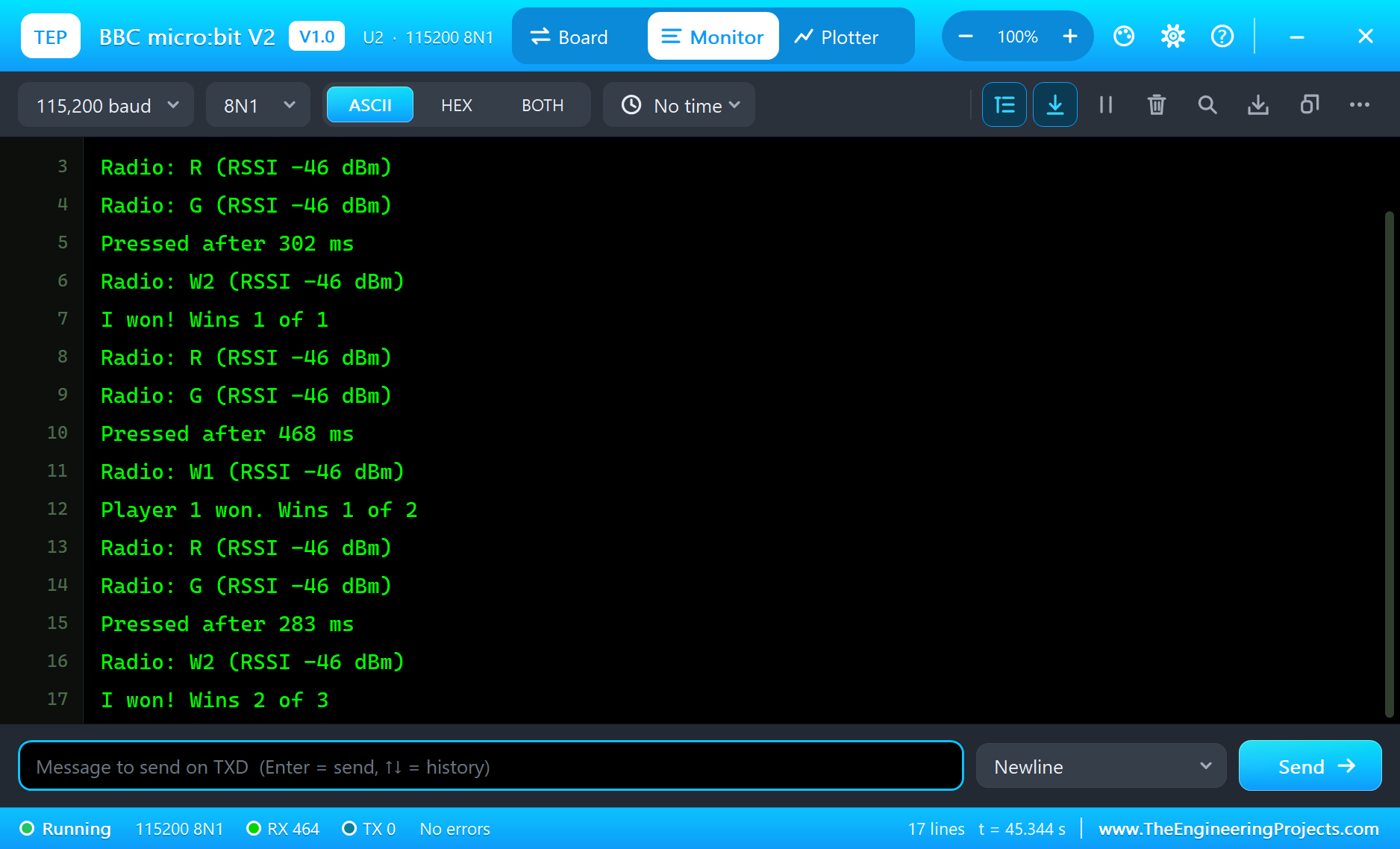
U2's own monitor shows the same round from the other side - every message with its RSSI:
Waiting for the host on radio group 23
Radio: R (RSSI -46 dBm)
Radio: G (RSSI -46 dBm)
Pressed after 302 ms
Radio: W2 (RSSI -46 dBm)
I won! Wins 1 of 1
Round 2 and a False Start
Round 2 goes to player 1 in 319 ms: YES on U1 and the ring blue.
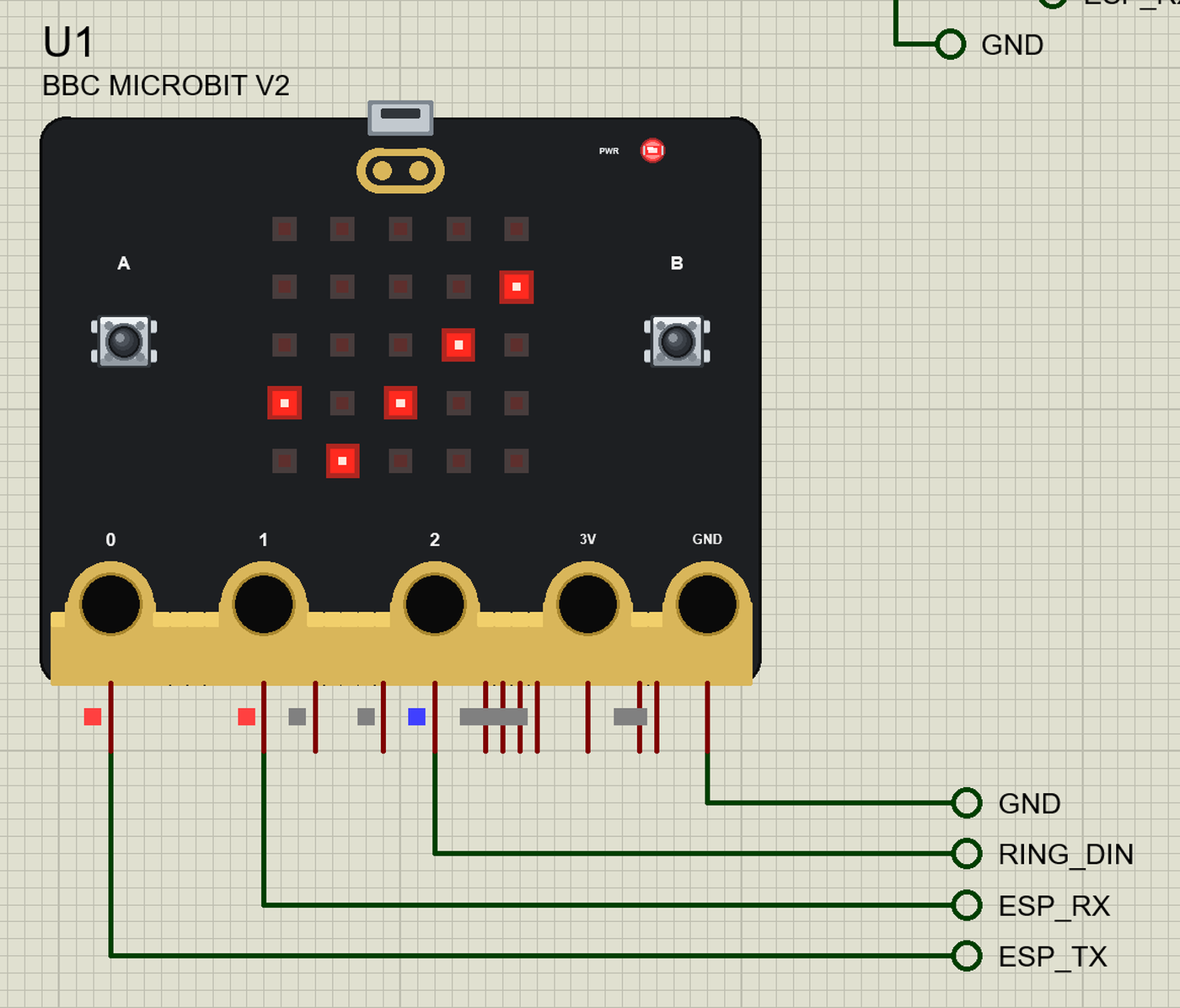
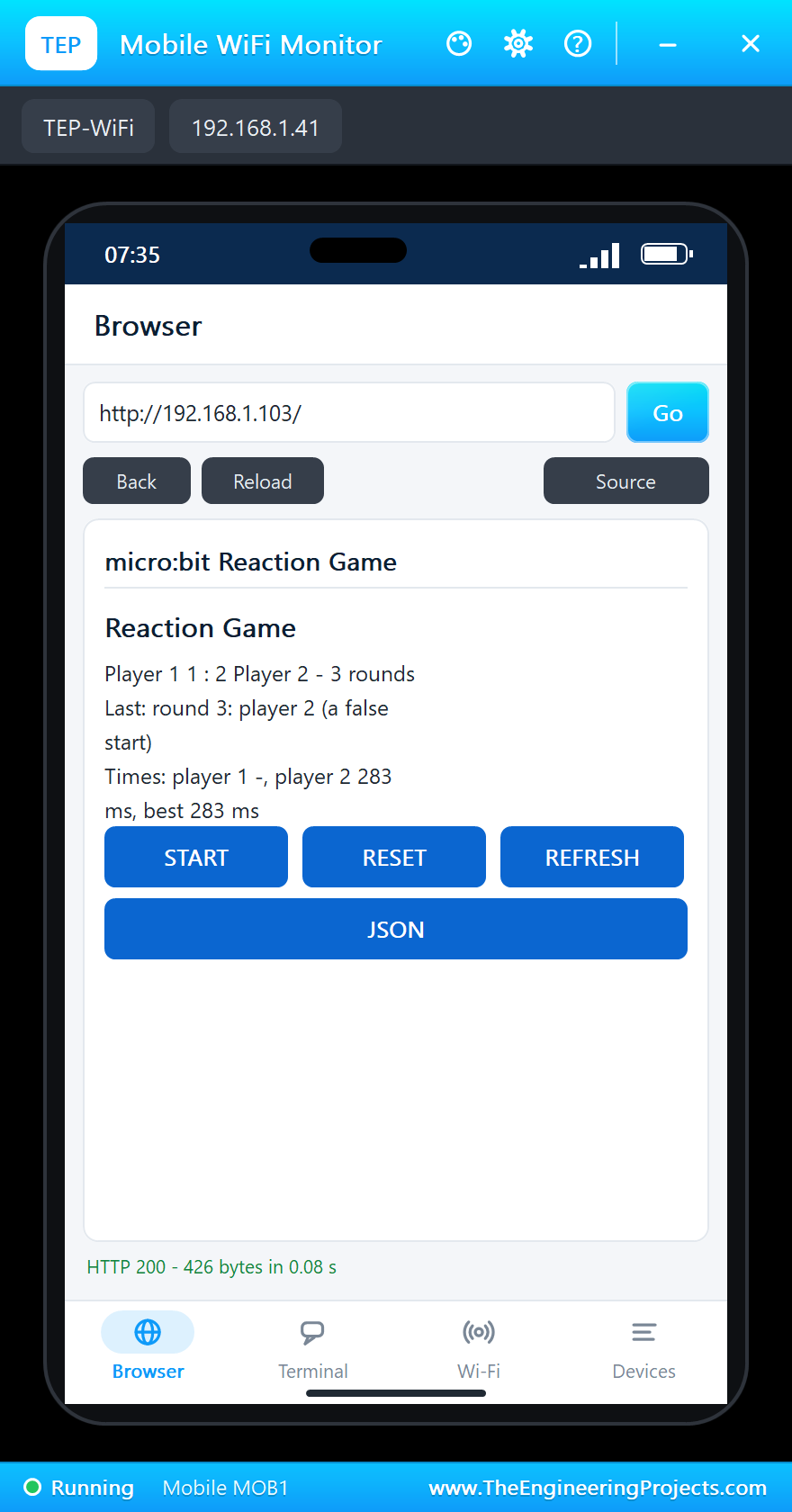
For round 3, tap START on the phone and press A on U1 during the countdown - too early. Player 2 only has to press after GO:
Page: /start
Round 3: 3 - 2 - 1 ...
GO!
Player 2: 283 ms (RSSI -46 dBm)
Winner: round 3: player 2 (a false start) - score 1 : 2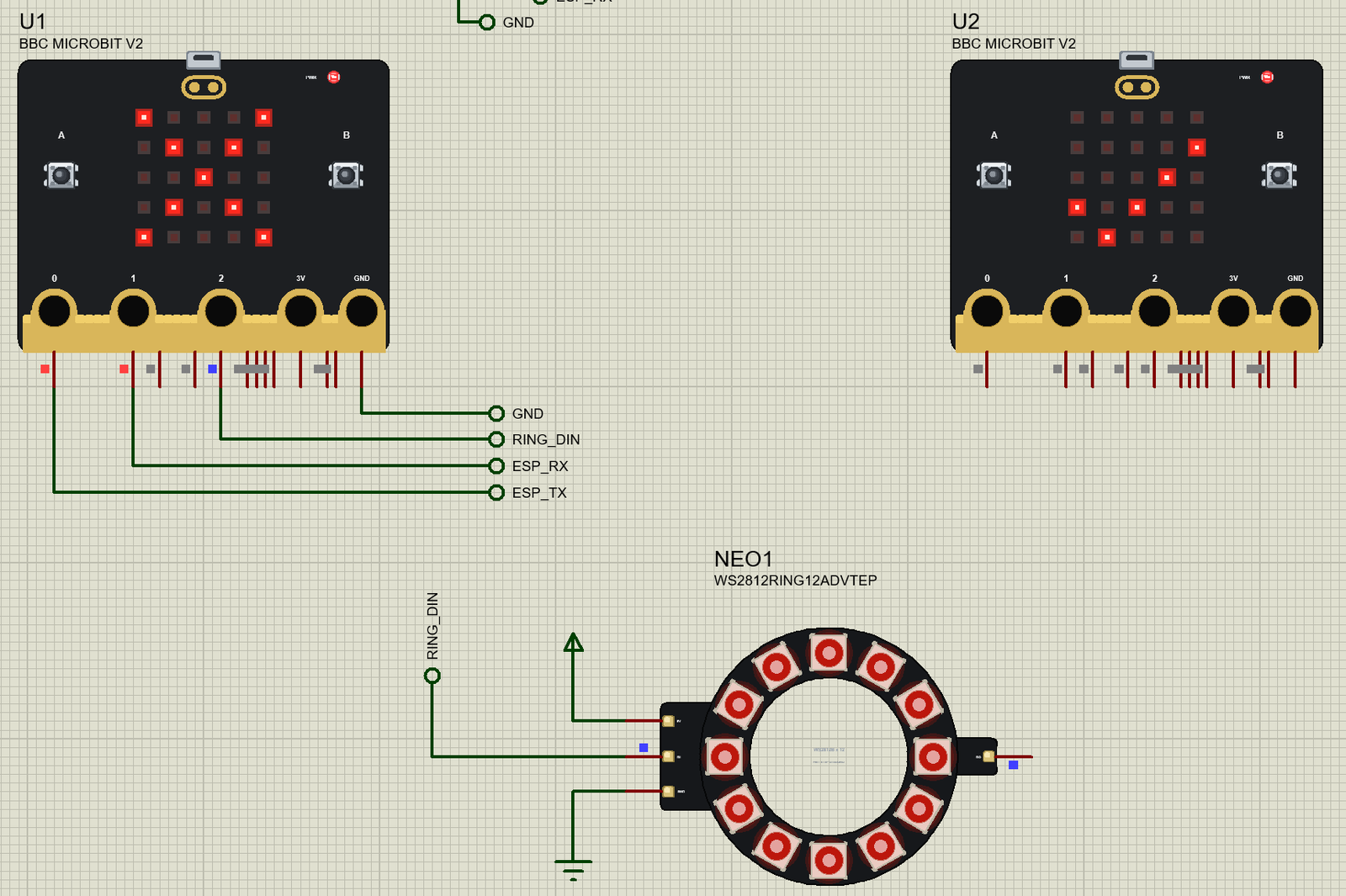
The built-in serial monitors, in the look of our TEP Serial Monitor Advance for Proteus, keep every line:
Try It Yourself
- Type
STATUSin U1's monitor for the score and the best time,RESETto start again. - Copy U2 and paste it twice: four micro:bits on group 23 - change the player sketch so each one sends its own number.
- Change the group of one board to 24: it stops hearing the game, as a real micro:bit would.
- Open
http://192.168.1.103/jsonon the laptop for the score as JSON.
Ideas to Extend the Game
- Count the rounds to five and scroll the champion's number on both matrices.
- Use
Radio.rssi()to make a "hot and cold" hunt: the closer the hidden micro:bit, the more LEDs light up. - Let the ring show the reaction time as a bar - one LED for every 50 ms.
- Add a third micro:bit as a referee that only listens and shows the score.
Your Own Sketches
Write the sketch in the Arduino IDE with the board BBC micro:bit V2 (TEP Proteus), use Sketch > Export Compiled Binary and set the board's PROGRAM property to the .hex. The matrix code also compiles for a real micro:bit with Adafruit's library and an nRF5 board package; the radio on real boards comes from MicroPython, MakeCode or a BLE library, so keep the radio calls in one place in your sketch.
Things to Know Before Using a Real micro:bit
- 3.3 V: the micro:bit is a 3 V board; a 5 V module needs a level shifter on the pins it drives.
- Current: the 3V ring can give only a little current - an ESP-01S or a long NeoPixel strip needs its own supply.
- Pins: on the real board P3, P4, P6, P7, P9 and P10 also drive the LED matrix; turn the display off before using them as GPIO.
- The radio is not Wi-Fi: it reaches other micro:bits, not a router - for the internet, add a Wi-Fi module as the demo does.
Properties of the BBC micro:bit V2
| Property | What it does |
|---|---|
| PROGRAM | the sketch: a .hex from TEP Boards for Proteus (board "BBC micro:bit V2") |
| MONITOR, BAUD, AUTOOPEN | the built-in serial monitor: on, its baud rate (115200), open at Run |
Each micro:bit has its own monitor; the Board tab shows the PWR LED, every pin and an A key that presses button A.
Troubleshooting
- Nothing happens at Run: the HEX was not built with TEP Boards for Proteus - select BBC micro:bit V2 (TEP Proteus).
- The other micro:bit hears nothing: both need Radio.on() and the same group (and channel, if you set one).
- No page: the ESP-01S's TXD to P0, RXD to P1, its VCC on the power terminal.
- The ring stays dark: DIN on P2, its 5V on the power terminal, ring.begin() and ring.show().
- Closed a window? The micro-USB opens the monitor again.
Limitations of the Simulation
- Your sketch gets 8 KB of RAM in the simulation and runs slower than on the nRF52833 with 128 KB.
- The matrix is on or off per LED (no brightness levels); the accelerometer, compass, speaker, microphone and touch logo are not modelled.
- The radio is our library between the micro:bits of one design; Bluetooth LE is not modelled.
- The PWR LED is drawn at the top edge; on the real board it is on the back.
- BBC and micro:bit are trademarks of the BBC and the Micro:bit Educational Foundation; this library is not made or endorsed by them, by Nordic Semiconductor, by Adafruit or by Labcenter.
- Tested in Proteus 8.5 in October 2026 (the demo as shipped, about 45 s of simulation in about 6.5 minutes on our PC with both monitors, the ESP-01S's and the ring's pop-ups and both tools open). Proteus 7 is not supported.
So, that was all about the BBC micro:bit V2 Library for Proteus. I hope it helps you try radio projects with two, three or ten micro:bits before you hand them out to a class - and see every message they send. If you have any questions, ask in the comments and I will help you out. Till the next tutorial, take care and have fun!

Comments
0