


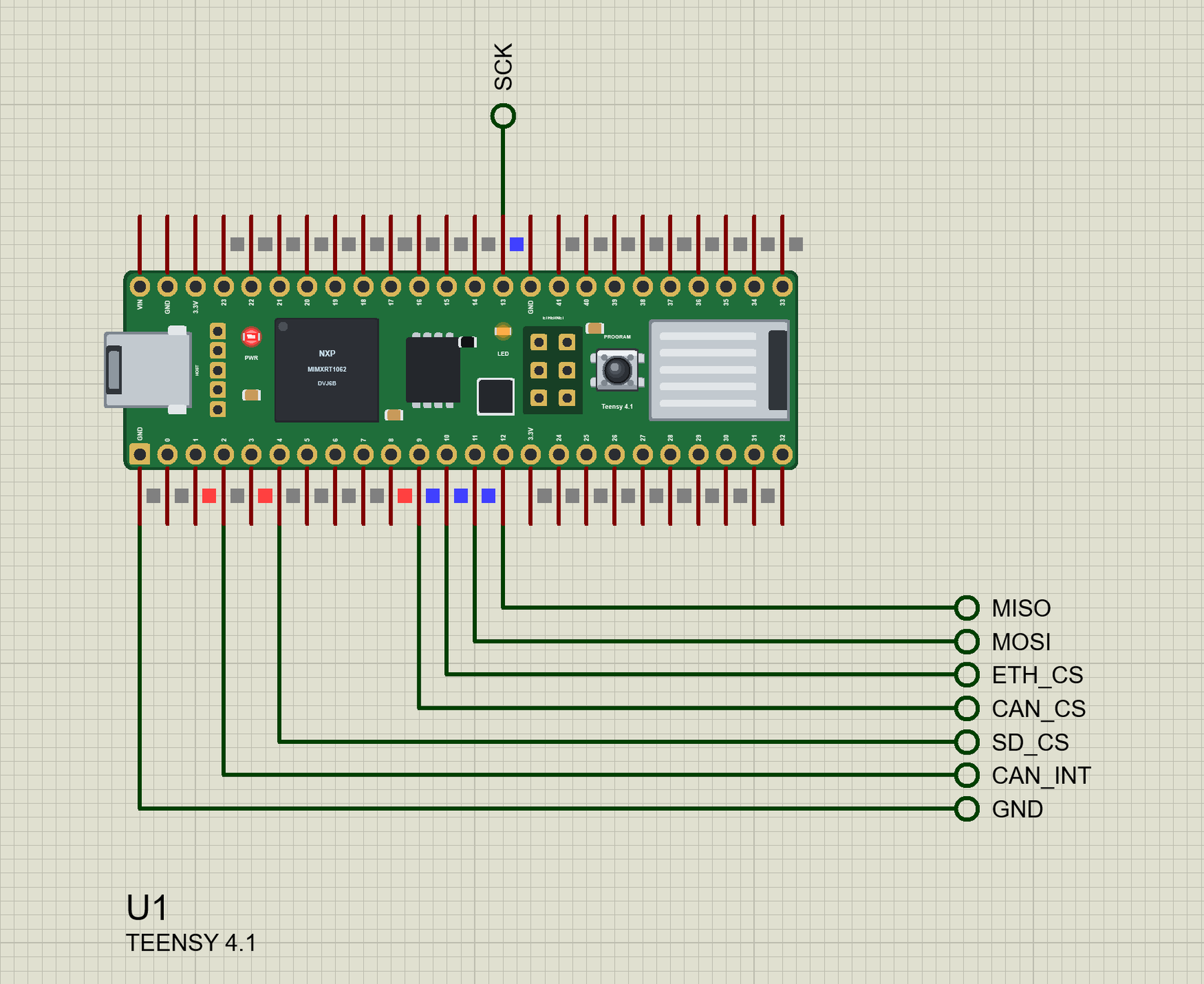
Teensy 4.1 Library for Proteus: MCP2515 CAN Logger, SD, W5500


Hello friends, I hope you all are doing great. Today, I am going to share the Teensy 4.1 Library for Proteus. The Teensy 4.1 from PJRC is one of the fastest boards you can program in the Arduino IDE: an NXP i.MX RT1062 - an ARM Cortex-M7 at 600 MHz with 1 MB of RAM and 8 MB of flash - on a stick of a board 61 mm long. With this library it runs your Teensy Arduino sketch in Proteus 8.5, with the Teensy's own pin numbers.
Teensy 4.1 Library for Proteus
Latest version: V1.0 (October 2026, this tutorial)
Helping Tools
- Laptop WiFi Monitor: a laptop on the Wi-Fi of your design: a browser, a TCP / UDP terminal and ping
- Mobile WiFi Monitor: a smartphone that opens the pages of your board and sends it commands
- Serial Monitor Advance: a serial terminal window for the UART of your board
The demo is a CAN bus data logger, a job the Teensy 4.1 often gets in cars, tractors and machines. An MCP2515 CAN module listens to an engine node, a micro SD card module keeps every frame in a CSV file, and a W5500 Ethernet module gives the logger a web page for a phone and a laptop - with buttons that send frames back onto the bus.
NOTICE: Proteus has no i.MX RT1062 model, so our team has put a lot of effort into building this board ourselves: the Teensy's pins and LEDs are all our own model, and your sketch compiles with our free TEP Boards for Proteus add-on. Your feedback is the fuel that keeps us going, so please tell us what you think in the comments below or in the Teensy 4.1 board of our forum. And if our free libraries help you, you can buy us a coffee. So, let's get started with the Teensy 4.1 Library for Proteus:
What is the Teensy 4.1?
The Teensy boards are designed by Paul Stoffregen of PJRC in Oregon, and Teensyduino, the add-on that brings them to the Arduino IDE, has been around since the first Teensy in 2008. The Teensy 4.1 is the biggest of the fourth generation: the same processor as the Teensy 4.0, but a longer board with more pins, a micro SD socket wired to the chip's fast 4-bit SDIO port, an Ethernet PHY (add a small RJ45 kit), a 5-pin USB host header and pads underneath for extra PSRAM or flash chips.
On the board you find the micro-USB socket at one end, the big BGA processor, the 8 MB flash chip, the 6-pin Ethernet header, the small white PROGRAM button that starts the bootloader, the micro SD socket at the other end and an orange LED on pin 13. Two rows of 24 pins fit a breadboard.
| Teensy 4.1 | Teensy 4.0 | |
|---|---|---|
| Chip | NXP i.MX RT1062, Cortex-M7 at 600 MHz | the same |
| Memory | 1 MB RAM, 8 MB flash, pads for PSRAM | 1 MB RAM, 2 MB flash |
| Pins | 2 x 24 (42 I/O on the edges), 55 in all | 2 x 14 (24 I/O on the edges), 40 in all |
| Extras | micro SD socket, Ethernet PHY, USB host | none of them |
| Size | 61 x 18 mm | 36 x 18 mm |
| User LED | orange, pin 13 (also SPI's SCK) | orange, pin 13 |
Why the Teensy 4.1?
Speed and peripherals. A sketch that is too slow on an Arduino or an ESP32 - audio effects, a fast control loop, a big display, signal processing with floating point - often runs with time to spare on the Cortex-M7. The board also has eight serial ports, three SPI and three I2C buses and three CAN ports, one of them CAN FD, which is why it turns up in car data loggers, motor controllers, robots and MIDI instruments. PJRC's libraries (Audio, FlexCAN_T4, NativeEthernet, SD with SdFat) are mature, and the forum behind them is one of the most helpful around.
Features of the Teensy 4.1 Library for Proteus
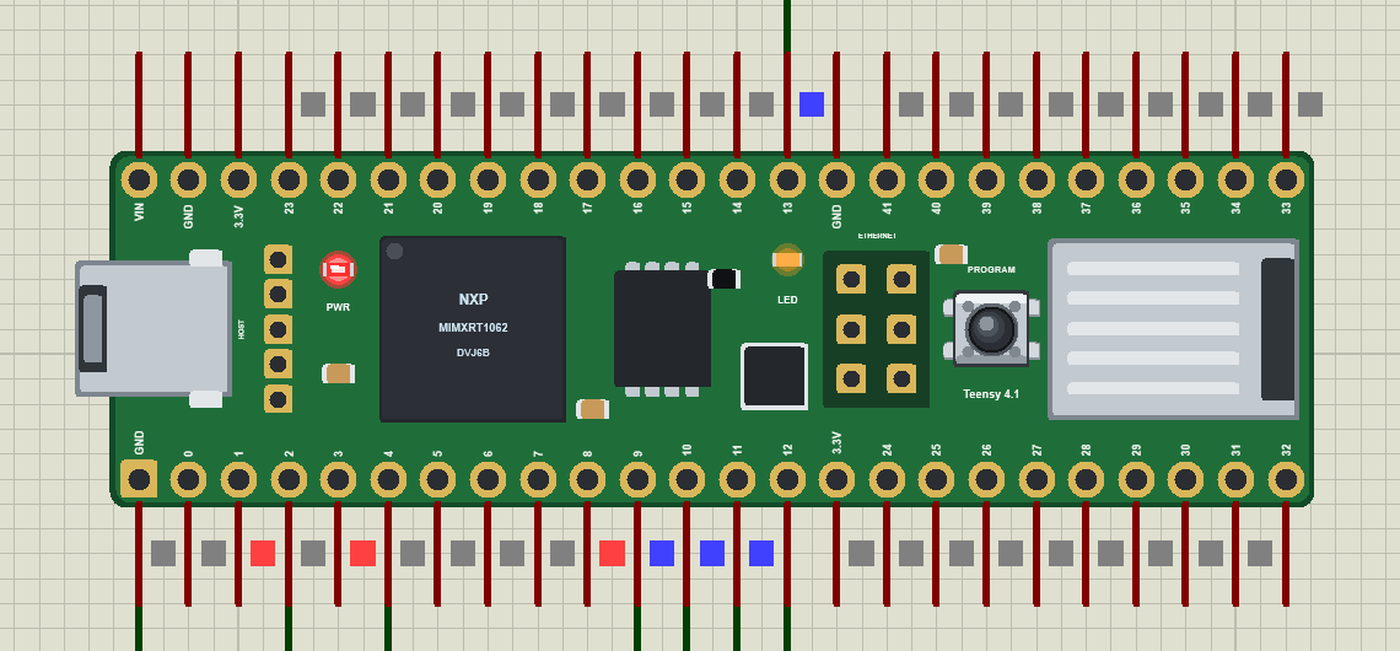
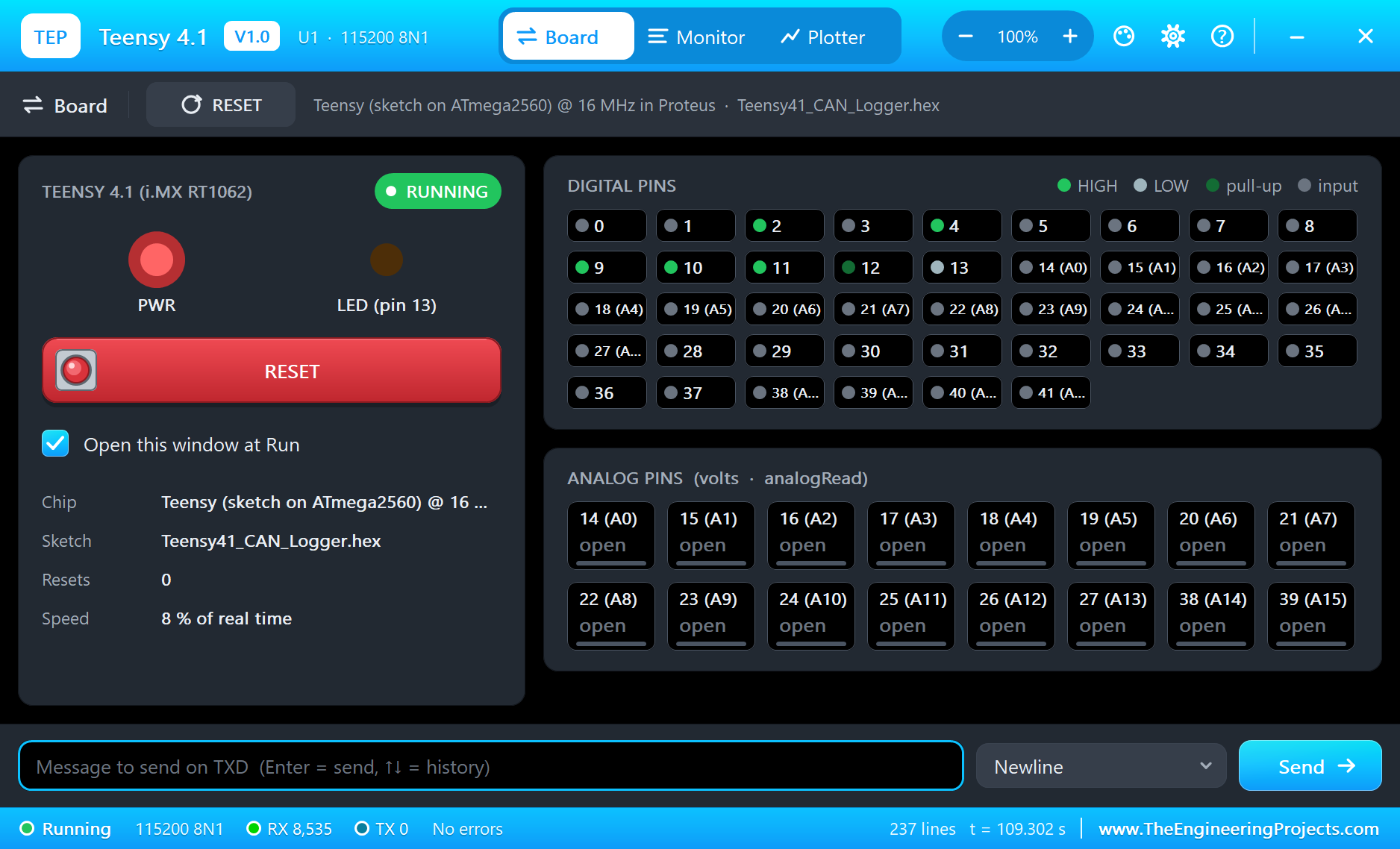
- The board as it looks: the green Teensy 4.1 with its two rows of pins, micro-USB, the USB host and Ethernet headers, the processor and the flash chip, the PROGRAM button, the micro SD socket and the orange LED.
- Your sketch: a .hex for "Teensy 4.1 (TEP Proteus)" with the Teensy's numbers - pins 0 to 41, A0 to A17, LED_BUILTIN = 13 - analogRead, analogWrite, attachInterrupt, Serial, Serial1 on 0 / 1, Wire on 18 / 19, SPI on 10 to 13.
- The LEDs: the orange LED follows pin 13; a red PWR LED (our addition - the real board has none) shows the power.
- The serial monitor: the built-in monitor on the USB with Monitor, Plotter and Board tabs - our TEP header, no Windows title bar.
- A complete package: about 4.4 MB with the board, the add-on, the MCP2515, micro SD and W5500 libraries, the engine node and the demo, without the source code of the models.
The Teensy 4.1 in Proteus
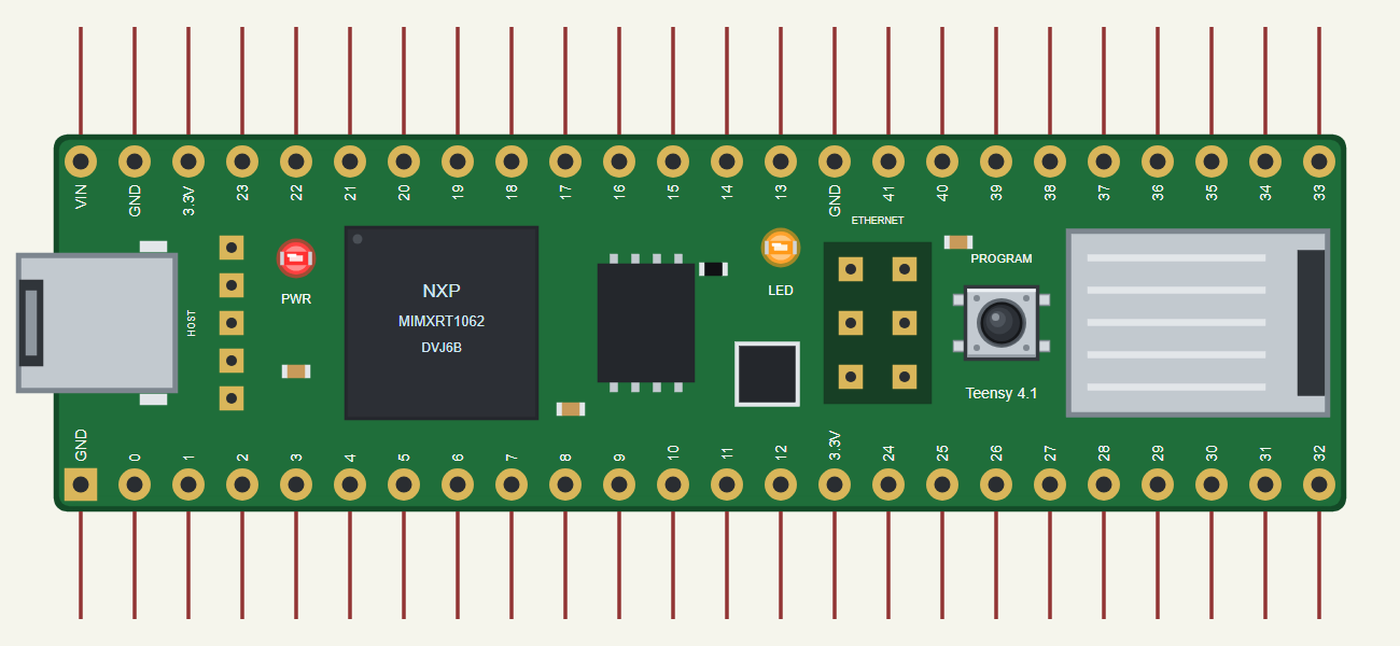
Search TEENSY in Pick Devices; the device TEENSY 4.1 is in TEPTEENSY41.LIB (Microprocessor ICs, Teensy Boards), with the prefix U. The board lies with micro-USB on the left: on top VIN, GND, 3.3V, then 23 down to 13, GND and 41 down to 33; at the bottom GND, 0 to 12, 3.3V and 24 to 32 - the same order as the real board's edges. Click the micro-USB to open the serial monitor.
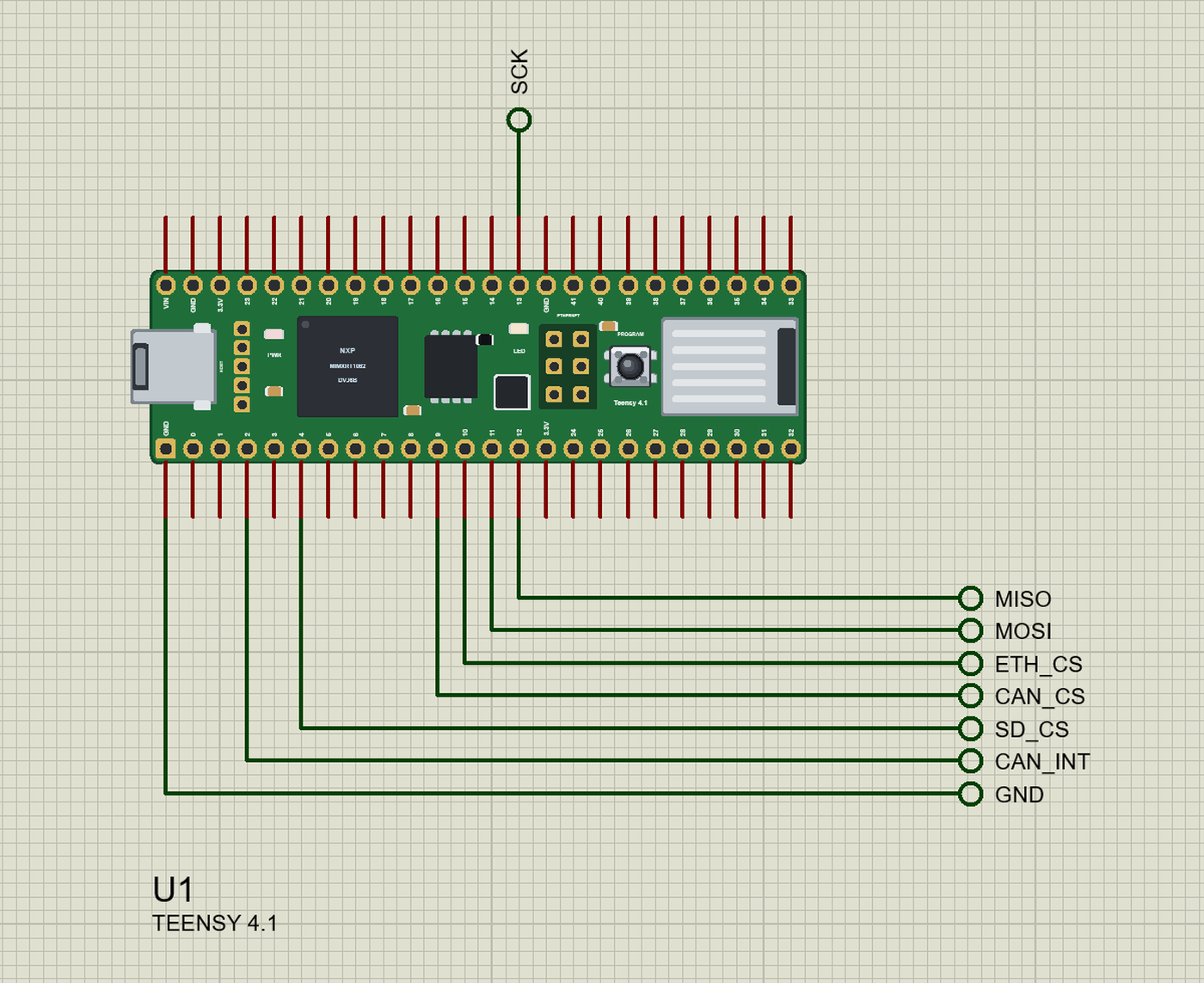
The Pins
| Pins | What the library does with them |
|---|---|
| 0 / 1 | Serial1 RX1 / TX1, GPIO, PWM, interrupt |
| 2 to 12 | GPIO, PWM, interrupt; 10 to 12 are also SPI CS / MOSI / MISO |
| 13 | SPI SCK and the orange LED (LED_BUILTIN, lit when HIGH) |
| 14 to 27 | A0 to A13: analogRead 0 to 1023, GPIO, interrupt; 18 / 19 are Wire SDA / SCL |
| 28 to 37 | GPIO, interrupt; PWM on 28, 29, 33, 36, 37 |
| 38 to 41 | A14 to A17: analogRead, GPIO; interrupt on 38 / 39 |
| VIN, 3.3V, GND | 5 V in, 3.3 V, ground |
analogRead(0) reads A0, as on a real Teensy, and analogRead(A0) or analogRead(14) do the same. The pads under the board, the USB host pins and the Ethernet header are drawn but not modelled.
Download Teensy 4.1 Library for Proteus
Click the button below to download Teensy-4-1-Library-for-Proteus-v1.0.zip (about 4.4 MB, without the source code of the models):
Teensy 4.1 Library for Proteus V1.0- README.txt: installation, the demo, the pins, the properties, troubleshooting and the limits.
- Proteus Library Files:
TEPTEENSY41.LIBand the demo's parts:TEPMCP2515.LIB,ArduinoV4TEP.LIB,TEPMICROSD.LIB,TEPW5500MOD.LIB,TEPLAPTOP.LIBandTEPMOBILE.LIB. - Proteus Model Files:
TEPNET.DLL(the board, the W5500, the laptop, the phone and the network),TEPMCP2515.DLL,TEPARDUINO.DLLandTEPMICROSD.DLL. - Arduino Code: the demo sketch, the engine node's sketch and the TEP Boards for Proteus add-on 1.30.0.
- Proteus Simulation: the demo project, its two HEX files and copies of the DLLs.
No Proteus yet? Read How to Download and Install Proteus 7 and 8. New to libraries? Follow How to Install a New Library in Proteus.
How to Install Teensy 4.1 Library for Proteus
- Close Proteus and extract the whole zip file, for example to your Desktop.
- Copy the files from Proteus Library Files into the LIBRARY folder of Proteus.
- Copy the DLLs from Proteus Model Files into the MODELS folder, replacing an older TEPNET.DLL.
- Delete
TEPTEENSY41.IDXfrom the LIBRARY folder if it is there. - For your own sketches, copy Arduino Code\TEP Boards for Proteus\hardware into your Arduino sketchbook (Documents\Arduino) and restart the Arduino IDE; the board is Teensy 4.1 (TEP Proteus). For the demo install autowp-mcp2515, Ethernet and SD from the Library Manager.
- Start Proteus, press P and search for TEENSY.
Demo: a CAN Bus Data Logger
Inside a car, a truck or a tractor, dozens of controllers share two wires, CANH and CANL. The engine controller sends its speed and temperatures several times a second, the dashboard and the gearbox listen, and no master tells anyone when to talk. A data logger sits on the same two wires and writes down what passes: it is how engineers find an intermittent fault, check a new calibration or measure how a machine is really used.
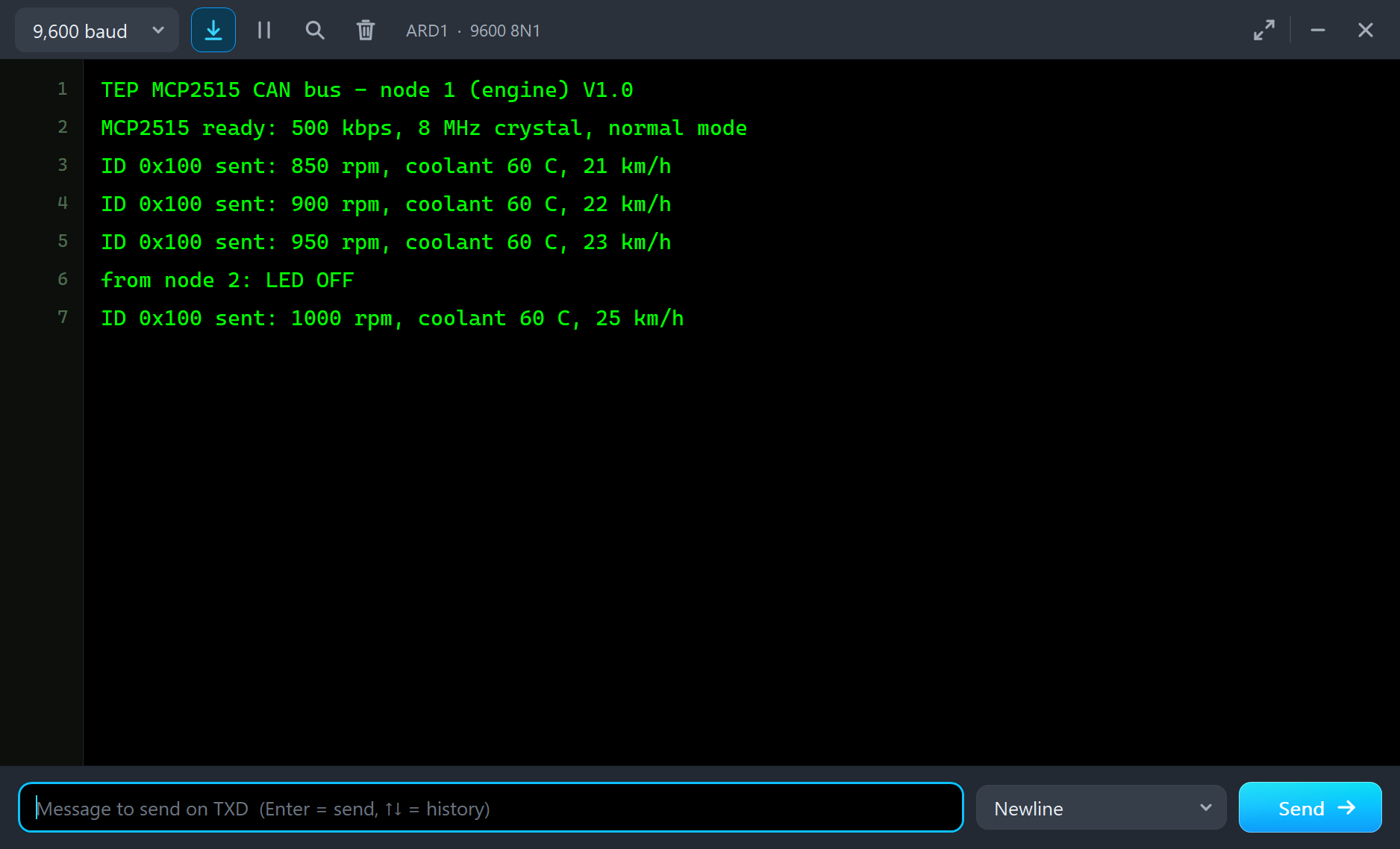
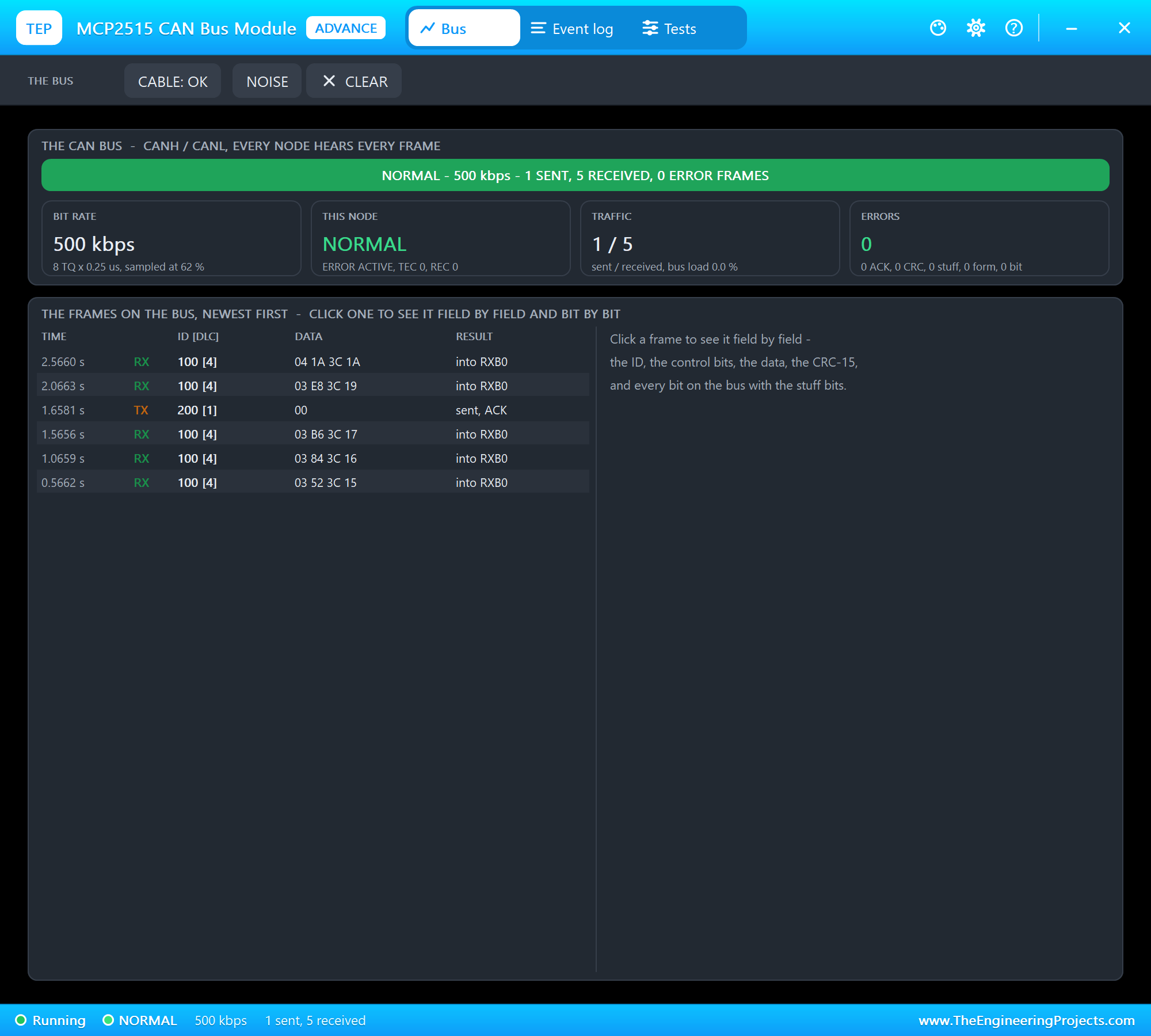
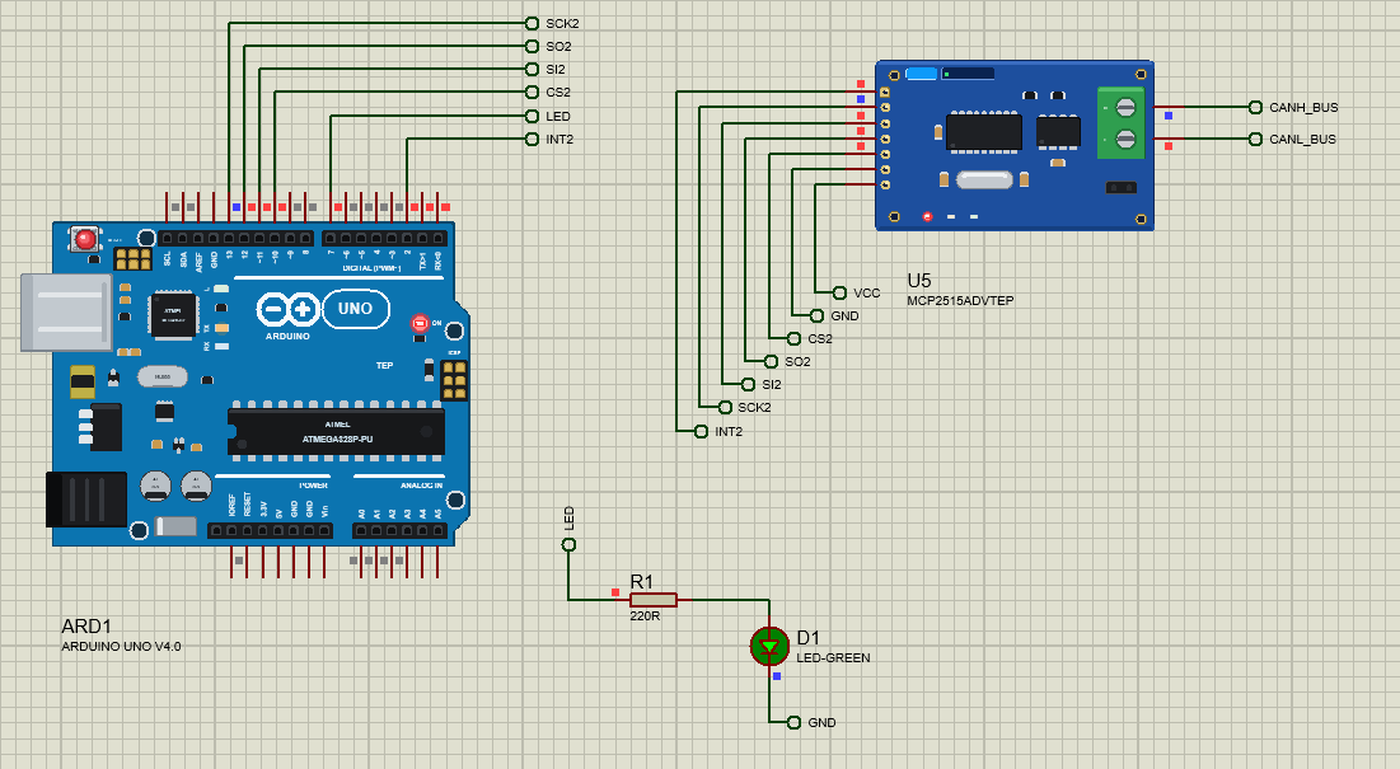
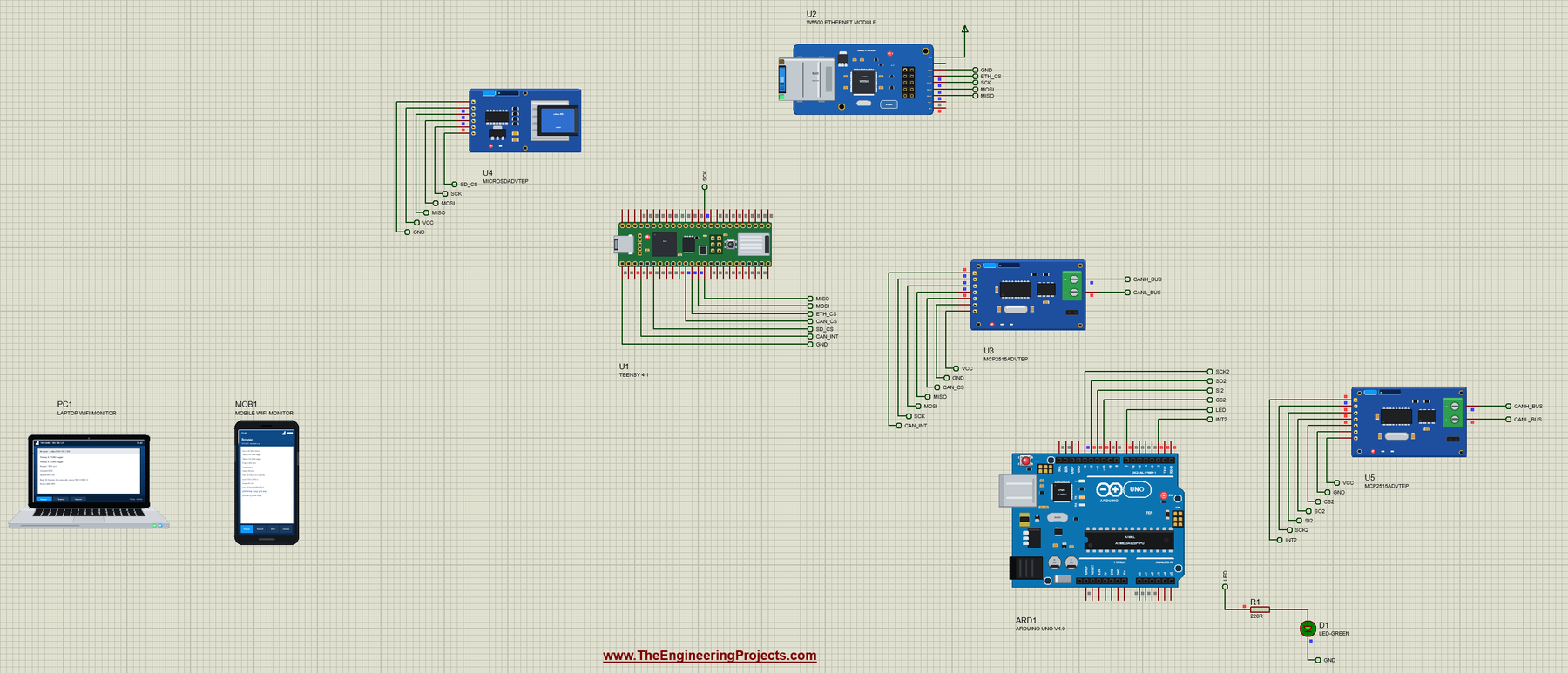
Open Teensy-4-1-CAN-Logger.pdsprj. U1 runs Teensy41_CAN_Logger.hex. U3 is the CAN module and U5 the engine node's module from our MCP2515 CAN Bus Module Library for Proteus, U4 the card module from our Micro SD Card Module Library for Proteus and U2 the module from our W5500 Ethernet Module Library for Proteus. The two MCP2515s and the micro SD module are the Advance versions: each opens its pop-up window at Run, as the W5500 does. ARD1 is an Arduino UNO V4.0 that runs the engine node, the same CAN_Node1 sketch as in the MCP2515 library and in our Raspberry Pi 500 Library for Proteus. PC1 is the Laptop WiFi Monitor and MOB1 the Mobile WiFi Monitor.
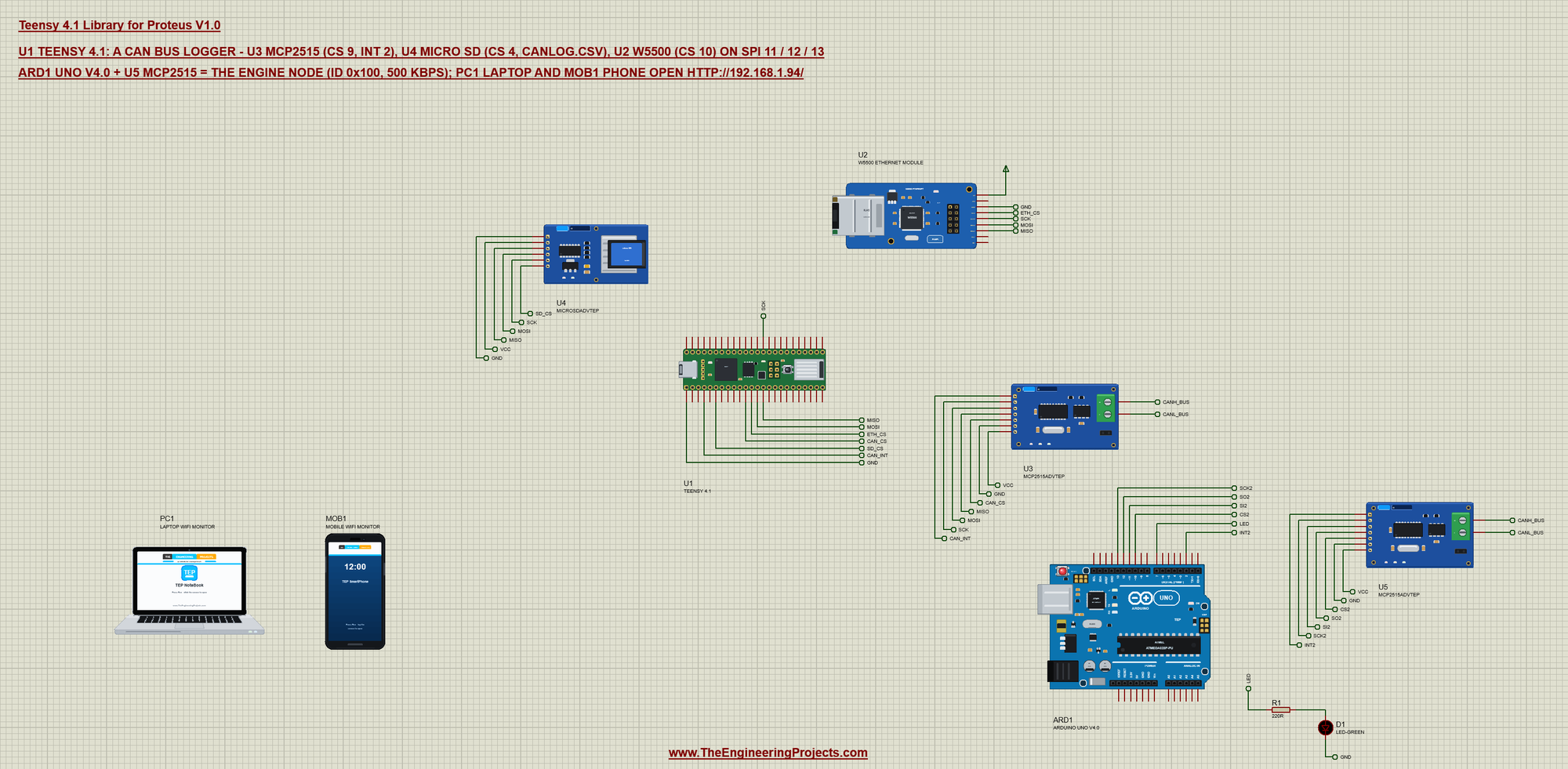
| Part | Pins | Teensy pins | Notes |
|---|---|---|---|
| MCP2515 (U3) | CS, INT, SI, SO, SCK | 9, 2, 11, 12, 13 | 8 MHz crystal, 500 kbps; CANH / CANL to U5 |
| Micro SD (U4) | CS, MOSI, MISO, SCK | 4, 11, 12, 13 | an empty FAT16 card; CANLOG.CSV |
| W5500 (U2) | SCS, MOSI, MISO, SCLK | 10, 11, 12, 13 | the fixed address 192.168.1.94 |
| UNO V4.0 (ARD1) + MCP2515 (U5) | D10, D11, D12, D13, D2 | - | the engine node: ID 0x100 every 500 ms |
| LED (D1) + 220R (R1) | D7 of the UNO | - | switched by the Teensy's ID 0x200 |
Three modules on one SPI bus is normal: they share MOSI, MISO and SCK, and each has its own chip select. Only the module whose CS is LOW answers, so the sketch first sets every CS HIGH, before any library talks:
  pinMode(CAN_CS, OUTPUT); digitalWrite(CAN_CS, HIGH);     // every SPI device deselected before any talks
  pinMode(SD_CS, OUTPUT); digitalWrite(SD_CS, HIGH);
  pinMode(ETH_CS, OUTPUT); digitalWrite(ETH_CS, HIGH);
Listening to the Bus
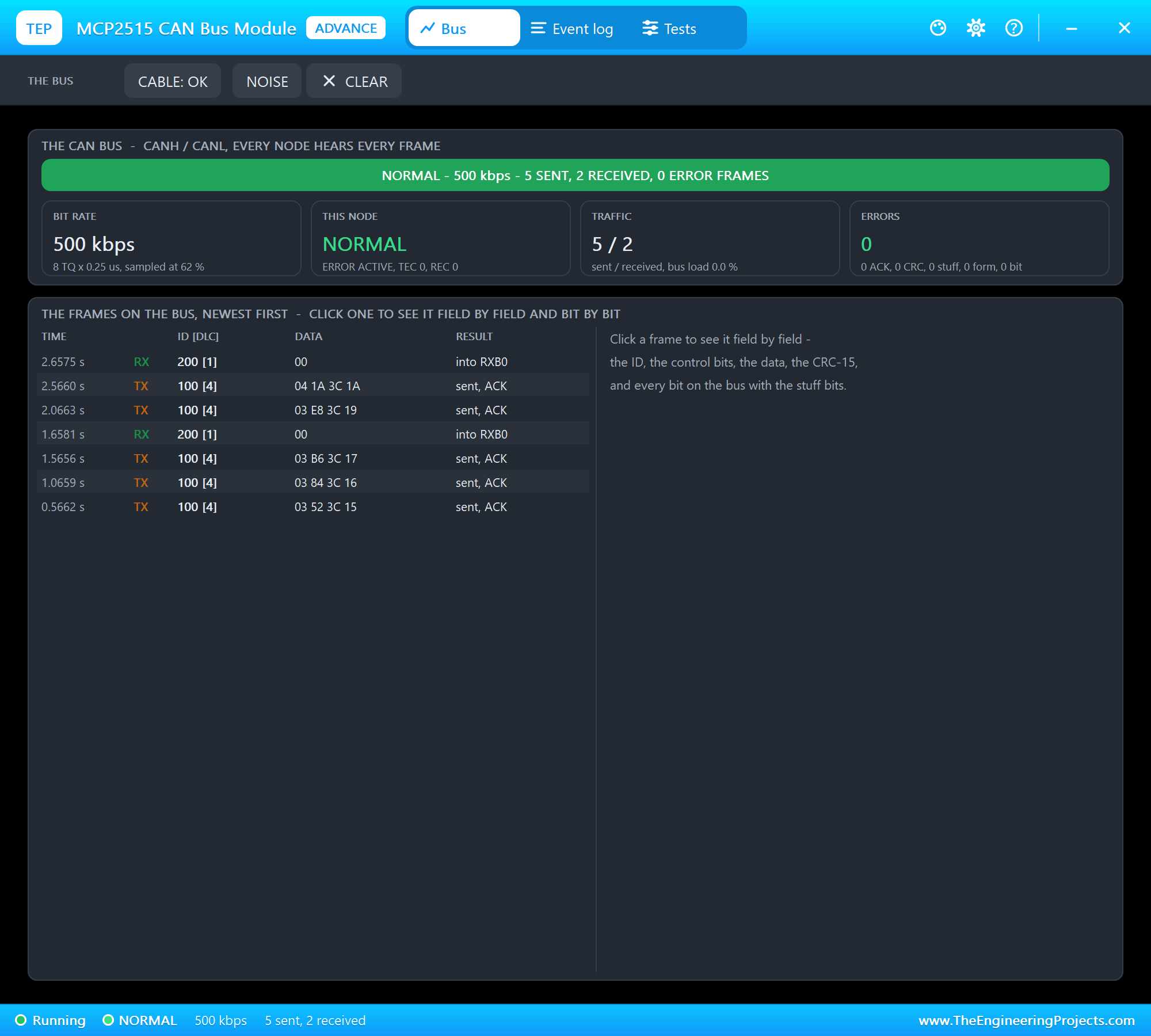
The MCP2515 does the hard part of CAN on its own: it finds the frames in the stream of bits, checks the CRC, sends the acknowledge bit and keeps the frames in its receive buffers. Its INT pin goes LOW when a frame waits, so the sketch only talks to it when there is something to read. The module has an 8 MHz crystal, so the bit rate must be set with MCP_8MHZ:
mcp2515.setBitrate(CAN_500KBPS, MCP_8MHZ);The engine node packs four bytes into ID 0x100: the engine speed in two bytes, then the coolant temperature and the road speed. The logger unpacks them, counts the frame and writes it to the log:
void onEngine() {                                           // ID 0x100: rpm (2 bytes), coolant, km/h
  rpm = ((unsigned int)rx.data[0] << 8) | rx.data[1];
  coolant = rx.data[2];
  speedKmh = rx.data[3];
  frames++; rateFrames++;
  lastFrame = millis();
  logFrame();
A logger is more useful when it marks the moments that matter. Two thresholds add event lines to the file - OVER-REV at 2800 rpm and HOT at 85 C - and each fires once per excursion, with a little hysteresis so a value that hovers at the limit does not flood the log:
  if (rpm >= REDLINE && !overRev) { overRev = true; revEvents++; logEvent(F("OVER-REV")); Serial.println(F(">> OVER-REV")); }
  else if (rpm < REDLINE - 200) overRev = false;
Talking Back
CAN is not a one-way street. Every second the Teensy sends ID 0x200 with one byte: the state of the LED on the engine node. The page and the monitor change that byte, and the next frame switches the LED on the UNO's D7:
void sendLed() {                                            // ID 0x200: the engine node's LED
  tx.can_id = 0x200;
  tx.can_dlc = 1;
  tx.data[0] = nodeLed ? 1 : 0;
  if (canOk) mcp2515.sendMessage(&tx);
}
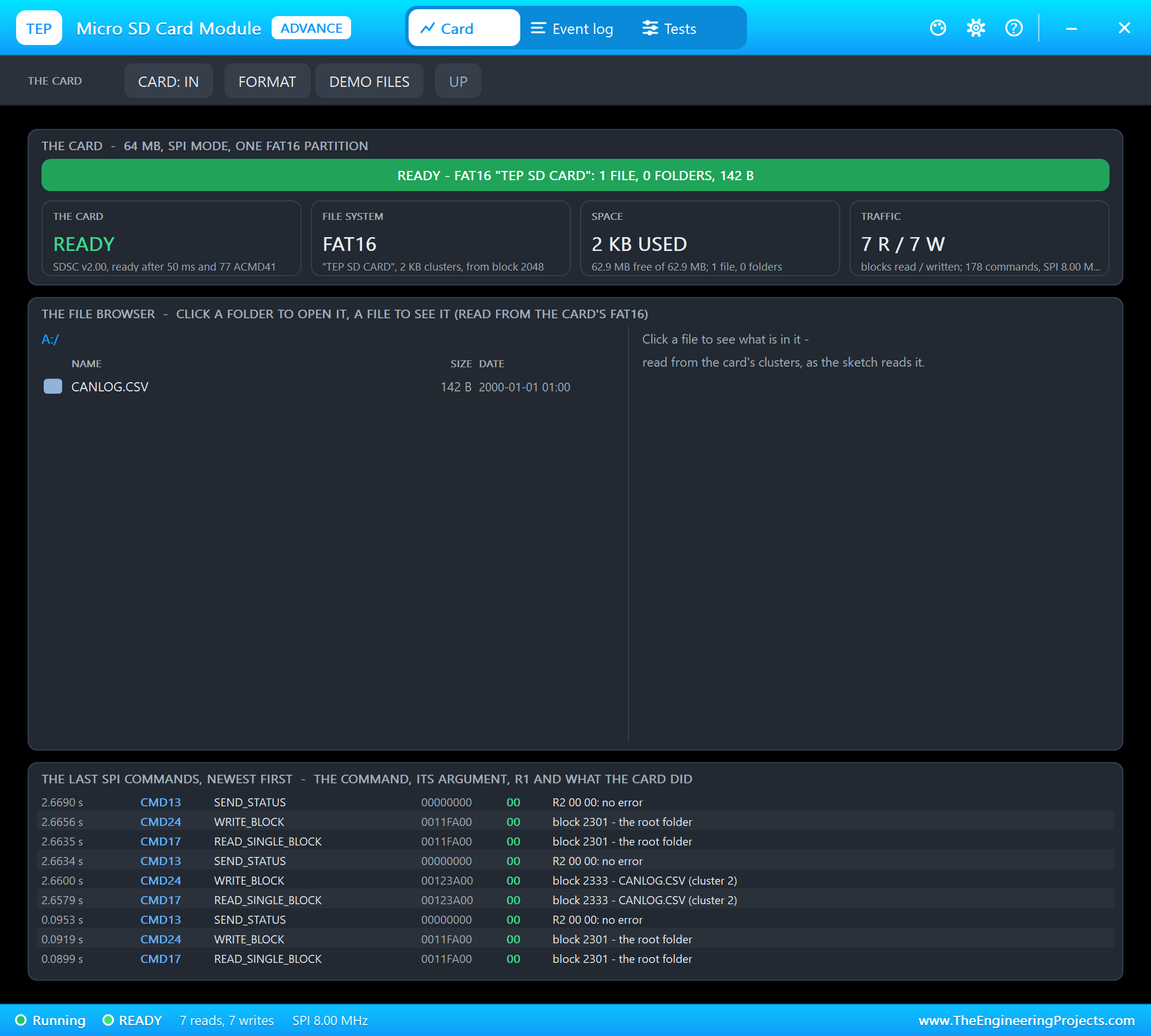
Logging to the Micro SD Card
Opening a file, writing a line and closing it again costs several block reads and writes on the card. At two frames a second that adds up, so the sketch collects the lines in a small buffer and writes them in one go every two seconds - the same trick real loggers use, with bigger buffers:
void writePending() {
  if (!pendLen) return;
  if (sdOk) {
    File f = SD.open("CANLOG.CSV", FILE_WRITE);
    if (f) { f.write((const uint8_t *)pend, pendLen); f.close(); }
    else Serial.println(F("SD: write failed"));
  }
  pendLen = 0;
}
Each line is plain CSV - time in seconds, the ID, rpm, coolant and speed - so the file opens straight in a spreadsheet:
snprintf_P(s, sizeof s, PSTR("%s,0x100,%u,%u,%u"), t, rpm, coolant, speedKmh);The Network Page
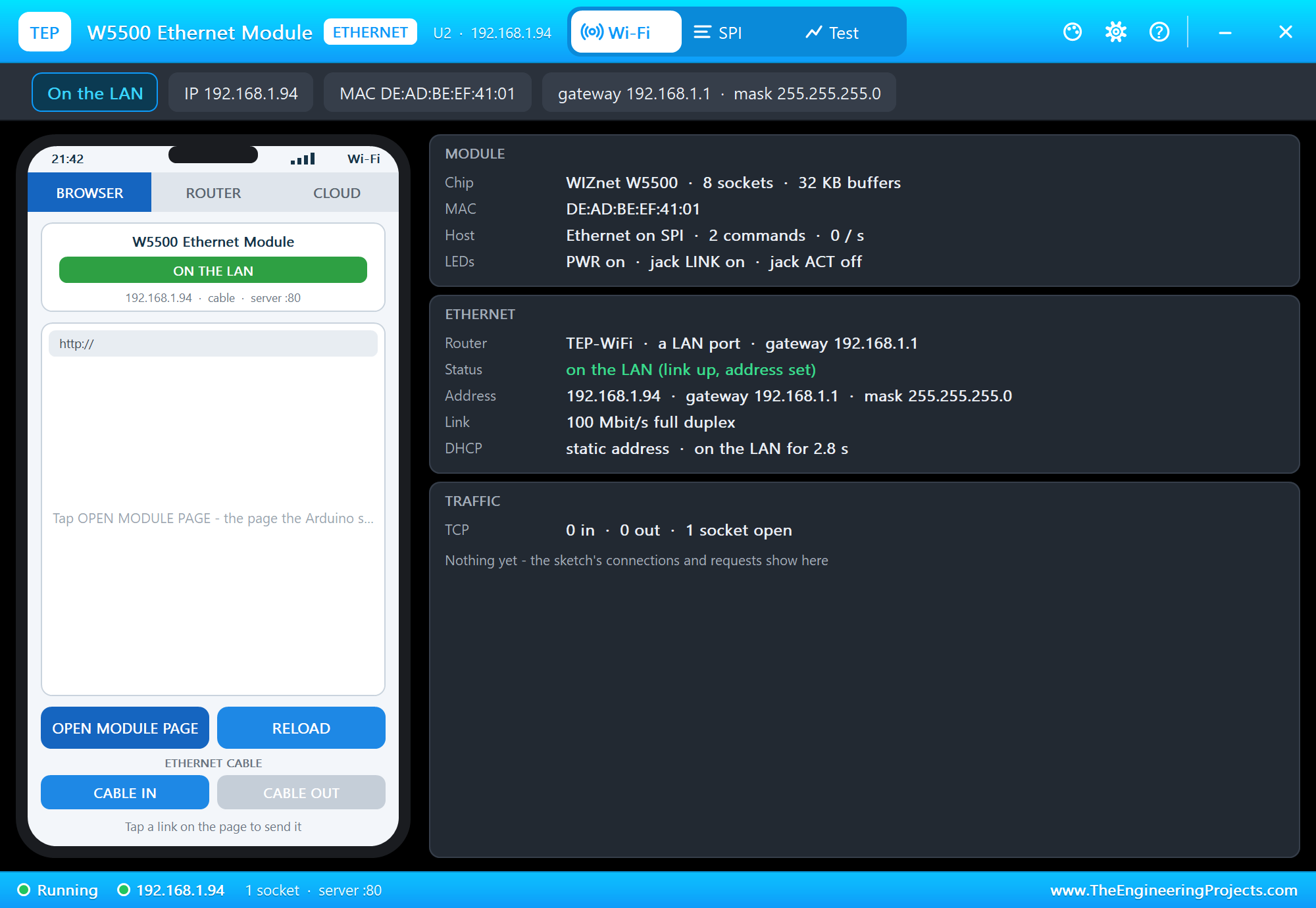
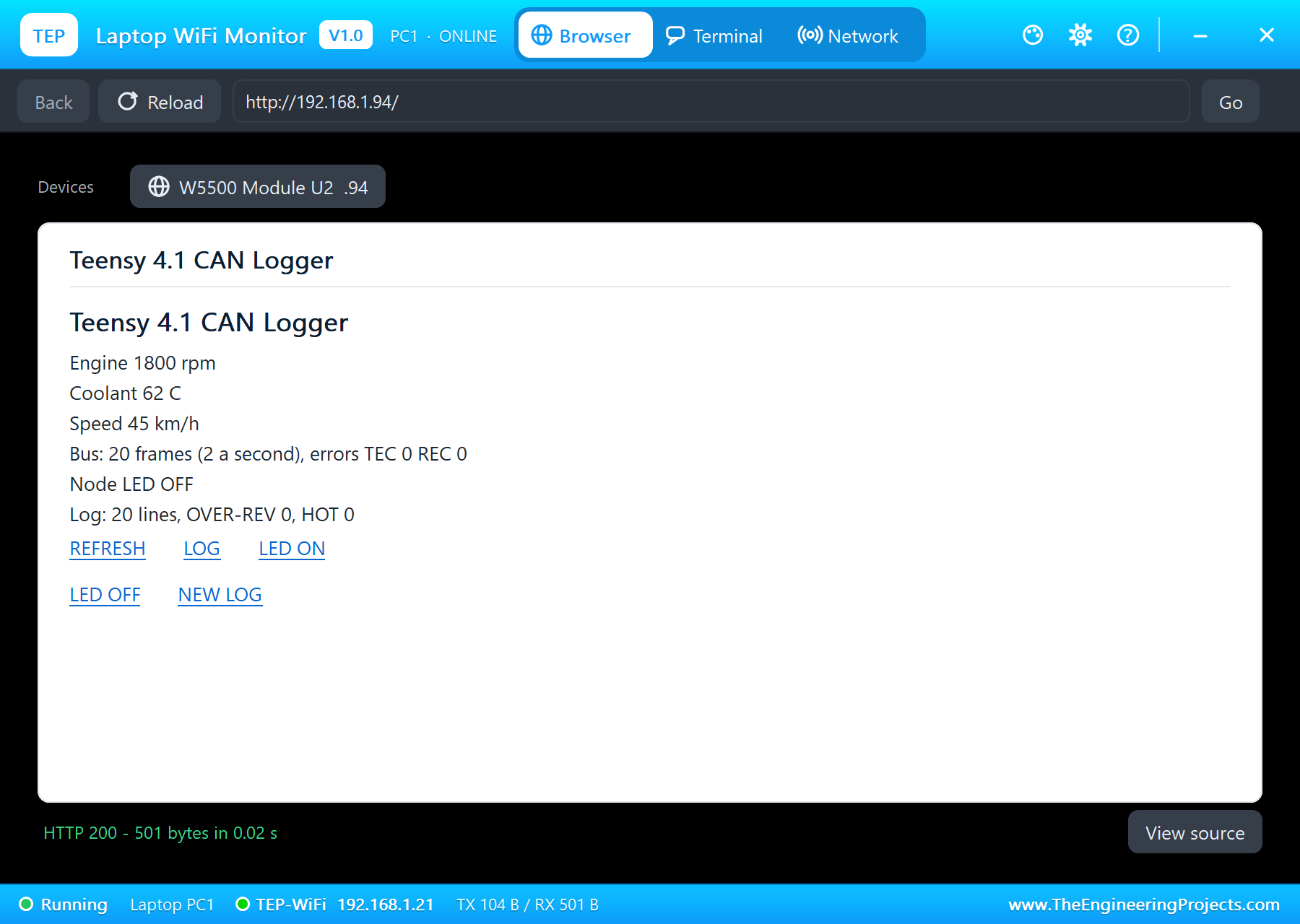
The W5500 module has its chip select on pin 10. The Ethernet library starts it with a fixed address; the page shows the engine, the bus, the alerts and the log, and offers REFRESH, LOG, LED ON, LED OFF and NEW LOG:
  Ethernet.init(ETH_CS);
  Ethernet.begin(mac, ip, dnsServer, gateway, subnet);
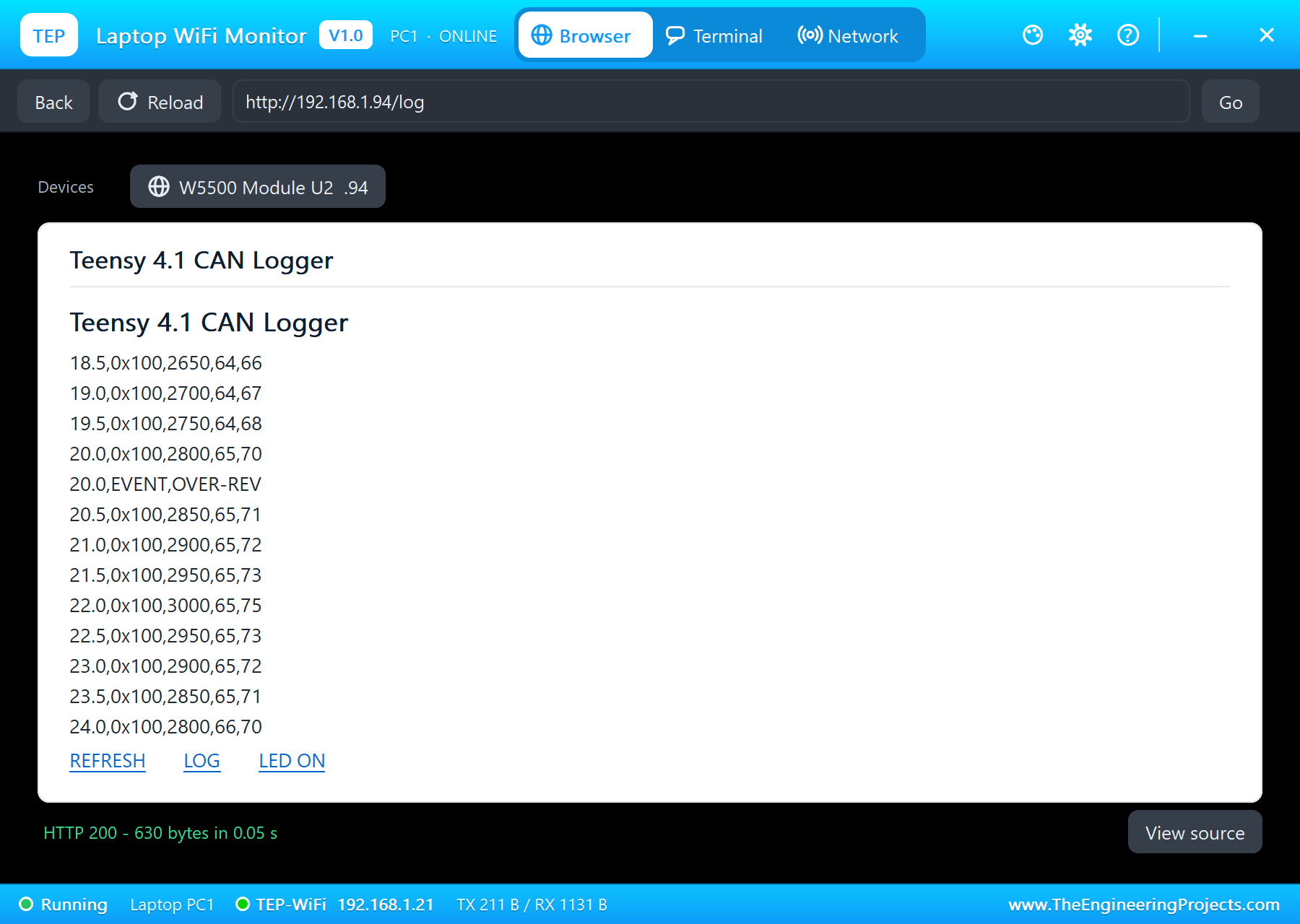
LOG sends the last 300 bytes of CANLOG.CSV, starting at a whole line, with a line break after each record.
Run the Demo
Press Run. The serial monitor opens: the MCP2515, the card and the W5500 report in, and the engine node's frames start to arrive:
Teensy 4.1 CAN Logger - The Engineering Projects
MCP2515 ready: 500 kbps, 8 MHz crystal
SD card ready: CANLOG.CSV
W5500: 192.168.1.94, link ON
Page: http://192.168.1.94/
0x100  850 rpm  60 C  21 km/h  #1
0x100  900 rpm  60 C  22 km/h  #2
0x100  950 rpm  60 C  23 km/h  #3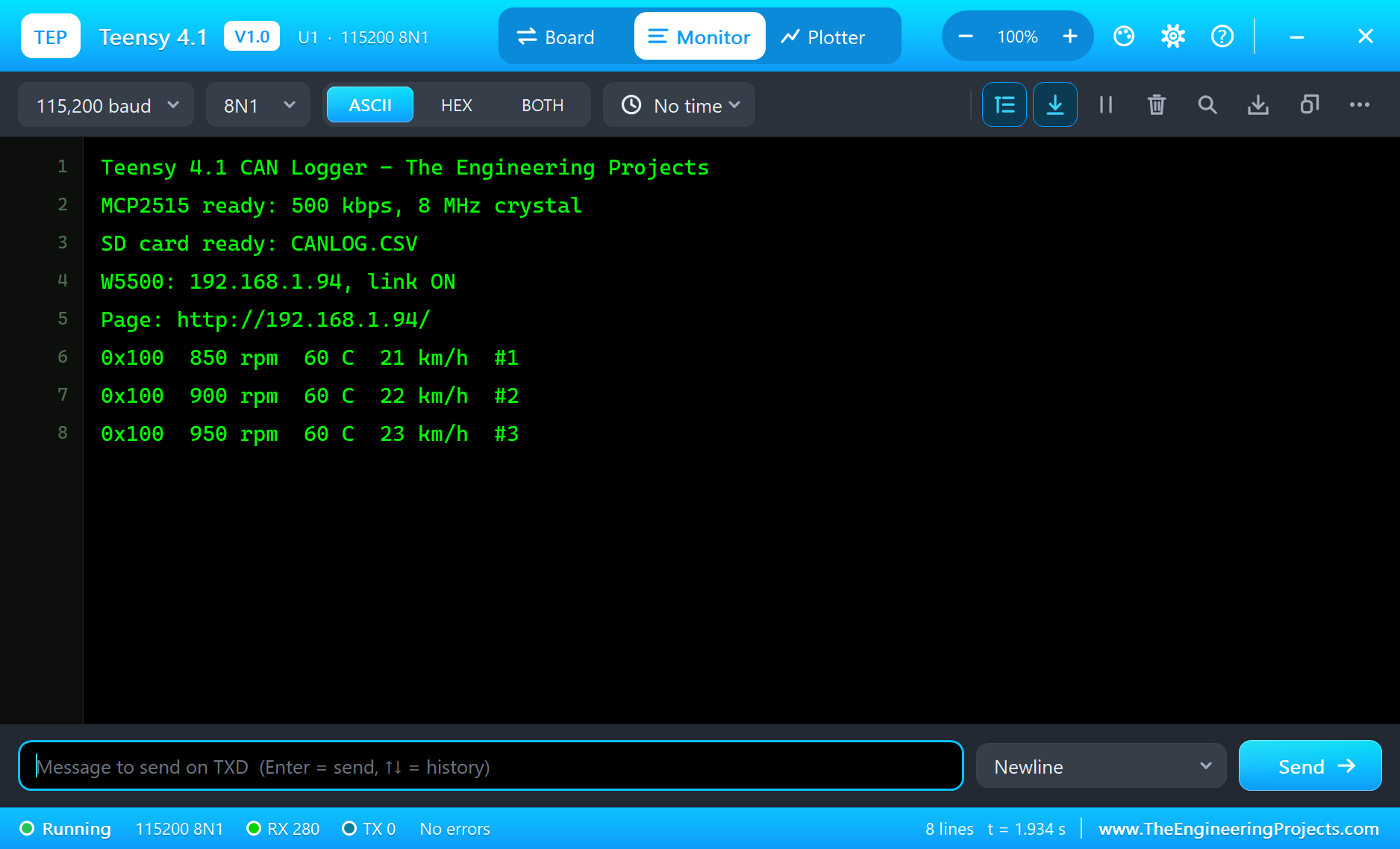
Open the Page
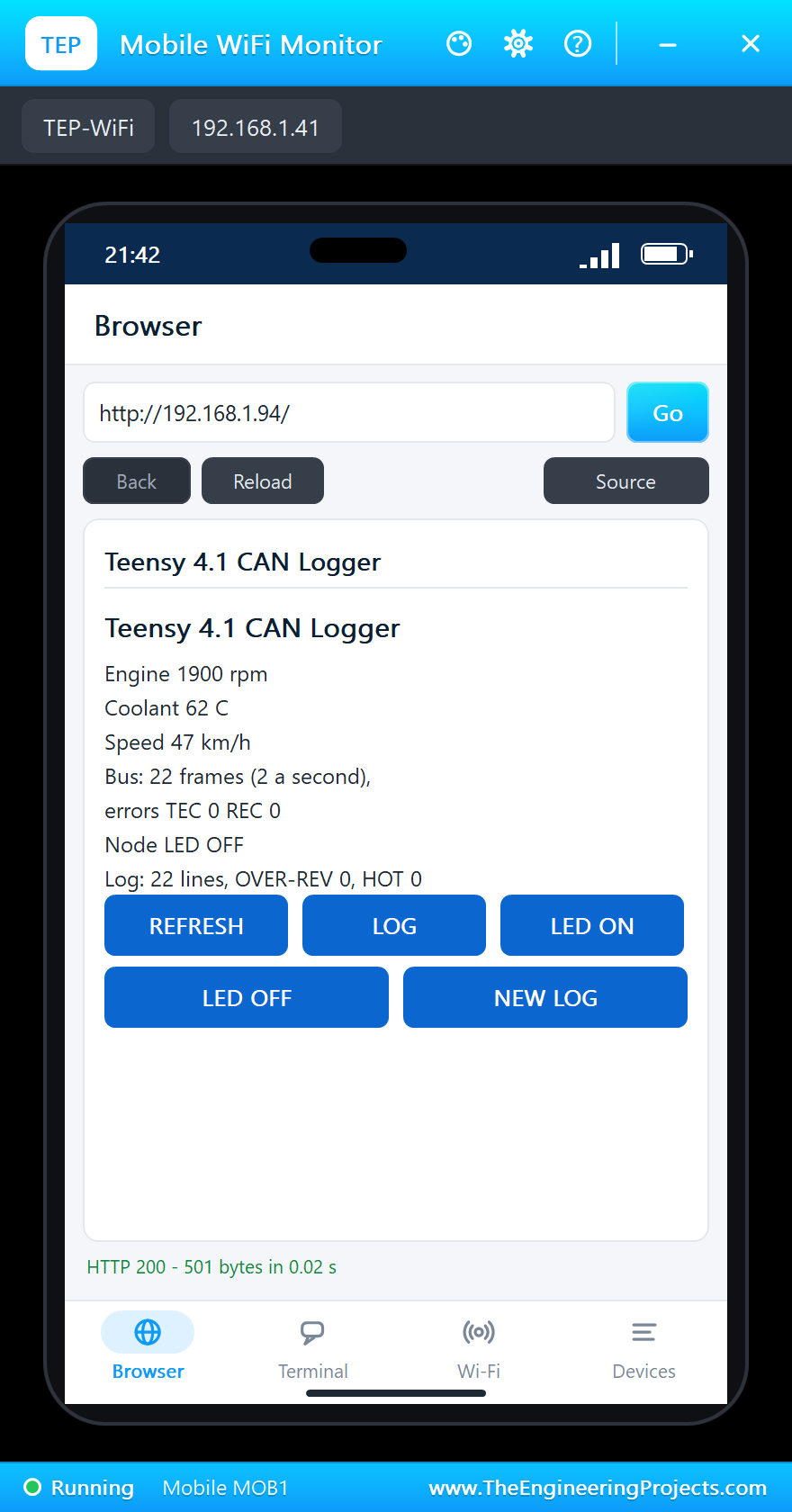
On the laptop click Browser and Go; on the phone the same - both open http://192.168.1.94/:
Switch the Node's LED
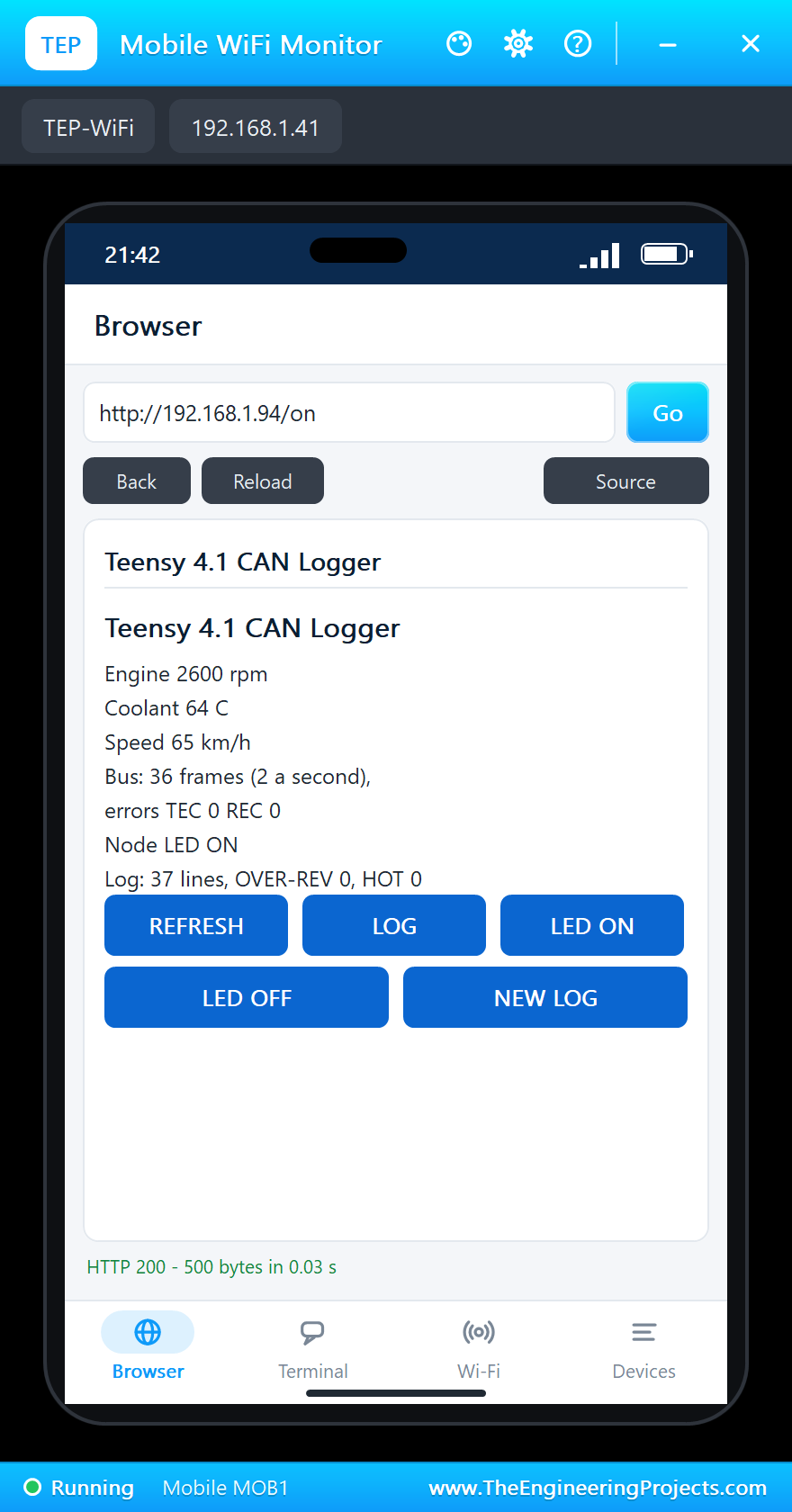
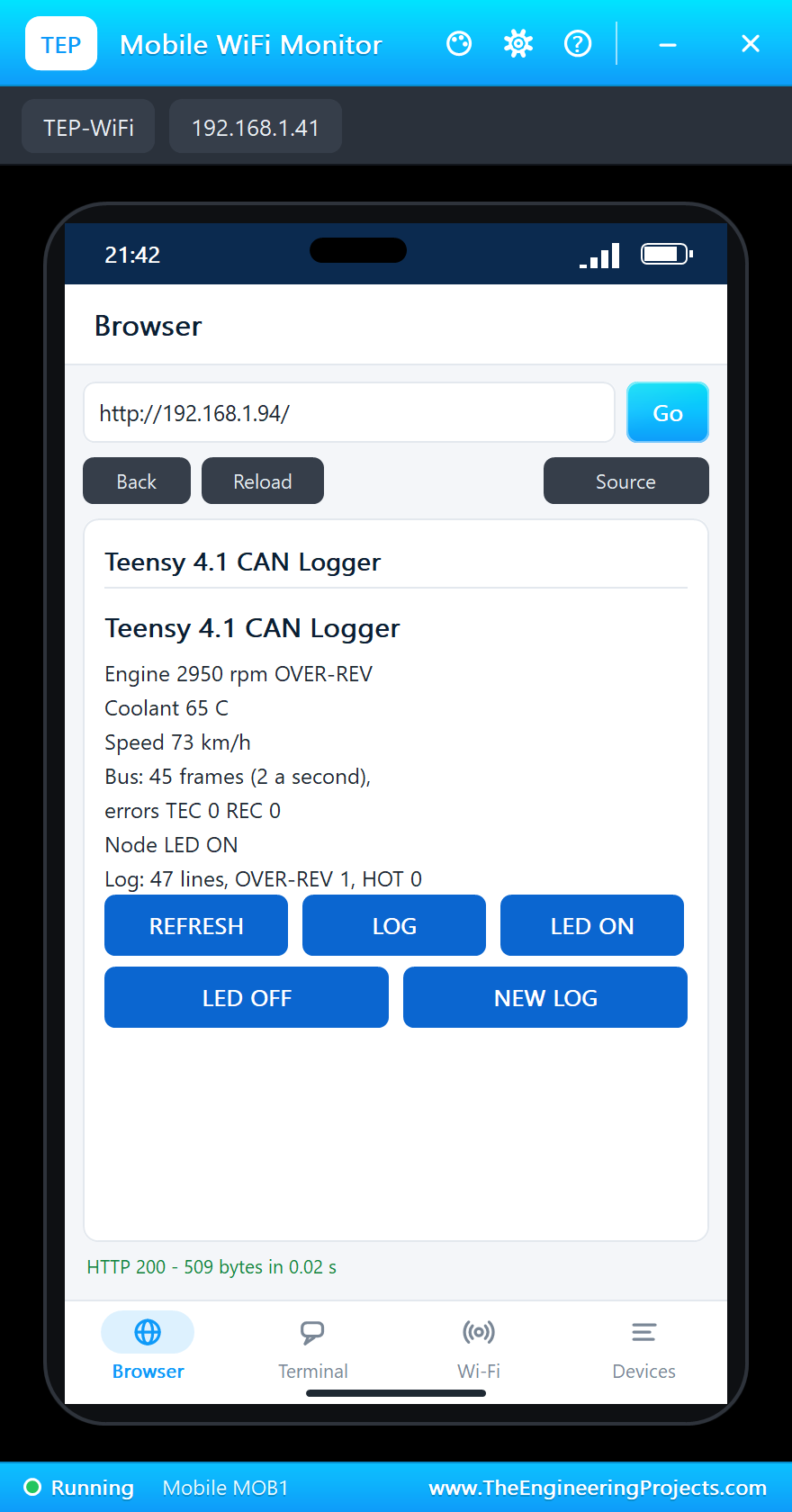
Tap LED ON on the phone. The Teensy sets the byte, sends ID 0x200 at once and every second after that, and the engine node switches the LED on its D7:
Over-Rev and Hot
The engine node sweeps the engine between 800 and 3000 rpm. Past 2800 rpm the logger writes OVER-REV; later, as the coolant creeps up, it writes HOT. REFRESH on the phone shows both:
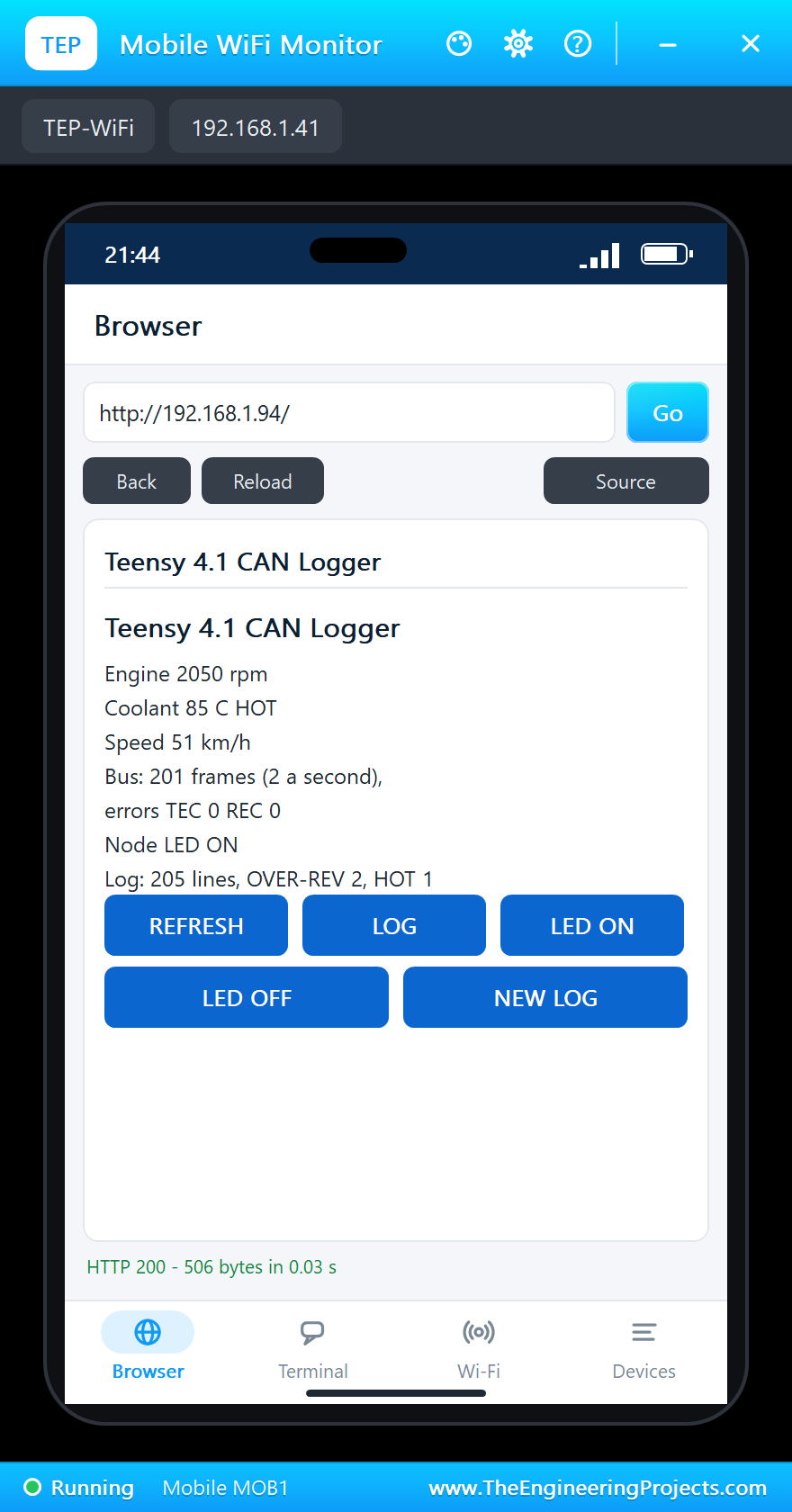
The Log at the End
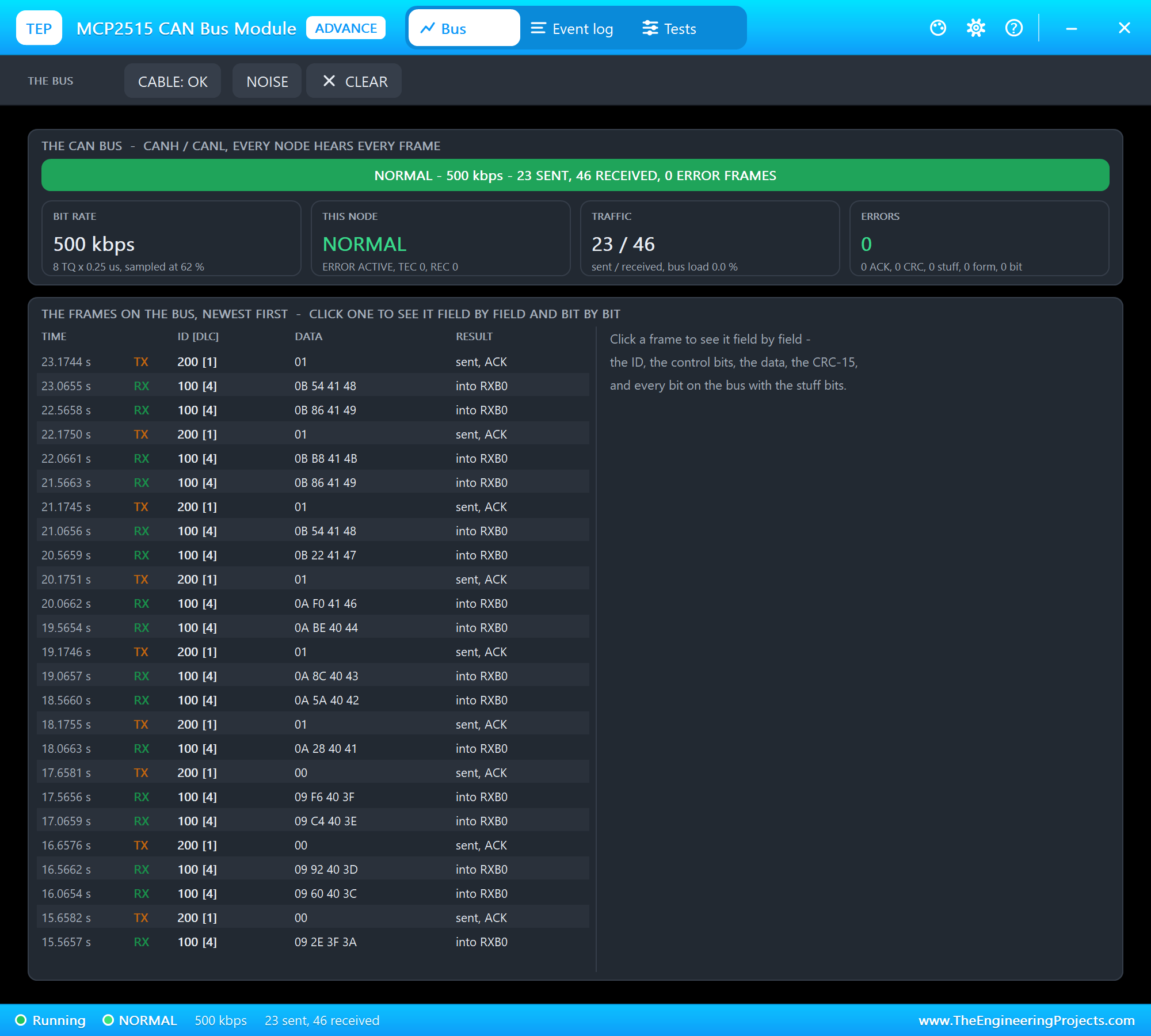
Tap LED OFF, open LOG once more and look at the card in the micro SD pop-up:
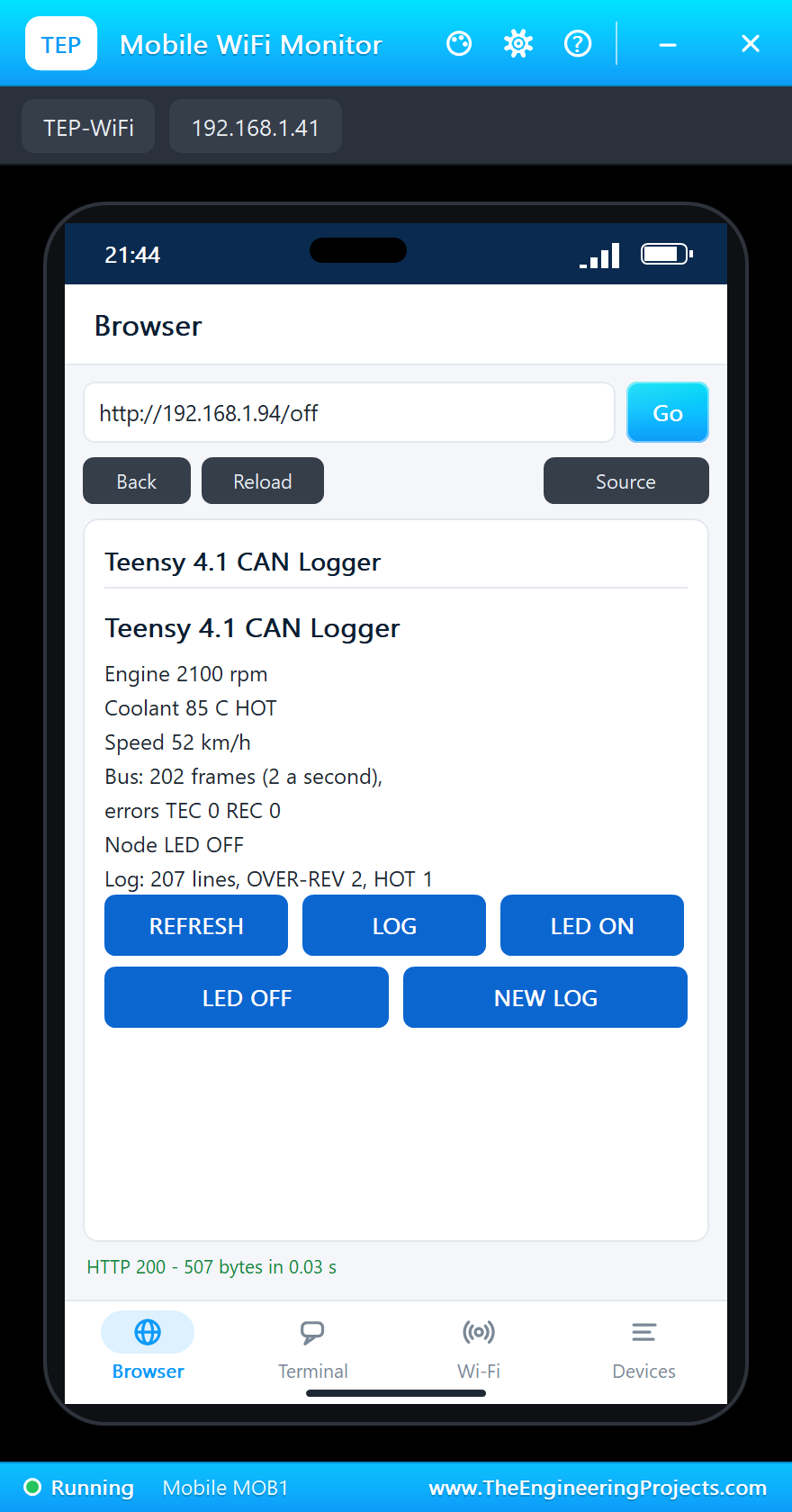
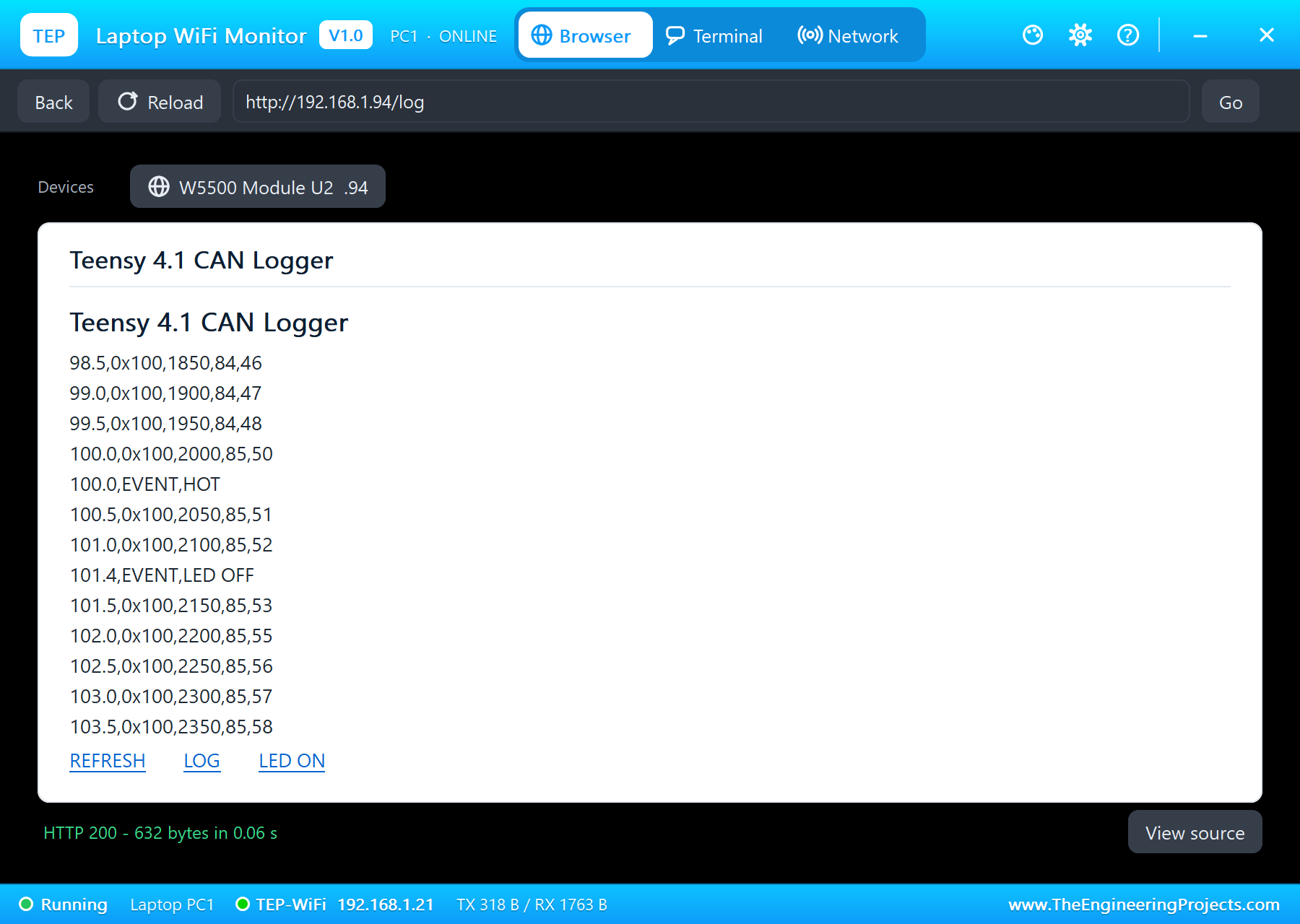
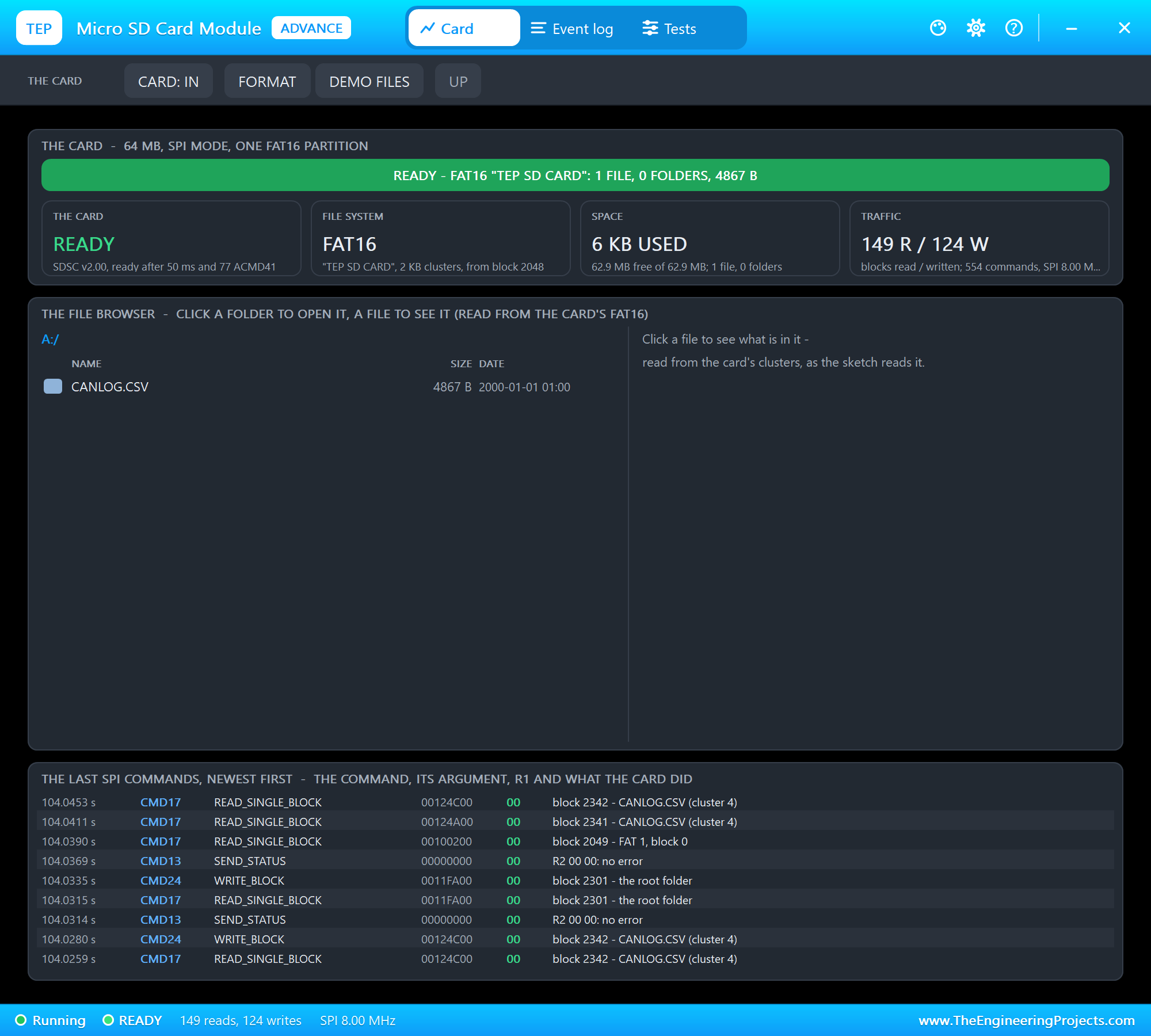
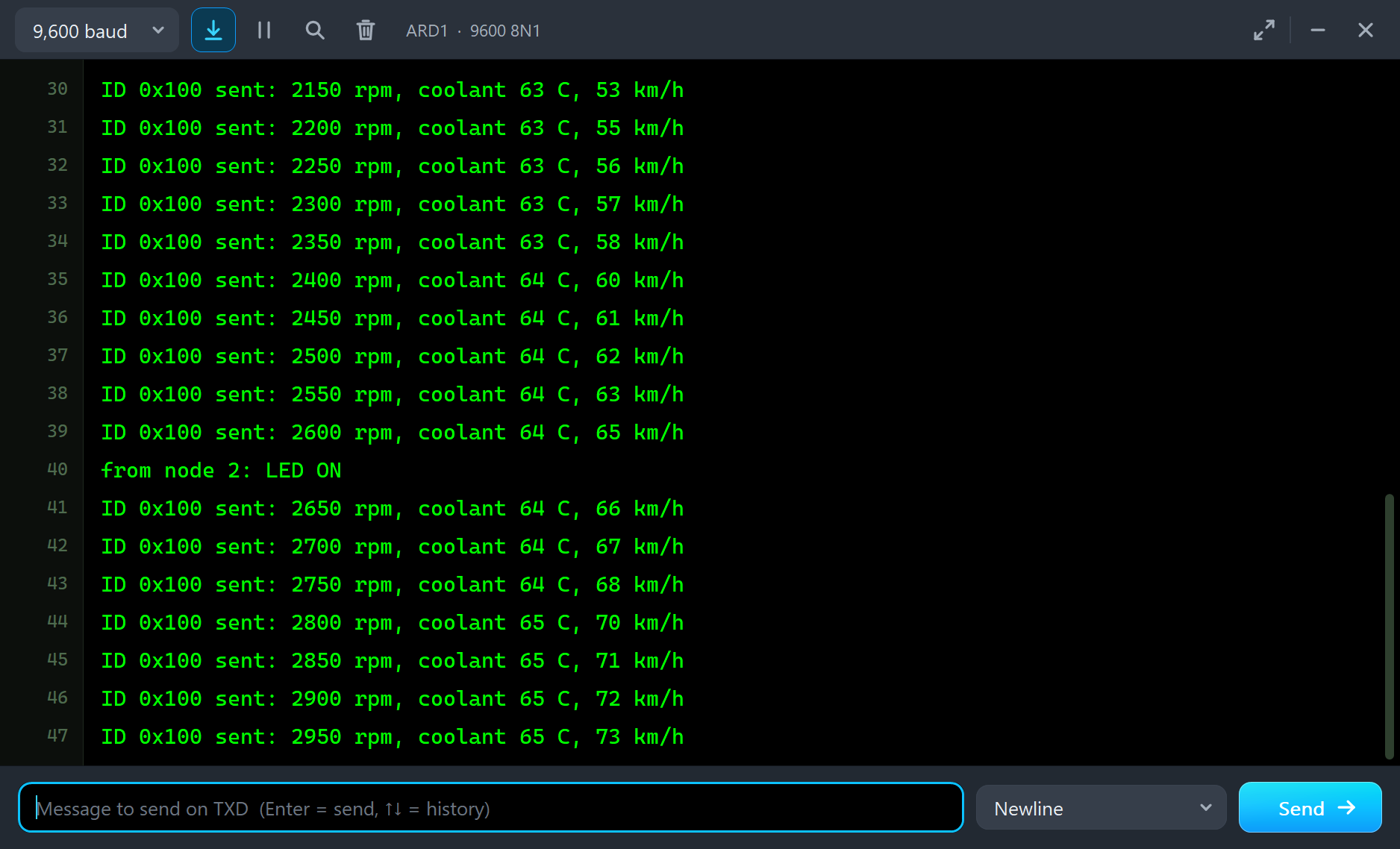
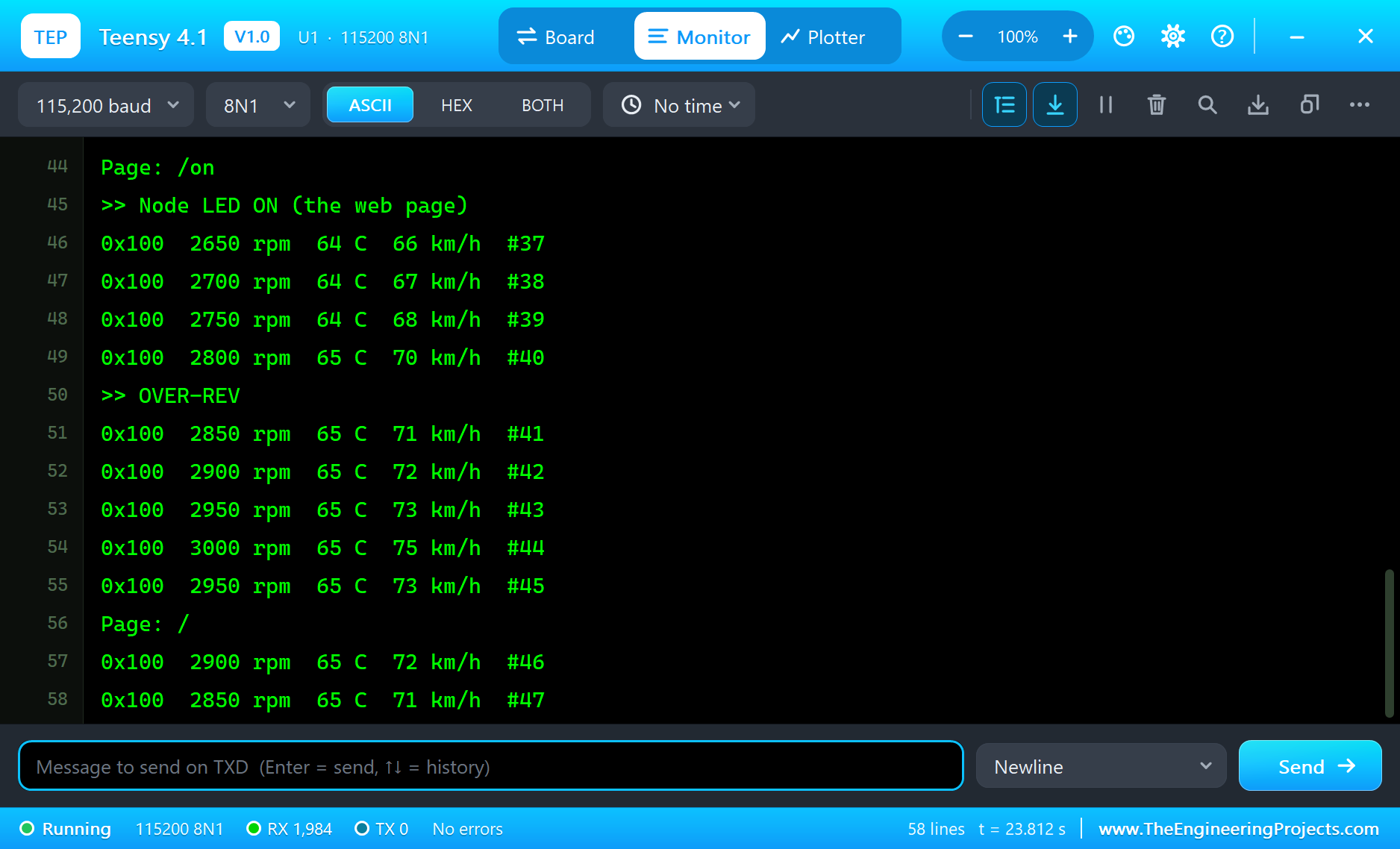
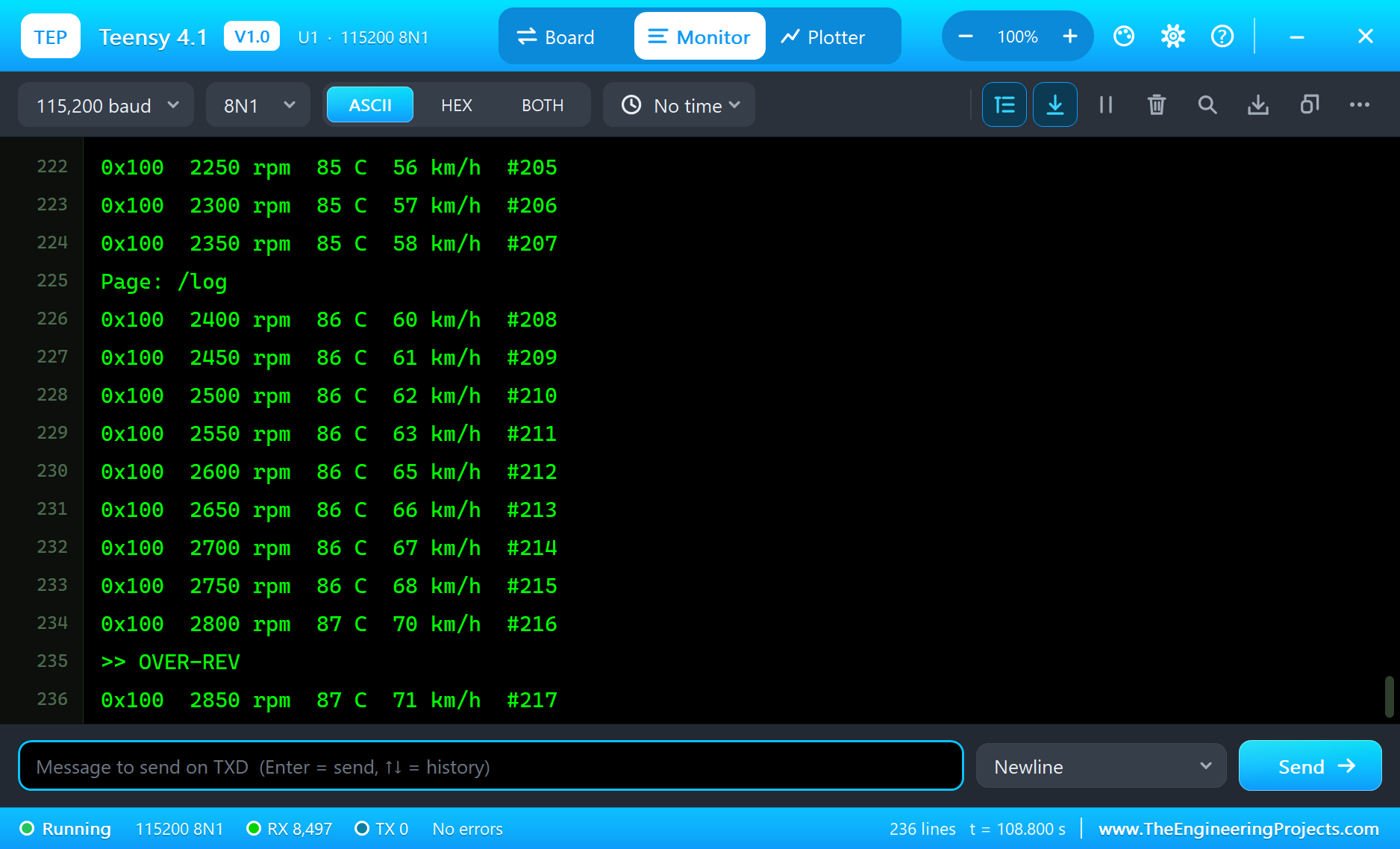
The built-in serial monitor, in the look of our TEP Serial Monitor Advance for Proteus, logs every frame and every event:
Page: /on
>> Node LED ON (the web page)
0x100  2650 rpm  64 C  66 km/h  #37
0x100  2700 rpm  64 C  67 km/h  #38
0x100  2750 rpm  64 C  68 km/h  #39
0x100  2800 rpm  65 C  70 km/h  #40
>> OVER-REV
0x100  2850 rpm  65 C  71 km/h  #41
...
0x100  1950 rpm  84 C  48 km/h  #199
0x100  2000 rpm  85 C  50 km/h  #200
>> Coolant HOT
0x100  2050 rpm  85 C  51 km/h  #201
Page: /
0x100  2100 rpm  85 C  52 km/h  #202
Page: /off
>> Node LED OFF (the web page)
0x100  2150 rpm  85 C  53 km/h  #203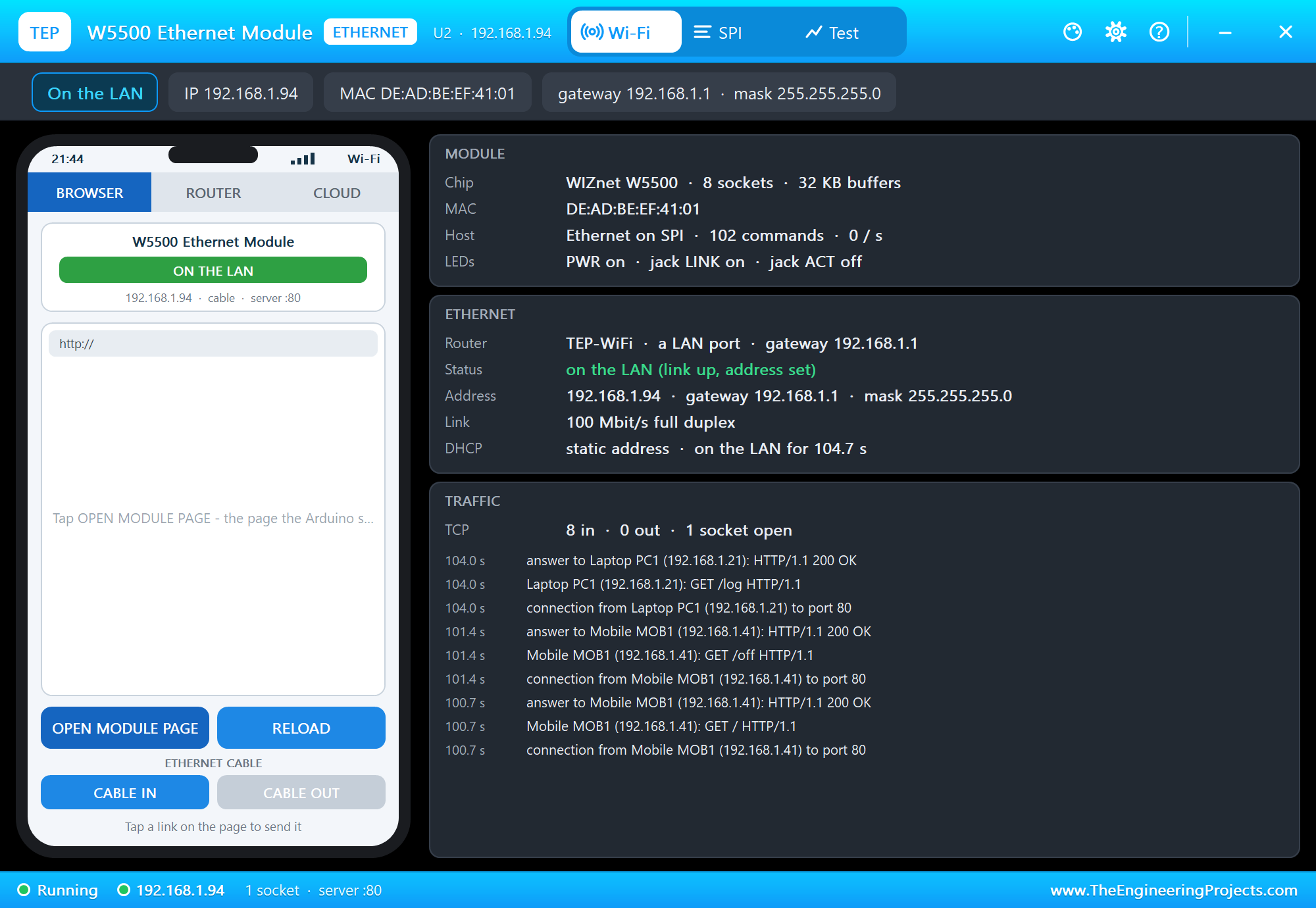
Try It Yourself
- Click CABLE on U3's pop-up: the Teensy drops off the bus, the engine node's frames go unacknowledged and its error counter climbs; click it again and the bus recovers.
- Click NOISE on a pop-up and watch the error frames and the retries.
- Type
STATUS,LOG,ONorOFFin the Teensy's monitor. - Change
REDLINEorHOT_Cand rebuild.
Ideas to Extend the Logger
- Add a DS3231 on Wire (18 / 19) and stamp the lines with the date and the time.
- Log every ID on the bus with a filter list on the page.
- Start a new file every hour or at a size limit, like a real logger.
- Decode a real vehicle protocol - OBD-II PIDs on ID 0x7DF / 0x7E8 or J1939 on a truck.
Your Own Sketches
Write the sketch in the Arduino IDE with the board Teensy 4.1 (TEP Proteus), use Sketch > Export Compiled Binary and set the board's PROGRAM property to the .hex. For a real Teensy 4.1 install Teensyduino, select Teensy 4.1 and upload with the Teensy Loader - the same sketch, with the same pin numbers.
Things to Know Before Using a Real Teensy 4.1
- 3.3 V only: the pins are not 5 V tolerant. Run the MCP2515 at 3.3 V (many modules split the supplies: 5 V for the TJA1050 transceiver, 3.3 V for the MCP2515) or put a level shifter on its SO line; use 3.3 V micro SD and W5500 modules.
- The built-in peripherals: on the real board the three CAN ports (FlexCAN_T4 plus a transceiver), the micro SD socket (SD.begin(BUILTIN_SDCARD)) and the Ethernet PHY (NativeEthernet or QNEthernet plus the RJ45 kit) can replace the three modules.
- Uploading: the Teensy Loader programs the board over USB; press PROGRAM if it does not start by itself.
- Pin 13: the LED shares the pin with SCK, so it flickers whenever SPI runs.
Properties of the Teensy 4.1
| Property | What it does |
|---|---|
| PROGRAM | the sketch: a .hex from TEP Boards for Proteus (board "Teensy 4.1") |
| MONITOR, BAUD, AUTOOPEN | the built-in serial monitor: on, its baud rate (115200), open at Run |
Troubleshooting
- "MCP2515 NOT ANSWERING": CS on 9, SI on 11, SO on 12, SCK on 13; use MCP_8MHZ for the module's 8 MHz crystal.
- No frames: CANH to CANH, CANL to CANL, the same bit rate on both nodes, and CAN_Node1.hex beside the project.
- "NO SD CARD": CS on 4, the module's CARD property not NONE, every CS HIGH before the first SPI transfer.
- "No W5500 found" or "link OFF": SCS on 10, SCLK 13, MISO 12, MOSI 11; the module's CABLE is IN.
- The page shows old values: use REFRESH; the monitors do not reload by themselves.
Limitations of the Simulation
- Your sketch gets 8 KB of RAM in the simulation and runs slower than on the i.MX RT1062 at 600 MHz with 1 MB.
- The Teensy's CAN ports, micro SD socket, Ethernet PHY, USB host, Serial2 to Serial8 and the second and third SPI and I2C buses are not modelled; interrupts work on pins 0 to 39.
- The router, the addresses and the windows are TEP additions.
- Teensy is a trademark of PJRC.COM, LLC; this library is not made or endorsed by PJRC, NXP or Labcenter.
- Tested in Proteus 8.5 in October 2026 (the demo as shipped, about 110 s of simulation in 1423 s on our PC with the four pop-ups, both serial monitors and both tools open). Proteus 7 is not supported.
So, that was all about the Teensy 4.1 Library for Proteus. I hope it helps you build and test your Teensy projects before you touch the hardware - a CAN bus that talks both ways, a log on a card and a wired network page in one simulation. If you have any questions, ask in the comments and I will help you out. Till the next tutorial, take care and have fun!

Comments
0