


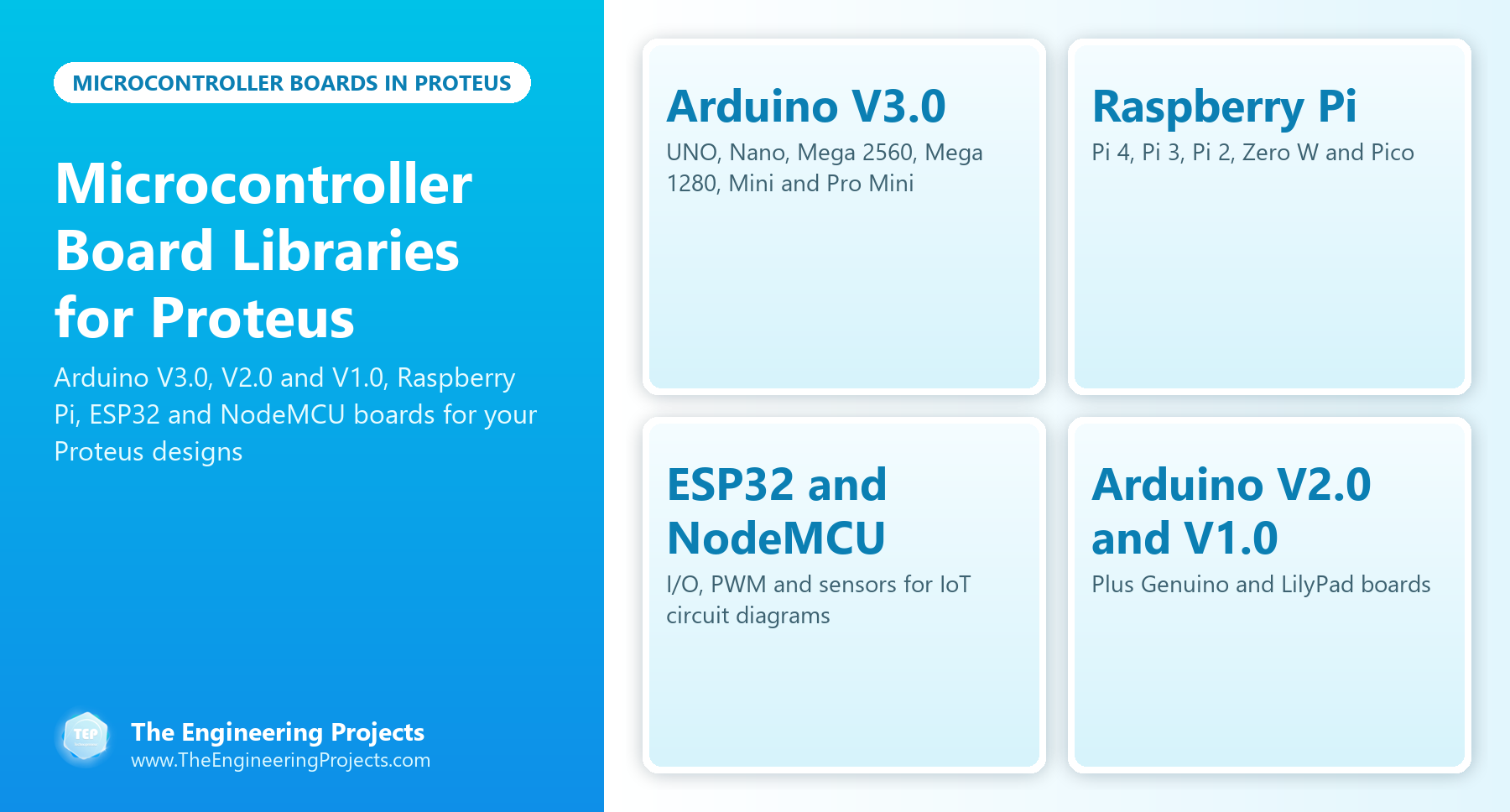
Microcontroller Board Libraries for Proteus: Arduino, ESP32, NodeMCU and Raspberry Pi


Hello friends, I hope you all are doing great. Today, I am going to share a list of Microcontroller Board Libraries for Proteus. Every embedded project starts with a microcontroller board, and for most students that board is an Arduino. Proteus can simulate the bare ATmega chips, but a bare chip doesn't look like the board on your desk, and it makes your circuit diagram harder to follow. That's why the Arduino Library for Proteus was the very first library our team ever designed, back in 2015.
Since then, we have designed three generations of Arduino boards for Proteus, plus libraries for the Raspberry Pi family, the ESP32 and the NodeMCU. In this list, I have collected all of them, with the newest versions at the top, and I will tell you honestly what each one can and can't do in a simulation, so you know which board to pick for your project and for your project report.
The boards are the base of every project, and our new 2026 libraries, such as the GSM, Wi-Fi, LoRa and sensor modules, all come with Arduino examples that run on these boards. Our new TEP Serial Monitor also works with every one of them. If you are new to Proteus libraries, read How to Add New Library in Proteus 8 first. So, let's get started with the Microcontroller Board Libraries for Proteus:
Board Libraries at a Glance
Here is a quick overview of the board libraries in this list:
| Family | Libraries | What runs on them in Proteus |
|---|---|---|
| Arduino V3.0 (2023) | Complete library (UNO, Mega 1280, Mega 2560, Mini, Pro Mini, Nano) and UNO only | Your Arduino sketch (HEX file) |
| Raspberry Pi (2023) | Pi 4, Pi 3, Pi 2, Zero W and Pico | Arduino firmware (HEX file), not Python |
| ESP32 and NodeMCU (2023) | One library each | Basic I/O, PWM and sensor code; no Wi-Fi or Bluetooth |
| Arduino V2.0 (2021) | Complete library and single boards | Your Arduino sketch (HEX file) |
| Arduino V1.0 (2015) and Genuino (2016) | Complete libraries | Your Arduino sketch (HEX file) |
| Arduino LilyPad (2014) | A shared library by another developer | Your Arduino sketch (HEX file) |
Arduino Boards V3.0 (Latest)
1. Arduino Library for Proteus V3.0
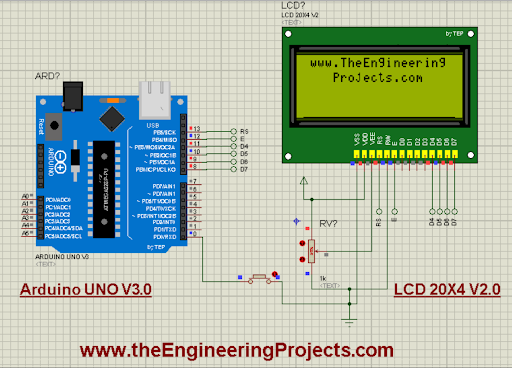
The Arduino Library for Proteus V3.0 is our latest Arduino library, with a more realistic design and better performance than V1.0 and V2.0. It has six boards in one package: Arduino UNO, Mega 1280, Mega 2560, Mini, Pro Mini and Nano. Its tutorial also builds an LCD example with our LCD Library V2.0. This is the library I recommend for every new project, and several of our newest module libraries already include its Arduino UNO. Read the complete tutorial: Arduino Library for Proteus V3.0
2. Arduino UNO Library for Proteus V3.0
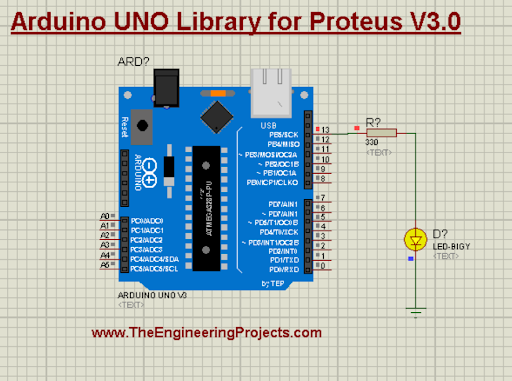
If you only need the Arduino UNO, this library has just that board in its V3.0 design. The UNO is based on the ATmega328P, with 14 digital and 6 analog I/O pins, and it is the board of most of our examples. Read the complete tutorial: Arduino UNO Library for Proteus V3.0
Raspberry Pi Boards
Before we look at these boards, here is an important note from their tutorials: our Raspberry Pi libraries are designed for the exterior of the boards, and they can't run Python code. Just for fun, our team added Arduino firmware to them, so you can load an Arduino HEX file into them and blink an LED; we call them "Arduino Pi". Use them for circuit diagrams and project presentations.
3. Raspberry Pi 4 Library for Proteus
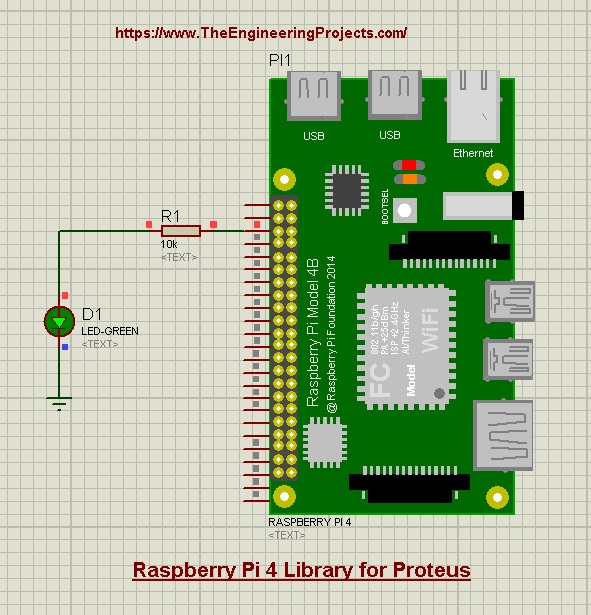
The Raspberry Pi 4 library adds the latest full-size Pi to your Proteus designs, with an LED example that runs Arduino code. Read the complete tutorial: Raspberry Pi 4 Library for Proteus
4. Raspberry Pi 3 Library for Proteus
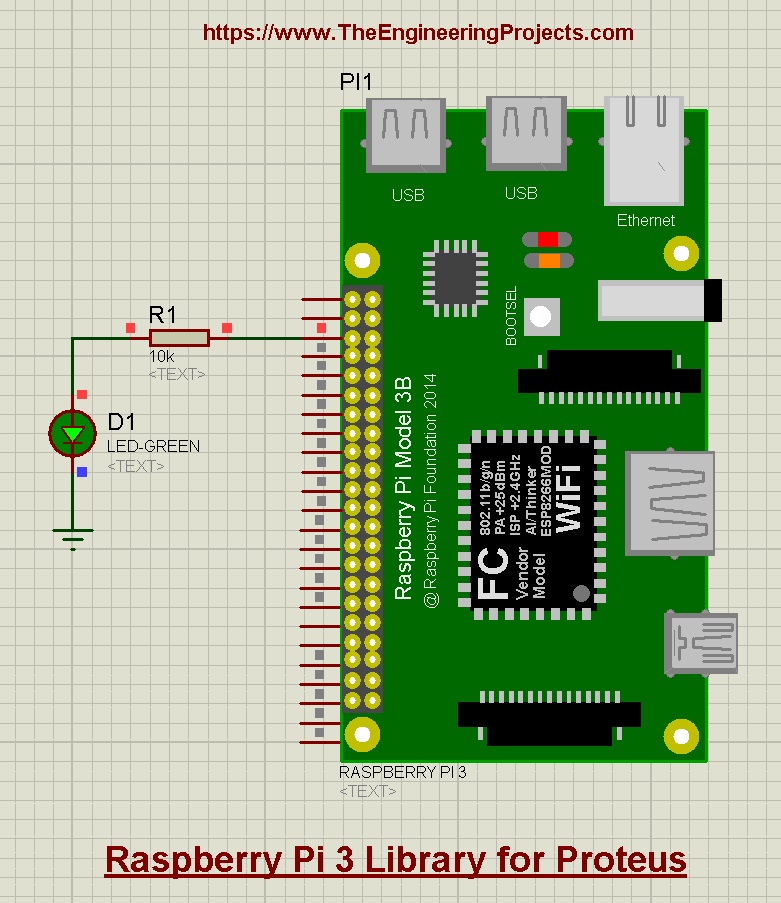
The Raspberry Pi 3 library has only the Pi 3 board in it, designed for circuit drawings, with the same Arduino-code example. Read the complete tutorial: Raspberry Pi 3 Library for Proteus
5. Raspberry Pi 2 Library for Proteus
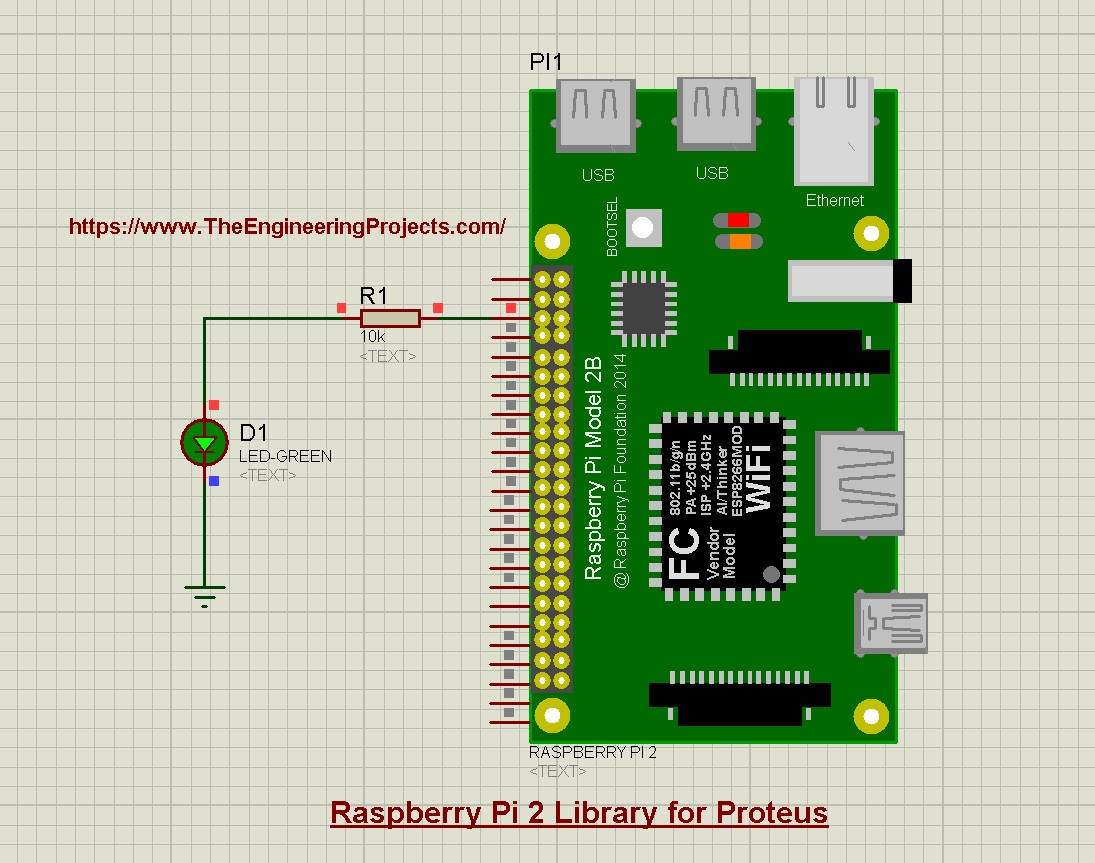
The Raspberry Pi 2 library completes the full-size family for older project designs. Read the complete tutorial: Raspberry Pi 2 Library for Proteus
6. Raspberry Pi Zero W Library for Proteus
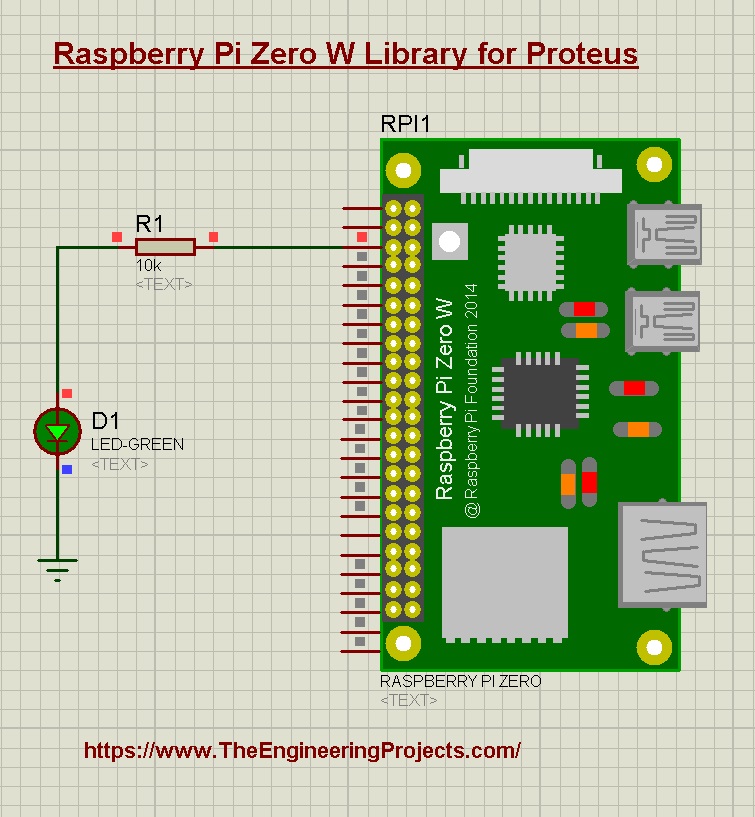
The small Raspberry Pi Zero W, for compact project designs and presentations. Read the complete tutorial: Raspberry Pi Zero W Library for Proteus
7. Raspberry Pi Pico Library for Proteus
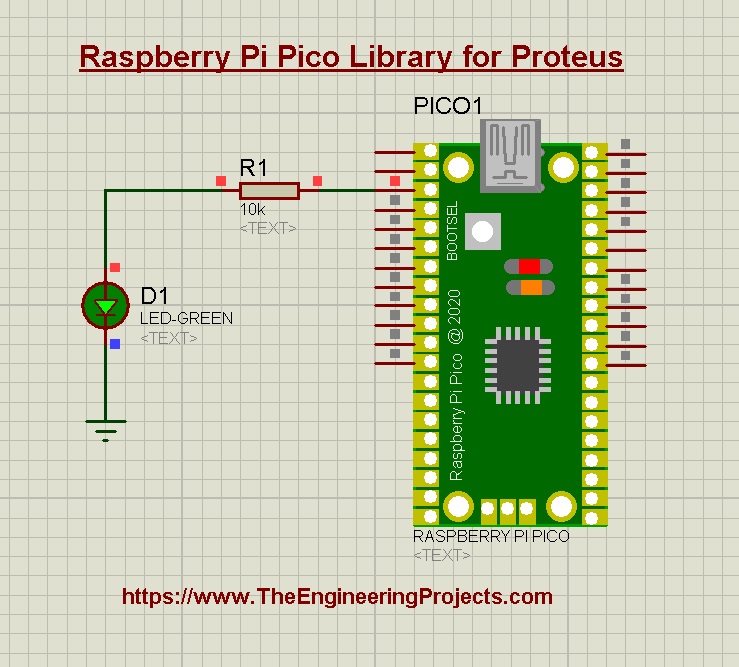
The Raspberry Pi Pico is a microcontroller board, not a computer. Our library was the first of our Pi libraries, with an LED example that runs Arduino code. Read the complete tutorial: Raspberry Pi Pico Library for Proteus
ESP32 and NodeMCU Boards
8. ESP32 Library for Proteus
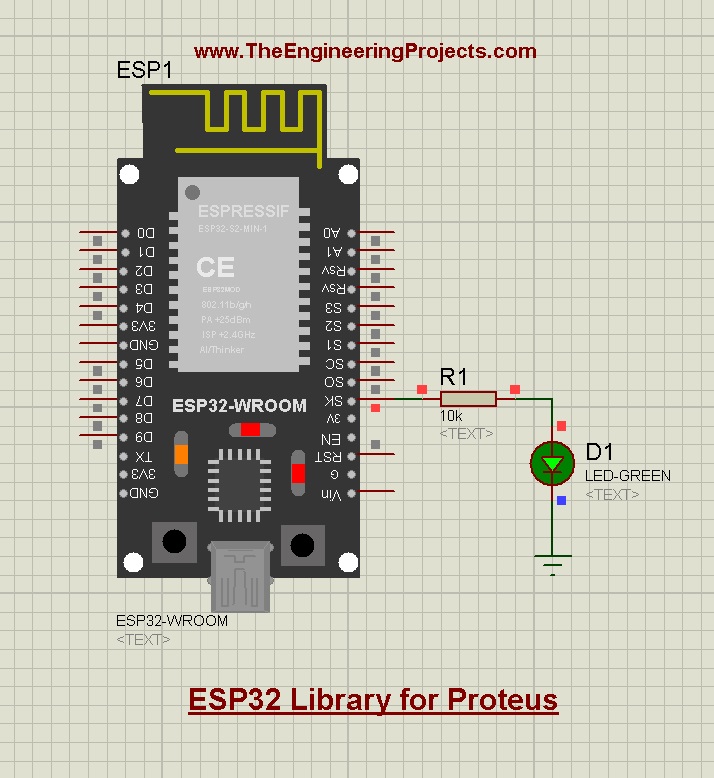
The ESP32 is the favourite board for IoT projects. Proteus can't simulate its Wi-Fi or Bluetooth radio, so our library simulates its input and output side: digital pins, PWM and the sensors and modules you connect to it, with an LED example and its HEX file. For a Wi-Fi simulation, use an Arduino with our ESP-01 Wi-Fi library. Read the complete tutorial: ESP32 Library for Proteus
9. NodeMCU Library for Proteus
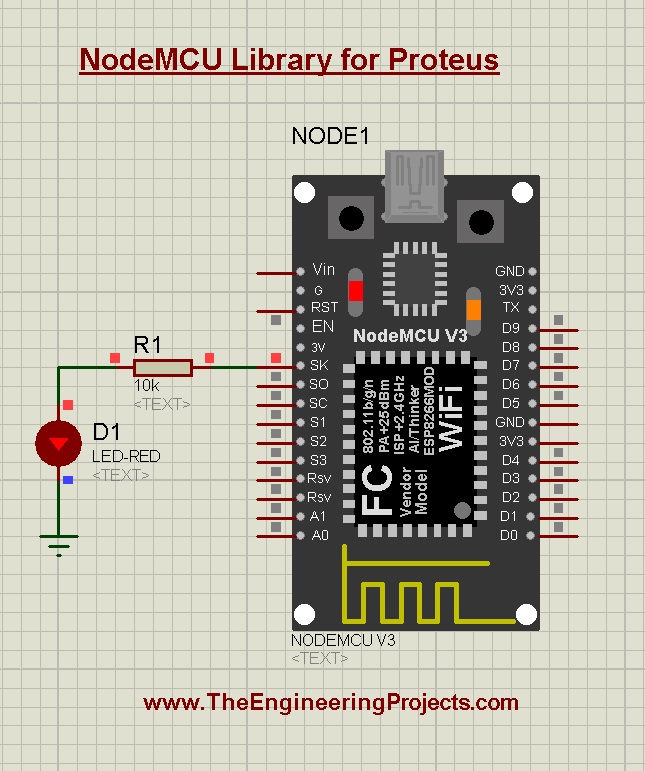
The NodeMCU library was the first NodeMCU model for Proteus. Like the ESP32 library, it simulates the basic functions of the board: I/O control, PWM and sensor interfacing, for code tests and circuit diagrams. Read the complete tutorial: NodeMCU Library for Proteus
Arduino Boards V2.0
10. Arduino Library for Proteus V2.0
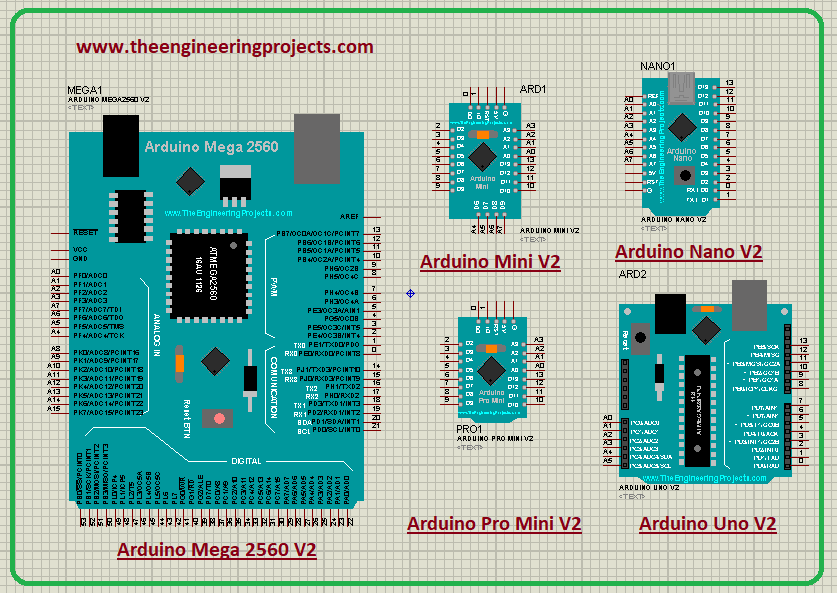
Our second complete Arduino library, from 2021. The V2.0 boards are more compact than the V1.0 boards, and many bugs were removed. Read the complete tutorial: Arduino Library for Proteus V2.0
11. Arduino UNO Library for Proteus V2.0
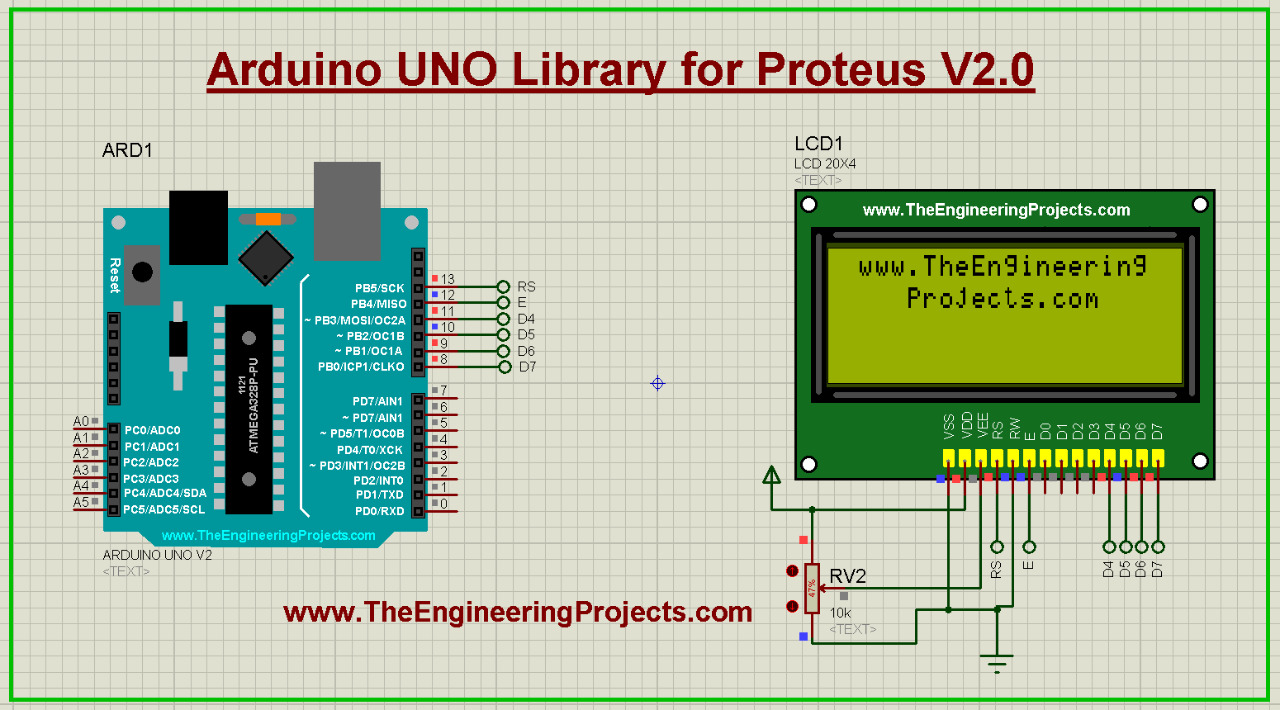
The Arduino UNO alone, in its V2.0 design. Read the complete tutorial: Arduino UNO Library for Proteus V2.0
12. Arduino Nano Library for Proteus V2.0
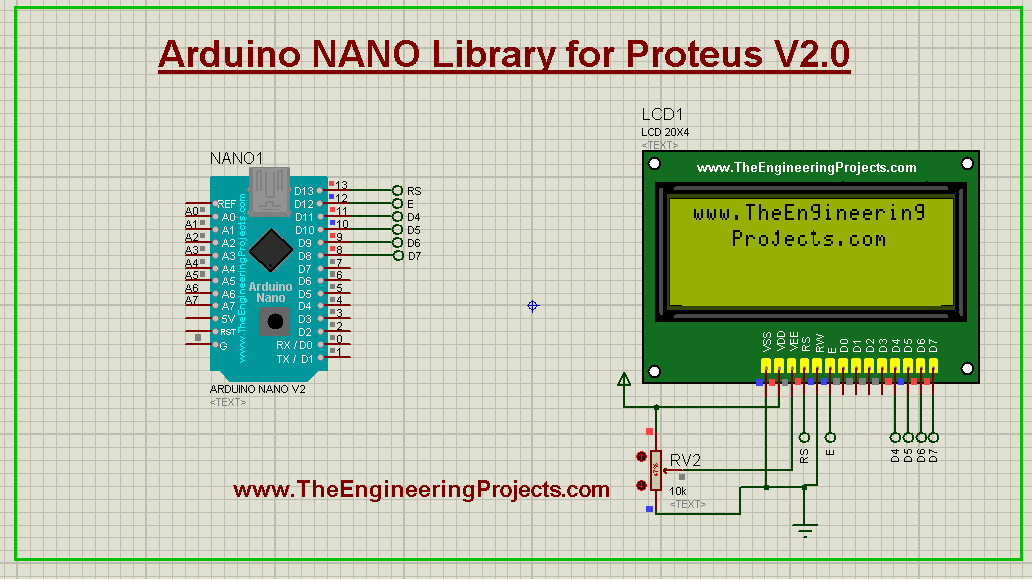
The small Arduino Nano, the breadboard-friendly board of compact projects. Read the complete tutorial: Arduino Nano Library for Proteus V2.0
13. Arduino Mega 2560 Library for Proteus V2.0
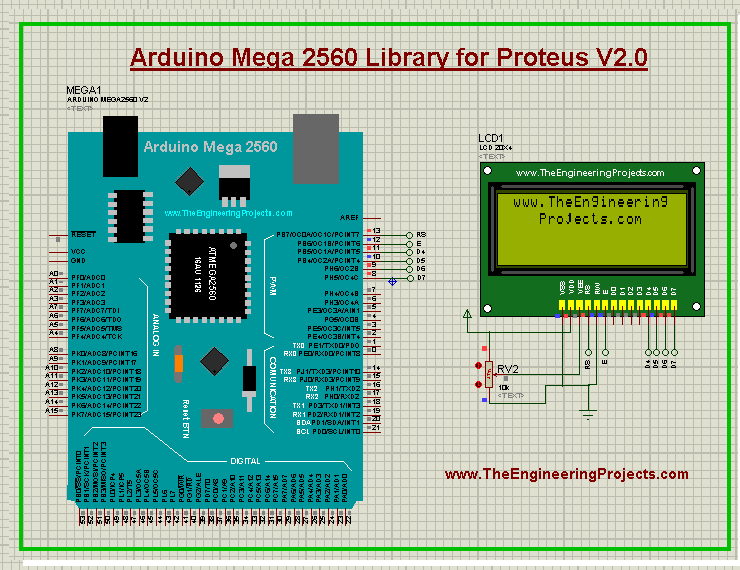
The Arduino Mega 2560, with many more pins and serial ports for big projects. Read the complete tutorial: Arduino Mega 2560 Library for Proteus V2.0
14. Arduino Mega 1280 Library for Proteus V2.0
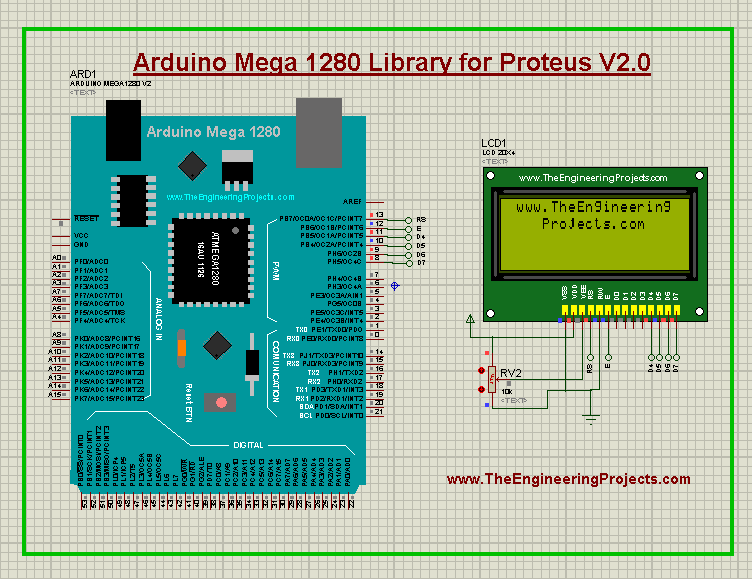
The older Arduino Mega 1280, for projects that still use it. Read the complete tutorial: Arduino Mega 1280 Library for Proteus V2.0
15. Arduino Pro Mini Library for Proteus V2.0
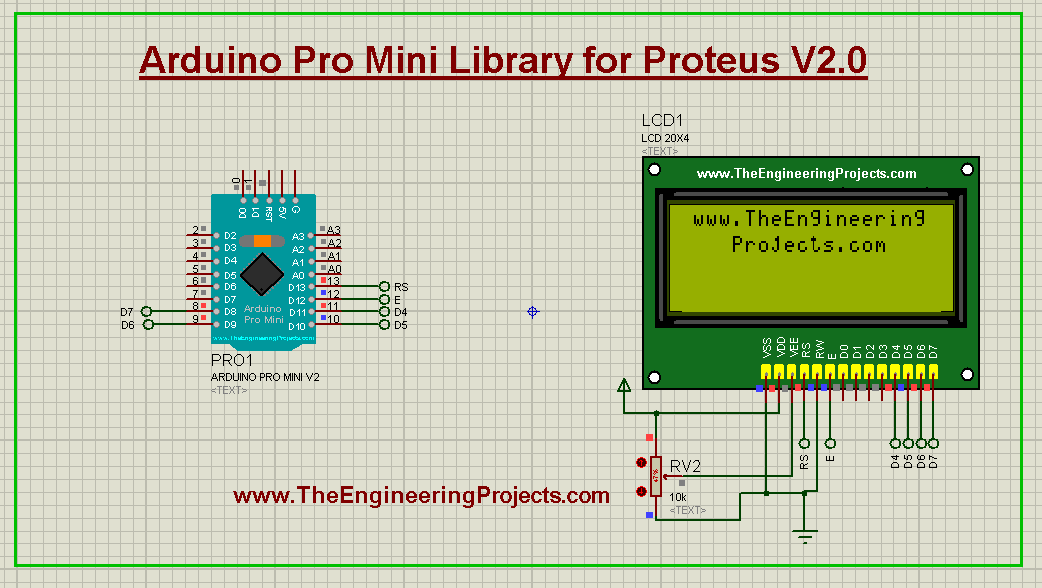
The Arduino Pro Mini, a tiny board for wearables and space-limited designs. Read the complete tutorial: Arduino Pro Mini Library for Proteus V2.0
16. Arduino Mini Library for Proteus V2.0
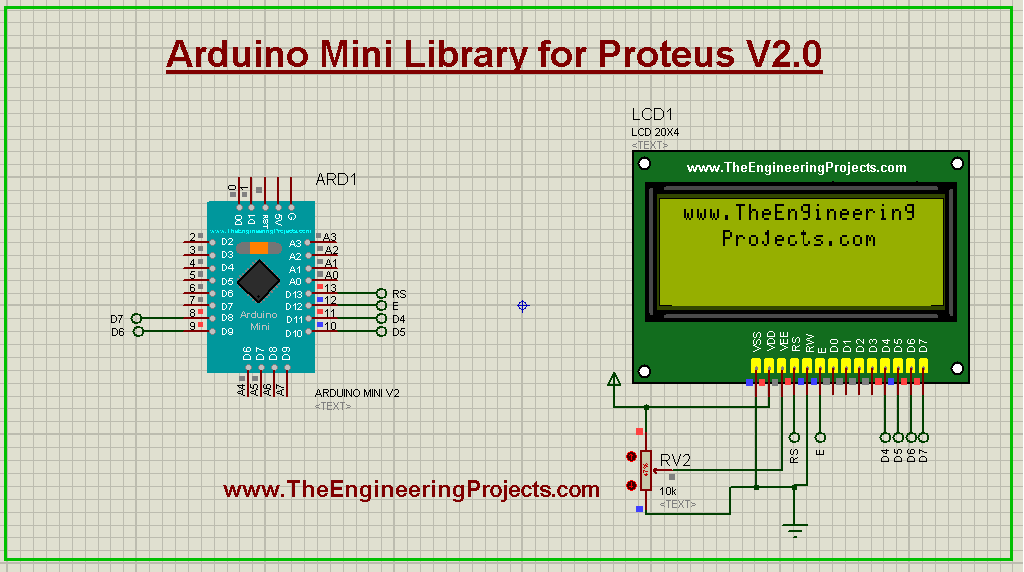
The Arduino Mini in its V2.0 design. Read the complete tutorial: Arduino Mini Library for Proteus V2.0
Our First Arduino Boards
17. Arduino Library for Proteus
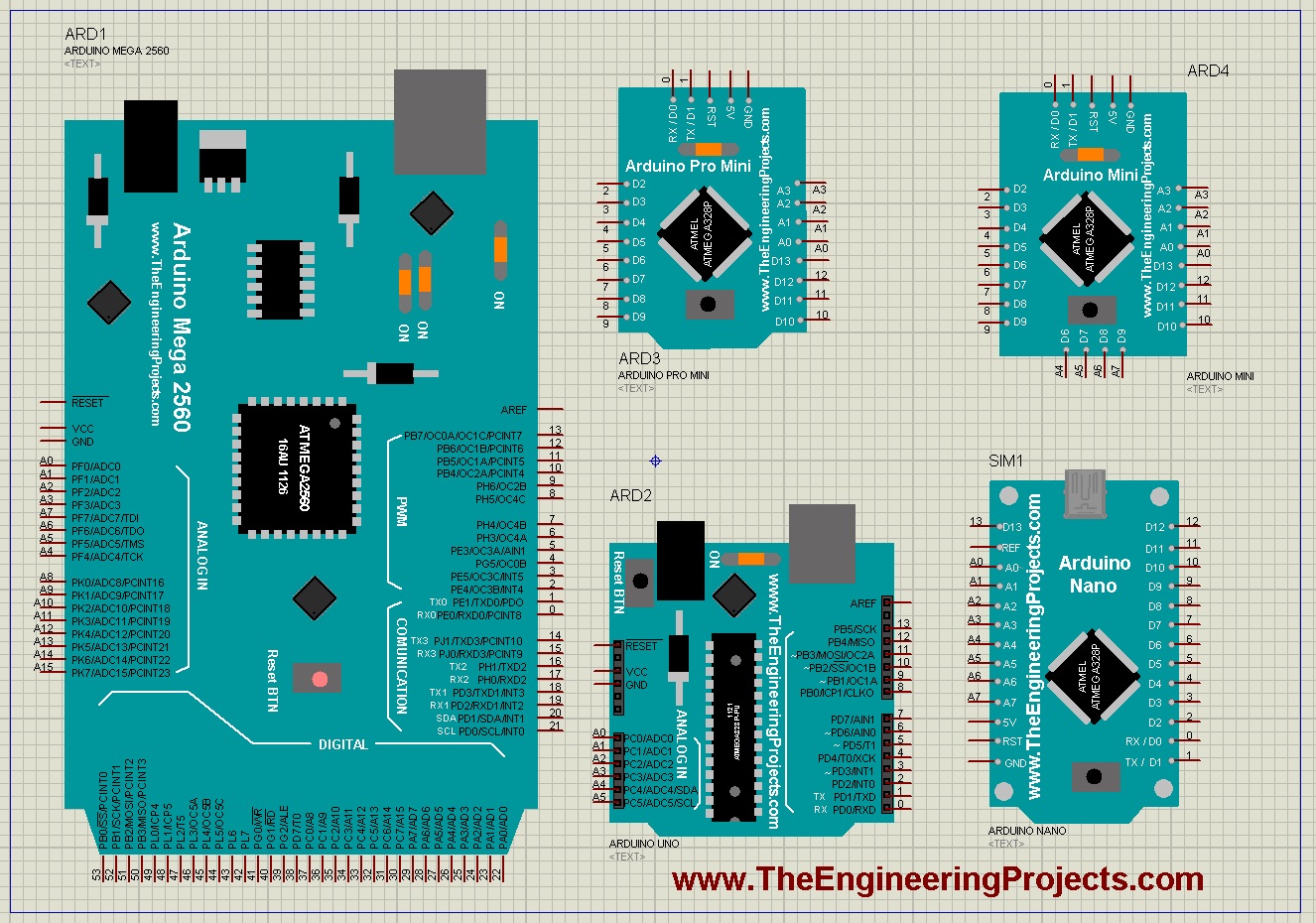
This is where everything started: our first Arduino Library for Proteus, from 2015, with the UNO, Mega 2560, Mega 1280, Mini, Pro Mini and Nano. If your old project uses these boards, it still works. Read the complete tutorial: Arduino Library for Proteus
18. Genuino Library for Proteus
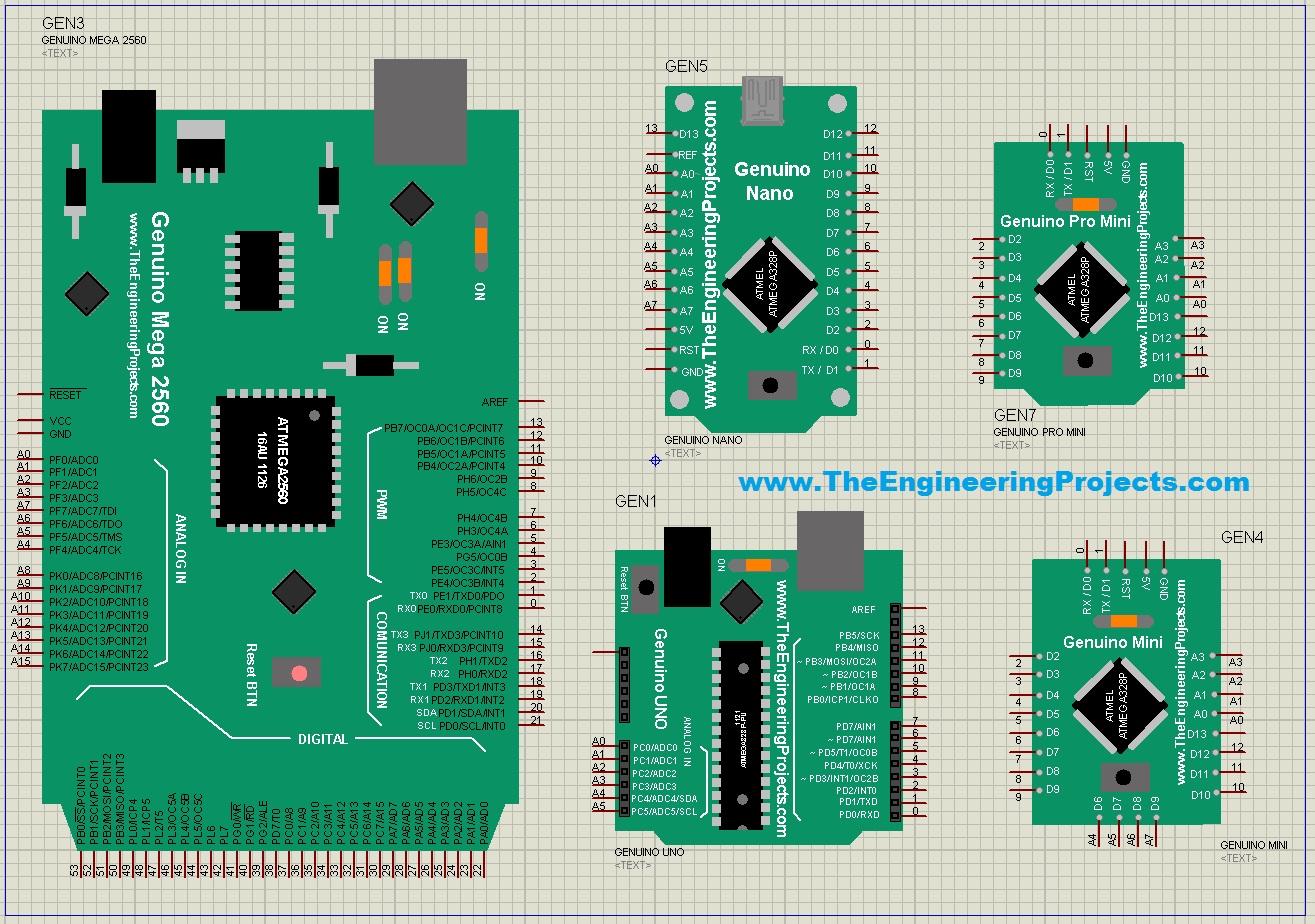
The Genuino boards are the same as the Arduino boards, with a different colour and look, and so is our Genuino library: the functionality is exactly the same as our Arduino library. Read the complete tutorial: Genuino Library for Proteus
19. Arduino Lilypad Library for Proteus
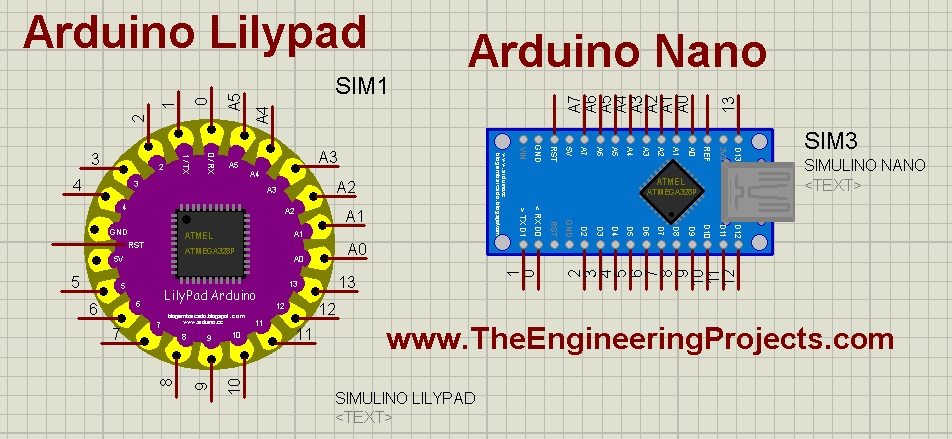
The LilyPad is the round Arduino for wearable and e-textile projects. This library was not designed by our team: it was created by blogembarcado, and we shared it because it supports the LilyPad, the Nano, the UNO, the UNO SMD and the Mega. All credit goes to its creator. You should also read Arduino Lilypad Simulation in Proteus. Read the complete tutorial: Arduino Lilypad Library for Proteus
Which Board Library Should You Use?
- A new Arduino project: the Arduino Library for Proteus V3.0, or the UNO V3.0 if you only need the UNO.
- An older project file: keep the version it was made with, so its boards still match.
- A Raspberry Pi or ESP32 project: use their libraries for the circuit diagram and the presentation, and remember their limits in the simulation.
- An IoT project that needs Wi-Fi in the simulation: an Arduino UNO V3.0 with our ESP-01 library.
Whichever board you choose, the simulation runs the compiled HEX file of your sketch: compile it in the Arduino IDE, then select it in the Program File property of the board in Proteus. Read How to Get the HEX File from the Arduino Software for the details, and our Download Proteus Library of Arduino Modules page for all of our Arduino board downloads in one place.
More Lists of Proteus Libraries
We have grouped our Proteus libraries into several lists, so you can quickly find the right ones for your project:
- 30 New Proteus Libraries for Engineering Students (2026)
- GSM Libraries for Proteus
- GPS Libraries for Proteus
- RF Module Libraries for Proteus
- LoRa and RF Libraries for Proteus
- Wi-Fi and Bluetooth Libraries for Proteus
- List of Wireless Modules for Proteus
- Top IoT Libraries for Proteus
- RFID and NFC Libraries for Proteus
- List of Embedded Sensors in Proteus
- I2C Sensor Libraries for Proteus
- Environmental Sensor Libraries for Proteus
- Motion and Distance Sensor Libraries for Proteus
- Smart Agriculture Sensor Libraries for Proteus
- Medical Sensor Libraries for Proteus
- Must-Have Proteus Libraries for Arduino Simulation
Conclusion
So, that was all about the Microcontroller Board Libraries for Proteus. I hope this list helps you choose the right board for your simulation, and that you enjoy combining these boards with our new module and sensor libraries. You can find all of them in our Proteus Libraries tutorial series. If you have any questions, please ask in the comments or in the Proteus Libraries category of our forum. Till the next tutorial, take care and have fun!
Comments
0