


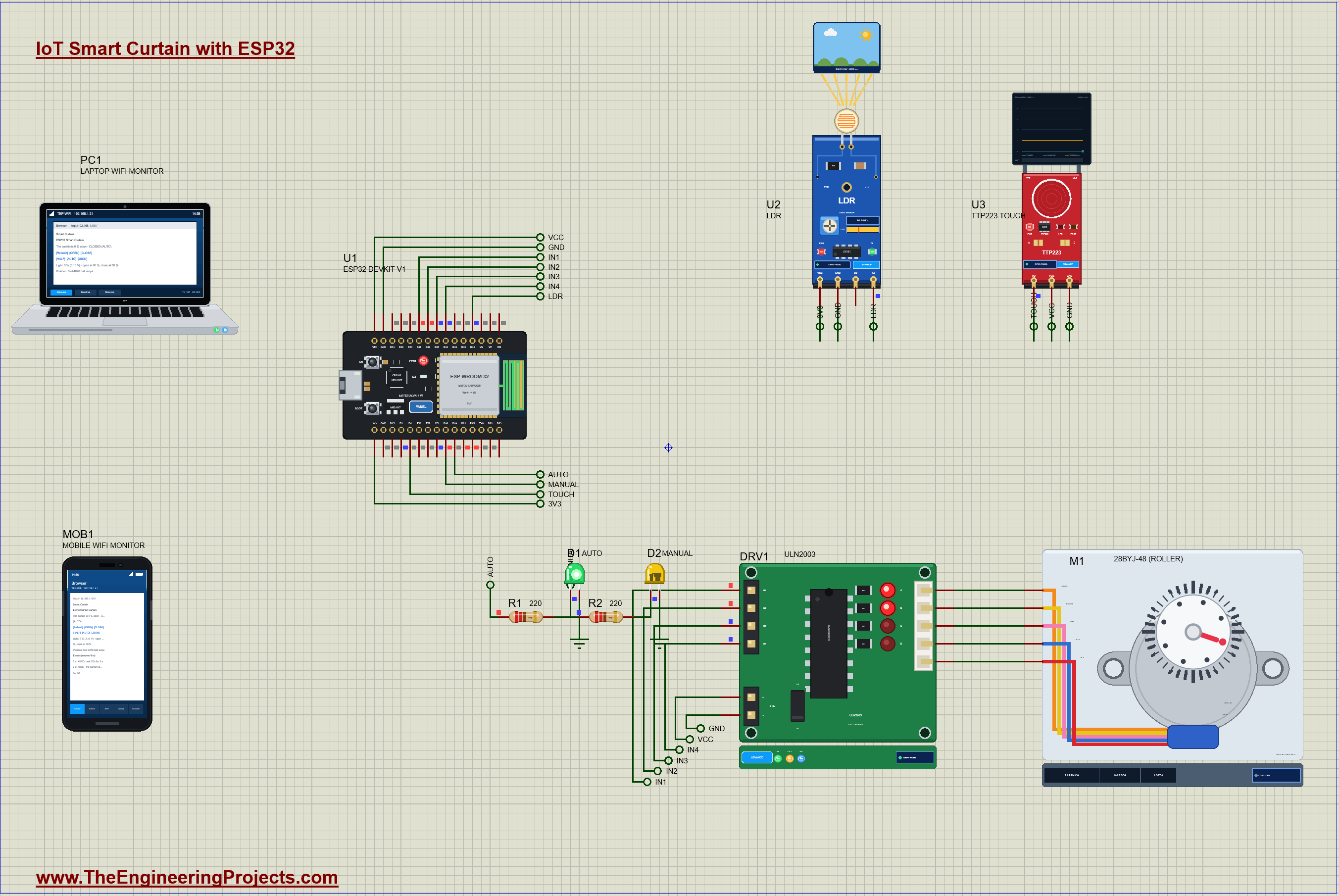
IoT Smart Curtain with ESP32 - Proteus Simulation


Hello friends, I hope you all are doing great. Today, I am going to share the IoT Smart Curtain with ESP32 - Proteus Simulation, the seventeenth project of our IoT Projects series. If you have searched for a Proteus simulation of an automatic curtain with an ESP32 and a stepper motor, here is a complete one. A 28BYJ-48 stepper on a ULN2003 driver rolls the curtain up and down; an LDR opens it when the sun comes up and closes it when night falls; a TTP223 touch pad opens, closes or stops it with a tap; and a web dashboard moves it to any position from your laptop or your phone.
Motorised curtains and blinds are a favourite of home automation: they wake you with daylight, keep a room cool on a hot afternoon and give privacy at night, all without anyone pulling a cord. A stepper motor suits the job perfectly, because it moves in exact steps: count the steps and you always know where the curtain is, with no sensor on the curtain at all. In this tutorial, we will go through the circuit, learn how the 28BYJ-48 and its gearbox turn steps into a position, drive it in half steps from the ESP32, decide from the daylight without reacting to every cloud, walk through the sketch, and then run the simulation: night, sunrise, a tap, half open, AUTO again and nightfall. At the end, you can download the project with the code and every library file it needs.
NOTICE: Our team has put a lot of effort into this project: the circuit, the code and every part in the simulation are our own work, and you get them all free. Your feedback is the fuel that keeps us going, so please tell us what you think in the comments below. And if our free projects help you, you can buy us a coffee. So, let's get started with the IoT Smart Curtain with ESP32 - Proteus Simulation:
What Does This Smart Curtain Do?
- AUTO: after 3 seconds of daylight (60 % or more) the curtain opens; after 3 seconds of darkness (30 % or less) it closes.
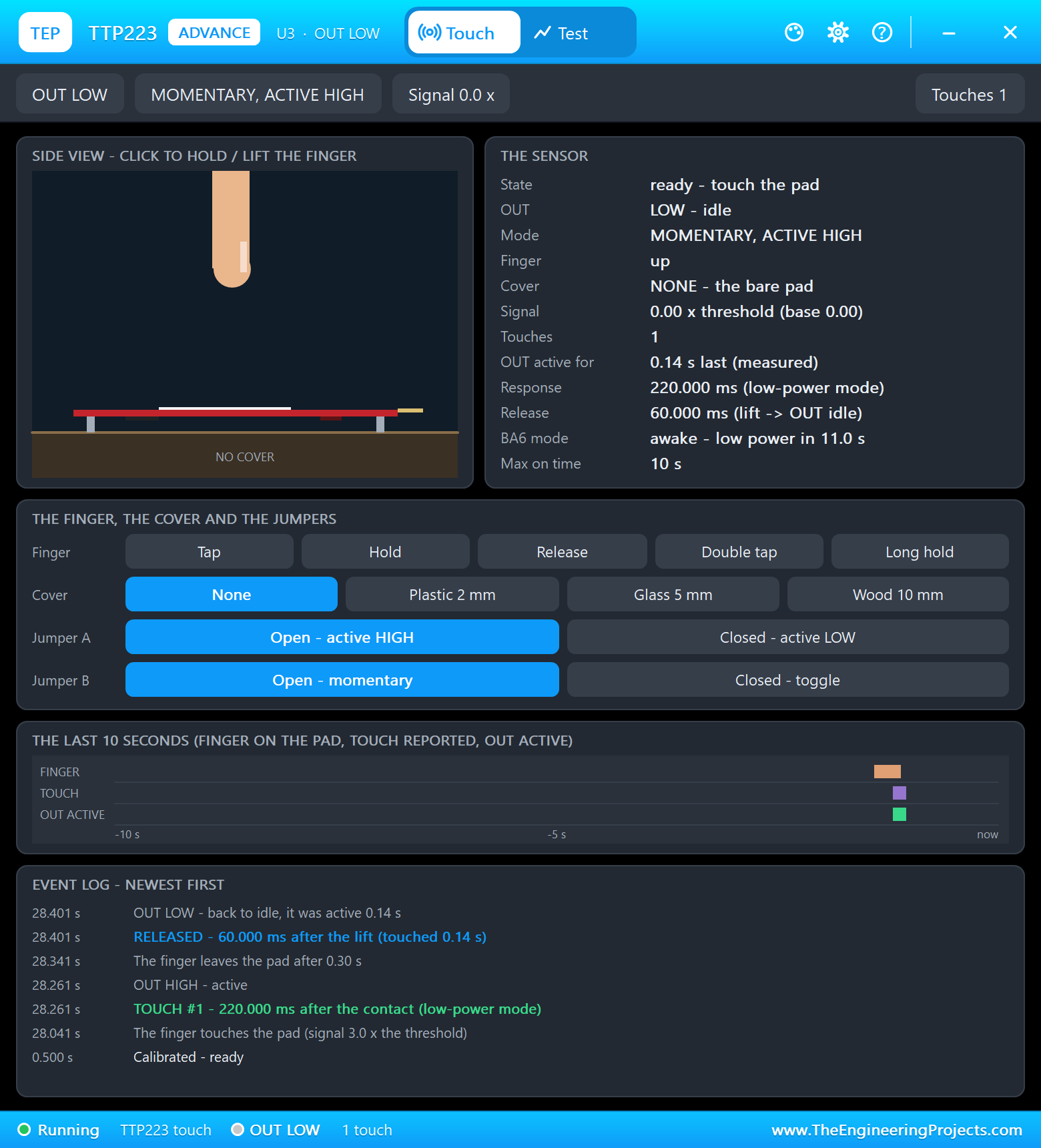
- A touch pad: a tap opens a closed curtain or closes an open one; a tap while it moves stops it where it is. A tap switches to MANUAL.
- Any position: OPEN, CLOSE and HALF on the web page; the dashboard shows the position in % and in half steps.
- Two LEDs: green for AUTO, yellow for MANUAL; AUTO on the page hands the curtain back to the light.
- Cool and quiet: the motor's coils are switched off between moves, so neither the motor nor the driver warms up while the curtain hangs still.
It is a great project for anyone learning stepper motors with the ESP32, and a classic home-automation project for students. In the simulation, the daylight comes from the LDR's pop-up and the finger from the touch pad's pop-up, while the motor's dial shows every turn of the roller.
Components Used in the Proteus Simulation
All the parts come from our Proteus libraries, each with its own tutorial. The project zip at the end includes every LIB and DLL file.
| Part | Proteus device | Library post | Connection |
|---|---|---|---|
| ESP32 DevKit V1 | ESP32 DEVKIT V1 | ESP32 DevKit V1 Library for Proteus | U1, TEP-WiFi 192.168.1.101 |
| ULN2003 stepper driver board | ULN2003ADVTEP | 28BYJ-48 / ULN2003 Stepper Motor Library for Proteus | DRV1, IN1 - IN4 on D27, D26, D25, D33 |
| 28BYJ-48 5 V stepper motor (the roller) | BYJ48TEP | 28BYJ-48 / ULN2003 Stepper Motor Library for Proteus | M1, on the ULN2003's outputs |
| LDR light sensor module | LDRADVTEP | LDR Sensor Library for Proteus | U2, A0 on D34 |
| TTP223 touch pad | TTP223ADVTEP | Touch Sensor Library for Proteus | U3, IO on D4 |
| 5 mm LEDs: green, yellow | LED5MMGREENTEP ... | 5mm LED Library | D1 / D2 on D19 / D18 |
| 220 ohm resistors | RESISTOR4BANDTEP | Resistor Library | R1, R2 |
| Laptop WiFi Monitor | LAPTOP WIFI MONITOR | Laptop WiFi Monitor | PC1 |
| Mobile WiFi Monitor | MOBILE WIFI MONITOR | Mobile WiFi Monitor | MOB1 |
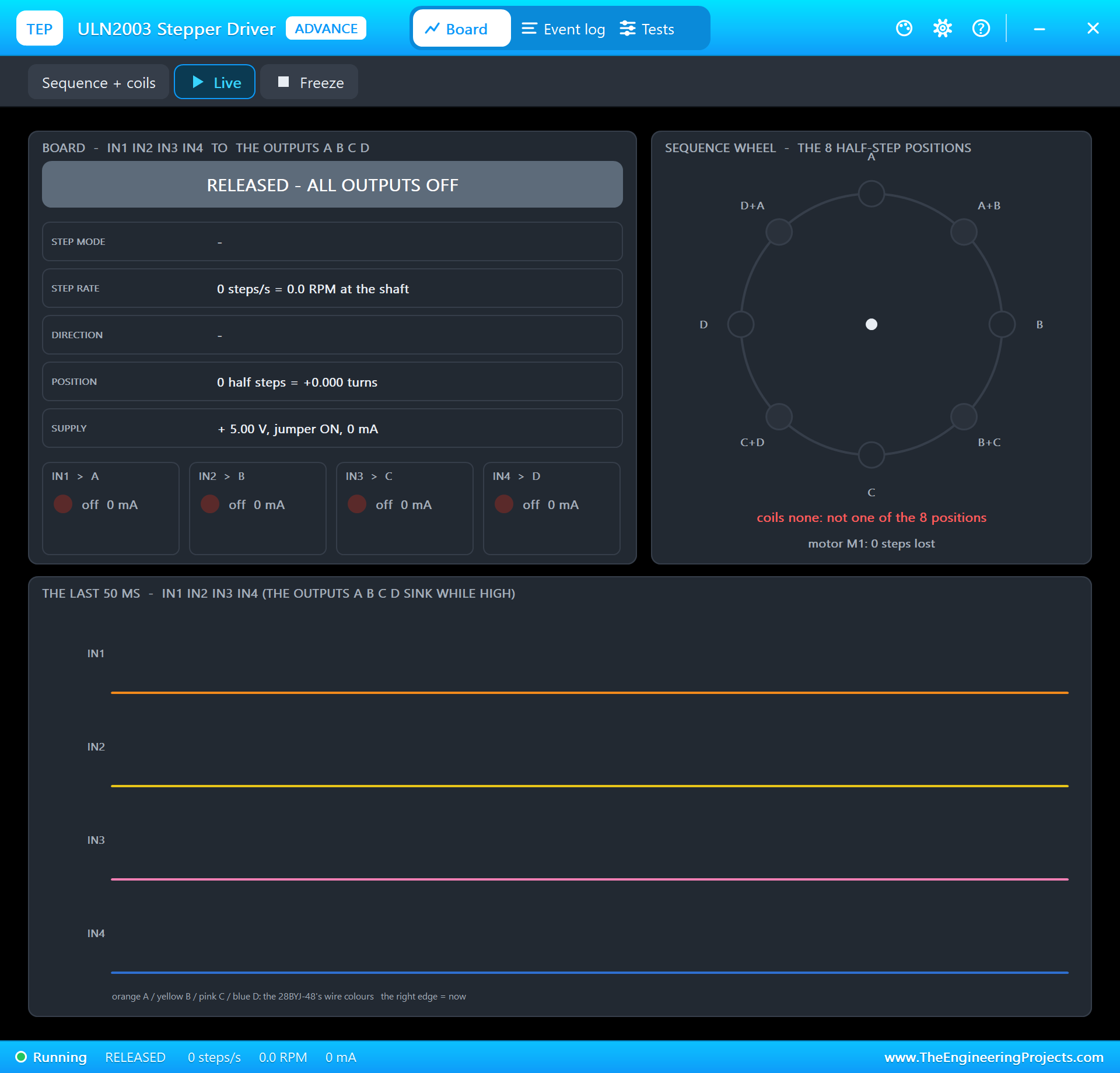
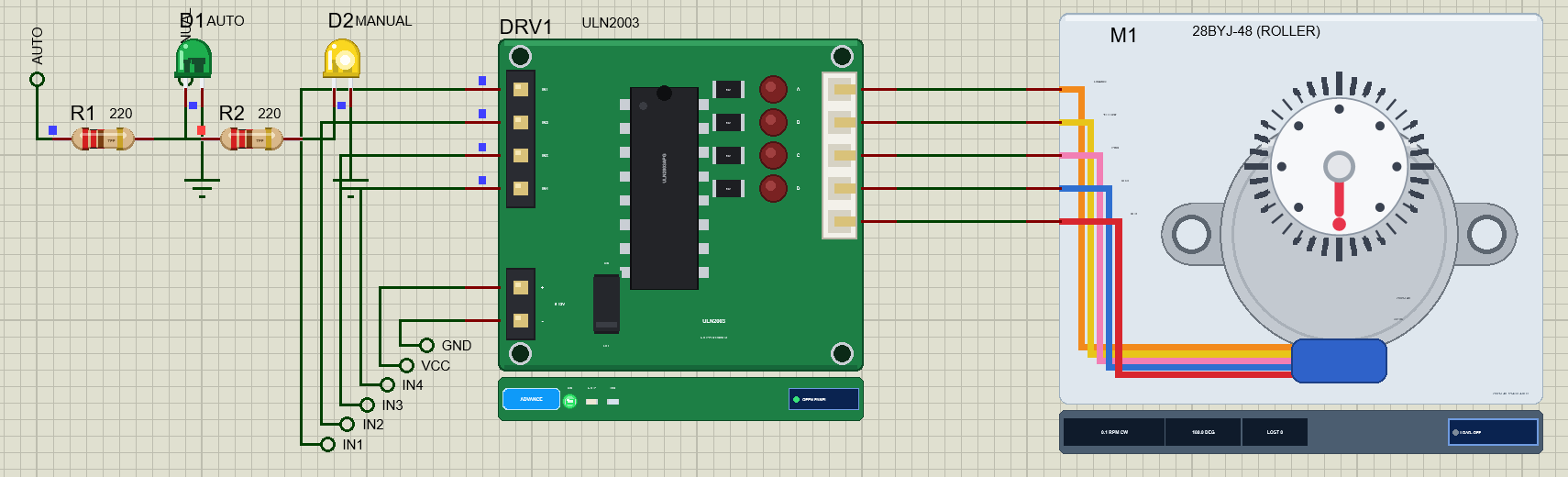
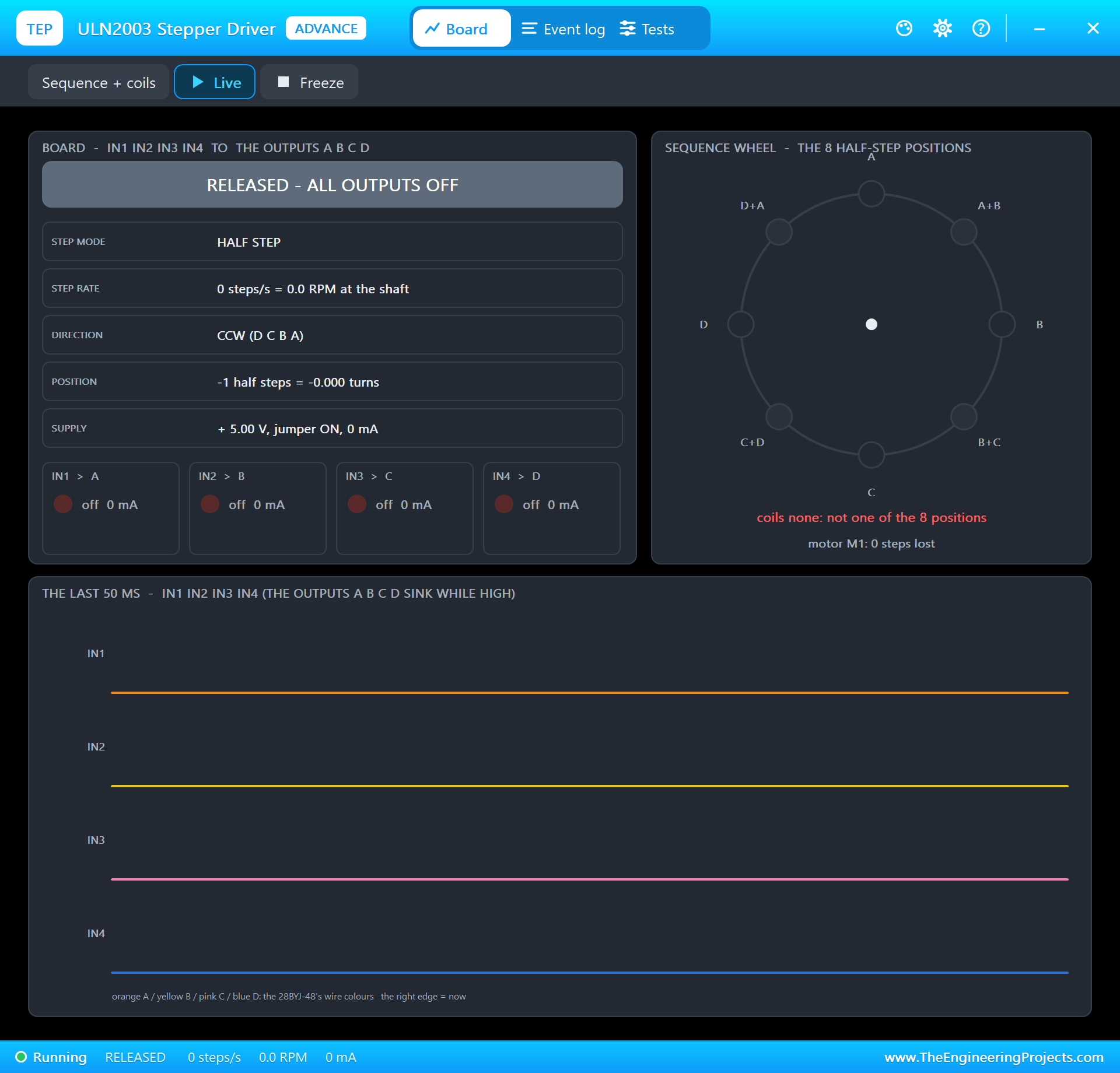
The ULN2003 board, the LDR and the touch pad are Advance models with pop-ups. The ULN2003's pop-up reads the coil patterns the ESP32 sends and names the step mode, the rate, the direction and the position, and it warns about classic mistakes such as a wrong pin order or coils held on for a long time. The 28BYJ-48 model includes its real gearbox, back-EMF, detent torque and inertia, and its dial turns at the simulated angle.
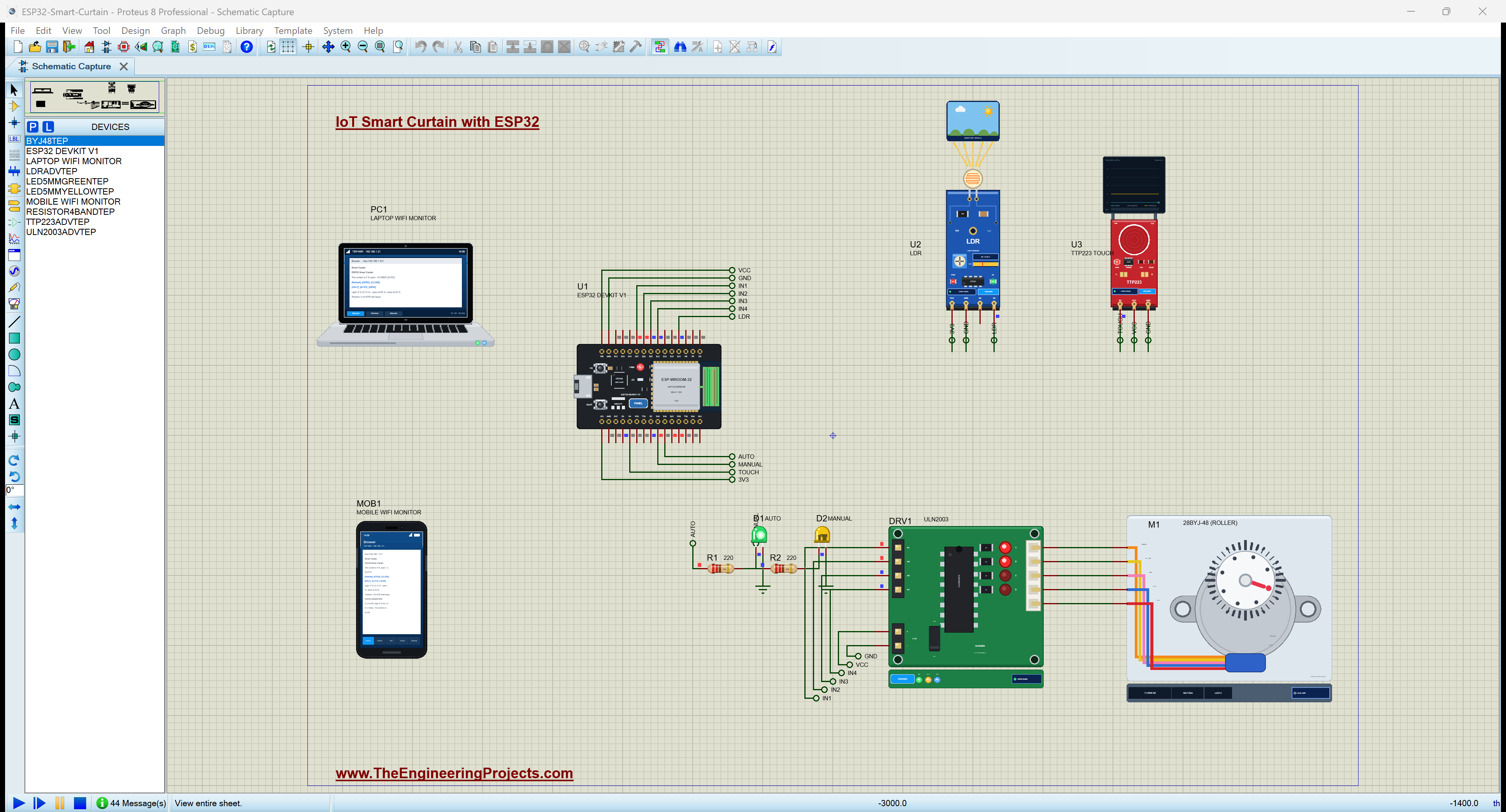
Proteus Simulation of the Smart Curtain: the Circuit
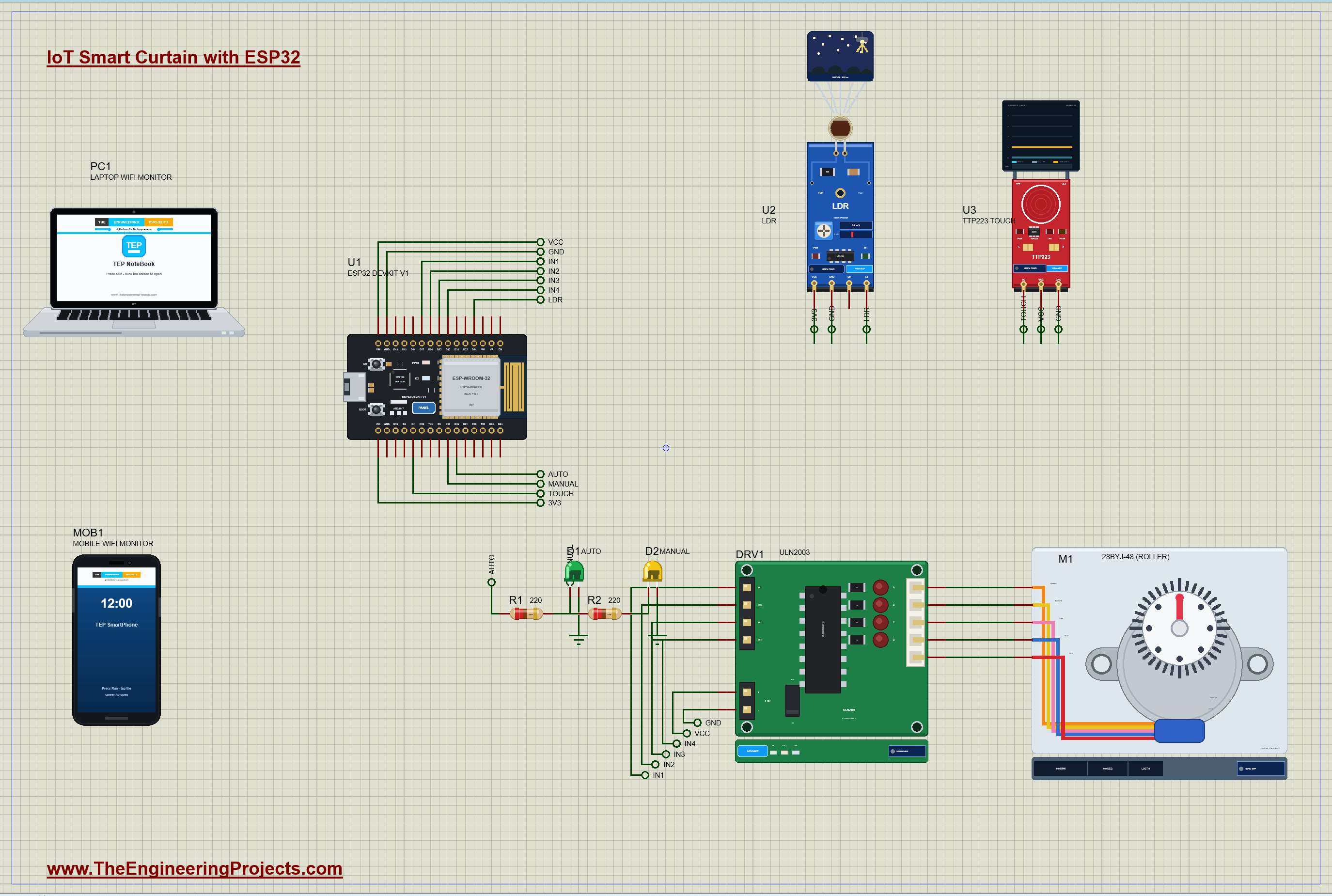
| Part | Pins | ESP32 DevKit V1 |
|---|---|---|
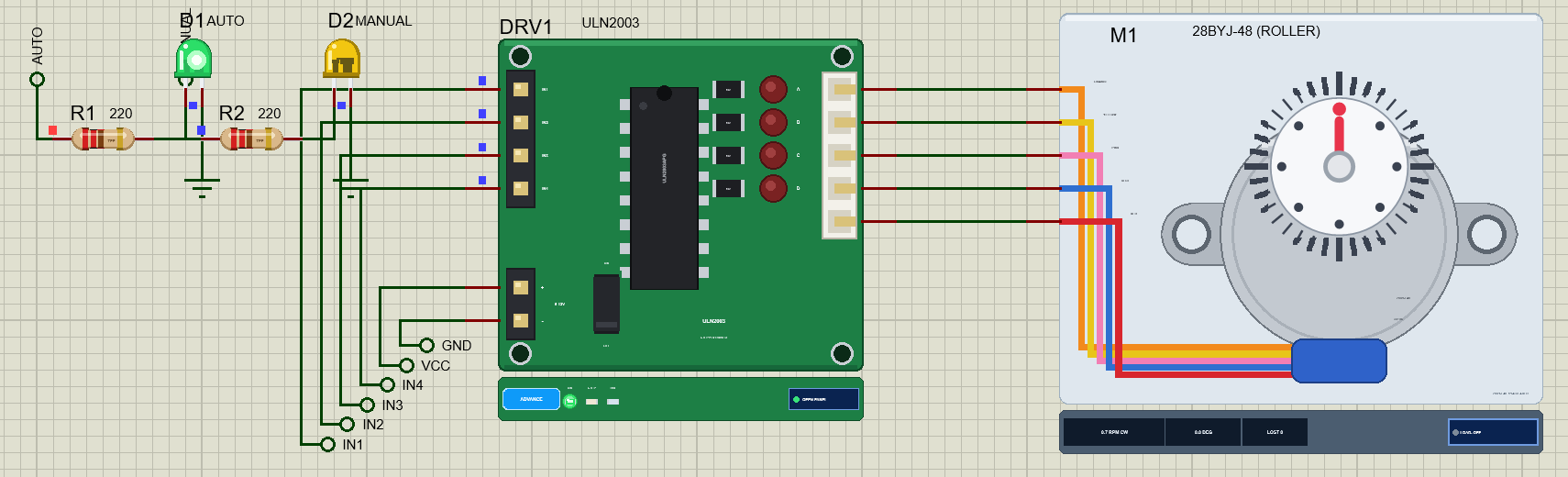
| DRV1 ULN2003 | IN1 / IN2 / IN3 / IN4 | D27 / D26 / D25 / D33 |
| DRV1 ULN2003 | + / - | 5 V / GND |
| M1 28BYJ-48 | orange, yellow, pink, blue, red | the ULN2003's A, B, C, D, COM |
| U2 LDR | VCC / A0 / GND | 3V3 / D34 (ADC) / GND |
| U3 TTP223 | VCC / IO / GND | 5 V / D4 / GND |
| D1 / D2 | green / yellow through 220 ohm | D19 / D18 |
Supplies
The motor runs from the 5 V rail through the ULN2003, never from an ESP32 pin: the ESP32 only switches the driver's inputs, and the driver's Darlington transistors sink the coil currents of about 80 mA each. The LDR runs on 3.3 V, so its output stays inside the ESP32 ADC's range, on the input-only pin D34. The TTP223 works from 2 to 5.5 V; in the simulation it shares the 5 V rail, and on a real ESP32 you would power it from 3.3 V so that its output never rises above the ESP32's logic level. All the grounds are joined.
How the Smart Curtain Works
The 28BYJ-48 and Its Gearbox
The 28BYJ-48 is a small unipolar stepper with four half-coils (orange, yellow, pink and blue) and a common red wire. Its rotor makes 32 full steps per turn, or 64 half steps, and a four-stage gearbox slows the output shaft down. The ratio is often quoted as 64:1, but the gear teeth give 32/9 x 22/11 x 26/9 x 31/10 = 63.68:1. One turn of the output shaft is therefore 64 x 63.68 = 4075.8 half steps, which the sketch rounds to 4076, the curtain's full travel in this project.
Worked example: at 2 ms per half step the motor makes 500 half steps a second, so the shaft turns at 500 / 4075.8 = 0.123 turns a second, or 7.4 RPM, and a full travel of 4076 half steps takes 8.2 seconds. HALF is 4076 / 2 = 2038 half steps from closed.
Half Steps on the ULN2003
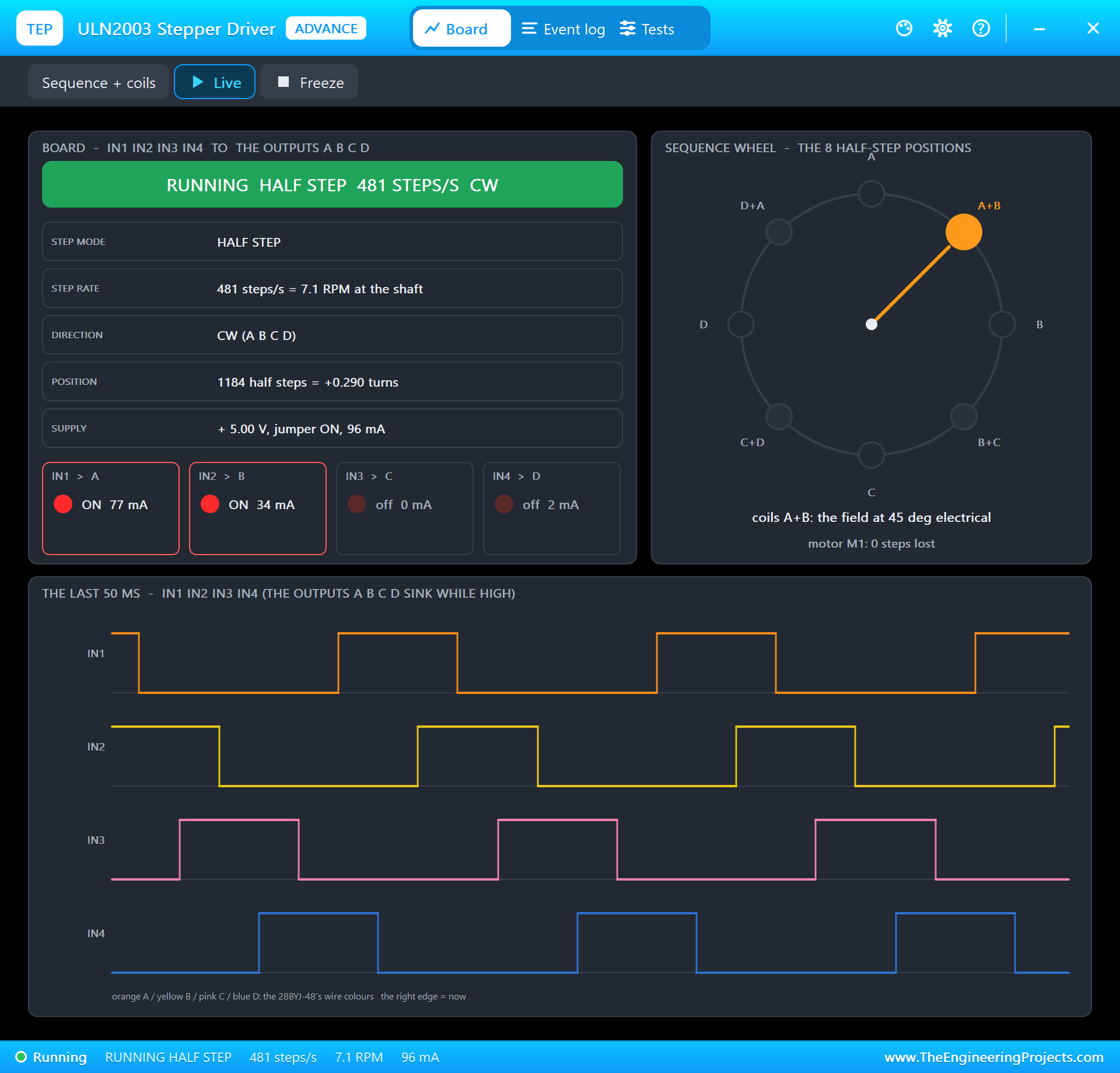
Each of the ESP32's four outputs switches one coil through the ULN2003. Switching the coils one after the other, A, B, C, D, turns the rotor in full steps; switching one coil, then two together, then the next one alone, gives eight patterns per cycle: half steps, twice the resolution and a smoother motion. Reversing the order reverses the direction.
| Half step | IN1 (A) | IN2 (B) | IN3 (C) | IN4 (D) |
|---|---|---|---|---|
| 0 | 1 | 0 | 0 | 0 |
| 1 | 1 | 1 | 0 | 0 |
| 2 | 0 | 1 | 0 | 0 |
| 3 | 0 | 1 | 1 | 0 |
| 4 | 0 | 0 | 1 | 0 |
| 5 | 0 | 0 | 1 | 1 |
| 6 | 0 | 0 | 0 | 1 |
| 7 | 1 | 0 | 0 | 1 |
Open Loop: Counting Steps
Nothing measures where the curtain is. The sketch counts every half step it sends, from 0 (closed) to 4076 (open), and that count is the position. This works as long as the motor never skips a step, which is why the speed is kept moderate. When the power comes back after a cut, the count starts again at 0, so the sketch assumes the curtain is closed at start-up; a real installation adds a limit switch to find the closed position, as described later.
Daylight Without Flicker
The LDR module's output rises in the dark, so the light in % is (1 - V / 3.3) x 100. At night the LDR's resistance is very high and A0 sits near 3.1 V, about 5 %; in a sunny room it falls to a few tenths of a volt. A single reading should not move the curtain: a passing cloud or a car's headlights would make it twitch. So the sketch waits until the light has stayed at 60 % or more, or at 30 % or less, for 3 seconds, and the gap between 30 and 60 % means a grey morning does not open and close it again and again.
Switching the Coils Off
A stepper holds its position only while its coils carry current: about 82 mA each, two at a time, 0.8 W at 5 V, warming the motor and the driver all day for nothing. A roller curtain does not need holding torque; the gearbox and the roller's friction keep it in place. So after every move the sketch switches all four coils off.
The ESP32 Code Explained
The whole sketch is included in the download. It uses only the WiFi and WebServer libraries of the ESP32 core; the stepper is driven by a few lines of its own. At the top are the travel, the speed and the light levels:
const long TRAVEL = 4076;                                // half steps from closed to open: one turn of the output shaft (63.68:1)
const unsigned int STEP_US = 2000;                       // 2 ms a half step: 500 half steps/s, about 7.4 RPM at the shaft
const int DAY_PCT = 60, NIGHT_PCT = 30;                  // light: open at 60 % or more, close at 30 % or less
const unsigned long CONFIRM_MS = 3000;                   // the light must stay there 3 s (a cloud or car lights do not count)
The Half Steps
The half-step table holds the eight coil patterns as 4-bit numbers, and one function writes a pattern to the four pins:
const byte HALF[8] = {0b0001, 0b0011, 0b0010, 0b0110, 0b0100, 0b1100, 0b1000, 0b1001}; for (byte i = 0; i < 4; i++) digitalWrite(COIL[i], (pattern >> i) & 1);The position picks the pattern, so the sequence runs forwards when the count goes up and backwards when it goes down; the double modulo keeps the index between 0 and 7:
coils(HALF[((pos % 8) + 8) % 8]);The motor moves in chunks of up to 50 half steps, 100 ms, and then the loop returns to the web server and the touch pad, so the page stays responsive while the curtain moves:
for (byte k = 0; k < 50 && pos != target; k++) { coils(0); // the coils off: no holding current (the roller holds by friction)The Light
lightPct = constrain((int)((1 - ldrVolts / 3.3) * 100 + 0.5), 0, 100); // the LDR's A0 rises in the dark if (daySince && now - daySince >= CONFIRM_MS && lightState != 'D') {The Touch Pad and the Page
A tap while the curtain moves stops it at once; otherwise a tap sends it to the other end:
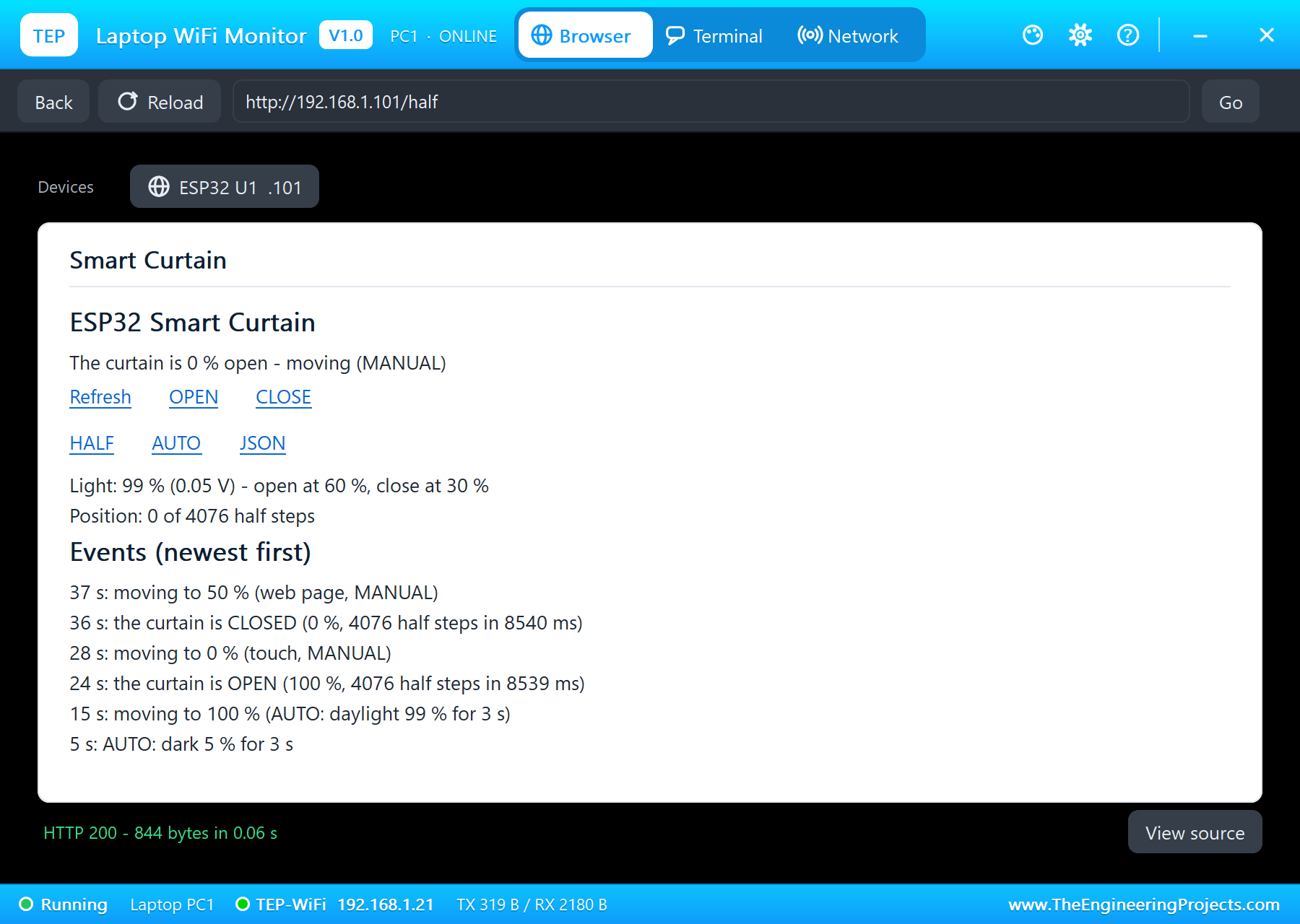
if (pos != target) { target = pos; coils(0); event("touch: stopped (MANUAL)"); } else moveTo(pos < TRAVEL / 2 ? TRAVEL : 0, "touch, MANUAL");void handleHalf() { setMode(false); moveTo(TRAVEL / 2, "web page, MANUAL"); handleRoot(); }The pages are / (the dashboard), /open, /close, /half, /auto and /data (JSON). The serial monitor prints a status line every 5 seconds and every event.
How to Run the Proteus Simulation
- Download the project zip below and install the library files (the steps are under the download button).
- Open ESP32-Smart-Curtain.pdsprj from the Proteus Simulation folder. Keep the .hex and DLL files next to it.
- Press Play. It is night (the LDR's LIGHT property is NIGHT), so the curtain stays closed.
- Open the Laptop WiFi Monitor (PC1) or the Mobile WiFi Monitor (MOB1) and press Go.
- In the LDR's pop-up (U2) press Sunny: 3 seconds later the curtain opens and the motor's dial makes one full turn.
- Tap the touch pad (U3), try HALF and AUTO on the page, then Night on the LDR.
Proteus Simulation Results
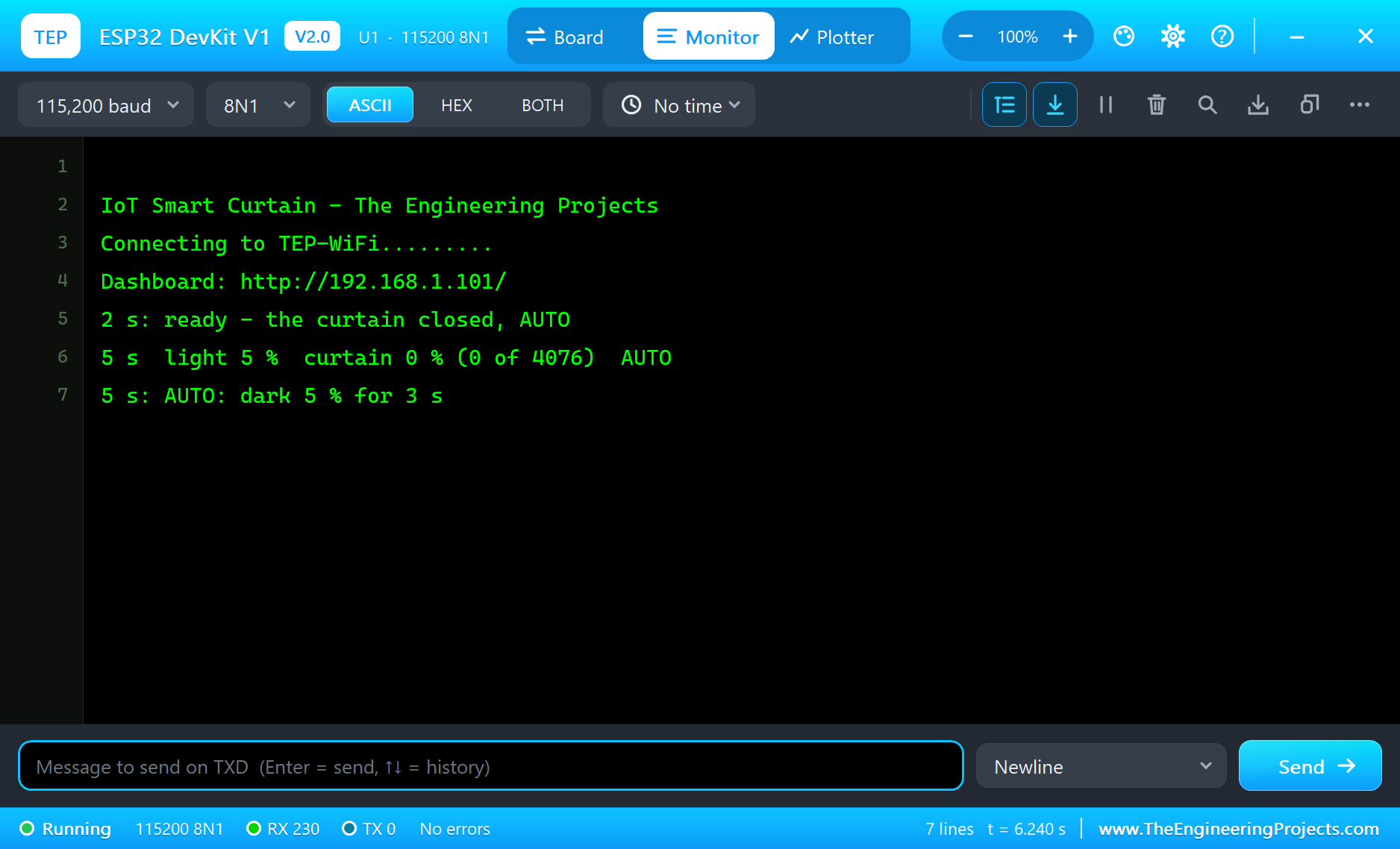
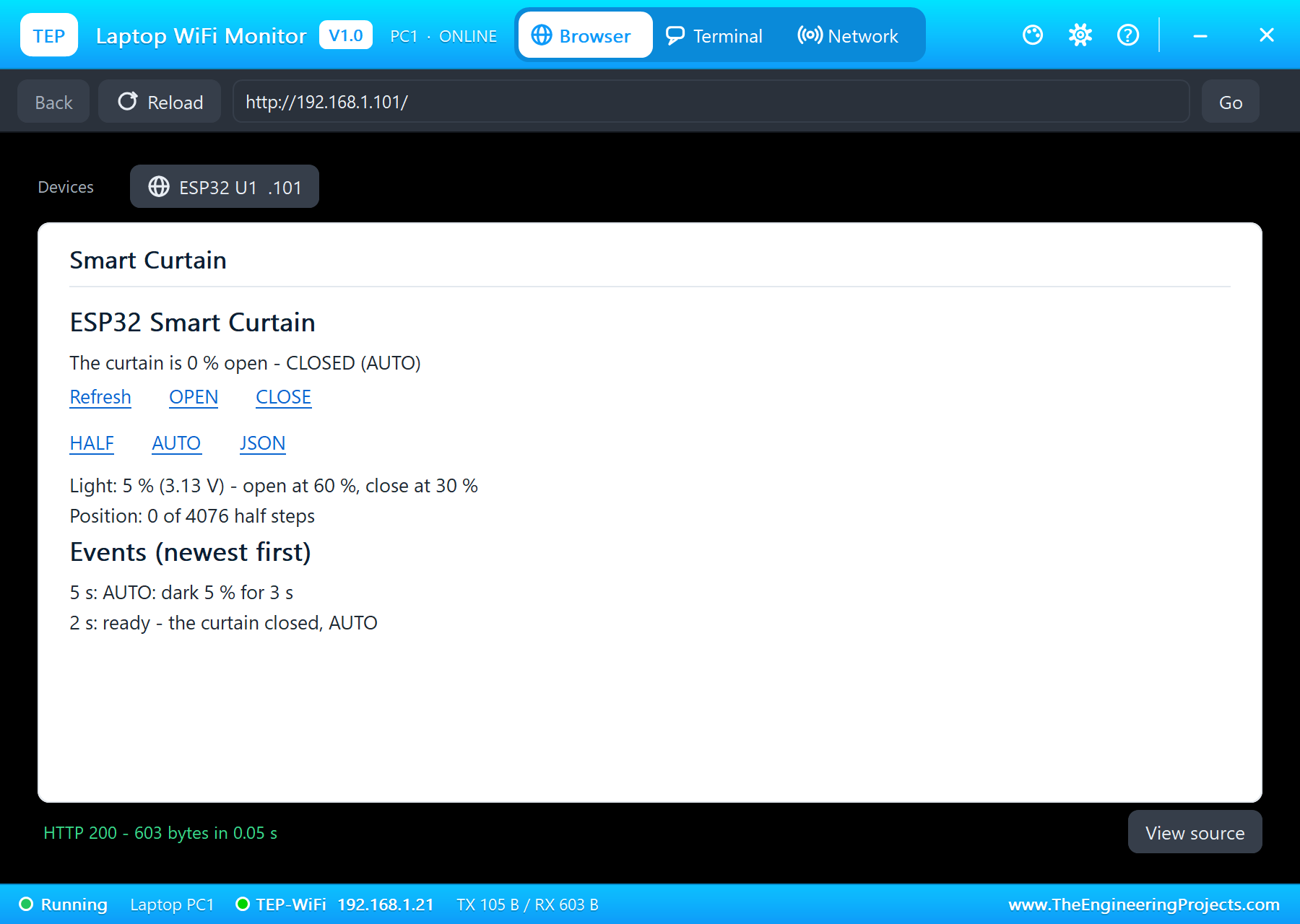
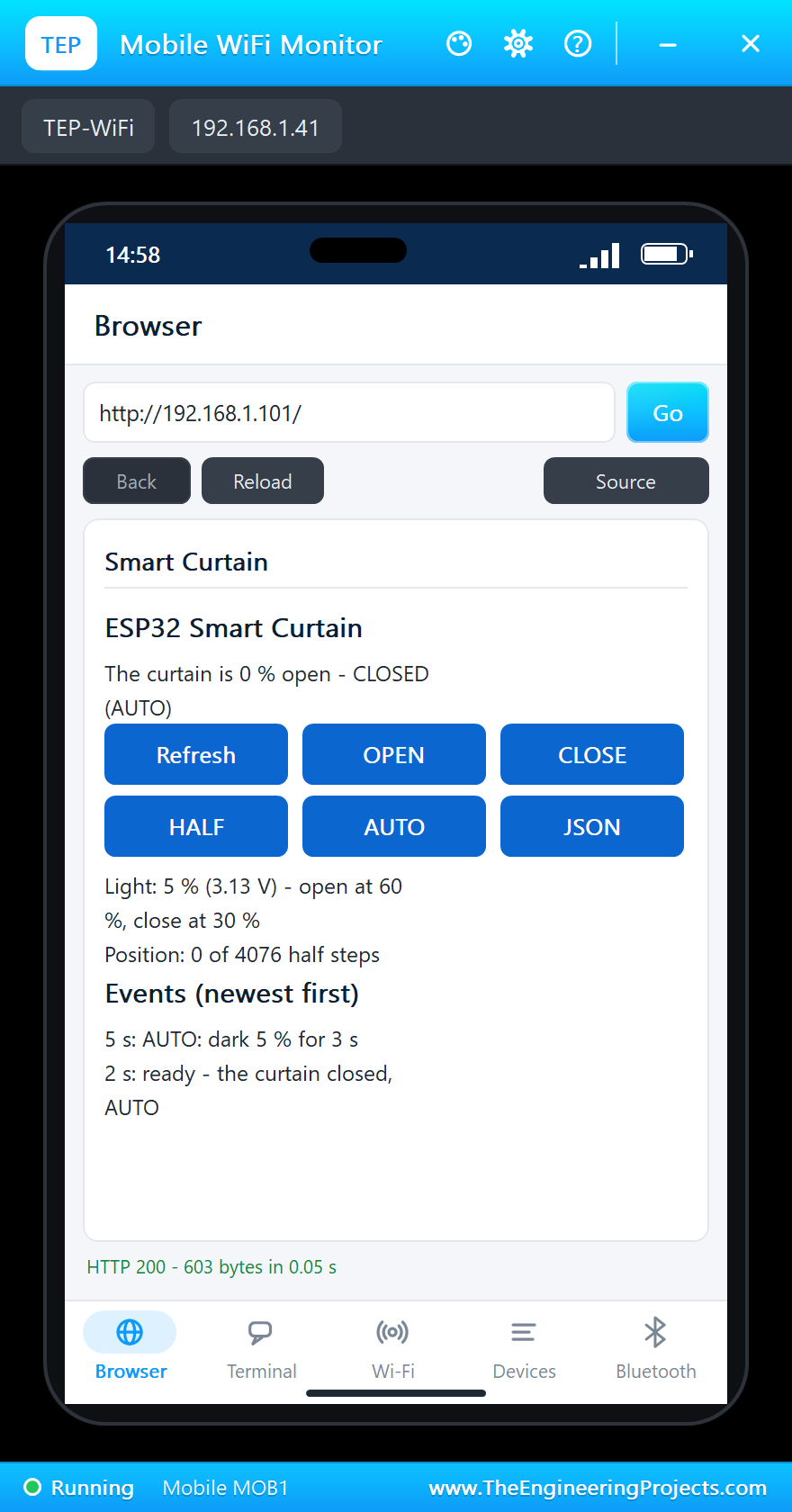
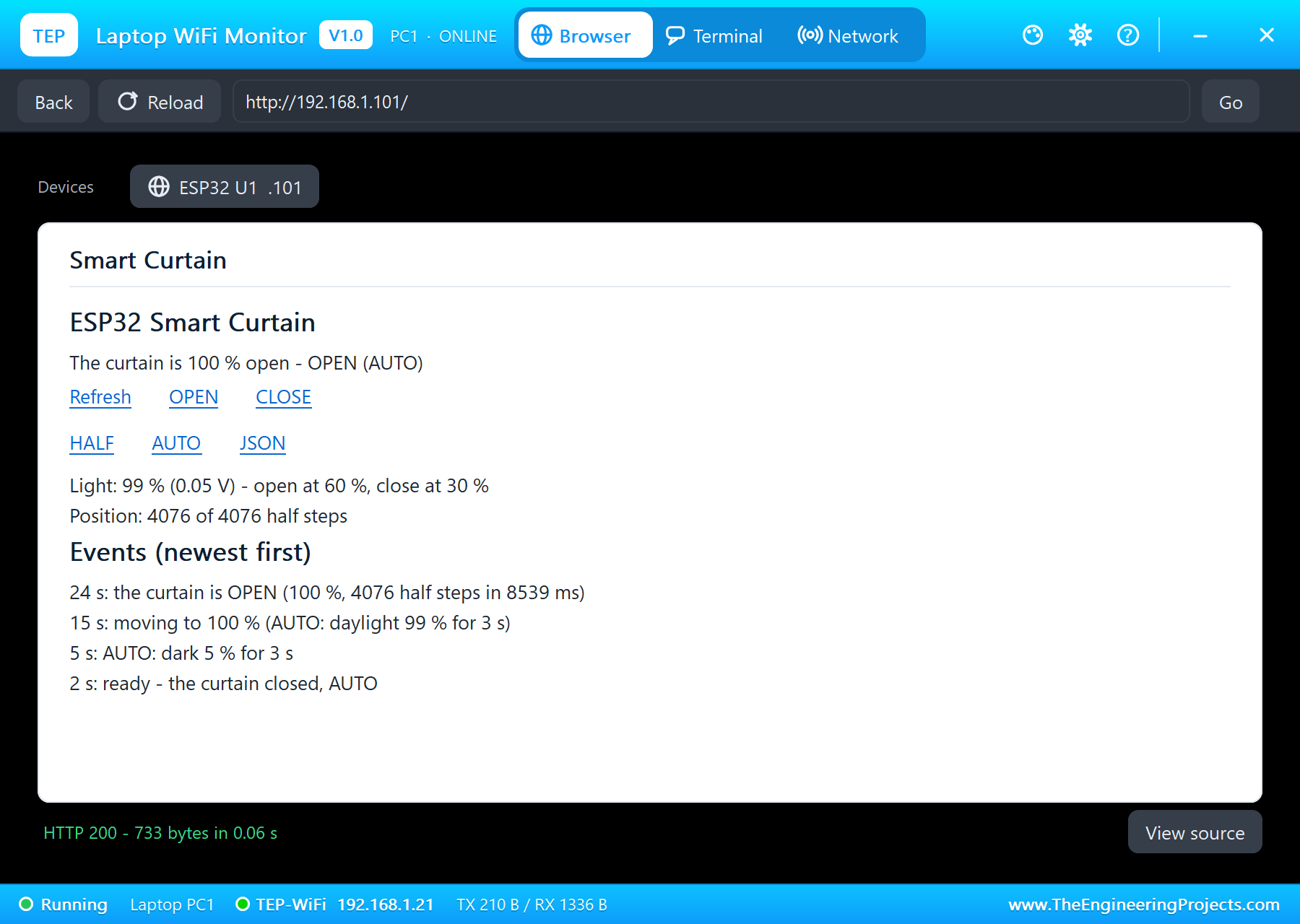
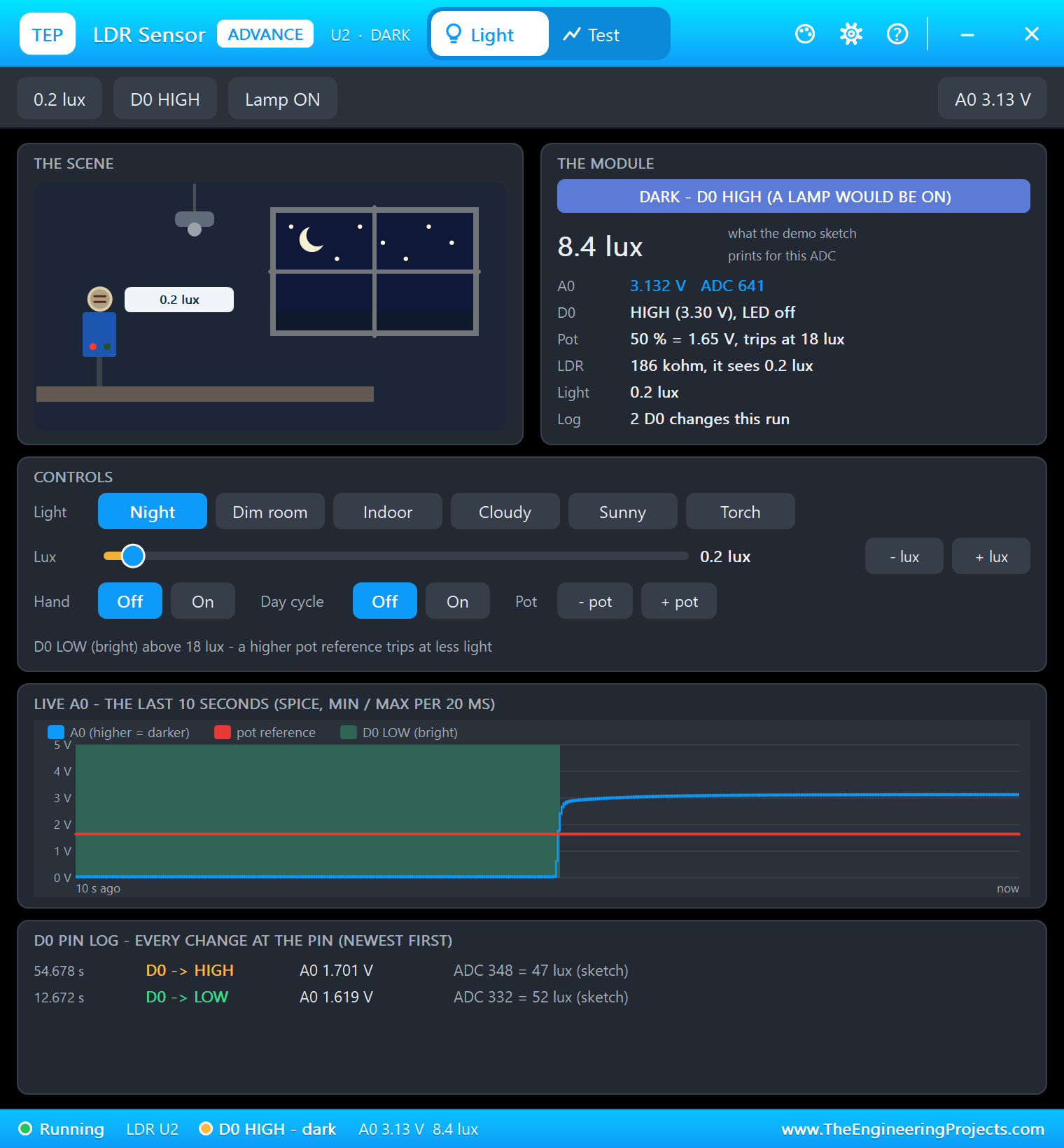
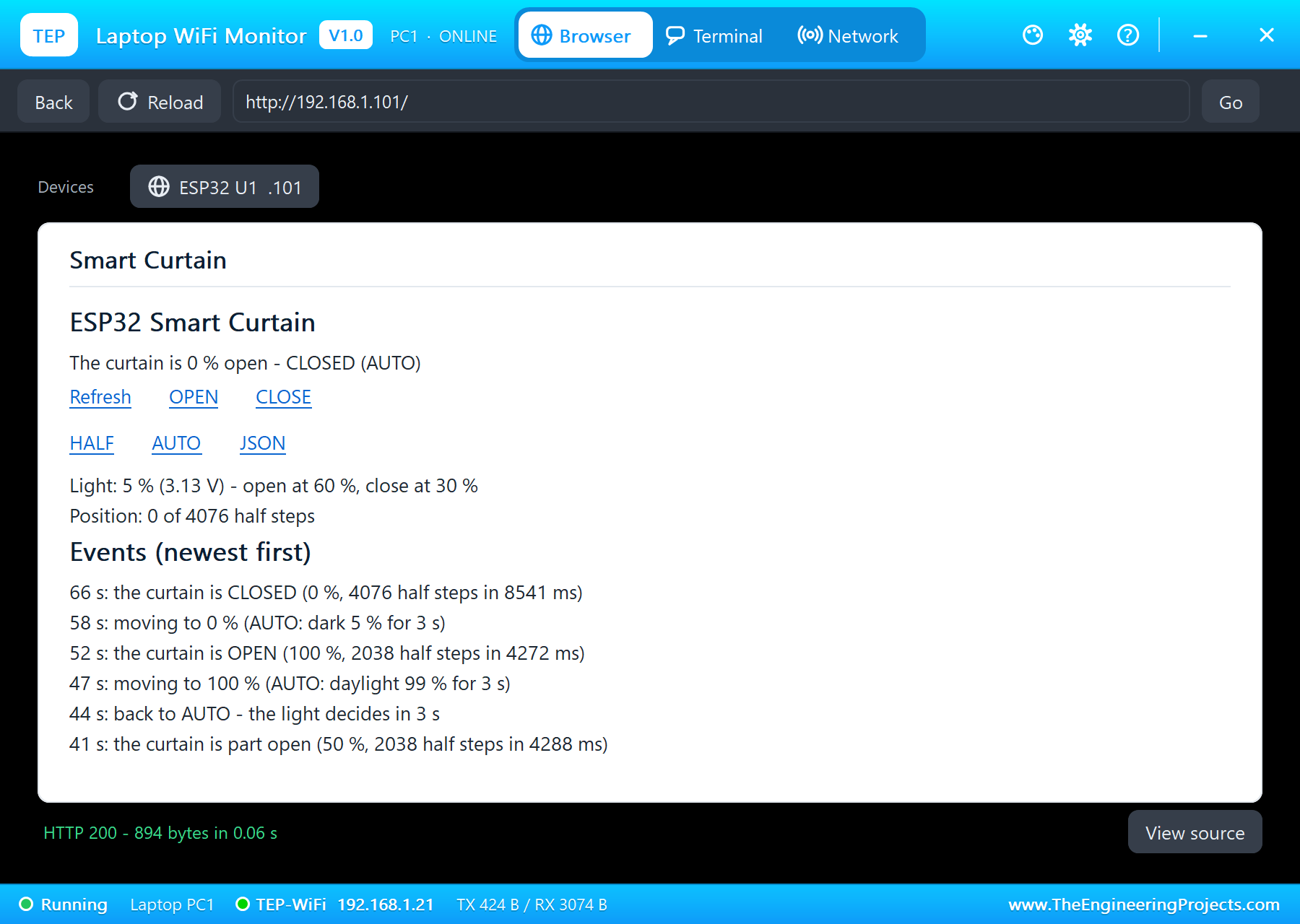
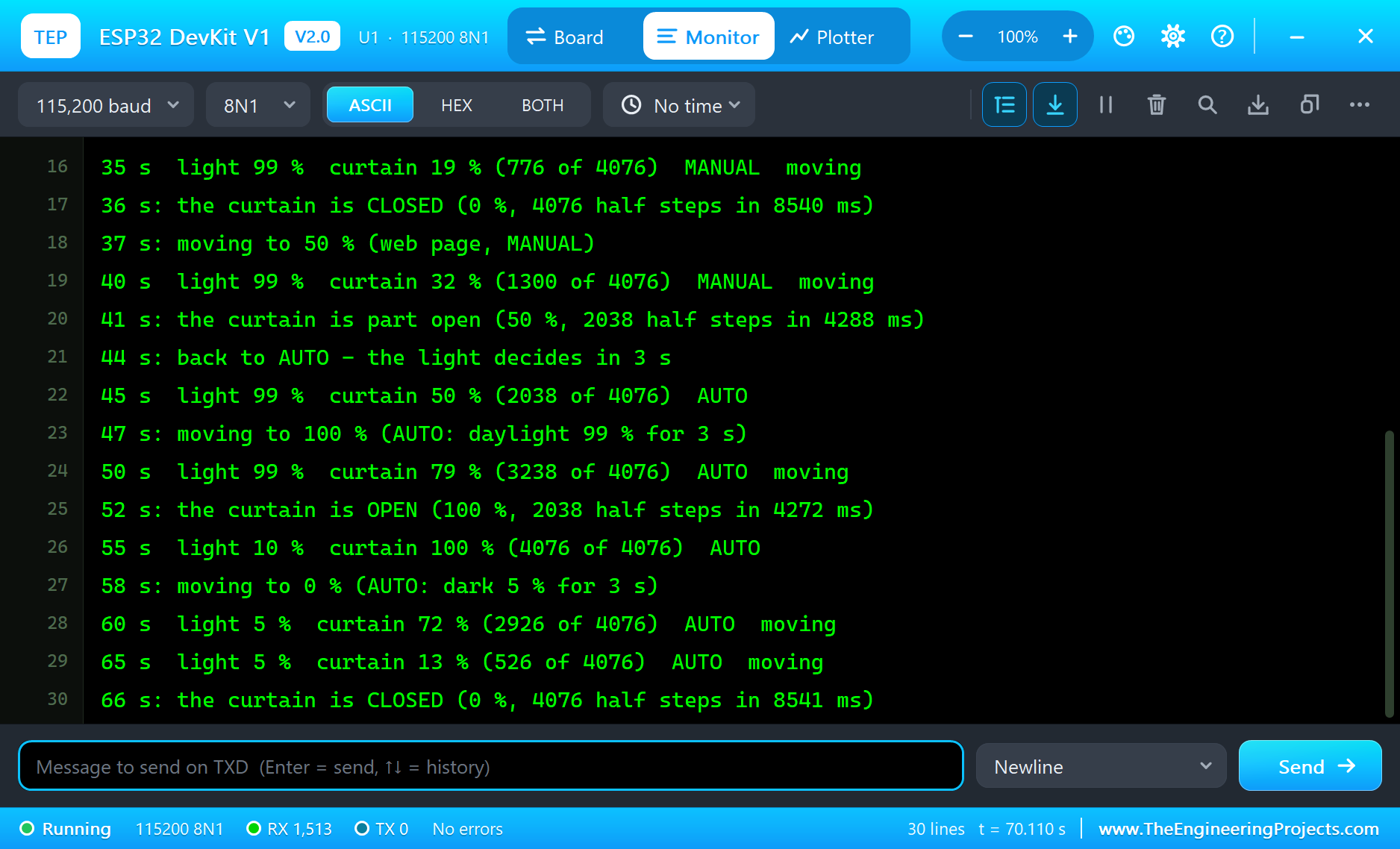
Here is one complete run of the simulation, with the numbers from our final test run; the times are simulation seconds since the ESP32 started. The serial monitor shows the start: the dashboard at http://192.168.1.101/, "ready - the curtain closed, AUTO" at 2 seconds and, because the LDR starts at NIGHT, "AUTO: dark 5 % for 3 s" at 5 seconds. The curtain was already closed, so nothing moved.
The Parts at Rest
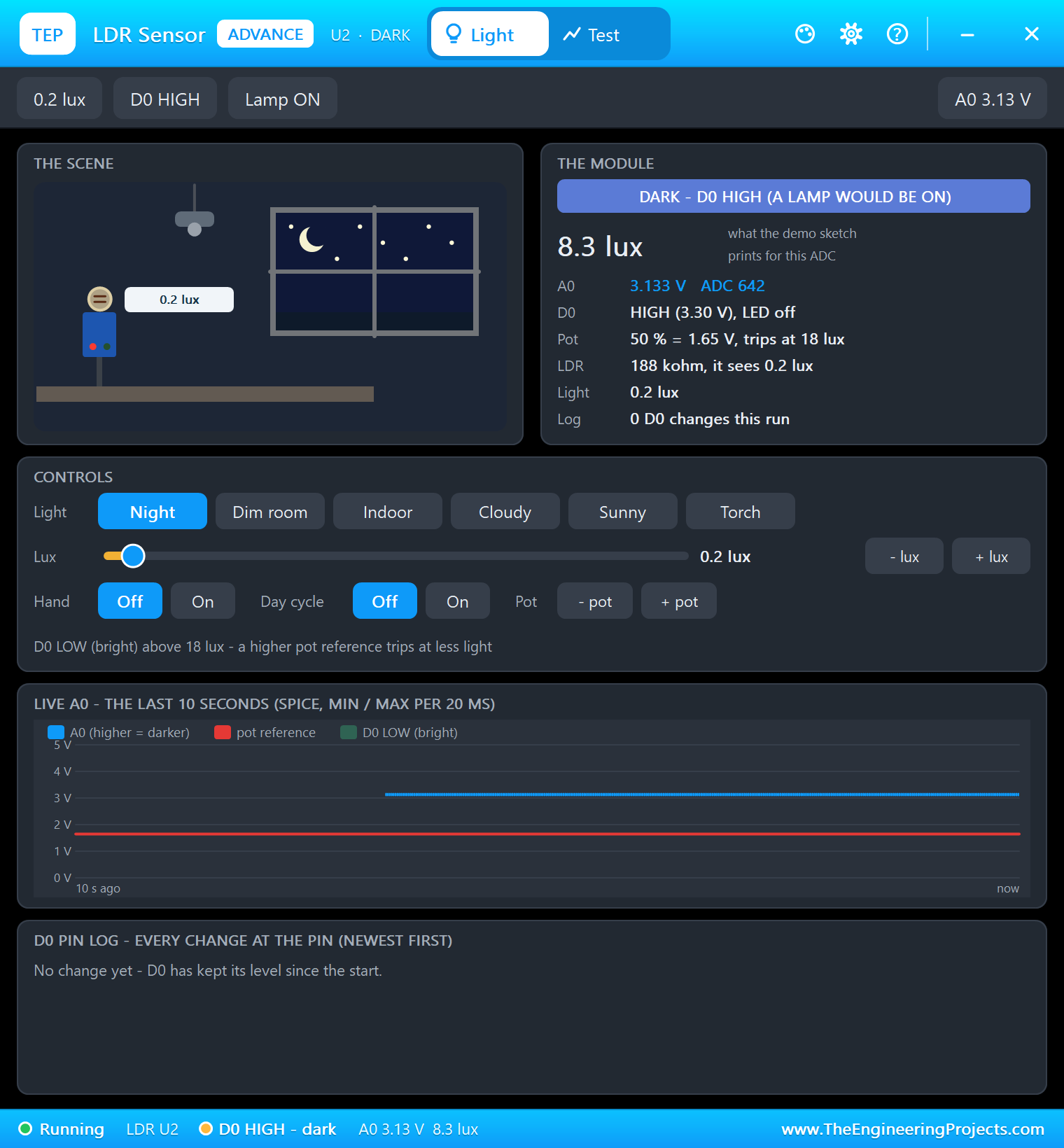
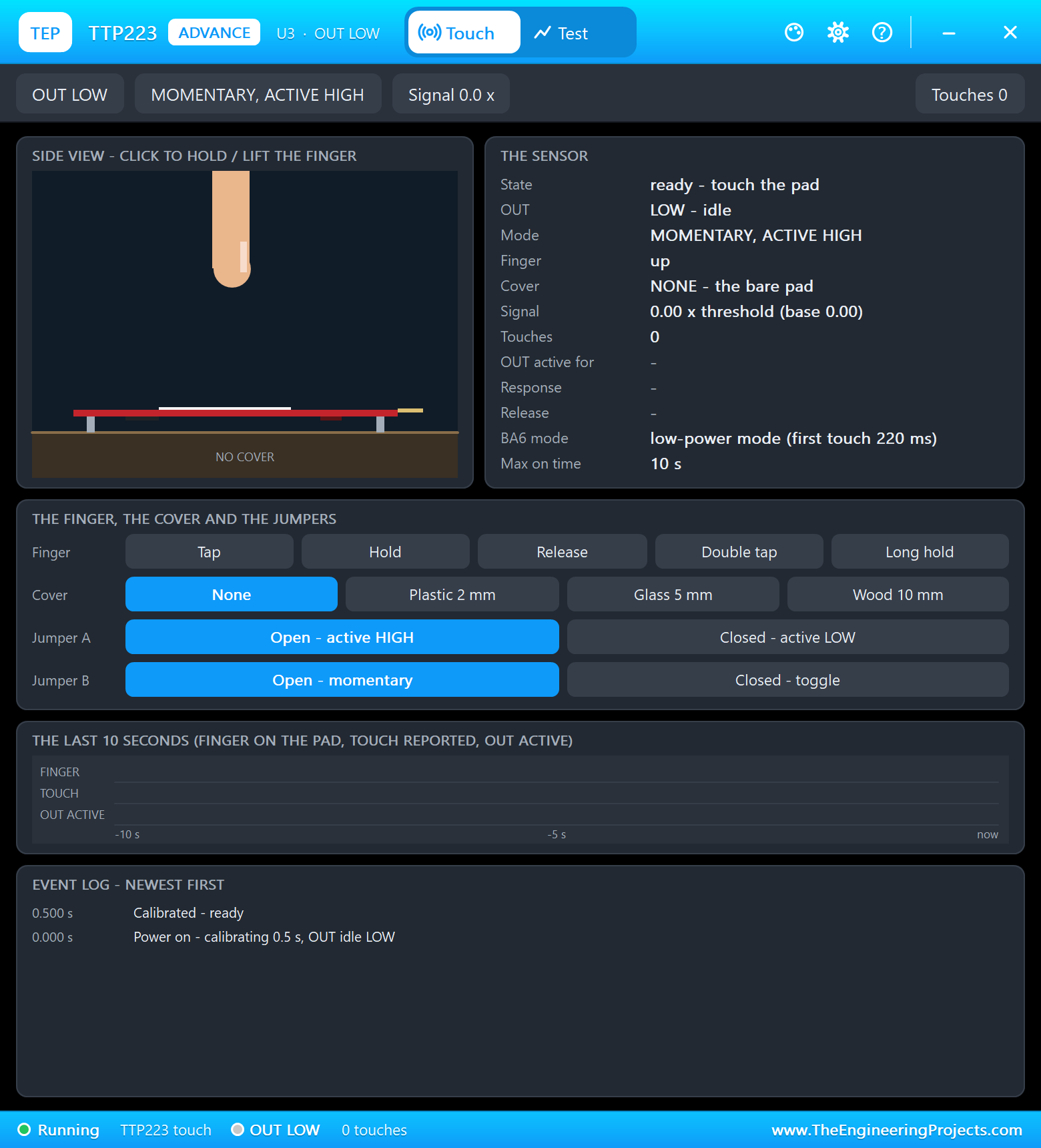
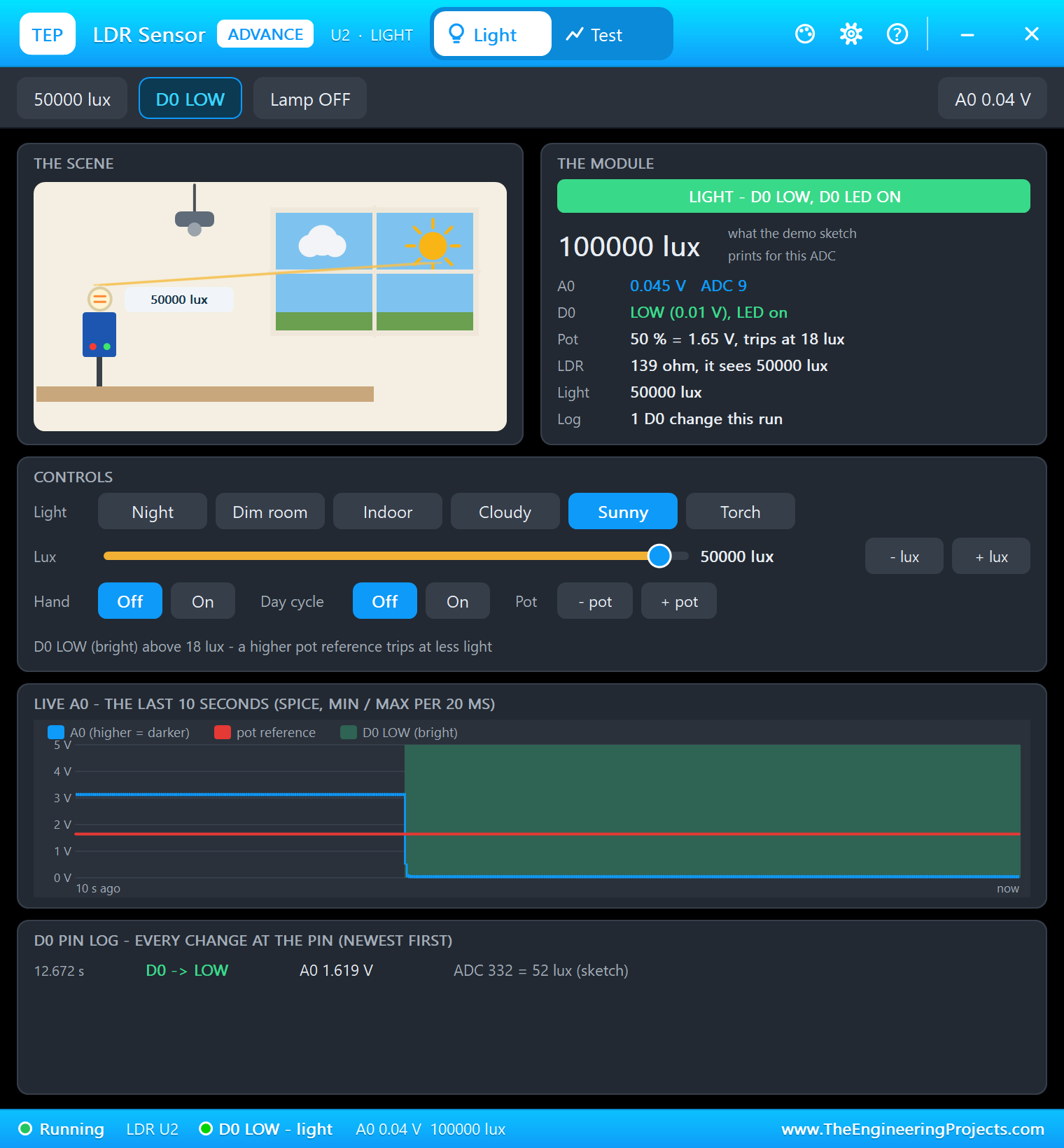
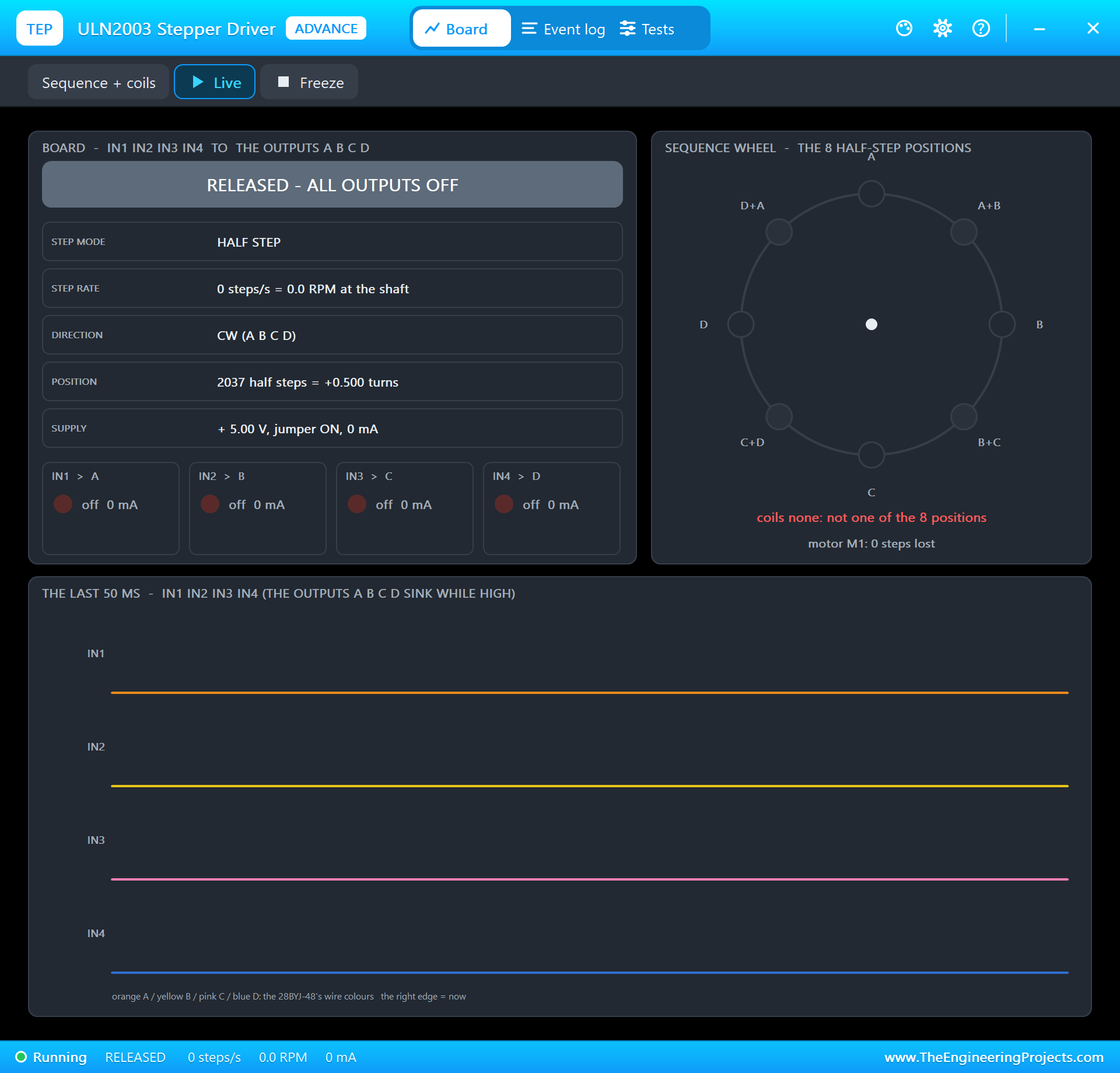
The LDR's pop-up shows the night sky and an A0 of about 3.1 V, 5 % light. The touch pad waits for a finger, and the ULN2003's pop-up reports the motor RELEASED: all four coils off, as the sketch leaves them between moves.
Sunrise
Then Sunny in the LDR's pop-up: the light jumped to 99 %, and after the 3-second wait, at 15 seconds, the sketch logged "moving to 100 % (AUTO: daylight 99 % for 3 s)". The ULN2003's pop-up shows exactly the half-step sequence of the table above: HALF STEP, clockwise, coils A+B on together at that moment, about 77 mA in a coil, 96 mA from the 5 V supply.
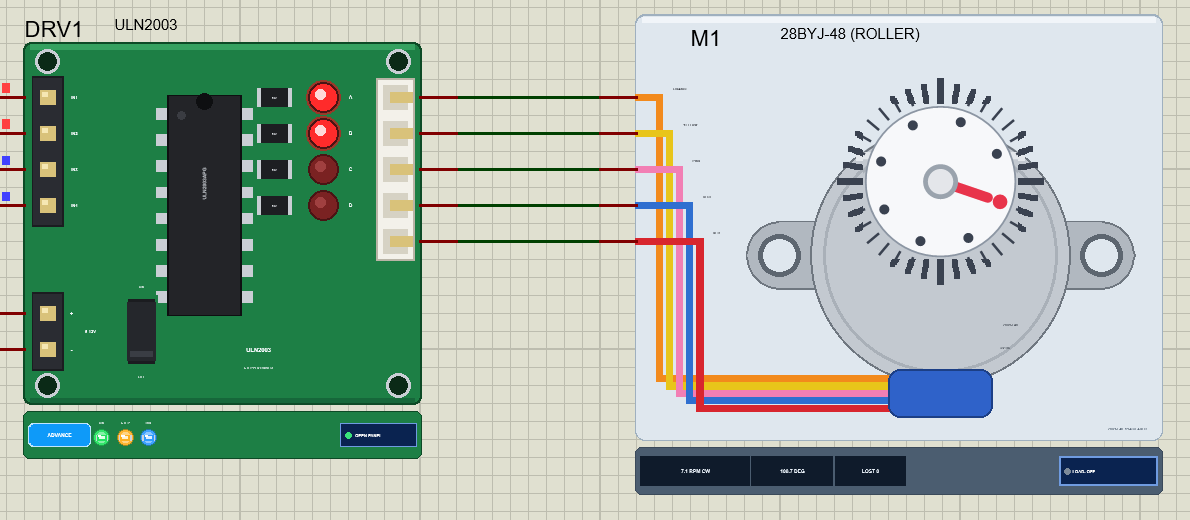
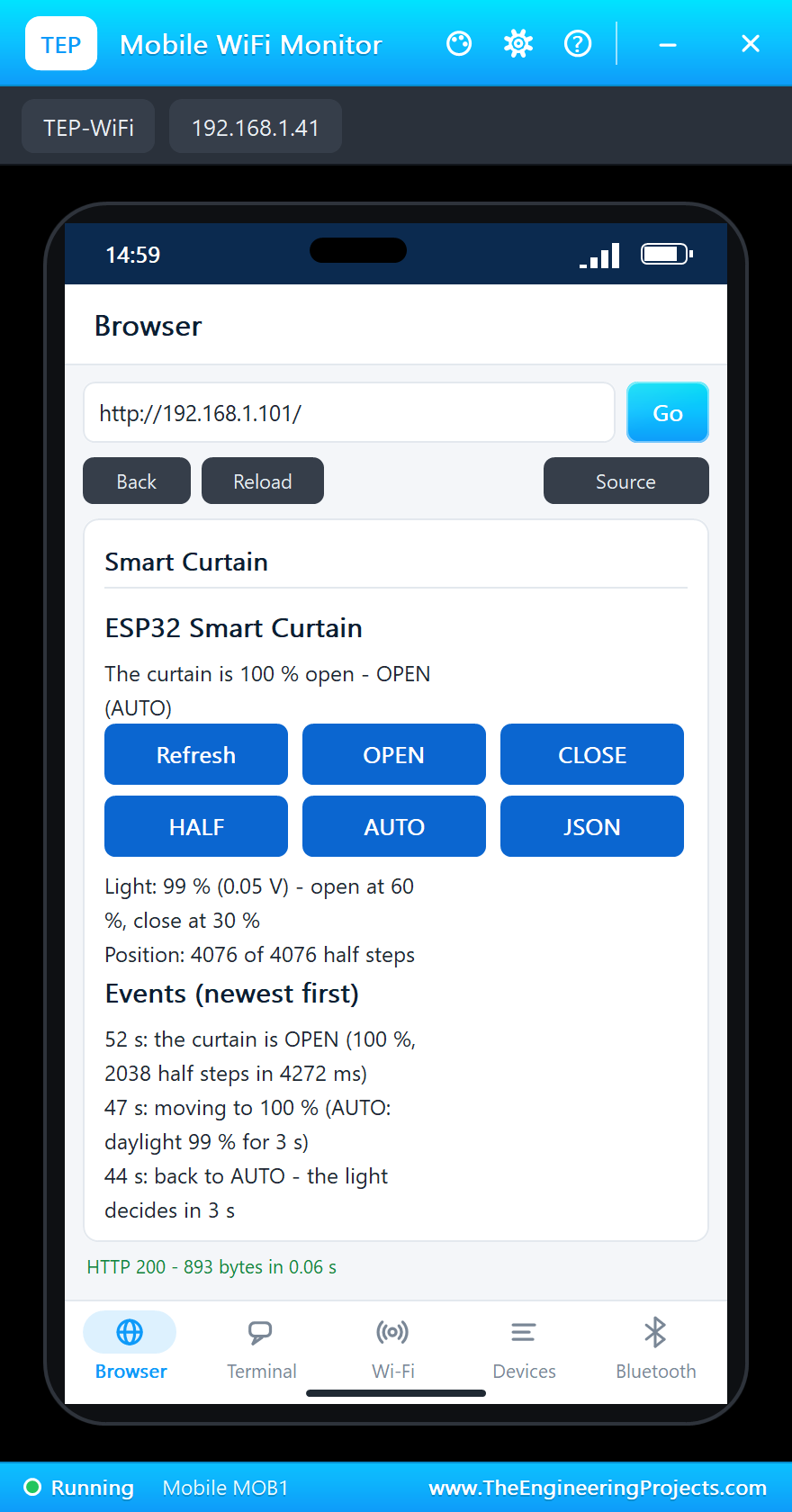
At 24 seconds: "the curtain is OPEN (100 %, 4076 half steps in 8539 ms)". That is 477 half steps a second against the 500 of the worked example: each half step waits 2 ms, and the loop adds its own time to write the pins and to serve the page between the chunks of 50. The motor's dial made exactly one turn, and the ULN2003 counted every half step, with no step lost.
A Tap and Half Open
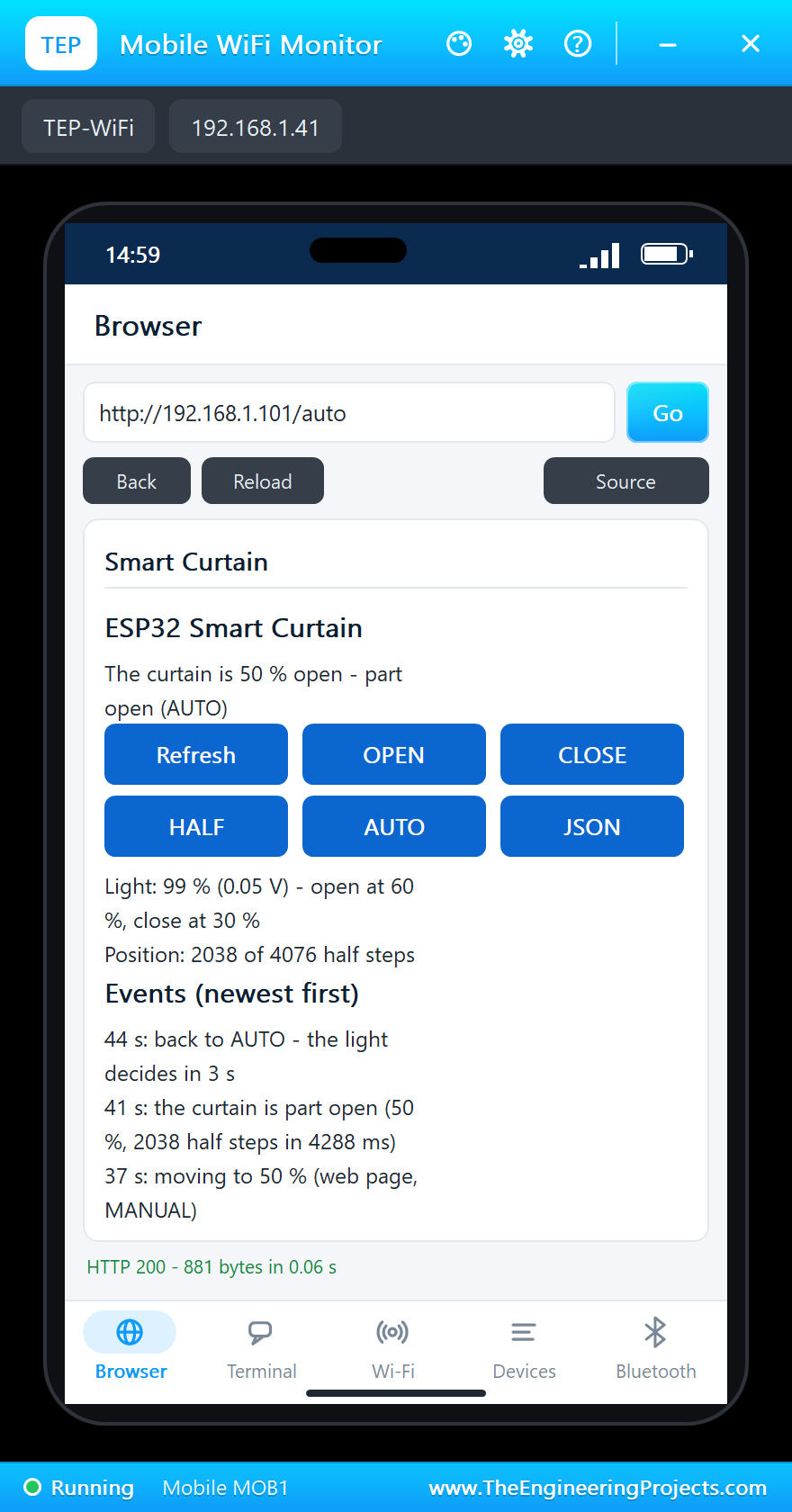
A tap on the touch pad at 28 seconds: "moving to 0 % (touch, MANUAL)". The yellow LED took over from the green one, and at 36 seconds the curtain was CLOSED again, 4076 half steps back in 8540 ms. Then HALF on the laptop: "moving to 50 % (web page, MANUAL)" at 37 seconds and "the curtain is part open (50 %, 2038 half steps in 4288 ms)" at 41 seconds, half a turn of the dial, and the coils switched off again.
Back to AUTO, then Nightfall
AUTO on the phone at 44 seconds: "back to AUTO - the light decides in 3 s". It was still daylight, so at 47 seconds the curtain moved on to 100 %, the remaining 2038 half steps in 4272 ms. Then Night in the LDR's pop-up: the LDR's output rose over a few seconds, as a real LDR does when the light goes off, the light reached 5 %, and at 58 seconds the sketch logged "moving to 0 % (AUTO: dark 5 % for 3 s)". At 66 seconds the curtain was CLOSED, and the coils off.
The serial monitor holds the whole story:
In all, 70 seconds of simulation took about 8 minutes on our PC with all the screenshots. The curtain made five moves, 16,304 half steps in all, and the motor lost not one step: the sketch's count ended at 0, where it started, and the ULN2003's own count at -1, the same place (the board starts counting at the first coil pattern it sees, one half step after the sketch's 0).
Download the Project Files
Click the button below to download IoT-Smart-Curtain-ESP32-Proteus-Simulation-v1.0.zip (about 4.5 MB, without the source code of the models):
IoT Smart Curtain with ESP32 - Proteus Simulation V1.0- Proteus Simulation: ESP32-Smart-Curtain.pdsprj, ESP32_Smart_Curtain.hex and copies of the models.
- Arduino Code: ESP32_Smart_Curtain.ino, the complete sketch.
- Proteus Library Files: the LIB files of the ESP32 DevKit V1, the ULN2003 and the 28BYJ-48, the LDR, the TTP223, the LED, the resistor and the two WiFi Monitors.
- Proteus Model Files: the DLL models.
- README.txt: the installation steps, the properties, the test results and the links to every library post.
No Proteus yet? Read How to Download and Install Proteus 7 and 8. New to libraries? Follow How to Install a New Library in Proteus.
How to Install the Project Files
- Close Proteus and extract the whole zip file, for example to your Desktop.
- Copy the files from Proteus Library Files into the LIBRARY folder of Proteus.
- Copy the files from Proteus Model Files into the MODELS folder.
- Start Proteus and open the project from the Proteus Simulation folder.
Changing the Code
To change the sketch, install the TEP Boards for Proteus add-on from the ESP32 DevKit V1 Library for Proteus post, open the sketch in the Arduino IDE, choose ESP32 DevKit V1 (TEP Proteus), export the compiled binary and set the board's PROGRAM property to the new .hex file. The travel, the speed and the light levels are at the top. The same sketch runs on a real ESP32 Dev Module. For another ESP32 project with a motor and a dashboard, see our IoT Smart Dustbin with ESP32.
Ideas to Extend the Project
- Add a limit switch at the closed end and move the curtain there at start-up, so the position is known after a power cut.
- Save the position in the ESP32's flash with the Preferences library after every move.
- Add a schedule: open at 07:00 on weekdays from the internet's time (NTP), whatever the light.
- Close the curtain on hot afternoons with a temperature sensor, to keep the room cool.
- Drive several curtains, one per room, from one dashboard.
- Ramp the speed up and down at the ends of a move for a smoother, quieter motion.
From Simulation to Real Hardware
- Set the real travel: one output turn rolls only a few centimetres; a 1.5 m blind on a 40 mm roller needs about 12 turns, roughly 48,900 half steps, so set TRAVEL to your own measured value.
- Use a stronger motor for heavy curtains: the 28BYJ-48 gives only about 55 mN.m at the shaft; a heavy curtain needs a NEMA 17 stepper with a driver such as the A4988.
- Power the motor separately: give the ULN2003 its own 5 V supply rated for at least 250 mA, with the grounds joined.
- Avoid the strapping pins: GPIO12 must be LOW when a real ESP32 starts, which is why the sketch leaves it free.
- Place the LDR well: facing out of the window, not at a lamp in the room, or the curtain will open whenever the light is switched on.
Troubleshooting
- The motor buzzes but does not turn: IN1 - IN4 are in the wrong order; the ULN2003's pop-up says WRONG ORDER.
- The motor does not move at all: the ULN2003 has no 5 V on +, or its ON / OFF jumper is off.
- The curtain never opens by itself: the mode is MANUAL (press AUTO), or the light is below 60 %.
- A tap does nothing: the touch pad's IO is not on D4, or its pop-up says NO POWER.
- The page answers slowly during a move: that is expected; the sketch serves the page between chunks of 50 half steps.
Limitations of the Simulation
- The motor's dial stands for the roller; the simulation has no curtain cloth or roller tube.
- The travel is one output turn so the simulation runs quickly; a real curtain needs many more turns.
- The network is simulated: the dashboard travels between the ESP32 and the two monitors inside Proteus; the times in this tutorial are simulation time.
- ESP32 is a name of Espressif Systems and TTP223 of Tontek; this project is not made or endorsed by them or by Labcenter.
So, that was all about the IoT Smart Curtain with ESP32 - Proteus Simulation. I hope it helps you build your own: a stepper driven in half steps, a position kept by counting, a light sensor that ignores the clouds, a touch pad and a web dashboard, all tested in a simulation before you fix a single bracket to the window frame. More IoT projects with the ESP32 and the Raspberry Pi 5 are coming in this series. If you have any questions, ask in the comments and I will help you out. Till the next tutorial, take care and have fun!

Comments
0