


Arduino MKR WiFi 1010 Library for Proteus: VL53L0X, SHT31, WiFiNINA


Hello friends, I hope you all are doing great. Today, I am going to share the Arduino MKR WiFi 1010 Library for Proteus. The MKR WiFi 1010 is Arduino's small board for connected projects: a SAMD21 microcontroller and a u-blox NINA-W102 Wi-Fi module on the slim MKR footprint, with a LiPo battery connector and charger on board. With this library it runs your Arduino sketch in Proteus 8.5 and joins our virtual Wi-Fi network with WiFiNINA, the same library you use on the real board.
Arduino MKR WiFi 1010 Library for Proteus
Latest version: V1.0 (October 2026, this tutorial)
Helping Tools
- Laptop WiFi Monitor: a laptop on the Wi-Fi of your design: a browser, a TCP / UDP terminal and ping
- Mobile WiFi Monitor: a smartphone that opens the pages of your board and sends it commands
- Serial Monitor Advance: a serial terminal window for the UART of your board
For the demo we gave it a job in the garage: a parking assistant. A VL53L0X laser time-of-flight sensor on the back wall measures the distance to the car, the board tells the driver COME IN, SLOW, STOP HERE or TOO CLOSE, the L LED lights at the right spot, an SHT31 keeps an eye on the garage's temperature and humidity, and a phone and a laptop read it all on the board's web page.
NOTICE: Proteus has no SAMD21 or NINA-W102 model, so our team has put a lot of effort into building this board ourselves: the MKR's pins, Wi-Fi and LEDs are all our own model, and your sketch compiles with our free TEP Boards for Proteus add-on. Your feedback is the fuel that keeps us going, so please tell us what you think in the comments below or in the Arduino MKR WiFi 1010 board of our forum. And if our free libraries help you, you can buy us a coffee. So, let's get started with the Arduino MKR WiFi 1010 Library for Proteus:
What is the Arduino MKR WiFi 1010?
The MKR family is Arduino's line of small, battery-ready boards for the Internet of Things: the same 61.5 x 25 mm footprint and the same 2 x 14 pin layout, each with a different radio - Wi-Fi, LoRa, GSM, NB-IoT or Sigfox. The MKR WiFi 1010 is the Wi-Fi member. Its brain is the Microchip SAMD21 (Arm Cortex-M0+ at 48 MHz, 256 KB of flash, 32 KB of RAM), and the radio is the u-blox NINA-W102 - an ESP32 inside a shielded module, talking to the SAMD21 over SPI with Arduino's WiFiNINA firmware. A LiPo connector with a charger lets the board run from a single cell.
| Arduino MKR WiFi 1010 | Arduino Nano 33 IoT | |
|---|---|---|
| Microcontroller | SAMD21, Cortex-M0+, 48 MHz | SAMD21, Cortex-M0+, 48 MHz |
| Radio | NINA-W102: Wi-Fi and Bluetooth | NINA-W102: Wi-Fi and Bluetooth |
| Size, pins | 61.5 x 25 mm, 2 x 14 pins | 45 x 18 mm, 2 x 15 pins |
| Battery | LiPo connector and charger | - |
| Extras | ECC508 crypto chip, ESLOV connector, RGB LED | LSM6DS3 IMU |
Our Arduino Nano 33 IoT Library for Proteus is the same pair of chips on a Nano board; sketches move between them with only pin changes. The NINA module also sits on Adafruit's AirLift boards - see our AirLift WiFi Shield Library for Proteus.
Why the MKR WiFi 1010?
Choose the MKR when the project lives on a battery or goes into a box: the LiPo connector and the charger are on the board, the 3.3 V logic matches modern sensors, and the MKR shields (relays, motors, CAN, environment sensors) plug straight on top. WiFiNINA keeps the code simple: WiFi.begin() waits until the board is on the network, and WiFiServer, WiFiClient and WiFiUDP work as on every other Arduino Wi-Fi board.
Features of the Arduino MKR WiFi 1010 Library for Proteus
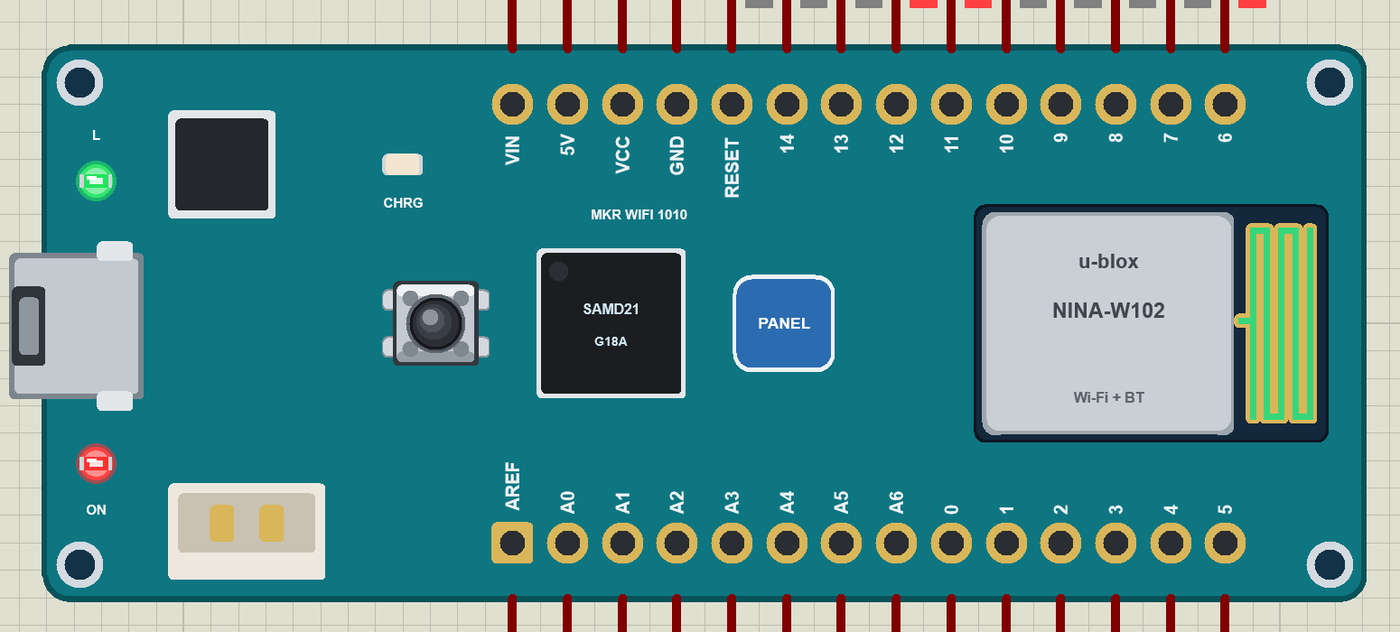
- The board as it looks: the teal MKR WiFi 1010 with its pads and labels, micro-USB, the SAMD21, the NINA-W102 with its antenna, the LiPo connector, the charger, RESET and the ON, L and CHRG LEDs.
- Your sketch: a .hex for "Arduino MKR WiFi 1010 (TEP Proteus)" with the MKR's names - D0 to D14, A0 to A6, LED_BUILTIN on D6, Serial, Serial1 on D13 / D14, Wire on D11 / D12, SPI on D8 to D10, analogRead, analogWrite.
- Wi-Fi with WiFiNINA: WiFi.begin, WiFiServer, WiFiClient, WiFiUDP and WiFi.getTime on our virtual router TEP-WiFi; the board is 192.168.1.101 in the demo.
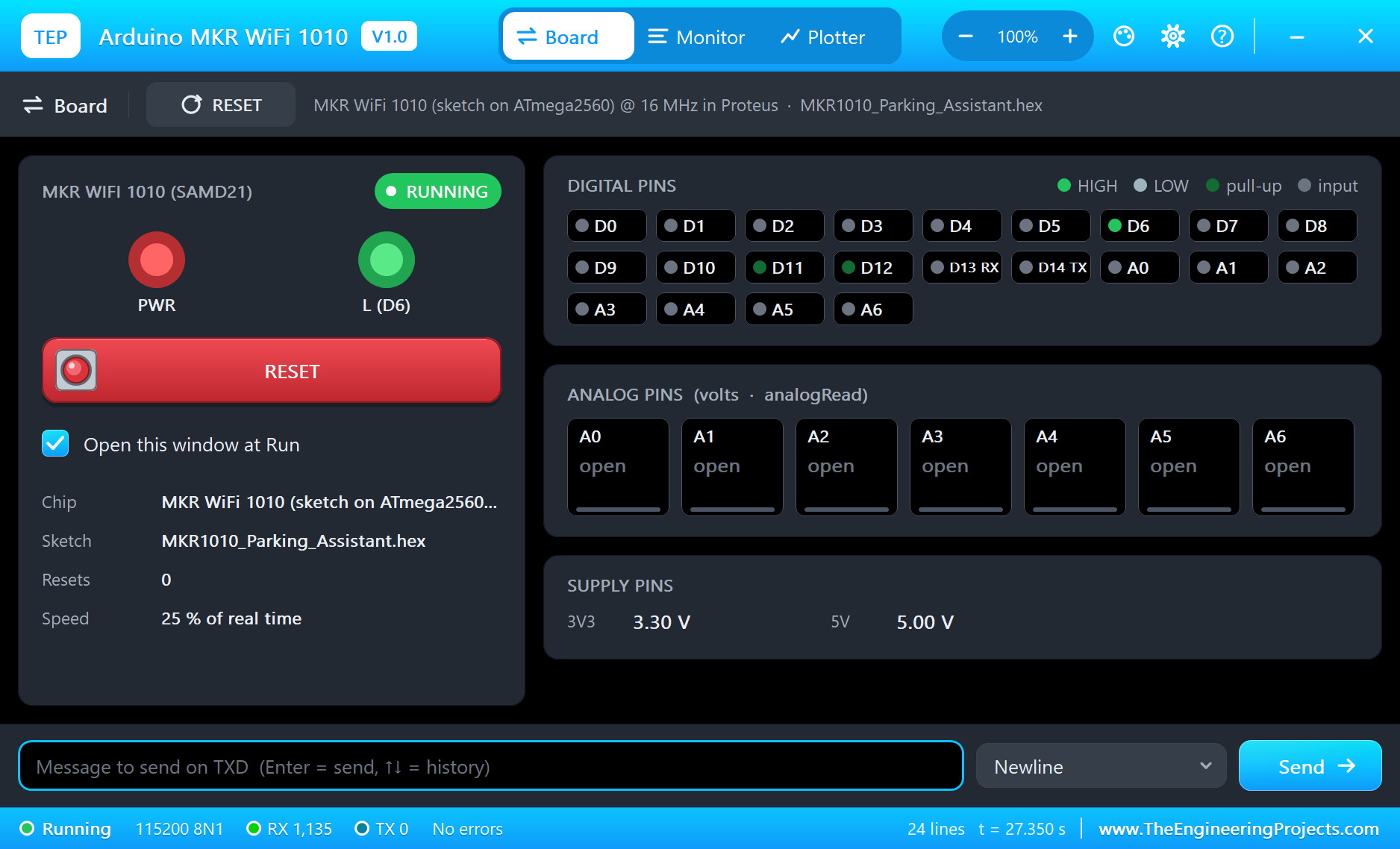
- The panel and the serial monitor: the board's panel (Wi-Fi, Pins, Test) and the built-in serial monitor with Monitor, Plotter and Board tabs - our TEP header, no Windows title bar.
- A complete package: about 3.9 MB with the board, the add-on, the VL53L0X, SHT31 and monitor libraries and the demo, without the source code of the models.
The Arduino MKR WiFi 1010 in Proteus
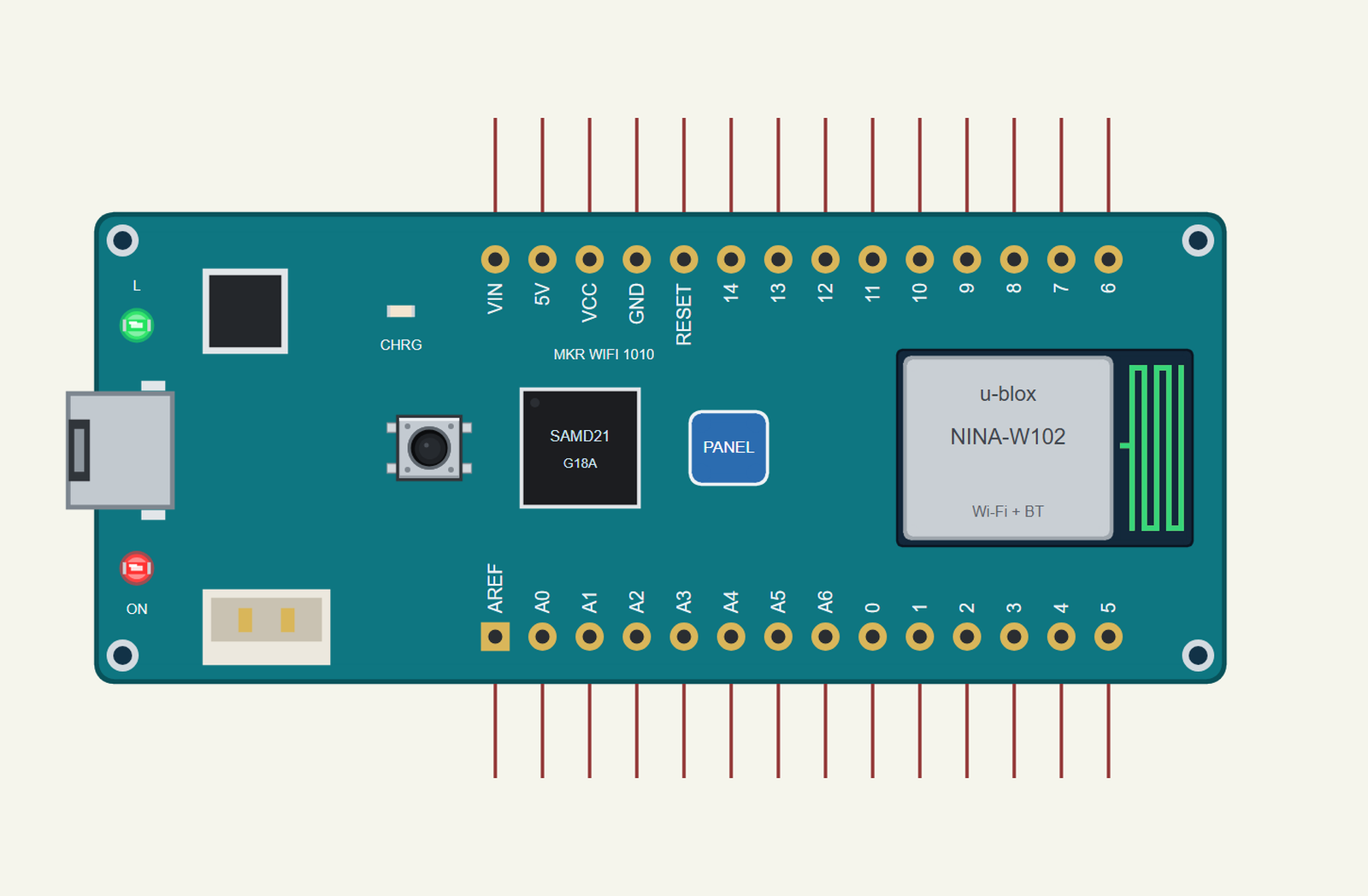
Search MKR WIFI 1010 in Pick Devices; the device ARDUINO MKR WIFI 1010 is in TEPMKR1010.LIB (Microprocessor ICs, Arduino Wi-Fi Boards), with the prefix U. The board lies with micro-USB on the left and the NINA module on the right. Click the micro-USB to open the serial monitor and the PANEL pad (or the NINA module) to open the board's panel.
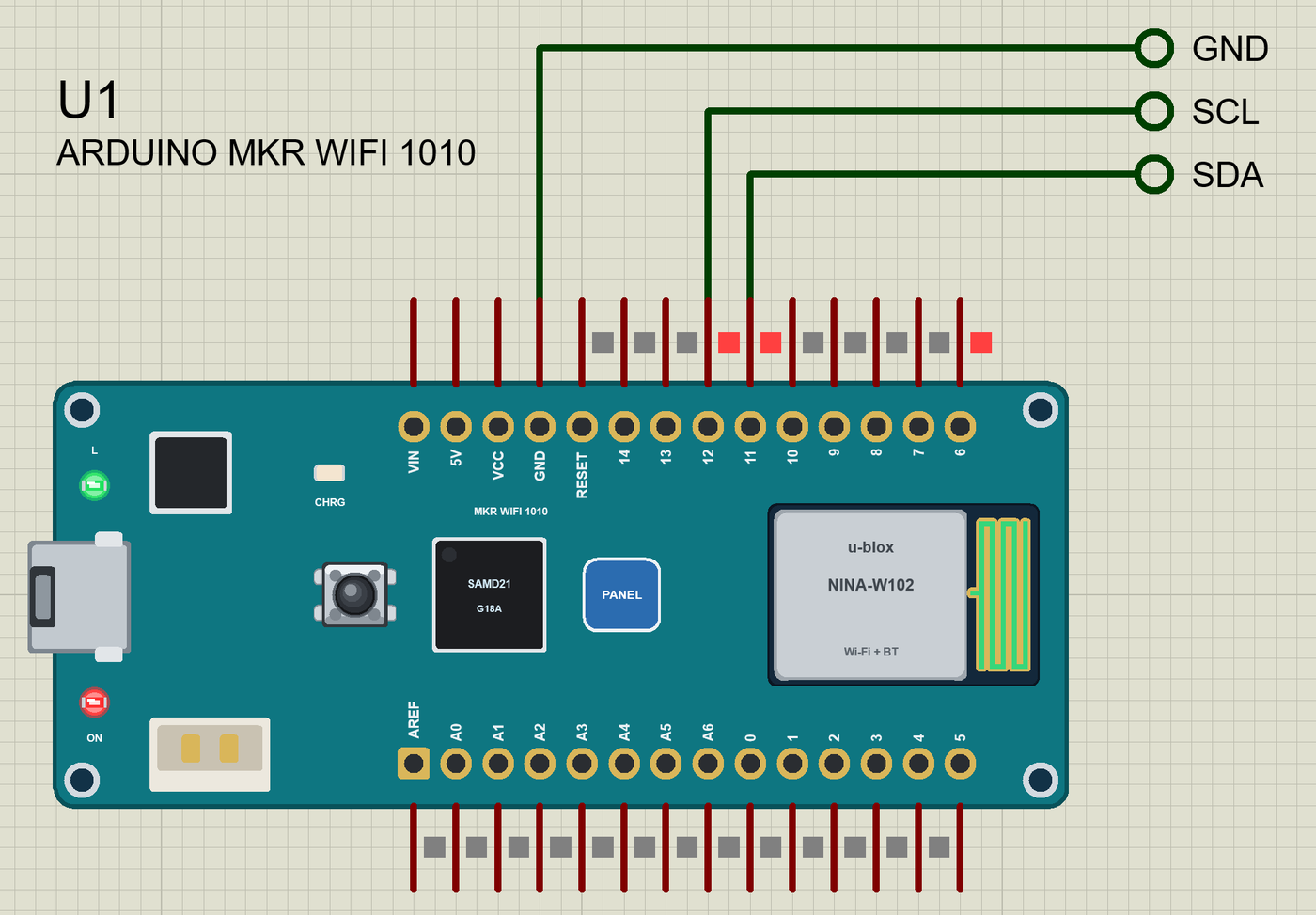
The Pins
| Pins | What the library does with them |
|---|---|
| 0 to 14 | D0 to D14: GPIO, interrupt, PWM on any pin |
| 13, 14 | Serial1 RX / TX (not the USB) |
| 11, 12 | Wire SDA / SCL (I2C) |
| 8, 9, 10 | SPI MOSI / SCK / MISO |
| 6 | the L LED (LED_BUILTIN) |
| A0 to A6 | analogRead 0 to 1023 for 0 to 3.3 V (pins 15 to 21) |
| VCC, 5V, GND, RESET | 3.3 V, 5 V, ground, reset |
| AREF, VIN | drawn, not modelled |
Download Arduino MKR WiFi 1010 Library for Proteus
Click the button below to download Arduino-MKR-WiFi-1010-Library-for-Proteus-v1.0.zip (about 3.9 MB, without the source code of the models):
Arduino MKR WiFi 1010 Library for Proteus V1.0- README.txt: installation, the demo, the pins, the properties, troubleshooting and the limits.
- Proteus Library Files:
TEPMKR1010.LIBand the demo's parts:TEPVL53L0X.LIB,TEPSHT31.LIB,TEPLAPTOP.LIBandTEPMOBILE.LIB. - Proteus Model Files:
TEPNET.DLL(the board, the laptop, the phone and the network) and the sensors' DLLs. - Arduino Code: the demo sketch and the TEP Boards for Proteus add-on 1.20.0.
- Proteus Simulation: the demo project, its HEX file and copies of the DLLs.
No Proteus yet? Read How to Download and Install Proteus 7 and 8. New to libraries? Follow How to Install a New Library in Proteus.
How to Install Arduino MKR WiFi 1010 Library for Proteus
- Close Proteus and extract the whole zip file, for example to your Desktop.
- Copy the files from Proteus Library Files into the LIBRARY folder of Proteus.
- Copy the DLLs from Proteus Model Files into the MODELS folder, replacing an older TEPNET.DLL.
- Delete
TEPMKR1010.IDXfrom the LIBRARY folder if it is there. - For your own sketches, copy Arduino Code\TEP Boards for Proteus\hardware into your Arduino sketchbook (Documents\Arduino) and restart the Arduino IDE; the board is Arduino MKR WiFi 1010 (TEP Proteus).
- Start Proteus, press P and search for MKR WIFI 1010.
Demo: a Garage Parking Assistant
A tennis ball on a string has helped drivers park for decades: when it touches the windscreen, stop. Our version uses a laser. The VL53L0X sends short infrared pulses and times how long the light takes to come back - a time-of-flight measurement, accurate to a few millimetres up to about 2 m, and independent of the car's colour within its range. Mounted on the back wall at bumper height, it sees the car coming in.
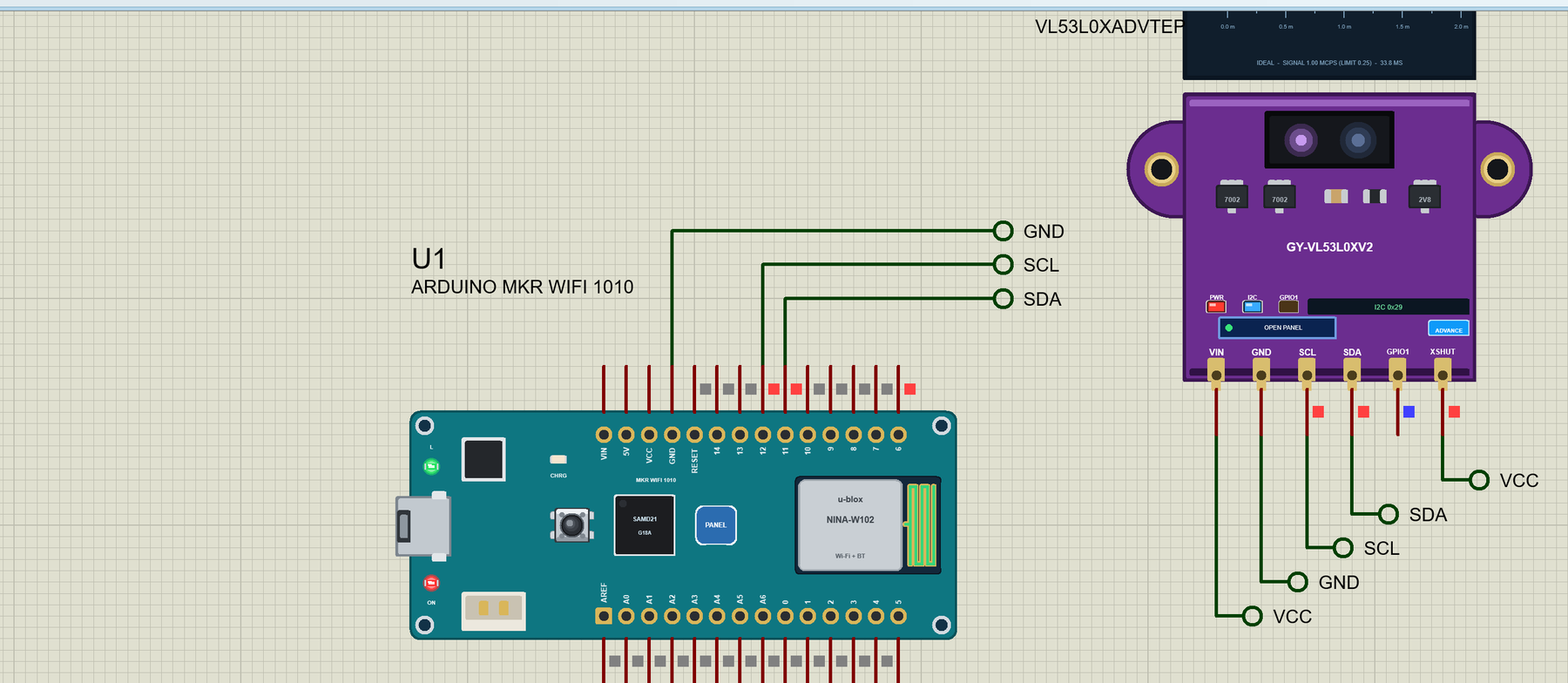
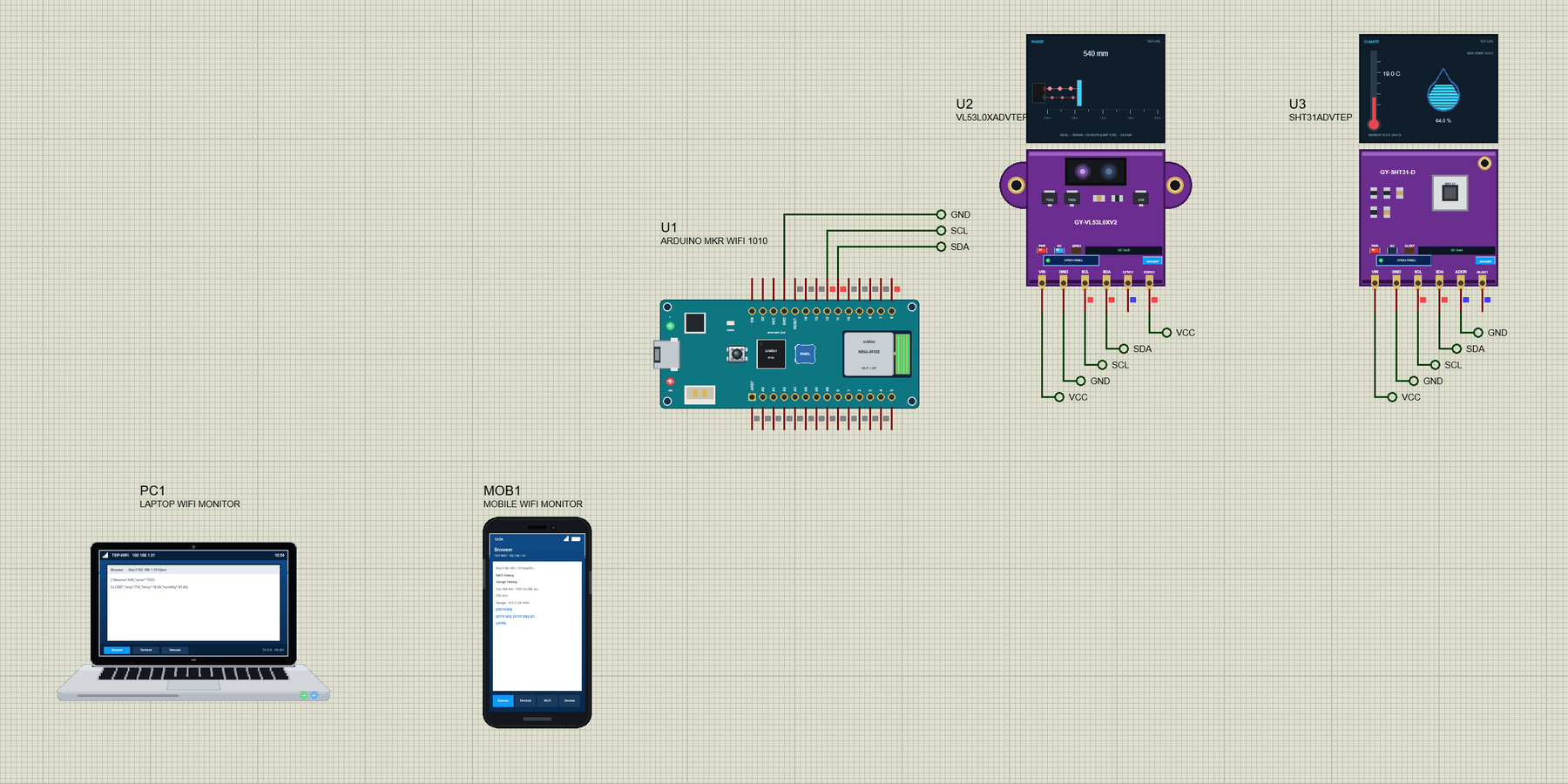
Open MKR-WiFi-1010-Parking-Assistant.pdsprj. U1 runs MKR1010_Parking_Assistant.hex. The sensors come from our own libraries, each with its article: U2 from the VL53L0X Library for Proteus and U3 from the SHT31 Library for Proteus. Both are the Advance versions: each opens a pop-up window at Run. PC1 is the Laptop WiFi Monitor and MOB1 the Mobile WiFi Monitor.
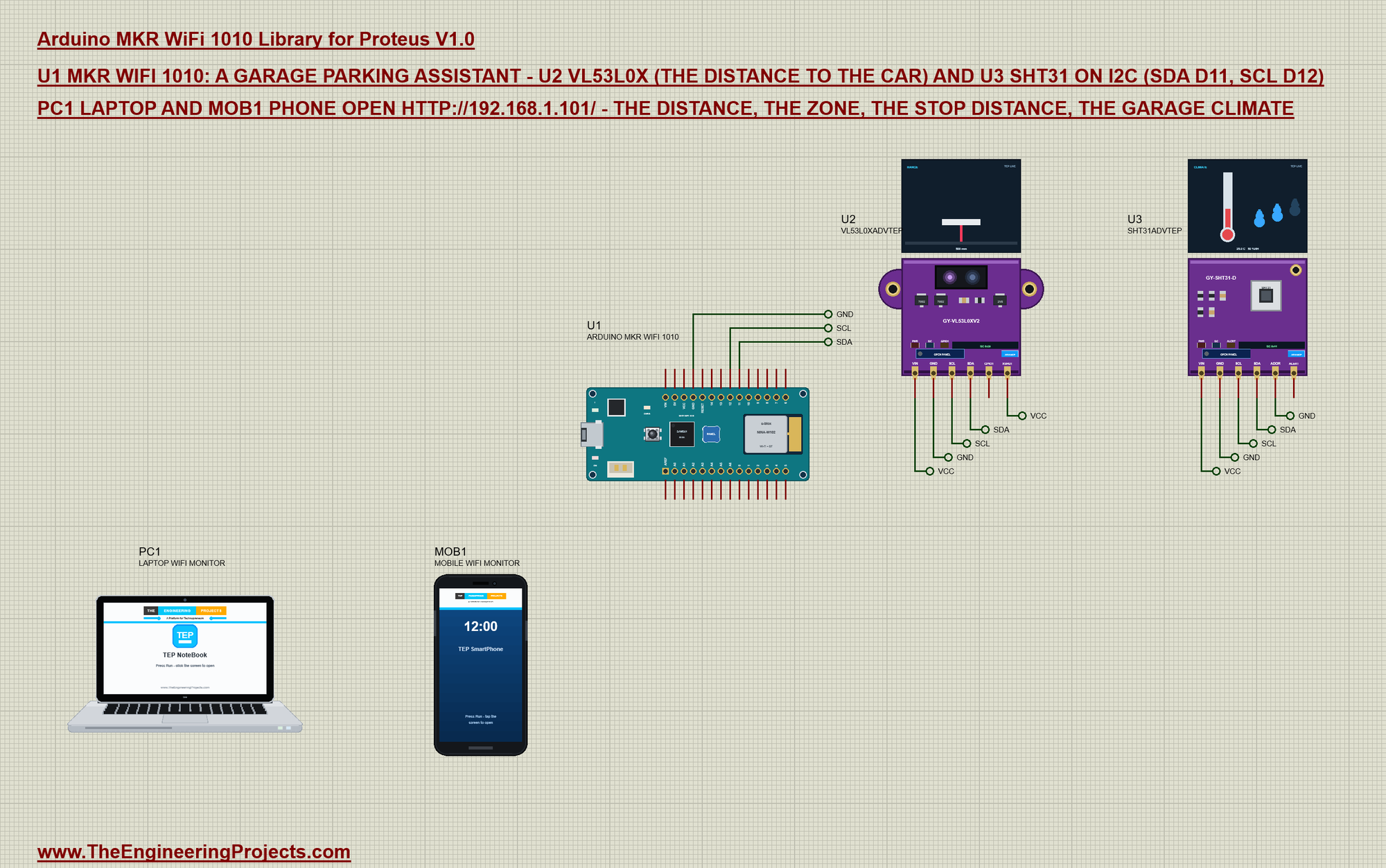
| Sensor pin | Net label | MKR WiFi 1010 pin | What it does |
|---|---|---|---|
| VL53L0X SDA, SCL | SDA, SCL | 11, 12 | I2C at 0x29 |
| SHT31 SDA, SCL | SDA, SCL | 11, 12 | I2C at 0x44 |
| SHT31 ADDR | GND | GND | the address 0x44 |
| VL53L0X XSHUT | VCC | - | the sensor on |
| VIN, GND of both | VCC, GND | VCC, GND | the supply |
Both sensors share the two I2C wires; their addresses keep them apart. Their VIN pins are on labels named VCC - Proteus' power rail - in the demo: the models read the supply as a digital level, and the board's VCC pin is an analog source in Proteus. On a real board both sit on the MKR's VCC (3.3 V).
How a Laser Measures Distance
Light travels 30 cm in a nanosecond, so a distance of one metre is a round trip of under 7 nanoseconds - far too fast to time with a stopwatch. The VL53L0X solves it with a SPAD array (single-photon avalanche diodes) that counts the photons coming back from its own 940 nm laser in very short time windows. It repeats the measurement thousands of times within its timing budget (33 ms by default) and reports the average in millimetres over I2C. Because it measures time and not brightness, a red car and a white car read the same distance; a dark target only returns fewer photons, which shortens the maximum range.
Pololu's VL53L0X library hides the sensor's many registers behind two calls: init() loads the factory calibration and startContinuous(50) starts a new measurement every 50 ms. Our model in Proteus answers the same register traffic, so the library runs unchanged.
The Zones
The sketch turns the distance into five zones around a stop distance (500 mm at the start). STOP HERE is a 200 mm window around it, SLOW the 500 mm before that, COME IN anything further, and EMPTY means no car (no target, or more than 2 m):
const char *zone() {
  if (distance == NONE) return "EMPTY";
  if (distance < stopMm - 100) return "TOO CLOSE";
  if (distance <= stopMm + 100) return "STOP HERE";
  if (distance <= stopMm + 600) return "SLOW";
  return "COME IN";
}
The L LED tells the driver without a screen: on at STOP HERE, blinking four times a second when the car is too close:
void showLed() {                                           // L: on at STOP HERE, blinking (4 Hz) when too close
  const char *z = zone();
  if (!strcmp(z, "TOO CLOSE")) {
    if (millis() >= nextBlink) { nextBlink = millis() + 125; ledOn = !ledOn; }
  } else ledOn = !strcmp(z, "STOP HERE");
  digitalWrite(LED_BUILTIN, ledOn ? HIGH : LOW);
}
Reading Two Sensors
The VL53L0X runs in continuous mode (a new distance every 50 ms) and the sketch reads it ten times a second; the SHT31 is read every 2 s - temperature and humidity change slowly. A reading of 2000 mm or more, or a timeout, means no car:
void readSensors() {
  if (millis() >= nextRead) {                              // the distance 10 times a second
    nextRead = millis() + 100;
    uint16_t mm = tof.readRangeContinuousMillimeters();
    distance = (tof.timeoutOccurred() || mm >= 2000) ? NONE : mm;   // 8190 = no target
  }
  if (shtOk && millis() >= nextClimate) {                  // the climate every 2 s
    nextClimate = millis() + 2000;
    tempC = sht.readTemperature();
    humidity = sht.readHumidity();
  }
}
tof.setTimeout(500);
if (tof.init()) { tof.startContinuous(50); Serial.println("VL53L0X ready"); }
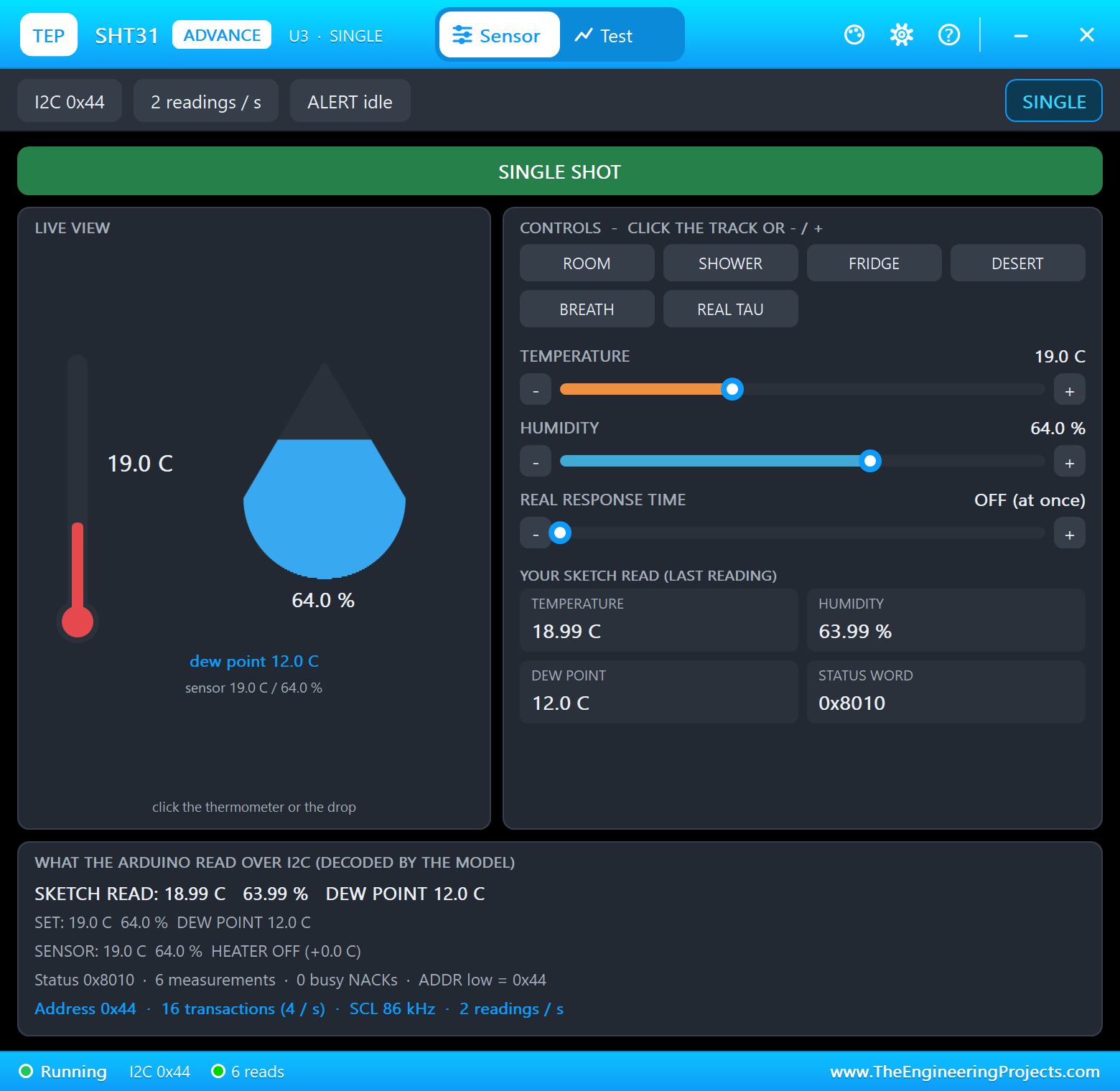
else Serial.println("VL53L0X NOT FOUND - check SDA D11 / SCL D12");Why a climate sensor in a parking assistant? A garage is where moisture hides: a wet car brings water in, and a cold, closed garage keeps it. Above about 70 % relative humidity metal starts to rust and tools and paper suffer, so the page warns DAMP - a hint to open the door or run a fan. The SHT31 shares the I2C wires with the VL53L0X at its own address, 0x44.
WiFiNINA and the Page
Joining the network is one line with WiFiNINA: WiFi.begin() blocks until the board has an address or gives up, so the sketch simply tries again:
while (WiFi.begin(ssid, pass) != WL_CONNECTED) { Serial.println("Not joined yet - trying again"); delay(2000); }The web server reads the request's first line, takes the path and answers with the page or, for /json, the values for a program; a link like /stop?mm=700 moves the stop line:
if (path.startsWith("/stop?mm=")) setStop(path.substring(9).toInt(), "the web page");The loop does four things in turn - the sensors, the LED, the web server and the monitor - and prints a status line every 2 s:
void loop() {
  readSensors();
  showLed();
  serveClients();
  readMonitor();
  if (millis() >= nextPrint) { nextPrint = millis() + 2000; Serial.println(status()); }
}
Run the Demo
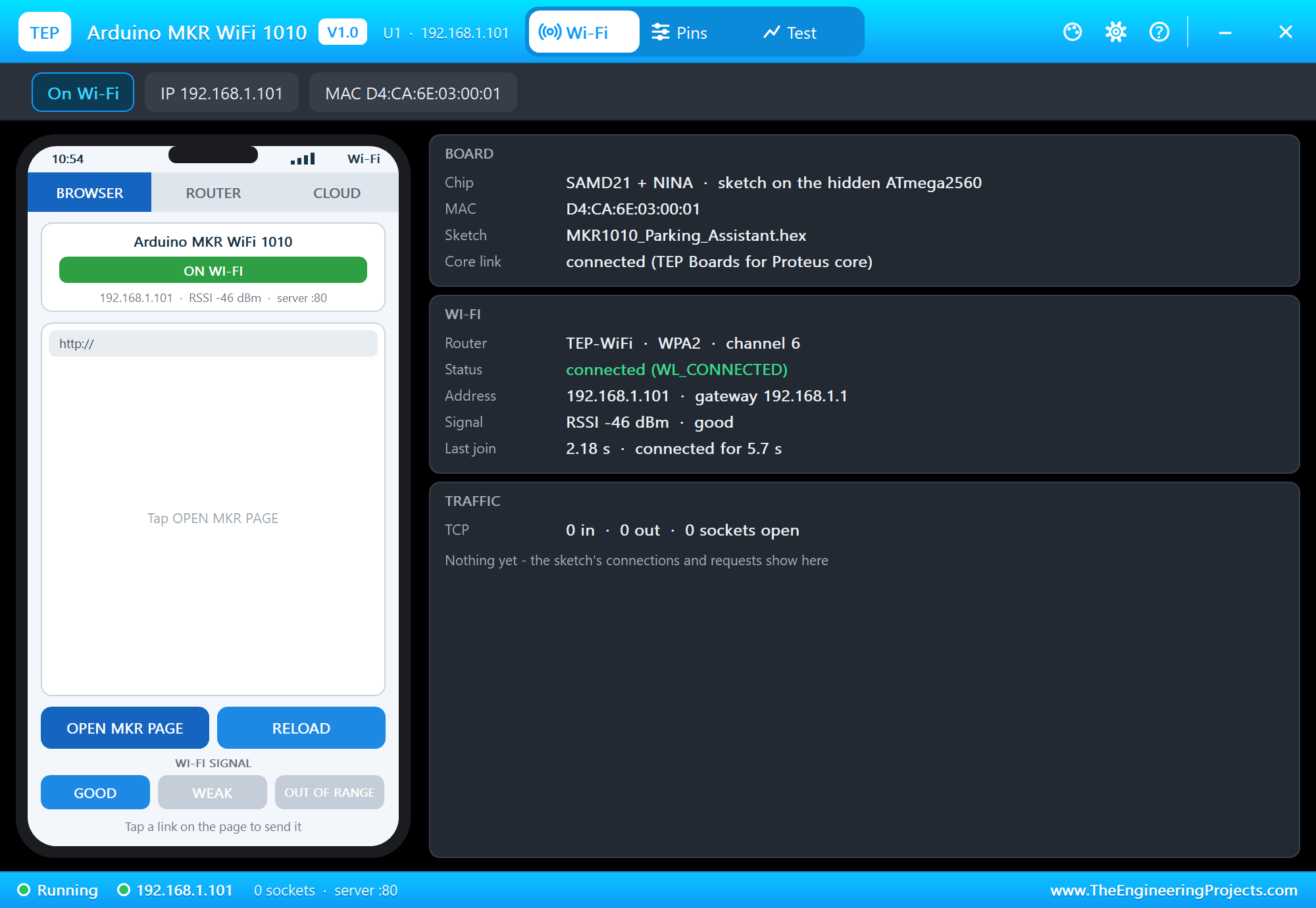
Press Run. The serial monitor opens; both sensors answer, the board joins TEP-WiFi and the car waits at the garage door:
MKR WiFi 1010 Parking Assistant - The Engineering Projects
VL53L0X ready
SHT31 ready
Connecting to TEP-WiFi
Parking page: http://192.168.1.101/
Car 1800 mm  COME IN  (stop at 500 mm)  garage 19.0 C 64 %RH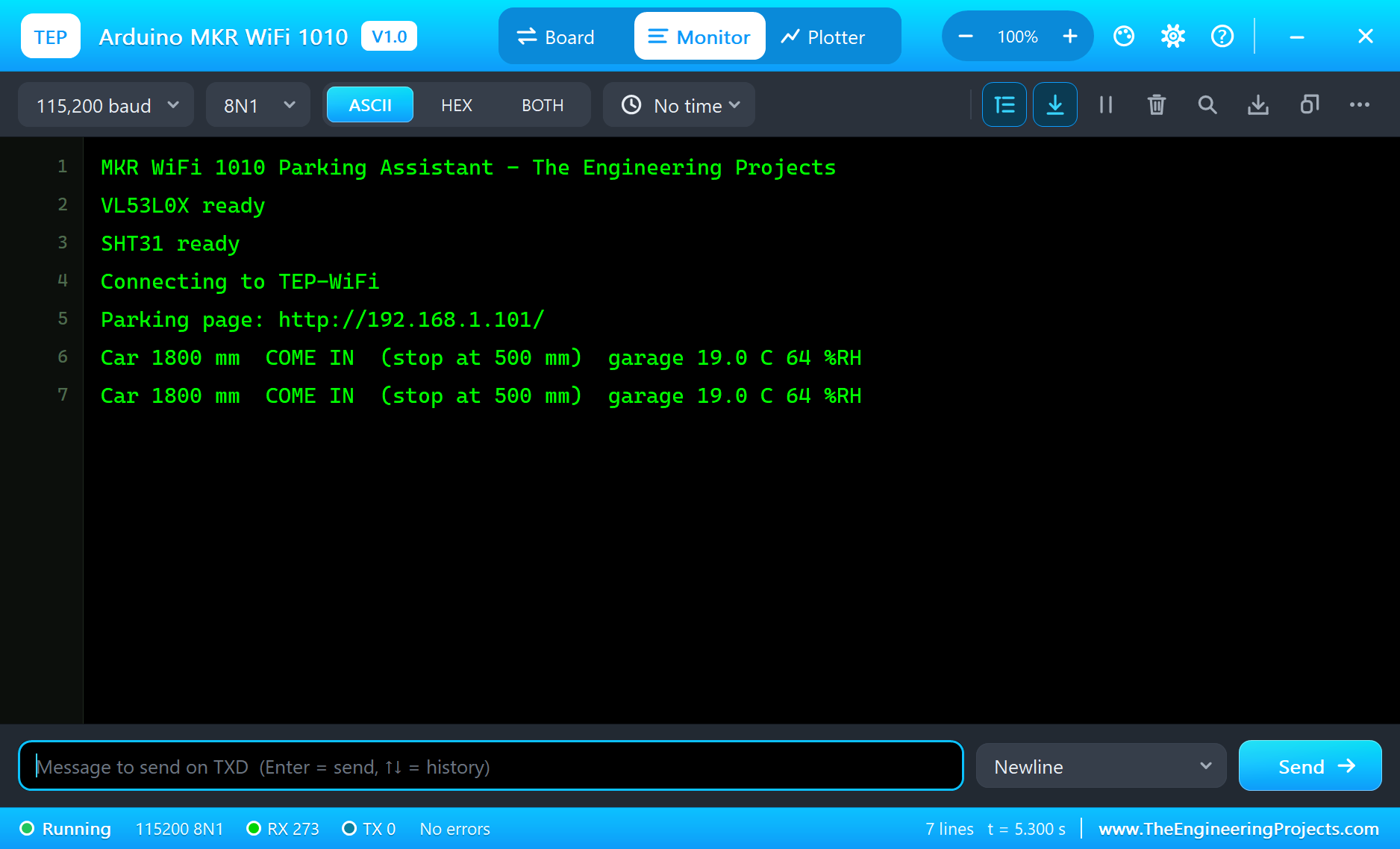
Open the Page
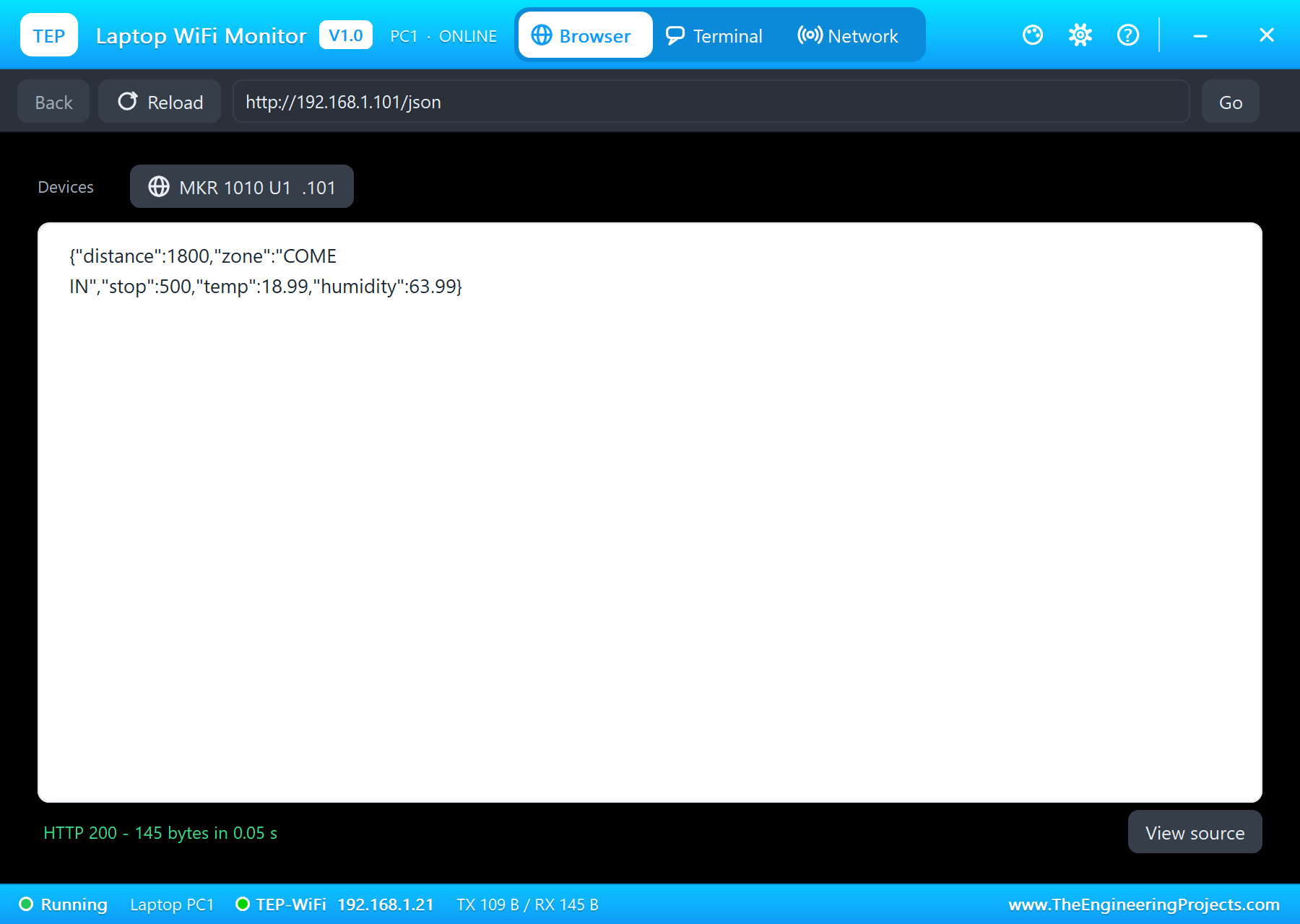
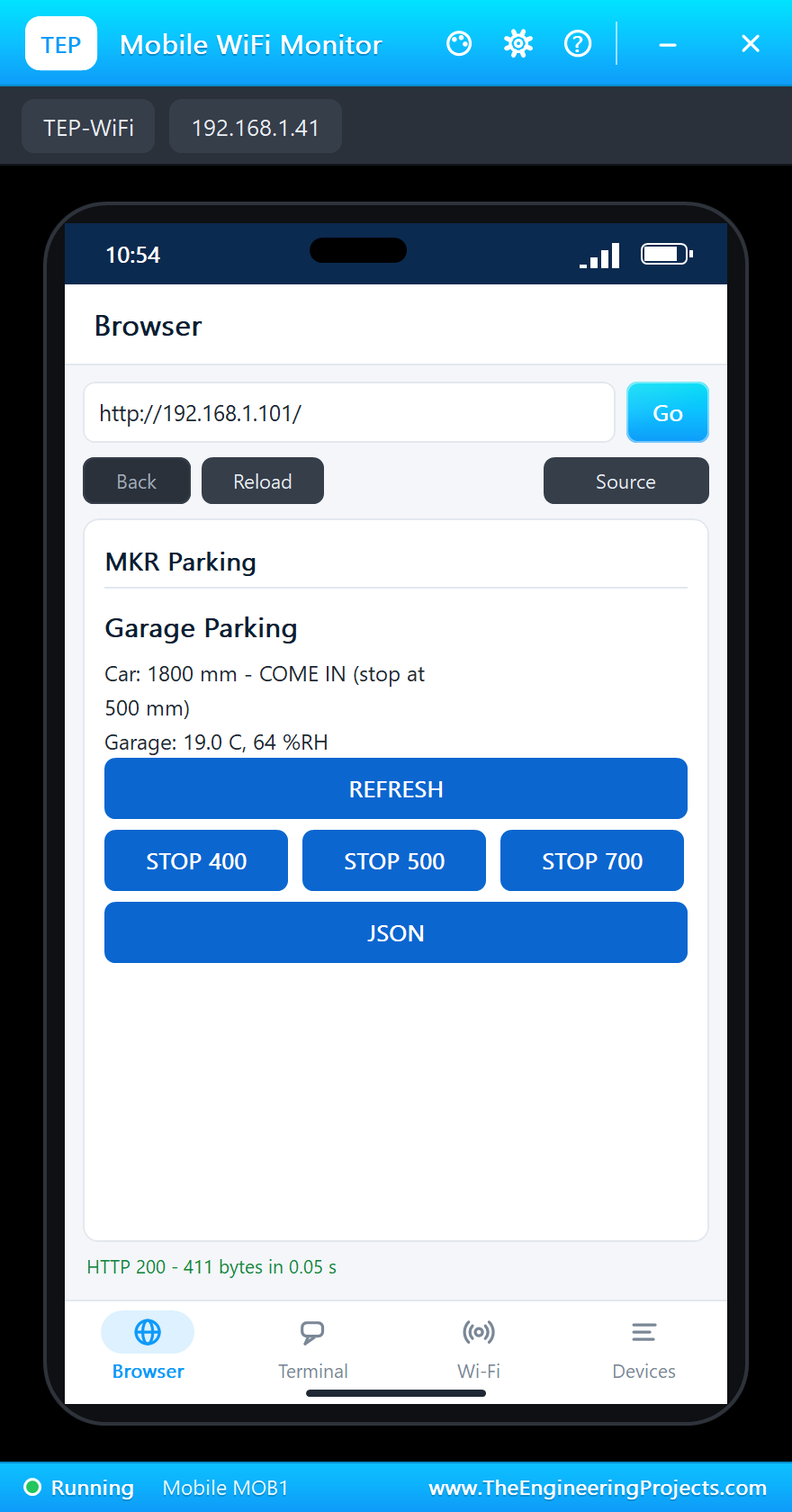
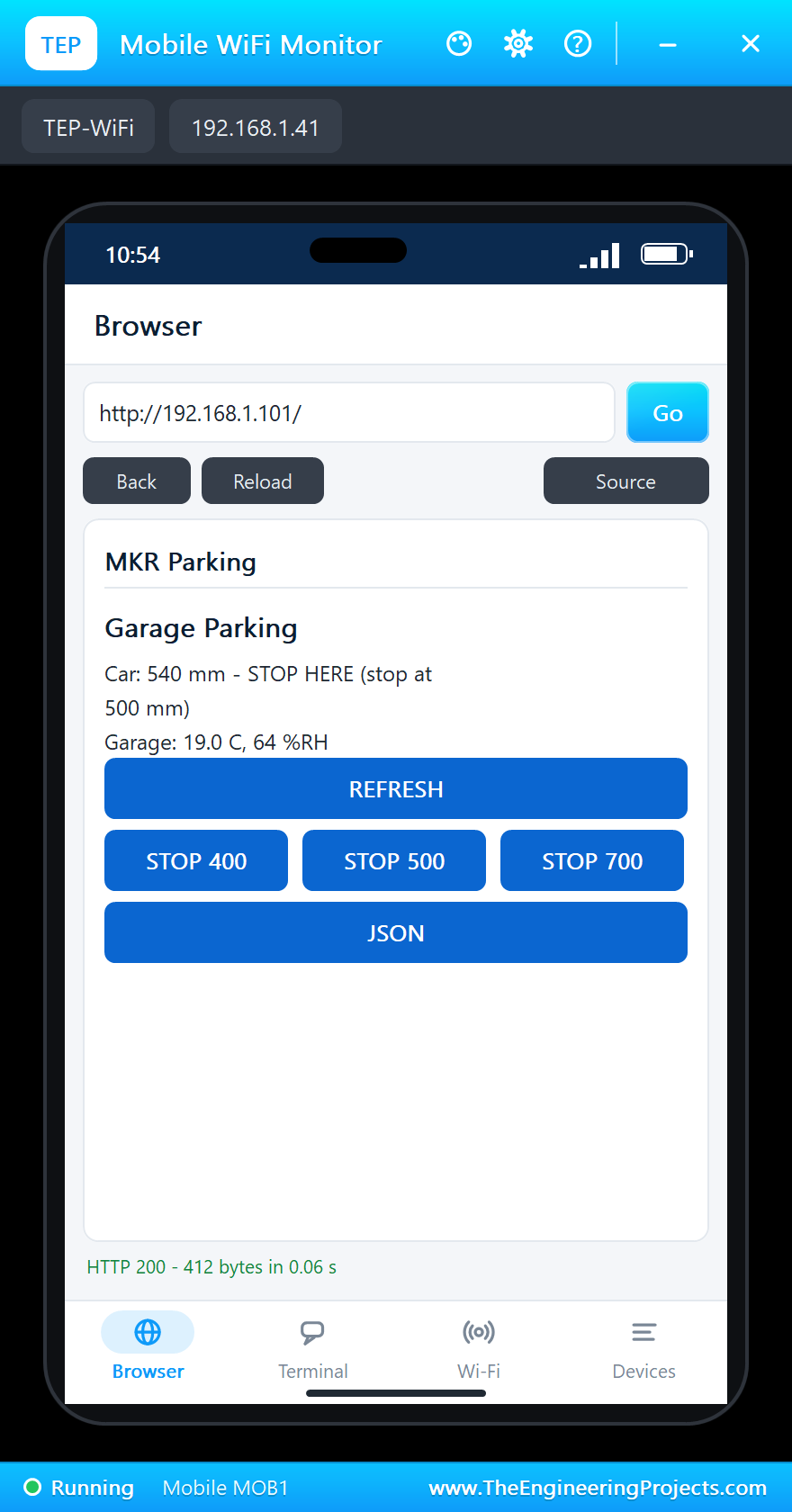
On the laptop click Browser and Go (the home page is http://192.168.1.101/json, the values for a program); on the phone the same with http://192.168.1.101/, the page with its buttons:
Parking the Car: the L LED On
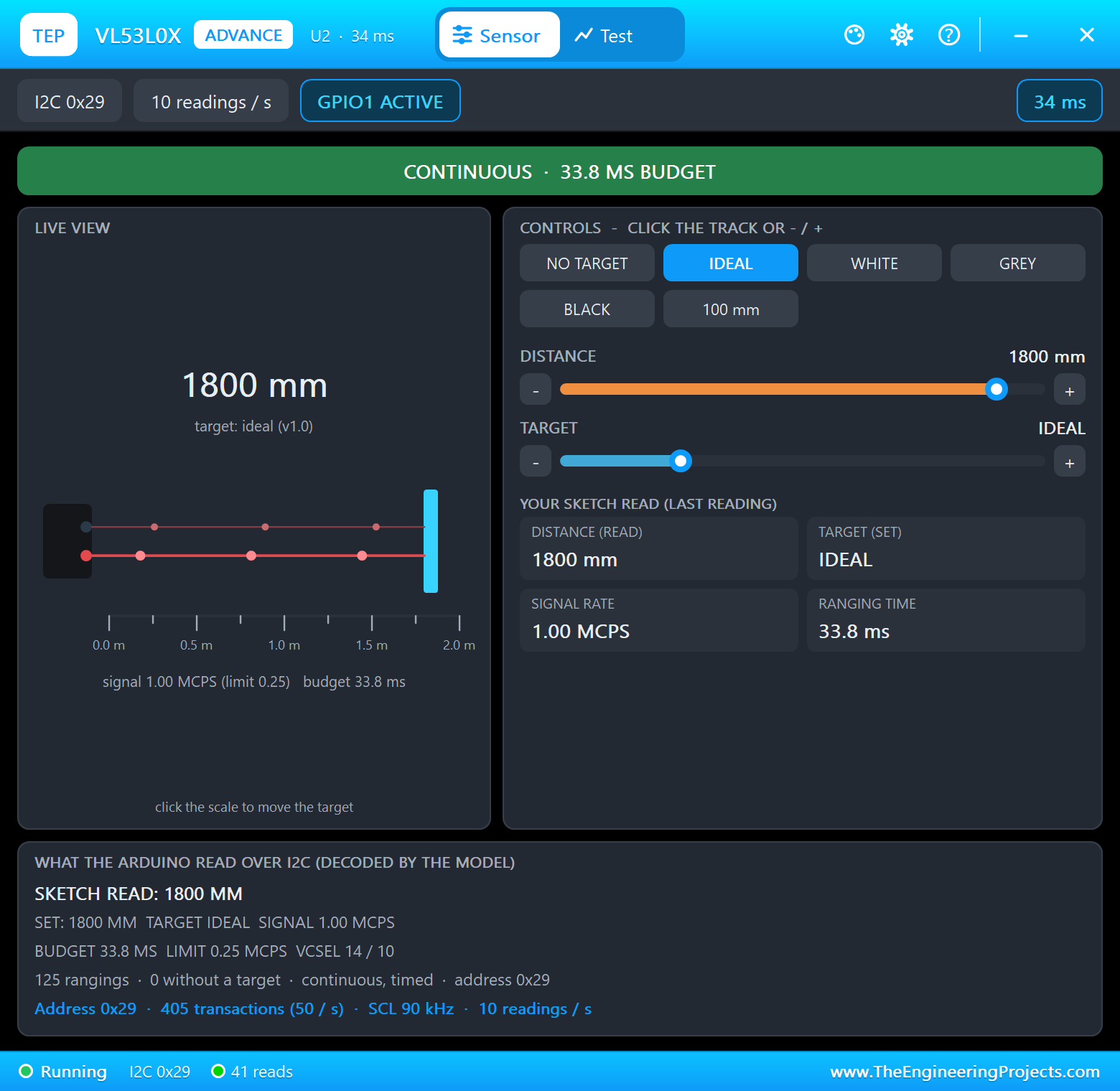
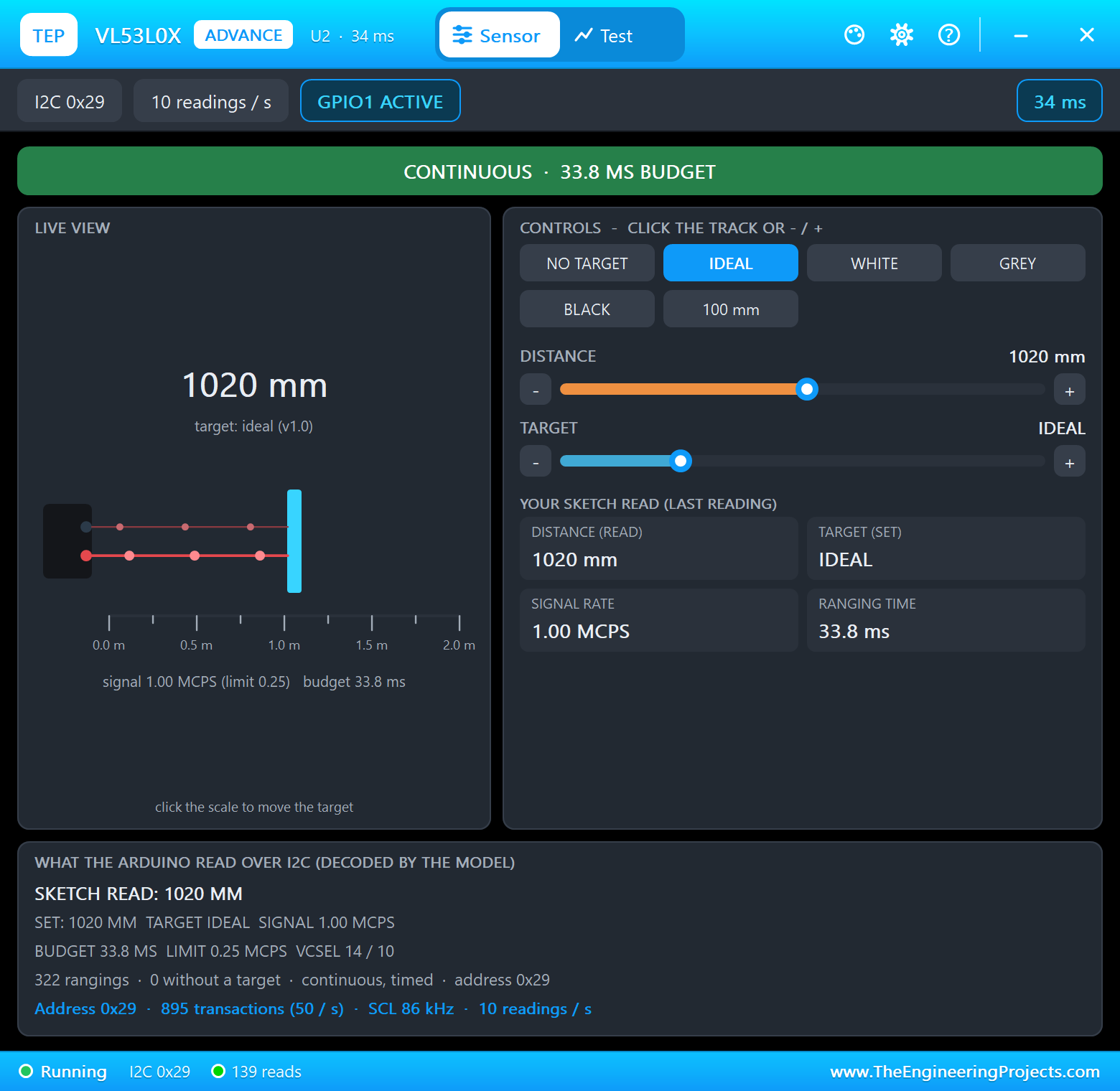
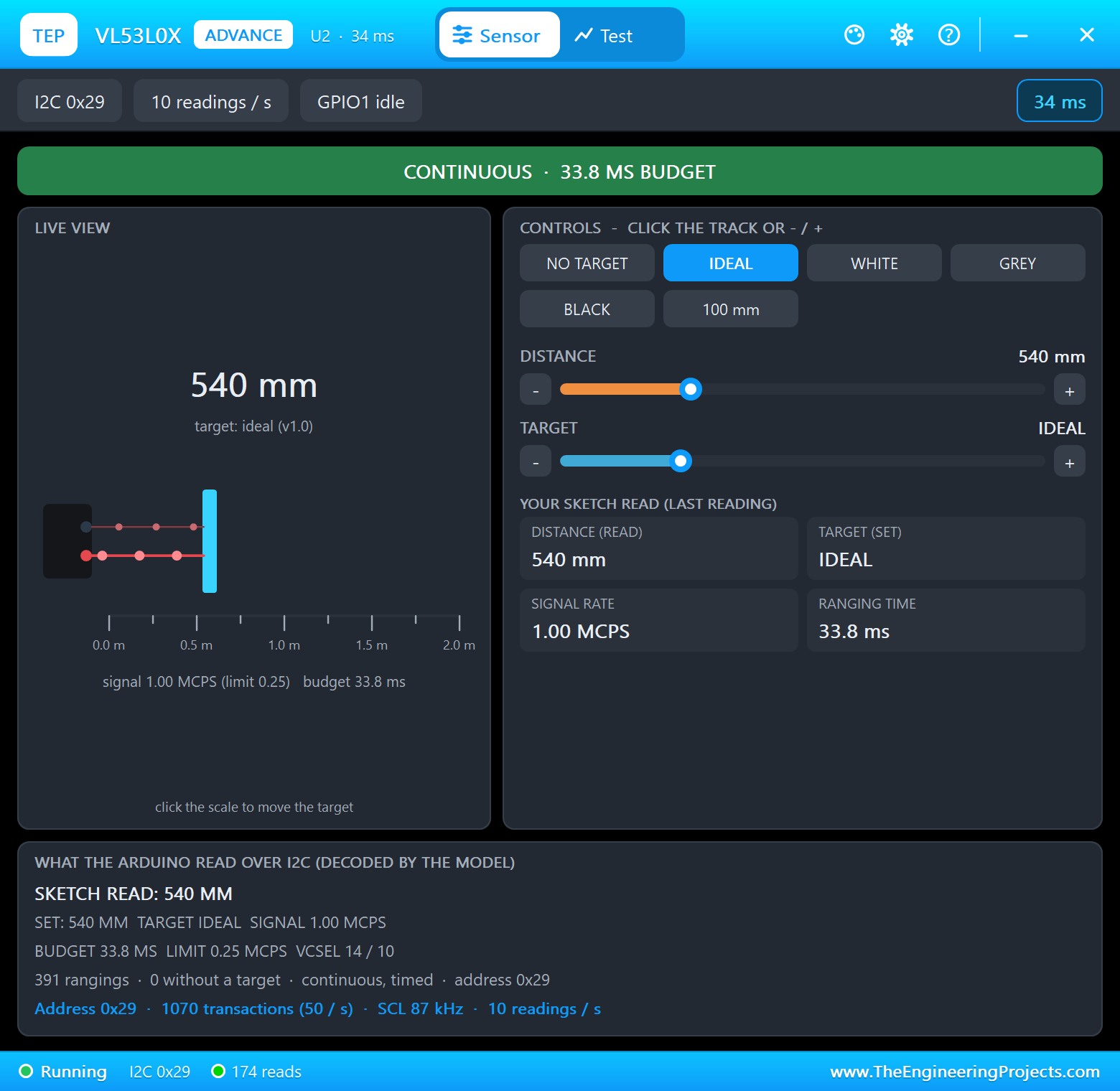
On the VL53L0X's pop-up click the DISTANCE track at about 1000 mm: the car is in the SLOW zone. Click again near 540 mm: STOP HERE - the MKR's L LED lights next to the ON LED:
A Longer Car: STOP 700
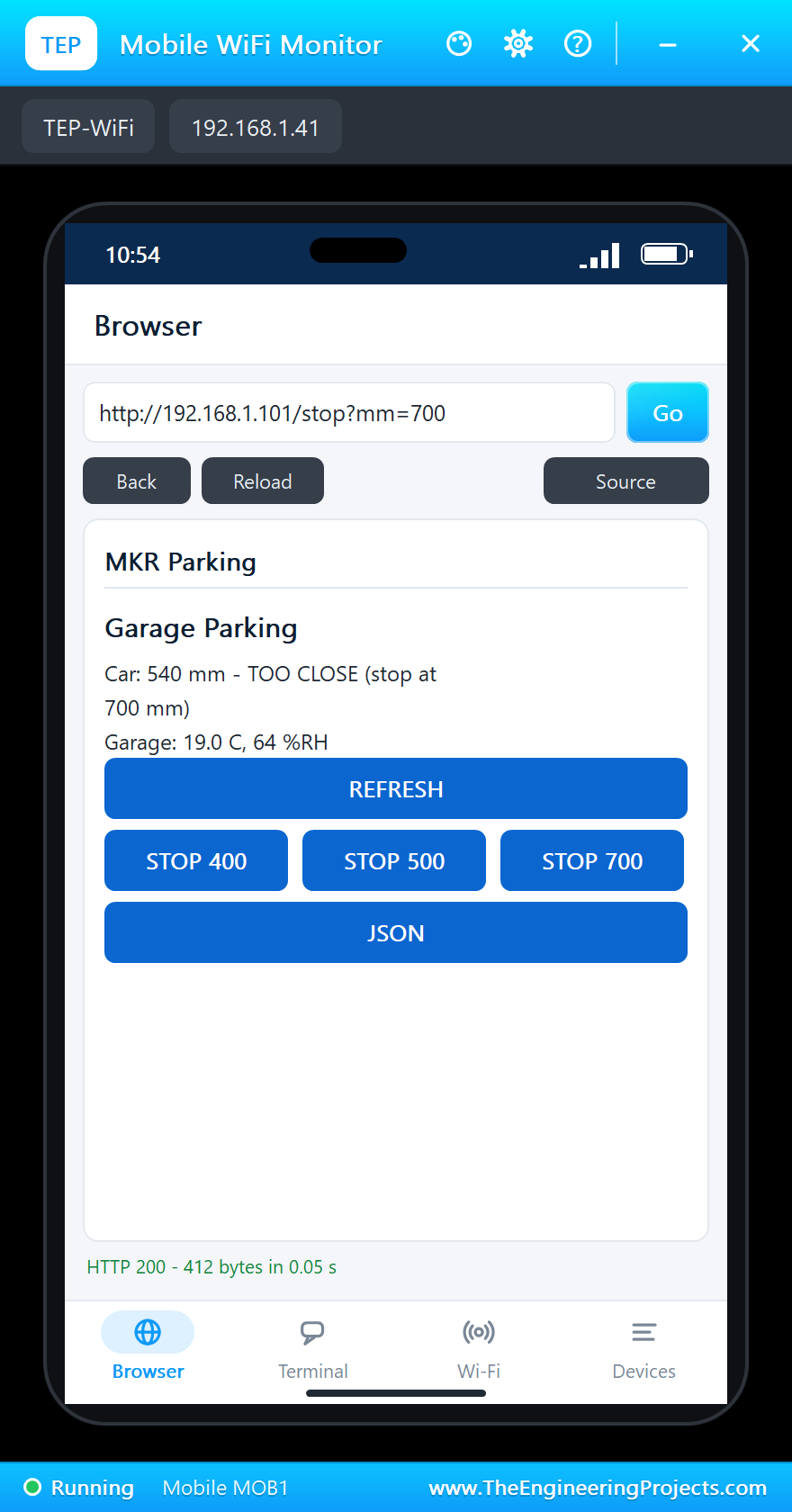
Tap STOP 700 on the phone - a longer car needs the stop line further out. The car has not moved, but now it is 160 mm past the line: TOO CLOSE, and the L LED blinks:
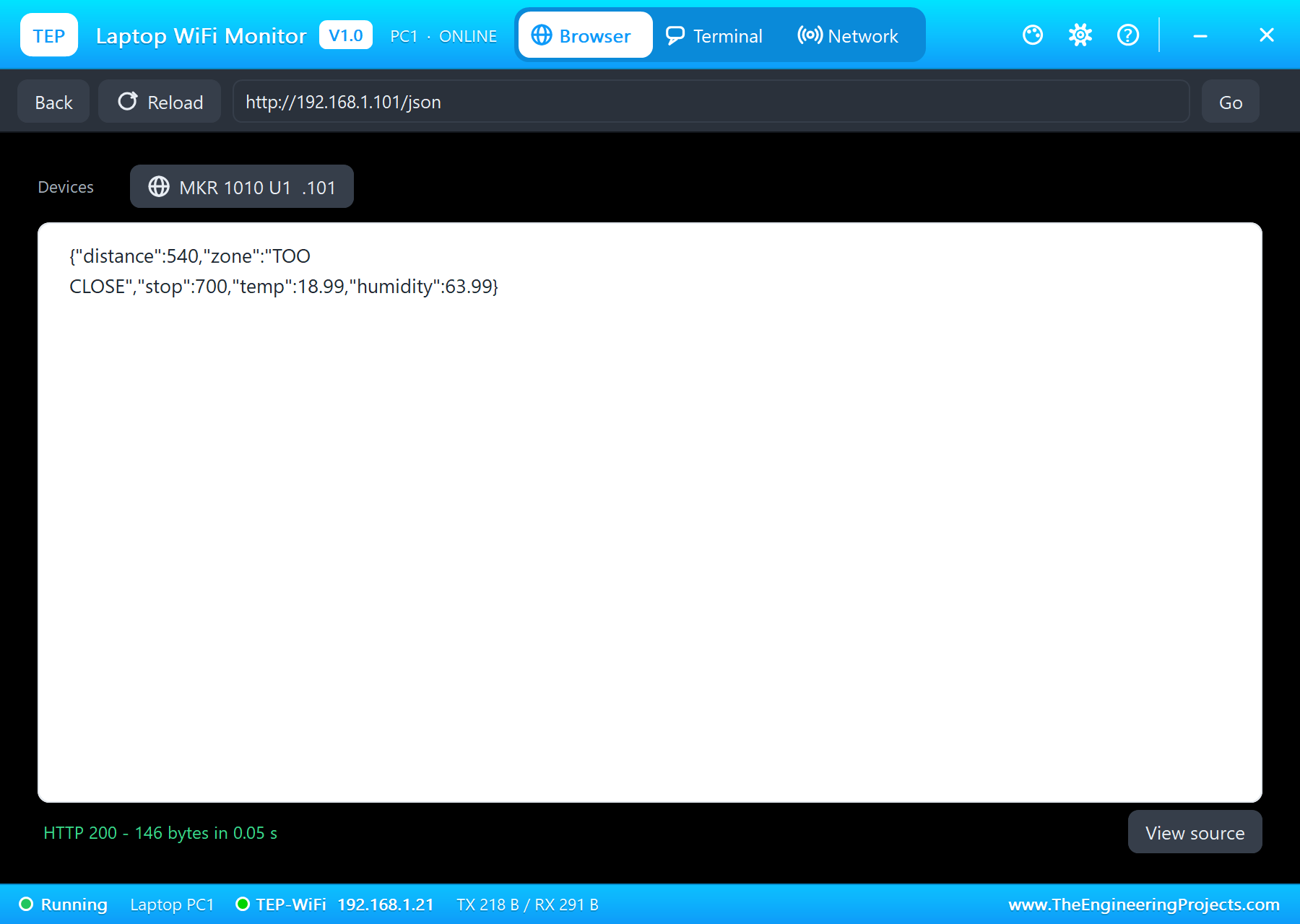
| Step | Distance | Stop distance | Zone | The L LED |
|---|---|---|---|---|
| Run | 1800 mm | 500 mm | COME IN | off |
| The track at about 1000 mm | 1020 mm | 500 mm | SLOW | off |
| The track at about 540 mm | 540 mm | 500 mm | STOP HERE | on |
| STOP 700 from the phone | 540 mm | 700 mm | TOO CLOSE | blinking |
The built-in serial monitor, in the look of our TEP Serial Monitor Advance for Proteus, logs a status line every 2 s and every page:
Page /json for 192.168.1.21
Car 1800 mm  COME IN  (stop at 500 mm)  garage 19.0 C 64 %RH
Page / for 192.168.1.41
Car 1020 mm  SLOW  (stop at 500 mm)  garage 19.0 C 64 %RH
Car 540 mm  STOP HERE  (stop at 500 mm)  garage 19.0 C 64 %RH
Page / for 192.168.1.41
Stop distance 700 mm (the web page)
Page /stop?mm=700 for 192.168.1.41
Car 540 mm  TOO CLOSE  (stop at 700 mm)  garage 19.0 C 64 %RH
Page /json for 192.168.1.21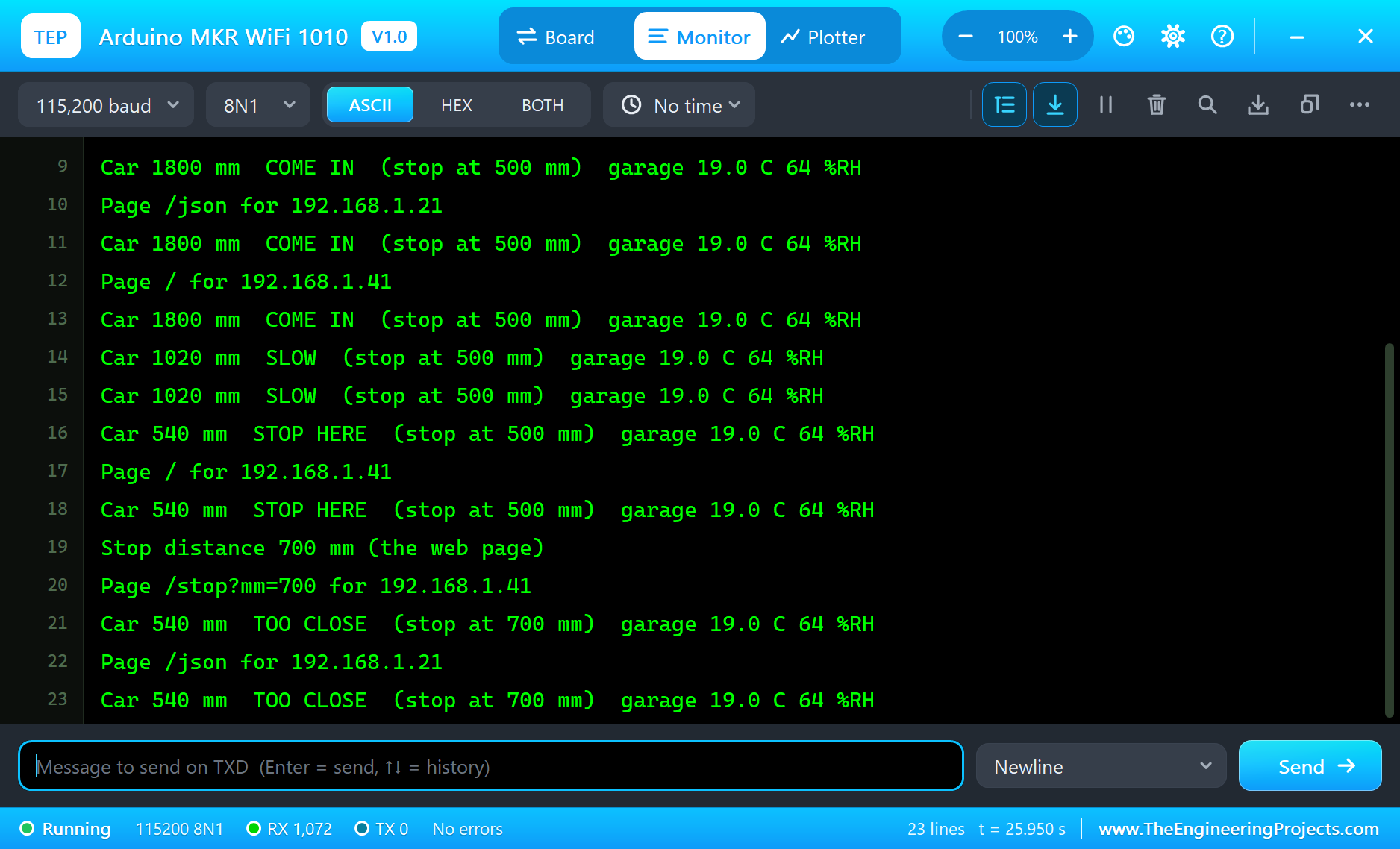
Try It Yourself
- Click NO TARGET on the VL53L0X's pop-up: the garage is EMPTY.
- Pick the BLACK target: a dark car reflects less light and is seen only at a shorter range.
- Raise the humidity on the SHT31's pop-up over 70 %: the page and the monitor say DAMP.
- Type
STOP 400in the monitor - the same as the phone's STOP 400.
Ideas to Extend the Parking Assistant
- Add a WS2812 strip on a spare pin and show green, yellow and red for the zones.
- Count how often the garage is used and keep the times with WiFi.getTime().
- Run it from a LiPo cell and let the SAMD21 sleep while the garage is EMPTY.
- Send a UDP message to the laptop when the humidity stays high for an hour.
Your Own Sketches
Write the sketch in the Arduino IDE with the board Arduino MKR WiFi 1010 (TEP Proteus), use Sketch > Export Compiled Binary and set the board's PROGRAM property to the .hex. The same sketch compiles for a real MKR WiFi 1010 with the "Arduino SAMD Boards" package and the WiFiNINA library - select "Arduino MKR WiFi 1010" there and upload. Pololu's VL53L0X and Adafruit's SHT31 libraries come from the Library Manager.
Things to Know Before Using a Real MKR WiFi 1010
- 3.3 V logic: the MKR's pins are not 5 V tolerant; the VL53L0X (GY-530) and SHT31 breakouts run on 3.3 V.
- The NINA firmware: update it with the IDE's WiFi101 / WiFiNINA firmware updater when WiFiNINA asks for a newer version.
- The VL53L0X's cover glass: behind a window the sensor needs a crosstalk calibration, or it sees the glass.
- A LiPo cell: use a single-cell 3.7 V LiPo of at least 700 mAh on the JST PH connector; the CHRG LED shows charging.
- Serial1: on the MKR, Serial is the USB and Serial1 is on pins 13 and 14.
Properties of the Arduino MKR WiFi 1010
| Property | What it does |
|---|---|
| PROGRAM | the sketch: a .hex from TEP Boards for Proteus (board "Arduino MKR WiFi 1010") |
| WIFISSID, WIFIPASS | the router in range (TEP-WiFi, 12345678) |
| MONITOR, BAUD, AUTOOPEN | the built-in serial monitor: on, its baud rate (115200), open at Run |
| TIME | the clock WiFi.getTime() gives the sketch: PC or a fixed UTC time |
Troubleshooting
- "VL53L0X NOT FOUND" or "SHT31 NOT FOUND": SDA on 11, SCL on 12; VIN on the power rail; XSHUT HIGH; ADDR LOW.
- The board stays on "Not joined yet": the sketch's SSID and password must match WIFISSID and WIFIPASS.
- A number goes wrong above 32767: int is 16 bits in the simulation - use long.
- The page shows old values: use REFRESH; the monitors do not reload by themselves.
Limitations of the Simulation
- Your sketch gets 8 KB of RAM in the simulation and runs slower than on the SAMD21 at 48 MHz with 32 KB.
- Bluetooth, the NINA's RGB LED, the LiPo charger, the ECC508 crypto chip and the ESLOV connector are not modelled.
- The router, the addresses and the windows are TEP additions.
- Arduino and MKR are trademarks of Arduino S.r.l., SAMD21 a name of Microchip Technology and NINA-W102 of u-blox; this library is not made or endorsed by them or by Labcenter.
- Tested in Proteus 8.5 in October 2026 (the demo as shipped, about 28 s of simulation). Proteus 7 is not supported.
So, that was all about the Arduino MKR WiFi 1010 Library for Proteus. I hope it helps you build and test your MKR projects before you touch the hardware - the sensors, the Wi-Fi and the web page in one simulation. If you have any questions, ask in the comments and I will help you out. Till the next tutorial, take care and have fun!

Comments
0