


STM32 Black Pill Library for Proteus: MPU9250, Compass, OLED


Hello friends, I hope you all are doing great. Today, I am going to share the STM32 Black Pill Library for Proteus. The Black Pill from WeAct Studio is the favourite cheap STM32 board: an STM32F411CEU6 - an ARM Cortex-M4 with a floating-point unit at 100 MHz, 512 KB of flash and 128 KB of RAM - on a 53 x 21 mm board with USB-C and 40 pins that fits a breadboard. With this library it runs your STM32 Arduino sketch in Proteus 8.5, with the STM32 core's pin names.
STM32 Black Pill Library for Proteus
Latest version: V1.0 (October 2026, this tutorial)
Helping Tools
- Laptop WiFi Monitor: a laptop on the Wi-Fi of your design: a browser, a TCP / UDP terminal and ping
- Mobile WiFi Monitor: a smartphone that opens the pages of your board and sends it commands
- Serial Monitor Advance: a serial terminal window for the UART of your board
The demo is an attitude and heading display for a boat, a rover or a camera mount. An MPU9250 gives the pitch and the roll, a GY-271 compass the heading, a 1.3" SH1106 OLED shows a compass needle or a bubble level, and an ESP-01S puts the Black Pill on Wi-Fi with a page for a phone and a laptop. Tilt the mount past 20 degrees and the alarm starts.
NOTICE: Proteus has no STM32F411 model, so our team has put a lot of effort into building this board ourselves: the Black Pill's pins, buttons and LEDs are all our own model, and your sketch compiles with our free TEP Boards for Proteus add-on. Your feedback is the fuel that keeps us going, so please tell us what you think in the comments below or in the STM32 Black Pill board of our forum. And if our free libraries help you, you can buy us a coffee. So, let's get started with the STM32 Black Pill Library for Proteus:
What is the STM32 Black Pill?
The name comes from its older cousin, the Blue Pill - a blue STM32F103 board with a slow 72 MHz Cortex-M3 and a famous wrong USB resistor. WeAct Studio made a black board with the much stronger STM32F411 and fixed the old mistakes: USB-C wired properly, a real user LED on PC13, a user button called KEY on PA0, a reset button (NRST) and a BOOT0 button for the USB bootloader, so it can be programmed without any adapter. A 25 MHz crystal clocks the chip, a 32.768 kHz crystal runs its real-time clock, and a 4-pin SWD header at the end takes a debugger.
| STM32 Black Pill (F411) | Blue Pill (F103) | |
|---|---|---|
| Chip | STM32F411CEU6, Cortex-M4F at 100 MHz | STM32F103C8T6, Cortex-M3 at 72 MHz |
| Memory | 512 KB flash, 128 KB RAM | 64 KB flash, 20 KB RAM |
| USB | USB-C, DFU bootloader built in | micro-USB, needs a bootloader or a programmer |
| Buttons | BOOT0, NRST, KEY (PA0) | RESET, BOOT jumpers |
| User LED | blue, PC13 (lit when LOW) | green, PC13 (lit when LOW) |
| Pins | 2 x 20, 32 GPIOs | 2 x 20, 32 GPIOs |
Why the STM32 Black Pill?
Pick the Black Pill when an Arduino UNO is too small and an ESP32 is more than you need: robotics with many sensors, a flight controller, motor control, audio, or any project that needs floating-point maths fast. It is cheap, it plugs into a breadboard, and the STM32 core for the Arduino IDE (STM32duino) uses the chip's own pin names - PA0, PB7, PC13 - so the sketch reads like the datasheet. The Black Pill has no radio, so for Wi-Fi it needs a helper such as an ESP-01S, as in our Arduino Nano Every Library for Proteus.
Features of the STM32 Black Pill Library for Proteus
- The board as it looks: the black Black Pill with its two rows of pins, USB-C, BOOT0, NRST and KEY, the STM32F411, the crystals, the SWD header and the two LEDs.
- Your sketch: a .hex for "STM32 Black Pill F411 (TEP Proteus)" with the STM32 core's names - PA0 to PC15, LED_BUILTIN = PC13, USER_BTN = PA0 - analogRead, analogWrite, attachInterrupt, Serial, Serial1, Wire on PB6 / PB7, SPI on PA4 to PA7.
- The buttons and LEDs: KEY pulls PA0 LOW, NRST resets the board, the blue LED lights when PC13 is LOW, the red LED shows the power.
- The serial monitor: the built-in monitor on the USB with Monitor, Plotter and Board tabs - our TEP header, no Windows title bar.
- A complete package: about 3.9 MB with the board, the add-on, the MPU9250, GY-271, SH1106 and ESP-01S libraries and the demo, without the source code of the models.
The STM32 Black Pill in Proteus
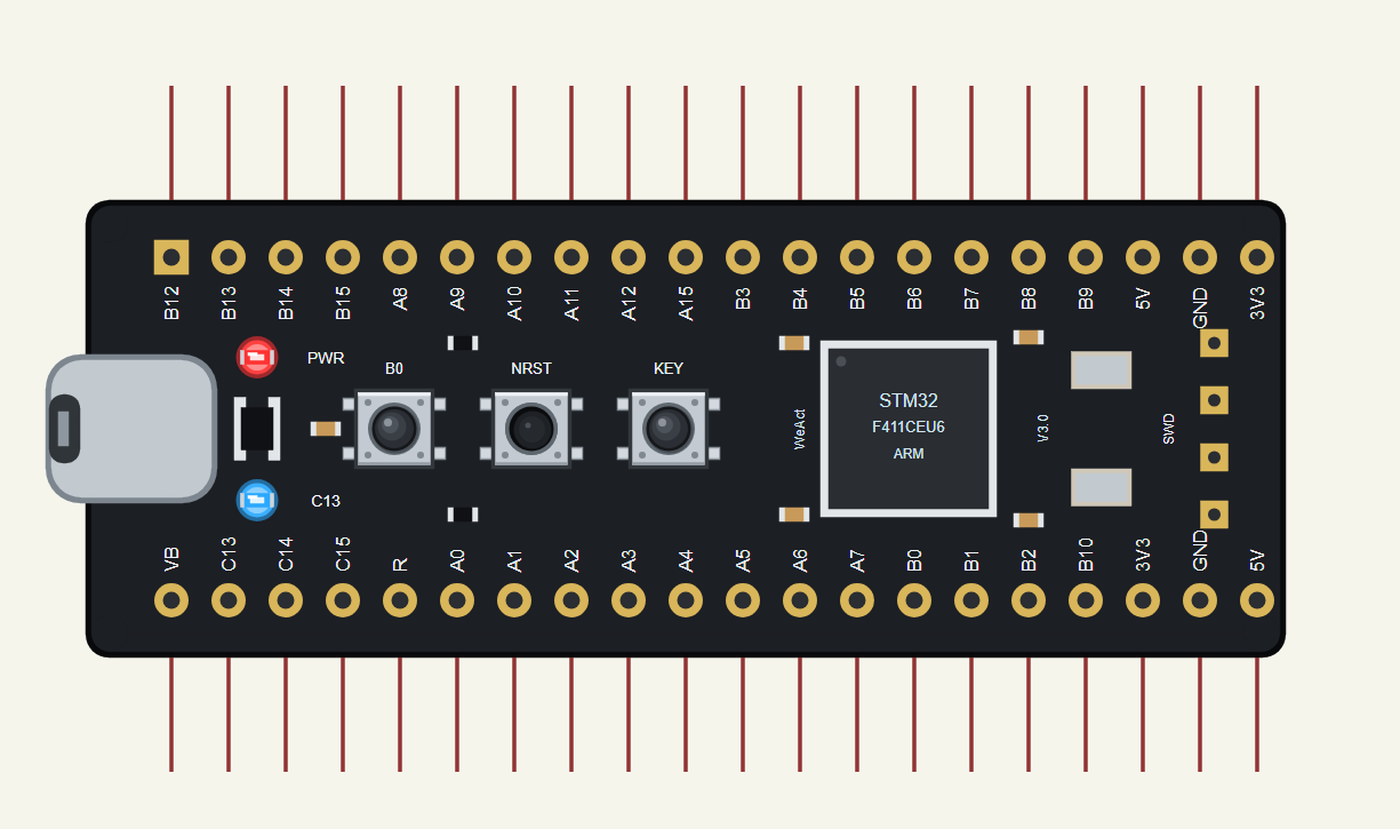
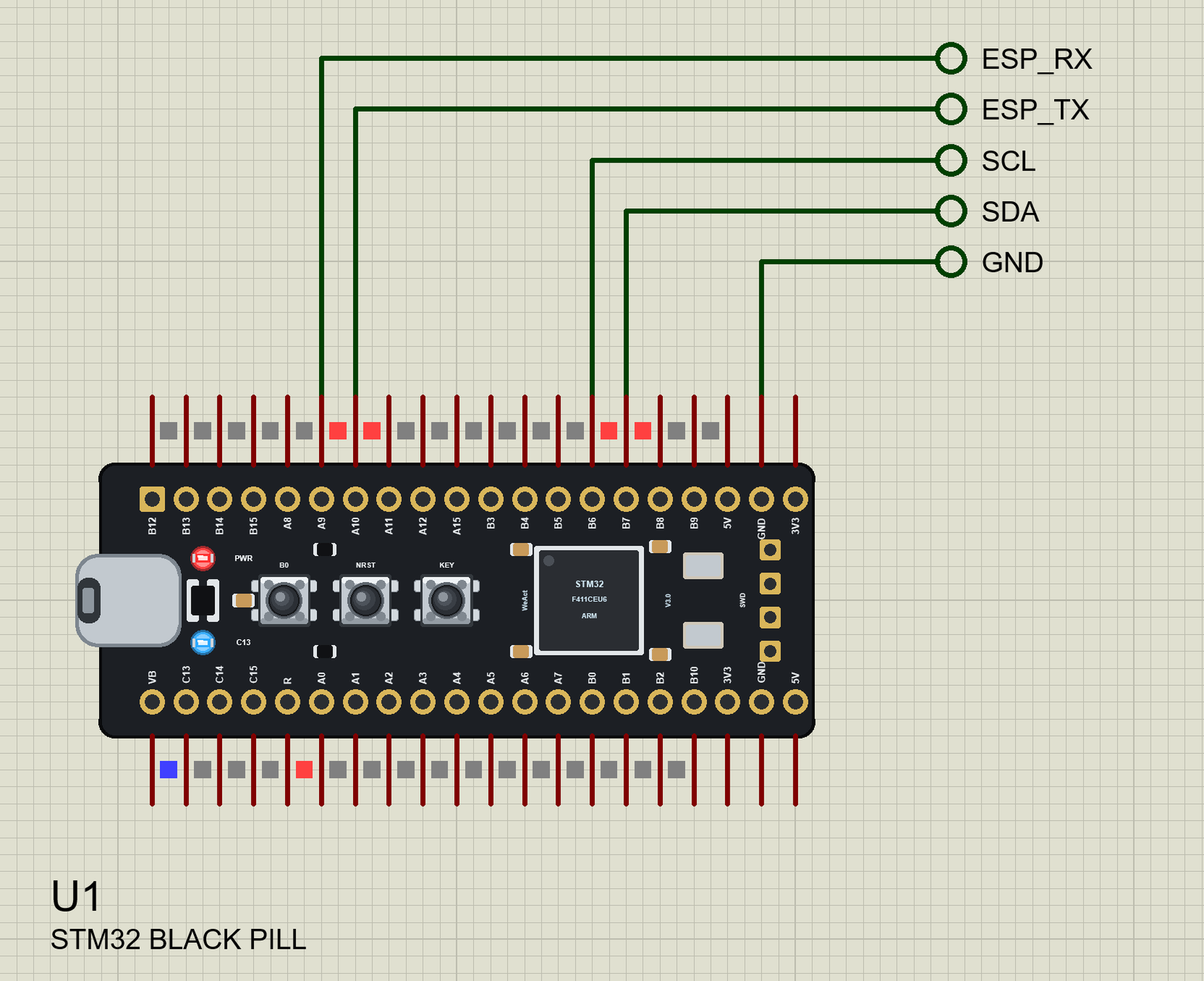
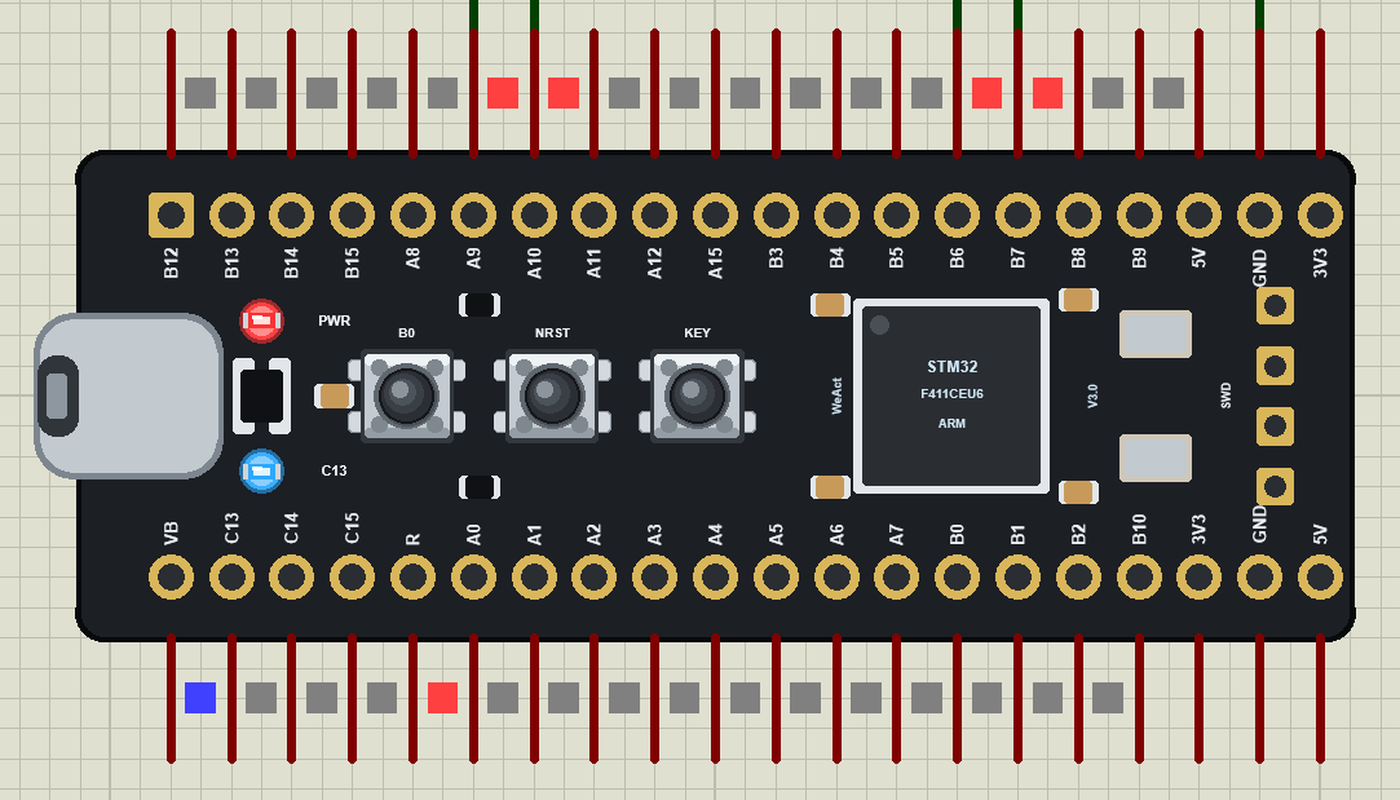
Search BLACK PILL in Pick Devices; the device STM32 BLACK PILL is in TEPBLACKPILL.LIB (Microprocessor ICs, STM32 Boards), with the prefix U. The board lies with USB-C on the left, the pins in WeAct's order: on top B12 to B9 with 5V, GND and 3V3 at the end, at the bottom VB, C13 to C15, R (NRST), A0 to A7, B0 to B2, B10 and the supplies. Click the USB-C port to open the serial monitor.
The Pins
| Pins | What the library does with them |
|---|---|
| PA0 to PA7, PB0, PB1 | GPIO, analogRead (ADC1 channels 0 to 9), PWM, interrupt |
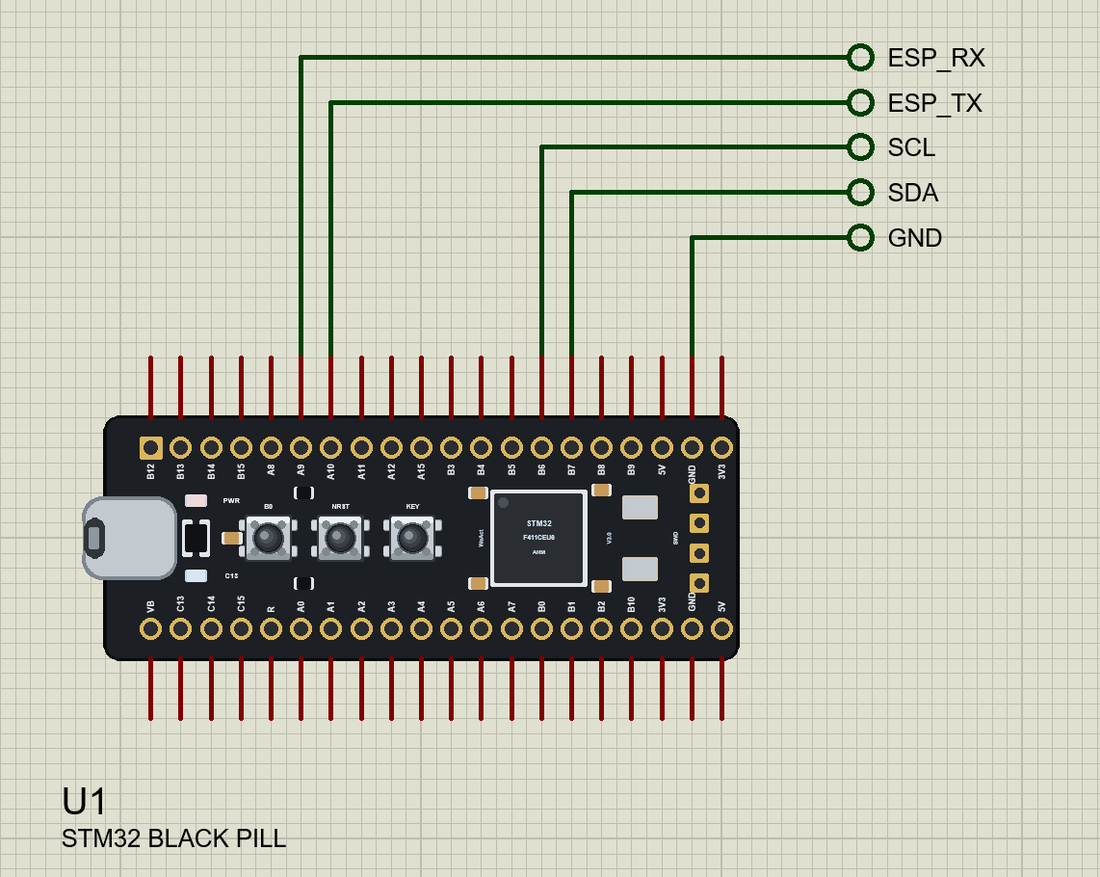
| PA9 / PA10 | Serial1 TX / RX |
| PB6 / PB7 | Wire SCL / SDA |
| PA4 to PA7 | SPI SS / SCK / MISO / MOSI |
| PC13 | GPIO and the blue LED (LED_BUILTIN, lit when LOW) |
| PA0 | GPIO and the KEY button (LOW when pressed) |
| R | NRST: LOW holds the board in reset |
| 3V3, 5V, GND | 3.3 V, 5 V, ground |
Download STM32 Black Pill Library for Proteus
Click the button below to download STM32-Black-Pill-Library-for-Proteus-v1.0.zip (about 3.9 MB, without the source code of the models):
STM32 Black Pill Library for Proteus V1.0- README.txt: installation, the demo, the pins, the properties, troubleshooting and the limits.
- Proteus Library Files:
TEPBLACKPILL.LIBand the demo's parts:TEPMPU9250.LIB,TEPCOMPASS.LIB,TEPOLEDSH1106.LIB,TEPESP01S.LIB,TEPLAPTOP.LIBandTEPMOBILE.LIB. - Proteus Model Files:
TEPNET.DLL(the board, the ESP-01S, the laptop, the phone and the network),TEPMPU9250.DLL,TEPCOMPASS.DLLandTEPOLED.DLL. - Arduino Code: the demo sketch and the TEP Boards for Proteus add-on 1.26.0.
- Proteus Simulation: the demo project, its HEX file and copies of the DLLs.
No Proteus yet? Read How to Download and Install Proteus 7 and 8. New to libraries? Follow How to Install a New Library in Proteus.
How to Install STM32 Black Pill Library for Proteus
- Close Proteus and extract the whole zip file, for example to your Desktop.
- Copy the files from Proteus Library Files into the LIBRARY folder of Proteus.
- Copy the DLLs from Proteus Model Files into the MODELS folder, replacing an older TEPNET.DLL.
- Delete
TEPBLACKPILL.IDXfrom the LIBRARY folder if it is there. - For your own sketches, copy Arduino Code\TEP Boards for Proteus\hardware into your Arduino sketchbook (Documents\Arduino) and restart the Arduino IDE; the board is STM32 Black Pill F411 (TEP Proteus). Install Adafruit SH110X from the Library Manager for the demo.
- Start Proteus, press P and search for BLACK PILL.
Demo: an Attitude and Heading Display
Every vehicle and every camera mount needs to know two things: which way it points and how it is tilted. A boat's autopilot steers by the heading, a rover stops before it tips over, a camera gimbal keeps the horizon straight. Three cheap modules on one I2C bus do the sensing and the showing; the Black Pill does the maths and an ESP-01S sends it all to a phone.
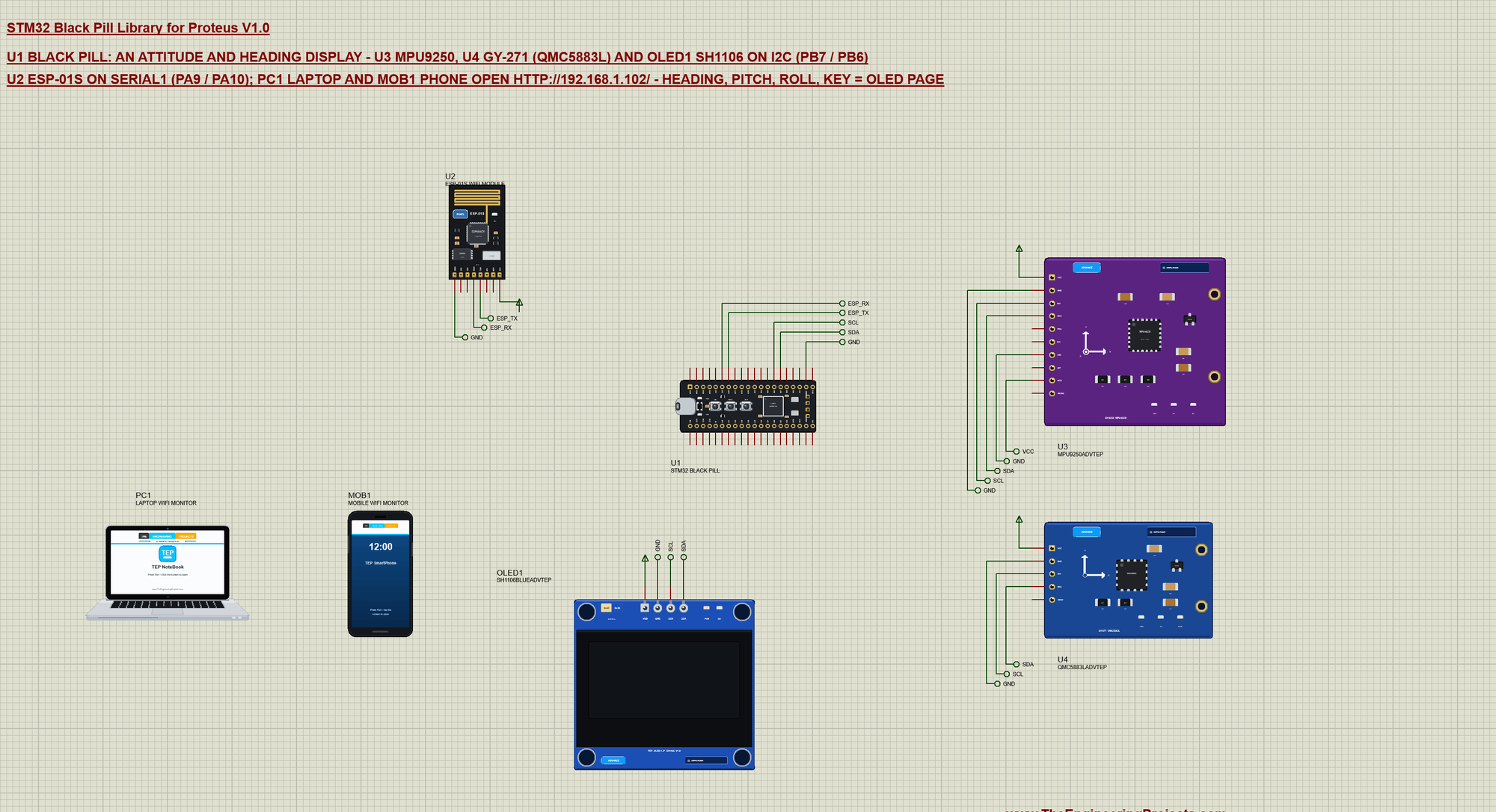
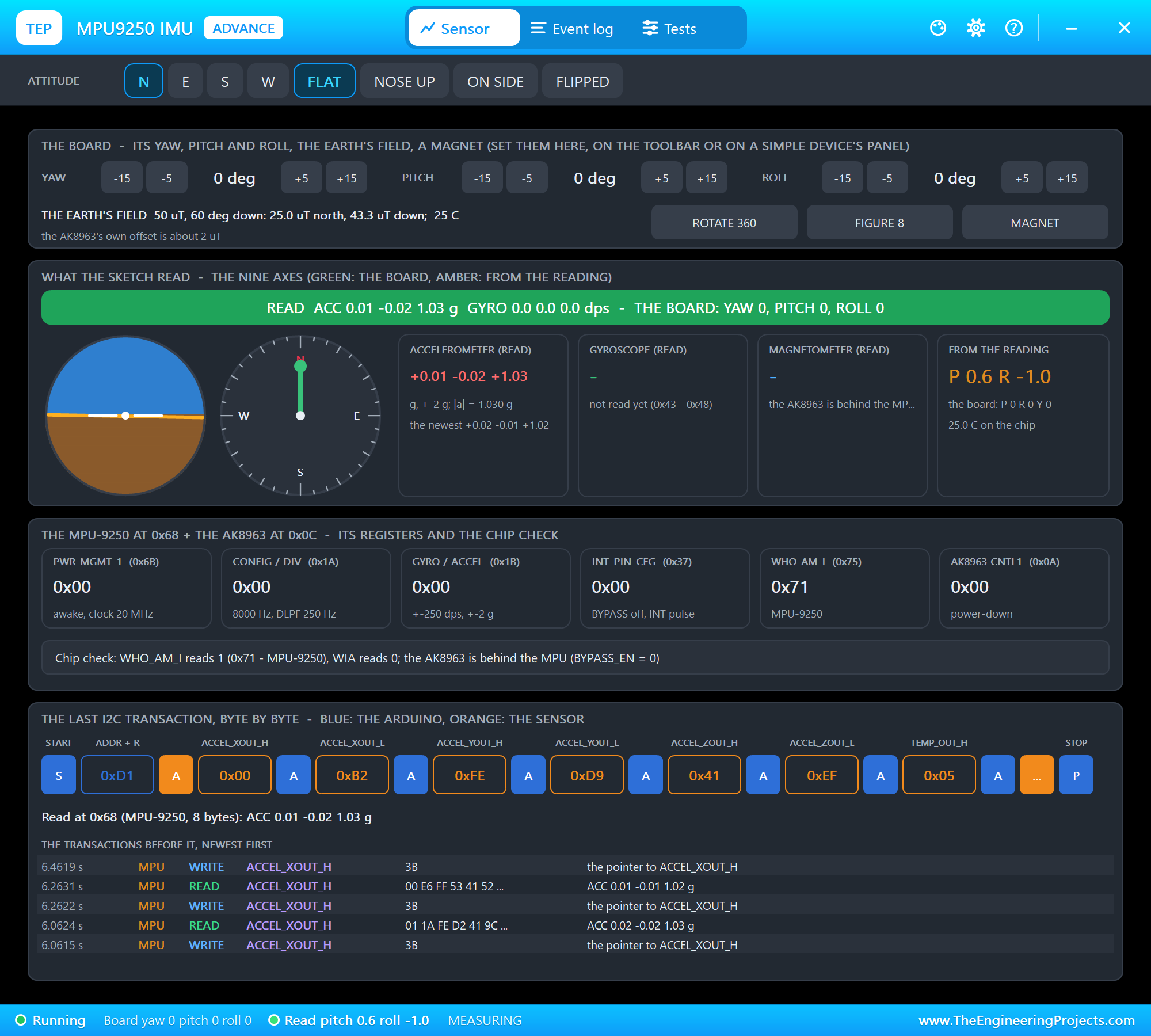
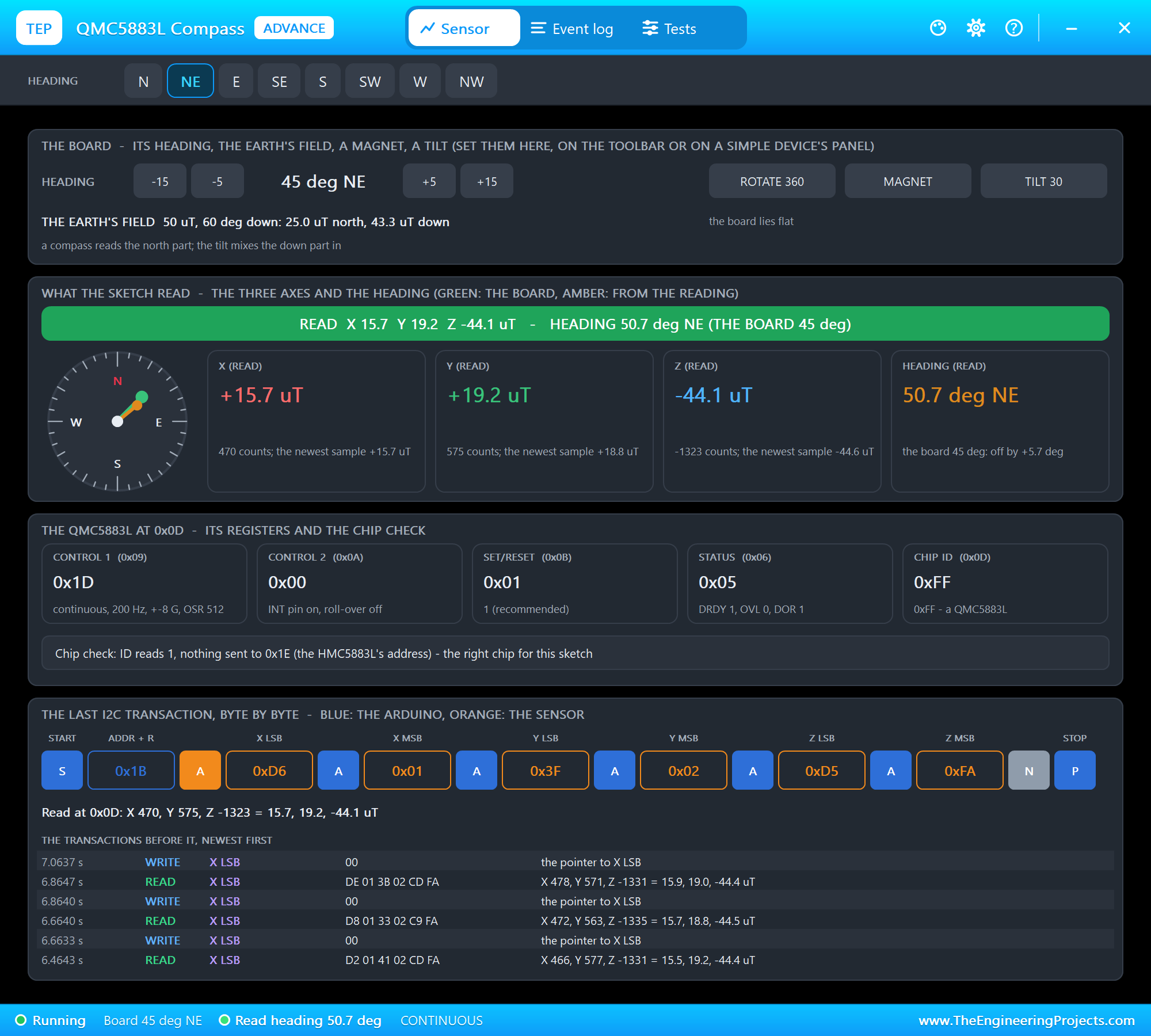
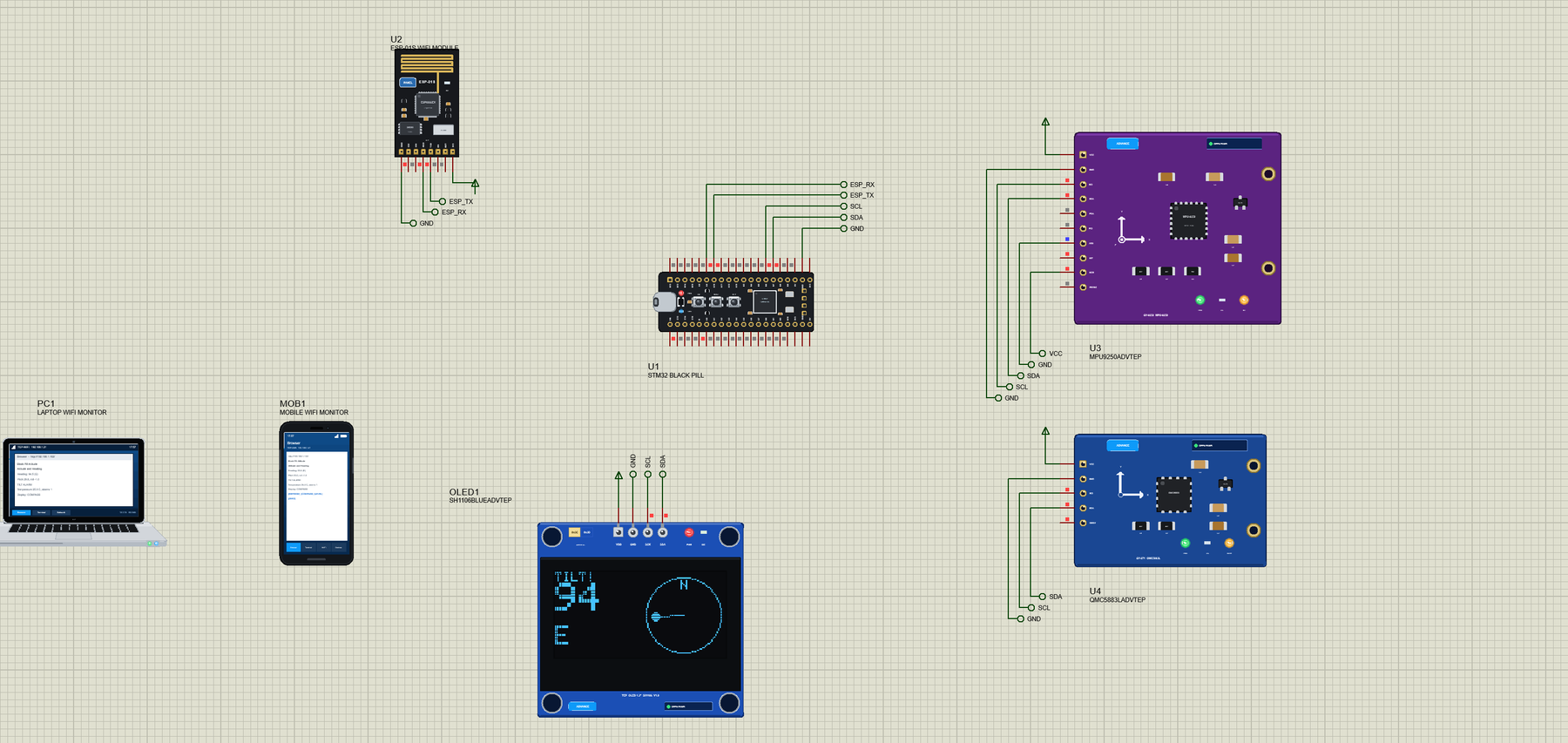
Open Black-Pill-Attitude-Compass.pdsprj. U1 runs BlackPill_Attitude_Compass.hex. U3 is the GY-9250 board from our MPU9250 Library for Proteus, U4 the QMC5883L version of the GY-271 from our GY-271 Compass Library for Proteus, OLED1 the 1.3" display from our SH1106 OLED Library for Proteus and U2 the ESP-01S from our ESP-01S Library for Proteus. The sensors and the OLED are the Advance versions: each opens its pop-up window at Run. PC1 is the Laptop WiFi Monitor and MOB1 the Mobile WiFi Monitor.
| Part | Pins | Black Pill pins | Notes |
|---|---|---|---|
| MPU9250 (U3) | SDA, SCL | PB7, PB6 | address 0x68: AD0 on GND, NCS on VCC (I2C mode) |
| GY-271 (U4) | SDA, SCL | PB7, PB6 | QMC5883L at 0x0D |
| SH1106 OLED (OLED1) | SDA, SCK | PB7, PB6 | address 0x3C |
| ESP-01S (U2) | TXD, RXD | PA10, PA9 | Serial1 at 115200, AT commands |
| All four | VCC, GND | power rail, GND | the power terminals of the demo |
Three I2C parts share two wires because each has its own address: the MPU9250 answers at 0x68, the QMC5883L at 0x0D and the SH1106 at 0x3C. The sketch reads the two sensors with Wire by hand - a register number, then a burst of bytes - which shows exactly what happens on the bus:
bool readRegs(uint8_t a, uint8_t r, uint8_t *buf, uint8_t n) {
  Wire.beginTransmission(a); Wire.write(r);
  if (Wire.endTransmission() != 0) return false;
  if (Wire.requestFrom(a, n) != n) return false;
  for (uint8_t i = 0; i < n; i++) buf[i] = Wire.read();
  return true;
}
Pitch and Roll from the MPU9250
At rest the only acceleration the MPU9250 feels is gravity, so the three axes of its accelerometer tell how it is tilted. The sketch checks WHO_AM_I (0x71 for the MPU9250), wakes the chip from sleep and sets the range to +-2 g. The MPU9250 needs up to 100 ms after power-up, so the sketch waits and tries again:
bool mpuBegin() {                                          // wake up, the accelerometer at +-2 g (16384 counts a g)
  uint8_t who;
  if (!readRegs(MPU, 0x75, &who, 1) || (who != 0x71 && who != 0x73)) return false;
  writeReg(MPU, 0x6B, 0x00);                               // PWR_MGMT_1: wake up
  writeReg(MPU, 0x1C, 0x00);                               // ACCEL_CONFIG: +-2 g
  return true;
}
One burst of 8 bytes from register 0x3B gives the three axes and the temperature. Pitch and roll follow with atan2, and the ZERO offsets let the user call any mounting position level:
void readSensors() {
  uint8_t b[8];
  if (mpuOk && readRegs(MPU, 0x3B, b, 8)) {                // ACCEL_X/Y/Z and TEMP, big-endian
    const float ax = (int16_t)(b[0] << 8 | b[1]), ay = (int16_t)(b[2] << 8 | b[3]), az = (int16_t)(b[4] << 8 | b[5]);
    pitch = atan2(ax, sqrt(ay * ay + az * az)) * 180.0 / PI - zeroPitch;   // nose up = positive
    roll = atan2(ay, az) * 180.0 / PI - zeroRoll;
    tempC = (int16_t)(b[6] << 8 | b[7]) / 333.87 + 21.0;
  }
  if (qmcOk && readRegs(QMC, 0x00, b, 6)) {                // X, Y, Z little-endian
    const float x = (int16_t)(b[1] << 8 | b[0]), y = (int16_t)(b[3] << 8 | b[2]);
    heading = atan2(y, x) * 180.0 / PI;
    if (heading < 0) heading += 360.0;
  }
}
The Heading from the GY-271
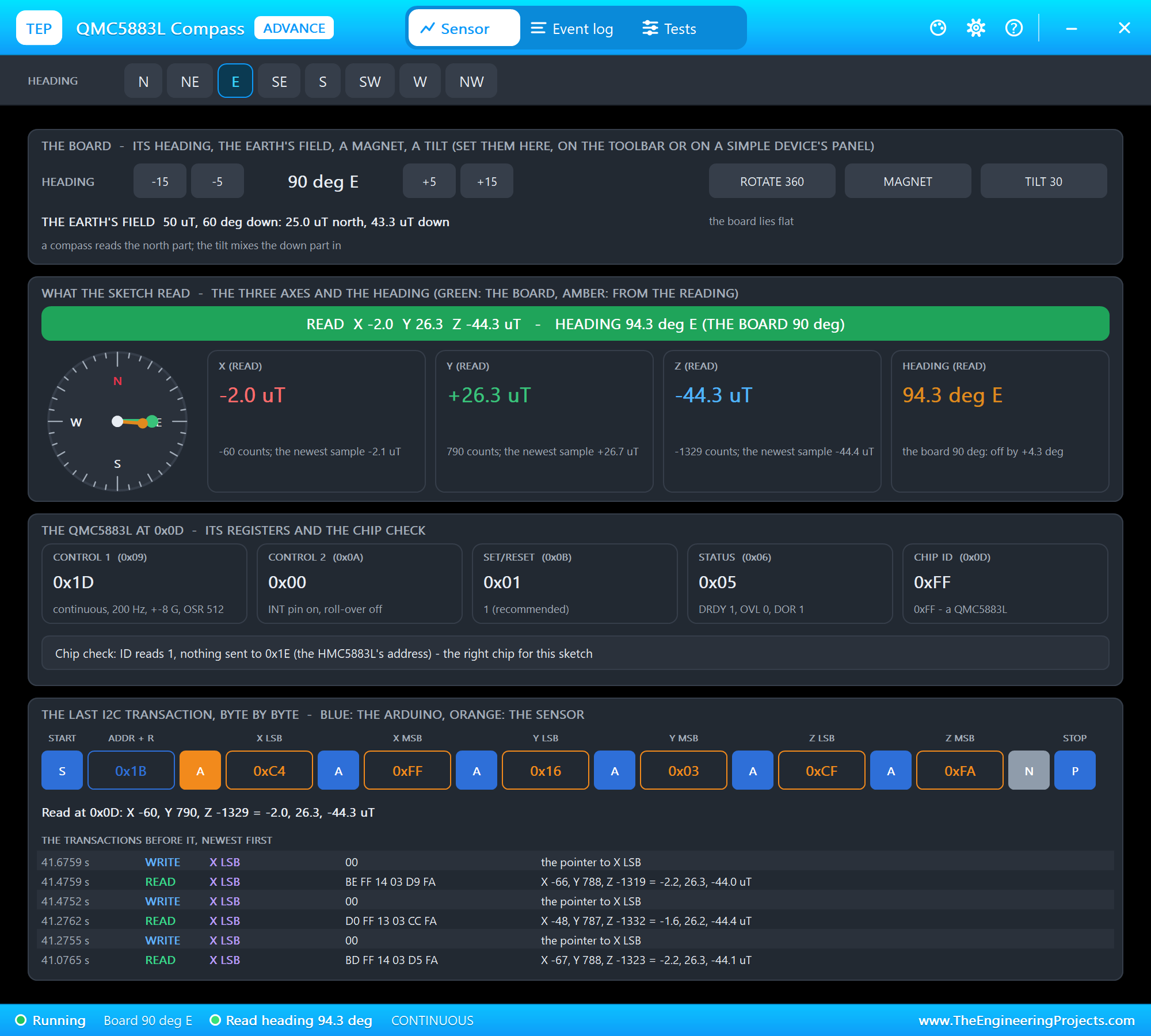
The QMC5883L measures the Earth's magnetic field on three axes. Lying flat, the X and Y components point to magnetic north, so atan2(y, x) is the heading. The chip is set up as the popular QMC5883LCompass library does it - continuous mode, 200 Hz, +-8 G - and the sketch also turns the heading into the nearest of the eight compass points:
const char *direction(float h) {                           // the nearest of the eight compass points
  static const char *const names[] = {"N", "NE", "E", "SE", "S", "SW", "W", "NW"};
  return names[(int)((h + 22.5) / 45.0) % 8];
}
A compass module also sees the magnetic fields of the board around it, so a real one is calibrated after mounting: turned once in a circle while the sketch notes the minimum and maximum of each axis. Our GY-271 Compass Library for Proteus shows how; the demo uses the plain reading, which can be a few degrees off until then.
Two Pages on the OLED
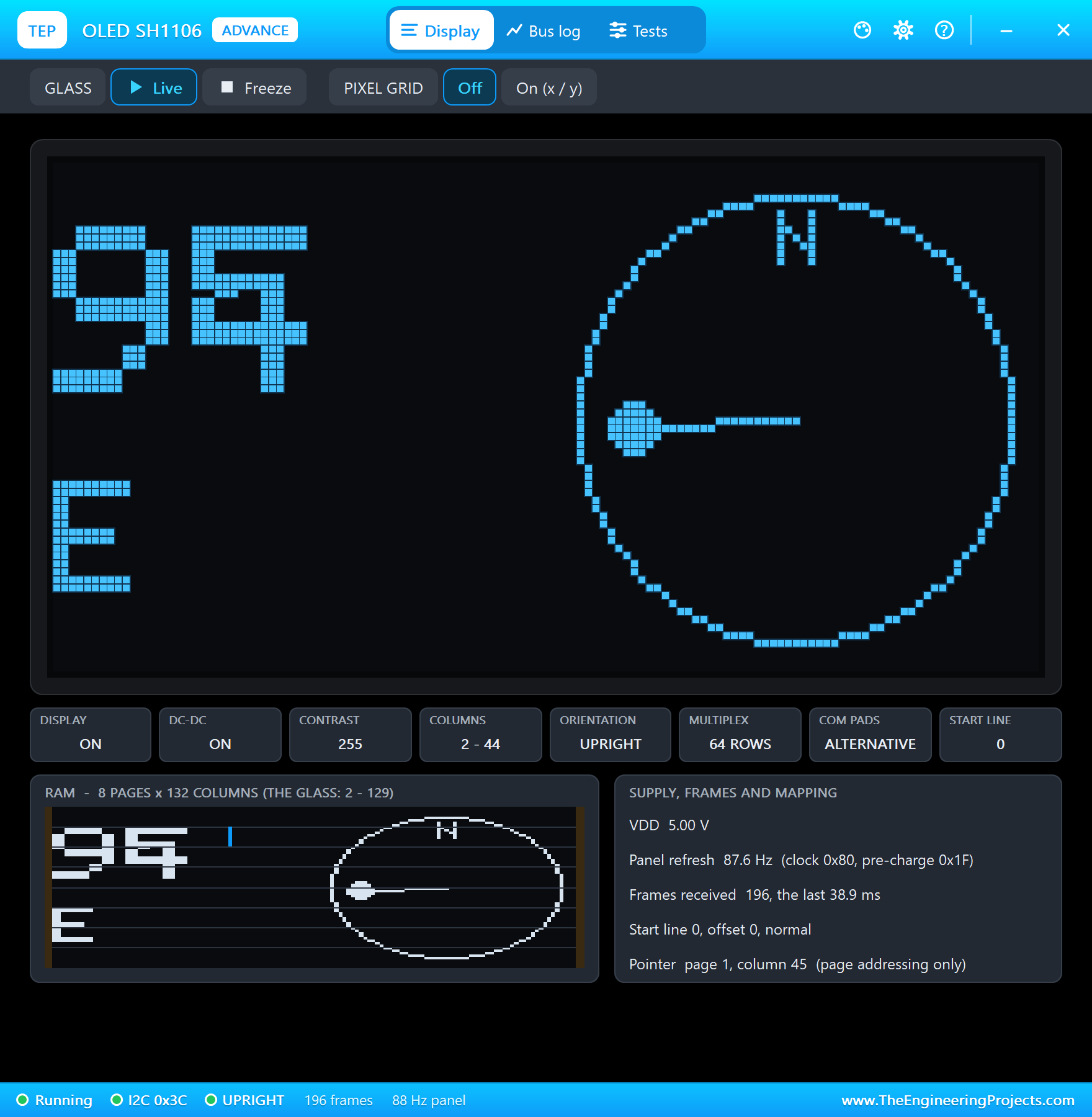
The 1.3" OLED uses the SH1106 controller, so it needs Adafruit's SH1106G driver - an SSD1306 library would show random dots. The COMPASS page prints the heading large and draws a needle that always points to north; the LEVEL page shows pitch, roll and a bubble that moves like the one in a spirit level:
void drawLevel() {
  oled.setTextSize(1);
  oled.setCursor(0, 4); oled.print(F("PITCH")); oled.setCursor(0, 34); oled.print(F("ROLL"));
  oled.setTextSize(2);
  oled.setCursor(0, 14); oled.print(pitch, 1); oled.setCursor(0, 44); oled.print(roll, 1);
  oled.drawCircle(96, 32, 28, SH110X_WHITE); oled.drawCircle(96, 32, 8, SH110X_WHITE);
  const int bx = 96 + (int)constrain(roll * 0.8, -24.0, 24.0), by = 32 + (int)constrain(pitch * 0.8, -24.0, 24.0);
  oled.fillCircle(bx, by, 5, SH110X_WHITE);
}
The KEY button on PA0 switches the pages. The sketch watches for the press, not the level, so one press is one page change however long the finger stays on the button:
  const bool key = digitalRead(USER_BTN) == LOW;
  if (key && !keyWas) setPage(page == COMPASS ? LEVEL : COMPASS, F("KEY"));
  keyWas = key;
The Tilt Alarm
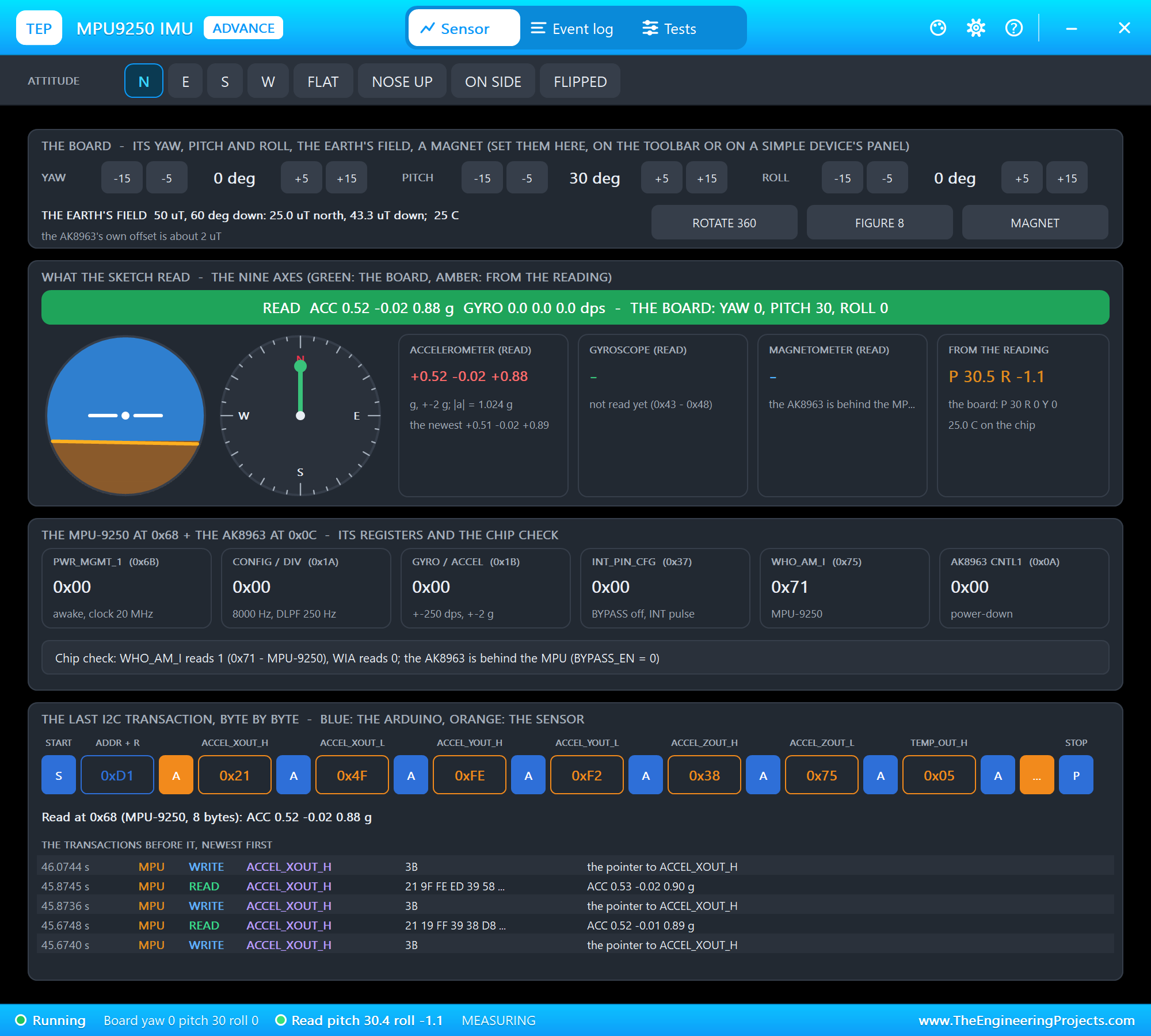
Five times a second the sketch compares the pitch and the roll with 20 degrees. Above it the alarm starts, the OLED shows TILT! and the blue C13 LED blinks; below it the LED stays on. On the Black Pill the LED lights when PC13 is LOW, so ON means writing LOW:
digitalWrite(LED_BUILTIN, tilted ? (millis() / 150) % 2 : LOW); // blinking at the alarm, on otherwiseWi-Fi Through the ESP-01S
The ESP-01S runs Espressif's AT firmware: the Black Pill sends text commands on Serial1 and reads the answers. AT+CWJAP joins the router, AT+CIFSR gives the address, AT+CIPMUX=1 and AT+CIPSERVER=1,80 start a web server. A request arrives as +IPD with its link number; the sketch answers with AT+CIPSEND and the page, then closes the link:
void startWifi() {
  for (byte i = 0; i < 10 && !command("AT", 500); i++) delay(500);
  command("ATE0");                                         // no echo
  command("AT+CWMODE=1");                                  // station
  Serial.print(F("Joining ")); Serial.print(WIFI_SSID); Serial.print(F("... "));
  char join[64];
  snprintf_P(join, sizeof join, PSTR("AT+CWJAP=\"%s\",\"%s\""), WIFI_SSID, WIFI_PASS);
  Serial.println(command(join, 20000) ? F("connected") : F("FAILED"));
  char answer[48];
  if (command("AT+CIFSR", 2000, "+CIFSR:STAIP,", answer, sizeof answer)) {
    const char *q = strchr(answer, '"');
    if (q) { strncpy(ip, q + 1, sizeof ip - 1); ip[sizeof ip - 1] = '\0'; char *e = strchr(ip, '"'); if (e) *e = '\0'; }
  }
  command("AT+CIPMUX=1");                                  // several connections - needed for the server
  command("AT+CIPSERVER=1,80");
  Serial.print(F("Attitude page: http://")); Serial.print(ip); Serial.println('/');
}
Run the Demo
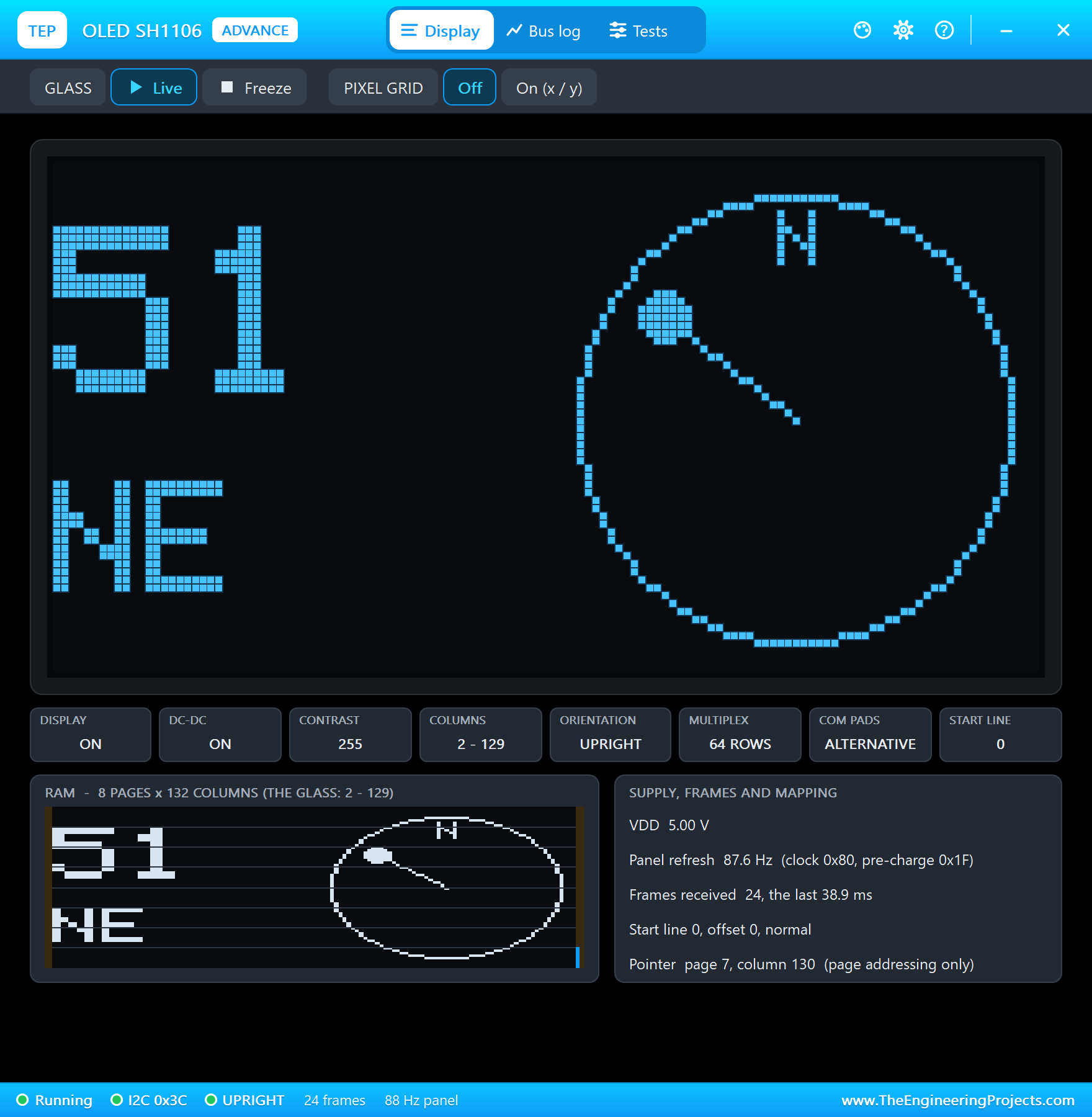
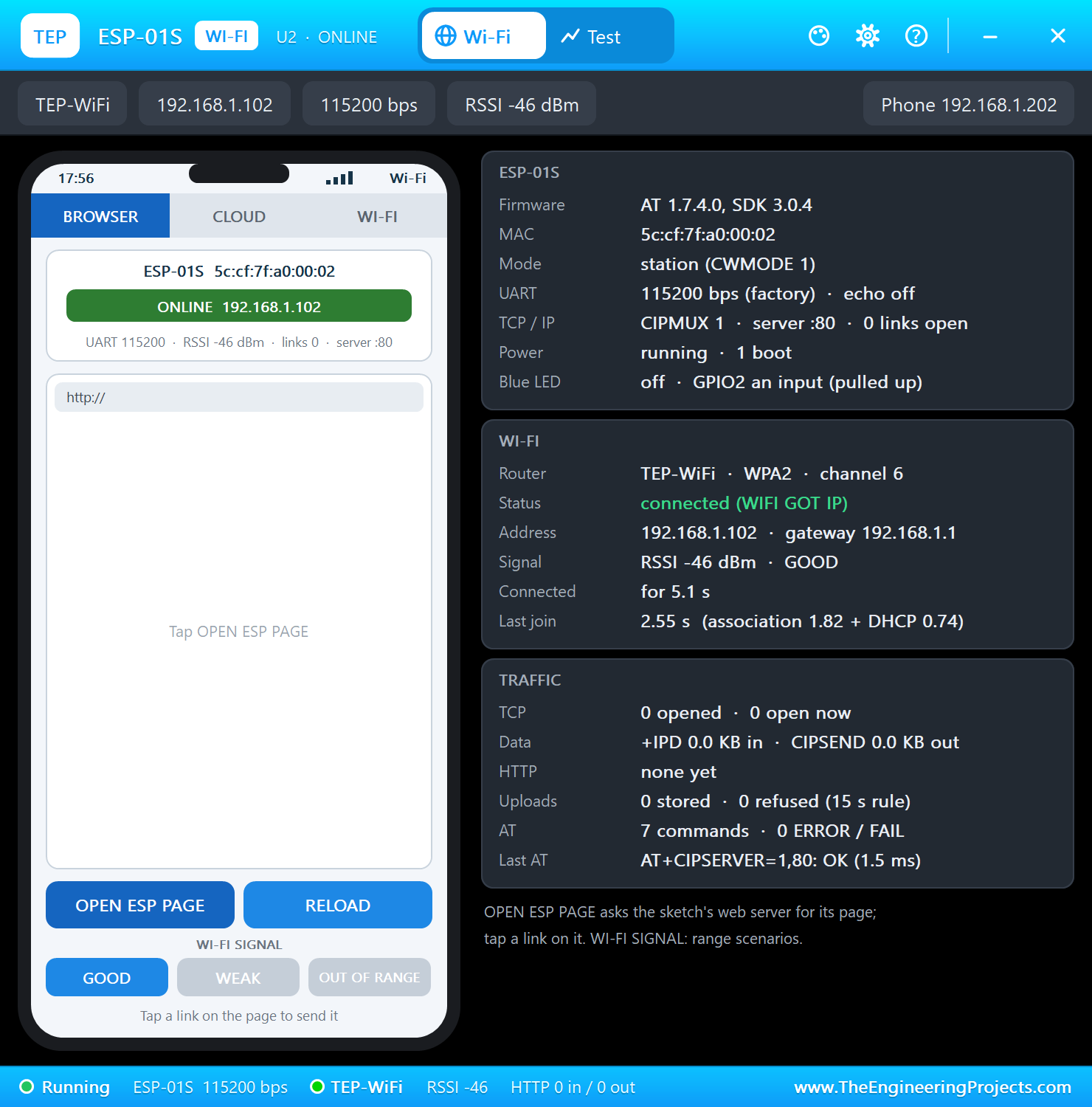
Press Run. The serial monitor opens, the three I2C parts answer, the ESP-01S joins TEP-WiFi and the status lines begin:
Black Pill Attitude & Heading Display - The Engineering Projects
MPU9250 ready, QMC5883L ready, SH1106 ready
Joining TEP-WiFi... connected
Attitude page: http://192.168.1.102/
Heading 50.3 (NE)  pitch 1.0  roll -0.9  25.0 C  level
Heading 50.1 (NE)  pitch 1.0  roll -1.2  25.0 C  level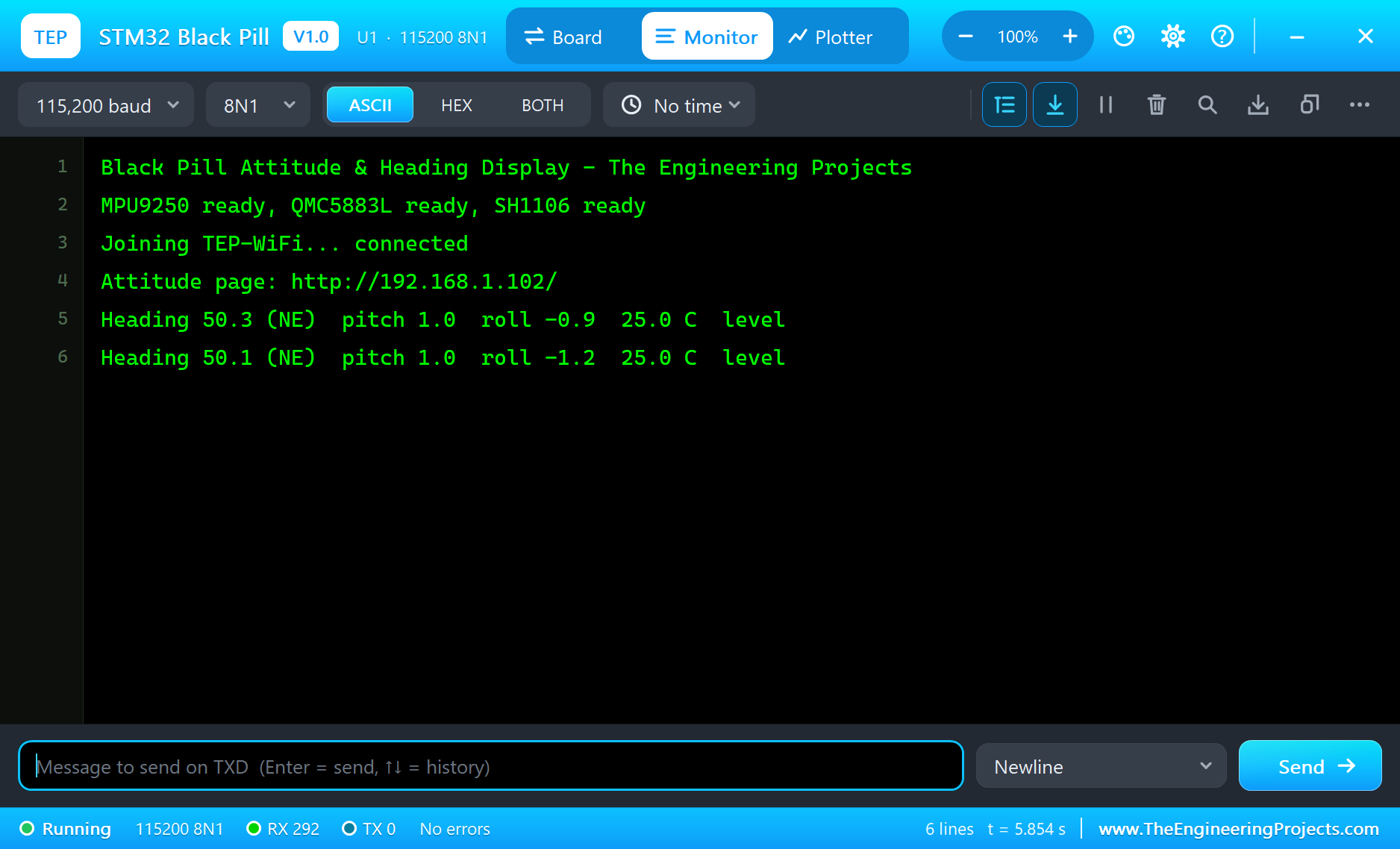
Open the Page
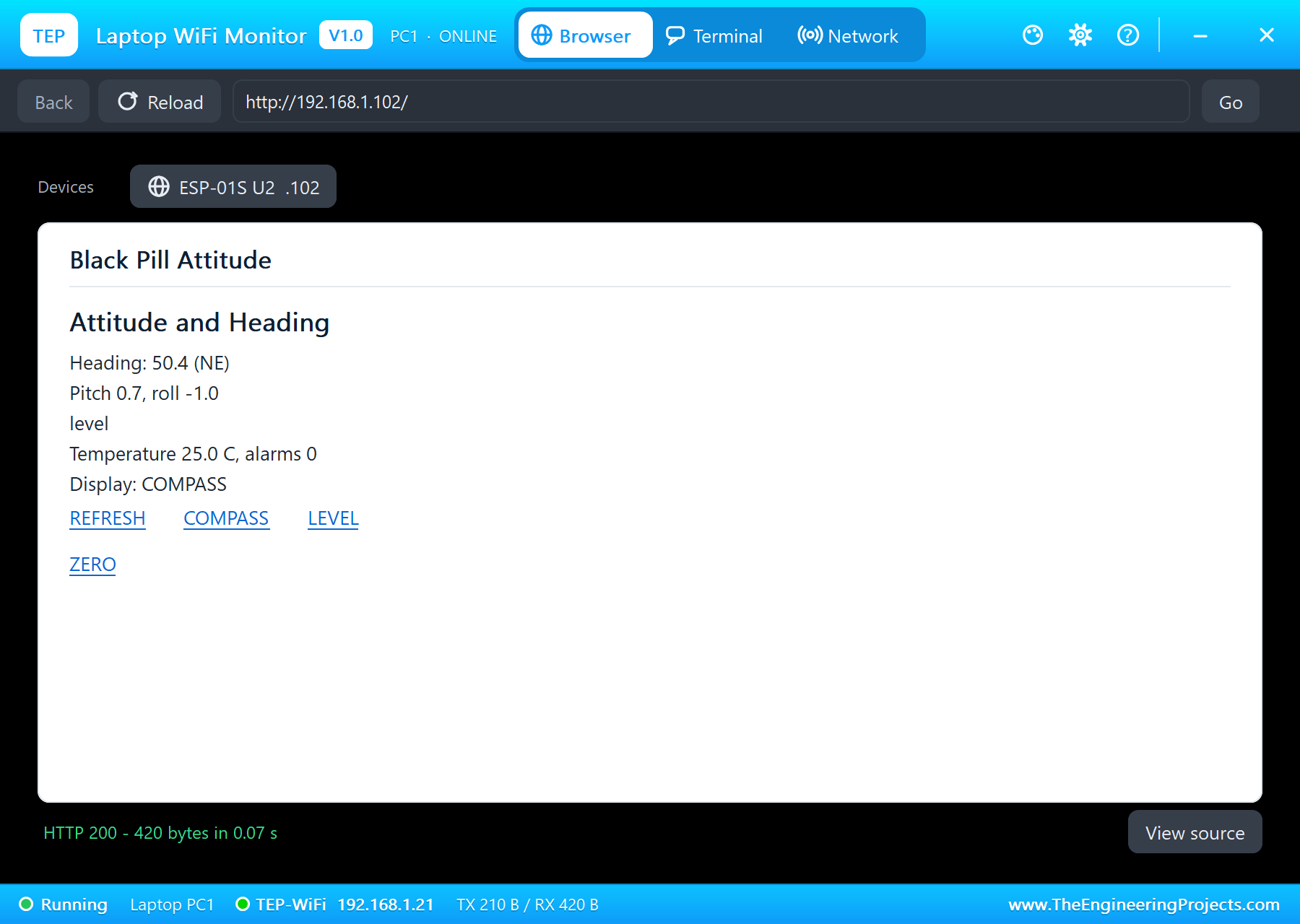
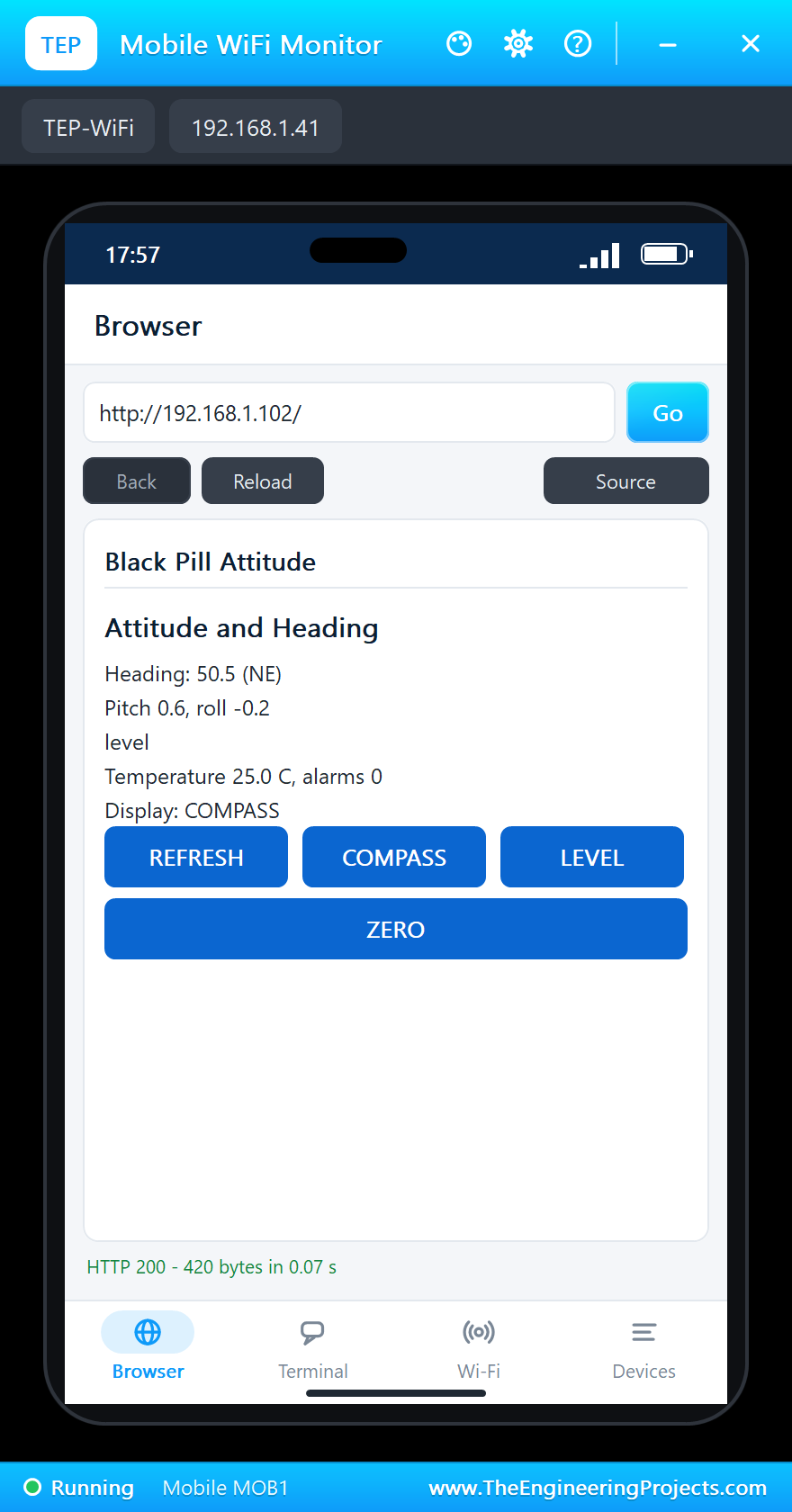
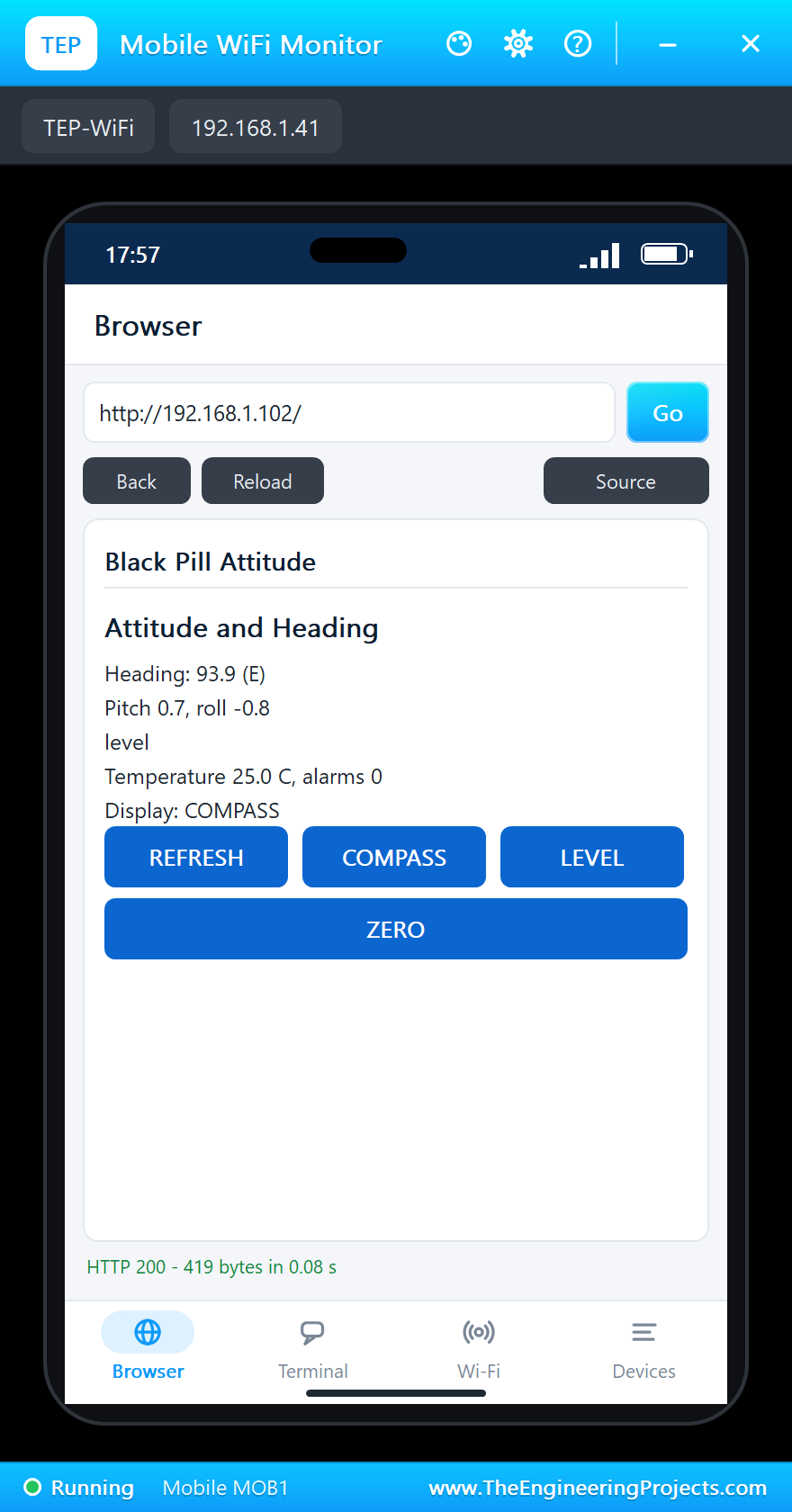
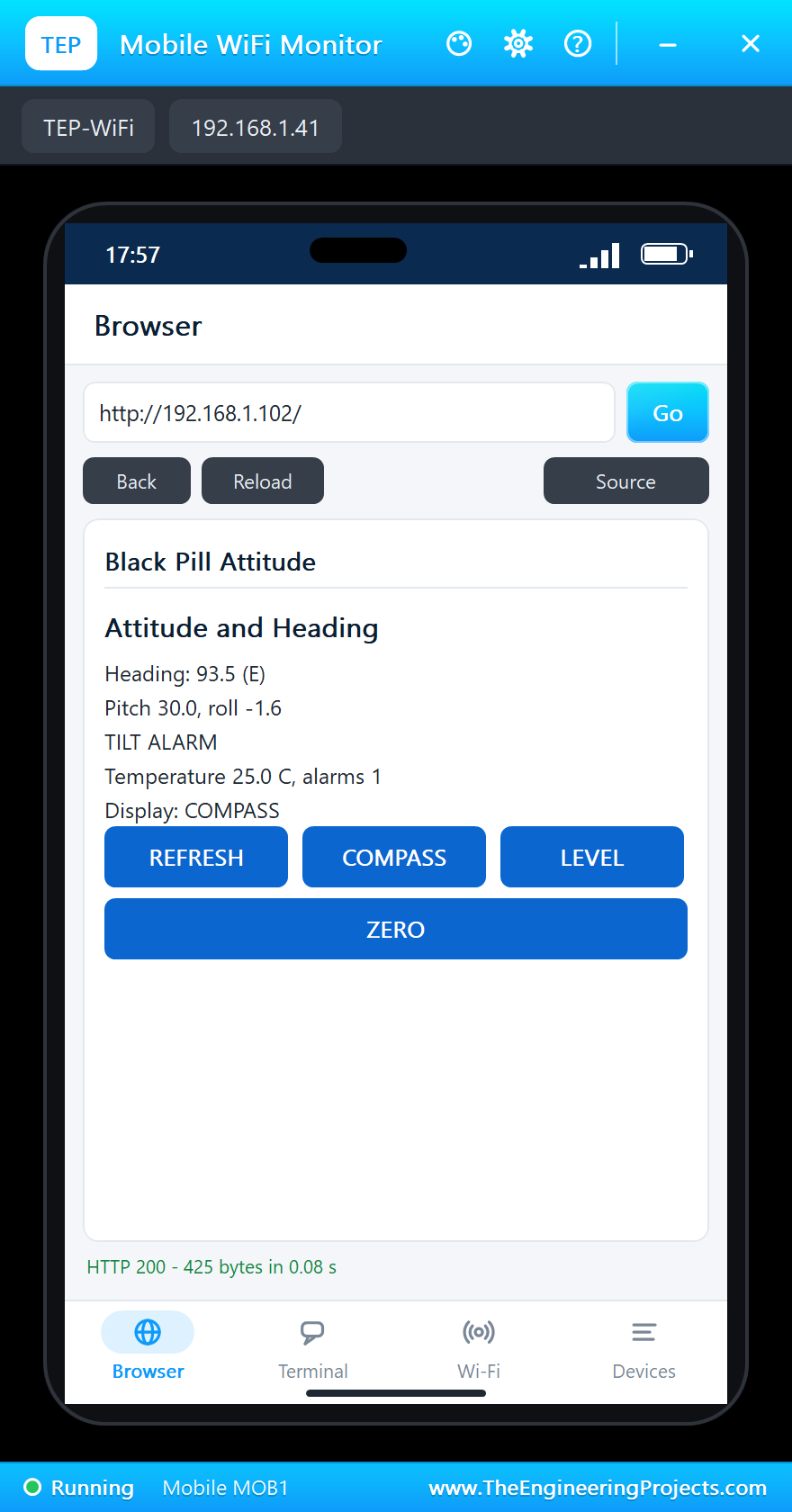
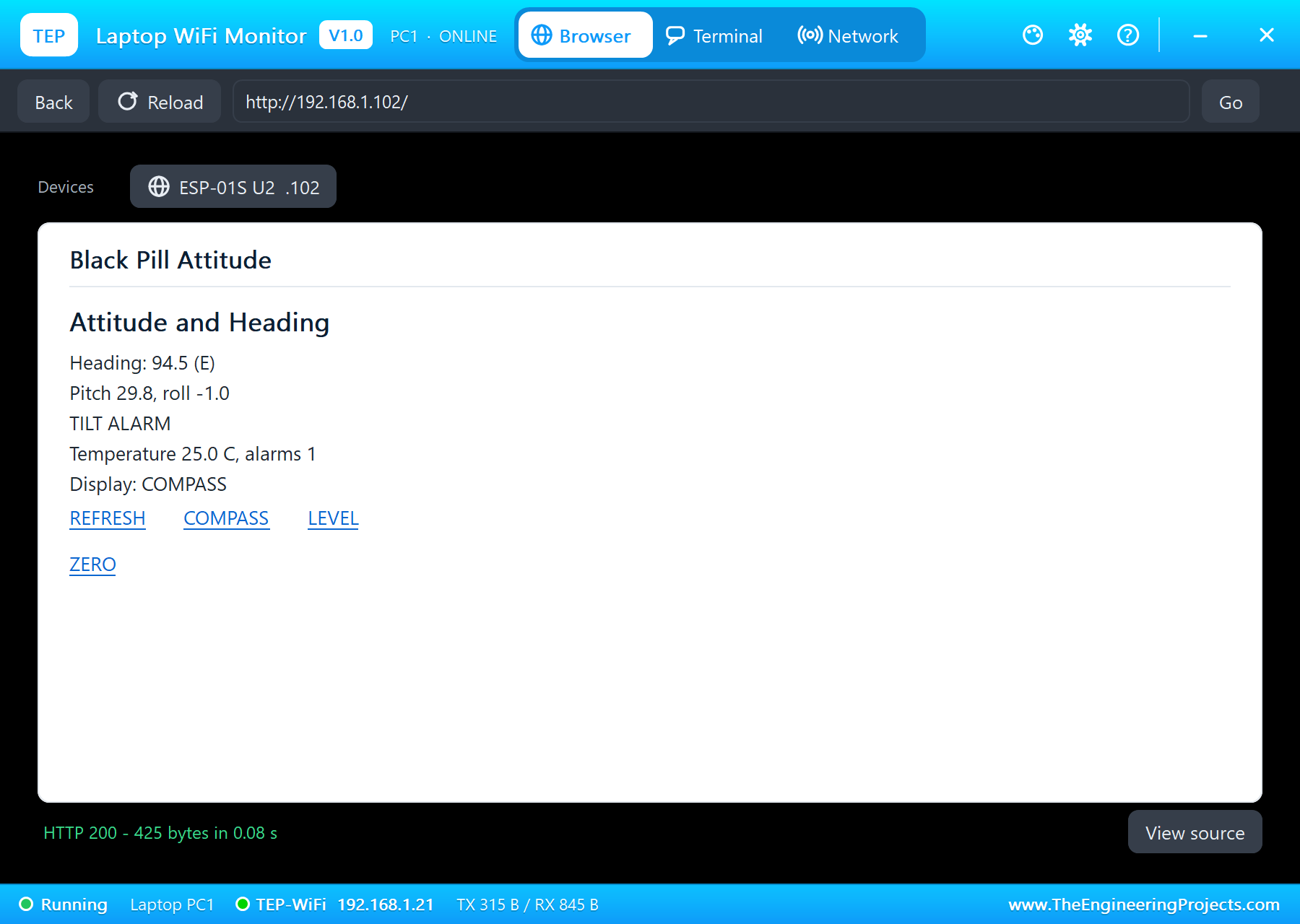
On the laptop click Browser and Go; on the phone the same - both open http://192.168.1.102/, the ESP-01S's address:
Turn to the East
Click E on the GY-271's pop-up: the module now points east. The heading moves to about 90 degrees and the needle turns:
Tilt It
On the MPU9250's pop-up click PITCH +15 twice: 30 degrees nose up. The sketch reports a TILT ALARM, the C13 LED blinks and the page says TILT ALARM:
The Level Page and ZERO
Tap LEVEL on the phone: the OLED shows the bubble, far off the centre, and the page says Display: LEVEL:
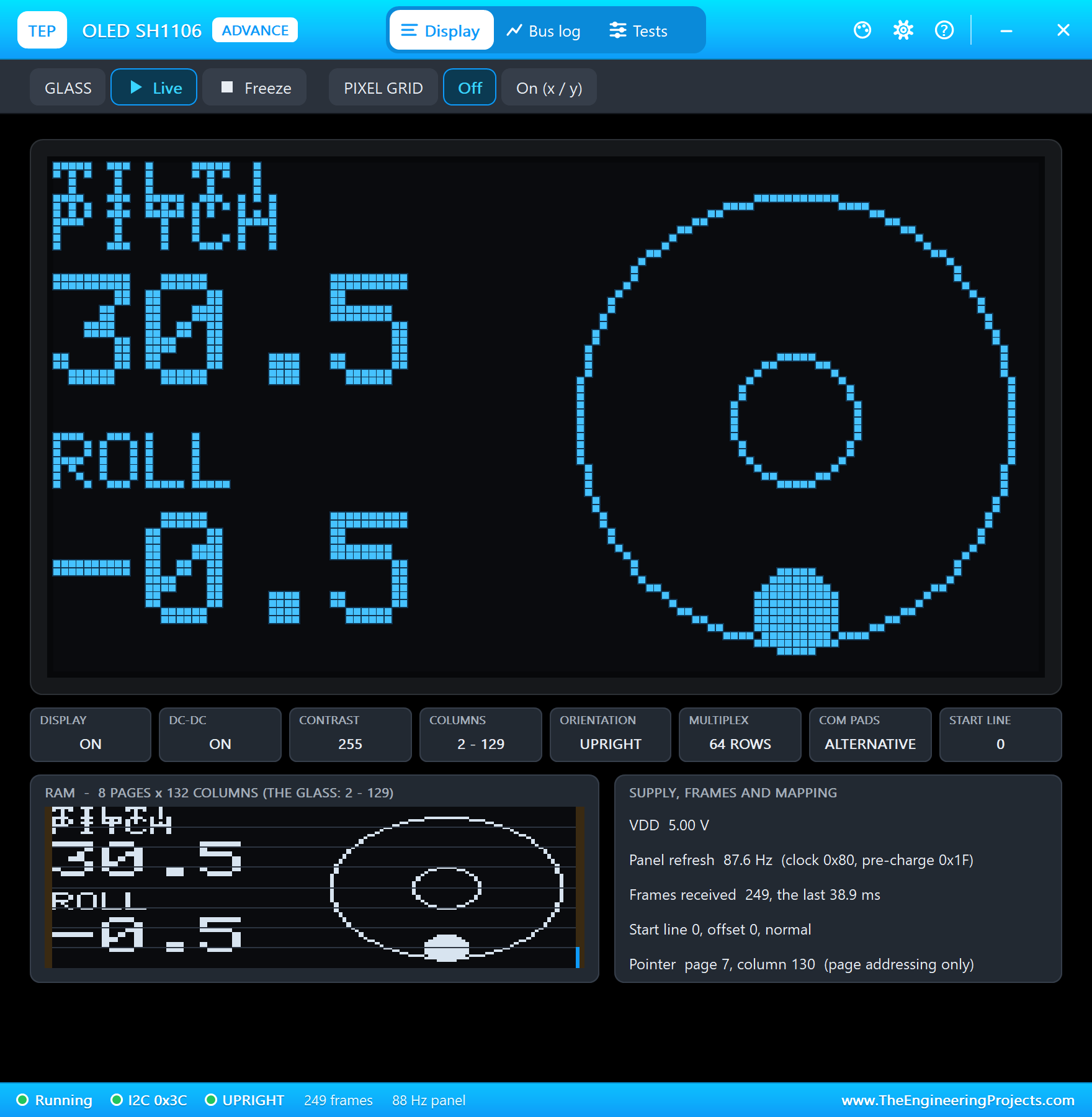
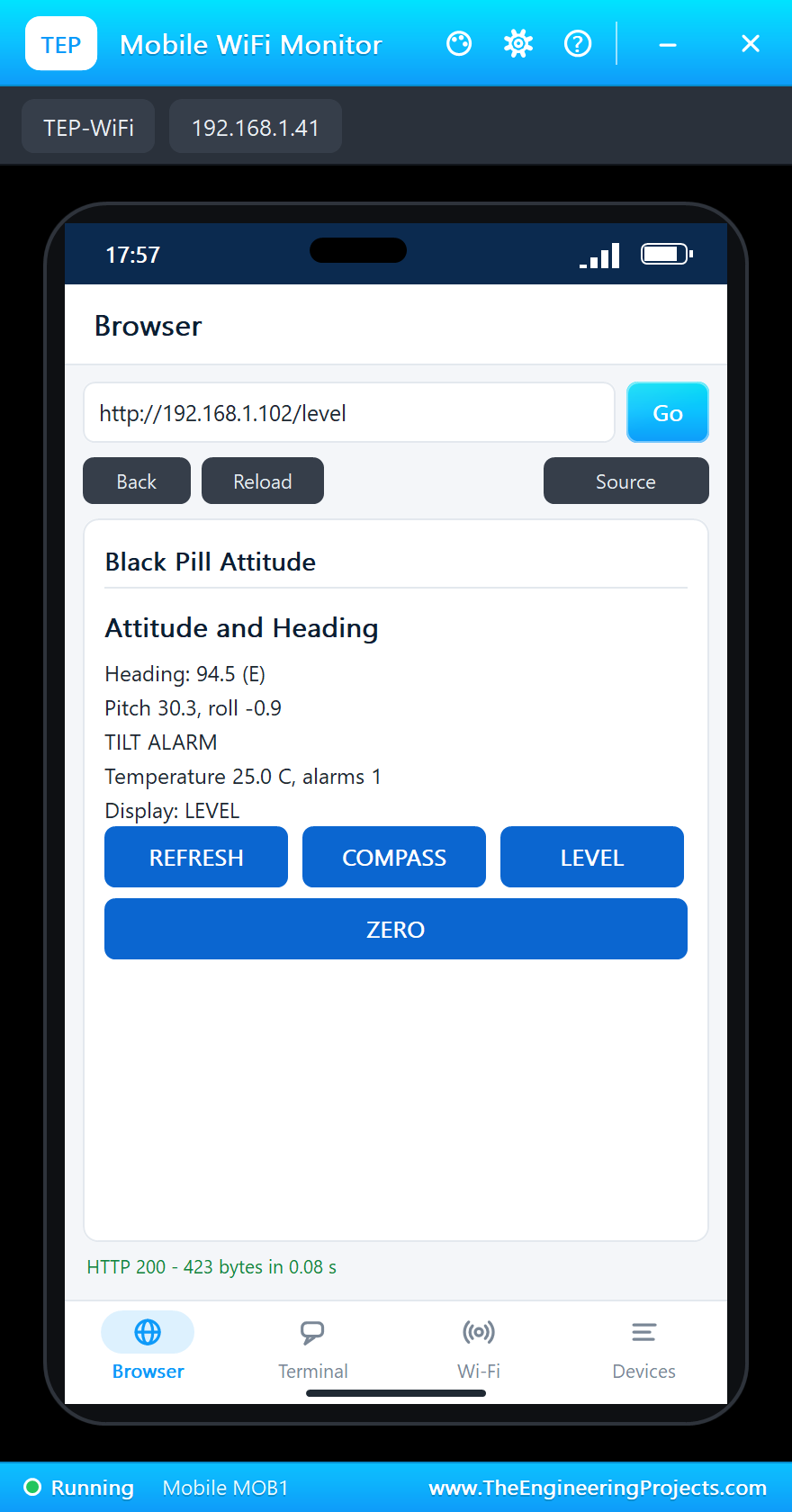
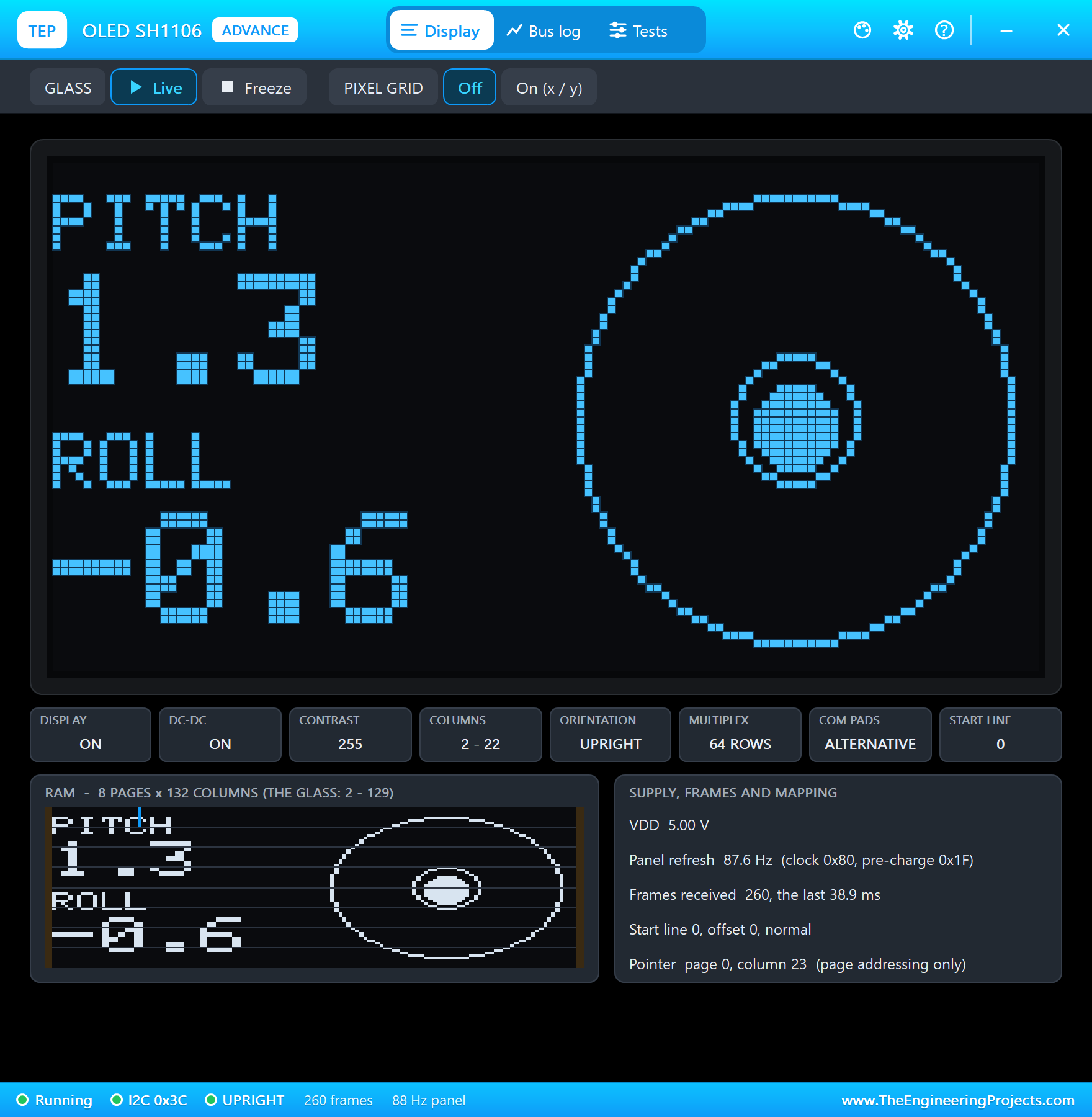
Click FLAT on the MPU9250: level again, the bubble back in the middle and the C13 LED steady. A real mount is rarely perfectly level, so ZERO takes the pitch and roll of that moment as the new zero; the monitor prints the offsets it stored:
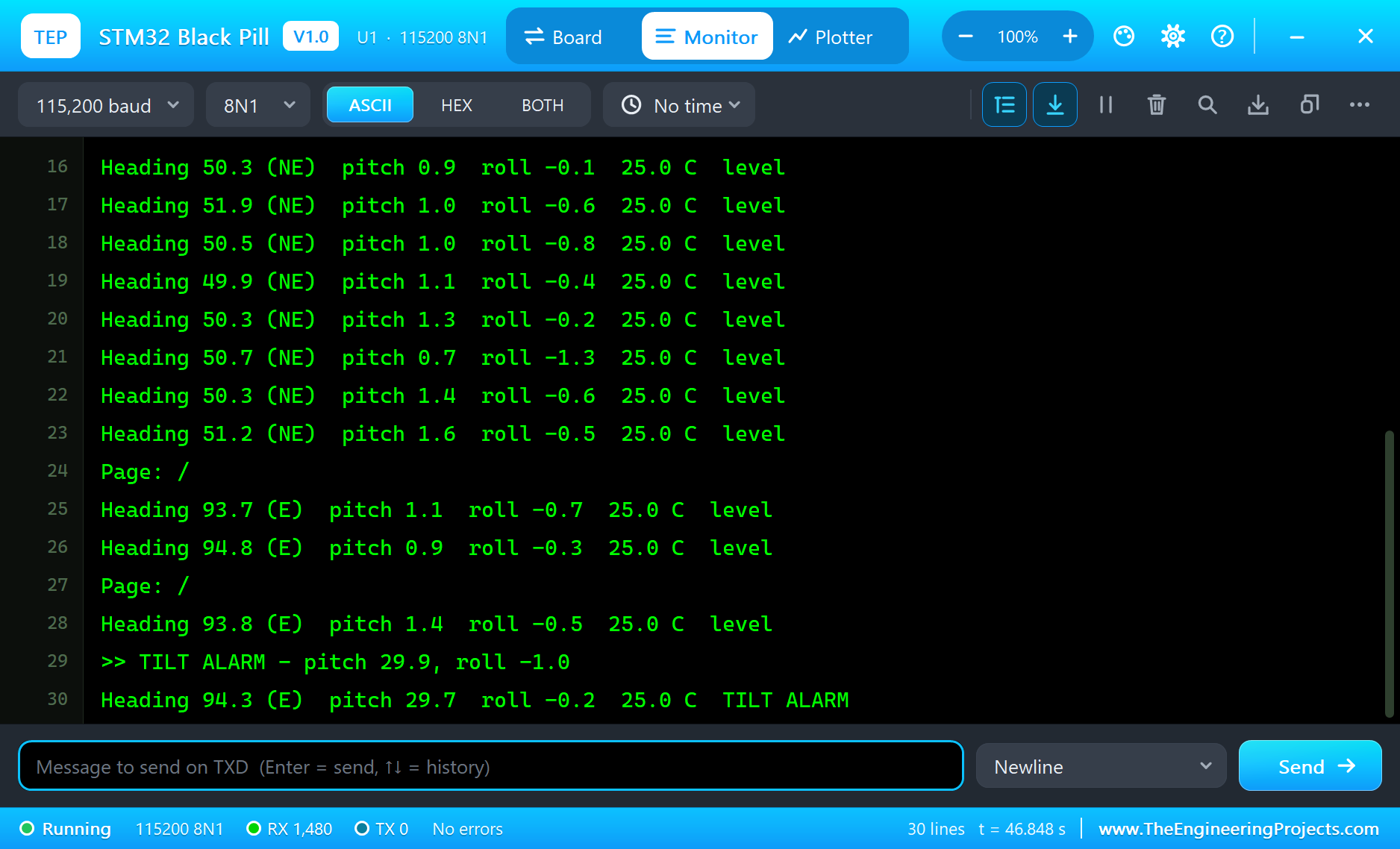
The built-in serial monitor, in the look of our TEP Serial Monitor Advance for Proteus, logs every event:
Heading 93.8 (E)  pitch 1.4  roll -0.5  25.0 C  level
>> TILT ALARM - pitch 29.9, roll -1.0
Heading 94.3 (E)  pitch 29.7  roll -0.2  25.0 C  TILT ALARM
Heading 93.5 (E)  pitch 30.0  roll -1.6  25.0 C  TILT ALARM
Page: /
Page: /level
Page: LEVEL page
Heading 94.4 (E)  pitch 30.7  roll -0.7  25.0 C  TILT ALARM
>> level again
Heading 93.6 (E)  pitch 8.9  roll -1.0  25.0 C  level
Heading 94.1 (E)  pitch 1.0  roll -0.4  25.0 C  level
Page: /zero
Level zeroed (offsets 1.1, -0.8)
Heading 94.5 (E)  pitch -0.1  roll 0.5  25.0 C  level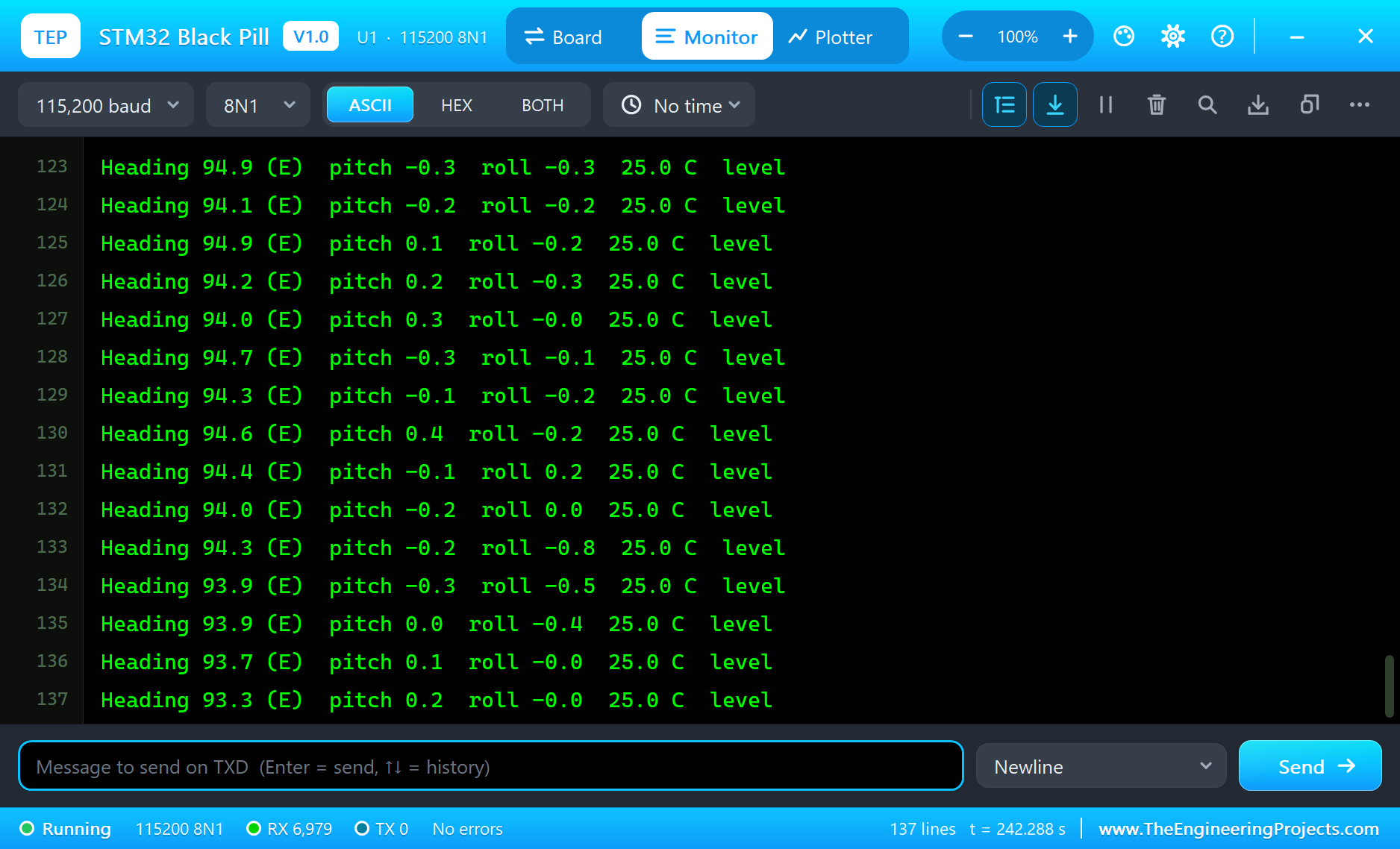
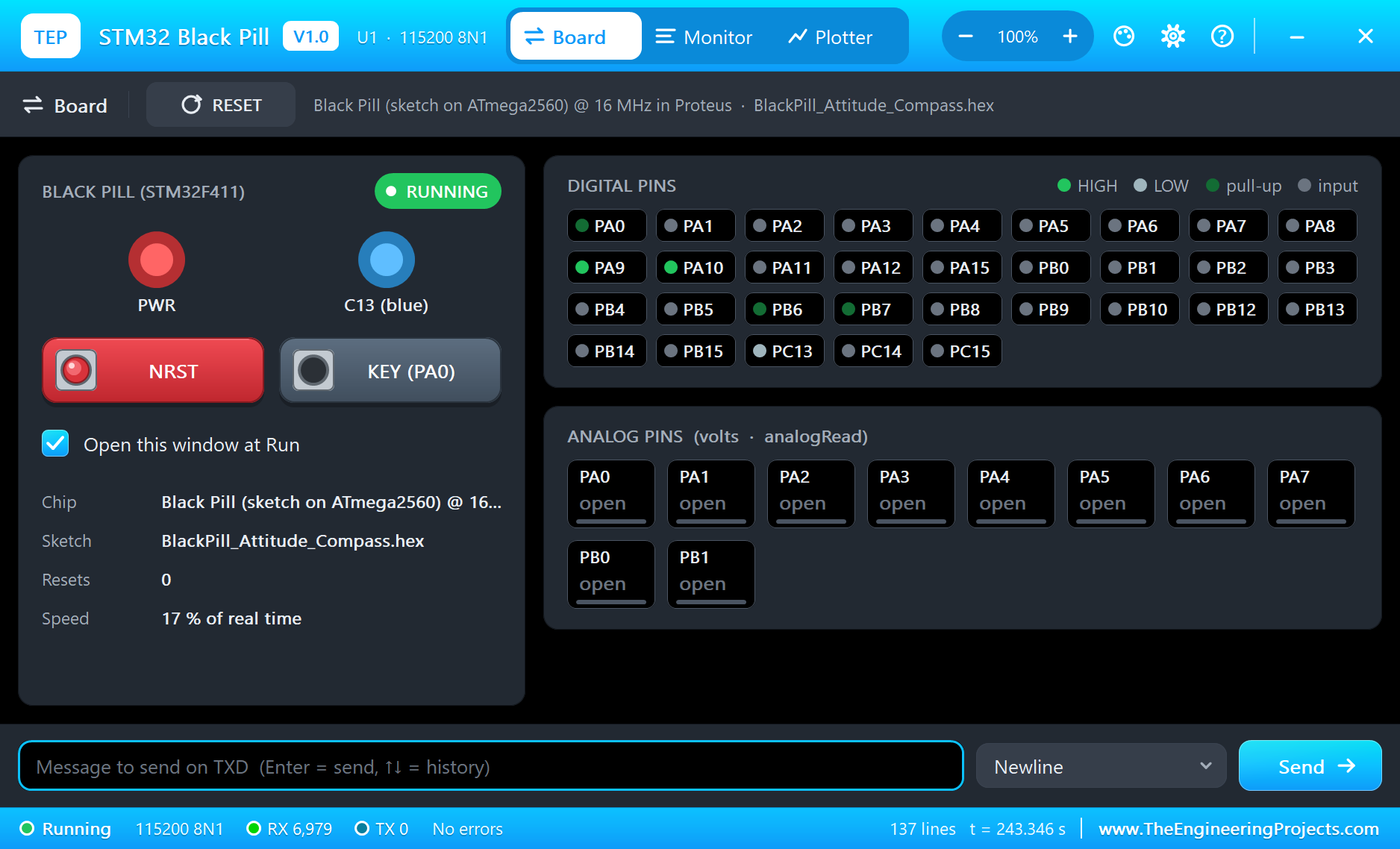
Try It Yourself
- Click ROLL +15 twice on the MPU9250: the alarm works on the roll too.
- Click the other compass points on the GY-271 and watch the needle and the direction letters.
- Type
PAGE,ZEROorSTATUSin the monitor, or an AT command for the ESP-01S. - Change
TILT_LIMITand rebuild the sketch.
Ideas to Extend the Display
- Tilt-compensate the heading: use the pitch and the roll to turn the magnetic vector back to level before atan2.
- Use the MPU9250's own magnetometer (the AK8963 inside it) and compare the two compasses.
- Log the heading and the attitude to an SD card for a trip recorder.
- Send an alarm to a phone with an HTTP request when the tilt lasts longer than a few seconds.
Your Own Sketches
Write the sketch in the Arduino IDE with the board STM32 Black Pill F411 (TEP Proteus), use Sketch > Export Compiled Binary and set the board's PROGRAM property to the .hex. For a real Black Pill install STM32duino ("STM32 MCU based boards") and select the BlackPill F411CE - the same sketch, with the same pin names.
Things to Know Before Using a Real Black Pill
- Uploading: hold BOOT0, tap NRST and release BOOT0 - the chip appears as a DFU device on USB-C.
- 3.3 V pins: most pins tolerate 5 V, but not the analog ones; keep sensors on 3V3.
- The C13 LED: it is wired to 3V3, so it lights when the pin is LOW.
- The ESP-01S: it needs its own 3.3 V regulator that gives 300 mA peaks; the Black Pill's regulator is too small.
- Pull-ups: the I2C bus needs pull-up resistors; the GY-271, GY-9250 and OLED boards bring their own.
Properties of the STM32 Black Pill
| Property | What it does |
|---|---|
| PROGRAM | the sketch: a .hex from TEP Boards for Proteus (board "STM32 Black Pill F411") |
| MONITOR, BAUD, AUTOOPEN | the built-in serial monitor: on, its baud rate (115200), open at Run |
Troubleshooting
- "MPU9250 NOT FOUND": SDA on PB7, SCL on PB6, AD0 on GND, NCS on VCC; give it 100 ms after power-up.
- The ESP-01S does not answer: its VCC needs a digital supply (the power terminal); TXD to PA10, RXD to PA9.
- "Joining TEP-WiFi... FAILED": the sketch's SSID and password must match the ESP-01S's WIFISSID and WIFIPASS.
- The OLED shows random dots: it is an SH1106 - use Adafruit_SH1106G, not an SSD1306 driver.
- The page shows old values: use REFRESH; the monitors do not reload by themselves.
Limitations of the Simulation
- Your sketch gets 8 KB of RAM in the simulation and runs slower than on the STM32F411 at 100 MHz with 128 KB.
- The STM32's own peripherals (HAL, timers by register, DMA, the USB device, the RTC) and BOOT0 are not modelled.
- The router, the addresses and the windows are TEP additions.
- STM32 is a trademark of STMicroelectronics and Black Pill is WeAct Studio's board; this library is not made or endorsed by them or by Labcenter.
- Tested in Proteus 8.5 in October 2026 (the demo as shipped, about 244 s of simulation in 1275 s on our PC with the four pop-ups, the monitor and both tools open). Proteus 7 is not supported.
So, that was all about the STM32 Black Pill Library for Proteus. I hope it helps you build and test your STM32 projects before you touch the hardware - three I2C parts, a display with two pages, a button, an alarm and a web page through an ESP-01S in one simulation. If you have any questions, ask in the comments and I will help you out. Till the next tutorial, take care and have fun!

Comments
0