


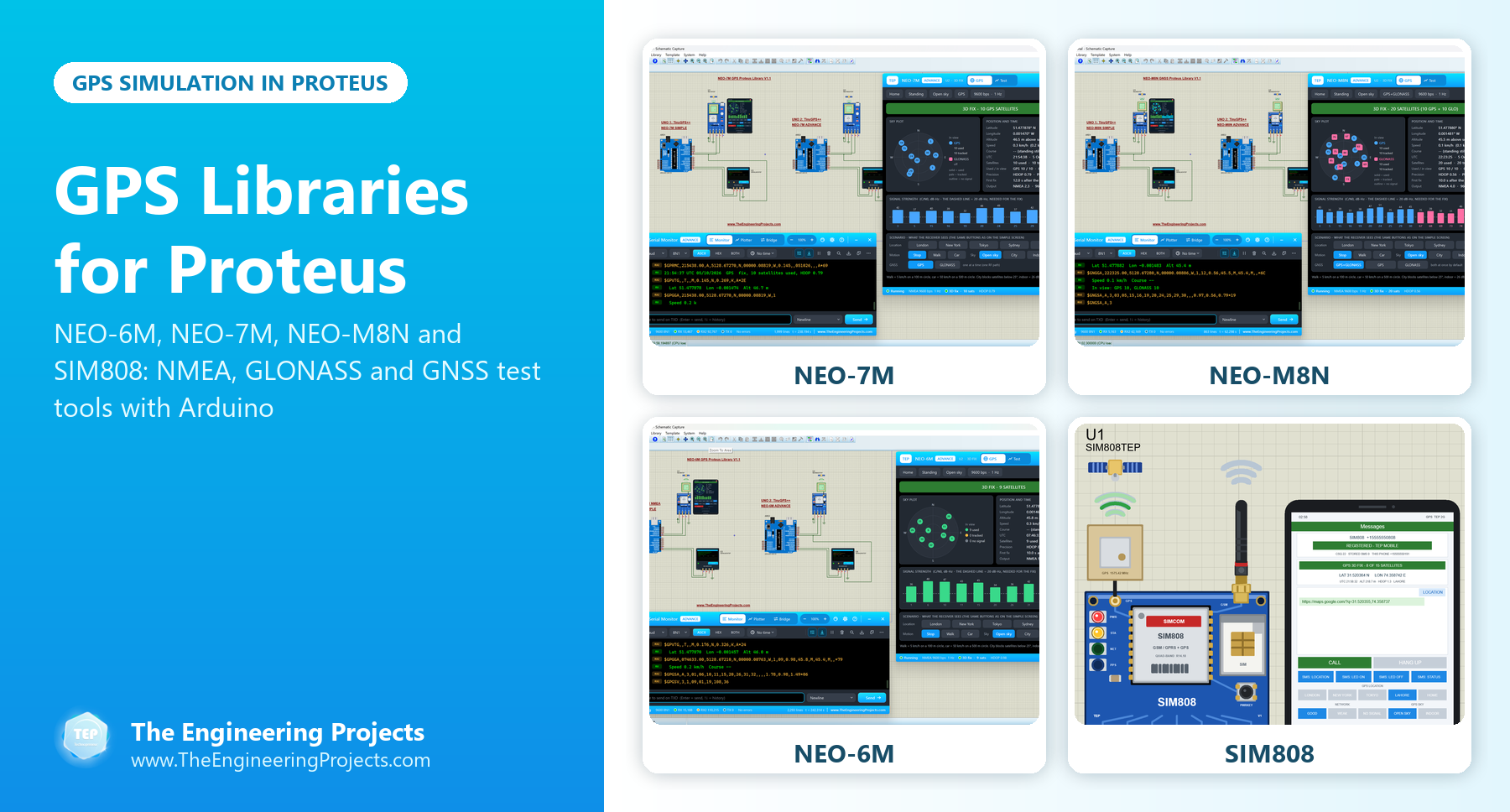
GPS Libraries for Proteus: NEO-6M, NEO-7M and NEO-M8N Simulation with Arduino


Hello friends, I hope you all are doing great. Today, I am going to share a list of GPS Libraries for Proteus. A GPS module tells your Arduino where it is, how fast it is moving and the exact time, so it is the heart of every tracker, navigation robot, drone and data logger. In this list, you will find all the GPS modules our team has designed for Proteus, from our very first GPS library to the new u-blox NEO modules with GLONASS.
Testing a GPS project on real hardware is slow: you have to sit next to a window, wait for a satellite fix and walk around the block to see whether your code handles movement. Our GPS libraries remove that wait. They send real NMEA sentences to your Arduino, give you a fix in a few seconds, and let you move the module to another city, drive it in a car or take it between tall buildings with one click.
As always, the newest libraries are at the top: NEO-7M, NEO-M8N, NEO-6M and the SIM808 with its built-in GPS. After them, you will find our first GPS library and a short guide to NMEA sentences, which every GPS project uses. If this is your first third-party library, read How to Add New Library in Proteus 8 first. So, let's get started with the GPS Libraries for Proteus:
GPS Libraries for Proteus at a Glance
Here is a quick comparison of the GPS modules in this list:
| Library | Satellite systems | Devices | Test tools | Arduino example |
|---|---|---|---|---|
| NEO-7M V1.1 | GPS or GLONASS, one at a time | Simple and Advance | Five, with a Constellations test | Two UNOs with TinyGPS++ |
| NEO-M8N V1.1 | GPS and GLONASS together | Simple and Advance | Five, with a Constellations test | Two UNOs with TinyGPS++ |
| NEO-6M V1.1 | GPS | Simple and Advance | Four: TTFF, accuracy, NMEA check and route | Raw NMEA and TinyGPS++ |
| SIM808 V1.1 | GPS, plus a GSM modem | Simple and Advance | Five, with a GPS fix test (cold, warm and hot starts) | An SMS GPS tracker |
| GPS Library | GPS (fixed sample data) | One device | None | See the interfacing tutorial |
1. NEO-7M GPS Library for Proteus V1.1
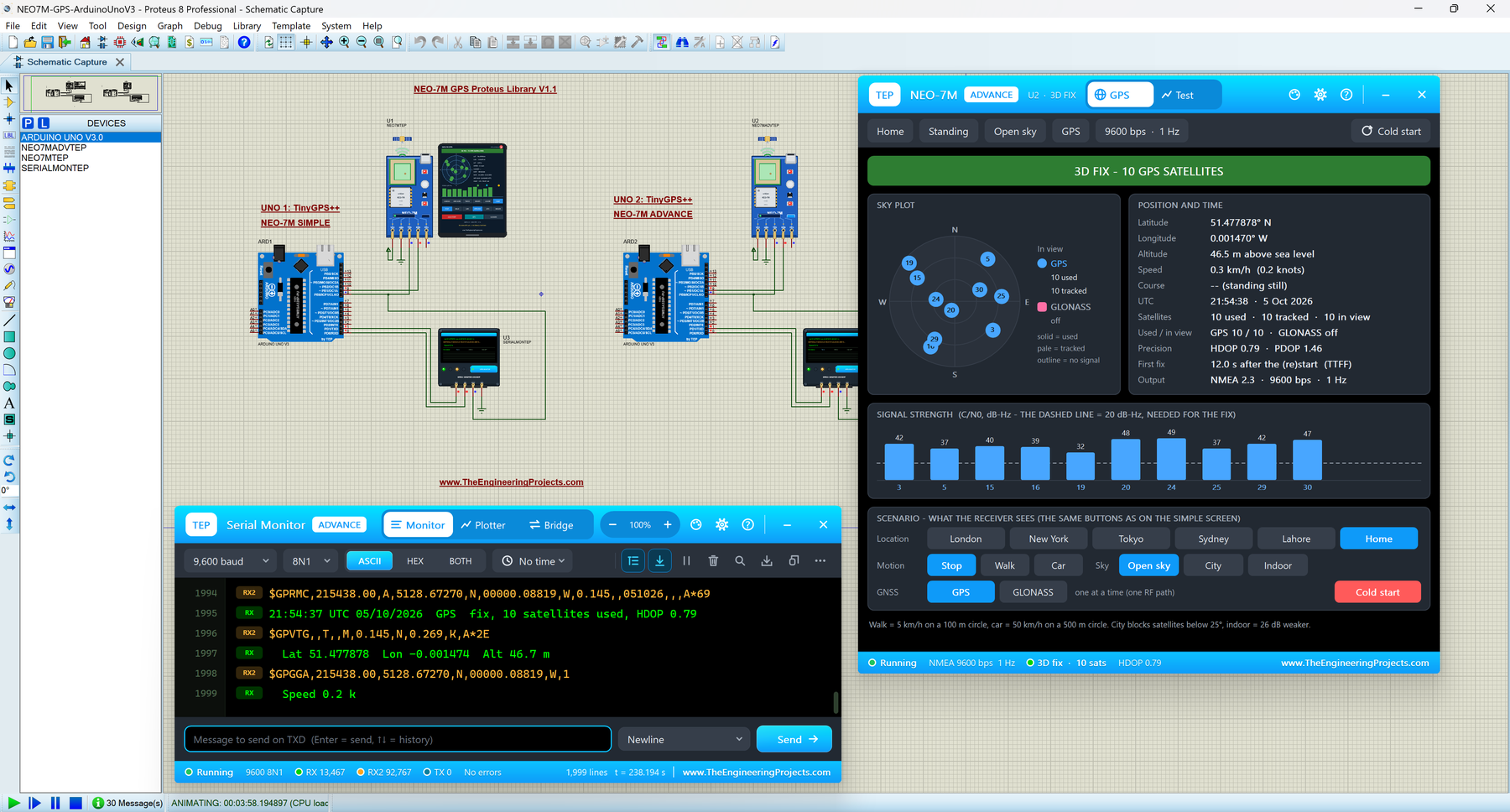
The u-blox NEO-7M is the next step after the famous NEO-6M. It has the same size and talks to your Arduino in the same way, but it can also use the Russian GLONASS satellites instead of GPS. It can't use both at the same time, because it has a single radio path, and our model follows that rule: when you click GLONASS, the receiver drops GPS and must find the GLONASS satellites first, and its NMEA sentences change from the $GP talker to $GL.
The library has two devices. NEO-7M Simple draws a GPS screen on the schematic, and NEO-7M Advance opens a pop-up with the GPS screen and five measured GNSS test tools: time to first fix, accuracy, NMEA check, route and a new Constellations test that puts GPS and GLONASS side by side. The demo has two Arduino UNOs, one for each device, both reading the position with TinyGPS++.
Read the complete tutorial: NEO-7M Library for Proteus V1.1
2. NEO-M8N GNSS Library for Proteus V1.1
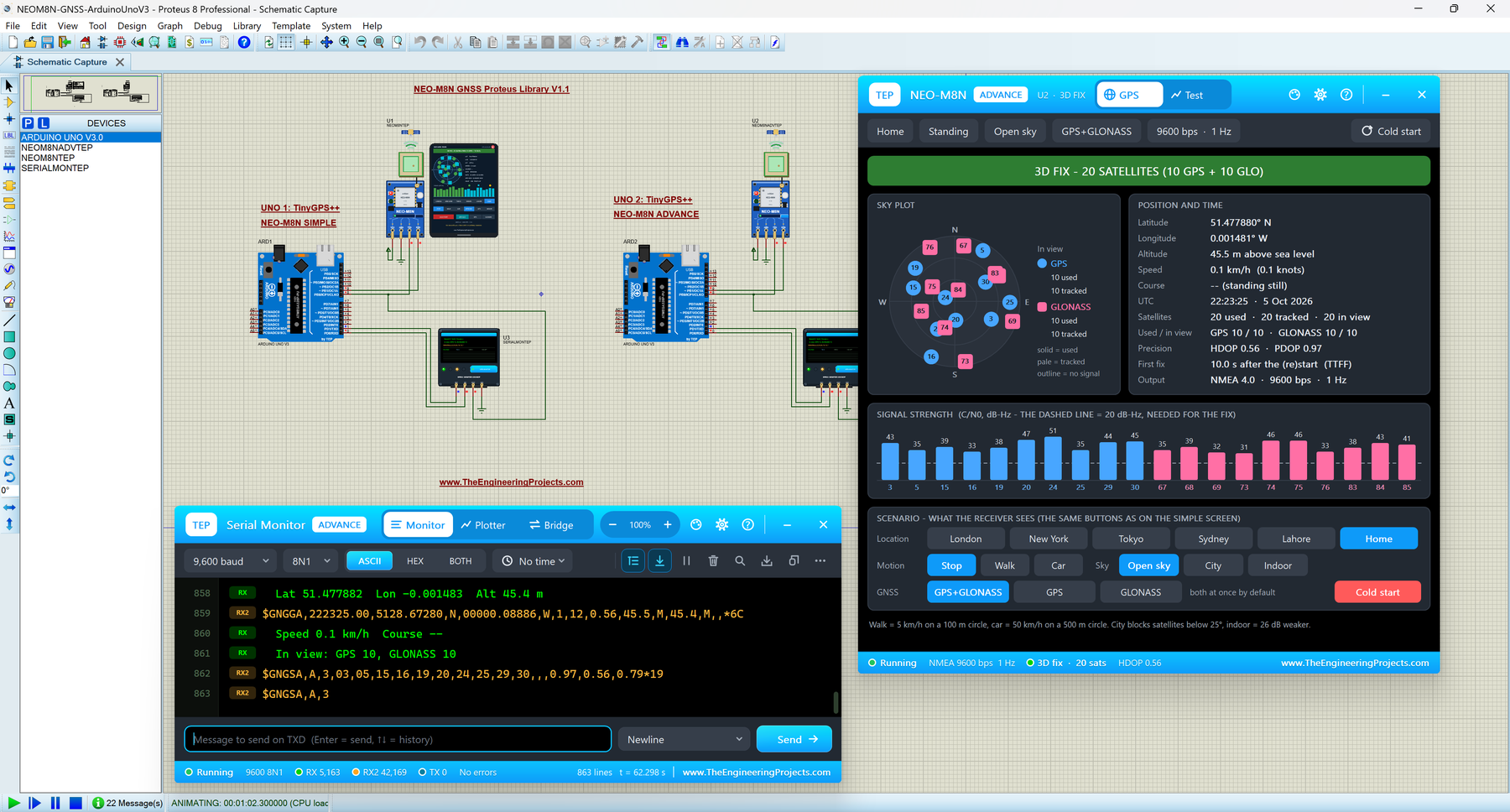
The NEO-M8N is the GNSS module of choice for drones, robots and trackers, because it listens to GPS and GLONASS at the same time. A receiver needs at least four satellites for a 3D fix, and buildings, trees and hills hide part of the sky. With two systems, it has almost twice as many satellites to choose from, so it keeps a good fix where a GPS-only receiver struggles.
The star of this library is the Constellations test. It switches the receiver to GPS only, GLONASS only and GPS + GLONASS one after the other, cold starts it each time and compares the results. In our City test, each system alone used only 5 or 6 satellites, while GPS + GLONASS together used 11 and brought the HDOP down to 0.95. With both systems on, the module reports the combined position with the $GN talker, just like the real NEO-M8N.
Read the complete tutorial: NEO-M8N Library for Proteus V1.1
3. NEO-6M GPS Library for Proteus V1.1
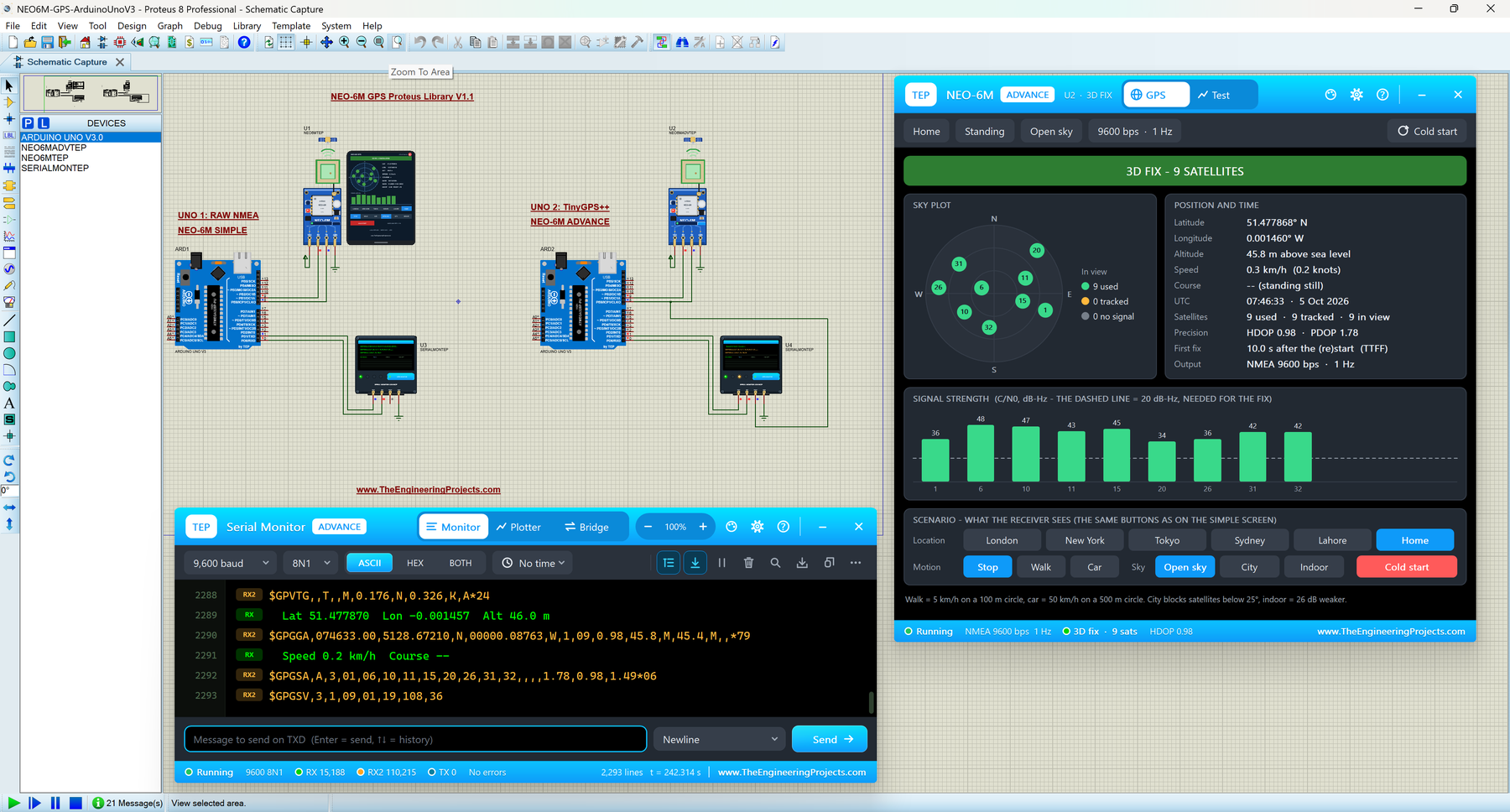
The u-blox NEO-6M is the GPS module most students start with: it is cheap, it talks to an Arduino over two wires, and it tells you where you are, how fast you move and the exact time. Our model sends the same NMEA sentences as the real module every second, its ceramic patch antenna glows amber while it is acquiring and green with a fix, and the PPS LED blinks once a second while there is a fix.
NEO-6M Simple draws a GPS screen on the schematic, and NEO-6M Advance opens a pop-up with four GPS test tools: TTFF, accuracy, NMEA check and route. One of my favourite parts is the location row: click TOKYO and CAR, and the module jumps to Tokyo and drives at 50 km/h on a 500 m circle, while your Arduino receives the moving position in the NMEA sentences. In the demo, one UNO prints the raw NMEA sentences and the other one reads them with TinyGPS++.
Read the complete tutorial: NEO-6M Library for Proteus V1.1
4. SIM808 GSM + GPS Library for Proteus V1.1
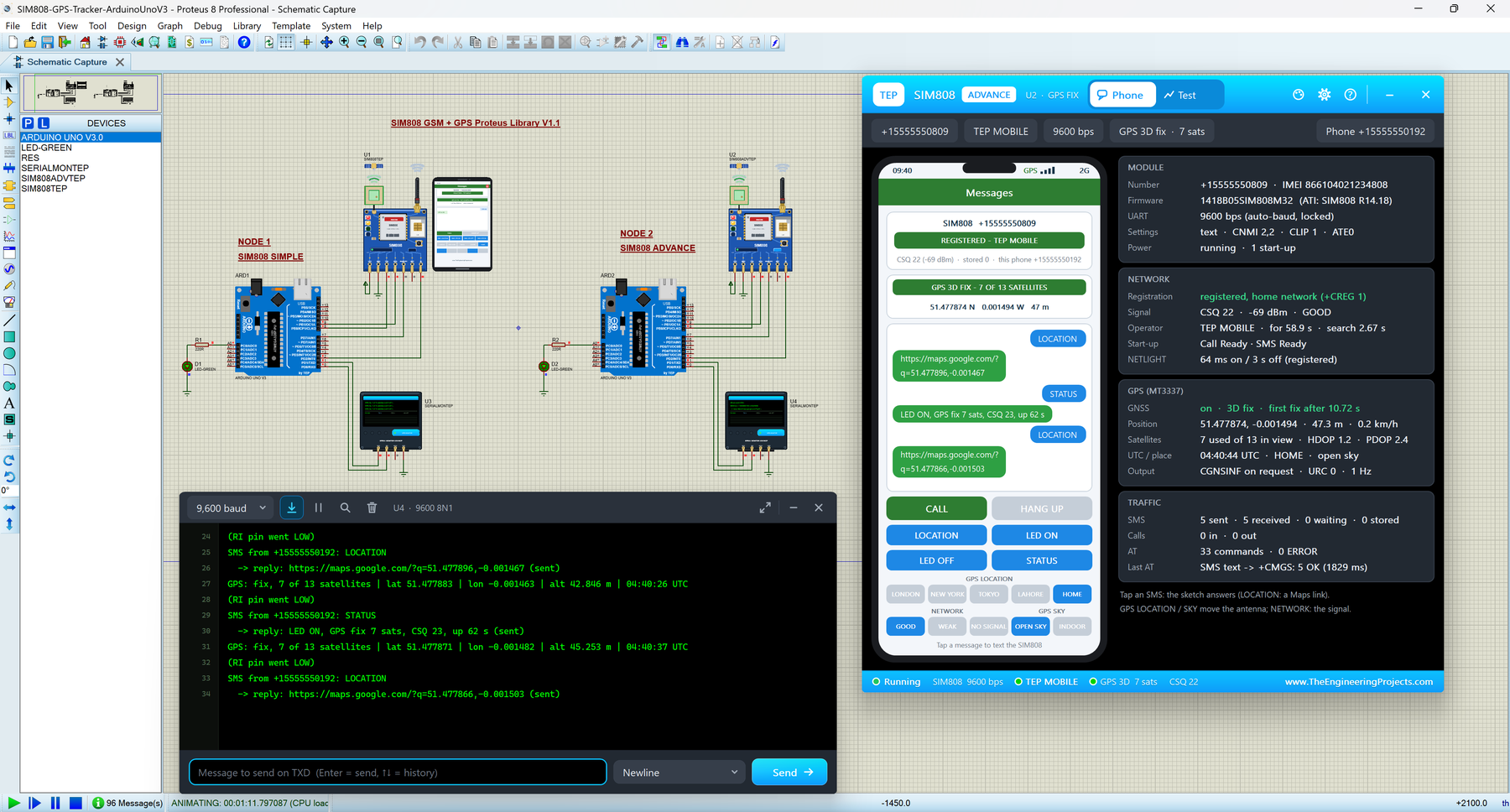
If your project needs to send its position somewhere, the SIM808 is a great choice, because it has a GSM/GPRS modem and a GPS receiver on one board. Our SIM808 model tracks a simulated GPS sky and gets its first fix like a real receiver, and your Arduino reads the position with AT commands: AT+CGNSPWR=1 switches the GPS on, AT+CGNSINF returns the position line with 21 fields, and AT+CGNSTST=1 streams the GGA, GLL, GSA, GSV, RMC and VTG sentences once a second.
Version 1.1 has two devices. SIM808 Simple shows a virtual phone with a GPS strip, with buttons that move the module to another city and take it indoors or under the open sky. SIM808 Advance adds five GSM + GPS test tools, and its GPS fix test measures cold, warm and hot starts. The included Arduino GPS tracker shows the complete idea: send "LOCATION" by SMS, and the Arduino replies with a Google Maps link to the module's position.
Read the complete tutorial: SIM808 Library for Proteus V1.1
5. GPS Library for Proteus
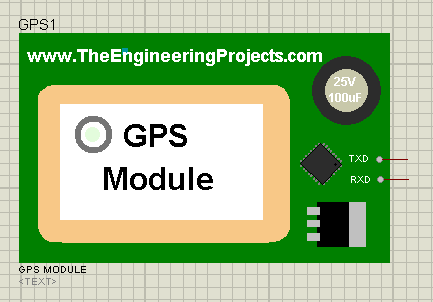
This was our second Proteus library ever, right after the Arduino library, and it was the first GPS module for Proteus at that time. It is a simple GPS module with TX and RX pins. When you start the simulation, it sends NMEA data on its TX pin, which you can check on the Virtual Terminal of Proteus. The position values in these sentences are fixed sample data, so it is good for testing how your code parses NMEA, but it can't move or lose its fix.
To use it with an Arduino, read Interfacing of GPS Module with Arduino in Proteus ISIS. For a new project, I recommend one of the NEO libraries above, because they behave like the real modules.
Read the complete tutorial: GPS Library for Proteus
NMEA Sentences in Our GPS Libraries
All of these GPS modules talk to the Arduino with NMEA sentences: text lines that start with a talker ID such as $GP, hold values separated by commas and end with * and a two-digit checksum. Your sketch (or a library such as TinyGPS++) reads these lines and pulls out the position, speed and time. Here are the sentences you will see most often:
| Sentence | What it carries |
|---|---|
$GPRMC | The "recommended minimum": time, status (A = valid, V = no fix), position, speed in knots, course and date |
$GPGGA | Fix data: time, position, fix quality, satellites used, HDOP and altitude |
$GPGSA | 2D or 3D fix, the satellites used and the PDOP / HDOP / VDOP values |
$GPGSV | Satellites in view: their number, elevation, azimuth and signal strength |
$GPVTG | Course and speed over the ground, in knots and km/h |
$GPGLL | Position and time |
The talker ID tells you which satellite system made the sentence. The NEO-6M always uses $GP. The NEO-7M uses $GP for GPS or $GL for GLONASS, and the NEO-M8N reports its combined GPS + GLONASS solution with $GN. If your sketch only looks for "$GPRMC", it will miss the position of a NEO-M8N, which is exactly the kind of bug these libraries help you find before you go outside.
GPS Terms You Will Meet
The test tools of our Advance devices measure the same values that GPS data sheets talk about. Here is what they mean:
- Fix: the receiver knows its position. A 2D fix (3 satellites) has no altitude, and a 3D fix (4 or more satellites) has latitude, longitude and altitude.
- TTFF: time to first fix, which is how long the receiver needs after power-up or a restart. A cold start forgets everything about the satellites, while a hot start is the fastest.
- HDOP and PDOP: dilution of precision, which shows how good the satellite geometry is. About 1 is very good, and larger numbers mean a less accurate position.
- C/N0: the signal strength of one satellite in dB-Hz. Higher is better.
- CEP and 2DRMS: two ways of describing how much the position scatters around the true point.
Which GPS Library Should You Use?
- Your first GPS project: start with the NEO-6M, the module most tutorials and kits use.
- Drones, robots and trackers in cities: use the NEO-M8N and run its Constellations test to see what GLONASS adds.
- Learning about GLONASS: the NEO-7M lets you switch between the two systems and compare them.
- Sending the position by SMS: the SIM808, with its ready-made GPS tracker example.
You can also combine a NEO module with one of our GSM modules, for example a NEO-6M and a SIM800L, to build your own tracker. Our Proteus Libraries tutorial series lists all of our GSM and GPS libraries in one section.
More Lists of Proteus Libraries
We have grouped our Proteus libraries into several lists, so you can quickly find the right ones for your project:
- 30 New Proteus Libraries for Engineering Students (2026)
- GSM Libraries for Proteus
- RF Module Libraries for Proteus
- LoRa and RF Libraries for Proteus
- Wi-Fi and Bluetooth Libraries for Proteus
- List of Wireless Modules for Proteus
- Top IoT Libraries for Proteus
- RFID and NFC Libraries for Proteus
- List of Embedded Sensors in Proteus
- I2C Sensor Libraries for Proteus
- Environmental Sensor Libraries for Proteus
- Motion and Distance Sensor Libraries for Proteus
- Smart Agriculture Sensor Libraries for Proteus
- Medical Sensor Libraries for Proteus
- Must-Have Proteus Libraries for Arduino Simulation
- Microcontroller Board Libraries for Proteus
Conclusion
So, that was all about the GPS Libraries for Proteus. I hope this list helps you pick the right GPS module and test your NMEA code on your PC, without waiting next to a window for a satellite fix. If you have any questions or find a bug, please ask in the comments or in the Proteus Libraries category of our forum. Till the next tutorial, take care and have fun!
Comments
0