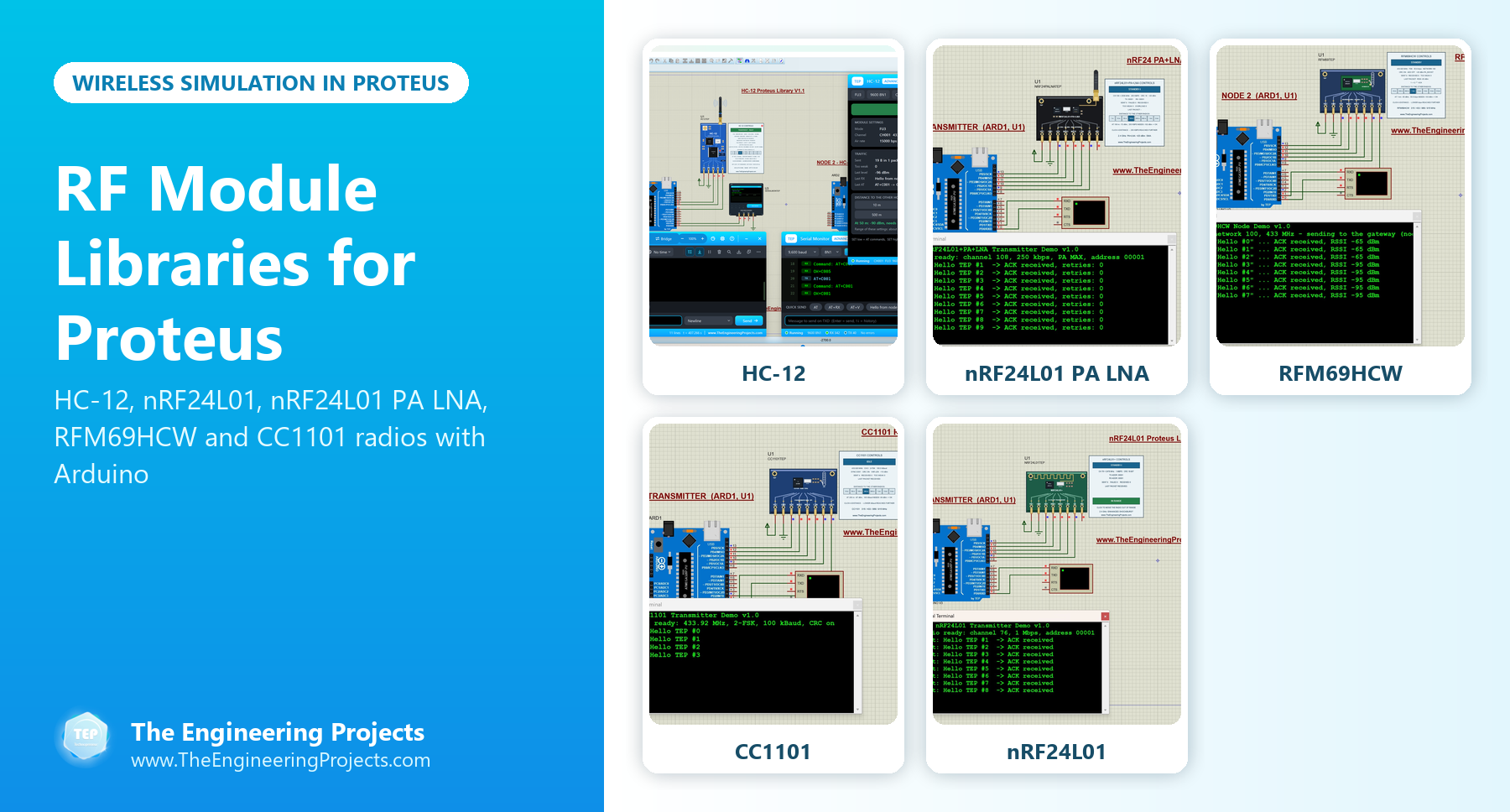
Hello friends, I hope you all are doing great. Today, I am going to share a list of RF Module Libraries for Proteus. RF modules let two Arduino boards talk to each other through the air, without any wire, router or mobile network. That's why we see them in remote controls, wireless weather stations, home automation nodes, robots and almost every wireless sensor network project.
The tricky part of a wireless project is that you can't see what is happening between the two radios. Did the message leave? Did the other side receive it? Was the signal too weak? Our RF libraries answer these questions. In each simulation, two modules share one virtual radio band, a control panel shows what every radio is doing, and in most of them you can move the radios from a few metres to several kilometres apart while the simulation is running.
In this list, our newest RF library, the HC-12 V1.1, is at the top, followed by the nRF24L01 PA LNA, RFM69HCW, CC1101 and nRF24L01 libraries, and our first wireless library, the XBee. For long-range LoRa radios, we have a separate list. If you are new to Proteus libraries, read How to Add New Library in Proteus 8 first. So, let's get started with the RF Module Libraries for Proteus:
RF Module Libraries for Proteus at a Glance
Here is a quick comparison of the RF modules in this list:
| Library | Band | Interface | Distance in the simulation | What you can test |
|---|---|---|---|---|
| HC-12 V1.1 | 433 MHz | UART (serial) | Distance buttons with the predicted signal level | AT commands, FU modes, a link test, a range sweep and a radio scan |
| nRF24L01 PA LNA | 2.4 GHz | SPI | 1 m to 2 km | Distance, data rate and power level, and overload at short range |
| RFM69HCW | 433 MHz | SPI | 10 m to 10 km | A node and a gateway with ACKs and RSSI |
| CC1101 | 433.92 MHz | SPI | 10 m to 5 km | RSSI, LQI, data rate and power |
| nRF24L01 | 2.4 GHz | SPI | A range switch (in or out of range) | Auto-ACK, retries and a broken link |
| XBee | RF serial | UART (TX / RX) | None | Basic serial communication |
1. HC-12 Library for Proteus V1.1 (433 MHz)
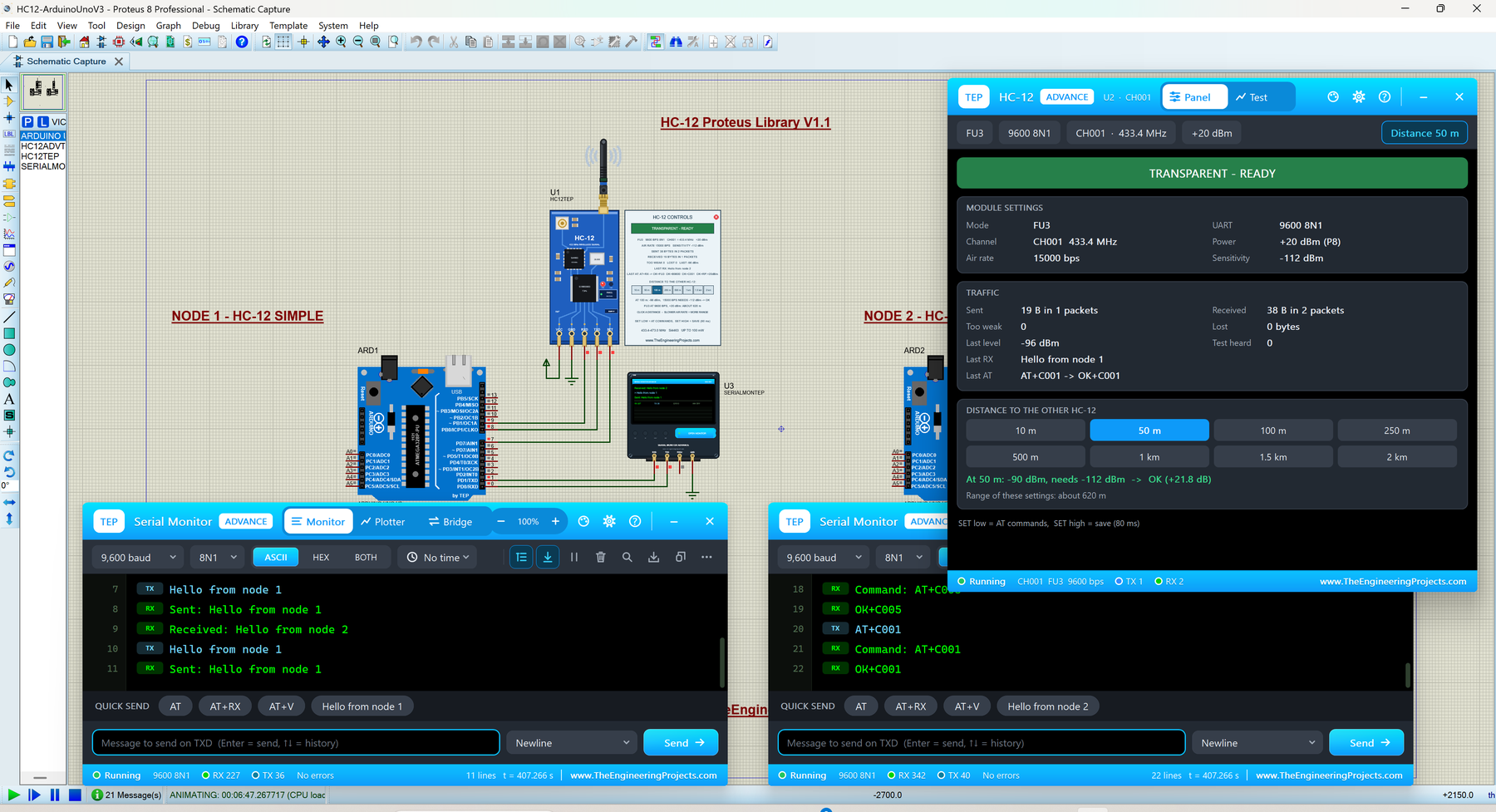
The HC-12 is a 433 MHz radio module that works like a wireless serial cable: whatever your Arduino prints into one HC-12 comes out of another HC-12, hundreds of metres away. You don't need any radio library in your sketch, just Serial.print() or SoftwareSerial, which is why students love it for their first wireless project. To change its settings, you pull its SET pin LOW and send AT commands.
Version 1.1 gives you two devices with the same HC-12 model inside. HC-12 Simple has its control panel drawn on the schematic, and HC-12 Advance opens a pop-up panel with three test tools: a link test with real test packets, a range sweep and a radio scan. The model also follows the four FU modes of the real module, which set the speed on air and therefore the range:
| Mode | Air rate | Notes |
|---|---|---|
| FU1 | 250 kbps | Any UART speed, about 15 - 25 ms delay |
| FU2 | 250 kbps | UART 1200 - 4800 only, one packet per second at most |
| FU3 (default) | Follows the UART speed | 5000 / 15000 / 58000 / 236000 bps |
| FU4 | 500 bps | UART 1200 only, 60 bytes per packet, one packet every 2 s |
Both modules of a link need the same FU mode, air rate and channel, and the simulation shows you what happens when they don't. The demo has two Arduino UNOs chatting over the air, each with our TEP Serial Monitor.
Read the complete tutorial: HC-12 Library for Proteus V1.1
2. nRF24L01 PA LNA Proteus Library
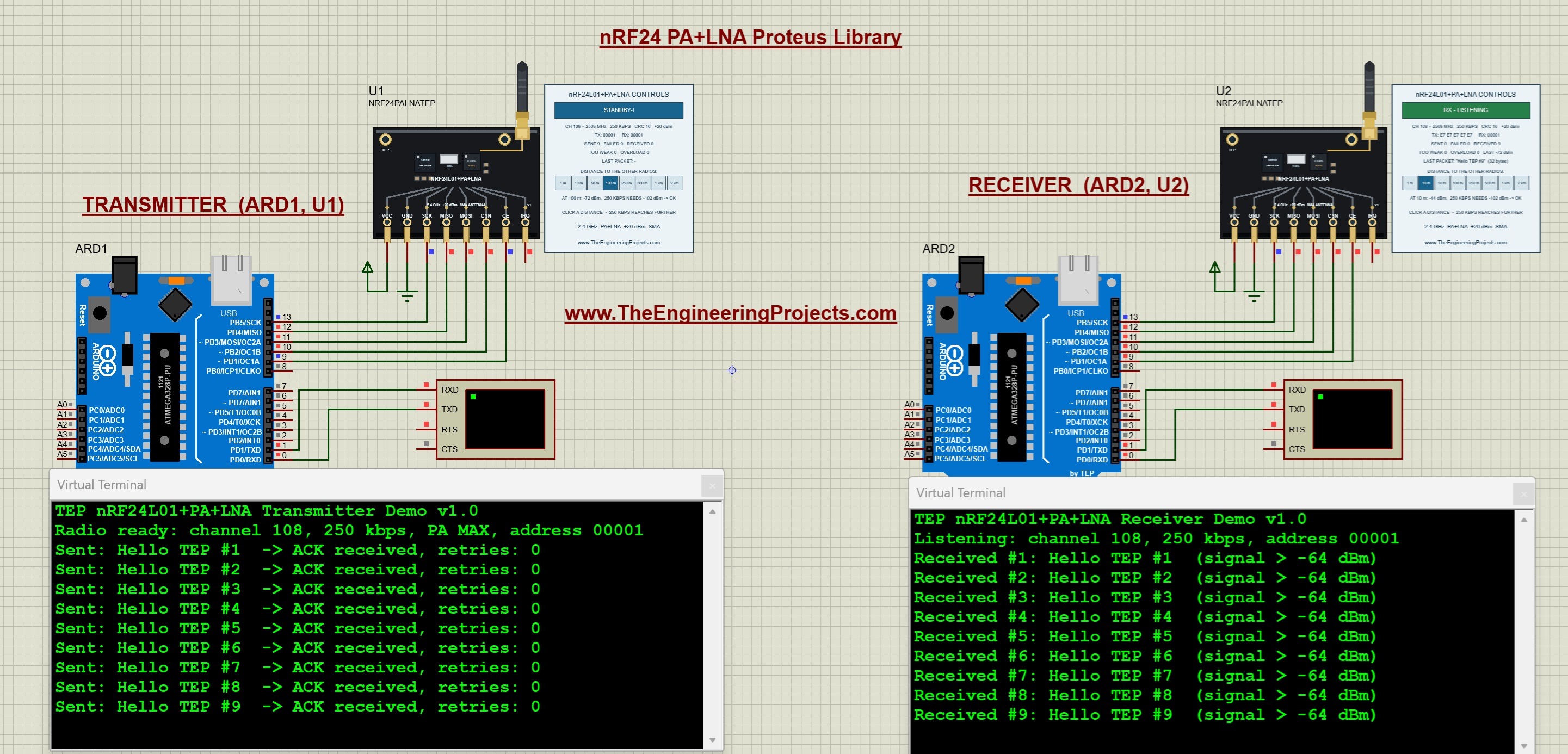
The nRF24L01 PA LNA is the long-range version of the nRF24L01, with a power amplifier (PA), a low-noise amplifier (LNA) and an external antenna. Our model has eight distance buttons, from 1 m to 2 km. For every packet, it calculates the signal at the receiver and compares it with the sensitivity of the chip and with its overload limit, and then it checks the acknowledgement on its way back.
This gives you a lesson that surprises many students: two PA LNA modules can fail when they are too close to each other, because the strong signal overloads the receiver. In the tutorial, we test how the distance, the data rate (250 kbps, 1 Mbps or 2 Mbps) and the power level decide whether a message is acknowledged. The same model file also runs our plain nRF24L01 module.
Read the complete tutorial: nRF24L01 PA LNA Proteus Library
3. RFM69HCW Proteus Library
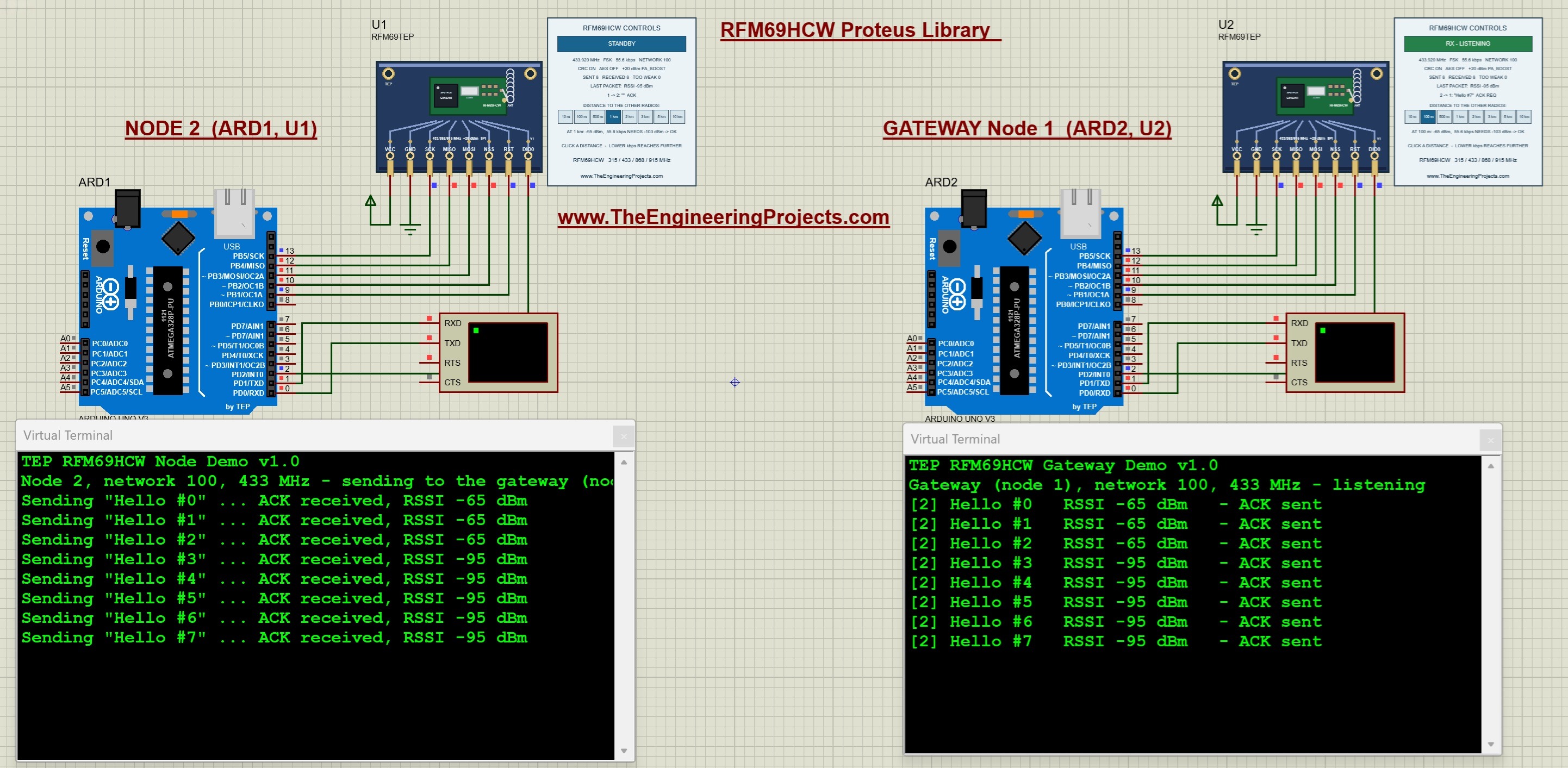
The RFM69HCW from HopeRF is a sub-GHz FSK transceiver with an output power of up to +20 dBm (100 mW), a 16-bit CRC and AES-128 encryption in its packet engine. It is a favourite for home sensor networks, because one gateway can collect data from many nodes.
That's exactly how our example works: one Arduino Uno is a node and the other one is a gateway at 433 MHz. The gateway answers every message with an acknowledgement, both boards print the signal strength (RSSI), and the control panel decodes the header of every packet, so you can see the sender, the receiver and the ACK flags. Eight distance buttons move the radios from 10 m to 10 km apart.
Read the complete tutorial: RFM69HCW Proteus Library
4. CC1101 Proteus Library
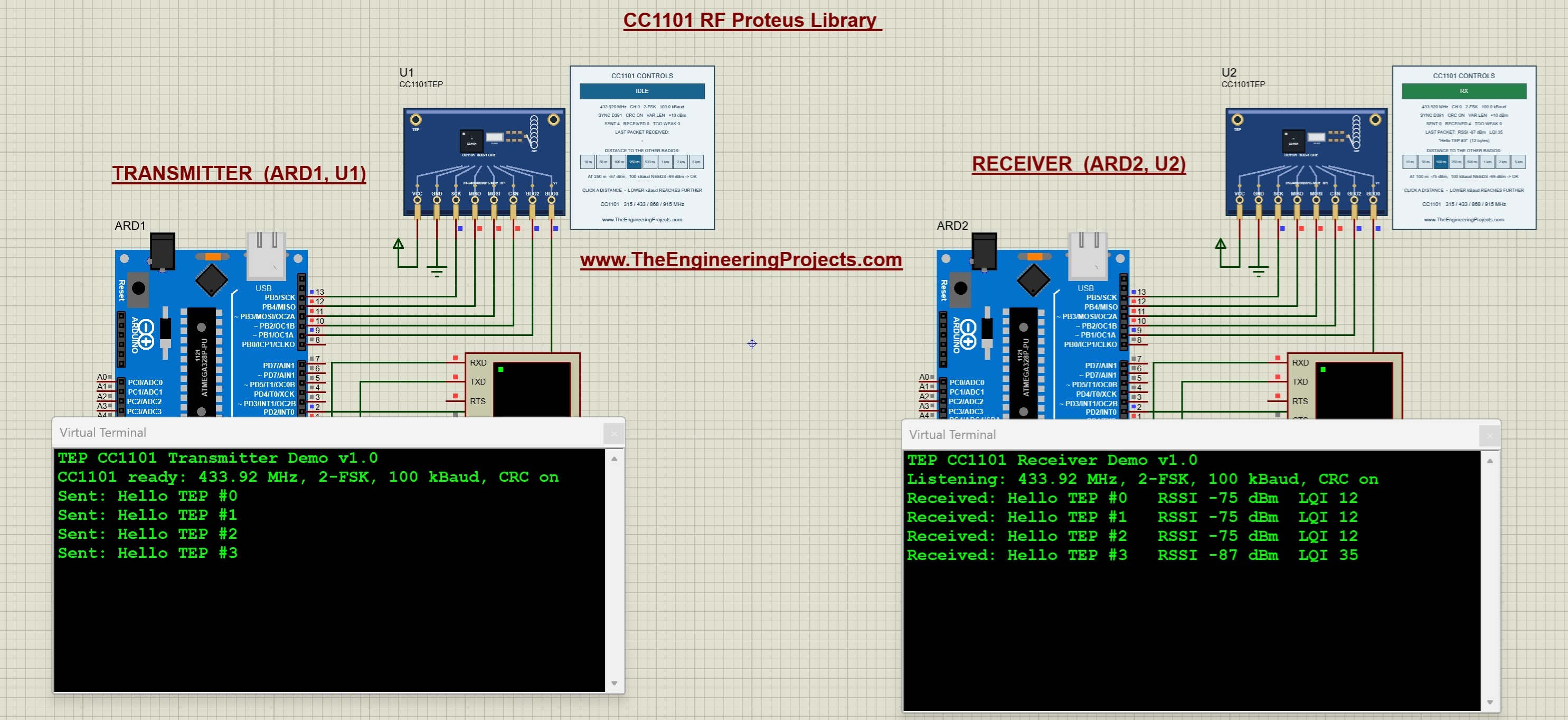
The CC1101 from Texas Instruments is a popular sub-GHz transceiver for the 315, 433, 868 and 915 MHz bands, with a data rate from 0.6 to 600 kbps. It builds and checks its packets by itself, including the sync word and the CRC, which makes it common in remote controls and wireless meters.
In our library, two CC1101 modules send messages between two Arduino Uno boards at 433.92 MHz. The receiver prints each message with its signal strength (RSSI) and its link quality (LQI), and eight distance buttons from 10 m to 5 km show how far the link can reach. The tutorial also calculates the RSSI values that you see on the Virtual Terminal.
Read the complete tutorial: CC1101 Proteus Library
5. nRF24L01 Proteus Library
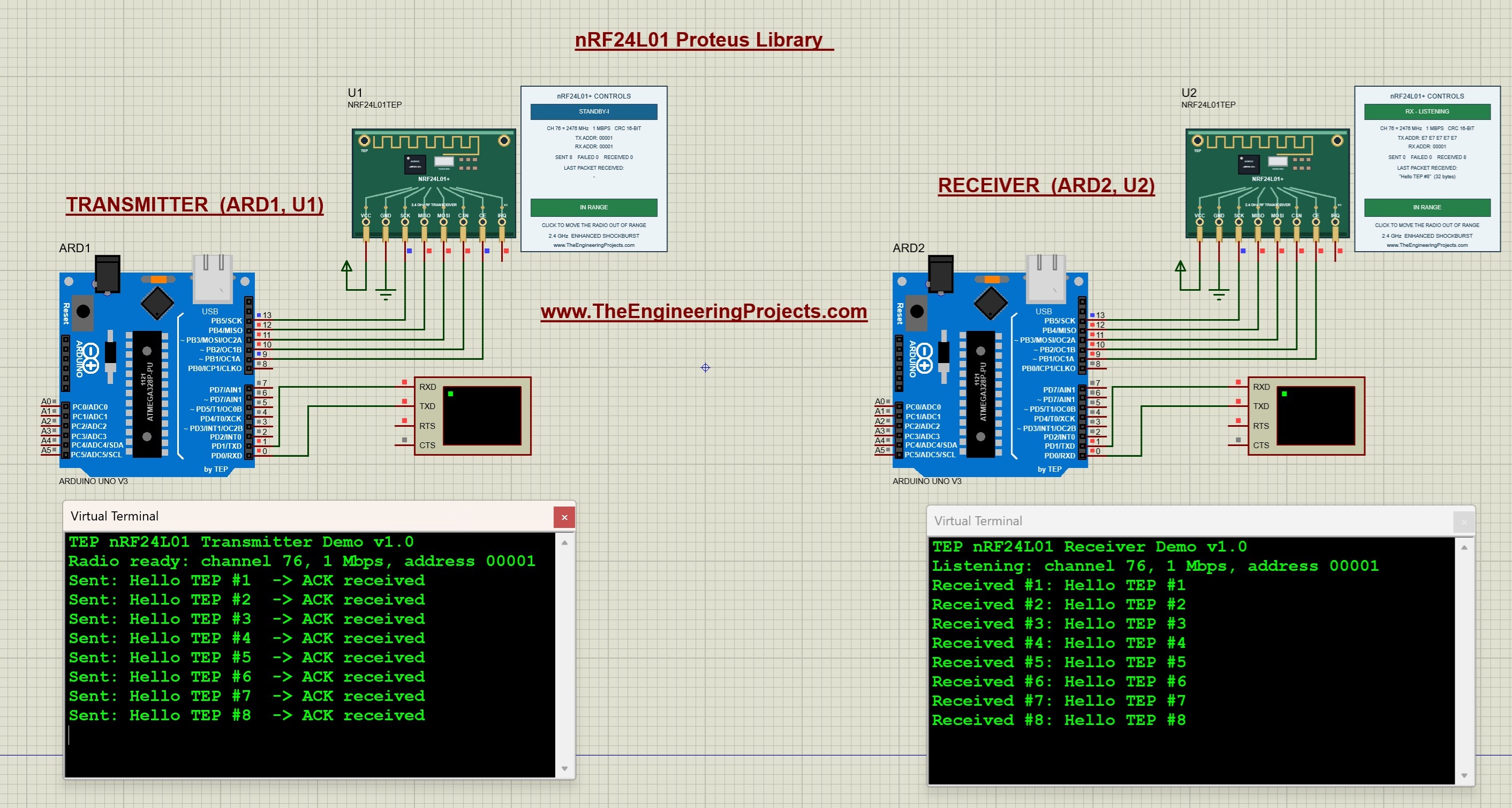
The nRF24L01 is the 2.4 GHz radio of countless Arduino projects. It has 126 channels, three data rates and the Enhanced ShockBurst protocol, which acknowledges every packet and repeats a packet that was not acknowledged. Our model talks to the Arduino through real SPI commands and registers, just like the real chip.
In the simulation, the transmitter reports whether every message was acknowledged, and the receiver prints each message on its own Virtual Terminal. This model focuses on the digital behaviour of the chip, so instead of distance buttons it has a range switch on every panel, which takes that radio off the air. That is enough to test what your code does when the acknowledgement never comes. For distance tests, use the PA LNA library above.
Read the complete tutorial: nRF24L01 Proteus Library
6. XBee Library for Proteus
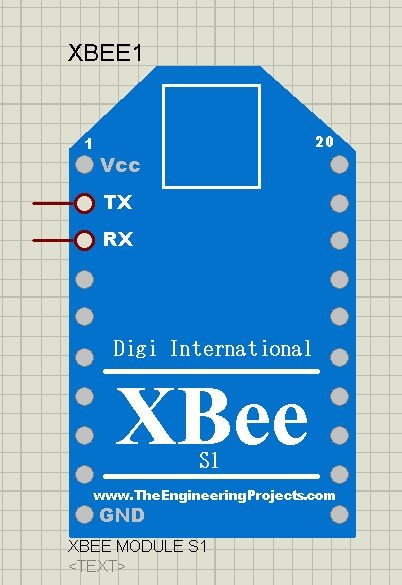
The XBee library from 2016 was our first wireless module for Proteus. It is a simple model with TX and RX pins that does serial communication between XBee modules, so it can't do complex tasks such as analog inputs. Even so, many students have used it to show a wireless link in their project simulations.
We have designed some complete projects with it: Home Automation Project using XBee & Arduino and DC Motor Control using XBee & Arduino in Proteus. For a new project, the HC-12 library above gives you the same "wireless serial cable" idea with a much more realistic model.
Read the complete tutorial: XBee Library for Proteus
How the Distance Buttons Work
The distance buttons are the most interesting part of these libraries, so it's worth knowing what they do. When you choose a distance, the model calculates the signal level at the receiver from the output power and the distance, and compares it with the sensitivity of the chip at the selected data rate. If the signal is strong enough, the packet arrives and the receiver reports its RSSI. If it is too weak, the packet is lost, and your sketch sees a missing acknowledgement or a timeout.
Please keep one thing in mind: these are functional models with a simple range calculation. They don't simulate antennas, walls, buildings, reflections or interference, so they can't predict the exact range of your real link. What they do show you is the relationship between power, data rate and distance, and how your code behaves when a link gets weak or breaks, which is exactly what you need to test before you go outside.
Which RF Module Should You Use?
- The easiest start: the HC-12, because it is just a serial port in the air and needs no radio library.
- Fast data at short range: the nRF24L01 at 2.4 GHz, with automatic acknowledgements.
- The same, but further: the nRF24L01 PA LNA.
- A gateway with many sensor nodes: the RFM69HCW.
- Remote controls and sub-GHz experiments: the CC1101.
- Several kilometres with very little data: a LoRa module such as the SX1278 or RFM95W.
You can find all of these modules, together with our LoRa, Bluetooth and Wi-Fi libraries, in our Proteus Libraries tutorial series. We have also combined wireless modules with GSM in the Real Time Security Control System using XBee and GSM project.
More Lists of Proteus Libraries
We have grouped our Proteus libraries into several lists, so you can quickly find the right ones for your project:
- 30 New Proteus Libraries for Engineering Students (2026)
- GSM Libraries for Proteus
- GPS Libraries for Proteus
- LoRa and RF Libraries for Proteus
- Wi-Fi and Bluetooth Libraries for Proteus
- List of Wireless Modules for Proteus
- Top IoT Libraries for Proteus
- RFID and NFC Libraries for Proteus
- List of Embedded Sensors in Proteus
- I2C Sensor Libraries for Proteus
- Environmental Sensor Libraries for Proteus
- Motion and Distance Sensor Libraries for Proteus
- Smart Agriculture Sensor Libraries for Proteus
- Medical Sensor Libraries for Proteus
- Must-Have Proteus Libraries for Arduino Simulation
- Microcontroller Board Libraries for Proteus
Conclusion
So, that was all about the RF Module Libraries for Proteus. I hope this list helps you pick the right radio for your project and test your wireless code before you buy two modules and walk around with them. If you have any questions or suggestions, please let us know in the comments or in the Proteus Libraries category of our forum. Till the next tutorial, take care and have fun!