Hello friends, I hope you all are doing great. Today, I am going to share the Arduino UNO R4 WiFi Library for Proteus. The UNO R4 WiFi is the newest member of the UNO family: the same size, shape and headers as the classic UNO, but with a 32-bit Renesas RA4M1, an ESP32-S3 module for Wi-Fi and, right on the board, a 12 x 8 red LED matrix. With this library it runs your UNO R4 WiFi sketch in Proteus - WiFiS3, Arduino_LED_Matrix, the D0 to D13 and A0 to A5 pins, Serial on the USB - and shows every frame on the board's matrix.
Arduino UNO R4 WiFi Library for Proteus
Latest version: V1.0 (October 2026, this tutorial)
Other Arduino Wi-Fi boards: Nano ESP32 · UNO WiFi Rev2 · Nano 33 IoT
ESP32 boards and modules: ESP32 DevKit V1 · ESP32-DevKitC V4 · ESP32-S3 DevKitC-1 · ESP32-C3 SuperMini · TTGO T-Display · ESP32-WROOM-32 · AirLift WiFi Shield · AirLift ESP32 Breakout · WT32-ETH01
ESP8266 modules: ESP-01 · ESP-01S · ESP-07 · ESP-07S · ESP-12E · ESP-12F · ESP-01 Adapter · WiFi Shield · NodeMCU · NodeMCU V2 · D1 Mini · D1 R2
Arduino boards: UNO · Mega 2560 · Mega 1280 · Nano · Pro Mini · Mini (V4.0)
Helping Tools
- Laptop WiFi Monitor: a laptop on the Wi-Fi of your design: a browser, a TCP / UDP terminal and ping
- Mobile WiFi Monitor: a smartphone that opens the pages of your ESP32 and sends it commands
- Serial Monitor Advance: a serial terminal window for the UART of your board
This is the twenty-third library of our Wi-Fi series, after the UNO-sized ESP8266 board of our WeMos D1 R2 Library for Proteus. Its demo is a Wi-Fi matrix message board: the matrix plays a Wi-Fi animation while the board joins the router, then our Laptop WiFi Monitor puts a number on it, our Mobile WiFi Monitor picks an icon from a web page, the monitor switches the L LED, and when the router goes out of range the matrix shows a cross until the board is back.
NOTICE: Proteus has no RA4M1 or ESP32-S3 model, so this is not a real RA4M1 chip: your sketch is compiled for a hidden ATmega2560 inside the board (16 MHz, 8 KB of RAM). The UNO R4 Arduino API, the LED matrix and the Wi-Fi are our model. The antenna colours, the PANEL pad and the panel are TEP additions. Your feedback is the fuel that keeps us going, so please tell us what you think in the comments below or in the UNO R4 WiFi board of our forum. And if our free libraries help you, you can buy us a coffee. So, let's get started with the Arduino UNO R4 WiFi Library for Proteus:
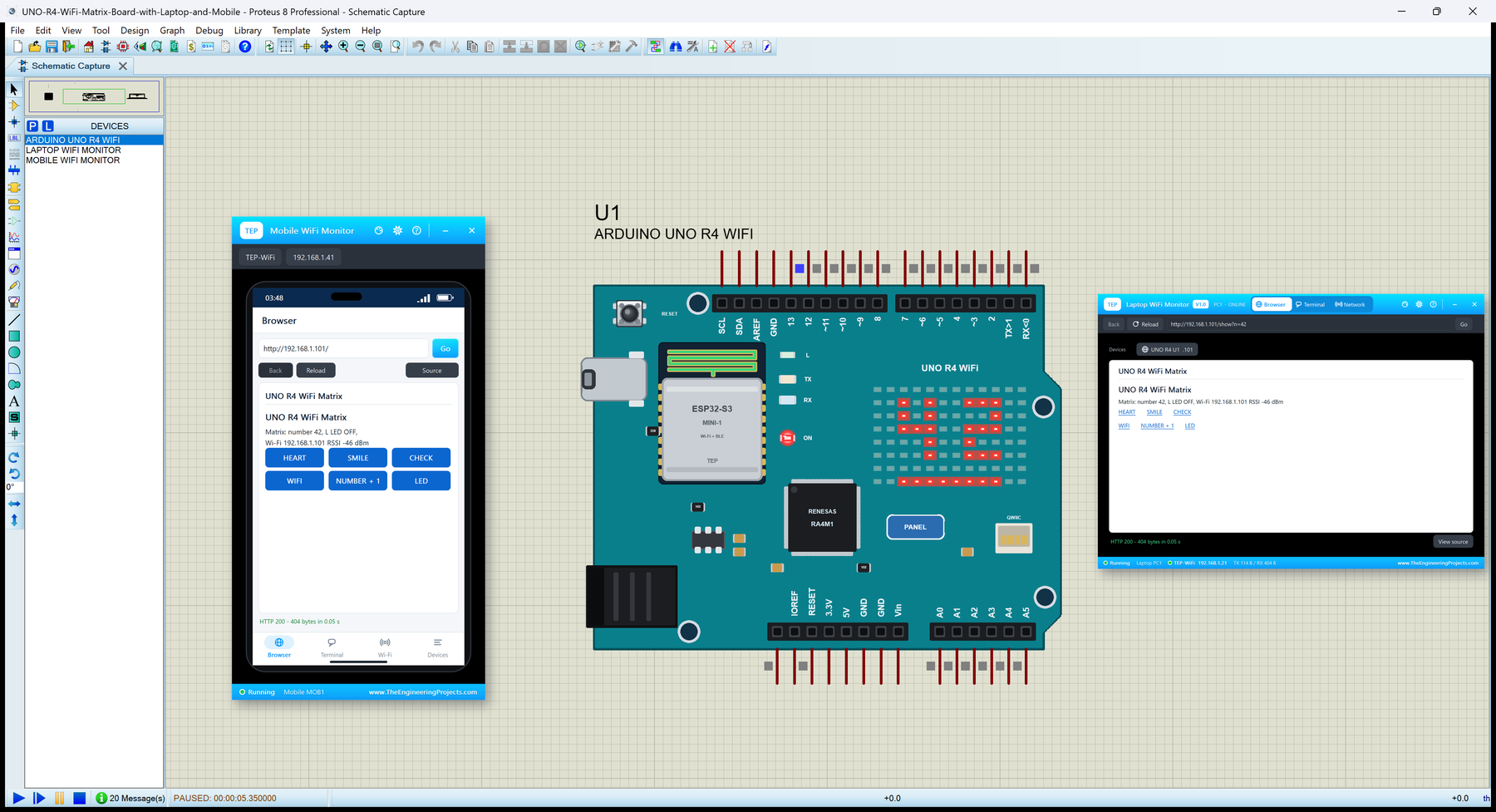
What is Arduino UNO R4 WiFi?
The UNO R4 WiFi keeps everything an UNO user knows - the outline with its step, the four headers, D0 to D13, A0 to A5, 5 V logic, the RESET button and the L LED on D13 - and changes what sits between the headers. The ATmega328P is replaced by a Renesas RA4M1 (an Arm Cortex-M4 at 48 MHz with 32 KB of RAM), USB-B by USB-C, and an ESP32-S3-MINI-1 module handles Wi-Fi and the USB bridge. The 96 red LEDs of the matrix are the board's new signature. For the classic board, read our Introduction to Arduino UNO; our Arduino UNO Library for Proteus V4.0 simulates it in Proteus with the real ATmega328P.
| Real Arduino UNO R4 WiFi | This library in Proteus | |
|---|---|---|
| Processor | Renesas RA4M1, Arm Cortex-M4, 48 MHz, 32 KB RAM | a hidden ATmega2560 at 16 MHz, 8 KB RAM |
| Sketch | Arduino UNO R4 core (Renesas) | the same API from our board package TEP Boards for Proteus 1.9.0 |
| Wi-Fi | ESP32-S3-MINI-1 (WiFiS3 library) | our model: a router, a scan list, DHCP, TCP, UDP, NTP, an internet host |
| LED matrix | 12 x 8 red LEDs (Arduino_LED_Matrix) | the same, drawn on the board |
| Logic | 5 V | 5 V |
| A0 to A5 | 0 to 5 V, 10 bits by default (up to 14) | 0 to 1023 for 0 to 5 V, analogReadResolution 12 or 14 |
| Serial | Serial on the USB, Serial1 on D0 / D1 | the same: Serial is the built-in monitor |
| LEDs | ON, L (D13), TX, RX | ON and L working, TX and RX drawn |
| Extras | DAC, CAN, op-amp, RTC, Qwiic | Qwiic drawn; the others not modelled |
How Your UNO R4 Sketch Runs in Proteus
Proteus 8 simulates many processors, but not the RA4M1 or the ESP32-S3. So, as for our ESP boards, the UNO R4 WiFi in Proteus has a hidden ATmega2560 inside, and our board package for the Arduino IDE compiles your sketch for it. The package gives the sketch the R4's pin numbers and its two special libraries - WiFiS3 for the network and Arduino_LED_Matrix for the LEDs - which talk to our model in TEPNET.DLL. The model is the ESP32-S3: it joins the router, keeps the sockets, reaches the virtual internet and paints each matrix frame on the board.
Know the price before you start: the sketch runs at 16 MHz with 8 KB of RAM, and an int is 16 bits as on the classic UNO (on the real R4 it is 32 bits - use long above 32767). There is no DAC, CAN bus, op-amp or RTC library, and no real TLS. For web pages, sockets, sensors, LEDs and the matrix it is plenty, and the same sketch compiles for a real UNO R4 WiFi without a change.
Features of the Arduino UNO R4 WiFi Library for Proteus
- The UNO R4 WiFi as it looks: the teal board with the UNO's outline, USB-C and the DC jack on the left, RESET in the corner, the ESP32-S3-MINI-1 with its antenna, the L, TX, RX and ON LEDs, the RA4M1, the LED matrix and the Qwiic connector, and the UNO's headers with their labels.
- The 12 x 8 LED matrix:
loadFrame,renderBitmap,on/off,clear, and sequences withloadSequenceandplay- every frame shown on the board. - WiFiS3:
WiFi.beginwaits for the join as on the R4,WiFiServer,WiFiClient,WiFiUDP,WL_NO_MODULE,WiFi.firmwareVersion(). - The UNO pins: D0 to D13, A0 to A5 (0 to 1023 for 0 to 5 V), Serial1 on D0 / D1, Wire on A4 / A5, SPI on D10 to D13, PWM and interrupts.
- The L LED on D13, the ON LED, the RESET button and an antenna that changes colour with the traffic.
- A built-in serial monitor on the USB (Serial) at 115200 baud with Monitor, Plotter and Board tabs.
- Our pop-up panel: a phone with a browser, the router list and the cloud requests, the board, Wi-Fi and traffic cards, every pin live, a Test page, Settings and Help.
- Our Laptop and Mobile WiFi Monitors in the package: a browser, TCP and UDP terminals and ping on the same network.
- A compact package: about 2.18 MB with the board package for the Arduino IDE, without the C++ source code of the models.
The Arduino UNO R4 WiFi in Proteus
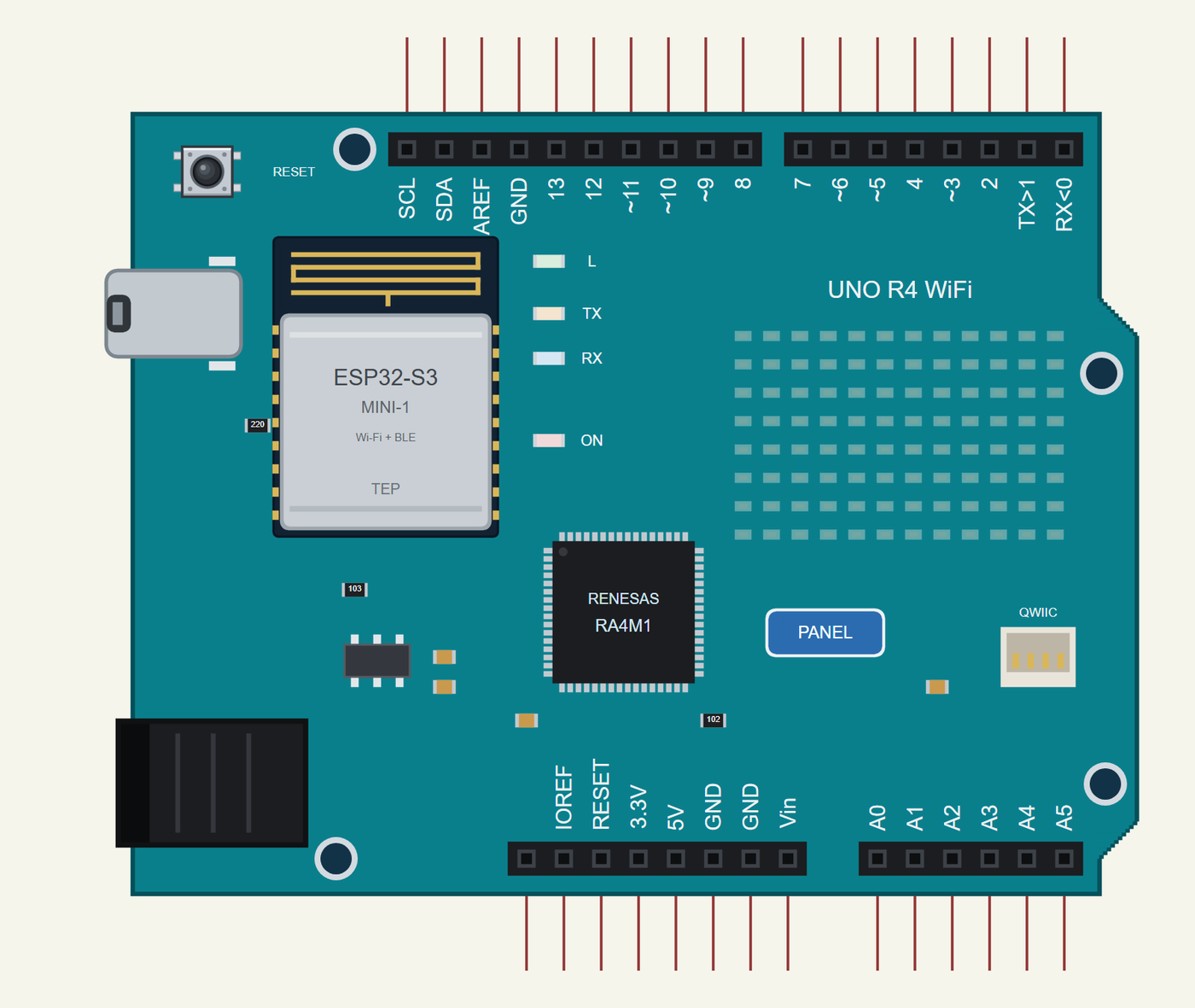
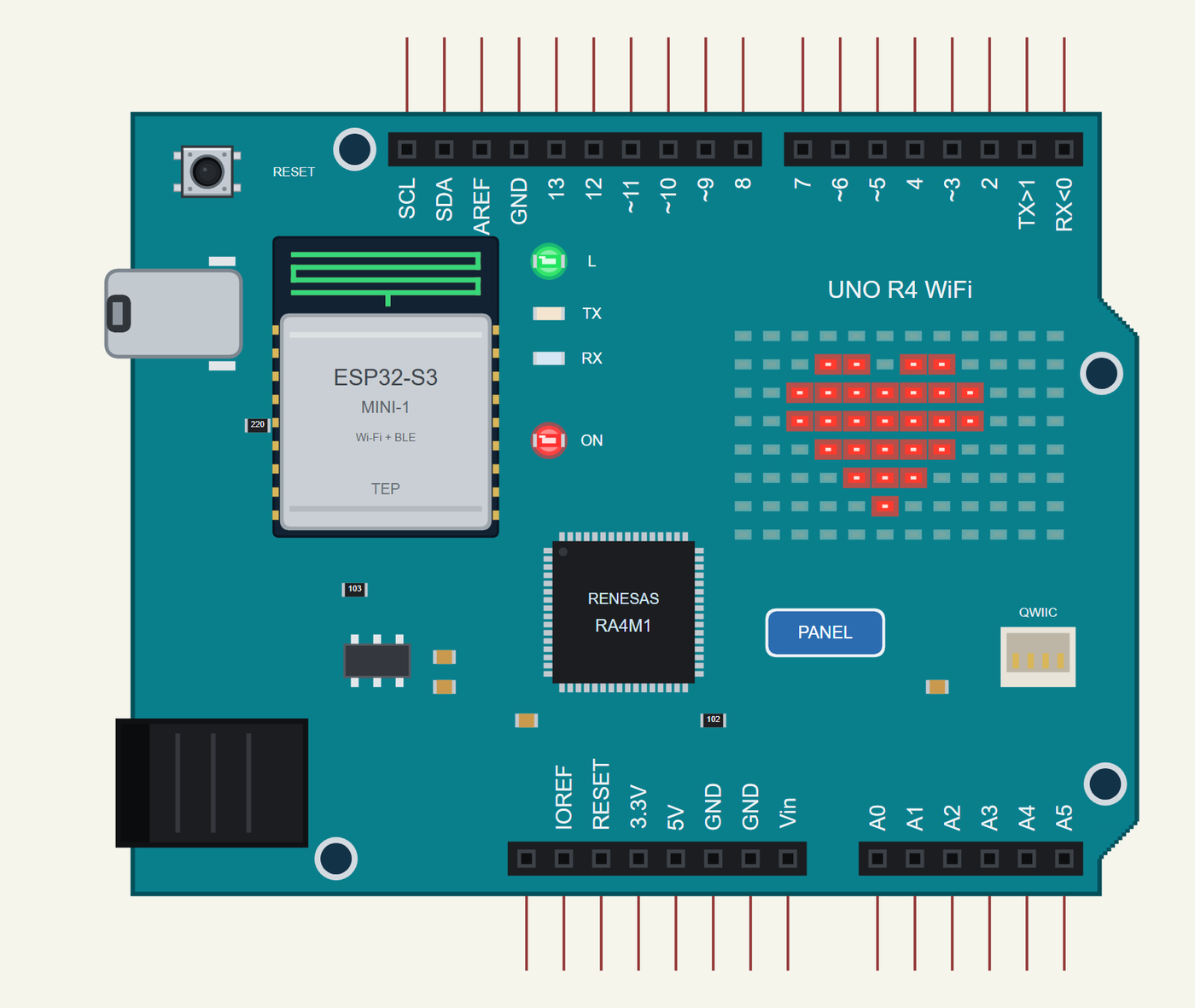
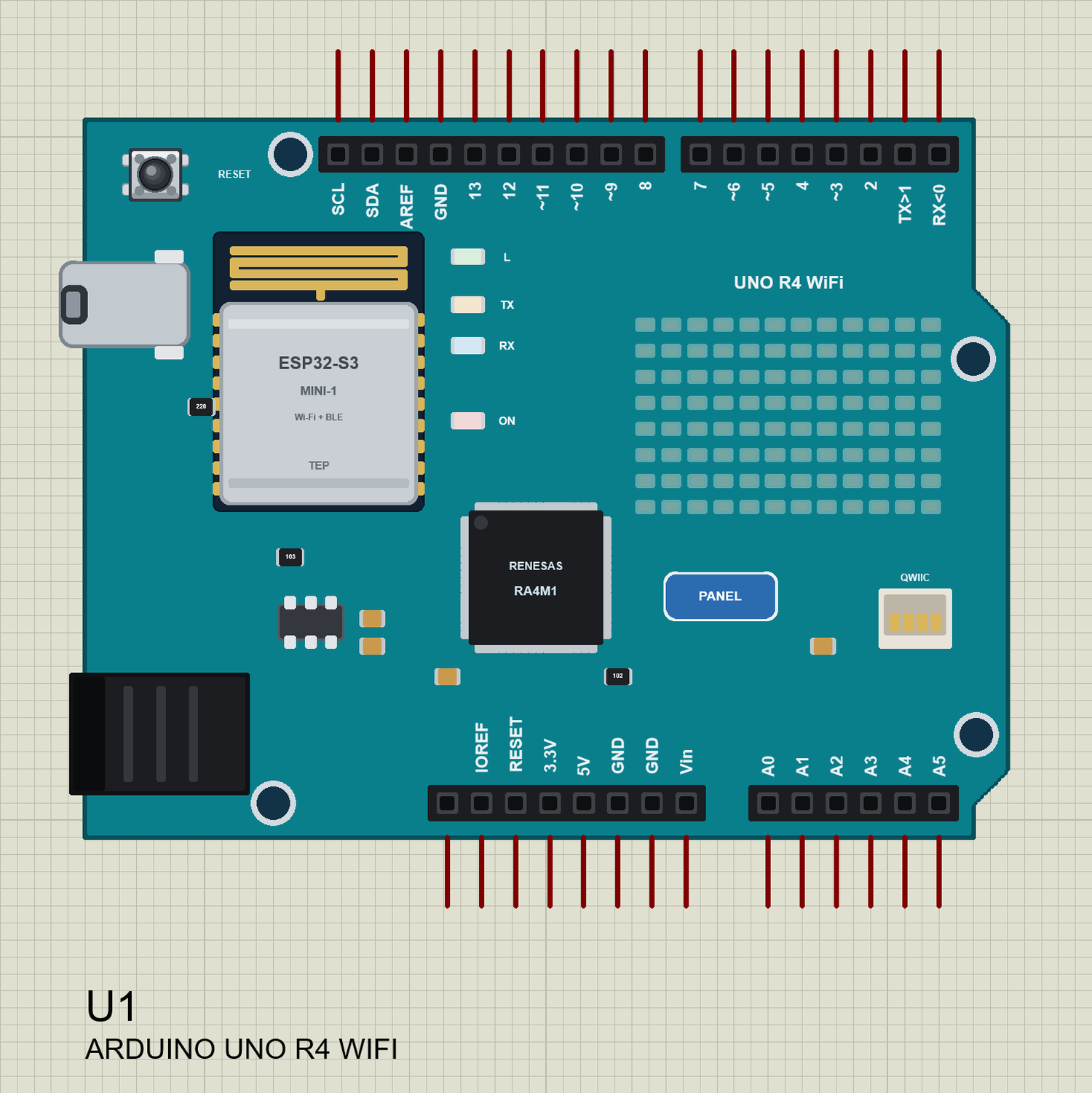
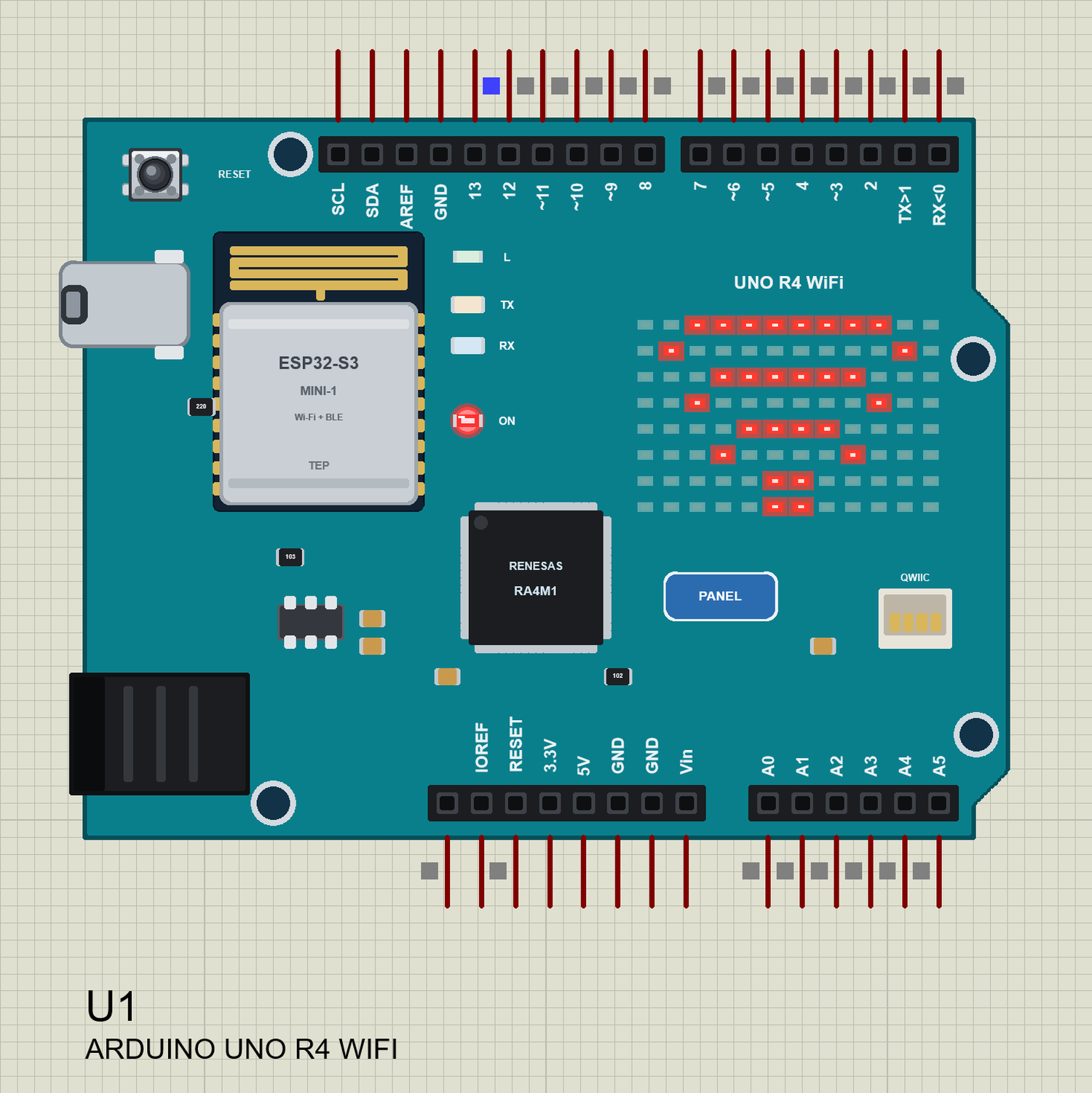
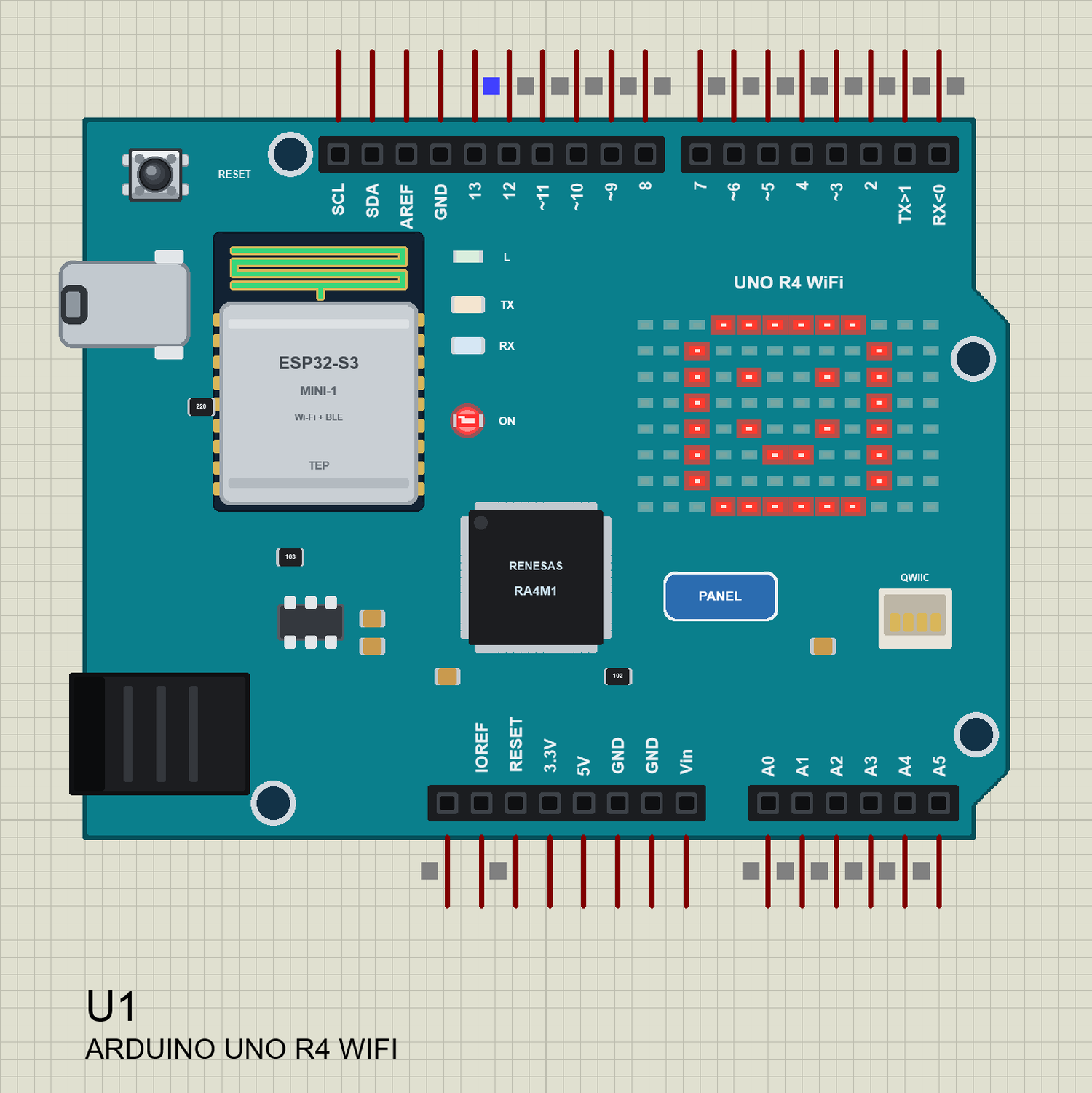
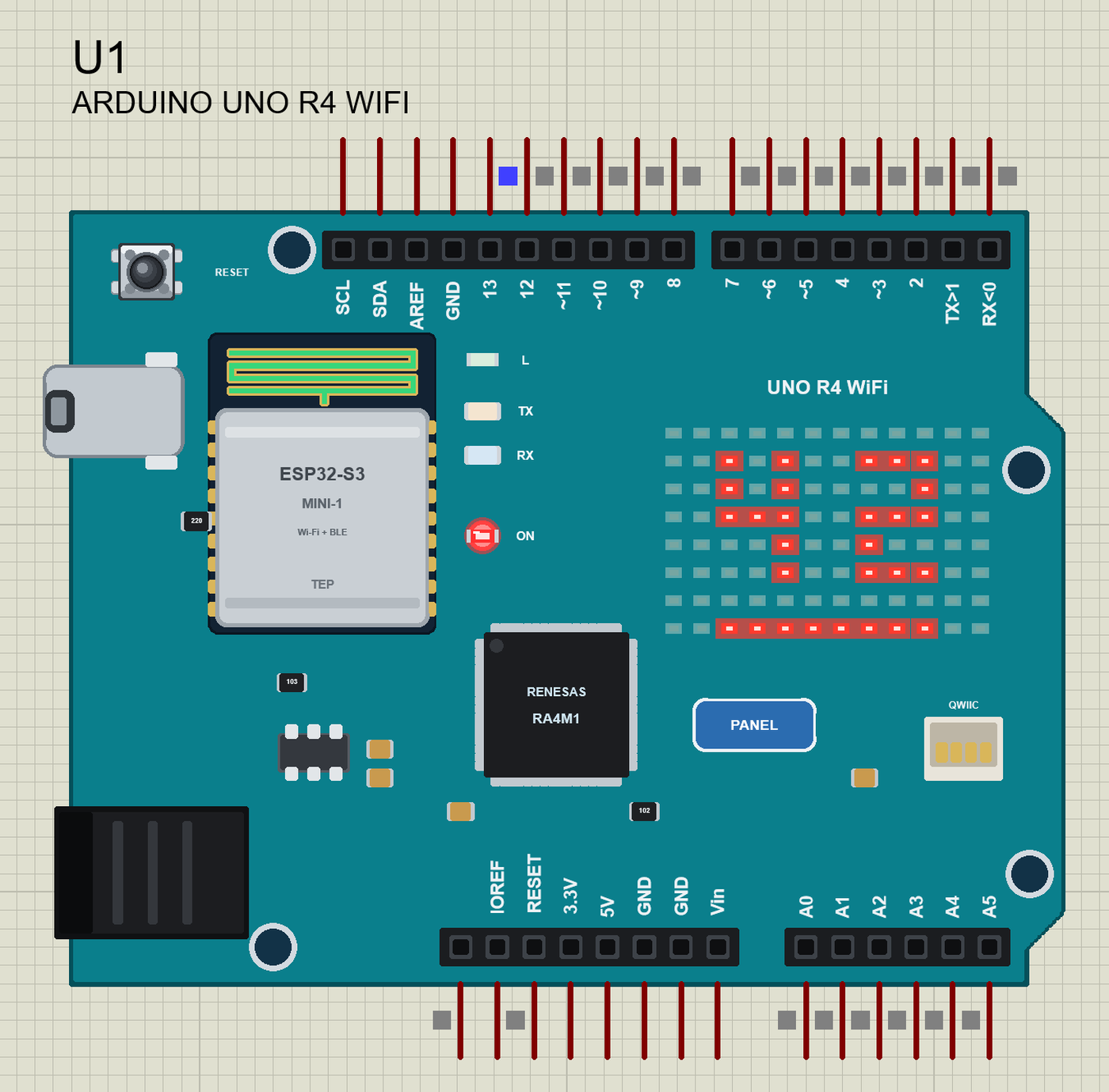
Search UNO R4 in Pick Devices; the device ARDUINO UNO R4 WIFI is in TEPUNOR4WIFI.LIB (Microprocessor ICs, Arduino Wi-Fi Boards). Click USB-C to open the serial monitor and the PANEL pad or the ESP32-S3 module to open the panel. The same drawing with a frame on the matrix - a heart, the way our model shows a lit LED:
Every State of the UNO R4 WiFi
We ran the board with the demo sketch and paused the simulation for each picture. While the board joins the router, the matrix plays a Wi-Fi animation; when it is on Wi-Fi, a tick and then a smile:
Download Arduino UNO R4 WiFi Library for Proteus
Click the button below to download Arduino-UNO-R4-WiFi-Library-for-Proteus-v1.0.zip (about 2.18 MB, without the C++ source code of the models):
Arduino UNO R4 WiFi Library for Proteus V1.0- README.txt: the device, installation, the demos, the pins, the LED matrix, the properties, troubleshooting and the limits.
- Proteus Library Files:
TEPUNOR4WIFI.LIB(the board),TEPLAPTOP.LIBandTEPMOBILE.LIB(our Laptop and Mobile WiFi Monitors). - Proteus Model Files:
TEPNET.DLL(the board, the matrix, the two monitors and the Wi-Fi network). - Proteus Simulation: the two demo projects, the HEX file and a copy of the DLL.
- Arduino Code: the demo sketch and TEP Boards for Proteus 1.9.0, our board package for the Arduino IDE with WiFiS3 and Arduino_LED_Matrix.
No Proteus yet? Read How to Download and Install Proteus 7 and 8. New to libraries? Follow How to Install a New Library in Proteus.
How to Install Arduino UNO R4 WiFi Library for Proteus
- Close Proteus and extract the whole zip file, for example to your Desktop.
- Copy the three files from Proteus Library Files into the LIBRARY folder of Proteus (usually
C:\Program Files (x86)\Labcenter Electronics\Proteus 8 Professional\LIBRARY). - Copy
TEPNET.DLLfrom Proteus Model Files into the MODELS folder - replace an older copy (this one is the first that knows the UNO R4 WiFi and its matrix, and it still runs our ESP8266 and ESP32 boards, the modules, the shields and the two monitors). - Delete
TEPUNOR4WIFI.IDX,TEPLAPTOP.IDXandTEPMOBILE.IDXfrom the LIBRARY folder if they are there. - Start Proteus, press P and search for UNO R4.
The Board Package for the Arduino IDE
The demo has its HEX file, so you need the Arduino IDE only for your own sketches. Copy the folder Arduino Code\TEP Boards for Proteus\hardware into your sketchbook folder (normally Documents\Arduino), so that Documents\Arduino\hardware\tep\avr\boards.txt exists, and restart the IDE; the Arduino AVR Boards platform must be installed. Version 1.9.0 adds the UNO R4 WiFi with WiFiS3 and Arduino_LED_Matrix, and replaces 1.8.0 (it still has every earlier board). Choose Tools > Board > TEP Boards for Proteus > Arduino UNO R4 WiFi (TEP Proteus), write your sketch and use Sketch > Export Compiled Binary; double-click the board in Proteus and set its Program File to the HEX (see How to get the HEX file from Arduino).
Demo: A UNO R4 WiFi Matrix Message Board
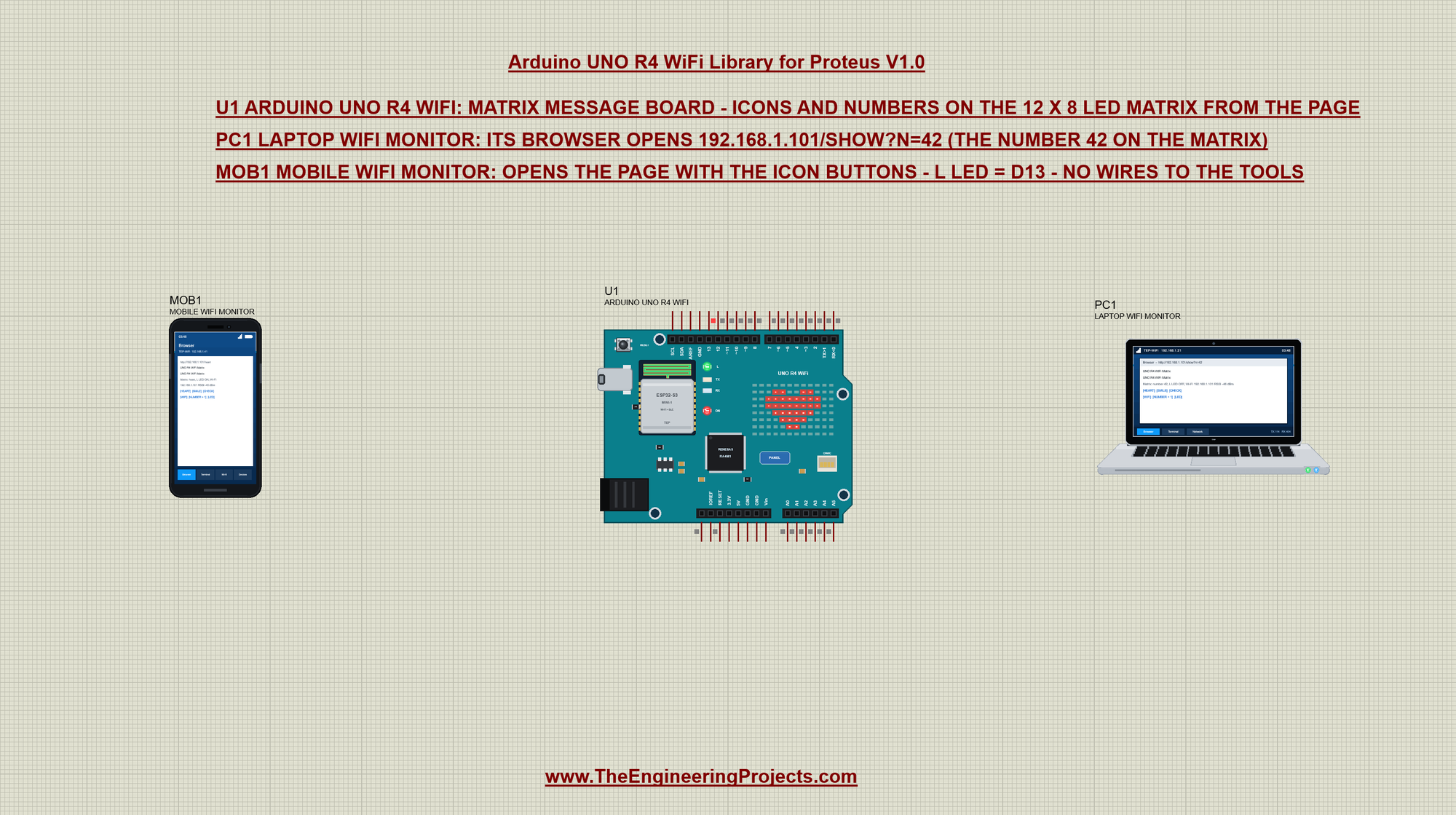
Open UNO-R4-WiFi-Matrix-Board-with-Laptop-and-Mobile.pdsprj. In the middle is the UNO R4 WiFi (U1), on the left our phone (MOB1) and on the right our laptop (PC1). There are no wires and no other parts: the matrix is on the board, and the two tools are on the TEP-WiFi network. The package also has Arduino-UNO-R4-WiFi-Board.pdsprj, the board alone with the same sketch.
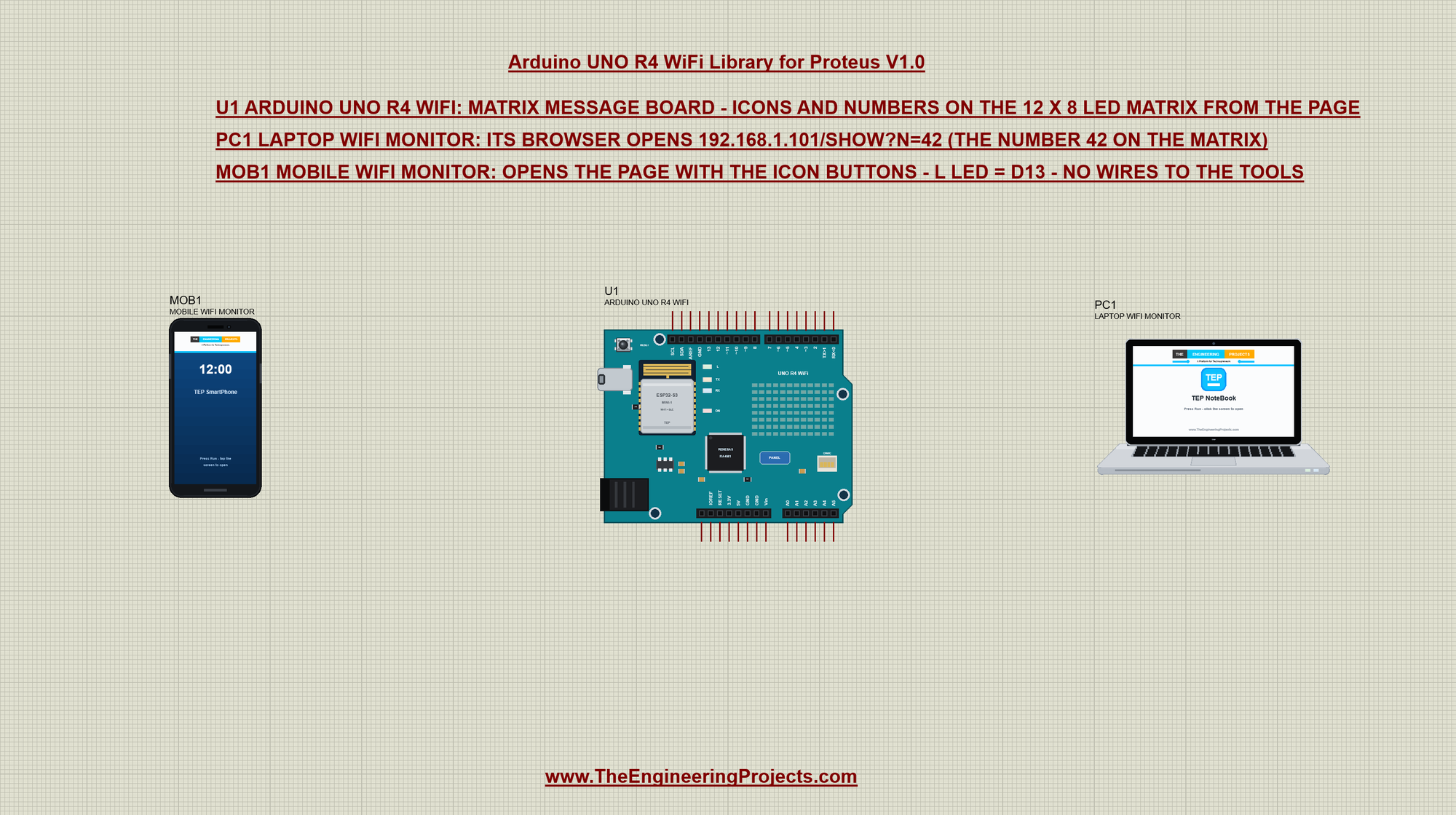
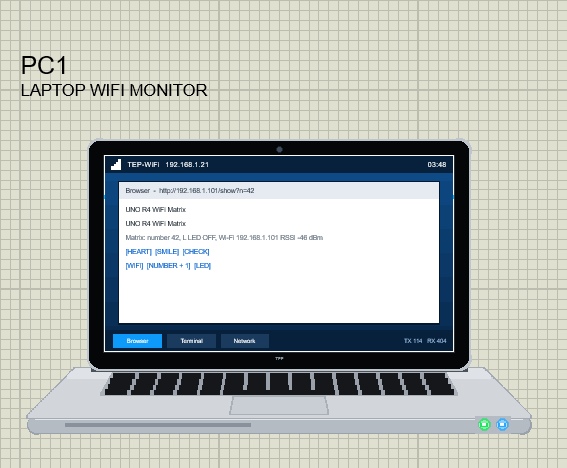
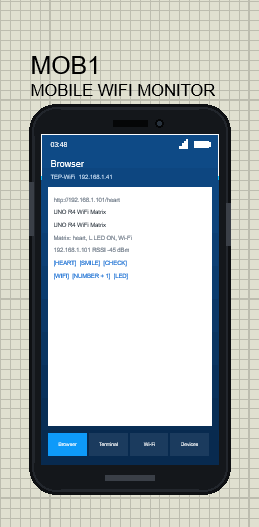
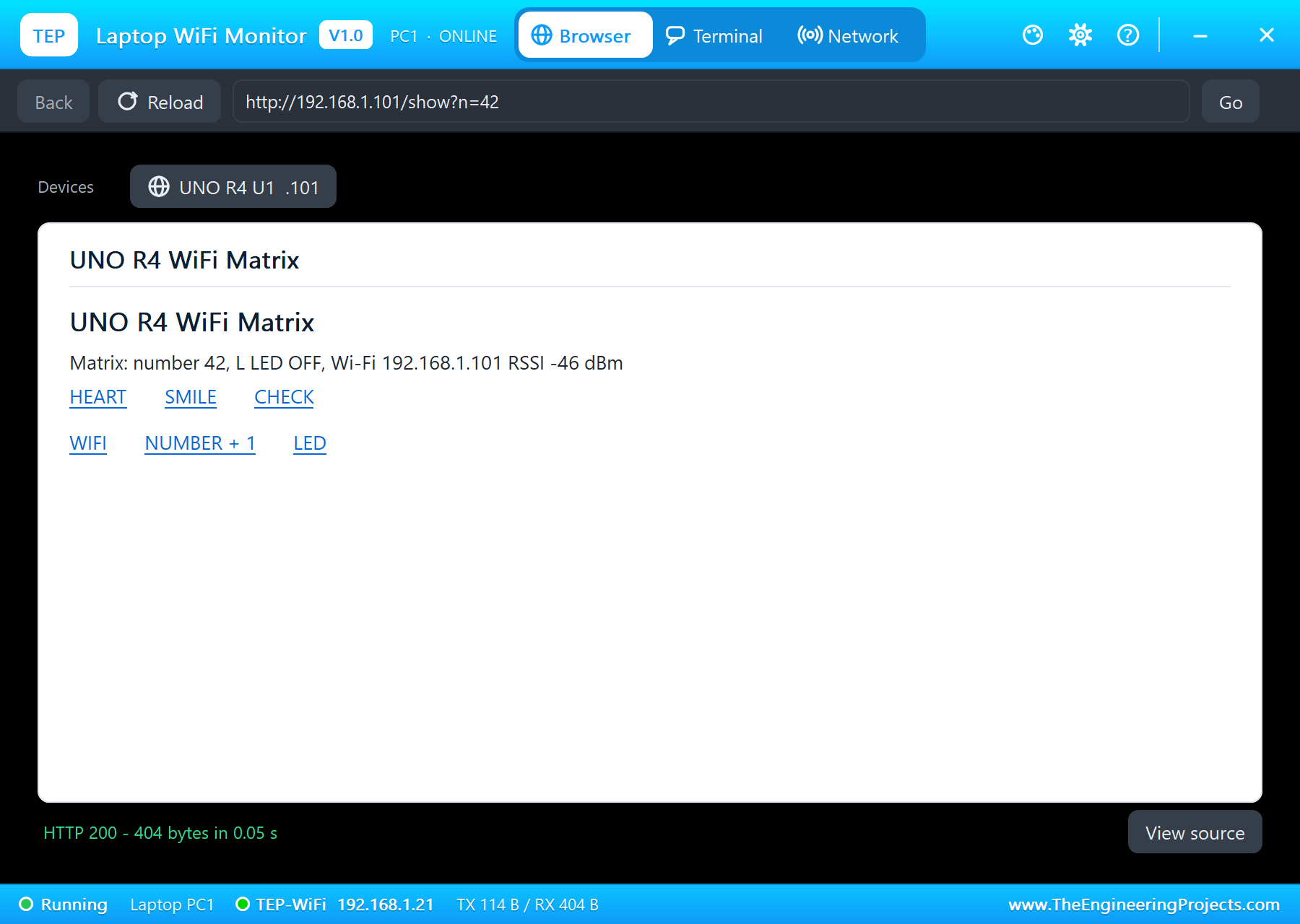
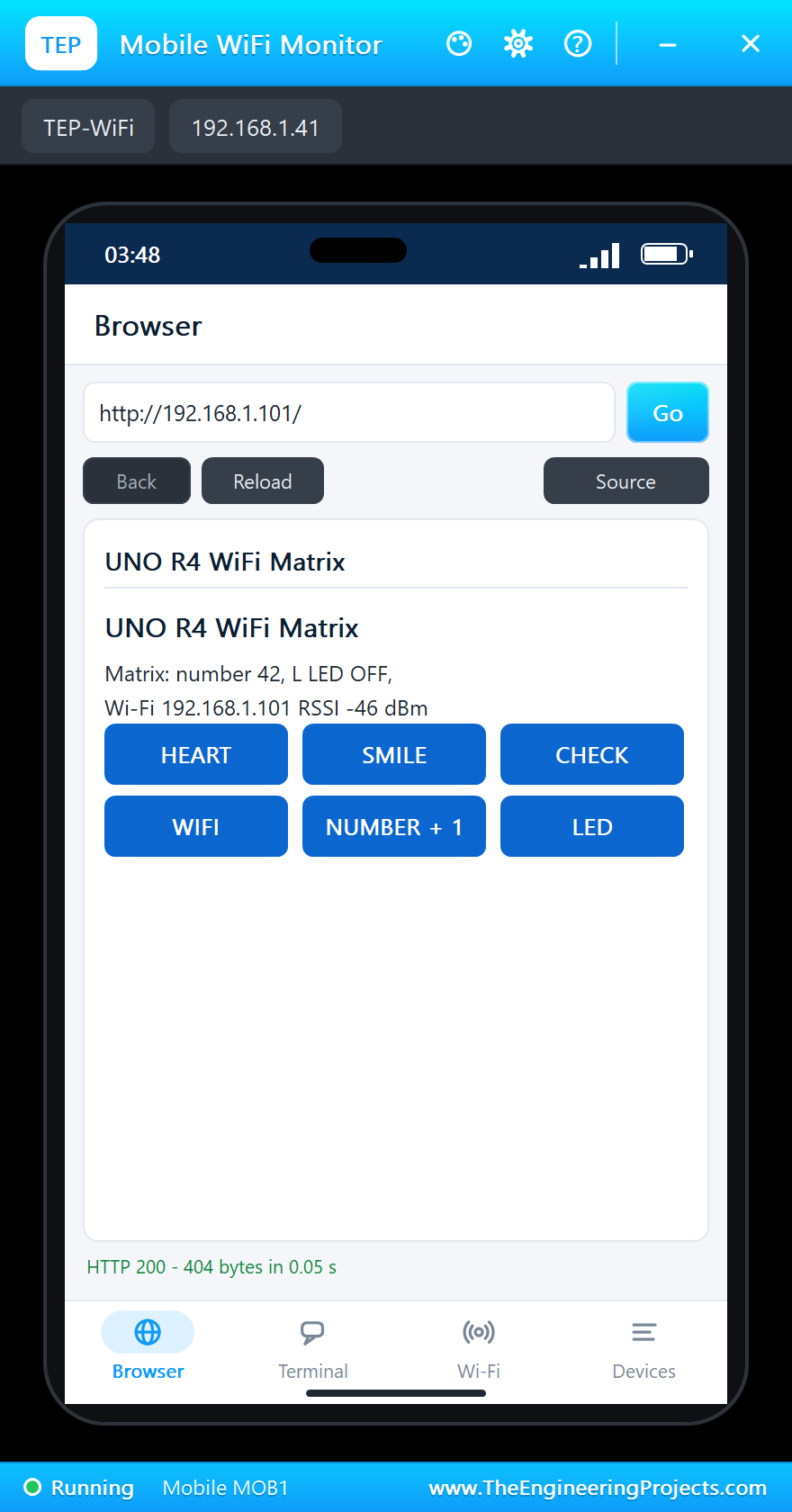
The two tools come from our Laptop WiFi Monitor Library for Proteus and Mobile WiFi Monitor Library for Proteus. The laptop is 192.168.1.21 and its browser's home page is http://192.168.1.101/show?n=42; the phone is 192.168.1.41 and opens the board's page, http://192.168.1.101/:
The Sketch: Libraries and Icons
The sketch is written as for a real UNO R4 WiFi. It needs the R4's two libraries:
#include <WiFiS3.h>
#include "Arduino_LED_Matrix.h"
One matrix object and one web server on port 80:
ArduinoLEDMatrix matrix;
WiFiServer server(80);
The icons are drawn as text, 8 rows of 12 characters - a # is a lit LED. You can read the heart in the code, and it costs nothing in RAM, because PROGMEM keeps it in flash:
const char HEART[8][13] PROGMEM = {"............", "...##..##...", "..########..", "..########..",
                                   "...######...", "....####....", ".....##.....", "............"};
drawIcon() turns the text into the uint8_t array the library expects and hands it to renderBitmap(), which shows it at once:
void drawIcon(const char icon[8][13], const char *name) {
  for (int r = 0; r < 8; ++r)
    for (int c = 0; c < 12; ++c) frame[r][c] = pgm_read_byte(&icon[r][c]) == '#';
  matrix.renderBitmap(frame, 8, 12);
  shown = name;
}
A Wi-Fi Animation While the Board Joins
The joining animation uses the other format of the library: each frame is 96 bits in three uint32_t words - the format of Arduino's LED Matrix Editor - plus its time in milliseconds. Four frames draw the Wi-Fi arcs one by one:
const uint32_t JOINING[][4] = {
  {0x00000000, 0x00000000, 0x00060060, 300},
  {0x00000000, 0x00000F01, 0x08060060, 300},
  {0x0000001F, 0x82040F01, 0x08060060, 300},
  {0x3FC4021F, 0x82040F01, 0x08060060, 600},
};
On the UNO R4, WiFi.begin() waits until the board has joined or failed, so the sketch starts the sequence first and lets it play while it waits. When the board is on Wi-Fi, a frame of its own - the tick - replaces the animation:
void joinWiFi() {
  Serial.print("Connecting to ");
  Serial.println(ssid);
  matrix.loadSequence(JOINING);
  matrix.play(true);                   // the Wi-Fi animation while WiFi.begin() waits
  while (WiFi.begin(ssid, pass) != WL_CONNECTED) {
    Serial.println("Not joined yet - trying again");
  }
  online = true;
  drawIcon(CHECK, "check");
  Serial.print("IP address: ");
  Serial.println(WiFi.localIP());
  delay(1000);
}
Before that, setup() checks the Wi-Fi module and prints its firmware, the way the R4's examples do:
  if (WiFi.status() == WL_NO_MODULE) {
    Serial.println("No Wi-Fi module!");
    drawIcon(CROSS, "cross");
    while (true) {}
  }
  Serial.print("Wi-Fi firmware ");
  Serial.println(WiFi.firmwareVersion());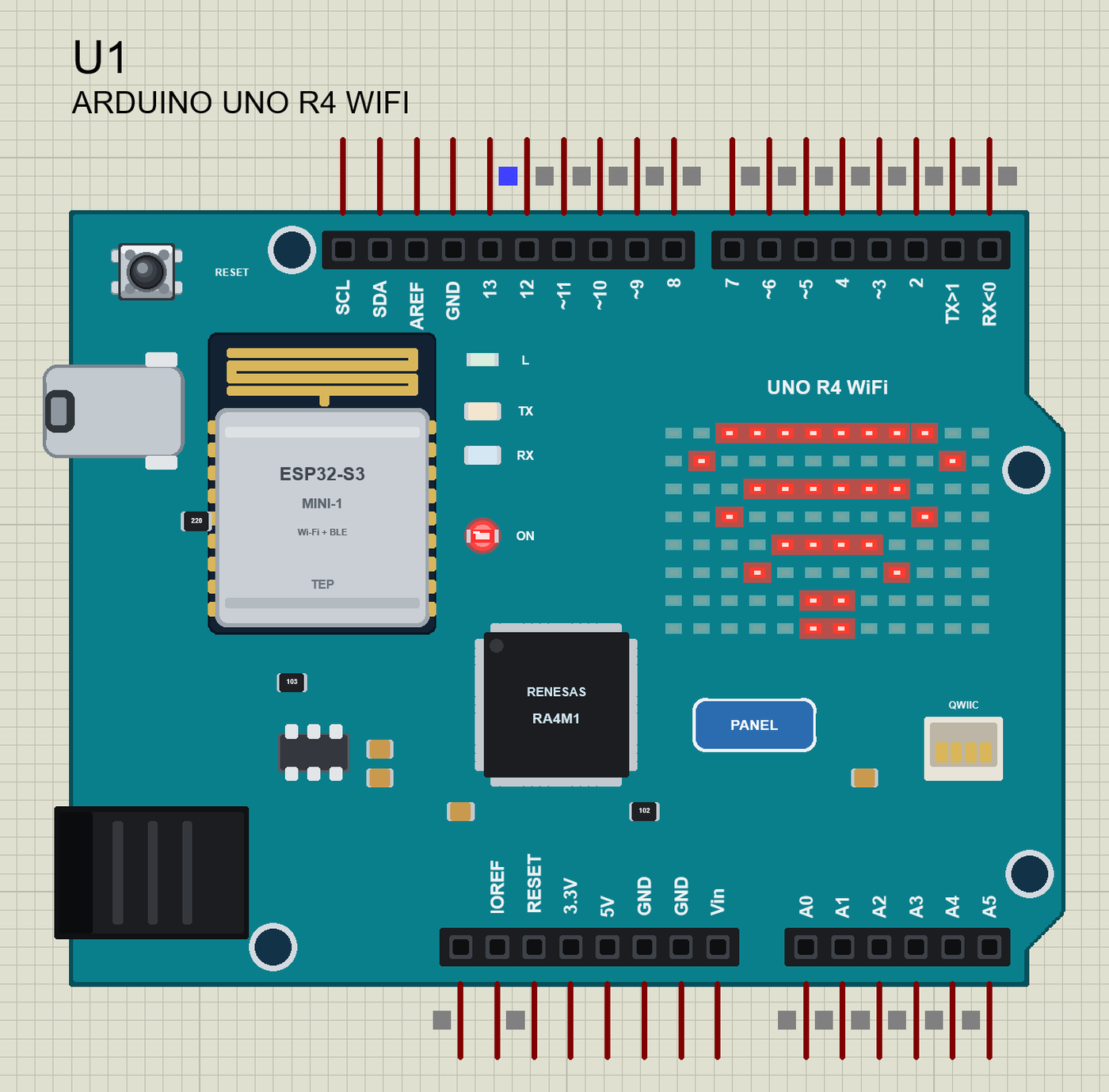
Press Run and watch the monitor (115200 baud): the firmware, the join, the address and the server:
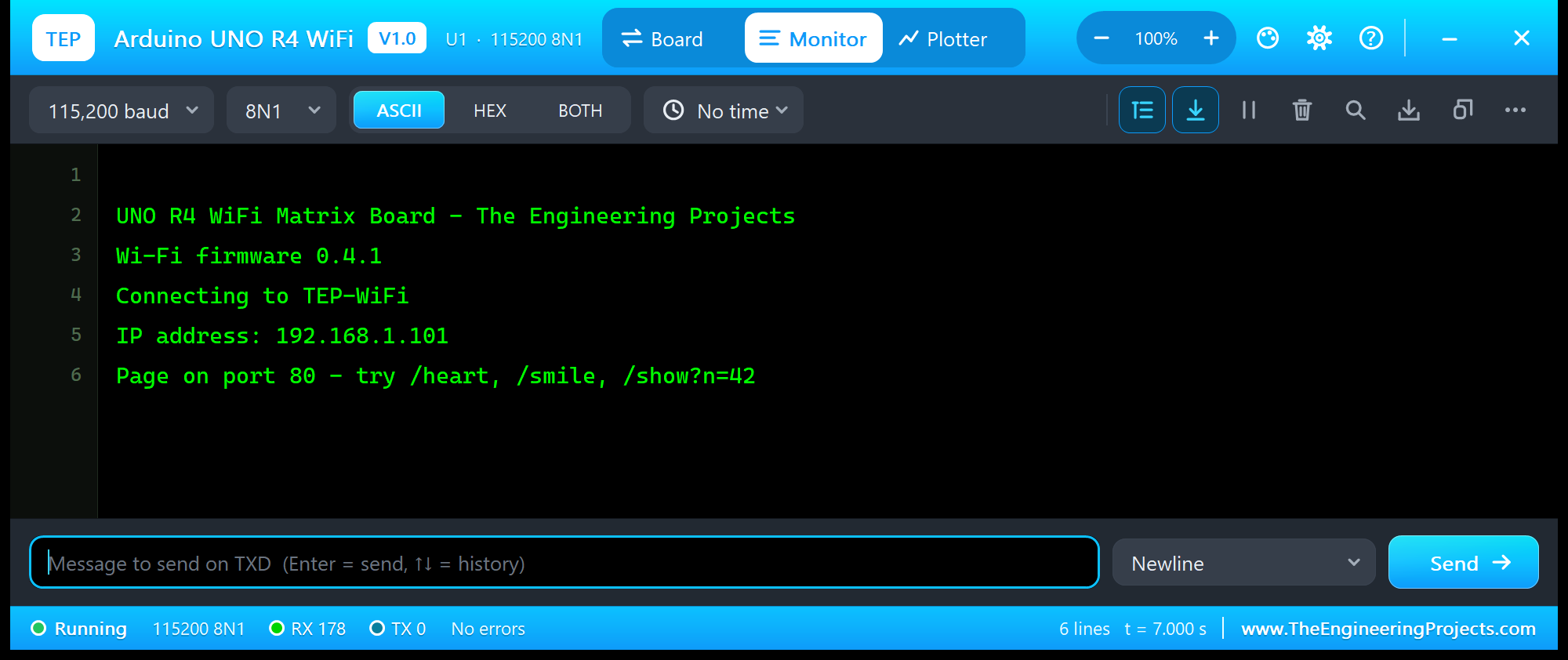
UNO R4 WiFi Matrix Board - The Engineering Projects
Wi-Fi firmware 0.4.1
Connecting to TEP-WiFi
IP address: 192.168.1.101
Page on port 80 - try /heart, /smile, /show?n=42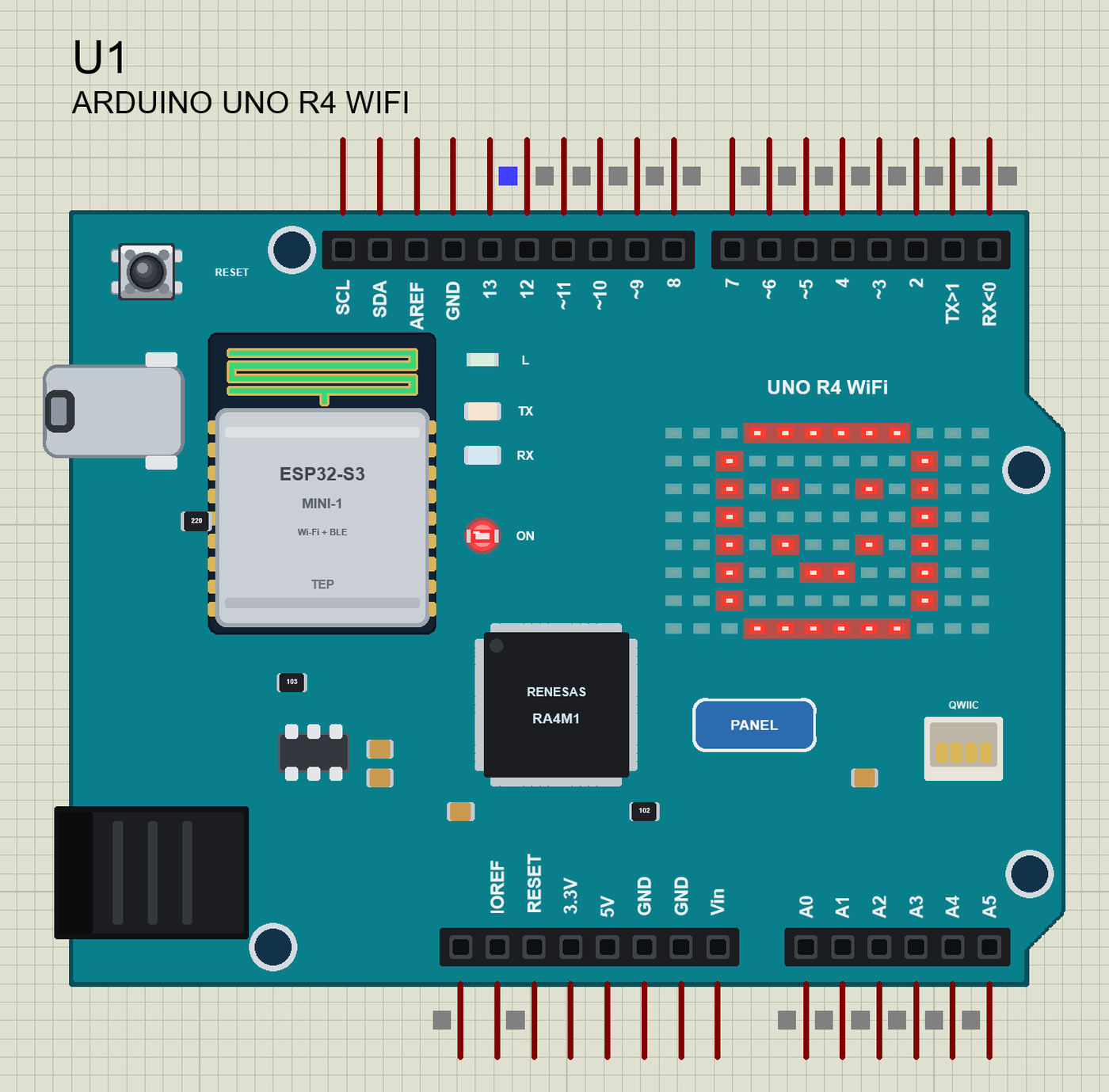
A Number on the Matrix from the Laptop
The R4 has no WebServer library, so the sketch reads the request itself. A browser sends a line like GET /show?n=42 HTTP/1.1, then its headers, then an empty line. The sketch keeps the path of the GET line and stops at the empty line:
void serveClients() {
  WiFiClient client = server.available();
  if (!client) return;
  String line;
  unsigned long start = millis();
  while (client.connected() && millis() - start < 2000) {
    if (!client.available()) continue;
    char c = client.read();
    if (c == '\n') {
      if (line.length() == 0) break;                 // the empty line: the end of the request
      if (line.startsWith("GET ")) handle(line.substring(4, line.indexOf(' ', 4)), client);
      line = "";
    } else if (c != '\r' && line.length() < 80) {
      line += c;
    }
  }
  delay(5);
  client.stop();
}
The path is a command: /show?n=42 becomes NUM 42, /heart becomes HEART:
void handle(String path, WiFiClient &client) {
  Serial.print("Page ");
  Serial.print(path);
  Serial.print(" for ");
  Serial.println(client.remoteIP());
  if (path.startsWith("/show?n=")) command("NUM " + path.substring(8));
  else if (path.length() > 1) command(path.substring(1));
  sendPage(client);
}
A number needs digits. A 3 x 5 font is enough on a matrix this small - each row of a digit is three bits:
const uint8_t DIGITS[10][5] PROGMEM = {
  {7, 5, 5, 5, 7}, {2, 6, 2, 2, 7}, {7, 1, 7, 4, 7}, {7, 1, 7, 1, 7}, {5, 5, 7, 1, 1},
  {7, 4, 7, 1, 7}, {7, 4, 7, 5, 7}, {7, 1, 2, 2, 2}, {7, 5, 7, 5, 7}, {7, 5, 7, 1, 7},
};
void drawDigit(int d, int col) { // a digit at columns col .. col + 2, rows 1 .. 5
for (int r = 0; r < 5; ++r) {
const uint8_t bits = pgm_read_byte(&DIGITS[d][r]);
for (int c = 0; c < 3; ++c) frame[r + 1][col + c] = (bits >> (2 - c)) & 1;
}
}Two digits side by side and a line under them make the number:
void drawNumber(int n) {               // 0 .. 99: two digits and a line under them
  n = constrain(n, 0, 99);
  memset(frame, 0, sizeof frame);
  drawDigit(n / 10, 2);
  drawDigit(n % 10, 7);
  for (int c = 2; c < 10; ++c) frame[7][c] = 1;
  matrix.renderBitmap(frame, 8, 12);
  number = n;
  shown = "number " + String(n);
}
In the laptop, open the Browser and press Go - its home page asks for 42. The page that comes back shows the new state, and the matrix shows the number:
Icons from the Phone
Every command goes through one function, whether it comes from the page or the monitor:
bool command(String cmd) {
  cmd.trim();
  cmd.toUpperCase();
  if (cmd == "HEART") drawIcon(HEART, "heart");
  else if (cmd == "SMILE") drawIcon(SMILE, "smile");
  else if (cmd == "CHECK") drawIcon(CHECK, "check");
  else if (cmd == "WIFI") drawIcon(WIFI, "wifi");
  else if (cmd.startsWith("NUM")) drawNumber(cmd.substring(3).toInt());
  else if (cmd == "LED") { ledOn = !ledOn; digitalWrite(LED_BUILTIN, ledOn ? HIGH : LOW); }
  else return false;
  Serial.println(status());
  return true;
}
The page itself starts with the HTTP header the browser needs, then the state and a link for each command:
void sendPage(WiFiClient &client) {
  client.println("HTTP/1.1 200 OK");
  client.println("Content-Type: text/html");
  client.println("Connection: close");
  client.println();
In the phone, open the Browser and press Go:
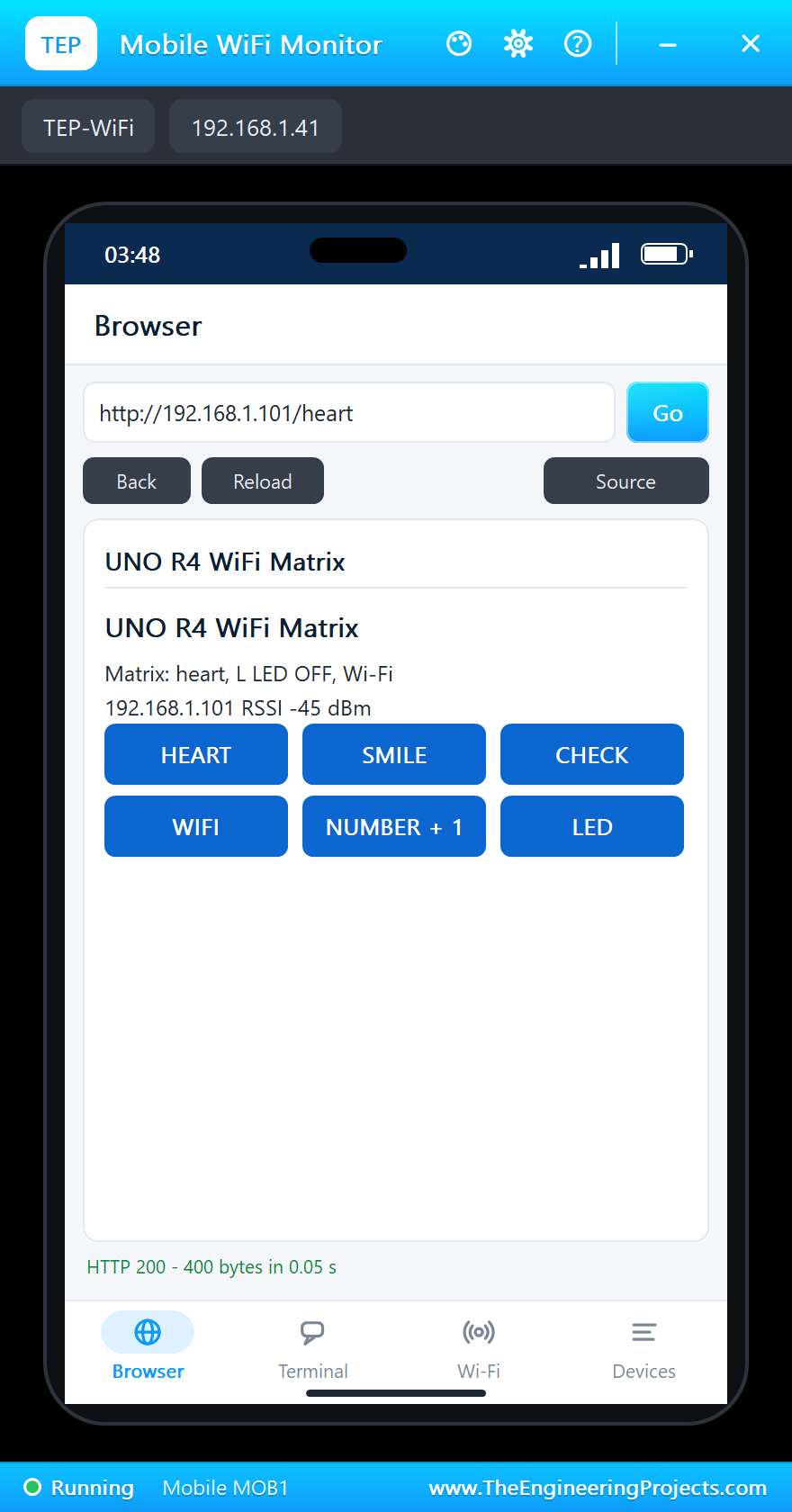
We tapped HEART:
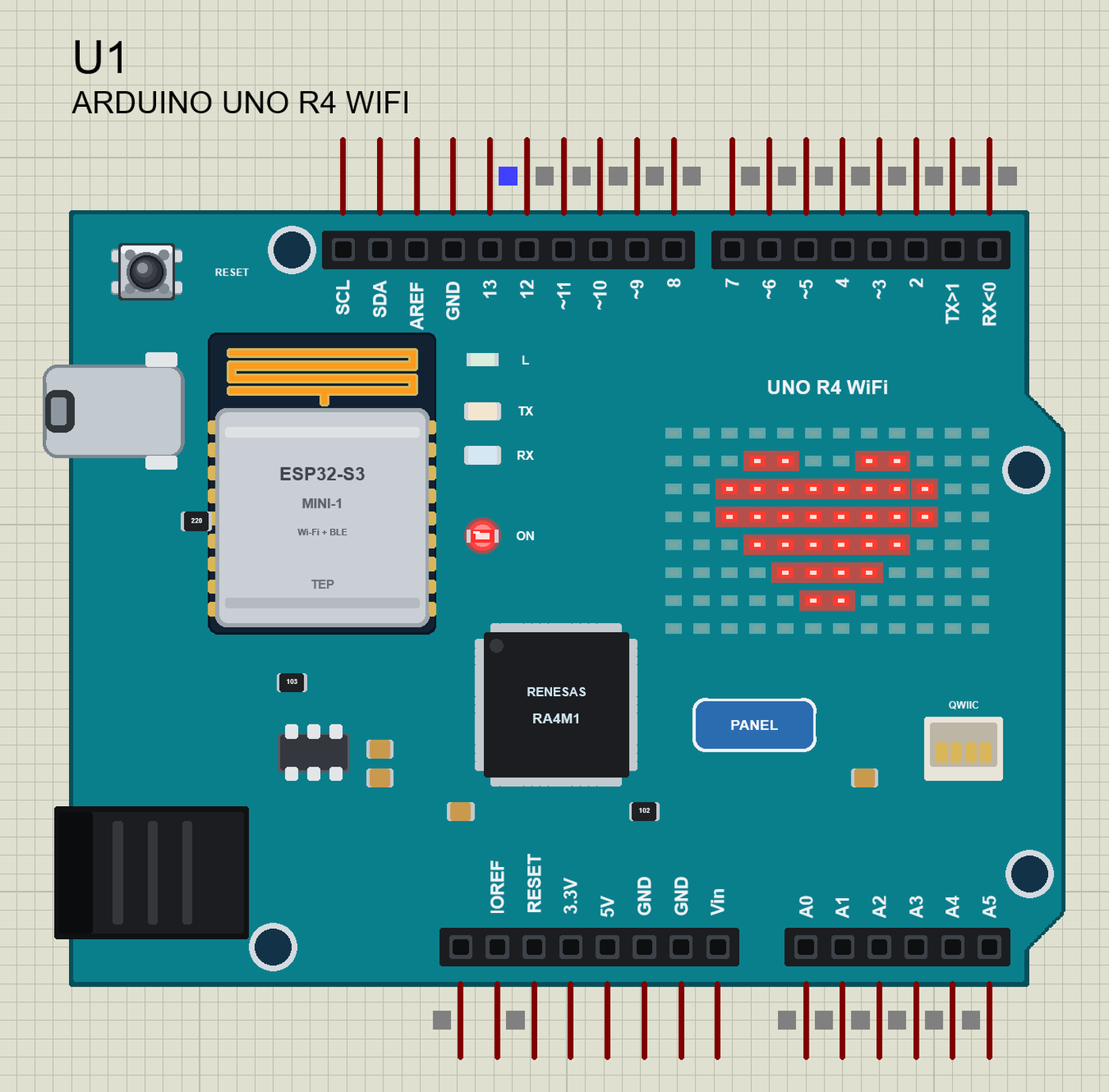
The L LED and the Monitor
The same commands work in the serial monitor. LED toggles the L LED on D13, STATUS and HELP answer:
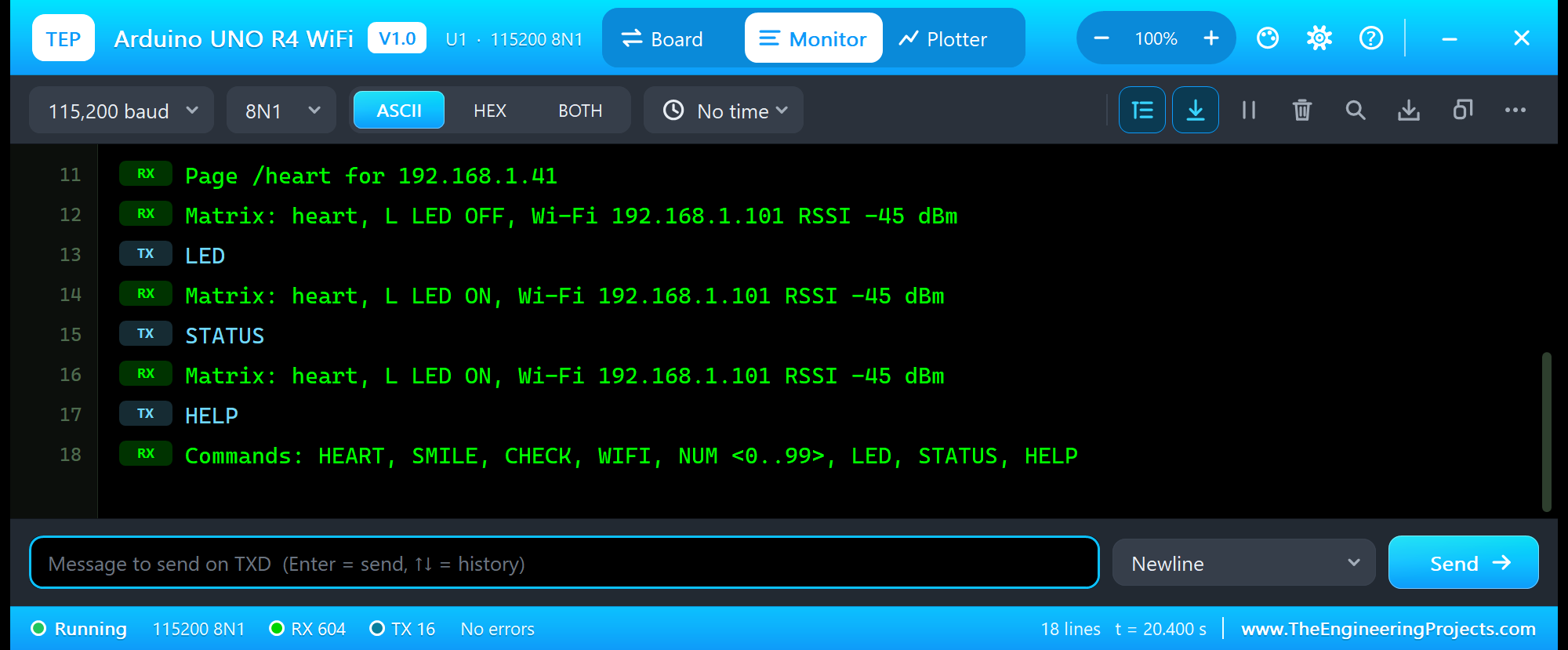
Page /heart for 192.168.1.41
Matrix: heart, L LED OFF, Wi-Fi 192.168.1.101 RSSI -45 dBm
LED
Matrix: heart, L LED ON, Wi-Fi 192.168.1.101 RSSI -45 dBm
STATUS
Matrix: heart, L LED ON, Wi-Fi 192.168.1.101 RSSI -45 dBm
HELP
Commands: HEART, SMILE, CHECK, WIFI, NUM <0..99>, LED, STATUS, HELP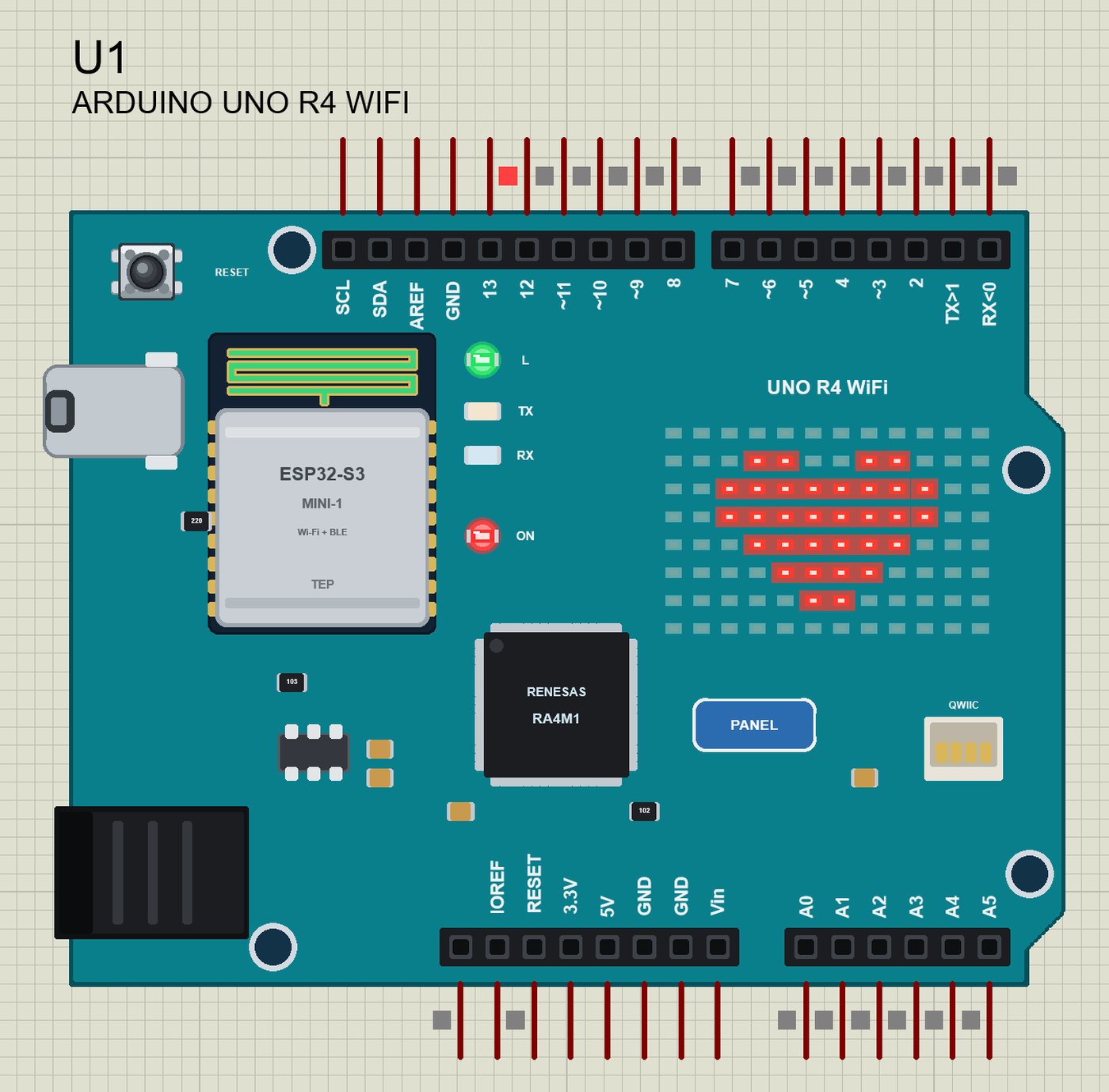
When the Wi-Fi Is Lost
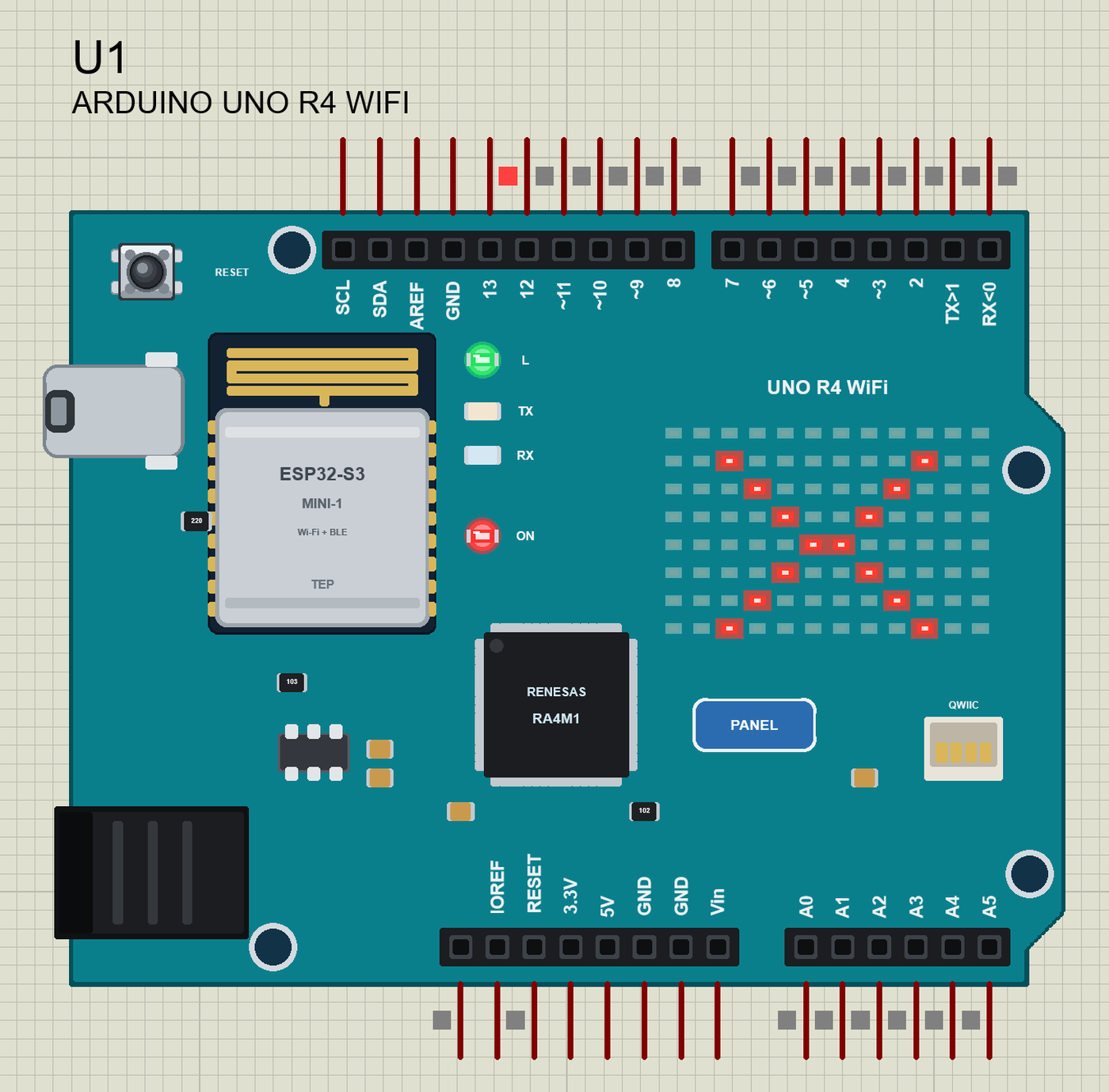
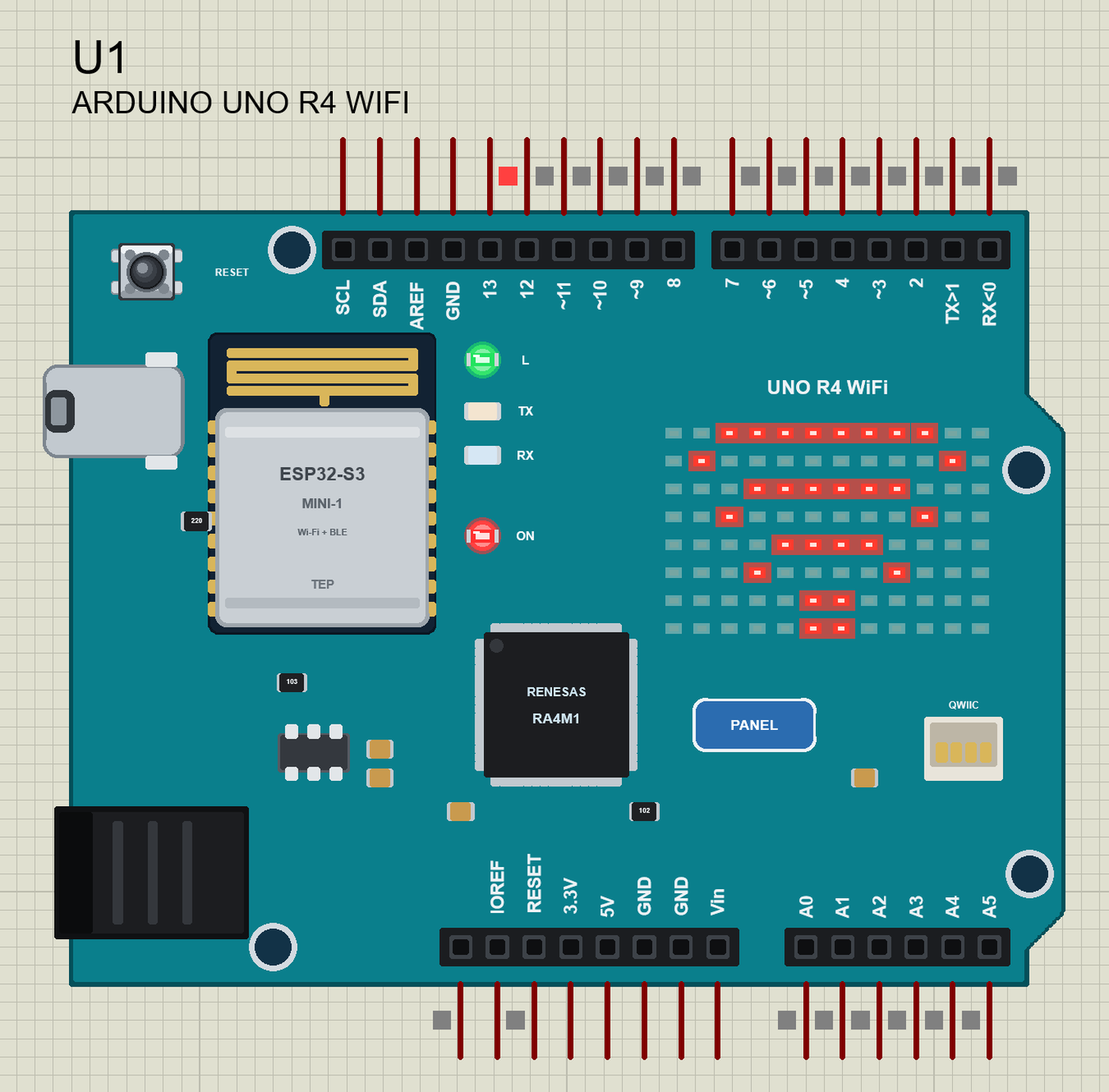
The board's panel has a phone with three WI-FI SIGNAL buttons - GOOD, WEAK and OUT OF RANGE - that move the router away while the simulation runs. The loop checks the connection on every pass; when it is gone, the matrix shows a cross, and the board starts joining again - with the animation:
void loop() {
  serveClients();
  readMonitor();
  if (WiFi.status() != WL_CONNECTED) {
    online = false;
    Serial.println("Wi-Fi lost - joining again");
    drawIcon(CROSS, "cross");
    delay(1500);
    joinWiFi();
    drawIcon(SMILE, "smile");
  }
}
We pressed OUT OF RANGE:
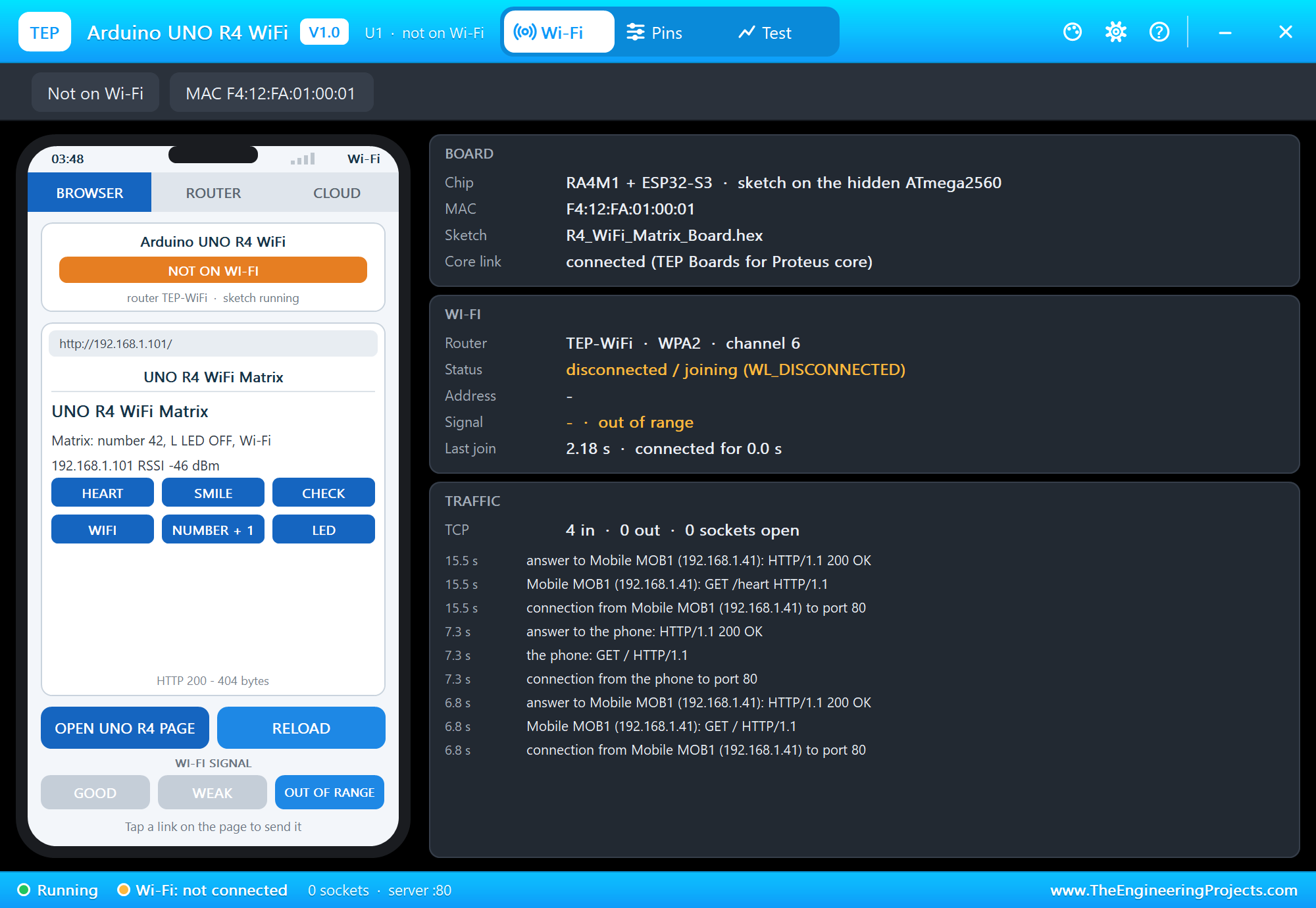
Then GOOD. On its next try the board joined again and went back to the smile - nothing to reset:
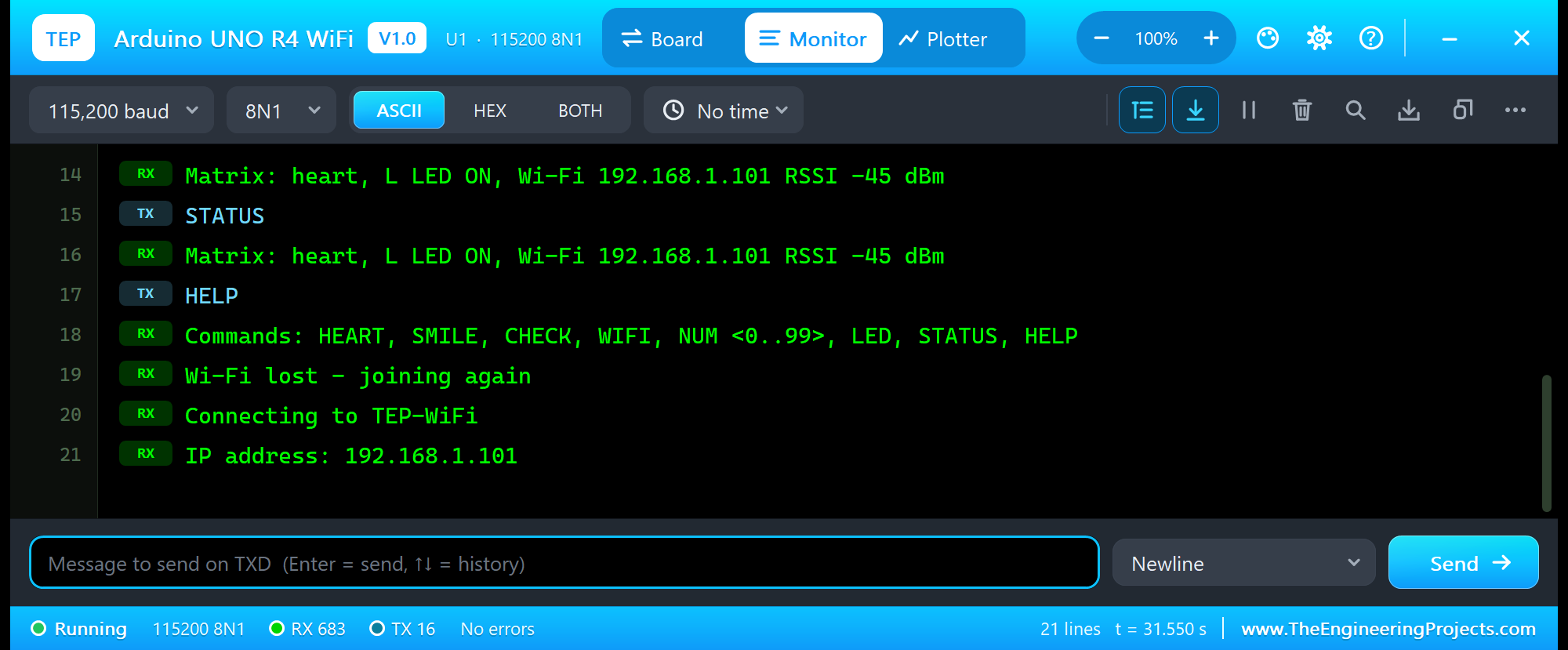
Wi-Fi lost - joining again
Connecting to TEP-WiFi
IP address: 192.168.1.101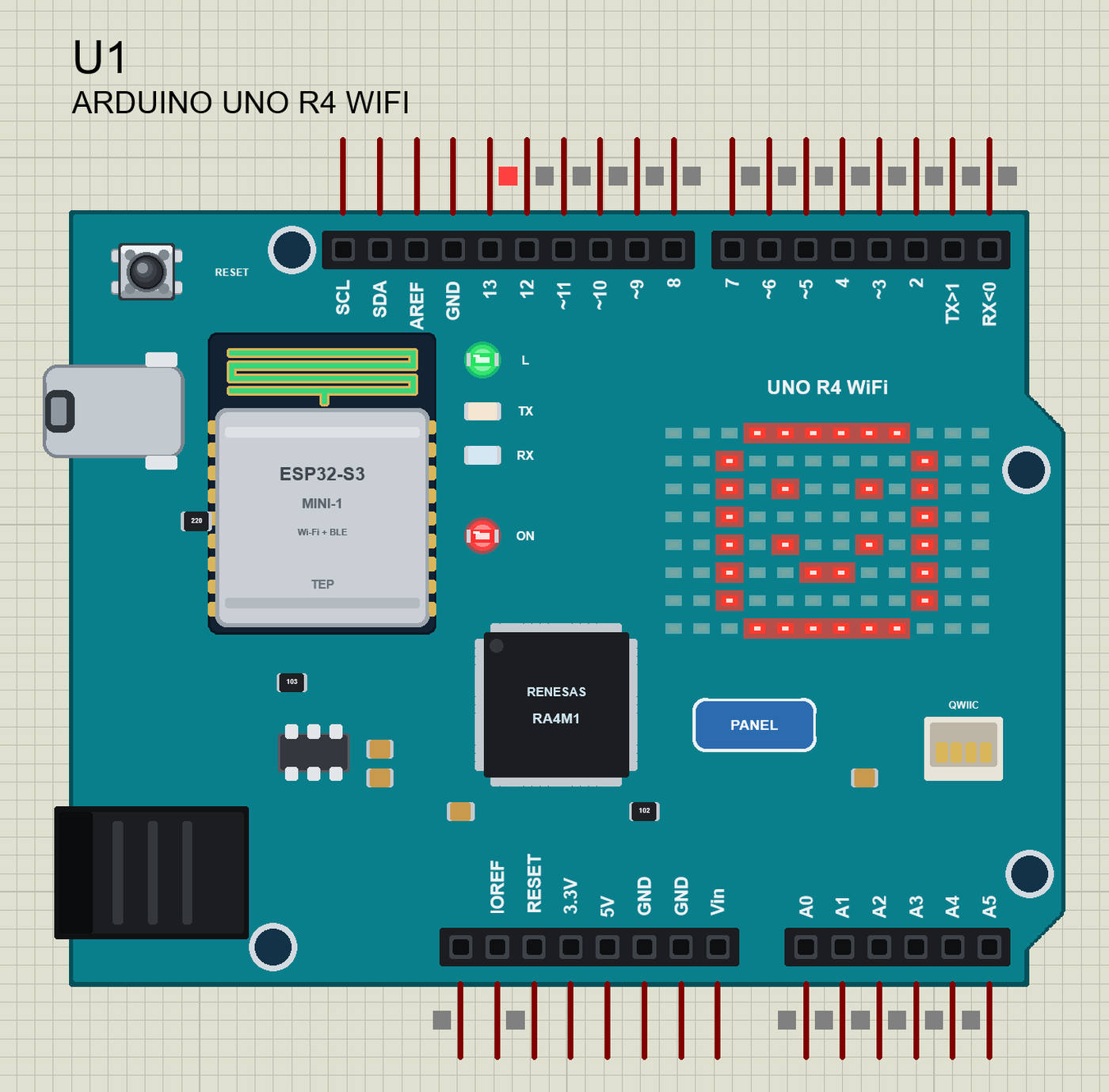
And the whole demo after the run:
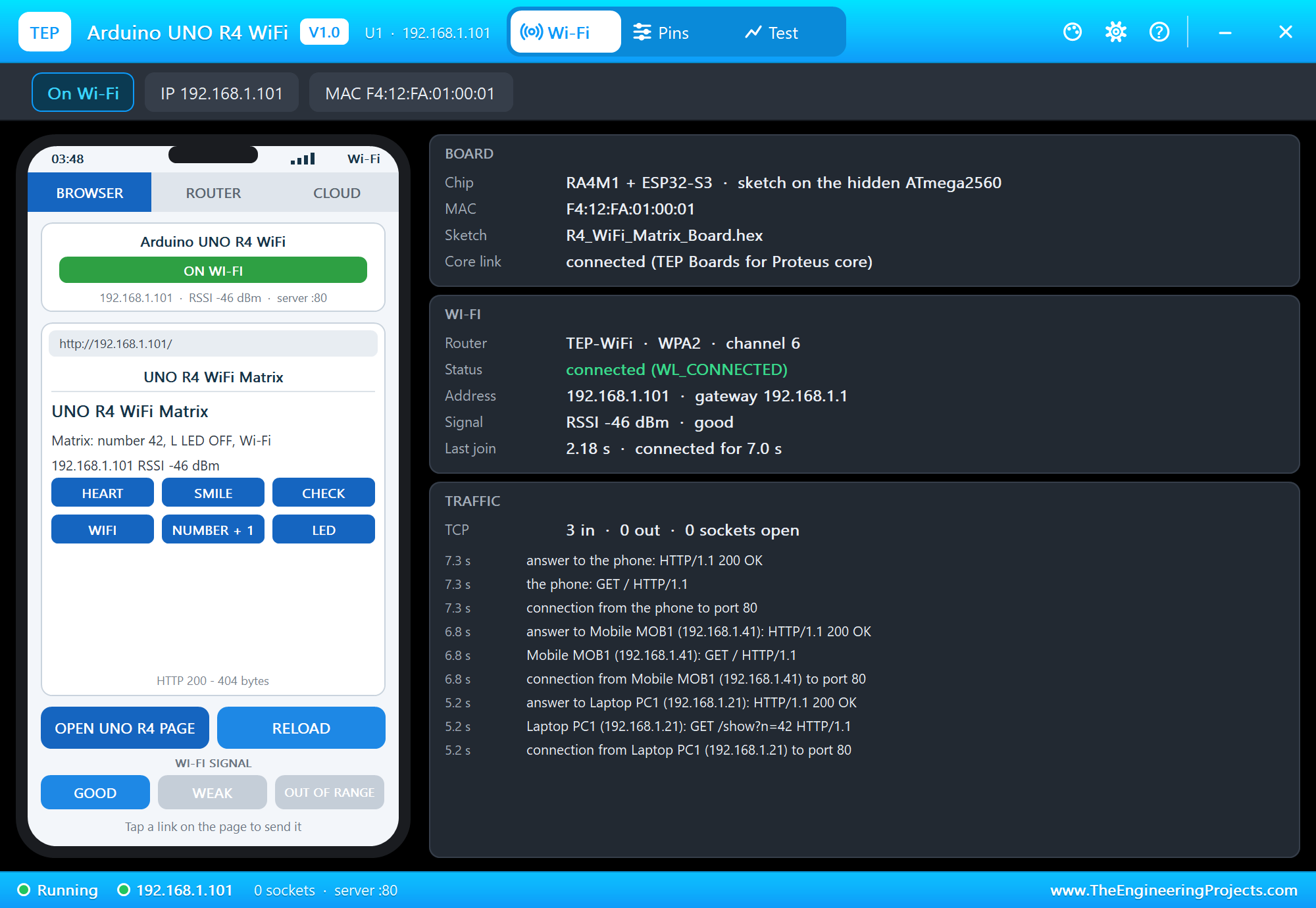
The UNO R4 WiFi Panel
The panel opens at Run, in the look of our TEP Serial Monitor Advance for Proteus. Its Wi-Fi page has a small phone and three cards: BOARD, WI-FI and TRAFFIC. OPEN UNO R4 PAGE opens the sketch's page on the panel's phone:
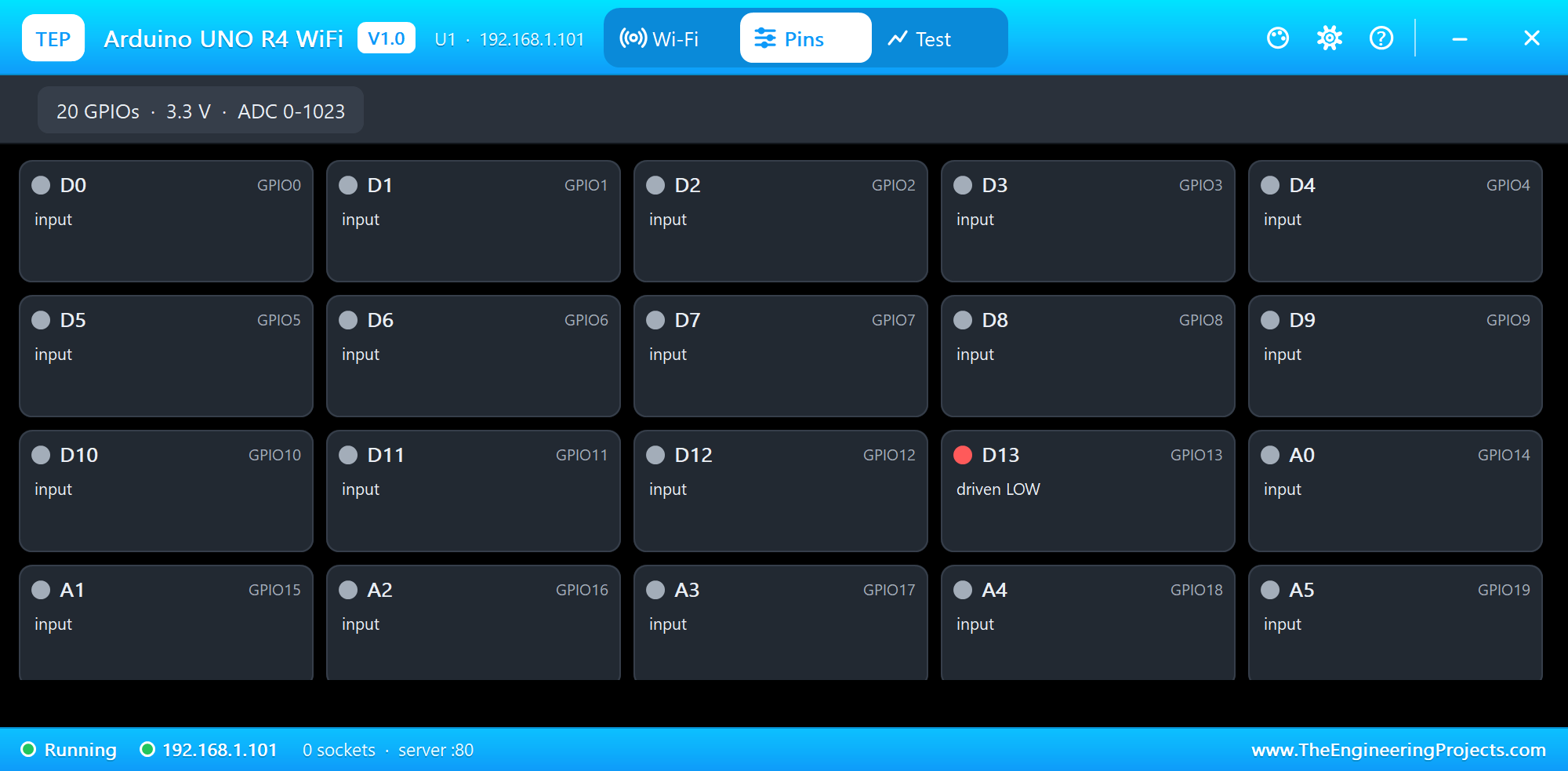
The Pins page shows the 20 pins live and A0 to A5 with their voltage:
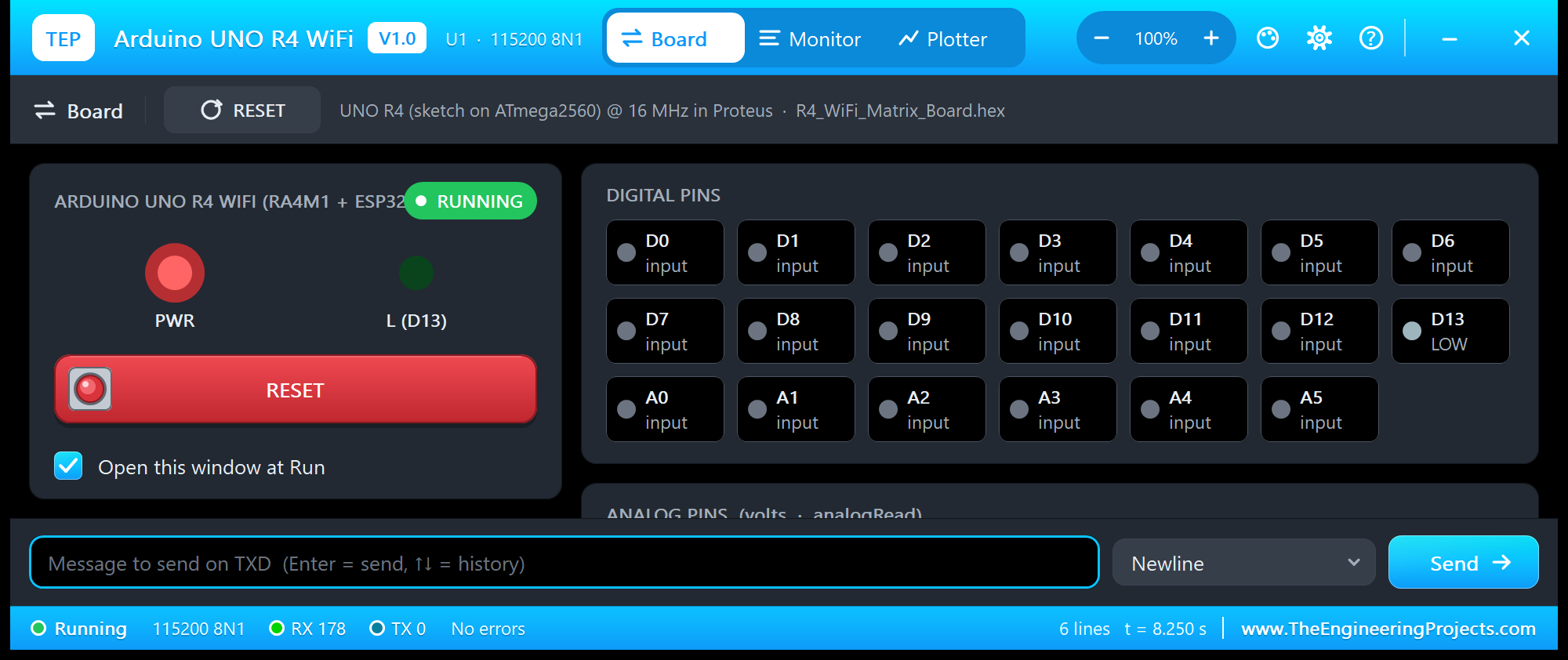
The monitor's Board tab shows the ON and L LEDs, the RESET button you can click there too, and every pin:
Pins of the Arduino UNO R4 WiFi
| Pin | What it does in the simulation |
|---|---|
| RX<0, TX>1 | D0 / D1: Serial1 (as on the R4), GPIO, interrupt |
| 2 to 13 | GPIO and interrupts; analogWrite on ~3 ~5 ~6 ~9 ~10 ~11; D13 drives the L LED |
| ~10, ~11, 12, 13 | also SPI SS, MOSI, MISO, SCK |
| A0 to A5 | analogRead 0 to 1023 for 0 to 5 V; also GPIO |
| A4 / A5, SDA / SCL | Wire (the same nets twice, as on the board) |
| 5V, 3.3V, IOREF | 5 V logic supply, 3.3 V out, 5 V |
| GND, RESET | ground; reset (LOW holds the board in reset, as the RESET button) |
| AREF, Vin, NC | drawn, not modelled |
Serial is the USB - the board's monitor - not D0 / D1, as on the real R4. All pins are 5 V logic.
Properties of the Arduino UNO R4 WiFi
| Property | What it does |
|---|---|
| PROGRAM | the sketch's HEX (Export Compiled Binary with the board Arduino UNO R4 WiFi (TEP Proteus)) |
| WIFISSID / WIFIPASS | the router in range (TEP-WiFi / 12345678) |
| MONITOR | YES = the built-in serial monitor on the USB (Serial) |
| BAUD | the monitor's speed (115200, or AUTO) |
| AUTOOPEN | YES = the monitor opens at Run (the demos: YES) |
| TIME | the clock NTP gives the sketch: PC, or a start time in UTC |
The IP address follows the part's number: U1 gets 192.168.1.101, U2 .102 and so on. Use one UNO R4 WiFi per design: its USB serial lines are hidden pins, and Proteus joins hidden pins of the same name across parts.
Troubleshooting
- Nothing happens at Run: the HEX was not built with our board package - choose Arduino UNO R4 WiFi (TEP Proteus) and export it again.
- "WiFiS3.h: No such file": an older copy of the board package is installed - 1.9.0 adds the UNO R4 WiFi.
- The matrix stays dark: call
matrix.begin()first; a frame is three words (loadFrame) or an [8][12] array (renderBitmap). - The animation stops: a frame loaded by the sketch replaces a playing sequence, as on the real board - call
play()again. - LEDMATRIX_HEART_BIG or beginText() is unknown: Arduino's frame gallery and the ArduinoGraphics text are not in V1.0 - draw your own frames, as the demo does.
- The board stays on "Connecting to TEP-WiFi": the network name or password differs from WIFISSID / WIFIPASS, or the panel's WI-FI SIGNAL is OUT OF RANGE.
- A number goes wrong above 32767: an int is 16 bits on the hidden AVR - use long.
Things to Know Before Using a Real UNO R4 WiFi
- A different processor: the R4 is not an AVR. Code that writes the ATmega328P's registers (PORTB, TCCR1A ...) does not run on the R4 - use the Arduino functions.
- The board package: install "Arduino UNO R4 Boards" in the Boards Manager and choose "Arduino UNO R4 WiFi"; WiFiS3 and Arduino_LED_Matrix come with it.
- Firmware: the ESP32-S3 has its own firmware; the R4's examples compare
WiFi.firmwareVersion()withWIFI_FIRMWARE_LATEST_VERSIONand the IDE can update it. - The matrix and pins: the matrix is driven by its own pins of the RA4M1, so it costs none of the header pins.
- Our ESP32-S3 board: to program an ESP32-S3 directly, see our ESP32-S3 DevKitC-1 Library for Proteus.
- The same sketch: the demo compiles for the real board without a change.
Limitations of the Simulation
- The board runs your sketch on a hidden ATmega2560 at 16 MHz with 8 KB of RAM - not on the RA4M1. Long strings and big buffers that fit in the R4's 32 KB may not fit here, and an int is 16 bits.
- Not modelled: the DAC, the CAN bus, the op-amp, the RTC, the USB keyboard and mouse, Bluetooth, the TX and RX LEDs (drawn), the DC jack, real TLS, the radio itself - the join and network times are realistic values, not a radio simulation.
- The antenna colours, the PANEL pad, the panel, its phone, the router, the internet host and the two monitors are TEP additions; the MAC address is a TEP address.
- Arduino and UNO are trademarks of Arduino SA, RA4M1 a name of Renesas Electronics and ESP32-S3 of Espressif Systems; this library is not made or endorsed by them or by Labcenter.
- Tested in Proteus 8.5 in October 2026 (the demos as shipped, the UNO R4 WiFi, the laptop and the phone together at about 0.4 x real time on our PC). Proteus 7 is not supported.
So, that was all about the Arduino UNO R4 WiFi Library for Proteus. I hope it lets you try the R4's matrix and Wi-Fi before the real board is on your desk - icons, numbers, animations, web pages - and test what your sketch does when the Wi-Fi disappears. If you use the Arduino UNO R4 WiFi Library for Proteus in a project, please share it in the comments or in our forum, and if you have any questions, ask in the comments and I will help you out. Till the next tutorial, take care and have fun!