Hello Geeks, I hope you all are doing great and enjoying your festive seasons. This time, we have come up with a new project which will make your festival a bit brighter so here comes a Christmas tree. It is said that Christmas is the center of all the celebrations. Did you guys know the scientist who discovered the light bulb, Thomas Edison and his friends were the first to put up the light bulbs on the Christmas tree, and here we are going to keep that tradition forward? Well, it’s time to gear up for the next season of Christmas being tech-savvy. Hence we have decided to brighten up a Christmas tree with the usage of Arduino Uno and LEDs in real life. Software to Install: To make our festival a little safer, we will first make our Christmas tree in the simulation and for that, we will u ...
Hello readers, we hope you all are doing great. In this tutorial, we are going to demonstrate how to interface and control a servo motor using an ESP32 board. After that, we will demonstrate how to create a webserver to control the servo motor’s shaft position with the ESP32 board. Servo Motors are among the most important actuators in robotics, with applications ranging from RC planes to automated door locks. Hardware components required A servo motor ESP32 development board Connecting wires Breadboard Servo Motor There are several specific types of electric motor applications in which the motor must rotate only at a specific angle. For such applications, we need a special type of motor with such a special arrangement that causes the motor to rotate at a specific angle for a given electri ...
Hello geeks, welcome to our new project. In this project, we are going to make a very useful and interesting electronics tool that we as engineers or tinkers need in everyday life. We use the capacitor in most of our projects for various purposes such as filters or power supplies. Most of the time, we do not have a provision to measure the capacitor value in our digital multimeter. So, this time we came up with the solution. Hence, we will make our own capacitance measurement tool using Arduino. Rather than investing in new electronic equipment, we will use an Arduino board and some basic components to measure the capacitance. To make this project, we should have some working knowledge about the capacitor. Here, we will not discuss the in-depth working of capacitors, but we will talk brief ...
We are familiar with multiple features of the ESP32 module. Like Wi-Fi capabilities, classic Bluetooth, Bluetooth low energy (BLE), inbuilt sensors etc. Hello readers, I hope you all are doing great. We have already mentioned in our previous tutorials that, ESP32 is also featured with a Dual-Core Processor. Which provides better performance and efficiency. In this tutorial, we will learn how to use ESP32’s dual cores. ESP32 has two (32-bit each) Tensilica Xtensa LX6 microprocessors namely, core0 and core1 which makes it a powerful dual-core microcontroller and hence stands apart from its predecessors. When we compile and upload a code using Arduino IDE, we do not have to worry about which core executes the code. It just runs. Fig. 1 ESP32 dual-core processor Features of Dual-Core processor ...
Hello readers, I hope you all are doing great. In our previous tutorial, we learnt how to make HTTP POST from ESP32 to the IFTTT server. In this tutorial, we will learn about another application of the ESP32 module in the field of IoT (Internet of Things). We can publish multiple sensor readings from ESP32 to Google sheets via the IFTTT web service. IFTTT is used as a third-party web service to integrate Google sheets with ESP32. Fig. 1 Creating an IFTTT Account for Integrating ESP32 with Google Sheets We are going to create an applet (on the IFTTT server) that is responsible to integrate the Webhooks and Google Sheets services. While operating with the IFTTT server there are some services/utilities that we are going to deal with like Applets and Webhooks. Before getting started with the p ...
ESP32 is a powerful chip for Internet of Things applications. This tutorial is also based on another ESP32 application in the field of IoT. Hello readers, I hope you all are doing great. In the previous tutorial, we learned how to send sensor readings from ESP32 to the cloud (ThingSpeak webserver). In this tutorial, we will learn to send HTTP POST requests from the ESP32 board to ThingSpeak and IFTTT APIs. What is HTTP? Fig. 1 Hypertext Transfer Protocol HTTP stands for hypertext transfer control and it is a protocol for transferring data between a web client and a web server. Hyper text transfer protocol was invented alongside HTML (Hypertext markup language) to create the first interactive, text-based web browser: the original www or World Wide Web. Server and client communication proces ...
Hello friends! I hope you all had a great start to the new year. In our first lecture , we had looked at the MATLAB prompt and also learned how to enter a few basic commands that use math operations. This also allowed us to use the MATLAB prompt as an advanced calculator. Today we will look at the various MATLAB keywords, and a few more basic commands and MATLAB functions, that will help us keep the prompt window organized and help in mathematical calculations. We are also going to get familiar with MATLAB’s interface and the various windows. We will also write our first user-defined MATLAB functions. MATLAB keywords and functions Like any programming language, MATLAB has its own set of keywords that are the basic building blocks of MATLAB. These 20 building blocks can be called by simply ...
Hello Friends! I hope you all are doing great welcoming 2022. With the start of the New Year, we would like to bring to you a new tutorial series. This tutorial series is on a programming language, plotting software, a data processing tool, a simulation software, a very advanced calculator and much more, all wrapped into one package called MATLAB. We would welcome all the scientists, engineers, hobbyists and students to this tutorial series. MATLAB is a great tool used by scientists and engineers for scientific computing and numerical simulations all over the world. It is also an academic software used by PhDs, Masters students and even advanced researchers. MATLAB (or "MATrix LABoratory") is a programming language and numerical computing environment built by Mathworks and it’s first versi ...
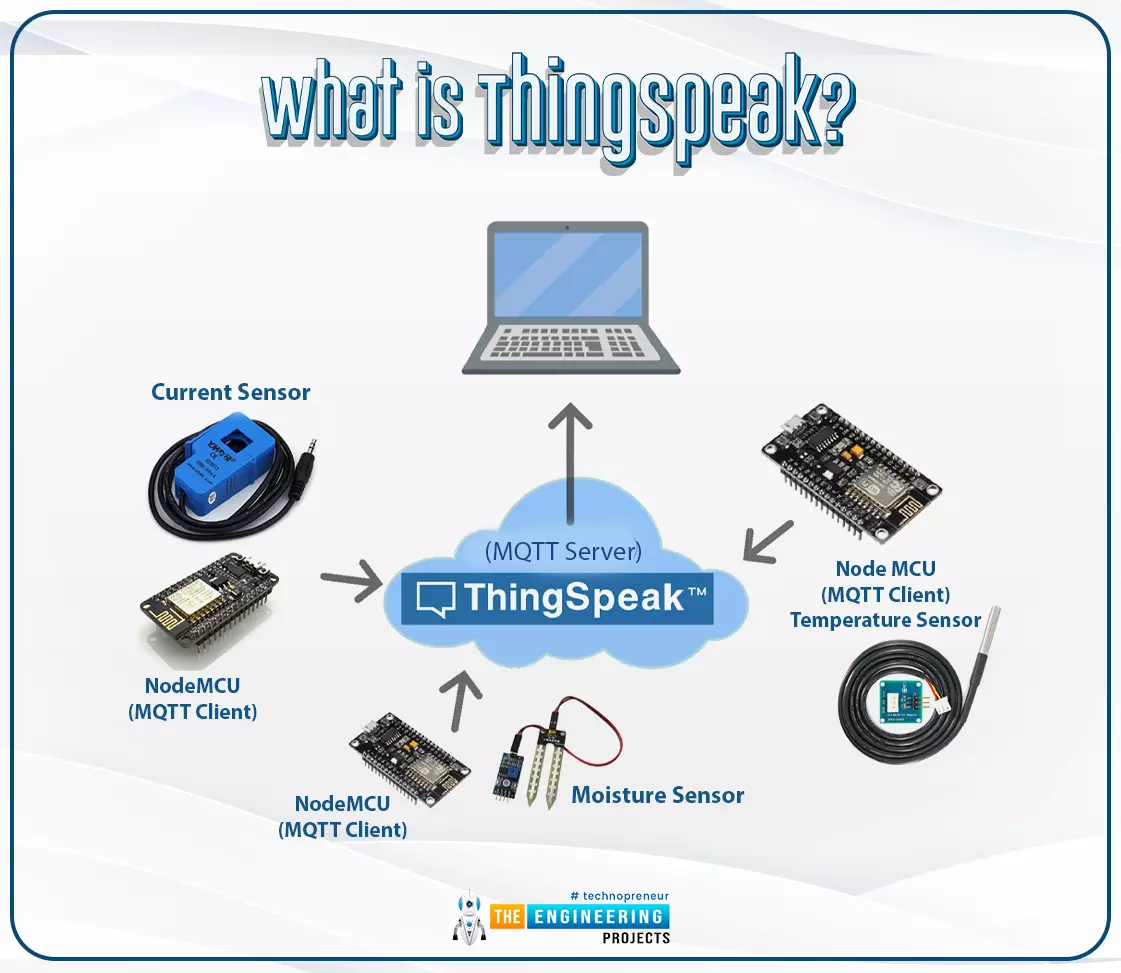
The Internet of Things ( or IoT) is a network of interconnected computing devices such as digital machines, automobiles with built-in sensors, or humans with unique identifiers and the ability to communicate data over a network without human intervention. Hello readers, I hope you all are doing great. In this tutorial, we will learn how to send sensor readings from ESP32 to the ThingSpeak cloud. Here we will use the ESP32’s internal sensor like hall-effect sensor and temperature sensor to observe the data and then will share that data cloud. What is ThingSpeak? Fig. 1: ESP32 ThingSpeak It is an open data platform for IoT (Internet of Things). ThingSpeak is a web service operated by MathWorks where we can send sensor readings/data to the cloud. We can also visualize and act on the data (cal ...
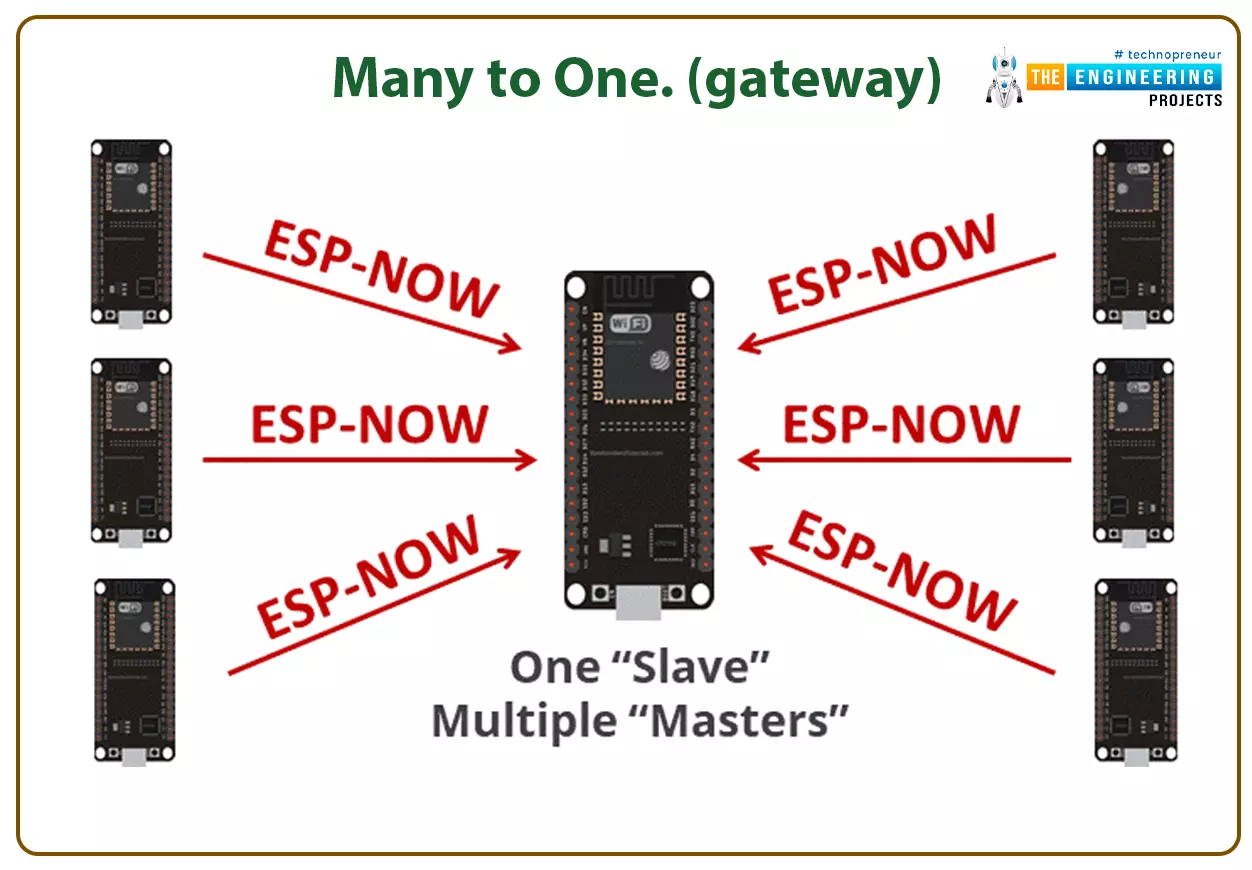
Hello readers, I hope you all are doing great. In this tutorial, we will learn about the ESP-NOW protocol and how to communicate data between two ESP modules through ESP-NOW protocol and that is too without Wi-Fi connectivity. What is ESP-NOW Protocol? Fig. 1: ESP-NOW Protocol ESP–NOW is a connectionless communication protocol that is used for sharing small data packets between two ESP boards. This protocol is developed by Espressif. Features of ESP-NOW Protocol: It is a low-power wireless protocol, which makes two or more ESP devices communicate directly with each other without using Wi-Fi. ESP-NOW protocol does not require a handshake for establishing a connection but, they require pairing and once the devices are paired they can exchange data. ESP-NOW offers a persistent connection betw ...