Hello friends, I hope you all are doing great. Today, I am going to share the ESP32-CAM Library for Proteus. The ESP32-CAM is the little board that turned the ESP32 into a Wi-Fi camera for about ten dollars: an OV2640 camera, a microSD slot and a bright flash LED on a board the size of a matchbox. Until now a camera was the one thing you could not simulate. With this library your ESP32-CAM sketch runs in Proteus 8.5, esp_camera_fb_get() takes a real JPEG picture, the photo goes to the card, and our laptop and phone show it in their browsers.
ESP32-CAM Library for Proteus
Latest version: V1.0 (October 2026, this tutorial)
Other ESP32 boards and modules: ESP32 DevKit V1 · ESP32-DevKitC V4 · ESP32-S3 DevKitC-1 · ESP32-C3 SuperMini · ESP32-C6 DevKitC-1 · TTGO T-Display · T-Display S3 · XIAO ESP32-C3 · LOLIN S2 Mini · Heltec WiFi LoRa 32 V3 · LilyGO T-Beam · ESP32-WROOM-32 · AirLift WiFi Shield · AirLift ESP32 Breakout · WT32-ETH01
Modules: Micro SD · MAX485 RS485 · MCP2515 CAN · DS3231 RTC · DFPlayer Mini
Helping Tools
- Laptop WiFi Monitor: a laptop on the Wi-Fi of your design: a browser, a TCP / UDP terminal and ping
- Mobile WiFi Monitor: a smartphone that opens the pages of your board and sends it commands
- Serial Monitor Advance: a serial terminal window for the UART of your board
The demo is a motion-triggered porch camera: when an HC-SR501 PIR sees someone at the door, the flash lights the porch, the camera takes a photo for the card, a relay switches the porch light on, and a web page shows the latest visitor.
NOTICE: Proteus has no ESP32 or OV2640 model, so our team has put a lot of effort into building this board ourselves: the ESP32-CAM's pins, Wi-Fi, camera, microSD card and serial monitor are all our own model, and your sketch compiles with our free TEP Boards for Proteus add-on. Your feedback is the fuel that keeps us going, so please tell us what you think in the comments below or in the ESP32-CAM board of our forum. And if our free libraries help you, you can buy us a coffee. So, let's get started with the ESP32-CAM Library for Proteus:
What is the ESP32-CAM?
The ESP32-CAM is a board by AI-Thinker that puts three things together: their ESP32-S module (an ESP32 with 4 MB of flash and a PCB antenna), an OV2640 camera on a small ribbon cable, and a microSD slot. A 4 MB PSRAM chip on the back gives the camera room for its frames, and a very bright white LED on GPIO4 works as a flash. The whole thing measures 40.5 x 27 mm and costs about the same as a meal, which is why it is in so many doorbells, wildlife traps, time-lapse rigs and plant watchers.
The price of the small size is that the board has no USB: you program it through a USB-to-serial (FTDI) adapter on U0R and U0T, holding IO0 to GND while it uploads, or with the ESP32-CAM-MB base board that does that for you. Most of the ESP32's pins are taken by the camera and the card, so only a handful are left on the 2 x 8 header.
| AI-Thinker ESP32-CAM | |
|---|---|
| Module | ESP32-S: dual-core ESP32 at 240 MHz, 520 KB SRAM, 4 MB flash, Wi-Fi + Bluetooth |
| Extra RAM | 4 MB PSRAM (the camera's frame buffers) |
| Camera | OV2640: 2 MP, up to 1600 x 1200, JPEG made on the chip |
| Storage | microSD slot (SD_MMC, 4-bit or 1-bit) |
| LEDs | a white flash LED on GPIO4, a red LED on GPIO33 (on the back, lit when LOW) |
| Header | 2 x 8 pins: 5V, 3V3, VCC, GND, U0R, U0T, IO0, IO2, IO4, IO12 - IO16 |
| Size | 40.5 x 27 mm; no USB (an FTDI adapter or the ESP32-CAM-MB) |
The OV2640 and Its JPEG Frames
The OV2640 is a 2-megapixel sensor with a trick that makes it perfect for a small microcontroller: it can compress its own picture to JPEG. The ESP32 asks for a frame size - from 96 x 96 up to UXGA, 1600 x 1200 - and a quality from 0 to 63, where a lower number means a better picture and a bigger file. A VGA (640 x 480) frame at quality 12 is a JPEG of a few dozen kilobytes, small enough to send over Wi-Fi or write to a card in a fraction of a second.
In code, Espressif's esp32-camera driver does the work: esp_camera_init() with the camera's pins and settings, esp_camera_fb_get() for a frame buffer (fb->buf and fb->len), and esp_camera_fb_return() to give it back. The sensor_t object changes brightness, contrast, mirror, flip and effects on the fly.
A Camera on a Board With 8 KB of RAM
Our simulated sketch boards give your code 8 KB of RAM - far too small for a picture. So the picture never goes there. The board model takes the photo and keeps the JPEG; in your sketch fb->buf is a token, and the places that use a frame on a real ESP32-CAM - client.write(fb->buf, fb->len), server.send_P(..., fb->buf, fb->len) and file.write(fb->buf, fb->len) - recognise it and pass the model's JPEG on. The sketch looks exactly like one for the real board; only reading single bytes of fb->buf is not possible.
Features of the ESP32-CAM Library for Proteus
- The board as it looks: the black PCB, the ESP32-S module with its shield and gold PCB antenna, the OV2640 with its lens and flex, the microSD slot, the flash LED and the 2 x 8 header.
- Your sketch: a .hex for "AI Thinker ESP32-CAM (TEP Proteus)" with the header GPIOs, Serial, WiFi, WebServer, analogWrite and attachInterrupt.
- The camera:
esp_camera.hwith Espressif's names; real JPEG pictures at every frame size from 96 x 96 to 1600 x 1200, the quality, brightness, contrast, saturation, effects, mirror, flip and colour bars. - The scene: a front porch at night (or a desk, or a test card); a visitor walks in while the PIR's pin is HIGH, and the flash LED lights the porch.
- The microSD card:
SD_MMCandFS.hwith the ESP32 core's names; the files can also be copied to a folder on your PC. - Pictures in the browsers: our Laptop and Mobile WiFi Monitors now show a page's
<img>and a .jpg address. - The serial monitor: the built-in monitor on U0T / U0R with Monitor, Plotter and Board tabs - our TEP header, no Windows title bar.
- A complete package: about 3.8 MB with the board, the add-on, the PIR and relay libraries for the demo, without the source code of the models.
The ESP32-CAM in Proteus
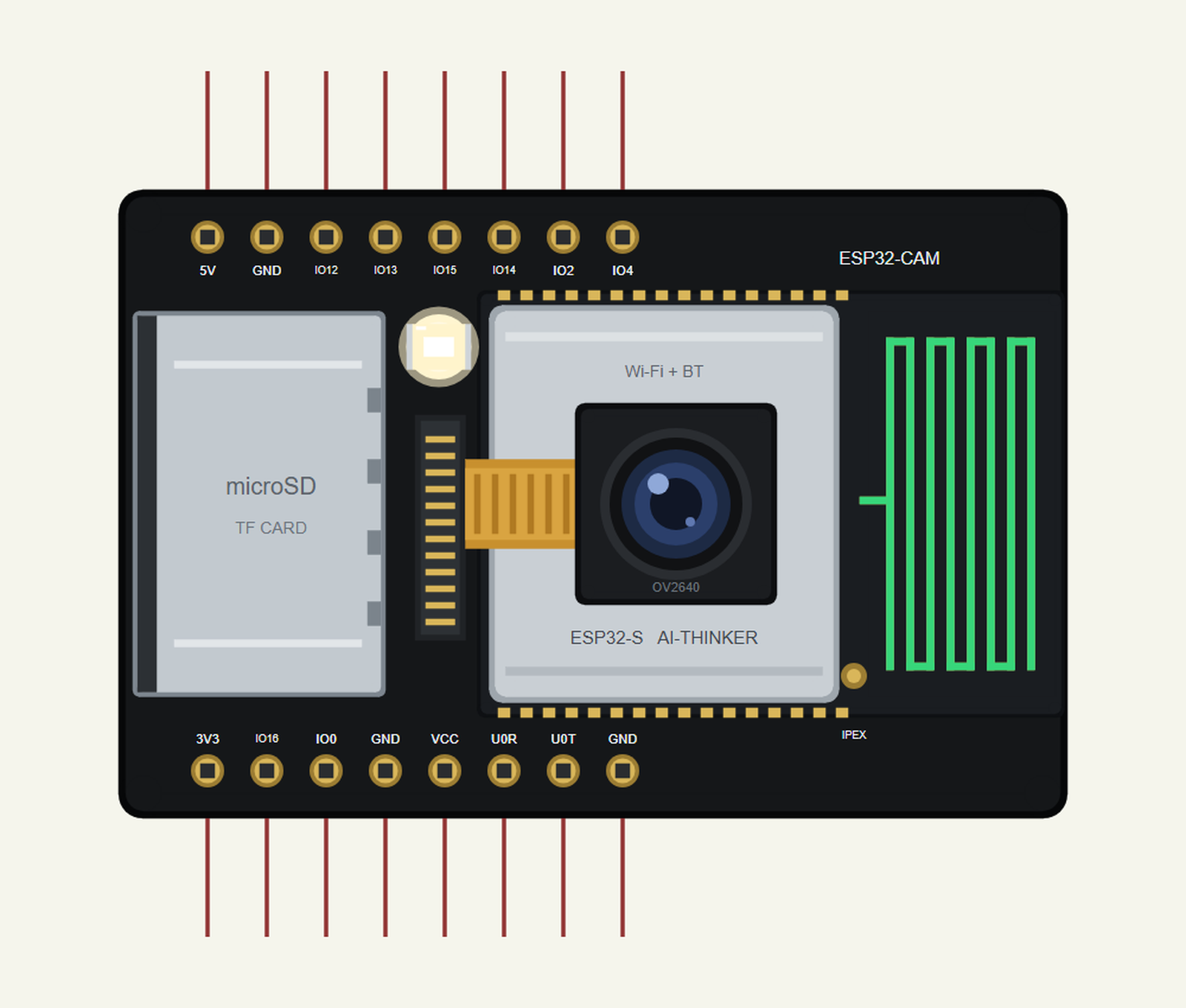
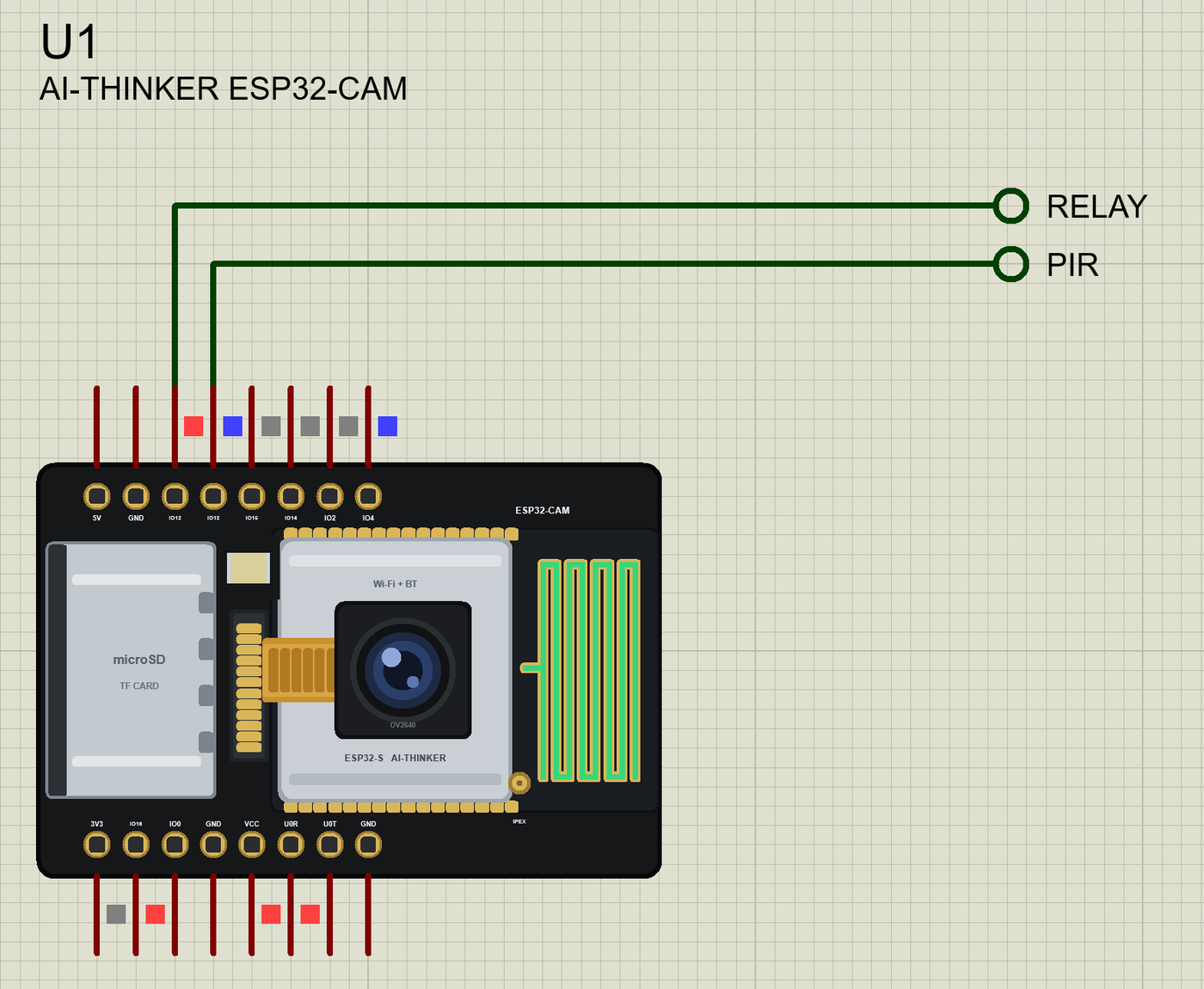
Search ESP32-CAM in Pick Devices; the device AI-THINKER ESP32-CAM is in TEPESP32CAM.LIB (Microprocessor ICs, ESP32 Boards), with the prefix U. Click the U0R / U0T pins for the serial monitor - the real board has no USB - and the ESP32-S module for the Wi-Fi panel.
The Pins
| Pins | What the library does with them |
|---|---|
| IO2, IO4, IO12 - IO15 | GPIO, PWM, interrupts and analogRead; IO4 is also the flash LED |
| IO0, IO16 | GPIO (on the real board IO0 is the camera clock and IO16 the PSRAM's) |
| U0R, U0T | Serial (GPIO3 / GPIO1): the board's monitor |
| 5V, 3V3, VCC, GND | the supplies; VCC is a 3.3 V output |
| GPIO33 | the red LED on the back (LED_BUILTIN, lit when LOW) |
The camera's own pins (5, 18 - 27, 32 and 34 - 39) are inside the board, so they are not on the header - and on the real board the microSD card shares IO2, IO4 and IO12 - IO15. In 1-bit mode, SD_MMC.begin("/sdcard", true), the card needs only IO2, IO14 and IO15, which leaves IO4, IO12 and IO13 for the flash, the relay and the PIR - exactly the demo's choice.
Starting the Camera
The camera configuration is the same one the CameraWebServer example uses for the AI-Thinker board; the lines that matter are the format, the size and the quality:
  config.pixel_format = PIXFORMAT_JPEG;
  config.frame_size = FRAMESIZE_VGA;                       // 640 x 480
  config.jpeg_quality = 12;                                // 0 - 63: lower is better
  config.fb_count = 1;
Taking a Photo for the Card
A photo is a frame from the camera written to a new file. The red LED on the back is on while it saves:
bool takePhoto(const char *why) {
  digitalWrite(RED_LED, LOW);                              // the red LED: saving
  camera_fb_t *fb = esp_camera_fb_get();
  if (!fb) { Serial.println(F("Camera capture failed")); digitalWrite(RED_LED, HIGH); return false; }
  const String path = "/photo" + String(photos + 1) + ".jpg";
  File file = SD_MMC.open(path, FILE_WRITE);
  bool ok = false;
  if (file) { ok = file.write(fb->buf, fb->len) == fb->len; file.close(); }
  esp_camera_fb_return(fb);
  digitalWrite(RED_LED, HIGH);
Pictures on the Web Page
A live picture goes straight from the camera to the browser with send_P(), and a saved one from the card with streamFile():
void handleCapture() {                                     // a live picture: straight from the camera, not saved
  camera_fb_t *fb = esp_camera_fb_get();
  if (!fb) { server.send(500, "text/plain", "Camera capture failed"); return; }
  server.sendHeader("Content-Disposition", "inline; filename=capture.jpg");
  server.send_P(200, "image/jpeg", (const char *)fb->buf, fb->len);
  Serial.print(F("Live picture: ")); Serial.print(esp_camera_fb_len32()); Serial.println(F(" bytes"));
  esp_camera_fb_return(fb);
}
void sendPhoto(int n) {
File f = SD_MMC.open("/photo" + String(n) + ".jpg");
if (!f) { server.send(404, "text/plain", "No such photo"); return; }
server.streamFile(f, "image/jpeg");
f.close();
}Download ESP32-CAM Library for Proteus
Click the button below to download ESP32-CAM-Library-for-Proteus-v1.0.zip (about 3.8 MB, without the source code of the models):
ESP32-CAM Library for Proteus V1.0- README.txt: installation, the demo, the pins, the properties, troubleshooting and the limits.
- Proteus Library Files:
TEPESP32CAM.LIBand the demo's parts:TEPHCSR501.LIB,TEPRELAY.LIB,TEPLAPTOP.LIBandTEPMOBILE.LIB. - Proteus Model Files:
TEPNET.DLL(the ESP32-CAM, its camera and card, the laptop, the phone and the network),TEPHCSR501.DLLandTEPRELAY.DLL. - Arduino Code: the demo sketch and the TEP Boards for Proteus add-on 1.37.0 with esp32-camera and SD_MMC.
- Proteus Simulation: the demo project, its HEX file and copies of the DLLs.
No Proteus yet? Read How to Download and Install Proteus 7 and 8. New to libraries? Follow How to Install a New Library in Proteus.
How to Install ESP32-CAM Library for Proteus
- Close Proteus and extract the whole zip file, for example to your Desktop.
- Copy the files from Proteus Library Files into the LIBRARY folder of Proteus.
- Copy the DLLs from Proteus Model Files into the MODELS folder, replacing an older TEPNET.DLL.
- Delete
TEPESP32CAM.IDXfrom the LIBRARY folder if it is there. - For your own sketches, copy Arduino Code\TEP Boards for Proteus\hardware into your Arduino sketchbook (Documents\Arduino) and restart the Arduino IDE; the board is AI Thinker ESP32-CAM (TEP Proteus).
- Start Proteus, press P and search for ESP32-CAM.
Demo: a Motion-Triggered Porch Camera
A porch camera is the project most ESP32-CAMs end up in: something moves at the door, a photo is taken, and you look at it from your phone. Ours adds the parts a real one needs - the flash for the night, the card so photos survive a power cut, and a light that welcomes the visitor.
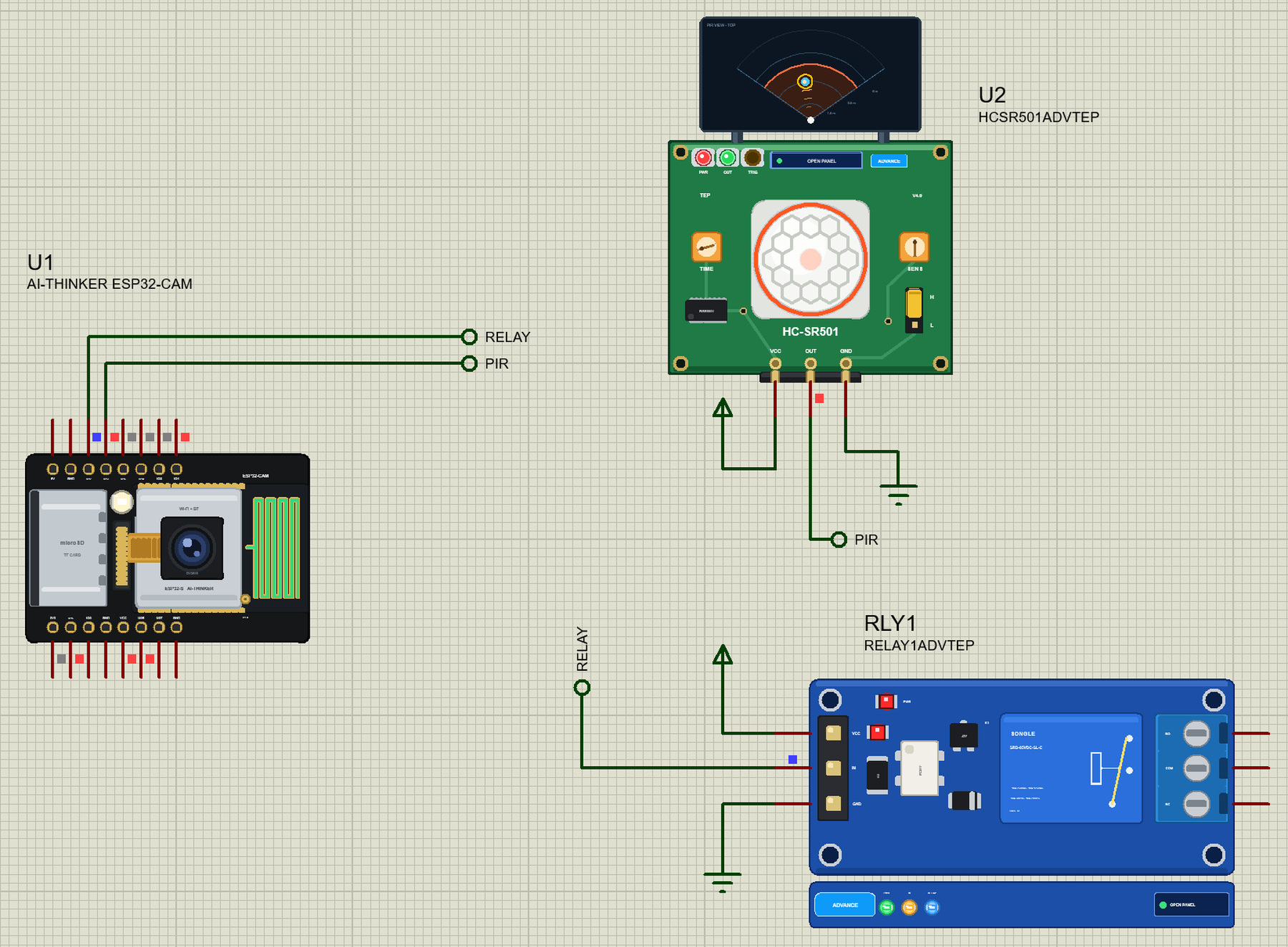
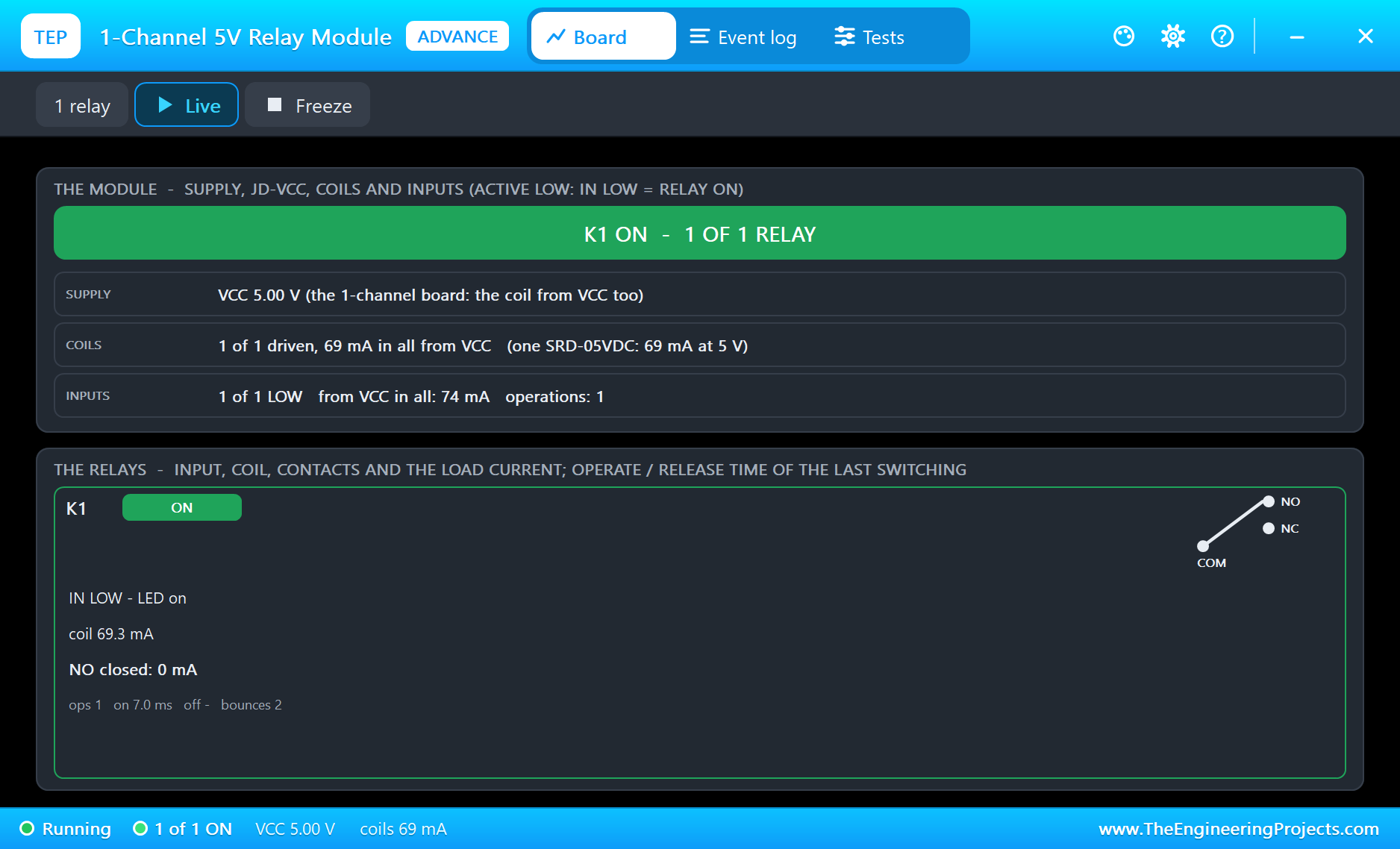
Open ESP32-CAM-PIR-Snapshot.pdsprj. U1 is the ESP32-CAM running ESP32CAM_PIR_Snapshot.hex. U2 is the HC-SR501 from our PIR Sensor Library for Proteus and RLY1 the relay from our Relay Module Library for Proteus - both the Advance versions. PC1 is the Laptop WiFi Monitor and MOB1 the Mobile WiFi Monitor.
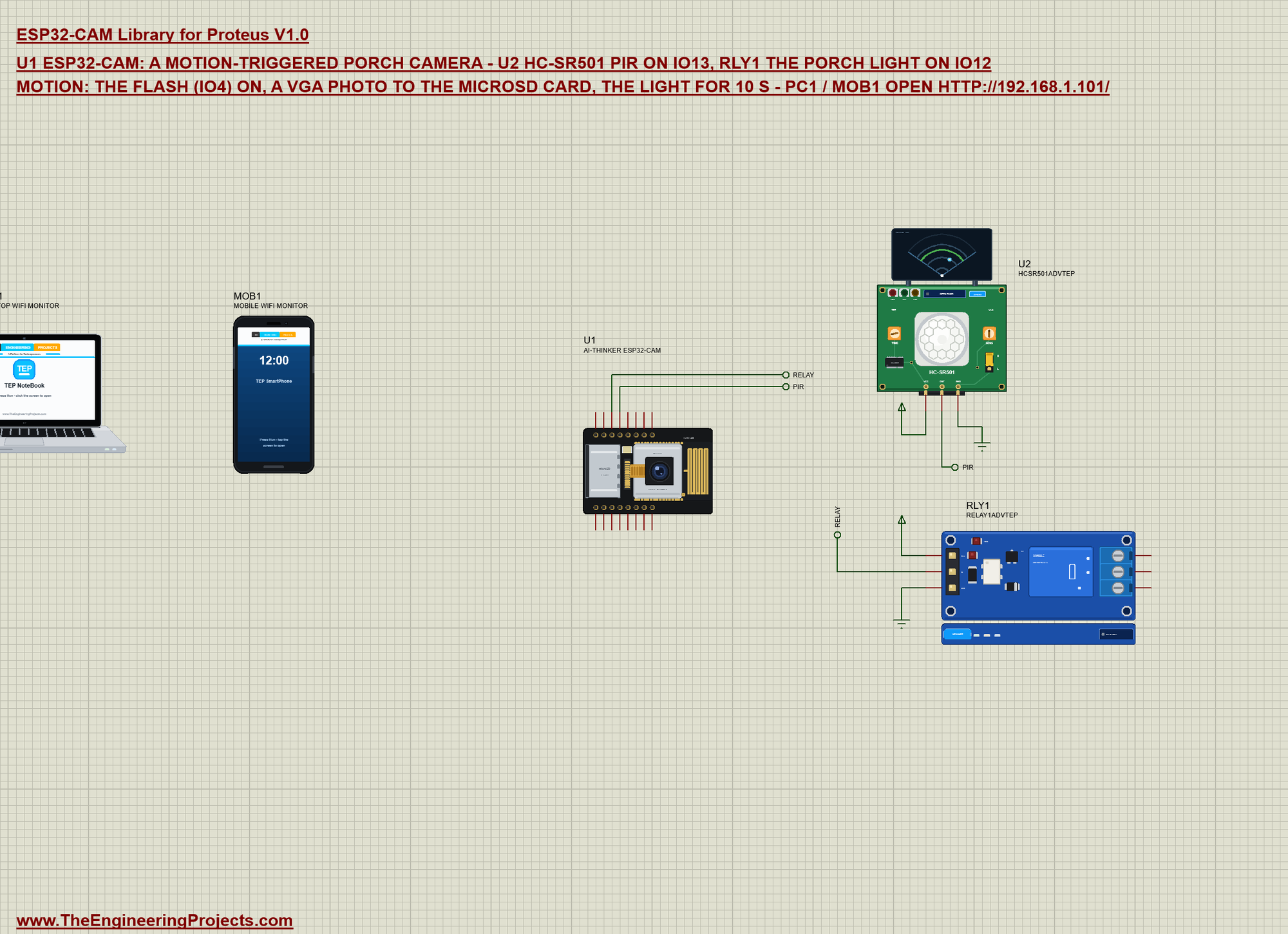
| Part | Pins | ESP32-CAM pins | Notes |
|---|---|---|---|
| HC-SR501 PIR (U2) | OUT | IO13 | HIGH while it sees motion; also the camera's CAMMOTION GPIO |
| Relay (RLY1) | IN | IO12 | the porch light: LOW = on (the module is active LOW) |
| both | VCC / GND | power terminal / ground | their models want a digital supply |
The board's CAMMOTION property is 13: the camera sees a visitor whenever IO13 is HIGH - the same person the PIR reacts to. CAMSCENE is PORCH: a front door at night, dark until the flash LED lights it.
Motion, Flash, Photo
The loop watches the PIR. On a new motion it lights the flash, switches the porch light on and takes the photo 0.2 s later, when the visitor is in the picture and the flash is up to full brightness:
  if (pir && !lastPir) {                                   // motion: the flash on, a photo 0.2 s later, the porch light
    motions++;
    Serial.print(F("Motion ")); Serial.println(motions);
    digitalWrite(FLASH_PIN, HIGH);
    motionAt = millis(); photoDue = true;
    porchLight(true);
  }
Run the Demo
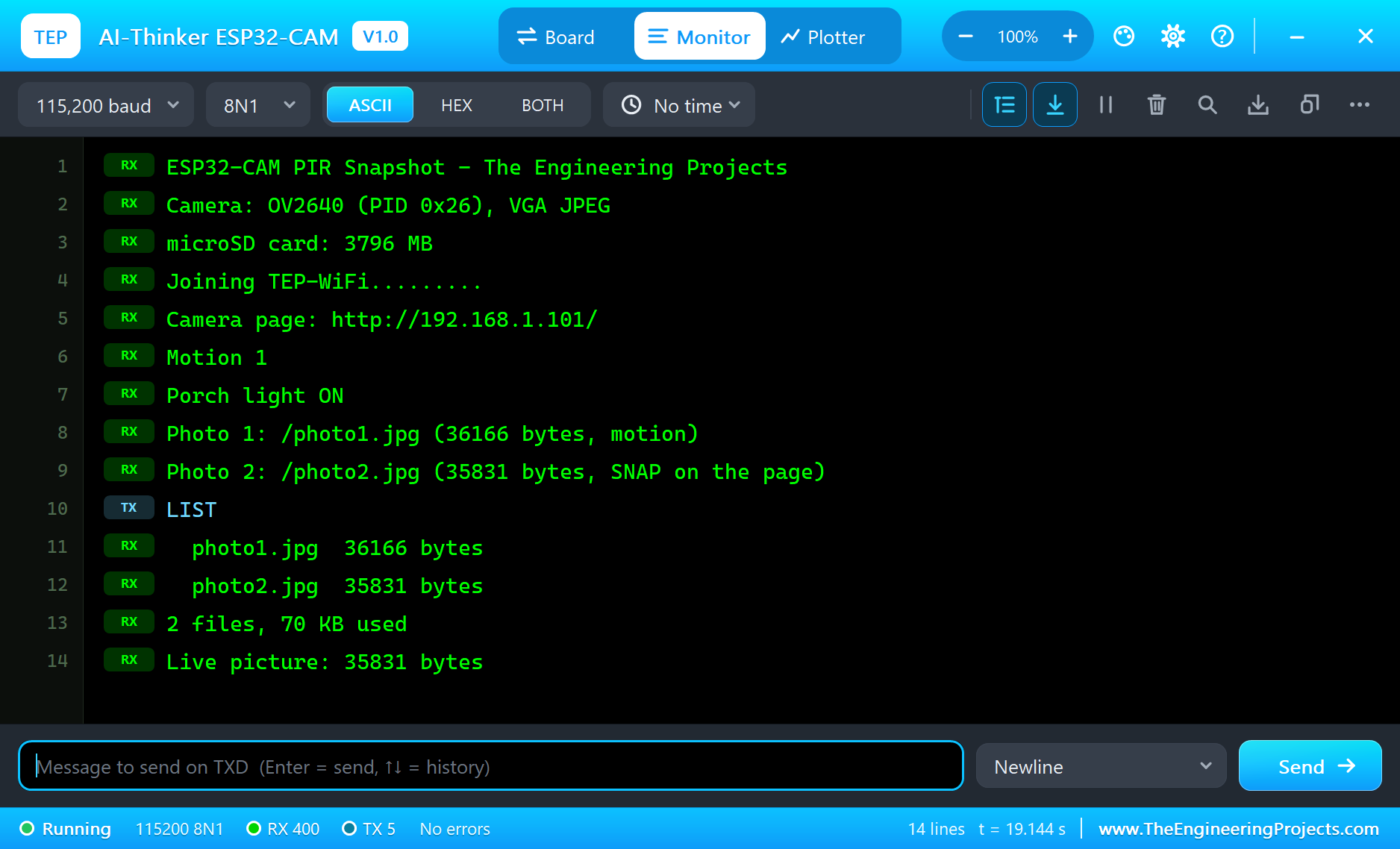
Press Run. The monitor shows the camera, the card and the network:
ESP32-CAM PIR Snapshot - The Engineering Projects
Camera: OV2640 (PID 0x26), VGA JPEG
microSD card: 3796 MB
Joining TEP-WiFi.........
Camera page: http://192.168.1.101/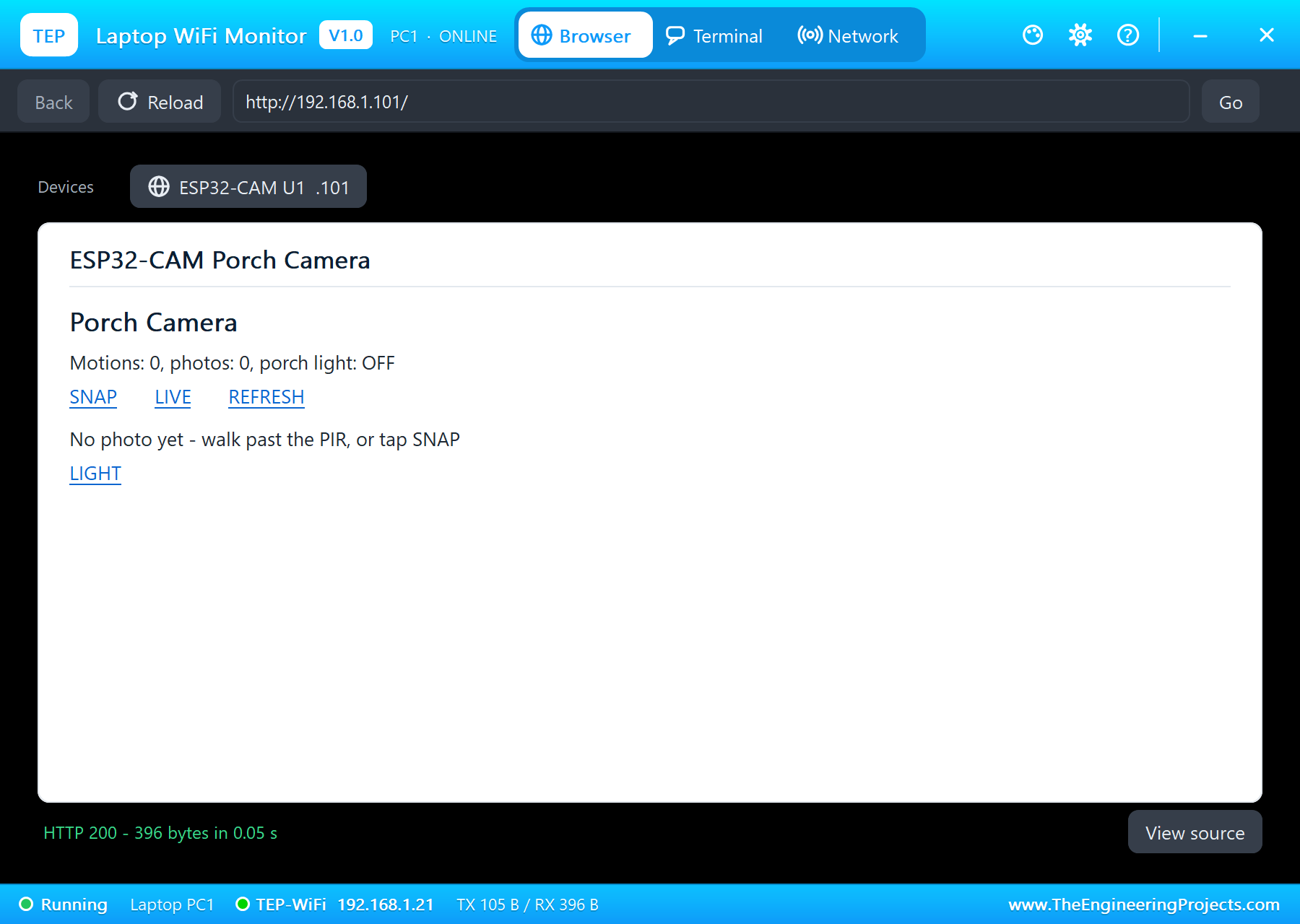
A Visitor at the Door
Click the motion button on the PIR's pop-up. Someone walks up to the door, the flash goes on and the camera takes the photo:
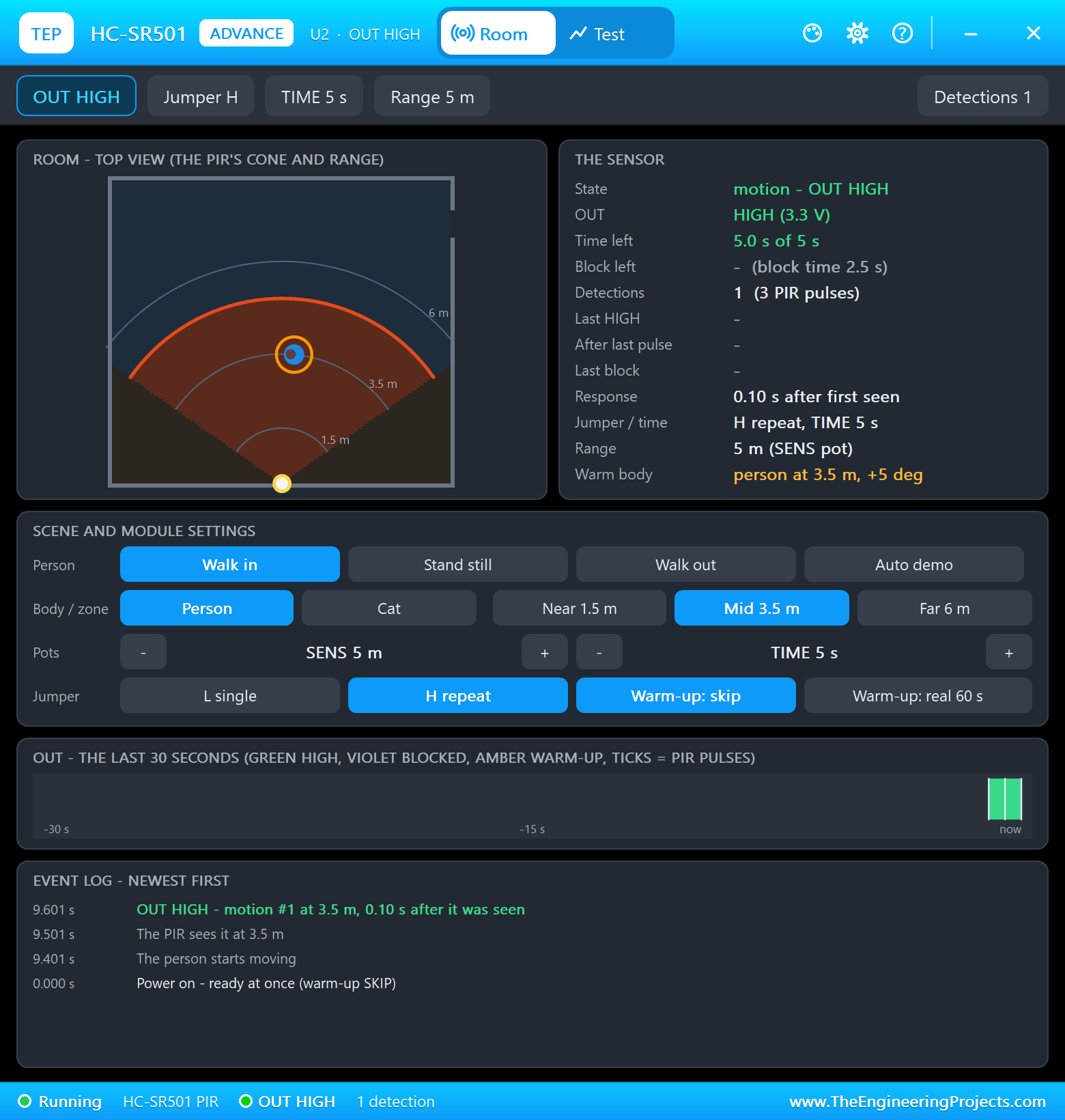
Motion 1
Porch light ON
Photo 1: /photo1.jpg (36166 bytes, motion)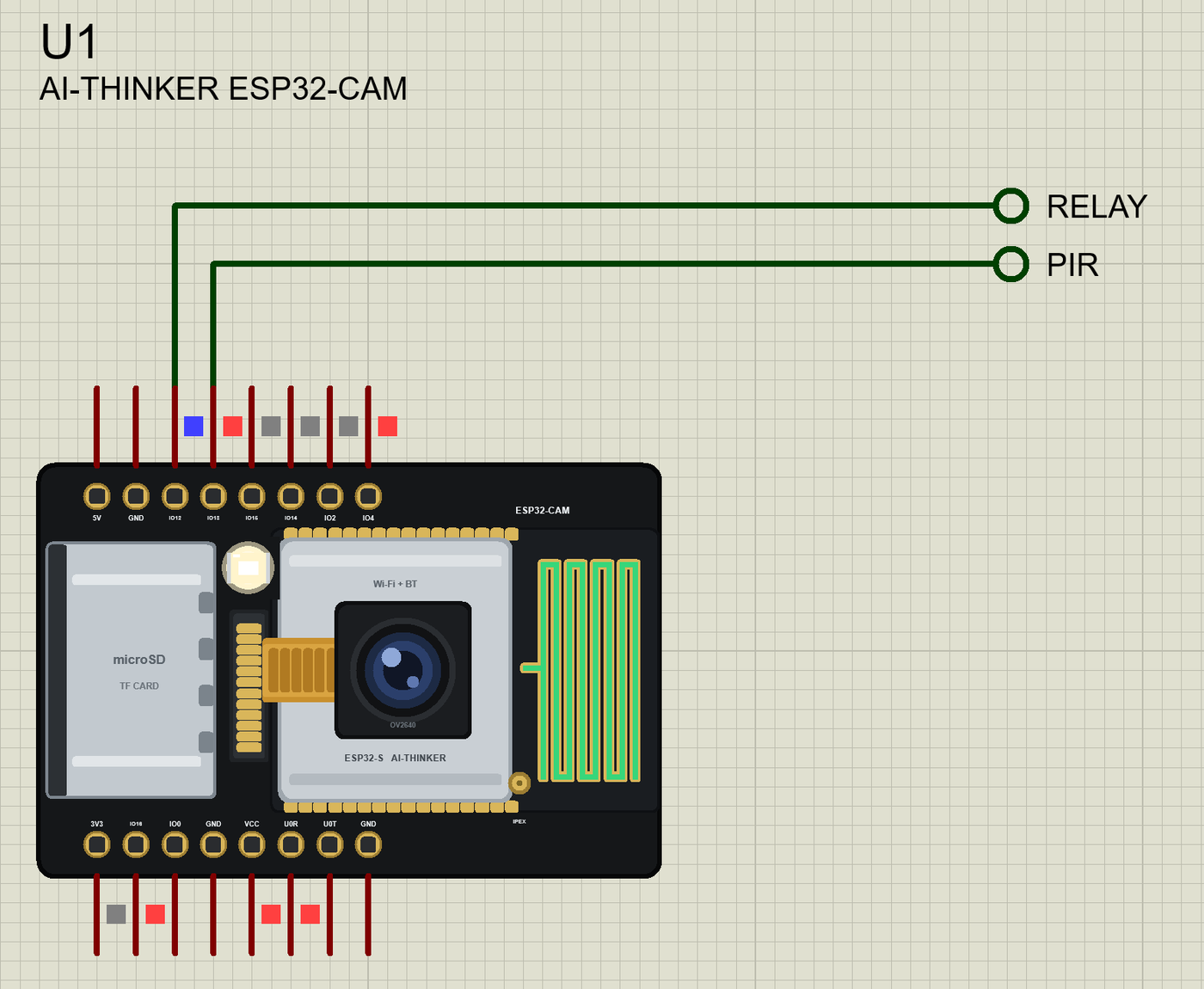
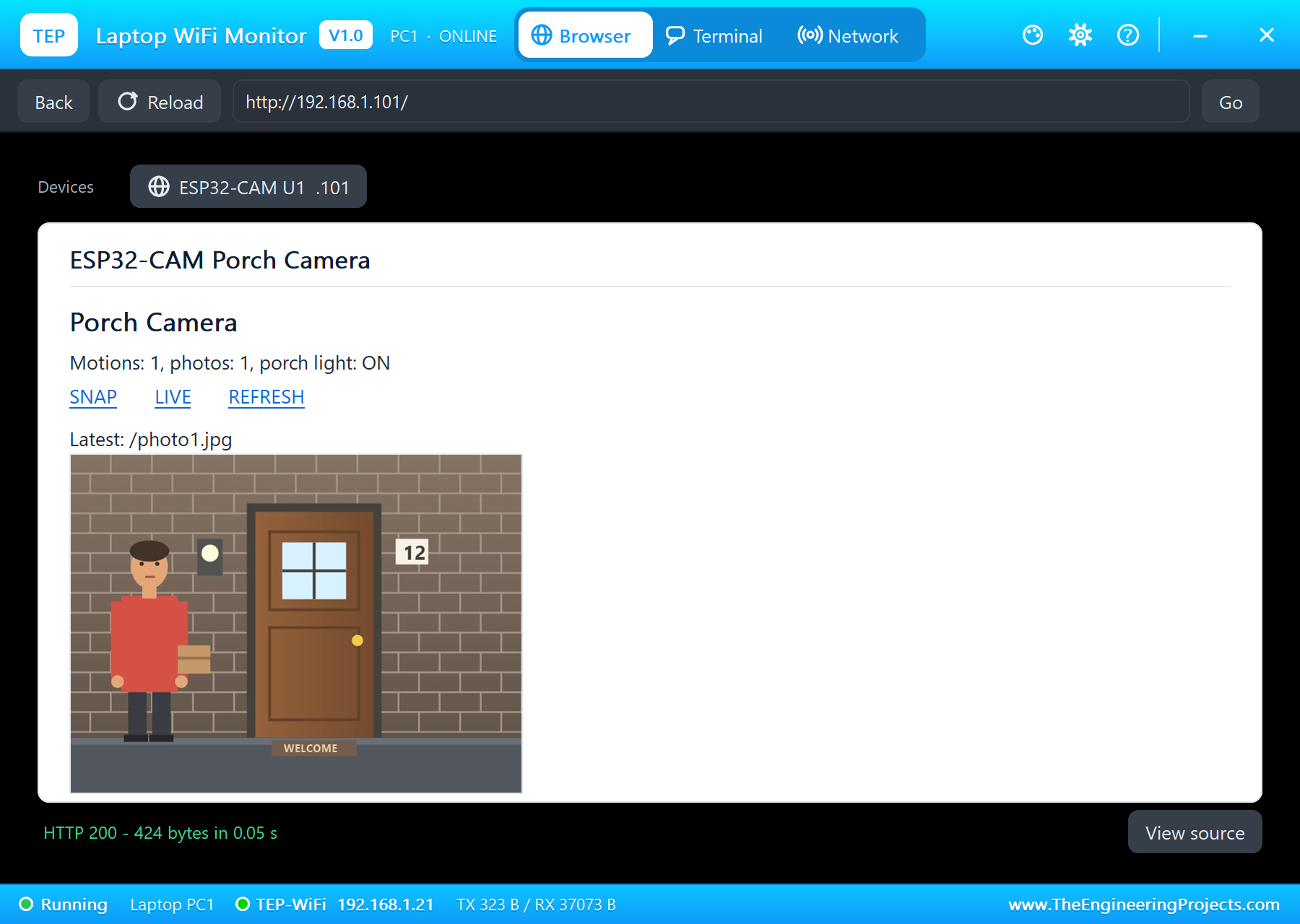
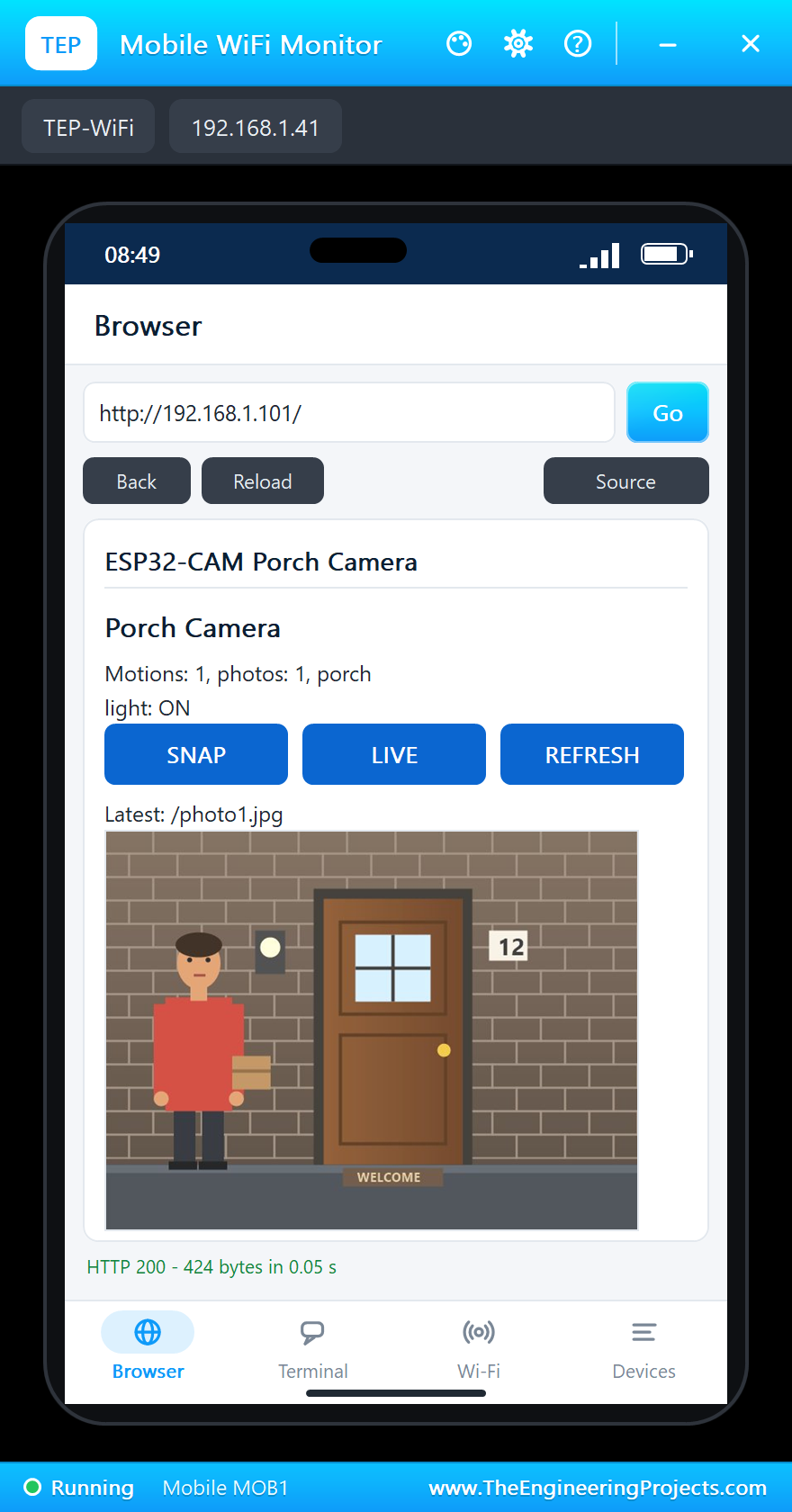
Tap REFRESH on the laptop: the page now carries the photo from the card. The browser asks for /latest.jpg on its own, exactly like a real one, and shows the JPEG of about 36 KB:
SNAP, LIVE and the Card
Tap SNAP on the phone for a photo now, then open LIVE on the laptop - a picture straight from the camera, not saved. LIST in the monitor shows the card:
Photo 2: /photo2.jpg (35831 bytes, SNAP on the page)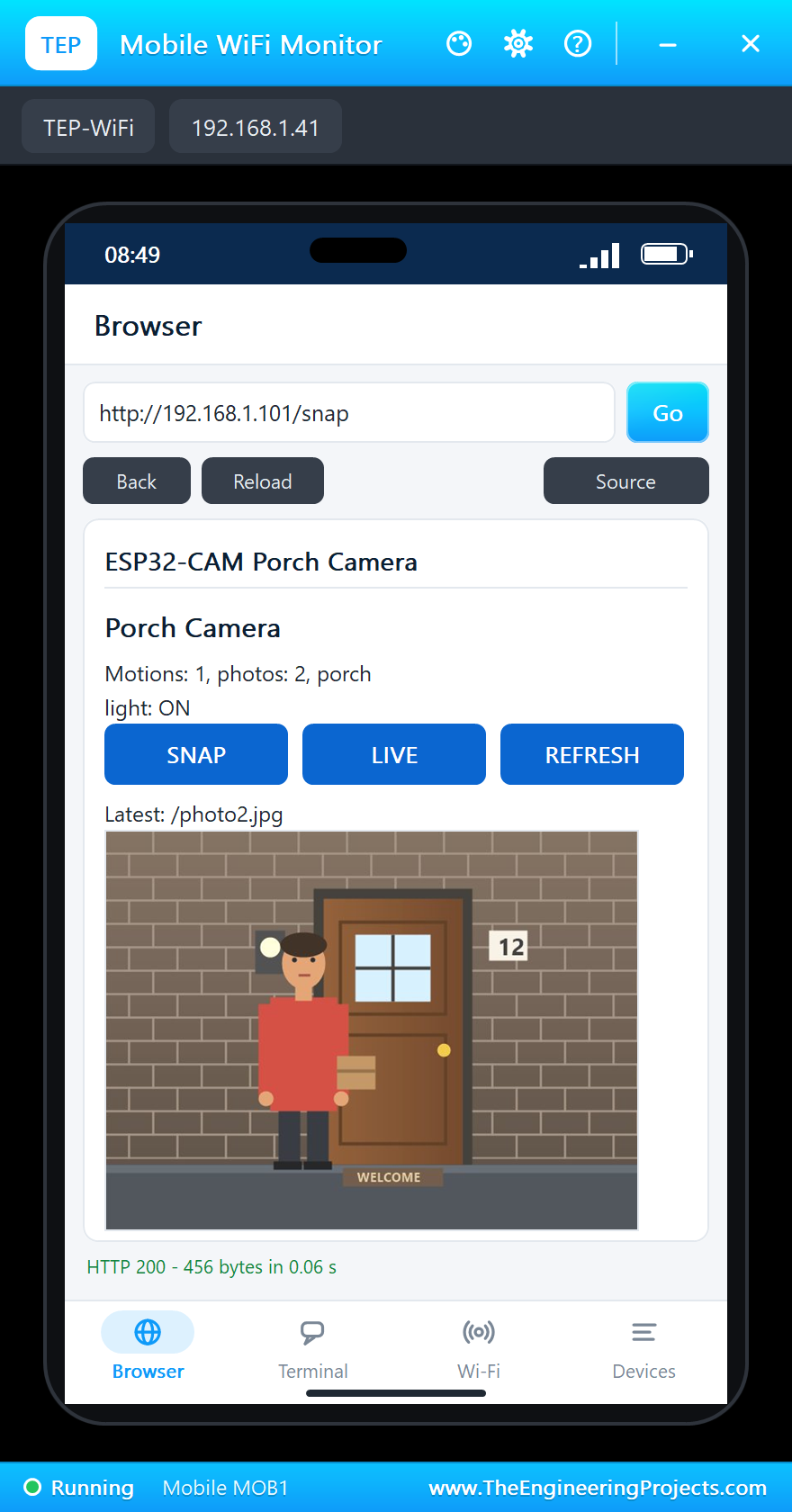
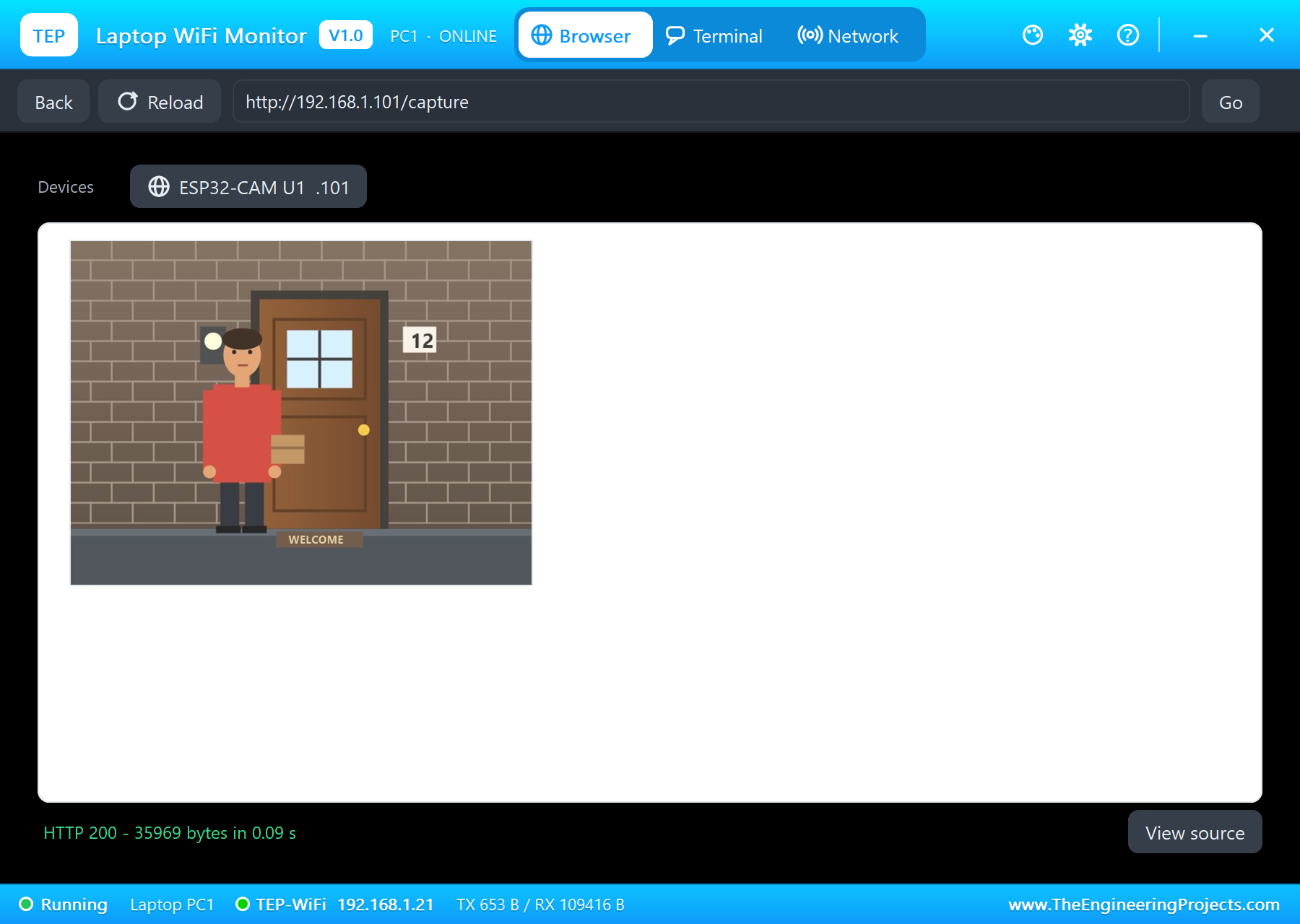
  photo1.jpg  36166 bytes
  photo2.jpg  35831 bytes
2 files, 70 KB used
Live picture: 35831 bytes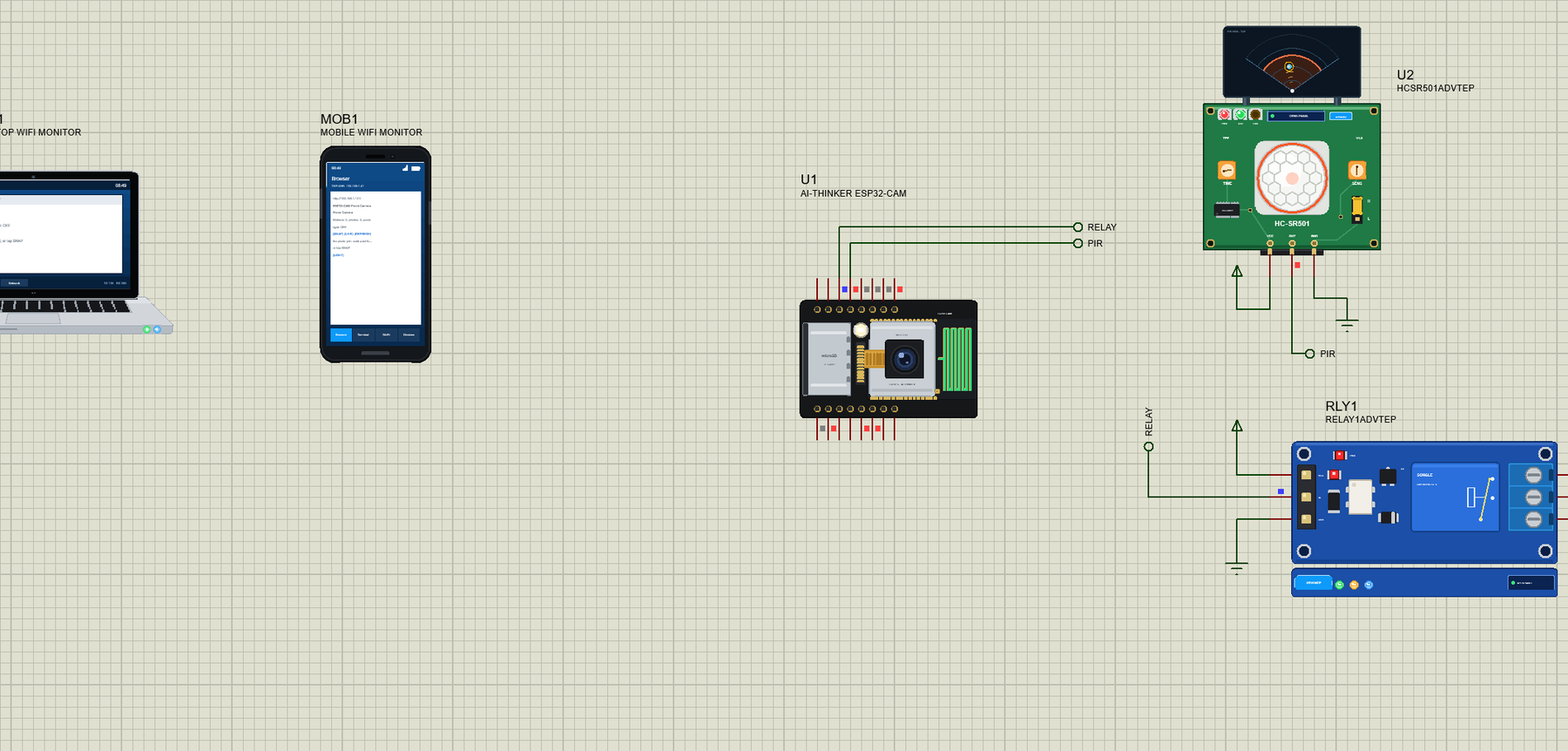
The built-in serial monitor, in the look of our TEP Serial Monitor Advance for Proteus, keeps every line:
How a Picture Reaches the Browser
A web page never carries its pictures inside; it carries their addresses. When the laptop reads the page and finds <img src="/latest.jpg">, it opens a second connection to the ESP32-CAM and asks for that address. The sketch's handler opens the newest file on the card and streamFile() sends it with its length and the type image/jpeg; about 36 KB arrive in a few dozen network packets, the browser decodes the JPEG and scales it to the width of the page. The phone does exactly the same with its narrower screen. A real ESP32-CAM serving a real browser works the same way, which is why the sketch needs no change to run on the hardware.
The Scenes and the Sensor Settings
The board's CAMSCENE property picks what the camera looks at: PORCH, a front door at night; DESK, a desk with a monitor, a mug and a plant; TESTCARD, colour bars with a round target. Every visit through CAMMOTION brings a slightly different person - another jacket, sometimes a parcel - so a series of photos is easy to tell apart. The flash on GPIO4 lifts the night porch from dim to fully lit.
The sensor_t setters change the frames as on the real OV2640: brightness, contrast and saturation from -2 to 2, the special effects (negative, grayscale, red, green and blue tints, sepia), set_hmirror and set_vflip for a camera mounted upside down, set_colorbar for the test bars, and set_framesize / set_quality to trade detail for speed.
Try It Yourself
- Set the board's SDFOLDER property to a folder on your PC: every photo the sketch writes appears there too.
- Change CAMSCENE to TESTCARD and add
s->set_special_effect(s, 2)for grey pictures. - Use
FRAMESIZE_QVGAfor faster pages, orFRAMESIZE_SVGAfor more detail. - Type
STATUSorLIGHTin the monitor.
Ideas to Extend the Camera
- Take three photos per visitor, half a second apart.
- Keep only the last 20 photos: remove the oldest file when the card has more.
- Send the photo's address to a phone with an HTTP request when someone comes.
- Use the timestamp from NTP (configTime) in the file names.
Your Own Sketches
Write the sketch in the Arduino IDE with the board AI Thinker ESP32-CAM (TEP Proteus), use Sketch > Export Compiled Binary and set the board's PROGRAM property to the .hex. For the real board select "AI Thinker ESP32-CAM" in Espressif's ESP32 package, enable the PSRAM and upload with an FTDI adapter - the same sketch takes real photos. If you already know our ESP32 DevKit V1 Library for Proteus, the Wi-Fi, WebServer and panel work the same way here.
Things to Know Before Using a Real ESP32-CAM
- Power: give it a solid 5 V supply that can deliver at least 500 mA - the camera and Wi-Fi together cause brownout resets on a weak USB port.
- Uploading: connect IO0 to GND, reset, upload, then remove the link and reset again.
- The flash LED: on GPIO4 it shares a line with the card; in 4-bit mode it flickers with every card access - use 1-bit mode.
- 16-bit int here:
SD_MMC.cardSize() / (1024 * 1024)overflows on the simulated board; write1048576UL.
Properties of the ESP32-CAM
| Property | What it does |
|---|---|
| PROGRAM | the sketch: a .hex from TEP Boards for Proteus (board "AI Thinker ESP32-CAM") |
| CAMSCENE | PORCH, DESK or TESTCARD: what the camera sees |
| CAMMOTION | the GPIO that brings a visitor into the picture (13), or NONE |
| SDCARD, SDFOLDER | the card (4GB - 32GB, or NO), a PC folder for copies of its files |
| WIFISSID, WIFIPASS, MONITOR, BAUD, AUTOOPEN | the router and the serial monitor |
Troubleshooting
- Nothing happens at Run: the HEX was not built with TEP Boards for Proteus - select AI Thinker ESP32-CAM (TEP Proteus).
- The sketch stops after SD_MMC.begin(): a 16-bit int overflow - write 1048576UL instead of 1024 * 1024.
- The photo is dark: the porch is at night; switch the flash on before
esp_camera_fb_get(). - No visitor in the photo: CAMMOTION must be the PIR's GPIO, and that pin HIGH when the photo is taken.
- "Card Mount Failed": the board's SDCARD property is NO.
Limitations of the Simulation
- Your sketch gets 8 KB of RAM in the simulation and runs slower than on the ESP32 with 520 KB and PSRAM.
- Frames are JPEG and stay in the model:
fb->bufcannot be read byte by byte; raw RGB565 and grayscale frames are not available. - Pictures are at most 64 KB; the camera's exposure, gain and white balance controls are accepted but do not change the picture.
- The red LED and the RST button on the back are not drawn; the card does not use the pins.
- ESP32 is a trademark of Espressif Systems and ESP32-CAM is AI-Thinker's board; this library is not made or endorsed by them, by OmniVision or by Labcenter.
- Tested in Proteus 8.5 in October 2026 (the demo as shipped, about 19 s of simulation in about 3 minutes on our PC with the monitor, the PIR's and the relay's pop-ups and both tools open). Proteus 7 is not supported.
So, that was all about the ESP32-CAM Library for Proteus. I hope it helps you build and test your camera projects - doorbells, wildlife traps, time-lapse rigs - before the board goes into its box, and see every photo they take. If you have any questions, ask in the comments and I will help you out. Till the next tutorial, take care and have fun!