Hello friends, I hope you all are doing great. Today, I am going to share the LilyGO T-Beam Library for Proteus. The T-Beam is the board behind countless LoRa trackers and Meshtastic nodes: an ESP32 with Wi-Fi, a LoRa radio, a u-blox GPS receiver with its big ceramic antenna and a holder for an 18650 cell, all on one long board. With this library it runs your T-Beam sketch in Proteus 8.5 - and the GPS moves.
LilyGO T-Beam Library for Proteus
Latest version: V1.0 (October 2026, this tutorial)
Other ESP32 boards and modules: ESP32 DevKit V1 · ESP32-DevKitC V4 · ESP32-S3 DevKitC-1 · ESP32-C3 SuperMini · ESP32-C6 DevKitC-1 · TTGO T-Display · T-Display S3 · XIAO ESP32-C3 · LOLIN S2 Mini · Heltec WiFi LoRa 32 V3 · ESP32-CAM · ESP32-WROOM-32 · AirLift WiFi Shield · AirLift ESP32 Breakout · WT32-ETH01
LoRa modules: SX1278 Ra-02 · RFM95W · SX1262
GPS modules: NEO-6M · NEO-7M · NEO-M8N · SIM808
Helping Tools
- Laptop WiFi Monitor: a laptop on the Wi-Fi of your design: a browser, a TCP / UDP terminal and ping
- Mobile WiFi Monitor: a smartphone that opens the pages of your board and sends it commands
- Serial Monitor Advance: a serial terminal window for the UART of your board
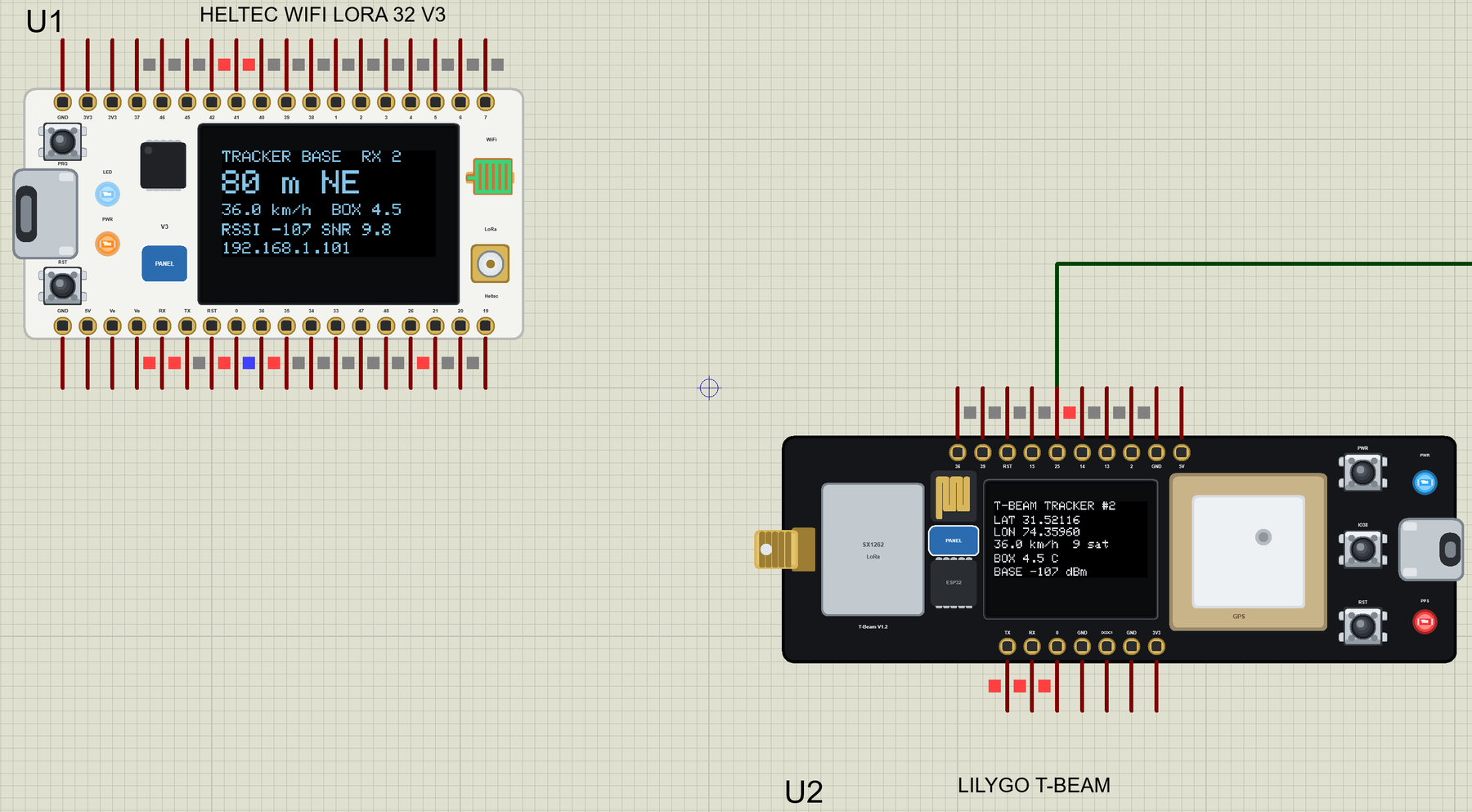
The board's GPS sends real NMEA sentences for a route you set in its properties, and its SX1262 talks to our Heltec WiFi LoRa 32 V3. The demo is a LoRa GPS tracker in a delivery van with a cold box: the T-Beam reports its position and the box's temperature, and a Heltec base station shows how far away the van is, in which direction, on its OLED and on a web page.
NOTICE: Proteus has no ESP32, SX1262 or GPS model, so our team has put a lot of effort into building this board ourselves: the T-Beam's pins, GPS, radio, OLED and LEDs are all our own model, and your sketch compiles with our free TEP Boards for Proteus add-on. Your feedback is the fuel that keeps us going, so please tell us what you think in the comments below or in the LilyGO T-Beam board of our forum. And if our free libraries help you, you can buy us a coffee. So, let's get started with the LilyGO T-Beam Library for Proteus:
What is the LilyGO T-Beam?
LilyGO (Xinyuan) designed the T-Beam as a complete tracker on one board. Version 1.2 has an ESP32-D0WDQ6-V3 with 4 MB of flash and 8 MB of PSRAM, a LoRa module - the SX1276 / SX1278 or, in the version we model, Semtech's SX1262 - with an antenna socket at one end, a u-blox NEO-6M (or NEO-M8N) GPS with a ceramic patch antenna, and an AXP2101 power manager that charges the 18650 cell on the back and switches the radio and the GPS on and off. Many T-Beams come with a 0.96" OLED fitted.
There are three buttons - PWR (the power manager), IO38 (yours) and RST - a USB-C port with a CH9102 for programming, and a red PPS LED next to the GPS that blinks once a second when the receiver has a fix. Two headers bring out the free GPIOs; everything else is already wired on the board.
| LilyGO T-Beam V1.2 | |
|---|---|
| Chip | ESP32-D0WDQ6-V3: two Xtensa LX6 cores at 240 MHz, 4 MB flash, 8 MB PSRAM, Wi-Fi, Bluetooth |
| LoRa | SX1262 (or SX1276 / SX1278), 433 to 923 MHz versions |
| GPS | u-blox NEO-6M (or NEO-M8N) on Serial1, RX 34 / TX 12, ceramic patch antenna |
| Display | 0.96" OLED, 128 x 64, SSD1306 at I2C address 0x3C (SDA 21, SCL 22) |
| Power | AXP2101 power manager, 18650 holder, USB-C (CH9102) |
| Size | about 100 x 33 mm, a 10-pin and a 7-pin header |
Why a T-Beam?
A tracker needs three things: to know where it is, to tell someone, and to last on a battery. The T-Beam has all three on one board and is cheap enough to put in a van, a bike, a boat or a hiker's backpack. LoRa carries a position across kilometres where there is no Wi-Fi or mobile signal, which is why the same board runs the Meshtastic off-grid messengers.
Features of the LilyGO T-Beam Library for Proteus
- The board as it looks: the black T-Beam with its two headers, the SMA socket and the SX1262 module, the ESP32, the OLED, the GPS's ceramic patch antenna, PWR, IO38 and RST, the USB-C port, the power LED and the red PPS LED.
- Your sketch: a .hex for "LilyGO T-Beam V1.2 (TEP Proteus)" with the ESP32's GPIO numbers and LilyGO's names - RADIO_CS_PIN, GPS_RX_PIN, BUTTON_PIN - with digitalWrite, analogRead, PWM, attachInterrupt, Serial, Wire, WiFi and WebServer.
- A GPS that moves: Serial1 receives RMC and GGA sentences once a second at 9600 baud; the properties set the start point, the speed, the heading, the satellites and the time to the first fix. TinyGPSPlus reads it as on the real board.
- The SX1262 inside: RadioLib talks to the board's radio; the T-Beam hears our Heltec WiFi LoRa 32 V3 boards in the same design, with the RSSI and SNR set by their distance.
- The OLED inside: Adafruit SSD1306 at 0x3C draws on the board's own display.
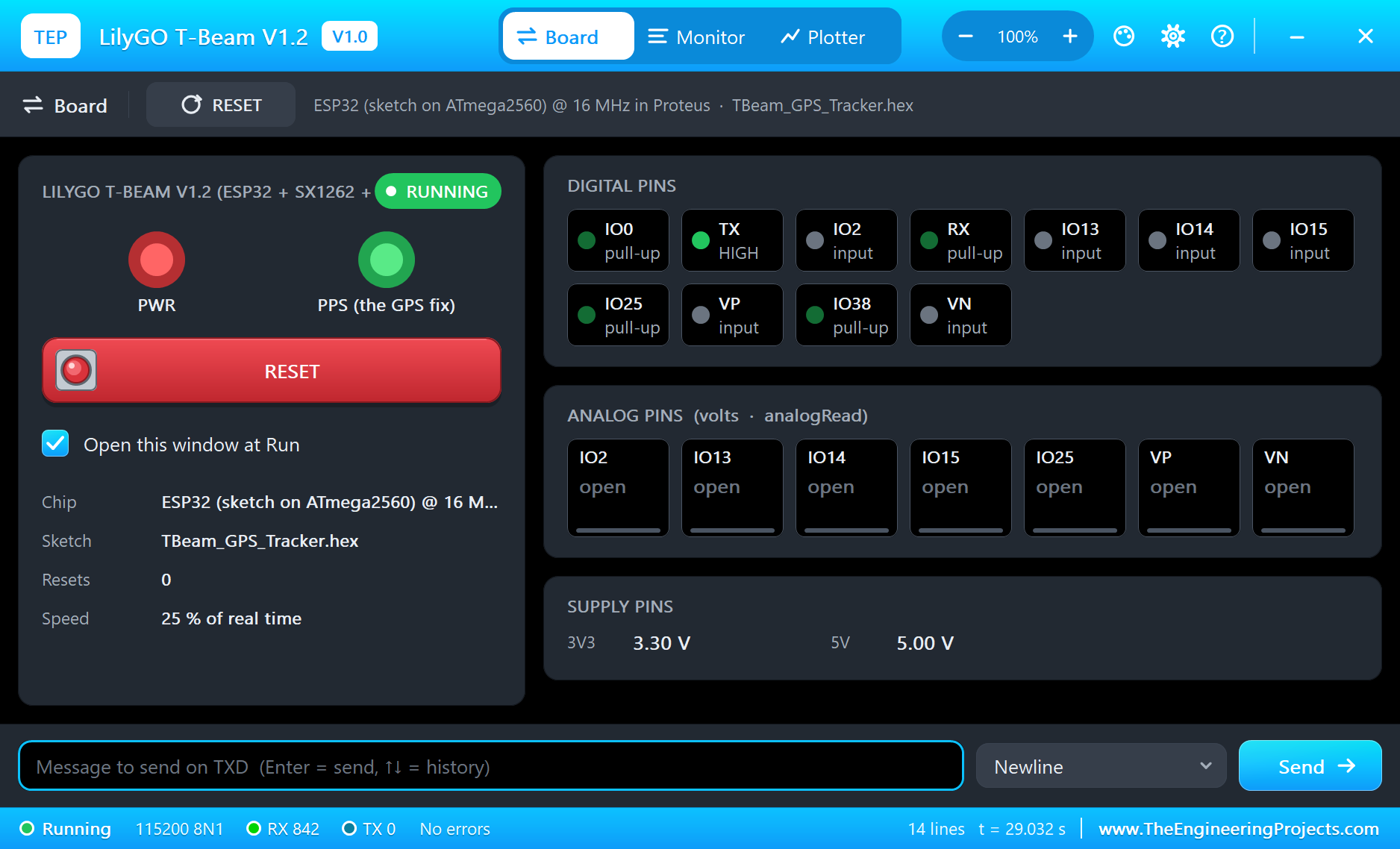
- The serial monitor: the built-in monitor on the USB port with Monitor, Plotter and Board tabs - our TEP header, no Windows title bar.
- A complete package: about 3.3 MB with the board, the add-on, the Heltec V3 and DHT22 libraries for the demo, without the source code of the models.
The LilyGO T-Beam in Proteus
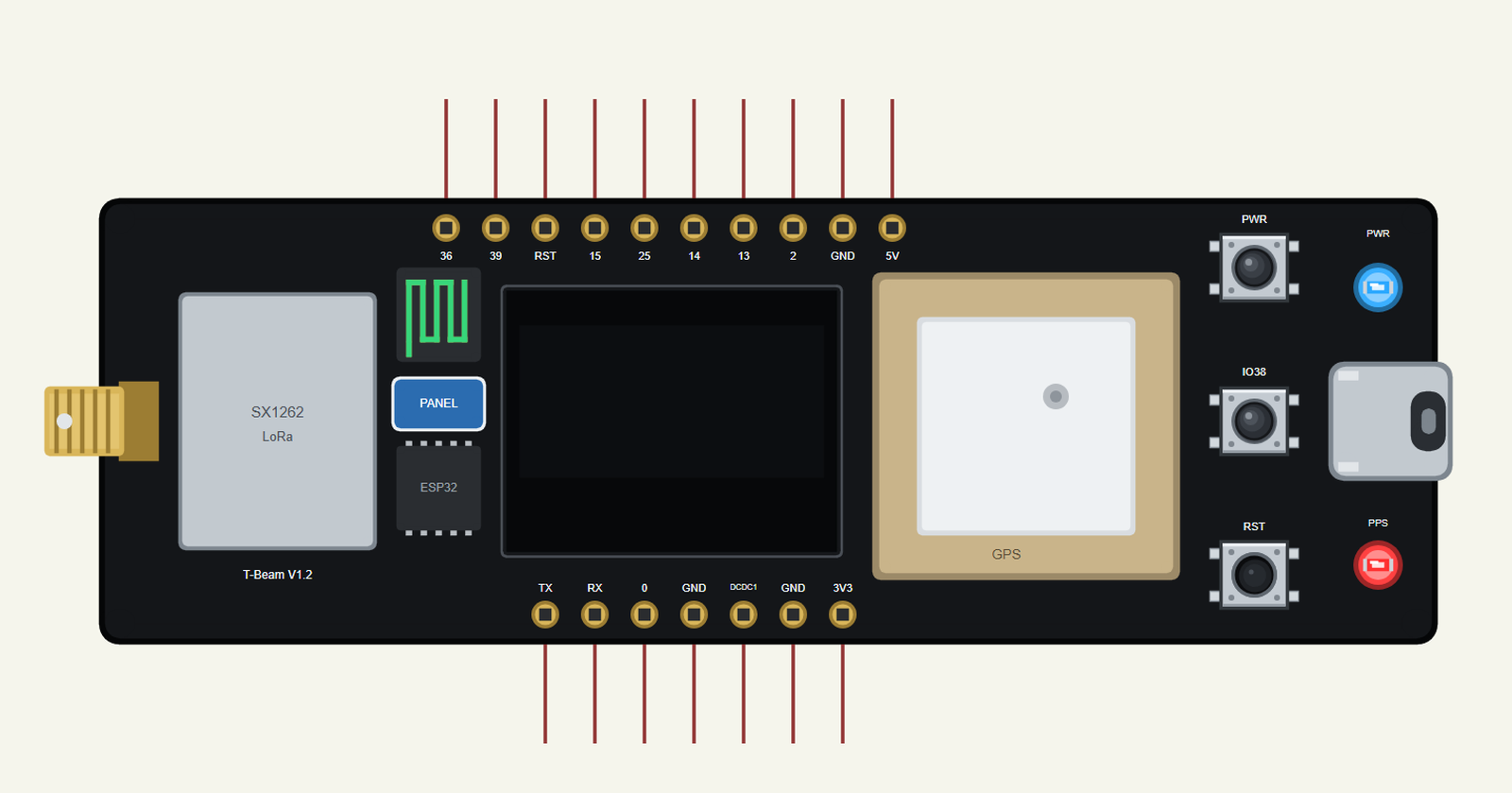
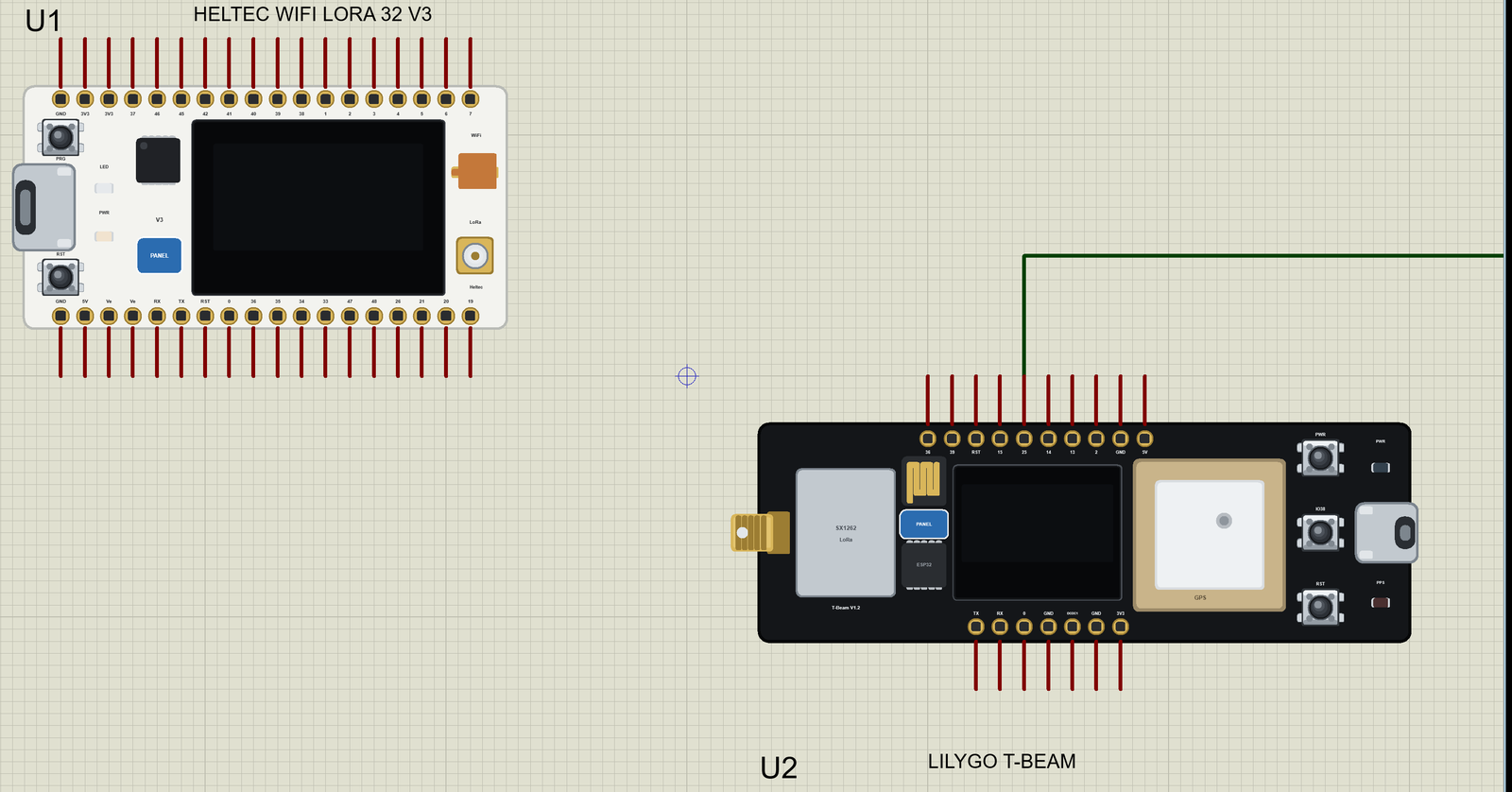
Search T-BEAM in Pick Devices; the device LILYGO T-BEAM is in TEPTBEAM.LIB (Microprocessor ICs, ESP32 Boards), with the prefix U. The real board is 100 mm long, so the symbol draws it at about two thirds of its size - as long as an Arduino UNO - with the headers on the usual 0.1 inch grid. Click the USB-C port to open the serial monitor, and the PANEL pad or the OLED for the board's panel.
The Pins
| Pins | What the library does with them |
|---|---|
| 36 (VP), 39 (VN) | GPIO, input only, analogRead |
| 15, 25, 14, 13, 2 | GPIO, analogRead, PWM, interrupt; 25 is also DAC1 |
| TX 1 / RX 3 | Serial, the USB port and the board's monitor |
| 0 | GPIO, PWM, interrupt |
| RST | the reset (LOW = reset) |
| 3V3, DCDC1, 5V, GND | 3.3 V, 3.3 V, 5 V, ground |
Inside the board: the IO38 button, the SX1262 on NSS 18, SCK 5, MOSI 27, MISO 19, RESET 23, BUSY 32 and DIO1 33, the GPS on Serial1 (RX 34, TX 12) and the I2C bus on SDA 21 and SCL 22 with the OLED - exactly as on the real board.
The GPS Inside the Board
A GPS module sends plain text: sentences that start with $ and end with a checksum, once a second. Our model sends the two that every library reads - $GPRMC (time, date, position, speed and course) and $GPGGA (fix quality, satellites and altitude) - at 9600 baud, for a position that moves with the board's GPSSPEED and GPSHEADING from its GPSLAT / GPSLON start. For the first GPSFIX seconds there is no fix, as after a cold start; after that the red PPS LED blinks. If you have used our NEO-6M GPS Library for Proteus, the sentences are the same. The sketch reads them the usual way:
void readGps() {
  while (Serial1.available()) gps.encode(Serial1.read());
}
TinyGPSPlus turns the sentences into values: gps.location.lat() and gps.location.lng() in degrees, gps.speed.kmph(), gps.course.deg(), gps.altitude.meters() and gps.satellites.value(). gps.location.isValid() stays false until the first fix, which is how the tracker knows to show "no fix yet" on its OLED instead of zeros. Every value also has age(), the milliseconds since it last changed - a sketch can use it to notice a GPS that has stopped talking, for example when an antenna cable comes loose. The model sends the time and the date too, from the PC's clock or from the TIME property, so gps.time and gps.date give a log real timestamps.
The Radio Inside the Board
The SX1262 is the same model as in our SX1262 LoRa Library for Proteus and in the Heltec WiFi LoRa 32 V3: RadioLib's commands, BUSY, DIO1, the time on air of every packet, and an RSSI and SNR that follow the LORADIST property. All the TEP LoRa boards in a design share one air, so a T-Beam and a Heltec talk to each other:
SX1262 radio = new Module(RADIO_CS_PIN, RADIO_DIO1_PIN, RADIO_RST_PIN, RADIO_BUSY_PIN); // 18, 33, 23, 32 (the board's SX1262) int state = radio.begin(868.0, 125.0, 7, 5, RADIOLIB_SX126X_SYNC_WORD_PRIVATE, 14); // 868 MHz, BW 125 kHz, SF7, CR 4/5, +14 dBmDownload LilyGO T-Beam Library for Proteus
Click the button below to download LilyGO-T-Beam-Library-for-Proteus-v1.0.zip (about 3.3 MB, without the source code of the models):
LilyGO T-Beam Library for Proteus V1.0- README.txt: installation, the demo, the pins, the properties, troubleshooting and the limits.
- Proteus Library Files:
TEPTBEAM.LIBand the demo's parts:TEPHELTECV3.LIB,TEPDHT.LIB,TEPLAPTOP.LIBandTEPMOBILE.LIB. - Proteus Model Files:
TEPNET.DLL(the T-Beam, the Heltec, their radios, GPS and OLEDs, the laptop, the phone and the network) andTEPDHT.DLL. - Arduino Code: the two demo sketches and the TEP Boards for Proteus add-on 1.33.0.
- Proteus Simulation: the demo project, its two HEX files and copies of the DLLs.
No Proteus yet? Read How to Download and Install Proteus 7 and 8. New to libraries? Follow How to Install a New Library in Proteus.
How to Install LilyGO T-Beam Library for Proteus
- Close Proteus and extract the whole zip file, for example to your Desktop.
- Copy the files from Proteus Library Files into the LIBRARY folder of Proteus.
- Copy the DLLs from Proteus Model Files into the MODELS folder, replacing an older TEPNET.DLL.
- Delete
TEPTBEAM.IDXfrom the LIBRARY folder if it is there. - For your own sketches, copy Arduino Code\TEP Boards for Proteus\hardware into your Arduino sketchbook (Documents\Arduino) and restart the Arduino IDE; the board is LilyGO T-Beam V1.2 (TEP Proteus). For the demo install RadioLib, TinyGPSPlus, DHT sensor library, Adafruit Unified Sensor, Adafruit SSD1306, Adafruit GFX and Adafruit BusIO from the Library Manager.
- Start Proteus, press P and search for T-BEAM.
Demo: a LoRa GPS Tracker for a Cold-Chain Van
A van carries medicine or food in a cold box. The office wants to know two things: where the van is and whether the box is still cold. Out on the road there is no Wi-Fi, so the van reports over LoRa to a base station at the depot, and the base puts it on a web page. A T-Beam in the van and a Heltec V3 at the depot do exactly that in this demo.
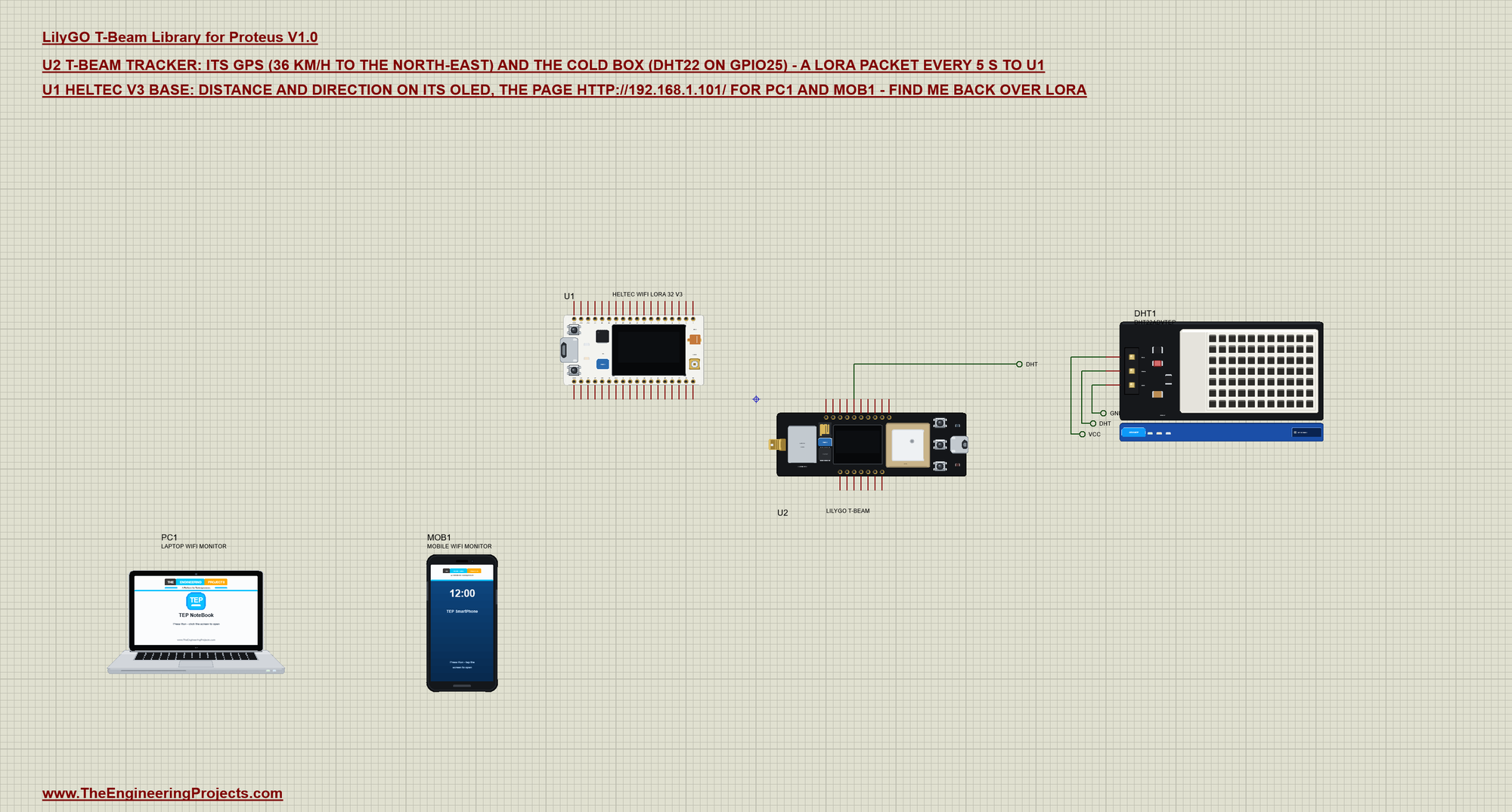
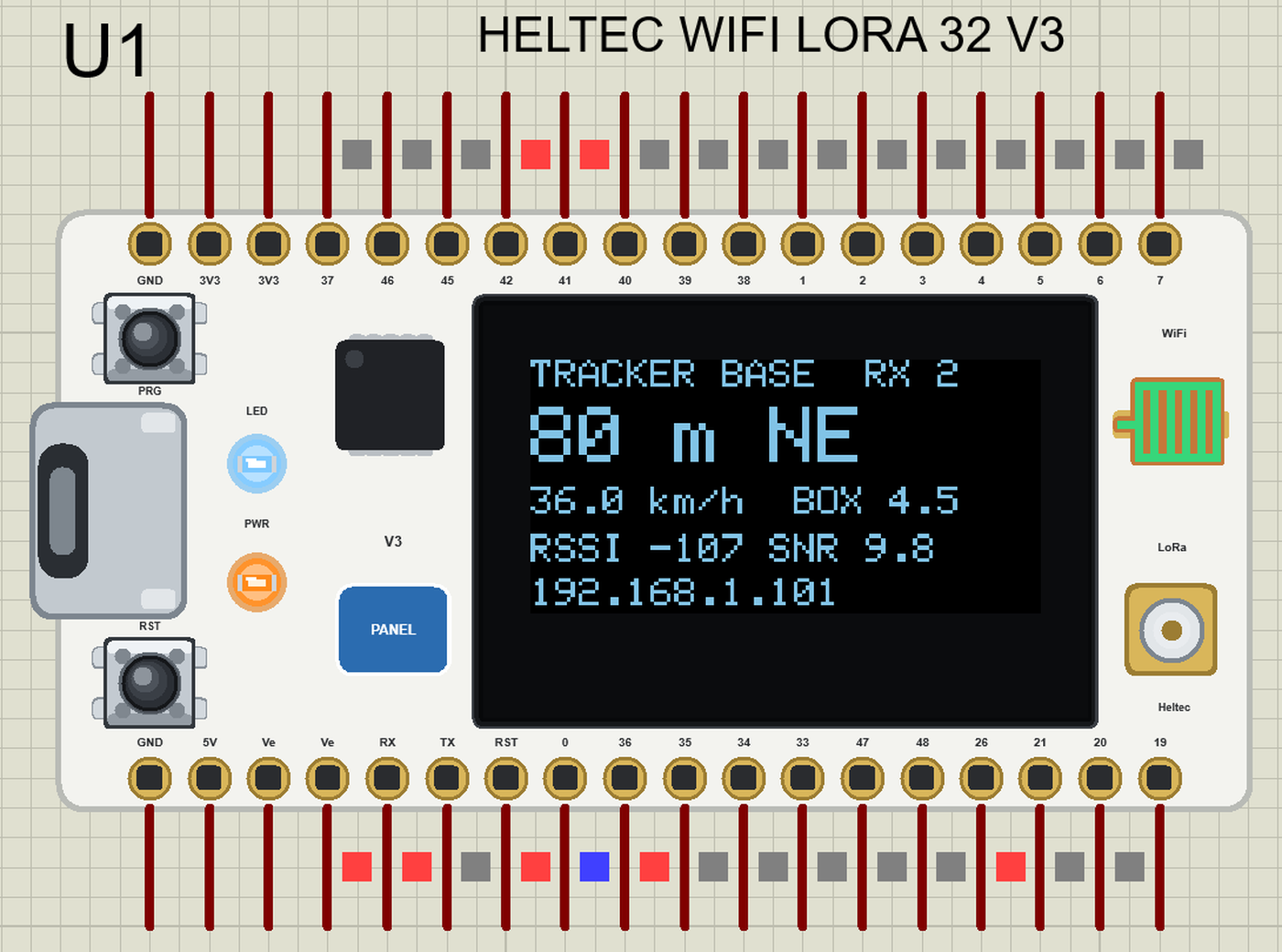
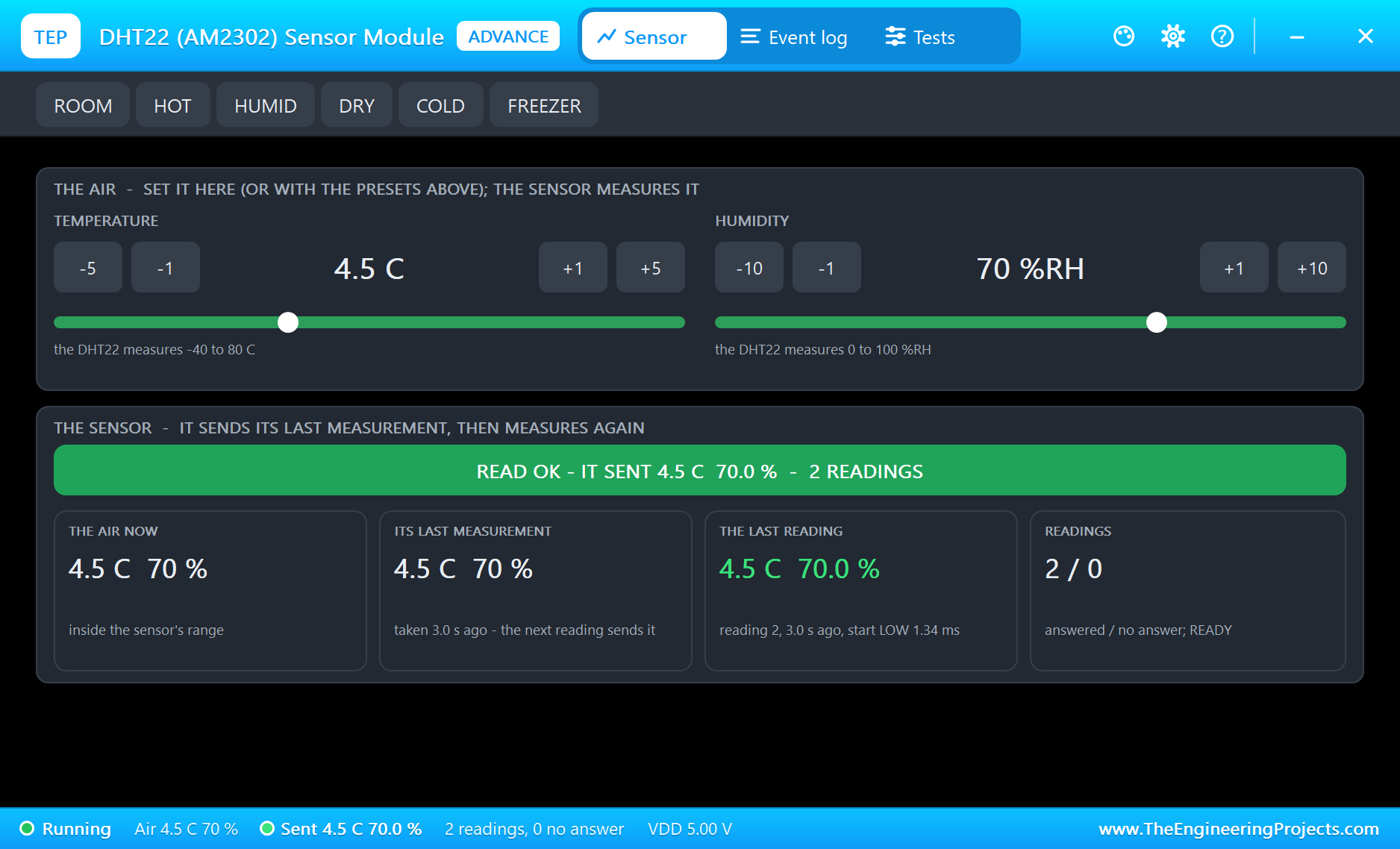
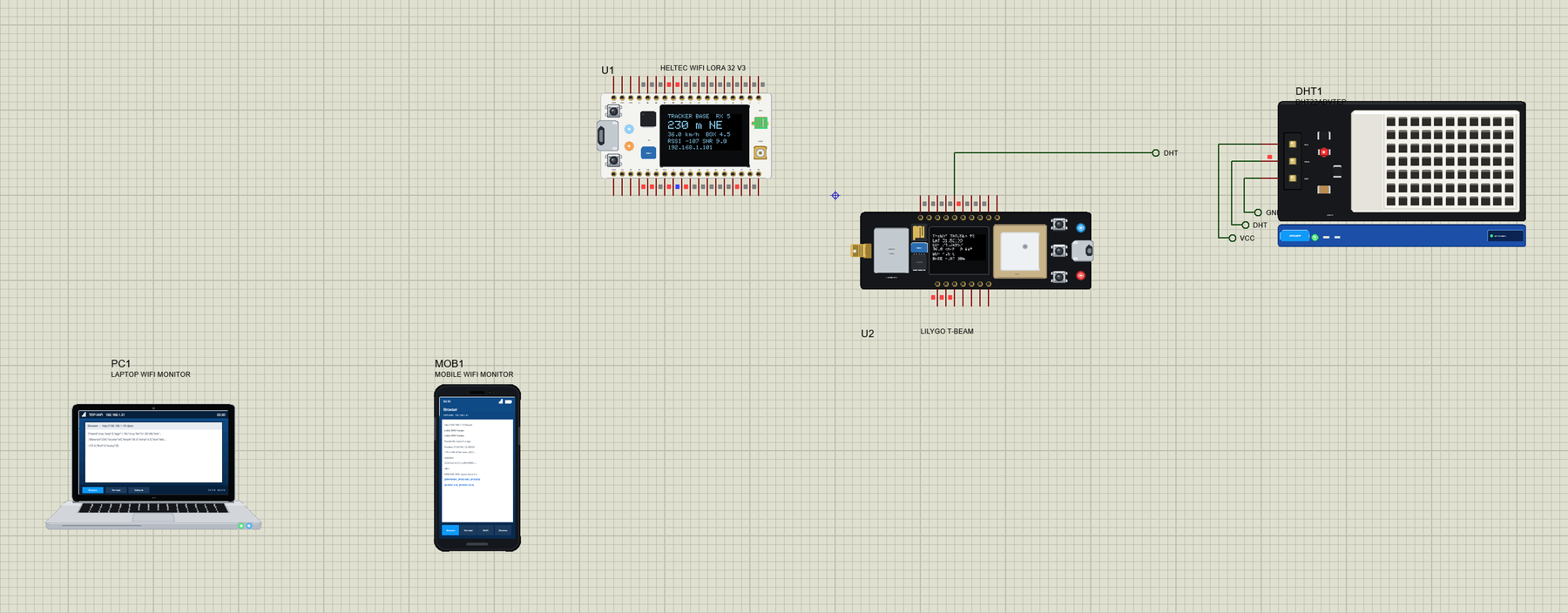
Open T-Beam-LoRa-GPS-Tracker.pdsprj. U1 is the base station - a Heltec WiFi LoRa 32 V3 from our Heltec WiFi LoRa 32 V3 Library for Proteus running Heltec_Tracker_Gateway.hex - and U2 the T-Beam running TBeam_GPS_Tracker.hex (LORADIST 1 km). The T-Beam's GPS starts at the depot and drives at 36 km/h towards the north-east. DHT1 is the DHT22 from our DHT11 and DHT22 Library for Proteus, the Advance version, in the cold box at 4.5 C. PC1 is the Laptop WiFi Monitor and MOB1 the Mobile WiFi Monitor.
| Part | Pins | T-Beam pins | Notes |
|---|---|---|---|
| DHT22 (DHT1) | DATA | GPIO25 | VCC and GND to the power rails |
| GPS (on the board) | TX / RX | Serial1 (RX 34, TX 12) | GPSSPEED 36, GPSHEADING 45, GPSFIX 3 |
| Heltec V3 base (U1) | none | LoRa to the T-Beam, Wi-Fi to PC1 and MOB1 |
The Tracker
Every 5 s the T-Beam reads the box's temperature and packs its fix into one short line - the latitude and longitude as whole numbers of 0.00001 degree (about a metre), the speed, the satellites, the temperature and the SOS flag:
  char packet[64];
  snprintf(packet, sizeof packet, "T,%u,%ld,%ld,%d,%d,%d,%d", seq, fix ? lround(gps.location.lat() * 100000.0) : 0L,
           fix ? lround(gps.location.lng() * 100000.0) : 0L, (int)(gps.speed.kmph() * 10 + 0.5), (int)gps.satellites.value(),
           isnan(temperature) ? -999 : (int)lround(temperature * 10), sos ? 1 : 0);
IO38 switches SOS on and off and sends at once. The base's answer carries the page's commands; FIND ME makes the OLED flash:
if (find && !findUntil) { findUntil = millis() + 10000; Serial.println(F("[TRACKER] FIND ME from the base: the OLED flashes for 10 s")); }The Base Station
The base knows where the depot is. For every packet with a fix it works out the distance and the direction with two TinyGPSPlus functions, then answers within a few milliseconds:
if (fix) { distance = TinyGPSPlus::distanceBetween(BASE_LAT, BASE_LON, lat, lon); course = TinyGPSPlus::courseTo(BASE_LAT, BASE_LON, lat, lon); } delay(30); // the tracker is back in receive mode
char answer[24];
snprintf(answer, sizeof answer, "B,%u,%d,%d", s, findCmd ? 1 : 0, everySec);
state = radio.transmit(answer);The page's links only change a setting; the tracker gets it in the next answer:
void setCmd(bool find, int secs, const __FlashStringHelper* what) {
  findCmd = find; everySec = secs;
  Serial.print(F("[BASE] the page: ")); Serial.print(what); Serial.println(F(" (sent in the next answer)"));
  handleRoot();
}
Run the Demo
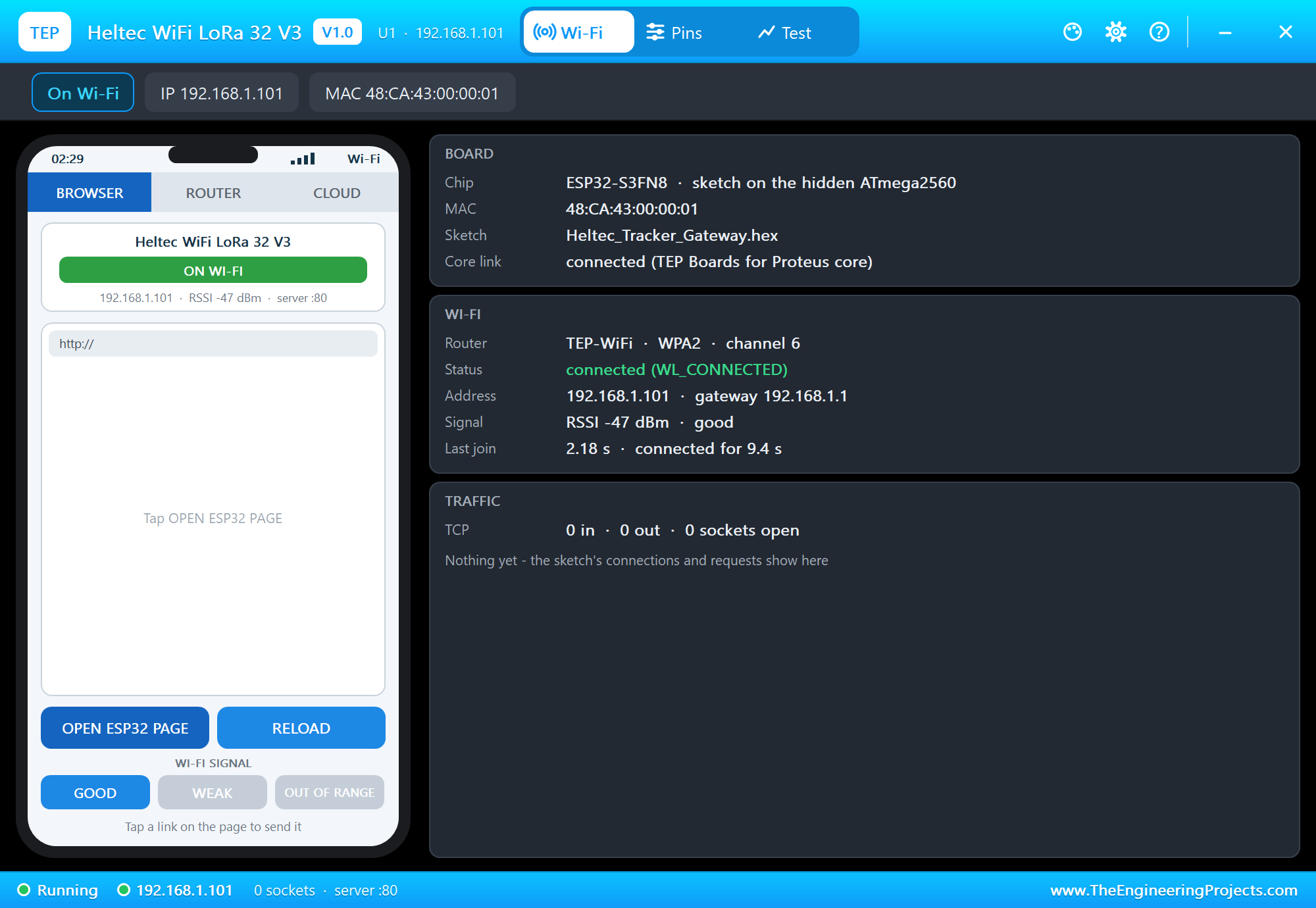
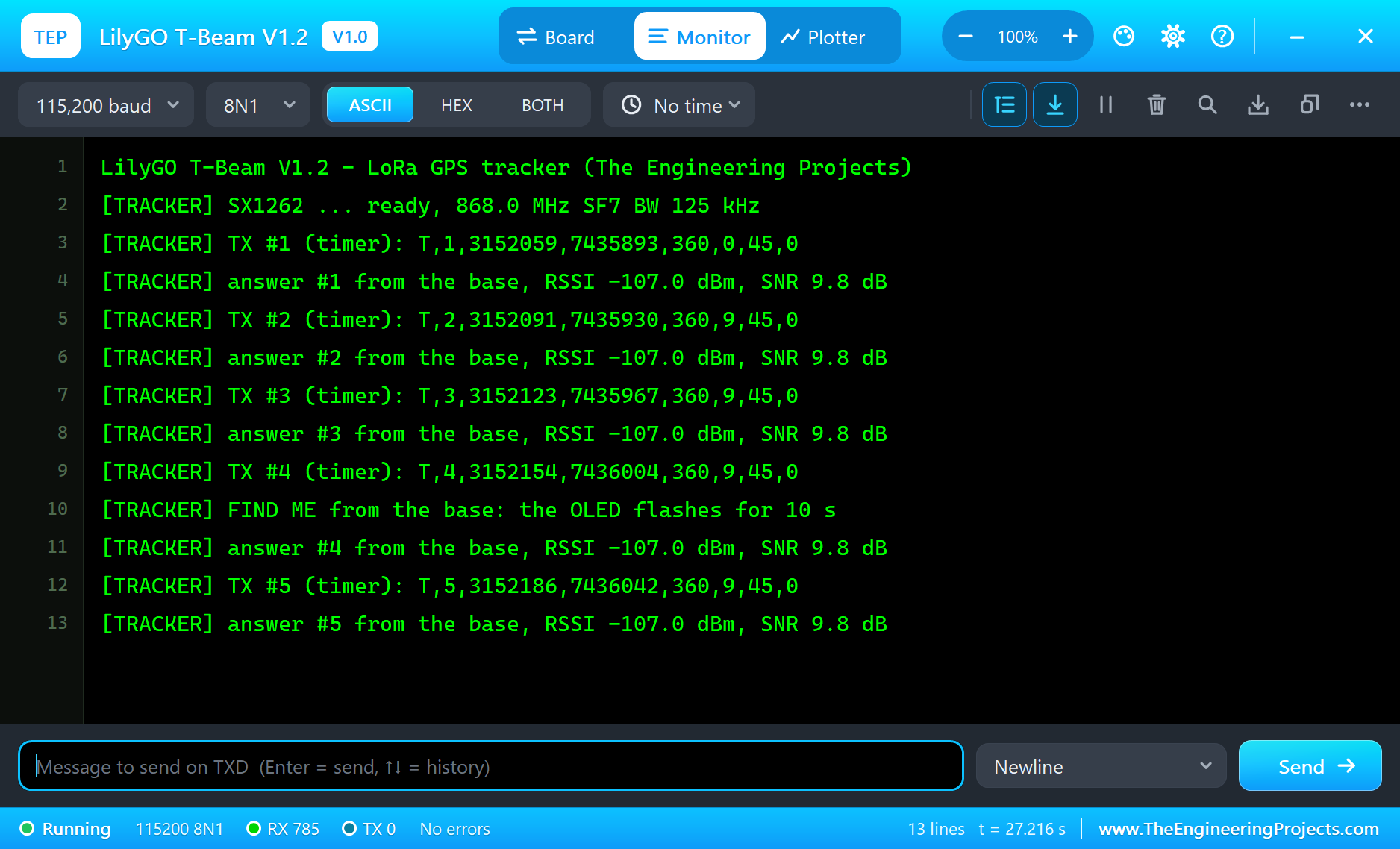
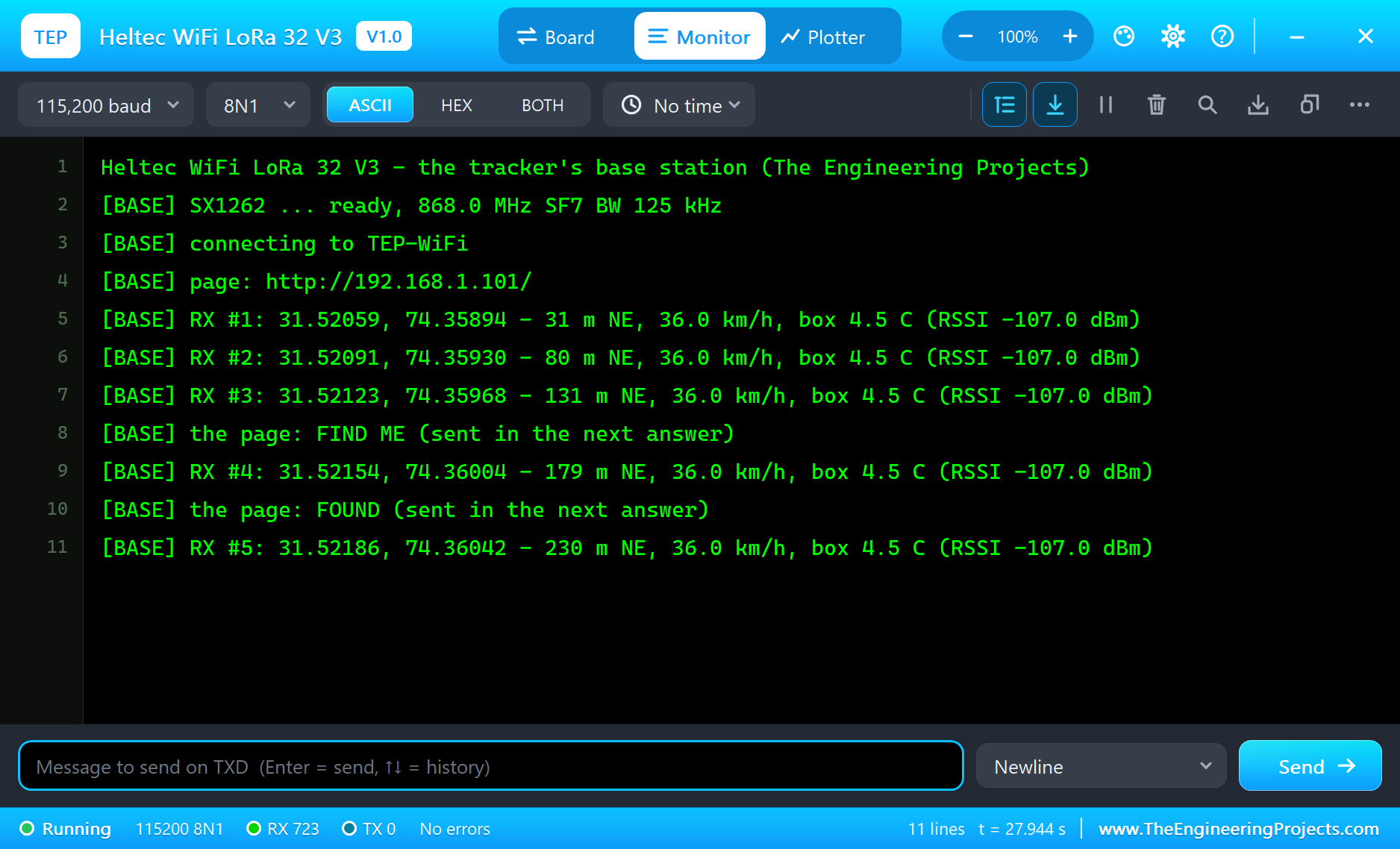
Press Run. Both monitors open. The T-Beam starts its radio, gets its first fix after 3 s and reports; the base answers and joins TEP-WiFi:
LilyGO T-Beam V1.2 - LoRa GPS tracker (The Engineering Projects)
[TRACKER] SX1262 ... ready, 868.0 MHz SF7 BW 125 kHz
[TRACKER] TX #1 (timer): T,1,3152059,7435893,360,0,45,0
[TRACKER] answer #1 from the base, RSSI -107.0 dBm, SNR 9.8 dB
[TRACKER] TX #2 (timer): T,2,3152091,7435930,360,9,45,0
[TRACKER] answer #2 from the base, RSSI -107.0 dBm, SNR 9.8 dB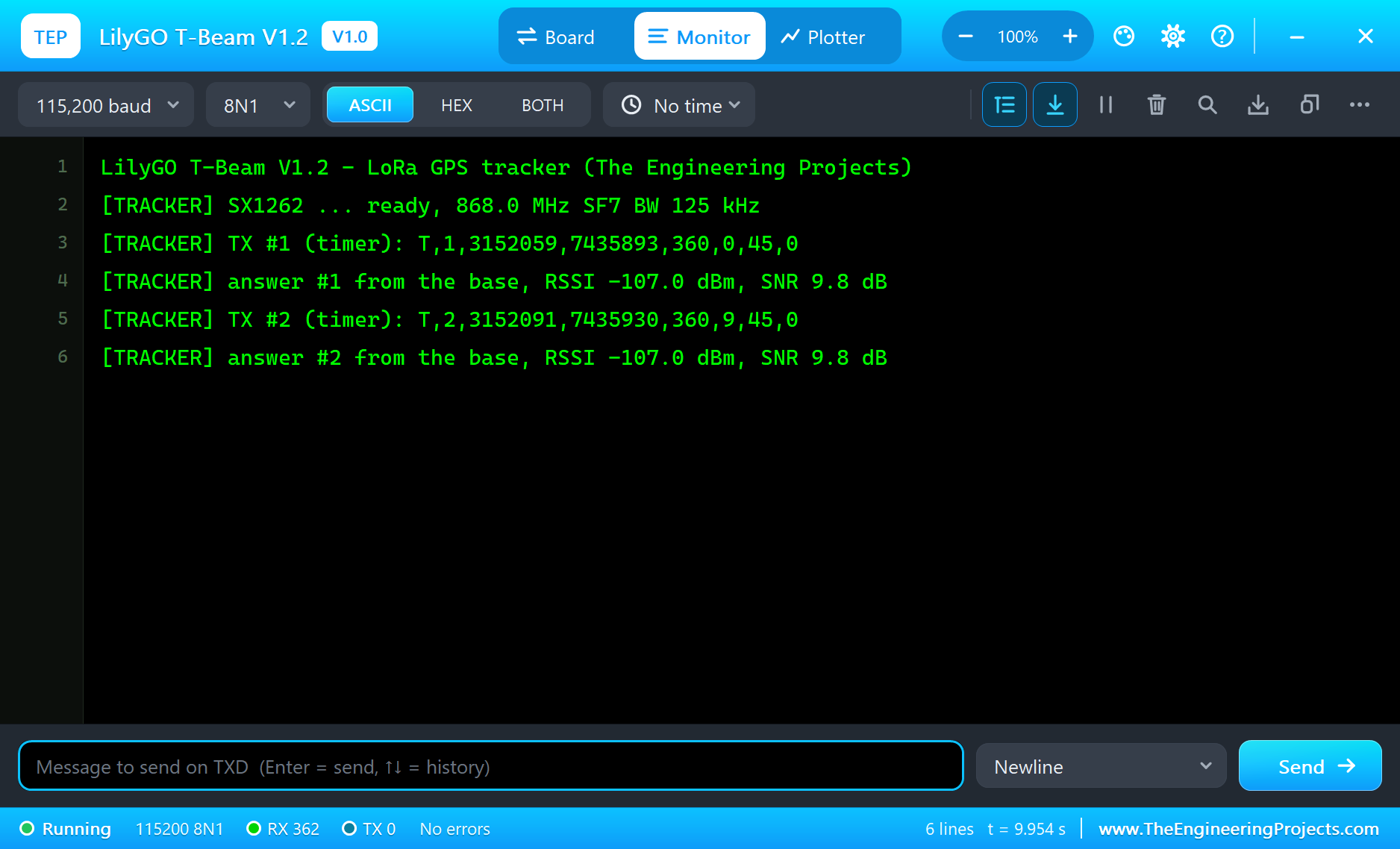
Heltec WiFi LoRa 32 V3 - the tracker's base station (The Engineering Projects)
[BASE] SX1262 ... ready, 868.0 MHz SF7 BW 125 kHz
[BASE] connecting to TEP-WiFi
[BASE] page: http://192.168.1.101/
[BASE] RX #1: 31.52059, 74.35894 - 31 m NE, 36.0 km/h, box 4.5 C (RSSI -107.0 dBm)
[BASE] RX #2: 31.52091, 74.35930 - 80 m NE, 36.0 km/h, box 4.5 C (RSSI -107.0 dBm)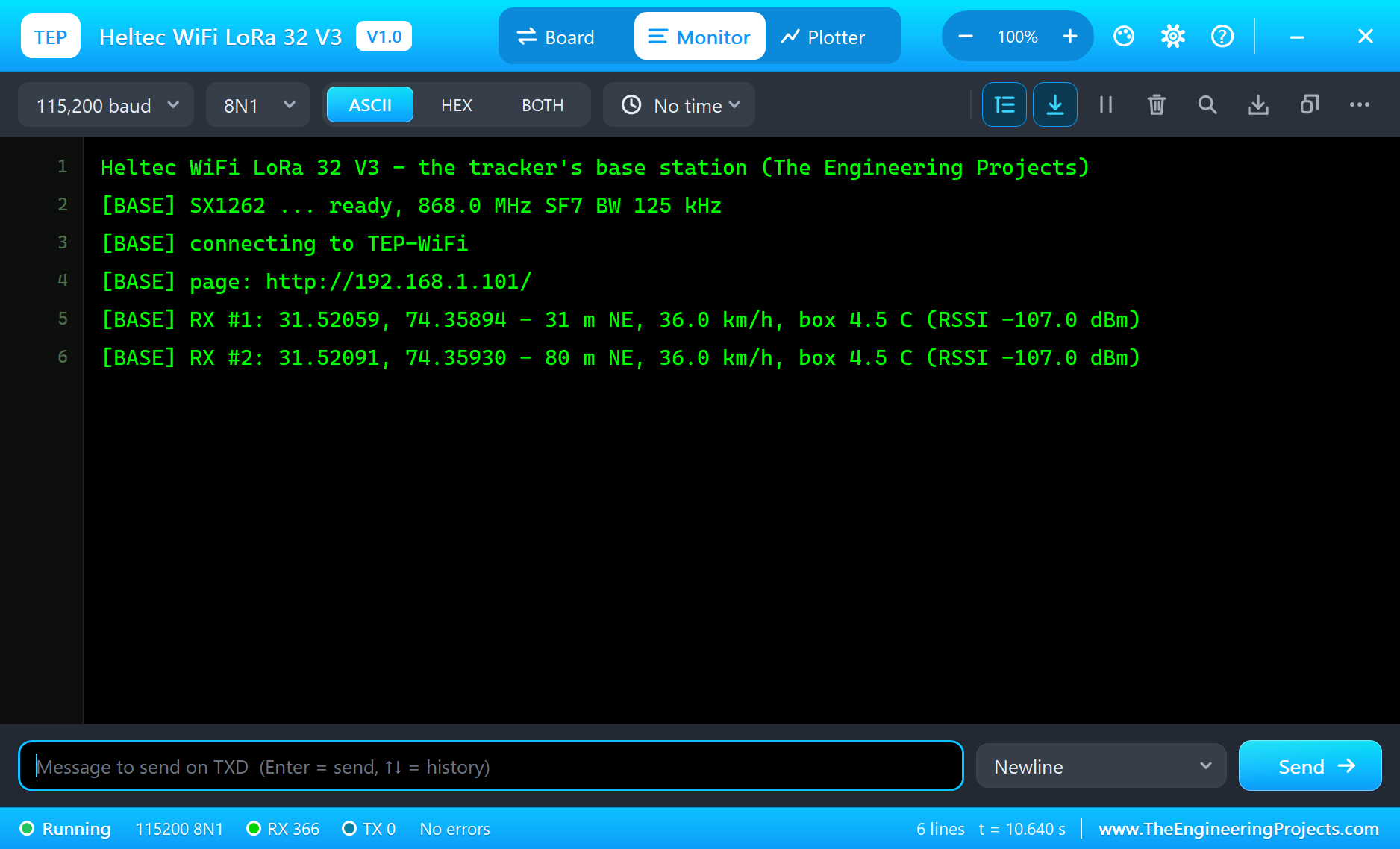
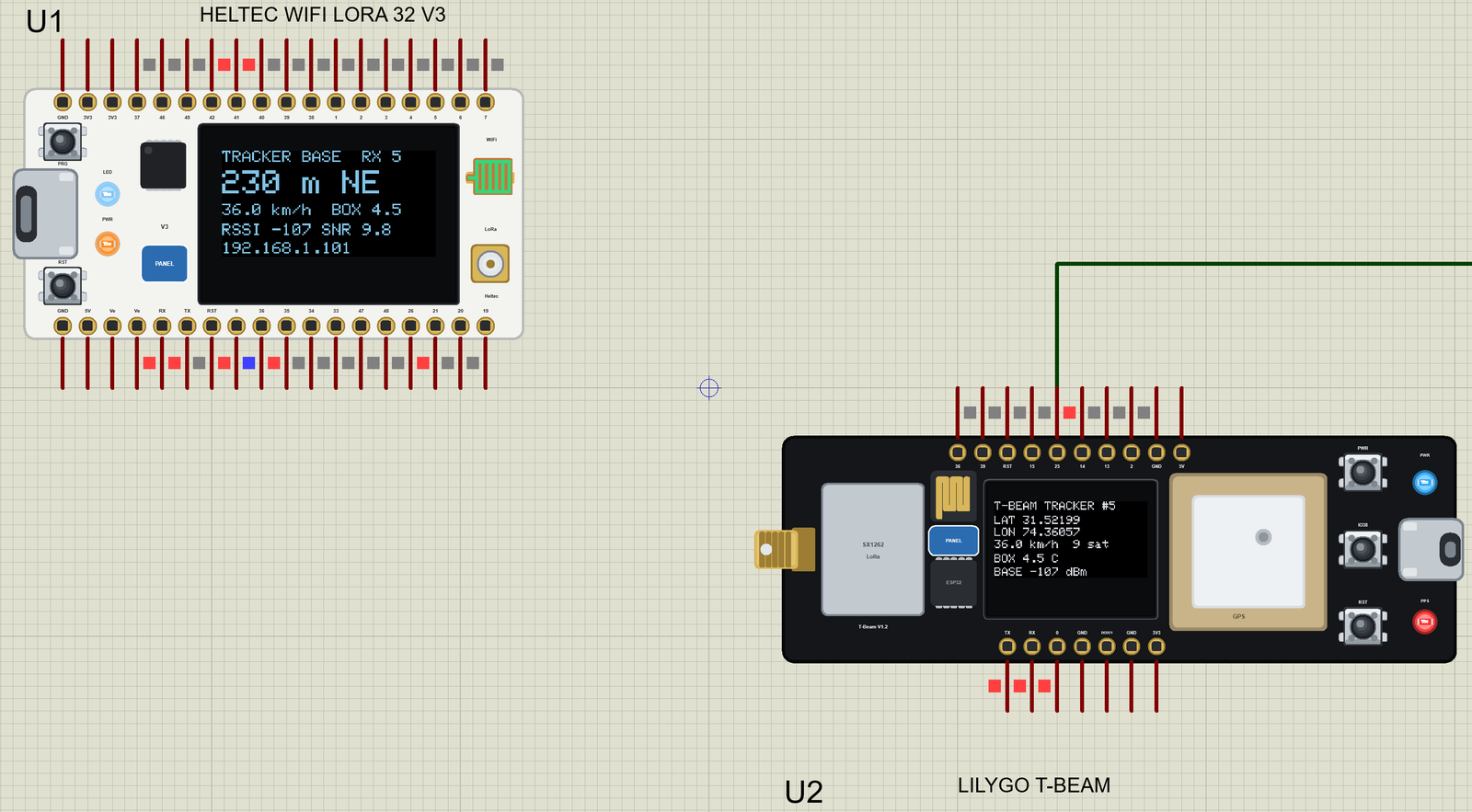
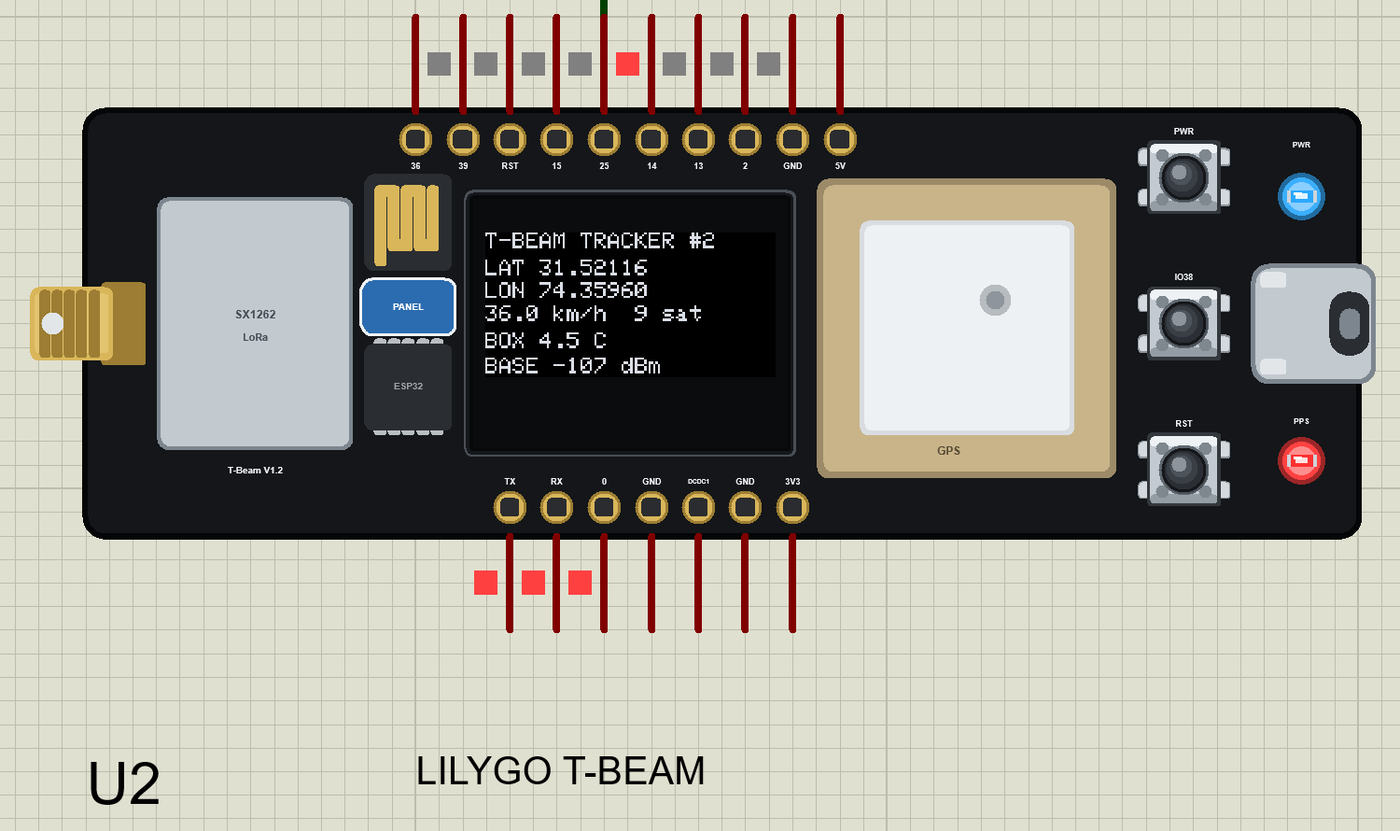
Open the Page
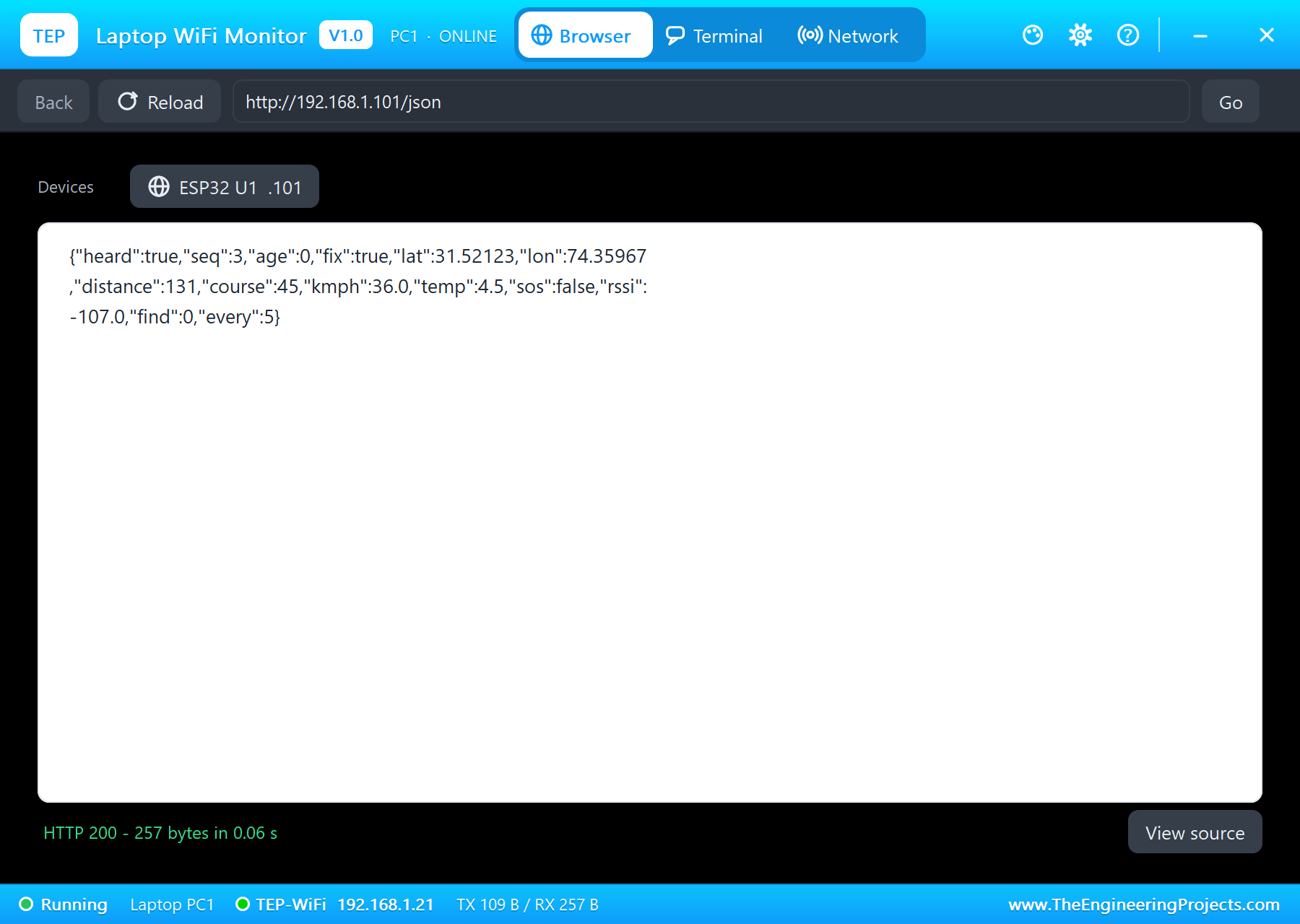
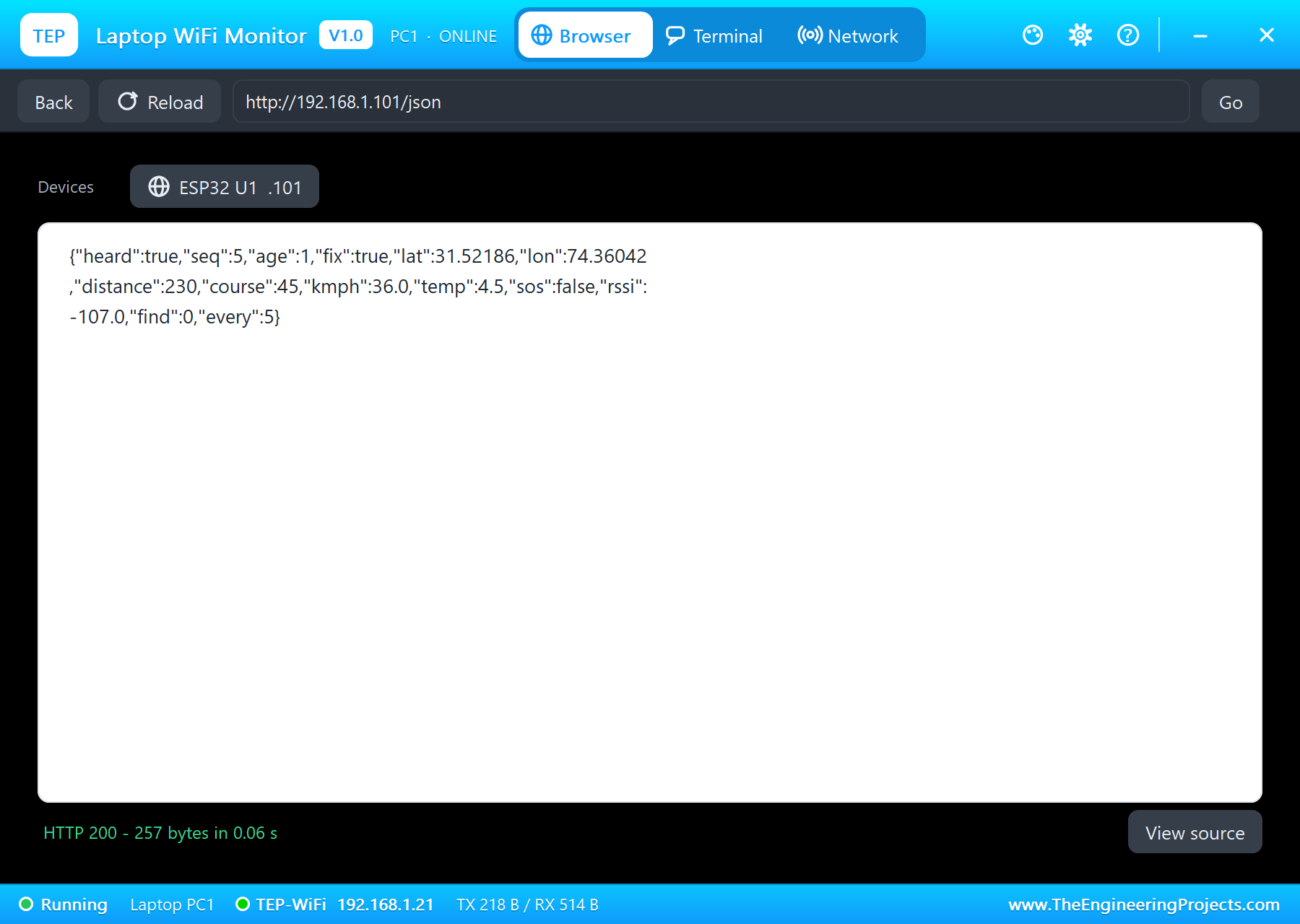
On the laptop click Browser and Go: it opens http://192.168.1.101/json. On the phone the same opens the page:
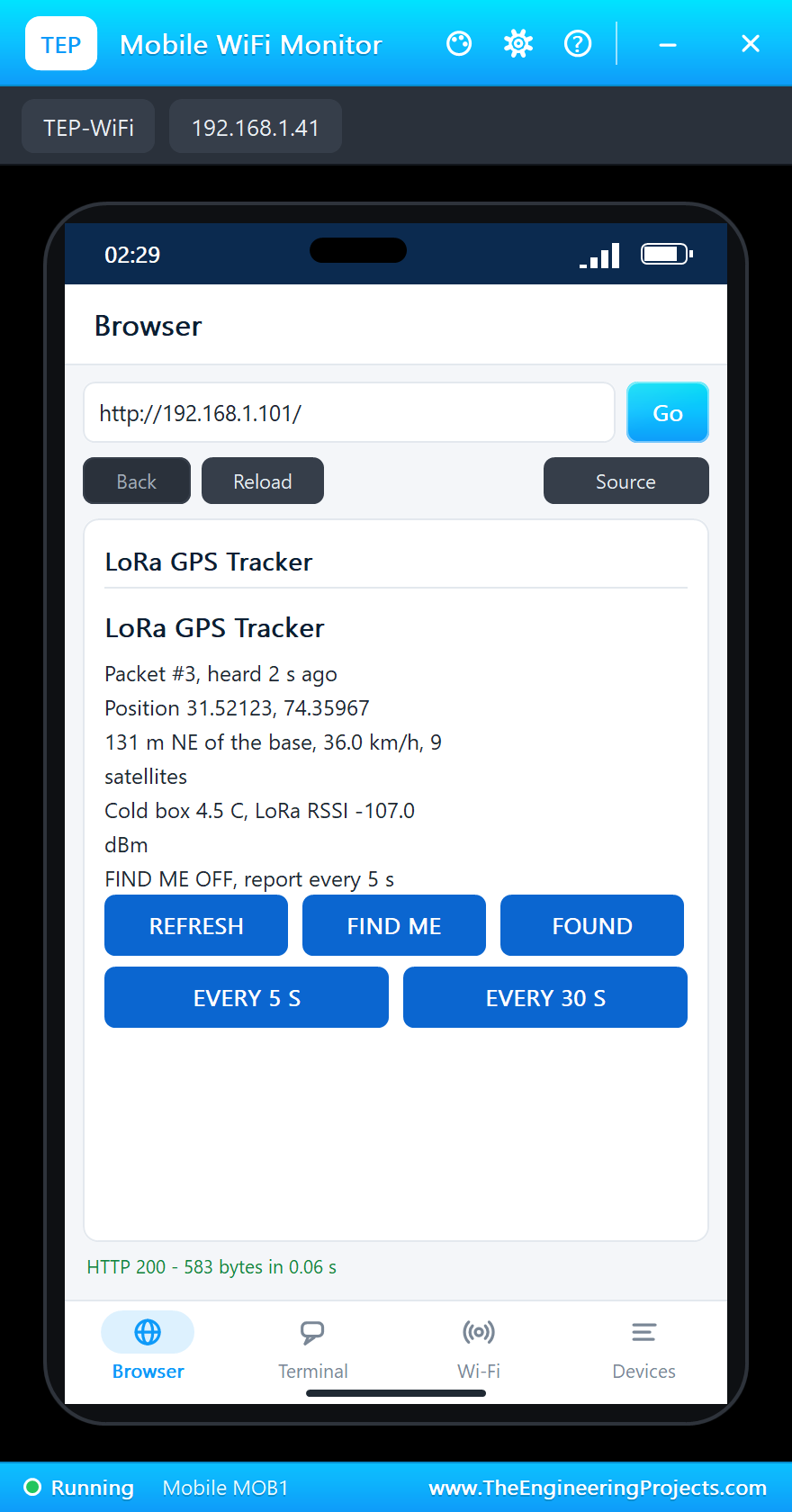
FIND ME over LoRa
Tap FIND ME. The base keeps the command, and with its next answer the T-Beam's OLED flashes:
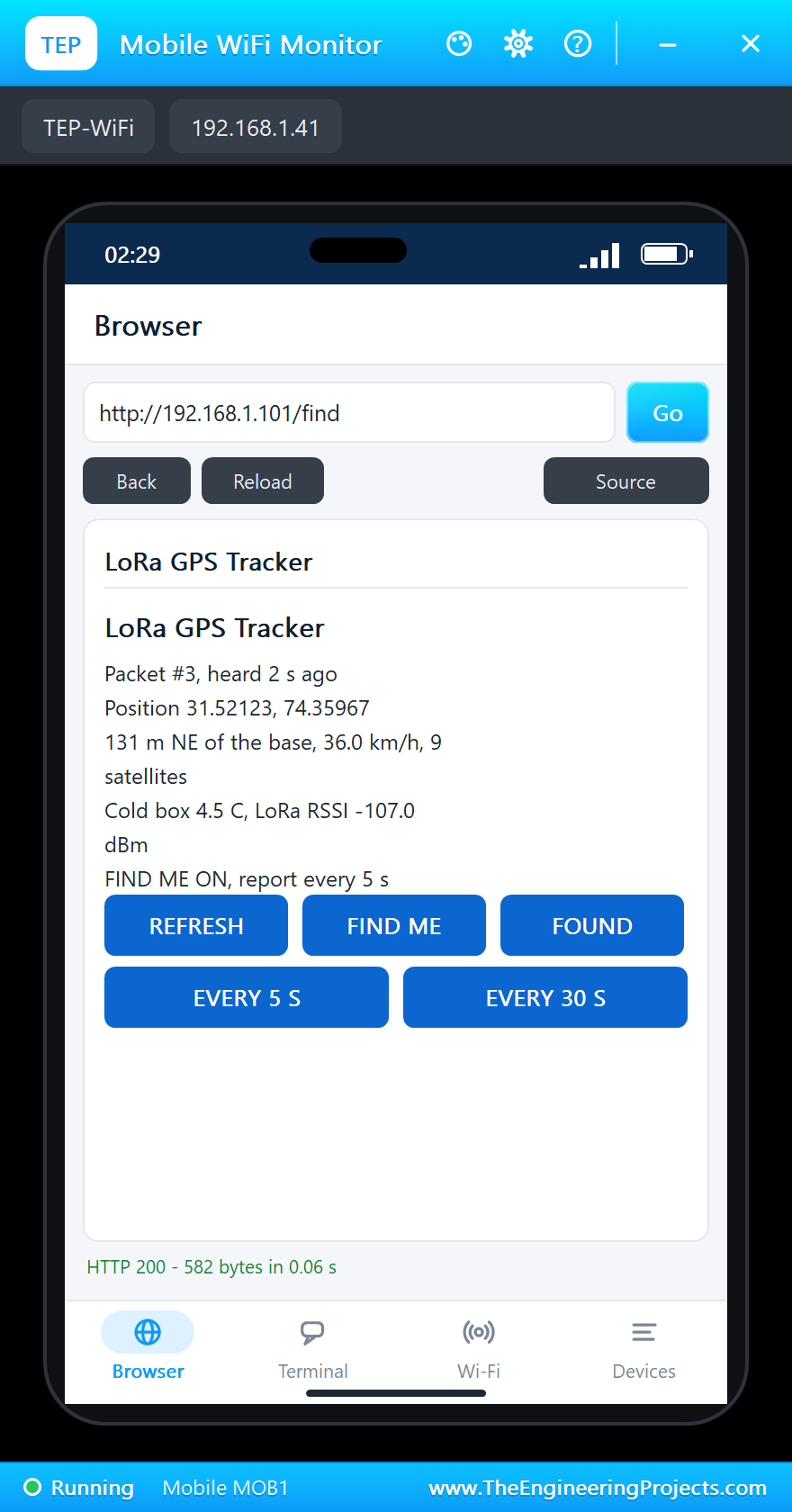
[BASE] the page: FIND ME (sent in the next answer)
[TRACKER] TX #4 (timer): T,4,3152154,7436004,360,9,45,0
[BASE] RX #4: 31.52154, 74.36004 - 179 m NE, 36.0 km/h, box 4.5 C (RSSI -107.0 dBm)
[TRACKER] FIND ME from the base: the OLED flashes for 10 s
[TRACKER] answer #4 from the base, RSSI -107.0 dBm, SNR 9.8 dB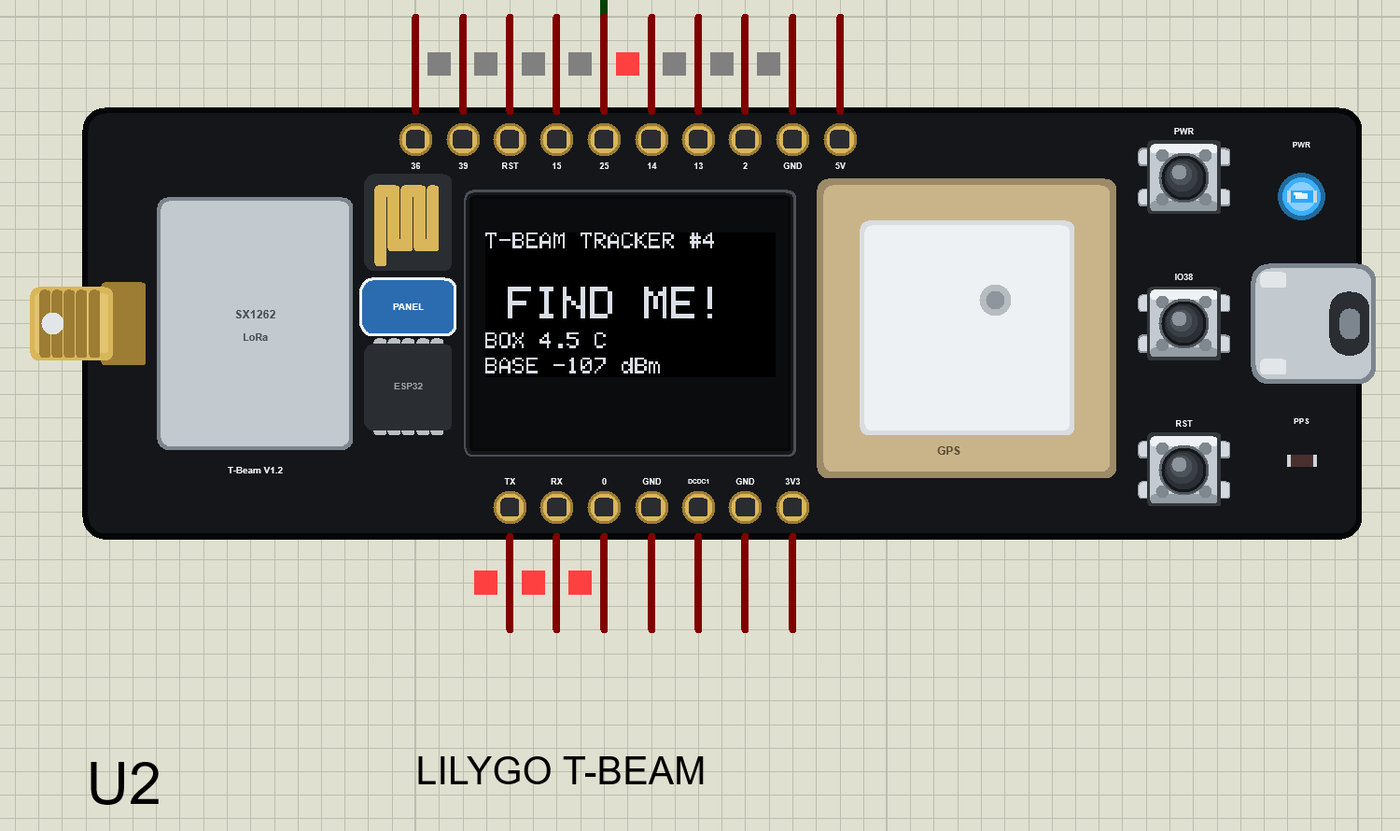
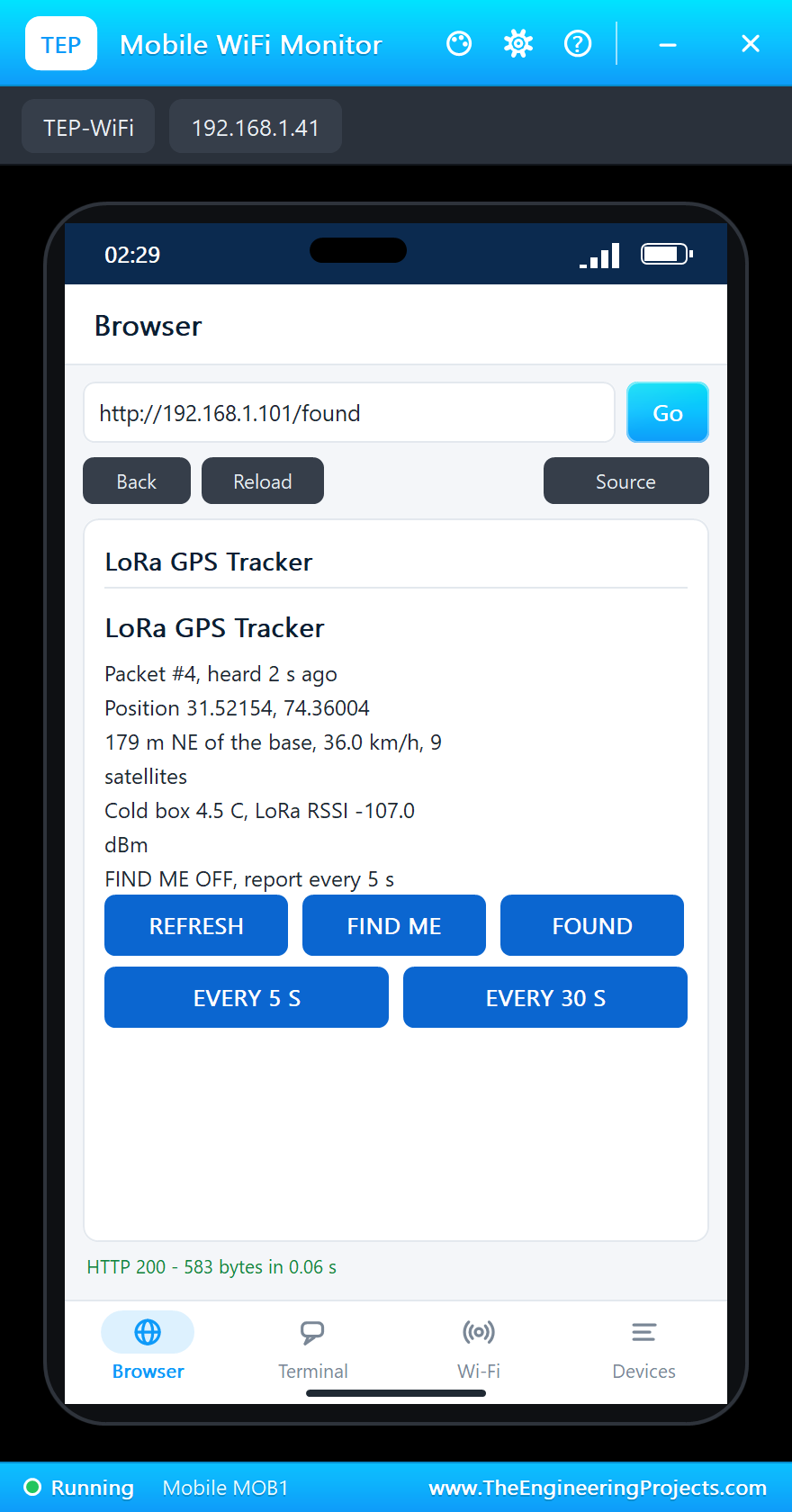
Tap FOUND and the next answer stops it. EVERY 30 S slows the reports down the same way - the setting a real tracker would use to save its battery.
The built-in serial monitors, in the look of our TEP Serial Monitor Advance for Proteus, keep the whole trip:
Try It Yourself
- Set GPSSPEED to 0: the van stands still and the distance stops growing.
- Change GPSHEADING to 180: the van drives south - the base's direction follows.
- Raise GPSFIX to 20: the first reports say "no fix", as after a cold start in a car park.
- Set the T-Beam's LORADIST to 15 km and watch the RSSI fall.
Ideas to Extend the Tracker
- Raise an alarm on the base when the box gets warmer than 8 C.
- Keep the last hour of positions on the base and list them on the page.
- Send the report less often while the van stands still, to save the battery.
- Add a second T-Beam with its own number - a small fleet on one base.
Your Own Sketches
Write the sketch in the Arduino IDE with the board LilyGO T-Beam V1.2 (TEP Proteus), use Sketch > Export Compiled Binary and set the board's PROGRAM property to the .hex. For a real T-Beam V1.2 install the esp32 boards from Espressif, select "T-Beam" and add LilyGO's AXP2101 set-up (XPowersLib) before radio.begin() - the PMU must power the radio and the GPS.
Things to Know Before Using a Real T-Beam
- Antenna first: never transmit without the LoRa antenna on the SMA socket.
- The power manager: on V1.2 the AXP2101 switches the radio (ALDO2) and the GPS (ALDO3): initialise it first.
- The first fix: outdoors with a clear sky a cold start takes from half a minute to a few minutes.
- A view of the sky: inside a building or a metal van body the fix may never come - mount the board under a plastic roof or use an external GPS antenna.
- Your region's band: 868 MHz in Europe, 915 MHz in the Americas; buy the board for your band.
Properties of the LilyGO T-Beam
| Property | What it does |
|---|---|
| PROGRAM | the sketch: a .hex from TEP Boards for Proteus (board "LilyGO T-Beam V1.2") |
| GPSLAT, GPSLON, GPSALT | where the GPS starts and its altitude |
| GPSSPEED, GPSHEADING | how it moves: km/h and the heading in degrees |
| GPSSATS, GPSFIX | the satellites it reports and the seconds to the first fix |
| LORADIST | the LoRa distance to the other boards: 10 m to 20 km |
| WIFISSID, WIFIPASS | the router in range: TEP-WiFi / 12345678 |
| MONITOR, BAUD, AUTOOPEN | the built-in serial monitor: on, its baud rate (115200), open at Run |
| TIME | the clock for NTP and the GPS's UTC time |
Troubleshooting
- No GPS fix: read Serial1 all the time in loop(); the fix comes after GPSFIX seconds.
- radio.begin() fails: the module is new Module(18, 33, 23, 32) - NSS, DIO1, RST, BUSY.
- No answer over LoRa: the same frequency, spreading factor, bandwidth and sync word on both boards; a shorter LORADIST.
- The page shows old values: use REFRESH; the monitors do not reload by themselves.
Limitations of the Simulation
- Your sketch gets 8 KB of RAM in the simulation and runs slower than on the ESP32 at 240 MHz.
- The AXP2101 is not modelled: the radio and the GPS are always on, and there is no battery or CHG LED.
- The GPS sends RMC and GGA only and ignores commands; Bluetooth and deep sleep are not modelled.
- The radios of other model DLLs - our SX1262 and SX1278 modules - have their own air and do not hear the T-Beam.
- LilyGO is a trademark of Shenzhen Xinyuan Electronic Technology; this library is not made or endorsed by LilyGO, Espressif, Semtech, u-blox or Labcenter.
- Tested in Proteus 8.5 in October 2026 (the demo as shipped, about 29 s of simulation in 344 s on our PC with the DHT22 pop-up, both monitors and both tools open). Proteus 7 is not supported.
So, that was all about the LilyGO T-Beam Library for Proteus. I hope it helps you build and test your trackers before the first drive - a GPS that moves, a LoRa link to a base station and a web page in one simulation. If you have any questions, ask in the comments and I will help you out. Till the next tutorial, take care and have fun!