Hello friends, I hope you all are doing great. Today, I am going to share a list of Motion and Distance Sensor Libraries for Proteus. These are the sensors that make robots and security systems work: they measure how far an obstacle is, notice a person walking into a room, feel a vibration, find a black line on the floor or tell a self-balancing robot which way it is tilting. If your project moves, or watches something move, you need one of them.
Motion is also the hardest thing to test on a desk, because you can't easily walk in front of your own circuit or move a wall closer to a robot. In Proteus, our libraries solve that in two ways. Our new MPU6050 and VL53L0X sensors have interactive sliders for the acceleration, the rotation and the distance, while our older sensors use a TestPin or an analog pin that stands for the obstacle, the person or the magnet.
The two new sensors are at the top of this list. After them, I have grouped our older sensors by what they detect: distance and obstacles, human motion, vibration and magnets. At the end, you will find the distance formulas and some robot and alarm projects that you can simulate. If you are new to Proteus libraries, read How to Add New Library in Proteus 8 first. So, let's get started with the Motion and Distance Sensor Libraries for Proteus:
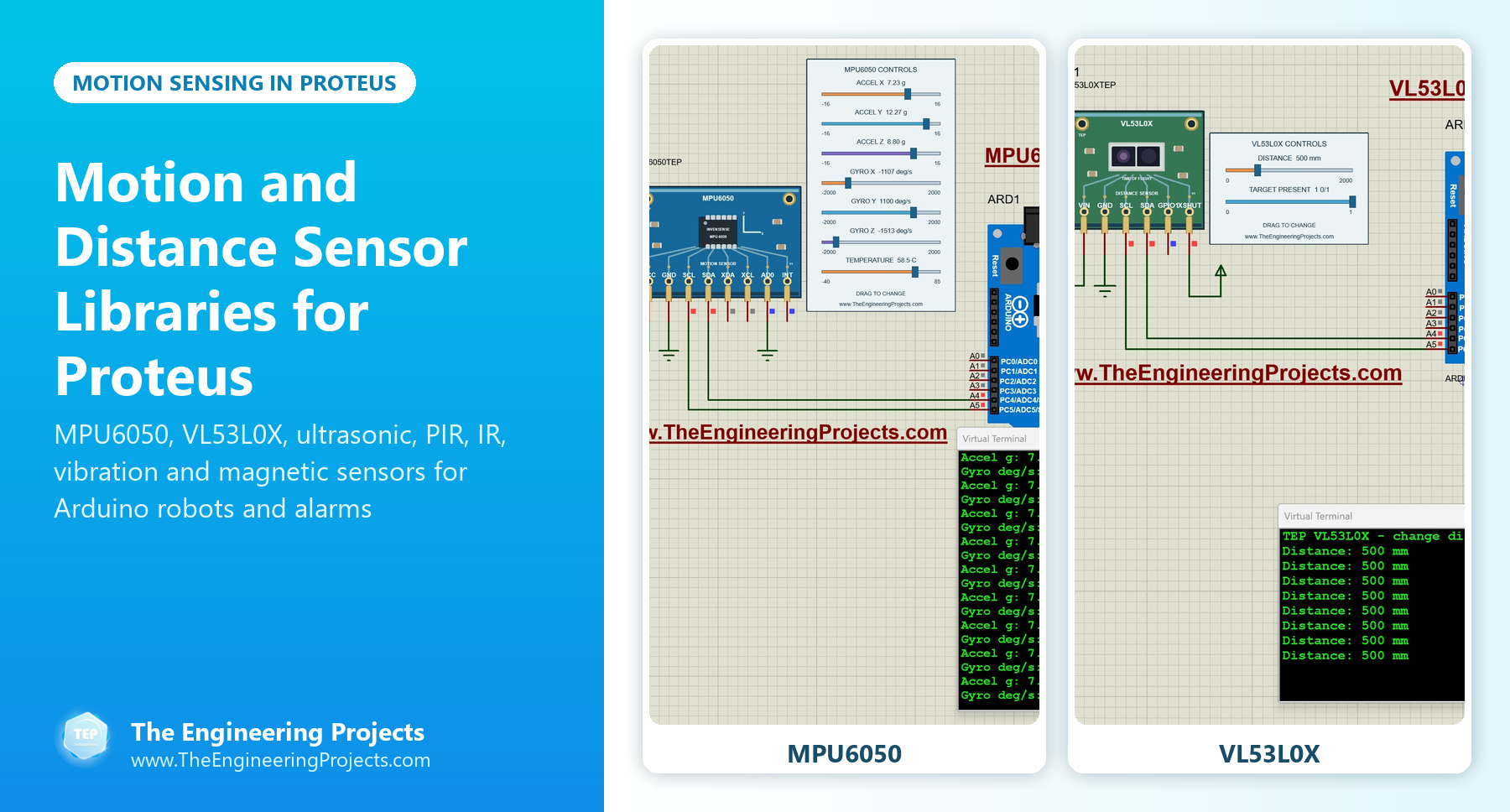
How These Sensors Detect Motion and Distance
Every sensor in this list uses a different physical effect. The last column shows how you play that effect in a Proteus simulation:
| Sensor | Principle | Output | In Proteus |
|---|---|---|---|
| MPU6050 | Accelerometer and gyroscope | I2C | Seven sliders |
| VL53L0X | Time of flight of light | I2C | Distance slider (0 to 2000 mm) and a target control |
| Ultrasonic (HC-SR04) | Echo time of sound | Trigger and echo pulses | A variable resistor on an extra analog pin sets the distance |
| IR obstacle sensor | Reflected infrared light | Digital OUT | TestPin HIGH = obstacle |
| IR proximity sensor | Reflected infrared light | Analog OUT | TestPin from 0 V to 5 V = obstacle coming closer |
| PIR sensor | Change in infrared heat | Digital (V1) or analog (V2, V3) | TestPin |
| Vibration sensors | Vibration switch or analog element | Digital or analog | TestPin |
| Hall effect and reed switch | Magnetic field | Digital | TestPin HIGH = magnet nearby |
New Motion and Distance Sensors (2026)
1. MPU6050 Accelerometer and Gyroscope Proteus Library
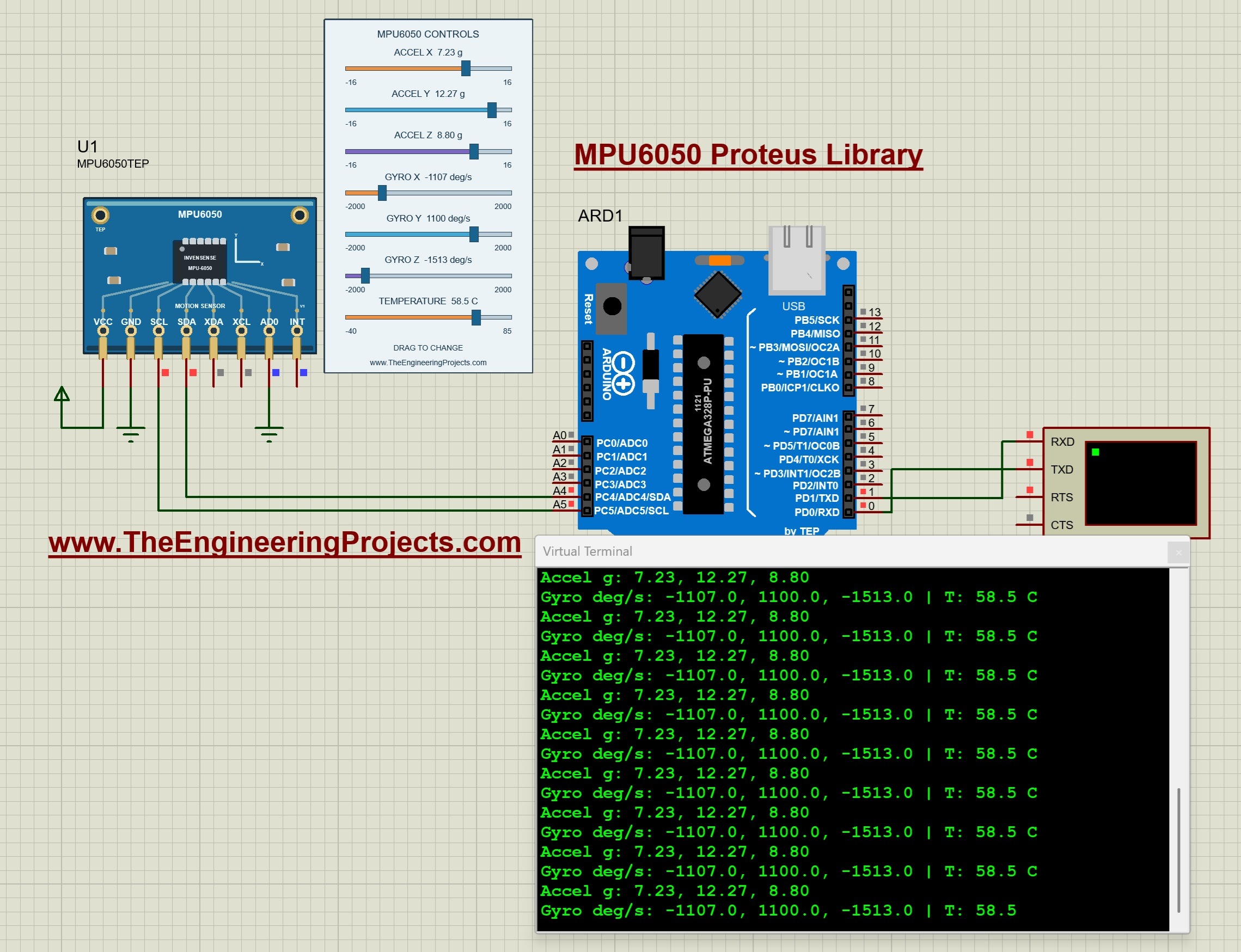
The MPU6050 combines a three-axis accelerometer, a three-axis gyroscope and an internal temperature sensor, which makes it the motion sensor of self-balancing robots, drones, gesture controllers and fall detectors. In our model, seven controls set the acceleration on X, Y and Z (from -16 g to +16 g), the rotation on X, Y and Z (from -2000 to +2000 degrees per second) and the temperature. By default, Z reads 1 g, like a sensor lying flat on a table.
The tutorial explains the raw measurements and their scaling, estimates a rotation increment from the gyroscope and checks a stationary acceleration vector, so you understand the numbers before you write a balancing or tilt algorithm. Read the complete tutorial: MPU6050 Proteus Library
2. VL53L0X Distance Sensor Proteus Library
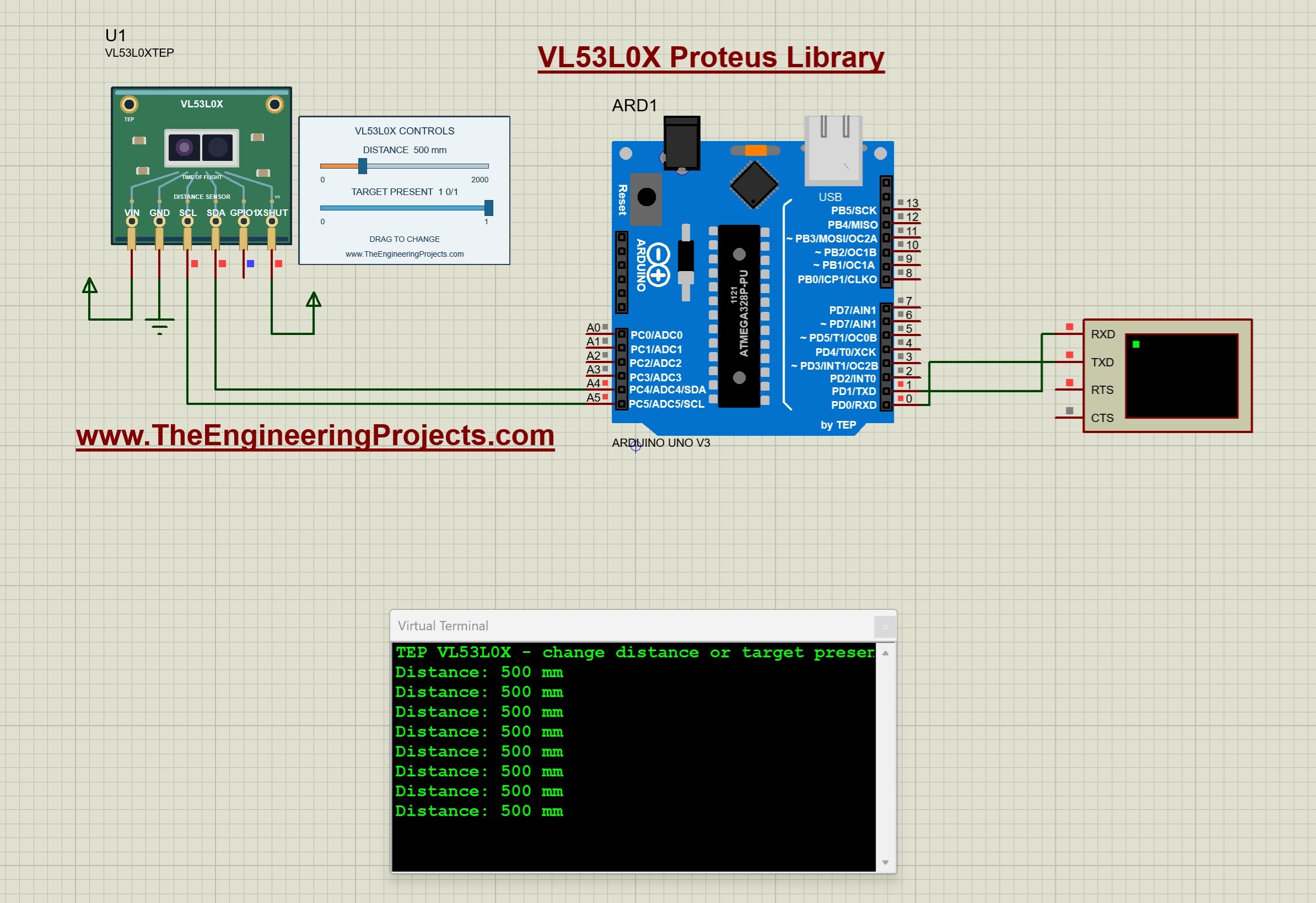
The VL53L0X is a time-of-flight sensor: it measures the distance with light and sends a ready digital result over I2C, so your code doesn't time any echo pulse. Our model's distance control goes from 0 to 2000 mm, and a second control removes the target. That second control is very useful, because a real robot often points at nothing, and your code must handle "no target" without printing nonsense.
The tutorial covers continuous ranging, timeouts and initialization failures, a simple distance threshold and address selection when you use several sensors. Read the complete tutorial: VL53L0X Proteus Library
Distance and Obstacle Sensors
3. Ultrasonic Sensor Library for Proteus
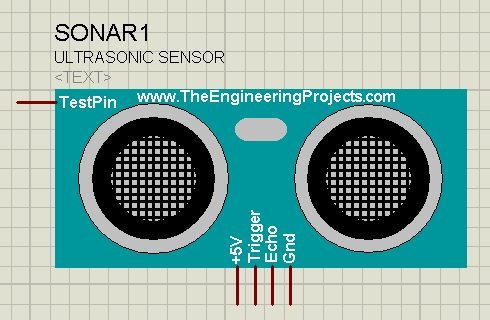
The HC-SR04 ultrasonic sensor sends a sound pulse and times its echo to find the distance to an obstacle. Since we can't place a real object in front of a simulated sensor, our model has an extra analog pin: connect a variable resistor to it, and its voltage sets how close the object is. The example prints the distance in inches and centimetres on the Virtual Terminal. You should also read Interfacing of Ultrasonic Sensor With Arduino and Interfacing of Multiple Ultrasonic Sensor With Arduino. Read the complete tutorial: Ultrasonic Sensor Library for Proteus
4. Infrared Sensor Library for Proteus
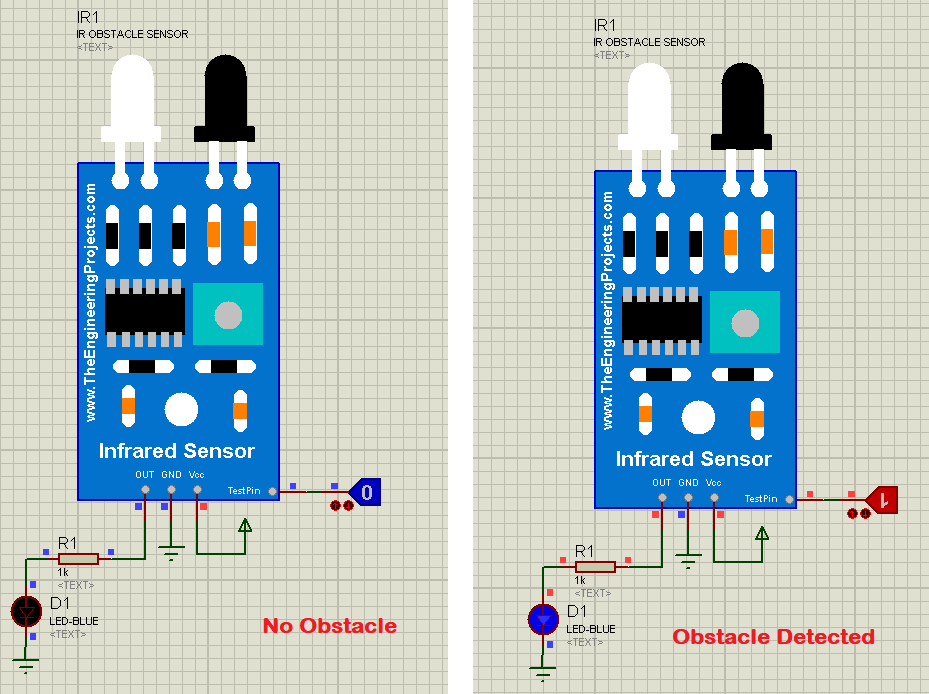
The IR obstacle sensor detects an object in its path with reflected infrared light. Its OUT pin goes HIGH when it finds an obstacle and stays LOW otherwise. In Proteus, its TestPin plays the obstacle: LOW means the path is clear and HIGH means something is in front of the sensor. Read the complete tutorial: Infrared Sensor Library for Proteus
5. IR Proximity Sensor Library for Proteus
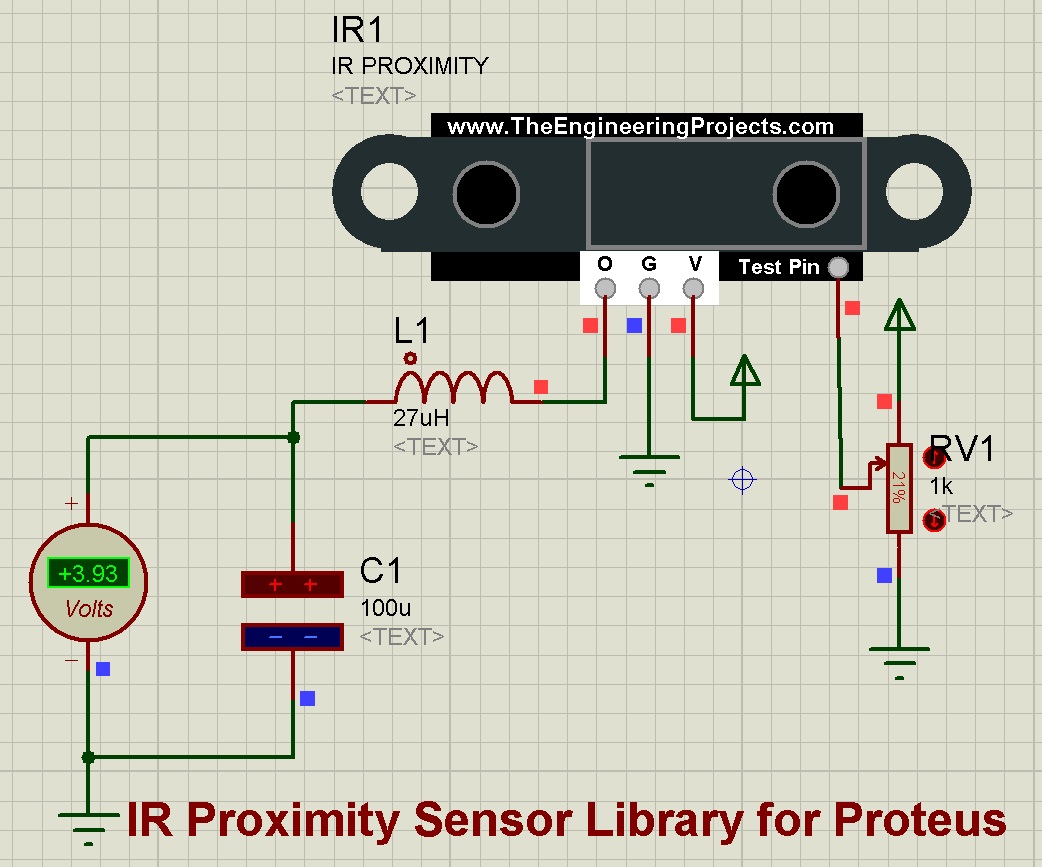
The IR proximity sensor has an analog output that follows how close the object is. In the simulation, a variable resistor on the TestPin changes its voltage from 0 V (no obstacle) to 5 V (obstacle very close), and a voltmeter on the output shows the sensor's answer. Like several of our sensors, it also needs its own HEX file. Read the complete tutorial: IR Proximity Sensor Library for Proteus
6. Infrared Tracker Sensor Library for Proteus
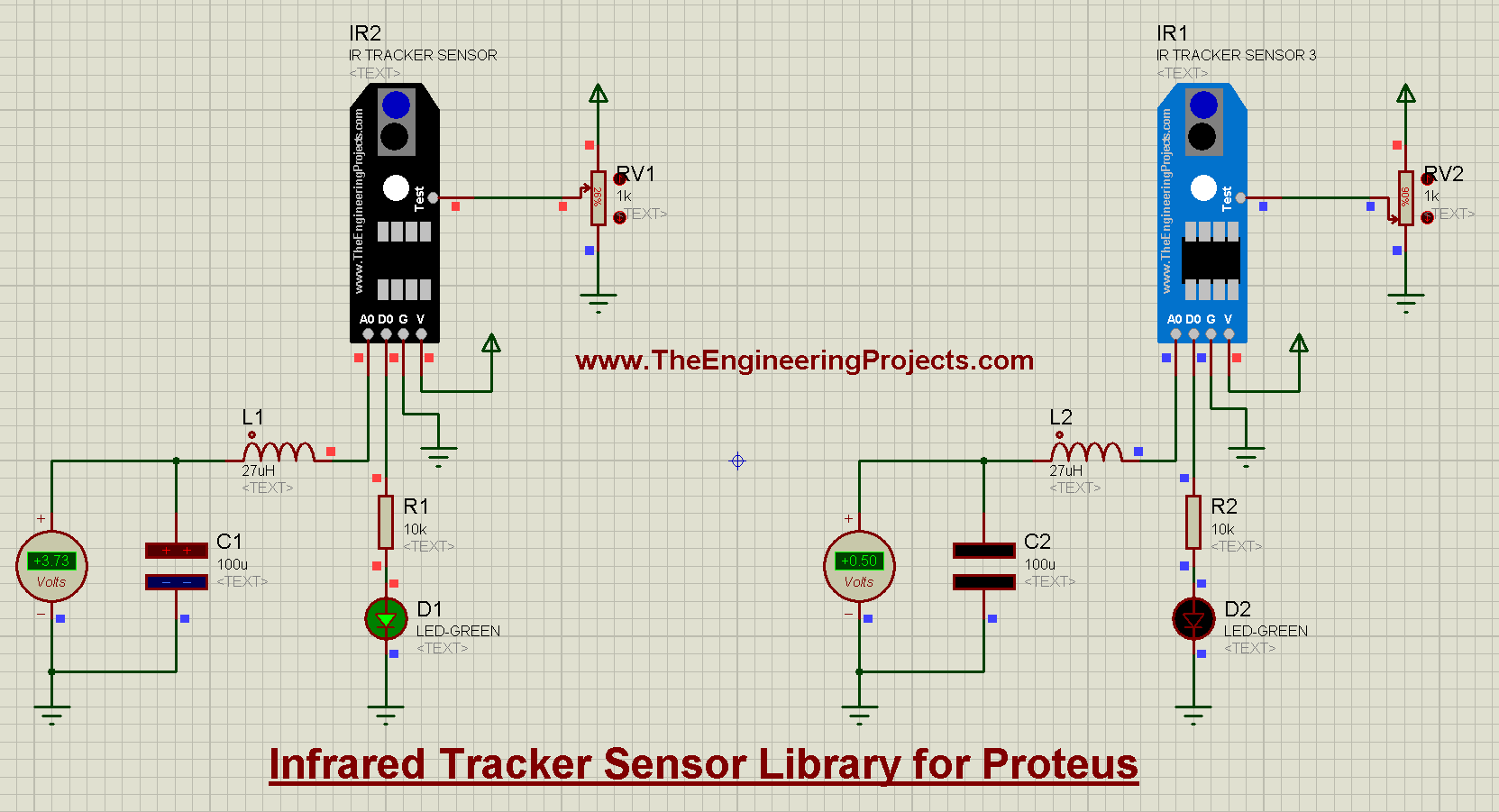
The IR tracker sensor is the eye of a line-following robot: it sees the difference between a dark line and a light floor. A test pin simulates the line in Proteus. Read the complete tutorial: Infrared Tracker Sensor Library for Proteus
Human Motion Sensors (PIR)
7. PIR Sensor Library for Proteus V3.0
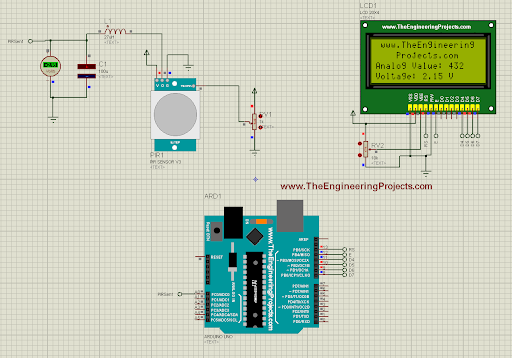
A PIR (passive infrared) sensor detects a person from the change in infrared heat when they move, which is why it sits in every security light and intruder alarm. Version 3.0 is our latest PIR: an analog sensor with four pins, a better organised pinout and an improved design, with an Arduino example in its tutorial. Read the complete tutorial: PIR Sensor Library for Proteus V3.0
8. Analog PIR Sensor Library for Proteus V2.0
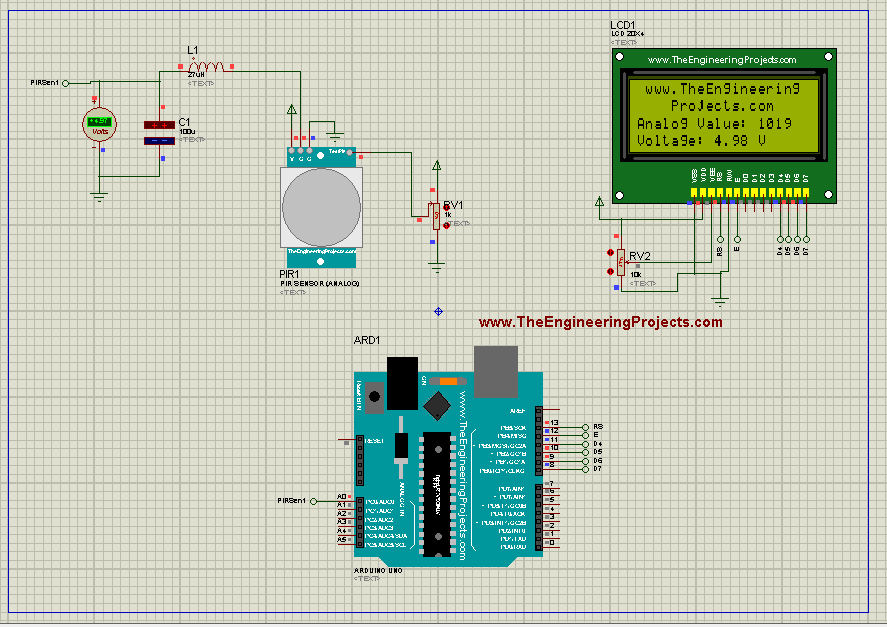
Version 2.0 added an analog PIR to Proteus, interfaced with an Arduino UNO in its tutorial. Read the complete tutorial: Analog PIR Sensor Library for Proteus V2.0
9. PIR Sensor Library for Proteus
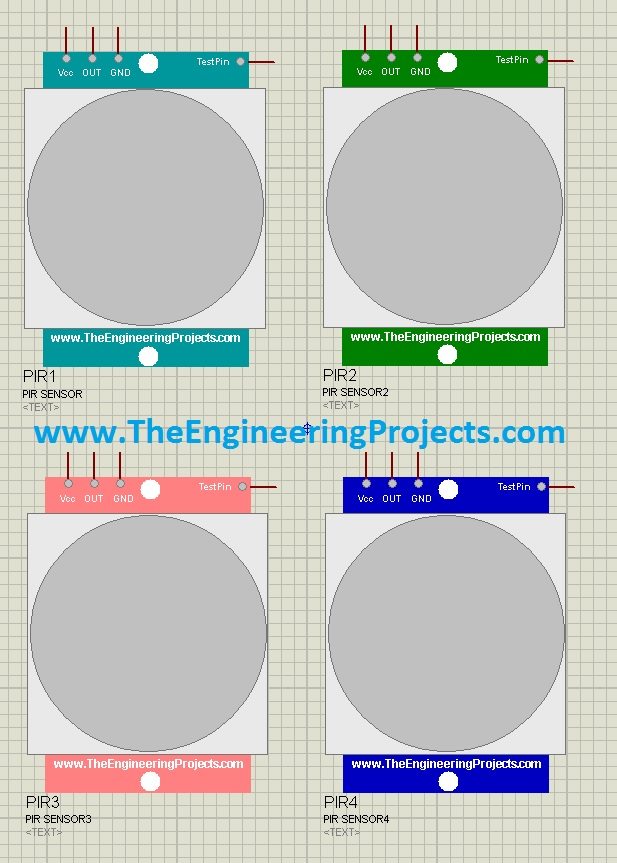
Our first PIR library is a digital sensor: +5 V on its TestPin means motion detected and 0 V means no motion. We used it, with three ultrasonic sensors, in our Smart Blind Stick using Arduino in Proteus. Read the complete tutorial: PIR Sensor Library for Proteus
Vibration Sensors
10. Vibration Sensor Library for Proteus V2.0
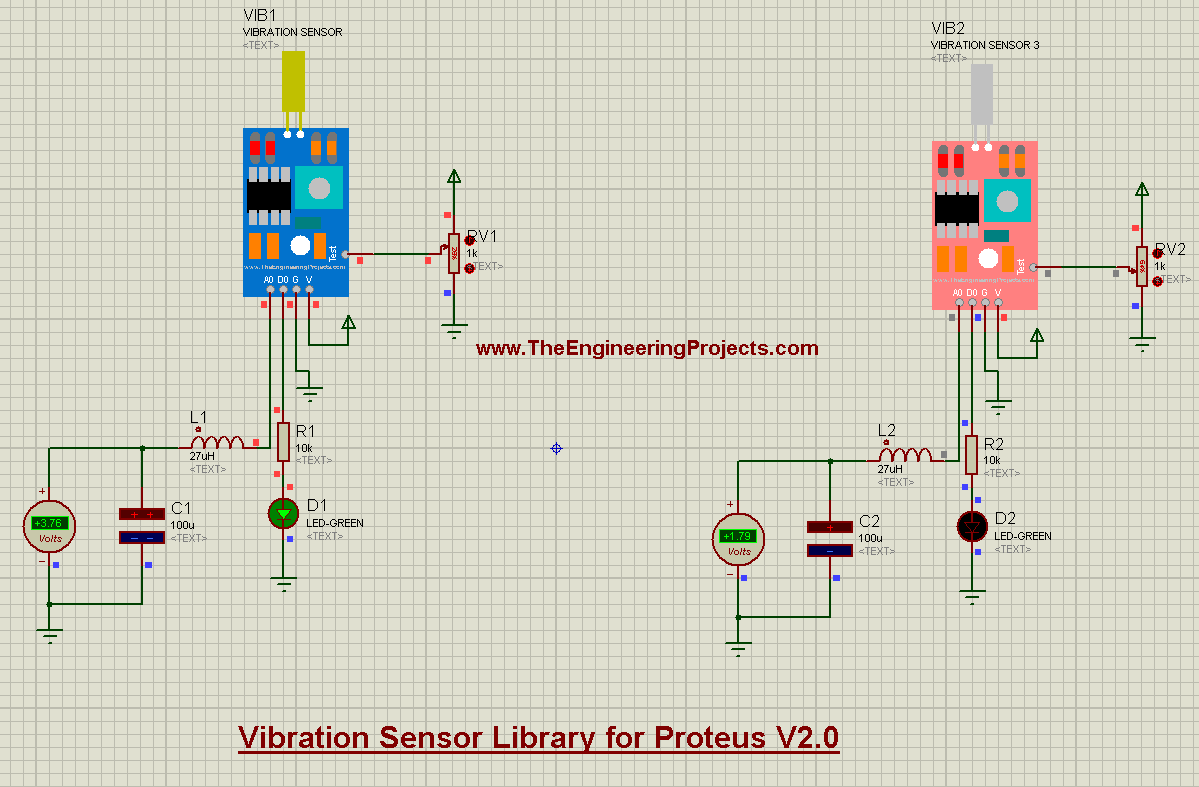
The second version of our vibration sensor, for knock detectors, machine monitors and anti-theft alarms. It loads its own HEX file into the sensor. Read the complete tutorial: Vibration Sensor Library for Proteus V2.0
11. Analog Vibration Sensor Library for Proteus
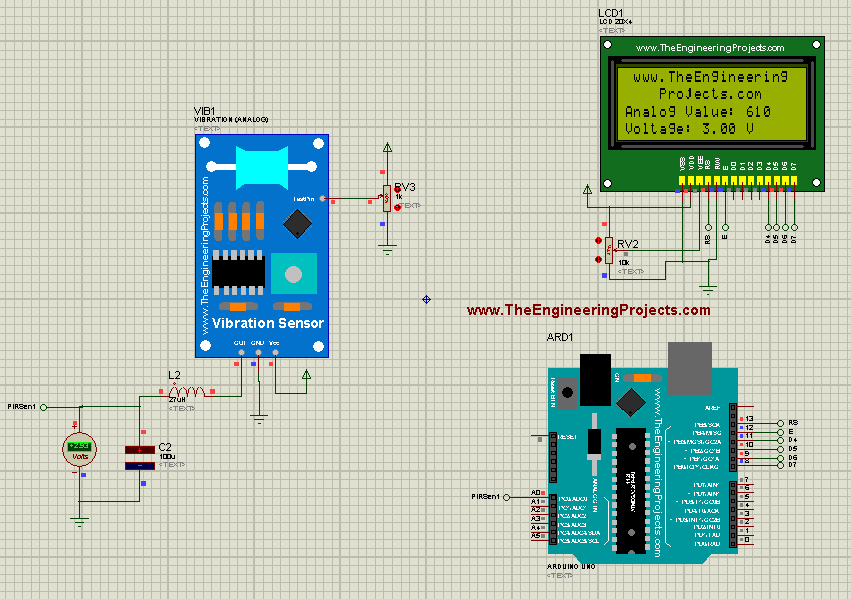
The analog vibration sensor gives an analog output instead of a simple yes or no, so your code can tell a light tap from a strong shake. Read the complete tutorial: Analog Vibration Sensor Library for Proteus
12. Vibration Sensor Library for Proteus (SW-420)
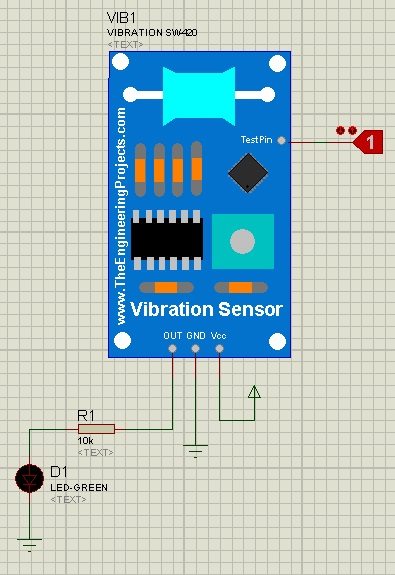
Our first vibration library has the SW-420 sensor, and its TestPin simulates the vibration: 0 means no vibration and 1 means vibration. Read the complete tutorial: Vibration Sensor Library for Proteus
Magnetic Position Sensors
13. Magnetic Hall Effect Sensor (KY-024) Library for Proteus
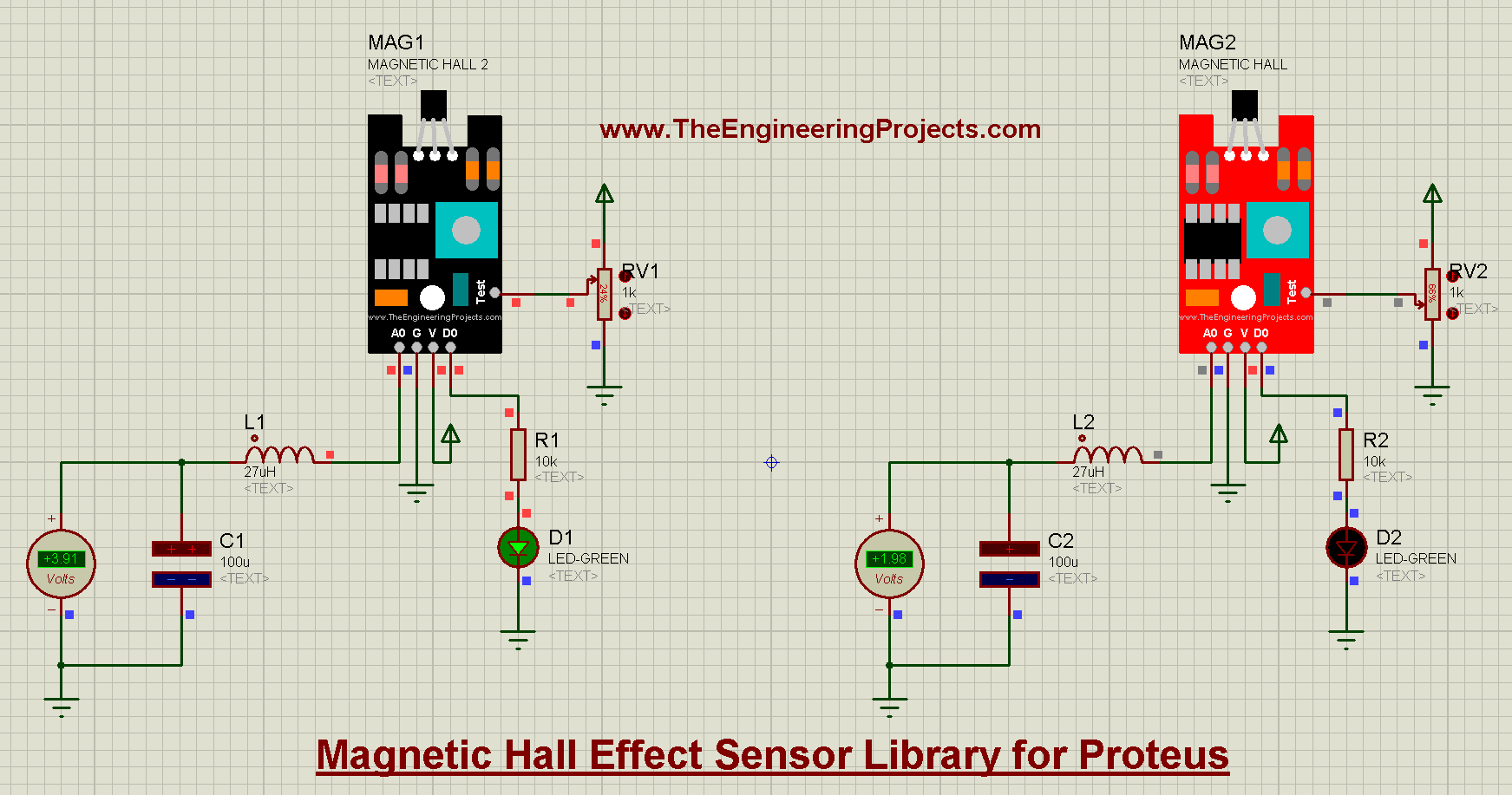
The KY-024 Hall effect sensor detects a magnetic field without touching it, for wheel speed sensors, position switches and RPM counters. A test pin simulates the magnet. Read the complete tutorial: Magnetic Hall Effect Sensor Library for Proteus
14. Magnetic Reed Switch Library for Proteus
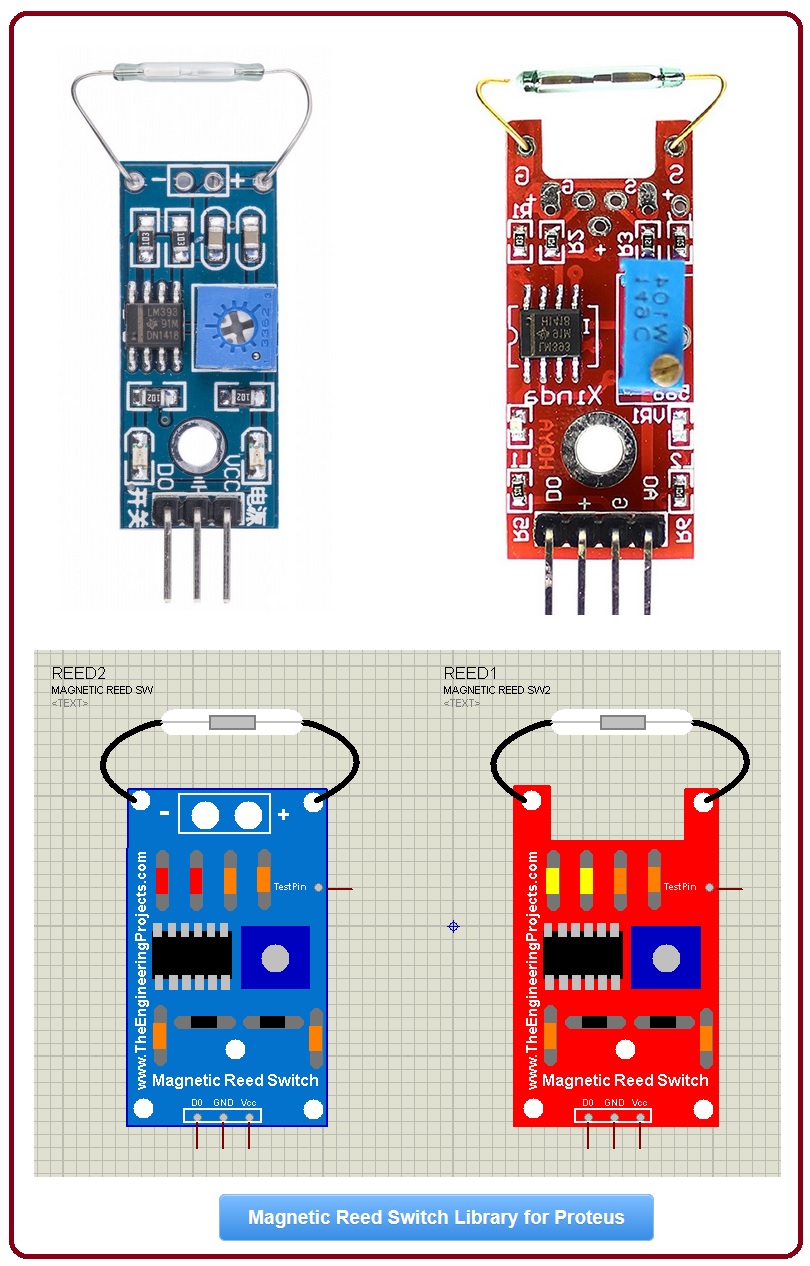
The magnetic reed switch is the door and window sensor of security systems. Its D0 output goes HIGH when a magnet is near, and in Proteus a HIGH TestPin means "magnet nearby". Read the complete tutorial: Magnetic Reed Switch Library for Proteus
Distance Formulas You Will Use
Most distance sensors measure time, and your code (or the sensor itself) turns that time into a distance:
- Ultrasonic: distance = (echo time × speed of sound) / 2. The division by 2 is because the sound travels to the obstacle and back. At about 20 °C, sound travels about 343 m/s, so each centimetre of distance adds about 58 µs to the echo.
- Time of flight (VL53L0X): the same idea with light, but light is so fast that the sensor does the timing inside the chip and simply reports millimetres.
- Infrared reflection: the brightness of the reflected light falls as the object moves away. It depends on the colour of the object, which is why IR sensors are best for "near or far" and ultrasonic or time-of-flight sensors for real distances.
Robot and Alarm Projects You Can Simulate
- Obstacle-avoiding robot: an ultrasonic sensor or a VL53L0X in front, with IR obstacle sensors on the sides.
- Line-following robot: two or three IR tracker sensors under the robot.
- Self-balancing robot: the MPU6050, with its tilt from the accelerometer and its rotation from the gyroscope.
- Smart blind stick: ultrasonic sensors in three directions, a PIR sensor and a buzzer, as in our blind stick project.
- Intruder alarm: a PIR sensor and reed switches on the doors, with a SIM800L that sends an SMS alert.
- Parking assistant: a VL53L0X or an ultrasonic sensor with a buzzer that beeps faster as the car gets closer.
You can find all of these sensors in our Proteus Libraries tutorial series, and the complete list in our List of Embedded Sensors in Proteus. For the new I2C sensors in more detail, read our I2C Sensor Libraries for Proteus.
More Lists of Proteus Libraries
We have grouped our Proteus libraries into several lists, so you can quickly find the right ones for your project:
- 30 New Proteus Libraries for Engineering Students (2026)
- GSM Libraries for Proteus
- GPS Libraries for Proteus
- RF Module Libraries for Proteus
- LoRa and RF Libraries for Proteus
- Wi-Fi and Bluetooth Libraries for Proteus
- List of Wireless Modules for Proteus
- Top IoT Libraries for Proteus
- RFID and NFC Libraries for Proteus
- List of Embedded Sensors in Proteus
- I2C Sensor Libraries for Proteus
- Environmental Sensor Libraries for Proteus
- Smart Agriculture Sensor Libraries for Proteus
- Medical Sensor Libraries for Proteus
- Must-Have Proteus Libraries for Arduino Simulation
- Microcontroller Board Libraries for Proteus
Conclusion
So, that was all about the Motion and Distance Sensor Libraries for Proteus. I hope this list helps you build your robot or alarm in Proteus and test it without chasing it around the room. If you need another motion sensor in Proteus, please tell us in the comments or in the Proteus Libraries category of our forum. Till the next tutorial, take care and have fun!