Hello friends, I hope you all are doing great. Today, I am going to share the XIAO ESP32-C3 Library for Proteus. The XIAO ESP32C3 from Seeed Studio is one of the smallest Wi-Fi boards you can buy: an ESP32-C3 RISC-V chip, Wi-Fi and Bluetooth LE, USB-C and a battery charger on a board the size of a thumbnail - 21 x 17.8 mm. With this library it runs your ESP32-C3 Arduino sketch in Proteus 8.5 and joins our virtual Wi-Fi network.
XIAO ESP32-C3 Library for Proteus
Latest version: V1.0 (October 2026, this tutorial)
Other ESP32 boards and modules: ESP32 DevKit V1 · ESP32-DevKitC V4 · ESP32-S3 DevKitC-1 · ESP32-C3 SuperMini · ESP32-C6 DevKitC-1 · TTGO T-Display · T-Display S3 · LOLIN S2 Mini · Heltec WiFi LoRa 32 V3 · LilyGO T-Beam · ESP32-CAM · ESP32-WROOM-32 · AirLift WiFi Shield · AirLift ESP32 Breakout · WT32-ETH01
IMU sensors: MPU6050 · MPU9250 · ADXL345 · GY-271 Compass
Helping Tools
- Laptop WiFi Monitor: a laptop on the Wi-Fi of your design: a browser, a TCP / UDP terminal and ping
- Mobile WiFi Monitor: a smartphone that opens the pages of your board and sends it commands
- Serial Monitor Advance: a serial terminal window for the UART of your board
Its size makes it a natural choice for wearables, so the demo is a wearable fall detector. An ADXL345 accelerometer watches for a free fall and the impact that ends it, the wearer can cancel a false alarm with one tap on the sensor, a double tap sends an SOS, and a phone and a laptop follow the state, the posture and the alerts on the board's web page.
NOTICE: Proteus has no ESP32-C3 model, so our team has put a lot of effort into building this board ourselves: the XIAO's pins, Wi-Fi and LED are all our own model, and your sketch compiles with our free TEP Boards for Proteus add-on. Your feedback is the fuel that keeps us going, so please tell us what you think in the comments below or in the XIAO ESP32-C3 board of our forum. And if our free libraries help you, you can buy us a coffee. So, let's get started with the XIAO ESP32-C3 Library for Proteus:
What is the XIAO ESP32-C3?
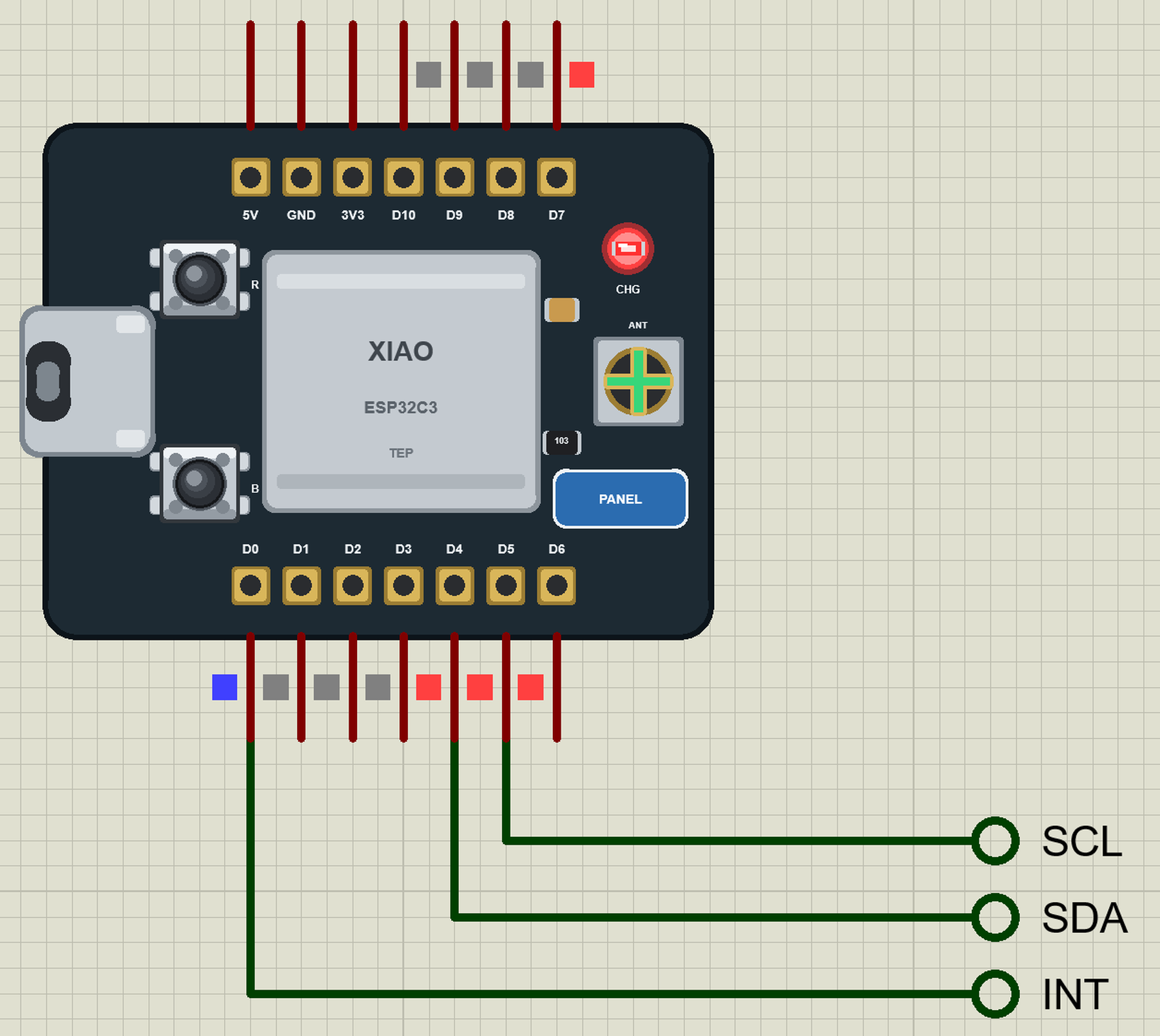
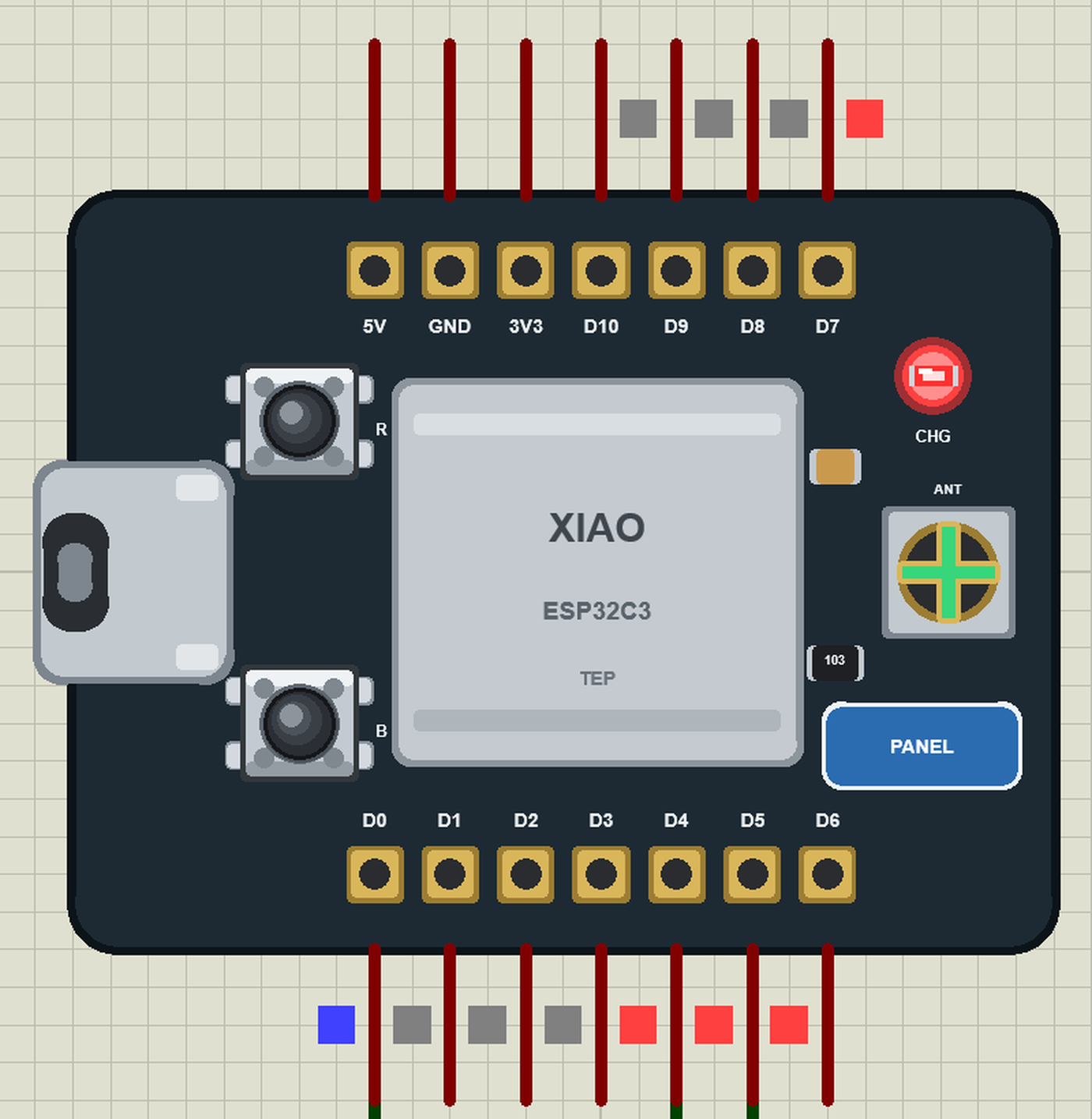
XIAO is Seeed Studio's family of tiny boards, all with the same 21 x 17.8 mm footprint and the same 14 pins, each with a different chip: SAMD21, RP2040, nRF52840, ESP32-S3, ESP32-C6 and more. The XIAO ESP32C3 carries Espressif's ESP32-C3 - one RISC-V core at 160 MHz, 400 KB of RAM, 4 MB of flash, Wi-Fi 4 and Bluetooth 5 LE. The chip sits under a metal shield, the antenna is an external flexible one on a U.FL connector, and the board has a LiPo charger with pads on the back, USB-C and two tiny buttons: B (BOOT) and R (RESET). The 14 pins are castellated, so the board can be soldered flat onto another PCB.
| XIAO ESP32-C3 | ESP32-C3 SuperMini | |
|---|---|---|
| Size | 21 x 17.8 mm | 22.5 x 18 mm |
| Pins | 2 x 7 (11 GPIOs), castellated | 2 x 8 (13 GPIOs) |
| Antenna | external, on a U.FL connector | ceramic chip antenna |
| Battery | LiPo charger, pads on the back | - |
| LEDs | charge LED only | PWR and a blue LED on GPIO8 |
| Pin names | D0 to D10 (Seeed) | GPIO numbers |
Our ESP32-C3 SuperMini Library for Proteus is the other tiny C3 board of the series; the same sketch runs on both with the pin names changed.
Why the XIAO ESP32-C3?
Pick the XIAO when space and battery life count: a sensor tag, a wearable, a smart button, a probe inside a box. The charger is on the board, the external antenna reaches further than a chip antenna, the castellated pins let it sit flat on a carrier board, and Seeed's D0 to D10 names stay the same across the whole XIAO family - a sketch moves to an XIAO ESP32-S3 or C6 unchanged.
Features of the XIAO ESP32-C3 Library for Proteus
- The board as it looks: the XIAO with its castellated pins, USB-C, B and R, the shield, the charge LED and the U.FL connector.
- Your sketch: a .hex for "XIAO ESP32-C3 (TEP Proteus)" with Seeed's names - D0 to D10, A0 to A3 - analogRead 0 to 4095, analogWrite and ledc PWM, attachInterrupt, Serial, Wire on D4 / D5, SPI on D8 to D10.
- Wi-Fi: WiFi.begin, WebServer, HTTPClient, mDNS and NTP on our virtual router TEP-WiFi; the board is 192.168.1.101 in the demo.
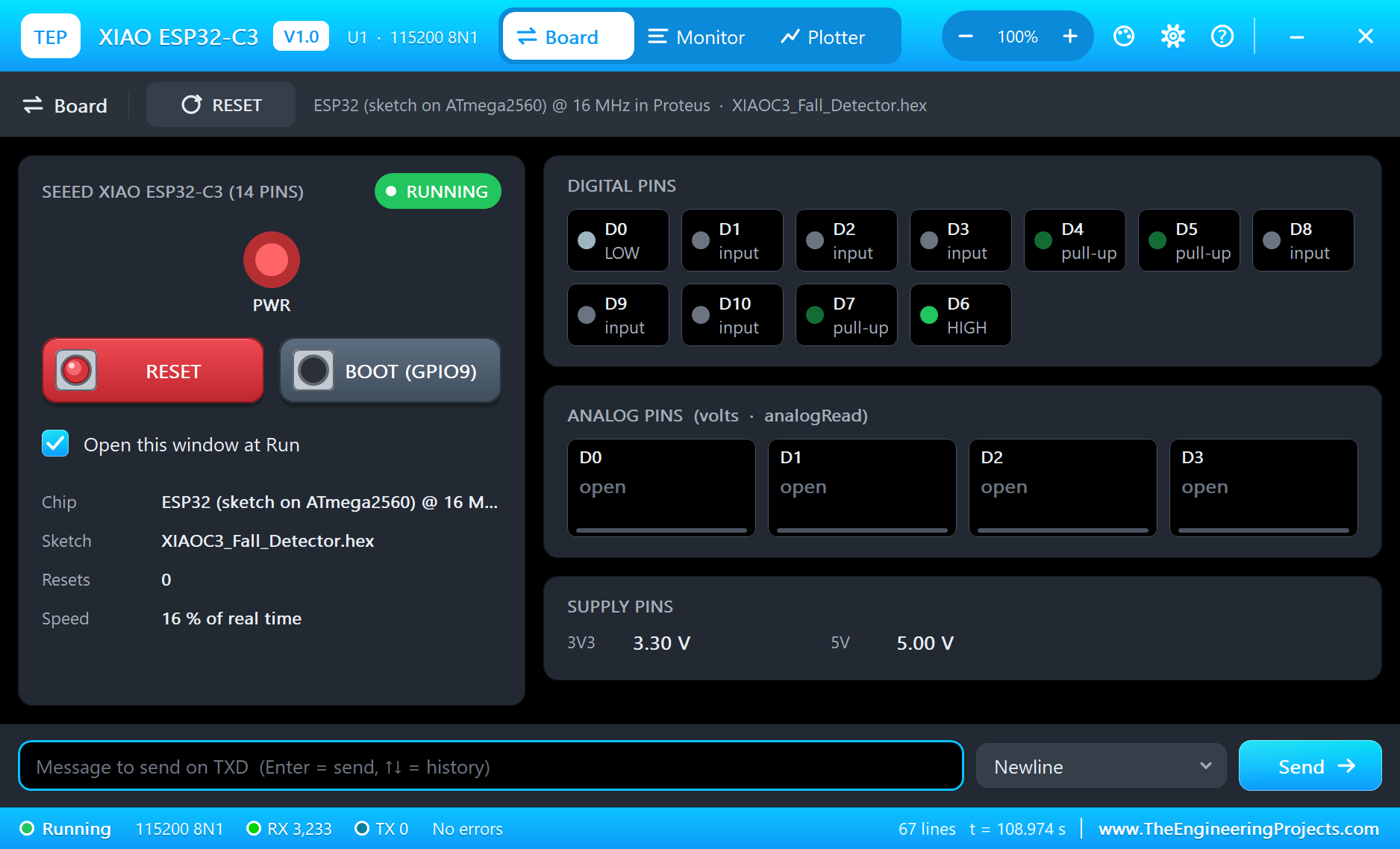
- The panel and the serial monitor: the board's panel (Wi-Fi, Pins, Test) and the built-in serial monitor with Monitor, Plotter and Board tabs - our TEP header, no Windows title bar.
- A complete package: about 3.1 MB with the board, the add-on, the ADXL345 and monitor libraries and the demo, without the source code of the models.
The XIAO ESP32-C3 in Proteus
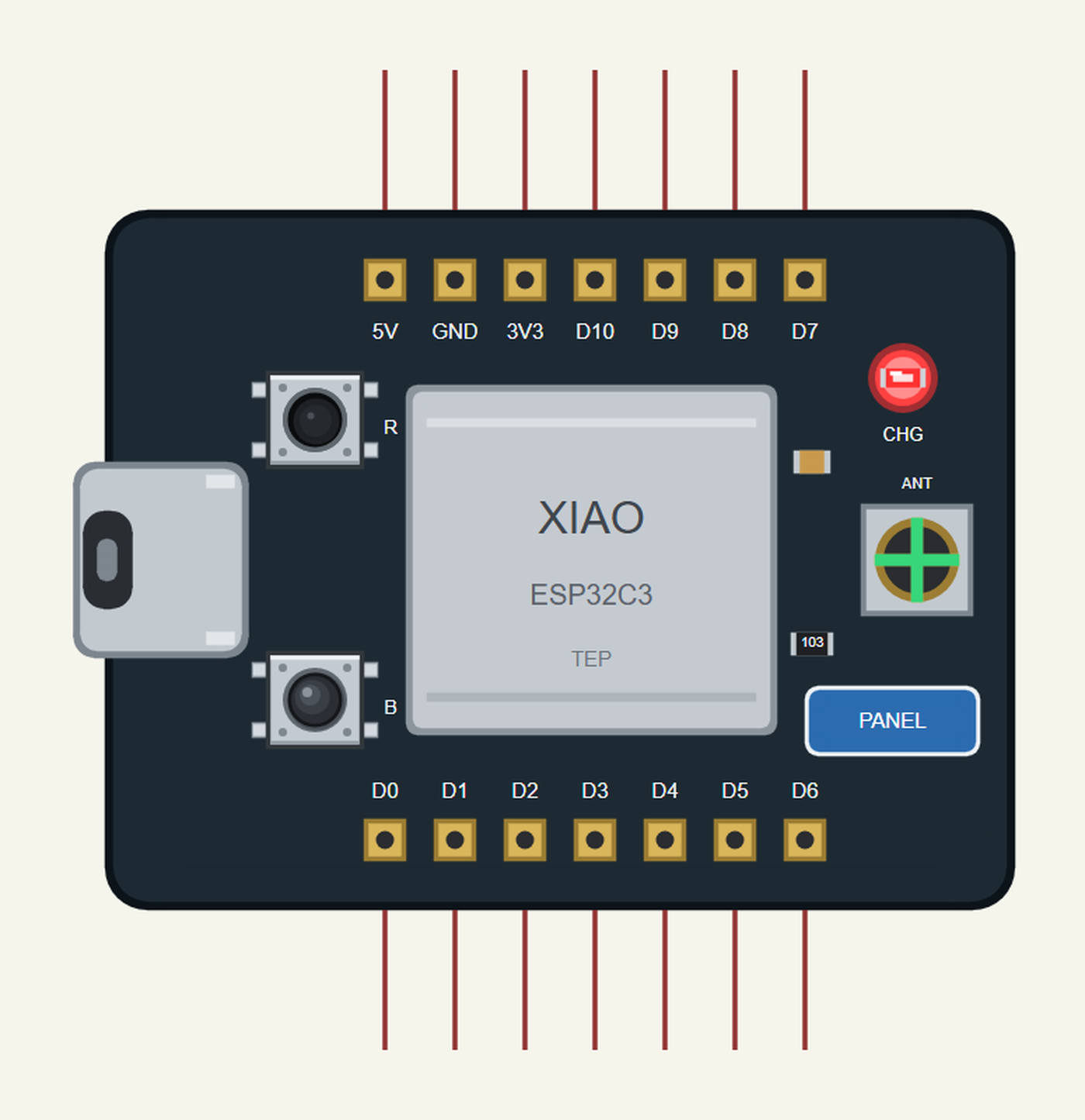
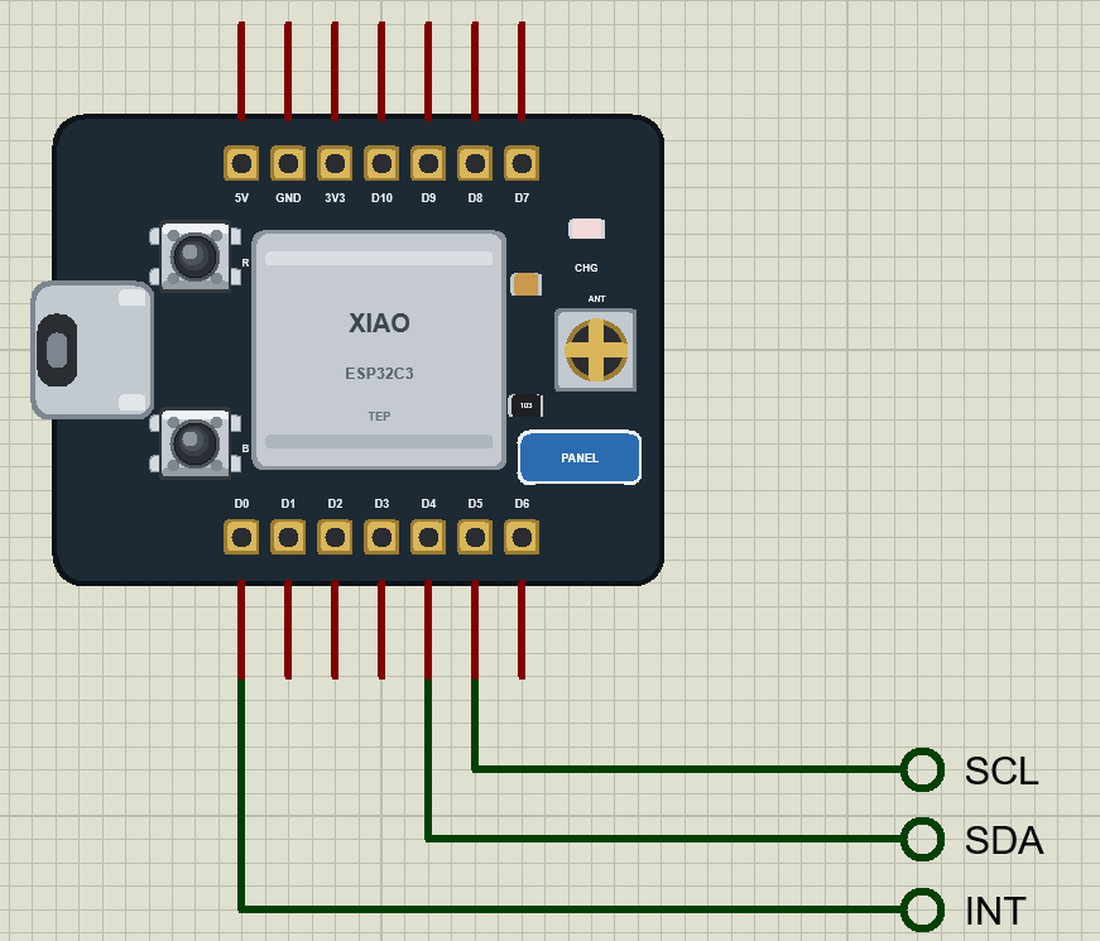
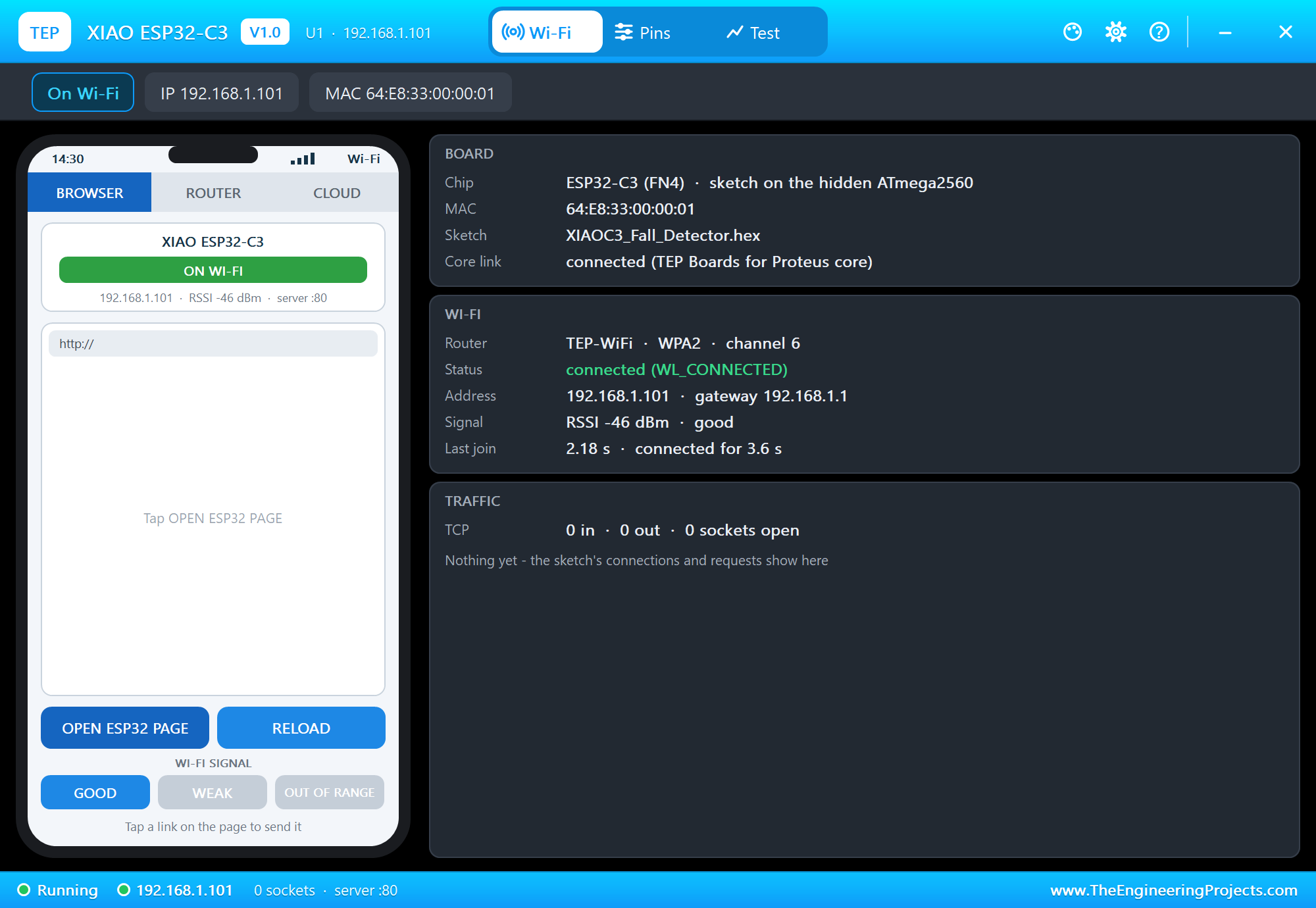
Search XIAO in Pick Devices; the device XIAO ESP32-C3 is in TEPXIAOC3.LIB (Microprocessor ICs, ESP32 Boards), with the prefix U. The board lies with the USB-C port on the left. Click the USB-C port to open the serial monitor and the PANEL pad (or the shield) to open the board's panel.
The Pins
| Pins | GPIO | What the library does with them |
|---|---|---|
| D0 to D3 | 2 to 5 | GPIO, analogRead (A0 to A3), PWM, interrupt |
| D4 / D5 | 6 / 7 | Wire SDA / SCL |
| D6 / D7 | 21 / 20 | Serial TX / RX - the board's monitor |
| D8 / D9 / D10 | 8 / 9 / 10 | SPI SCK / MISO / MOSI; D9 is also the B button |
| 3V3, 5V, GND | - | 3.3 V, 5 V, ground |
Download XIAO ESP32-C3 Library for Proteus
Click the button below to download XIAO-ESP32-C3-Library-for-Proteus-v1.0.zip (about 3.1 MB, without the source code of the models):
XIAO ESP32-C3 Library for Proteus V1.0- README.txt: installation, the demo, the pins, the properties, troubleshooting and the limits.
- Proteus Library Files:
TEPXIAOC3.LIBand the demo's parts:TEPADXL345.LIB,TEPLAPTOP.LIBandTEPMOBILE.LIB. - Proteus Model Files:
TEPNET.DLL(the board, the laptop, the phone and the network) andTEPADXL345.DLL. - Arduino Code: the demo sketch and the TEP Boards for Proteus add-on 1.24.0.
- Proteus Simulation: the demo project, its HEX file and copies of the DLLs.
No Proteus yet? Read How to Download and Install Proteus 7 and 8. New to libraries? Follow How to Install a New Library in Proteus.
How to Install XIAO ESP32-C3 Library for Proteus
- Close Proteus and extract the whole zip file, for example to your Desktop.
- Copy the files from Proteus Library Files into the LIBRARY folder of Proteus.
- Copy the DLLs from Proteus Model Files into the MODELS folder, replacing an older TEPNET.DLL.
- Delete
TEPXIAOC3.IDXfrom the LIBRARY folder if it is there. - For your own sketches, copy Arduino Code\TEP Boards for Proteus\hardware into your Arduino sketchbook (Documents\Arduino) and restart the Arduino IDE; the board is XIAO ESP32-C3 (TEP Proteus). Install Adafruit ADXL345 from the Library Manager.
- Start Proteus, press P and search for XIAO.
Demo: a Wearable Fall Detector
Falls are the most common cause of injury for older people living alone, and the danger is often not the fall itself but lying on the floor for hours without help. A fall detector worn on the belt or the wrist notices the fall and calls for help by itself. It needs a motion sensor, a small processor and a radio - exactly what an XIAO with an accelerometer is.
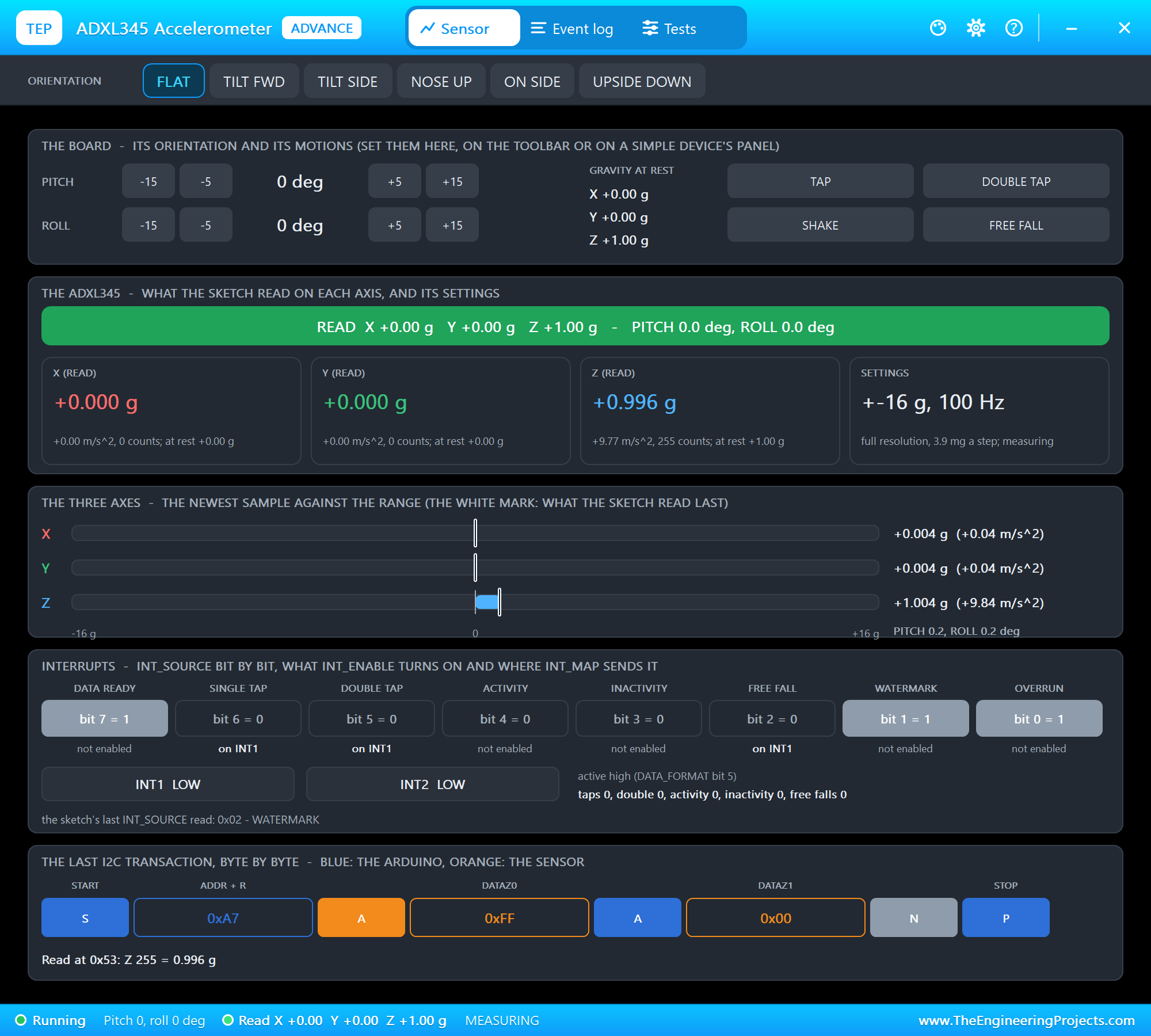
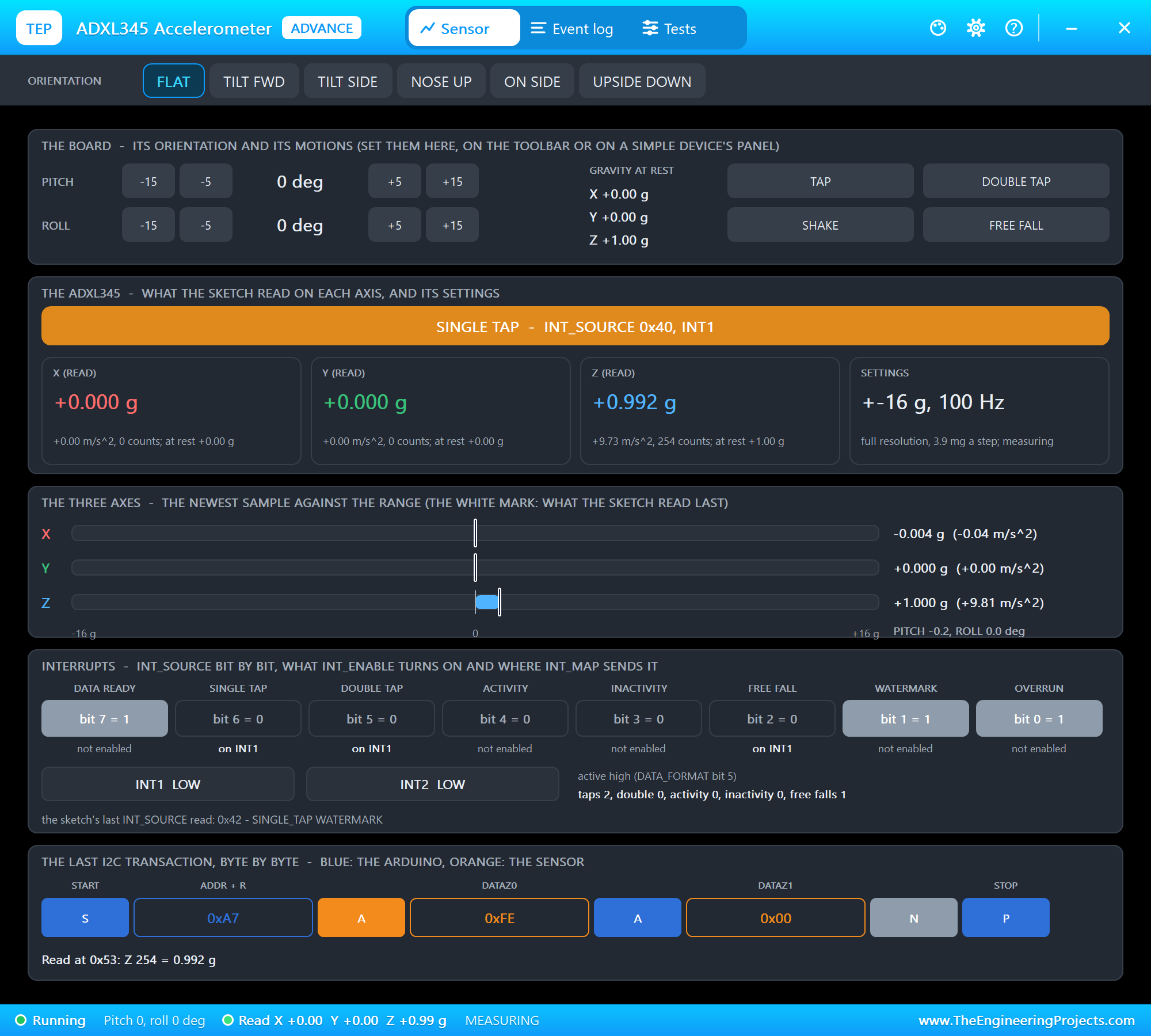
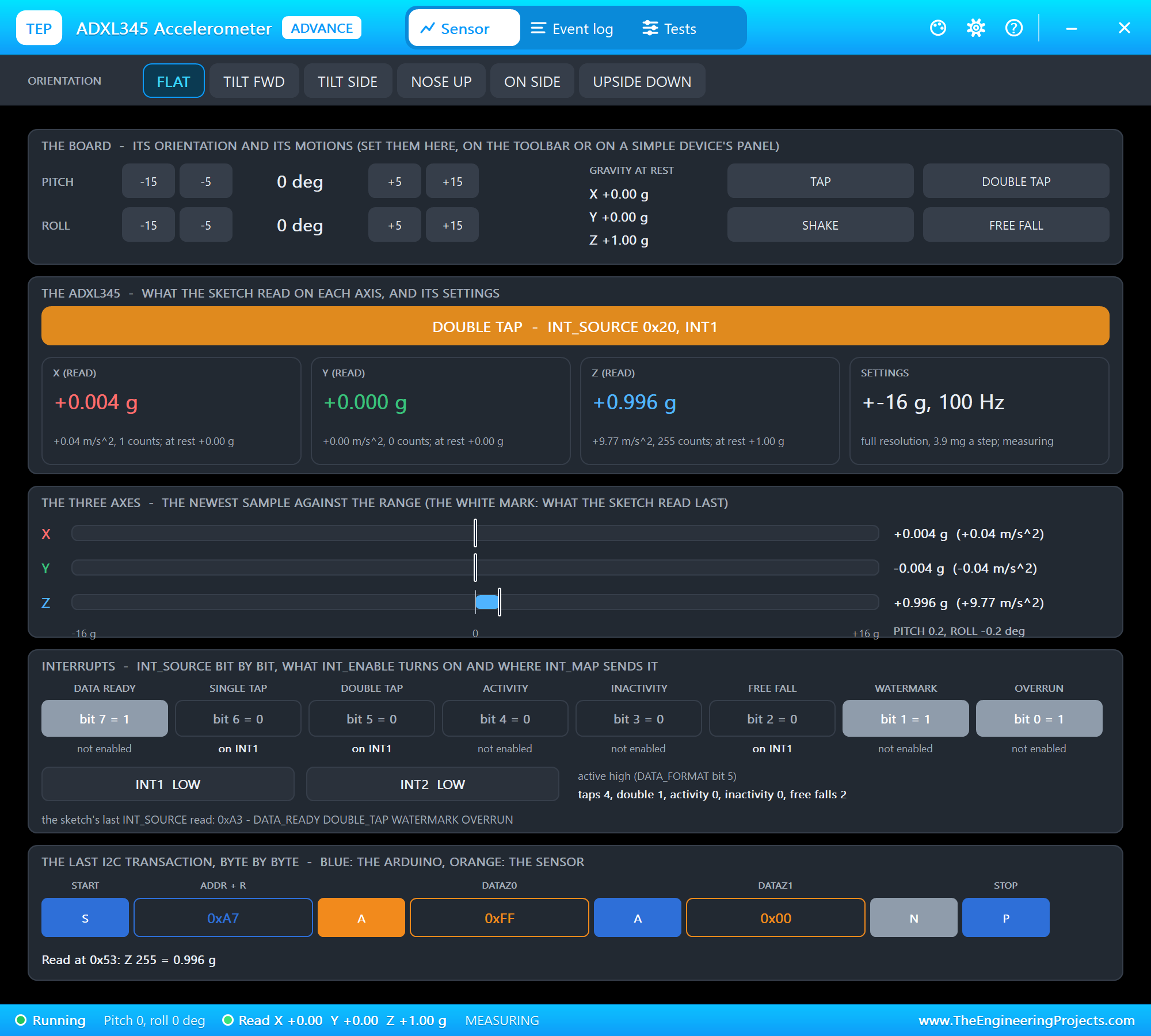
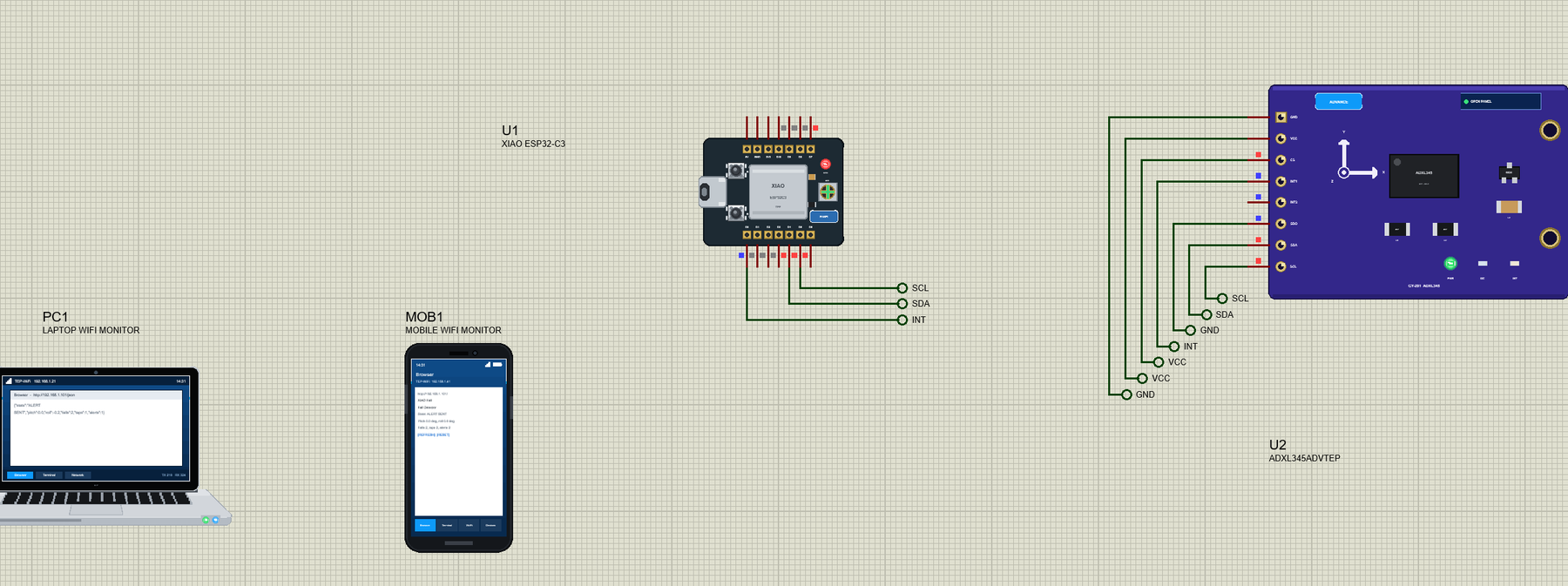
Open XIAO-ESP32-C3-Fall-Detector.pdsprj. U1 runs XIAOC3_Fall_Detector.hex. U2 is the ADXL345 from our ADXL345 Accelerometer Library for Proteus - the Advance version: it opens its pop-up window at Run, with the orientations and the motions (tap, double tap, shake, free fall) to click. PC1 is the Laptop WiFi Monitor and MOB1 the Mobile WiFi Monitor.
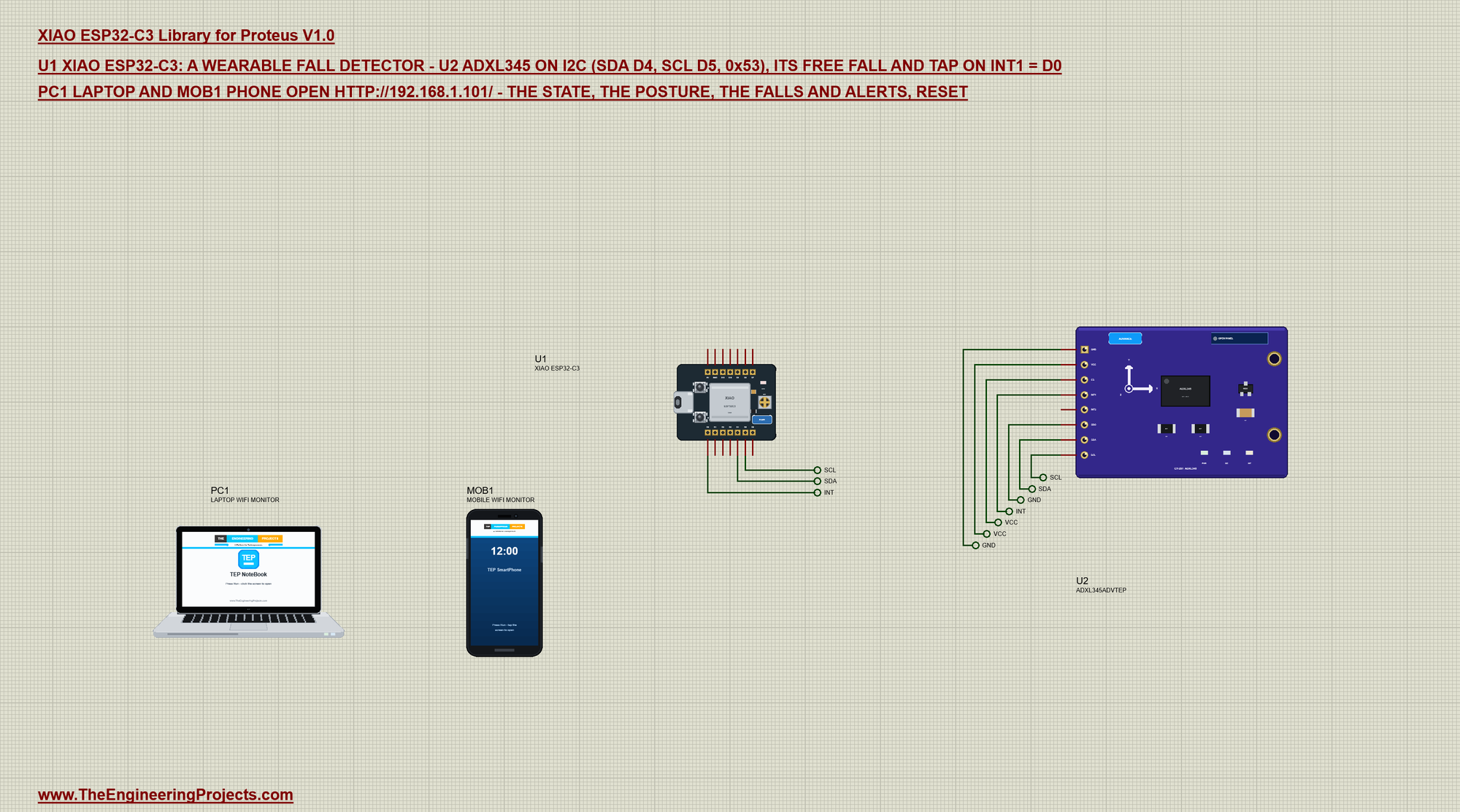
| ADXL345 pin | Net label | XIAO pin | What it does |
|---|---|---|---|
| SDA, SCL | SDA, SCL | D4, D5 | I2C |
| SDO | GND | GND | the address 0x53 |
| CS | VCC | 3V3 | I2C mode (LOW = SPI) |
| INT1 | INT | D0 | HIGH while an event waits |
| VCC, GND | VCC, GND | 3V3, GND | the supply |
Let the Sensor Do the Watching
A free fall lasts a few hundred milliseconds and an impact only a few - too short to catch reliably by reading the axes now and then. The ADXL345 has these detectors built in: it checks every sample itself and raises INT1 when it sees one. A free fall is all three axes below a threshold (0.56 g here) for a time (100 ms); a tap is a short spike above another threshold (3 g) that is over within 20 ms. A few register writes set them up - the datasheet's starting values - and route them to INT1:
void setupFunctions() {                                     // free fall, single and double tap on INT1
  accel.writeRegister(THRESH_TAP, 48);                      // 3 g (62.5 mg a step)
  accel.writeRegister(DUR, 32);                             // 20 ms
  accel.writeRegister(LATENT, 80);                          // 100 ms
  accel.writeRegister(WINDOW, 200);                         // 250 ms
  accel.writeRegister(TAP_AXES, 0x07);                      // X, Y and Z
  accel.writeRegister(THRESH_FF, 9);                        // below 0.56 g on all axes ...
  accel.writeRegister(TIME_FF, 20);                         // ... for 100 ms
  accel.writeRegister(INT_MAP, 0x00);                       // everything on INT1
  accel.writeRegister(POWER_CTL, 0x08);                     // measure
  accel.readRegister(INT_SOURCE);                           // clear what is pending
  accel.writeRegister(INT_ENABLE, 0x64);                    // single tap, double tap, free fall
}
INT1 is a latched output: once an event has happened the pin stays HIGH until the sketch reads INT_SOURCE. That is why the loop can simply look at the pin with digitalRead - even if the processor was busy serving a web page when the event happened, the pin waits for it. On a real wearable the same pin would be wired to a wake-up input, so the ESP32-C3 sleeps until the sensor has something to say. Mapping every event to INT1 keeps the wiring to one wire; INT_MAP can send some of them to INT2 instead when two separate wake-up reasons are needed.
Free Fall, Then the Impact
A free fall alone is not a fall: jumping or sitting down hard can also make the sensor weightless for a moment. What makes it a fall is the impact that ends it. So the sketch waits up to a second after the free fall for the hit - which the ADXL345's tap detector sees as a big spike - and only then counts a fall. When INT1 goes HIGH, reading INT_SOURCE tells which events happened and clears the pin:
void handleInt() {
  uint8_t src = accel.readRegister(INT_SOURCE);             // reading it clears INT1
  if (src & 0x04) {
    state = IN_AIR; fallAt = millis();
    Serial.println(">> FREE FALL");
  }
  if (src & 0x20 && state != IN_AIR) sendAlert("double tap: SOS");
  else if (src & 0x60) {
    if (state == IN_AIR) {                                 // the hit at the end of the fall
      falls++; state = FALLEN; fallAt = millis();
      Serial.println(">> IMPACT - fall detected, tap within 5 s to cancel");
    } else {
      taps++;
      if (state == FALLEN) { state = CALM; Serial.println(">> TAP - fall cancelled, I am OK"); }
      else Serial.println(">> TAP");
    }
  }
}
After the impact the wearer has 5 seconds to cancel with one tap - "I am OK". Without it the alert goes out. A double tap at any time is an SOS. The loop checks both time limits:
void loop() {
  if (sensorOk) {
    if (digitalRead(INT_PIN) == HIGH) handleInt();
    readPosture();
  }
  if (state == IN_AIR && millis() - fallAt > IMPACT_MS) { state = CALM; Serial.println("Free fall without an impact - ignored"); }
  if (state == FALLEN && millis() - fallAt > CANCEL_MS) sendAlert("no tap in 5 s");
  logStatus();
  server.handleClient();
  readMonitor();
}
The Posture
Standing still, the only acceleration the sensor feels is gravity, so the three axes tell how the wearer is tilted. Pitch and roll follow from the axes with atan2 - after a fall a lying posture (pitch or roll near 90 degrees) is a useful hint for the helper:
void readPosture() {
  if (millis() < nextRead) return;
  nextRead = millis() + 200;
  sensors_event_t e;
  accel.getEvent(&e);
  float x = e.acceleration.x, y = e.acceleration.y, z = e.acceleration.z;
  pitch = atan2(x, sqrt(y * y + z * z)) * 180.0 / PI;
  roll = atan2(y, z) * 180.0 / PI;
}
Our MPU6050 Library for Proteus does the same with a gyroscope added; the ADXL345 is the lighter, lower-power choice for a battery-powered wearable.
Tuning the Thresholds
The numbers in setupFunctions() are where a fall detector is won or lost. A free-fall threshold that is too high, or a time that is too short, turns every quick sit-down into a free fall; too low or too long and a short fall from a chair is missed. The tap threshold decides how hard the impact must be: 3 g is a firm hit, while walking stays well below 2 g. Real products tune these with recordings of falls and of daily life, and many add a third step - the wearer lying still for some seconds after the impact - before they raise the alarm. The ADXL345's inactivity function can do that step too.
A Battery for a Wearable
A wearable lives on a small LiPo cell, so every milliampere counts. The ESP32-C3 draws around 20 mA with Wi-Fi idle and far more while sending, but only microamps in deep sleep. The ADXL345 needs about 40 uA while it measures, and it keeps watching for free falls and taps on its own. That is the trick of this design: the processor can sleep, and INT1 wakes it only when the sensor has seen something. A 300 mAh cell then lasts weeks instead of a day. The XIAO's charger refills the cell whenever the USB-C cable is plugged in.
Run the Demo
Press Run. The serial monitor opens; the ADXL345 answers and the board joins TEP-WiFi:
XIAO ESP32-C3 Fall Detector - The Engineering Projects
ADXL345 ready
Connecting to TEP-WiFi
Fall page: http://192.168.1.101/
Pitch 0.2  roll 0.2  state OK  falls 0  alerts 0
Pitch -0.2  roll 0.0  state OK  falls 0  alerts 0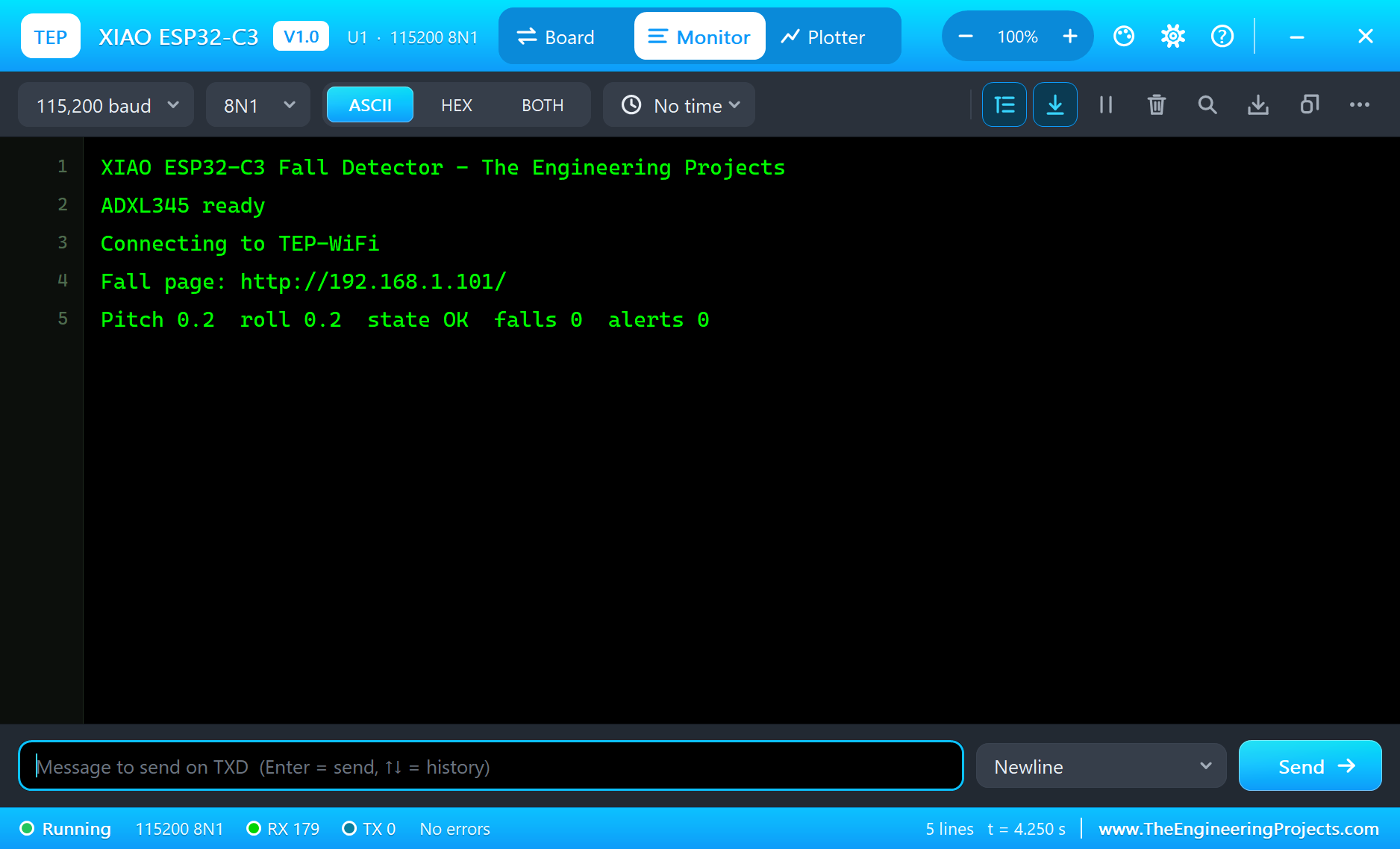
Open the Page
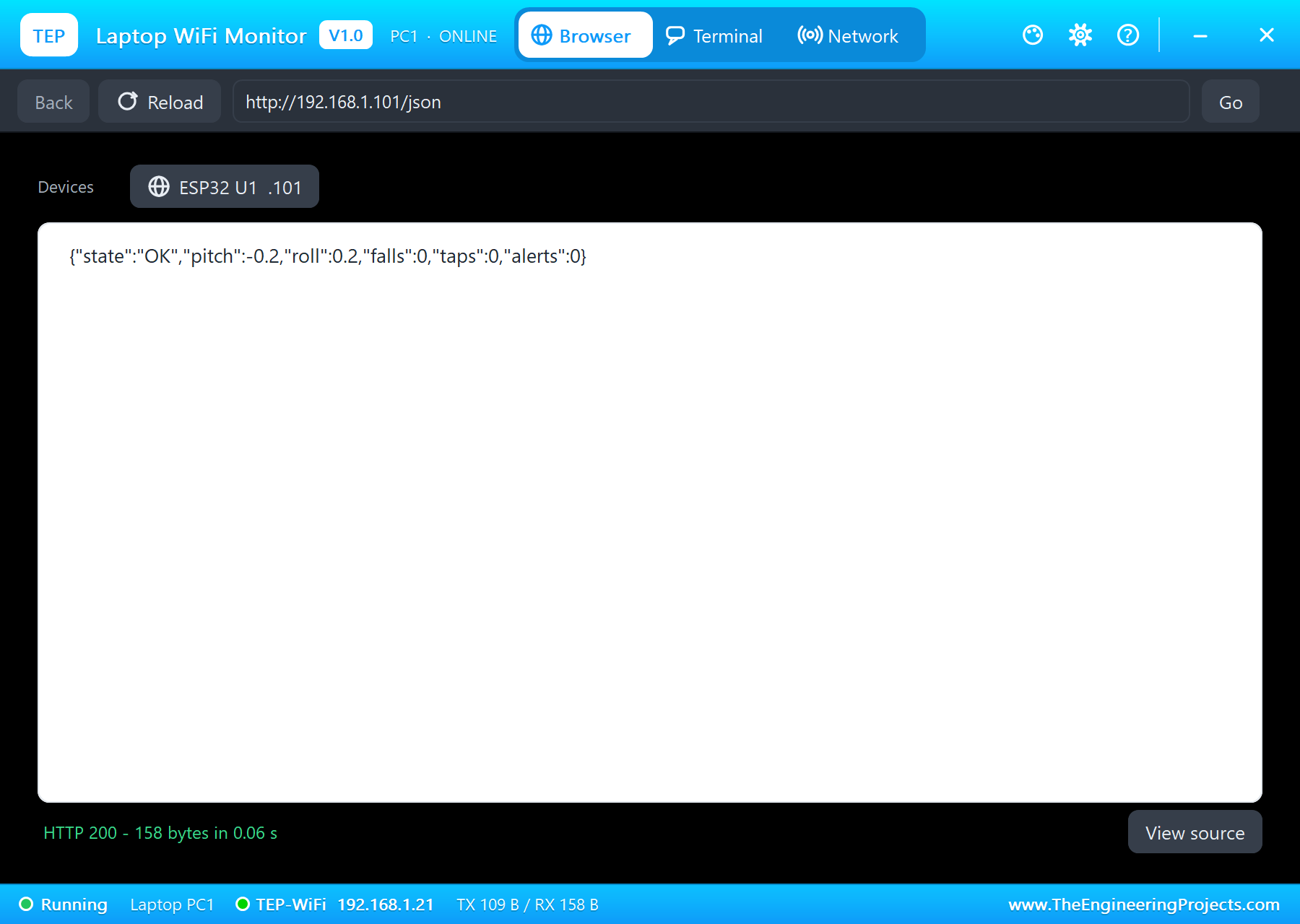
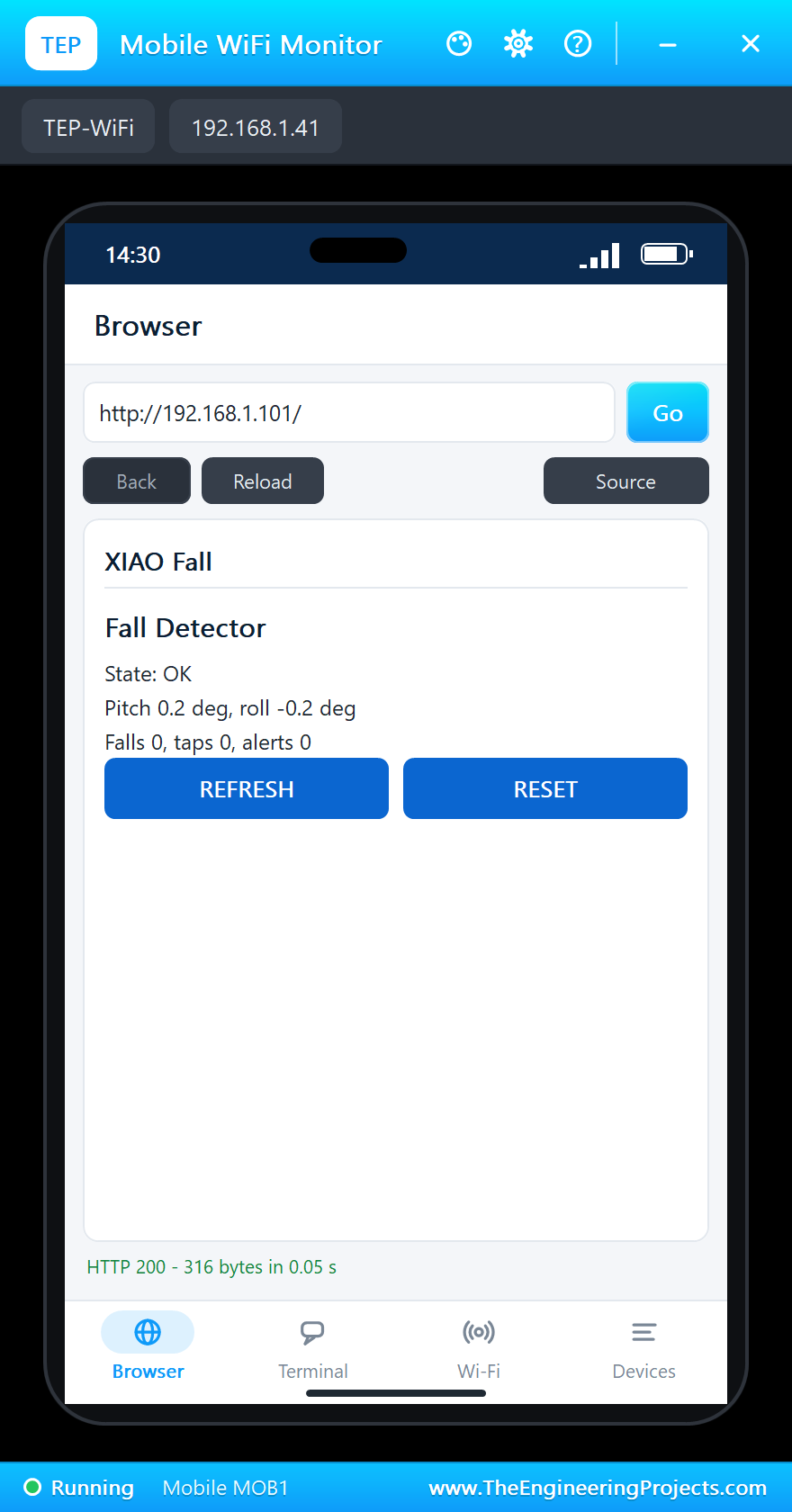
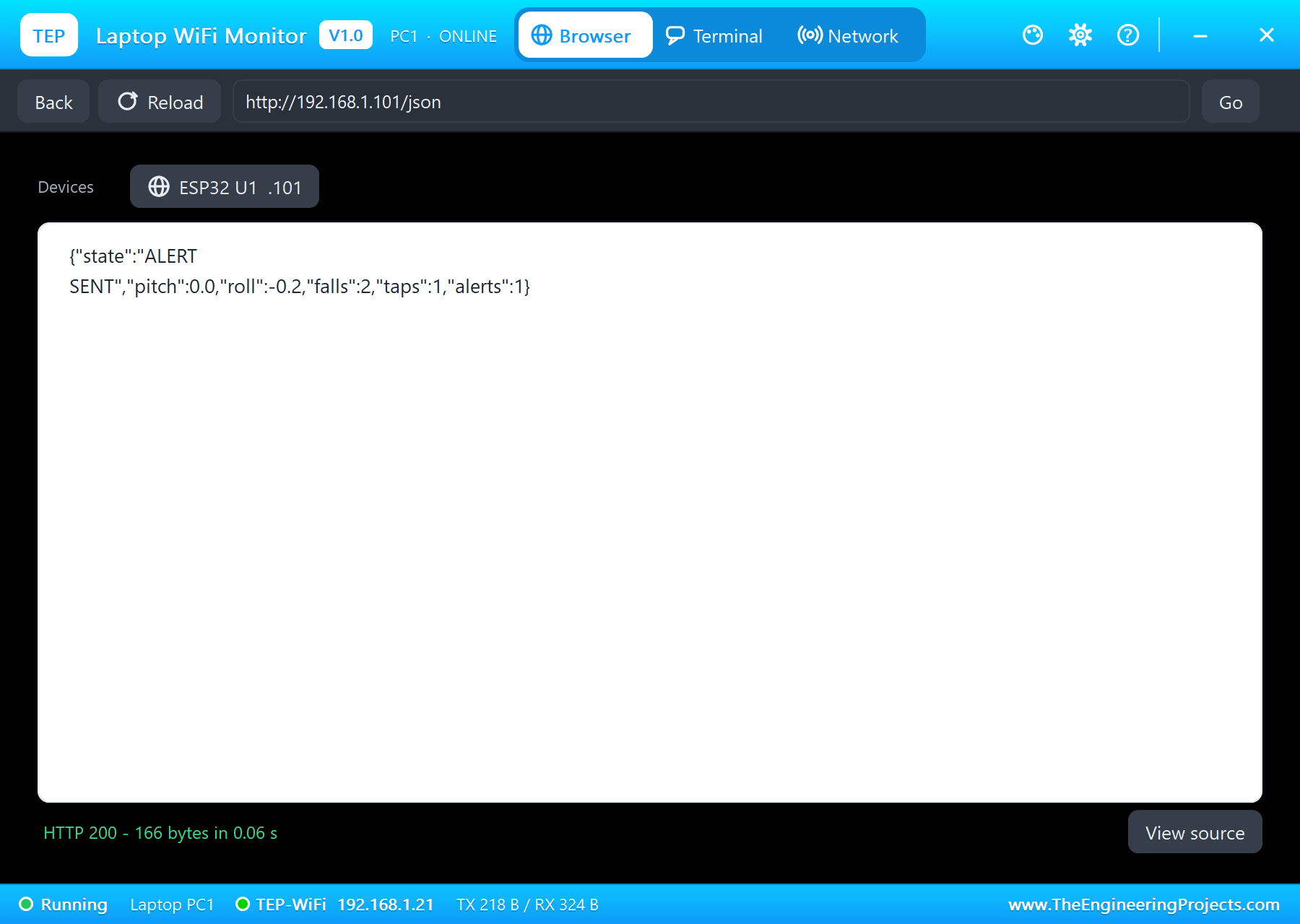
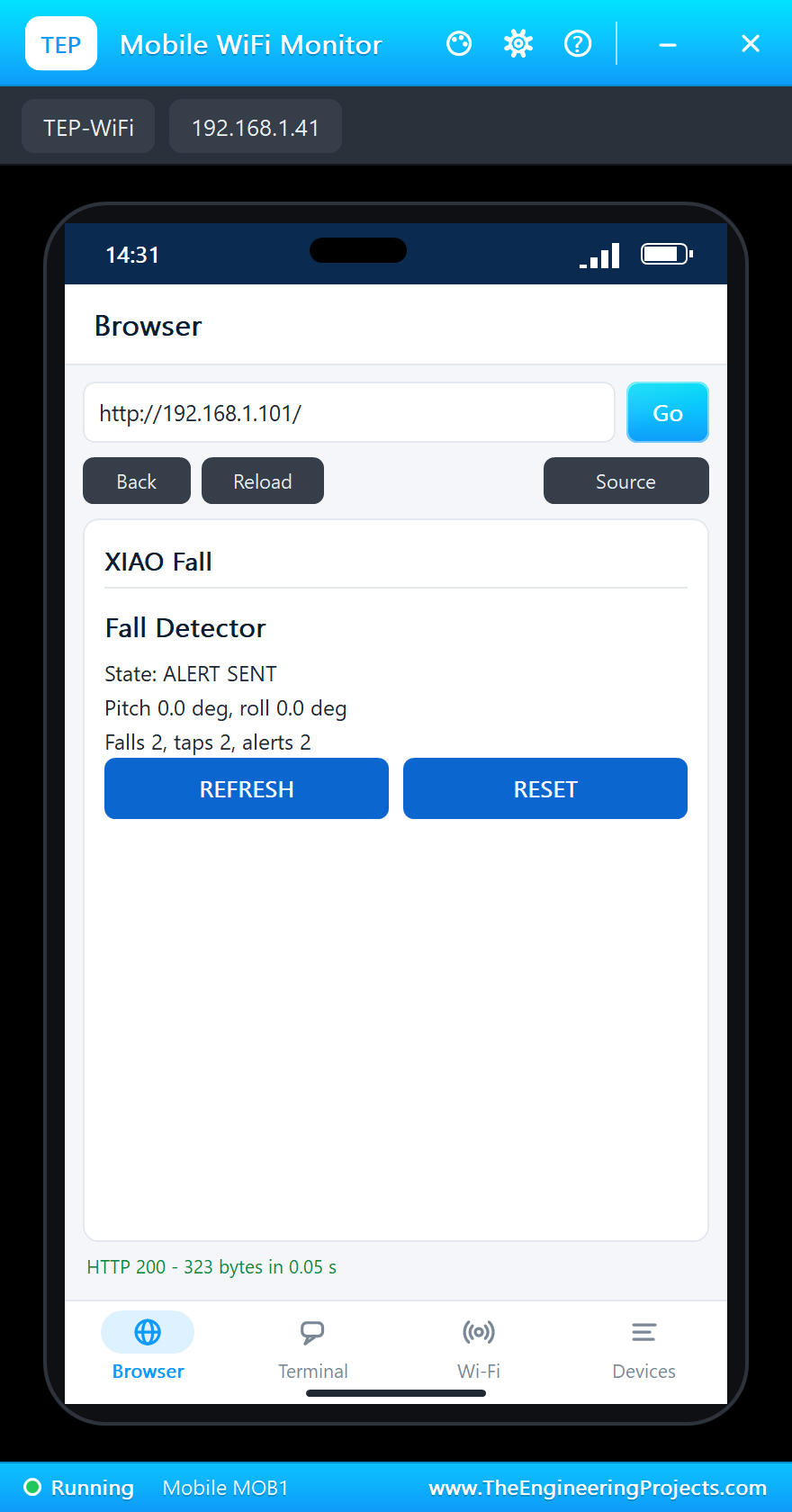
On the laptop click Browser and Go (the home page is http://192.168.1.101/json); on the phone the same with http://192.168.1.101/:
The Posture
Click NOSE UP on the pop-up: the pitch goes to 90 degrees. FLAT brings it back.
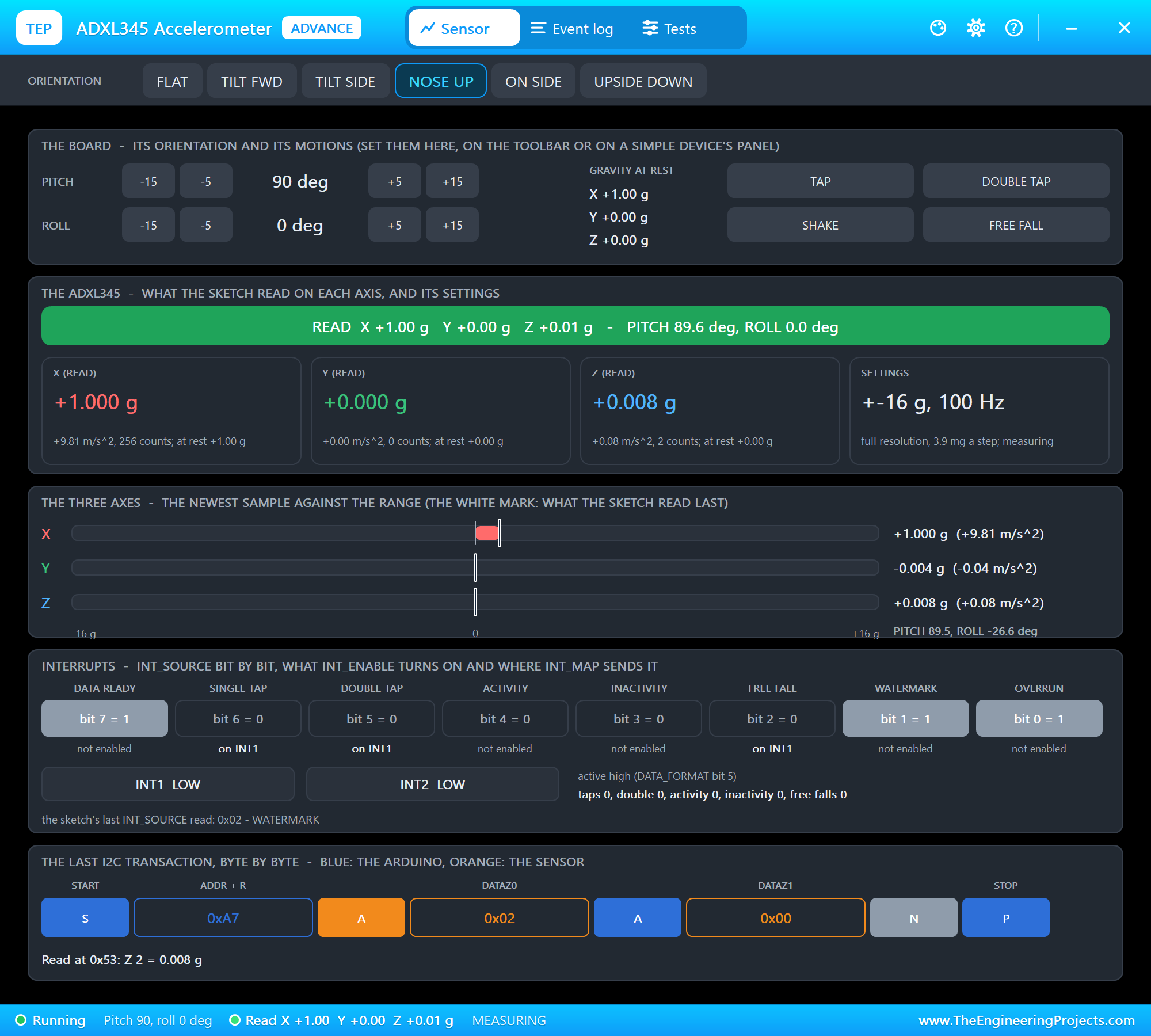
What does the pop-up's FREE FALL do? The model drops all three axes towards zero g for a few hundred milliseconds, as a falling body feels, and then gives a short, hard spike when the "body" hits the floor - just like a real sensor strapped to a falling person. The sketch never sees the motion itself, only the ADXL345's registers and its INT1 pin, so the same code works unchanged on real hardware.
A Fall, Then I Am OK
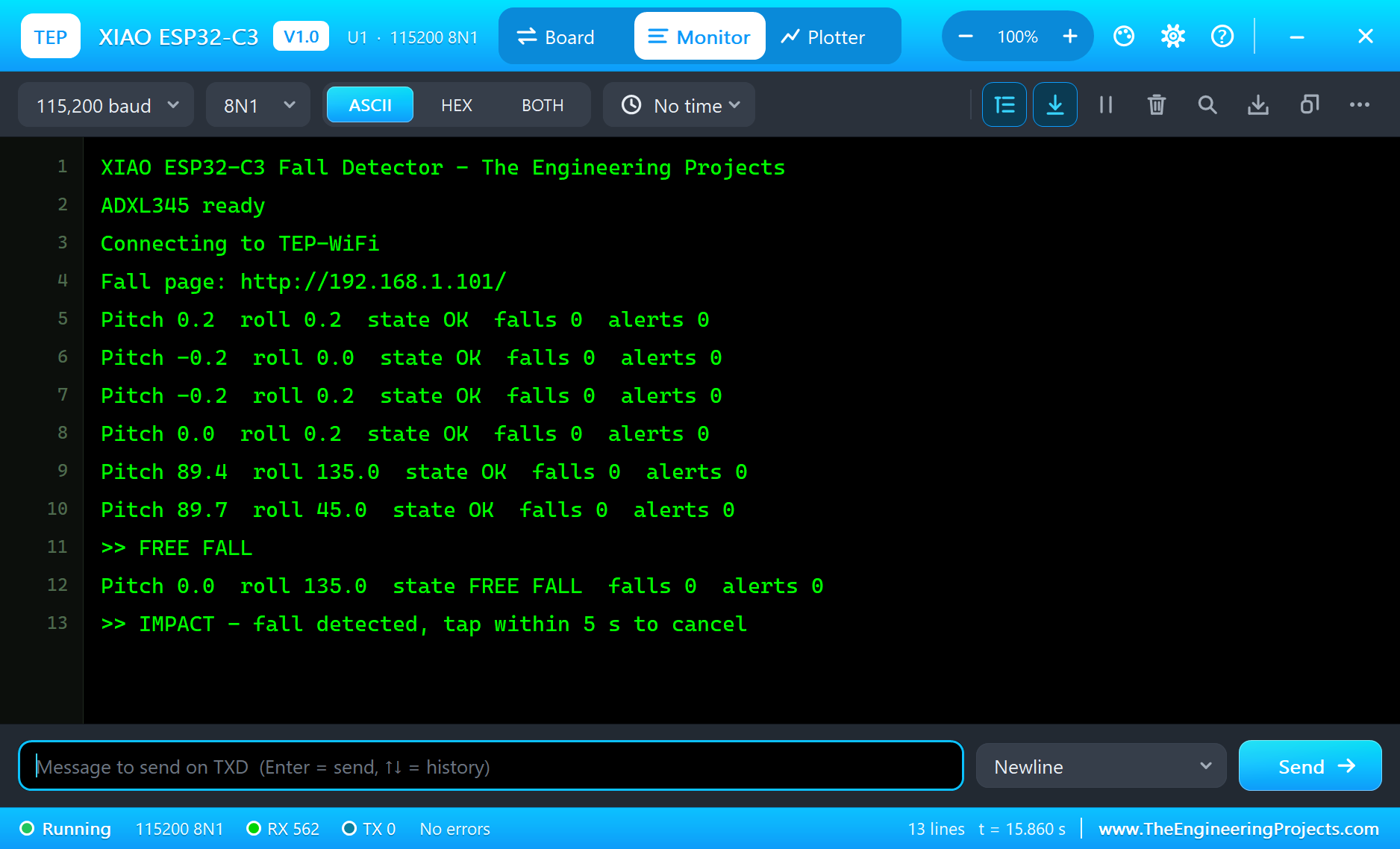
Click FREE FALL: the sensor sees the free fall and the impact - a fall is detected and the countdown starts. Click TAP within 5 s: cancelled.
A Fall and No Answer: the Alert
Click FREE FALL again and wait: after 5 s without a tap the alert goes out - on a real device a message to a relative or a call centre. The page and the JSON show it:
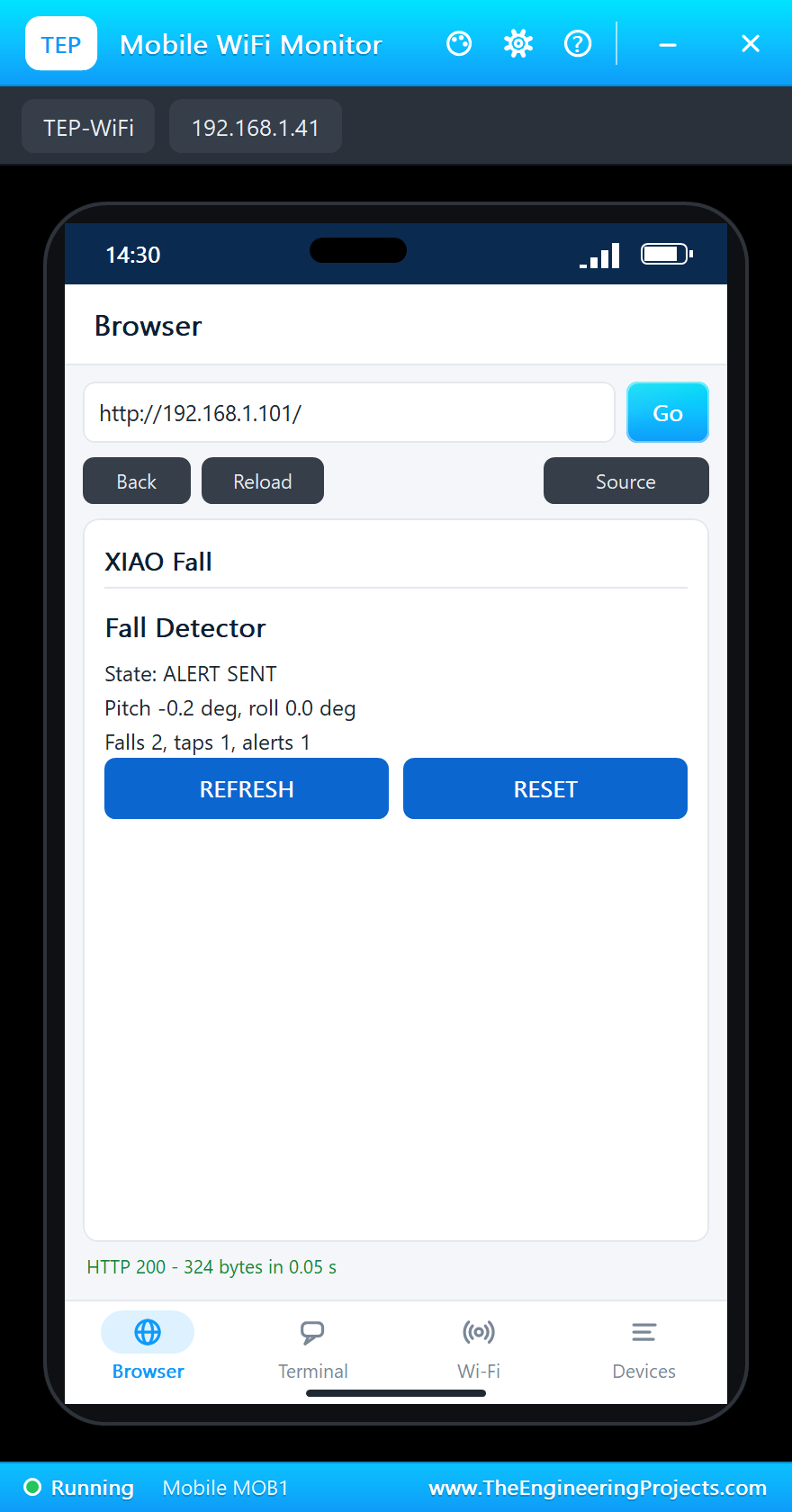
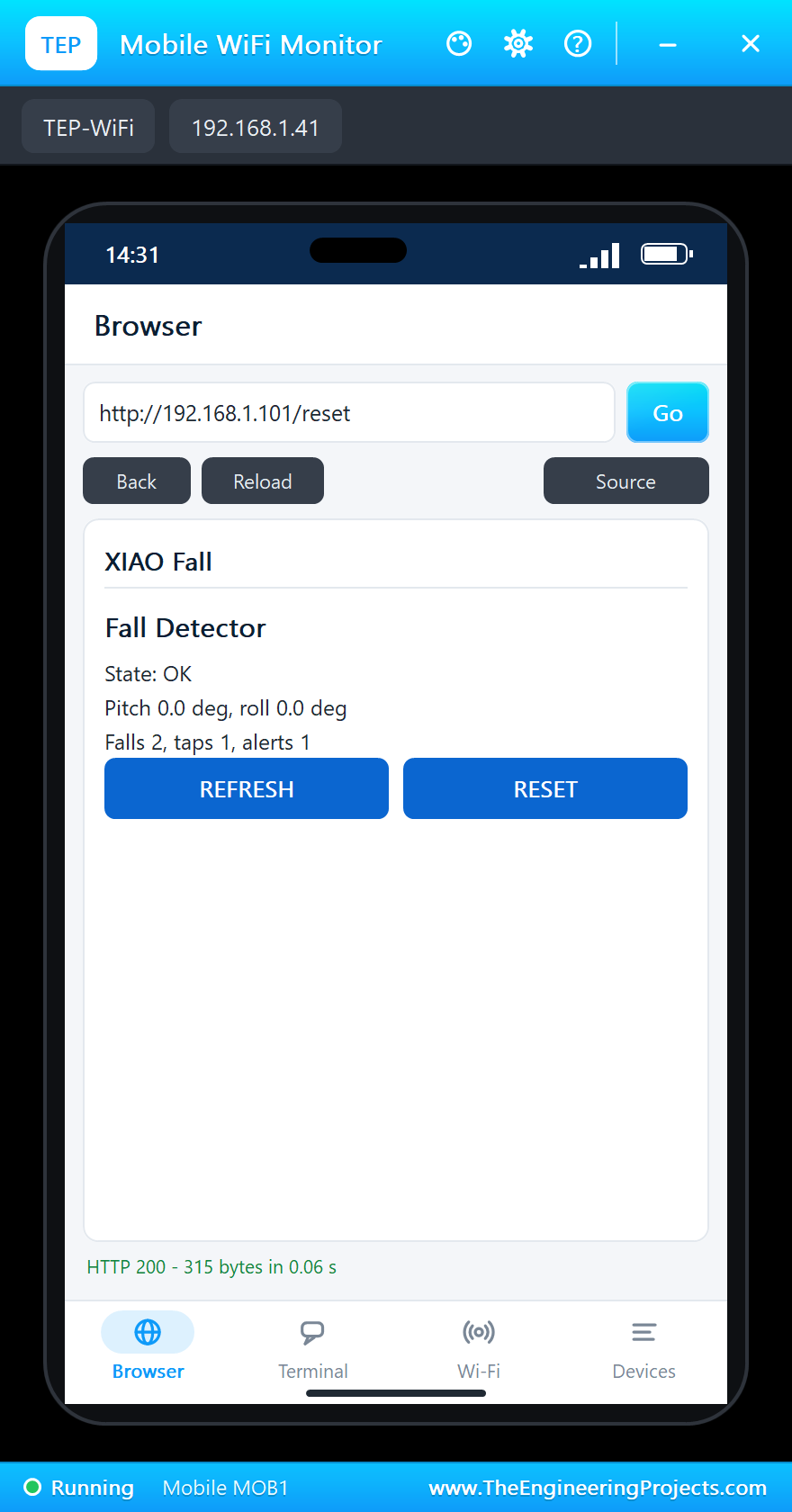
RESET on the phone clears the alarm when help has arrived:
SOS: a Double Tap
Click DOUBLE TAP: the wearer asks for help without a fall - the alert goes out at once. The first tap of the pair shows as a TAP; the second makes it a double tap.
The built-in serial monitor, in the look of our TEP Serial Monitor Advance for Proteus, logs every event:
>> FREE FALL
>> IMPACT - fall detected, tap within 5 s to cancel
>> TAP - fall cancelled, I am OK
Pitch 0.0  roll 0.0  state OK  falls 1  alerts 0
>> FREE FALL
>> IMPACT - fall detected, tap within 5 s to cancel
Pitch 0.0  roll 0.0  state FALL - TAP TO CANCEL  falls 2  alerts 0
>> ALERT sent (no tap in 5 s)
Reset (the web page)
>> TAP
>> ALERT sent (double tap: SOS)
Pitch -0.2  roll -0.2  state ALERT SENT  falls 2  alerts 2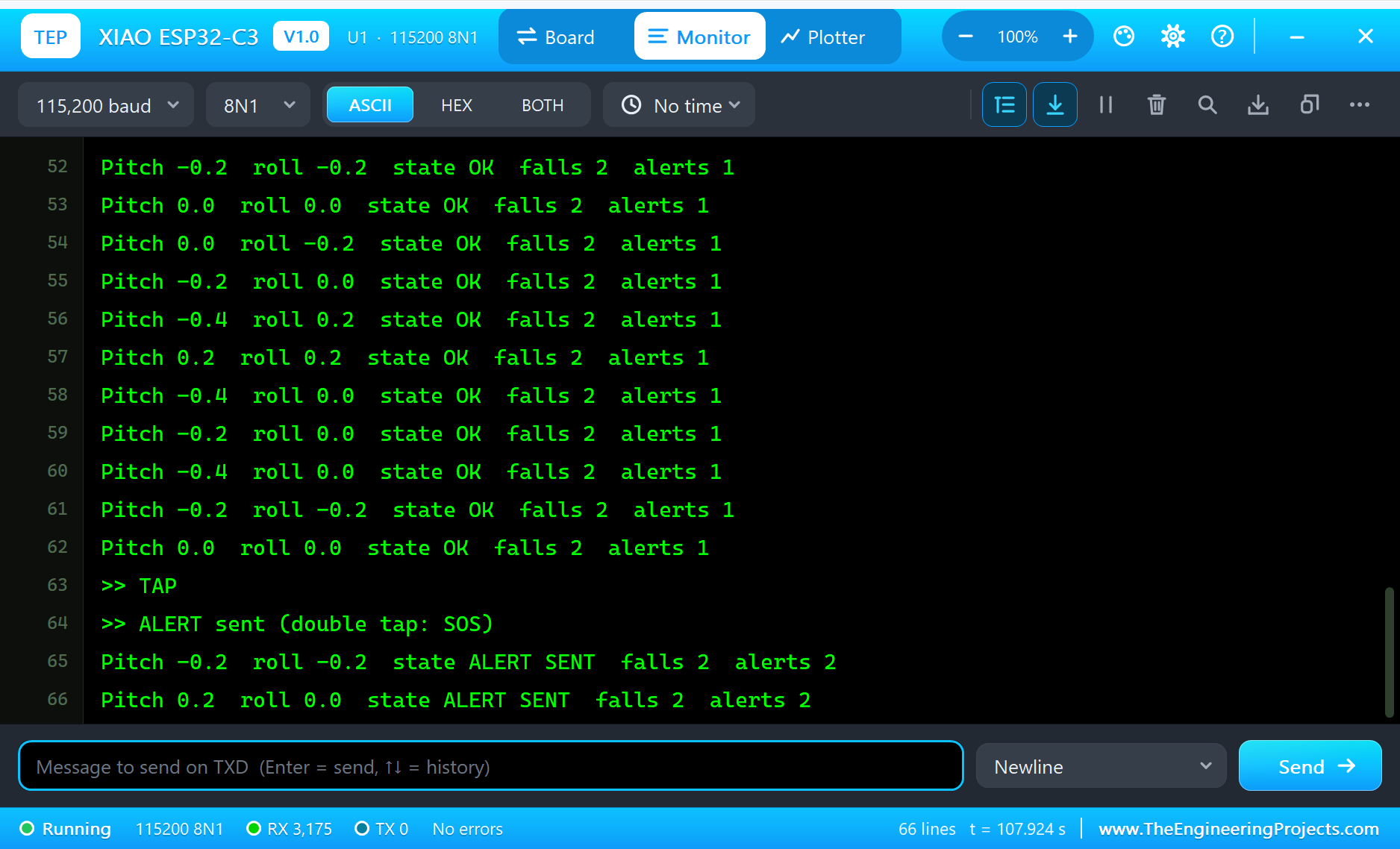
Try It Yourself
- Click SHAKE: lots of movement, but no free fall - no alarm.
- Pick ON SIDE after a fall: the roll shows the wearer lying.
- Type
STATUSorRESETin the monitor. - Change
CANCEL_MSto give the wearer more time, and rebuild.
Ideas to Extend the Fall Detector
- Send the alert to a phone with HTTPClient (a messaging service or a home server).
- Count steps from the activity function and show the day's steps on the page.
- Sleep between events: the ADXL345 can wake the C3 with INT1, for weeks on a small LiPo.
- Add a buzzer so people nearby hear the alarm.
Your Own Sketches
Write the sketch in the Arduino IDE with the board XIAO ESP32-C3 (TEP Proteus), use Sketch > Export Compiled Binary and set the board's PROGRAM property to the .hex. For a real XIAO ESP32C3 select "XIAO_ESP32C3" in Espressif's "esp32" package and upload - the same sketch, with the same D names.
Things to Know Before Using a Real XIAO ESP32-C3
- Fit the antenna: without the external antenna on the U.FL connector the Wi-Fi range is a few metres.
- No user LED: the only LED is the charge LED; add your own on a free pin.
- USB CDC: Serial goes over the C3's own USB; enable "USB CDC On Boot" in the IDE to see it.
- D9 is BOOT: keep it HIGH at reset, or the board starts in download mode.
- The battery: solder a 3.7 V LiPo to the pads on the back; the board charges it from USB.
Properties of the XIAO ESP32-C3
| Property | What it does |
|---|---|
| PROGRAM | the sketch: a .hex from TEP Boards for Proteus (board "XIAO ESP32-C3") |
| WIFISSID, WIFIPASS | the router in range (TEP-WiFi, 12345678) |
| MONITOR, BAUD, AUTOOPEN | the built-in serial monitor: on, its baud rate (115200), open at Run |
| TIME | the clock for NTP: PC or a fixed UTC time |
Troubleshooting
- "ADXL345 NOT FOUND": SDA on D4, SCL on D5, CS on VCC (I2C mode), SDO on GND.
- No events: INT1 on D0; the sketch must enable the functions and read INT_SOURCE to clear INT1.
- The board stays off the network: the sketch's SSID and password must match WIFISSID and WIFIPASS.
- A number goes wrong above 32767: int is 16 bits in the simulation - use long.
- The page shows old values: use REFRESH; the monitors do not reload by themselves.
Limitations of the Simulation
- Your sketch gets 8 KB of RAM in the simulation and runs slower than on the C3's 160 MHz RISC-V core with 400 KB.
- Bluetooth LE, the native USB, the battery charger and the external antenna's range are not modelled.
- The router, the addresses and the windows are TEP additions.
- XIAO is a name of Seeed Studio and ESP32-C3 of Espressif Systems; this library is not made or endorsed by them or by Labcenter.
- Tested in Proteus 8.5 in October 2026 (the demo as shipped, about 109 s of simulation). Proteus 7 is not supported.
So, that was all about the XIAO ESP32-C3 Library for Proteus. I hope it helps you build and test your XIAO projects before you touch the hardware - the sensor, the events, the Wi-Fi and the web page in one simulation. If you have any questions, ask in the comments and I will help you out. Till the next tutorial, take care and have fun!