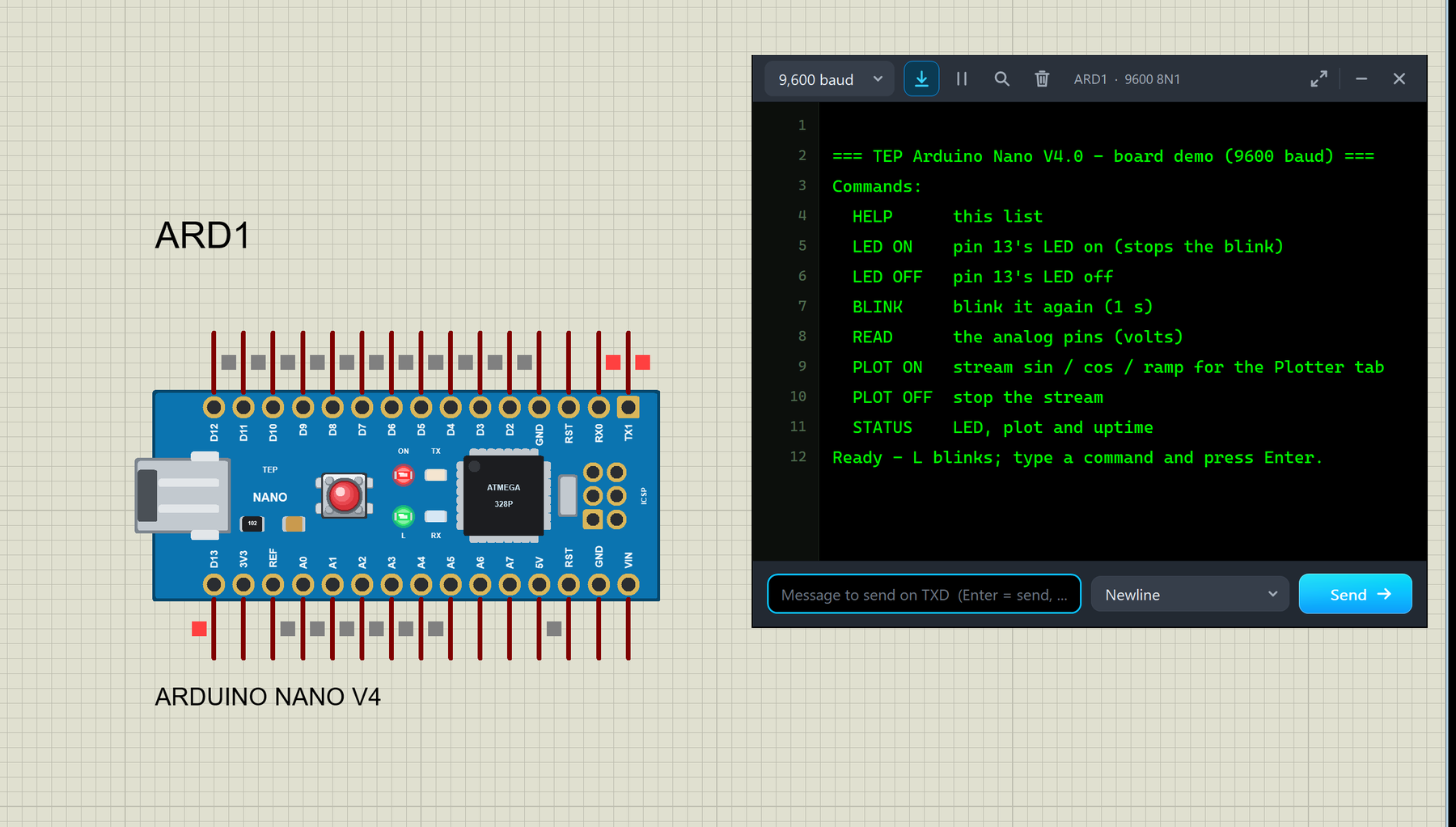
Hello friends, I hope you all are doing great. Today, I am going to share the new Arduino Nano Library for Proteus V4.0 . The Arduino Nano is the small, breadboard-friendly Arduino: the same ATmega328P microcontroller as the Arduino UNO on a board of only about 18 x 45 mm, with a mini-USB socket and two rows of pins. With this Arduino Nano Library for Proteus V4.0 , the Nano in your Proteus simulation looks like the real blue board and behaves like one: its ON, L, TX and RX LEDs work , the RESET button works with the bootloader, the 5V and 3V3 pins really supply power, and a serial monitor is built into the board , so you do not need to wire a Virtual Terminal any more. Updates Arduino Nano Library for Proteus Latest version: V4.0 (October 2026, this tutorial) Earlier versions: V3.0 (2023) ...
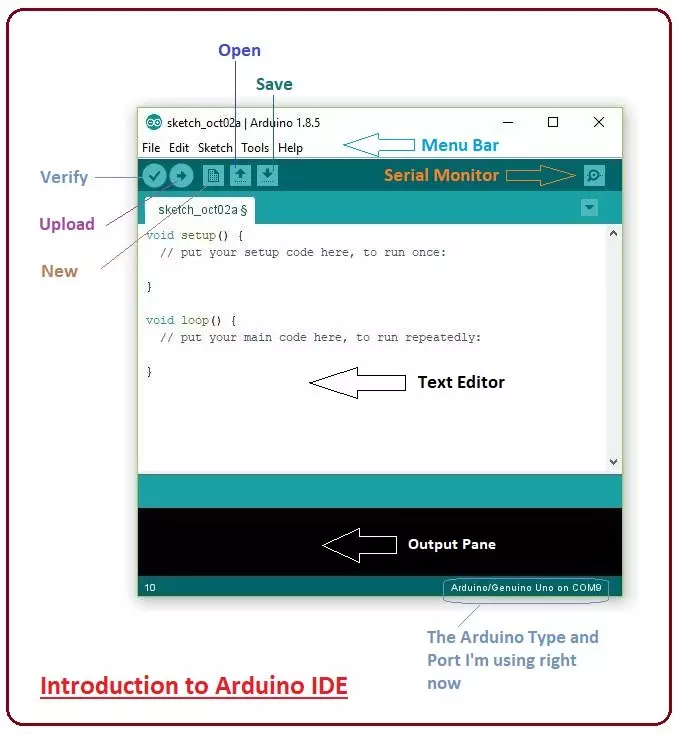
Hey Guys! Hope you are doing well. Today, I'll discuss the detailed Introduction to Arduino IDE, where IDE stands for Integrated Development Environment - An official software introduced by Arduino.cc , that is mainly used for writing, compiling and uploading the code in almost all Arduino modules/boards. Arduino IDE is open-source software and is easily available to download & install from Arduino's Official Site . Libraries Arduino Simulation Libraries Arduino boards: UNO · Mega 2560 · Mega 1280 · Nano · Pro Mini · Mini (V4.0) All six V4.0 boards in one package: Arduino Library for Proteus V4.0 Helping Tools Serial Monitor Advance : a serial terminal window for the UART of your board Serial Monitor Expert : the serial monitor with extra debugging tools LCD Library for Proteus V3.0 : 16x2 ...