Hello friends, I hope you all are doing great. Today, I am going to share a list of Environmental Sensor Libraries for Proteus. Environmental sensors measure the world around your project: the temperature of a room, the humidity of a greenhouse, the air pressure that warns of a storm, the light that decides when the street lamps switch on, and the gas, flame or water that should trigger an alarm. Weather stations, smart homes, greenhouses and safety systems are all built on these sensors.
To test an environmental project on real hardware, you would need a hot day, a cold night, a rain shower and a dark room. In Proteus, our sensor libraries give you all of them with a slider or a pin. Our new I2C sensors have interactive sliders that change the temperature, humidity, pressure or light while your Arduino program is running, and our older safety sensors use a test pin to simulate gas, flame, rain or water.
In this list, our new sensors come first: the BME280, SHT31, BMP280, BH1750 and TCS34725. After them, you will find our gas, flame, rain, water and sound sensors, a few useful conversions and the idea of a complete weather station in Proteus. If you are new to Proteus libraries, read How to Add New Library in Proteus 8 first. So, let's get started with the Environmental Sensor Libraries for Proteus:
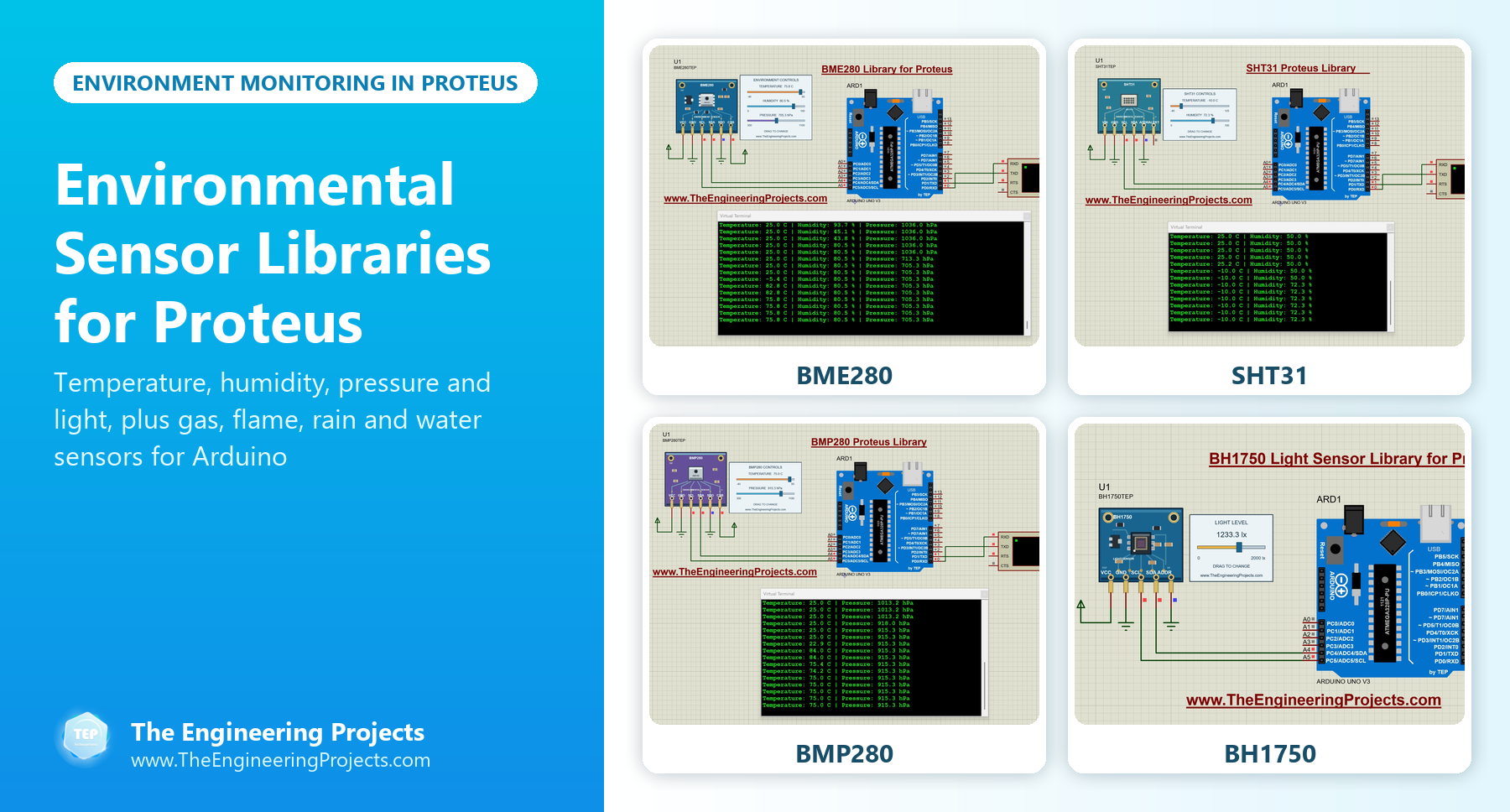
Environmental Quantities and Our Sensors
Here is what each sensor of this list measures, with the unit you will see in your Arduino program:
| Quantity | Unit | Sensors in this list |
|---|---|---|
| Temperature | °C | BME280, SHT31, BMP280 |
| Relative humidity | % RH | BME280, SHT31 |
| Air pressure | hPa | BME280, BMP280 |
| Light | lux | BH1750 |
| Color | RGBC counts | TCS34725 |
| Gas, flame, rain, water and sound | Detected or not (or an analog level) | Gas, flame, rain, water and sound sensors |
Temperature, Humidity and Pressure Sensors
These three sensors look similar, but they measure different things. Here is how they compare in our Proteus models:
| Sensor | Temperature | Humidity | Pressure | Special topic of its tutorial |
|---|---|---|---|---|
| BME280 | Yes | Yes | Yes | Unit conversions and measurement timing |
| SHT31 | Yes (-40 to 125 C in the model) | Yes (0 to 100 % RH) | No | Raw data conversion and the CRC check |
| BMP280 | Yes (-40 to +85 C) | No | Yes (300 to 1100 hPa) | Pressure compensation and altitude |
1. BME280 Sensor Library for Proteus
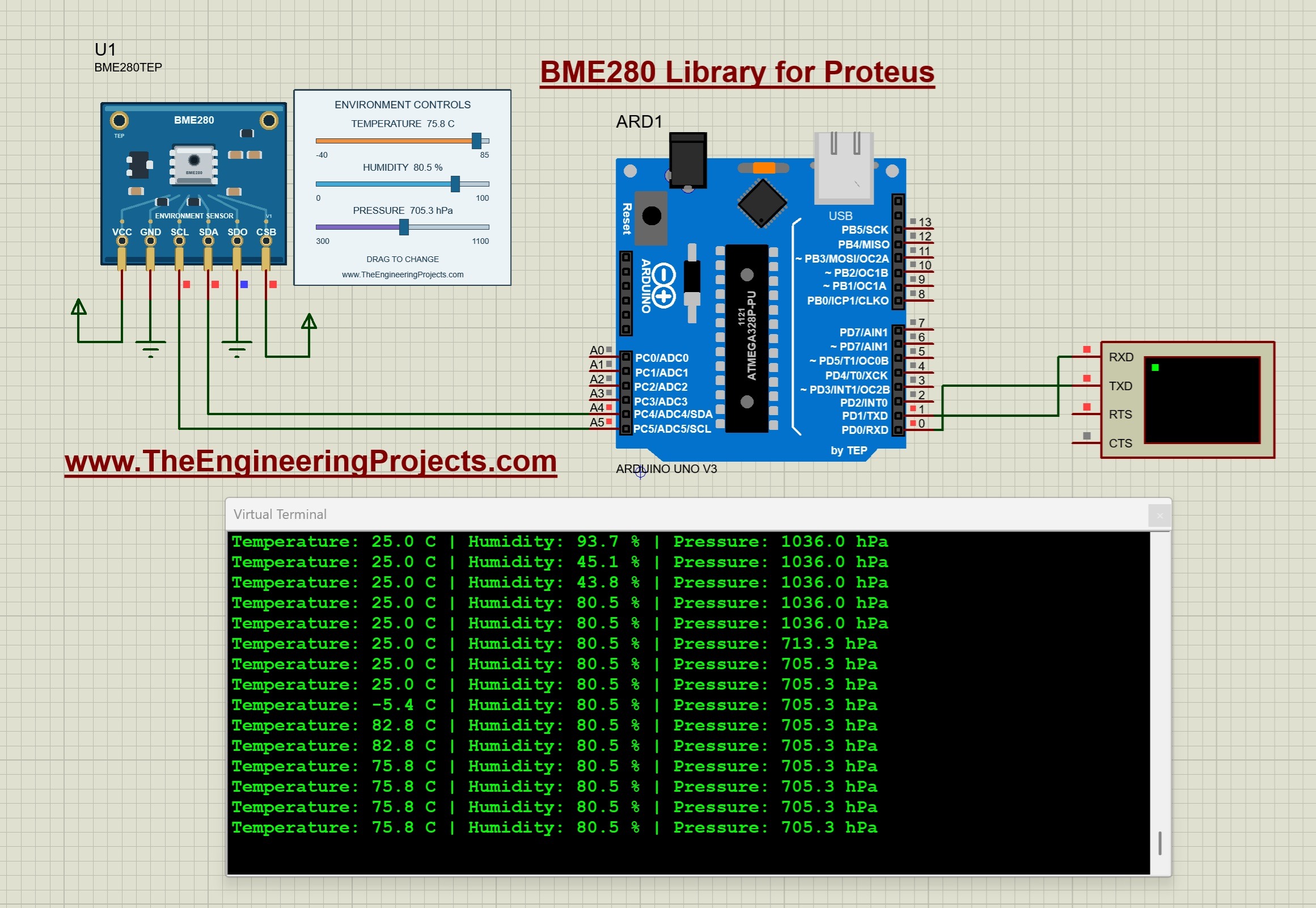
The BME280 from Bosch Sensortec measures temperature, relative humidity and pressure in one package, so one sensor covers a whole weather station. Its three sliders change all three values during the simulation, and the Arduino Uno prints them over a Virtual Terminal. A good habit from the tutorial: change one slider at a time in your first test, so you can confirm which reading each one affects. Read the complete tutorial: BME280 Sensor Library for Proteus
2. SHT31 Temperature and Humidity Proteus Library

The SHT31 from Sensirion is a precise temperature and humidity sensor, a favourite for greenhouses and indoor climate monitors. Its tutorial converts the raw data into degrees and % RH with worked examples, and explains the CRC check that tells your program whether a reading is valid. Read the complete tutorial: SHT31 Proteus Library
3. BMP280 Pressure Sensor Proteus Library
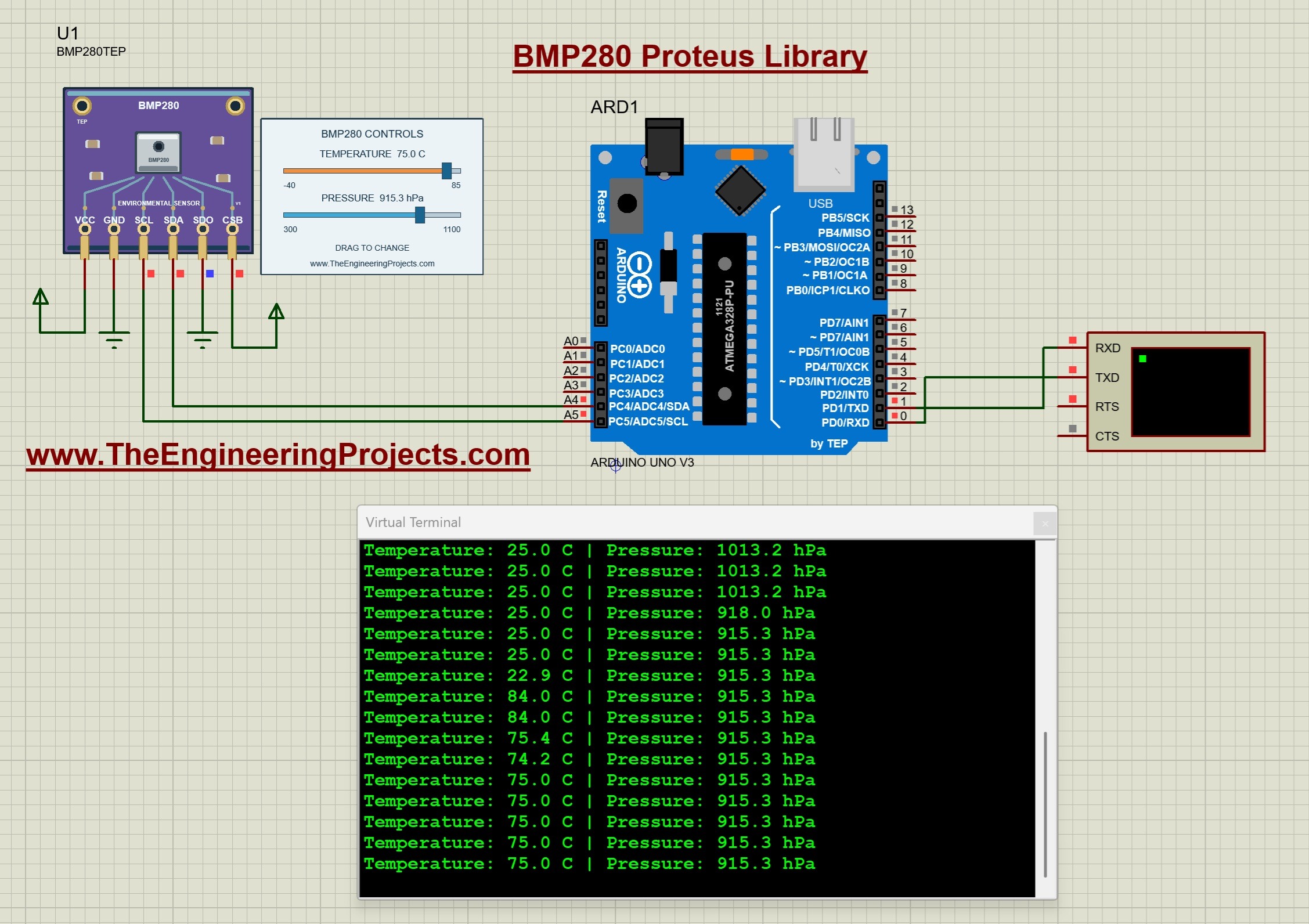
The BMP280 measures absolute air pressure and temperature, but not humidity. Air pressure is useful in two ways: a falling pressure warns of bad weather, and the pressure also tells you your altitude. Its tutorial explains how the temperature takes part in the pressure compensation and estimates the altitude from the pressure. Read the complete tutorial: BMP280 Proteus Library
Light and Color Sensors
4. BH1750 Light Sensor Library for Proteus
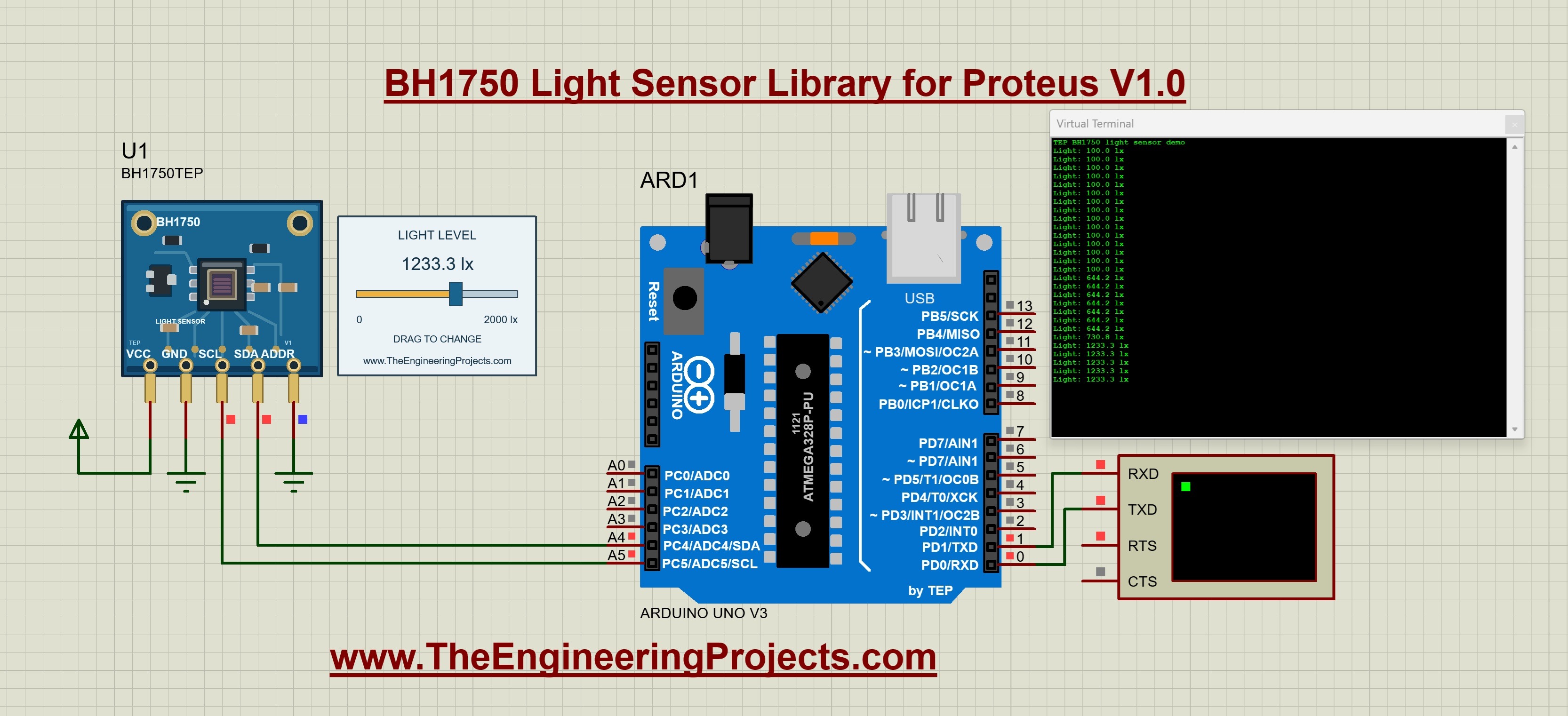
The BH1750 measures illuminance in lux and sends it as a digital value, which is much easier than calibrating an LDR on an analog pin. Its slider sets the light level from dark to bright, and the tutorial ends with an automatic-lighting exercise: switch a lamp on when the light falls below a limit. Read the complete tutorial: BH1750 Light Sensor Library for Proteus
5. TCS34725 Color Sensor Proteus Library

The TCS34725 reads red, green, blue and clear light. Its clear channel is also a measure of the total light, and its tutorial explains gain, integration time and saturation, which matter in bright sunlight. Read the complete tutorial: TCS34725 Proteus Library
Air Quality and Fire Safety Sensors
6. Gas Sensor Library for Proteus
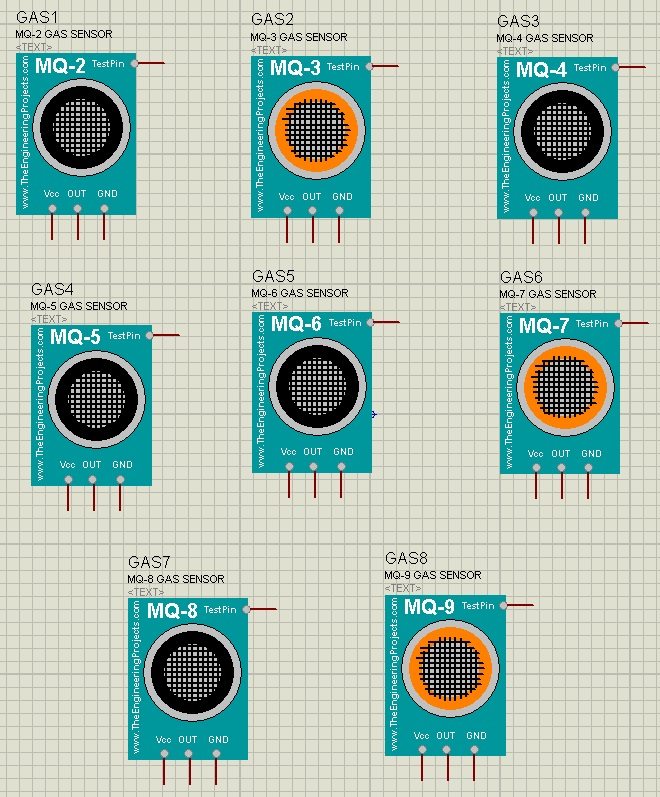
This library has eight MQ gas sensors, from the MQ-2 to the MQ-9, for detecting gases such as LPG, smoke and alcohol. Proteus can't detect a real gas, so each sensor has a Test Pin: HIGH means the gas is present and LOW means it is not. We used it in our LPG Gas Leak Detector using Arduino. Read the complete tutorial: Gas Sensor Library for Proteus
7. Flame Sensor Library for Proteus
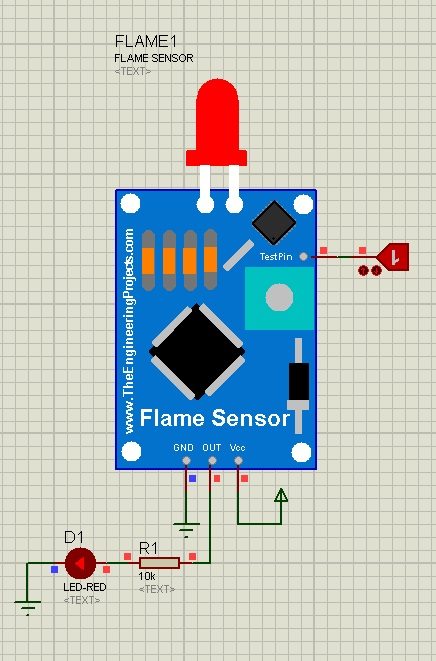
The flame sensor detects fire for safety systems. A Test Pin replaces the real flame: HIGH means fire and LOW means no fire. You should also read Interfacing of Flame Sensor with Arduino. Read the complete tutorial: Flame Sensor Library for Proteus
Water and Weather Sensors
8. Rain Sensor Library for Proteus
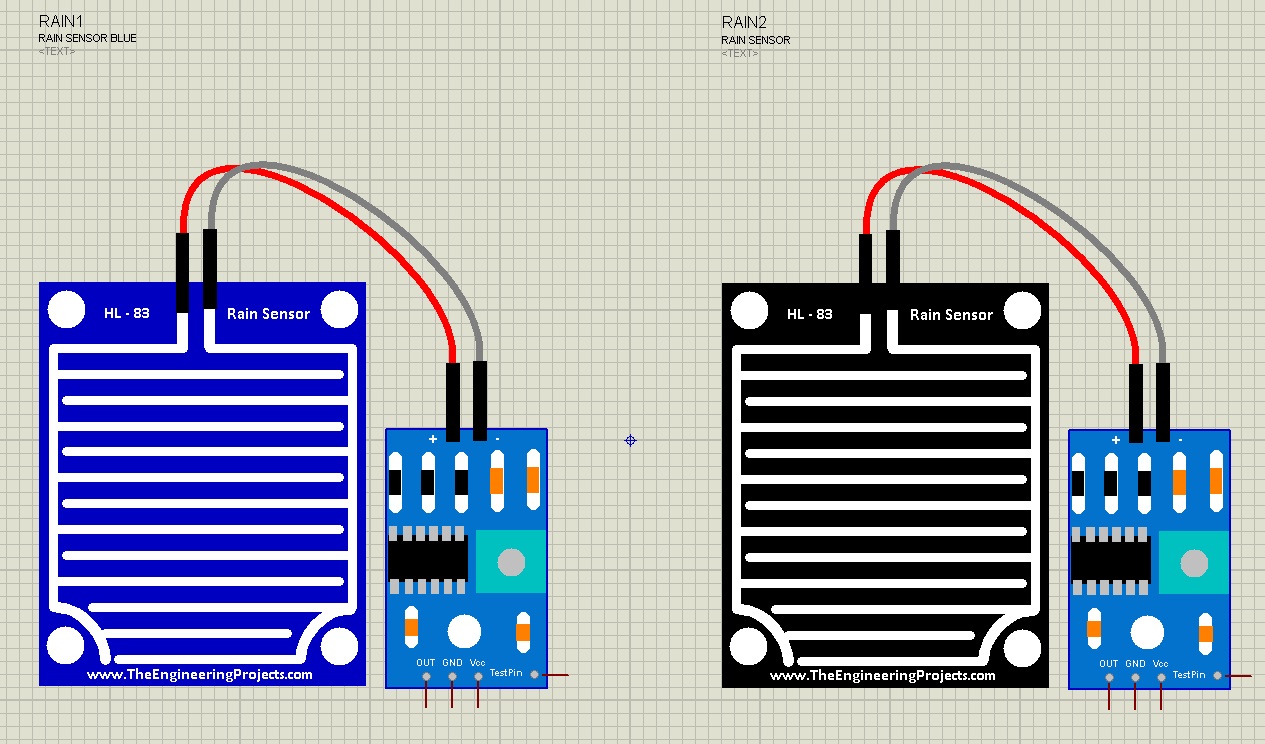
The rain sensor tells your project that it is raining, for automatic windows, car wipers, clothes-line covers and irrigation controllers that should skip watering. Read the complete tutorial: Rain Sensor Library for Proteus
9. Water Sensor Library for Proteus
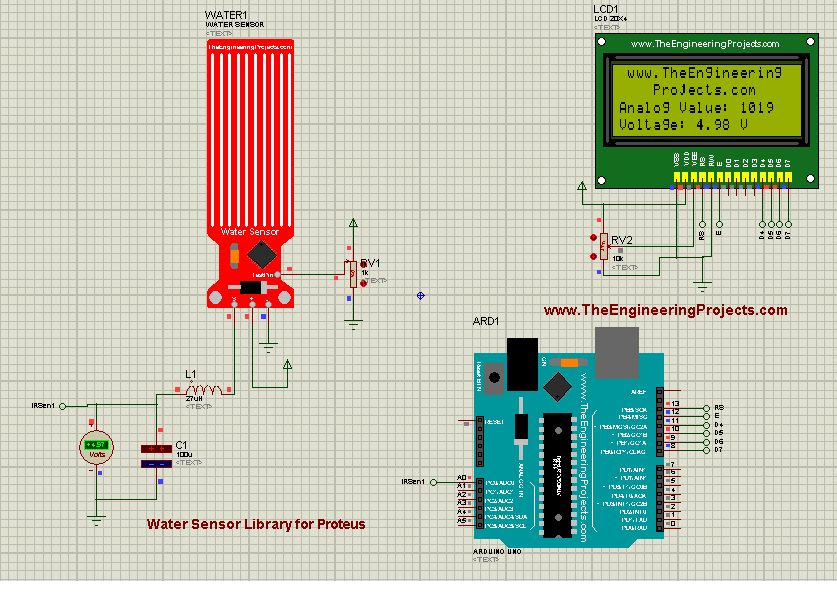
The water sensor detects water from its electrical conductivity. It is used for water levels, rainfall and leak detection, so it pairs well with a pump or an alarm. Read the complete tutorial: Water Sensor Library For Proteus
Noise Sensor
10. Sound Detector Library for Proteus V2.0
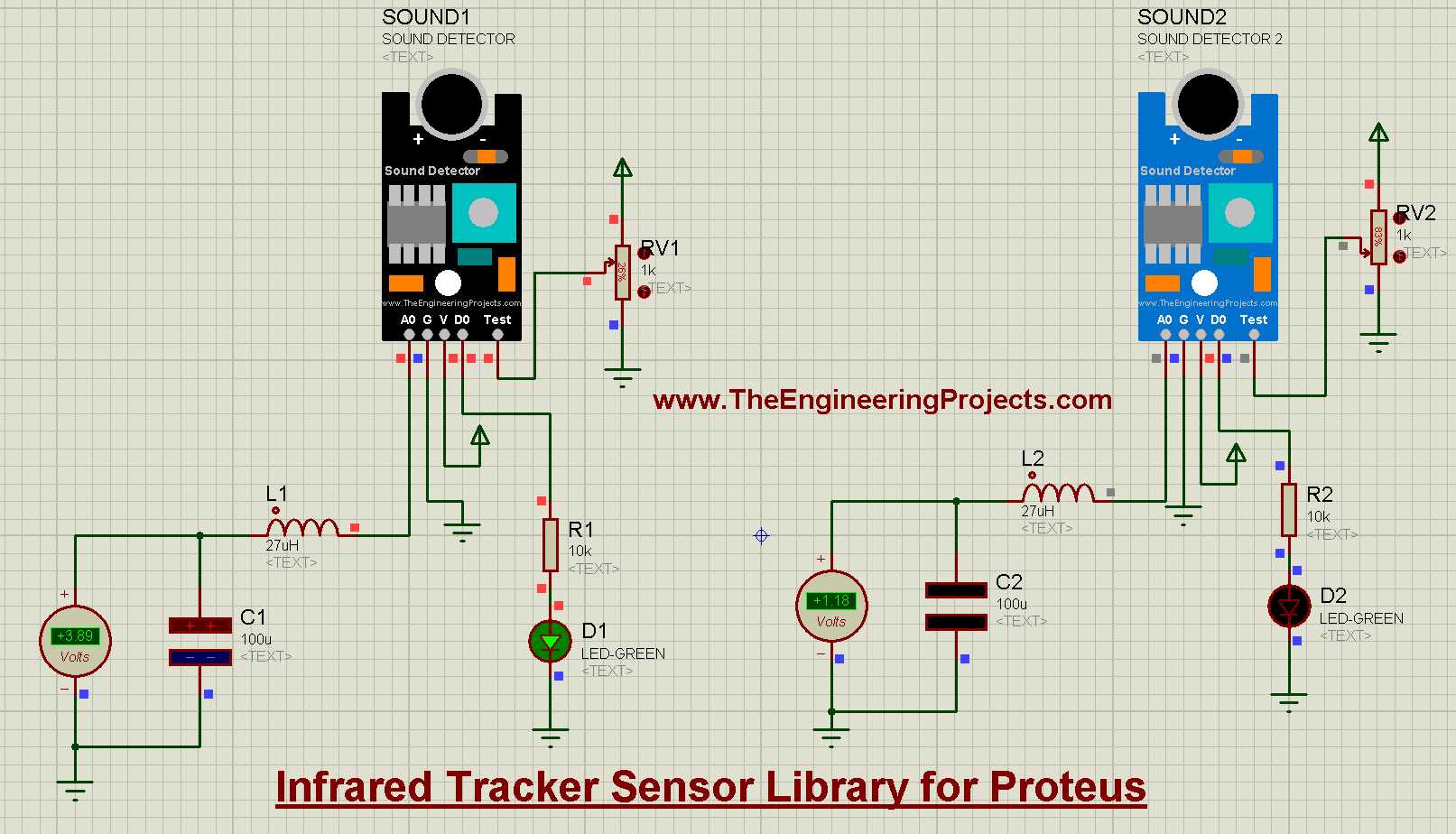
Noise is part of the environment too. The sound detector V2.0 uses a test pin to simulate sound, for noise monitors and clap-controlled lights. Read the complete tutorial: Sound Detector Library for Proteus V2.0
Useful Conversions for Environmental Readings
Here are the conversions that our sensor tutorials use, so you can show the readings in the units you need:
- Pressure: 1 hPa = 100 Pa, so divide the pressure in pascals by 100 to get hPa (and millibars, which are the same).
- Temperature: °F = °C × 9 / 5 + 32.
- Altitude from pressure: altitude in metres = 44330 × [1 - (P / P0)^0.1903], where P0 is the sea-level reference pressure. This is an estimate that assumes a standard atmosphere.
- Light (BH1750, high-resolution mode): lux = raw measurement / 1.2.
Tips for Environmental Sensor Projects
Here are a few things that will save you time, in the simulation and later on the real hardware:
- Don't read too fast. Temperature, humidity and pressure change slowly, so reading every second or two is plenty. The BME280 tutorial also shows that the sensor's measurement timing and your display timing are two different things, which explains why a new slider value appears a moment later on the terminal.
- Relative humidity depends on temperature. It compares the water vapour in the air with the most the air could hold at the same temperature. So, when the temperature rises and the amount of water stays the same, the relative humidity falls. Try it with the two sliders of the SHT31 or the BME280.
- Station pressure is not weather-report pressure. Your sensor measures the pressure where it is, while weather reports give the pressure at sea level. Near sea level, the pressure drops by roughly 1 hPa for every 8 m of height, so a sensor on a hill always reads lower than the forecast.
- Check for failed readings. A real sensor can return a bad value, and your code should notice it. The SHT31 tutorial shows how its CRC check does this.
- Make test pins easy to switch. For our gas, flame, rain and sound sensors, connect the test pin to a logic state or a switch, so you can turn the gas, flame or rain on and off with one click while the simulation runs.
- On real hardware, keep sensors away from heat. A temperature sensor next to a voltage regulator or a hot chip reads the board, not the room.
Build a Weather Station in Proteus
With these libraries, you can simulate a complete weather station. Start from the BME280 example for temperature, humidity and pressure, and add the BH1750 for daylight on the same I2C bus. Show the readings on our LCD Library for Proteus V2.0, and add a rain sensor for the "it's raining" flag. To send the readings away, combine the station with our ESP-01 Wi-Fi library and its cloud upload example, or with an HC-12 or LoRa module for a base station far away.
Build it one sensor at a time: run each sensor's own example first, then join them in one design. You can find all of these libraries in our Proteus Libraries tutorial series, and the full sensor collection in our List of Embedded Sensors in Proteus.
More Lists of Proteus Libraries
We have grouped our Proteus libraries into several lists, so you can quickly find the right ones for your project:
- 30 New Proteus Libraries for Engineering Students (2026)
- GSM Libraries for Proteus
- GPS Libraries for Proteus
- RF Module Libraries for Proteus
- LoRa and RF Libraries for Proteus
- Wi-Fi and Bluetooth Libraries for Proteus
- List of Wireless Modules for Proteus
- Top IoT Libraries for Proteus
- RFID and NFC Libraries for Proteus
- List of Embedded Sensors in Proteus
- I2C Sensor Libraries for Proteus
- Motion and Distance Sensor Libraries for Proteus
- Smart Agriculture Sensor Libraries for Proteus
- Medical Sensor Libraries for Proteus
- Must-Have Proteus Libraries for Arduino Simulation
- Microcontroller Board Libraries for Proteus
Conclusion
So, that was all about the Environmental Sensor Libraries for Proteus. I hope this list helps you build and test your weather station, greenhouse or safety project before the real weather does. If you need another environmental sensor in Proteus, please tell us in the comments or in the Proteus Libraries category of our forum. Till the next tutorial, take care and have fun!