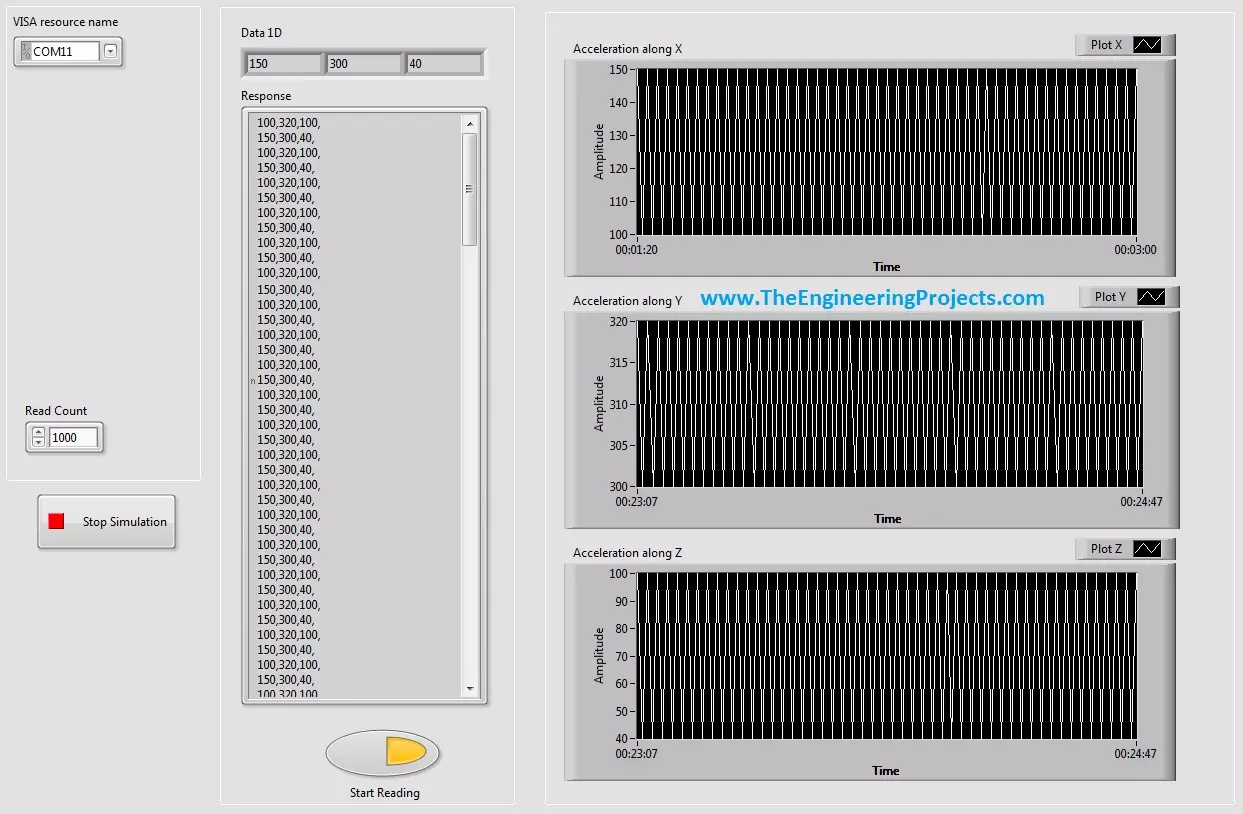
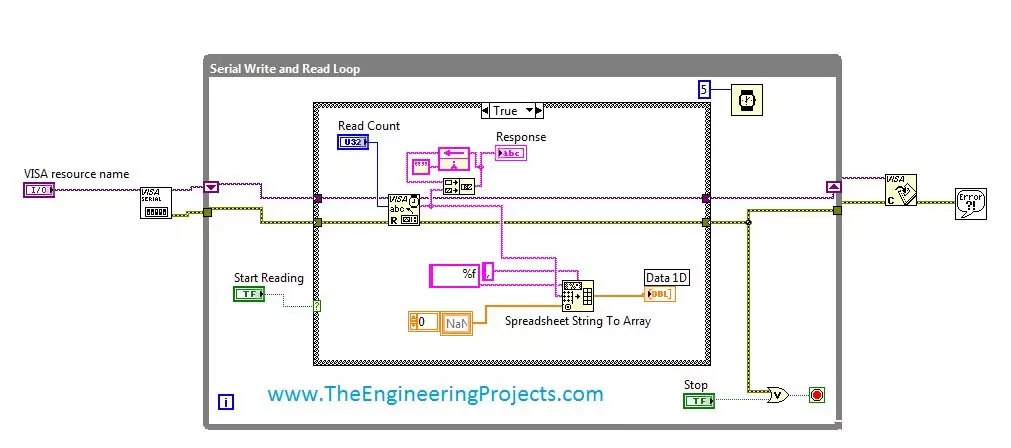
Hello friends, hope you all are fine and having fun with your life. Today's post, as the name suggests is about How to Display Serial Data on Real Time Graph in Labview. In our previous post, we have seen that how to Get Continuous Data From COM Port in Labview . Today's post is a sequel of this previous post so I would recommend that if you haven't had a look on that post then first visit it as I am gonna start today's post from where I stopped the previous one. In the last post, we were able to get the continuous data from COM port using Labview and we have also separated the data based on a character which I have used this one "," i.e. comma. Now, suppose you are sending 3 values from your COM port and these are the sensors' values so tthe best way to display these value is by using a g ...
Hello friends, hope you all are fine and enjoying good health. Today's post is my first post on LabView Software. I have worked on LabView quite a lot in past but these days I am continuously working on LabvView so I thought to write some tutorials on it. In today's tutorial, I will explain in detail How to get continuous data from COM Port in LabView software. LabView is a very handy tool for the engineers. One can easily plot graphs and can work on different hardware modules with it. One of the best feature of LabView is its extensive help desk. There are many examples present in it which are ready to run and can help a lot, moreover their online is also very extensive. I got into many problems while working on it and I never get stuck, I just searched online and got the solutions for my ...