Hey fellows, Welcome to another lecture in the signal and systems series in which we are moving towards another transform. Till now, we have studied the Laplace and z transform and we, therefore, know the basic purpose of transforms, that is, to convert the signal from one domain to another. In today's lecture, we will be discussing the Fourier Transform, and you will enjoy its information because now we have a clearer idea of what we are doing and what the purpose of this transformation of a signal is. Here are the key points that we are going to consider: What is the Fourier transform? What is the journey Fourier transforms from start to end? How do you define the types of Fourier transform? Why is the Discrete Fourier transform important? Why is the fast Fourier transforms named so? How ...
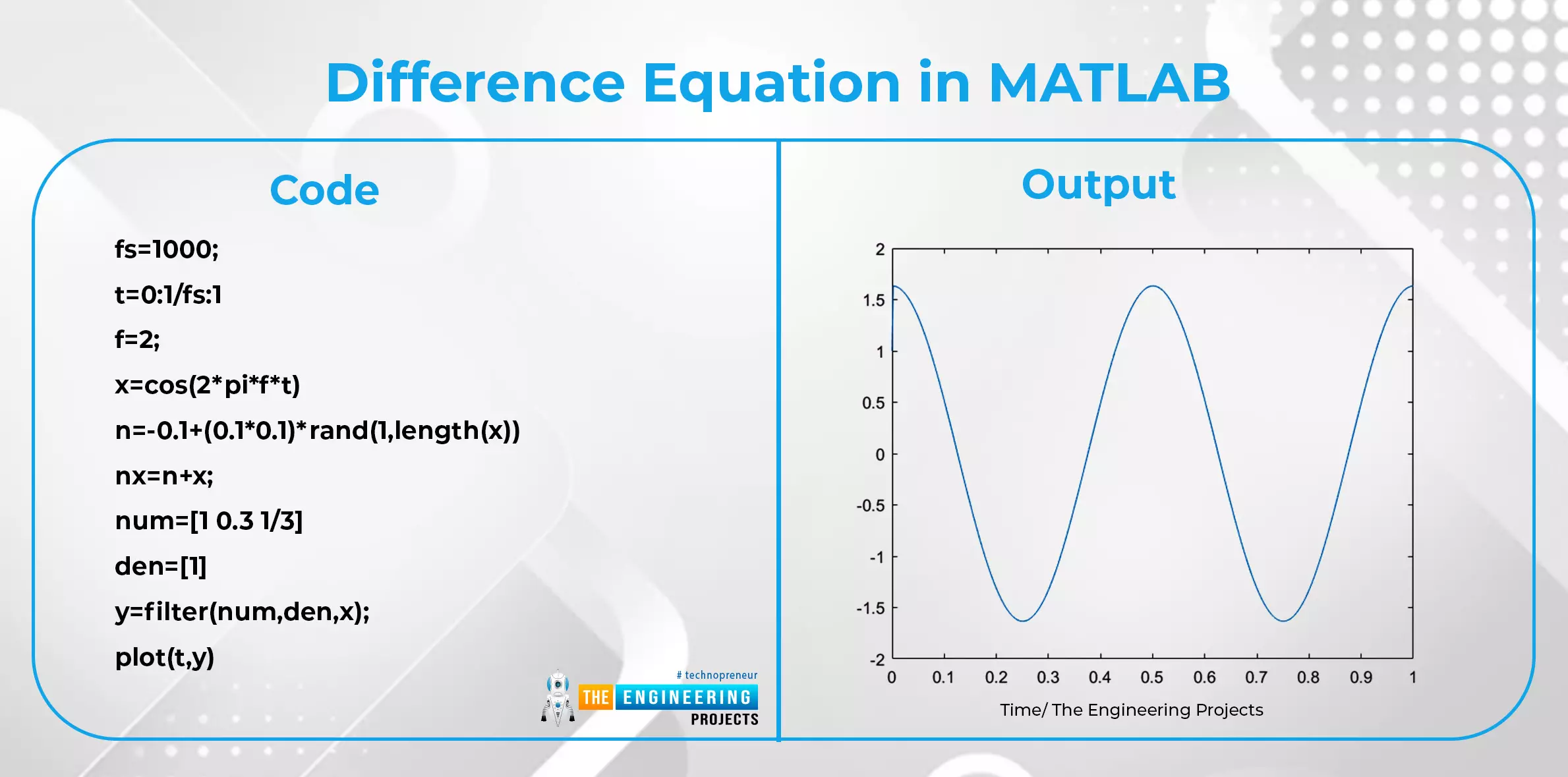
Hello, readers. Welcome to another lecture on signals and systems where, on the previous day, we studied the transforms. A Z transform is used to change the domain of a signal or function. It is used to convert the signal from the time domain into the z plane. Now we are going a little deep into the discussion. Have a quick promo of the topic of today: What are the properties of z transform? What is the unit impulse of z transform? What is the unit ramp of z transform? What is the difference equation and how is it related to the z transform? What are some important applications of z transform? We’ll go through each of these topics in detail, so stay with us to learn about all of them. Properties of z Transform Till now, we have seen the introduction of z transform along with some basic inf ...
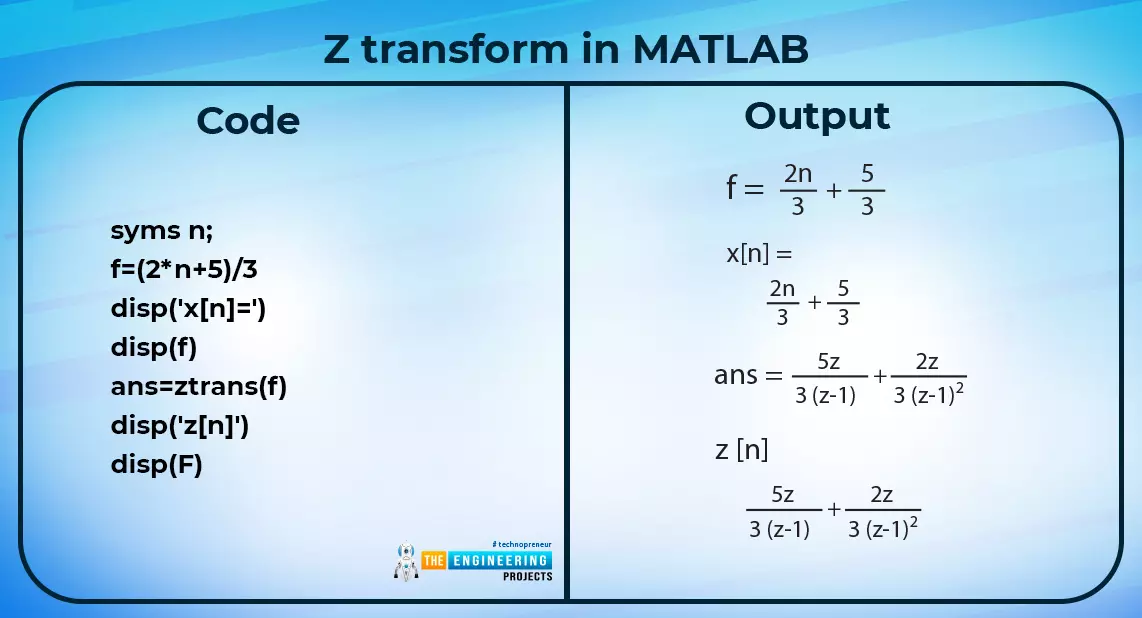
Hey learners! Welcome to another exciting lecture in this series of signals and systems. We are learning about the transform in signals and systems, and in the previous lectures, we have seen a bulk of information about the Laplace transform. If you know the previous concepts of signal and system, then this lecture will be super easy for you to learn, but if your concepts are not clear, do not worry because we will revise all the basic information from scratch for our new readers. So, without wasting time, have a look at the topics of today. What is z transform? What is the region of convergence of z transform? What are some of the important properties of the region of convergence? How to solve the z transform? What is an example of the z transform in MATLAB? What are the methods for the i ...
Hey fellows, in the previous lecture, we read the basics of Laplace transform and now, we want to go into a deep study about the same topic. Usually, it is important to learn all the properties of a mathematical tool to use it well, but we’ll focus on the basic and important properties of the Laplace transform to understand its concepts. Here are these: Linearity Time delay Nth derivative Frequency shifting Multiplication with time Complex shift property Convolution of the Laplace transform Time shifting Time reversal If you have read the previous concepts clearly, then these concepts should be clear in your mind. We’ll define all of them one after the other, and you'll understand each of them clearly. Linearity in the Laplace Transform We all know what linearity is. Yet, the linearity of ...
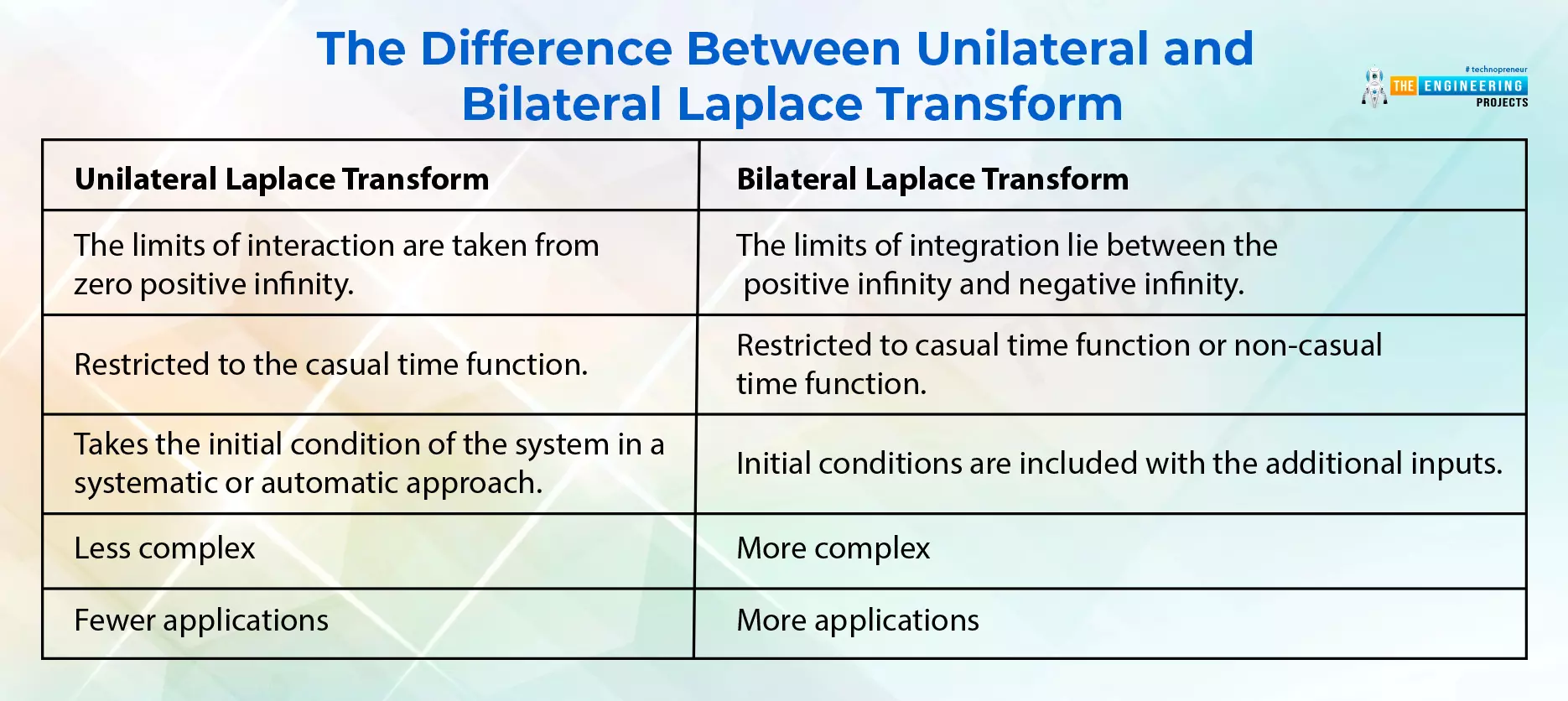
Till now, we have read about the basic concepts and functions in the signal and system, but let’s have something that is more practical and practice each and every topic thoroughly because if you have the understanding at each point, transforming will become an interesting game for you. Keep in mind, that transforms are an important topic in signal processing, but they were traditionally taught in the same way they were discovered: through calculus. This approach, however, does not reveal the true purpose of the transforms or why they are desirable. Well, let’s check the topics that we are going to learn about today: What are transforms? Which common transforms are used in signals and systems? What is the Laplace transform? How can you implement the Laplace transform in MATLAB? What are bi ...
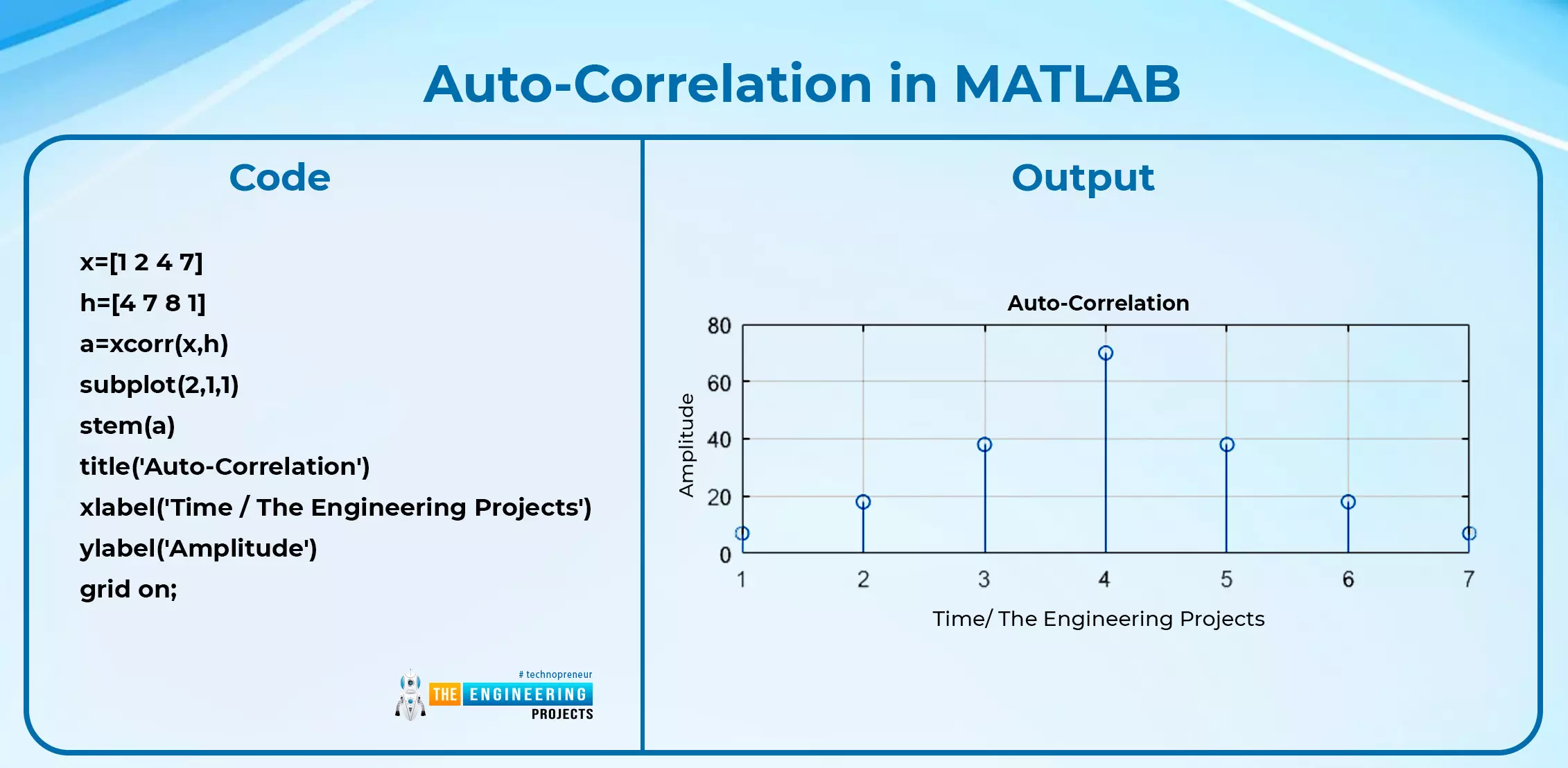
Hey geeks, welcome to the next article of this series on signals and systems. In the previous lecture, we saw the basic types of convolution and learned about convolution in MATLAB. This time, we are going to enhance some concepts about it by learning about the properties of convolution and by adding some important pieces of information about the same topic. Have a look at today’s concepts: What are some basic properties of convolution? What is the correlation? Discuss some types of correlation and their implementation in MATLAB. What is the difference between convolution and correlation? How convolution is used in different areas of science and how different departments are using this technique to control the parameters efficiently. The Properties of Convolution Once you have a clear idea ...
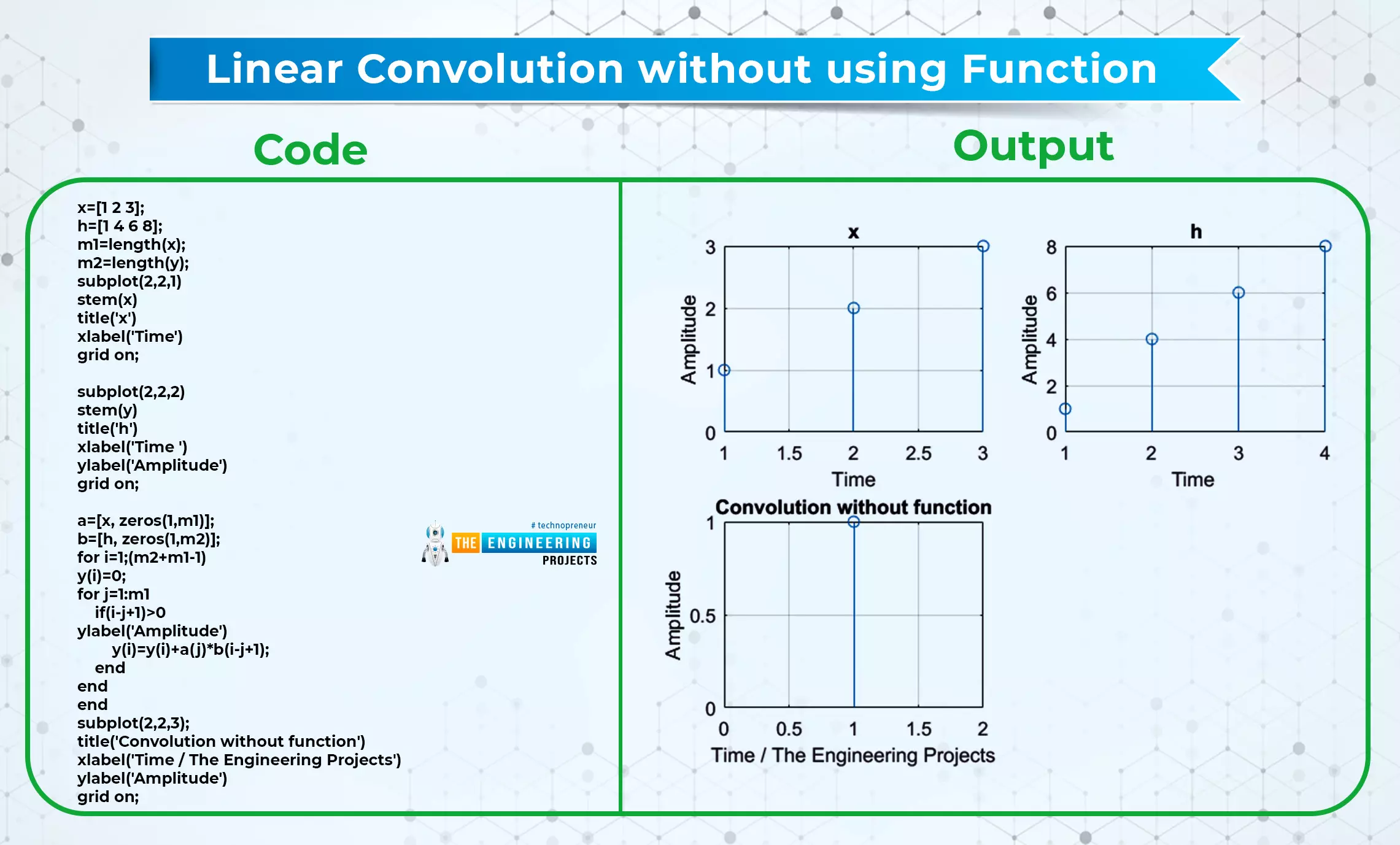
Hey pupils, Welcome to another lecture of this series on signals and systems, and this is the time to learn an interesting topic in which you are going to learn about the convolution of the signals. In the previous sessions, we have learned basic operations on the signals, and this time, you are going to know the convolution of the signals and different criteria that are related to this topic. Have a quick view of the concepts that will be clarified in this lecture: What is convolution? What are some basic types of convolution? How can you define the properties of linear convolution? How can you implement convolution in MATLAB using function and without function? What is the difference between linear and circular convolution? What is the convolution of signals? Convolution is a mathematica ...
Hello Pupils, We are learning about signals and systems, and till now we have learned some basic information regarding signals, but we know a little about systems till now. We have learned about the system in our previous lectures. To have a clear concept, we have arranged this tutorial in which we are studying the systems and their classification. Have a quick glance at today’s topics: What is a system? What are the various types of systems? What is the principle of homogeneity? What is the principle of superposition? How can we compare each type while keeping their differences in mind? To keep things simple, we’ll also have examples of some of these signals. Yet, the first thing that we are going to do is to revise the basic definition of the system so that we may move forward. What is a ...
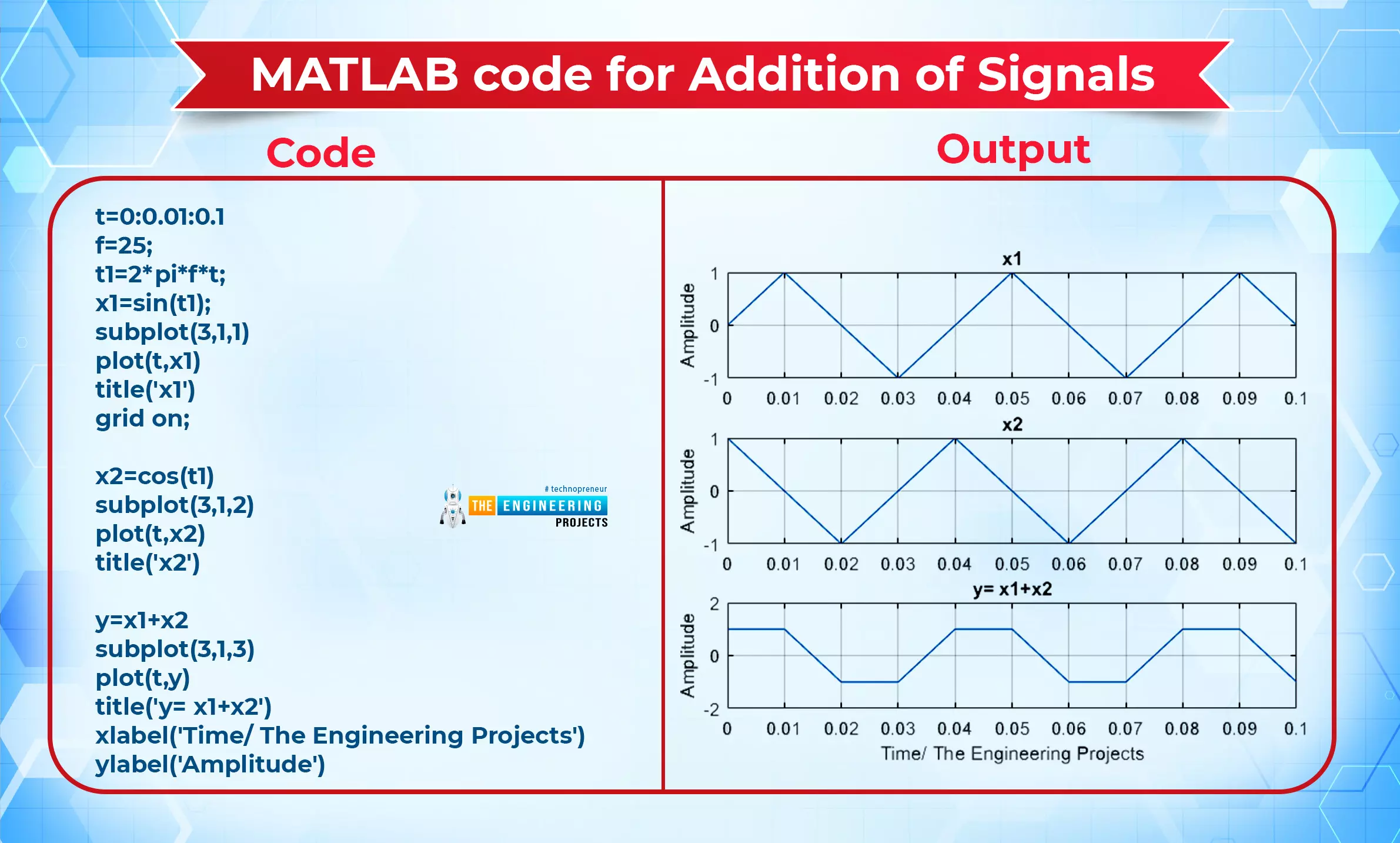
Hey peeps welcome to The Engineering Projects. This is the third lecture of this series, and till now, we have discussed the introduction to the signal and system, and in the previous lecture, we learned about the classification of signals and the difference between some of them. In the present day, you are going to learn the basic operations of signals, and it is amazing to note how you can play with these signals. The best thing about this series is that you are going to see every step with the help of MATLAB. Let’s have a quick glance at today’s topic, and after that, we will go through a detailed explanation. Addition of Two Signals Subtraction of Two Signals Multiplication of Two Signals Time Scaling (Compression and Expansion) Time Shifting (Addition and subtraction) Reversal of Sign ...
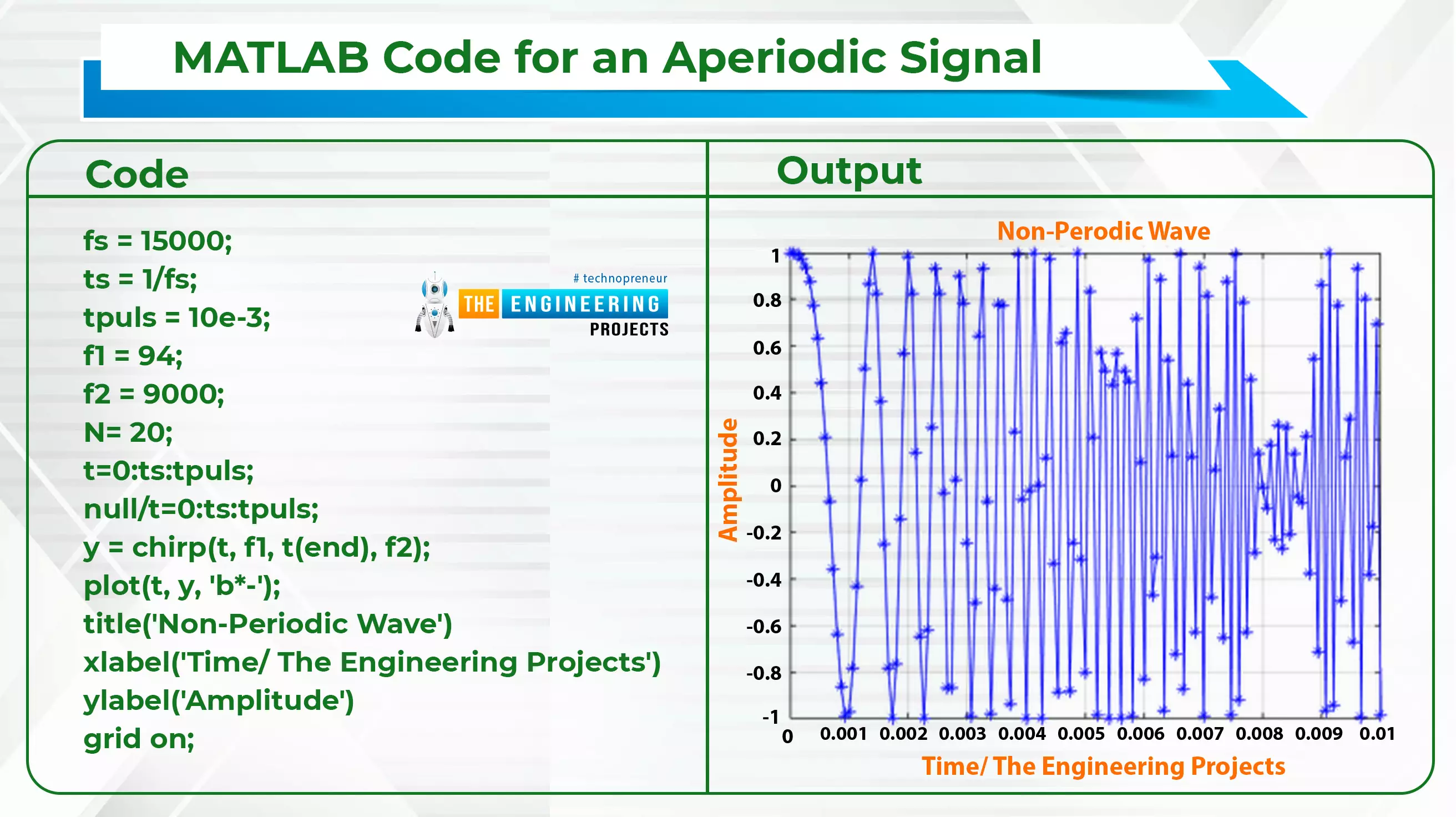
Hello! Welcome to the engineering projects. This is the second part of the signal and system series in which we will discuss some essential classifications of simple signals. In the previous session, we discussed the introduction of signals and systems and also ran some simple codes on MATLAB for the implementation of some simple codes. In this session, we are discussing some essential types of signals, and the best part is that we will implement all the signals in MATLAB for the best understanding. Here is a quick glance at all the topics that we will discuss today: Continuous-Time Signals Discrete-Time Signals Periodic Signals Aperiodic Signals Even Signals Odd Signals Deterministic Signals Non-Deterministic Signals Energy Signals Power Signals What are functions? Some examples of signal ...