Hello friends, I hope you all are doing great. Today, I am going to share a list of Wi-Fi and Bluetooth Libraries for Proteus. These modules connect your Arduino to the things around it: a smartphone app, a home router, a cloud dashboard or another Bluetooth module. That's why they are part of almost every IoT, home automation and phone-controlled robot project that students design.
Wireless modules are also the hardest part of these projects to debug, because the phone, the router and the module all have to agree before anything works. Our new Wi-Fi and Bluetooth libraries put all of them inside Proteus. The ESP-01 model runs Espressif's AT command set with a virtual router and a virtual phone, and the HC-05 and HC-06 models pair with a virtual phone or with each other, so you can test both sides of your project on one screen.
In this list, our two new libraries come first: the ESP-01 Wi-Fi library and the HC-05 & HC-06 Bluetooth library. After them, you will find our ESP32 and NodeMCU board libraries and our first Bluetooth library. If you are new to Proteus libraries, read How to Add New Library in Proteus 8 first. So, let's get started with the Wi-Fi and Bluetooth Libraries for Proteus:
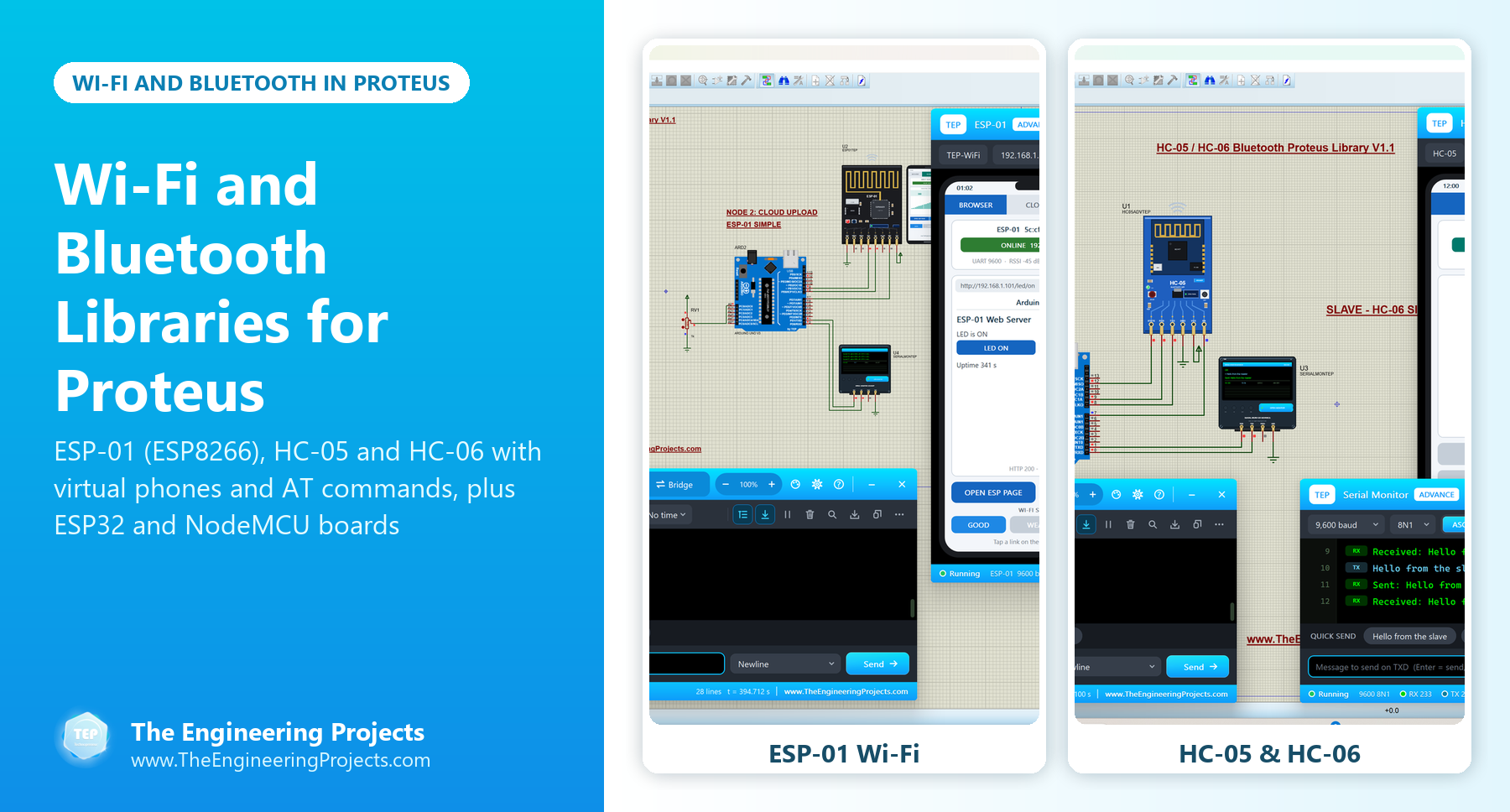
Wi-Fi and Bluetooth Libraries at a Glance
Here is a quick comparison of the libraries in this list. The first two simulate the wireless link itself, while the ESP32 and NodeMCU libraries simulate the boards.
| Library | Type | Wireless link simulated | What you can test |
|---|---|---|---|
| ESP-01 V1.1 | Wi-Fi module (ESP8266) | Yes: router, phone and internet host | AT commands, a web server, cloud uploads and four Wi-Fi test tools |
| HC-05 & HC-06 V1.1 | Bluetooth modules | Yes: phone and module-to-module | AT commands, pairing, master and slave roles, and test tools |
| ESP32 | Microcontroller board | No | Pins, PWM, sensors and your circuit diagram |
| NodeMCU | Microcontroller board | No | Pins, PWM, sensors and your circuit diagram |
| Bluetooth Library | HC-05 and HC-06 (2016) | Serial data only | Basic serial communication |
1. ESP-01 Wi-Fi Library for Proteus V1.1
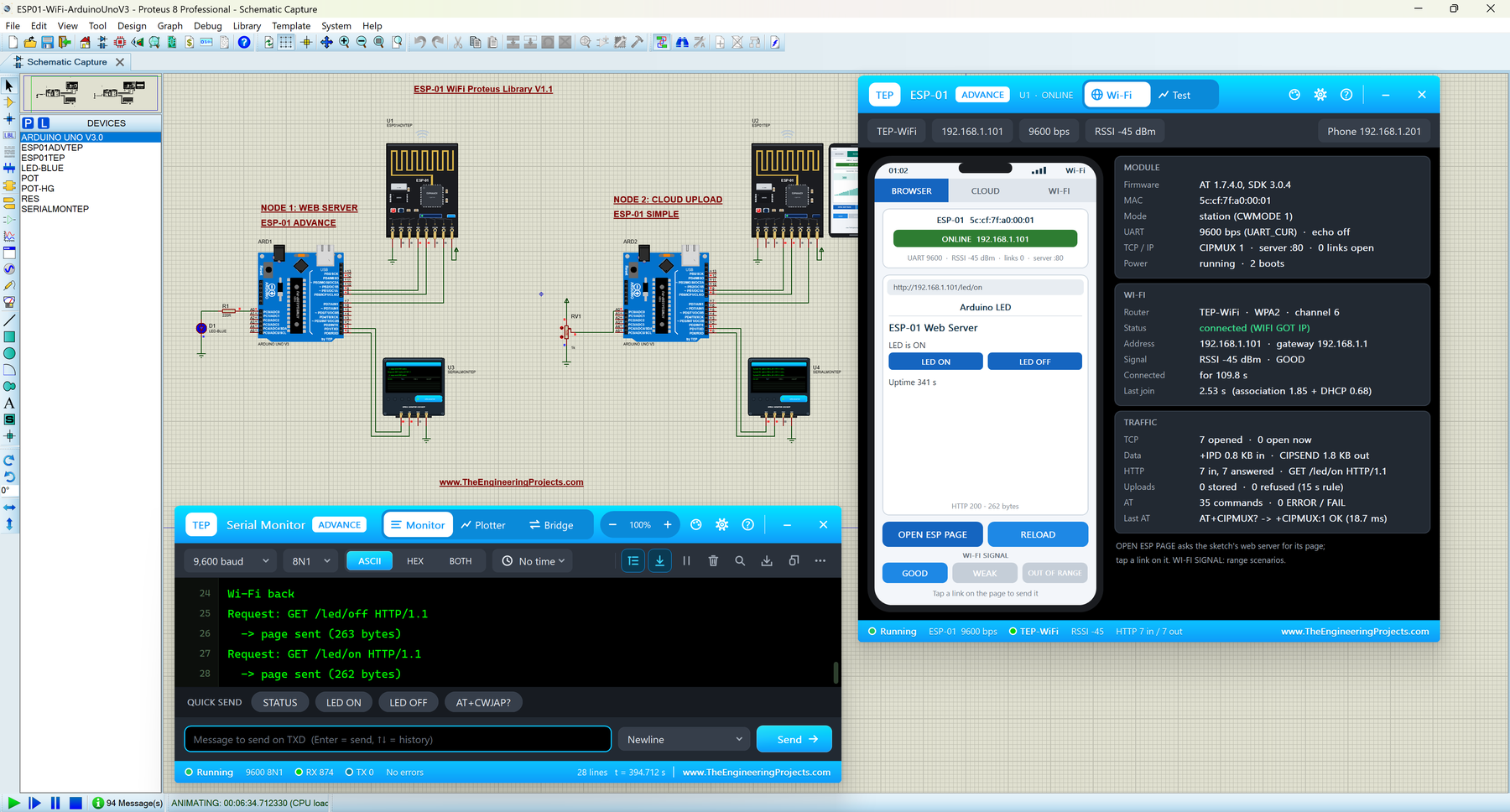
The ESP-01 is the smallest board built around Espressif's ESP8266EX Wi-Fi chip. It ships with Espressif's AT firmware, so an Arduino controls it over two serial wires with text commands such as AT+CWJAP (join a Wi-Fi network) and AT+CIPSEND (send data over TCP). With it, an Arduino can join a router, run a small web server that a phone opens in its browser, or send sensor readings to a cloud dashboard.
Our ESP-01 model runs the same AT commands, with a virtual Wi-Fi router, a virtual phone and an internet host inside the simulation. The library has two devices:
- ESP-01 Simple: the module with a virtual phone drawn on the schematic. The phone has a browser, a Wi-Fi tab and a cloud tab.
- ESP-01 Advance: the phone in a pop-up window, plus four Wi-Fi test tools: a Wi-Fi join test (with a router drop and a module reset), a web request test, a cloud upload check and an AT check with response times.
The WI-FI tab of the phone shows the virtual router and every device it gave an address to, which is a nice way to explain DHCP. And when you open a web page from a module whose sketch never started a server, the phone shows "Connection refused", exactly like a real browser. In the demo, one Arduino UNO runs a web server that switches an LED from the phone, and the other one uploads a potentiometer reading to a cloud service every 20 seconds.
| Group | Commands |
|---|---|
| Basic | AT, AT+RST, AT+GMR, ATE0, AT+RESTORE, AT+UART_CUR |
| Wi-Fi | AT+CWMODE, AT+CWLAP, AT+CWJAP, AT+CWQAP, AT+CIFSR |
| TCP / UDP | AT+CIPMUX, AT+CIPSTART, AT+CIPSEND, +IPD, AT+CIPCLOSE, AT+CIPSERVER |
| Network tools | AT+CIPDOMAIN (DNS), AT+PING, AT+CIPSNTPTIME? |
One tip from the tutorial: the AT firmware needs CR + LF after every command, so use println() or "\r\n" in your sketch. And when you move to a real ESP-01, remember that it is a 3.3 V module and needs a regulator that can deliver at least 300 mA.
Read the complete tutorial: ESP-01 Library for Proteus V1.1
2. HC-05 & HC-06 Bluetooth Library for Proteus V1.1
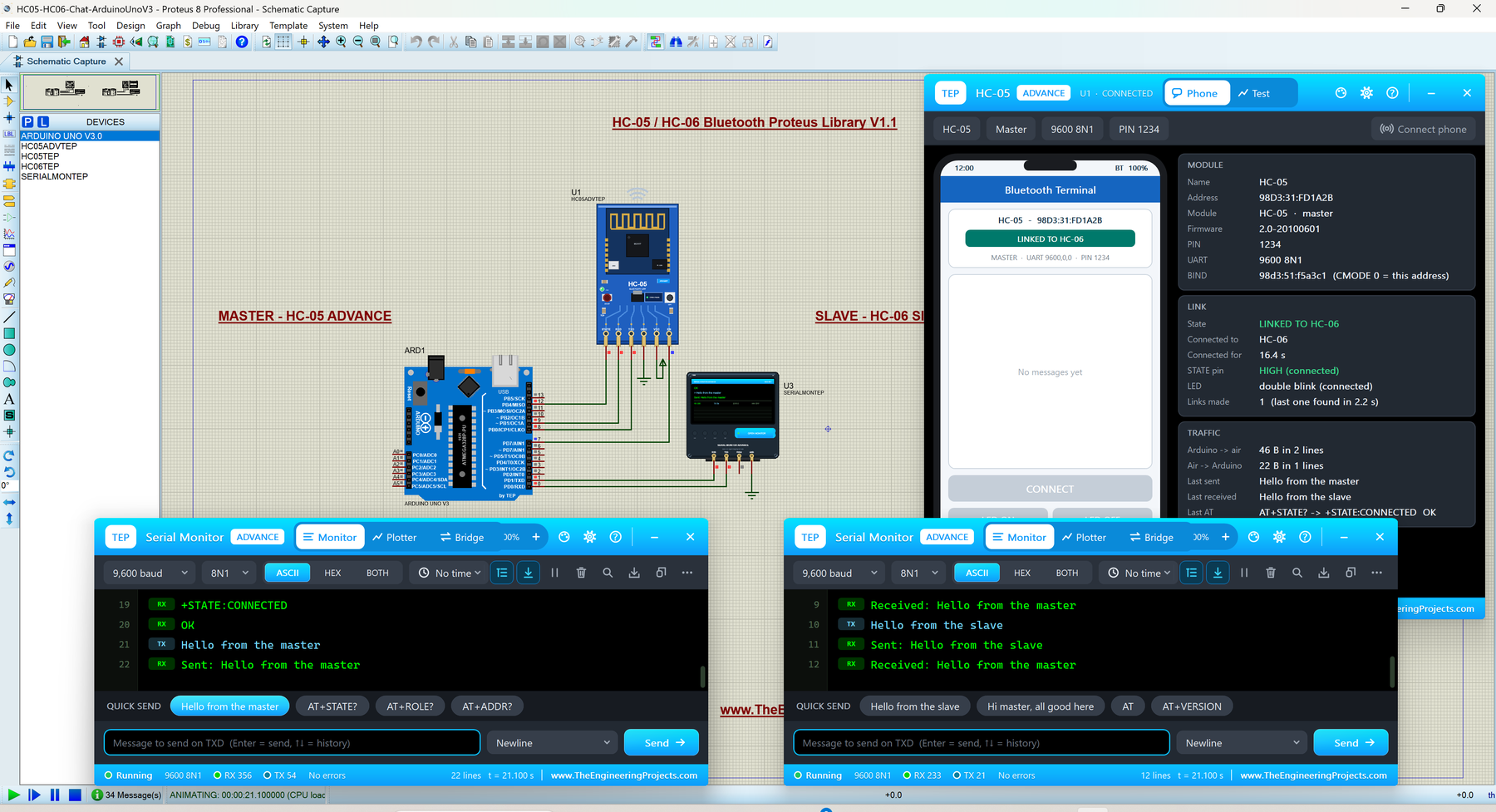
The HC-05 and HC-06 are the most popular Bluetooth modules among Arduino users. They work like a wireless serial cable between your Arduino and a smartphone, so students use them for phone-controlled LEDs, robots and home automation. They look almost the same, but they are not:
| Feature | HC-05 | HC-06 |
|---|---|---|
| Role | Master or slave (AT+ROLE) | Slave only |
| EN (KEY) pin | Yes: HIGH = AT command mode | No |
| STATE pin | Yes: HIGH while connected | No |
| AT command set | Full set with queries (AT+NAME?, AT+ROLE? ...) | linvor set, no read commands |
| Default data speed | 9600 bps (full AT mode: 38400) | 9600 bps |
That last row is the classic beginner trap: the data speed of the HC-05 is 9600 bps, but its full AT mode (EN high at power-up) runs at 38400 bps. Our model follows these rules, so you can find this kind of mistake in Proteus instead of on your desk.
The library has four devices: HC-05 Simple, HC-05 Advance, HC-06 Simple and HC-06 Advance. The Simple devices draw a virtual phone on the schematic, and the Advance devices open a pop-up with the phone and Bluetooth test tools: a connection test, a round-trip test, an AT check and a link check. You also get two Arduino demos: an LED switched from the phone, and an HC-05 master chatting with an HC-06 slave.
Read the complete tutorial: HC-05 Library for Proteus V1.1
3. ESP32 Library for Proteus
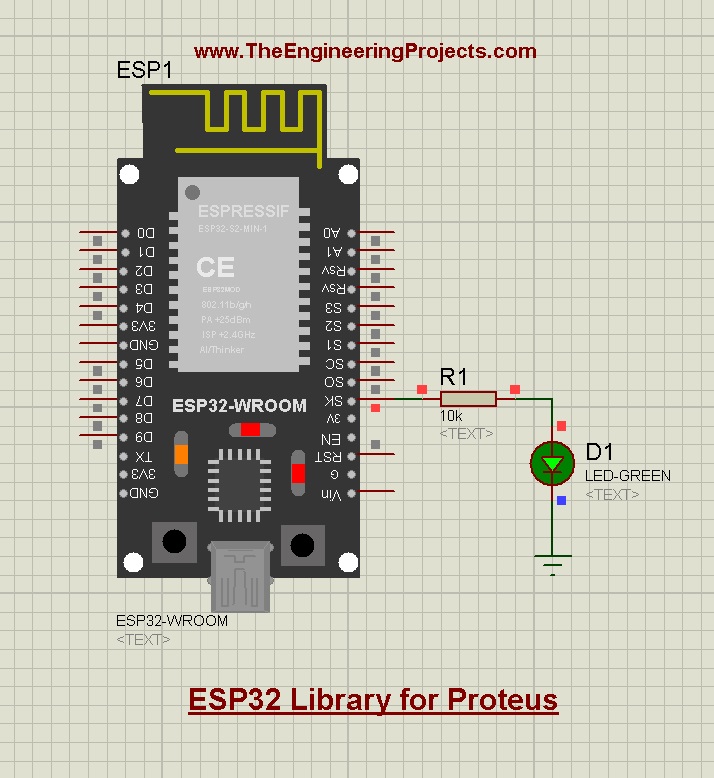
The ESP32 is the successor of the ESP8266 and NodeMCU, and it is one of the most popular boards for IoT projects. Our ESP32 Library for Proteus adds the board to Proteus, so you can draw the circuit diagram of your ESP32 project and test its pins in a simulation.
Please keep one limit in mind: Proteus can't simulate Wi-Fi or Bluetooth inside a microcontroller board, so this library simulates the input and output side of the ESP32: digital pins, PWM and the sensors and modules you connect to it. The tutorial shows a complete LED example with the HEX file. If your project needs Wi-Fi in the simulation, pair an Arduino with the ESP-01 library above.
Read the complete tutorial: ESP32 Library for Proteus
4. NodeMCU Library for Proteus
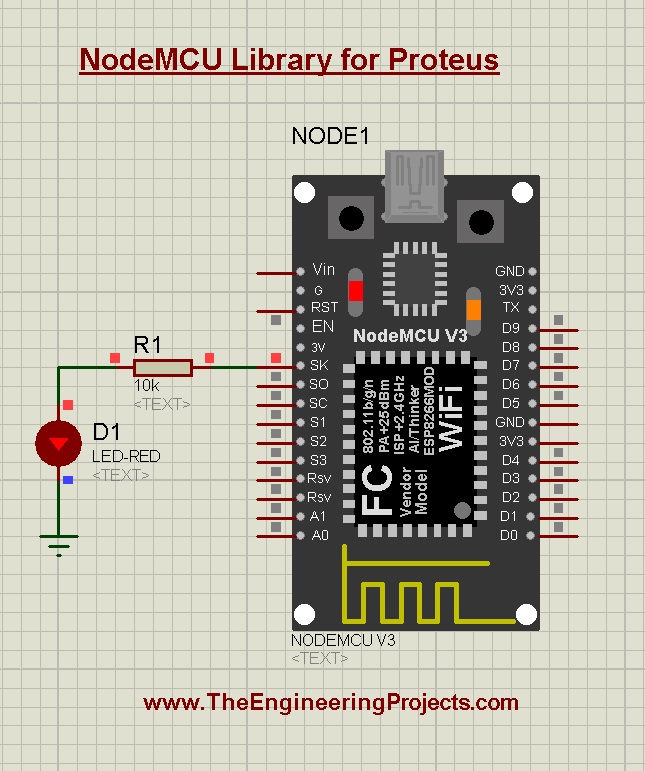
The NodeMCU is the ESP8266 development board that made Wi-Fi projects affordable for students. Our NodeMCU Library for Proteus was the first NodeMCU model for Proteus, and like the ESP32 library, it simulates the basic functions of the board: I/O control, PWM and sensor interfacing. You can use it for simple code testing and for the circuit diagrams of your projects.
If you are new to this board, read Introduction to NodeMCU first, and then follow the LED blinking example of the tutorial.
Read the complete tutorial: NodeMCU Library for Proteus
5. Bluetooth Library for Proteus
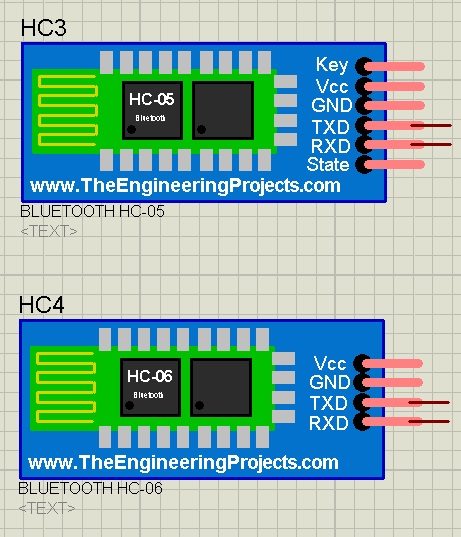
In 2016, we shared our first Bluetooth Library for Proteus with two modules, the HC-05 and the HC-06. It was a basic model for serial communication, without AT commands. If your older project already uses it, it still works for sending serial data, but for a new project, the HC-05 & HC-06 V1.1 library above is much closer to the real modules.
Read the complete tutorial: Bluetooth Library for Proteus
Wi-Fi Modules vs Wi-Fi Boards in Proteus
Students often ask why the ESP-01 can join a Wi-Fi network in Proteus while the ESP32 and NodeMCU can't. The answer is in the way they are built. The ESP-01 library models the module as a separate device that your Arduino controls with AT commands, so our model can play the router, the phone and the cloud. The ESP32 and NodeMCU libraries model a complete microcontroller board, and Proteus has no way to run its Wi-Fi radio. So:
- If you want to test the Wi-Fi part of your project, use an Arduino UNO with the ESP-01 library.
- If you want to test the pins, sensors and circuit of an ESP32 or NodeMCU project, use the board libraries.
Which Library Should You Use?
- A web page that controls your Arduino: the ESP-01 and its web server demo.
- Sending sensor readings to the cloud: the ESP-01 and its cloud upload demo.
- A phone app over Bluetooth: the HC-05 or HC-06, with the LED demo.
- Two Arduino boards talking over Bluetooth: an HC-05 master and an HC-06 slave.
- An ESP32 or NodeMCU circuit diagram: the board libraries.
For longer distances without a router, have a look at our RF and LoRa libraries, and for SMS control, our GSM libraries. All of them are collected in our Proteus Libraries tutorial series.
More Lists of Proteus Libraries
We have grouped our Proteus libraries into several lists, so you can quickly find the right ones for your project:
- 30 New Proteus Libraries for Engineering Students (2026)
- GSM Libraries for Proteus
- GPS Libraries for Proteus
- RF Module Libraries for Proteus
- LoRa and RF Libraries for Proteus
- List of Wireless Modules for Proteus
- Top IoT Libraries for Proteus
- RFID and NFC Libraries for Proteus
- List of Embedded Sensors in Proteus
- I2C Sensor Libraries for Proteus
- Environmental Sensor Libraries for Proteus
- Motion and Distance Sensor Libraries for Proteus
- Smart Agriculture Sensor Libraries for Proteus
- Medical Sensor Libraries for Proteus
- Must-Have Proteus Libraries for Arduino Simulation
- Microcontroller Board Libraries for Proteus
Conclusion
So, that was all about the Wi-Fi and Bluetooth Libraries for Proteus. I hope this list helps you test both sides of your wireless project, the module and the phone, before you build it. If you have any questions or find a bug, please tell us in the comments or in the Proteus Libraries category of our forum. Till the next tutorial, take care and have fun!