


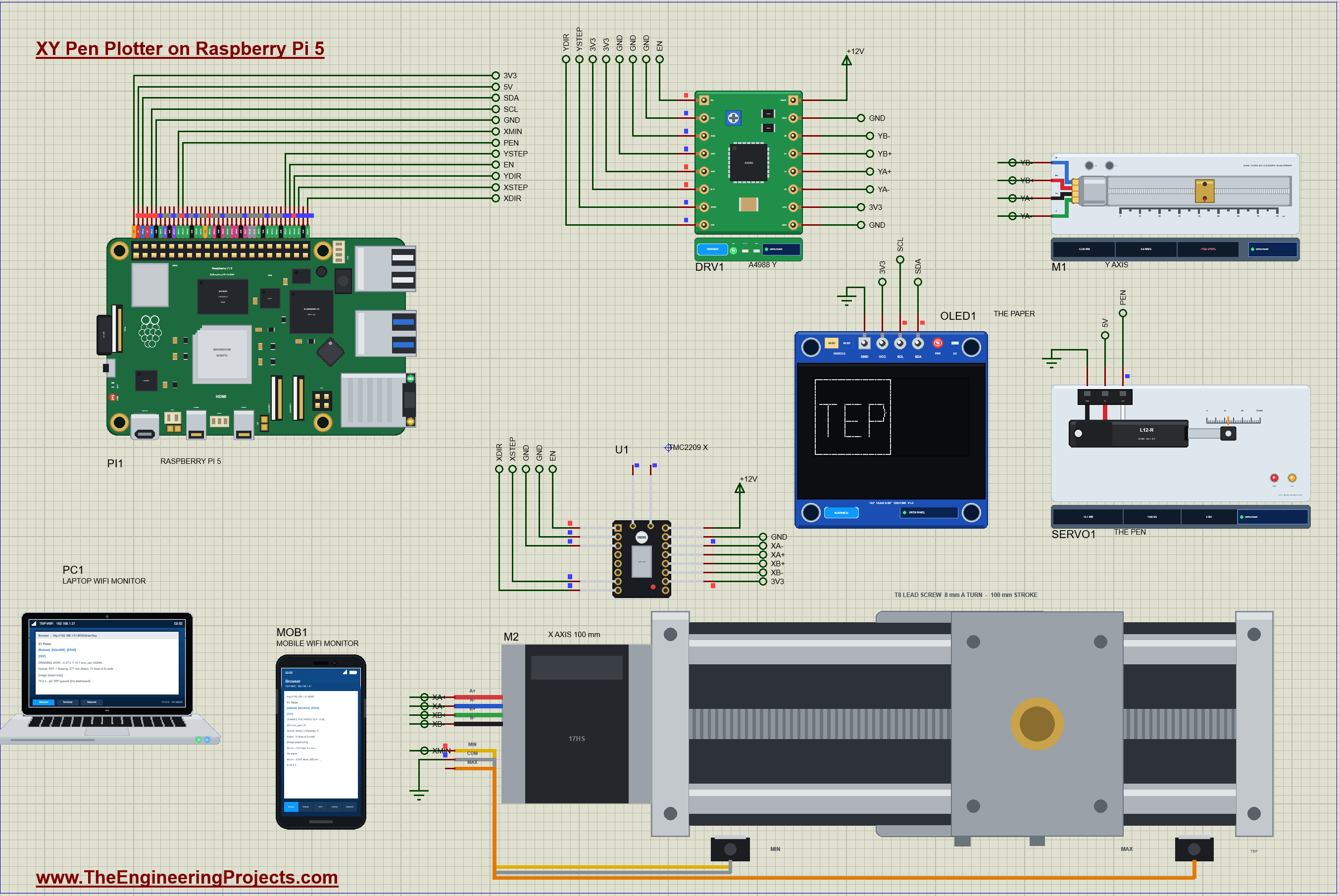
Hello friends, I hope you all are doing great. Today, I am going to share the G-code XY Pen Plotter with Raspberry Pi 5 in Proteus Simulation , the fifty-sixth project of our IoT Projects series. If you have searched for a Raspberry Pi pen plotter, a G-code interpreter in Python, or a Proteus simulation of two stepper axes drawing together, here is a complete one. A 100 mm linear stage moves the pen left and right, a small linear stepper riding on it moves the pen forward and back, and a linear servo lifts and lowers the pen. The Raspberry Pi 5 reads G-code, the language of CNC machines and 3D printers, homes both axes, and drives them so that every line comes out straight. An OLED screen is the paper: every line the pen draws appears on it, and a web dashboard on a laptop or a phone picks ...