


XIAO nRF54L15 Library for Proteus: Bluetooth LE Simulation


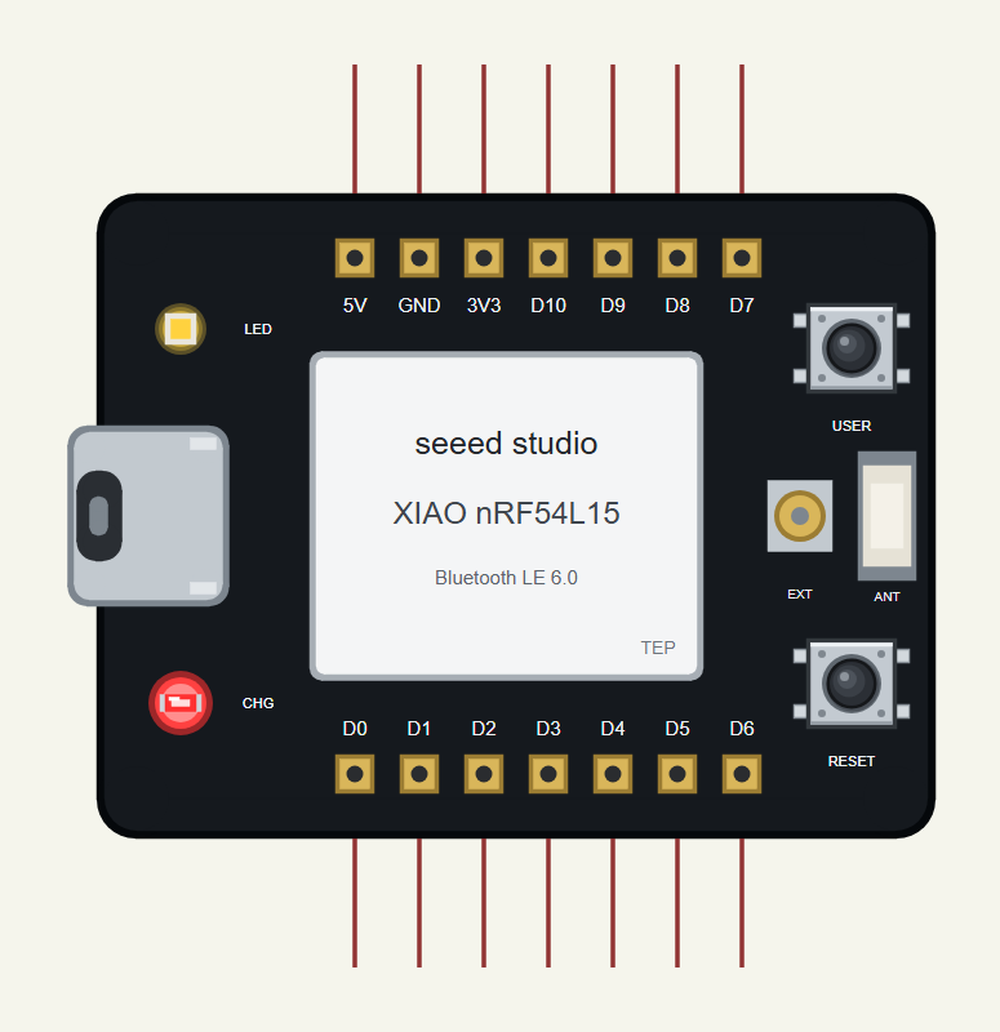
Hello friends, I hope you all are doing great. Today, I am going to share the XIAO nRF54L15 Library for Proteus, so you can run a Bluetooth LE simulation of Seeed Studio's XIAO nRF54L15. It is the thumb-sized XIAO board with Nordic's new nRF54L15: an Arm Cortex-M33 at 128 MHz, a RISC-V coprocessor and a radio for Bluetooth LE 6.0. Our part has the XIAO's 7 + 7 pins, the USB-C, the user LED and the USER key, and it runs your Arduino sketch in Proteus 8.5.
XIAO nRF54L15 Library for Proteus
Latest version: V1.0 (November 2026, this tutorial)
Helping Tools
- Laptop WiFi Monitor: a laptop on the Wi-Fi of your design: a browser, a TCP / UDP terminal and ping
- Mobile WiFi Monitor: a smartphone that opens the pages of your board and sends it commands
- Serial Monitor Advance: a serial terminal window for the UART of your board
For the demo we built a Bluetooth fridge alarm: an NTC thermistor measures the temperature, a buzzer beeps when the door stays open, and a phone follows the fridge from the next room.
NOTICE: Proteus has no nRF54L15 model, so our team has put a lot of effort into building this board ourselves: the pins, the user LED, the USER key and Bluetooth LE to the phone are all our own model, and your sketch compiles with our free TEP Boards for Proteus add-on. Your feedback is the fuel that keeps us going, so please tell us what you think in the comments below. And if our free libraries help you, you can buy us a coffee. So, let's get started with the XIAO nRF54L15 Library for Proteus:
What is the XIAO nRF54L15?
The XIAO nRF54L15 is a member of Seeed Studio's XIAO family: boards of only 21 x 17.8 mm with the same seven castellated pads on each side, so they can be soldered flat onto another PCB or plugged into a breadboard. This one carries Nordic's nRF54L15, the first of the nRF54L series: an Arm Cortex-M33 at 128 MHz with a 128 MHz RISC-V coprocessor, 1.5 MB of non-volatile memory and 256 KB of RAM. Its radio speaks Bluetooth LE 6.0 with Channel Sounding, Thread, Zigbee and Matter, and the board adds a charger for a Li-ion battery.
| Part | The real board | In the library |
|---|---|---|
| Processor | nRF54L15: Cortex-M33 128 MHz + RISC-V | your Arduino sketch, ArduinoBLE |
| Memory | 1.5 MB NVM, 256 KB RAM | 8 KB of RAM for the sketch |
| Pins | D0 to D10 on 7 + 7 pads | the same pins and numbers |
| Analog | A0 to A3 on D0 to D3 (14-bit ADC) | analogRead 0 to 1023 |
| User LED | P2.00, lit when LOW | LED_BUILTIN, lit when LOW |
| Buttons | RESET and USER (P0.00) | both on the part, USER clickable |
| Antenna | a ceramic chip antenna and a U.FL socket | drawn |
The nRF54L15 in a Few Words
Nordic presents the nRF54L series as the successor of the popular nRF52 chips: more processing power, more memory and a lower power draw in the same tiny footprint. The 128 MHz Cortex-M33 runs the application and the protocol stacks, while the RISC-V coprocessor can handle fast peripheral work on its own. Bluetooth 6.0 Channel Sounding lets two devices measure the distance between them - a feature for asset tracking and digital keys.
The XIAO Pins
The pin numbers follow the XIAO standard: D0 to D10 around the board, A0 to A3 on D0 to D3, I2C on D4 and D5, the UART on D6 and D7 and SPI on D8, D9 and D10. A sketch written for another XIAO uses the same numbers, which makes moving a project between XIAO boards easy.
Features of the XIAO nRF54L15 Library for Proteus
- The XIAO drawn our way: the black board, the shield with its white label, the USB-C, the user LED, the charge LED, RESET and USER, the U.FL socket and the chip antenna, with our small TEP signature.
- Your sketch: a .hex for "XIAO nRF54L15 (TEP Proteus)" with the XIAO's pin numbers.
- Bluetooth LE: ArduinoBLE with services, characteristics, descriptors and notifications; our Mobile WiFi Monitor is the phone.
- Serial1, Wire and SPI on the XIAO pins, and the board's own serial monitor on the USB-C.
- A complete package: about 4.4 MB with the part, the add-on, the thermistor, the buzzer, the resistor, the phone and the demo, without the source code of the models.
The XIAO nRF54L15 in Proteus Simulation
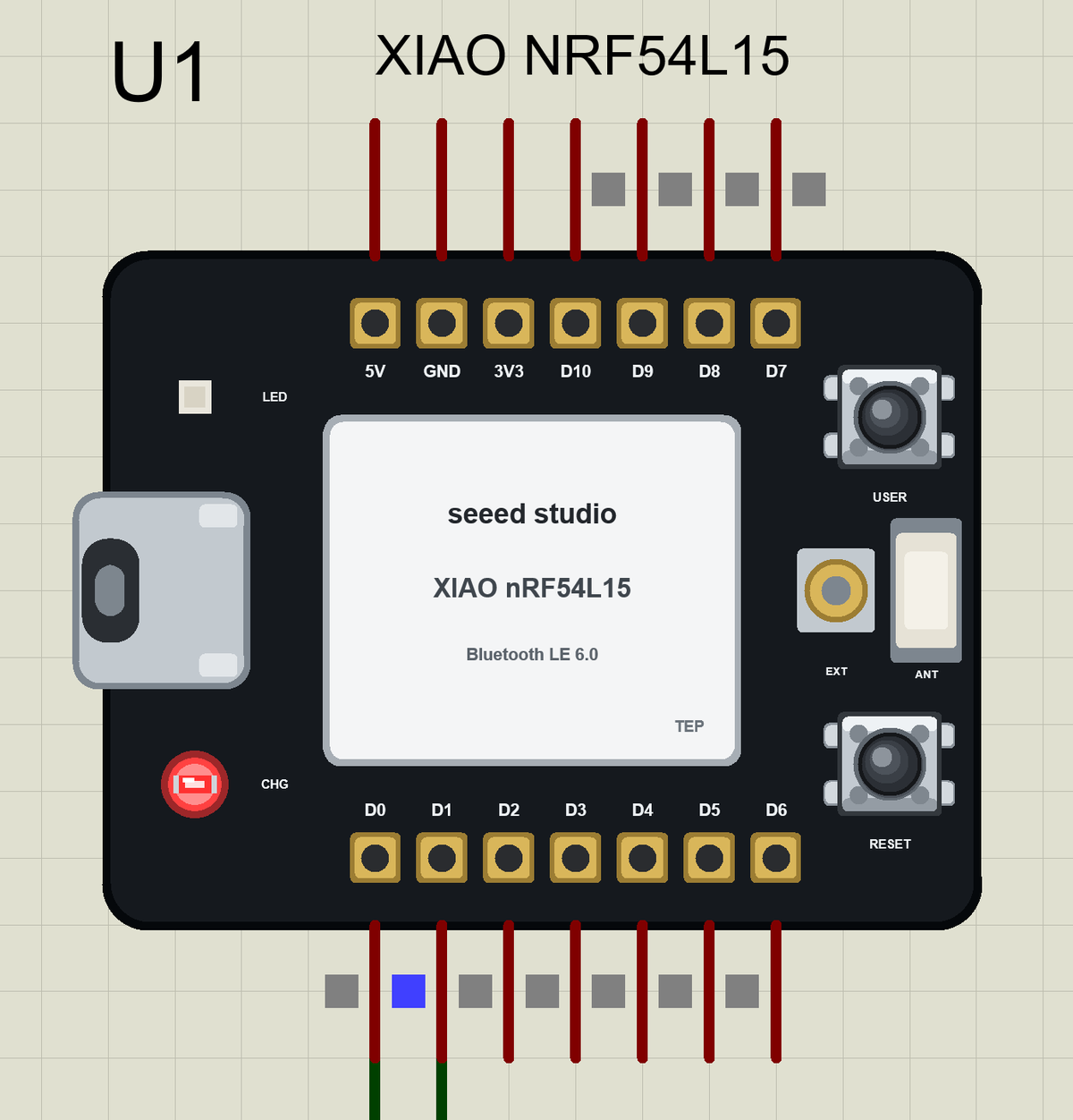
Search XIAO NRF54 in Pick Devices; the device XIAO NRF54L15 is in TEPXIAO54.LIB (Microprocessor ICs, Bluetooth Boards), with the prefix U. The USB-C opens the serial monitor.
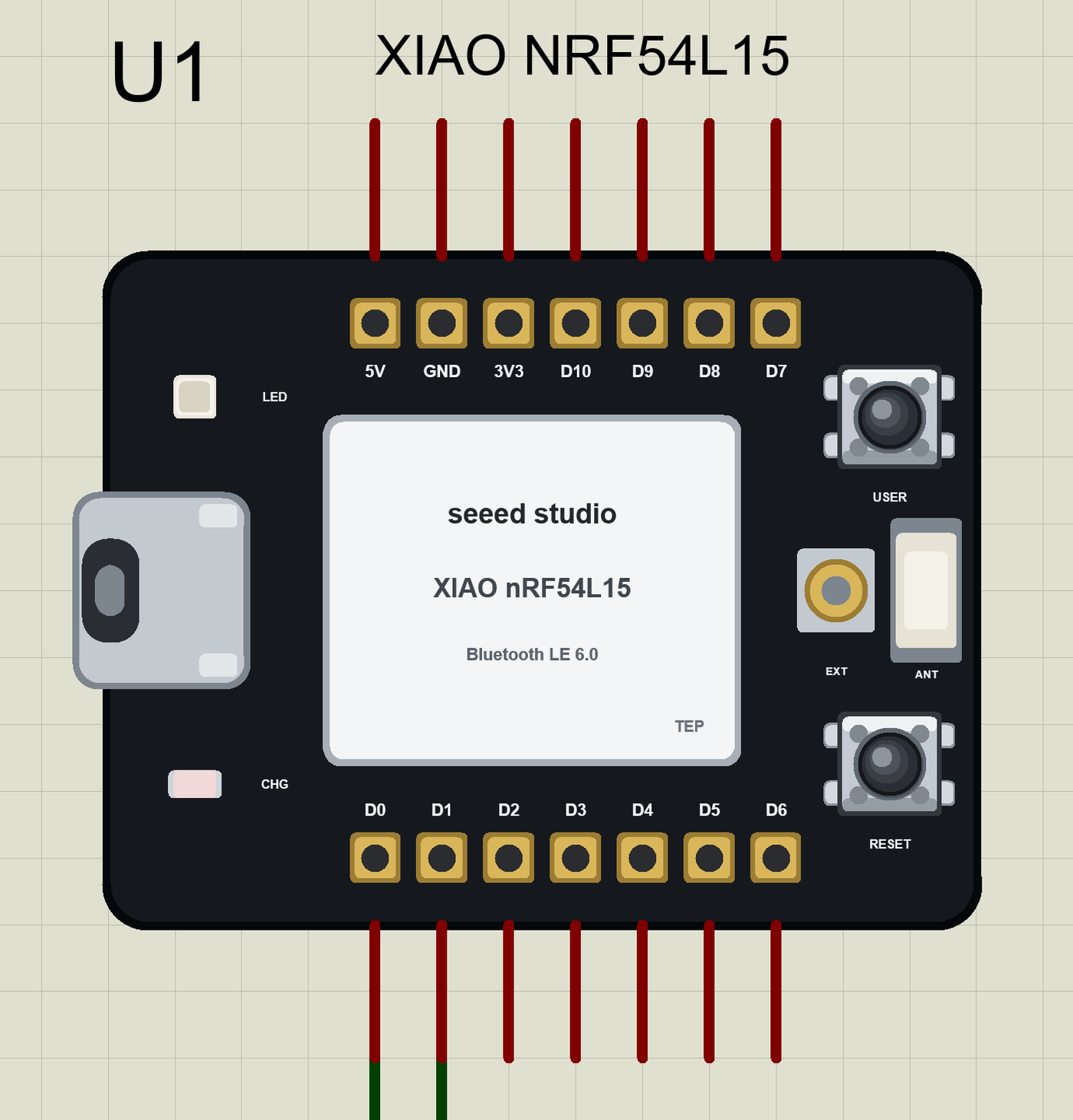
The Pins
| Pins | What the library does with them |
|---|---|
| D0 to D3 | A0 to A3: analogRead 0 to 1023 for 0 to 3.3 V, or GPIO, PWM |
| D4, D5 | Wire SDA / SCL, or GPIO, PWM |
| D6, D7 | Serial1 TX / RX, or GPIO, PWM |
| D8, D9, D10 | SPI SCK / MISO / MOSI, or GPIO, PWM |
| on the board | the user LED (LED_BUILTIN, lit when LOW) and the USER key (PIN_BUTTON1, LOW when pressed) |
Download XIAO nRF54L15 Library for Proteus
Click the button below to download XIAO-nRF54L15-Library-for-Proteus-v1.0.zip (about 4.4 MB, without the source code of the models):
XIAO nRF54L15 Library for Proteus V1.0- README.txt: installation, the demo, the pins, the properties, troubleshooting and the limits.
- Proteus Library Files:
TEPXIAO54.LIB, the thermistor, the buzzer and the resistor (TEPNTC.LIB,TEPPASSIVE.LIB,TEPRESISTOR.LIB) and the phone and laptop. - Proteus Model Files:
TEPNET.DLL,TEPNTC.DLL,TEPPASSIVE.DLLandTEPRESISTOR.DLL. - Arduino Code: the demo sketch and the TEP Boards for Proteus add-on 1.95.0, with ArduinoBLE.
- Proteus Simulation: the demo project, its HEX file and copies of the DLLs.
No Proteus yet? Read How to Download and Install Proteus 7 and 8. New to libraries? Follow How to Install a New Library in Proteus.
How to Install XIAO nRF54L15 Library for Proteus
- Close Proteus and extract the whole zip file, for example to your Desktop.
- Copy the files from Proteus Library Files into the LIBRARY folder of Proteus.
- Copy the DLLs from Proteus Model Files into the MODELS folder, replacing an older
TEPNET.DLL. - Delete
TEPXIAO54.IDXfrom the LIBRARY folder if it is there. - For your own sketches, copy Arduino Code\TEP Boards for Proteus\hardware into your Arduino sketchbook (Documents\Arduino) and restart the Arduino IDE; the board is XIAO nRF54L15 (TEP Proteus).
- Start Proteus, press P and search for XIAO NRF54.
Demo: a Bluetooth Fridge Alarm in Simulation
A fridge door that does not close properly can spoil a whole week of food overnight. A small board on a small battery that beeps when the fridge warms up - and tells a phone - is a perfect job for a XIAO: it fits behind the vegetable drawer.
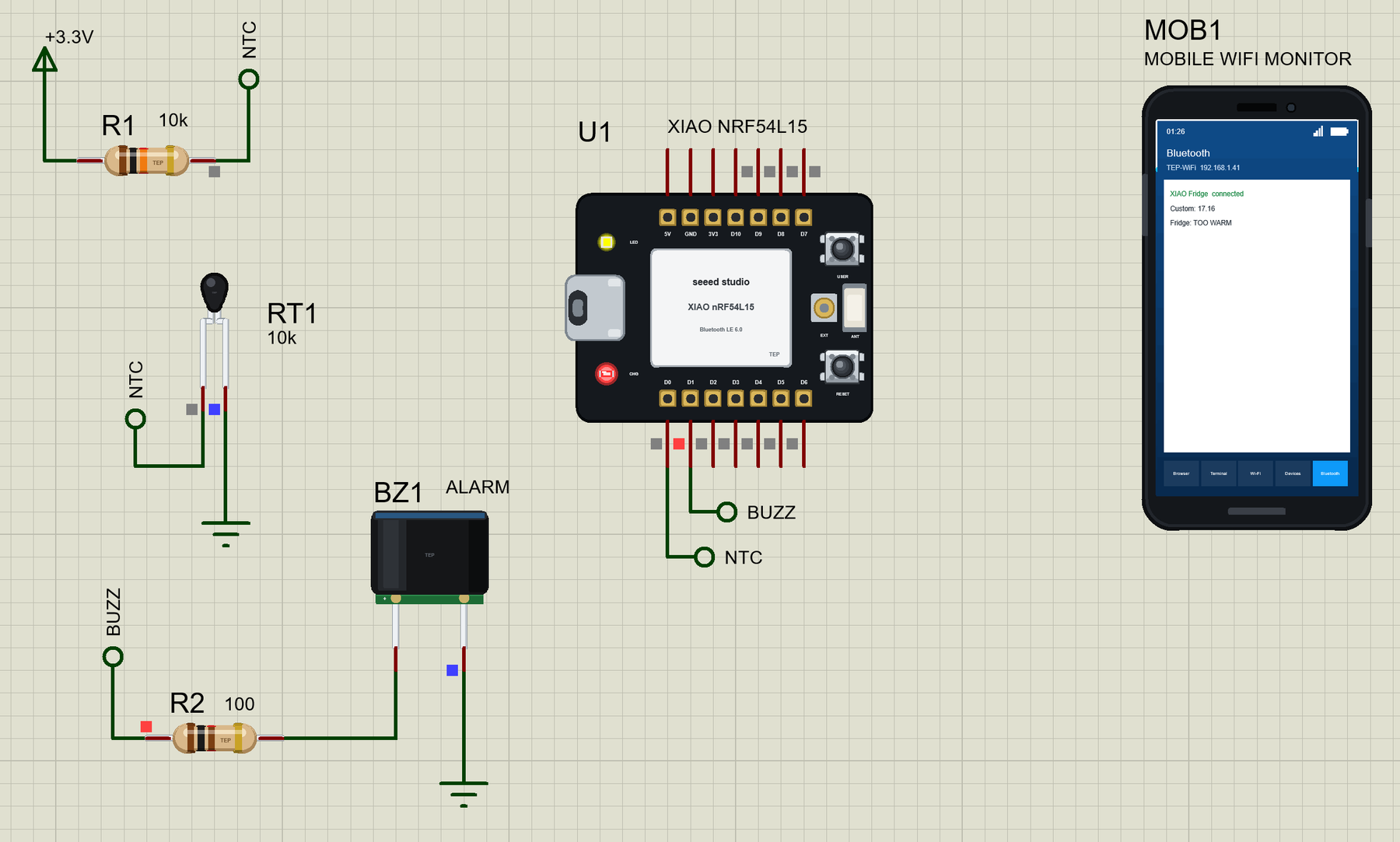
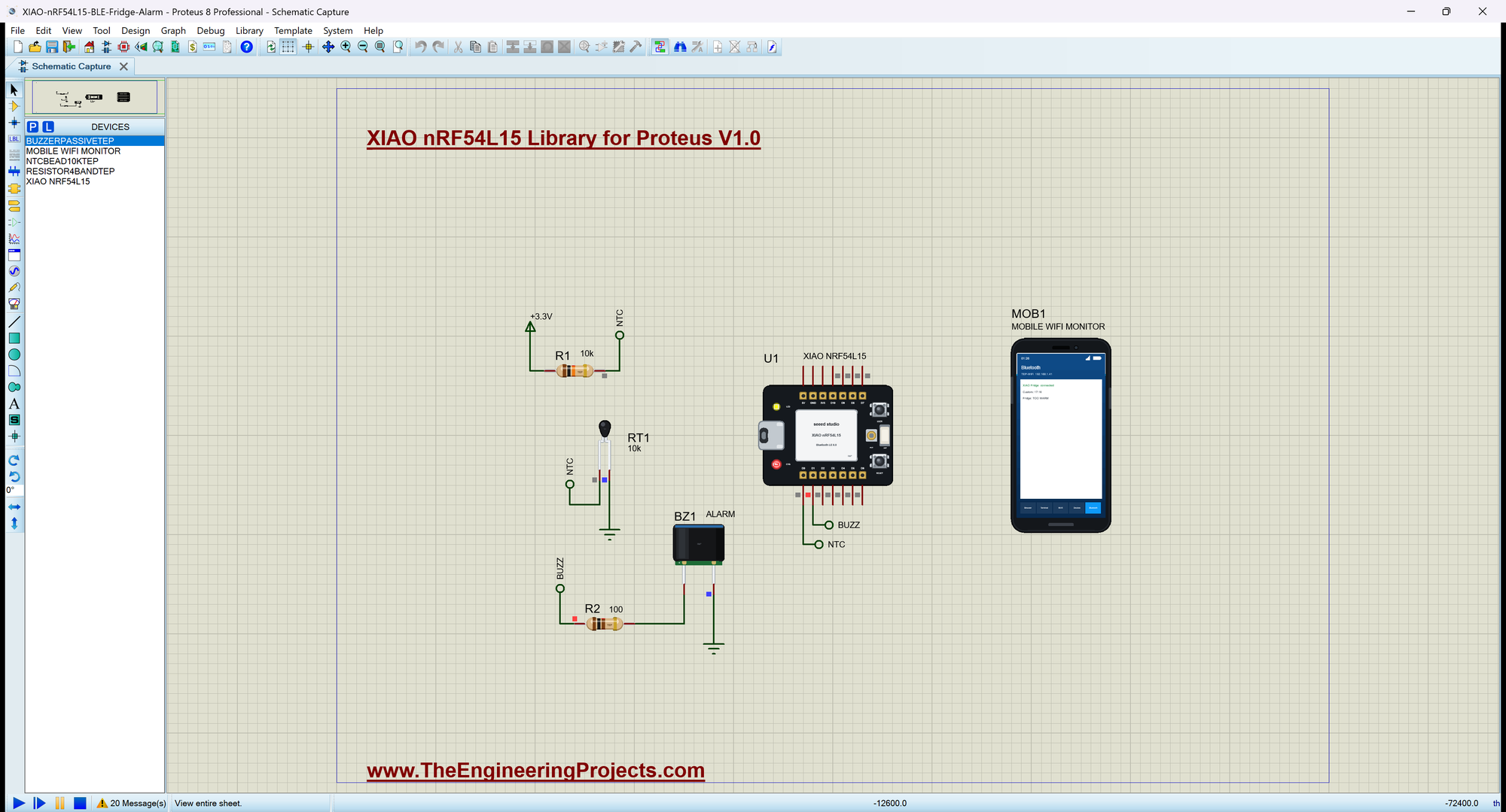
Open XIAO-nRF54L15-BLE-Fridge-Alarm.pdsprj. U1 runs XIAO54_BLE_Fridge_Alarm.hex. R1 (10k) from +3.3V and RT1, a 10k bead from our NTC Thermistor Library for Proteus, to ground make a divider on A0 (D0); the thermistor starts in 4 C air - the fridge. BZ1 is our Passive Buzzer Library for Proteus through R2 (100 ohm) on D1; MOB1 is the phone.
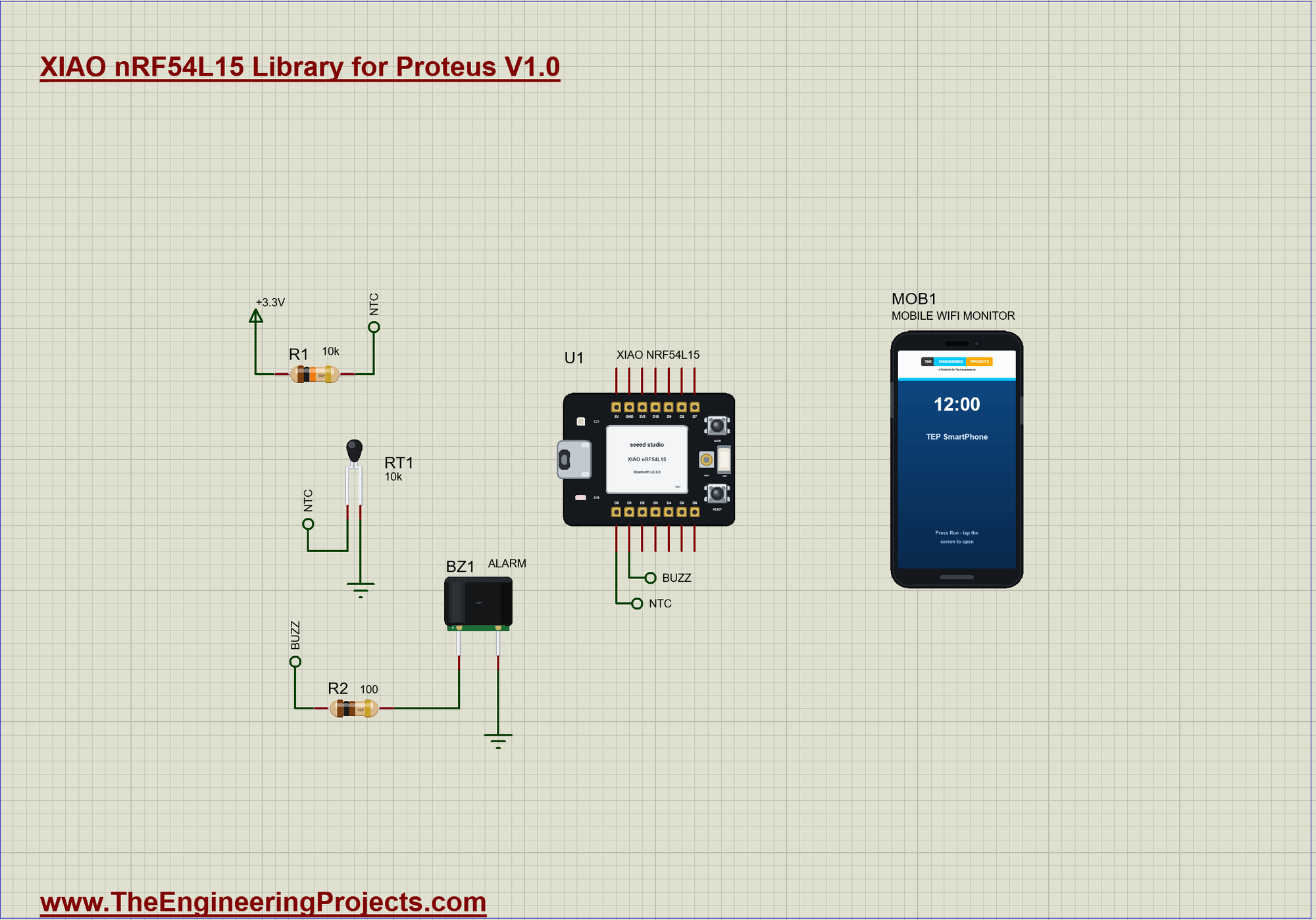
| What | Meaning |
|---|---|
| OK | 0 to 8 C |
| TOO WARM | above 8 C for 3 s: the buzzer beeps, the user LED blinks |
| the USER key | mutes the beeping (the LED keeps blinking) |
| OK again | below 7 C: the alarm is over |
| the phone | the temperature and the state, with notifications |
From Volts to Degrees
An NTC thermistor loses resistance as it warms. With the 10k resistor above it, the voltage on A0 tells its resistance, and the B value equation turns that into a temperature - three lines of maths:
float readTemperature() {                                   // the divider: 3.3 V - 10k - A0 - NTC - GND
  const int raw = constrain(analogRead(NTC_PIN), 1, 1022);
  const float r = R_FIXED * raw / (1023.0 - raw);           // the NTC's resistance
  return 1.0 / (1.0 / 298.15 + log(r / R25) / BETA) - 273.15;   // the B-value equation, in C
}
The Alarm Logic
readFridge() runs twice a second. A short warm spike - somebody grabbing the milk - does not count: the temperature must stay above 8 C for 3 s. The alarm ends only below 7 C, so it does not flicker at the limit:
void readFridge() {                                         // twice a second: the temperature, the phone, the alarm
  tempC = readTemperature();
  minC = min(minC, tempC); maxC = max(maxC, tempC);
  if (fabs(tempC - sentC) >= 0.2) { sentC = tempC; tempChar.writeValue(tempC); }
  if (!alarm) {
    if (tempC <= WARM_C) warmSince = 0;
    else if (!warmSince) warmSince = millis();
    else if (millis() - warmSince >= ALARM_DELAY_MS) setAlarm(true);
  } else if (tempC < OK_C) {
    warmSince = 0;
    setAlarm(false);
  }
}
Beeping and Blinking
Once a second during an alarm the LED toggles and, unless muted, a 2 kHz beep of 200 ms plays on the passive buzzer:
void alarmOutputs() {                                       // once a second while the alarm is on: a blink and, unless muted, a beep
  if (!alarm) return;
  ledOn = !ledOn;
  digitalWrite(LED_BUILTIN, ledOn ? LOW : HIGH);
  if (!muted) tone(BUZZ, 2000, 200);
}
Muting with the USER Key
The USER key on the board mutes the beeping. The press is debounced, and it works only while an alarm is on:
void readKey() {                                            // the USER key: mute the beeping (a debounced press)
  const bool now = digitalRead(PIN_BUTTON1);
  if (now == lastKey || millis() - keyChanged < DEBOUNCE_MS) return;
  lastKey = now; keyChanged = millis();
  if (now == LOW && alarm && !muted) {
    muted = true; noTone(BUZZ);
    Serial.println(F(">> USER: the alarm muted"));
  }
}
The Bluetooth Service
The temperature uses the standard Temperature characteristic, 0x2A6E, and the state is text with a readable 0x2901 name:
BLEService fridgeService("19B100E0-E8F2-537E-4F6C-D104768A1214");
BLEFloatCharacteristic tempChar("2A6E", BLERead | BLENotify);
BLEStringCharacteristic stateChar("19B100E1-E8F2-537E-4F6C-D104768A1214", BLERead | BLENotify, 10);
BLEDescriptor stateLabel("2901", "Fridge");
Run the Simulation
Press Run. The serial monitor - the same window as our TEP Serial Monitor Advance for Proteus - shows the name the board advertises and the fridge at 4 C:
XIAO nRF54L15 Bluetooth Fridge Alarm - The Engineering Projects
Advertising as "XIAO Fridge"   the NTC on A0, USER = mute
Fridge: 4.0 C, OK, min 4.0, max 4.0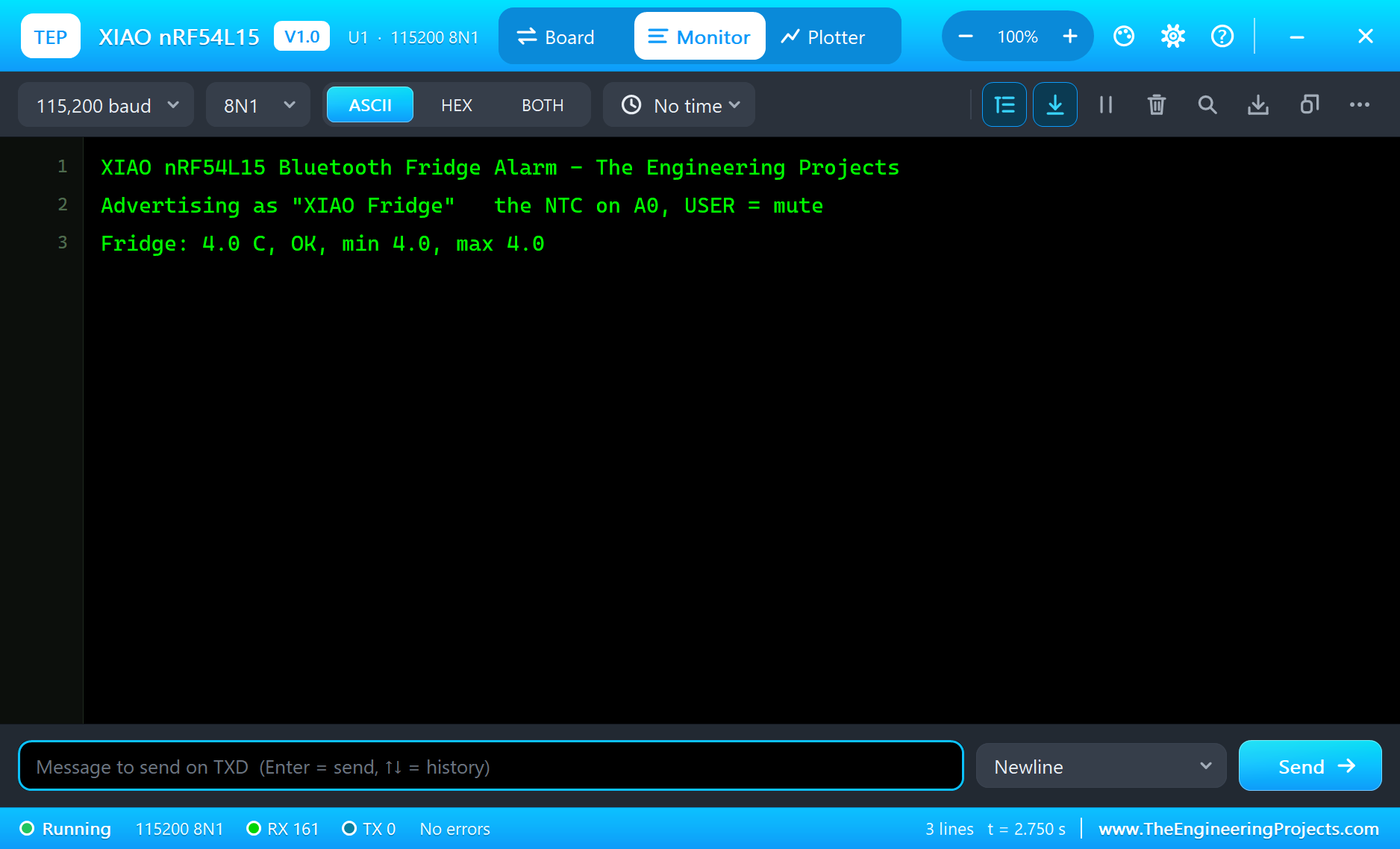
Connect the Phone
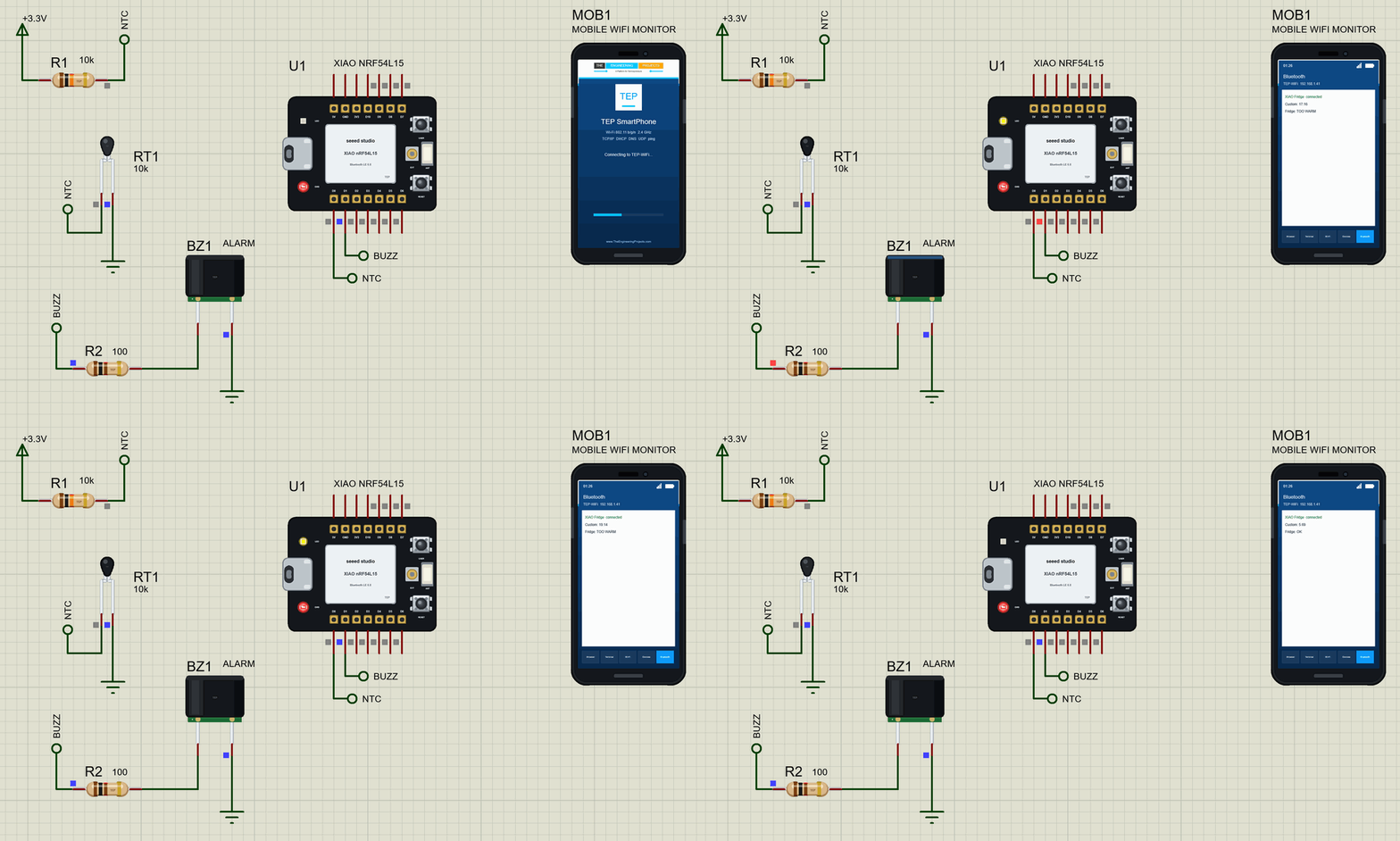
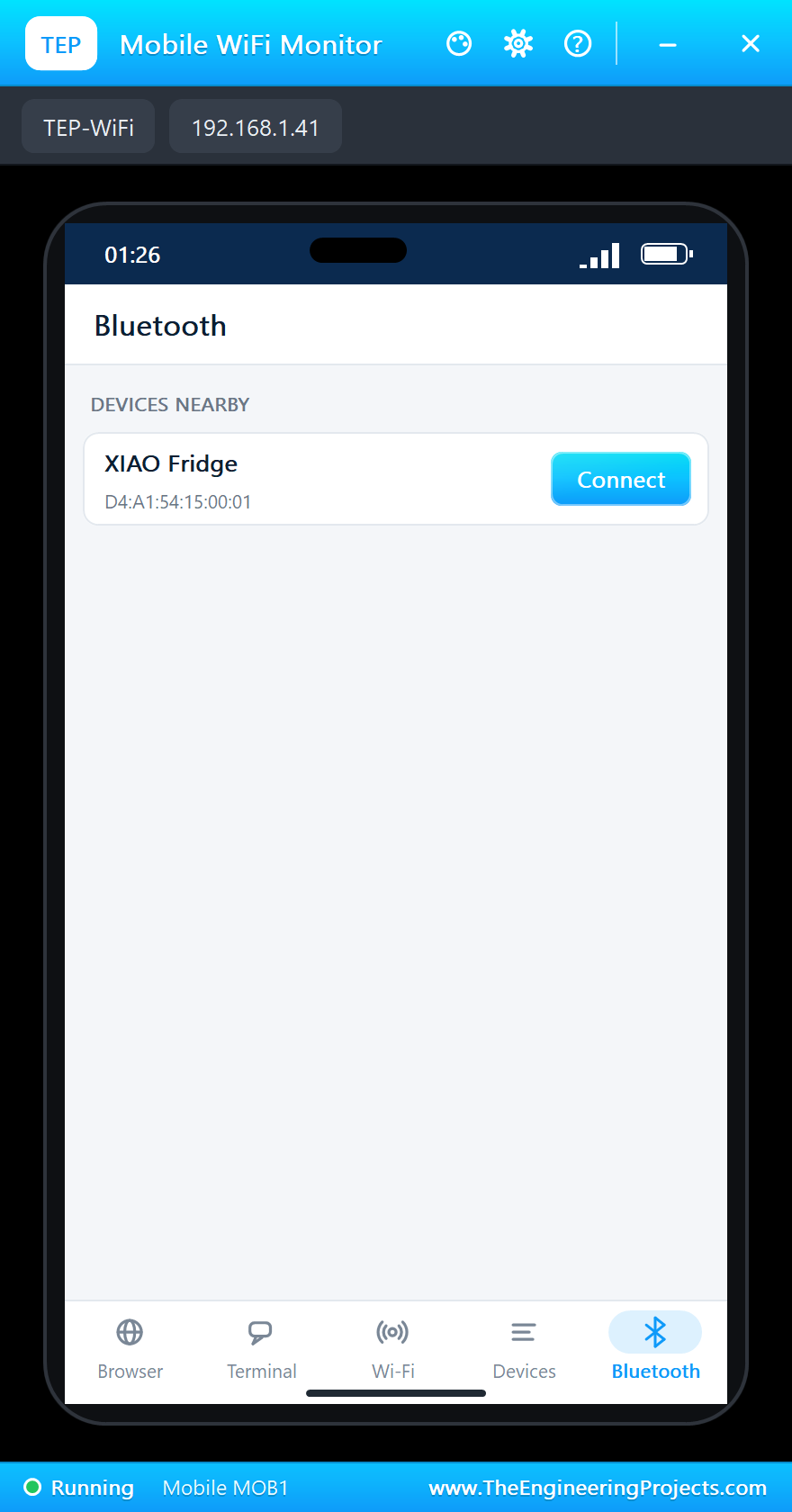
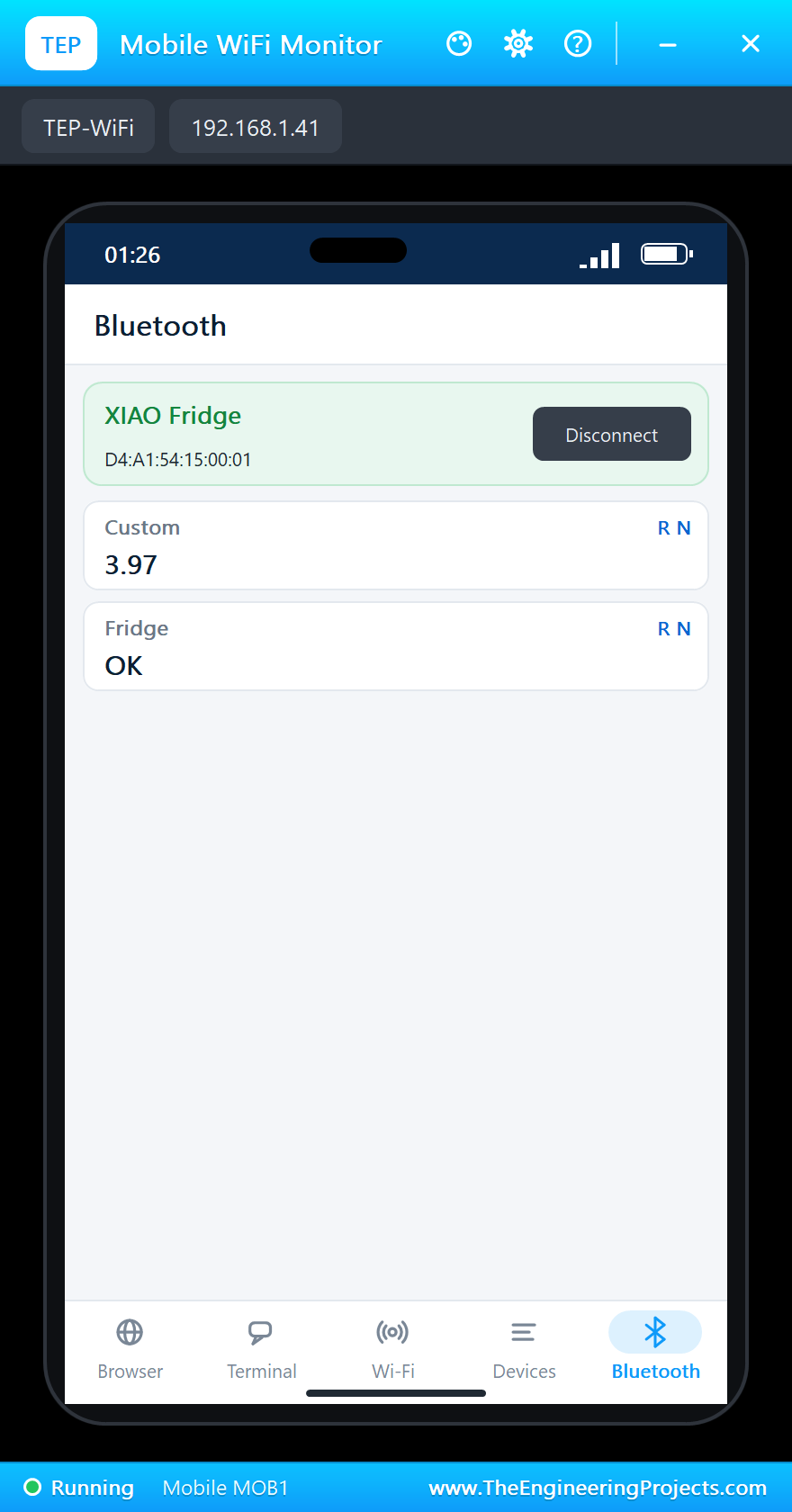
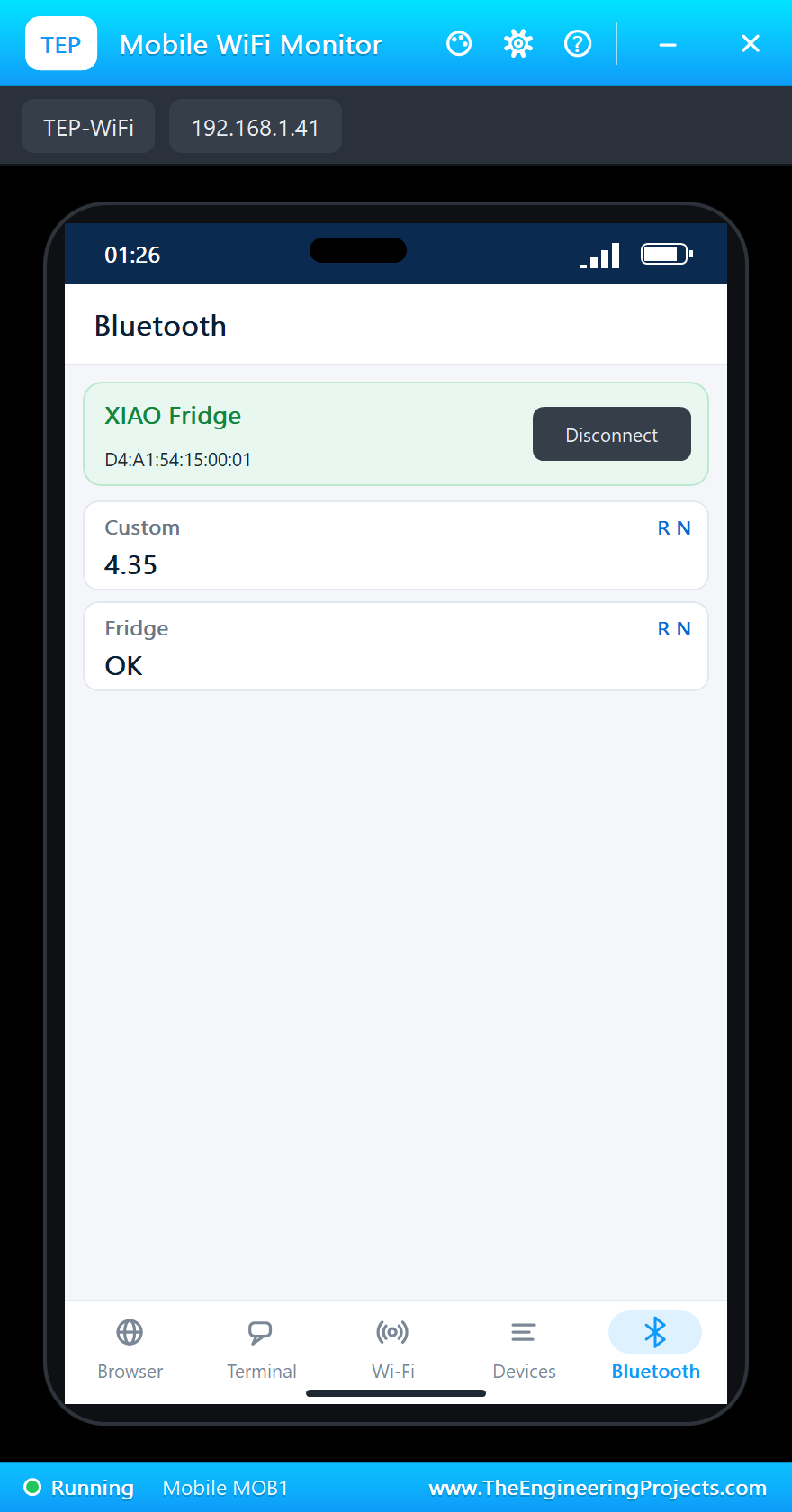
On the phone open the Bluetooth app, press SCAN and connect to "XIAO Fridge":
The Door Is Open
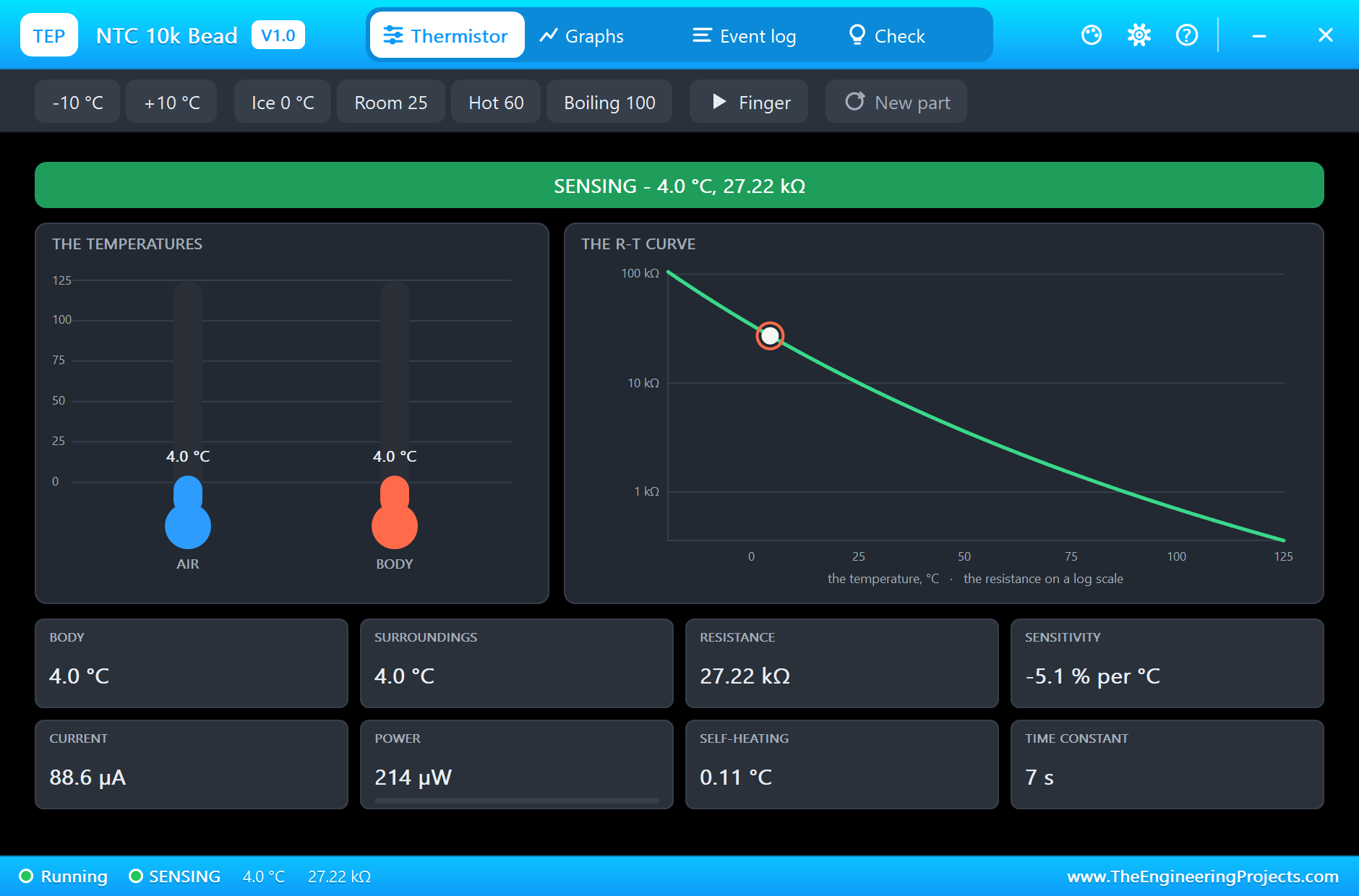
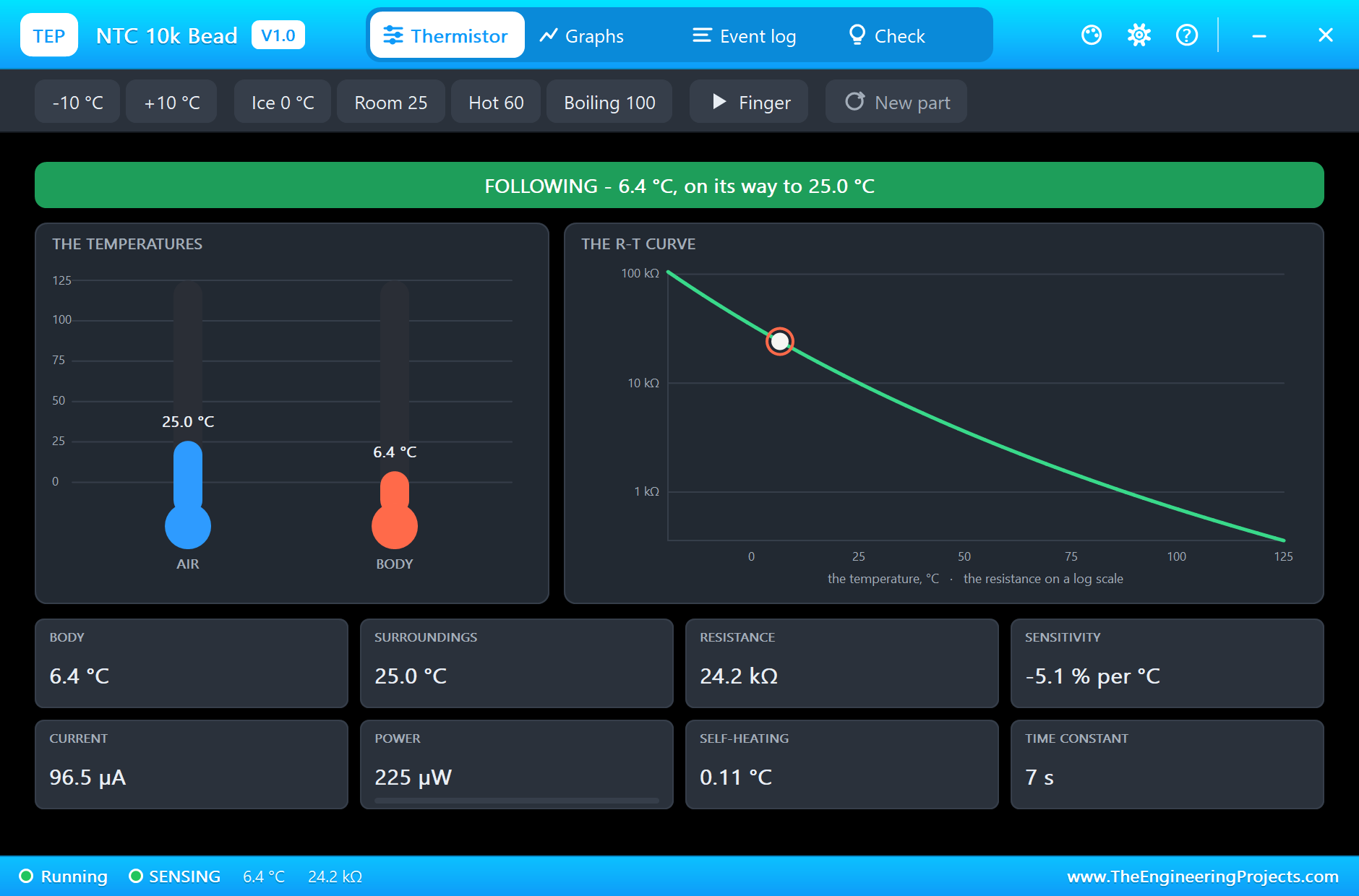
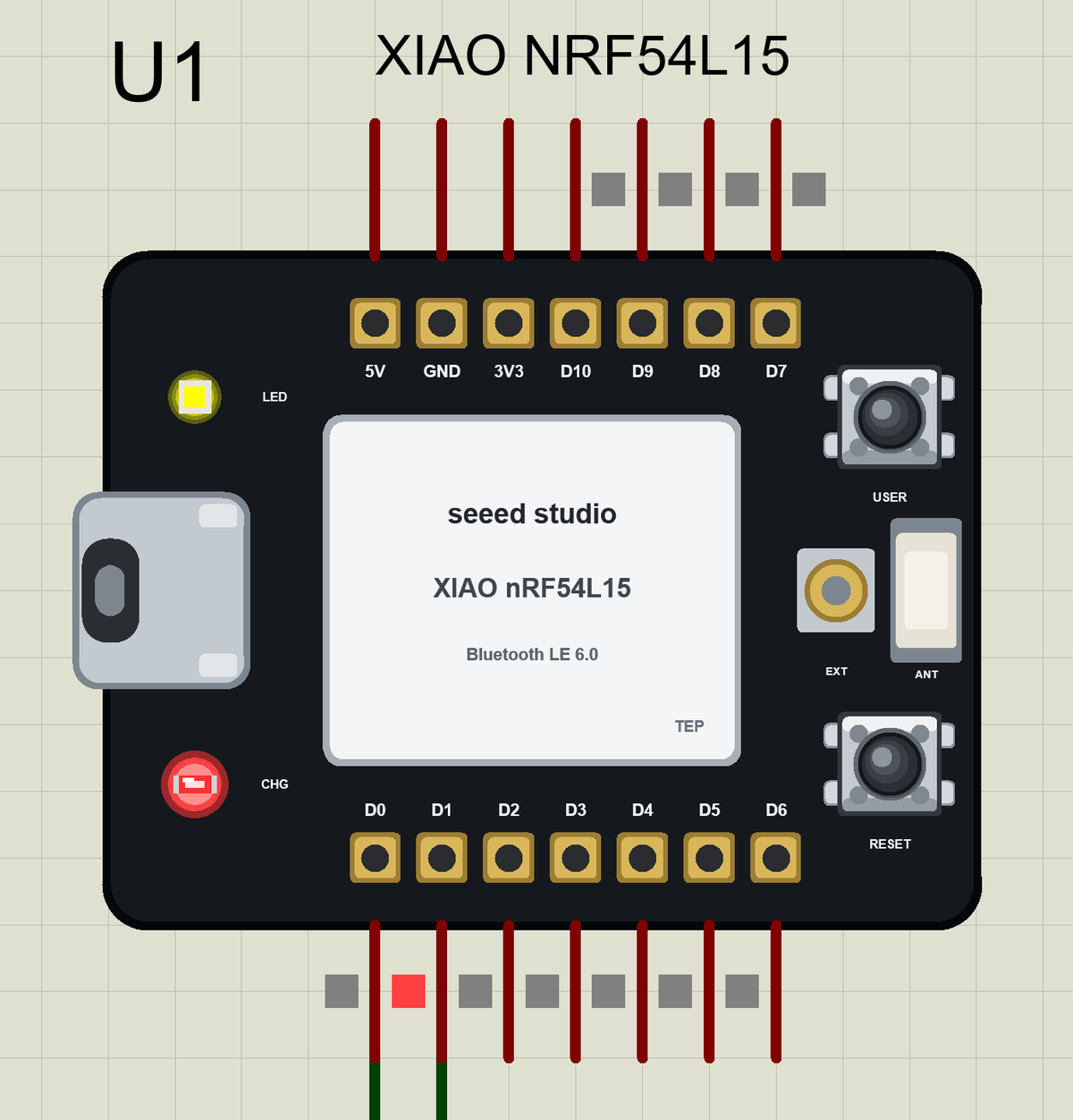
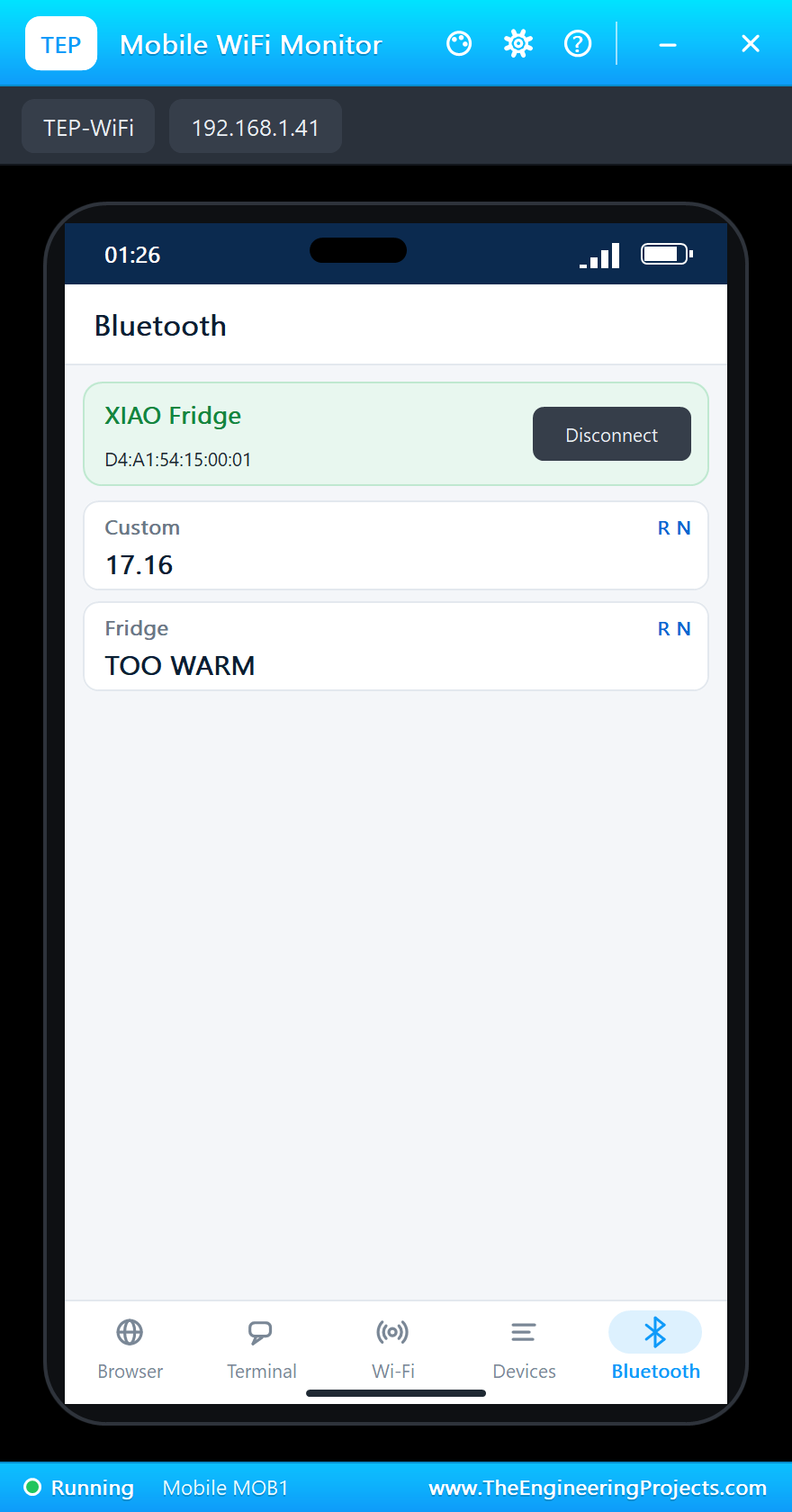
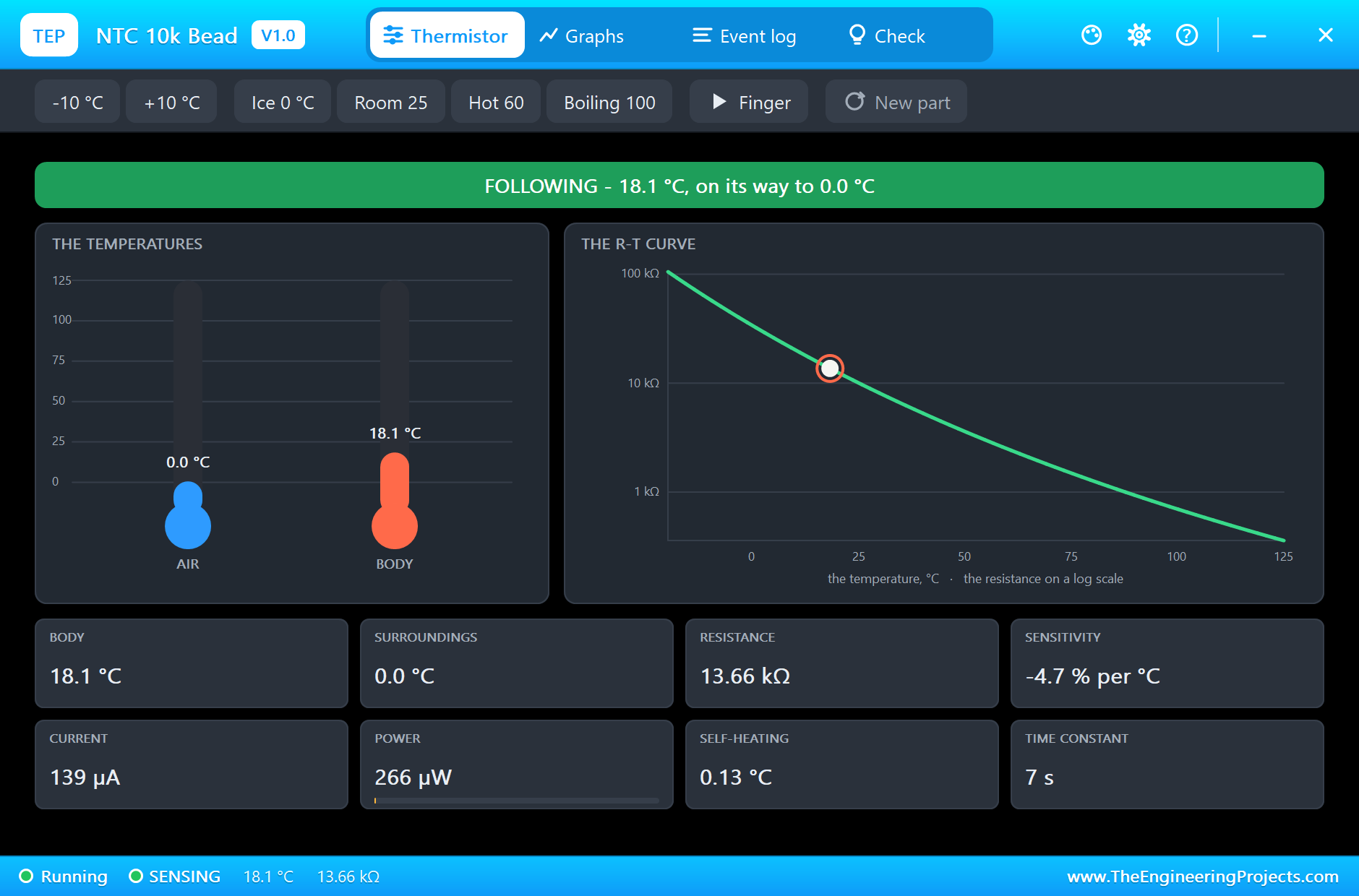
In the thermistor's window click Room: the air is 25 C. The bead warms with its time constant of about 7 s, and after 3 s above 8 C the alarm starts - the buzzer beeps and the user LED blinks. Here is the complete circuit while the simulation runs:
Mute and Close the Door
Click USER on the board: the beeping stops. Then click Ice in the thermistor's window: the bead cools, and below 7 C the fridge is OK again:
Phone connected
Fridge: 4.1 C, OK, min 4.0, max 4.1
Fridge: 11.1 C, OK, min 4.0, max 11.1
>> TOO WARM: 14.6 C for 3 s - is the door open?
>> USER: the alarm muted
Fridge: 18.2 C, TOO WARM (muted), min 4.0, max 18.2
Fridge: 13.4 C, TOO WARM (muted), min 4.0, max 19.9
>> OK again: 6.6 C
Fridge: 6.6 C, OK, min 4.0, max 19.9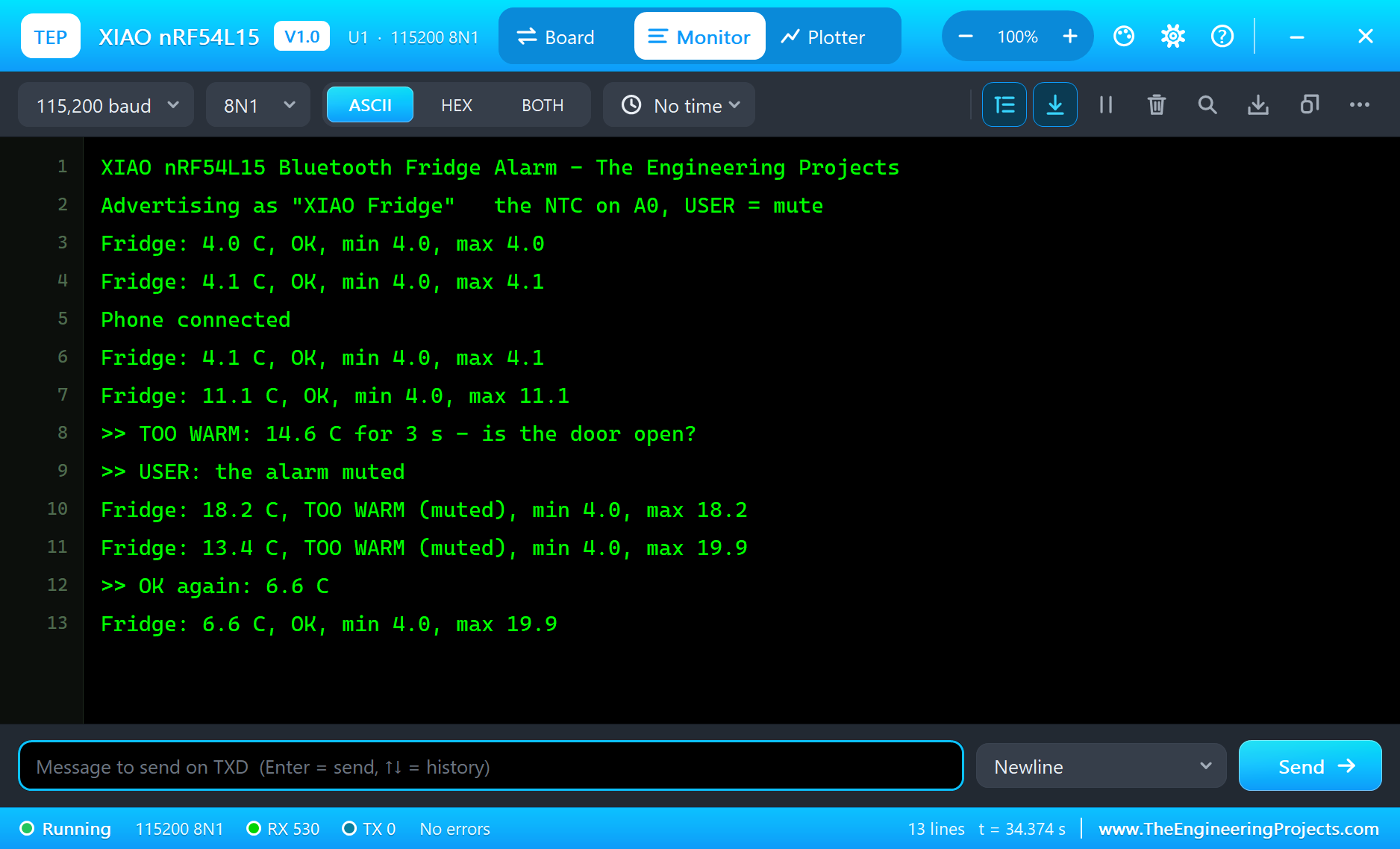
How Cold Should a Fridge Be?
Food agencies recommend keeping a fridge between 0 and 5 C, and never above about 8 C: in that range most bacteria grow very slowly. The fridge itself swings by a degree or two as the compressor starts and stops, and every door opening lets warm air in. That is why the sketch waits 3 s above the limit and ends the alarm only a degree lower.
The NTC Thermistor
NTC means negative temperature coefficient: the resistance falls as the temperature rises. A 10k part has 10 kilo-ohms at 25 C; the B value (3950 K here) describes how fast it changes - at 4 C the bead has about 27k. Thermistors are cheap, small and sensitive, which makes them a classic choice for fridges, kettles and battery packs.
Thermal Time Constant
A sensor does not jump to the new temperature: it follows it, like a cup of tea cooling down. The epoxy bead in the demo has a time constant of about 7 s in still air - after 7 s it has covered about 63 % of the step. In a real fridge the sensor sits in the air of the compartment, so the alarm reacts within seconds of a door left open.
Passive Buzzer vs Active Buzzer
A passive buzzer has no oscillator inside; the sketch drives it with tone() at any frequency, here 2 kHz, close to where small buzzers are loudest. An active buzzer would only need a HIGH level, but it always sounds at its own pitch. The 100 ohm resistor limits the current from the pin.
Bluetooth LE for Sensors
Bluetooth LE suits a fridge sensor well: the board can advertise and send a few bytes now and then with very little energy, and any phone can read it without a gateway. With notifications, the phone hears about every change of 0.2 C or more and about every alarm, while the radio stays quiet when nothing happens.
One Footprint, Many Chips
The XIAO family keeps the same size and the same 14 pads across very different chips: ESP32-C3, ESP32-S3 and ESP32-C6 for Wi-Fi, the RP2040 and RP2350, Nordic's earlier nRF52 chips and now the nRF54L15. A carrier board or a wearable designed once for the XIAO footprint can take any of them, and the D0 to D10 numbers stay in place - which is why this library keeps exactly those numbers.
How Fine Is the Reading?
The divider puts about 2.4 V on A0 at 4 C. Around that point one step of the 10-bit reading is worth roughly a tenth of a degree, so the sketch can follow the fridge in small steps; at room temperature, where the divider sits near half the supply, the steps are about the same size. The real nRF54L15 has a 14-bit ADC, sixteen times finer, but the thermistor's own tolerance - often 1 % on the resistance - matters more than the converter.
Checking the Thermometer
A simple way to check a thermistor thermometer is a glass of crushed ice with a little water: after a minute it settles at 0 C. If the sketch reads 0.4 C there, subtract 0.4 everywhere. For a fridge alarm that is accurate enough; for anything stricter use a calibrated sensor or measure the thermistor at two known temperatures and fit both R25 and the B value.
Why a 10k Resistor?
The fixed resistor of a thermistor divider is usually chosen equal to the thermistor at the middle of the range you care about. A 10k part gives the largest change of voltage per degree around 25 C; for a fridge a somewhat larger resistor would centre the range nearer 5 C, but 10k keeps the demo simple and still resolves about a tenth of a degree.
Bluetooth Channel Sounding
The nRF54L15 supports Channel Sounding from Bluetooth 6.0: two devices exchange tones on many channels and measure the phase and the round-trip time, which gives the distance between them to well under a metre. It is aimed at digital keys and finding things, and it is one of the reasons to choose the nRF54L series for a new design - this library uses the ordinary connection and notifications only.
Battery Life
The real XIAO nRF54L15 has a charger for a Li-ion cell and reads its voltage on an analog input. A fridge sensor would read the temperature once every few seconds, advertise slowly and sleep in between - the nRF54L15 was designed for exactly that kind of duty cycle, so a small battery can last for months.
Try It Yourself
- Report the minimum and maximum of the day to the phone.
- Add a reed switch on the door and warn as soon as it opens.
- Make the limit writable from the phone.
- Beep faster the longer the alarm lasts.
Ideas to Extend the Alarm
- Use a second thermistor for the freezer, with its own limit.
- Log the temperature every minute and draw it on the phone.
- Light an LED strip inside the fridge with a MOSFET when the door opens.
- Sleep between readings to save the battery.
Your Own Sketches
Write the sketch in the Arduino IDE with the board XIAO nRF54L15 (TEP Proteus), use Sketch > Export Compiled Binary and set the part's PROGRAM property to the .hex.
Moving to a Real XIAO nRF54L15
- Install Nordic's nRF Connect SDK with the board xiao_nrf54l15, or Seeed's Arduino support when it covers this board.
- Wire the divider - 10k from 3V3 to D0, the thermistor from D0 to GND - and the buzzer with 100 ohm on D1.
- Move the logic of the demo across: the limits, the 3 s rule, the mute key and the Bluetooth service.
- The user LED is P2.00 (lit when LOW) and the USER key P0.00, as in the library.
- Remember that the nRF54L15's ADC is 14-bit: scale the readings to your resolution.
The limits, the logic and the service stay the same; on the real board Nordic's SDK takes the place of the Arduino calls.
Properties of the XIAO nRF54L15
| Property | What it does |
|---|---|
| PROGRAM | the sketch: a .hex from TEP Boards for Proteus (the XIAO nRF54L15 board) |
| MONITOR, BAUD, AUTOOPEN | the built-in serial monitor: on, its baud rate (115200), open at Run |
Troubleshooting
- The phone's list is empty: call
BLE.begin(), set a local name andBLE.advertise(); callBLE.poll()in the loop. - The temperature is far off: check the divider - 10k from +3.3V to A0, the NTC from A0 to GND.
- The buzzer is silent: a passive buzzer needs
tone(), notdigitalWrite(). - The LED does the opposite: the user LED lights when LOW.
- A number goes wrong above 32767: int is 16 bits in the simulation - use long.
Limitations of the Simulation
- The back pads (D11 to D15, NFC, the battery pads) are not brought out; the charger, the RISC-V coprocessor and the RF switch are not modelled.
- Bluetooth LE only: Thread, Zigbee, Matter and Channel Sounding are not modelled; one phone is the central.
- Your sketch gets 8 KB of RAM in the simulation, and int is 16 bits there.
- Seeed Studio and XIAO are names of Seeed Technology, nRF54L15 of Nordic Semiconductor ASA and Arduino of Arduino; this library is not made or endorsed by them or by Labcenter.
- Tested in Proteus 8.5 in November 2026 (the demo as shipped, about 35 s of simulation). Proteus 7 is not supported.
So, that was all about the XIAO nRF54L15 Library for Proteus. I hope it helps you try your Bluetooth ideas on the new nRF54L15 in a simulation before the board is on your desk. If you have any questions, ask in the comments and I will help you out. Till the next tutorial, take care and have fun!

Comments
0