Hello friends, I hope you are doing well. This is the nineteenth tutorial in our series on how to create a Proteus library. In the previous tutorial, How to Add a Live Control Panel to a Proteus Component , our Traffic Light Module learned to show its pins and lamps on a panel and to change its LOGIC setting with a click while the simulation runs. So far, we tested every part with logic switches. Today, we test the library the way its users will use it. Our topic is how to test a custom Proteus library with Arduino . A library is only finished when it works with a real program. Logic switches show that a part reacts to its pins; a sketch on a simulated microcontroller shows that it reacts to them at the right speed, in the right order and together with other parts. We will build a test pro ...
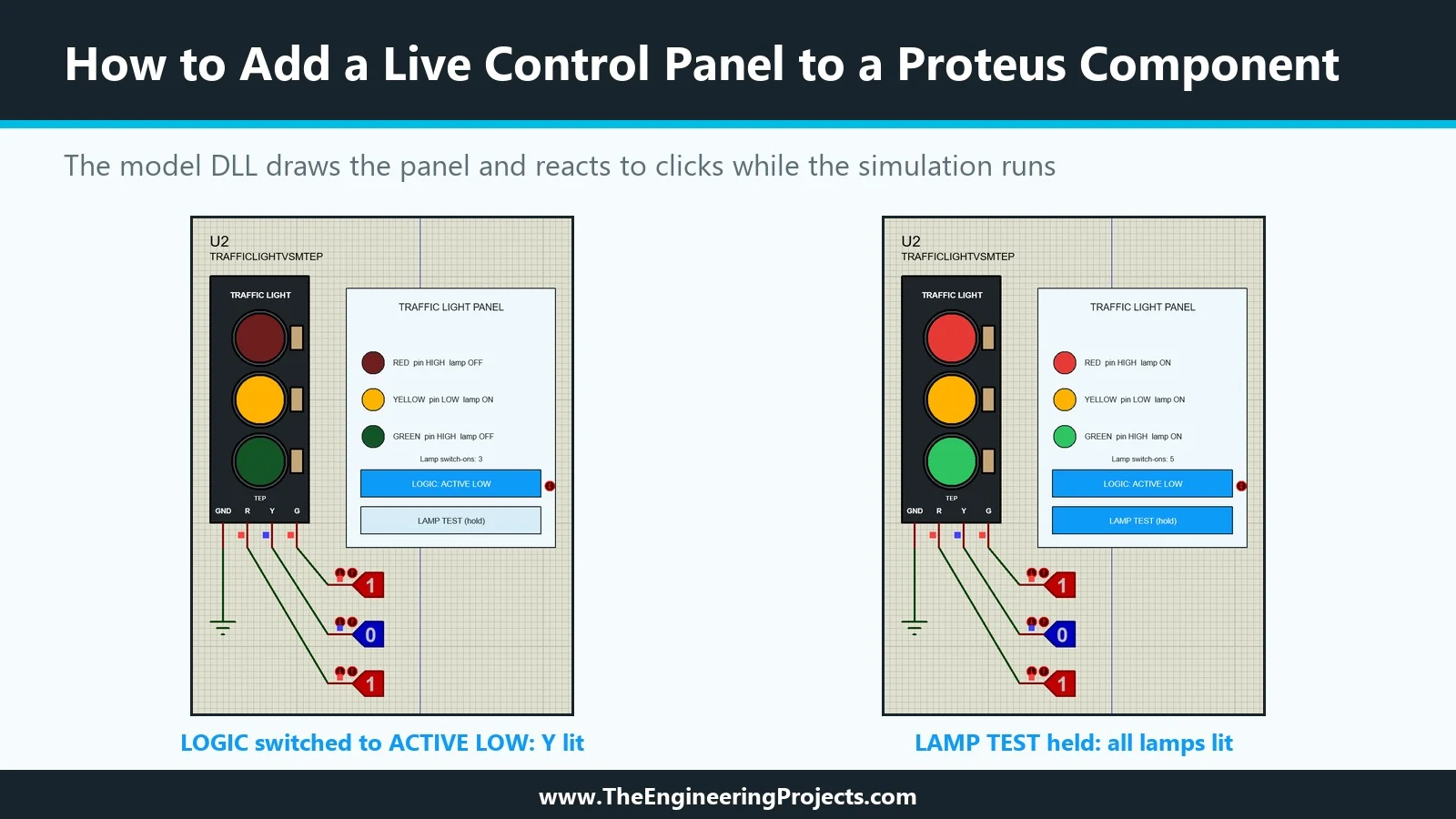
Hello friends, I hope you are doing well. This is the eighteenth tutorial in our series on how to create a Proteus library. In the previous tutorial, How to Create a Proteus Simulation Model DLL in C++ , we wrote TEPTRAFFIC.DLL, a model for our Traffic Light Module that honours its LOGIC property, and linked it to a new part, TRAFFICLIGHTVSMTEP. The model already draws the lamps. Today, it draws much more. Our topic is how to add a live control panel to a Proteus component . A live control panel is a small instrument that belongs to the part itself: it sits next to the module on the schematic, shows what the model sees while the simulation runs, and has buttons that change the model's behaviour without stopping the run. Our panel shows the level of each input pin and the state of each lamp ...
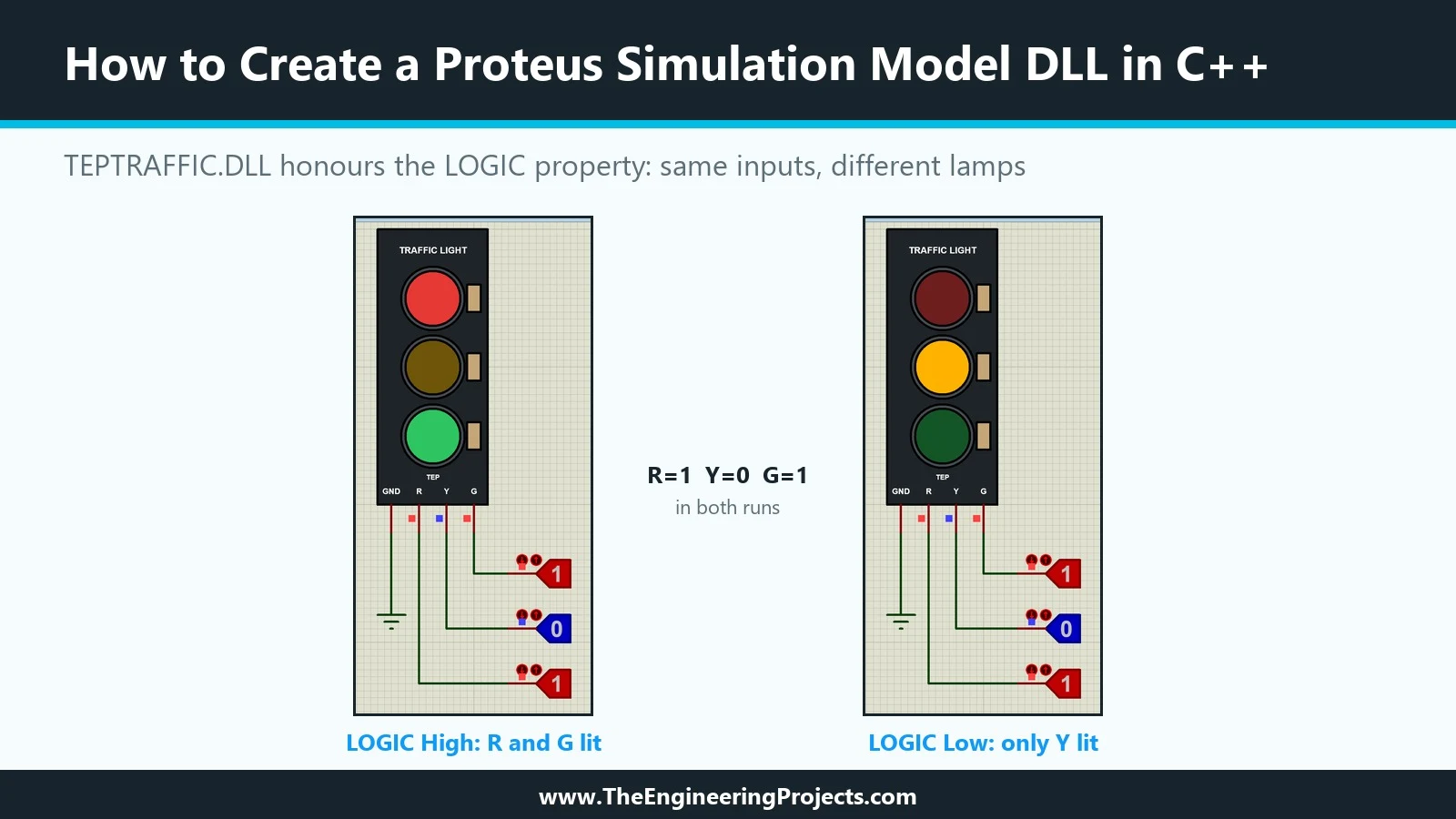
Hello friends, I hope you are doing well. This is the seventeenth tutorial in our series on how to create a Proteus library. In the previous tutorial, How to Design a User Interactive Library in Proteus , we added a Push Button Module to our library and used it to switch the red lamp of our Traffic Light Module. Both parts were built entirely from Proteus's own primitives. Today, we write a model in C++ instead. Our topic is how to create a Proteus simulation model DLL in C++ . A model DLL can do things a drawn model cannot. Our Traffic Light Module still has the LOGIC property from the eighth tutorial, the one that says whether a lamp lights on a HIGH or on a LOW pin, and in the fifteenth tutorial we left it unused because a schematic model cannot honour it. A few lines of C++ can. We wil ...