


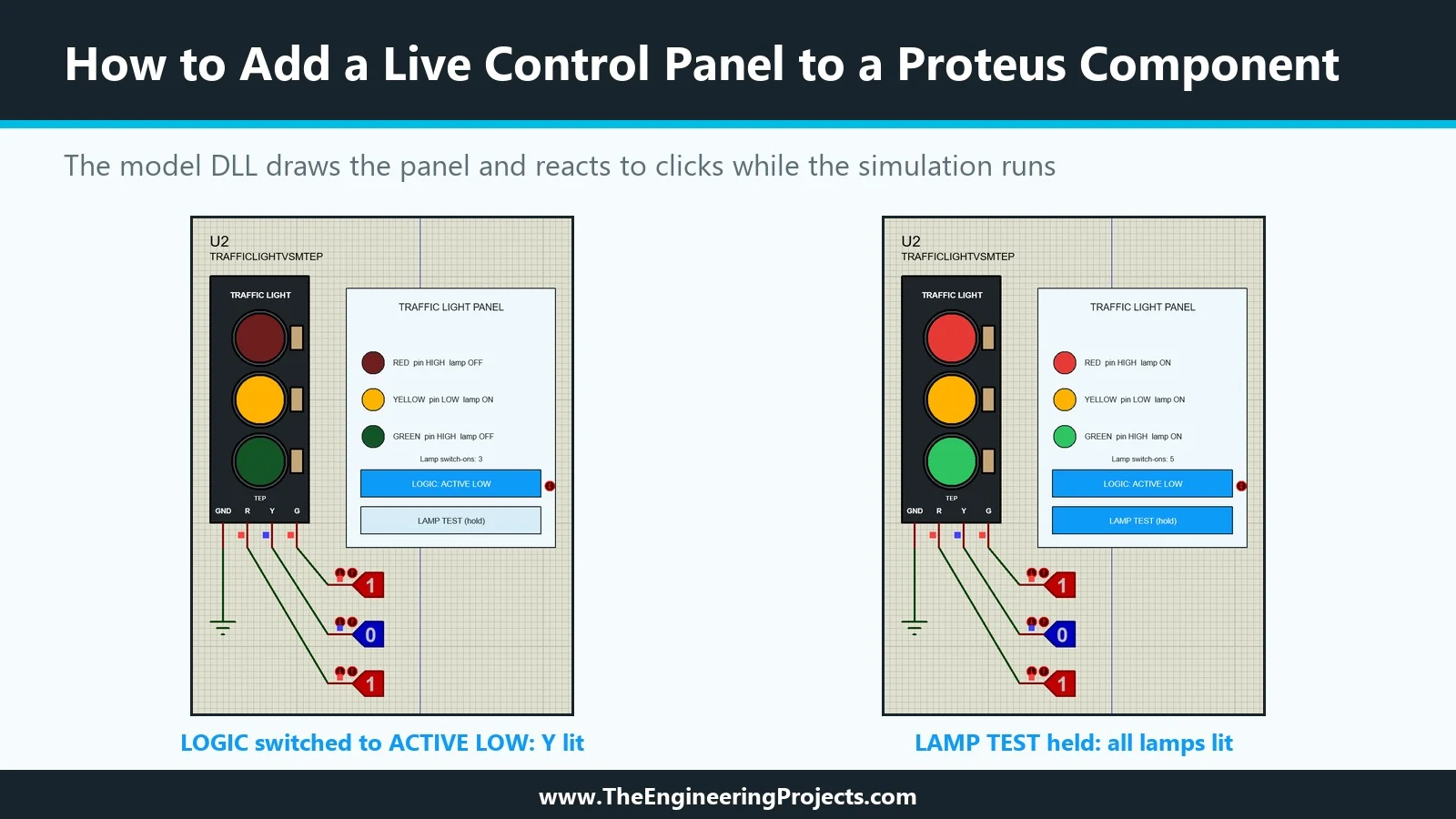
Hello friends, I hope you are doing well. This is the eighteenth tutorial in our series on how to create a Proteus library. In the previous tutorial, How to Create a Proteus Simulation Model DLL in C++ , we wrote TEPTRAFFIC.DLL, a model for our Traffic Light Module that honours its LOGIC property, and linked it to a new part, TRAFFICLIGHTVSMTEP. The model already draws the lamps. Today, it draws much more. Our topic is how to add a live control panel to a Proteus component . A live control panel is a small instrument that belongs to the part itself: it sits next to the module on the schematic, shows what the model sees while the simulation runs, and has buttons that change the model's behaviour without stopping the run. Our panel shows the level of each input pin and the state of each lamp ...