Hey Fellas! Hope you are doing fine. Microcontrollers play an important role in the development of embedded systems. They are used where automation is an integral part of the system. Today, I am going to unlock the details on the Introduction to Atmega16.
It is a 40-pin low power 8-bit microcontroller which is developed using CMOS technology and based on AVR architecture. This is the most commonly used AVR microcontroller which belongs to Atmel Mega family.
You must have a look at microcontroller called Atmega328 that also belongs to the mega family.
Other microcontrollers that are readily available and fall under AVR category are Atmega 8 and Atmega 32. All these controllers perform similar tasks, however, they are only different in terms of ...
Hello everyone! I hope you all will be absolutely fine and having fun. Today, I am going to share a list of Stepper Motor Projects using different software e.g. Arduino, Matlab and NI LabVIEW. I have already shared these projects but they are posted randomly. So, today I thought that I should combine all those projects into a single one. So I am going to share the links of all of those tutorials in this tutorial so that it may be helpful for engineering students or anyone who wants to visit. This tutorial will help you to visit all of my Stepper Motor Projects. You should also have a look at this Stepper Motor Simulation in Proteus.
The links of all the tutorials will be given and you will be able to download the desired project code or simulation ...
Hello friends, today I am going to post the next lecture of Proteus Tutorial. I am receiving quite a positive response about this Proteus tutorial. In the previous post, we have seen How to use Virtual Terminal in Proteus and today I am going to explain How to use Oscilloscope in Proteus ISIS. This oscilloscope is just the same which you have seen in your electronic or electrical labs. Oscilloscope is basically used to monitor signals or waveforms. Particularly when you are not much aware of the circuit and you need a little debugging then you use oscilloscope.
In oscilloscopes, we can visualize the electrical properties of waveforms, like we can check whats the frequency of electrical signal, what's its voltage or current. Digital oscillosco ...
Hello friends! I hope you will be absolutely fine and having fun. Today, I am going to share that how to make a program for Stepper Motor Direction Control using Matlab. I am going to share this tutorial on demand. I have also make different programs for DC Motor Direction Control using Arduino, DC Motor Direction Control in Matlab, DC Motor Direction Control using LabVIEW, DC Motor Speed Control using Arduino, DC Motor Speed Control using Matlab and Stepper Motor Direction using Arduino in my previous tutorials. So before going into the detail of this tutorial you must have to go through these tutorial because I will use the same hardware and a bit changed Arduino source code. In this tutorial I will make an algorithm to send different commands ...
Hello friends! I hope you all will be absolutely and having fun. Today, I am going to share my knowledge with all of you on Area and Volume Calculation of different shapes with the given radius in NI LABVIEW. First of all I want to tell you that the area basically shows the space inside an object having two dimensions. Where as, Volume is the parameter which shows the space occupied by a three dimensional object.
So, we can roughly say that the volume is the area of a three dimensional object. For example you want to go for a trip and you have to pack your bags. So, in this case you have to make some space in your bag to put the clothes inside it. The space that you make for the clothes is basically an application of volume. We can also called i ...
Hello friends, hope you all are having fun in your life.
Today's tutorial is about the component designing in Proteus ISIS. This tutorial actually deals with the presentation of your project. Usually when students give presentation of their projects, then it is asked that add the circuit diagram of their project. Now when students open Proteus in order to design their circuit, they found out that the components they have used in their project are not available in the Proteus Directory. Now what to do ?
In that case, there's a need to design your own component in Proteus and place it in the circuit. Although, this new designed component won't work as the real co ...
Hello everyone, I hope you all are doing great. In today's tutorial, I am going to give you a detailed Introduction to Arduino YUN, and we will also have a look at its basic functionalities. Arduino YUN is a latest microcontroller board, manufactured by Arduino. It's the most advanced and highly stylish arduino board. The beauty of Arduino YUN lies in having two on board processors, which I haven't seen yet in any other Microcontroller board. One of them is simple Arduino processor which is similar to that of Arduino Leonardo while the second processor is Atheros AR9331. Atheros supports Linux server, which is the new thing in Arduino YUN. Because of these two processors, one now can do anything in the world of automation as well as web servers. ...
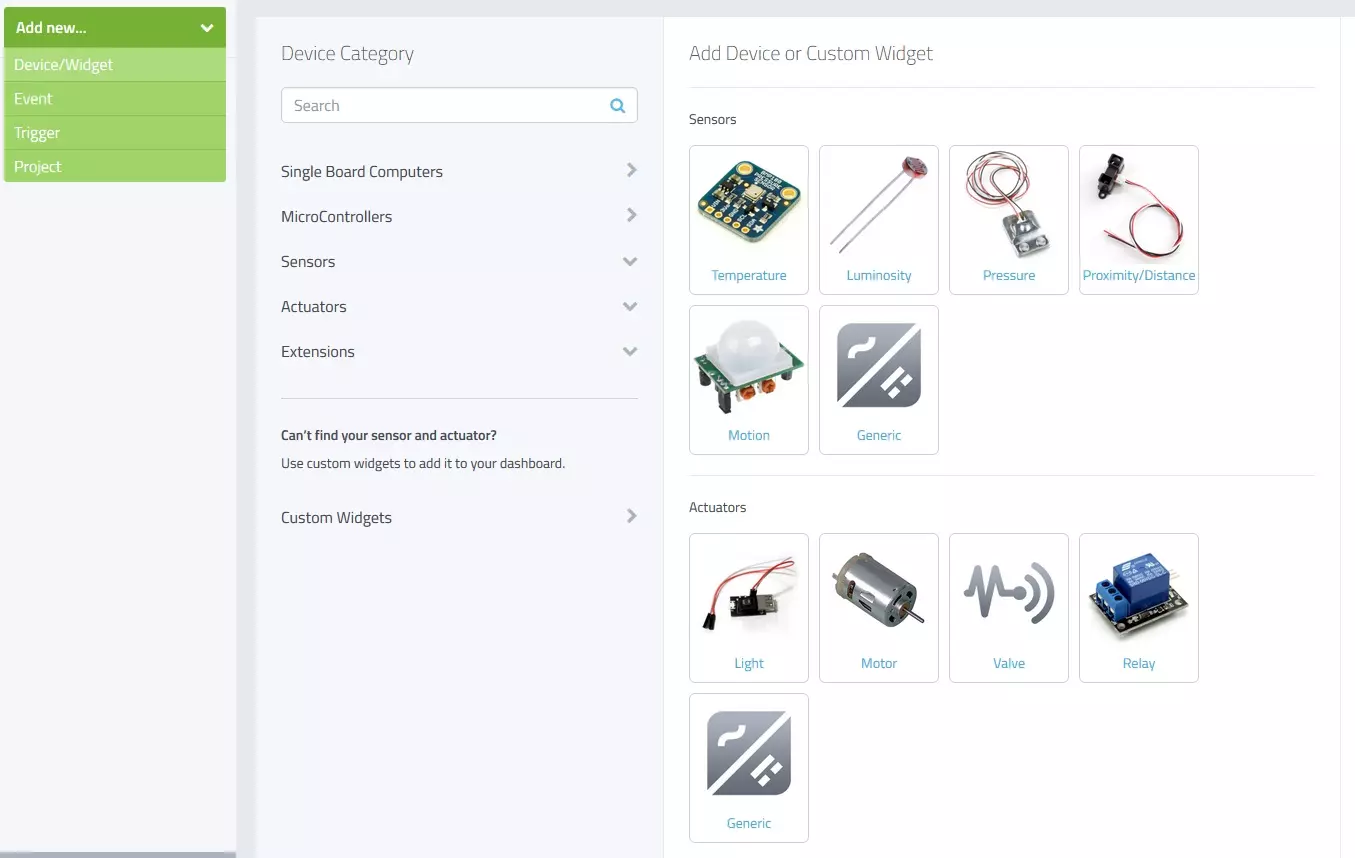
Hello friends, I hope you all are fine and having fun with your lives. Today, I am going to share a new and very exciting service with you guys which is named as myDevices Cayenne, we will have a look at getting started with Cayenne. Its really an awesome platform for students and hobbyist who wants to work on embedded systems but are afraid of programming codes.
Cayenne is an online project building platform using drag and drop. Currently it supports Arduino and Raspberry Pi. In simple words, you can design any of your Arduino or Raspberry Pi project simply by drag and drop different components. You don't need to write any code, you just need to place your blocks and upload it to your Arduino board. Its also known as the Graphical coding.
I came ...
Hello everyone! I hope you all will be absolutely fine and having fun. Today, I am going to share my knowledge about Creating First Program with myRIO. Before doing anything on NI myRIO you must know that how to configure this device. So, before going into the details of this tutorial I would like to suggest you to must visit Getting Started with myRIO and How to Configure myRIO on WiFi for the better understanding of this tutorial.
NI myRIO is an amazing processing tool that has a very high processing speed as compared to other microcontroller e.g. Arduino, raspberry pi, gellilio etc. So, it can be used for the real time projects where there is need to respond very quickly according to the assigned tasks. NI myRIO was launched by National Instr ...
Hello everyone, I hope you all are fine. In today's tutorial, we are going to share a new Lipo Battery Library for Proteus. Proteus has a 12V battery module in it but they are quite simple in looks, so we have simply designed a stylish looking lipo battery, I hope you will find it useful for a better project presentation.
This Proteus Library has two Lipo Batteries in it, one is of 3.7V and the second one is of 11.1V, these are normally available Lipo models in the market. Although, you can change the voltage level of these batteries from their properties panel. Let's first have a look at the brief introduction of Lipo Baterry:
What is Lipo Battery???
Lipo is an abbreviation of lithium polymer battery, designed using lithium-ion technology and ...