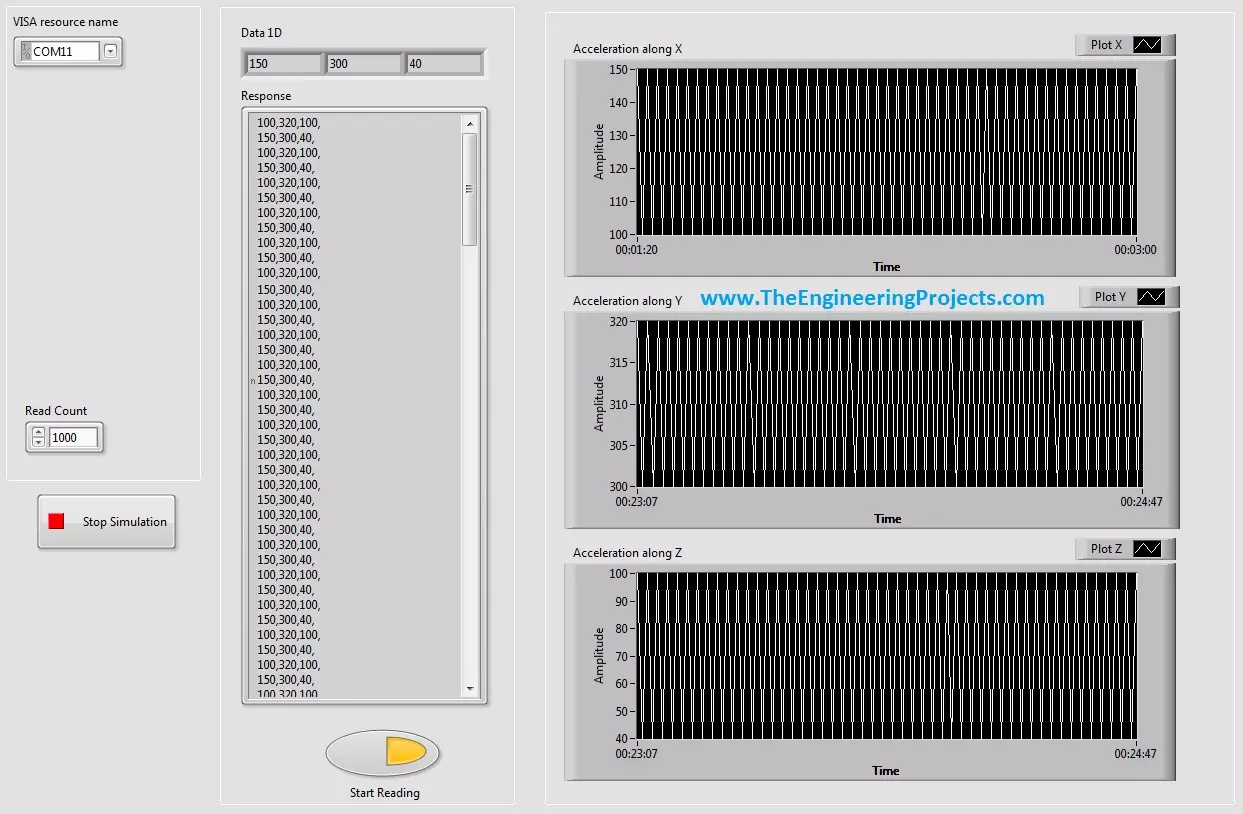
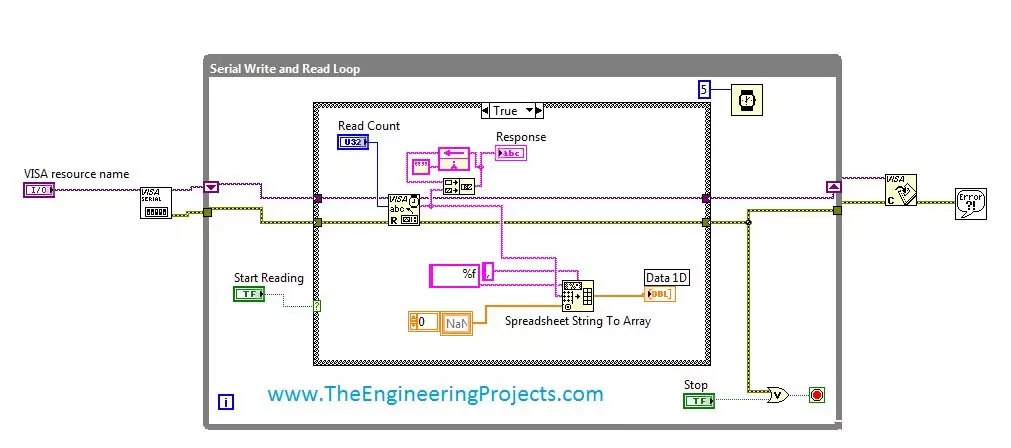
Hello friends, hope you all are fine and having fun with your life. Today's post, as the name suggests is about How to Display Serial Data on Real Time Graph in Labview. In our previous post, we have seen that how to Get Continuous Data From COM Port in Labview . Today's post is a sequel of this previous post so I would recommend that if you haven't had a look on that post then first visit it as I am gonna start today's post from where I stopped the previous one. In the last post, we were able to get the continuous data from COM port using Labview and we have also separated the data based on a character which I have used this one "," i.e. comma. Now, suppose you are sending 3 values from your COM port and these are the sensors' values so tthe best way to display these value is by using a g ...
Hello friends, hope you all are fine and enjoying good health. Today's post is my first post on LabView Software. I have worked on LabView quite a lot in past but these days I am continuously working on LabvView so I thought to write some tutorials on it. In today's tutorial, I will explain in detail How to get continuous data from COM Port in LabView software. LabView is a very handy tool for the engineers. One can easily plot graphs and can work on different hardware modules with it. One of the best feature of LabView is its extensive help desk. There are many examples present in it which are ready to run and can help a lot, moreover their online is also very extensive. I got into many problems while working on it and I never get stuck, I just searched online and got the solutions for my ...
Hello everyone, I hope you all are doing great. In today's tutorial, I am going to give you a detailed Introduction to Arduino YUN , and we will also have a look at its basic functionalities. Arduino YUN is a latest microcontroller board, manufactured by Arduino. It's the most advanced and highly stylish arduino board. The beauty of Arduino YUN lies in having two on board processors, which I haven't seen yet in any other Microcontroller board. One of them is simple Arduino processor which is similar to that of Arduino Leonardo while the second processor is Atheros AR9331. Atheros supports Linux server, which is the new thing in Arduino YUN. Because of these two processors, one now can do anything in the world of automation as well as web servers. You can say it's kind of a replica to Raspb ...
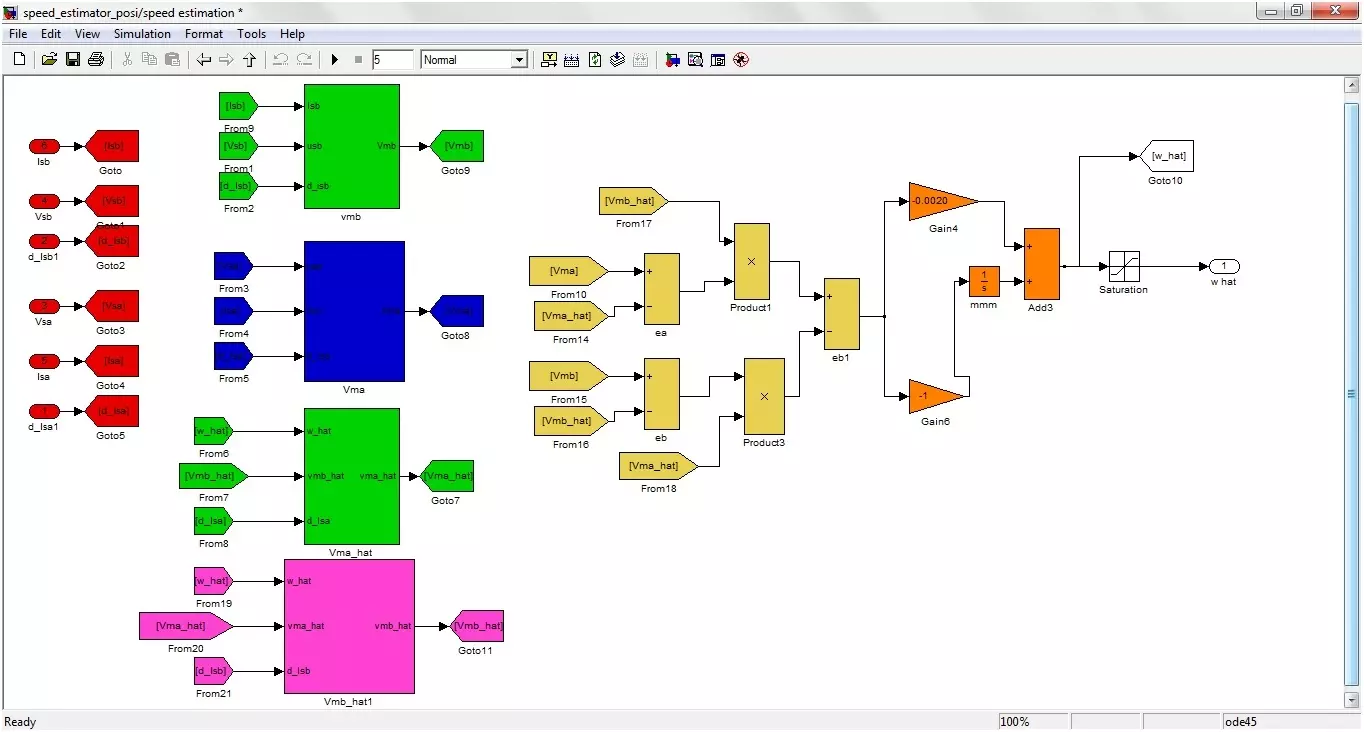
Buy This Project Today I am going to show you Sensorless Speed Estimation of Induction Motor in MATLAB . In order to control and estimate the speed of Induction motor, there are many methods proposed by different scientists. The method I have selected in my project is Adaptive method. Using this method, I have controlled the speed of Induction motor using MATLAB software. Matlab software is used for simulation design. The simulation is designed in simulink and the MATLAB version used for designing this project is MATLAB 2010. It is also tested on MATLAB 2012 and 2013. All the details of this project are mentioned below. If someone wants to buy this project then click on the button shown on right side. Its quite difficult to implement and is designed because of the efforts of our team that' ...
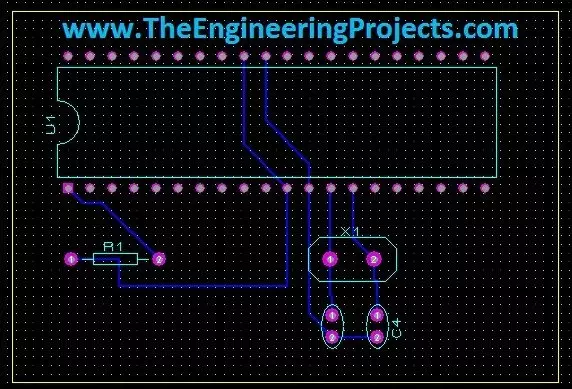
Hello friends, today's the last post of this Proteus tutorial. I have tried my best to explain everything but knowledge is limitless so explore this software, play with it and you will know many new things. Today's topic is about the PCB designing in Proteus. When you install Proteus, you have seen that along with ISIS there's also another package named as Proteus ARES. This Proteus ARES is used for PCB designing. You should also check the Arduino UNO PCB Design for Proteus ARES . In order to design the PCB in Proteus ARES, first you need to make the circuit of that PCB in Proteus ISIS. You can also make PCB directly but I recommend that use Proteus ISIS first, its quite the easy approach as you don't need to do anything in it and the software intelligence helps you throughout the designin ...
Hello friends, hope you all are having fun in your life. Today's tutorial is about the component designing in Proteus ISIS. This tutorial actually deals with the presentation of your project. Usually when students give presentation of their projects, then it is asked that add the circuit diagram of their project. Now when students open Proteus in order to design their circuit, they found out that the components they have used in their project are not available in the Proteus Directory. Now what to do ? In that case, there's a need to design your own component in Proteus and place it in the circuit. Although, this new designed component won't work as the real component but for presenting the circuit, it will be enough. ofr example, we don't have Arduino boards in Proteus software. so, I hav ...
Hello friends, today I am going to post the next lecture of Proteus Tutorial. I am receiving quite a positive response about this Proteus tutorial. In the previous post, we have seen How to use Virtual Terminal in Proteus and today I am going to explain How to use Oscilloscope in Proteus ISIS. This oscilloscope is just the same which you have seen in your electronic or electrical labs. Oscilloscope is basically used to monitor signals or waveforms. Particularly when you are not much aware of the circuit and you need a little debugging then you use oscilloscope. In oscilloscopes, we can visualize the electrical properties of waveforms, like we can check whats the frequency of electrical signal, what's its voltage or current. Digital oscilloscopes have vast range of features in it like RMS v ...
Hello everyone, I hope you all are doing great. In today's tutorial, we will have a look at How to use Virtual Terminal in Proteus ISIS . It's our 5th tutorial in Proteus Series. I will first explain what is virtual terminal and then we will have a look at its uses and performance in Proteus ISIS. Virtual Terminal is an important tool available in Proteus and it comes quite in handy while working on serial modules i.e. GSM, GPS, XBee etc. So, let's get started with Virtual Terminal in Proteus. What is Virtual Terminal ? Virtual Terminal is a tool in Proteus, which is used to view data coming from Serial Port (DB9) and also used to send the data to Serial Port. In windows XP, there's a built in tool named Hyper Terminal , which is also used for the same purpose but in windows 7 there's no s ...
No. Proteus Tutorials Give Your Suggestions !!! 1. Getting Started With Proteus 2. Circuit Designing of LCD with PIC on Proteus ISIS 3. Knowing Components Available in Proteus 4. How To Use Virtual Terminal in Proteus ISIS 5. How To Use Oscilloscope in Proteus ISIS 6. DC Motor Drive Circuit in Proteus ISIS 7. Stepper Motor Drive Circuit in Proteus ISIS 8. Servo Motor Drive Circuit in Proteus ISIS 9. Component Designing in Proteus ISIS 10. PCB Designing in Proteus ARES Hello friends, hope you all are fine and enjoying good health. In this tutorial, my actual plan was to cover the mostly used components in Proteus like to give users an overview of component selection as there are many components in Proteus which are quite hidden and hence quite difficult to find. But, now I have changed my m ...
Hello friends, hope you all are fine and enjoying good health. Today I am posting the next part of Proteus tutorial which is Interfacing of LCD with PIC Microcontroller. . In the previous post of this tutorial, we have seen the basics of Proteus and discussed various functions of Proteus ISIS. If you are new to Proteus then I would recommend that before starting this tutorial, you should first read the first part so that you get the better idea of Proteus as I wont go in detail in today's post. Today, we will first design a circuit of LCD with PIC on Proteus ISIS which includes PIC Microcontroller and then we will see how to burn the microcontroller in Proteus and at the end we will run our circuit and will display some text on the LCD. It will be quite a fun so let's start. If anyone havi ...