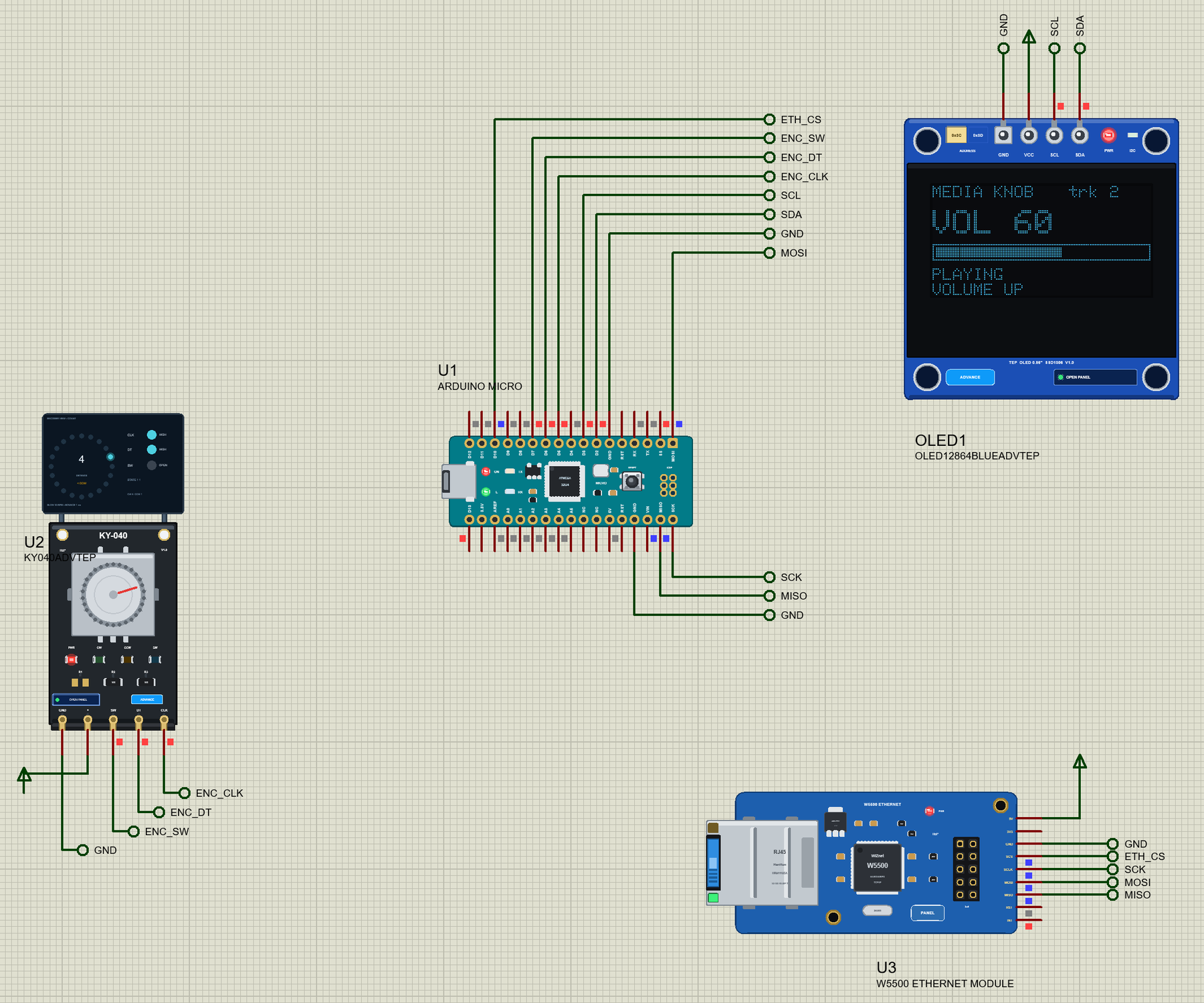
Hello friends, I hope you all are doing great. Today, I am going to share the Arduino Micro Library for Proteus . The Micro is the Leonardo made small: the same ATmega32U4 with USB on the chip, on a 48 x 18 mm board that plugs into a breadboard. Its USB can be a keyboard, a mouse and - the subject of this post - a media-key device : the volume, mute and play buttons of a multimedia keyboard. With this library it runs your Micro sketch in Proteus 8.5, and the keys it sends reach a PC that the board model plays for you. Updates Arduino Micro Library for Proteus Latest version: V1.0 (October 2026, this tutorial) Other new Arduino boards: UNO R4 WiFi · Nano ESP32 · UNO WiFi Rev2 · Nano 33 IoT · UNO Q · UNO R4 Minima · Nano Every · MKR WiFi 1010 · Nano RP2040 Connect · STM32 Black Pill · Nucleo ...
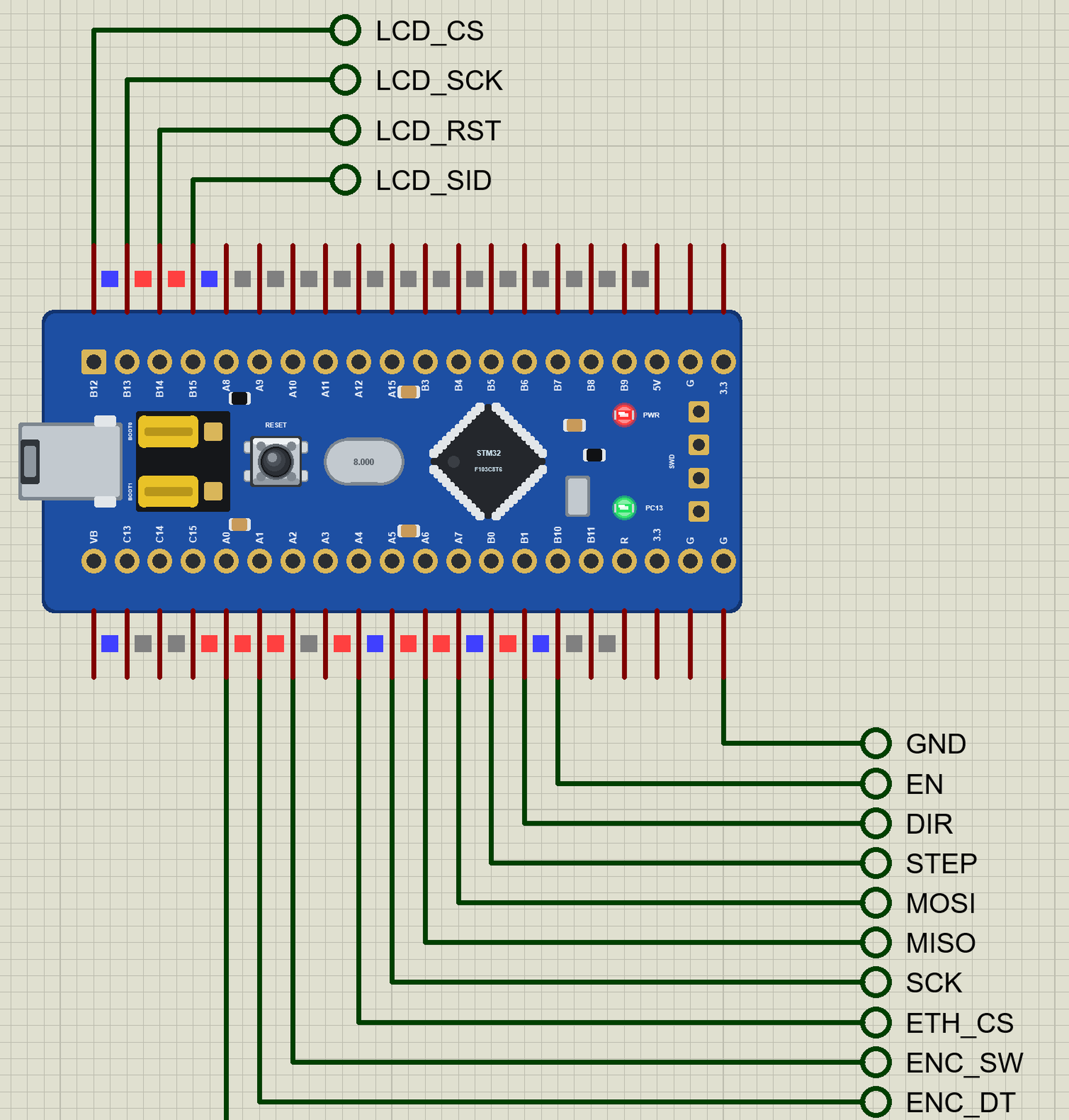
Hello friends, I hope you all are doing great. Today, I am going to share the STM32 Blue Pill Library for Proteus . The Blue Pill is the board that brought STM32 to hobbyists: an STM32F103C8T6 - an ARM Cortex-M3 at 72 MHz with 64 KB of flash and 20 KB of RAM - on a small blue board that costs less than an Arduino Nano. With this library it runs your STM32 Arduino sketch in Proteus 8.5, with the STM32 core's pin names. Updates STM32 Blue Pill Library for Proteus Latest version: V1.0 (October 2026, this tutorial) Other new Arduino boards: UNO R4 WiFi · Nano ESP32 · UNO WiFi Rev2 · Nano 33 IoT · UNO Q · UNO R4 Minima · Nano Every · MKR WiFi 1010 · Nano RP2040 Connect · STM32 Black Pill · Nucleo-F401RE · Teensy 4.1 · Arduino Due · Arduino Leonardo · Arduino Micro · BBC micro:bit V2 · GIGA R1 W ...
Hello friends, I hope you all are doing great. Today, I am going to share our new Rotary Encoder Library for Proteus . The KY-040 is the small black rotary encoder module you find in almost every Arduino kit: a knurled knob that turns endlessly in 20 clicks per turn, with a push switch built into the shaft. It is the knob behind many volume controls, menus and set-point inputs. With this Rotary Encoder Library for Proteus , you turn that knob in the simulation (one click, five clicks or a non-stop spin) and press it, and your Arduino reads the CLK, DT and SW pins exactly as it would read the real module, contact bounce included. Updates Rotary Encoder Library for Proteus Latest version: V1.0 (October 2026, this tutorial) Other input modules: Joystick · Membrane Keypad · TTP229 Keypad · TTP ...