


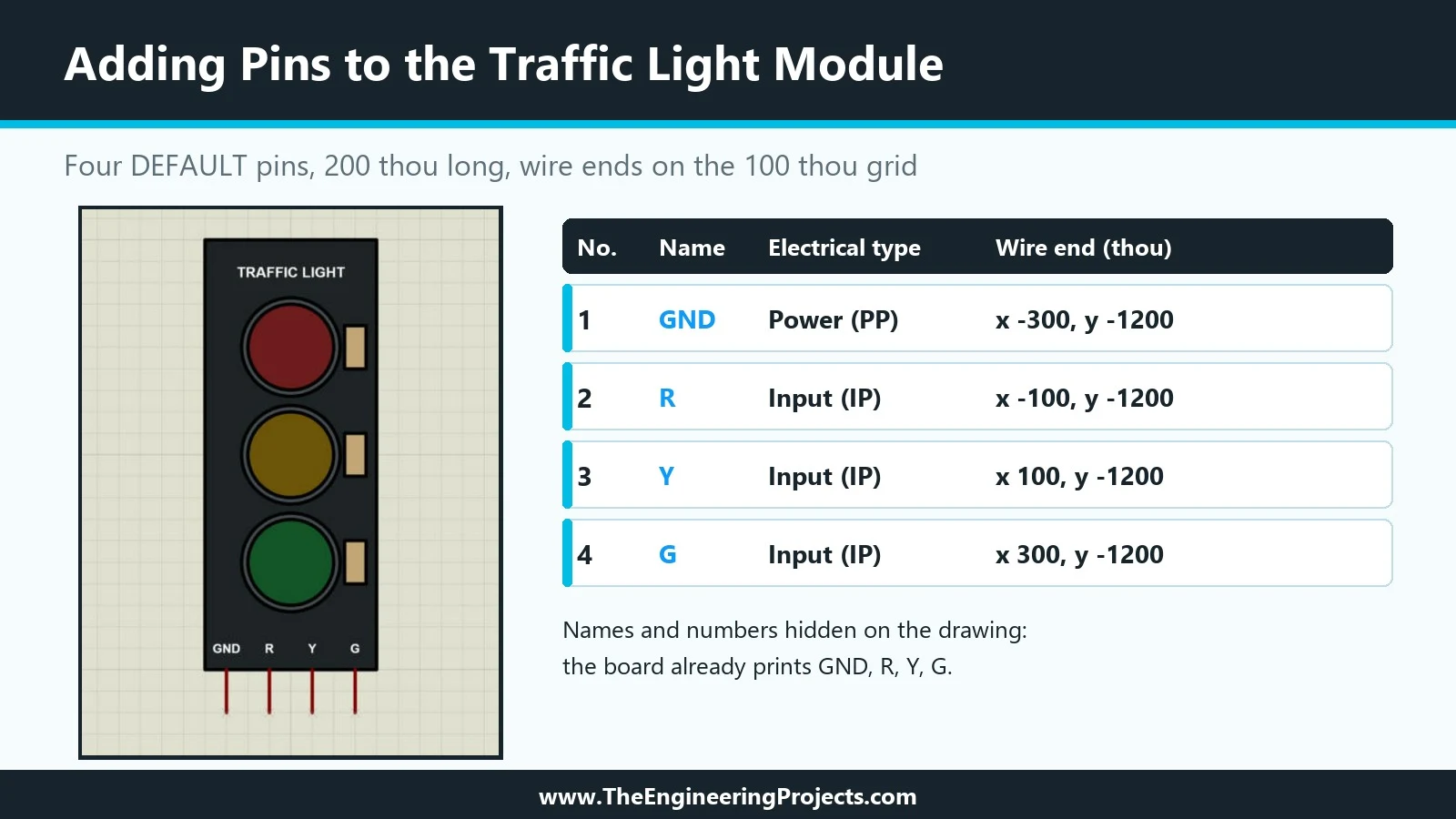
Hello friends, I hope you are doing well. This is the sixth tutorial in our series on how to create a Proteus library. In the previous tutorial, How to Use Make Symbol in Proteus , we saw how graphics become reusable symbols and how Proteus layers overlapping shapes. Our Traffic Light Module now has a finished drawing, but it cannot be wired yet, because it has no pins. Today, we change that. Our topic is how to add pins to a component in Proteus . We will look at the Device Pins mode and its pin types, rotate a pin so that it points the right way, place the four pins GND, R, Y and G exactly at the coordinates of our plan, and then give each pin its name, number and electrical type in the Edit Pin dialogue. We will also decide which pin labels Proteus should draw, see how hidden power pins ...