


Project Files of Electronic Door Locks using PIC Microcontroller
 Libraries
 Code
 Projects
 Simulation
Electronic Door Locks Using PIC Microcontroller.rar
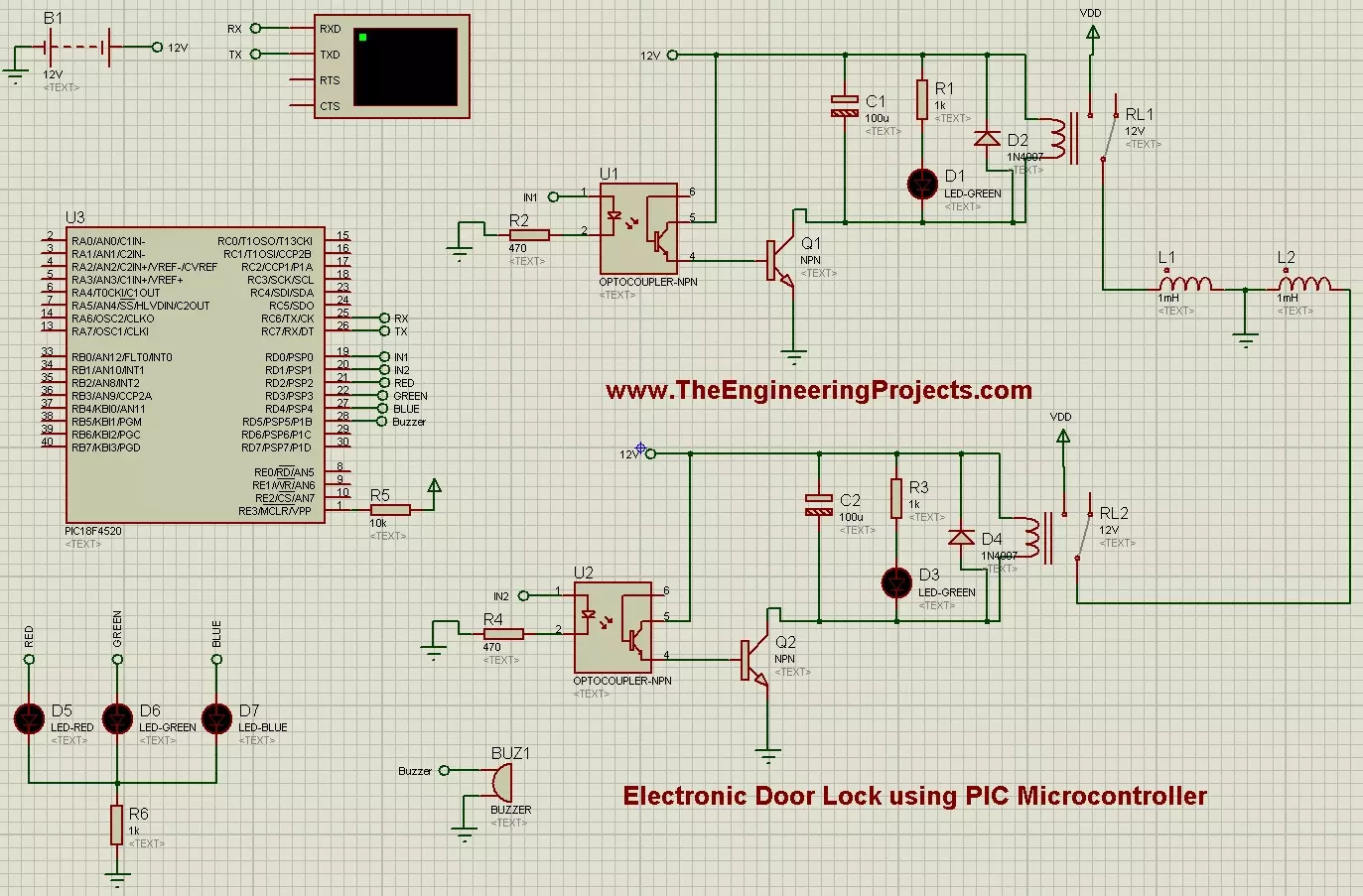
Electronic Door Locks using PIC Microcontroller
Electronic Door Locks using PIC Microcontroller comes as a RAR archive of 18 files (61.5 KB, 352.2 KB unpacked) holding a Proteus simulation, compiled HEX firmware and source code.
- DSNProteus simulation
- HEXHEX firmware
- SRCSource code
Description
Electronic Door Locks using PIC Microcontroller is the download package that goes with our tutorial Electronic Door Locks using PIC Microcontroller. On this page you can download the RAR file (61.5 KB) and see what is inside before you save it: 18 files in 2 folders, a ready Proteus simulation, the compiled HEX firmware and the source code. The tutorial explains the design; this page gets the files onto your computer and into use.
What this package is
Electronic Door Locks using PIC Microcontroller is the firmware package of Electronic Door Locks using PIC Microcontroller: the source files (MyProject.asm and MyProject.c) and the compiled HEX (MyProject.hex), together with the Proteus project Electronic Door Locks Using PIC Microcontroller.DSN that runs it. Build the source with the compiler the tutorial names, or load the HEX straight away to see the project work.
What is inside the RAR file
- Electronic Door Locks Using PIC Microcontroller.DSN – Proteus simulation, 136.1 KB
- MyProject.hex – Compiled HEX file, 4.8 KB
- MyProject.asm – Source file, 19.8 KB
- MyProject.c – Source file, 4.1 KB
- MyProject.bmk – BMK file, 14 B
- MyProject.brk – BRK file, 11 B
- and 12 more, all listed in the File Structure tab
The archive unpacks to 352.2 KB; there is no README inside, so the steps below stand in for it.
How to download
Use the download panel at the top of this page: after the counter (30 seconds for guests, 10 for members) the black button unlocks and Electronic Door Locks Using PIC Microcontroller.rar comes straight from our content network. If the browser opens it instead of saving, use Save as; extract the whole archive before using anything inside it.
How to install
- Step 1: Extract Electronic Door Locks Using PIC Microcontroller.rar with Windows (Extract All), 7-Zip or WinRAR, keeping its folders.
- Step 2: Build MyProject.asm and MyProject.c with the compiler the tutorial names.
- Step 3: In Proteus set the controller's Program File to MyProject.hex; on hardware, flash the same file.
- Step 4: Open Electronic Door Locks Using PIC Microcontroller.DSN in Proteus and press Play.
Read the detailed guide
This page is for the files. The tutorial above explains the circuit and the code step by step and shows the working results and the simulation; read it before you build. Questions about the download or the installation go in the comments below; more PIC Projects downloads are listed further down this page.
The package is free for personal, educational and research projects; credit The Engineering Projects and link to this page when you share it rather than re-uploading the file.

File Structure
 File Structure
19.8 KB14 B11 B4.1 KB58 B921 B3.1 KB59.8 KB29.9 KB11 KB4.8 KB2.4 KB53.2 KB24.6 KB1.7 KB390 B0 B136.1 KBGallery4 images from the tutorialOpen the tutorial
 Gallery4 images from the tutorial
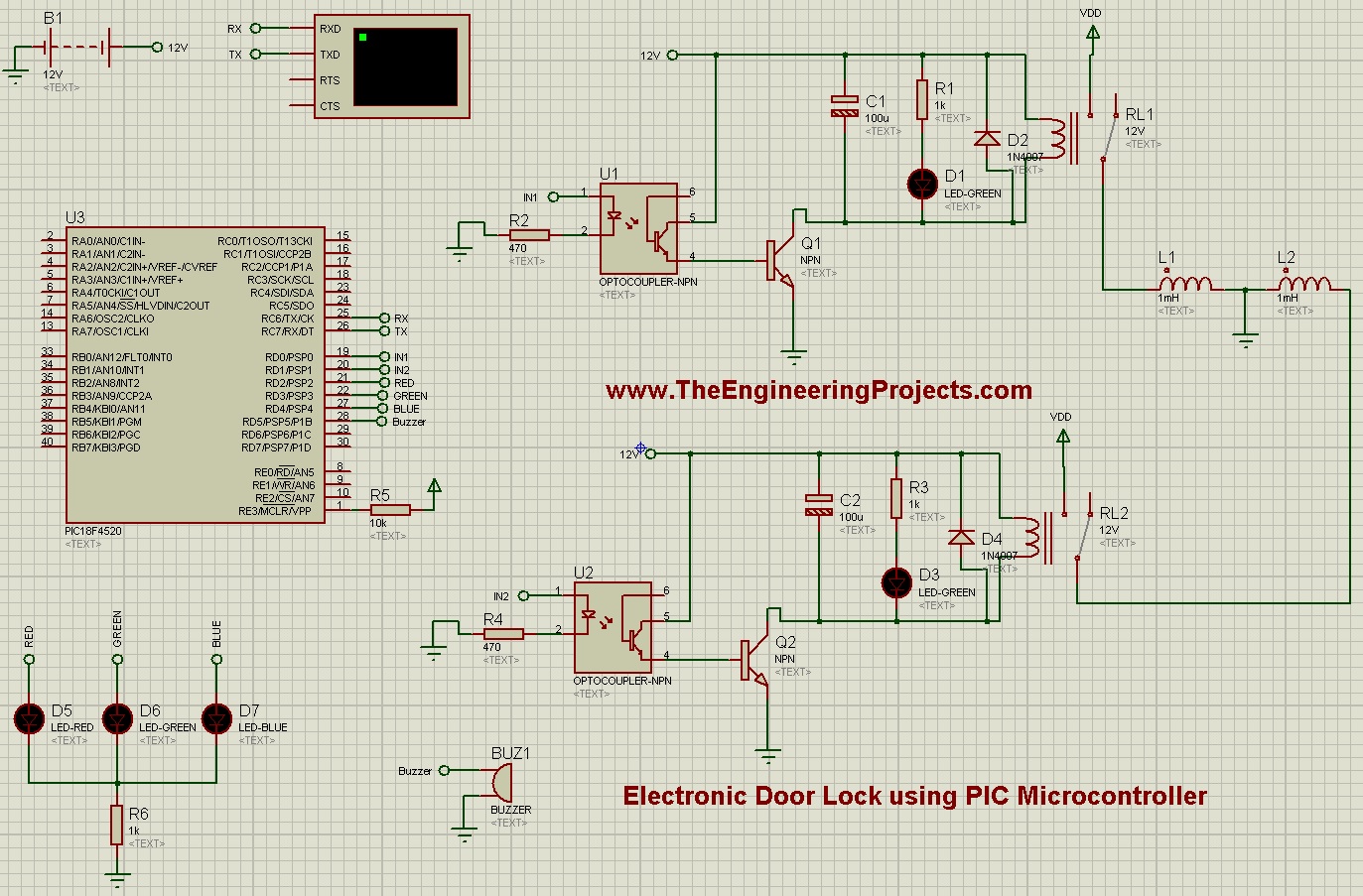
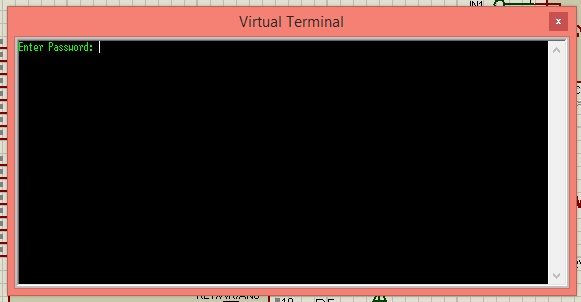
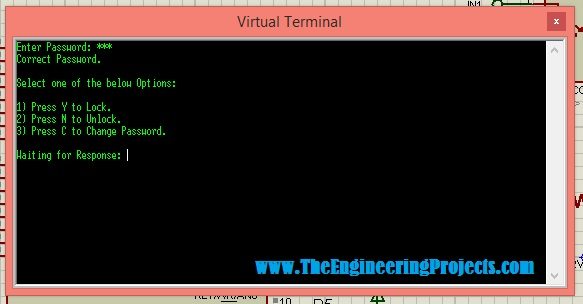
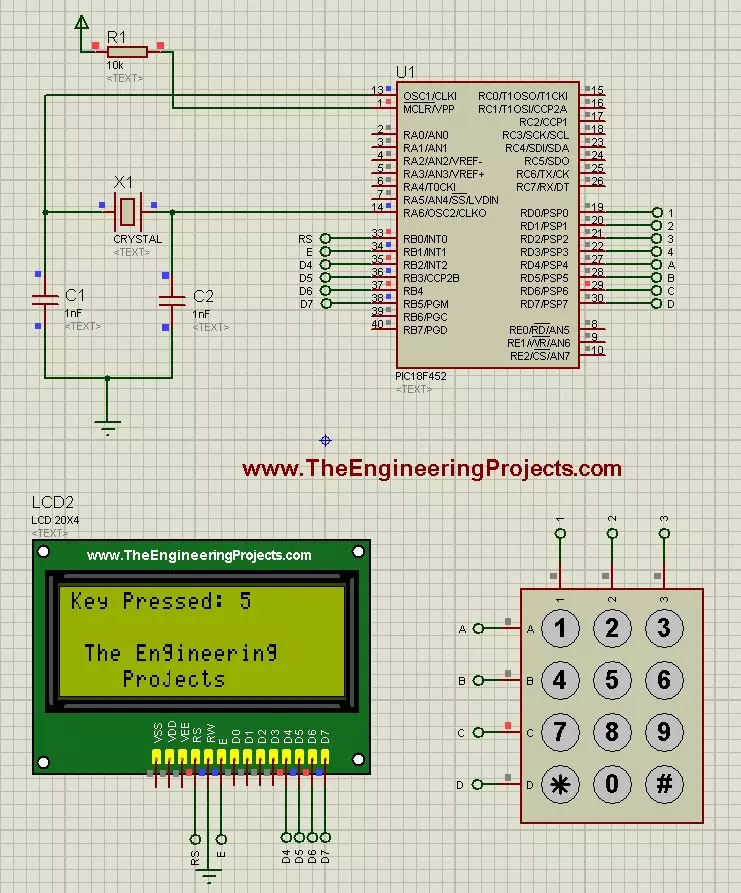
The circuit, the board and the results as they appear in Electronic Door Locks using PIC Microcontroller. Open an image for its full size.
Videofrom the tutorial
Watch the project run before you download. The player loads only when you press play.
Electronic Door Locks using PIC MicrocontrollerWatch on YouTube
README
 README
Development1 release
 Development1 release
-
Electronic Door Locks using PIC Microcontrollerthis page
The only release of this package so far. When a newer version is published, it appears above with its own download page.
Installation5 steps
 Installation5 steps
From the download to a working project, in order. The steps follow what the package contains.
You will need
- Proteus Design SuiteProteus 7 or 8 (Labcenter), on Windows
- The compiler named in the tutorialto build the source files into firmware
- WinRAR or 7-ZipWindows cannot open RAR archives on its own

Steps
- 1
Extract the archive
Right-click Electronic Door Locks Using PIC Microcontroller.rar and choose Extract All (or open it with 7-Zip or WinRAR) into a folder you can find again. Keep its folder structure (Electronic Door Locks Using PIC Microcontroller) as it is.
- 2
Build the source code
Open MyProject.asm and MyProject.c in the compiler named in the tutorial (MikroC, Keil, MPLAB, Code Composer or the Arduino IDE) and build it to get the firmware.
- 3
Load the HEX file
In Proteus double-click the microcontroller, set Program File to MyProject.hex and run the simulation. For real hardware, flash the same file with your programmer.
- 4
Open the example simulation
Open Electronic Door Locks Using PIC Microcontroller.DSN in Proteus to see the wiring exactly as in the tutorial. Check the controller's Program File path, then press Play.
- 5
Follow the tutorial
Electronic Door Locks using PIC Microcontroller explains every connection and setting in order; keep it open beside the files while you build.
FAQs7 questionsContact TEP
 FAQs7 questions
How do I download Electronic Door Locks using PIC Microcontroller?
Wait for the 30-second guest countdown on this page, then press the download button; the file comes straight from our storage. Members who are logged in skip the wait. If the browser opens the file instead of saving it, use its Save as option. The download link is made for you when the countdown ends and works for 15 minutes; a saved or shared link stops working, so share this page instead.
What is inside the archive?
Electronic Door Locks using PIC Microcontroller comes as a RAR archive of 18 files (61.5 KB, 352.2 KB unpacked) holding a Proteus simulation, compiled HEX firmware and source code. Open the File Structure tab for the full list of 18 files.
What should I do if the download does not start?
Check the browser's download list first; an ad blocker or a company firewall can also hold it back, so try another browser or network. If the file arrives incomplete, download it again. For an installation problem, read the Install tab or tell us in the comments with your software version and the exact error message.
Is this file free?
Yes. Every file in the TEP Download Center is free for learning, personal and student projects. If you share it, link back to this page or the tutorial so others find the latest version.
How do I check that the file arrived complete?
Compare its SHA-256 with the one on this page, 1ed2e6dd0c8cdd4a063910df2d97c8a899c80699de31ce35d0f512248d18cf36. In PowerShell run Get-FileHash "Electronic Door Locks Using PIC Microcontroller.rar"; on macOS or Linux run shasum -a 256 "Electronic Door Locks Using PIC Microcontroller.rar". The same value means the file is exactly the one in our storage; a different one means the download broke off, so download it again.
Do I need WinRAR to open the RAR file?
RAR archives need WinRAR, 7-Zip or another RAR-capable tool; Windows cannot open them on its own. Extract the whole archive before using the files.
How do I get the HEX file into the simulation?
Compile the sketch in the Arduino IDE (Sketch → Export Compiled Binary gives you the HEX next to the sketch), then in Proteus double-click the board, set Program File to that HEX and run.
Members skip the wait. Log in or join TEP.

- 10,627Total downloads
- 85%Popularity
- PIC ProjectsCategory
- 0Comments
- ssyedzainnasirUploaded by
- 20 Feb 2016Uploaded at


 SHA-256
1ed2e6dd0c8cdd4a063910df2d97c8a899c80699de31ce35d0f512248d18cf36


 Need help with this file?
 Tags
Related PIC Projects
All PIC Projects tutorials



Comments
0