Update: We have created a new version of this library, which you can check here: Vibration Sensor Library for Proteus V2.0.
Hello friends, I hope you all are fine and having fun with your lives. Today, I am going to share a new Proteus Library named Vibration Sensor Library for Proteus. This Library is designed by our team on TEP and it's not yet published anywhere. We are the first creator of this Vibration Sensor Library for Proteus. This Library contains just one Vibration Sensor named SW-420. I will post a tutorial soon on interfacing this SW-420 Vibration Sensor with Arduino. This library is compatible with all the microcontrollers like Arduino, PIC Microcontroller or 8051 Microcontroller etc. You should also have a look at Analog Vibrati ...
Hello friends, I hope you all are doing great. In today's tutorial, we will have a look at What Can We Expect from the Future of CNC Machining? Computer Numerical Control (CNC) has changed how companies manufacture their products. These changes have been amplified even further with the integration of technology into CNC machining.
Even though CNC machining services have largely worked the same way for decades, that is going to change as more and more industries accept automation as the future of manufacturing. The future of CNC machining is a very exciting one and below, we will look at a few exciting things that we can expect in future.
Internet of Things
We live in automated homes with most of the planni ...
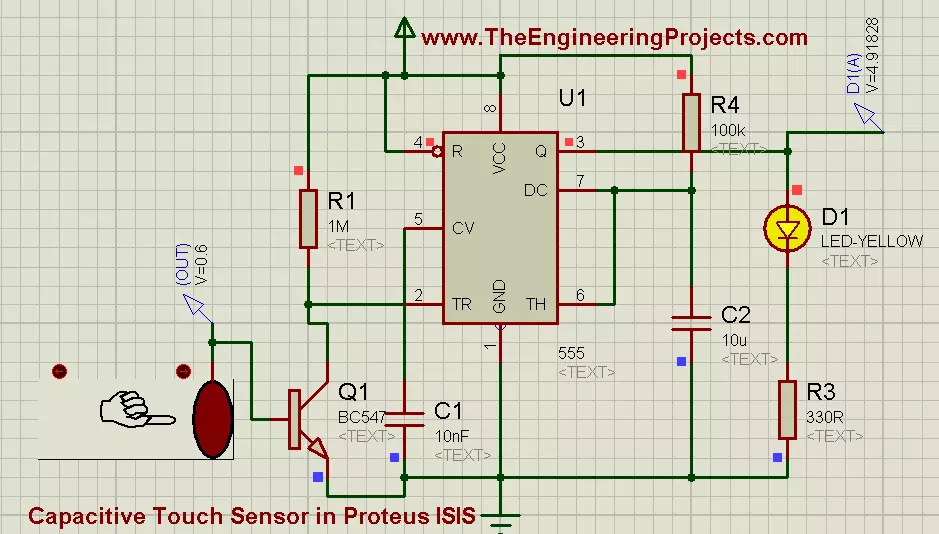
Hello friends, I hope you all are fine and enjoying. Today i am going to share my new project's tutorial which is How to use Capacitive Touch Sensor in Proteus ISIS. It is a very interesting project, and we will be using a 555 Timer while designing this project. If you recall our previous project tutorial which was Angle Control of Servo Motor using 555 Timer in Proteus ISIS, in which 555 timer was generating PWM and was controlling the rotating angle of servo motor.
Now in this project, we have a little different context and now we will be using a 555 Timer in collaboration with Capacitive Touch Sensor. First of all, lets have a little introduction of Capacitive Touch Sensor. Well, if we talk broadly then, in Electrical Engineering Capacitive Tou ...
Hello friends, I hope you all are fine and having fun with your lives. In today's post we are gonna see Interfacing of EasyVR with Arduino UNO. In the previous post, we have seen Getting Started with EasyVR Commander. It was quite simple and if you follow the steps carefully you wont stuck anywhere but still if you into some trouble i am here.
Now this tutorial is quite a quick and important one as it contains the real code using which we will control our robot. After adding the voice commands, now close the EasyVR Commander and open the Arduino Software. Connect the arduino board with computer and double check that your jumper J12 in on position SW. You should also read Training Error: Recognition Failed in EasyVR, if you got such error while ...
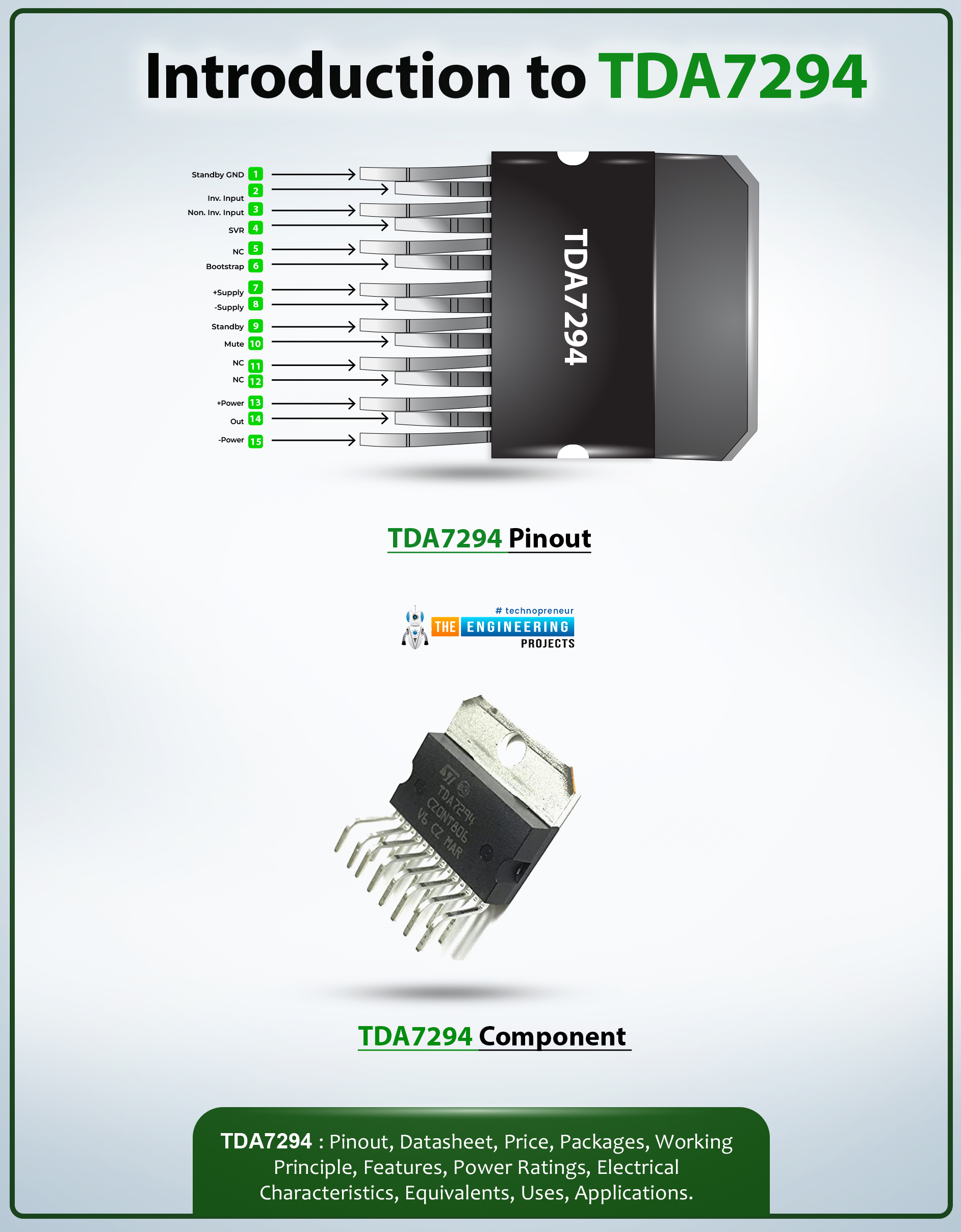
Hi Guys! Hope you’re well today. I welcome you on board. In this post today, I’ll walk you through the Introduction to TDA7294.
TDA7294 is a monolithic class AB power-based audio amplifier that comes with a DMOS output stage. It is primarily used for the amplification of audio signals in Hi-Fi field applications containing self-powered loudspeakers. The fault protection circuitry used in this device protects against short circuits.
I suggest you read this post all the way through, as I’ll detail the complete introduction to TDA7294 covering datasheet, pinout, features, and applications.
Let’s get started.
Introduction to TDA7294
TDA7294 is a monolithic class AB power-based audio amplifier that comes with a DMOS output stage.
This device comes with a wide voltage supply ra ...
Welcome to the next tutorial of our raspberry pi 4 tutorial. In the previous tutorial, we learnt how to interface a gas sensor with a pi 4. However, in this tutorial will cover how to automate your home with a Raspberry Pi and Bluetooth Low Energy. To automate a home means to mechanize its environment, including the appliances within it. To that end, we've designed an intelligent lamp whose functionality can be adjusted from afar via a companion mobile app.
Using your smartphone, you'll be able to manage a variety of household gadgets. The following code demonstrates using a mobile device as a remote controller for a Raspberry Pi's GPIO pins. (Or another BleuIO Dongle).
Instructions Requirements
The recently introduced Raspberry Pi 4 will serve ...
Hello geeks, welcome to our new project. Here, we are going to make a very useful project which we can use for ourselves or we can use this as a product as well on an industry level.
In this project, we are going to make a water level indicator. We all know it is one of the most essential products because there are many water tanks in every house or office, and most of them are not easily accessible to check the level of water in it and I think most of us faced the problem such as shortage of water as we do not have anything to monitor the exact amount of water available in the tank and this causes many problems on our daily lives.
Software to install
As we are going to make this project in the simulation first, for that, we will use the Proteus ...
Hi friends, today we can discuss the main topic which is Newton's law of motion. Newton's Laws of Motion structure the foundation of traditional mechanics, a part of physical science that depicts the way of behaving of actual bodies. These regulations give a structure to understanding what powers mean for the development of items, from regular encounters to the mechanics of heavenly bodies.
The meaning of Newton's Regulations couldn't possibly be more significant; they offer a straightforward yet significant clarification of how powers interface with issues. These standards are not simply scholarly; they support incalculable parts of our day-to-day routines and mechanical headways. From the working of vehicles and hardware to the direction of satellites, Newton's Regulations give the fund ...
Indoor positioning technology has become widely available in a variety of configurations and quality levels. It's a jungle out there, and no single established solution, unlike outdoor location using GPS satellite technology, has been adequate for all needs.
Since GPS satellite technology became widely available in the late 1990s, positioning systems have played an increasingly important role in people's lives. Almost, everyone now owns a device with positioning capabilities, whether it's a mobile phone, tablet, GPS tracker, or smartwatch with built-in GPS.
Though GPS transformed outdoor positioning, we're now moving on to inside positioning, which will require new technologies. Because the signal is attenuated and scattered by roofs and walls, sa ...
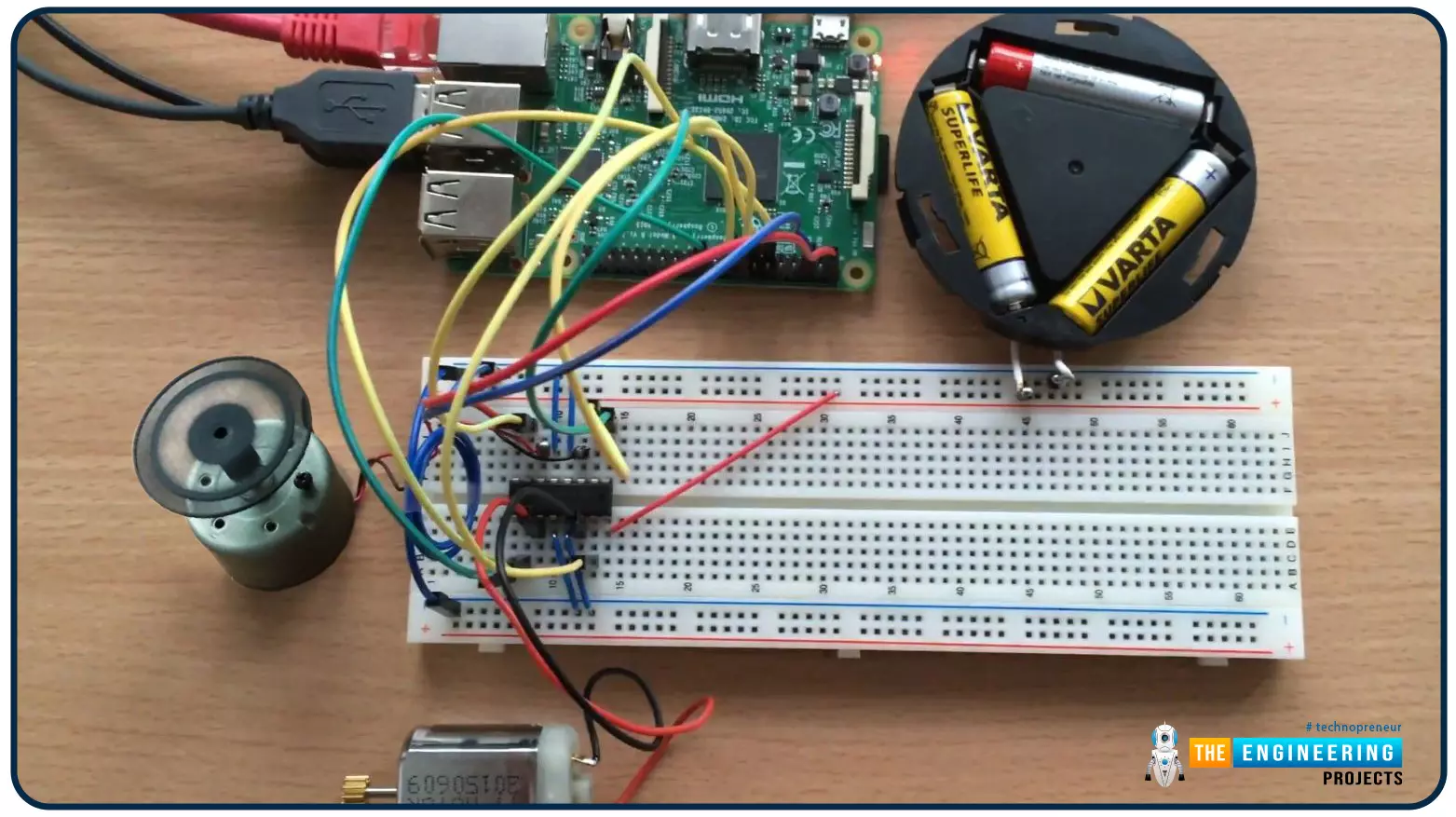
Hello friends, I hope you all are doing well. Welcome to the 9th tutorial of our Raspberry Pi programming course. In the last chapter, we generated a PWM signal from our Raspberry Pi to control the brightness of an LED. We also studied different functions used in Python to perform PWM. In this chapter, we'll get a bit advanced with PWM and use it to control the speed and direction of a DC motor with the help of a motor driver IC.
To control the speed & direction of the DC Motor, we will:
Design a Circuit Diagram.Write Python code.
Components RequiredWe will use the following components to control the DC motor speed:
Raspberry Pi 4.DC Motor.Motor driver IC(L293D).Breadboard.
Jumper wires.
Controlling DC Motor speed wi ...