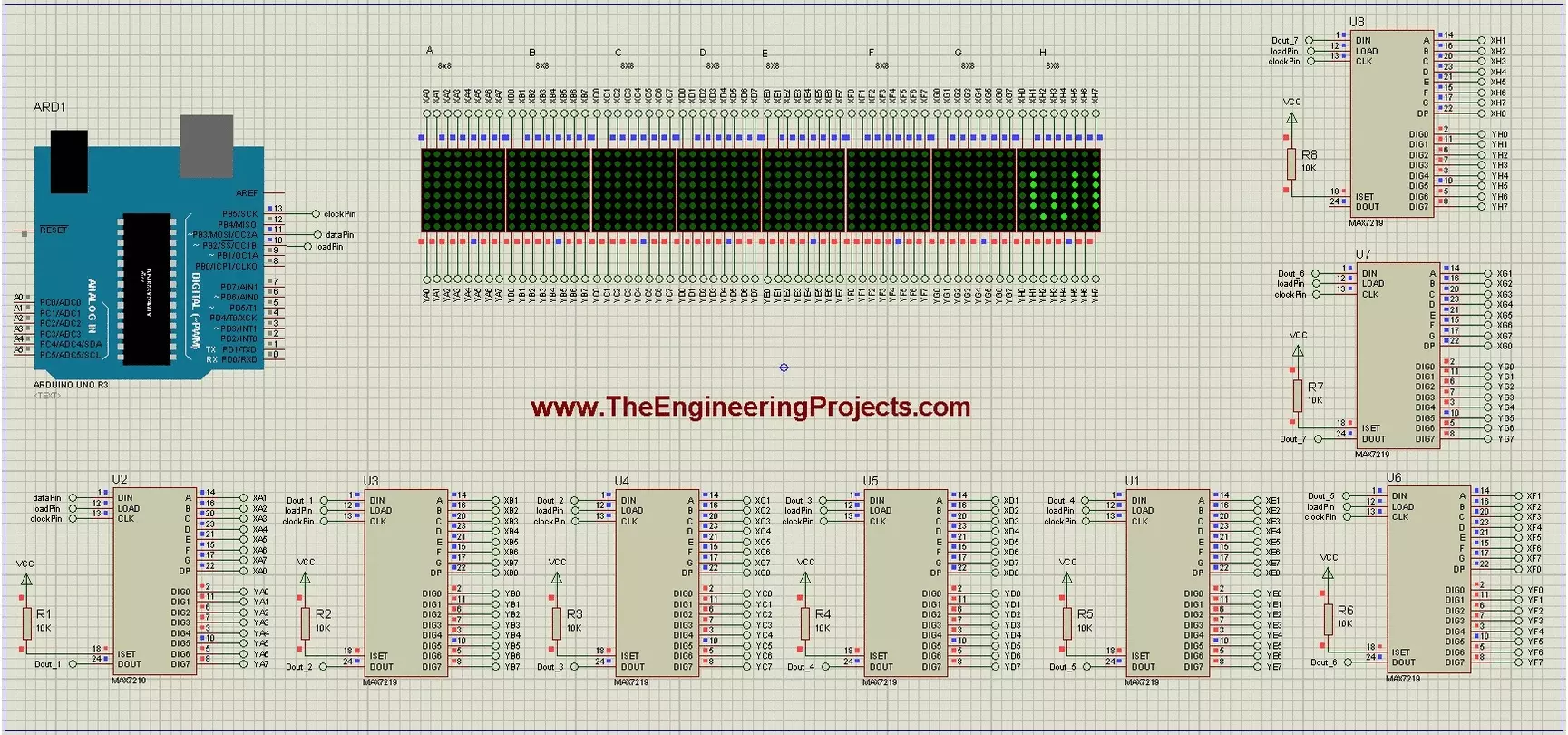
Hello friends! Today we will build a scrolling-text display using Arduino and eight 8x8 LED matrices. Each matrix has its own MAX7219 driver, and the drivers share a serial connection so Arduino can control the complete display through three signal lines. The original project demonstrates the text in Proteus and includes a useful circuit drawing and animation. We will retain those illustrations while explaining the driver correctly, checking the matrix orientation and using a current text-animation library interface. Our display is eight pixels high and sixty-four pixels wide. We will first understand one module, then connect the chain, display a short message and adjust the scroll timing. Power distribution and hardware mapping matter just as much as the sketch when moving from a simulato ...
Hello friends! In this tutorial, we will interface a matrix keypad with Arduino Uno and show each pressed key on a 20x4 LCD in Proteus. We will begin with the keypad's internal connections, then build the circuit and write a sketch that keeps the displayed text within a defined area. A keypad is useful when a project needs several related buttons, such as digits for a calculator or commands for a menu. A matrix arrangement reduces the number of controller connections compared with giving every button its own dedicated input. Our example uses twelve keys arranged in four rows and three columns. We will preserve the original circuit's pin assignments, explain how the Keypad library scans them, and check common mistakes such as reversed connector order, repeated characters and LCD overflow. F ...