


Scrolling Text on LED Matrix 8x8 using Arduino


Hello friends! Today we will build a scrolling-text display using Arduino and eight 8x8 LED matrices. Each matrix has its own MAX7219 driver, and the drivers share a serial connection so Arduino can control the complete display through three signal lines.
The original project demonstrates the text in Proteus and includes a useful circuit drawing and animation. We will retain those illustrations while explaining the driver correctly, checking the matrix orientation and using a current text-animation library interface.
Our display is eight pixels high and sixty-four pixels wide. We will first understand one module, then connect the chain, display a short message and adjust the scroll timing. Power distribution and hardware mapping matter just as much as the sketch when moving from a simulator to real modules.
What Does an 8x8 LED Matrix Contain?
An 8x8 matrix contains 64 individual LEDs arranged at row-column intersections. Eight such matrices contain 8 x 64 = 512 LEDs. Placing them in one horizontal line gives an 8x64 display, not a display containing only 64 LEDs.
Characters are represented by patterns of illuminated pixels. A font supplies the patterns for letters and symbols, while the scrolling routine moves those patterns through the visible display area.
For example, a five-column-wide letter followed by one blank column occupies six columns. A 64-column display can show roughly ten such character cells at once, although a variable-width font produces different results for narrow and wide letters.
The MAX7219 Is a Display Driver
The MAX7219 datasheet describes an LED display driver with display memory, multiplex scanning, current-driving outputs and brightness control. It contains a serial shift register, but describing the entire device as an ordinary shift register leaves out its main job.
Arduino sends register commands. The MAX7219 stores the display data and repeatedly scans the connected LEDs. Our sketch does not need to turn every row on and off manually just to maintain a stationary image.
Each command word is 16 bits, containing a register selection and data. A chain of eight devices therefore needs eight 16-bit words, or 128 serial bits, for one command position across the chain. This is separate from the 512 pixel states stored across the complete display.
The driver includes no-decode operation for arbitrary LED patterns. A matrix-text library configures the device appropriately and translates pixel changes into the required register writes.
Examine the Original Circuit
The original schematic connects one MAX7219 to each matrix and chains the serial outputs between drivers. Arduino D11 supplies data, D13 supplies the clock and D10 supplies the load signal.
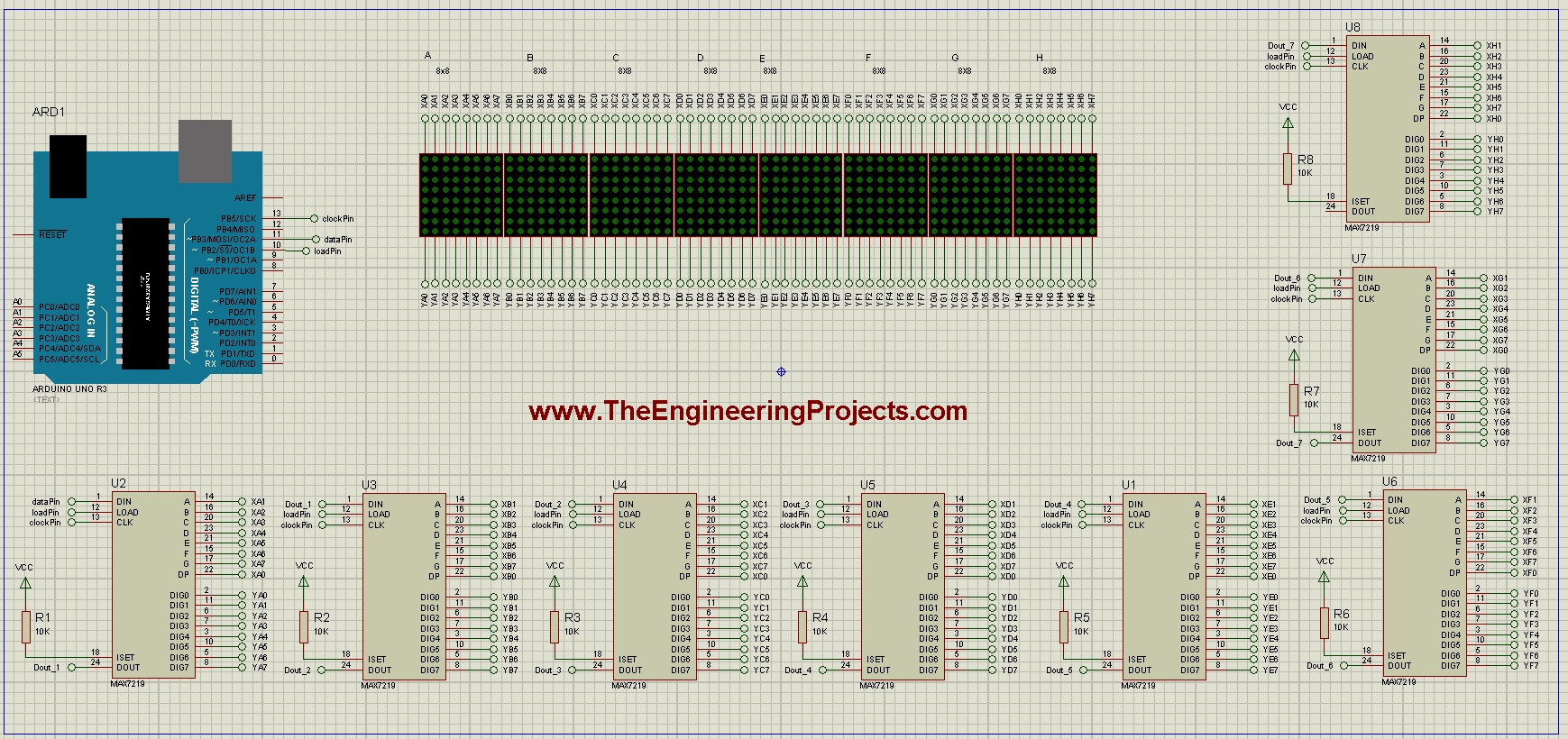
Follow the net labels carefully. A labelled connection may join distant parts of the schematic without a visible wire stretching between them. A typing error in a label can therefore break a chain that appears visually complete.
The driver reference designators do not have to follow the physical display order. What matters is the actual path from Arduino's data output through the first DIN, then each DOUT to the next DIN.
| Arduino signal | Connection |
|---|---|
| D11 | DIN of the first driver |
| D13 | CLK of every driver |
| D10 | LOAD of every driver |
| Ground | Common reference for Arduino and all modules |
Connect the first driver's DOUT to the second driver's DIN, and continue through the chain. Clock and load are shared signals; they do not pass serially through the data-output pins.
Understand a Chained Transfer
When data is shifted through a chain, earlier words travel farther along it. The library arranges the words so the intended command reaches each device before the common load operation updates the registers.
Do not confuse a single chain transaction with refreshing all stored pixels. A complete update can require several register transactions because each module contains multiple display-data registers.
As an illustrative calculation, eight 16-bit words contain 128 bits. At a hypothetical serial clock of 1 MHz, clocking those bits takes 128 microseconds, excluding software and load timing. Updating eight such register positions takes at least 1.024 milliseconds of clock time.
This arithmetic is a lower-bound transfer estimate, not a measured speed for the software-driven example below. The actual duration depends on the library, controller and interface method.
Match the Library to the Matrix Wiring
The MD_MAX72XX hardware documentation explains that modules using the same driver can connect their matrices differently. Selecting the hardware type tells the library how display coordinates map to the electrical outputs.
A wrong choice may produce mirrored letters, rotated characters or unexpected row-column ordering even when serial communication works. Changing the message text will not fix a physical mapping mismatch.
For the updated example, we will use the documented Parola-style arrangement. From left to right, its visible columns connect to segment outputs G, F, E, D, C, B, A and DP. From top to bottom, its rows connect to DIG0 through DIG7. Arrange the chain's first module at the right-hand end.
The historical schematic uses its own labelled orientation and places the first data-connected section at the left. Do not assume the current library configuration will reproduce that drawing unchanged. Match the revised arrangement or identify the appropriate mapping for your retained circuit before testing text.
If you own an FC-16 or another supported module, select its documented hardware type instead of rewiring a manufactured board to imitate this example. The library's hardware-mapping utility helps identify how an unfamiliar module connects its rows and columns.
Build and Check One Module First
Before wiring all eight sections, establish that one module can display an asymmetric pattern correctly. A single illuminated point, a diagonal or a letter such as F is more informative than a full rectangle because its orientation is unambiguous.
Check which physical pixel corresponds to the logical origin, which direction columns increase and which direction rows increase. Then add a second module and confirm the boundary between them.
If both modules work individually but a character breaks at the join, inspect chain order and physical orientation. A long string magnifies an ordering error that may be difficult to notice on one small module.
The original eight-module schematic is shown again here as a reference for the shared clock, load and chained data paths. Apply the mapping discussion above when assembling the updated example.
Power and Current Setting
The MAX7219 uses an external current-setting resistor at ISET, and the selected LED current must suit the driver, matrix and supply. The original drawing shows 10-kilohm resistors; do not treat that value as universal for every module and LED specification.
Use the manufacturer's current-setting guidance and provide local supply decoupling. A physical module may already contain these parts, but you should inspect its circuit or documentation rather than assuming every inexpensive board is identical.
Power an eight-module display from a suitably rated regulated supply. Do not route the entire display's operating current through an Arduino GPIO, and do not assume the board's regulator can supply every pattern at the intended brightness.
For a rough sizing exercise, suppose the active row contains eight LEDs, each with a 10 mA peak current. During that row's active interval, the LED current can approach 80 mA. Repeating this across eight fully lit modules suggests approximately 640 mA of LED load before accounting for driver overhead and brightness modulation.
This is an illustrative estimate. Actual current depends on the resistor, LED pattern, scan operation and intensity setting. Measure representative and worst-case patterns on your hardware and allow appropriate supply margin.
Distribute power with suitable wiring and a common ground. A voltage drop along a long chain can leave the far-end modules dim or unstable even when the first module appears normal.
Install the Display Libraries
The original sketch used MD_MAX72XX directly with a callback that supplied character columns. We will use MD_Parola for the text animation while retaining MD_MAX72XX as the hardware-control layer.
The MD_Parola documentation describes its dependency on MD_MAX72XX and its text-alignment, scrolling and animation features. Install both compatible libraries using the Arduino library manager or the maintainers' documented procedure.
This avoids carrying an older constructor and custom text-state routine into a current installation without explaining their assumptions. The message and wiring remain explicit in the sketch.
Keep the selected library versions with your project notes. If an old sketch fails to compile after a library update, read the reported constructor or method mismatch instead of randomly editing pin numbers.
Arduino Scrolling-Text Sketch
The following example assumes eight modules with the Parola mapping described earlier. It uses explicit data, clock and load pins, matching the three Arduino signal numbers in the original project.
#include <MD_Parola.h>
#include <MD_MAX72xx.h>
#include <SPI.h>

#define HARDWARE_TYPE MD_MAX72XX::PAROLA_HW
const uint8_t MAX_DEVICES = 8;
const uint8_t DATA_PIN = 11;
const uint8_t CLK_PIN = 13;
const uint8_t CS_PIN = 10;
const uint16_t STEP_MS = 75;
const uint16_t PAUSE_MS = 500;

MD_Parola display(HARDWARE_TYPE, DATA_PIN, CLK_PIN,
                  CS_PIN, MAX_DEVICES);
char message[] = "www.TheEngineeringProjects.com";

void setup() {
  display.begin();
  display.setIntensity(2);
  display.displayClear();
  display.displayText(message, PA_CENTER, STEP_MS, PAUSE_MS,
                      PA_SCROLL_LEFT, PA_SCROLL_LEFT);
}

void loop() {
  if (display.displayAnimate()) {
    display.displayReset();
  }
}
MAX_DEVICES is the number of driver-controlled matrix sections. A manufactured board containing four 8x8 sections normally counts as four devices, not one, when each section has its own driver.
The hardware type must match your matrix mapping. Changing only MAX_DEVICES cannot correct mirrored pixels within each module. Likewise, changing the hardware type cannot repair a missing DOUT-to-DIN connection.
displayAnimate() must be called repeatedly so the library can advance the animation when its timing requires it. When the animation finishes, displayReset() starts the configured sequence again.
The message array remains alive for the duration of the program. That matters because the animation uses the text over time. Do not pass a pointer to a temporary local array that disappears while the display is still reading it.
Compile and Run in Proteus
- Select Arduino Uno as the firmware target.
- Compile the sketch with both libraries installed.
- Export the application HEX file.
- Load that file into the Arduino simulation model.
- Confirm the Uno clock setting, normally 16 MHz.
- Check module count, mapping, power nets and serial-chain connections.
- Start the simulation and inspect a short message before using the full website address.
See our Arduino HEX-file guide if you need help locating the compiled program. Use a simulator installation that includes compatible Arduino, MAX7219 and matrix simulation models.
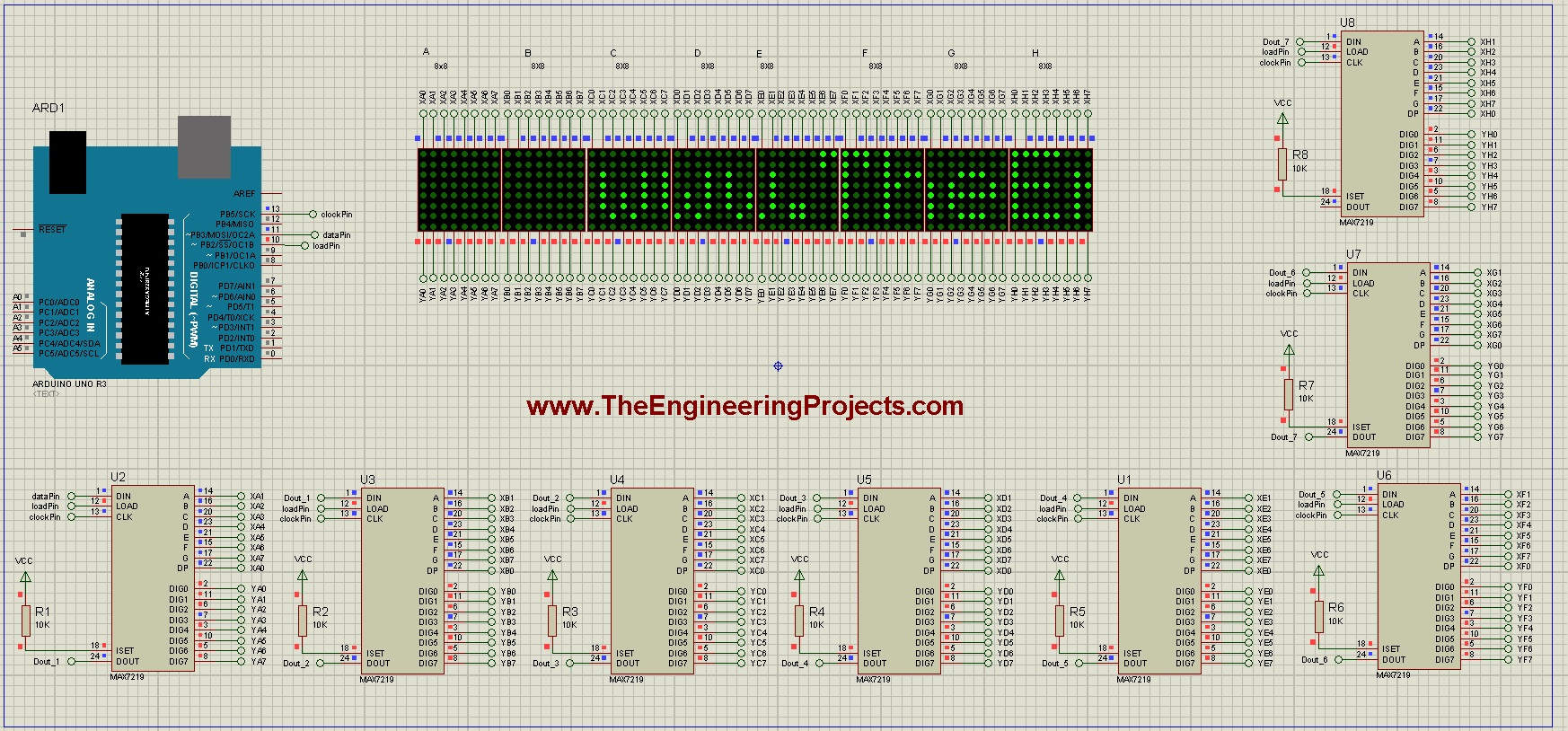
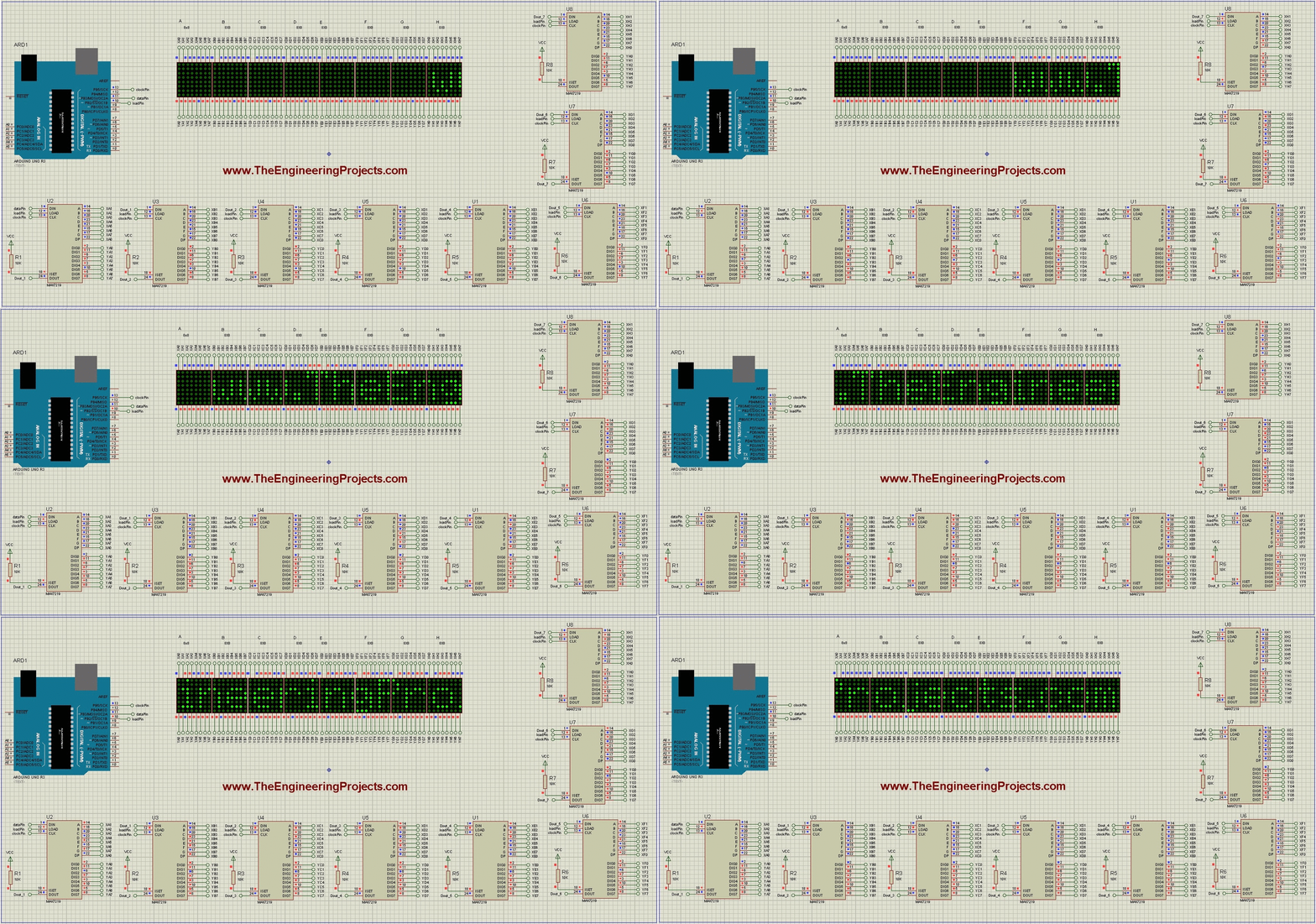
The screenshot shows the original project's display. It documents the intended result, not a new execution of the revised library example. The updated code and mapping instructions should be checked together in your chosen Proteus setup.
How Text Moves Across the Display
A scrolling message can be understood as a stream of bitmap columns. At each movement step, the visible pattern shifts and a new column enters. Blank columns between characters keep neighbouring letters visually separate.
The font determines the shape and width of each character. The animation determines when those columns move. Increasing brightness does not make the animation run faster, and increasing the number of modules does not change the font's pixel height.
The retained animation shows the original text movement. When checking your own result, watch the joins between matrices as well as the letters themselves. A reversed section can make a message appear almost correct until a character crosses a boundary.
Calculate and Adjust Scroll Speed
For a simple one-column movement every 75 milliseconds, the nominal movement rate is 1000/75, approximately 13.3 columns per second. At 200 milliseconds per step, it is five columns per second.
A 64-column-wide area takes about 4.8 seconds to traverse at 75 milliseconds per column. A complete message cycle also depends on the message width, entry and exit effects and any pause, so this is not the total cycle time.
Use a short message when choosing the speed. If you begin with a long sentence, you may wait a long time between observations of the same letter and miss an orientation problem.
Readability depends on viewing distance, character shape and brightness as well as speed. A faster animation is not automatically a better display. Select a rate that lets the intended reader follow the message comfortably.
Extend the Message Without Breaking Memory Bounds
The example uses a fixed message. If you later receive text over serial, reserve a bounded buffer and reject characters that would exceed its capacity. Leave room for the terminating null character used by a C-style string.
For a 75-byte buffer, the maximum ordinary single-byte message length is 74 characters. Copying a longer string with an unbounded operation can overwrite unrelated memory and cause faults that look like random display corruption.
Use separate active and pending message buffers when text can arrive during an animation. Replace the active message at a defined boundary so the display does not read a string while another routine is only halfway through changing it.
Begin with characters supported by the selected font. Multi-byte text encodings and custom symbols need an explicit font and decoding strategy; arbitrary pasted text is not guaranteed to display correctly on a small bitmap font.
Use Patterns to Separate Wiring Faults from Text Faults
A row-by-row pattern checks whether each row can be selected and whether any neighbouring row lights unexpectedly. A column-by-column pattern performs the equivalent check for the other axis. These simple patterns remove the font and scrolling logic from the diagnosis.
Then illuminate the same logical corner on every module. If one section differs, inspect that module's orientation or wiring rather than changing the global message routine. If every section differs in the same way, revisit the shared hardware mapping.
Finally, compare a sparse pattern with a dense pattern at the intended intensity. A circuit that works with one illuminated pixel but becomes unstable with many pixels may have a power problem. Record the supply voltage near both ends of the chain while the pattern is displayed.
Keep these checks brief and within the module's operating limits. They provide a repeatable starting point whenever a cable, matrix or power supply is replaced, without relying on a long animation to reveal a fault.
Review the Original Project Package
The original article linked a separate package containing its Proteus project and associated code. The original scrolling-text project page remains here as a reference to that package. Check the current listing for availability and contents; the historical price is not repeated as a current offer.
The revised example above is explained independently. Keep an older package's library configuration with it when reproducing its historical circuit, or deliberately adapt both code and mapping to the newer workflow.
Troubleshooting
| Symptom | Check |
|---|---|
| All modules remain dark | Power, program file, initialization and load connection |
| Only the first section responds | DOUT-to-DIN chain and device count |
| Letters are mirrored or rotated | Hardware type and matrix orientation |
| Characters break at module boundaries | Physical module order and chain direction |
| Display flickers or resets on hardware | Supply capacity, wiring drop and decoupling |
| Animation pauses unexpectedly | Blocking work that prevents frequent animation calls |
Frequently Asked Questions
Are eight matrices controlled through only one Arduino pin?
Data is serial, but this connection uses three control signals: data, clock and load, together with supply and ground.
Is the MAX7219 just a shift register?
No. It is a display driver that also provides memory, scanning and LED-drive functions.
Can I add unlimited modules?
No. More modules increase power, memory, transfer and signal-integrity demands. Extend a working chain gradually and reassess those limits.
Why does my FC-16 board need a different setting?
Its matrix-to-driver wiring differs from the Parola arrangement used in this example. Select the documented hardware type for your board.
What should I test before a long message?
Check a single pixel or asymmetric character, then a two-module boundary. Correct mapping and chain order before adding animation complexity.

Tags


I got problem when verifying the program which I took from the list above. the first line exactly. please give me some clue
thanks
1 reply
Hi,
The above given code is not complete, you can buy the complete code from our shop along with simulation.
Thanks.
dear,
I got problem when verifying the program then some errors . like that
sketch_may16e:1: error: #include expects "FILENAME" or
sketch_may16e:8: error: 'MD_MAX72XX' does not name a type
sketch_may16e:17: error: 'MD_MAX72XX' has not been declared
sketch_may16e:17: error: expected ',' or '...' before 't'
sketch_may16e.ino: In function 'uint8_t scrollDataSource(uint8_t, int)':
sketch_may16e:28: error: 'mx' was not declared in this scope
sketch_may16e.ino: In function 'void scrollText()':
sketch_may16e:64: error: 'gt' was not declared in this scope
sketch_may16e:64: error: expected ')' before ';' token
sketch_may16e:64: error: expected primary-expression before '=' token
sketch_may16e:64: error: expected ';' before ')' token
sketch_may16e.ino: In function 'void setup()':
sketch_may16e:73: error: 'mx' was not declared in this scope
sketch_may16e:75: error: 'MD_MAX72XX' has not been declared
#include expects "FILENAME" or
please give me the solutions . argent.
thanks
md. kowser kibria
Hi Syed, I am also making a scrolling text matrix display using arduino. Can you please mail me the full code.
Thanks
1 reply
You can buy the complete code and simulation by clicking the above button on top of this post.
Sir,
mail me this project at
[email protected]
i am also a programmer an entrepreneur, please help me for this project work,
i'll be helpful to you in future.
i can't Download Arduino Library for LED Matrix. can you help this problem?
1 reply
again try without led matrix
Comments
11