Hello everyone! I hope you all will be absolutely fine and having fun. Today, I am going to tell you about how to design an algorithm for Servo Motor Control using Arduino. First of all I would like to tell you a bit about the servo motors. Servo motors are small devices having an output shaft. We can adjust this shaft in different angular positions by continuously sending the servo coded signal. Servo motor maintains the angular position of the shaft as long as the coded signal is present at the input. If the applied coded signal changes, angular position of the shaft of a servo motor also changes correspondingly. If you are working on Servo Motor then i would suggest you to must have look at this tutorial Servo Motor control in Proteus, as its always a best practice to design simulation first.
In my previous tutorials I have controlled the direction and speed of the both DC as well as of the stepper motor. Ordinary DC motor has only two input terminals. When power is supplied it simply starts to rotate continuously. In comparison to the DC motor servo motor has three wires. Using servo coded signal we can send commands to the servo motor that in what direction and with what angle it has to rotate. If we want to add motion in our electrical projects, servo motor will be an easy way to do so. Servo motor has a wide range of applications in our daily life e.g elevator, cars, robotics, puppets, remote controlled airplanes and cars, conveyor belts, solar tracking system, antenna positioning, textiles etc.Moreover, I have also controlled the Servo Motor with PIC Microcontroller, so if you are using PIC Microcontroller then have a look at that one.
Servo Motor Control using Arduino
In the tutorial Servo Motor Control using Arduino, I will tell you step by step procedure for connecting the servo motor with Arduino and how to design a algorithm in Arduino software to control its angular position with the help of servo coded signal. First of all I would like to tell you about the hardware components necessary for Servo Motor Control using Arduino.
You can download the complete Arduino source code here by clicking on the button below.
Just download .rar file, extract it and enjoy the complete source code.
Hardware Required
A complete list of the hardware equipment necessary for this task is given below.
Computer/Laptop
Arduino UNO (Micro Controller)
Appropriate USB Cable
Servo Motor (4.8 to 6.0V with 2.5 kgf-cm torque)
Jumper Wires (Cables)
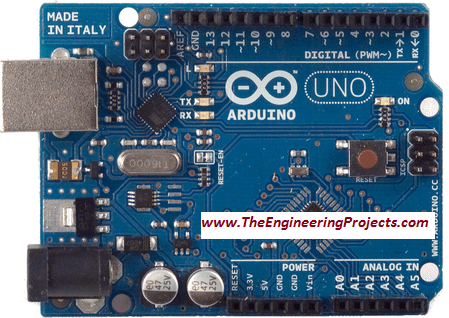
Arduino UNO acts as the backbone of this task. It sends the servo encoded signal to the servo motor to control its angular movement. Arduino UNO board is shown in the figure below.
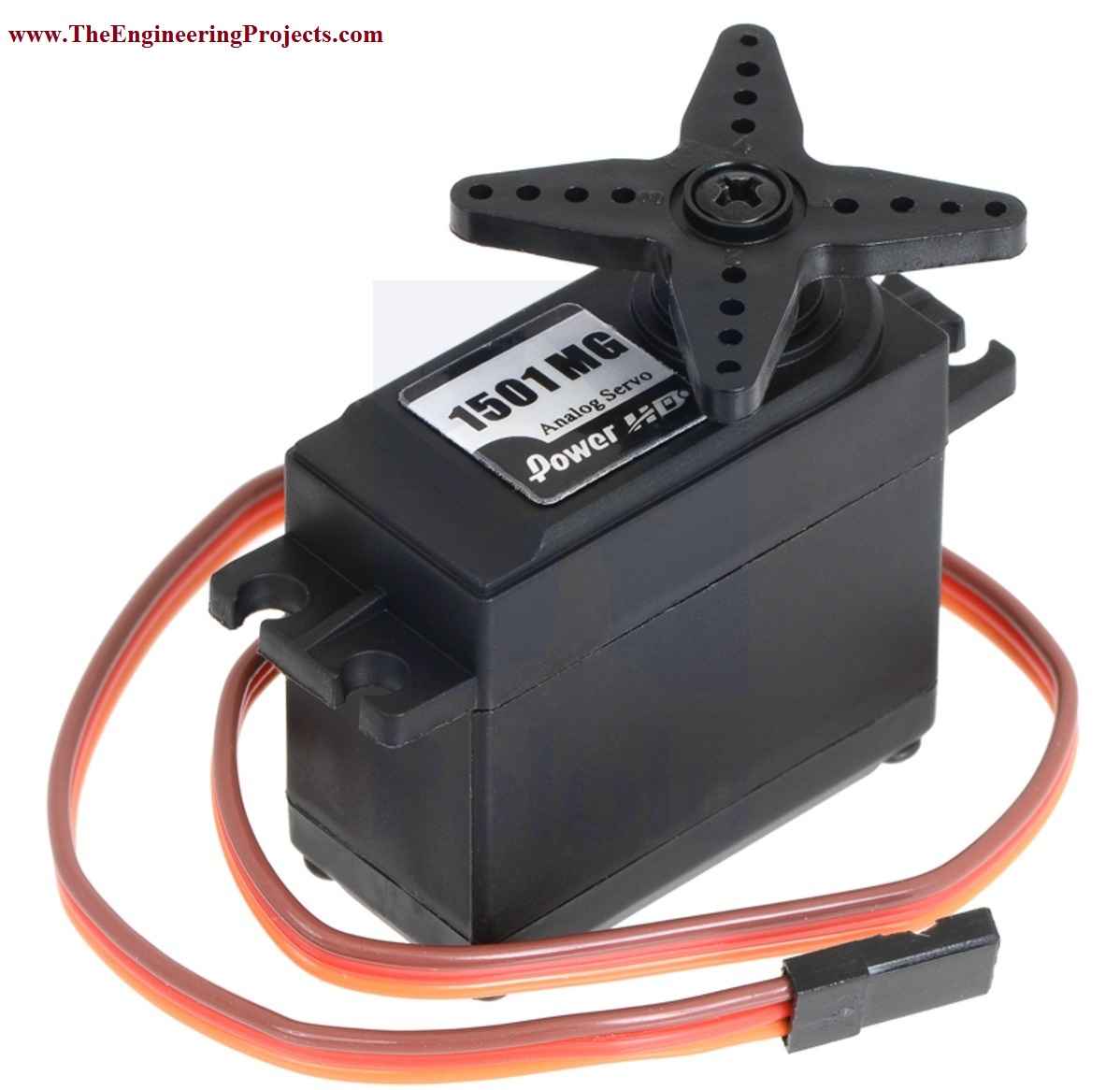
Servo Motor having torque of 2.5kgf-cm and 4.8-6.0v is used for this project. The selected servo motor is shown in the figure below. Power of 5V is supplied to the servo motor from the Arduino UNO board.
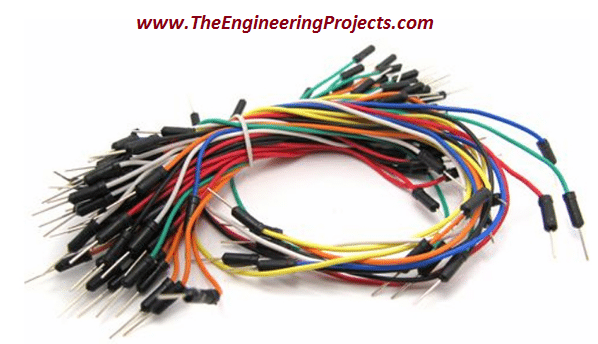
Jumper Wires are used to make the connections of the all the components in order to make the complete circuit with proper working. Jumper wires are shown in the figure below.
Circuit Diagram
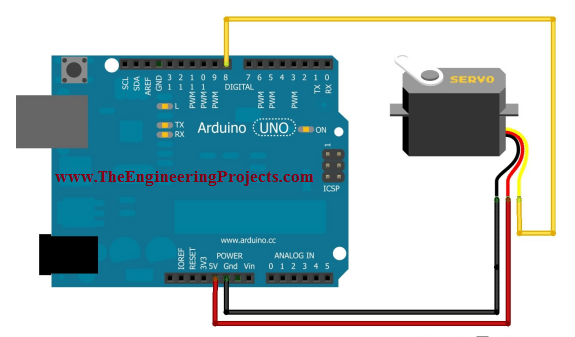
The circuit diagram for Servo Motor Control using Arduino is shown in the figure below.
I have supplied 5V to red wire of the servo motor as shown in the above figure.
The black wire is the attached to the GND pin of the Arduino UNO.
Yellow wire is basically the wire used to control the angular motion as well as the angle of the servo motor.
Source Code Description
The complete Arduino source code for Servo Motor Control using Arduino is given below.
You have to just copy the code given below and to past it in your Arduino software.
By uploading the source code to your Arduino board you will be able to control the servo motor using Arduino.
#include <Servo.h> //library for servo motor

Servo myservo;  // servo motor object for its control

int ang = 0;    // a variable to store the servo angle

void setup() {

  Serial.begin(9600);

  myservo.attach(8);  // servo motor is attached to pin no 8 og Arduino

}

void loop() {

  for (ang = 0; ang <= 180; ang += 5) // goes from 0 degrees to 180 degrees with a step og 5 degree
  {
    myservo.write(ang);              // rotates the servo to rotate at specific angle
    delay(50);     // adding delay of 50 msec
    Serial.println("Motor has started its rotation from 0 to 180 degress");
      }
  for (ang = 180; ang >= 0; ang -= 5) // goes from 180 degrees to 0 degrees with a step of 5 degree
  {
    myservo.write(ang);              // rotates the servo to rotate at specific angle
    delay(50);                      // adding delay of 50 msec
    Serial.println("Motor has started its rotation from 180 to 0 degress");
      }
}
First of all I have inserted the library for servo motor.
Then I have created a servo object and declared the initial angle of the servo motor.
After that I have have adjust the baud rate, the rate at which Arduino communicates with the laptop/computer.
Then I have defined the pin at which the servo motor is attached to the Arduino UNO's board.
Inside the main loop, I have applied the condition that in between 0 and 180 degrees, the servo motor's angle will be increased with different steps and each step has 5 degrees of angular movement.
When maximum limit is reached, the angle will be reduced from 180 to 0 degree with different steps, each step having 5 degrees of angular movement.
That was the brief description of the Arduino complete source code designed for Servo Motor Control using Arduino.
That is all from the tutorial Servo Motor Control using Arduino. I hope you all have enjoyed this tutorial. If you face any sort of problem you can ask me freely in comments any time you want without even feeling any kind of hesitation. I will try my level best to solve your issues in a better way, if possible. I will explore Arduino by making different projects on it and will share all of them with all of you as well in my later tutorials. Till then, Take care :)




Comments
0