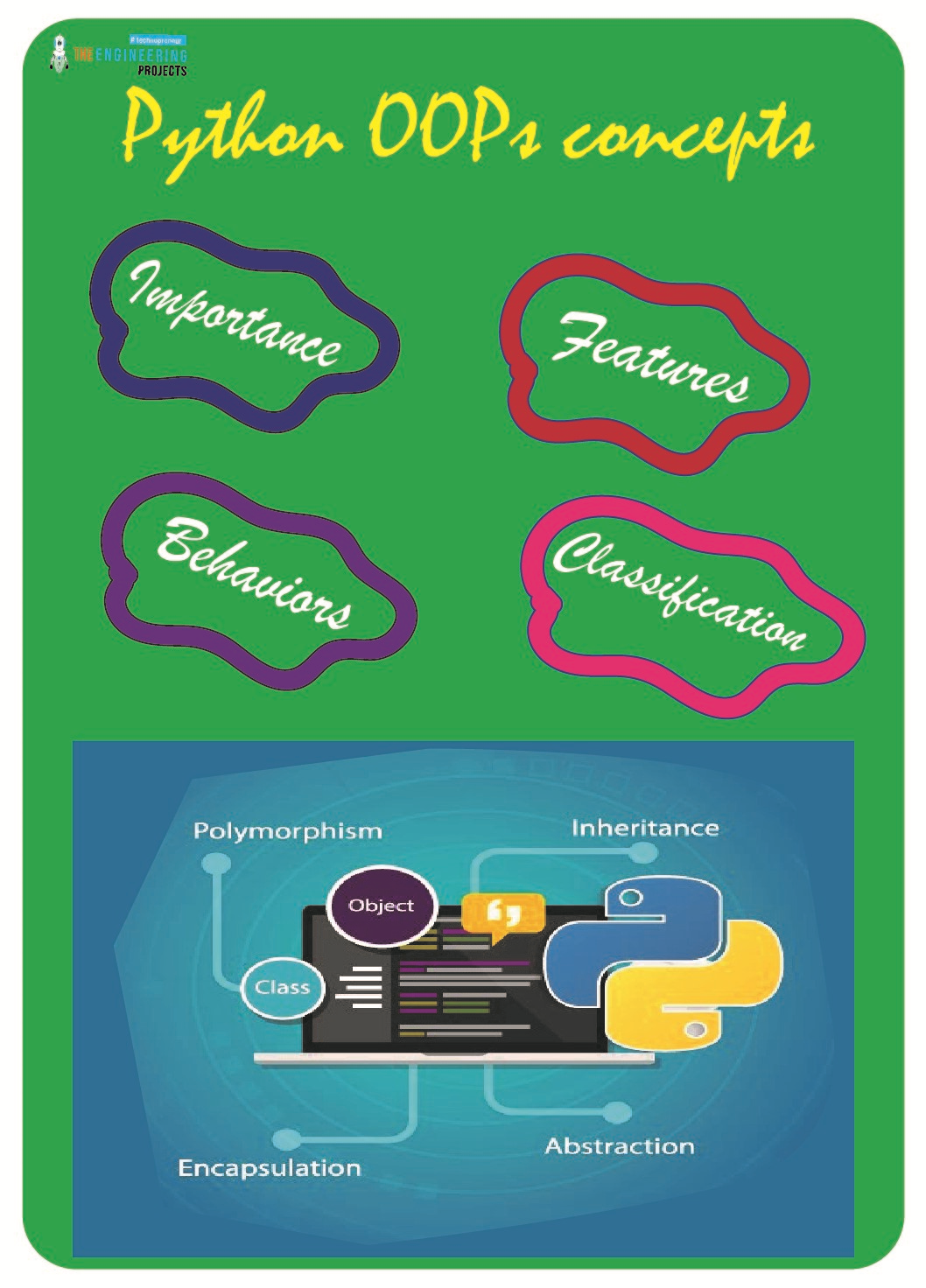
Hello pupil! We hope you are doing well with object-oriented programming with Python. OOP is an extremely important topic in programming, and the good thing about Python is that the concept of OOP can be implemented in it. In the previous lecture, we made a basic introduction to all the elements that are used in the OOP, and right now, we are moving forward with the detail of each concert with examples. The imperative nature of the OOP is useful for us because it uses the statements to change the programming state, and in this way, the working of the code becomes easy and effective. To use the applications of Python, the imperative nature of OOP will give us the tools we need to get the perfect results by using our creativity. We will prove this in just a bit, but here are the highlights o ...
Welcome to the next tutorial on our raspberry pi four python programming. In the previous article, we built a system that recognizes when two people are in physical contact using OpenCV and a Raspberry Pi 4. We used the weights from the YOLO version 3 Object Recognition Algorithm to implement the Deep Neural Networks part. Regarding image processing, the Raspberry Pi consistently comes out on top compared to other controllers. A facial recognition program was among the earlier attempts to use Raspberry Pi for sophisticated picture processing. In today's world of cutting-edge technology, digital image processing has expanded rapidly to become an integral feature of many portable electronic gadgets.
Digital image processing is widely used for such t ...
Hey peeps! Welcome to the Engineering Projects where you are learning the basics of Python in detail. We are working a lot with the arrays as these are important concepts in most of the high-level programming languages till now, the numeric data was used in the arrays but for our practice, we are moving towards the next step where the focus will be on the string data type. The practice is done on the Jupyter notebook and every step is going to be explained well without skipping any concepts but to keep things easy, we are not emphasising unnecessary details and concepts. So, before going deep into the topic, have a look at the list of the contents that will be discussed in this lecture:
What are the strings?
How do we use the string in arrays?
What is the list?
How do we extract the ch ...
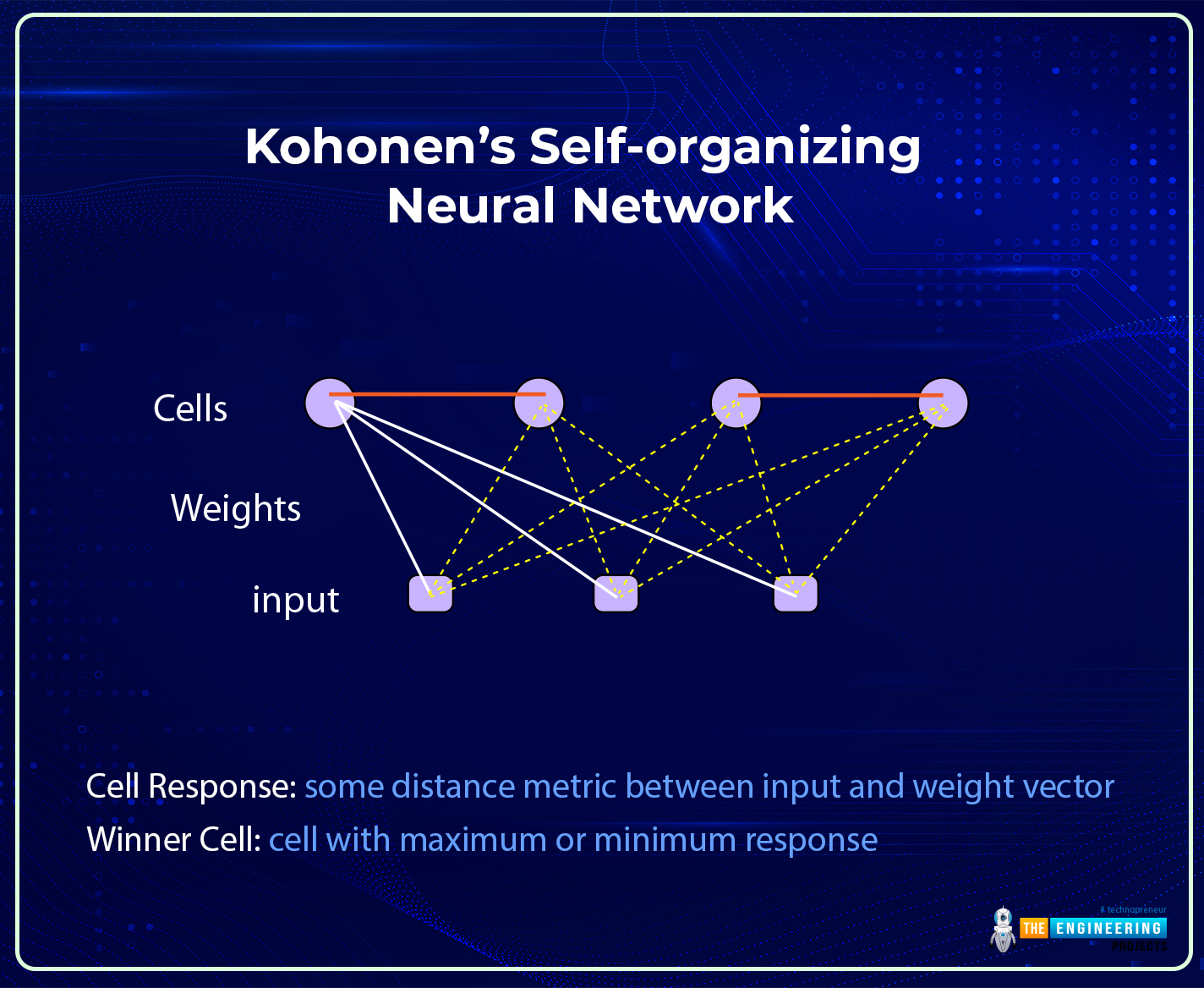
Hi there! I hope you are having a great day. The success of the field of deep learning is due to its complex and advanced neural networks. These networks can be broadly divided into traditional and modern neural networks. We have seen the details of traditional neural networks, and in the previous session, the basic introduction of modern neural networks and the details of their features were discussed. Today, we will talk about one of the most famous modern neural networks, the Kohonen Self-Organized Neural Network.
Modern neural networks are more organized and developed than traditional neural networks, but that does not make traditional neural networks less efficient than modern ones. All the networks are introduced for specific tasks, and this is one of the main reasons behind t ...
Hey learners! Welcome to the new tutorial on deep learning, where we are going deep into the learning of the best platform for deep learning, which is TensorFlow. Let me give you a reminder that we have studied the need for libraries of deep learning. There are several that work well when we want to work with amazing deep-learning procedures. In today’s lecture, you are going to know the exact reasons why we chose TensorFlow for our tutorial. Yet, first of all, it is better to present the list of topics that you will learn today:
Why do we use TensorFlow with deep learning?
What are some helpful features of this library?
How can you understand the mechanism of TensorFlow?
Show the light towards the architecture, and components of the TensorFlow.
In how many phases you can complete t ...
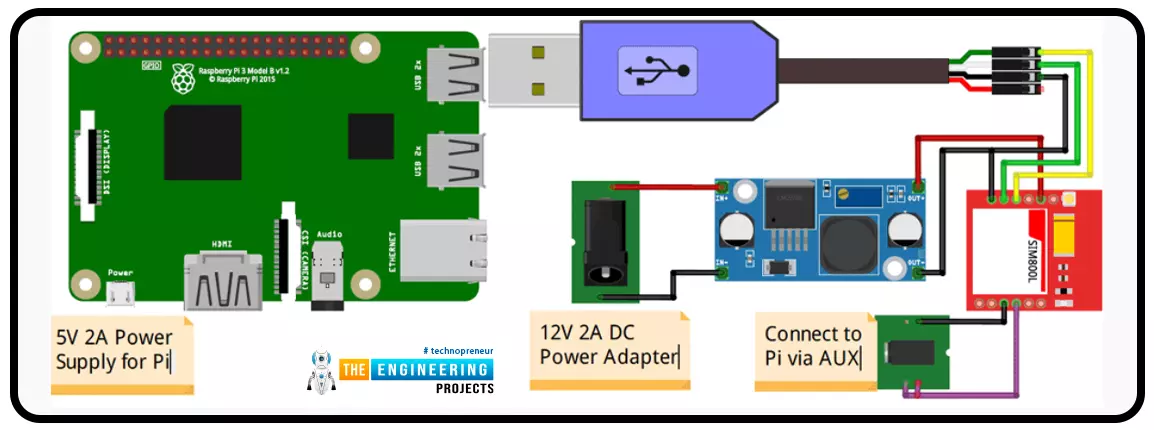
A low-literate audience can nevertheless have their voices heard and their questions answered by using an IVR system, as has been proven time and time again. However, achieving such aims in a development setting calls for a cheap system that welcomes input from various parties. RASP-IVR is an inexpensive IVR system that operates on a PI 4 and a local Global System for Mobile Communications modem. RASP-IVR was designed as an open-source, community-driven solution. It's unusual to find a customer-focused company that still uses human operators rather than an interactive voice response system. Credit card companies typically have IVR systems that can be used to make payments or file fraud reports. Airlines use elaborate IVR systems to schedule flights and check their current status. To facili ...
Thank you for joining us today for our in-depth Raspberry Pi programming tutorial. The previous guide covered the steps necessary to connect a fingerprint scanner to a Raspberry Pi 4. In addition, we developed a python script to complement the sensor's ability to identify fingerprints. Yet, in this guide, we'll discover how to interface a ws2812 RGB to a Raspberry Pi 4.
Bright, colorful lights are the best, and this tutorial shows you how to set up Fully Configurable WS2812B led strips to run on a Pi 4 computer as quickly and flexibly as possible. In that manner, you can have the ambiance of your home reflect your tastes.
In most cases, when people talk about a "WS2812B Strip," they mean a long piece of extensible PCB with a bunch of different RG ...
Hello friends, I hope you all are doing great. In today's tutorial, we are gonna have a look at How to Create a New View in ASP.NET MVC. It's 7th tutorial in ASP.NET MVC series and I am hoping you are learning from it. If you have any suggestions, then ask in comments and we will help you out.
In our previous tutorial, we have seen How to Create a New Controller in ASP.NET MVC and we have also created the New Model in ASP.NET MVC , so now we are only left with View which we are gonna create today. Both Controller and Model comes under back-end / server side programming while view comes under front-end / client side programming. Here we are gonna create a View for the user to interact. So, let's get started with How to Create a New View in ASP.NET ...
Welcome to the next tutorial of our Raspberry Pi programming course. Our previous tutorial taught us to how to tweet from Raspberry pi. We also discussed some methods used by the tweepy library to perform some API calls in our project. We will learn how to print from a Raspberry pi in this lesson.
Let us get started
There are several benefits of having a print server. Print servers may link numerous computers to one or multiple printers, either physically or wirelessly, allowing you to access the printer with various devices and send print instructions from all the other connected computers.
It is not easy to print from an Android smartphone to a cabled printer; however, a printer server makes it simple. A print server is useful in small workpl ...
Hi pals! Welcome to the next deep learning tutorial, where we are at the exciting stage of TensorFlow. In the last tutorial, we just installed the TensorFlow library with the help of Anaconda, and we saw all the procedures step by step. We saw all the prerequisites and understood how you can follow the best procedure to download and install TensorFlow successfully without any trouble. If you have done all the steps, then you might be interested in knowing the basics of TensorFlow. No matter if you are a beginner or have knowledge about TensorFlow, this lecture will be equally beneficial for all of you because there is some important and interesting information that not all people know. So, have a look at the topics that will be discussed with you in just a bit.
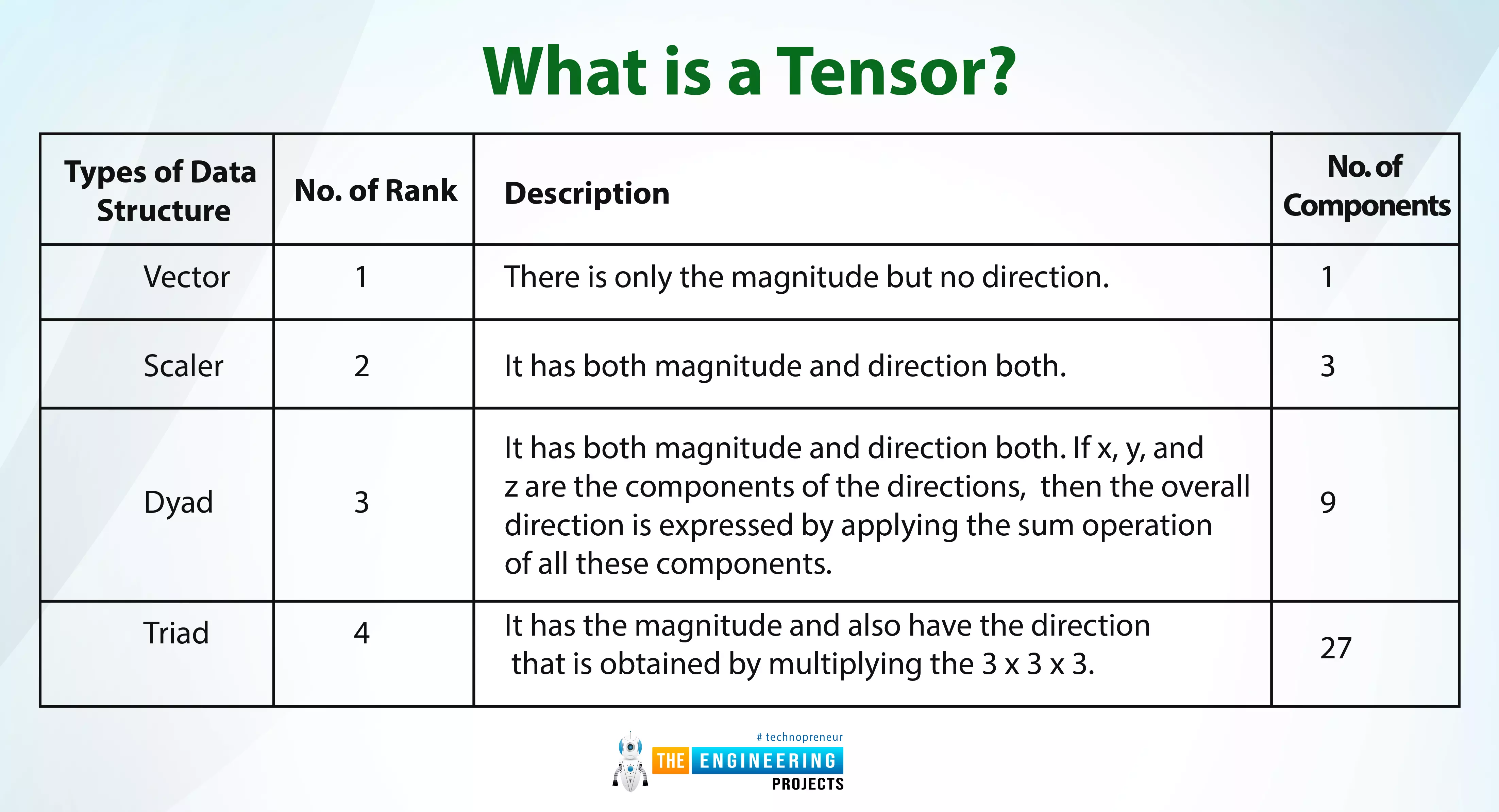
What is a tensor?
What are ...