Hi learners! Welcome to the next episode of learning the arrays using string data. We have been working with the arrays and in the previous lecture, we saw the interesting characteristics of the string arrays. In the present lecture, our target is to get knowledge about the built-in functions and we will take the strings in the array so that we may know about both of them together. String arrays are used in many officials uses and therefore, we want to use the built-in functions that every Python programmer must know. Here is the list of the concepts that will be polished in this lecture:
What are the built-in methods?
How do you differentiate between methods and functions in programming?
Give different examples to understand different built-in methods to be used in the same code.
How ...
Greeting learners! Welcome to the new tutorial on Python, where we are going to discuss the loops. In the previous lecture, our focus was on the primary introduction of the loops in Python. If you are from a programming background, you must know that there is a little bit of difference between the loops in Python and those in other programming languages. At the end of the previous lecture, we saw the details of the basic differences and examined why we consider Python better than other languages when considering loops. In the current lecture, our focus is only on the while loop, and you will get to know its importance soon when we discuss the detail of this loop. But before this, have a look at the list of the major concepts:
What are the loops?
Why do we use the while loop in Python?
W ...
Hello everyone, hope you all are fine and having fun with your lives. In today's post, I am going to share How to generate PWM in 8051 Microcontroller. PWM is an abbreviation of Pulse Width Modulation and is used in many engineering projects. It is used in those engineering projects where you want an analog output. For example, you want to control the speed of your DC motor then you need a PWM pulse. Using PWM signal you can move your motor at any speed from 0 to its max speed. Similarly suppose you wanna dim your LED light, again you are gonna use PWM pulse. So, in short, it has numerous uses. If you are working on Arduino then you should read How to use Arduino PWM Pins.
PWM, as the name suggests, is simply a pulse width modulation. We take a pu ...
Welcome to the next tutorial of our Raspberry Pi programming course. Our previous tutorial taught us to make a button-controlled "music box" that plays different sounds depending on which buttons are pressed. In this lesson, we will configure our raspberry pi for voice control.
What will you learn?
Like the Amazon Echo, voice-activated gadgets are becoming increasingly popular, but you can also construct your own with a Raspberry, a cheap USB mic, and some appropriate software. Simply speaking to your Raspberry Pi will allow you to search YouTube, view websites, activate applications, and even answer inquiries.
What will you need?
Because the Raspberry Pi lacks a soundcard or audio port, this project requires a USB microphone or a camera with a ...
Hello Engineers! Hope you all are doing great. In today's tutorial, I am giving you a detailed lecture on Python programming language. As I am writing this tutorial for beginners, that's why I will discuss each & everything in detail, so it's going to be a very lengthy tutorial and I have divided it in parts.
We will start from basic concepts in Python and will slowly move towards advanced concepts. It's going to be a quite long bumpy ride but I will try my best to make it as smooth as I can. So, let's get started with basic Introduction to Python Language:
Introduction to python
Python is a multi-purpose, object-oriented High-Level Programming language, with applications in multiple areas, including scripting, machine learning, data scienc ...
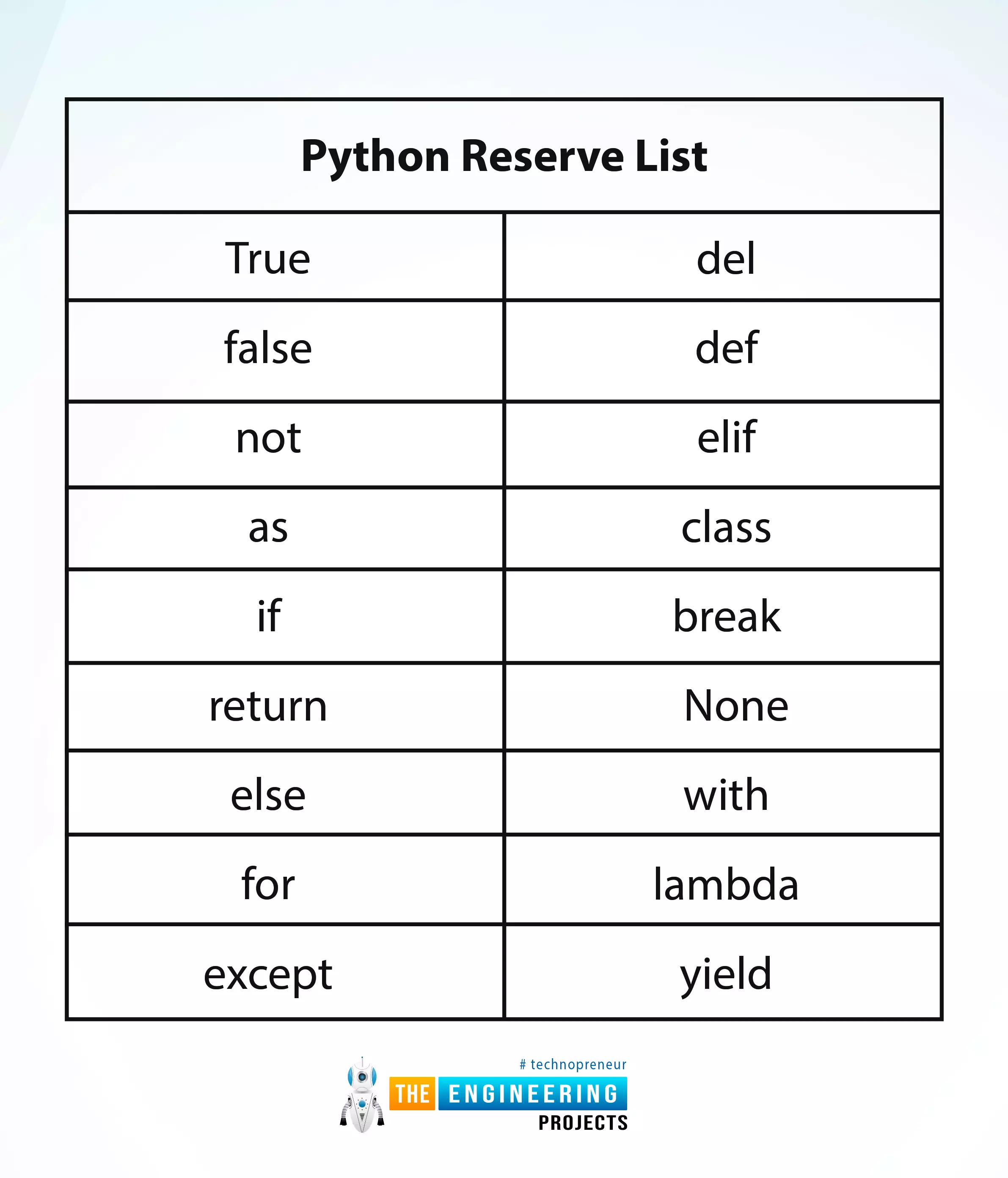
Hey peeps! Welcome to an exciting tutorial on Python in which you will learn about the Python reverse list. We are on a series of deep learning phases where Python is under our observation. In the last tutorial, we saw the variables in Python and practised many codes in the TensorFlow. Today, we are interested to practice many interesting methods in an easy way. These are the built-in functions and you do not have to be an expert in the programming to perform them in TensorFlow. All you need is to read this tutorial and have the TensorFlow working fine. Before going deep into the topic, it is important to have a look at the list of content that you will learn today:
How do you define the python reverse list?
Why we should know about the python reverse list or keywords?
How do you practi ...
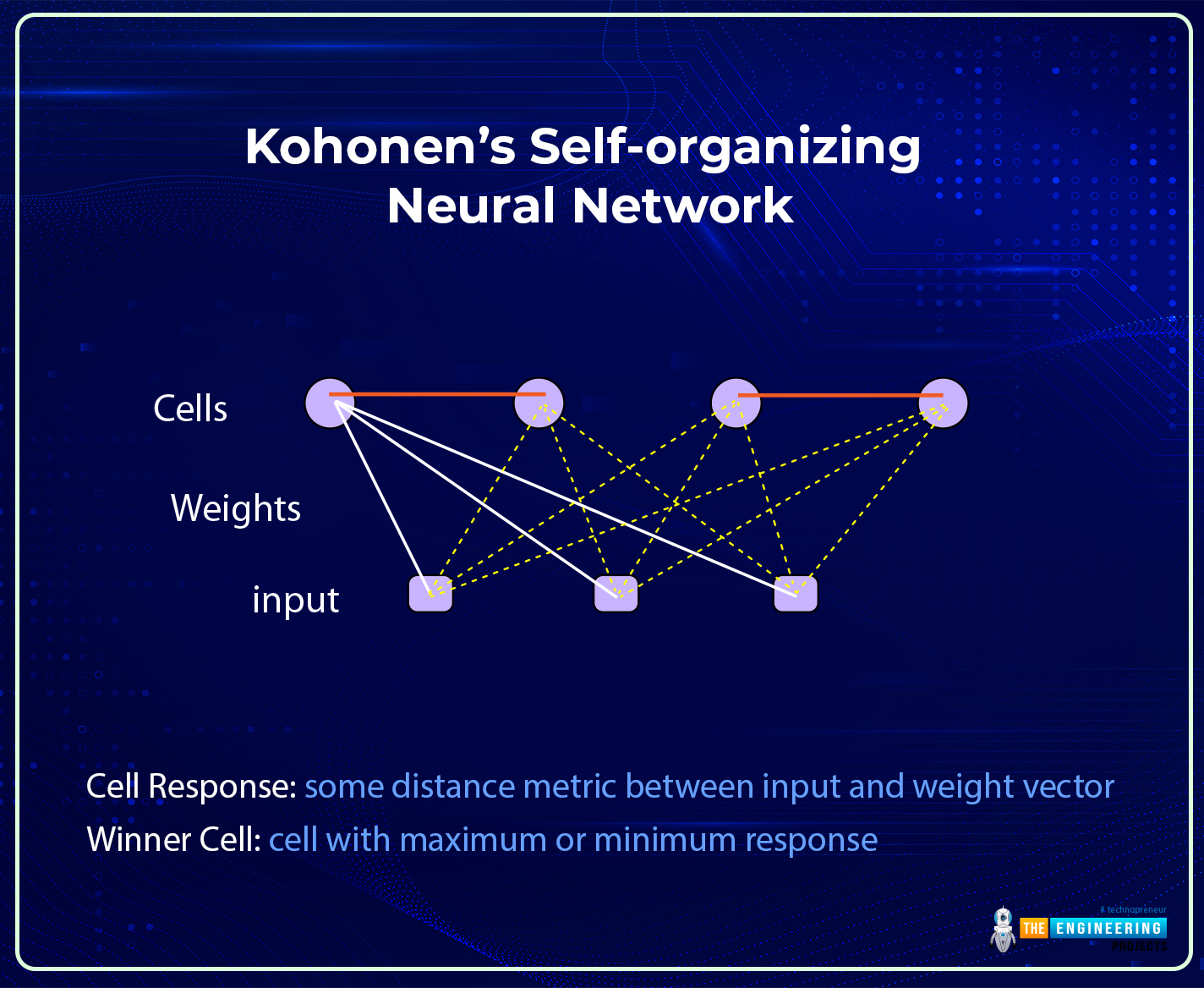
Hi there! I hope you are having a great day. The success of the field of deep learning is due to its complex and advanced neural networks. These networks can be broadly divided into traditional and modern neural networks. We have seen the details of traditional neural networks, and in the previous session, the basic introduction of modern neural networks and the details of their features were discussed. Today, we will talk about one of the most famous modern neural networks, the Kohonen Self-Organized Neural Network.
Modern neural networks are more organized and developed than traditional neural networks, but that does not make traditional neural networks less efficient than modern ones. All the networks are introduced for specific tasks, and this is one of the main reasons behind t ...
The choice of operating system for a virtual private server depends on the needs of a particular company. But if you are looking for a reliable, efficient, and flexible solution to host your web projects, in most cases it will be Windows VPS. In this article, we'll analyze why many people prefer Microsoft solutions, and what benefits and limitations you can expect if you decide to buy a Windows VPS
.
What is a Windows VPS and what it is used for?
Windows VPS is a virtual private server that uses Windows Server as the underlying operating system. Windows VPS functions effectively as a cloud server with elastic scalability. This means that you get a dedicated server resource that you can use as you see fit, and you can easily add resources as ...
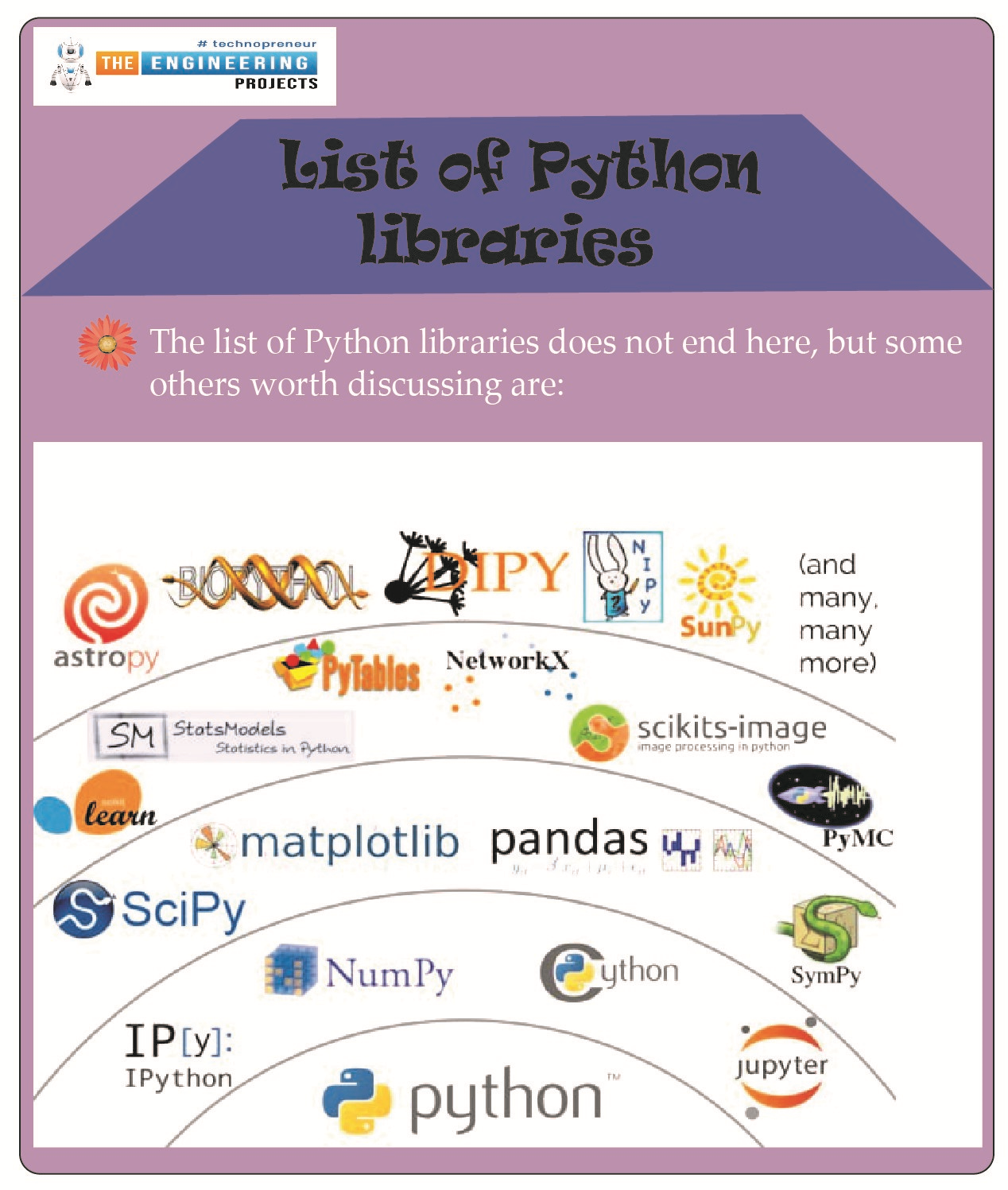
Hello students! We hope you are enjoying learning Python, and therefore, we are moving forward with the advanced level of Python. For this, you have to keep in mind that you are moving towards complex codes, and therefore, you have to get ready for expert-level problems. Do not worry, we are not going to leave you alone with these complex codes; rather, we are discussing the amazing and interesting libraries in Python so that your work may be done with the pre-defined codes and applications so you get amazing results by following simple operations and statements. If it is confusing for you right now, do not worry. Have a look at the topics that you will learn about today, and after that, we will move towards the details:
What is meant by a library in programming languages?
List some of t ...
Welcome to the next tutorial of our Raspberry Pi programming course. Our previous tutorial taught us to set up a webserver in raspberry pi. We also looked at configuring addclient and deploying apps to our repositories. This tutorial will teach us to set up a free media server on Raspberry Pi.
Using a Raspberry Pi as a multimedia server requires:
An operating system and miniDLNA program installed on your Raspberry Pi,
You can attach various cleanly formatted and fragmented hard disks to your Raspberry Pi for storing and streaming media files.
A basic understanding of how to use a computer, Client-server architecture skills, familiarity with Unix terminal and Secure shell, and a passion for computing and the media are a must!
Even if you ...