Hello friends, I hope you all are fine. In today's tutorial, I am going to share the Raspberry Pi Pico Library for Proteus. It's a dummy library, we have just designed the display. We can't add the Python Code to it, but we can make it work with Arduino code. A mixture of Arduino and Raspberry Pi, I have given it an unofficial name "Arduino Pi". It's better to have something than nothing. You can design circuit diagrams using this library and can also demonstrate your project in presentations by designing simulations. So, let's have a look at How to simulate Raspberry Pi Pico by adding this Proteus Library: Raspberry Pi Pico Library for Proteus First of all, we need to download the zip file of Proteus Library for Raspberry Pi Pico, by clicking the below button: Raspberry Pi Pico Library fo ...
Hello friends, I hope you all are doing well. In today's tutorial, I am going to share a new Proteus Library of ESP32 embedded module. ESP32 is a microcontroller board used mostly in IoT projects. It's a successor of ESP8266 or NodeMCU. We have already shared the NodeMCU Library for Proteus and I hope you guys have enjoyed it. Proteus software is not capable of handling WiFi or BLE technology, thus we can't implement these technologies in the ESP32 board. Though, you can use its input/output pins to interface embedded sensors and modules. You can also use it to design the Circuit Diagram of your Project. So, let's have a look at How to simulate ESP32 board in Proteus: ESP32 Library for Proteus First of all, download the zip file of Proteus Library for ESP32 board, by clicking the below but ...
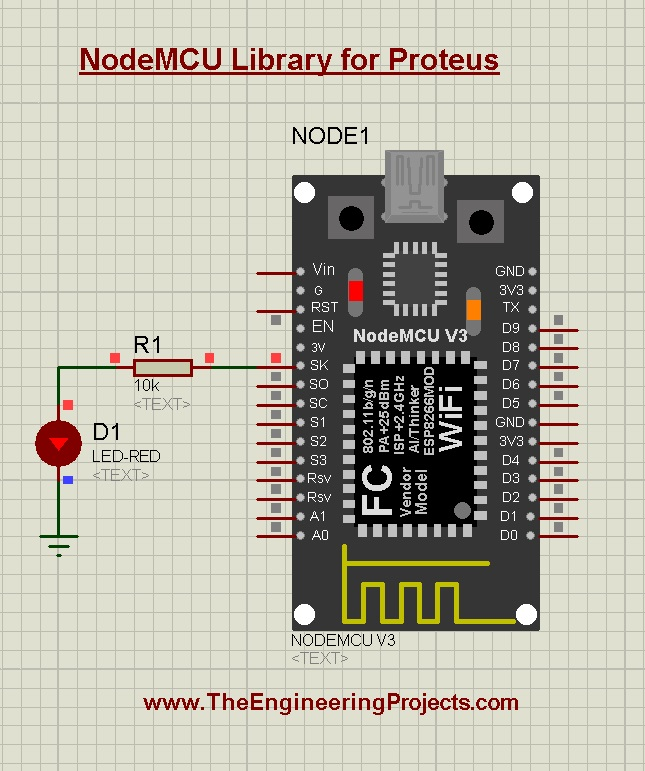
Hello friends, I hope you all are doing great. In today's tutorial, I will share a Proteus Library of another embedded module i.e. NodeMCU. NodeMCU is a microcontroller board and if you are new to this board, you should read Introduction to NodeMCU to get your hands dirty. NodeMCU is not present in the components library of Proteus and using this library you can easily simulate NodeMCU in Proteus. We can't add WiFi and BLE capabilities to our module in the Proteus software, that's why it will just perform the basic functions i.e. sensors interfacing, PWM, I/O control etc. So, you can use it for simple code testing and can also use it to design circuit diagrams of your projects. So, let's have a look at How to download NodeMCU Proteus Library and simulate it: NodeMCU Library for Proteus Fir ...
Cybersecurity is no sci-fi concept, but rather it's a practical necessity every individual and organization needs to be aware of. As multiple options for foundational cybersecurity frameworks exist, knowing the 'what' and 'why' of these can guide you through this labyrinth efficiently. Let's dive in to explore more so you know what you need to do to protect your business’s IT assets. Image Source: Pixabay Understanding What a Cybersecurity Framework Is A cybersecurity framework is, essentially, a strategic guide designed to help organizations manage their cyber risks. It aids in defining and prioritizing the steps required for reducing cybersecurity risks . This systematic approach ensures that no crucial detail gets overlooked amidst keeping pace with evolving threats. Think of it as your ...
In today's digital age, where technology is an integral part of our daily lives, it's crucial to be aware of the various cybersecurity threats and take appropriate measures to protect ourselves. While many people are familiar with the more well-known threats like phishing scams and malware, several commonly overlooked cybersecurity risks can have significant consequences. In this article, we will explore these threats and provide insights on how to overcome them. What are the most important threats that we cannot afford to ignore? One of the commonly overlooked cybersecurity threats is the vulnerability of public Wi-Fi networks. In an increasingly connected world, we often rely on public Wi-Fi hotspots in cafes, airports, and other public places. However, these networks can be a breeding g ...
Hello friends, I hope you all are doing well. Today, I am going to share the 8th tutorial of Section-III in our Raspberry Pi Programming Series. In the previous tutorial, we interfaced the temperature sensor DS18B20 with Raspberry Pi 4 . In today's guide, we'll discover another temperature sensor BMP180 and will interface it with Raspberry Pi 4. So, let's get started: Project Description In today's tutorial, we will interface the BMP180 sensor with Raspberry Pi 4 and will display the values of temperature, barometric pressure and altitude in the Raspberry Pi Console Window. Components Required We will use the following components in today's project: Raspberry pi 4 BMP180 sensor Female-Female Jumper wires Breadboard BMP180 Air Pressure Sensor BMP180 is a low-cost sensor designed by Bosch to ...
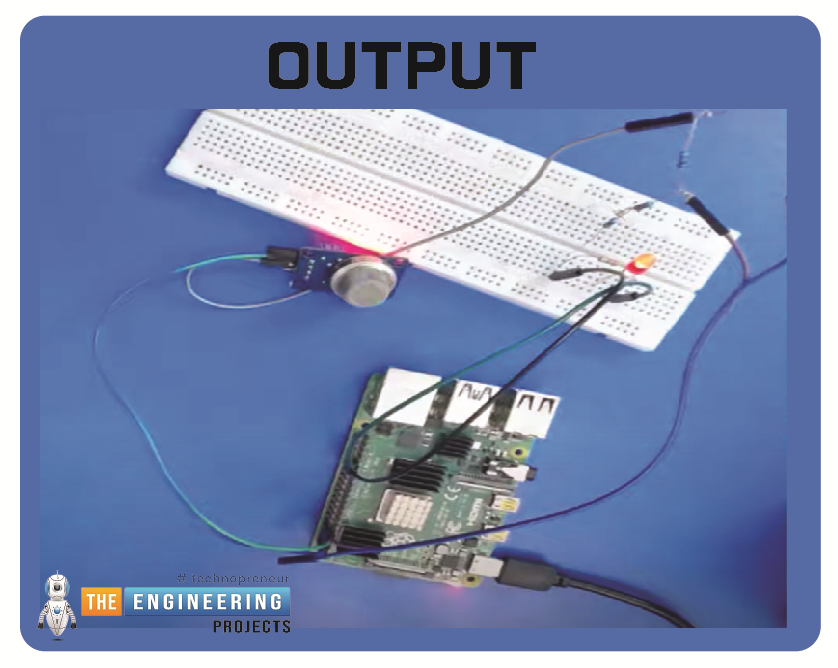
Hello friends, I hope you all are having fun. Today, I am going to share the 9th tutorial of Section-III in our Raspberry Pi 4 Programming Course. In the previous tutorial, we interfaced an air pressure sensor BMP180 with Raspberry Pi 4 . In this tutorial, you'll learn how to interface an MQ-2 gas sensor with a Raspberry Pi 4. Many apartments, residences, and workplaces rely heavily on these gas sensors to detect smoke or gas and alert the appropriate personnel in an emergency. In addition to gas and smoke, this sensor is sensitive to various odorous gases. Project Description Today, we will interface a gas sensor MQ-2 with Raspberry Pi 4 and will display the values on Raspberry Pi Console Window. Components Required These are the components used in today's project: Raspberry Pi 4 MQ-2 Smo ...
Artificial intelligence plays a crucial role in commerce by providing personalized recommendations based on previous searches and online behavior. With AI, businesses can optimize products, plan inventory, and improve logistics, which leads to reduced operating costs and increased margins. Whether you aim to scale personalized experiences, delight customers, or create new revenue streams, building an AI solution is essential. While priorities may differ among business owners, AI remains integral to implementing a variety of solutions. In this article, we discuss how AI experts can help develop and grow businesses. What Are AI Solutions? Artificial intelligence solutions offer pre-built or customizable options to tackle specific use cases and overcome business challenges. These solutions en ...
Targeting customers and niche demographics online continues to grow in relevance as more companies adopt telecommuting practices. For this purpose, mass emailing is superior to less extensive forms of advertising in terms of both obtaining prospects and reaching the intended customer base. Amid the growth of social networking sites and other promotional channels, email marketing efforts stay at the forefront of the industry. Using mass emailing, businesses may find valuable and potential customers for their products and services. Promoting both products and services with the help of such a service increases the likelihood of generating leads and improving ROI. To help our readers find the easiest options for this, we have compiled a list of easy ways to send a mass email in Gmail below. By ...
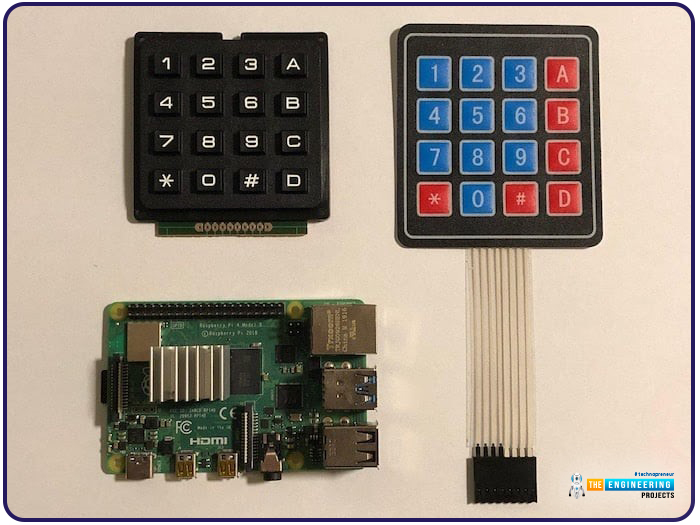
Hello friends, I hope you all are doing well. Welcome to the next tutorial of our Raspberry Pi 4 programming course. In the previous lecture, we interfaced LCD 16x2 with Raspberry Pi 4 . Today, we will interface a keypad 4x4 to Raspberry Pi 4. In embedded projects, a keypad is used to get user input i.e. calculator, ATM keypad etc. Different types of Keypads are available i.e. 4x4, 4x3 etc. So, let's get started: Components Required We will need the following components in our today's project: Raspberry Pi 4 Keypad 4x4 Breadboard Connecting Wires Keypad 4x4 A keypad is a collection of push buttons, arranged in a matrix form. Keypad 4x3 means the keypad has 4 rows and 3 columns and 12 buttons in total. A 4 by 4 keypad membrane has 8 pins in total, its first 4 pins devoted to its rows and it ...