


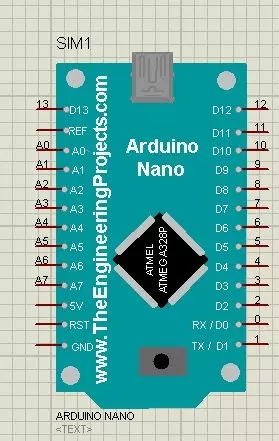
Hello friends! In this tutorial, we will install the Arduino Nano Library for Proteus, load a compiled Arduino program and run an LED-blinking simulation. We will follow the same sequence you would use for a larger project: identify the board, install its model, check the basic circuit and then add your application. The Nano is useful when an Arduino UNO would take too much space. In the project described in the original article, I used a Nano with an inertial measurement unit on a cricket bat. The smaller board helped keep the electronics compact. That example illustrates the reason for choosing the Nano: board size and connections matter alongside the processor's capabilities. This page explains the original V1.0 Proteus library and retains its download and screenshots. Newer library ver ...