Hi Friends! Hope you’re well today. I welcome you on board. In this post today, I’ll walk you through the Introduction to Arduino Beetle.
Arduino beetle is the smallest Arduino board that comes with the functionality of Arduino Leonardo. This board is a remarkable addition to the minimalistic Arduino technology. It is based on the microcontroller Atmel Atmega32u4.
With the inception of innovations in modern technology, electronic devices are becoming light, more compact that happen to perform a lot of functions. These devices are economical and require little to no prior knowledge to get your hands dirty with them.
All Arduino boards are microcontrollers but not all microcontrollers are Arduino board. While using the Arduino board, you don’t ne ...
Hi Guys! Hope you’re well today. I welcome you on board. In this post today, I’ll detail the 7 best Arduino starter kits for beginners.
Arduino boards are particularly introduced for people with little to no knowledge about programming and electronics. These boards are the improvised version of microcontrollers. If you’re a student or someone planning to get your hands dirty with some electronic projects, Arduino boards are a great way to whet your appetite.
Arduino kits house many essential components required to start working with Arduino boards. These kits are developed for people who struggle to get a hold of the nitty-gritty of programming Arduino boards. These Arduino basic kits come with instruction manuals that detail the step-by-step pro ...
Hello friends, hope you all are fine and having fun with your lives. Today, I am going to share a new project named LPG Gas Leak Detector using Arduino in Proteus ISIS. Before reading this tutorial, you must first download the Gas Sensor Library for Proteus because we are gonna use that Library and will simulate the Gas Sensor in Proteus.
In this library you will find eight sensors and all of them works exactly the same so that's why we are gonna use one of them. For LPG Gas Leak Detector Project I have used MQ-2 sensor which is used for detection of LPG gas. I have also used Arduino UNO board which you can simulate in Proteus using Arduino Library for Proteus. Moreover, I have also placed an LCD which will display either LPG gas Leak Detected or ...
Hi Guys! Hope you’re well today. I welcome you on board. In this post today, I’ll walk you through the Introduction to Arduino MKR WAN 1310.
The Arduino MKR WAN 1310 includes Lora connectivity that can perform very long-range transmission operations consuming low power.
This device is an ideal pick for the hobbyists requiring to develop IoT devices using the minimum networking experience using low power devices.
The MKR WAN 1300 is incorporated with the Microchip® SAMD21 which is the low-power processor, the MKR family’s characteristic crypto chip (the ECC508), and the Murata CMWX1ZZABZ LoRa® module.
Before you read further, I recommend you have a look at Introduction to Arduino Nano Every and Arduino MKR Vidor 4000 that I have uploaded previo ...
Hi Friends! Hope you’re well today. Happy to see you around. In this post, I’ll detail the Introduction to Arduino UNO REV3.
Arduino Uno REV 3 is an Arduino board based on the microcontroller ATmega328P. It carries 14 digital I/O pins out of which 6 can be used as PWM outputs. Moreover, 6 analog input pins are available on the board and the clock frequency is 16MHz.
Arduino UNO is one of the most used boards from the Arduino family. The robust and clean design helps you shape your ideas into reality.
Know that Arduino UNO REV3 is an advanced version of Arduino UNO. The new version includes four solder pads JP2 attached with the pins PB4 to PB7 of the USB ATmega.
Uno stands for one in Italian and this name was picked for the release of Arduino ...
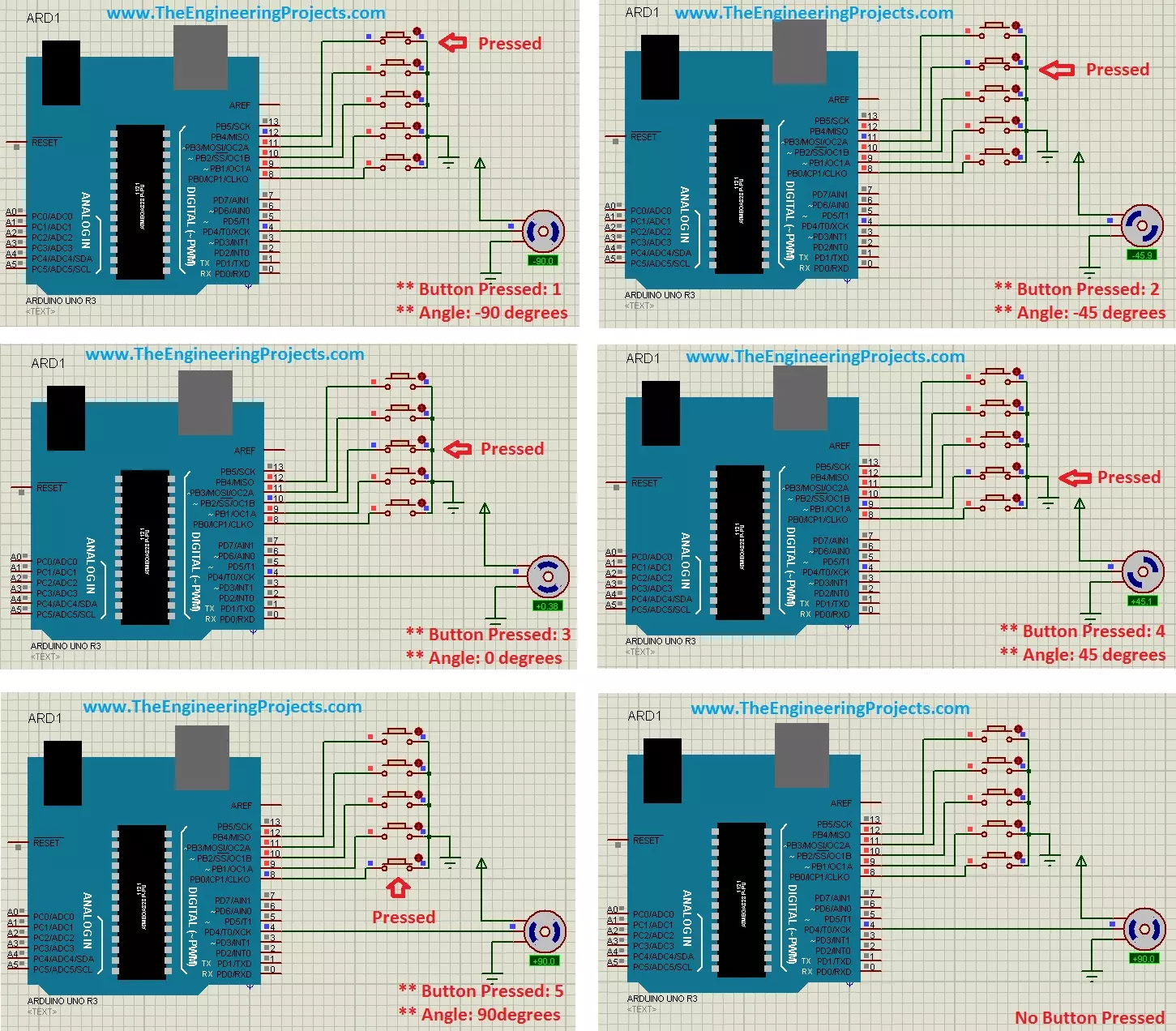
Hello friends, hope you all are fine and having fun with your lives. Today's post is about the Controlling of Servo Motor with Arduino in Proteus ISIS. Servo Motor is a common motor used in engineering projects for precise circular motion. We can move the servo motor at any desired angle, which is not possible in the case of other motors i.e. Stepper or DC.
For example, suppose I want to move an antenna at a precise angle of 47.5 degrees then if I use DC Motor, I have to use an encoder. So, in such cases instead of using a DC motor, I will prefer Servo Motor.
I have already posted Angle Control of Servo Motor using 555 Timer in which I have controlled servo motor using 555 timer and another tutorial about Controlling of Servo Motor using PIC Micro ...
Hi Guys! I welcome you on board. Thank you for clicking this read. In this post today, I’ll detail the Introduction to Arduino Nano Every.
Arduino Nano Every is a tiny powerful board that is based on the ATMega4809 AVR processor. It comes with a clock speed of around 20MHz and flash memory of around 48KB. It carries two 15 pin connectors on each side of the board that are pin-pin compatible with the Arduino Nano Every.
The low price and small size make this board an ideal pick for the range of electrical projects like electronic musical instruments, low-cost robots, and general development of the small parts of the large projects.
Needless to say, Arduino has been a cornerstone of many electronic projects ranging from simple student projects to ...
Hello everyone! I hope you all will be absolutely fine and having fun. Today, I am going to share my knowledge with all of you guys about DC Current Sensor ACS712 Arduino Interfacing. First of all, I would like to tell you about importance of current sensing/measuring. Sensing the amount of current passing through any circuit can be useful in a lot of applications. For example, in low power consuming equipment, current sensing will be helpful to understand the system's impact on its battery life. The current sensing can also be used to make the decisions regarding safety in over current protection circuits.
Simply, we can say that sensing and controlling the flow of the current through the circuits is now a fundamental requirement e.g. over curr ...
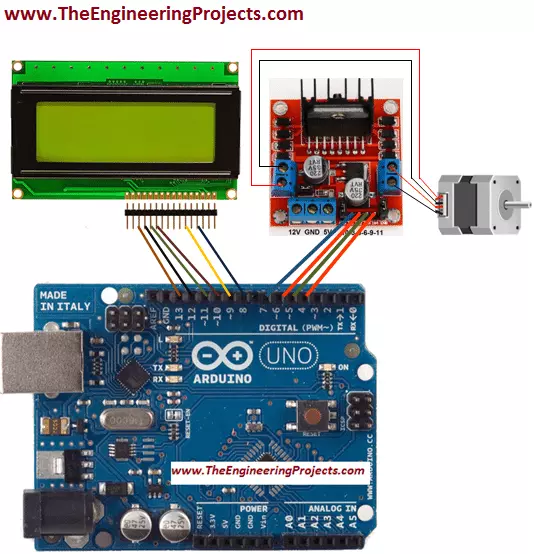
Hello friends! I hope you all will be absolutely fine and having fun. Today, I will elaborate you that how can we make a simple algorithm for Stepper Motor Direction Control using Arduino. In my previous tutorials I made algorithm for DC Motor Direction Control using Arduino, DC Motor Direction Control using Matlab, DC Motor Speed Control using Arduino and DC Motor Speed Control using Matlab. Now, in this tutorial I will control a stepper motor using Arduino by entering the different commands through its serial port.
Before going into the detail of this tutorial, you must know the basic difference between stepper and DC motors. DC motors have only two input terminal one is positive and the other one is negative. You just have to provide the powe ...
Hello friends, I hope you all are fine and having fun with your lives. Today, I am going to share a very basic and introductory tutorial named How to use Arduino Serial Read. I am sharing this tutorial because I am getting a lot of emails in which users normally ask about basic Arduino tutorials as they are very new to them. So, I thought of sharing this very basic Arduino tutorial in which we are going to have a look at how we can use the Arduino Serial Read command.
I selected this tutorial as my first tutorial in this list of Arduino basic tutorials because learning to use Serial port is very necessary as it's one of the best troubleshooting tools for your code. I have also given a Proteus Simulation in which I have received the incoming data f ...