Hello friends! In the previous tutorial, we prepared the Pixy camera and identified its cables. Now we will install PixyMon, the desktop application that lets us view the camera image and configure the original Pixy CMUcam5. We will follow the Windows installation sequence shown in the original screenshots, explain the USB driver stage, and check that the camera can communicate with the application. The screenshots are historical, so the appearance of an installer or Windows notification may differ on your computer. This article concerns the original Pixy, not Pixy2. Choose software for the board you own before starting. A successful installation of the wrong product's application does not establish compatibility with your camera. Figure: PixyMon installation for the original Pixy camera. ...
Hello friends! Today we will get started with the Pixy camera and understand how it can add colour-based vision to a microcontroller project. Before connecting it to a robot, we will identify the board, choose the correct cables and establish what information the camera can actually provide. The board in this tutorial is the original Pixy CMUcam5, often called Pixy1. Its software, firmware and Arduino library belong to that product generation. If you have Pixy2, use its own documentation and downloads; similar names do not make the two software packages interchangeable. Our first objective is simple: connect the original camera to a computer, view a useful scene, and prepare it to recognize a coloured target. Once that works, we can pass compact detection results to Arduino and decide how ...
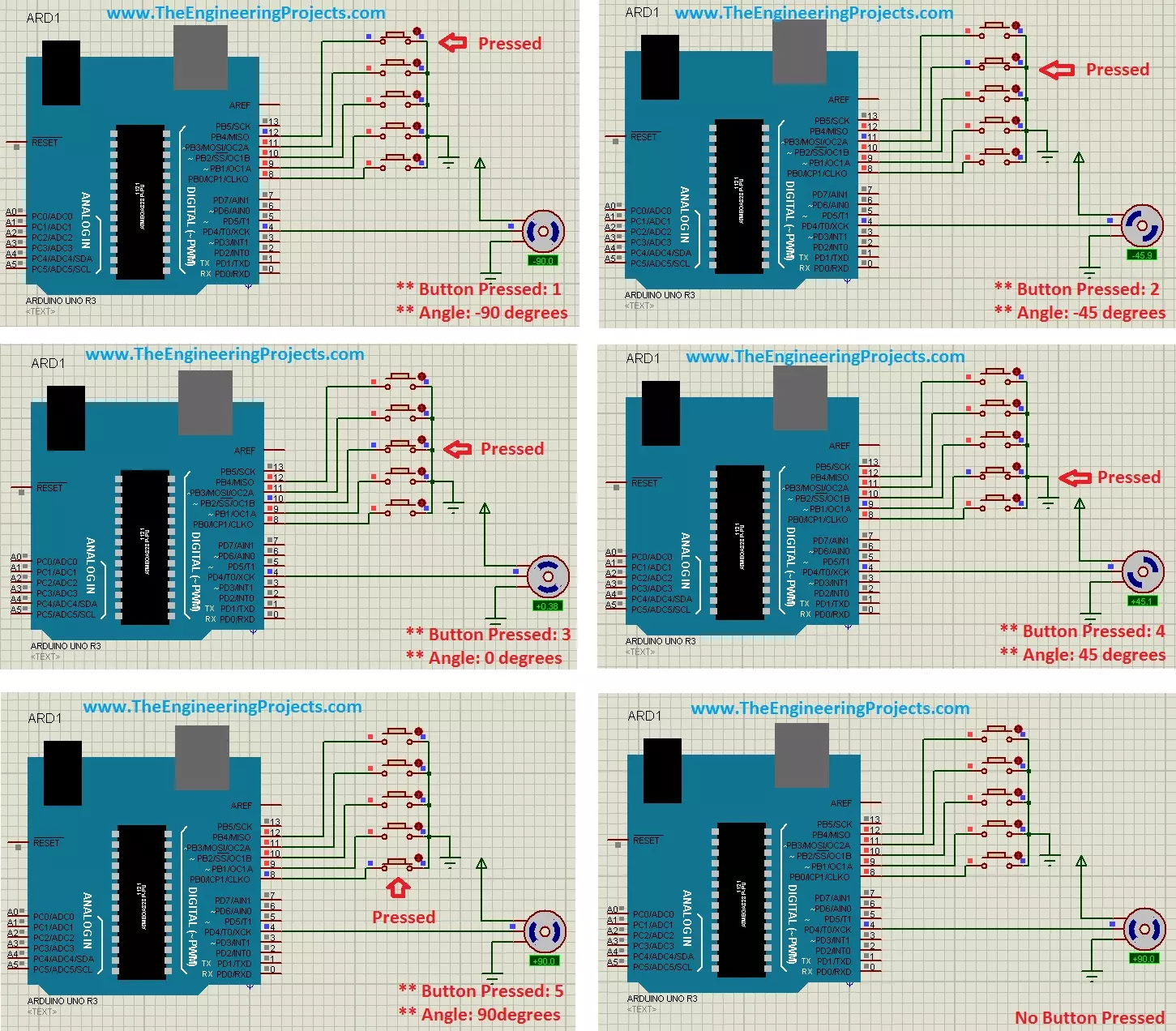
Hello friends! In this tutorial, we will control a servo motor with Arduino in Proteus. We will begin with a simple sweep, understand the signal that commands the position, and then add five push buttons so we can select individual positions. Libraries Libraries used in this tutorial Arduino UNO Library for Proteus: V1.0 (2015, used in this tutorial) · latest version: V4.0 (October 2026) Helping Tools Serial Monitor Advance : a serial terminal window for the UART of your board Serial Monitor Expert : the serial monitor with extra debugging tools LCD Library for Proteus V3.0 : 16x2, 20x4 and I2C LCDs to show your readings A positional hobby servo is convenient because its motor, gearbox and position controller are assembled in one unit. Arduino supplies a command signal while the servo's in ...